

10 alternative a Google Drive per l’archiviazione cloud nel 2026

Selezione delle migliori alternative a Google Drive


Gestire i progetti in modo efficiente è essenziale e l'archiviazione cloud svolge un ruolo fondamentale nel mantenere il team organizzato. Se Google Drive non soddisfa tutte le tue esigenze, esplorare le alternative a Google Drive può aiutarti a trovare soluzioni con sicurezza avanzata, migliori funzionalità di collaborazione o opzioni più convenienti.
Ho testato e recensito in modo indipendente diverse piattaforme di archiviazione cloud per aiutarti a fare una scelta consapevole. In questo articolo scoprirai alternative a Google Drive adatte a diverse esigenze aziendali e preferenze degli utenti.
Metterò in evidenza le mie scelte migliori, mostrando come ogni opzione si adatti a diversi flussi di lavoro ed esigenze dei team. Con questa guida puoi scegliere con sicurezza la soluzione di archiviazione cloud che supporta al meglio la tua produttività e i tuoi obiettivi organizzativi.
Che cos'è Google Drive?
Google Drive è un software di archiviazione cloud che ti consente di archiviare e accedere ai file online. È comunemente utilizzato da professionisti come project manager, educatori e freelance che devono collaborare e condividere documenti.
Funzionalità come la collaborazione in tempo reale, la semplice condivisione dei file e l'integrazione con altri strumenti di Google Workspace aiutano a gestire i progetti e a collaborare in team in modo efficiente. Nel complesso, Google Drive offre un modo pratico per gestire e condividere i file in sicurezza.
Riepilogo delle migliori alternative a Google Drive
Questa tabella comparativa riassume i dettagli sui prezzi delle mie migliori alternative a Google Drive per aiutarti a trovare quella più adatta al tuo budget e alle tue esigenze aziendali.
| Tool | Best For | Trial Info | Price | ||
|---|---|---|---|---|---|
| 1 | Ideale per la scalabilità | Piano gratuito disponibile | A partire da $0.02/GB/mese | Website | |
| 2 | Ideale per l'archiviazione cloud sicura | Prova gratuita + piano gratuito disponibili | A partire da $9.99/utente/mese (con fatturazione annuale) | Website | |
| 3 | Ideale per l'archiviazione su larga scala | Piano gratuito disponibile | A partire da $3.80/mese (con fatturazione annuale) | Website | |
| 4 | Ideale per servizi di backup versatili | Piano gratuito disponibile | A partire da $1.95/mese | Website | |
| 5 | Migliore soluzione autogestita | Prova gratuita + dimostrazione gratuita disponibili | Prezzi su richiesta | Website | |
| 6 | Ideale per la gestione e la sicurezza dei contenuti | Piano gratuito + demo gratuita disponibile | A partire da $8/utente/mese | Website | |
| 7 | Ideale per la crittografia end-to-end | Prova gratuita di 30 giorni | A partire da $6/utente/mese (con fatturazione annuale) | Website | |
| 8 | Ideale per l'integrazione con Microsoft 365 | Piano gratuito disponibile | A partire da $1.99/mese | Website | |
| 9 | Ideale per l'integrazione con i dispositivi Apple | Piano gratuito disponibile | A partire da $0.99/50 GB | Website | |
| 10 | Ideale per l'archiviazione cloud senza costi di uscita dei dati | Prova gratuita di 30 giorni | A partire da $6.99/TB/mese | Website |
Perché fidarsi dei nostri consigli sui software
Il nostro team testa e recensisce software dal 2012. In quanto project manager noi stessi, sappiamo quanto sia difficile — e importante — scegliere il software giusto.
Per questa guida, abbiamo valutato gli strumenti attraverso test pratici e ricerche indipendenti, assegnando un punteggio agli strumenti in base ai nostri criteri di selezione. Ci basiamo inoltre sulle competenze di leader di pensiero del settore e di professionisti attivi nella gestione dei progetti.
Le nostre recensioni riflettono il nostro giudizio editoriale umano, non un discorso di vendita.
Revisori esperti:
Recensioni delle migliori alternative a Google Drive
Di seguito trovi i miei riepiloghi dettagliati delle migliori alternative a Google Drive incluse nella mia selezione. Le mie recensioni offrono un’analisi approfondita delle funzionalità principali, dei pro e dei contro, delle integrazioni e dei casi d’uso ideali di ogni strumento, per aiutarti a trovare quello più adatto a te.

Ideale per la scalabilità
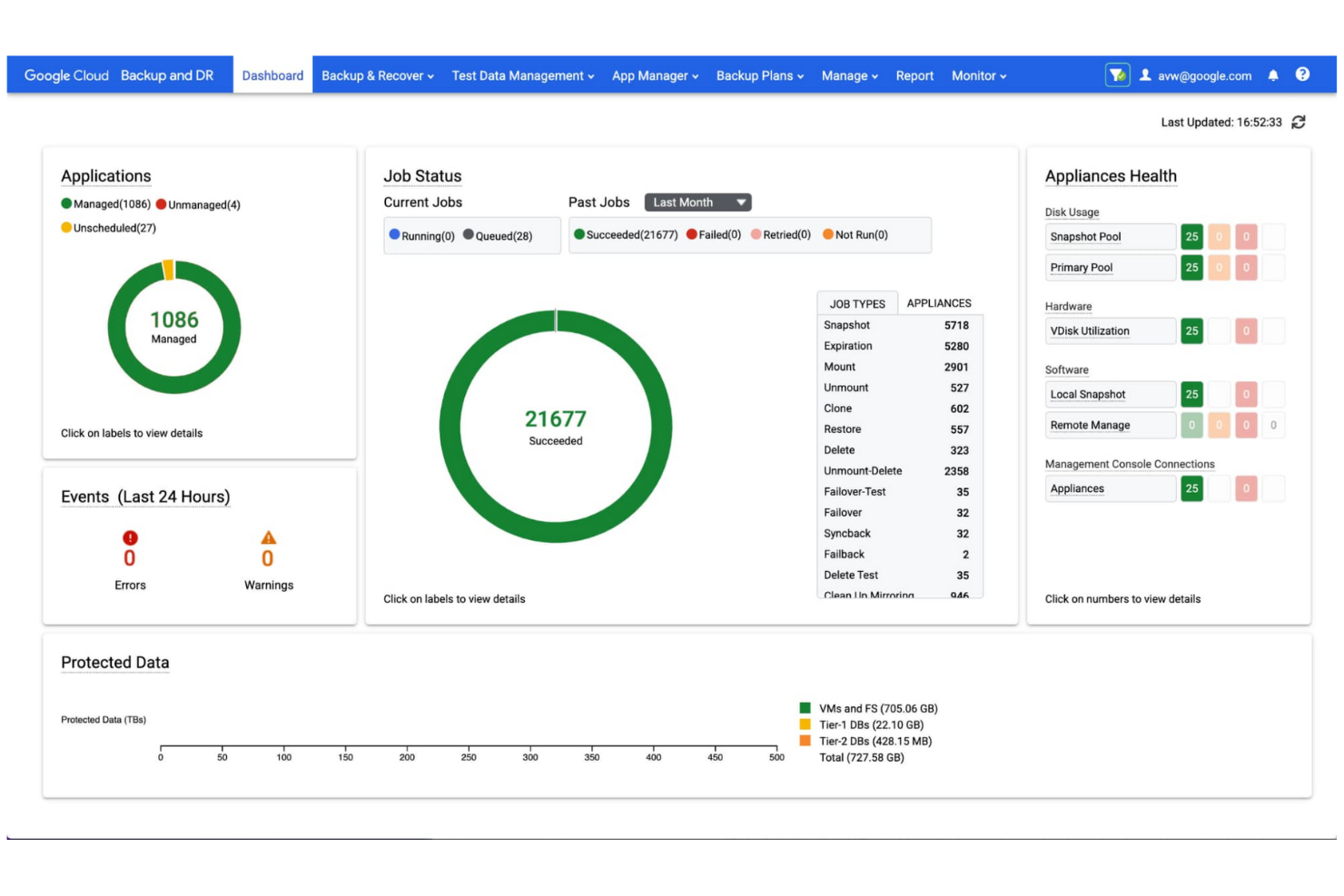
Google Cloud Storage è un servizio di archiviazione scalabile basato su oggetti per sviluppatori e aziende, che consente di archiviare e recuperare dati. Offre uno spazio di archiviazione affidabile e ad alte prestazioni per applicazioni esigenti e analisi dei dati.
Perché è una buona alternativa a Google Drive: Google Cloud Storage ottimizza la gestione dei dati fornendo un servizio di archiviazione sicuro e scalabile basato su oggetti, che funge da componente fondamentale di un ecosistema unificato dai dati all'intelligenza artificiale. Gestisce enormi set di dati, risultando particolarmente adatto se la tua azienda ha esigenze di archiviazione estese.
Caratteristiche e integrazioni principali:
Le caratteristiche includono la gestione del ciclo di vita degli oggetti per la conservazione, l'eliminazione e le transizioni automatiche delle classi di archiviazione dei dati, nonché il controllo delle versioni degli oggetti, che consente di conservare più versioni per il backup e il ripristino. Il servizio supporta pienamente l'archiviazione multiregionale, offrendo ridondanza geografica e alta disponibilità.
Le integrazioni includono BigQuery, Pub/Sub, Cloud SQL, AlloyDB, Bigtable, Firestore, Search Ads 360, YouTube, Vertex AI, Enterprise License Manager, Gmail, Google Analytics, Cloud Translation e altro.
Pros and Cons
Pros:
- Portata globale estesa
- Classi di archiviazione flessibili
- Strumenti intuitivi
Cons:
- Configurazione IAM complessa
- Costi nascosti per l'uscita dei dati

Dropbox
Ideale per l'archiviazione cloud sicura

Dropbox è un servizio di archiviazione cloud che consente a team e singoli utenti di gestire, sincronizzare e condividere documenti e file in modo efficace. Aumenta la produttività offrendo un'archiviazione sicura dei file, una sincronizzazione rapida e strumenti di collaborazione.
Perché è una buona alternativa a Google Drive: Dropbox offre funzionalità avanzate per la gestione dei documenti. Consente di sincronizzare i file su un'ampia gamma di dispositivi e sistemi operativi, tra cui Windows, macOS, Android e iOS.
Funzionalità e integrazioni principali:
Le funzionalità includono Dropbox Paper, Smart Sync e le richieste di file, che consentono di gestire, collaborare e raccogliere file e cartelle senza sovraccaricare il disco rigido locale. La cronologia delle versioni e gli strumenti di recupero dei file proteggono i dati importanti.
Le integrazioni includono Slack, Zoom, Microsoft, Adobe, Trello, Jira, Asana, Google Workspace, HubSpot, Autodesk, Canva, AWS e altre.
Pros and Cons
Pros:
- Sincronizzazione rapida dei file
- Potenti strumenti di collaborazione
- Ampie integrazioni
Cons:
- Limitazioni nella struttura delle cartelle
- Non offre la gestione delle chiavi private

MEGA
Ideale per l'archiviazione su larga scala

MEGA è un servizio di archiviazione cloud sicuro e controllato dall'utente per privati e aziende che cercano una notevole capacità di archiviazione abbinata alla crittografia end-to-end.
Perché è una buona alternativa a Google Drive: MEGA offre una crittografia a conoscenza zero, garantendo privacy completa e controllo sui tuoi file. È un'ottima alternativa a Google Drive se dai priorità alla sicurezza e a una grande capacità di archiviazione.
Funzionalità e integrazioni principali:
Le funzionalità includono comunicazioni crittografate end-to-end per chat sicure, riunioni video e messaggi. MEGA offre anche la cronologia delle versioni dei file, che consente di ripristinare versioni precedenti dei file durante la modifica, nonché la condivisione sicura con opzioni per la protezione tramite password e le date di scadenza.
Le integrazioni non sono elencate pubblicamente.
Pros and Cons
Pros:
- Prezzi competitivi per esigenze di archiviazione elevate
- Velocità di trasferimento elevate
- 20 GB di spazio di archiviazione gratuito per gli account non a pagamento
Cons:
- Rigide politiche di rimozione
- Nessun recupero senza la chiave
IDrive
Ideale per servizi di backup versatili

IDrive è una soluzione di backup e archiviazione cloud per privati, piccole imprese e aziende che necessitano di backup, sincronizzazione e recupero dei dati affidabili e in tempo reale su dispositivi illimitati con un unico account.
Perché è una buona alternativa a Google Drive: IDrive offre un servizio di backup dei dati completo e altamente affidabile, ideale per gli utenti attenti alla sicurezza. La possibilità di eseguire il backup di più dispositivi con un unico account è comoda se gestisci diversi computer.
Funzionalità e integrazioni principali:
Le funzionalità includono la protezione continua dei dati, che identifica automaticamente i file modificati e ne esegue immediatamente il backup. Il backup dell'immagine del disco consente di creare una replica del disco rigido, compresi il sistema operativo, i programmi installati, le impostazioni e tutti i file. Il backup ibrido combina il backup locale e quello cloud per una maggiore sicurezza e un recupero dei dati più rapido.
Le integrazioni includono Microsoft Office, Outlook, QuickBooks, Exchange, SharePoint, SQL Server, Linux, Mac OS e altro.
Pros and Cons
Pros:
- Backup da cloud a cloud
- 5 GB di spazio di archiviazione gratuiti per test o utilizzi leggeri
- Supporto per dispositivi illimitati
Cons:
- Supporto limitato per Linux
- Interfaccia complessa

Migliore soluzione autogestita

Nextcloud è una piattaforma a codice aperto, autogestita, per l'archiviazione cloud e la collaborazione sui contenuti, destinata ad aziende e privati che necessitano di un'alternativa sicura e interna ai servizi cloud pubblici. Consente di archiviare, sincronizzare e condividere file sul proprio server, offrendo il pieno controllo sui propri dati.
Perché è una valida alternativa a Google Drive: Nextcloud offre tutta la flessibilità di una soluzione autogestita, garantendo un controllo completo e indipendente sui dati, sulla gestione degli utenti e sulle impostazioni di sicurezza. È un'alternativa flessibile, privata e altamente personalizzabile a Google Drive, che offre inoltre una sicurezza superiore.
Funzionalità e integrazioni principali:
Le funzionalità includono il controllo degli accessi ai file, che consente di definire autorizzazioni precise per visualizzare, modificare, condividere o eliminare i file. La crittografia end-to-end protegge i dati dagli accessi non autorizzati, anche in caso di violazione dei dati, mentre l'autenticazione a due fattori aumenta la sicurezza dell'account.
Le integrazioni includono Collabora Online, Microsoft Outlook, Zimbra, Moodle, EGroupware, Jitsi, Samba e altro ancora.
Pros and Cons
Pros:
- Autogestito per il controllo completo
- Nessun costo ricorrente per lo spazio di archiviazione
- Autorizzazioni degli utenti personalizzabili
Cons:
- Manutenzione elevata del server
- La sicurezza deve essere gestita dall'utente

Box
Ideale per la gestione e la sicurezza dei contenuti
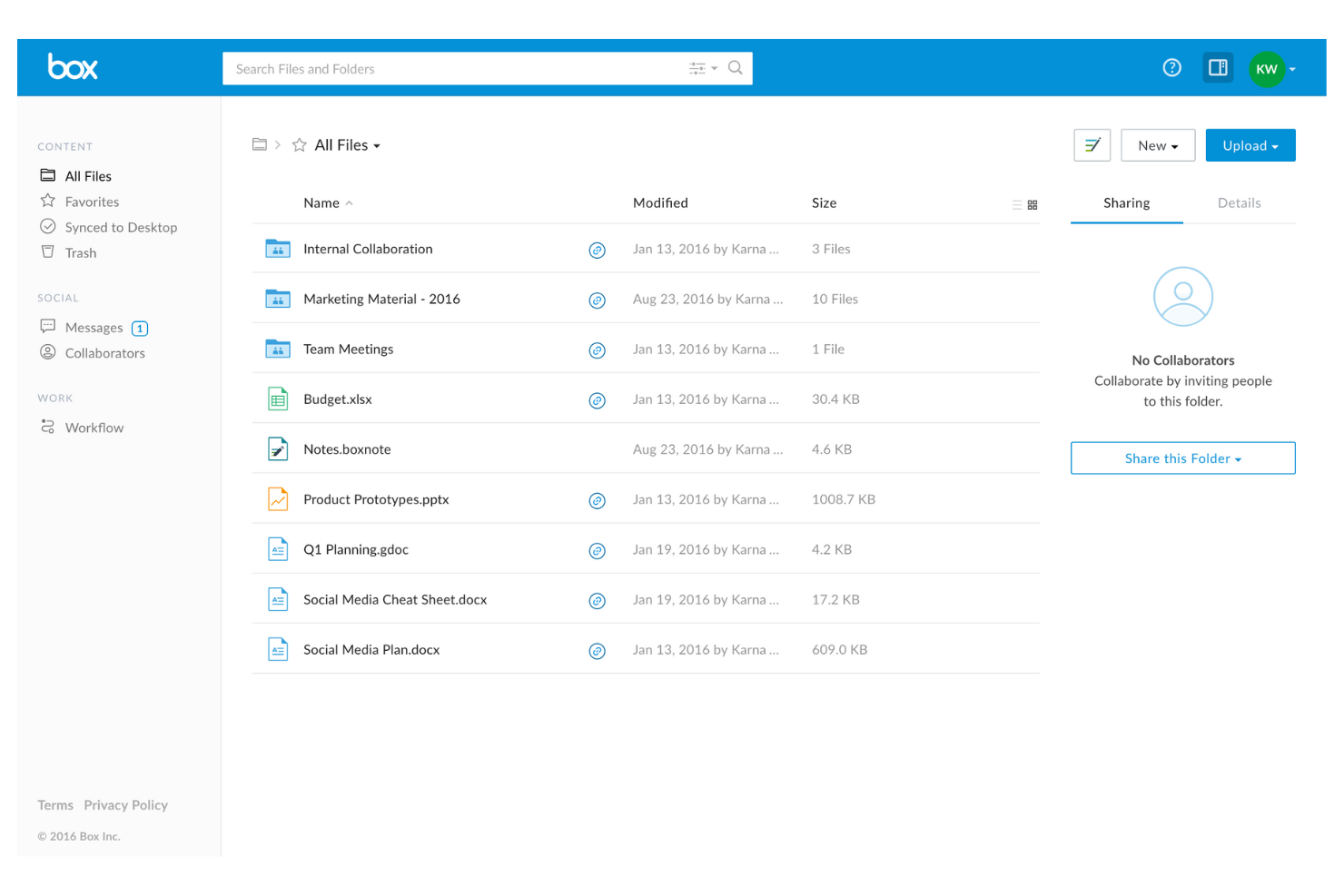
Box è un servizio di gestione dei contenuti e condivisione di file nel cloud per aziende e imprese, che consente di gestire, archiviare e condividere documenti in modo sicuro. Abilita la collaborazione in tempo reale, l'automazione dei flussi di lavoro e la conformità dei dati di alto livello.
Perché è una buona alternativa a Google Drive: Box offre una solida piattaforma di gestione dei contenuti di livello aziendale per le imprese che richiedono una gestione sicura dei documenti, collaborazione e governance. È un'alternativa interessante a Google Drive se gestisci dati ad alto rischio.
Funzionalità e integrazioni principali:
Le funzionalità includono l'automazione dei flussi di lavoro, che consente la creazione di flussi di lavoro personalizzati, aumentando significativamente la produttività e ottimizzando i processi aziendali. I controlli granulari degli accessi consentono di definire autorizzazioni specifiche per la visualizzazione e la modifica dei file. Le funzionalità di prevenzione della perdita dei dati proteggono le informazioni sensibili dagli accessi non autorizzati.
Le integrazioni includono Salesforce, Slack, Microsoft Office 365, Google Workspace, Adobe Acrobat, DocuSign, IBM Connections, Okta, Zoom, WebDrive, AdvisorCRM, Syncly, MV Tools, Trello e altro.
Pros and Cons
Pros:
- Sicurezza di livello aziendale
- Diversi piani aziendali
- Capacità di archiviazione illimitata per le organizzazioni
Cons:
- Limiti rigorosi sulle dimensioni dei file
- Nessuna sincronizzazione a livello di blocco

Sync
Ideale per la crittografia end-to-end

Sync è un servizio di archiviazione cloud incentrato sulla privacy, pensato per privati e aziende che danno priorità alla sicurezza dei dati e alla collaborazione tra dispositivi.
Perché è una valida alternativa a Google Drive: Sync utilizza la crittografia end-to-end e un'architettura a conoscenza zero, quindi solo gli utenti autorizzati possono accedere ai tuoi file. I controlli avanzati sulla condivisione e le impostazioni sulla privacy consentono di controllare chi può vedere i tuoi file e cosa può farci, rendendolo una scelta sicura per le informazioni sensibili.
Funzionalità e integrazioni principali:
Le funzionalità includono una cronologia avanzata delle versioni dei file e strumenti di recupero dei dati che consentono di ripristinare versioni precedenti e recuperare i file eliminati. Il sistema di backup automatico protegge i tuoi dati senza interventi manuali e l'interfaccia intuitiva semplifica la gestione e la condivisione dei file.
Le integrazioni includono Microsoft Office 365, Adobe Creative Suite, Slack, Google Workspace e altro ancora.
Pros and Cons
Pros:
- Ampie funzionalità di recupero dei file e cronologia delle revisioni
- Crittografia a conoscenza zero
- Sincronizzazione affidabile
Cons:
- Nessuna sincronizzazione LAN
- Opzioni di piano limitate

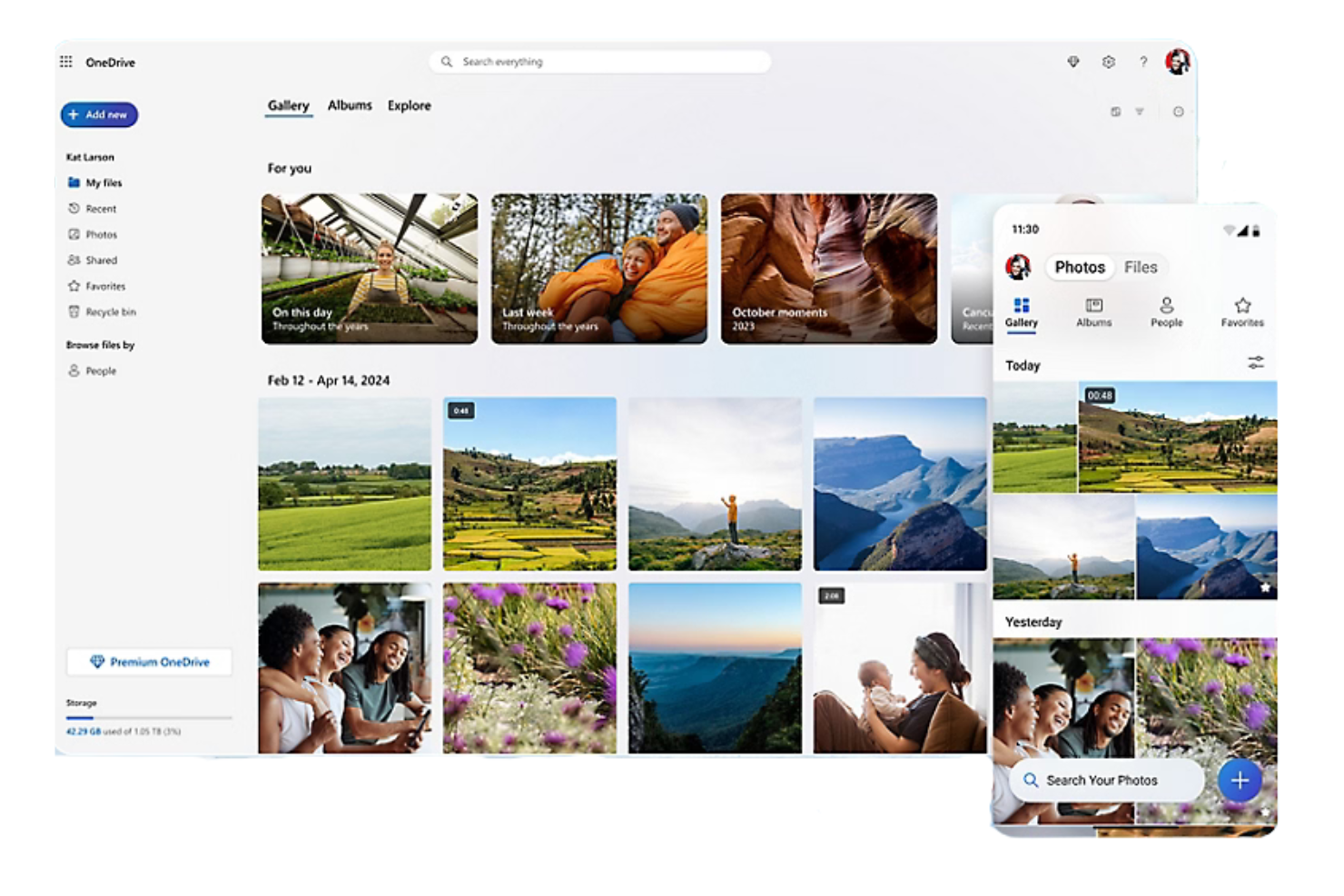
Microsoft OneDrive è una piattaforma di archiviazione cloud che consente agli utenti di archiviare, sincronizzare e condividere file, foto e documenti online. Ideale sia per l'uso personale sia per le aziende, il servizio integrato con Microsoft è accessibile da qualsiasi dispositivo compatibile e consente una collaborazione sicura.
Perché è una buona alternativa a Google Drive: OneDrive si integra nativamente con Microsoft 365, offrendo un'esperienza coerente agli utenti Windows, e supporta anche l'integrazione di terze parti con Gmail. Offre la creazione collaborativa in tempo reale nelle applicazioni Office e funzionalità di sicurezza avanzate, tra cui la crittografia dei file e il rilevamento dei ransomware, così il tuo team può collaborare e condividere dati in sicurezza.
Funzionalità e integrazioni principali:
Le funzionalità includono il controllo delle versioni dei file per visualizzare, ripristinare e scaricare versioni precedenti dei documenti. Le funzionalità di accesso offline consentono di lavorare sui file senza una connessione Internet e puoi controllare chi può visualizzare i tuoi file con opzioni di condivisione personalizzabili.
Le integrazioni includono Microsoft Word, Excel, PowerPoint, Outlook, Teams, SharePoint, OneNote, Azure Active Directory, Dynamics 365, Power Automate e altro ancora.
Pros and Cons
Pros:
- Integrazione approfondita con Windows e Office
- File su richiesta
- Particolarmente adatto alle attività delle piccole imprese
Cons:
- Sposta i file locali per impostazione predefinita
- Attivazione automatica aggressiva


iCloud+ è un servizio cloud in abbonamento per gli utenti con più dispositivi Apple che amplia le funzionalità di iCloud gratuito, sincronizzando, eseguendo automaticamente il backup e condividendo i dati.
Perché è una buona alternativa a Google Drive: iCloud+ offre un'integrazione nativa nell'ecosistema Apple, risultando la scelta più naturale se utilizzi già dispositivi Apple e hai bisogno di più dei 5 GB di spazio di archiviazione gratuiti predefiniti. Include funzionalità di privacy e sicurezza per proteggere i tuoi dati, la tua privacy e la tua identità online.
Funzionalità e integrazioni principali:
Le funzionalità includono Foto di iCloud, iCloud Drive e Backup iCloud, che forniscono maggiore spazio di archiviazione per la sincronizzazione e i backup automatici su tutti i dispositivi Apple. Video sicuro di HomeKit, Relay privato di iCloud e Nascondi la mia email offrono una protezione significativa contro i tracker e le violazioni dei dati.
Le integrazioni includono Mail di Apple, Calendario, Contatti, Note, Promemoria, Safari, Messaggi e altro.
Pros and Cons
Pros:
- Backup automatici
- Integrazione con Google Foto
- Sincronizzazione di foto e documenti tra dispositivi
Cons:
- Piano gratuito estremamente limitato
- Vincolo all'ecosistema


Wasabi è un fornitore di archiviazione cloud per aziende e sviluppatori specializzato nell'archiviazione di oggetti cloud a caldo, altamente conveniente, ad alte prestazioni e sicura.
Perché è una buona alternativa a Google Drive: Wasabi elimina i costi di uscita dei dati, rendendolo una scelta conveniente se la tua azienda trasferisce o accede frequentemente a grandi quantità di dati.
Funzionalità e integrazioni principali:
Le funzionalità includono l'immutabilità dei dati per proteggere i tuoi file da modifiche ed eliminazioni non autorizzate. Il recupero dei dati ad alta velocità mantiene i tuoi file immediatamente accessibili quando necessario. Wasabi offre inoltre un modello di prezzi semplice e a tariffa fissa, per garantire trasparenza ed eliminare i costi nascosti, consentendo una pianificazione del budget semplice e prevedibile.
Le integrazioni includono Veeam, Commvault, Rubrik, Veritas, Panzura, CloudBerry Lab, Arcserve, Synology, QNAP, Nasuni e altro ancora.
Pros and Cons
Pros:
- Nessun costo per il recupero o l'uscita dei dati
- API compatibile con S3
- Prestazioni ad alta velocità
Cons:
- Nessuna anteprima dei file su dispositivi mobili
- Politica di conservazione minima
Altre alternative a Google Drive
Ecco alcune ulteriori alternative a Google Drive che non sono state incluse nella mia selezione, ma che vale comunque la pena prendere in considerazione:
- Proton Drive
Ideale per l'archiviazione incentrata sulla privacy
- pCloud
Ideale per offerte di archiviazione a vita
- IceDrive
Ideale per un'interfaccia utente leggera


Come valuto le alternative a Google Drive
Divido la mia valutazione in due livelli: le funzionalità di base che uno strumento deve avere per qualificarsi—come la co-modifica in tempo reale e i permessi basati sui ruoli—e i fattori distintivi che determinano la scelta migliore.
Funzionalità di base (Requisiti fondamentali per questa lista)
Quando seleziono gli strumenti per la mia lista, valuto ognuno su una scala da 0 (non offre la funzionalità) a 5 (eccelle in quest'area) per ciascuna delle funzionalità di base elencate qui sotto. Poi calcolo il punteggio totale dello strumento come percentuale. Ogni strumento deve raggiungere un punteggio minimo totale del 75% per essere considerato per l'inclusione.
- Archiviazione cloud dei file: Valuto quanta archiviazione di base e scalabile offre ciascuno strumento, inclusa la profondità della gerarchia delle cartelle e il supporto ai tipi di file per asset come PDF, file CAD e video.
- Condivisione file e permessi: Qui conta l'accesso granulare basato sui ruoli—cerco strumenti che permettano di impostare diritti di visualizzazione, modifica e commento per cartella, sia per colleghi interni che per clienti esterni.
- Collaborazione in tempo reale sui documenti: La co-modifica è il punto di riferimento fissato da Google Drive, quindi verifico se le alternative supportano editing multi-utente dal vivo, commenti in linea e storico delle versioni con possibilità di ripristino.
- Sincronizzazione su più dispositivi: I team di progetto lavorano su laptop, telefoni e tablet, quindi ogni strumento deve offrire sincronizzazione affidabile tra desktop, web e mobile—con accesso offline per attività in campo o in viaggio.
- Integrazioni coi tool di progetto: Guardo alle connessioni native con piattaforme come Jira, Asana, Monday, Slack e Microsoft Teams, oltre a verificare se lo strumento offre un'API aperta o supporto Zapier per flussi di lavoro personalizzati.
- Sicurezza e conformità: Gli standard di crittografia, i log di audit e le certificazioni di conformità come SOC 2 e GDPR sono i primi aspetti che controllo—soprattutto per i team che gestiscono contratti con clienti o dati soggetti a regolamentazione.
Una volta che ho una lista di strumenti che soddisfano questi criteri, considero cosa rende unica ogni piattaforma.
Fattori differenzianti (cosa distingue i fornitori)
Ecco come confronto e metto a contrasto i diversi fornitori:
Funzionalità distintive
L'automazione del flusso di lavoro è un grande elemento distintivo—cerco strumenti che instradano le consegne tra le fasi di revisione e approvazione senza dover rincorrere le persone via email. Anche i portali per i clienti sono importanti per i team delle agenzie che devono condividere file con stakeholder esterni senza esporre l'intero spazio di lavoro. Il supporto integrato per le firme elettroniche elimina la necessità di uno strumento separato quando bisogna far firmare Statement of Work o change order durante il progetto.
Oltre le funzionalità
La struttura dei prezzi conta quando il team cresce—valuto se lo spazio di archiviazione è condiviso nell'area di lavoro o assegnato per utente, poiché questo cambia rapidamente la dinamica dei costi via via che varia il numero di membri. Anche gli strumenti di migrazione sono un altro fattore che controllo da vicino. Spostare terabyte di file di progetto da Google Drive è impegnativo senza un percorso import strutturato o un supporto dedicato alla migrazione. Considero anche quanto sia profondo l'ecosistema di ogni piattaforma, in particolare se si connette al sistema più ampio di project management e comunicazione su cui il team già fa affidamento.
Perché cercare un'alternativa a Google Drive?
Sebbene Google Drive sia una buona scelta per l'archiviazione cloud, esistono diversi motivi per cui alcuni utenti cercano soluzioni alternative. Potresti cercare un'alternativa a Google Drive perché:
- Hai bisogno di funzionalità di sicurezza più avanzate
- Il tuo team necessita di una maggiore capacità di archiviazione
- Desideri una migliore integrazione con applicazioni non appartenenti a Google
- Hai bisogno di accedere ai file offline per il lavoro da remoto
- Il tuo team necessita di strumenti di collaborazione completi
Se ti riconosci in una di queste situazioni, sei nel posto giusto. Il mio elenco include diverse opzioni di software di archiviazione cloud particolarmente adatte ai team che affrontano queste difficoltà con Google Drive e cercano una valida alternativa.
Funzionalità di Google Drive
Ecco alcune delle principali funzionalità di Google Drive, per aiutarti a mettere a confronto e comparare ciò che offrono le soluzioni alternative:
- Collaborazione in tempo reale: lavora contemporaneamente con il tuo team sui documenti, modificandoli e fornendo feedback in tempo reale con facilità.
- Integrazione con Google Workspace: utilizza Google Docs, Sheets e Slides per aumentare la produttività e la collaborazione all'interno del tuo team.
- Condivisione dei file e autorizzazioni: condividi i file con altre persone e controlla chi può visualizzarli, modificarli o commentarli, assegnando a ogni utente il livello di accesso appropriato.
- Drive condivisi: crea uno spazio collaborativo in cui il tuo team può archiviare e gestire insieme i file, disponibile in alcuni piani Google Workspace.
- Funzionalità di sicurezza: proteggi i tuoi dati grazie ai controlli zero trust, alle misure di sicurezza basate sull'intelligenza artificiale e alla conformità normativa.
- Accesso da dispositivi mobili e desktop: accedi ai tuoi file e gestiscili ovunque ti trovi con le applicazioni mobili e desktop di Google Drive.
- Ricerca basata sull'intelligenza artificiale: trova rapidamente file e documenti utilizzando funzionalità di ricerca intelligenti per ottimizzare il tuo flusso di lavoro.
- Cronologia delle versioni dei file: tieni traccia delle modifiche e ripristina le versioni precedenti quando necessario, mantenendo aggiornati i tuoi dati.
- Accesso offline: lavora sui tuoi file senza una connessione Internet e sincronizza le modifiche quando torni online.
- Firme elettroniche: richiedi e gestisci firme elettroniche per contratti e accordi, con un modo pratico per finalizzare i documenti.
E adesso:
Se stai cercando un software di archiviazione cloud, contatta gratuitamente un consulente di SoftwareSelect per ricevere consigli personalizzati.
Compili un modulo e fai una breve conversazione durante la quale il consulente approfondirà le tue esigenze specifiche. Dopodiché riceverai una lista ristretta di software da valutare. Ti assisterà inoltre durante l'intero processo di acquisto, comprese le trattative sul prezzo.