

Le 10 migliori alternative a FileMaker per app personalizzate nel 2026

Elenco ristretto delle alternative a FileMaker


Una valida alternativa a FileMaker offre al tuo team strumenti a basso codice per creare applicazioni, personalizzare interfacce e gestire applicazioni web basate su database, senza vincolarti all'ecosistema di un singolo fornitore. Se stai cercando alternative a Claris FileMaker, probabilmente cerchi piattaforme che offrano distribuzione flessibile, integrazioni moderne e supporto per flussi di lavoro in evoluzione tra i team di prodotto, ingegneria e progettazione. Questo elenco ti aiuterà a confrontare le principali piattaforme a basso codice, così potrai trovare quella più adatta alle tue esigenze di sviluppo delle applicazioni, ai requisiti tecnici e allo stile di collaborazione del tuo team.
Che cos'è FileMaker?
FileMaker è una piattaforma di sviluppo a basso codice e un IDE di una filiale di Apple per creare applicazioni di database personalizzate che funzionano su dispositivi desktop, web e mobili. I team la utilizzano per creare, gestire e automatizzare i flussi di lavoro, dando priorità alla facilità d'uso per l'utente finale senza una curva di apprendimento ripida. Supporta lo sviluppo rapido di applicazioni, si integra con altri sistemi e consente opzioni di distribuzione flessibili. FileMaker viene spesso utilizzato dalle aziende che necessitano di soluzioni personalizzate per la gestione dei dati, l'automazione dei processi e la collaborazione tra team.
Tabella di confronto delle alternative a FileMaker
Questa tabella di confronto riassume i dettagli dei prezzi delle mie migliori alternative a FileMaker:
| Tool | Best For | Trial Info | Price | ||
|---|---|---|---|---|---|
| 1 | Ideale per flessibilità di deployment on-premises | Prova gratuita di 30 giorni | Da $12/utente/mese (fatturazione annuale) | Website | |
| 2 | Ideale per la creazione di database in stile foglio di calcolo | Piano gratuito disponibile | Da $20/utente/mese (fatturato annualmente) | Website | |
| 3 | Ideale per esigenze complesse di sviluppo applicativo | Piano gratuito + demo gratuita disponibile | Prezzo su richiesta | Website | |
| 4 | Ideale per opzioni di personalizzazione open-source | Prova gratuita di 15 giorni + piano gratuito + demo gratuita disponibile | Da $15/utente/mese | Website | |
| 5 | Ideale per la modifica collaborativa dei database | Prova gratuita + piano gratuito disponibile | Da $10/utente/mese (fatturazione annuale) | Website | |
| 6 | Ideale per applicazioni no-code basate su database | Versione di prova gratuita disponibile | Da $100/mese | Website | |
| 7 | Ideale per integrazioni di livello enterprise | Piano gratuito + demo gratuita disponibile | Da $1090/mese | Website | |
| 8 | Ideale per la distribuzione rapida di app tra i team | Prova gratuita di 15 giorni | A partire da $8/utente/mese (fatturato annualmente) | Website | |
| 9 | Ideale per l'automazione di flussi di lavoro personalizzati | Prova gratuita di 14 giorni disponibile | A partire da $49/mese (fatturazione annuale) | Website | |
| 10 | Ideale per l'automazione dei processi di servizio IT | Demo gratuita disponibile | A partire da $1000/mese | Website |
Perché fidarsi dei nostri consigli sui software
Il nostro team testa e recensisce software dal 2012. In quanto project manager noi stessi, sappiamo quanto sia difficile — e importante — scegliere il software giusto.
Per questa guida, abbiamo valutato gli strumenti attraverso test pratici e ricerche indipendenti, assegnando un punteggio agli strumenti in base ai nostri criteri di selezione. Ci basiamo inoltre sulle competenze di leader di pensiero del settore e di professionisti attivi nella gestione dei progetti.
Le nostre recensioni riflettono il nostro giudizio editoriale umano, non un discorso di vendita.
Revisori esperti:
Recensioni delle alternative a FileMaker
Di seguito trovi i miei riepiloghi dettagliati delle alternative a FileMaker che sono entrate nel mio elenco ristretto. Le mie recensioni offrono uno sguardo approfondito sulle funzionalità, sui casi d’uso migliori e sulle integrazioni di ciascuna piattaforma, per aiutarti a trovare quella più adatta a te.

Ninox
Ideale per flessibilità di deployment on-premises

Se il tuo team ha bisogno di una piattaforma low-code con una vera flessibilità di deployment on-premises, Ninox merita sicuramente attenzione. È particolarmente utile per le organizzazioni in settori regolamentati o per chi ha rigorosi requisiti di residenza dei dati. A differenza di FileMaker e di molti strumenti progettati prima per il cloud, Ninox ti consente di distribuire e gestire i tuoi database interamente sulle tue infrastrutture.
Perché Ninox è una valida alternativa a FileMaker
A differenza di molte piattaforme low-code che funzionano solo in cloud, Ninox si distingue per la flessibilità nella distribuzione on-premises. Ho scelto Ninox perché dà ai team il pieno controllo su dove e come vengono archiviati i dati, il che è essenziale per le organizzazioni con esigenze di conformità o sicurezza rigorose. Puoi installare Ninox sui tuoi server, gestire localmente l'accesso degli utenti e mantenere le informazioni sensibili esclusivamente nella tua infrastruttura. Questo livello di controllo rende Ninox una valida alternativa a FileMaker per aziende che non possono scendere a compromessi sulla residenza o la privacy dei dati.
Caratteristiche chiave di Ninox
Altre funzionalità di Ninox aiutano i team a personalizzare e automatizzare i loro flussi di lavoro:
- Linguaggio di scripting personalizzato: Crea logiche avanzate e automazioni utilizzando il linguaggio di scripting integrato di Ninox.
- Libreria di template: Accedi a una raccolta di template già pronti per processi aziendali comuni e casi d’uso frequenti.
- Permessi basati sui ruoli: Imposta controlli di accesso dettagliati per utenti e gruppi diversi all’interno della tua organizzazione.
- Supporto app mobile: Usa app dedicate per accedere e aggiornare i database da dispositivi iOS e Android.
Integrazioni Ninox
Le integrazioni includono DATEV, Carbone.io, 3CX, Make, Integrately e una REST API nativa per integrazioni personalizzate.
Pros and Cons
Pros:
- Elaborazione dati rapidissima
- Fasce di prezzo convenienti
- Solido collegamento tra dati relazionali
Cons:
- Funzionalità web app di base
- Community di utenti ridotta

Airtable
Ideale per la creazione di database in stile foglio di calcolo

Se cerchi una piattaforma low-code che sia immediatamente familiare agli utenti di fogli di calcolo, Airtable si distingue. È particolarmente adatta a team di marketing, prodotto o operazioni che desiderano organizzare, collegare e visualizzare dati senza una configurazione complessa. La struttura flessibile del database di Airtable e la sua interfaccia intuitiva rendono semplice creare flussi di lavoro personalizzati che vanno oltre ciò che possono offrire i tradizionali fogli di calcolo o i layout di FileMaker.
Perché Airtable è una buona alternativa a FileMaker
Ciò che distingue Airtable da altre piattaforme low-code è la creazione di database in stile foglio di calcolo. L'ho scelto per i team che vogliono progettare database relazionali utilizzando una vista a griglia familiare, ma con la possibilità aggiuntiva di collegare record e creare tipi di dati personalizzati. Airtable consente inoltre di passare dalla vista griglia a kanban, calendario e galleria, così da poter visualizzare e gestire i dati nel modo più adatto al proprio flusso di lavoro. La sua interfaccia drag-and-drop e le opzioni di personalizzazione dei campi facilitano la creazione e l’adattamento dei database senza scrivere codice.
Funzionalità principali di Airtable
Altre funzionalità di Airtable lo rendono una scelta flessibile per progetti low-code:
- Automazioni: Imposta trigger e azioni personalizzate per automatizzare attività ripetitive nei tuoi flussi di lavoro.
- Costruttore di moduli: Crea moduli condivisibili che inseriscono i dati direttamente nei tuoi database per una raccolta dati semplice.
- Marketplace di app: Aggiungi app predefinite o personalizzate per estendere la funzionalità di Airtable all’interno del tuo workspace.
- Permessi basati sui ruoli: Controlla l’accesso a basi, tabelle e viste tramite autorizzazioni utente granulari.
Integrazioni di Airtable
Le integrazioni includono Slack, Google Drive, Salesforce, Jira, Zendesk, Box, Dropbox, GitHub, Gmail e Outlook Calendar.
Pros and Cons
Pros:
- Splendidi template integrati
- Ottima collaborazione in tempo reale
- Sostituisce le funzioni base di FileMaker
Cons:
- Capacità offline limitate
- Manca di scripting complesso
Ideale per esigenze complesse di sviluppo applicativo

OutSystems è pensato per i team che devono creare e mantenere applicazioni altamente complesse e scalabili. È una scelta ideale per i dipartimenti IT aziendali e i team di sviluppo software che desiderano funzionalità avanzate di automazione, sicurezza e controllo della distribuzione. A differenza di FileMaker, OutSystems supporta lo sviluppo full-stack con DevOps integrato, opzioni avanzate di integrazione e supporto per carichi di lavoro mission-critical.
Perché OutSystems è una valida alternativa a FileMaker
Per le organizzazioni che affrontano esigenze complesse di sviluppo applicazioni, OutSystems offre una profondità che FileMaker non può eguagliare. Ho scelto OutSystems perché supporta lo sviluppo full-stack, permettendo ai team di creare sia componenti front-end che back-end all'interno di un'unica piattaforma. Il suo ambiente di sviluppo visuale include automazione avanzata, componenti riutilizzabili e strumenti DevOps integrati per gestire l'intero ciclo di vita delle applicazioni. Queste funzionalità rendono OutSystems una scelta solida per i team che devono fornire soluzioni sofisticate e scalabili, andando oltre le possibilità delle tradizionali piattaforme low-code.
Caratteristiche principali di OutSystems
Altre funzionalità di OutSystems aiutano i team a distribuire e gestire applicazioni su larga scala:
- Generatore di workflow potenziato dall'IA: Automatizza la progettazione e l'ottimizzazione dei processi grazie a linee guida AI integrate.
- Controlli di sicurezza basati sui ruoli: Assegna permessi dettagliati a utenti e gruppi per ciascuna applicazione.
- Monitoraggio delle prestazioni integrato: Monitora la salute e l'utilizzo delle applicazioni tramite dashboard di analisi in tempo reale.
- Distribuzione cloud con un solo clic: Distribuisci applicazioni su ambienti cloud pubblici o privati con una sola azione.
Integrazioni OutSystems
Le integrazioni includono SAP, Salesforce, Oracle, Microsoft Dynamics, AWS, Azure e Zendesk.
Pros and Cons
Pros:
- Potenti app mobili offline
- Sincronizzazione avanzata con sistemi legacy
- Mappatura visuale dei flussi logici
Cons:
- Configurazione di distribuzione complessa
- Non adatto a sviluppatori occasionali

Appsmith
Ideale per opzioni di personalizzazione open-source
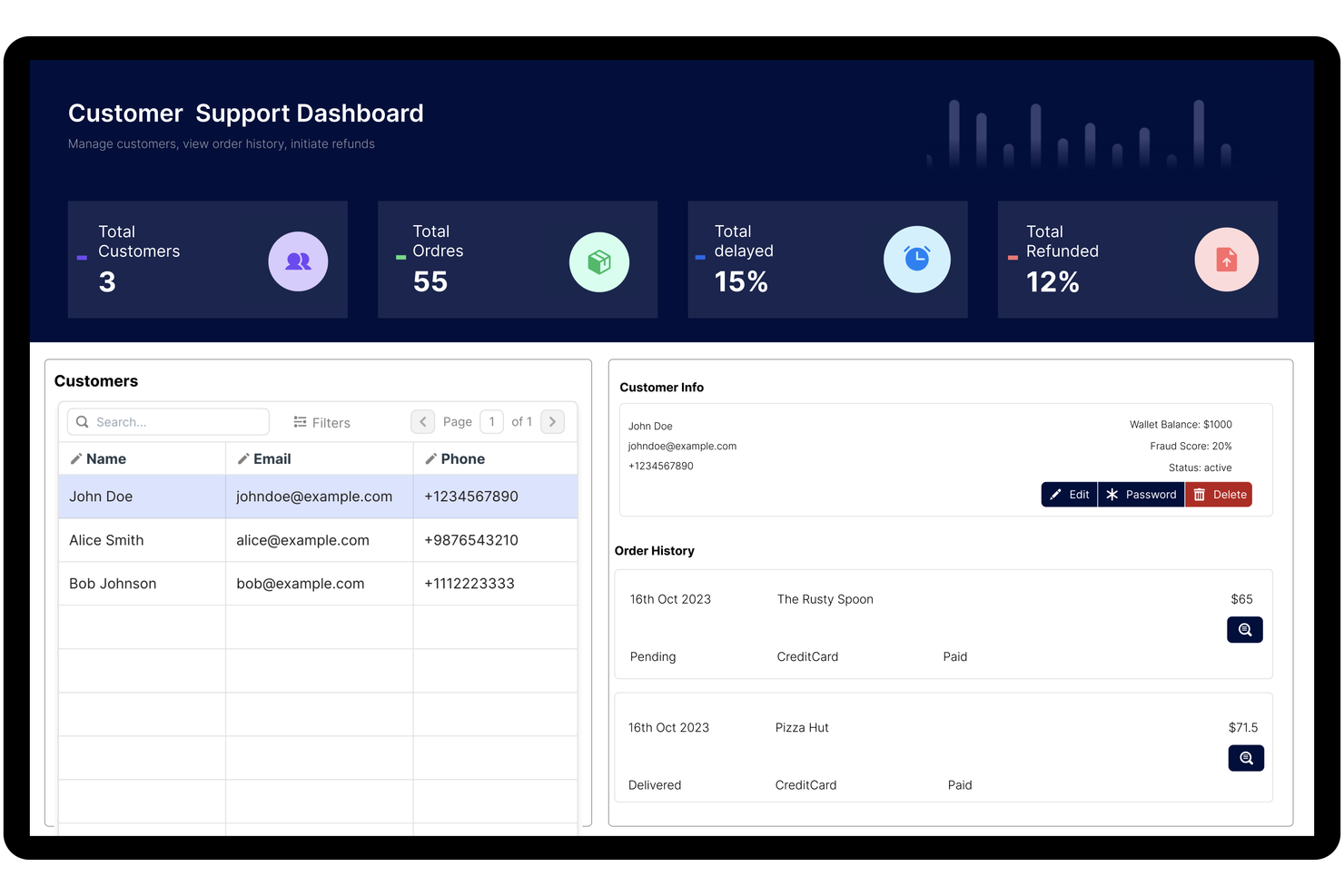
Per i team che desiderano il pieno controllo sulla propria piattaforma low-code, Appsmith offre un approccio open-source flessibile. È una scelta eccellente per sviluppatori e team IT che hanno bisogno di personalizzare, auto-ospitare o espandere i propri strumenti interni oltre i limiti delle piattaforme commerciali. A differenza di FileMaker, il modello open-source di Appsmith consente di modificare il codice sorgente e adattare la piattaforma alle proprie esigenze specifiche.
Perché Appsmith è una buona alternativa a FileMaker
Se cerchi una piattaforma low-code davvero aperta alla personalizzazione, Appsmith è difficile da eguagliare. Ho scelto Appsmith perché la sua base di codice open-source permette di auto-ospitare, modificare ed estendere la piattaforma per adattarsi a esigenze aziendali uniche. Puoi creare widget personalizzati, connetterti a qualsiasi fonte dati e persino contribuire allo sviluppo continuo della piattaforma. Questo livello di flessibilità rende Appsmith una valida alternativa per i team che desiderano più controllo rispetto a ciò che consentono FileMaker o altri strumenti proprietari.
Funzionalità principali di Appsmith
Altre funzionalità di Appsmith aiutano i team a creare e gestire strumenti interni in modo più efficiente:
- Editor UI drag-and-drop: Progetta rapidamente interfacce utilizzando un editor visuale con widget predefiniti.
- Integrazione con il controllo di versione: Connettiti a repository Git per gestire le versioni delle app e collaborare sulle modifiche.
- Controllo degli accessi basato sui ruoli: Assegna permessi a utenti e gruppi per una gestione sicura delle app.
- Log di audit: Tieni traccia delle azioni degli utenti e delle modifiche all'interno della piattaforma per conformità e risoluzione dei problemi.
Integrazioni di Appsmith
Le integrazioni includono Airtable, Asana, AWS Lambda, Dropbox, Freshdesk, Github, Google Sheets, HubSpot, Salesforce e Slack.
Pros and Cons
Pros:
- Altamente orientato agli sviluppatori
- Ottimo builder di strumenti interni
- Opzione gratuita auto-ospitata
Cons:
- Non è un vero host di database
- Reattività mobile basilare
Baserow
Ideale per la modifica collaborativa dei database

I team che necessitano di collaborazione in tempo reale sui database troveranno Baserow particolarmente utile. È pensato per product manager, team operativi e chiunque abbia bisogno di creare, modificare e condividere database insieme, senza barriere tecniche. A differenza di FileMaker, la piattaforma web di Baserow enfatizza la modifica multi-utente e il tracciamento trasparente delle modifiche per flussi di lavoro collaborativi.
Perché Baserow è una buona alternativa a FileMaker
Per i team che devono modificare i database insieme in tempo reale, Baserow offre un approccio collaborativo che FileMaker non raggiunge. Ho scelto Baserow perché permette a più utenti di lavorare simultaneamente sullo stesso database, con le modifiche che vengono mostrate istantaneamente a tutti. Funzionalità come il controllo granulare dei permessi e la cronologia dettagliata delle modifiche aiutano i team a gestire gli accessi e tracciare le modifiche su tutti i progetti. Questo rende Baserow una scelta solida per le organizzazioni dove la modifica condivisa dei database è un requisito fondamentale.
Funzionalità principali di Baserow
Oltre alla modifica collaborativa, Baserow include diverse caratteristiche che supportano una gestione flessibile dei database:
- Generazione API: Crea istantaneamente una REST API per qualsiasi database senza configurazioni aggiuntive.
- Tipi di campo personalizzati: Scegli tra una varietà di tipi di campo, inclusi file, link e campi formula.
- Visualizzazioni Kanban e Galleria: Visualizza i dati in più formati per adattarsi a diversi flussi di lavoro.
- Opzione self-hosting: Distribuisci Baserow sulla tua infrastruttura per un maggiore controllo su dati e sicurezza.
Integrazioni Baserow
Le integrazioni includono Jira, HubSpot, GitHub, GitLab, iCal, PostgreSQL, OpenAI, Anthropic, S3 e Google Cloud Storage.
Pros and Cons
Pros:
- Nessun limite artificiale di record
- Motore database molto veloce
- Grande struttura API first
Cons:
- Richiede l'intervento IT per un buon self hosting
- Libreria di template più piccola

Caspio
Ideale per applicazioni no-code basate su database

Se hai bisogno di realizzare applicazioni basate su database senza scrivere codice, Caspio è stato creato proprio per questo scopo. È particolarmente adatto a responsabili delle operazioni, team IT e analisti aziendali che desiderano centralizzare i dati e automatizzare i flussi di lavoro senza dipendere dagli sviluppatori. Caspio si distingue da FileMaker e da altri strumenti low-code perché offre un costruttore di database visuale e un hosting cloud scalabile per app aziendali con grandi volumi di dati.
Perché Caspio è una valida alternativa a FileMaker
Per i team che desiderano lanciare applicazioni basate su database senza programmare, Caspio offre una vera esperienza no-code. Ho scelto Caspio perché il suo costruttore di database visuale permette di progettare tabelle, relazioni e moduli interamente tramite un'interfaccia drag-and-drop. Puoi anche automatizzare i flussi di lavoro dei dati e impostare i controlli di accesso degli utenti senza scrivere script. Questo rende Caspio particolarmente utile per le organizzazioni che devono centralizzare e gestire processi complessi sui dati in modo rapido.
Funzionalità principali di Caspio
Altre funzionalità disponibili in Caspio aiutano i team a estendere e rendere più sicure le proprie applicazioni:
- White-Labeling: Personalizza il branding della piattaforma per adattarlo all'identità della tua organizzazione.
- Autenticazione integrata: Aggiungi login utente, registrazione e gestione password alle tue app.
- Importazione/Esportazione dati programmata: Automatizza trasferimenti regolari di dati tra Caspio e fonti esterne.
- Distribuzione web app responsive: Pubblica applicazioni che si adattano automaticamente agli schermi dei vari dispositivi.
Integrazioni di Caspio
Le integrazioni includono PayPal, Twilio, DocuSign, Microsoft Power BI, Google Maps, Microsoft Office 365, Salesforce, QuickBooks, Mailchimp e Dropbox.
Pros and Cons
Pros:
- Forte conformità HIPAA
- Facile da integrare su qualsiasi sito
- Vero database relazionale
Cons:
- Curva di apprendimento elevata
- Si applicano limiti ai record dati
Mendix
Ideale per integrazioni di livello enterprise

Mendix si distingue per le organizzazioni che hanno bisogno di collegare sistemi complessi e fonti di dati in tutta l'azienda. È particolarmente utile per i team IT e gli architetti di soluzioni nei settori come finanza, assicurazioni e manifatturiero, che richiedono integrazioni sicure e su larga scala. A differenza di FileMaker, Mendix offre connettori integrati e strumenti avanzati di integrazione per orchestrare i flussi di lavoro su ambienti cloud, on-premise e sistemi legacy.
Perché Mendix è una buona alternativa a FileMaker
Quando serve una piattaforma low-code capace di gestire integrazioni di livello enterprise, Mendix è stata progettata per questo. Ho scelto Mendix perché offre connettori pronti all'uso per SAP, Salesforce e altri sistemi aziendali principali, facilitando l'unificazione dei dati e dei processi. Il suo builder visivo per le integrazioni permette di orchestrare i flussi di lavoro tra cloud, on-premise e sistemi legacy senza la necessità di scrivere molto codice. Queste funzionalità rendono Mendix una scelta solida per le organizzazioni che devono modernizzare e connettere ambienti IT complessi, andando oltre ciò che FileMaker può offrire.
Funzionalità principali di Mendix
Altre funzionalità di Mendix aiutano i team a sviluppare e gestire applicazioni su larga scala:
- Sviluppo assistito dall'IA: Ricevi suggerimenti in tempo reale e generazione di codice dagli strumenti IA integrati.
- Distribuzione multi-canale delle app: Distribuisci applicazioni su web, mobile e tablet da un unico progetto.
- Controlli degli accessi basati sui ruoli: Imposta permessi granulari per utenti e gruppi all'interno di ogni app.
- Suite di test automatizzati: Esegui test automatici sulle tue applicazioni prima della distribuzione.
Integrazioni Mendix
Le integrazioni includono SAP, Salesforce, Microsoft Dynamics 365, AWS, IBM Watson, Oracle, Snowflake, Twilio, DocuSign e Siemens Teamcenter.
Pros and Cons
Pros:
- Solide app mobili offline
- Sincronizzazione avanzata con sistemi legacy
- Mappatura visiva dei flussi logici
Cons:
- Configurazioni di distribuzione complesse
- Non adatto agli sviluppatori occasionali

Ideale per la distribuzione rapida di app tra i team
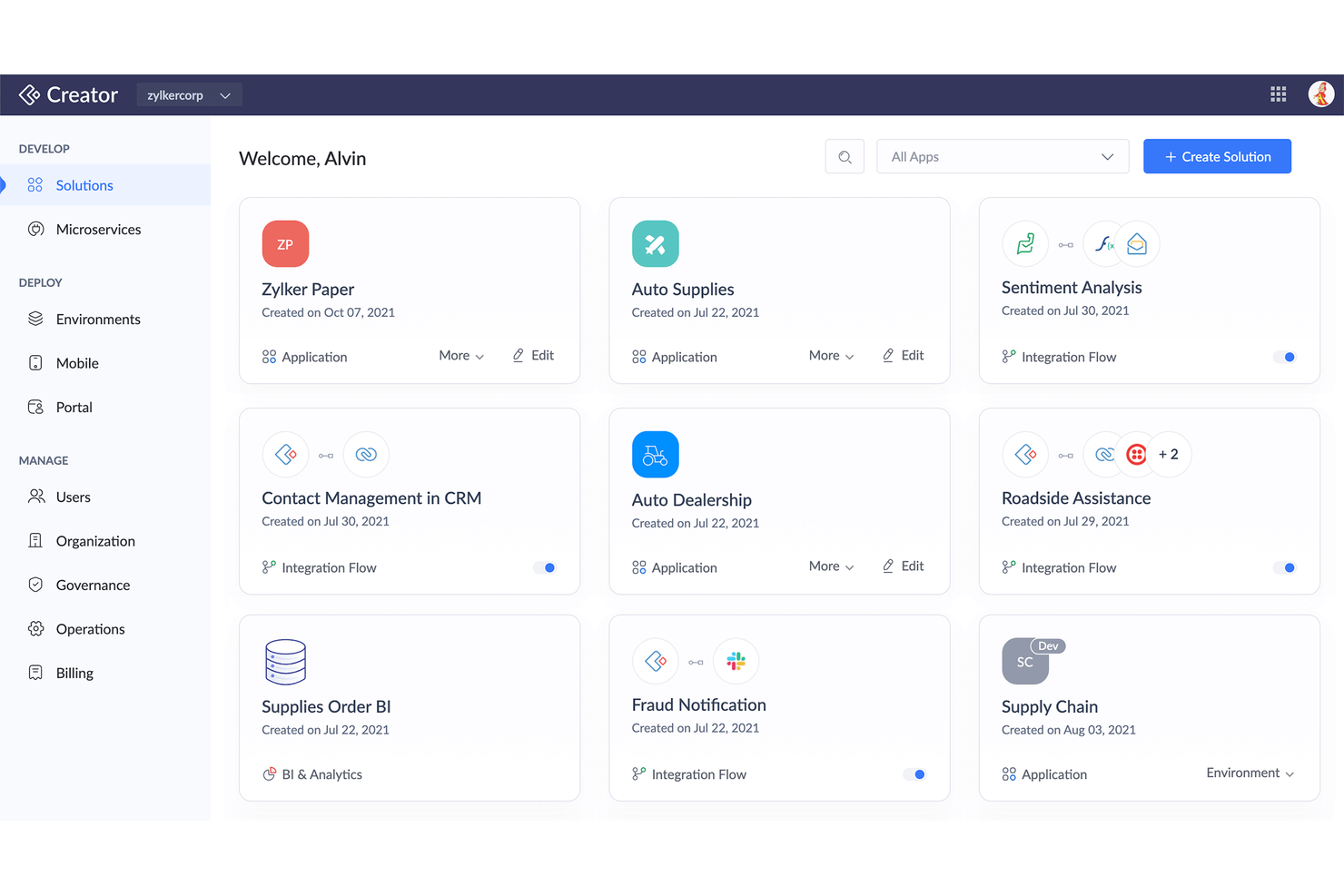
Per i team che devono lanciare rapidamente app personalizzate, Zoho Creator offre un approccio mirato alla distribuzione rapida. È particolarmente utile per i reparti IT, i responsabili delle operazioni e gli analisti aziendali che desiderano creare e distribuire app a più team senza ricorrere a una programmazione complessa. I modelli predefiniti, la pubblicazione multipiattaforma e l'automazione dei flussi di lavoro di Zoho Creator consentono di fornire soluzioni più rapidamente rispetto alla maggior parte delle piattaforme a basso codice tradizionali, tra cui FileMaker.
Perché Zoho Creator è una buona alternativa a FileMaker
Quando è necessario distribuire rapidamente app personalizzate a più team, Zoho Creator è progettato per la velocità. L'ho scelto perché il suo strumento di creazione basato sul trascinamento e i modelli di app pronti all'uso consentono di lanciare soluzioni in poche ore, non in settimane. Zoho Creator supporta inoltre la pubblicazione istantanea sul web e sui dispositivi mobili, così i team possono accedere ai nuovi strumenti ovunque lavorino. Gli strumenti di automazione dei flussi di lavoro aiutano a standardizzare i processi e a ridurre i passaggi manuali fin dall'inizio.
Funzionalità principali di Zoho Creator
Altre funzionalità di Zoho Creator aiutano i team a gestire ed estendere le proprie app con maggiore controllo:
- Programmazione personalizzata (Deluge): Crea logiche e flussi di lavoro avanzati utilizzando il linguaggio di programmazione proprietario di Zoho.
- Supporto multilingue: Pubblica app in più lingue per i team internazionali.
- Analisi e reportistica: Genera report e cruscotti personalizzati dai dati delle tue app.
- Controlli degli accessi basati sui ruoli: Imposta autorizzazioni granulari per utenti e gruppi all'interno di ogni app.
Integrazioni di Zoho Creator
Le integrazioni includono Zoho CRM, Zoho Books, Zoho Analytics, Zoho Desk, Zoho Projects, Salesforce, QuickBooks, Google Workspace, PayPal e Stripe.
Pros and Cons
Pros:
- Forte equivalenza tra app per dispositivi mobili e desktop
- Più economico di FileMaker
- La programmazione Deluge è potente
Cons:
- Configurazione complessa delle integrazioni
- Le prestazioni rallentano su larga scala

Knack
Ideale per l'automazione di flussi di lavoro personalizzati

Knack offre ai team un modo per creare automazioni di flussi di lavoro personalizzati senza scrivere codice. È particolarmente utile per i responsabili delle operazioni, i project manager e i team IT che devono automatizzare processi a più fasi e gestire relazioni complesse tra i dati. A differenza di FileMaker, Knack consente di progettare flussi di lavoro condizionali e automatizzare azioni direttamente all'interno delle tue app database.
Perché Knack è una buona alternativa a FileMaker
Se hai bisogno di automatizzare flussi di lavoro personalizzati senza codice, Knack è progettato proprio per questo scopo. Ho scelto Knack perché consente di creare logiche condizionali e attivare azioni automatiche in base a cambiamenti nei dati o all'input degli utenti. Puoi progettare flussi di lavoro a più fasi che aggiornano record, inviano notifiche o spostano dati tra le tabelle—tutto da un'interfaccia visiva. Questo rende Knack una scelta valida per i team che desiderano sostituire processi manuali con flussi automatizzati e basati su regole.
Funzionalità principali di Knack
Altre caratteristiche di Knack aiutano i team a gestire e presentare i loro dati in modo più flessibile:
- Viste dati personalizzabili: Crea tabelle, calendari e liste per visualizzare i dati in diversi formati.
- Ruoli utente e permessi: Imposta controlli di accesso dettagliati per diversi gruppi di utenti.
- Archiviazione file e allegati: Carica e gestisci documenti, immagini e altri file all'interno delle tue app.
- Accesso API: Collega le app Knack a sistemi esterni o integrazioni personalizzate usando una API RESTful.
Integrazioni di Knack
Le integrazioni includono WordPress, Google Slides, DocuSign, Google BigQuery, Salesforce, Mailchimp, Dropbox, HubSpot, Slack e QuickBooks.
Pros and Cons
Pros:
- Gestione semplice dei ruoli utente
- Ottima interfaccia portale personalizzata
- Strumenti di sincronizzazione ecommerce rapidi
Cons:
- Limiti sui record a seconda del piano
- I CSS personalizzati richiedono abilità

Per i team IT che desiderano automatizzare processi di servizio complessi, ServiceNow App Engine offre una piattaforma low-code creata appositamente per i flussi di lavoro a livello aziendale. È particolarmente utile per le organizzazioni che necessitano di orchestrare la gestione dei servizi IT, automatizzare le approvazioni e garantire la conformità tra diversi reparti. A differenza di FileMaker, ServiceNow App Engine fornisce integrazione nativa con strumenti ITSM e automazione avanzata dei flussi di lavoro pensata per ambienti ampi e regolamentati.
Perché ServiceNow App Engine è una valida alternativa a FileMaker
Per le organizzazioni che puntano all'automazione dei processi di servizio IT, ServiceNow App Engine offre funzionalità che vanno ben oltre quelle disponibili con FileMaker. Ho scelto ServiceNow App Engine perché consente di progettare, distribuire e gestire flussi di lavoro IT complessi utilizzando strumenti visivi e componenti riutilizzabili. Funzionalità come la modellazione dei processi tramite drag-and-drop e i controlli di governance integrati aiutano i team IT a standardizzare l'erogazione dei servizi e a mantenere la conformità. Ciò lo rende una scelta solida per le aziende che devono automatizzare e scalare le operazioni IT attraverso più dipartimenti.
Funzionalità principali di ServiceNow App Engine
Altre funzionalità che distinguono ServiceNow App Engine includono:
- Modelli di App: Avvia rapidamente nuovi progetti con modelli predefiniti per flussi di lavoro IT e aziendali comuni.
- Agent Virtuali con Intelligenza Artificiale: Implementa bot conversazionali per gestire le richieste di servizio IT di routine e le attività di supporto.
- Analisi delle Prestazioni: Monitora le metriche dei flussi di lavoro e visualizza le tendenze con dashboard analitici integrati.
- Costruttore di App Mobile: Crea e distribuisci app mobili personalizzate per team sul campo e utenti remoti.
Integrazioni di ServiceNow App Engine
Le integrazioni includono Microsoft 365, Salesforce, Workday, SAP, Oracle, Jira e Slack.
Pros and Cons
Pros:
- Sicurezza di livello enterprise
- Modello dati altamente scalabile
- Solidi controlli di governance
Cons:
- Modelli di distribuzione rigidi
- Solo per grandi aziende
Altre alternative a FileMaker
Ecco alcune ulteriori alternative a FileMaker che non sono entrate nel mio elenco ristretto, ma che vale comunque la pena prendere in considerazione:
- NocoDB
Ideale per collegarsi a database SQL esistenti
- Quickbase
Ideale per la gestione scalabile dei processi
- Oracle APEX
Ideale per sfruttare gli ambienti di database Oracle


Come valuto le alternative a FileMaker
Esamino le alternative a FileMaker su due livelli: la base che ogni strumento deve soddisfare, come la modellazione dei dati relazionali, e i fattori distintivi che rendono utile lo sforzo di una migrazione.
Funzionalità fondamentali (requisiti minimi per questo elenco)
Quando seleziono gli strumenti per il mio elenco, assegno a ciascuno un punteggio su una scala da 0 (non offre la funzionalità) a 5 (eccelle in quest'area) per ogni funzionalità fondamentale indicata di seguito. Successivamente, converto il punteggio totale dello strumento in una percentuale. Ogni strumento deve raggiungere un punteggio totale minimo del 65% per essere preso in considerazione.
- Modellazione personalizzata dei dati: valuto se una piattaforma consente di creare tabelle relazionali, tipi di campo personalizzati e record collegati, ad esempio collegando uno strumento di monitoraggio dei progetti a un database dei clienti con campi di ricerca.
- Gestione di progetti e attività: ogni strumento dovrebbe offrire l'assegnazione delle attività, le dipendenze e il monitoraggio dello stato, in modo che i team possano pianificare gli sprint o gestire le scadenze dei risultati finali senza ricorrere a uno strumento PM separato.
- Visualizzazioni multiple dei progetti: verifico la varietà delle visualizzazioni, almeno Kanban, Gantt, calendario e sequenza temporale, poiché le diverse parti interessate hanno bisogno di modalità differenti per leggere gli stessi dati di progetto.
- Automazione dei flussi di lavoro: gli strumenti ottengono punteggi più alti quando supportano automazioni condizionali in più passaggi, come l'assegnazione automatica di un revisore QA quando un'attività passa allo stato "pronto per la revisione".
- Collaborazione e condivisione: considero la modifica collaborativa in tempo reale, i commenti sui record, le autorizzazioni basate sui ruoli e l'accesso degli ospiti, soprattutto per i team che condividono i dati dei progetti con clienti esterni.
- Integrazioni e accesso alle API: verifico la presenza di connettori nativi per strumenti come Slack, Google Workspace e Microsoft 365, oltre all'eventuale disponibilità di un'API pubblica per i team che necessitano di pipeline di dati personalizzate.
Una volta ottenuto un elenco di strumenti che soddisfano questi criteri, considero ciò che distingue ciascuna piattaforma.
Fattori distintivi (ciò che differenzia i fornitori)
Ecco come confronto e metto in contrapposizione i diversi fornitori:
Caratteristiche distintive
Un livello per formule o script è importante perché gli utenti di FileMaker fanno spesso affidamento su campi calcolati e script per gestire la logica dei progetti. Cerco piattaforme che consentano di replicare queste funzionalità, ad esempio calcolando automaticamente i budget o segnalando i traguardi in ritardo con espressioni personalizzate. Anche le interfacce personalizzate delle applicazioni mi forniscono molte informazioni. Gli strumenti che consentono di creare moduli e pannelli di controllo personalizzati offrono ai team la possibilità di rispecchiare il modo in cui lavorano realmente. Verifico inoltre la presenza di funzionalità di IA in grado di generare formule o riepilogare i dati dei progetti a partire da richieste espresse in linguaggio naturale.
Oltre le funzionalità
Il percorso di migrazione è il primo aspetto che valuto. Trasferire anni di database FileMaker su una nuova piattaforma è già di per sé un progetto, quindi verifico se il fornitore offre strumenti di importazione per file FMP12, CSV o XML e guide di migrazione documentate. La struttura dei prezzi è altrettanto importante: il modello di licenza di FileMaker è specifico e valuto se, con la crescita del team, sia più conveniente un prezzo per utente o per applicazione. Considero anche le dimensioni della comunità, poiché un ecosistema attivo di modelli e consulenti rende l'inserimento e la risoluzione dei problemi molto più semplici nel lungo periodo.
Perché cercare una alternativa a FileMaker?
Sebbene FileMaker Pro sia una buona scelta come piattaforma a basso codice, ci sono diversi motivi per cui alcuni utenti cercano soluzioni alternative. Potresti cercare un'alternativa a FileMaker per semplificare i processi perché…
- Hai bisogno di un'automazione dei flussi di lavoro più avanzata
- Il tuo team necessita di funzionalità di sicurezza di livello aziendale
- Desideri una migliore integrazione con i sistemi IT esistenti
- La tua piccola impresa ha bisogno di una migliore scalabilità per le distribuzioni globali
- La tua organizzazione preferisce soluzioni basate sul cloud o SaaS
- Desideri opzioni di prezzo o di licenza più flessibili
Se ti riconosci in una di queste situazioni, sei nel posto giusto. Il mio elenco contiene diverse opzioni di piattaforme a basso codice più adatte ai team che affrontano queste difficoltà con FileMaker e cercano soluzioni alternative.
Funzionalità principali di FileMaker
Ecco alcune delle funzionalità principali di FileMaker, per aiutarti a mettere a confronto ciò che offrono le soluzioni alternative:
- Creatore visivo di app con trascinamento
- Distribuzione multipiattaforma per Windows, Mac, iOS e web
- Strumenti integrati per la gestione dei database e la creazione di script
- Layout personalizzabili e progettazione dell'interfaccia utente
- Integrazione con API SQL, ODBC e REST
- Accesso basato sui ruoli e controlli di sicurezza
- Modelli predefiniti per i casi d'uso aziendali più comuni
- Automazione dei flussi di lavoro e creazione di script per le attività
- Supporto nativo per app mobili su iPhone e iPad
- Archiviazione centralizzata dei dati e condivisione tra i team