

10 alternatives à Skype Entreprise pour les appels d’équipe en 2026

Meilleures alternatives à Skype for Business – sélection


Si vous gérez une équipe à distance ou hybride, il y a de fortes chances que Skype for Business ait autrefois joué un rôle central dans la façon dont votre équipe communiquait. Depuis, Microsoft a transféré ces fonctionnalités vers Microsoft Teams, faisant évoluer la plateforme en un centre plus large dédié aux discussions, aux réunions et à la collaboration.
Pour de nombreuses équipes, Teams couvre tout ce dont elles ont besoin. Pour d’autres, cette transition introduit de nouveaux défis — qu’il s’agisse d’une complexité accrue, de fonctionnalités qui se chevauchent, de préoccupations liées aux tarifs ou de flux de travail qui ne correspondent pas tout à fait au fonctionnement de leur équipe. Dans ces cas, il peut être utile de déterminer si un autre outil répondrait mieux à vos besoins en matière de communication.
J’ai testé et évalué un éventail d’alternatives à Skype for Business, notamment des solutions conçues pour des appels vidéo plus simples, une collaboration plus ciblée ou des cas d’utilisation professionnels spécifiques. Dans cet article, je vais présenter les meilleures alternatives à envisager, afin que vous puissiez décider de rester avec Teams ou de choisir un outil qui répond mieux à la façon dont votre équipe travaille réellement.
Qu’est-ce que Skype for Business ?
Skype for Business était une plateforme de communication et de collaboration destinée aux entreprises, conçue pour aider les équipes à rester connectées grâce à la visioconférence, à la messagerie instantanée, au partage d’écran et au partage de fichiers. Elle était largement utilisée par les organisations qui avaient besoin de moyens sécurisés et fiables pour communiquer avec leurs collègues et leurs clients, où qu’ils se trouvent.
Microsoft a depuis retiré Skype for Business et transféré ses principales fonctionnalités vers Microsoft Teams, qui sert désormais de plateforme principale de communication professionnelle de Microsoft. Teams s’appuie sur les fonctionnalités d’appel et de réunion de Skype for Business, tout en ajoutant des discussions persistantes, des intégrations plus poussées avec Microsoft 365 et des outils de collaboration plus complets.
Tableau comparatif des alternatives à Skype for Business
Le tableau ci-dessous compare les tarifs des meilleures alternatives à Skype for Business que j’ai sélectionnées.
| Tool | Best For | Trial Info | Price | ||
|---|---|---|---|---|---|
| 1 | Idéal pour la messagerie professionnelle privée | Essai gratuit + démonstration disponibles | À partir de $6/mois | Website | |
| 2 | Idéal pour l’intégration avec Google Workspace | Essai gratuit disponible | À partir de $9.20/utilisateur/mois (facturé annuellement) | Website | |
| 3 | Idéal pour la gestion des tâches | Formule gratuite + démonstration gratuite disponible | À partir de $3/utilisateur/mois (facturé annuellement) | Website | |
| 4 | Idéal pour les appels internationaux gratuits | Démo gratuite disponible | Gratuit | Website | |
| 5 | Idéal pour les solutions professionnelles intégrées | Essai gratuit disponible | À partir de $4.00/utilisateur/mois (facturé annuellement) | Website | |
| 6 | Idéal pour les outils de communication professionnels | Essai gratuit + démonstration gratuite disponibles | À partir de $12/organisateur/mois (facturé annuellement) | Website | |
| 7 | Idéal pour les déploiements sécurisés | Forfait gratuit + démonstration gratuite disponible | Tarifs sur demande | Website | |
| 8 | Meilleure solution pour les communications tout-en-un | Démo gratuite disponible | Tarification sur demande | Website | |
| 9 | Idéal pour les environnements critiques | Démo gratuite disponible | Tarification sur demande | Website | |
| 10 | Idéal pour les systèmes téléphoniques virtuels | Forfait gratuit | À partir de $39/mois/10 utilisateurs (facturé annuellement) | Website |
Pourquoi faire confiance à nos recommandations de logiciels
Notre équipe teste et évalue des logiciels depuis 2012. En tant que chefs de projet nous-mêmes, nous savons à quel point il est difficile — et important — de choisir le bon logiciel.
Pour ce guide, nous avons évalué les outils grâce à des tests pratiques et une recherche indépendante, en notant les outils selon nos critères de sélection. Nous nous appuyons également sur les enseignements de leaders d’opinion du secteur et de professionnels de la gestion de projet en activité.
Nos avis reflètent notre jugement éditorial humain, et non un argumentaire de vente.
Réviseurs experts:
Avis sur les meilleures alternatives à Skype for Business
Vous trouverez ci-dessous mes résumés détaillés des meilleures alternatives à Skype qui ont été retenues dans ma sélection. Mes avis offrent un aperçu détaillé des principales fonctionnalités, des avantages et des inconvénients, des intégrations et des cas d’utilisation idéaux de chaque outil, afin de vous aider à trouver celui qui vous convient le mieux.

Brosix
Idéal pour la messagerie professionnelle privée

Brosix est un logiciel de messagerie instantanée conçu pour les entreprises qui accordent la priorité à une communication sécurisée et privée. Il est idéal pour les équipes des secteurs tels que la finance, les soins de santé et l'éducation qui ont besoin d'une messagerie et d'une collaboration chiffrées.
Pourquoi Brosix est une bonne alternative à Skype : Brosix propose une messagerie professionnelle privée avec un chiffrement de bout en bout, garantissant la confidentialité de vos communications. Vous pouvez créer un réseau fermé pour votre équipe afin de renforcer la sécurité. L'outil fournit des salons de discussion pour les échanges de groupe, permettant une collaboration efficace entre les membres de l'équipe. De plus, sa fonctionnalité de transfert de fichiers garantit que vos documents sont partagés en toute sécurité au sein du réseau.
Fonctionnalités et intégrations remarquables :
Les fonctionnalités comprennent un outil de tableau blanc qui permet à votre équipe de réfléchir visuellement à des idées. Brosix propose également une fonctionnalité de partage d'écran, facilitant la collaboration sur les projets. Le logiciel comprend un outil de navigation collaborative, qui vous aide à assister les membres de votre équipe ou vos clients en temps réel.
Les intégrations comprennent Google Drive, Dropbox, Facebook, Shopify, Slack, Microsoft Teams, Salesforce, HubSpot et GitHub.
Pros and Cons
Pros:
- Chiffrement puissant
- Navigation collaborative en temps réel
- Partage sécurisé de fichiers
Cons:
- Personnalisation limitée
- Conception d'interface basique

Idéal pour l’intégration avec Google Workspace
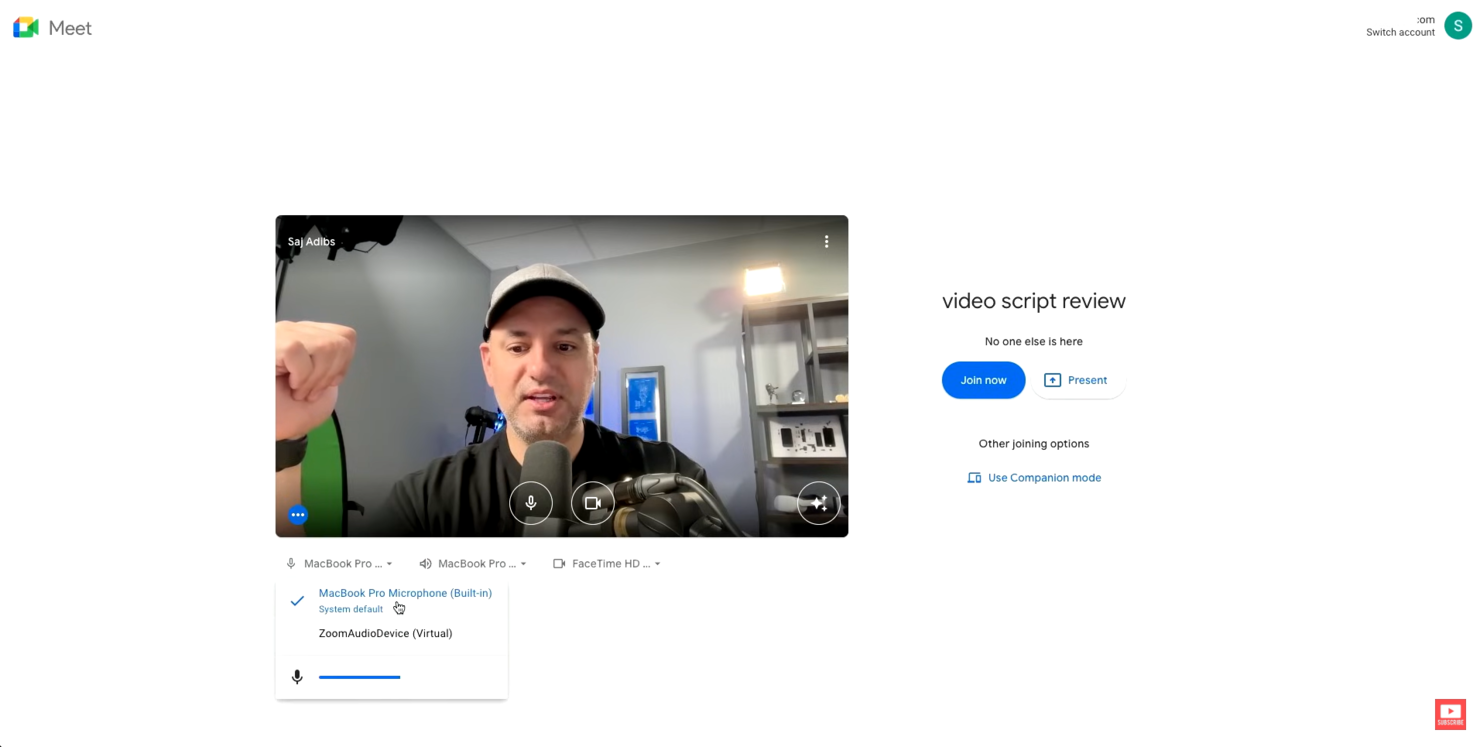
Google Meet est un outil de visioconférence qui s’adresse aux entreprises, aux établissements d’enseignement et aux particuliers ayant besoin de réunions en ligne fiables. Il facilite les appels vidéo, les webinaires et les classes virtuelles, améliorant ainsi la communication et la collaboration.
Pourquoi Google Meet est une bonne alternative à Skype : Google Meet s’intègre parfaitement à Google Workspace, ce qui le rend pratique pour les personnes qui utilisent déjà les services Google. Il propose des sous-titres en temps réel pendant les réunions, améliorant ainsi l’accessibilité pour tous les participants. Vous pouvez planifier des réunions directement depuis Google Agenda, ce qui simplifie le processus pour votre équipe. De plus, Google Meet prend en charge les réunions à grande échelle, pouvant accueillir jusqu’à 250 participants.
Fonctionnalités et intégrations remarquables :
Les fonctionnalités comprennent une fonction qui réduit le bruit de fond pendant les appels, améliorant ainsi la clarté audio. La plateforme propose un mode faible luminosité, qui ajuste automatiquement votre vidéo pour garantir une bonne visibilité dans des conditions d’éclairage tamisé. Elle propose également l’enregistrement des réunions, afin que vous puissiez les sauvegarder sur Google Drive et les partager facilement avec les personnes absentes.
Les intégrations comprennent Google Agenda, Google Drive, Gmail, Microsoft Outlook, Microsoft Office, Slack, Trello, Zoom, Cisco Webex, Salesforce, et bien plus encore.
Pros and Cons
Pros:
- Intégration facile avec Google Workspace
- Fonction de suppression du bruit
- Sous-titres en temps réel disponibles
Cons:
- Pas de salles de répartition
- Contrôle limité des participants

Chanty
Idéal pour la gestion des tâches
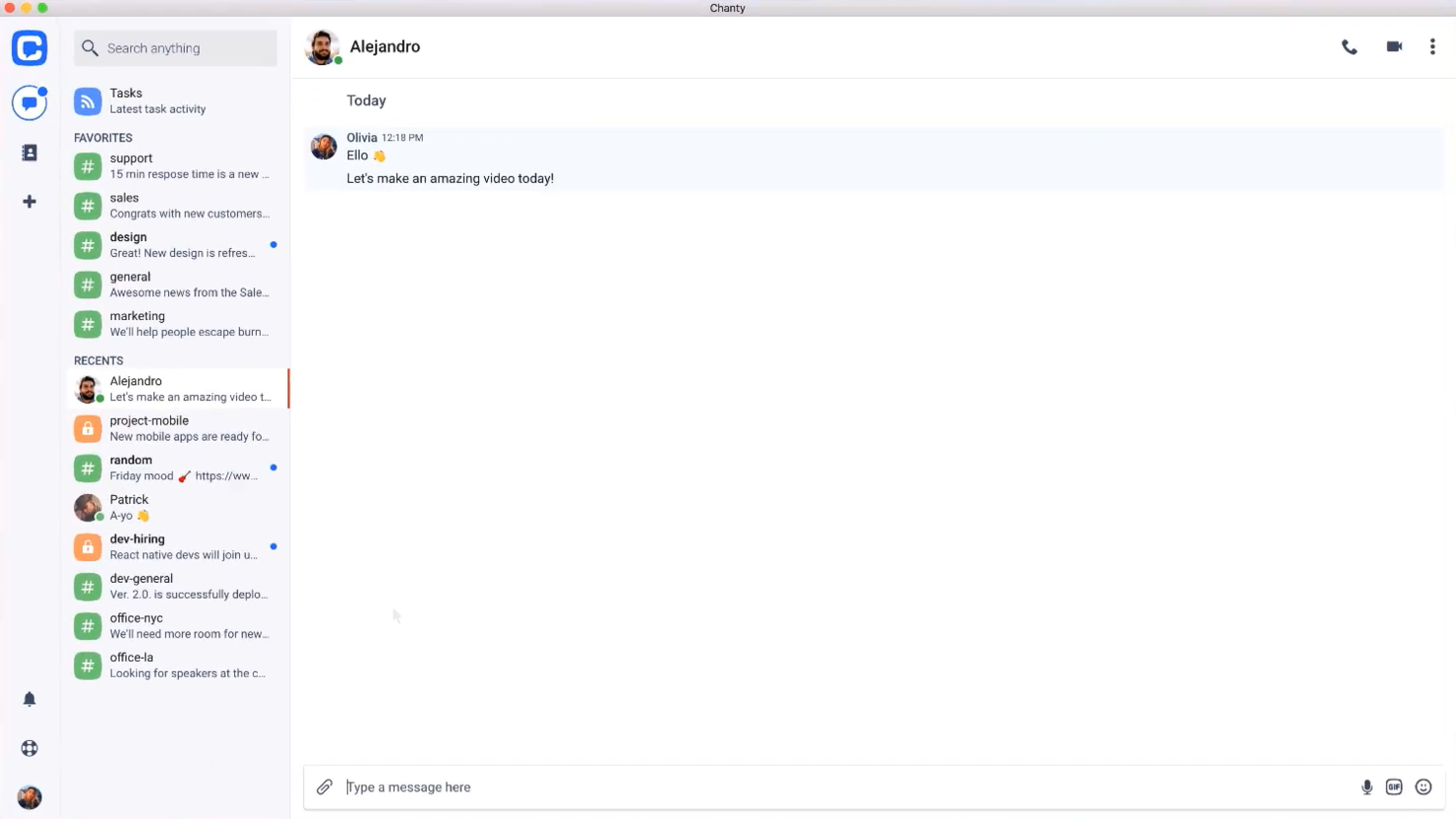
Chanty est un outil de communication et de collaboration d’équipe conçu pour des secteurs tels que les soins de santé, le commerce de détail, le marketing, l’éducation et la logistique. Il s’adresse principalement aux équipes ayant besoin de fonctionnalités efficaces de messagerie, d’appels vidéo et de gestion des tâches.
Pourquoi Chanty est une bonne alternative à Skype : Chanty excelle dans la gestion des tâches, en proposant des fonctionnalités telles que les tableaux Kanban et la création de tâches directement depuis le chat. Contrairement à Skype, il prend en charge les vidéoconférences et les appels audio en 4K, améliorant ainsi la qualité des communications. Le partage d’écran permet à votre équipe de collaborer visuellement, tandis que son intégration avec diverses applications contribue à soutenir les flux de travail. Ces fonctionnalités en font un choix riche en fonctionnalités pour les équipes qui ont besoin de plus que de simples communications.
Fonctionnalités et intégrations remarquables :
Les fonctionnalités comprennent la gestion des tâches avec une vue Kanban, le partage sécurisé de fichiers et les messages audio. Vous pouvez créer des tâches directement depuis le chat, ce qui facilite la transformation des discussions en éléments d’action. Chanty met également l’accent sur la sécurité des données, en garantissant la conformité à des normes telles que la norme ISO 27001 et le RGPD.
Les intégrations comprennent Trello, Asana, Google Drive, Dropbox, GitHub, Zapier, Mailchimp, Giphy, HubSpot et bien plus encore.
Pros and Cons
Pros:
- Prise en charge des appels vidéo 4K
- Interface conviviale
- Accessible depuis n’importe où
Cons:
- La formule gratuite offre des services très basiques
- Peu d’options de personnalisation

Viber
Idéal pour les appels internationaux gratuits

Viber est une application de communication que les particuliers et les entreprises utilisent pour la messagerie ainsi que les communications vocales et vidéo. Elle s'adresse aux utilisateurs qui ont besoin de communications fiables et économiques avec leurs amis, leur famille et leurs collègues partout dans le monde.
Pourquoi Viber est une bonne alternative à Skype : Viber propose des appels internationaux gratuits, ce qui en fait un choix attrayant pour les personnes qui communiquent fréquemment à l'international. Vous pouvez envoyer des messages texte, des photos et des vidéos, ce qui améliore vos possibilités d'interaction. Grâce à ses appels vocaux et vidéo de haute qualité, Viber garantit une communication claire. De plus, l'application prend en charge les discussions de groupe, ce qui vous permet de communiquer avec plusieurs personnes à la fois.
Fonctionnalités et intégrations remarquables :
Les fonctionnalités incluent la possibilité de créer des communautés, ce qui vous permet d'échanger avec de grands groupes de personnes autour d'intérêts communs. Viber propose également des messages éphémères, offrant une couche supplémentaire de confidentialité pour vos communications. Vous pouvez utiliser le marché des autocollants de l'application pour ajouter une touche ludique et personnaliser vos messages.
Les intégrations incluent Facebook, Twitter, YouTube, Spotify, Giphy, Google Maps, Dropbox, Evernote, Slack, Microsoft Teams et bien plus encore.
Pros and Cons
Pros:
- Appels vocaux de haute qualité
- Prend en charge les discussions de groupe importantes
- Communautés engagées grâce à des messages ciblés
Cons:
- Fonctionnalités limitées de l'application de bureau
- Nécessite une connexion Internet

Idéal pour les solutions professionnelles intégrées
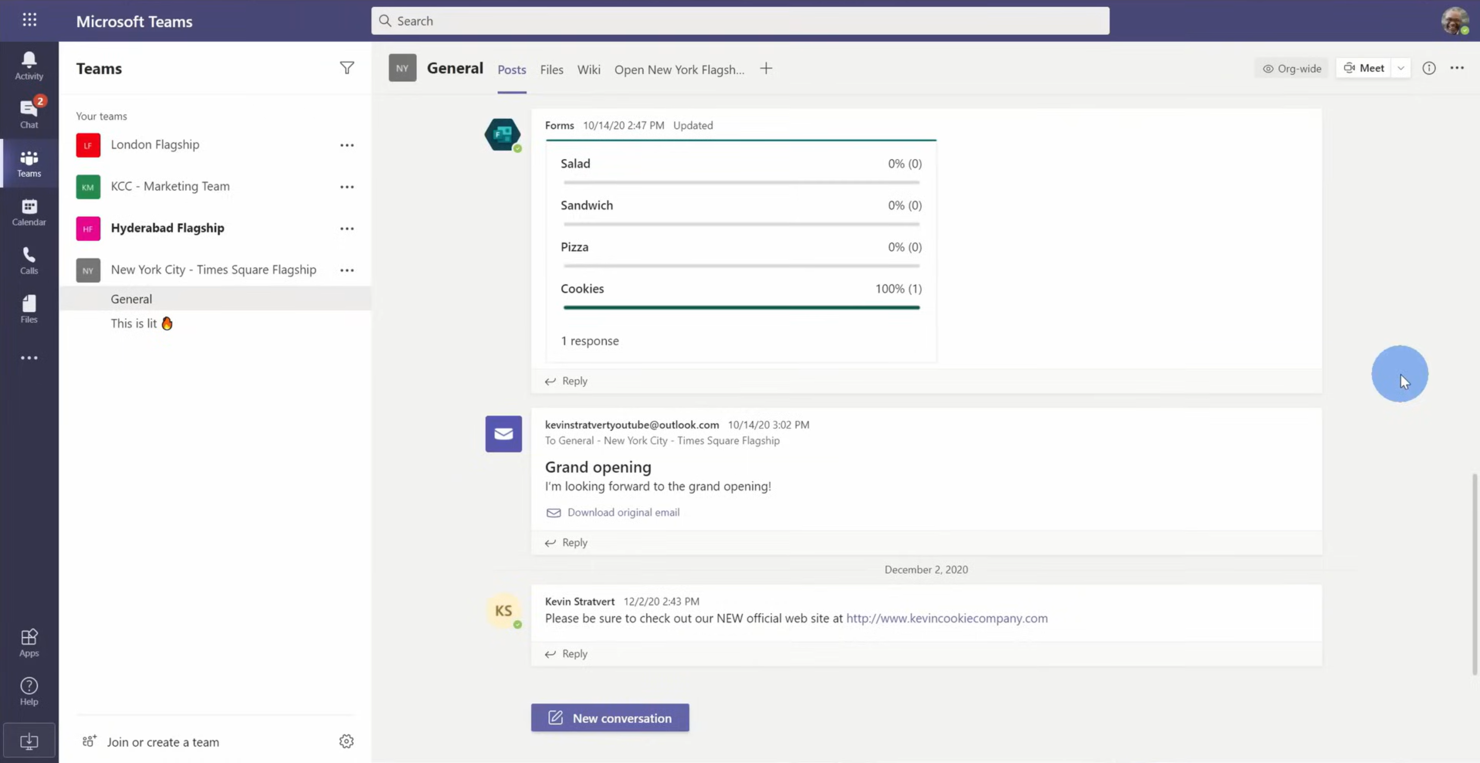
Microsoft Teams est une plateforme de collaboration conçue pour les entreprises et les organisations ayant besoin d’outils intégrés de communication et de productivité. Elle prend en charge les discussions, les réunions vidéo et le partage de fichiers afin de renforcer la collaboration au sein des équipes.
Pourquoi Microsoft Teams est une bonne alternative à Skype : Microsoft Teams propose des solutions professionnelles intégrées avec des fonctionnalités telles que des espaces de travail partagés et la collaboration sur des fichiers. Vous pouvez organiser des réunions vidéo avec jusqu’à 300 participants, ce qui facilite les échanges au sein de grandes équipes. La plateforme permet de modifier des documents en temps réel, afin que votre équipe reste toujours sur la même longueur d’onde. De plus, ses fonctionnalités de gestion des tâches vous aident à organiser et à suivre efficacement vos projets.
Fonctionnalités et intégrations remarquables :
Les fonctionnalités comprennent un outil de tableau blanc qui permet à votre équipe de réfléchir et de visualiser des idées ensemble. Microsoft Teams propose également la transcription des réunions, fournissant une trace écrite des discussions pour une consultation facile. La plateforme comprend un calendrier intégré, qui vous aide à planifier et à gérer efficacement les réunions.
Les intégrations comprennent Microsoft Office 365, SharePoint, OneDrive, Power BI, Trello, Zoom, Salesforce, Asana et bien plus encore.
Pros and Cons
Pros:
- Intégration avec Microsoft Office
- Gestion intégrée des tâches
- Transcription des réunions disponible
Cons:
- Nécessite un abonnement Microsoft 365
- Problèmes de performances occasionnels

Idéal pour les outils de communication professionnels

GoTo Meeting est un outil de conférence en ligne destiné aux professionnels et aux entreprises qui ont besoin de solutions de réunion en ligne fiables. Il permet la visioconférence, le partage d’écran et la collaboration pour les équipes et les clients à distance.
Pourquoi GoTo Meeting est une bonne alternative à Skype : GoTo Meeting fournit des outils de communication professionnels qui améliorent les réunions virtuelles grâce à des fonctionnalités telles que la visioconférence HD et un son d’une grande clarté. La plateforme prend en charge jusqu’à 250 participants, ce qui la rend adaptée aux grandes réunions. Vous pouvez enregistrer les sessions pour les consulter ultérieurement, afin de ne manquer aucun détail important. De plus, son application mobile permet à votre équipe de rester connectée où qu’elle soit.
Fonctionnalités et intégrations remarquables :
Les fonctionnalités comprennent une fonction de verrouillage des réunions qui empêche les participants non invités de rejoindre la réunion, ajoutant ainsi un niveau de sécurité supplémentaire. GoTo Meeting propose des outils de dessin qui vous permettent d’annoter les écrans partagés pendant les présentations. La plateforme fournit également des liens de réunion personnalisés, facilitant l’invitation des participants.
Les intégrations comprennent Microsoft Office 365, Slack, Salesforce, Google Calendar, HubSpot, Microsoft Teams, Zoho CRM, Zendesk et bien d’autres.
Pros and Cons
Pros:
- Application mobile disponible
- Audio et vidéo haute définition
- Fonction de verrouillage des réunions sécurisée
Cons:
- Peut être gourmand en ressources
- Options de personnalisation limitées

Idéal pour les déploiements sécurisés

Rocket.Chat est une plateforme de communication conçue pour les entreprises et les organisations qui accordent une grande importance à la confidentialité et à la sécurité des données. Elle est idéale pour les équipes des secteurs nécessitant des communications sécurisées, tels que les soins de santé, la finance et l'administration publique.
Pourquoi Rocket.Chat constitue une bonne alternative à Skype : Rocket.Chat propose des déploiements sécurisés avec un hébergement sur site, vous offrant un contrôle total sur vos données. Grâce au chiffrement de bout en bout, les conversations de votre équipe restent privées. La plateforme prend en charge un nombre illimité d'utilisateurs, ce qui la rend évolutive pour les grandes organisations. De plus, les rôles et autorisations utilisateur personnalisables garantissent que votre équipe dispose du niveau d'accès approprié.
Fonctionnalités et intégrations remarquables :
Les fonctionnalités comprennent l'assistance par chat en direct, qui vous permet de communiquer avec les clients en temps réel. Rocket.Chat propose également une option en marque blanche, vous permettant de personnaliser la plateforme à votre image. Elle fournit une traduction en temps réel, afin que les barrières linguistiques n'entravent pas la communication.
Les intégrations comprennent GitHub, GitLab, Zapier, Google Drive, Dropbox Paper, Trello, Slack, Microsoft Teams Bridge et bien plus encore.
Pros and Cons
Pros:
- Contrôles rigoureux de la confidentialité des données
- Autorisations utilisateur personnalisables
- Option en marque blanche
Cons:
- Configuration initiale complexe
- Nécessite des connaissances techniques

Meilleure solution pour les communications tout-en-un

RingCentral est une plateforme de communication basée sur le cloud qui s’adresse aux entreprises ayant besoin d’une solution intégrée pour la voix, la vidéo et la messagerie. Elle prend en charge les effectifs travaillant à distance et aide les équipes à collaborer efficacement depuis n’importe où.
Pourquoi RingCentral constitue une bonne alternative à Skype : RingCentral propose une solution de communication tout-en-un combinant téléphonie, réunions vidéo et messagerie d’équipe. Elle offre des visioconférences en haute définition, ce qui améliore la qualité des réunions virtuelles. La plateforme prend en charge des fonctionnalités de gestion des appels, telles que le transfert d’appel et le standard automatique, afin de garantir que votre équipe reste connectée. De plus, ses outils d’analyse et de création de rapports vous donnent une vision des habitudes de communication.
Fonctionnalités et intégrations remarquables :
Fonctionnalités, notamment une application mobile qui permet à votre équipe de rester connectée où qu’elle soit. RingCentral propose une fonctionnalité de transcription des messages vocaux envoyée par e-mail, afin que vous puissiez accéder à vos messages à tout moment. La plateforme fournit des outils de collaboration en équipe, notamment l’attribution de tâches et les calendriers partagés, pour améliorer la productivité.
Intégrations, notamment avec Microsoft Teams, Salesforce, Google Workspace, Zendesk et bien d’autres.
Pros and Cons
Pros:
- Appels vidéo haute définition et clairs
- Prend en charge les effectifs travaillant à distance
- Inclut des outils d’analyse et de création de rapports
Cons:
- Peut être complexe à configurer
- Options de personnalisation limitées


Mattermost est une plateforme de messagerie à code source ouvert conçue pour les équipes qui ont besoin de solutions de communication sécurisées et évolutives. Elle est populaire dans des secteurs tels que la technologie, la santé et le gouvernement, où la confidentialité des données est primordiale.
Pourquoi Mattermost est une bonne alternative à Skype : Mattermost est adapté aux environnements critiques grâce à ses options de déploiement auto-hébergé, vous offrant un contrôle total sur vos données. Il prend en charge le chiffrement de bout en bout, garantissant la sécurité des conversations de votre équipe. Grâce à son interface personnalisable, vous pouvez adapter la plateforme aux besoins de votre organisation. De plus, la plateforme prend en charge la conformité aux normes du secteur, notamment HIPAA, ce qui la rend adaptée aux secteurs réglementés.
Fonctionnalités et intégrations remarquables :
Fonctionnalités : elles incluent la messagerie par fils de discussion, qui vous aide à garder les conversations organisées. Mattermost propose également le partage de fichiers avec un stockage illimité, permettant à votre équipe de collaborer efficacement. La plateforme offre une fonctionnalité de recherche avancée, vous permettant de trouver rapidement les informations et les conversations pertinentes.
Intégrations : elles incluent Jira, GitHub, GitLab, Jenkins, Zoom, Cisco Syslog, Slack, Google Drive, Microsoft Teams, Trello, et bien plus encore.
Pros and Cons
Pros:
- Déploiement auto-hébergé
- Interface personnalisable
- Prend en charge la conformité aux normes du secteur
Cons:
- Nécessite une expertise technique
- Peut être complexe à configurer

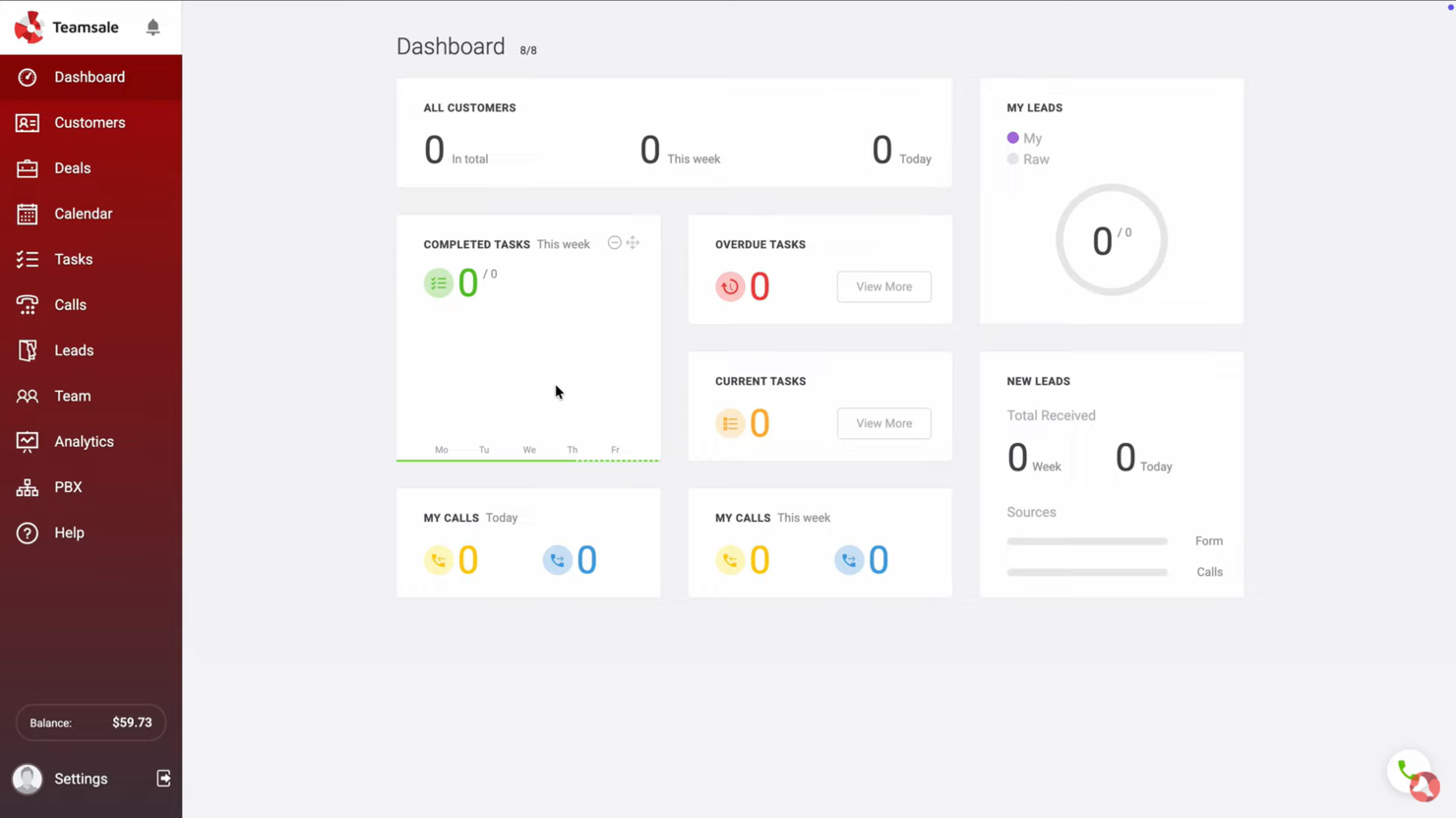
Zadarma est un système téléphonique virtuel conçu pour les petites entreprises, les travailleurs à distance, les centres d’appels et les grandes entreprises. Il fournit des appels via le protocole de voix sur Internet (VoIP), des numéros de téléphone virtuels et un système multifonctionnel de gestion de la relation client (CRM) afin de renforcer la communication et les opérations commerciales.
Pourquoi Zadarma est une bonne alternative à Skype : Zadarma propose un système téléphonique virtuel avec des fonctionnalités d’appel, telles qu’un standard téléphonique cloud et un trunk SIP, qui ne sont pas disponibles sur Skype. Il permet à votre équipe de mettre rapidement en place un bureau virtuel sans frais. Grâce au suivi des appels et à l’analyse vocale, vous pouvez obtenir des informations précieuses sur vos processus de communication. De plus, ses fonctionnalités de visioconférence offrent une solution de communication complète pour votre entreprise.
Fonctionnalités et intégrations remarquables :
Les fonctionnalités comprennent un CRM multifonctionnel pour gérer les profils clients, une analyse vocale pour surveiller les appels et un système de suivi des appels pour évaluer les performances de l’équipe. Vous pouvez également passer des appels directement depuis votre navigateur, ce qui simplifie l’accès des utilisateurs. La plateforme prend en charge la visioconférence ainsi que les services SMS, améliorant ainsi la flexibilité des communications.
Les intégrations comprennent Zoho CRM, Slack, Zendesk, Salesforce, HubSpot, Microsoft Teams et bien d’autres.
Pros and Cons
Pros:
- Suivi détaillé des appels
- Analyse vocale performante
- Appels directs depuis le navigateur
Cons:
- Aucun outil pour les grandes entreprises
- Prise en charge limitée des applications tierces
Autres alternatives à Skype for Business
Voici quelques alternatives supplémentaires à Skype qui ne figurent pas dans ma sélection, mais qui méritent tout de même d’être découvertes :


Comment j’évalue les alternatives à Skype Entreprise
Je divise mon évaluation en deux niveaux : les fonctionnalités de base que chaque outil doit posséder — comme la vidéo de groupe, la messagerie persistante et la VoIP — et les éléments différenciateurs qui distinguent les bons outils des excellents.
Fonctionnalités essentielles (prérequis de cette liste)
Lorsque je sélectionne les outils de ma liste, j’évalue chacun d’eux sur une échelle de 0 (la fonctionnalité n’est pas proposée) à 5 (l’outil excelle dans ce domaine) pour chaque fonctionnalité essentielle répertoriée ci-dessous. Ensuite, je convertis le score total de l’outil en pourcentage. Chaque outil doit obtenir un score total minimum de 75 % pour être pris en considération.
- Vidéoconférence : j’évalue la capacité vidéo de groupe, le partage d’écran et l’enregistrement.
- Messagerie instantanée : une conversation persistante individuelle et de groupe avec des réponses organisées par fils, le partage de fichiers et un historique consultable sont essentiels.
- Appels VoIP & audio : je vérifie si une plateforme prend en charge les appels vocaux via Internet ainsi que la connexion téléphonique PSTN en option.
- Canaux d’équipe & espaces de travail : des canaux organisés par projet, client ou flux de travail rendent les conversations faciles à retrouver.
- Intégrations tierces : je recherche des connexions natives avec Jira, Asana, Monday.com et Trello, ainsi que des API ouvertes.
- Disponibilité multiplateforme : je vérifie la disponibilité sur ordinateur, mobile et navigateur.
Éléments différenciateurs (ce qui distingue les fournisseurs)
Je compare les fonctionnalités remarquables, les intégrations, la sécurité, la conformité, l’assistance à la migration et la capacité de chaque plateforme à évoluer avec l’entreprise.
Fonctionnalités remarquables
Les assistants de réunion alimentés par l’IA constituent un important élément différenciateur. Je recherche des outils capables de générer automatiquement des résumés et d’extraire les actions à effectuer. L’accès des invités et des personnes externes ainsi que l’attribution intégrée de tâches sont également importants.
Au-delà des fonctionnalités
Les certifications de sécurité et de conformité comme SOC 2 et ISO 27001 méritent d’être vérifiées. J’évalue également l’assistance à la migration et la capacité d’une plateforme à évoluer avec les besoins de l’entreprise.
Pourquoi chercher une alternative à Skype for Business ?
Bien que Skype for Business — et désormais Microsoft Teams — puisse être un choix solide pour les communications d’entreprise, plusieurs raisons expliquent pourquoi certaines équipes recherchent encore des solutions alternatives. Vous pourriez envisager une alternative à Skype for Business si :
- Vous avez besoin d’une meilleure intégration avec les outils autres que ceux de Microsoft
- Votre équipe souhaite des contrôles de sécurité plus avancés ou plus flexibles
- Vous recherchez une meilleure qualité ou fiabilité des appels
- Votre entreprise a besoin d’une solution de communication plus évolutive ou plus légère
- Vous avez besoin d’une personnalisation accrue ou d’une configuration plus simple
- Votre équipe a besoin de fonctionnalités de collaboration plus ciblées
Si l’un de ces points vous semble familier, vous êtes au bon endroit. Cette liste comprend plusieurs outils de communication d’entreprise qui pourraient mieux convenir aux équipes ayant dépassé les capacités de Microsoft Teams et qui, idéalement, correspondront davantage à leur façon de travailler.
Fonctionnalités
Les fonctionnalités principales de Skype for Business, désormais proposées par l’intermédiaire de Microsoft Teams, établissent la référence en matière d’attentes de nombreuses équipes vis-à-vis des outils de communication modernes. Utilisez ces fonctionnalités pour comparer ce que proposent les solutions alternatives :
- Appels vidéo : échangez en face à face avec votre équipe ou vos clients
- Partage d’écran : partagez votre écran pour collaborer sur des projets en temps réel
- Partage de fichiers : envoyez et recevez des documents pendant les réunions et les discussions
- Sous-titres en direct : affichez des sous-titres en temps réel dans plusieurs langues pour faciliter l’accessibilité
Liens de réunion : partagez des liens de réunion avec les participants sur n’importe quel appareil - Effets d’arrière-plan : personnalisez les arrière-plans pour les adapter à différents contextes de réunion
- Personnalisation des discussions : personnalisez la disposition et les thèmes des discussions
- Outils de collaboration : partagez du contenu et collaborez pendant les appels et les réunions