

2026’nın En İyi 10 Ücretsiz Bilgi Bankası Yazılımı

En İyi Ücretsiz Bilgi Tabanı Yazılımları Kısa Listesi


Ücretsiz bilgi tabanı yazılımı, ekibinize peşin ödeme yapmadan yanıtları depolamak, düzenlemek ve paylaşmak için bir platform sunar. En iyi ücretsiz planı veya ücretsiz denemeyi arıyorsanız muhtemelen ekip verimliliğini artırmak, tekrarlanan soruları azaltmak ya da işe alıştırma sürecinizi kolaylaştırmak istiyorsunuz.
Bu kılavuz, gerçek proje iş akışlarına uyum sağlayan sağlam dokümantasyon araçlarına ihtiyaç duyan proje yöneticileri için en iyi ücretsiz seçenekleri inceler ve karşılaştırır. Doğru seçimi yapmak için bilmeniz gerekenler şunlardır.
Why Trust Our Software Recommendations
Our team has been testing and reviewing software since 2012. As project managers ourselves, we know how difficult—and important—it is to choose the right software.
For this guide, we evaluated tools using hands-on testing and independent research, scoring tools using our selection criteria. We also draw on insights from industry thought leaders and practicing project management experts.
Our reviews reflect our human editorial judgment, not a sales pitch.
Expert reviewers:
Ücretsiz Bilgi Tabanı Yazılımları Karşılaştırma Tablosu
Bu karşılaştırma tablosu, en iyi ücretsiz bilgi tabanı yazılımı seçeneklerim için fiyatlandırma ayrıntılarını özetler.
| Tool | Starting Price | Website | |
|---|---|---|---|
| Best for visual page linking within team spaces | 4.7 out of 5 | $6/user/month Free plan available | Website |
| Best for fast onboarding | 4.6 out of 5 | $10/user/month Free plan + 30-day trial available | Website |
| Best for internal training and manuals | 4.3 out of 5 | $1/user/month Free plan available | Website |
| Best for centralizing project documentation | 4.2 out of 5 | €69/month Free plan + 15-day free trial + free demo available | Website |
| Best for advanced permissions in self-hosted wikis | 4.4 out of 5 | €1/user/month Free plan + up to 30-day trial + free demo available | Website |
| Best for managing multiple team workspaces | 4.3 out of 5 | $5.78/user/month Free plan + 7-day trial available | Website |
| Best for verifying documented processes | — | $6.67/user/month Free plan available | Website |
| Best for version control | — | $77/month Free plan + 14-day trial + demo available | Website |
| Best for unlimited nested docs | — | $4/user/month Free plan + 30-day trial available | Website |
| Best for easy navigation with book-style structure | — | Free to use Free to use | Website |
Ücretsiz Bilgi Tabanı Yazılımı İncelemeleri
Aşağıda, kısa listeme giren ücretsiz bilgi tabanı yazılımlarının ayrıntılı özetlerini bulabilirsiniz. İncelemelerim, size en uygun seçeneği bulmanıza yardımcı olmak için her platformun özelliklerine, en iyi kullanım alanlarına ve entegrasyonlarına ayrıntılı bir bakış sunar.

Nuclino
Best for visual page linking within team spaces
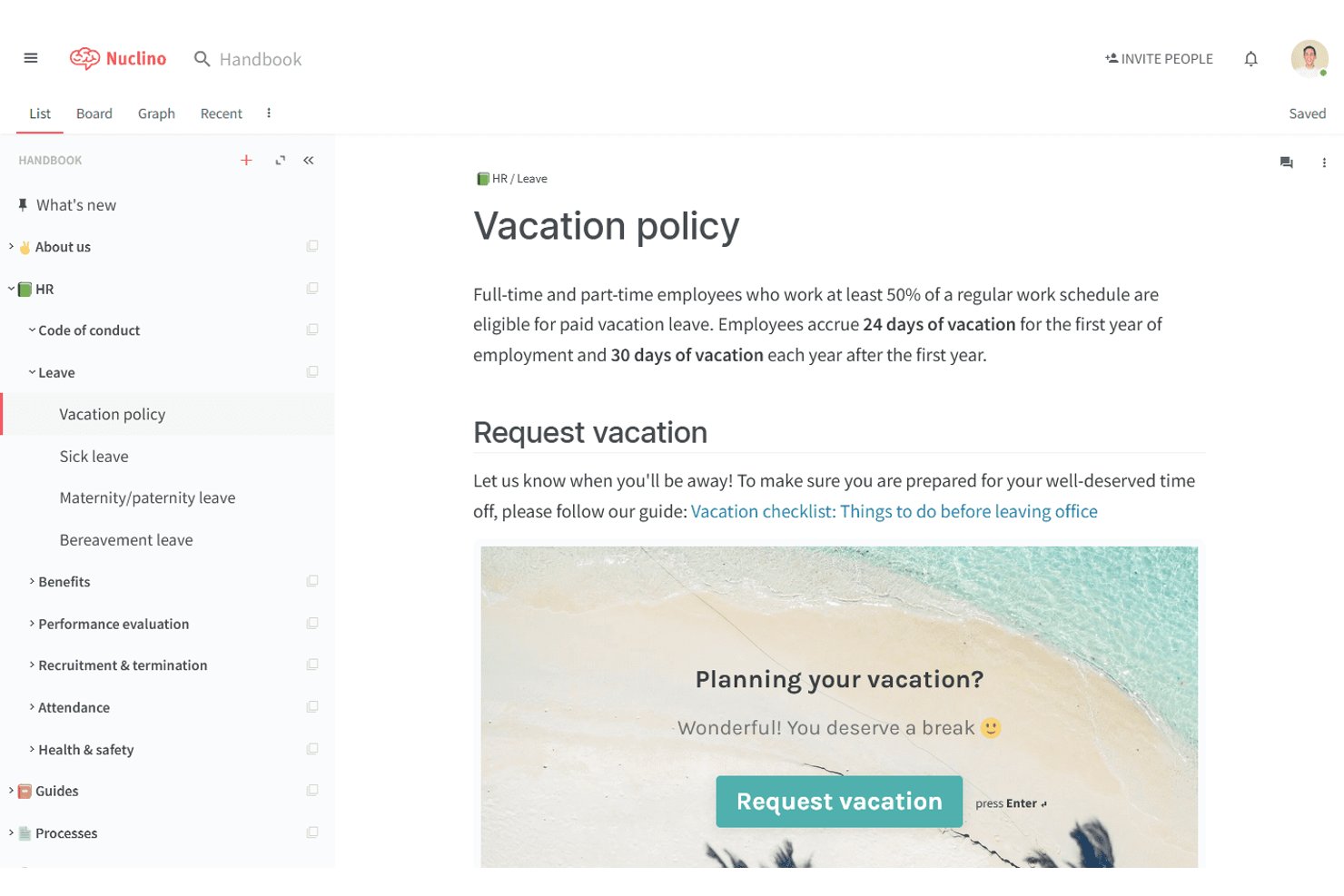
Nuclino is a wiki and knowledge base platform where teams create, organize, and link documents across nested workspaces using a combination of list, board, table, and graph views.
Who Is Nuclino Best For?
Nuclino is a natural fit for small teams and startups that need a lightweight, easy-to-adopt knowledge base without the overhead of a complex enterprise wiki tool.
Why I Picked Nuclino
I've included Nuclino in my top picks because of its graph view, which renders your entire knowledge base as an interactive visual map of linked pages. When I link one document to another inside Nuclino, that relationship appears as a node connection in the graph, making it easy to see how project SOPs, meeting notes, and onboarding guides connect. I also like that you can switch between graph, list, board, and table views on the same content without restructuring anything.
Nuclino Key Features
- Real-time collaborative editing: Multiple team members can edit documents at the same time and see changes instantly.
- Multiple content views: Switch between list, board, table, and graph views to organize and visualize knowledge.
- Markdown and slash commands: Format content quickly with markdown syntax or use slash commands for inserting elements.
- Third-party embed support: Add content from tools like Figma, Lucidchart, Google Drive, and Miro directly into knowledge pages.
Nuclino Integrations
Nuclino offers native integrations with Slack, Microsoft Teams, Figma, Lucidchart, Miro, Google Drive, Dropbox, YouTube, Airtable, and GitHub Gist. An API is available for custom integrations.
What's Free?
Nuclino's free plan is free forever and supports unlimited users, but limits you to 50 items (documents) total, up to 3 canvases, and 2GB of shared storage. It's a meaningful restriction for growing teams, since all documents across all workspaces count toward that 50-item cap.
Pros and Cons
Pros:
- Clean, distraction-free writing editor
- Real-time co-editing across all plan tiers
- Graph view maps page connections visually
Cons:
- No version history on the free plan
- Free plan caps total content at 50 items

Notion
Best for fast onboarding
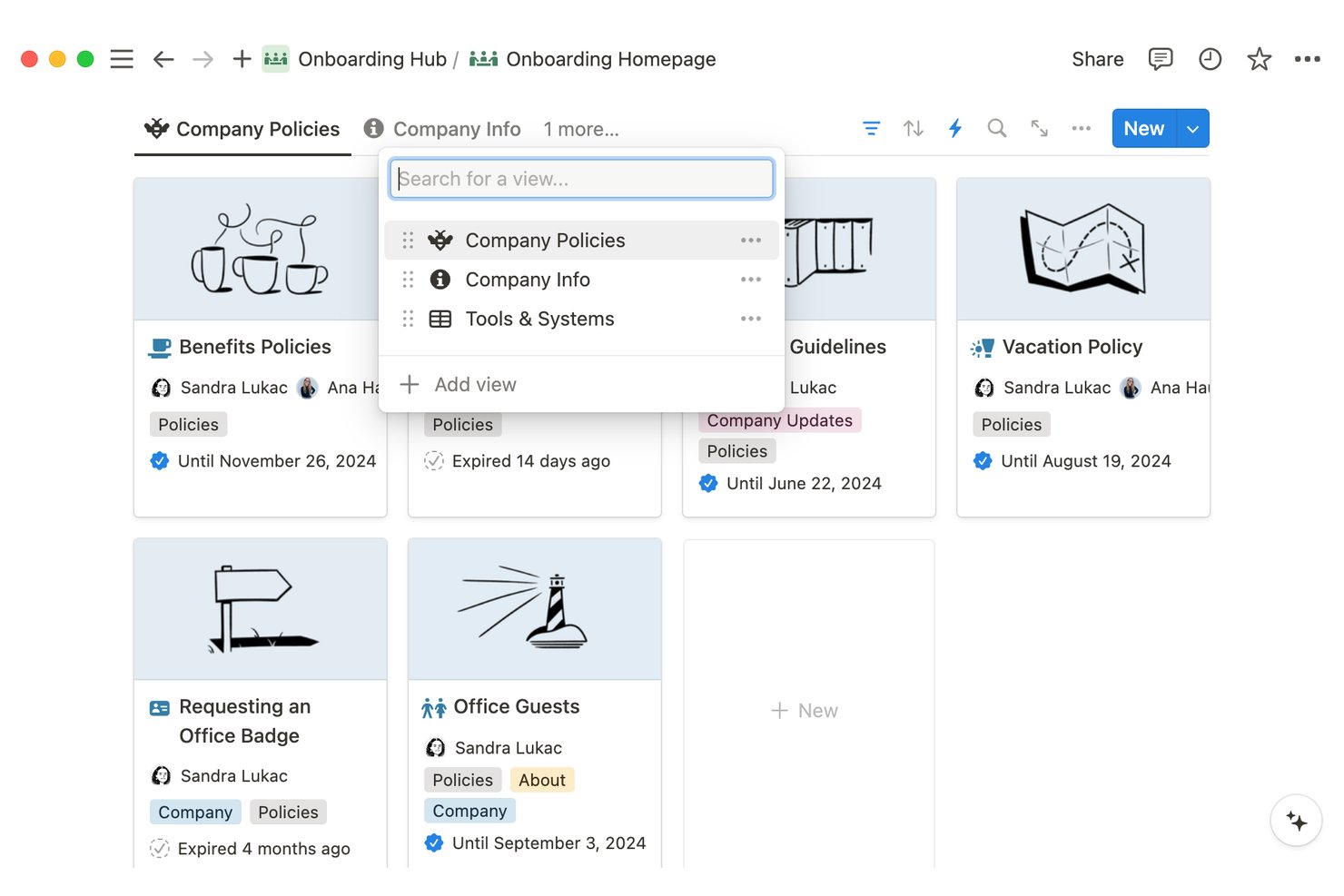
Notion is a block-based workspace where teams build internal knowledge base, documentation, and knowledge bases using nested pages, databases, and rich media embeds—all within a single, unified environment.
Who Is Notion Best For?
Notion is a strong fit for early-stage and growing teams that need a flexible, centralized knowledge base without committing to a specialized tool.
Why I Picked Notion
Notion earns its spot on my shortlist because the onboarding templates are genuinely ready to use on day one. I've built employee onboarding hubs using Notion's nested pages and synced blocks, where a change to a policy page updates everywhere it's referenced automatically. The verification badge feature is another thing I rely on, because new team members can immediately see which pages are confirmed up to date rather than guessing.
Notion Key Features
- Block-based editor: Create pages using drag-and-drop blocks for text, databases, code, images, and more.
- Unlimited page nesting: Organize documentation with multi-level nested pages, allowing logical grouping and deep hierarchies.
- Full-text and AI search: Locate any page or database entry instantly using robust search with advanced filters and AI assistance.
- Role-based permissions: Assign granular view, edit, or comment access at the page, database, or workspace level.
Notion Integrations
Notion offers native integrations with Slack, GitHub, Jira, Figma, Google Drive, and Zoom. An API is available for custom integrations.
What's Free?
Notion's free plan is free forever, but it's best suited to individual use. On a free plan with multiple members, collaborative blocks are limited, file uploads are capped at 5MB per file, and page history is restricted to 7 days.
Pros and Cons
Pros:
- Synced blocks keep repeated content up to date
- Unlimited pages on the free plan
- Templates accelerate wiki setup immediately
Cons:
- Search slows down in large workspaces
- 7-day page history on the free plan

Best for internal training and manuals
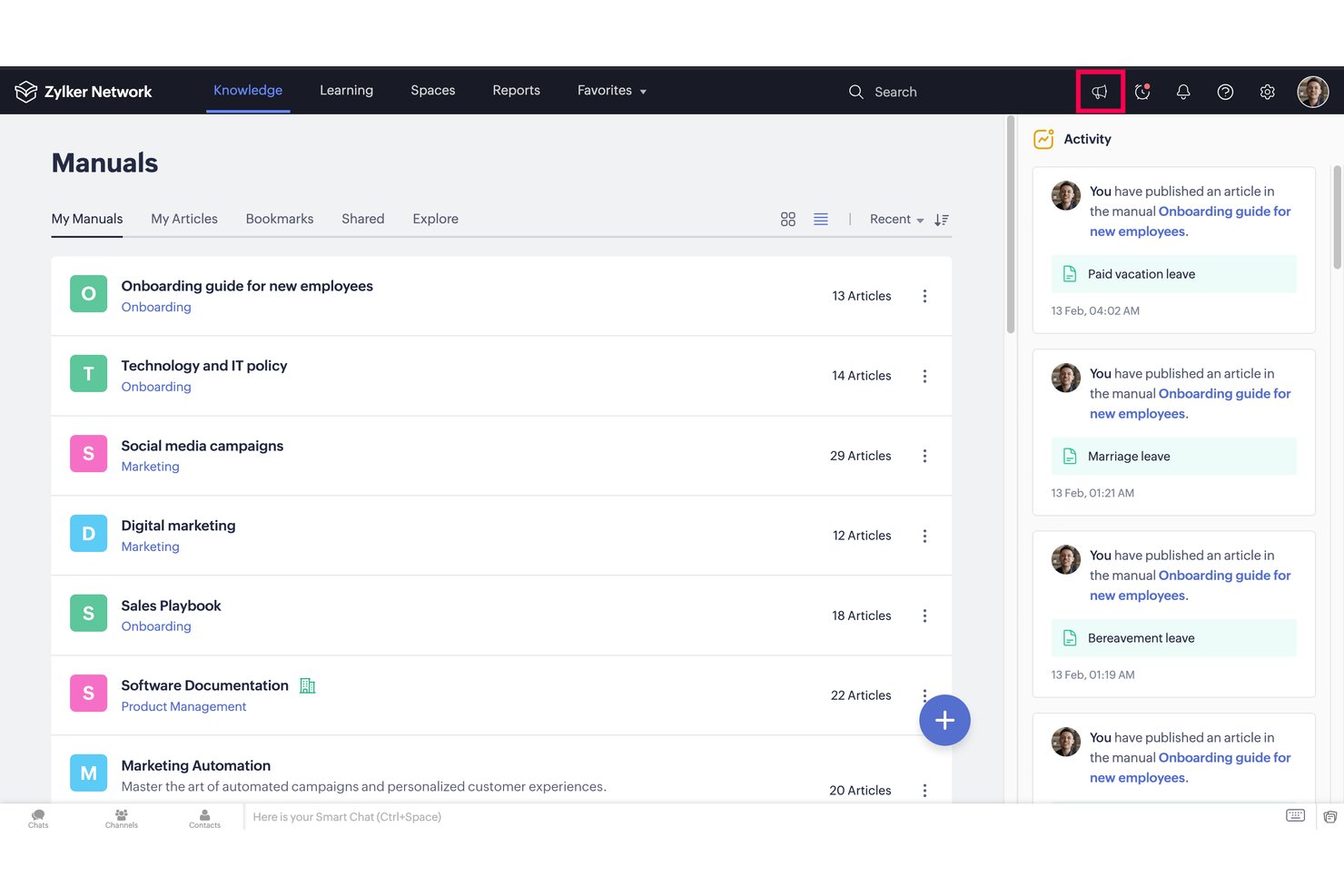
Zoho Learn is a knowledge management tool and LMS platform that pairs a structured article and manual builder with course authoring, quiz-based assessments, and learning paths in a single tool.
Who Is Zoho Learn Best For?
It's a strong fit for small businesses and teams already in the Zoho ecosystem that need to manage internal documentation and employee training in one place.
Why I Picked Zoho Learn
I picked Zoho Learn as one of the best because it's the only free knowledge base tool that pairs structured manuals with a built-in LMS and assessment engine. I use the Spaces → Manuals → Articles hierarchy to organize SOPs by team, and when a process needs more depth, I can convert it into a graded course with quizzes and passing scores. The mandatory reads feature lets me verify that team members have actually reviewed a document, which is something most pure knowledge base tools simply don't offer.
Zoho Learn Key Features
- Spaces and manuals organization: Structure knowledge using nested spaces and manuals to separate team, department, or topic content.
- Role-based access control: Assign user roles and set permissions at the space or manual level to manage who can view, edit, or contribute.
- Universal powerful search: Quickly find articles, documents, and courses across all spaces from a single search bar.
- File and media embedding: Embed images, videos, documents, flowcharts, and code blocks directly within knowledge articles.
Zoho Learn Integrations
Zoho Learn offers native integrations across the Zoho ecosystem, including Zoho People, Zoho Desk, and Zoho CRM. An API is available for custom integrations.
What's Free?
Zoho Learn's free plan is free forever and supports up to 5 users with 3 spaces, 5 manuals, 5 courses, 2 learning paths, and 1 GB of total storage. It's a meaningful limit for very small teams, but growing teams will hit the user and content caps quickly.
Pros and Cons
Pros:
- Quiz and assessment tools built in natively
- Mandatory reads verify team has reviewed articles
- Combines knowledge base and course authoring
Cons:
- No real-time collaborative article editing
- Free tier content limits feel quite restrictive

Bitrix24
Best for centralizing project documentation
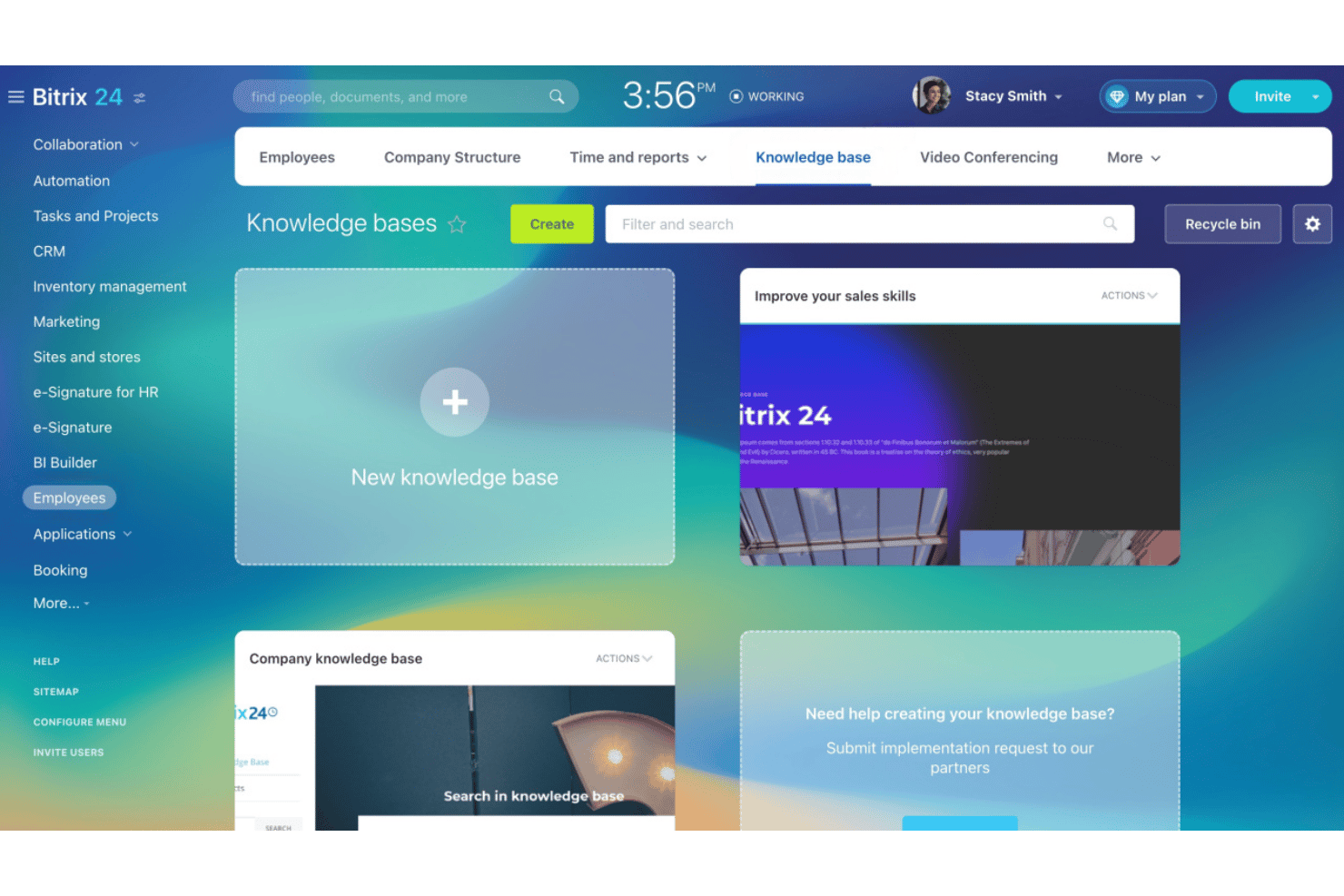
Bitrix24 is an all-in-one work platform with a built-in knowledge base module for creating, organizing, and sharing internal documentation alongside CRM, task management, and team communication tools.
Who Is Bitrix24 Best For?
Bitrix24 is a strong fit for mid-sized teams that want project documentation, task tracking, and communication managed in a single platform rather than separate tools.
Why I Picked Bitrix24
I picked Bitrix24 as one of the best because I love how it lets my team create separate knowledge bases for each project workgroup, keeping documentation scoped exactly where it belongs. In practice, that means a sprint retrospective or technical spec lives inside the same workspace as the tasks it informs. CoPilot also helps me draft and summarize pages directly in the editor, which keeps documentation from falling behind during fast-moving projects.
Bitrix24 Key Features
- Version history and restore: Track changes on every page and roll back to previous versions as needed.
- Role-based permissions: Set granular access controls for viewing, editing, and managing documentation.
- Full-text search: Quickly find knowledge base articles and files with a unified search bar.
- Multimedia embedding: Insert images, documents, and links directly into knowledge pages for richer documentation.
Bitrix24 Integrations
Bitrix24 offers native integrations with Google Drive, Dropbox, OneDrive, Microsoft Office 365, and Microsoft Teams. An API is available for custom integrations.
What's Free?
Bitrix24 offers a free-forever plan that supports up to two users with 5 GB of storage. It includes access to the knowledge base, tasks, and team chat, though features like telephony and marketplace apps are reserved for paid plans.
Pros and Cons
Pros:
- Tasks and docs live in one place
- AI CoPilot drafts and summarizes pages
- Separate knowledge bases per project workgroup
Cons:
- Interface feels cluttered with non-KB features
- Free plan capped at two users

XWiki
Best for advanced permissions in self-hosted wikis
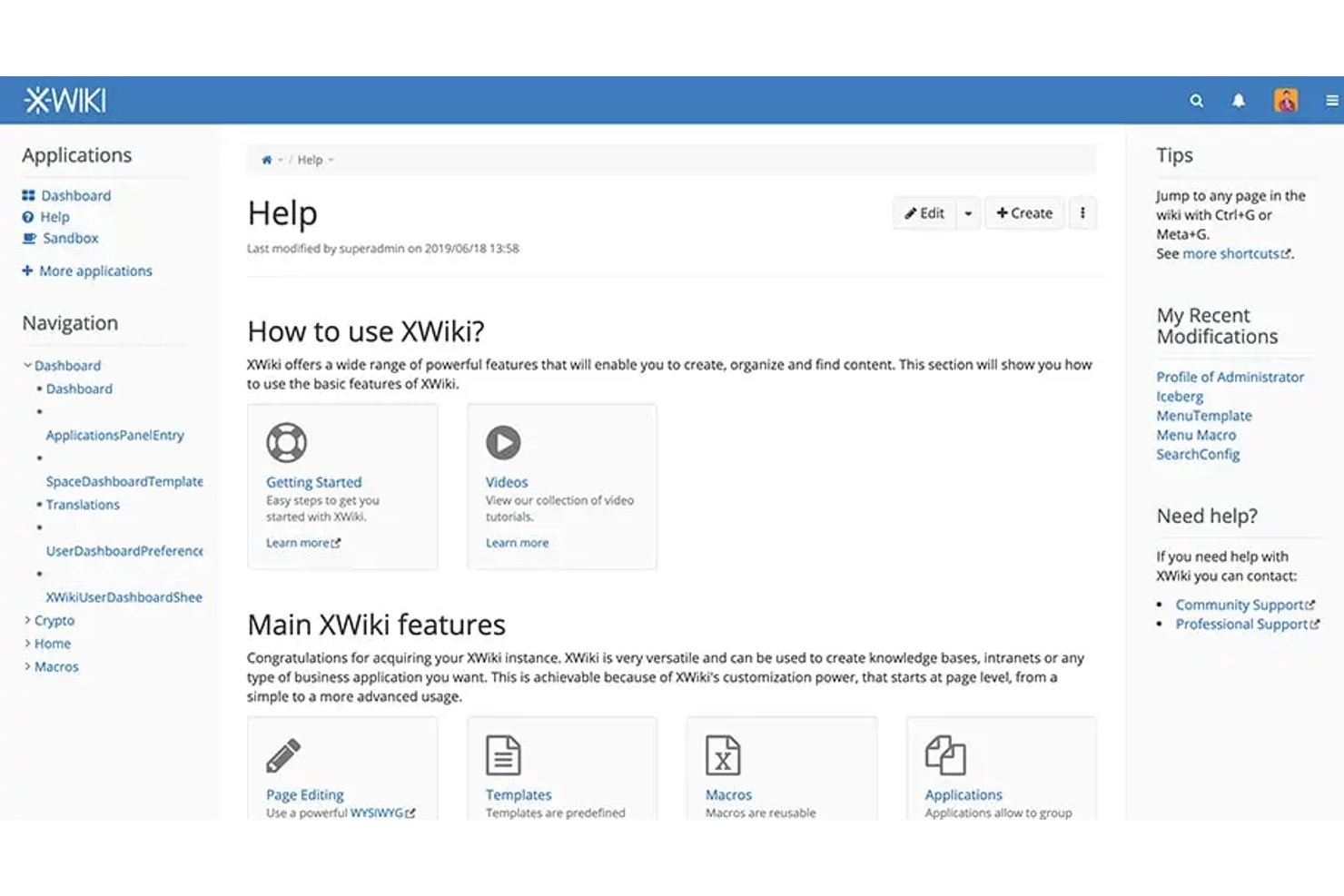
XWiki is an open-source, self-hosted wiki platform that combines structured page creation, hierarchical organization, full-text search, and granular access permissions for team knowledge management.
Who Is XWiki Best For?
XWiki is a strong fit for technical teams and IT-led organizations that need full control over their knowledge base infrastructure through self-hosting.
Why I Picked XWiki
XWiki earns its spot on my shortlist because its permission system goes deeper than almost any other free knowledge base tool I've used. I can set access controls at the page, space, and group level, which means I can lock down sensitive retrospectives or post-mortems while keeping general documentation open. It also connects natively to LDAP and Active Directory, so permissions stay in sync with your existing directory without manual upkeep.
XWiki Key Features
- Structured content templates: Create and apply customizable templates for consistent documentation across different projects or spaces.
- Full-text and faceted search: Locate articles, attachments, and information using advanced search with filters and facets.
- Versioning and rollback: Track every edit to pages and restore previous versions when needed with detailed history.
- Integrated extension marketplace: Browse and install over 900 extensions to add new macros, applications, and integrations.
XWiki Integrations
XWiki offers a marketplace of plugins and integrations with Jira, Google Analytics, OnlyOffice, and over 900 additional extensions. An API is available for custom integrations.
What's Free?
XWiki's open-source edition is free forever and available for self-hosting with no user limits. You're responsible for your own server infrastructure, but there are no restrictions on the number of users, pages, or spaces you can create.
Pros and Cons
Pros:
- Extension marketplace adds functionality without code
- Unlimited users and pages on free tier
- Page-level permissions unmatched by most free tools
Cons:
- Editor feels dated compared to modern alternatives
- Self-hosting requires server setup and maintenance

Best for managing multiple team workspaces
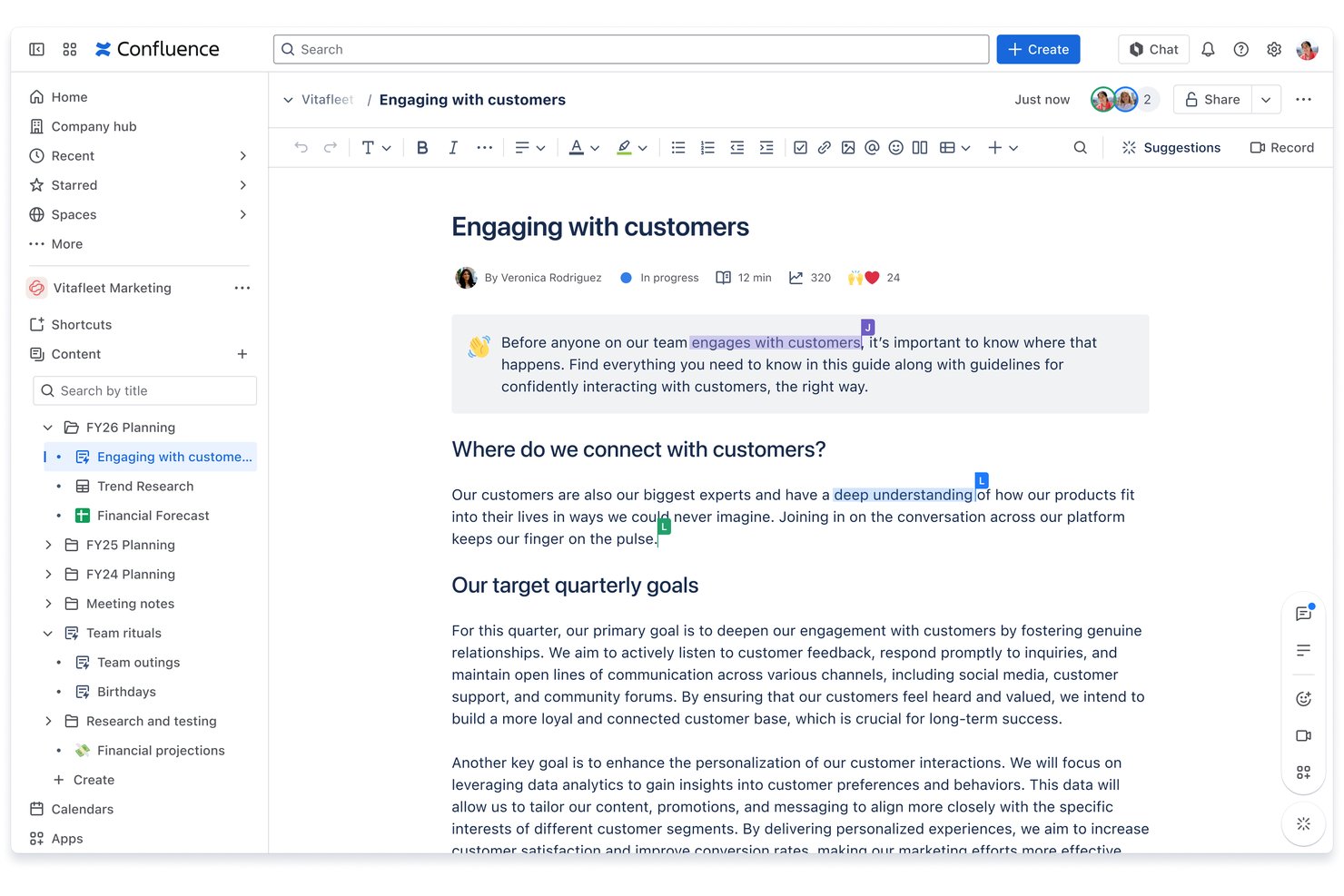
Confluence is Atlassian's team workspace and documentation platform that lets you create, organize, and search structured pages, wikis, databases, and whiteboards across multiple collaborative spaces.
Who Is Confluence Best For?
Confluence is a strong fit for technical teams and project managers who are already working within the Atlassian ecosystem alongside Jira.
Why I Picked Confluence
I've included Confluence in my top picks because no other free knowledge base tool structures multi-team documentation quite like it. Each team gets its own dedicated space, complete with an independent page tree and template library, so engineering, product, and design can each build and maintain a separate, organized wiki. I also like that the free plan includes unlimited spaces and pages, so you can spin up a new workspace for every project or team without hitting a ceiling.
Confluence Key Features
- Rich text and block editor: Create and format documentation with tables, images, code snippets, and advanced macros.
- Page version history: Track every change to pages and restore previous versions when needed.
- Full-text search: Instantly locate content using keyword-based and filterable search across spaces and pages.
- App marketplace integrations: Extend functionality with hundreds of add-ons for calendars, visualization, or workflow automation.
Confluence Integrations
Confluence offers native integrations with Jira, Trello, Slack, Microsoft Teams, Google Drive, Dropbox, and Zoom. Hundreds of additional integrations are available through the Atlassian Marketplace. An API is available for custom integrations.
What's Free?
Confluence offers a free-forever plan that supports up to 10 users and includes unlimited spaces and pages, with 2 GB of file storage. Advanced features like analytics, admin controls, and premium support are reserved for paid tiers.
Pros and Cons
Pros:
- Real-time co-editing with comments and mentions
- Nested page trees support deep documentation structure
- Unlimited spaces and pages on free plan
Cons:
- No content analytics on free tier
- Free plan capped at 10 users

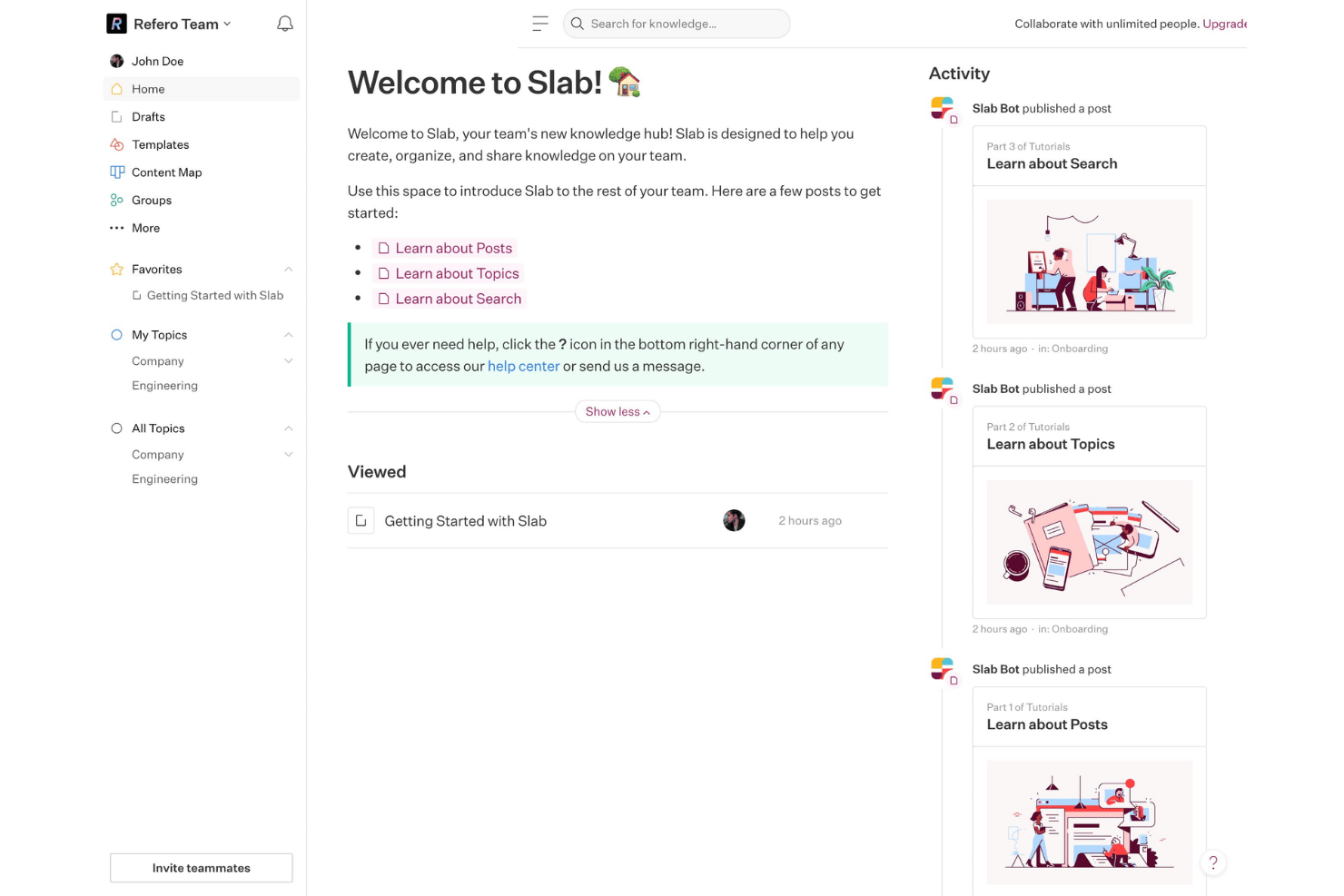
Slab is a knowledge base platform built for team documentation, featuring a block-based editor, Topics-based content organization, federated search across integrated tools, and a built-in Verification workflow for keeping documented processes accurate.
Who Is Slab Best For?
Slab is a strong fit for small to mid-sized tech teams that need a shared documentation hub accessible to both technical and non-technical teammates.
Why I Picked Slab
I've included Slab in my top picks because its Verification workflow is something I haven't seen handled this well in other free knowledge base tools. In practice, my team can flag any post for review on a set schedule, and Slab prompts the designated owner to confirm the content is still accurate. That built-in accountability loop means our SOPs and process docs don't quietly become outdated between quarterly reviews.
Slab Key Features
- Block-based editor: Create structured content with drag-and-drop blocks for headings, images, lists, and embeds.
- Topics organization: Group documentation using multi-level topics, allowing logical navigation and content discovery.
- Unified search: Find answers across Slab and integrated apps like Slack, Google Drive, and Asana in one search interface.
- Real-time collaborative editing: Edit pages with teammates simultaneously and view changes with instant updates.
Slab Integrations
Slab offers native integrations with Slack, Google Drive, Asana, GitHub, Dropbox, Microsoft OneDrive, Figma, Office 365, Trello, and Zapier. An API is available for custom integrations.
What's Free?
Slab's free plan is free forever for up to 10 users, with unlimited posts and topics, real-time collaboration, templates, Verification, and unified search included. Key restrictions include a 10MB attachment limit, 90-day version history, up to 10 standard integrations, and 30-day usage analytics.
Pros and Cons
Pros:
- Free plan includes unlimited posts and topics
- Unified search spans connected third-party apps
- Verification workflow keeps process docs current
Cons:
- No offline access for distributed teams
- Free plan capped at 10 users

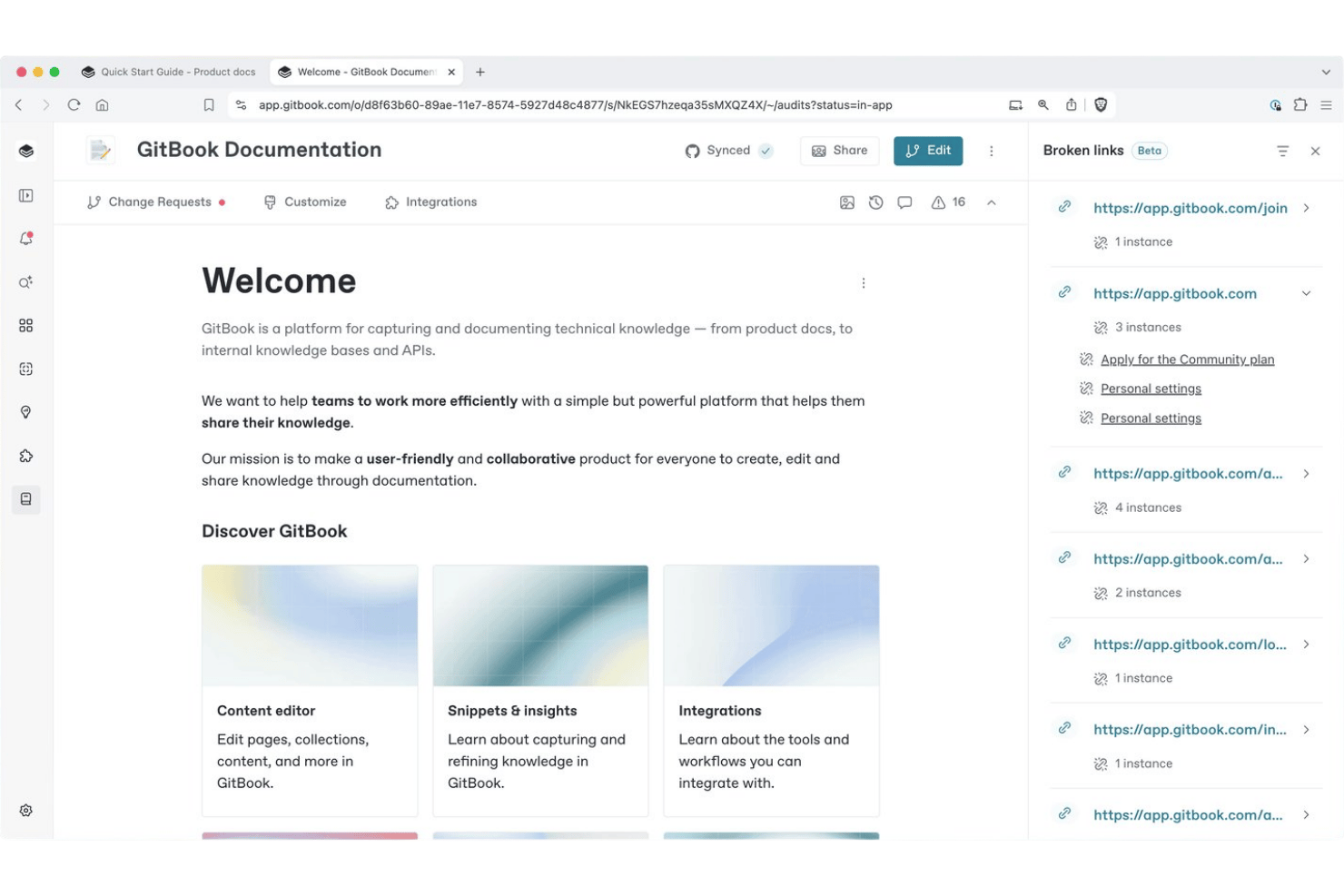
GitBook is a documentation platform built for technical teams, combining a block-based editor, Git Sync with GitHub and GitLab, AI-powered search, and a branch-review-merge workflow for managing knowledge bases.
Who Is GitBook Best For?
GitBook is a strong fit for technical project coordinators and developer teams who need to manage versioned documentation alongside their code workflows.
Why I Picked GitBook
I've included GitBook in my top picks because its Git Sync feature is genuinely unique in the knowledge base space. It works bidirectionally: changes made in GitBook's editor sync to GitHub as Markdown commits, and code pushes to the repo appear in GitBook automatically. On top of that, GitBook's change request workflow mirrors a pull request model, so my team can draft, review, and merge doc updates the same way we handle code changes.
GitBook Key Features
- Block-based visual editor: Edit documentation using drag-and-drop blocks for images, code, tables, and embeds.
- Spaces for content organization: Group related pages within flexible workspaces called spaces for logical knowledge base structuring.
- Full-text search: Find information quickly with built-in whole-article search functionality.
- Commenting and change requests: Capture feedback and manage proposed edits with threaded comments and approval workflows.
GitBook Integrations
GitBook offers native integrations with GitHub, GitLab, Figma, and Loom. An API is available for custom integrations.
What's Free?
GitBook's free plan is a permanent, free-forever tier for individual users (limited to 1 user). It includes the block-based editor, Git Sync with GitHub and GitLab, change requests, version history, full-text search, and page view analytics, but team collaboration features like real-time co-editing, review and approval workflows, and custom domains require a paid upgrade.
Pros and Cons
Pros:
- Free tier includes full version history access
- Change request workflow controls documentation contributions
- Git Sync mirrors code repository workflows natively
Cons:
- AI search locked behind paid plans
- Free plan restricted to one user only

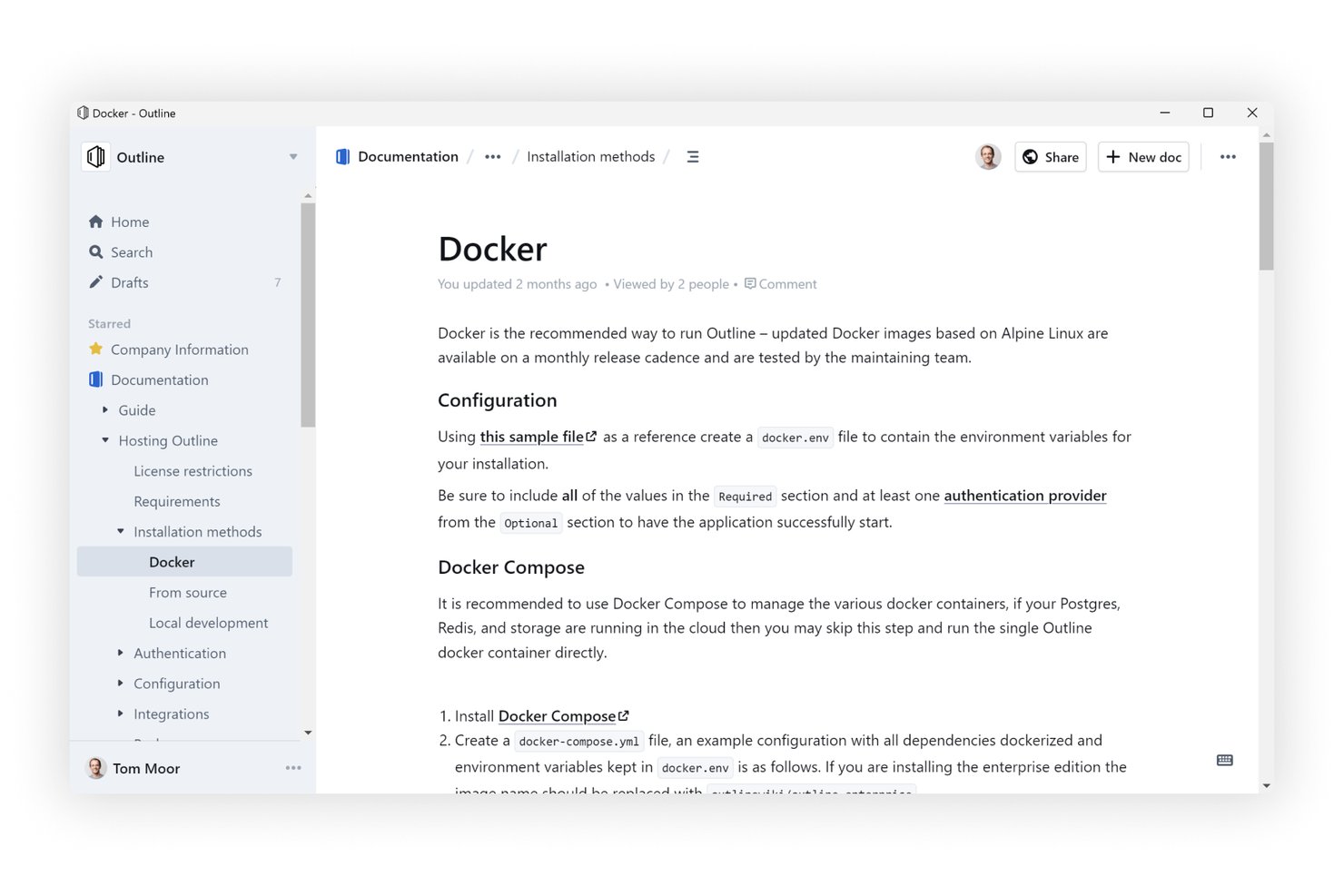
Outline is an open-source knowledge base software that supports real-time collaborative editing, unlimited nested documents, AI-powered search, and integrations with tools like Slack, GitHub, and Figma.
Who Is Outline Best For?
Outline is a strong fit for technical teams and engineering-adjacent project managers who want a self-hostable, open-source wiki with developer-friendly tooling.
Why I Picked Outline
Outline earns its spot on my shortlist because the unlimited nested document structure is the most flexible I've worked with. I can build deep collection hierarchies where a single project workspace holds sub-pages for briefs, meeting notes, retrospectives, and decisions, all cleanly stacked without hitting any depth limits. The AI-powered search cuts across that entire structure instantly, so nothing gets buried no matter how deep the nesting goes.
Outline Key Features
- Real-time collaborative editor: Multiple users can edit pages at the same time with live updates and comment threads.
- AI-powered workspace search: Instantly locate any document or answer questions using natural language queries.
- Public sharing and guest access: Publish knowledge base content to the web or share with external collaborators securely, for example, sharing a customer-facing document.
- 20+ embedding integrations: Embed content from Figma, Loom, GitHub, and other tools directly within documents.
Outline Integrations
Outline offers native integrations with Slack, GitHub, GitLab, Figma, Loom, and Miro. An API is available for custom integrations.
What's Free?
Outline offers a 30-day free trial on its cloud-hosted plans, after which your knowledge base becomes read-only until you add a payment method. There's no free-forever cloud plan, but Outline is open-source and free to self-host on your own infrastructure if your team has the technical capacity to manage it.
Pros and Cons
Pros:
- AI search spans the entire workspace
- Open-source codebase allows full self-hosting
- Unlimited document nesting without depth restrictions
Cons:
- Self-hosting demands significant technical overhead
- No free-forever cloud plan available

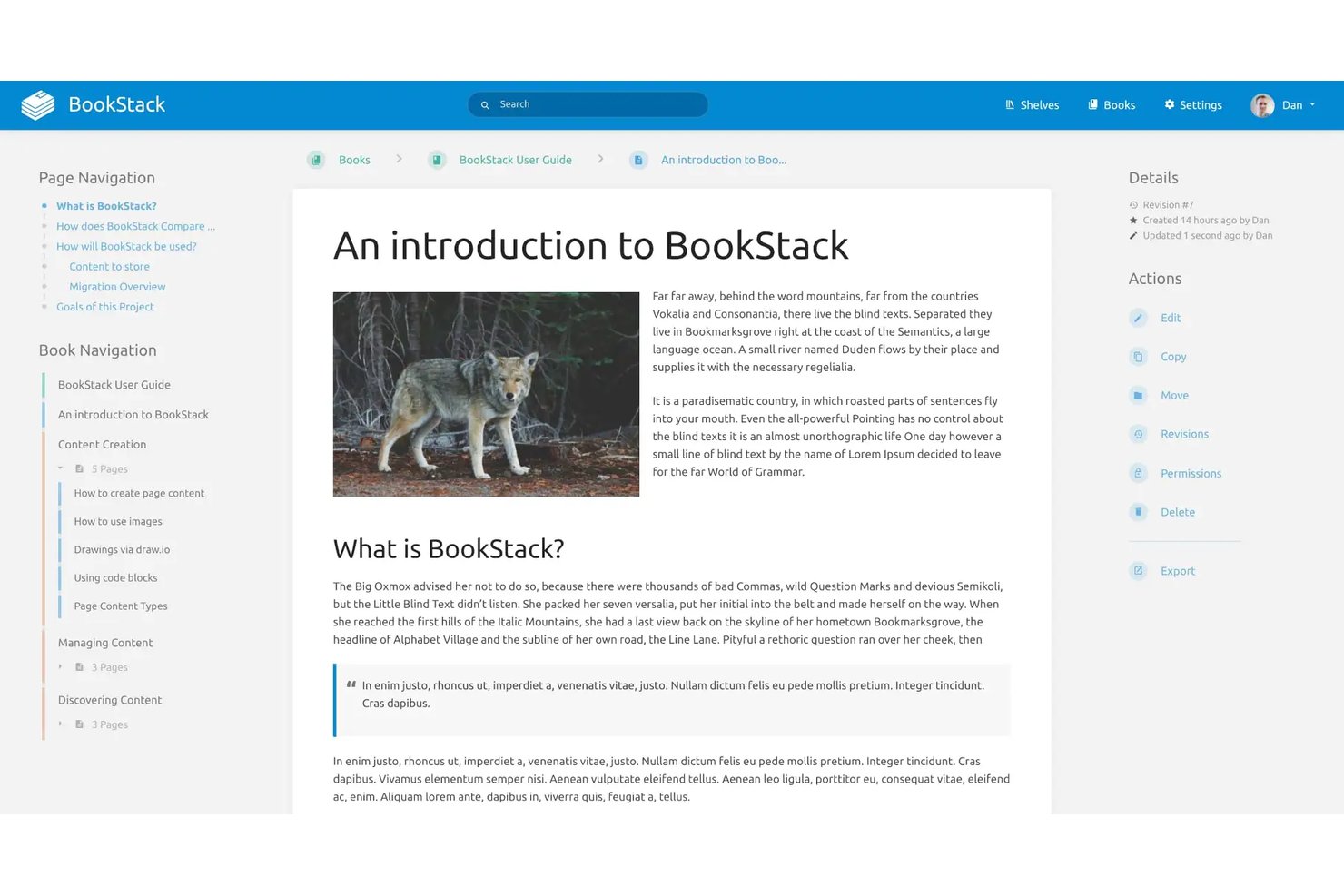
BookStack is a free, open-source, self-hosted knowledge base platform that structures content into shelves, books, chapters, and pages, with a WYSIWYG editor, full-text search, role-based permissions, and enterprise authentication support via SAML2 and LDAP.
Who Is BookStack Best For?
BookStack is a great fit for technical teams and organizations that can manage their own server infrastructure and want full control over their documentation environment.
Why I Picked BookStack
BookStack earns its spot on my shortlist because the Shelves > Books > Chapters > Pages hierarchy is genuinely unlike anything else in the free knowledge base space. I love how a single book can sit on multiple shelves, so a runbook can surface in both a "DevOps" shelf and an "Onboarding" shelf without duplicating content. The built-in direct paragraph linking also lets me point teammates to an exact section within a page, not just the page itself.
BookStack Key Features
- WYSIWYG and Markdown editors: Choose between a visual rich text editor or raw Markdown for content creation.
- Full RBAC permission system: Assign custom roles and set granular editing and viewing permissions for users and groups.
- Page revision history: Automatically tracks changes and enables you to view or restore previous versions of pages.
- Diagrams.net integration: Add and edit diagrams directly within knowledge base pages for richer documentation.
BookStack Integrations
BookStack offers native integrations with diagrams.net for creating and editing diagrams within pages and provides an API for custom integrations. SAML2, LDAP, and OpenID Connect authentication integrations are also supported.
What's Free?
BookStack is entirely free and open-source with no user limits, storage caps, or feature restrictions. The only requirement is that you host it on your own server, which means you're responsible for setup, maintenance, and infrastructure costs.
Pros and Cons
Pros:
- Full revision history with page-level rollback
- No caps on users, pages, or storage
- Book-style hierarchy makes content navigation intuitive
Cons:
- No real-time collaboration tools
- Requires self-hosting on your own server
Diğer Ücretsiz Bilgi Tabanı Yazılımları
Kısa listeme giremeyen ancak yine de göz atmaya değer bazı ek ücretsiz bilgi tabanı yazılımı seçenekleri şunlardır:
- Wiki.js
For third-party storage support
- ClickUp
For linking docs directly to project tasks
- ProProfs Knowledge Base
For pre-built templates
- Lark
For integrated docs and team chat
- Flowlu
For linking project docs with task management
- Coda
For database-style pages
- Bit.ai
For embedding dynamic content in documents
- MediaWiki
For flexible structure in open-source wikis
- Docmost
For collaborative SOP documentation
- Documize
For internal and external docs separation


How I Evaluate Free Knowledge Base Software
First, I define what counts as free. For knowledge base software, that means a perpetual free plan—not a trial—since teams need these as always-on documentation hubs. From there, I evaluate each tool on two layers: core functionality required to qualify, and the differentiating factors that set the best options apart.
Core Functionality (Table Stakes For This List)
In addition to my free offer requirements, I also use a scoring system to select tools for my list. Here's how it works:
When I'm selecting tools for my list, I rank each one on a scale from 0 (does not offer the functionality) to 5 (excels in this area) for each core functionality listed below. I then calculate the tool's total score into a percentage, using 75% as a benchmark to help assess its overall fit for the list.
- Article and page creation: I look for a rich text or block-based editor that lets teams draft SOPs, meeting notes, and project post-mortems without fighting the formatting.
- Hierarchical organization: Structured grouping through spaces, folders, or nested pages matters. I evaluate whether you can mirror a real project hierarchy—like separating onboarding docs from sprint retrospectives.
- Search functionality: Full-text search across all articles is what I check for, so team members can find a specific decision log or process doc without scrolling through dozens of pages.
- Access permissions: Role-based controls should let you restrict sensitive project documentation while keeping general resources open to the wider team.
- Collaborative editing: I look at whether multiple contributors can update the same page, with version history that tracks who changed what—useful when several people maintain a shared runbook.
- Media and file embedding: Teams need to drop screenshots, diagrams, and file attachments directly into articles. I check that the editor handles inline images and links without workarounds.
Once I have a list of tools that meet the criteria, I consider what sets each platform apart.
Differentiating Factors (What Sets Vendors Apart)
Here's how I compare and contrast different vendors:
Standout Features
Version history and rollback is a big one—I look for tools that let you compare revisions side by side and restore earlier content when someone accidentally overwrites a process doc. Public and private spaces also matter, especially when your team needs internal project documentation alongside client-facing resources without maintaining two separate platforms. I also evaluate multi-format embedding, since teams often need code snippets, video walkthroughs, or diagrams embedded directly in their articles.
Beyond Features
Free plan limits deserve close attention—I check how many users, pages, and storage a plan includes, since a knowledge base your team outgrows in a month isn't useful. Ease of content migration also shapes my evaluation. If you're moving from Google Docs or Confluence, import tools save weeks of manual copy-pasting. I also consider how well each platform connects to tools like Slack or Microsoft Teams, because surfacing the right article inside a chat thread is often faster than asking someone to go search for it.
Ücretsiz Bilgi Tabanı Yazılımı Nasıl Seçilir?
Uzun özellik listeleri ve karmaşık fiyatlandırma yapıları arasında kaybolmak kolaydır. Kendinize özgü yazılım seçimi sürecinizde ilerlerken odaklanmanıza yardımcı olmak için göz önünde bulundurmanız gereken faktörlerin kontrol listesi aşağıdadır:
| Faktör | Nelere Dikkat Edilmeli? |
|---|---|
| Ölçeklenebilirlik | Ekip büyüdükçe ücretsiz plan, beklenen kullanıcı sayınızı, makale hacminizi ve depolama gereksiniminizi karşılayabilir mi? |
| Entegrasyonlar | Kullandığınız proje yönetimi, sohbet veya yardım masası araçlarıyla entegre oluyor mu? |
| Özelleştirilebilirlik | Kategorileri, şablonları veya iş akışı düzenini süreçlerinize uyacak şekilde uyarlayabilecek misiniz? |
| Kullanım kolaylığı | Ekip üyeleri ve teknik olmayan kullanıcılar dokümantasyon oluşturmaya ve bulmaya ne kadar hızlı başlayabilir? |
| Uygulama ve işe alıştırma | Başlatmak için neler gerekecek; içerikleri içe aktarabilir misiniz, yoksa geçiş ve eğitim kullanıma sunma sürecini yavaşlatır mı? |
| Maliyet | Ücretli planların sınırları açık mı? Kullanım sınırına ulaşırsanız yakında yükseltme yapmanız gerekecek mi? |
| Güvenlik önlemleri | Platform, hassas verilerinizi korumak için izinler, şifreleme ve yedekleme seçenekleri sunuyor mu? |
| Destek durumu | Ekibiniz takıldığında veya rehberliğe ihtiyaç duyduğunda ücretsiz planda hangi destek kanalları mevcut? |
Ücretsiz Bilgi Tabanı Yazılımları Nedir?
Ücretsiz bilgi tabanı yazılımları, ekibinizin ücretli abonelik olmadan dokümantasyon oluşturmasına, düzenlemesine ve paylaşmasına olanak tanıyan platformlardır. Bu araçlar; sayfa düzenleme, arama ve erişim denetimleri gibi temel özellikleri ücretsiz sunar. Proje yöneticileri bunları standart işletim prosedürlerini, toplantı notlarını ve diğer önemli proje içeriklerini merkezileştirmek için kullanır; böylece bilgiler farklı konumlardaki ekipler arasında erişilebilir olur.
Özellikler
Bilgi tabanı yazılımlarında yaygın olarak bulunan özellikleri ve bunların ücretsiz ve ücretli planlarda genellikle hangilerine dahil edildiğini inceleyelim.
Genellikle Ücretsiz Bilgi Bankası Yazılımı Özellikleri
- Zengin metin düzenleyici: Başlıklar, listeler, bağlantılar ve diğer temel düzen araçlarıyla makaleler oluşturmanıza ve biçimlendirmenize olanak tanır.
- Temel arama: Kullanıcıların ilgili makaleleri, politikaları veya proje belgelerini hızla bulabilmesi için anahtar kelime araması sunar.
- Hiyerarşik sayfalar: Ekiplerin proje yapılarını yansıtabilmesi için içeriği kategoriler, klasörler veya iç içe sayfalar halinde düzenlemeyi destekler.
- Kullanıcı rolleri: Bilgi bankası içeriğini kimlerin görüntüleyebileceğini, düzenleyebileceğini veya oluşturabileceğini kontrol etmek için temel izin düzeyleri sağlar.
- Dosya ekleri: Ek bağlam sağlamak amacıyla görsellerin, PDF'lerin veya diğer dosyaların doğrudan makalelere bağlanmasına ya da yüklenmesine olanak tanır.
- Etkinlik geçmişi: Bir sayfanın ne zaman ve kim tarafından düzenlendiğini görebilmeniz için basit bir değişiklik günlüğü tutar.
- Herkese açık veya dahili erişim: Belgeleri ekibinizle sınırlı tutmayı veya herkese açık şekilde paylaşmayı mümkün kılar.
Genellikle Ücretli Bilgi Bankası Yazılımı Özellikleri
- Yapay zekâ destekli arama: Makaleler önermek ve karmaşık sorgular için anında, alakalı sonuçlar sunmak üzere doğal dil işlemeyi kullanır.
- Gelişmiş analizler: İyileştirmelere yön vermek için makale kullanımı, arama eğilimleri, içerik eksikleri ve kullanıcı etkileşimi hakkında içgörüler sunar.
- Ayrıntılı izinler: Özel roller de dâhil olmak üzere sayfa, klasör veya grup düzeyinde hassas ayarlamalarla kontrol olanağı sağlar.
- İçerik sürüm denetimi: Yan yana karşılaştırmalar ve önceki durumlara geri dönme olanağı sunan gelişmiş revizyon geçmişini destekler.
- Çoklu biçim yerleştirme: Kullanıcıların makalelere videolar, kod parçacıkları, tablolar ve etkileşimli öğeler eklemesine olanak tanır.
- Markalı alan adları: Bilgi bankası portalınız için özel alan adlarının ve görsel markalamanın kullanılmasını sağlar.
- Diğer araçlarla entegrasyonlar: İş akışlarını kolaylaştırmak için Slack, yardım masaları ve SSO sağlayıcıları gibi platformlara otomatik bağlantılar sunar.
- Herkese açık/özel içerik segmentasyonu: Belgeleri çoğaltmadan hangi içeriğin hangi kitlelere gösterileceğini belirler.
- Otomasyon ve iş akışı araçları: İçerik yaşam döngülerini yönetmek için tetikleyiciler, onay akışları ve planlanmış yayımlama özelliklerini içerir.
- Premium destek hizmetleri: Genellikle daha hızlı yanıt süreleriyle özel e-posta, sohbet veya işe alıştırma desteği sağlar.
Faydalar
Ücretsiz bilgi bankası yazılımını uygulamak, ekibiniz ve işletmeniz için çeşitli faydalar sağlar. Yararlanabileceğiniz birkaç avantaj şunlardır:
- Daha hızlı işe alıştırma: Yeni ekip üyeleri temel bilgiler için kısa sürede self servis olanaklarını kullanabilir ve düzenlenmiş standart işletim prosedürlerine ve proje belgelerine erişerek hızla işe uyum sağlayabilir.
- Tekrarlanan soruların azalması: Yaygın süreçler ve politikalar belgelenir; böylece ekip arkadaşları aynı soruları tekrar tekrar yanıtlamak için daha az zaman harcar.
- Proje görünürlüğünün iyileşmesi: Tüm paydaşlar, merkezi ve aranabilir bir alanda kararlara, toplantı notlarına ve geriye dönük değerlendirmelere tutarlı biçimde erişebilir.
- Maliyet tasarrufu: Ekipler, yinelenen yazılım giderleri veya deneme süresi son tarihleri konusunda endişelenmeden önemli belgeleri paylaşabilir ve güncel tutabilir.
- Daha iyi iş birliği: Birden fazla kullanıcı sürüm geçmişiyle güncellemeler yapar; böylece proje belgeleriniz güncel ve doğru kalır.
- Bilgi paylaşımının kolaylaşması: Hiyerarşik düzen ve makale içi dosya ekleri, önemli bilgilerin farklı konumlar ve departmanlar arasında dağıtılmasını kolaylaştırır.
- Kontrollü erişim: Kullanıcı rolleri ve temel izinler, hassas veya önemli belgeleri kimlerin görüntüleyebileceğini ya da güncelleyebileceğini seçmenize olanak tanır.
Maliyetler ve Fiyatlandırma
Bu makaleye ücretsiz olarak sunulan en iyi bilgi bankası yazılımı seçeneklerini arayarak geldiğinizi biliyorum. Ancak ücretsiz planlar yalnızca sınırlı özellikler sunduğundan, gelecekte planınızı yükseltmeniz gerekme ihtimali oldukça yüksektir.
Aşağıdaki tablo, bilgi bankası yazılımlarında yaygın planları, bunların ortalama fiyatlarını ve genellikle içerdiği özellikleri özetlemektedir:
Plan Karşılaştırma Tablosu
| Plan Türü | Ortalama Fiyat | Yaygın Özellikler |
|---|---|---|
| Ücretsiz Plan | $0 | Temel makale oluşturma, temel arama, sınırlı kullanıcı sayısı, basit izinler ve standart dosya ekleri. |
| Kişisel Plan | $5–$10/kullanıcı/ay | Ücretsiz plandaki tüm özellikler, özel markalama, daha fazla depolama alanı, öncelikli müşteri desteği ve temel analizler. |
| İşletme Planı | $15–$25/kullanıcı/ay | Gelişmiş izinler, entegrasyonlar, içerik sürümleme, analiz panoları ve çoklu biçimde yerleştirme. |
| Kurumsal Plan | $30–$60/kullanıcı/ay | SSO, denetim günlükleri, özel destek, gelişmiş güvenlik, özel alan adları ve uyumluluk araçları. |
Ücretsiz Bilgi Tabanı Yazılımı Hakkında SSS
Ücretsiz bilgi tabanı yazılımı hakkında sık sorulan soruların bazı yanıtlarını burada bulabilirsiniz:
Mevcut belgelerimi ücretsiz bilgi yönetimi yazılımına taşıyabilir miyim?
Evet, çoğu bilgi tabanı çözümü Google Dokümanlar veya Markdown dosyaları gibi araçlardaki belgeleri içe aktarmanıza olanak tanır. Hatta bazıları, içeriği diğer sistemlerden taşımak için toplu içe aktarma araçları veya entegrasyonlar sunar; böylece ekibiniz mevcut belgeleri sıfırdan başlamak zorunda kalmadan düzenli tutabilir.
Ücretsiz bilgi tabanı yazılımında kullanıcı veya depolama alanı sınırlamaları var mı?
Evet, çoğu ücretsiz plan kullanıcı sayısını, depolama alanını veya ekleyebileceğiniz makale sayısını sınırlar. Bilgi tabanı büyüdükçe kesintileri veya beklenmedik kullanım durdurmalarını önlemek için ekipler bu sınırları önceden kontrol etmelidir.
Ücretsiz bilgi tabanı yazılımında depolanan bilgiler ne kadar güvenli?
Ücretsiz planlar genellikle standart şifreleme ve temel izin ayarlarını içerir; ancak denetim günlükleri ve uyumluluk araçları gibi gelişmiş özellikler çoğunlukla ücretli katmanların arkasında tutulur. Hassas verileri depolamadan önce her zaman bir platformun gizlilik politikasını ve erişim denetimlerini inceleyin.
Ücretsiz bilgi tabanı araçları diğer uygulamalarla entegrasyonları destekliyor mu?
Birçoğu sohbet ve proje yönetimi uygulamalarıyla temel entegrasyonlar sunar; ancak iş akışı otomasyonu ve gelişmiş entegrasyonlar genellikle yalnızca ücretli planlarda kullanılabilir. Karar vermeden önce mevcut teknoloji yığınınızla uyumluluğu kontrol edin.
Ücretsiz bilgi tabanı yazılımı kullanıcılarına destek sunuluyor mu?
Ücretsiz kullanıcılar için destek genellikle yardım merkezleri, topluluk forumları veya e-postayla sınırlıdır. Gerçek zamanlı sohbet ve gelişmiş başlangıç desteği genellikle ödeme yapan müşterilere ayrılır; bu nedenle değerlendirme sırasında ekibinizin destek ihtiyaçlarını göz önünde bulundurun.