

2026’da İncelenen En İyi 10 Yapay Zekâ Beyin Fırtınası Aracı

En İyi Yapay Zekâ ile Beyin Fırtınası Araçları Kısa Listesi


Projeleri yönetmek; yapay zekâ ile beyin fırtınası araçlarının büyük fark yaratabileceği, yeni düşüncelere ve sorunsuz koordinasyona ihtiyaç duyar. Bu platformlar, temel fikir kaydının ötesine geçerek otomatik kavram oluşturma, akıllı önceliklendirme ve yerleşik ekip iş birliği alanları gibi akıllı özellikler sunar.
Deneyimlerime göre doğru yapay zekâ aracı, ekiplerin zorluklarla başa çıkma biçimini dönüştürebilir; dağınık fikirleri etkileyici bir verimlilikle düzenli ve uygulanabilir planlara dönüştürebilir.
Bu rehberde, proje iş akışlarını ne kadar iyi desteklediklerine, karar alma süreçlerini ne ölçüde hızlandırdıklarına ve yaratıcı düşünmeyi nasıl teşvik ettiklerine göre değerlendirdiğim öne çıkan seçenekleri inceleyeceğim.
Why Trust Our Software Recommendations
Our team has been testing and reviewing software since 2012. As project managers ourselves, we know how difficult—and important—it is to choose the right software.
For this guide, we evaluated tools using hands-on testing and independent research, scoring tools using our selection criteria. We also draw on insights from industry thought leaders and practicing project management experts.
Our reviews reflect our human editorial judgment, not a sales pitch.
Expert reviewers:
Yapay Zekâ ile Beyin Fırtınası Araçları Karşılaştırma Tablosu
Bu karşılaştırma tablosu, en iyi yapay zekâ ile beyin fırtınası aracı seçimlerimin fiyatlandırma ayrıntılarını özetler.
| Tool | Starting Price | Website | |
|---|---|---|---|
| Best for turning brainstorms into tracked work | 4.3 out of 5 | $10/user/month Free plan + 14-day trial + demo available | Book Demo |
| Best with workflow customization at scale | 4.6 out of 5 | $9/user/month Free plan + 14-day trial available | Book Demo |
| Best for visual brainstorming | 4.5 out of 5 | $6.50/user/month Free plan + free demo available | Website |
| Best for AI-driven insights | 4.4 out of 5 | $20/month Free plan available | Website |
| Best for free mind mapping | 4.6 out of 5 | $4.08/month Free plan available | Website |
| Best for AI task assignment | — | $4.92/user/month Free plan + 7-day free trial available | Website |
| Best for simple mind maps | — | $8.30/month Free plan available | Website |
| Best for AI content generation | — | $16/month Free plan available | Website |
| Best for interactive maps | — | $9.99/month Free plan available | Website |
| Best for marketing teams | — | $20/user/month Free plan available | Website |
En İyi Yapay Zekâ ile Beyin Fırtınası Aracı İncelemeleri
Aşağıda, kısa listeme giren en iyi yapay zekâ ile beyin fırtınası araçlarına ilişkin ayrıntılı özetlerimi bulabilirsiniz. İncelemelerim; size en uygun aracı bulmanıza yardımcı olmak için her aracın temel özelliklerine, artılarına ve eksilerine, entegrasyonlarına ve ideal kullanım alanlarına ayrıntılı bir bakış sunar.

Wrike
Best for turning brainstorms into tracked work
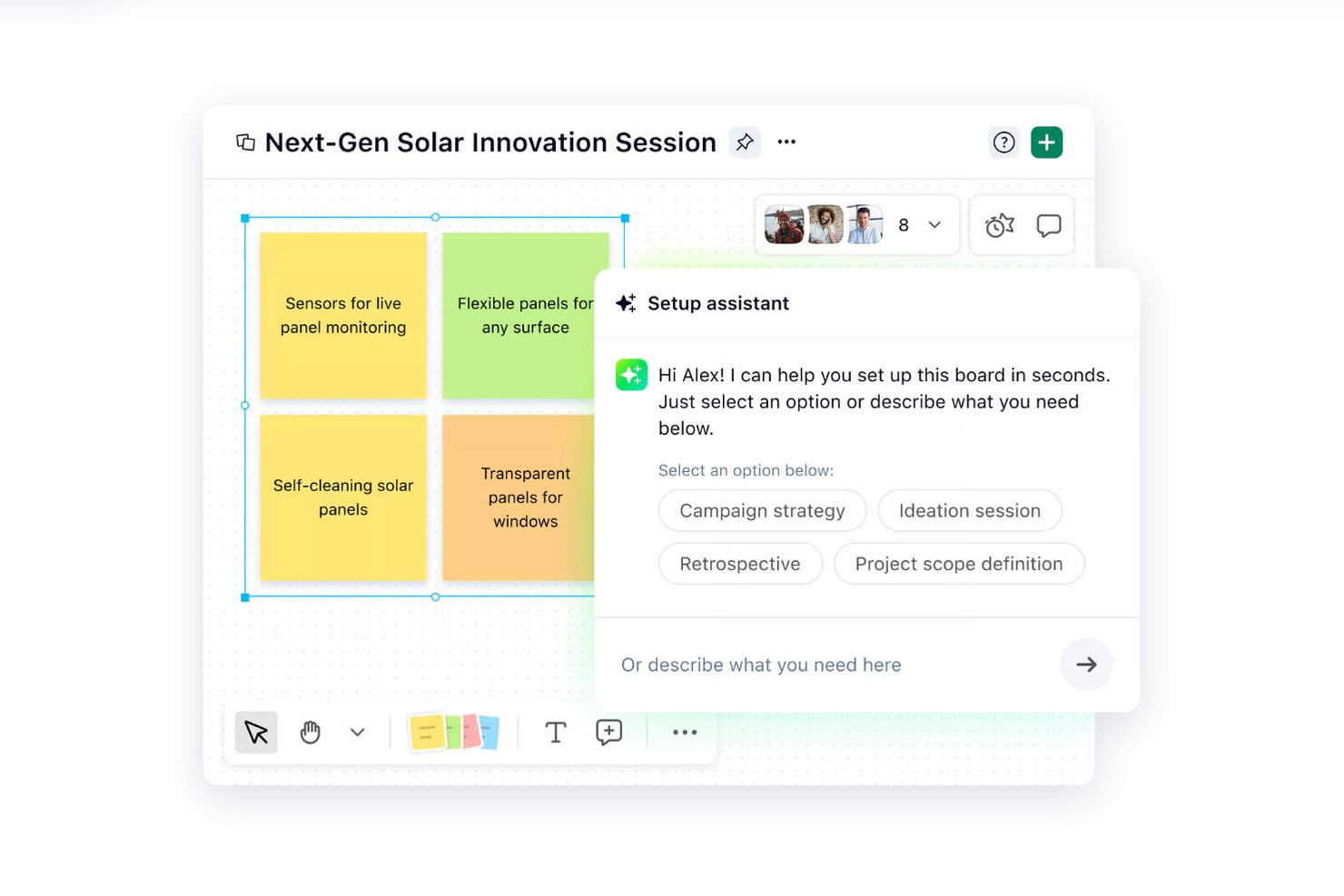
Wrike is an AI-powered work management platform that pairs a visual Whiteboard canvas (available as a paid add-on) with AI-assisted planning, task conversion, and project tracking tools designed to move ideas from ideation into structured, assignable work.
Who Is Wrike Best For?
Wrike is a strong fit for product managers and marketing teams at mid-to-large organizations who need to move ideas directly into trackable, assignable work within a single platform.
Why I Picked Wrike
I've included Wrike in my top picks because it's the only tool on this list where brainstorming and task management live in the same system. I like that Whiteboard stickies convert directly into assignable Wrike work items, with status changes syncing back to the board in real time. The Whiteboard AI assistant can also propose a work hierarchy from selected board content, so your team moves from sticky notes to a structured project without switching tools. Note that Wrike Whiteboard requires a paid add-on ($15/user/month) on Business and Pinnacle plans.
Wrike Key Features
- Real-time polls and dot-voting: Whiteboard sessions support live polls, quizzes, and dot-voting so distributed teams can converge on ideas without leaving the board.
- AI Essentials on Team plan: AI content creation, comment summaries, and natural-language automation-rule generation are available from the Team plan at $10/user/month.
- Wrike Copilot: An AI assistant that answers questions and summarizes work within projects, available on Business and higher plans.
- 400+ app integrations: Wrike connects to tools including Slack, Microsoft Teams, Jira, and GitHub, with two-way sync supported via Wrike Sync.
Wrike Integrations
Wrike supports 400+ integrations, including Jira, GitHub, Slack, Microsoft Teams, Google Sheets, Miro, and Klaxoon, with two-way sync for selected tools. Its REST API, webhooks, OAuth 2.0, and MCP Server support custom integrations.
Pros and Cons
Pros:
- Whiteboard-to-task conversion keeps ideas actionable
- Live polls and voting support alignment
- Reviewers value AI-assisted brainstorming
Cons:
- No automatic theme clustering or synthesis
- Whiteboard requires an eligible paid add-on
New Product Updates from Wrike

Wrike Redesigns Workspace Search With New Filters
Wrike introduces a redesigned Workspace Search interface with recent search shortcuts, item type and location filters, and parent-task context. These updates help users find relevant work items and navigate search results efficiently. For more information, visit Wrike’s official site.
 .

Best with workflow customization at scale
monday AI Workspace is an AI-powered work management platform that turns plain-language prompts into structured workflows, automates task generation, and connects brainstorming outputs directly to execution across cross-functional teams.
Who Is monday AI Workspace Best For?
It's a strong fit for mid-size to enterprise teams that need brainstorming outputs to flow directly into scalable, cross-departmental project workflows.
Why I Picked monday AI Workspace
monday AI Workspace earns its spot on my shortlist because no other tool I've tested converts brainstorm output into fully built, executable workflows as fast. I use monday magic to describe a project goal in one sentence and get back a complete board with tasks, dependencies, and statuses already structured. The AI Categorize block then automatically sorts incoming ideas by priority based on keywords, which keeps large brainstorms from collapsing into noise.
monday AI Workspace Key Features
- AI meeting notetaker: Summarizes team meetings and automatically turns discussion points into actionable insights.
- AI columns: Embeds AI-powered task automation and suggestions directly into boards for ongoing brainstorming.
- Risk management power-up: Monitors project timelines and dependencies, flagging at-risk tasks for quick team action.
- 200+ project templates: Offers a large library of ready-to-use templates for project brainstorming, retrospectives, and risk analysis.
monday AI Workspace Integrations
monday AI Workspace offers hundreds of native integrations through its built-in integrations and marketplace, including Slack, Jira, GitHub, Salesforce, HubSpot, Google Workspace, Microsoft Teams, Trello, Dropbox, and Zoom. It also supports Zapier and provides an API for custom integrations.
Pros and Cons
Pros:
- Automated meeting summaries convert into actionable tasks
- Built-in risk tracking and task dependency mapping
- AI generates entire project boards from prompts
Cons:
- Advanced AI features require higher plan
- No visual whiteboard or mind map canvas
New Product Updates from monday AI Workspace
monday AI Workspace Adds Human Approval Routing
monday AI Workspace adds a human-in-the-loop approval block to AI Workflows, sending approval requests and routing workflow paths based on responses. For more information, visit monday AI Workspace's official site.
 .

Best for visual brainstorming

MindMeister is a cloud-based mind mapping tool that caters to teams and individuals looking to visualize ideas and collaborate in real time. It's popular among educators, project managers, and creative professionals who need to organize thoughts and plan projects by using AI-enhanced features.
Why I picked MindMeister: It supports visual brainstorming and lets your team create and share mind maps. The AI tools suggest ideas to help you expand your thoughts. Real-time collaboration keeps everyone moving together. Its simple layout makes it easy for beginners to start right away.
Standout Features & Integrations:
Features include drag-and-drop functionality that simplifies map creation. The presentation mode allows you to turn mind maps into dynamic slideshows. You can also export maps in various formats, making it easy to share with others.
Integrations include Google Drive, Dropbox, Microsoft Teams, Evernote, Confluence, Microsoft Word, Microsoft PowerPoint, Trello, Asana, and Slack.
Pros and Cons
Pros:
- Smart AI suggestions for idea expansion
- Intuitive design for easy learning
- Real-time collaboration enhances team creativity
Cons:
- Advanced features require higher-tier plans
- Limited offline access

Claude
Best for AI-driven insights

Claude is an AI platform designed for businesses across various industries, offering solutions for AI agents and coding tasks. It serves industries like customer support, education, and financial services, providing tools that aid productivity and innovation through AI-driven insights.
Why I picked Claude: It delivers AI insights for advanced data analysis and decision support. You can use it with tools like Slack and Excel to fit different workflows. Features like Claude Code help with coding and updating old code. This range of uses gives your team more ways to improve how they work.
Standout Features & Integrations:
Features include AI models like Opus, Sonnet, and Haiku that support various business applications. The platform's ability to modernize code helps support development processes. You can also utilize AI agents for enhanced customer support operations.
Integrations include Slack, Excel, Google Workspace, Microsoft Office 365, Salesforce, Zendesk, Trello, Asana, HubSpot, and Jira.
Pros and Cons
Pros:
- Supports advanced AI-driven insights
- Strong integration capabilities
- Versatile across multiple industries
Cons:
- Requires technical expertise for optimal use
- Pricing may be a consideration

GitMind
Best for free mind mapping

GitMind is a free, web-based mind mapping tool designed for students, educators, and professionals who need to organize and visualize ideas efficiently. It offers a range of templates and AI-driven features to streamline brainstorming, planning, and collaboration.
Why I picked GitMind: It’s free to use, which works well for individuals or small teams without a budget. The AI suggests ideas to help you build out your thoughts during brainstorming. You can pick from many templates to get started faster. The clean interface keeps the focus on creativity, not technical setup.
Standout Features & Integrations:
Features include a range of templates that cater to different mapping needs. The drag-and-drop interface simplifies map creation and editing. You can also collaborate in real-time with your team, enhancing productivity.
Integrations include Google Drive, Dropbox, OneDrive, Evernote, Trello, Asana, Slack, Microsoft Teams, Jira, and Confluence.
Pros and Cons
Pros:
- Real-time collaboration enhances teamwork
- Variety of templates available
- Free access plan for all users
Cons:
- May not support large-scale projects
- Limited features in the free version


Xmind is a mind mapping tool widely used by professionals for project planning and organization. It serves a diverse user base, including teams and individuals, by providing intuitive mind mapping and task management capabilities.
Why I picked Xmind: It’s strong in building visual mind maps that break down complex information clearly. The AI tools help sort and structure your ideas, which is useful for planning. You can use built-in Gantt charts and task assignments to manage timelines and work. It’s also available via web, desktop, and mobile, so you can work wherever you need.
Standout Features & Integrations:
Features include Gantt charts that help you visualize project timelines. The task assignment functionality enables easy delegation within your team. Collaborative tools support team workflow and aid team productivity.
Integrations include Google Drive, Dropbox, Evernote, OneDrive, Box, Microsoft Teams, Slack, Jira, Trello, and Asana.
Pros and Cons
Pros:
- Supports cross-platform access
- User-friendly interface for easy navigation
- Effective for complex project visualization
Cons:
- Limited number of map creations for the free and basic plans
- Limited advanced features for large enterprises


Monica is an AI-driven mind map maker aimed at individuals and small teams who need to organize and visualize their thoughts. It helps with structuring your ideas, planning projects, and aiding productivity through its AI capabilities.
Why I picked Monica: It’s made for creating simple mind maps, which is helpful if you want a no-fuss option. The AI helps you generate and sort ideas fast. You can adjust each map to match your project needs. The easy interface means your team can start using it right away without much training.
Standout Features & Integrations:
Features include the ability to customize mind maps with various themes and styles. The drag-and-drop functionality allows you to organize ideas quickly. You can also export maps in multiple formats, which makes sharing easy.
Integrations include Google Drive, Dropbox, Evernote, OneDrive, Slack, Microsoft Teams, Trello, Asana, Notion, and Confluence.
Pros and Cons
Pros:
- Efficient for quick idea organization
- Customizable themes and styles
- Simple interface for easy use
Cons:
- Limited trial for image and video generation with free plan
- Limited advanced features for complex projects


HyperWrite is an AI-driven idea generator designed for creators and teams seeking solutions and ideas for content generation. It leverages advanced AI models like GPT-4 and ChatGPT to help entrepreneurs, marketers, and writers overcome creative blocks and generate fresh ideas.
Why I picked HyperWrite: It’s built for AI-generated content, which helps a lot during brainstorming. The AI reviews your input and produces creative ideas for your content. It tailors results to your style the more you use it. The Chrome extension lets you bring these features to different sites, giving your team more flexibility.
Standout Features & Integrations:
Features include an AI-powered idea generator that helps you brainstorm creative solutions. The tool personalizes to your preferences, making it more useful with continued use. You can also access HyperWrite's capabilities directly through a Chrome extension.
Integrations include Google Chrome, Google Docs, and Gmail.
Pros and Cons
Pros:
- Accessible via Chrome extension
- Personalizes content to fit your needs
- AI models generate diverse creative ideas
Cons:
- Limited to web-based access
- Free plan doesn't offer the same breadth as paid version


Mapify is an AI-powered platform designed for users who need to convert various content formats like PDFs, videos, and audio recordings into structured mind maps. It serves students and professionals by aiding productivity and information organization through its AI capabilities.
Why I picked Mapify: It helps you turn different types of content into interactive maps. The AI summarization quickly breaks down complex information, which supports study and memory by creating more digestible pieces of information. You can edit and customize each mind map to suit your needs. The simple interface and time-saving tools make it easier to manage information efficiently.
Standout Features & Integrations:
Features include presentation mode, which allows you to showcase your mind maps, as well as an image generator to create visual content for your maps. You can also use ready-made templates to jumpstart your brainstorming sessions.
Integrations include Google Drive, Dropbox, Evernote, OneDrive, Slack, Microsoft Teams, Trello, Asana, Notion, and Confluence.
Pros and Cons
Pros:
- User-friendly interface
- Customizable and editable mind maps
- Efficient organization of complex information
Cons:
- Limited advanced features for large-scale projects
- May require internet for full functionality


Team GPT is an AI-driven platform designed for marketing teams, focusing on enhancing collaboration and productivity. It offers tools for content creation, SEO optimization, and campaign management, catering to marketing teams, agencies, and enterprises.
Why I picked Team GPT: It combines different AI models, like GPT-5 and Claude, to handle varied marketing tasks. You can build custom AI assistants using your company data for more relevant outputs. It also offers reusable context snippets to manage campaigns without repeating work. This setup supports efficient team collaboration.
Standout Features & Integrations:
Features include an AI-native text editor that helps with content creation. The context library allows your team to store and reuse snippets for consistency. AI assistants are customizable to fit your specific business needs.
Integrations include Google Drive, Notion, SharePoint, Trello, Slack, Asana, Jira, monday.com, Dropbox, and Microsoft Teams.
Pros and Cons
Pros:
- High adoption rate among marketing teams
- Supports multiple AI models for versatility
- Custom AI assistants tailored to business needs
Cons:
- May require time to train AI features
- The free plan is capped at five users
Diğer Yapay Zekâ ile Beyin Fırtınası Araçları
Kısa listeme giremeyen ancak yine de göz atmaya değer bazı ek yapay zekâ ile beyin fırtınası aracı seçenekleri şunlardır:


How I Evaluate AI Brainstorming Tools
I look for tools where AI does more than autocomplete sticky notes—it should generate ideas, cluster themes, and help teams move from scattered brainstorming into actionable plans. I split my evaluation into core functionality every tool needs to qualify and the differentiating factors that separate good options from great ones.
Core Functionality (Table Stakes For This List)
When I'm selecting tools for my list, I rank each one on a scale from 0 (does not offer the functionality) to 5 (excels in this area) for each core functionality listed below. Then, I calculate the tool's total score into a percentage. Each tool needs to achieve a minimum total score of 65% to be considered for inclusion.
- AI-Powered Idea Generation: I evaluate whether the AI produces genuinely useful ideas from a prompt—like surfacing risk factors for a product launch—or just echoes what you typed.
- Visual Brainstorming Canvas: A good canvas lets you arrange ideas as mind maps, sticky notes, or freeform boards, so I look at how flexibly teams can organize and explore concepts.
- AI Clustering & Summarization: I check whether the tool can take a 40-item brainstorm dump and automatically group it into clear themes with a usable summary your stakeholders can act on.
- Real-Time Collaboration: Teams running sprint planning or retrospectives need live co-editing, so I look at how well each tool handles multiple participants working on the same board.
- Project Management Integration: The best brainstorming outcomes feed directly into your delivery workflow, so I evaluate native connections with tools like Jira, Asana, and Monday.
- Templates & Prompt Customization: Pre-built frameworks for common PM activities—like SWOT analyses, retrospectives, or risk identification—save real time, and custom prompts make them reusable.
Once I have a list of tools that meet this criteria, I consider what sets each platform apart.
Differentiating Factors (What Sets Vendors Apart)
Here's how I compare and contrast different vendors:
Standout Features
I look for tools with an AI facilitator mode that can guide a team through a structured retrospective or risk workshop without someone manually running the agenda. Auto-generated action plans are a big differentiator too—turning brainstorm output directly into sprint backlogs or risk registers saves hours of post-session cleanup. I also evaluate whether the AI retains context from past projects, so suggestions get sharper as your team uses the tool over time.
Beyond Features
Enterprise security matters here because brainstorming sessions often surface sensitive strategy and product roadmap details. I check for SOC 2 compliance and clear AI data policies—especially whether customer data is used to train models. Scalability is another factor I evaluate, since a tool that works for a five-person squad also needs to handle a 50-person planning workshop without lag. I also consider onboarding support, particularly PM-specific playbooks that help teams adopt the tool without a steep learning curve.
Yapay Zekâ ile Beyin Fırtınası Aracı Nasıl Seçilir?
Uzun özellik listeleri ve karmaşık fiyatlandırma yapıları içinde kaybolmak kolaydır. Kendinize özgü yazılım seçim sürecinizde ilerlerken odaklanmanıza yardımcı olmak için şu faktörleri göz önünde bulundurun:
| Faktör | Dikkat Edilmesi Gerekenler |
|---|---|
| Ölçeklenebilirlik | Araç ekibinizle birlikte büyüyebilir mi? Herhangi bir sorun yaşamadan artan sayıda kullanıcıyı veya projeyi destekleyip desteklemediğini değerlendirin. Gelecekteki ihtiyaçları ve olası genişlemeyi düşünün. |
| Entegrasyonlar | Zaten kullandığınız araçlarla bağlantı kurabiliyor mu? Sorunsuz bir iş akışını sürdürmek için Slack, Google Workspace veya Trello gibi platformlarla uyumluluğunu kontrol edin. |
| Özelleştirilebilirlik | Aracı belirli süreçlerinize uyacak şekilde uyarlayabiliyor musunuz? Şablonları veya özellikleri ekibinizin kendine özgü ihtiyaçlarına göre ayarlama seçeneklerini arayın. |
| Kullanım Kolaylığı | Ekibinizdeki herkes için kullanımı kolay mı? Arayüzün sezgisel olduğundan ve minimum eğitim gerektirdiğinden emin olun; böylece herkesi hızla işe alıştırmak için zaman kaybetmezsiniz. |
| Uygulama ve İşe Alıştırma | Ne kadar hızlı başlayabilirsiniz? Eğitim materyallerinin bulunabilirliğini, kurulum aşamasındaki desteği ve gerçek bir değer görmenin ne kadar sürdüğünü değerlendirin. |
| Maliyet | Fiyatlandırma bütçenizle uyumlu mu? Abonelik ücretleri ve olası eklentiler dâhil olmak üzere hem başlangıç maliyetlerini hem de uzun vadeli giderleri göz önünde bulundurun. |
| Güvenlik Önlemleri | Verileriniz ne kadar güvende? Şifreleme standartlarını, veri koruma düzenlemelerine uyumu ve güçlü kullanıcı kimlik doğrulama yöntemlerini arayın. |
| Destek Kullanılabilirliği | Bir şeyler ters giderse ne tür bir yardım bekleyebilirsiniz? Hiçbir zaman desteksiz kalmamak için 24 saat destek, canlı sohbetin kullanılabilirliği ve müşteri hizmetlerinin kalitesini kontrol edin. |
Yapay Zekâ ile Beyin Fırtınası Araçları Nelerdir?
Yapay zekâ ile beyin fırtınası araçları, kullanıcıların fikir üretmesine, fikirlerini düzenlemesine ve geliştirmesine yardımcı olmak için yapay zekâ kullanan dijital platformlardır. Bu araçlar genellikle yaratıcılığı ve iş birliğini artırması gereken proje yöneticileri, pazarlamacılar ve yaratıcı profesyoneller tarafından kullanılır.
Yapay zekâ destekli fikir üretme, gerçek zamanlı iş birliği ve özelleştirilebilir şablonlar gibi özellikler, ekiplerin kalıpların dışında düşünmesine ve fikirlerini verimli bir şekilde düzenlemesine yardımcı olur. Genel olarak bu araçlar, beyin fırtınası oturumları sırasında akıllı destek sağlayarak üretkenliği ve yenilikçiliği artırır.
Özellikler
Yapay zekâ ile beyin fırtınası araçlarını seçerken aşağıdaki temel özelliklere dikkat edin:
- Yapay zekâ destekli fikir üretme: Girilen verileri analiz ederek ve keşfedilecek yeni kavramlar önererek yaratıcı fikirler üretir.
- Gerçek zamanlı iş birliği: Birden fazla kullanıcının aynı anda birlikte çalışmasına olanak tanıyarak ekip yaratıcılığını ve üretkenliğini artırır.
- Özelleştirilebilir şablonlar: Belirli proje ihtiyaçlarına uyacak şekilde düzenlenebilen ve kurulum sırasında zaman kazandıran önceden tasarlanmış düzenler sunar.
- Etkileşimli zihin haritaları: Dinamik ve ilgi çekici görsel yapılar aracılığıyla karmaşık düşünceleri görselleştirmeye ve düzenlemeye yardımcı olur.
- Entegrasyon özellikleri: İş akışının sürekliliğini korumak için Slack veya Trello gibi diğer üretkenlik araçlarına bağlanır.
- Yapay zekâ destekli veri analizi: Bilinçli karar vermeyi desteklemek için veri örüntülerine dayalı içgörüler ve öneriler sunar.
- Görev yönetimi özellikleri: Proje iş akışlarını kolaylaştırmak için görevlerin platform içinde izlenmesini ve atanmasını sağlar.
- Görsel içerik oluşturma: Sunumları zenginleştirmek ve anlayışı artırmak için görsellerin ve grafiklerin eklenmesini destekler.
- Kullanıcı dostu arayüz: Sezgisel gezinme ve yeni kullanıcılar için kısa bir öğrenme süreciyle kullanım kolaylığı sağlar.
- Güvenlik önlemleri: Kullanıcı verilerini şifreleme ve veri koruma düzenlemelerine uygunluk yoluyla korur.
Avantajlar
Yapay zekâ ile beyin fırtınası araçlarını kullanıma almak ekibiniz ve işletmeniz için çeşitli avantajlar sağlar. Faydalanmayı bekleyebileceğiniz birkaç avantaj şunlardır:
- Artan yaratıcılık: Yapay zekâ destekli fikir üretme, yeni kavramları ve bakış açılarını teşvik ederek ekibinizin yaratıcı çıktısını artırır.
- Gelişmiş iş birliği: Gerçek zamanlı iş birliği özellikleri, ekibinizin nerede olursa olsun etkili bir şekilde birlikte çalışmasını sağlar.
- Zaman tasarrufu: Özelleştirilebilir şablonlar ve görev yönetimi özellikleri, projeleri hızlı ve verimli bir şekilde kurmanıza yardımcı olur.
- Daha iyi düzen: Etkileşimli zihin haritaları, karmaşık fikirleri düzenlemenize ve görselleştirmenize olanak tanıyarak bunların anlaşılmasını kolaylaştırır.
- Bilinçli karar verme: Yapay zekâ destekli veri analizi, içgörüler ve öneriler sunarak akıllı işletme kararları almanıza yardımcı olur.
- Artan üretkenlik: Bu araçlar tekrarlayan görevleri otomatikleştirerek ekibinizin daha önemli işlere odaklanması için zaman kazandırır.
- Veri güvenliği: Güvenlik önlemleri, hassas bilgilerinizi koruyarak veri koruma düzenlemelerine uyumu güvence altına alır.
Maliyetler ve Fiyatlandırma
Yapay zekâ ile beyin fırtınası araçlarını seçmek, mevcut çeşitli fiyatlandırma modellerinin ve planların anlaşılmasını gerektirir. Maliyetler özelliklere, ekip büyüklüğüne, eklentilere ve diğer unsurlara göre değişir. Aşağıdaki tablo, yapay zekâ ile beyin fırtınası aracı çözümlerinde yaygın planları, ortalama fiyatlarını ve genellikle sunulan özellikleri özetlemektedir:
Yapay Zekâ ile Beyin Fırtınası Araçları İçin Plan Karşılaştırma Tablosu
| Plan Türü | Ortalama Fiyat | Yaygın Özellikler |
|---|---|---|
| Ücretsiz Plan | $0 | Temel şablonlar, sınırlı iş birliği ve temel destek. |
| Kişisel Plan | $5-$25/kullanıcı/ay | Özelleştirilebilir şablonlar, gerçek zamanlı iş birliği ve yapay zekâ tarafından üretilen fikirler. |
| İşletme Planı | $30-$60/kullanıcı/ay | Gelişmiş entegrasyonlar, gelişmiş güvenlik özellikleri ve öncelikli destek. |
| Kurumsal Plan | $70-$120/kullanıcı/ay | Özel çözümler, özel hesap yönetimi ve kapsamlı analizler. |
Yapay Zekâ Beyin Fırtınası Araçları SSS
AI beyin fırtınası araçları hakkında sık sorulan soruların bazı yanıtları:
AI beyin fırtınası araçları mevcut yazılımlarımla entegre olabilir mi?
Evet, çoğu AI beyin fırtınası aracı ekibinizin hâlihazırda kullandığı Slack, Trello ve Google Workspace gibi uygulamalara kolayca bağlanır. Bazıları, fikirlerinizi düzenli tutmak için not alma ve proje yönetimi araçlarıyla da entegre olur. Bir araç seçmeden önce, tercih ettiğiniz platformları desteklediğinden ve beyin fırtınası sürecinizi otomatikleştirmeye yardımcı olduğundan emin olmak için entegrasyon listesini inceleyin.
AI beyin fırtınası araçları uzaktan iş birliğini destekliyor mu?
Kesinlikle. Bu araçlar uzaktan ekip çalışması için tasarlanmıştır ve herkesin gerçek zamanlı olarak fikir üretmesine ve yaratıcı kavramlar geliştirmesine olanak tanır. Paylaşılan beyaz tahtalar, sohbet ve video entegrasyonları gibi özellikler sayesinde yapay zekâ destekli platformlar, ekibiniz nerede bulunursa bulunsun fikir geliştirme oturumlarını iş birlikçi hâle getirir.
AI beyin fırtınası araçları yaratıcılığı nasıl geliştirir?
AI beyin fırtınası araçları, üretken yapay zekâ ve dinamik beyin fırtınası şablonları sayesinde yaratıcılığı geliştirir. Girdilerinizi analiz eder ve yeni yönler önererek pazarlama kampanyaları, ürün geliştirme veya yaratıcı içerik planlaması gibi projelere yönelik fikirlerinizi genişletmenize yardımcı olurlar. Birçok platform, harika fikirleri tetiklemeye ve daha derin fikir geliştirmeyi teşvik etmeye yardımcı olmak için OpenAI veya benzer modelleri kullanır.
AI beyin fırtınası araçları hassas veriler için güvenli midir?
Evet, önde gelen AI beyin fırtınası araçları hassas bilgileri şifreleme ve veri koruma uyumluluğu ile güvence altına alır. Bir aracı değerlendirirken, beyin fırtınası oturumlarınızın ve belgelerinizin güvende kalmasını sağlamak için kullanıcı kimlik doğrulamasını, düzenli güncellemeleri ve şeffaf gizlilik politikalarını kontrol edin.