

10 beste programvarer for intelligent AI-dokumentbehandling i 2026

10 Beste intelligente AI-programvare for dokumentbehandling


Intelligent AI-programvare for dokumentbehandling lar deg automatisere tidkrevende oppgaver som å organisere, hente ut og administrere dokumentene dine, slik at du sparer tid og øker nøyaktigheten med én gang. Hvis du vil eliminere manuelle feil og effektivisere arbeidsflyten, kan riktig verktøy utgjøre hele forskjellen.
Jeg har selv testet og vurdert de beste alternativene på markedet for å hjelpe deg med å finne det som passer best til behovene dine. Nedenfor finner du mine ærlige anbefalinger av intelligent AI-programvare for dokumentbehandling, samt hvordan de ulike løsningene gjør det sammenlignet med hverandre.
Why Trust Our Software Recommendations
Our team has been testing and reviewing software since 2012. As project managers ourselves, we know how difficult—and important—it is to choose the right software.
For this guide, we evaluated tools using hands-on testing and independent research, scoring tools using our selection criteria. We also draw on insights from industry thought leaders and practicing project management experts.
Our reviews reflect our human editorial judgment, not a sales pitch.
Expert reviewers:
Sammenligningstabell for intelligent AI-programvare for dokumentbehandling
Tabellen nedenfor sammenligner prisopplysningene for den intelligente AI-programvaren for dokumentbehandling jeg har vurdert.
| Tool | Best For | Trial Info | Price | ||
|---|---|---|---|---|---|
| 1 | Best for finance and insurance document intake | 14-day free trial | Pricing upon request | Website | |
| 2 | Best for custom document workflows | Free demo available | Pricing upon request | Website | |
| 3 | Best for no-code document automation | Free demo available | From $399/month (billed annually) | Website | |
| 4 | Best for processing unstructured documents | Free trial available + free demo | Pricing upon request | Website | |
| 5 | Best for robotic process automation | Free plan available | From $25/month | Website | |
| 6 | Best for AI-powered document insights | 7-day free trial | From $19.99/user/month (billed annually) | Website | |
| 7 | Best for enterprise content management | Free demo available | Pricing upon request | Website | |
| 8 | Best for integration with Microsoft tools | 30-day free trial + free plan | From $15/user/month (billed annually) | Website | |
| 9 | Best for API-led connectivity | Free trial + free demo available | Pricing upon request | Website | |
| 10 | Best for cloud-native RPA | Free demo available | Pricing upon request | Website |
Vurdering av den beste intelligente AI-programvaren for dokumentbehandling
Nedenfor finner du mine detaljerte sammendrag av den beste intelligente AI-programvaren for dokumentbehandling. Jeg har sett nærmere på de viktigste funksjonene, fordelene og ulempene, integrasjonene og de ideelle bruksområdene for hvert verktøy for å hjelpe deg med å finne det som passer best.

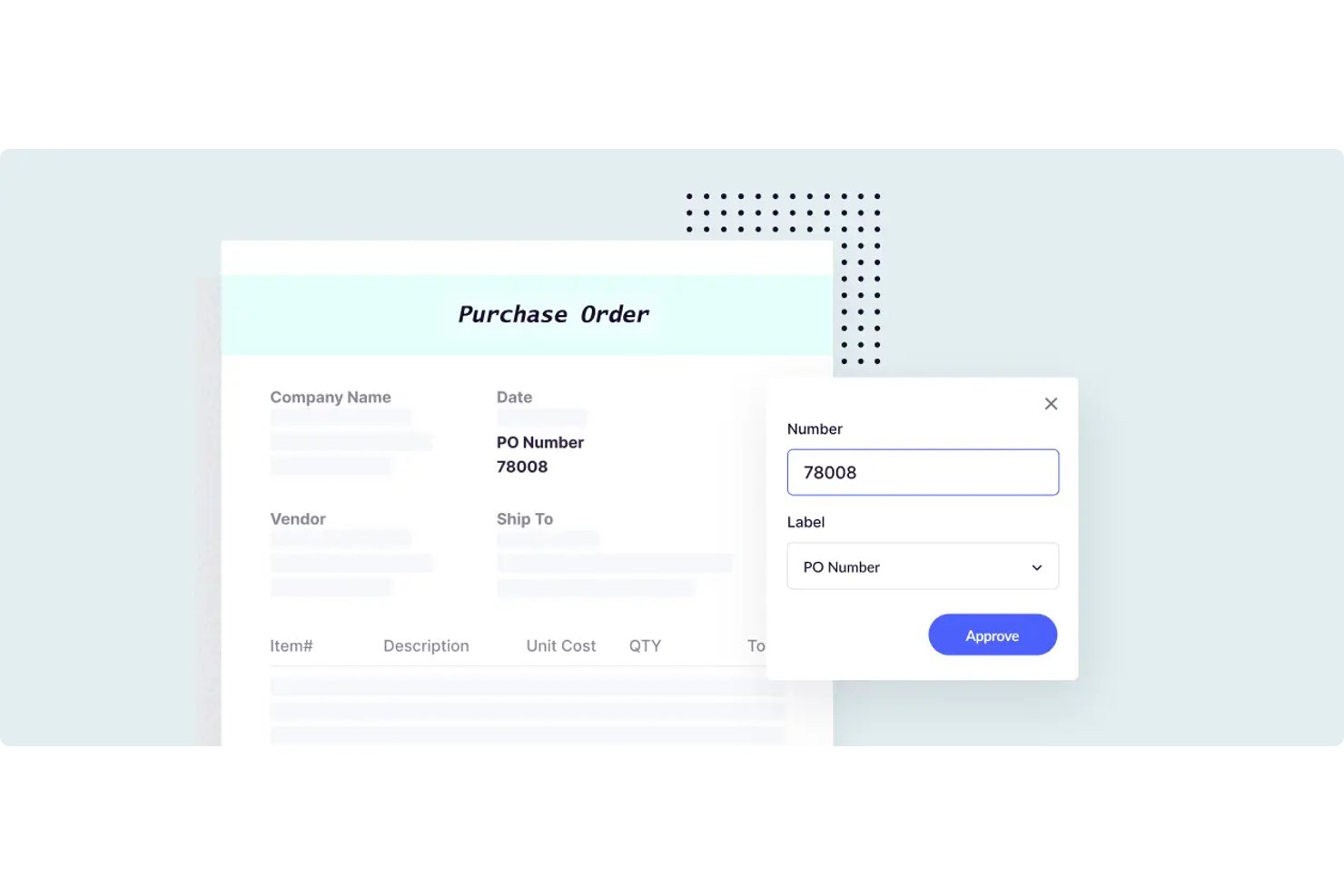
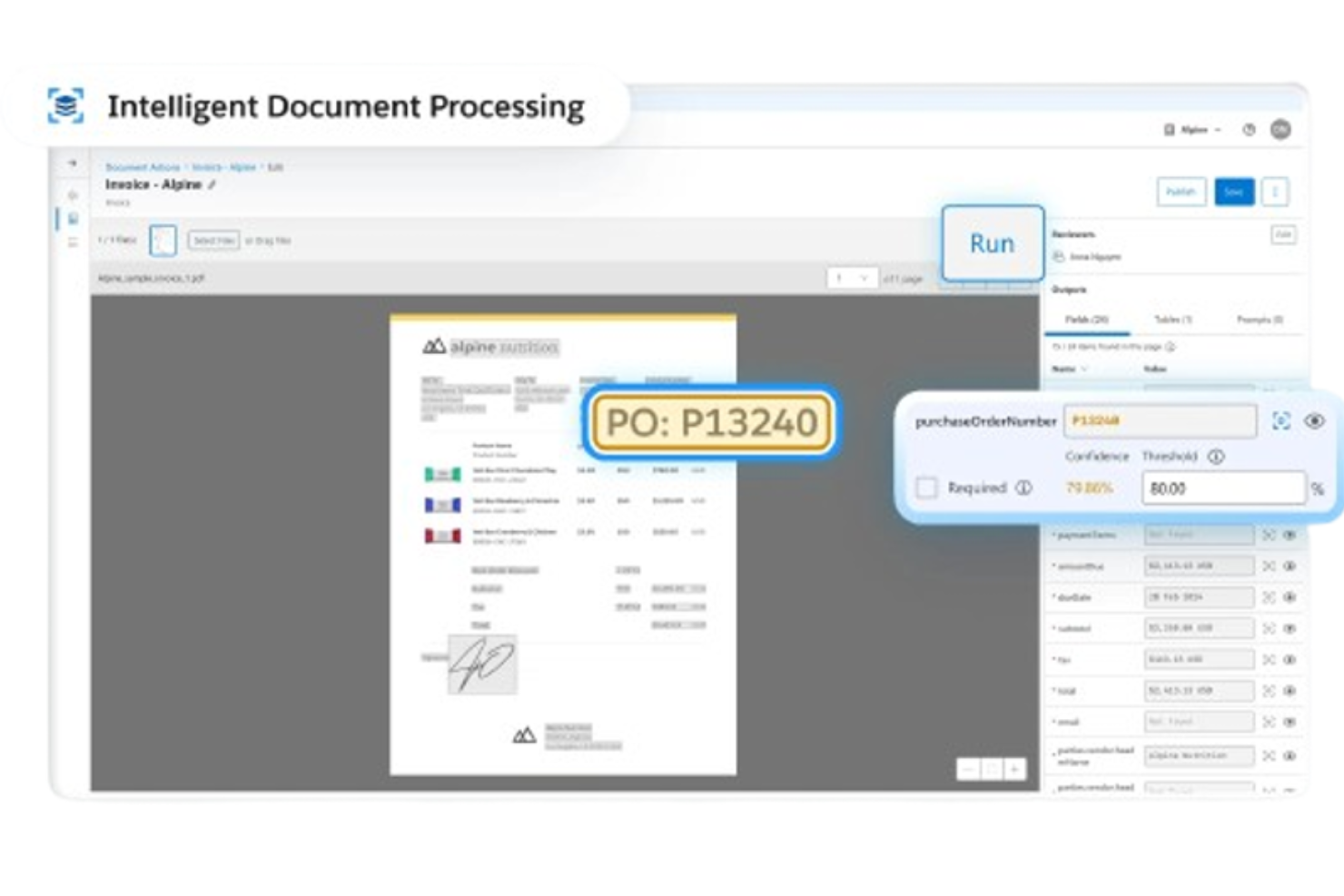
Docsumo is an intelligent document processing platform that combines OCR, AI-based classification, structured data extraction, and human-in-the-loop review workflows, with pre-built models spanning finance, insurance, and accounts payable document types.
Who Is Docsumo Best For?
Docsumo is a strong fit for finance and insurance teams that process high volumes of structured documents like invoices, loan files, and ACORD forms.
Why I Picked Docsumo
I picked Docsumo as one of the best because its pre-built models for finance and insurance documents are genuinely impressive. It ships with trained extractors for ACORD forms, bank statements, invoices, and loan files out of the box. I also like how its confidence-based review queue routes only low-confidence documents to a human reviewer, which keeps manual effort focused where it actually matters.
Docsumo Key Features
- Auto-classifier and document splitter: Automatically labels document types and separates multi-page uploads into individual documents for processing.
- Cross-document validation: Matches names, dates, and amounts across related documents—such as invoices against contracts—to flag discrepancies.
- Case management with collection agent: Groups related documents into a single case, tracks missing files via checklist, and emails requests for outstanding documents automatically.
- LLM-based waterfall extraction engine: Routes each document through a sequence of AI models from providers like Anthropic and OpenAI to maximize field-level extraction accuracy.
Docsumo Integrations
Docsumo offers documented integrations with Google Drive, OneDrive, SharePoint, Dropbox, Box, Amazon S3, Salesforce, and Google Sheets. It also supports REST API, webhooks, external API calls, and Zapier.
Pros and Cons
Pros:
- Cross-document validation flags discrepancies
- Confidence-based exception review queues
- Prebuilt finance and insurance models
Cons:
- Custom workflows require implementation effort
- Accuracy varies across document layouts
Best for custom document workflows

Klippa DocHorizon is an intelligent document processing software that automates document workflows using AI and OCR technologies.
Why I picked Klippa DocHorizon: One reason I chose Klippa DocHorizon is its ability to handle over 50 document types, including invoices, receipts, ID cards, passports, and contracts. You can also train models to process custom document types, allowing for flexibility in your workflows. The software even lets you define specific data fields to extract, such as document numbers, dates, names, addresses, total amounts, and IBANs.
Standout features & integrations:
Features include document fraud detection, which uses AI to spot altered documents through EXIF data analysis and cross-checking with databases. The software also offers data anonymization, allowing you to mask sensitive information to comply with GDPR and other data privacy regulations.
Integrations include Google Workspace, Dropbox, Zoho, Xero, Odoo, Microsoft Teams, Slack, Discord, OpenAI, Jira, monday.com, and Stripe.
Pros and Cons
Pros:
- Masks sensitive information to comply with GDPR and other privacy regulations
- Combines AI with human-in-the-loop automation for better data accuracy
- Supports processing of over 50 document types, including custom docs
Cons:
- No option to try the software before buying
- Setting up custom workflows might be complex for non-technical users
New Product Updates from Doxis AI.dp.
Doxis AI.dp Improves Dataset Validation and API Controls
Doxis AI.dp improves dataset editing with real-time type validation, better field controls, and save prevention on invalid values, plus new API capabilities. These updates help teams maintain cleaner dataset values and manage rows more reliably. For more information, visit Doxis AI.dp’s official site.
 .
.
altaFlow
Best for no-code document automation
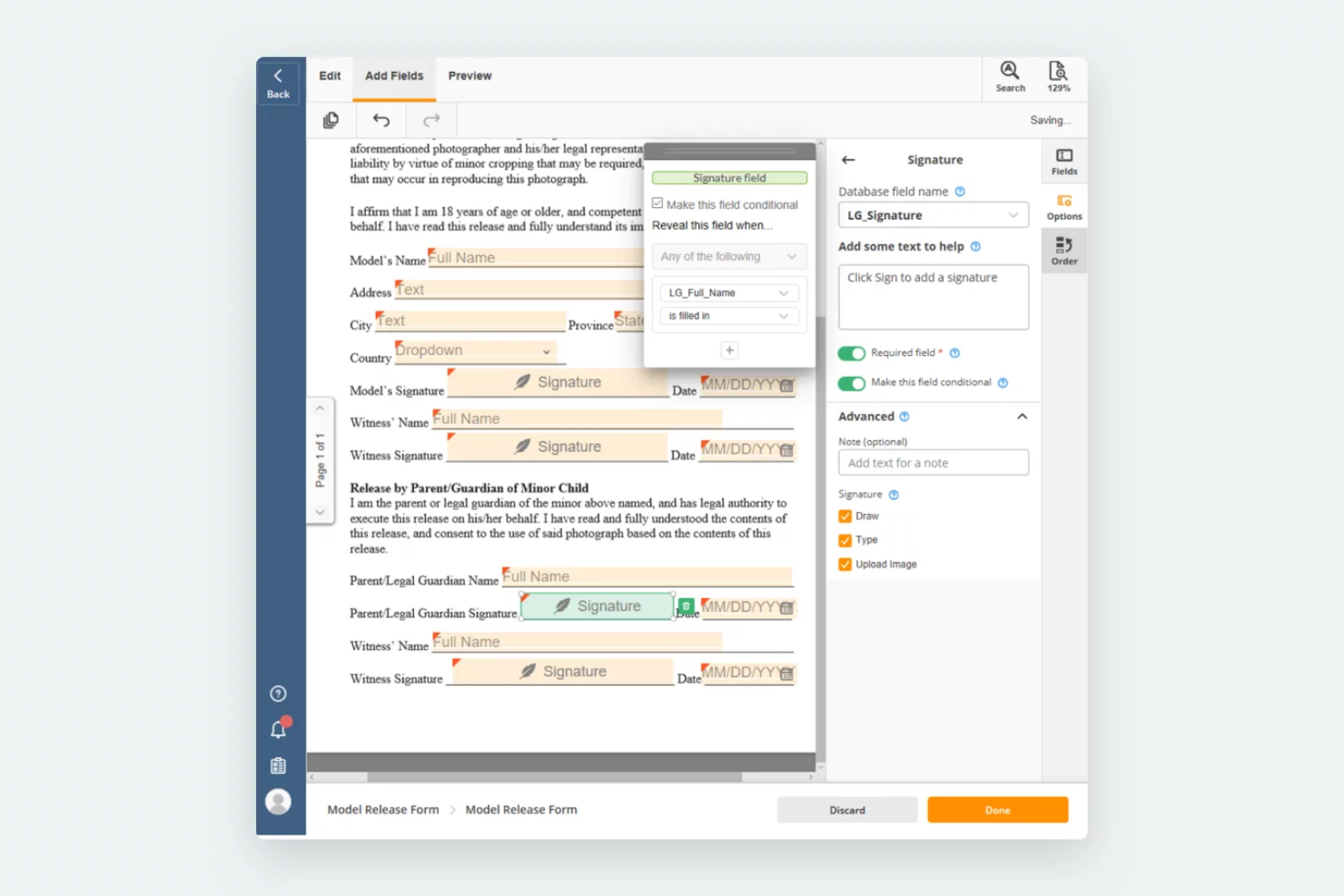
airSlate Workflow is a no-code platform that helps you automate document workflows without needing programming skills. It offers AI features that let you create, route, and sign documents in one place, which makes it easier to manage processes and reduce manual work.
Why I picked airSlate Workflow: I chose this tool because it allows you to build dynamic document packages that adapt automatically based on recipient data. This means you can deliver the right information to the right person without extra steps. I also like that it can pre-fill forms using data from connected databases or Customer Relationship Management (CRM) systems, which helps reduce errors. Its visual workflow builder makes it easy to design and monitor document lifecycles, even if you’re not technical.
Standout features & integrations:
Features include workflow automation that replaces manual tasks, dynamic document creation with conditional logic, and secure attachment of signed documents to connected system records.
Integrations include Salesforce, Microsoft Dynamics 365, Netsuite, UiPath, HubSpot, Google, Airtable, Smartsheet, Magento, Pipedrive, and ServiceNow.
Pros and Cons
Pros:
- Flexible workflow creation options
- Bots save time on routine tasks
- Securely attaches signed documents to records
Cons:
- Some integrations may not work smoothly
- Initial setup can feel complex

TrailHQ
Best for processing unstructured documents
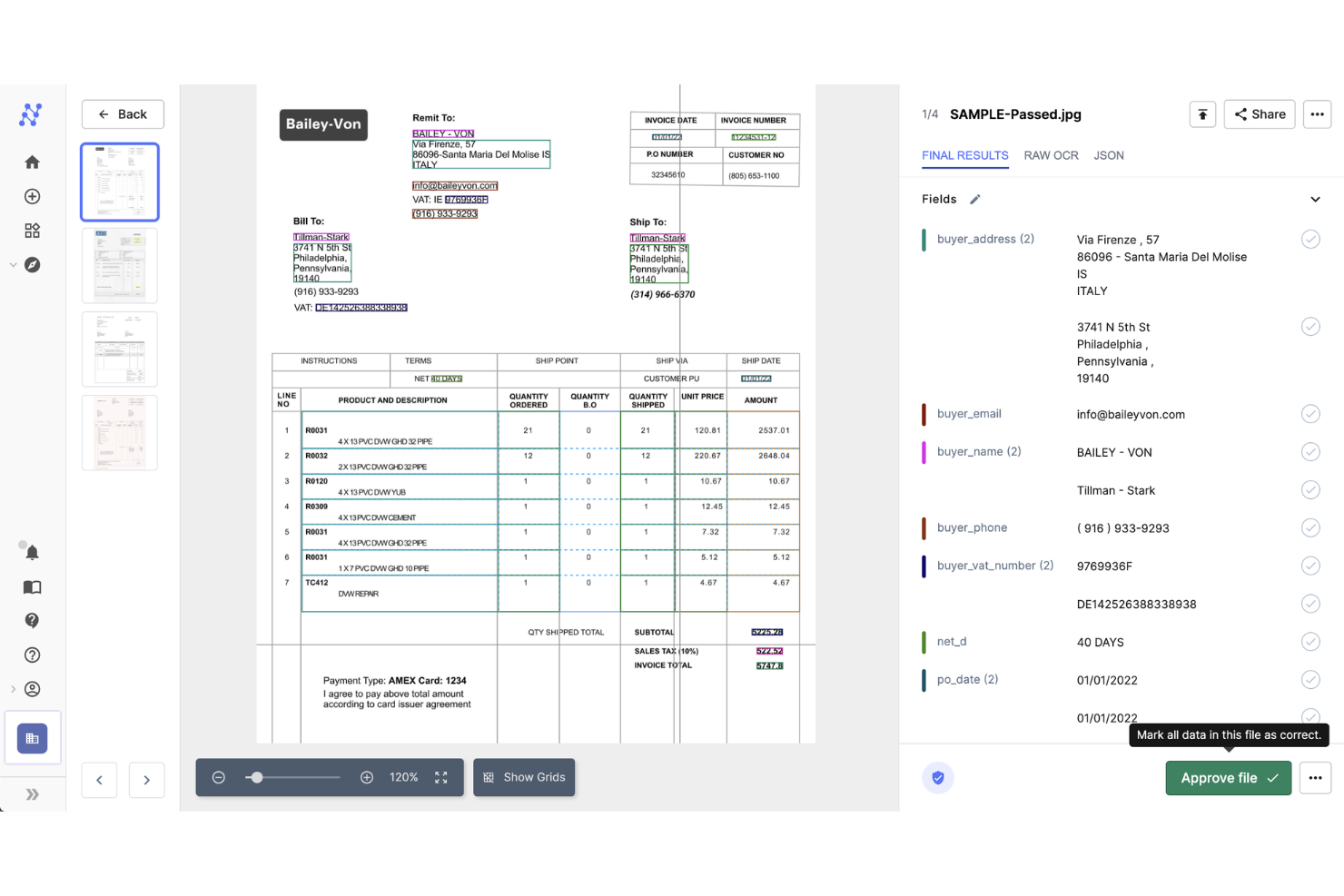
Nanonets is an AI-powered platform designed for document processing and workflow automation, capturing data from various document types such as invoices, receipts, and ID cards.
Why I picked Nanonets: One reason I chose Nanonets is its ability to handle unstructured documents. Unlike traditional OCR tools that require predefined templates, Nanonets' AI reads unseen, semi-structured documents that don’t follow a standard template. This means you can process various document types without the hassle of setting up new templates for each format.
Standout features & integrations:
Features include quick data validation, enabling you to verify extracted information, which helps maintain data accuracy. It also offers end-to-end process automation to help your team process documents faster and more accurately.
Integrations include Google Drive, Zapier, Dropbox, SharePoint, Gmail, Notion, Airtable, SAP, Salesforce, and HubSpot.
Pros and Cons
Pros:
- Recognized for its advanced OCR applications
- Accurate data extraction
- Handles various document types
Cons:
- Limited offline functionality
- Initial setup can be complex

UiPath
Best for robotic process automation
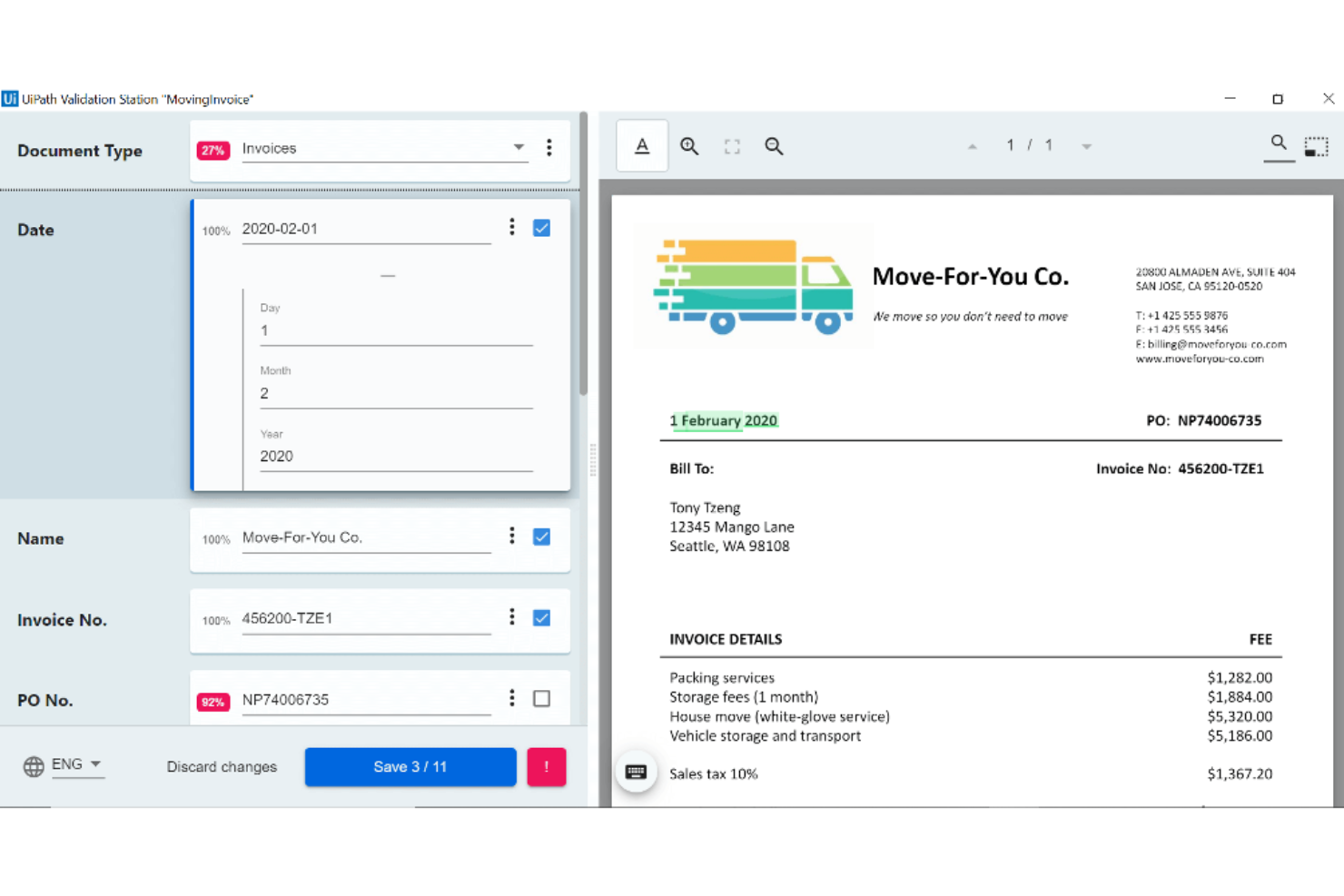
UiPath is a robotic process automation (RPA) tool designed to automate repetitive tasks within businesses. It serves companies that want to improve efficiency by automating routine processes and reducing manual workload.
Why I picked UiPath: It's known for its strong RPA capabilities, which help you automate a wide range of tasks. The tool offers a drag-and-drop interface and is accessible for teams with varying technical skills. UiPath's automation features are flexible and allow you to tailor processes to your specific needs. This focus on automation makes it suitable for you if you want to improve operational efficiency.
Standout features & integrations:
Features include unattended automation, which allows processes to run independently. It also provides real-time analytics that you can use to monitor and optimize your workflows.
Integrations include Salesforce, SAP, Oracle, Microsoft Office, Google Workspace, ServiceNow, AWS, Dropbox, Box, and Slack.
Pros and Cons
Pros:
- Supports unattended automation
- Flexible automation features
- Strong RPA capabilities
Cons:
- Requires technical expertise
- High learning curve

Best for AI-powered document insights
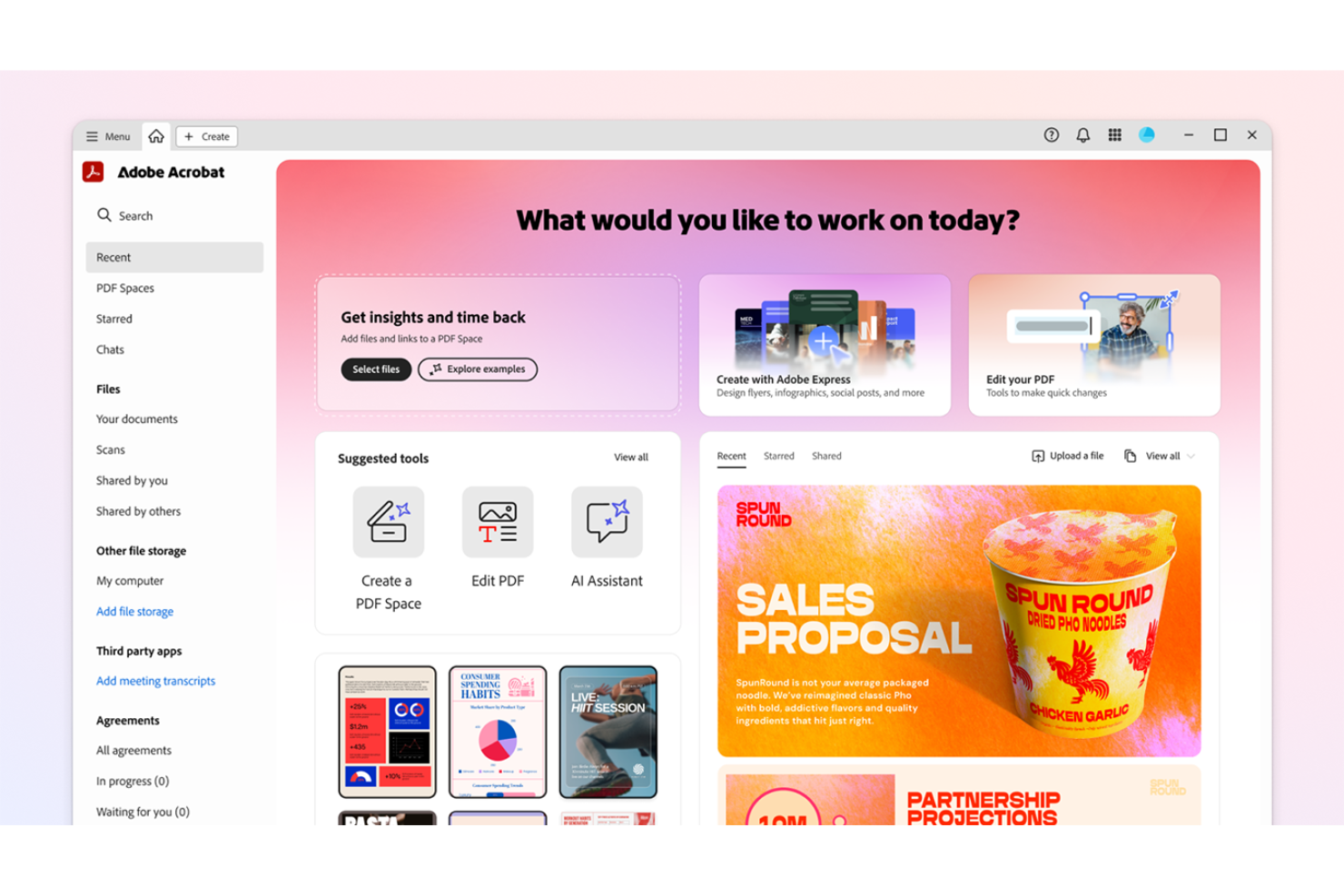
Adobe Acrobat is an intelligent document processing platform for teams that need advanced PDF editing, AI-driven document insights, collaboration tools, and centralized template management.
Who Is Adobe Acrobat Best For?
Adobe Acrobat is a good fit for cross-functional teams in mid-sized to large organizations that need to manage, process, and collaborate on high volumes of digital documents.
Why I Picked Adobe Acrobat
I picked Adobe Acrobat as one of the best because its AI-powered document insights help my team quickly extract key information from large PDF sets. I use features like intelligent search and automated data extraction to surface trends and patterns in contracts and reports. In practice, that means we can analyze and categorize documents at scale without manual review.
Adobe Acrobat Key Features
- PDF editing tools: Edit text, images, and formatting directly within PDF documents.
- E-signature workflows: Collect legally binding electronic signatures on documents.
- Template management: Create, store, and reuse document templates for consistent formatting.
- Commenting and markup: Add comments, highlights, and annotations for team collaboration.
Adobe Acrobat Integrations
Adobe Acrobat offers native integrations with Microsoft 365, Google Drive, Dropbox, Box, and OneDrive. An API is available for custom integrations.
Pros and Cons
Pros:
- Centralized template management for business teams
- Advanced AI-powered document summarization tools
- Real-time PDF collaboration with multiple users
Cons:
- Bulk processing can be slow with large files
- AI features require higher-tier subscriptions

OpenText
Best for enterprise content management
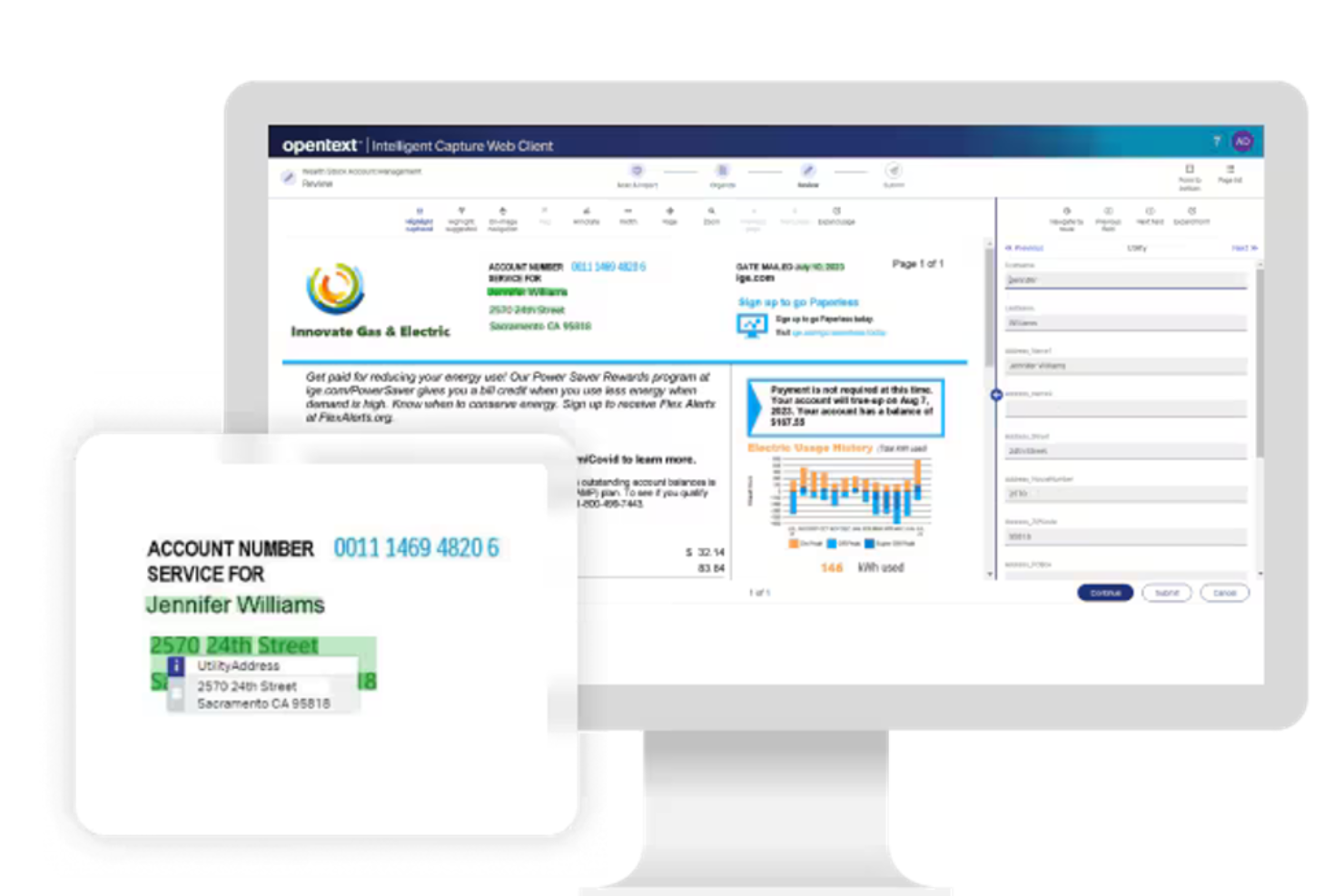
OpenText is a document processing solution designed for enterprises that need efficient content management. It serves large organizations by offering features like AI and automations for document capture and improved data accuracy.
Why I picked OpenText: Its focus on enterprise content management makes it unique. The tool offers advanced capture capabilities to keep data extraction accurate. Its focus on managing large volumes of content makes it ideal for enterprises with extensive documentation needs.
Standout features & integrations:
Features include advanced document capture that increases data accuracy and processing speed. The tool's workflow automation capabilities help you manage document tasks, and it also offers a secure platform to store and manage sensitive documents.
Integrations include SAP, Oracle, Microsoft Dynamics, Salesforce, IBM, Google Workspace, AWS, Box, Dropbox, and SharePoint.
Pros and Cons
Pros:
- Secure platform for sensitive documents
- Advanced document capture
- Strong content management capabilities
Cons:
- Complex for small teams
- High learning curve


Microsoft Power Automate is a workflow automation tool designed for businesses looking to automate repetitive tasks and processes. It primarily serves organizations that are already using Microsoft products, and improves productivity by automating document processing and data flow.
Why I picked Microsoft Power Automate: It's uniquely positioned for those who rely on Microsoft tools, and its ability to integrate with Microsoft 365 allows for smooth task automation across platforms. It makes it easy to set up workflows without extensive technical knowledge. This makes it a great choice for teams that want to increase their efficiency within the Microsoft ecosystem.
Standout features & integrations:
Features include pre-built templates that you can use to quickly create, edit, and manage your workflows and any related document automations. The tool's drag-and-drop interface makes designing workflows straightforward. It also offers mobile access, so you can manage processes on the go.
Integrations include Microsoft Teams, SharePoint, OneDrive, Outlook, Dynamics 365, Azure, Salesforce, Dropbox, Google Drive, and Slack.
Pros and Cons
Pros:
- Mobile app for remote access
- Customizable workflow templates
- Integrates well with Microsoft products
Cons:
- Requires understanding of flow logic
- Limited features outside Microsoft ecosystem
MuleSoft is an integration platform that helps businesses connect applications, data, and devices. It primarily serves enterprises that want to improve connectivity and automate their workflows across different systems.
Why I picked MuleSoft: Its API-led connectivity allows you to connect disparate systems efficiently. The platform also supports building APIs quickly, which allows for seamless data exchange. This makes it ideal for organizations that need to improve their complex IT environments.
Standout features & integrations:
Features include a visual development environment that simplifies the process of creating integrations, AI agents, and scalable API management that can grow with your business. It also provides real-time monitoring so you can maintain consistent performance.
Integrations include Salesforce, SAP, Oracle, Microsoft Dynamics, ServiceNow, Workday, NetSuite, AWS, Google Cloud, and Slack.
Pros and Cons
Pros:
- Visual development tools
- Scalable for large enterprises
- Strong API connectivity
Cons:
- Limited offline capabilities
- Requires technical expertise

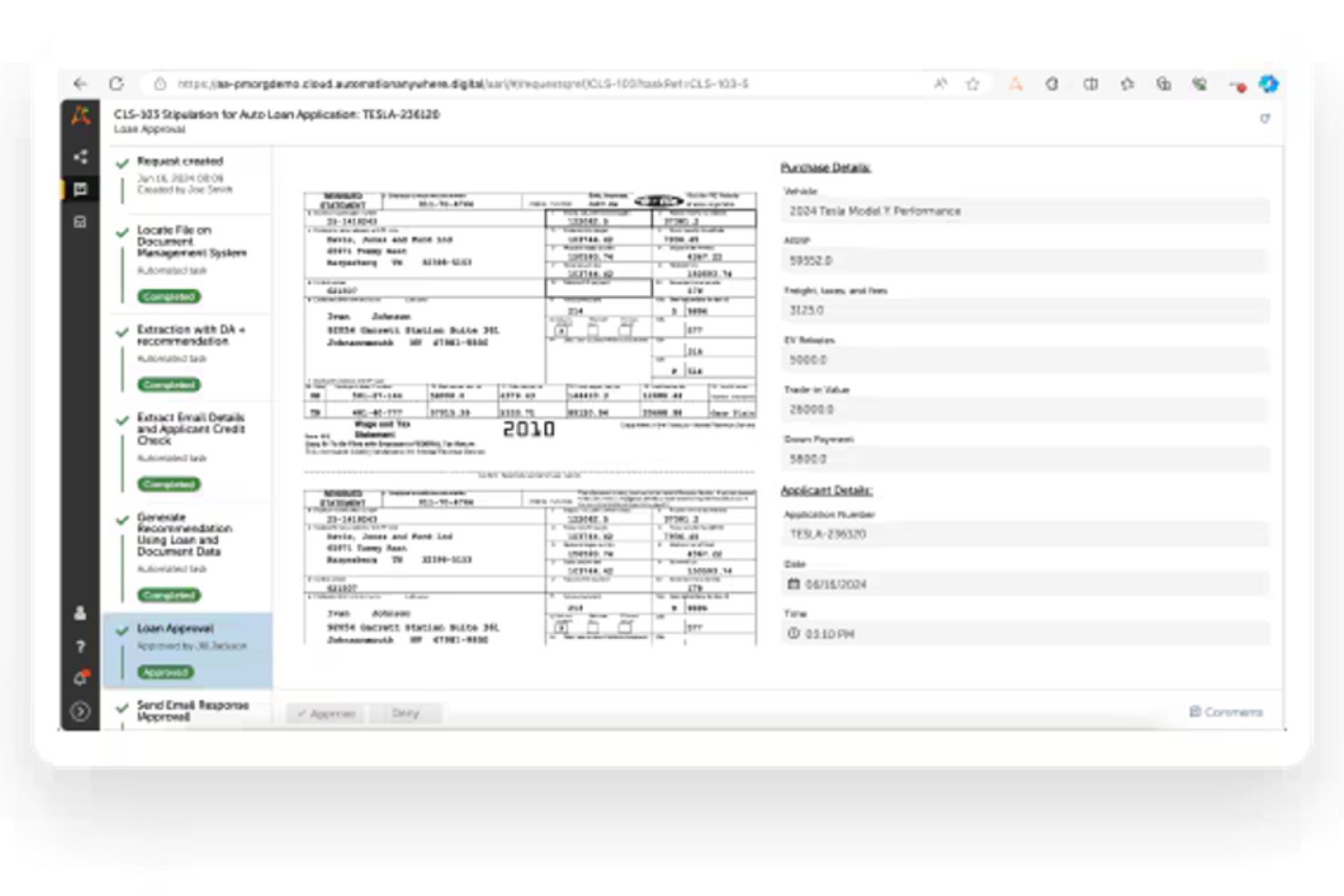
Automation Anywhere is a cloud-native RPA tool designed to automate repetitive tasks and processes. It offers agentic AI features, and primarily serves businesses that want to improve their productivity by reducing manual workload and improving operations.
Why I picked Automation Anywhere: It's known for its cloud-native RPA capabilities, which allow teams to access and manage automation from anywhere. The tool offers a user-friendly interface that makes creating automation processes simpler. Its scalability makes sure it can grow with your business needs. This focus on flexibility and accessibility makes it suitable for organizations that want to optimize their operations.
Standout features & integrations:
Features include a drag-and-drop interface for easily building automation workflows, and it also supports the ability to create bots to carry out automations. The tool also includes analytics to track and improve automation performance.
Integrations include Microsoft Office, Salesforce, SAP, Oracle, Google Workspace, ServiceNow, Workday, Dropbox, Box, and Slack.
Pros and Cons
Pros:
- Supports complex task automation
- Scalable for growing businesses
- Cloud-native platform
Cons:
- Limited offline capabilities
- High learning curve
Annen intelligent AI-programvare for dokumentbehandling
Her er noen flere alternativer for intelligent AI-programvare for dokumentbehandling som ikke kom med på listen min, men som likevel er verdt å undersøke:
- ABBYY
For accurate data capture
- Hyland IDP
For healthcare compliance
- Conga
For contract lifecycle management
- Templafy
For brand compliance
- AntWorks
For cognitive automation
- NeuralSpace
For multilingual document processing
- DocuPipe
For custom layout data extraction
- Work.AI by WorkFusion
For AI-driven decision-making
- Document360
For scaling documentation efforts
- ProcessMaker
For workflow automation


How I Evaluate Intelligent Document Processing Software
I evaluate these tools in two layers: core capabilities that qualify a vendor, and differentiators that determine which tools fit how project teams actually process contracts, SOWs, and invoices.
Core Functionality (Table Stakes For This List)
When I'm selecting tools for my list, I rank each one on a scale from 0 (does not offer the functionality) to 5 (excels in this area) for each core functionality listed below. Then, I calculate the tool's total score into a percentage. Each tool needs to achieve a minimum total score of 65% to be considered for inclusion.
- OCR & Data Capture: I check whether a tool can accurately extract text, tables, and field values from scanned contracts, invoices, and low-quality PDFs common in project documentation.
- AI/ML Document Classification: Each platform should automatically sort incoming files—SOWs, change orders, purchase orders—into the right category without relying solely on rigid templates.
- Structured Data Output: I look for configurable output formats like JSON, CSV, or direct database mapping so extracted project data flows cleanly into downstream reporting tools.
- Workflow Automation: Routing a vendor invoice through budget approval or escalating a flagged contract clause should be triggerable based on extracted data, not manual intervention.
- Integration Capabilities: I evaluate whether the tool connects to project management and storage platforms like Jira, Procore, SharePoint, or SAP through native connectors or open APIs.
- Human-in-the-Loop Validation: A clear review interface matters—project teams need side-by-side views to verify extracted fields, flag exceptions, and correct errors before data is finalized.
Once I have a list of tools that meet this criteria, I consider what sets each platform apart.
Differentiating Factors (What Sets Vendors Apart)
Here's how I compare and contrast different vendors:
Standout Features
I look for generative AI querying that lets project managers ask plain-language questions across processed documents—like pulling the liability cap from a 40-page SOW without scrolling. Multi-document comparison is another differentiator, especially for teams reviewing contract revisions or competing vendor bids side by side. Pre-built models for common project documents like invoices, change orders, and RFIs also matter because they cut setup time and get teams producing results faster.
Beyond Features
Pricing transparency matters a lot here—I check whether costs are tied to page volume, users, or documents, because a PMO processing thousands of invoices monthly needs predictable billing without surprise overages. Security and compliance certifications like SOC 2 Type II and ISO 27001 are worth verifying, especially when handling sensitive contracts or vendor agreements. I also evaluate accuracy and continuous learning: platforms that retrain extraction models based on human corrections tend to improve over time, which pays off as document volume scales across a portfolio.
Slik velger du intelligent AI-programvare for dokumentbehandling
Det er lett å gå seg vill i lange funksjonslister og komplekse prisstrukturer. For å hjelpe deg med å holde fokus mens du går gjennom den unike prosessen din for valg av programvare, får du her en sjekkliste over faktorer du bør ha i bakhodet:
| Faktor | Hva du bør vurdere |
|---|---|
| Skalerbarhet | Forsikre deg om at programvaren kan vokse med virksomheten din og håndtere økt dokumentvolum uten at det går ut over ytelsen. |
| Integrasjoner | Kontroller at den integreres sømløst med eksisterende systemer som CRM eller ERP for å opprettholde en effektiv arbeidsflyt. |
| Tilpasningsmuligheter | Se etter muligheter for å tilpasse programvaren til dine spesifikke prosesser og bransjebehov, slik at den passer bedre for teamet ditt. |
| Brukervennlighet | Vurder brukergrensesnittet for å sikre at det er intuitivt, slik at teamet ditt sparer tid på opplæring og øker produktiviteten. |
| Budsjett | Ta hensyn til totalkostnaden, inkludert skjulte gebyrer, for å sikre at den holder seg innenfor de økonomiske rammene dine uten at det går ut over viktige funksjoner. |
| Sikkerhetstiltak | Kontroller programvarens sikkerhetstiltak for å beskytte sensitive data, spesielt hvis du håndterer konfidensielle dokumenter. |
| Kundestøtte | Vurder tilgjengeligheten av kundestøtte og ressurser som veiledninger eller vanlige spørsmål for å hjelpe teamet ditt ved problemer. |
| Ytelsesmålinger | Vurder programvarens evne til å gi innsikt og analyser for å følge med på effektiviteten i dokumentbehandlingen og identifisere områder som kan forbedres. |
Hva er intelligent AI-programvare for dokumentbehandling?
Intelligent AI-programvare for dokumentbehandling er et verktøy som bruker maskinlæring og automatisering til å lese, sortere og hente ut data fra digitale eller skannede dokumenter. Disse verktøyene brukes ofte av prosjektledere, driftsteam og administratorer som trenger å håndtere mye papirarbeid raskt og nøyaktig.
Funksjoner som dokumentklassifisering, datauttrekking og OCR bidrar til å redusere manuelle oppgaver, holde orden og minimere feil. Alt i alt hjelper disse verktøyene team med å spare tid og utnytte ressursene sine bedre.
Funksjoner i intelligent AI-programvare for dokumentbehandling
Når du velger intelligent AI-programvare for dokumentbehandling, bør du se etter følgende viktige funksjoner:
- Datauttrekking: Henter automatisk ut relevant informasjon fra dokumenter, noe som sparer tid og reduserer feil ved manuell dataregistrering.
- Naturlig språkbehandling: Bidrar til å forstå og behandle kompleks tekst, noe som forbedrer nøyaktigheten i dokumenthåndteringen.
- AI-drevne innsikter: Gir handlingsrettet innsikt fra data, noe som bidrar til raskere beslutningstaking.
- Samarbeid i sanntid: Gjør det mulig for flere brukere å arbeide med dokumenter samtidig og forbedre produktiviteten og samarbeidet.
- Arbeidsflytautomatisering: Forbedrer virksomhetens dokumentprosesser og øker effektiviteten og konsistensen i driften. Du kan også bruke programvare for dokumentautomatisering til dette formålet.
- Skybasert tilgang: Gir fleksibilitet og ekstern tilgang, noe som oppfyller behovene til digitale arbeidsplasser.
- Avansert sikkerhet: Beskytter sensitive data med kryptering og funksjoner for regelverksetterlevelse.
- Dokumentklassifisering: Organiserer og kategoriserer dokumenter automatisk, slik at de blir enklere å finne og administrere.
- Tilpassbare maler: Lar brukere tilpasse dokumentmaler til spesifikke forretningsbehov og forbedrer konsistensen.
- Analyse og rapportering: Følger med på nøkkeltall for dokumentbehandling og gir innsikt for optimalisering og forbedring av ytelsen.
Fordeler med intelligent AI-programvare for dokumentbehandling
Implementering av intelligent AI-programvare for dokumentbehandling gir flere fordeler for teamet og virksomheten din. Her er noen av fordelene du kan se frem til:
- Økt effektivitet: Automatiserer repetitive oppgaver som datauttrekking, slik at teamet ditt sparer tid og krefter.
- Forbedret nøyaktighet: Reduserer manuelle feil med funksjoner som AI-drevne innsikter og naturlig språkbehandling.
- Bedre samarbeid: Samarbeidsverktøy i sanntid gjør det mulig for flere teammedlemmer å arbeide sammen, noe som forbedrer produktiviteten.
- Bedre datasikkerhet: Avanserte sikkerhetstiltak beskytter sensitiv informasjon og sørger for at du overholder regelverket.
- Skalerbarhet: Skybaserte løsninger vokser sammen med virksomheten din og kan håndtere økte dokumentmengder uten tap av ytelse.
- Raskere beslutningstaking: Funksjoner for analyse og rapportering gir handlingsrettet innsikt og hjelper teamet ditt med å ta informerte beslutninger raskt.
- Organisert dokumenthåndtering: Automatisk klassifisering og tilpassbare maler holder dokumentene dine godt organisert og enkle å finne igjen.
Kostnader og priser for intelligent AI-programvare for dokumentbehandling
Tabellen nedenfor oppsummerer vanlige abonnementer, gjennomsnittsprisene deres og typiske funksjoner som er inkludert i løsninger for intelligent AI-dokumentbehandling:
| Abonnementstype | Gjennomsnittspris | Vanlige funksjoner |
|---|---|---|
| Gratisabonnement | $0 | Begrenset datauttrekking, grunnleggende dokumentlagring og minimal brukerstøtte |
| Personlig abonnement | $5 - $25/bruker/måned | Datauttrekking, dokumentklassifisering og grunnleggende arbeidsflytautomatisering |
| Virksomhetsabonnement | $30-60/bruker/måned | Avansert datauttrekking, arbeidsflytautomatisering, samarbeidsverktøy og sikkerhetsfunksjoner |
| Foretaksabonnement | $75-$150/bruker/måned | Fullverdig automatisering, avansert analyse, tilpassede integrasjoner og prioritert brukerstøtte |
Vanlige spørsmål om intelligent programvare for dokumentbehandling med kunstig intelligens
Her er noen svar på vanlige spørsmål om intelligent programvare for dokumentbehandling med kunstig intelligens:
Hvor nøyaktig er intelligent dokumentbehandling med kunstig intelligens?
Intelligent dokumentbehandling er kjent for sin høye nøyaktighet. Dette oppnås gjennom avansert teknologi som naturlig språkbehandling, optisk tegngjenkjenning og maskinlæring, som sammen brukes til å hente ut og validere data samt opprettholde presisjon i dokumenthåndteringen.
Hva kan IDP brukes til?
IDP kombinerer automatisering med teknologiene som er nevnt i spørsmålet ovenfor, for å hente inn og sette data i kontekst. Dette gir større nøyaktighet og effektivitet når du behandler dokumenter, og gjør det mulig for virksomheter å automatisere repetitive oppgaver og frigjøre tid til mer strategiske aktiviteter.
Hvordan skiller IDP seg fra tradisjonell OCR?
Mens tradisjonell OCR konverterer skannede dokumenter til lesbar tekst, går IDP lenger ved å forstå og behandle innholdet. Teknologien bruker kunstig intelligens til å gjenkjenne mønstre og kontekst, og kan håndtere selv komplekse dokumentformater. Denne funksjonaliteten hjelper deg med å automatisere mer komplekse oppgaver.
Kan IDP håndtere flere dokumenttyper?
Ja, IDP kan behandle et bredt spekter av dokumenttyper, fra fakturaer og kontrakter til e-poster og skjemaer. Denne fleksibiliteten gjør løsningen til et verdifullt verktøy hvis virksomheten din håndterer mange ulike dokumenttyper.
Hvordan ivaretas datasikkerheten i IDP-løsninger?
IDP-løsninger ivaretar datasikkerheten gjennom kryptering, tilgangskontroller og overholdelse av regelverk. Disse tiltakene sørger for at sensitiv informasjon beskyttes mot uautorisert tilgang.