

10 beste programvarer for e-postarkivering i 2026

Kortliste over den beste programvaren for e-postarkivering


Programvare for e-postarkivering hjelper deg med å organisere, kategorisere og lagre e-poster, slik at du raskt kan finne det du trenger og holde innboksen under kontroll. Hvis du leter etter den beste programvaren for e-postarkivering, er du sannsynligvis lei av å lete gjennom overfylte innbokser, gå glipp av viktige meldinger eller streve med å holde prosjektkommunikasjonen organisert.
I denne veiledningen finner du pålitelige verktøy som gjør e-posthåndtering enklere for travle team og fagfolk. Jeg går gjennom hva hver løsning er best på, slik at du kan velge det som passer best til arbeidsflyten din og endelig få kontroll over innboksen.
Why Trust Our Software Recommendations
Our team has been testing and reviewing software since 2012. As project managers ourselves, we know how difficult—and important—it is to choose the right software.
For this guide, we evaluated tools using hands-on testing and independent research, scoring tools using our selection criteria. We also draw on insights from industry thought leaders and practicing project management experts.
Our reviews reflect our human editorial judgment, not a sales pitch.
Expert reviewers:
Sammenligningstabell for programvare for e-postarkivering
Denne sammenligningstabellen oppsummerer prisopplysningene for min beste programvare for e-postarkivering:
| Tool | Best For | Trial Info | Price | ||
|---|---|---|---|---|---|
| 1 | Best for document-centric email management | Free demo available | From $210/month (billed annually) | Website | |
| 2 | Best for secure email and document collaboration | Free demo available | Pricing upon request | Website | |
| 3 | Best for bulk inbox cleanup | Free plan available | From $9.99/month | Website | |
| 4 | Best for legal email and document management | Free demo available | Pricing upon request | Website | |
| 5 | Best for collaborative inbox management | 14-day free trial + free demo available | From $25/seat/month (billed annually) | Website | |
| 6 | Best for one-click Outlook email filing | 30-day free trial available | From $4.99/user/month (billed annually) | Website | |
| 7 | Best for compliant email organization | Free demo + free trial available | Pricing upon request | Website | |
| 8 | Best for automated Outlook email filing | 14-day free trial available | Pricing upon request | Website | |
| 9 | Best for project-based email organization | Free demo available | Pricing upon request | Website | |
| 10 | Best for project email management in AEC | Free demo available | Pricing upon request | Website |
Anmeldelser av programvare for e-postarkivering
Nedenfor finner du mine detaljerte sammendrag av den beste programvaren for e-postarkivering som kom med på kortlisten. Anmeldelsene mine gir en detaljert gjennomgang av funksjonene, integrasjonene og de beste bruksområdene for hver programvare, slik at du kan finne den som passer best for deg.

Best for document-centric email management
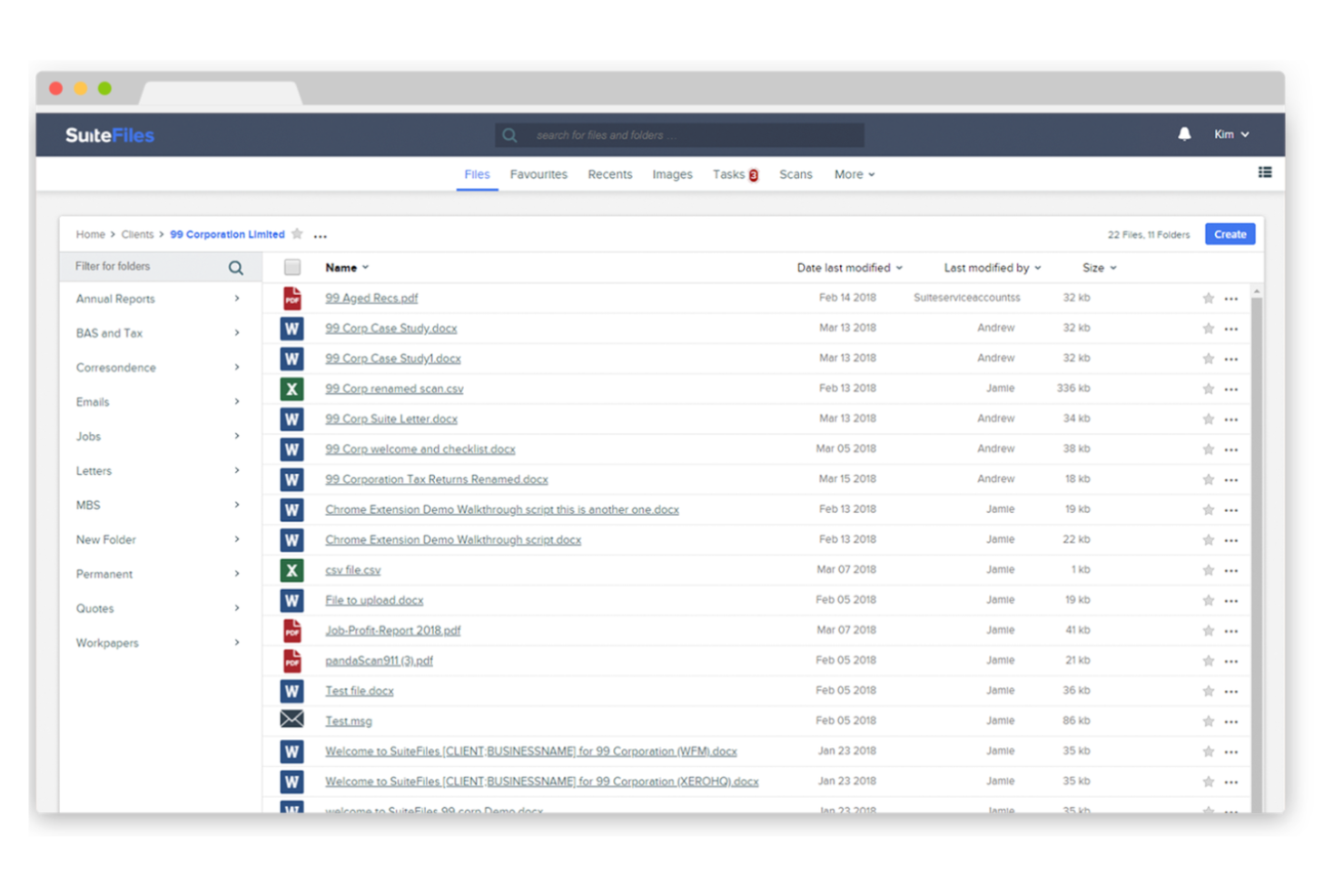
SuiteFiles is a document management and email filing software for Microsoft 365 users that lets you capture, organize, and search emails directly within your cloud file system.
Who Is SuiteFiles Best For?
Small and midsize professional services firms using Microsoft 365 who need integrated email and document management.
Why I Picked SuiteFiles
I picked SuiteFiles as one of the best because I like how it’s built specifically for Microsoft 365 users—my team can file emails straight from Outlook into shared folders without leaving our workflow. I use its email-to-folder automation to keep client communications organized alongside documents. I also rely on its search and tagging features to quickly find any email or attachment stored in our cloud file system.
SuiteFiles Key Features
- Email thread capture: Save entire email conversations as a single thread in your file system.
- Attachment extraction: Automatically extract and store email attachments in relevant folders.
- Permission controls: Set granular access permissions for filed emails and folders.
- Audit logging: Track all email filing actions for compliance and review.
SuiteFiles Integrations
SuiteFiles has native integrations across the Microsoft ecosystem, including Microsoft 365, Outlook, and Azure, and also integrates natively with Xero, DocuSign, and Zapier. An API is available for custom integrations.
Pros and Cons
Pros:
- Searchable email archive within Microsoft 365
- Captures full email threads automatically
- Allows folder-level permission management
Cons:
- No built-in analytics for email activity
- Limited automation for email categorization

iManage
Best for secure email and document collaboration
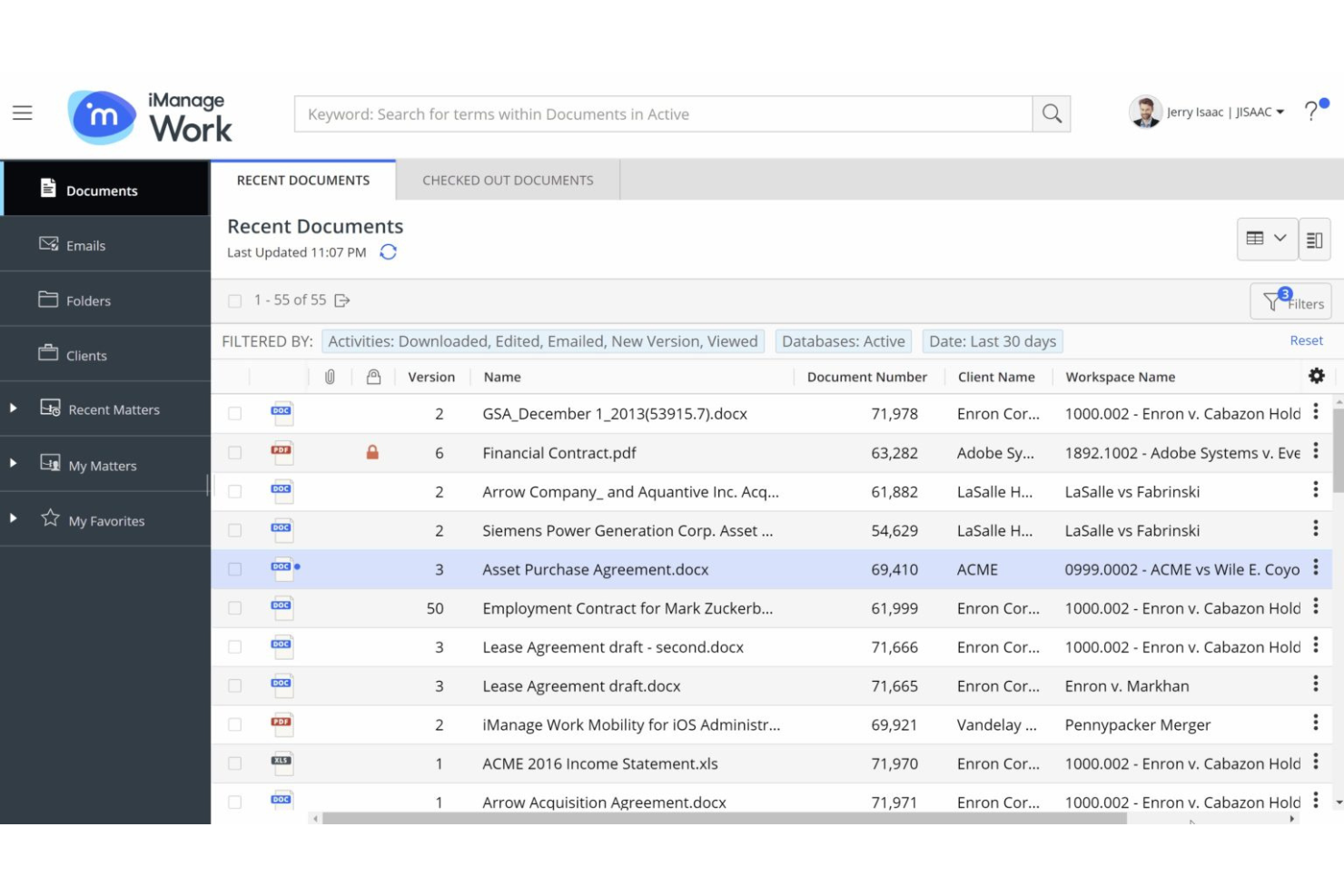
iManage is a document and email management platform for legal professionals that combines secure email filing, advanced search, version control, and collaboration tools in a single workspace.
Who Is iManage Best For?
Law firms and corporate legal departments needing secure document and email management.
Why I Picked iManage
I picked iManage as one of the best because I rely on its secure document and email management features built specifically for legal professionals. I like that my team can file emails directly from Outlook into Matter Workspaces, keeping everything organized and compliant. The platform’s version control and advanced search make it easy for us to retrieve and manage sensitive correspondence alongside documents.
iManage Key Features
- AI-powered email filing: Uses machine learning to suggest the right workspace for each email.
- Threaded email view: Displays related email conversations in a single, organized thread.
- Granular access controls: Lets you set detailed permissions for email visibility and actions.
- Audit logging: Tracks all email filing and access activity for compliance.
iManage Integrations
iManage offers native integrations across the Microsoft ecosystem, including Microsoft 365, Outlook, and Teams, and has an API for custom integrations.
Pros and Cons
Pros:
- Supports both cloud and on-premises deployments
- Enables granular access controls for sensitive emails
- Offers AI-powered email filing suggestions
Cons:
- Interface can feel overwhelming for new users
- Requires frequent updates for optimal security

Best for bulk inbox cleanup
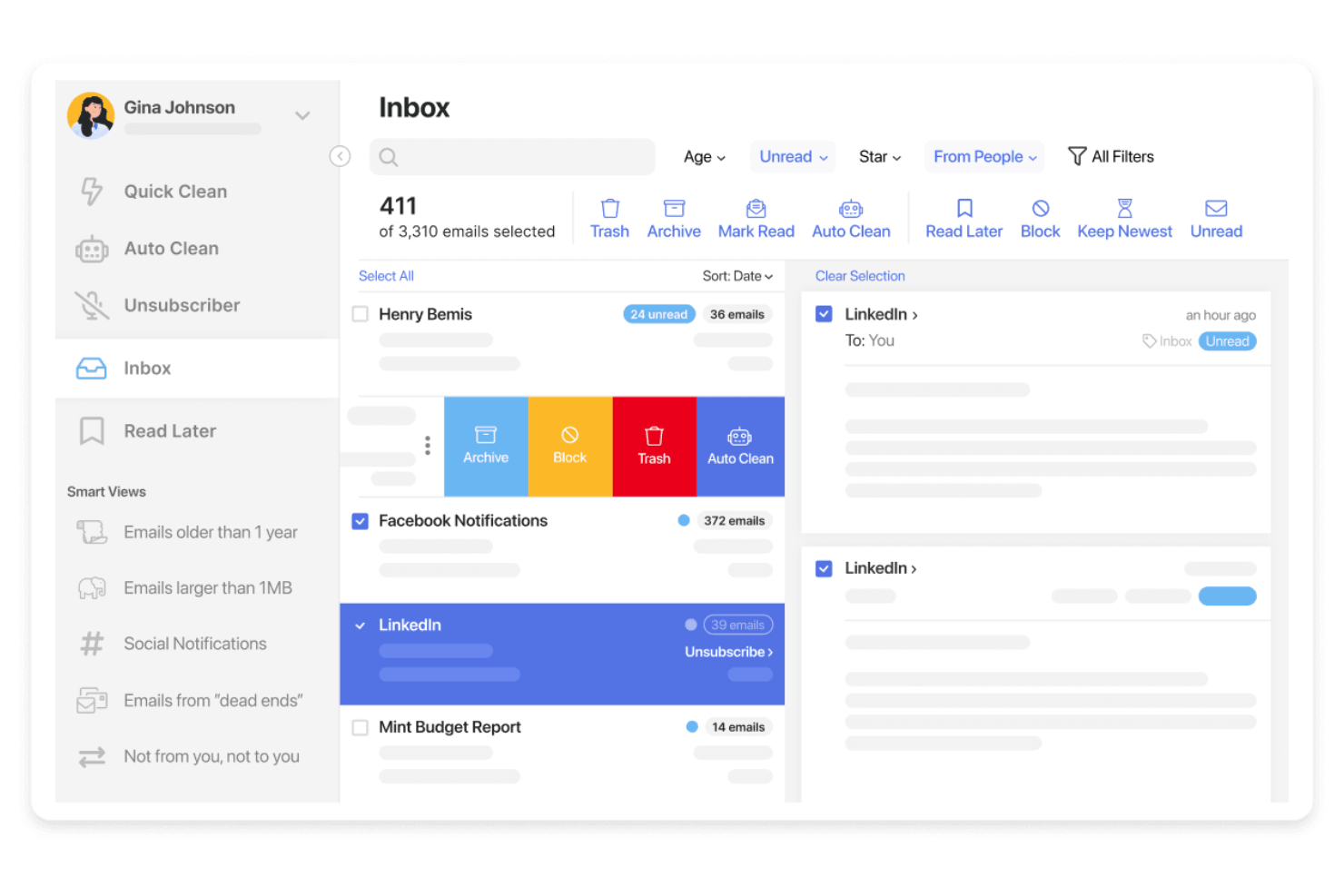
Clean Email is an email filing software platform that offers bulk email cleaning, smart automation rules, and advanced filtering tools for organizing and managing inboxes across multiple email providers.
Who Is Clean Email Best For?
Individuals and small teams who need bulk email organization and automation across multiple accounts.
Why I Picked Clean Email
I picked Clean Email as one of the best because I rely on its bulk email cleaning tools to quickly organize thousands of messages at once. I like using its smart automation rules to set up recurring filters for newsletters and notifications. My team uses the Auto Clean feature to keep our shared inboxes tidy without manual sorting.
Clean Email Key Features
- Unsubscriber tool: Lets you remove yourself from unwanted mailing lists in one click.
- Smart Views: Groups emails by category, sender, or age for easier review.
- Privacy Guard: Scans your inbox for data breaches and compromised accounts.
- Multiple account support: Manage and organize emails across several inboxes from one dashboard.
Clean Email Integrations
Native integrations are not currently listed.
Pros and Cons
Pros:
- Smart Views group emails by sender or category
- Privacy Guard checks for compromised accounts
- Supports multiple email providers and accounts
Cons:
- No built-in email scheduling or snooze
- Lacks shared inbox or team features
Best for legal email and document management
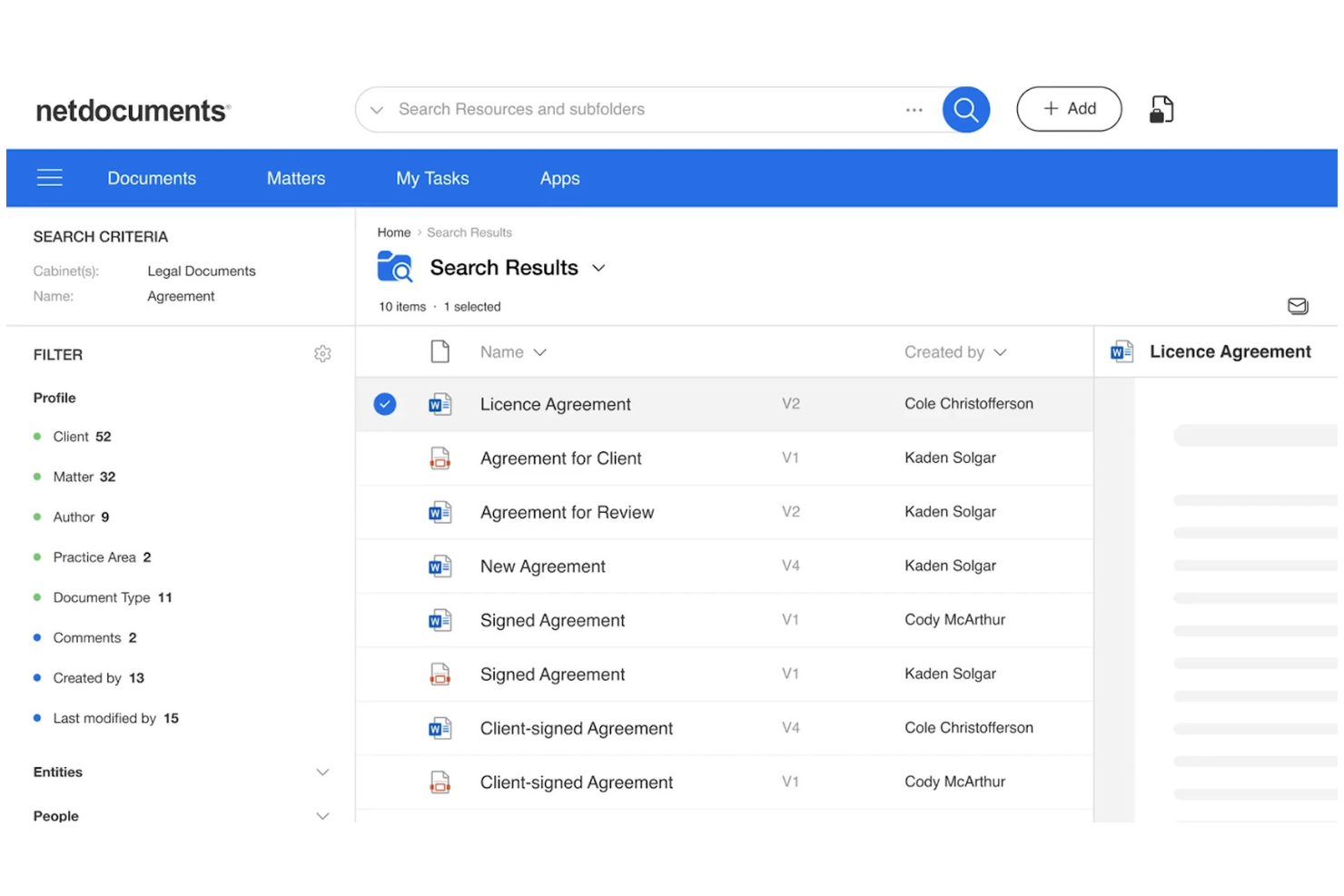
NetDocuments is a cloud-based email management platform designed for legal professionals, offering secure email capture, filing, search, and compliance features within a unified workspace.
Who Is NetDocuments Best For?
Law firms and legal departments needing secure, cloud-based email management and compliance.
Why I Picked NetDocuments
I picked NetDocuments as one of the best because I rely on its secure cloud-based email management to keep sensitive legal correspondence protected and organized. I like that it offers advanced compliance controls and audit trails, which help my team meet strict regulatory requirements. The platform’s unified workspace lets us capture, file, and search emails alongside documents, making it easy to manage everything in one place.
NetDocuments Key Features
- Predictive email filing: Suggests the best workspace or folder for each email.
- Outlook integration: Lets you file and manage emails directly from Microsoft Outlook.
- Threaded conversation view: Groups related emails together for easier tracking.
- Granular access controls: Allows you to set permissions for email visibility and actions.
NetDocuments Integrations
NetDocuments offers native integrations across the Microsoft ecosystem, including Microsoft 365, Outlook, and Teams. An API is available for custom integrations.
Pros and Cons
Pros:
- Threaded conversation view for email chains
- Audit trails for all filed emails
- Predictive filing suggests relevant folders automatically
Cons:
- Limited bulk email filing options
- Occasional sync delays with large mailboxes

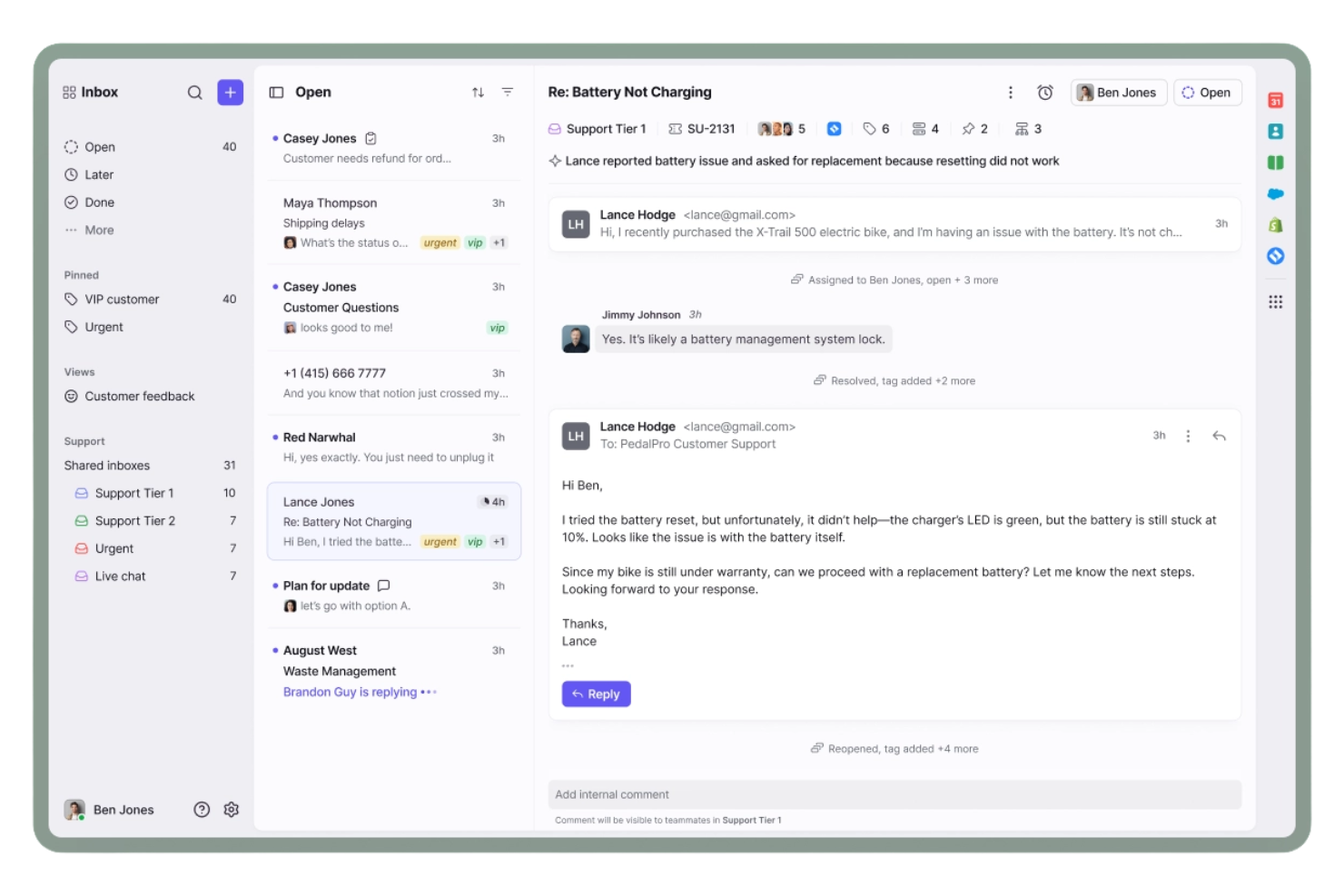
Front is a collaborative email management platform that combines shared inboxes, team workflows, internal comments, and integrations with popular business apps for organizing and managing email conversations.
Who Is Front Best For?
Teams in customer support, sales, or operations who need to manage high-volume shared inboxes collaboratively.
Why I Picked Front
I picked Front as one of the best because I rely on its shared inboxes and collaborative email management to keep my team aligned on high-volume conversations. I like using internal comments and assignments to clarify ownership and context on each thread. My team uses message templates and workflow rules to organize, file, and route emails without losing track of important requests.
Front Key Features
- Analytics dashboard: Track team email metrics and response times in real time.
- Rules engine: Automate filing, tagging, and routing of incoming emails.
- Multi-channel inbox: Manage email, SMS, and social messages in one place.
- Custom tags: Organize and categorize emails for quick retrieval.
Front Integrations
Front offers 100+ native integrations, including Salesforce, HubSpot, Asana, Jira, Slack, Trello, Google Workspace, Microsoft 365, Dropbox, Aircall, and connects with Zapier. An API is available for custom integrations.
Pros and Cons
Pros:
- Rules automate email categorization and archiving
- Internal comments keep filing context visible
- Shared inboxes support team-based email filing
Cons:
- Limited bulk email filing actions
- No offline access for email filing

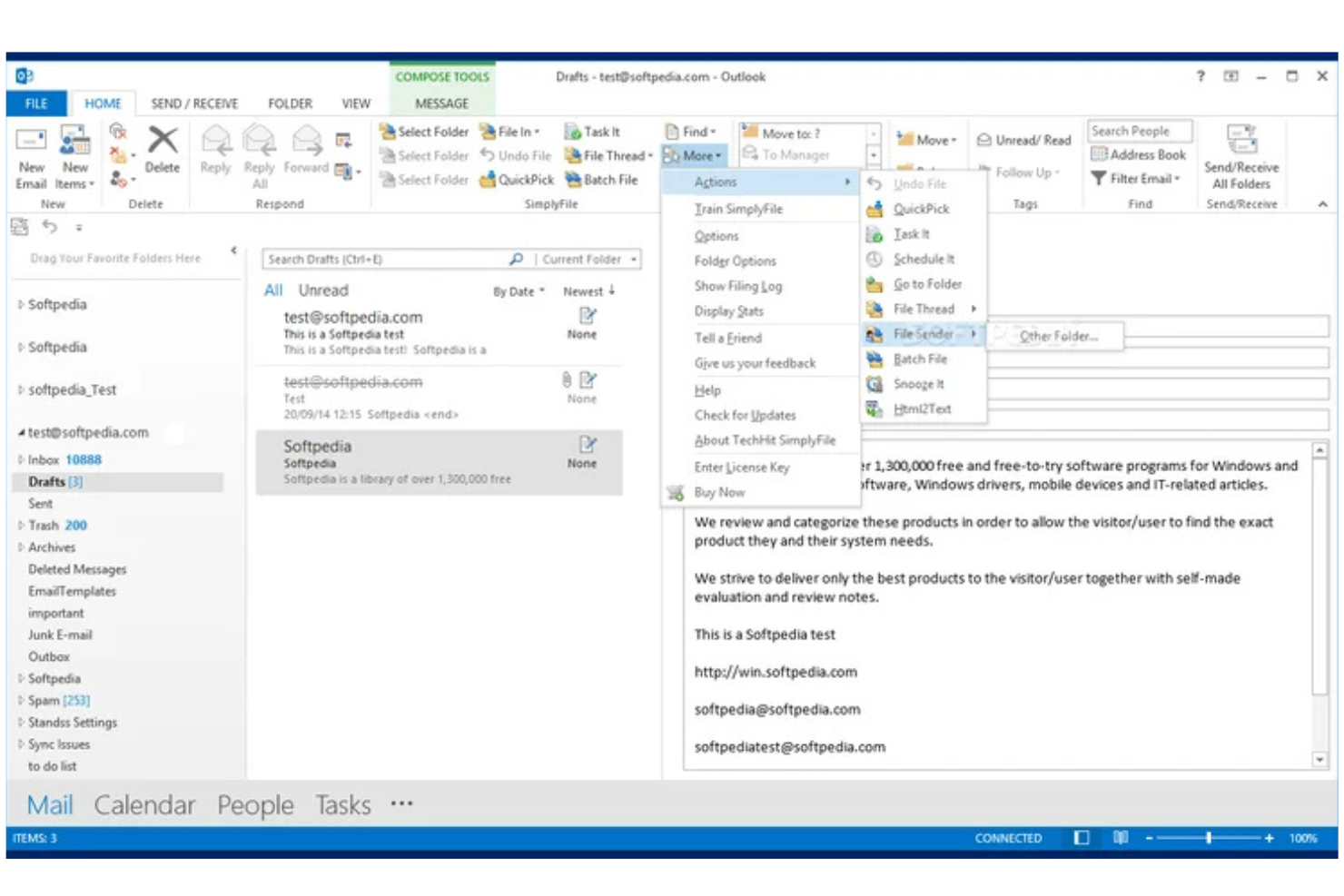
SimplyFile is an Outlook add-in for email filing that uses machine learning to suggest folders, supports one-click filing, and offers customizable rules for organizing messages.
Who Is SimplyFile Best For?
Outlook users in small to midsize businesses who need fast, folder-based email organization.
Why I Picked SimplyFile
I picked SimplyFile as one of the best because its one-click email filing for Outlook is genuinely fast and accurate. I like how it predicts the right folder for each message using machine learning so that I can file emails with a single click. The customizable filing rules let my team automate repetitive sorting tasks and keep our inboxes organized.
SimplyFile Key Features
- Batch filing: File multiple emails to their respective folders in one action.
- Quick pick folders: Access a list of recently used folders for faster manual filing.
- Folder search: Instantly search and select any folder within Outlook for filing.
- Sent item filing: Automatically file sent emails to project or client folders.
SimplyFile Integrations
SimplyFile offers native integrations across the Microsoft ecosystem, including Microsoft Outlook and Microsoft 365. An API is not available for custom integrations.
Pros and Cons
Pros:
- Supports batch filing of multiple emails
- Accurate folder suggestions using machine learning
- One-click filing directly from Outlook inbox
Cons:
- No support for cloud-based email platforms
- Only works with Microsoft Outlook
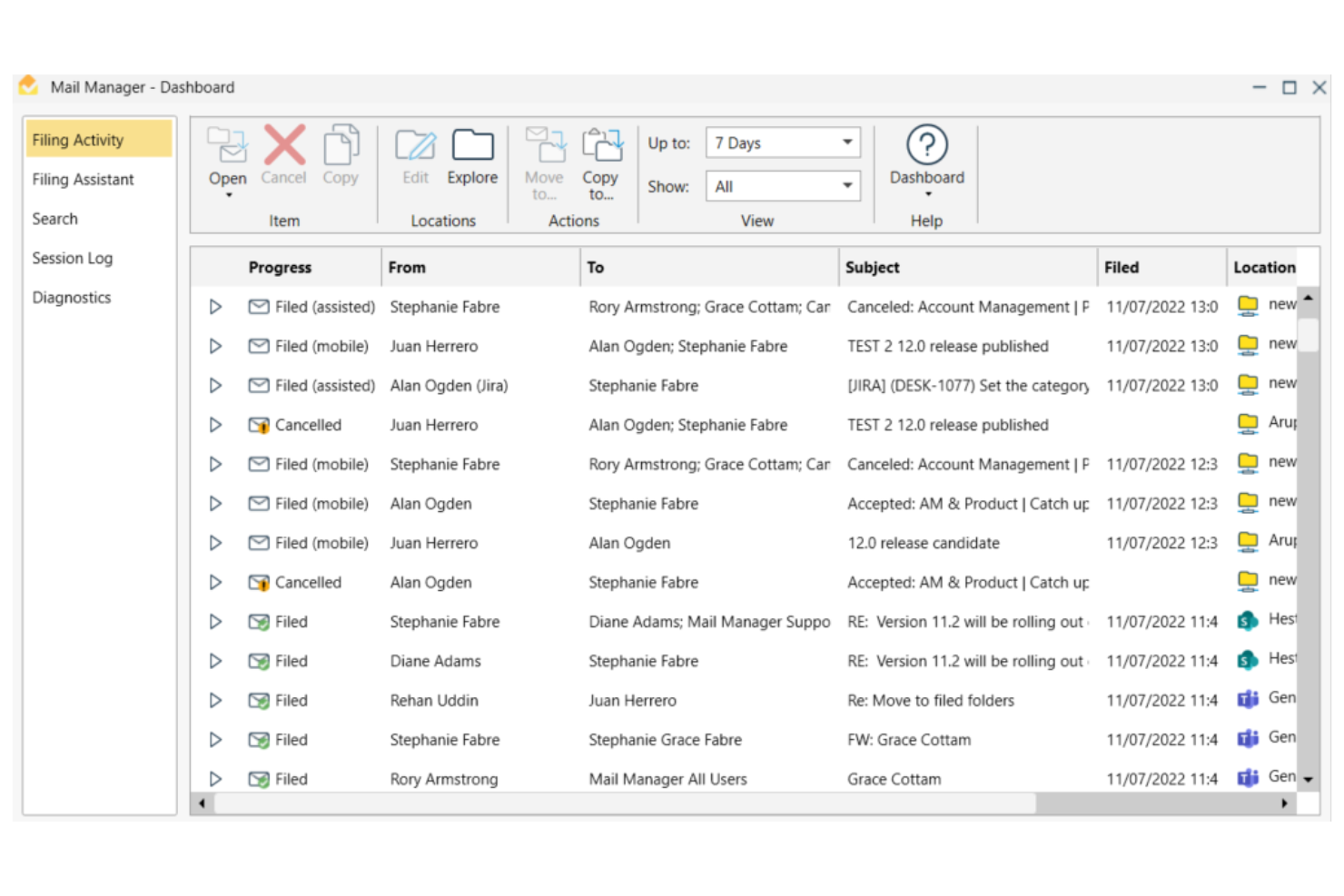
Ideagen Mail Manager is an email management platform for filing, searching, and organizing emails, with features for compliance, advanced search, and shared mailboxes.
Who Is Ideagen Mail Manager Best For?
Project-based teams in architecture, engineering, and construction firms needing advanced email search and compliance tools.
Why I Picked Ideagen Mail Manager
I picked Ideagen Mail Manager as one of the best because I rely on its advanced search to quickly retrieve project emails, even from shared mailboxes. I like that it enforces email filing compliance, which is essential for regulated industries. The tool’s ability to capture and organize correspondence across teams helps my projects stay audit-ready.
Ideagen Mail Manager Key Features
- Automated email filing: Automatically prompts users to file emails to the correct location.
- Outlook integration: Works directly within Microsoft Outlook for seamless workflow.
- Duplicate email detection: Identifies and prevents duplicate emails from being filed.
- Access control settings: Lets administrators manage user permissions for email access and filing.
Ideagen Mail Manager Integrations
Ideagen Mail Manager offers native integrations across the Microsoft ecosystem, including Microsoft Outlook, Microsoft 365, and SharePoint. An API is available for custom integrations.
Pros and Cons
Pros:
- Supports filing to network drives and cloud storage
- Sent email filing to project folders
- Customizable rules for automated sorting
Cons:
- Requires Outlook add-in installation for all users
- Lacks built-in AI-powered categorization features
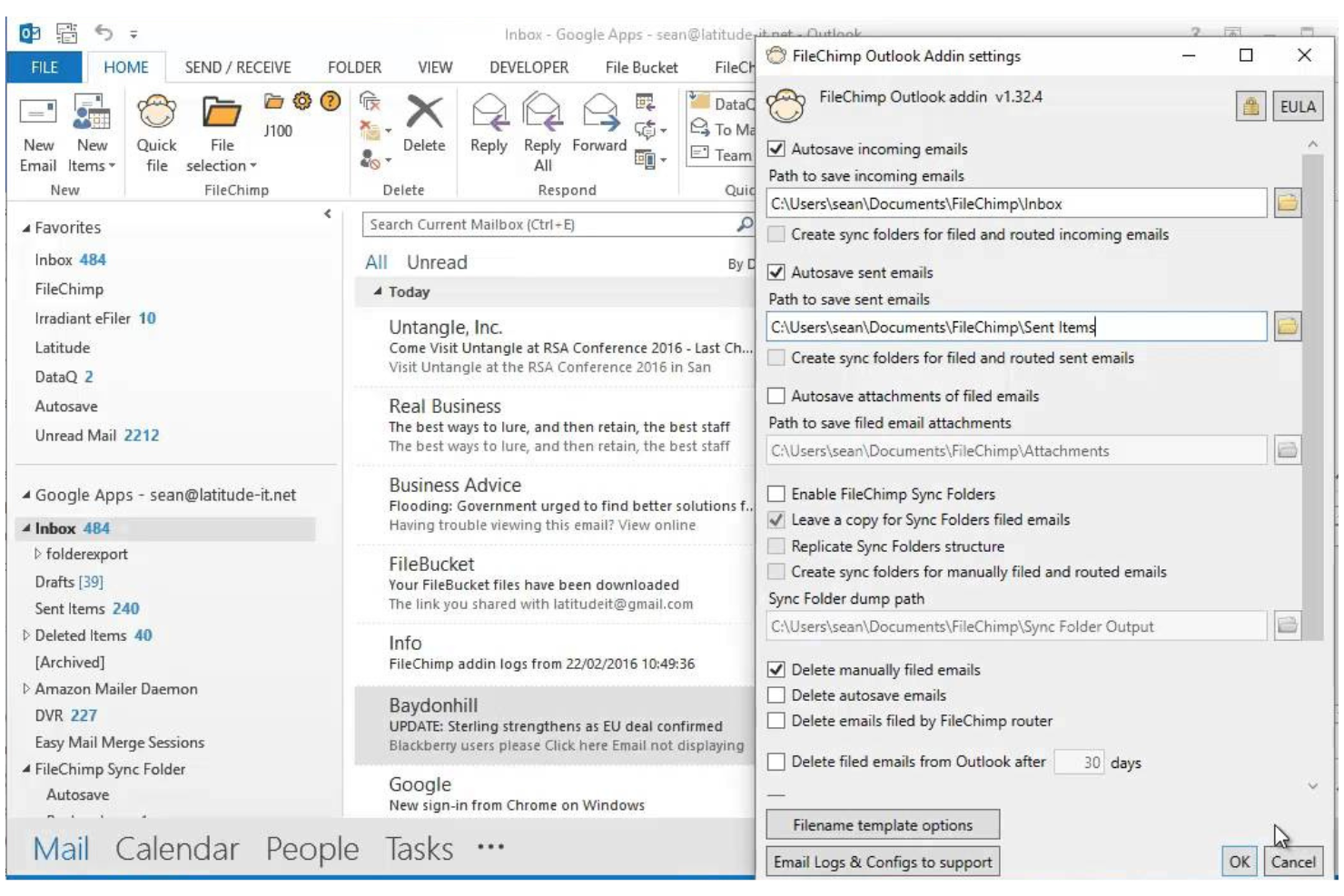
FileChimp is an Outlook add-in for email filing that lets you automatically organize emails and attachments into custom folder structures on your local drive or network.
Who Is FileChimp Best For?
Outlook users in small to midsize businesses who need automated email and attachment filing to local or network folders.
Why I Picked FileChimp
I picked FileChimp as one of the best because I like how it automates email and attachment filing directly from Outlook to local or network folders. My team uses its rule-based engine to sort emails by project or client, and I appreciate that we can customize folder structures to match our workflows. The drag-and-drop mapping tool makes setup quick, so we’re able to get organized fast without IT support.
FileChimp Key Features
- Attachment extraction: Automatically saves email attachments to designated folders.
- Duplicate detection: Flags and manages duplicate emails and files during filing.
- Folder monitoring: Watches specified folders and processes new emails as they arrive.
- Custom naming rules: Lets you define how filed emails and attachments are named.
FileChimp Integrations
FileChimp offers native integration with Microsoft Outlook and connects with Zapier. An API is available for custom integrations.
Pros and Cons
Pros:
- Offers duplicate detection for filed items
- Supports custom folder structures and rules
- Automates filing of emails and attachments
Cons:
- No support for cloud storage platforms
- Interface design feels outdated


CMap Mail is an email filing software add-in designed for project-centric teams, offering automated email capture, project-based organization, and seamless integration with the CMap project management platform.
Who Is CMap Mail Best For?
Project-focused professional services teams that need automated email capture and filing linked to project records.
Why I Picked CMap Mail
I picked CMap Mail as one of the best because I like how it captures and files emails automatically to the right project records without manual sorting. My team uses its deep integration with the CMap platform to keep all project communications organized and accessible. I appreciate that it links emails directly to project timelines and client records, which helps us keep everything connected as we work.
CMap Mail Key Features
- Outlook add-in: Lets you file emails directly from Microsoft Outlook.
- Bulk email filing: Allows you to file multiple emails at once to project folders.
- Attachment management: Saves and organizes email attachments alongside project records.
- Audit trail: Tracks all filed emails and attachments for compliance and reference.
CMap Mail Integrations
CMap Mail offers native integration with Microsoft Outlook and the CMap project management platform, and it connects with Zapier. An API is available for custom integrations.
Pros and Cons
Pros:
- Detects and prevents duplicate email filing
- Maintains a searchable audit trail of filed emails
- Links emails directly to CMap project records
Cons:
- No AI-driven filing or categorization features
- No direct integration with cloud storage platforms
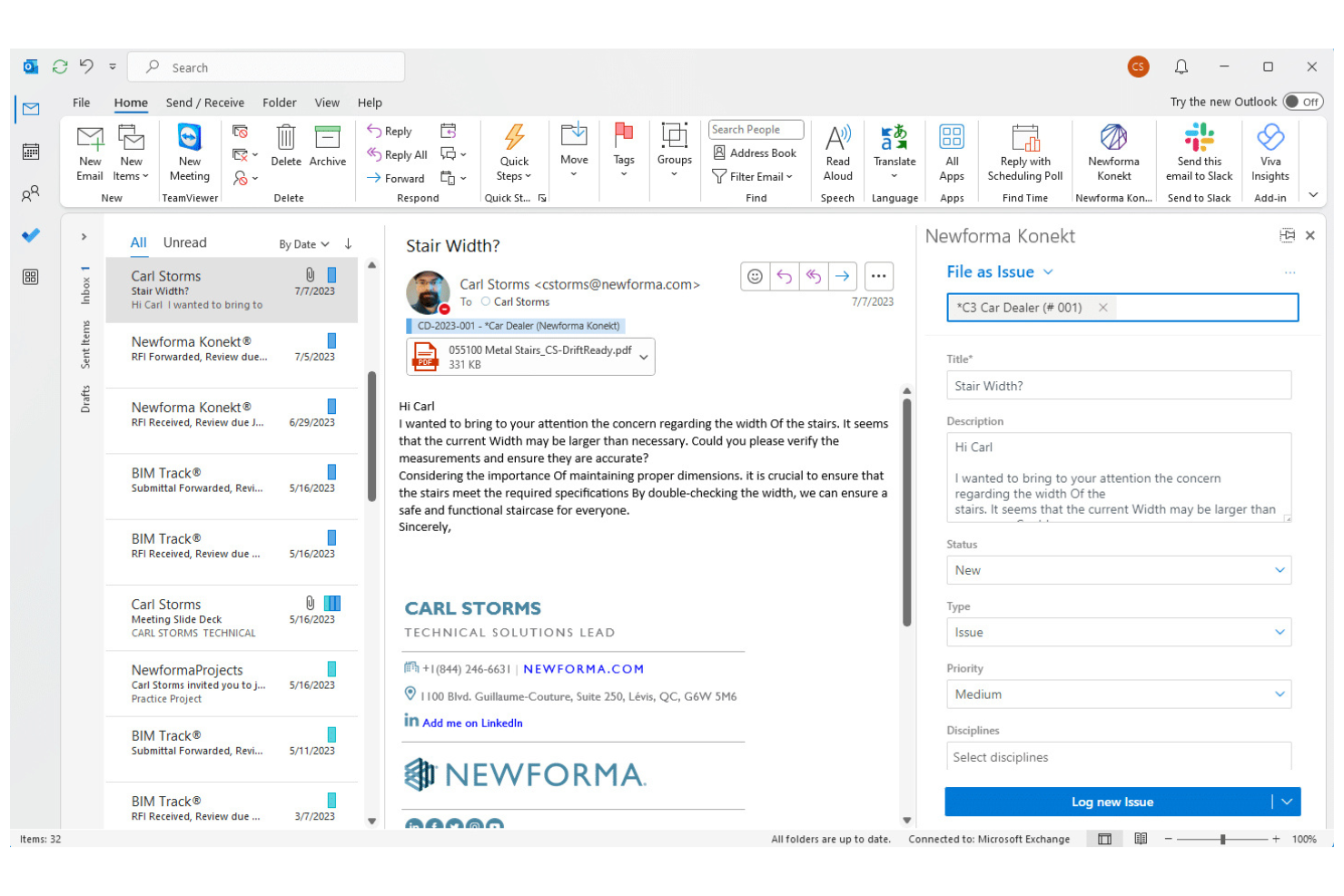
Newforma is a project email management platform designed for architecture, engineering, and construction teams to organize, search, and archive project-related emails and attachments.
Who Is Newforma Best For?
Architecture, engineering, and construction firms are managing complex project communications and documentation.
Why I Picked Newforma
I picked Newforma as one of the best because I rely on its project email management to capture, organize, and search all project-related emails in one place. I use its automated email filing to keep correspondence linked to specific projects, and I like how it preserves attachments and conversation history for compliance. My team can quickly retrieve any project email, even years later, without digging through individual inboxes.
Newforma Key Features
- Threaded email view: Displays related emails as conversation threads for easy tracking.
- Role-based access controls: Lets you set permissions for who can view or manage project emails.
- Email tagging: Allows users to tag emails with project-specific metadata.
- Audit trail: Records all actions taken on project emails for compliance and transparency.
Newforma Integrations
Newforma offers native integrations with Dynamo, E-Project, Agave, BIMoffice, and more, and provides an API for custom integrations.
Pros and Cons
Pros:
- Enables team-wide access to project correspondence
- Supports automated email capture from Outlook
- Designed specifically for project-based email filing
Cons:
- Integration options outside AEC tools are minimal
- Limited support for non-project email filing
Annen programvare for e-postarkivering
Her er noen flere alternativer for programvare for e-postarkivering som ikke kom med på kortlisten, men som fortsatt er verdt å se nærmere på:
- Inbox Zero
For inbox productivity workflows
- SaneBox
For AI email prioritization
- MacroView
For SharePoint-based email compliance filing
- Help Scout
For shared inbox collaboration
- Mailgun
For developer email automation
- eM Client
For desktop email with archiving
- BIGContacts
For CRM with email tracking
- Mailbird
For customizable email management
- InboxAlly
For improving email deliverability
- Zoho Desk
For email-based support ticketing
- Thunderbird
For open-source email filtering
- Mailspring
For cross-platform email management
- ArcTitan
For cloud email archiving and compliance


How I Evaluate Email Filing Software
I evaluate these tools in two layers: the core filing and retrieval basics every project team needs, and the differentiators—like audit trails and PM integrations—that set tools apart.
Core Functionality (Table Stakes for This List)
When I'm selecting tools for my list, I rank each one on a scale from 0 (does not offer the functionality) to 5 (excels in this area) for each core functionality listed below. Then, I calculate the tool's total score into a percentage. Each tool needs to achieve a minimum total score of 65% to be considered for inclusion.
- Email Capture & Filing: I check whether a tool can pull emails and attachments from Outlook, Gmail, or both into organized project folders without stripping metadata.
- Shared Project Repository: Teams need a single place to access filed correspondence, so I look for multi-user repositories with role-based access controls.
- Automated Filing Rules: I evaluate how each tool routes emails to the right project—whether by sender domain, subject keywords, or project-specific metadata tags.
- Duplicate Prevention: When three people on a project thread all file the same email, the system should catch it. I look for message-ID-level deduplication.
- Search & Retrieval: Finding a subcontractor's email from six months ago shouldn't take 20 minutes. I look for full-text search across bodies, attachments, and metadata.
- PM/Document System Integration: I check for native connectors to platforms like SharePoint, Procore, or Autodesk Construction Cloud that keep email records aligned with project data.
Once I have a list of tools that meet this criteria, I consider what sets each platform apart.
Differentiating Factors (What Sets Vendors Apart)
Here's how I compare and contrast different vendors:
Standout Features
AI-powered classification is a major differentiator—tools that learn from filing history and auto-suggest the correct project folder save real effort on high-volume programs. Compliance audit trails also matter. When a contractual dispute surfaces, you need an immutable log showing who filed what and when. For bulk historical migration, I check whether a tool can import legacy PST archives without forcing your team to re-file old emails manually.
Beyond Features
Licensing flexibility is something I evaluate closely. Large project teams often include external contractors and consultants who need filing access but shouldn't require a full seat license. Security certifications like SOC 2 and ISO 27001 signal that a vendor takes data protection seriously—especially when filed emails contain sensitive contract details. I also consider implementation support, because rolling out a filing system across a 200-person project team without structured onboarding and taxonomy templates usually leads to inconsistent adoption.
Slik velger du programvare for e-postarkivering
Det er lett å gå seg vill i lange funksjonslister og kompliserte prismodeller. For å hjelpe deg med å holde fokus mens du går gjennom den unike prosessen med å velge programvare, er her en sjekkliste over faktorer du bør ha i tankene:
| Faktor | Hva bør du vurdere? |
|---|---|
| Skalerbarhet | Vil programvaren håndtere dagens og fremtidens e-postmengde etter hvert som teamet eller virksomheten din vokser? |
| Integrasjoner | Kan den kobles direkte til de eksisterende e-postleverandørene, produktivitetsverktøyene og samarbeidsplattformene dine? |
| Tilpasningsmuligheter | Kan du tilpasse arkiveringsregler, mappestrukturer og arbeidsflyter etter teamets unike behov? |
| Brukervennlighet | Vil teamet ta den i bruk raskt, eller krever den omfattende opplæring og løpende støtte? |
| Implementering og opplæring | Hvor lang tid vil oppsettet ta, og hvilke ressurser eller hvilken støtte tilbyr leverandøren for migrering og opplæring? |
| Kostnad | Er prisnivåene tydelige, og samsvarer de med bruksmønstrene og budsjettbegrensningene dine? |
| Sikkerhetstiltak | Tilbyr verktøyet kryptering, tilgangskontroller og samsvar med relevante standarder for databeskyttelse? |
| Tilgjengelig kundestøtte | Kan du få rask hjelp via chat, telefon eller e-post, spesielt i kritiske arbeidstider? |
Hva er programvare for e-postarkivering?
Programvare for e-postarkivering er en type programvare for e-posthåndtering som automatisk organiserer, sorterer og arkiverer e-postmeldinger ved hjelp av regler eller intelligente algoritmer. Den hjelper team med å lagre e-poster, dele e-poster med teammedlemmer og holde kommunikasjonen strukturert i et sentralt system.
Mange verktøy tilbyr en alt-i-ett-løsning med integrasjoner som OneDrive eller en plugin, noe som gjør det enklere å administrere og få tilgang til lagrede data. Ved å forbedre den generelle brukeropplevelsen reduserer disse plattformene manuelt arbeid og holder innboksene organiserte. Noen løsninger fremhever også kundehistorier for å vise hvordan virksomheter håndterer arbeidsflyter for e-post med høyt volum mer effektivt.
Funksjoner
Når du velger programvare for arkivering av e-post, bør du se etter følgende nøkkelfunksjoner:
- Automatisk arkivering i mapper: Flytter automatisk e-poster til angitte mapper basert på avsender, emne eller egendefinerte regler, noe som reduserer behovet for manuell sortering.
- Handlinger for flere elementer: Lar deg velge og arkivere, lagre eller slette flere e-poster samtidig, noe som sparer tid ved håndtering av innbokser med høyt volum.
- Håndtering av vedlegg: Organiserer, lagrer og indekserer e-postvedlegg separat, slik at de enkelt kan hentes frem og brukes som referanse.
- Støtte for flere kontoer: Lar deg administrere og arkivere e-poster fra flere kontoer i ett enkelt grensesnitt.
- Oppretting av egendefinerte regler: Gjør det mulig å sette opp personlige arkiveringsregler som passer teamets arbeidsflyt og preferanser.
- Avansert søk: Tilbyr kraftige søkeverktøy som raskt finner arkiverte eller lagrede e-poster ved hjelp av filtre som dato, avsender eller nøkkelord.
- Planlagt arkivering: Lar deg angi bestemte tidspunkter da programvaren automatisk skal arkivere eller lagre e-poster, slik at innboksen holdes ryddig.
- Revisjonsspor: Sporer og logger arkiveringshandlinger for å ivareta samsvar og ansvarlighet, noe som gjør det enklere å gjennomgå historikken for e-postadministrasjonen.
- Tilgangskontroller for brukere: Lar administratorer angi tillatelser for hvem som kan se, arkivere eller slette e-poster, og støtter sikkert teamsamarbeid.
Vanlige AI-funksjoner i programvare for arkivering av e-post
I tillegg til standardfunksjonene i programvare for arkivering av e-post som er nevnt ovenfor, tar mange av disse løsningene i bruk AI med funksjoner som:
- Smart kategorisering av e-post: Bruker AI til å analysere innholdet og konteksten i e-poster og plasserer dem automatisk i de mest relevante mappene uten at det er nødvendig å sette opp regler manuelt.
- Prediktive forslag til arkivering: Lærer av arkiveringsvanene dine og anbefaler hvor nye e-poster bør arkiveres, noe som gjør organisering av repetitive oppgaver raskere.
- Oppdagelse av søppelpost og phishing: Bruker AI-algoritmer til å identifisere og filtrere bort mistenkelige eller uønskede e-poster, noe som reduserer rot i innboksen og sikkerhetsrisikoer.
- Automatisk prioritering av e-post: Analyserer hvor presserende meldinger er og hvor viktig avsenderen er, for å fremheve eller merke e-poster som krever umiddelbar oppmerksomhet.
- Gjenkjenning av hensikt: Oppdager formålet med eller handlingen som kreves i en e-post, for eksempel oppfølging eller planlegging, og gir brukerne forslag til neste trinn.
Fordeler
Implementering av programvare for arkivering av e-post gir flere fordeler for teamet og virksomheten din. Her er noen av fordelene du kan se frem til:
- Raskere organisering av innboksen: Automatisk arkivering og handlinger for flere elementer holder innboksene ryddige og reduserer tiden som brukes på manuell sortering.
- Forbedret gjenfinning av e-post: Avansert søk og strukturert arkivering gjør det enkelt å finne viktige meldinger og vedlegg når du trenger dem.
- Konsekvent samsvar: Revisjonsspor og tilgangskontroller for brukere hjelper teamet med å oppfylle krav til lagring av data og personvern.
- Forbedret teamsamarbeid: Støtte for flere kontoer og delte arkiveringsregler sørger for at alle har samme oversikt over e-postadministrasjonen.
- Reduserte sikkerhetsrisikoer: Innebygde sikkerhetstiltak og tillatelsesinnstillinger beskytter sensitiv informasjon mot uautorisert tilgang.
- Personlige arbeidsflyter: Oppretting av egendefinerte regler og planlagt arkivering lar deg tilpasse systemet til teamets unike prosesser.
- Bedre prioritering: AI-drevne funksjoner fremhever presserende e-poster og foreslår neste trinn, slik at teamene kan fokusere på det som betyr mest.
Kostnader og priser
Valg av programvare for arkivering av e-post krever en forståelse av de ulike prismodellene og abonnementene som er tilgjengelige. Kostnadene varierer basert på funksjoner, teamstørrelse, tillegg og mer. Tabellen nedenfor oppsummerer vanlige abonnementer, gjennomsnittsprisene deres og typiske funksjoner som er inkludert i løsninger for arkivering av e-post:
Sammenligningstabell for abonnementer for programvare for arkivering av e-post
| Plantype | Gjennomsnittspris | Vanlige funksjoner |
|---|---|---|
| Gratisplan | $0 | Grunnleggende e-postarkivering, begrenset lagring, støtte for én konto og grunnleggende søkefunksjonalitet. |
| Personlig plan | $5-$15/bruker/måned | Støtte for flere kontoer, egendefinerte regler, håndtering av vedlegg og prioritert e-poststøtte. |
| Bedriftsplan | $15-$30/bruker/måned | Verktøy for teamsamarbeid, avansert søk, revisjonsspor, tilgangskontroller for brukere og integrasjonsalternativer. |
| Plan for virksomheter | $30-$60/bruker/måned | Forbedret sikkerhet, funksjoner for regelverksetterlevelse, dedikert støtte, avansert analyse og tilpasset introduksjon. |
Vanlige spørsmål om programvare for e-postarkivering
Her er noen svar på vanlige spørsmål om programvare for e-postarkivering:
Kan programvare for e-postarkivering fungere med flere e-postleverandører?
Ja, de fleste programmer for e-postarkivering støtter integrasjon med populære leverandører som Gmail, Outlook og Exchange. Denne fleksibiliteten lar deg administrere og organisere e-poster fra ulike kontoer på ett sted, noe som er spesielt nyttig for team som bruker en blanding av plattformer.
Hvordan hjelper programvare for e-postarkivering med regelverksetterlevelse?
Programvare for e-postarkivering bidrar til regelverksetterlevelse ved å tilby revisjonsspor, lagringsregler og sikker lagring. Disse funksjonene gjør det enklere å oppfylle bransjeregler og interne retningslinjer for datalagring, personvern og tilgangskontroll.
Er det vanskelig å flytte eksisterende e-poster til et nytt arkiveringssystem?
Nei, de fleste løsninger tilbyr migreringsverktøy eller veiledet introduksjon for å importere eksisterende e-poster og mappestrukturer. Se etter plattformer med trinnvise veivisere, maler eller støttepersonell som kan hjelpe deg med en smidig overgang uten at viktige data går tapt.
Hvilke sikkerhetstiltak bør jeg forvente av programvare for e-postarkivering?
Du bør forvente kryptering av data under overføring og ved lagring, tilgangskontroller for brukere og regelmessige sikkerhetsoppdateringer. Noen løsninger tilbyr også samsvarssertifiseringer og avansert trusseloppdagelse for å beskytte sensitiv informasjon.
Kan jeg automatisere arkiveringsregler for bestemte prosjekter eller kunder?
Ja, de fleste programmer for e-postarkivering lar deg konfigurere egendefinerte regler for automatisk arkivering av e-poster etter prosjekt, kunde, avsender eller nøkkelord. Denne automatiseringen sparer tid og sikrer en enhetlig organisering i hele teamet.
Hva skjer hvis jeg trenger støtte under oppsettet eller den daglige bruken?
De fleste leverandører tilbyr støtte via chat, e-post eller telefon, og mange har søkbare hjelpesentre og brukerfora. Sjekk åpningstidene for kundestøtte og svartidene for å være sikker på at du får hjelp når du trenger det.