

10 beste alternativer til Docusign vurdert i 2026

Kortliste over de beste Docusign-alternativene


Håndtering av kontrakter og godkjenninger er en del av å holde prosjekter i gang, men jakten på signaturer og sporing av dokumentstatus kan forsinke alt. Hvis DocuSign ikke passer for teamet ditt, enten på grunn av pris, integrasjoner eller begrensninger i arbeidsflyten, finnes det mange gode alternativer som er verdt å vurdere.
Basert på min erfaring med å teste plattformer for elektroniske signaturer, gjør de beste alternativene mer enn å samle inn signaturer. De legger til rette for smidigere samarbeid, tydeligere revisjonsspor, raskere behandlingstider og færre flaskehalser når dokumenter må gjennomgås, godkjennes og ferdigstilles. Jeg har vurdert både kostnadsfrie Docusign-alternativer og betalte konkurrenter for å hjelpe deg med å sammenligne de beste valgene.
I denne artikkelen går jeg gjennom de viktigste Docusign-konkurrentene, fremhever hva hvert verktøy gjør best, og hvordan funksjonene deres støtter reelle prosjektarbeidsflyter. La oss finne det som passer best for teamet ditt.
Hva er Docusign?
Docusign er en programvare for dokumenthåndtering og elektroniske signaturer som hjelper deg med å håndtere elektroniske avtaler effektivt. Den brukes ofte av fagfolk innen juss, eiendom og finans som et raskt og sikkert verktøy for signering av dokumenter.
Funksjoner som fjernsignering, sporing i sanntid og samsvar med juridiske standarder effektiviserer arbeidsflyter og ivaretar sikkerheten.
Sammenligningstabell for Docusign-alternativer
Denne sammenligningstabellen fremhever prisopplysninger for mine beste Docusign-alternativer.
| Tool | Best For | Trial Info | Price | ||
|---|---|---|---|---|---|
| 1 | Best for QuickBooks Online integration | Free plan available | From $10/month (billed annually) | Website | |
| 2 | Best for legal compliance and templates | Free trial available | From $20/month; API plans start at $49/month | Website | |
| 3 | Best for AI-driven contract management | Free demo available | Pricing upon request | Website | |
| 4 | Best for simple, low-cost e-signature workflows | Free trial available | From $4/month | Website | |
| 5 | Best for document automation within CRM workflows | Free plan + 14-day free trial + free demo available | From $19/user/month | Website | |
| 6 | Best for integration with Dropbox | Free trial available | From $15/user/month (billed annually) | Website | |
| 7 | Best for e-signatures within regulated industries | Free plan + 14-day free trial + demo available | From $10/user/month | Website | |
| 8 | Best for enterprise-grade identity verification | Free demo available | Pricing upon request | Website | |
| 9 | Best for end-to-end encryption security | Free plan + 30-day free trial + demo available | From $10/user/month | Website | |
| 10 | Best for self-hosted, open-source e-signatures | Free plan available | From $9.99/month (billed annually) | Website |
Why Trust Our Software Recommendations
Our team has been testing and reviewing software since 2012. As project managers ourselves, we know how difficult—and important—it is to choose the right software.
For this guide, we evaluated tools using hands-on testing and independent research, scoring tools using our selection criteria. We also draw on insights from industry thought leaders and practicing project management experts.
Our reviews reflect our human editorial judgment, not a sales pitch.
Expert reviewers:
Anmeldelser av de beste Docusign-alternativene
Nedenfor finner du mine detaljerte sammendrag av de beste Docusign-alternativene som kom med på kortlisten min. Anmeldelsene mine gir en detaljert gjennomgang av de viktigste funksjonene, fordelene og ulempene, integrasjonene og de ideelle bruksområdene for hvert verktøy, slik at du kan finne det beste alternativet for deg.

Signwell
Best for QuickBooks Online integration
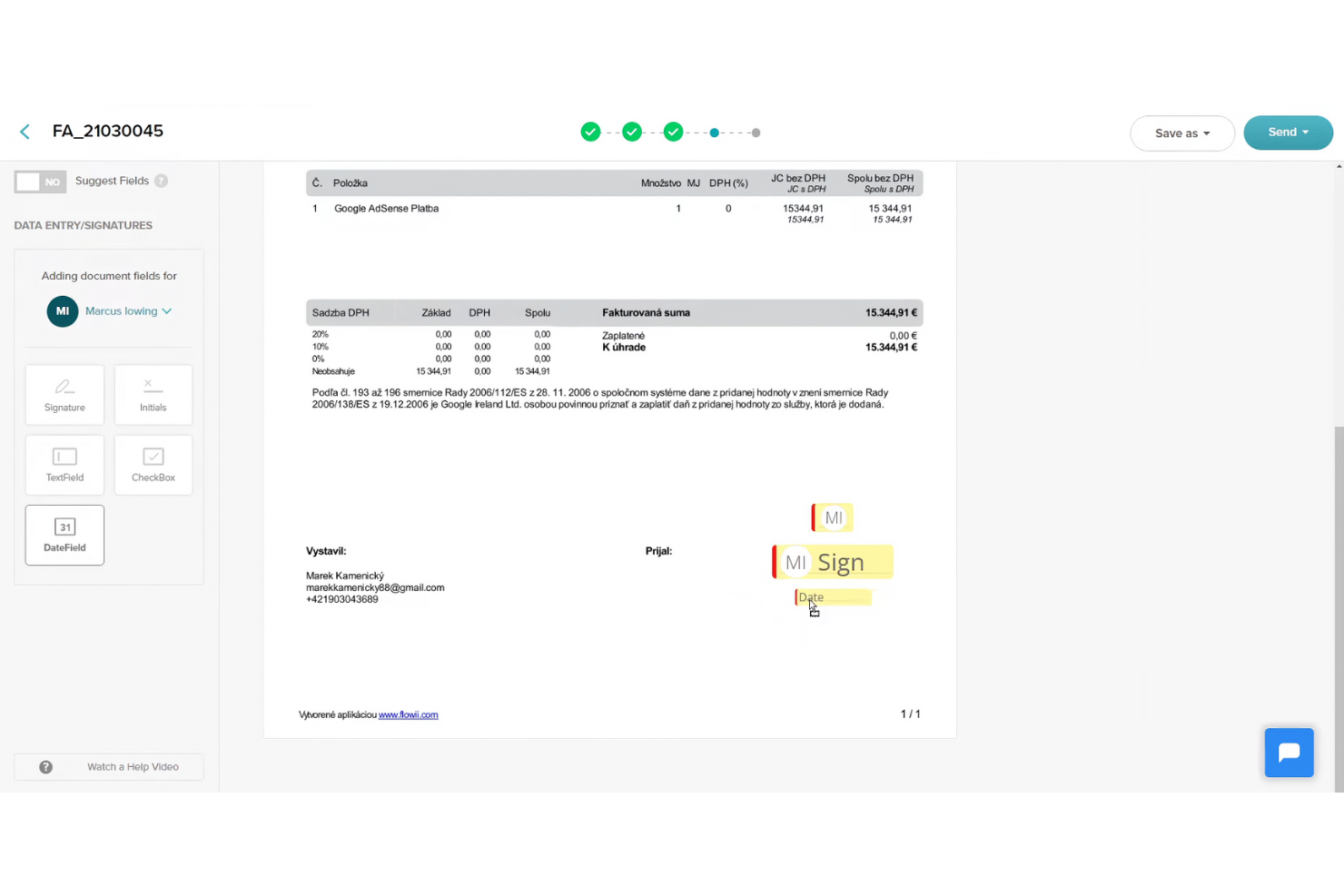
Unlike Adobe Sign, which is a great option for big corporations, SignWell is an electronic signature tool designed for small to medium-sized businesses that need efficient document signing capabilities. It helps users create, manage, and sign documents online, making the process quick and legally binding.
Why it's a good Docusign alternative: SignWell offers integration with QuickBooks Online, which is beneficial for businesses already using QuickBooks for their accounting needs. The platform provides customizable templates that save time and ensure consistent document formatting. Real-time notifications keep your team updated on document status, helping to prevent delays. With a focus on simplicity, SignWell ensures that you can manage documents without unnecessary complexity.
Standout features and integrations:
Features include audit trails, which provide detailed records of document interactions. The platform allows you to set up signing workflows, ensuring documents are signed in the correct order and with the correct permissions. You’ll also appreciate the drag-and-drop editor for easy document customization.
Integrations include QuickBooks Online, Google Drive, Dropbox, Zapier, Microsoft 365, and more.
Pros and Cons
Pros:
- Provides audit trails
- Simple drag-and-drop editor
- Integrates with QuickBooks Online
Cons:
- Not ideal for large enterprises
- Basic reporting capabilities

Best for legal compliance and templates
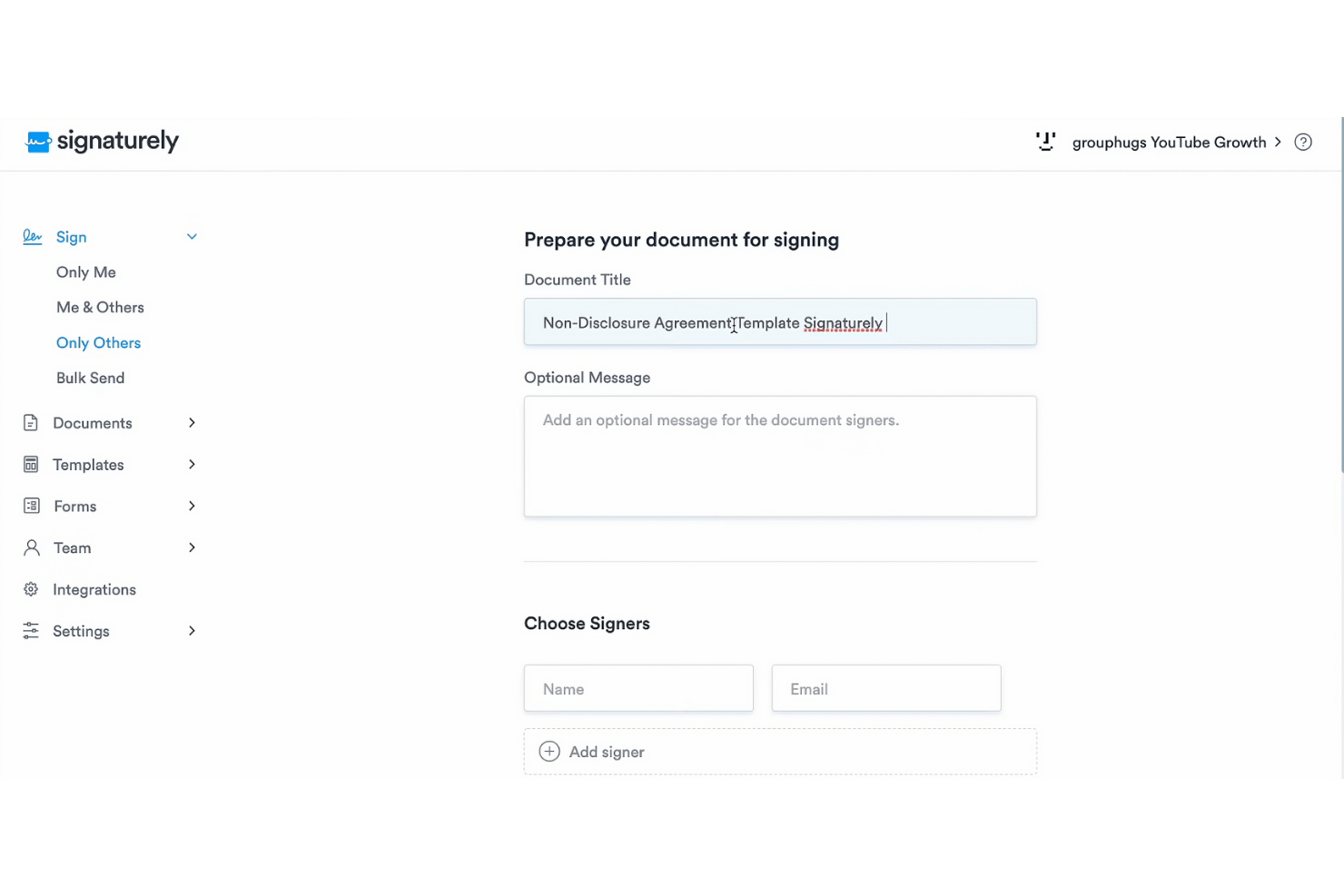
Signaturely is a platform that provides free, legally binding electronic signatures. It caters to both individuals and businesses, helping users manage and sign documents quickly and securely.
Why it's a good Docusign alternative: Signaturely focuses on legal compliance and offers a range of templates that are both time-saving and easy to use. Automatic reminders ensure that documents don't go unsigned, while its user-friendly interface makes managing paperwork simple. These features cater to teams and organizations looking for a straightforward and reliable e-signature solution.
Standout features and integrations:
Features include automatic reminders for unsigned documents, document management capabilities, and time-saving templates. Signaturely also supports paperless operations, aligning with environmental goals.
Integrations include Google Drive, Dropbox, OneDrive, Box, Microsoft Teams, Zapier, and more.
Pros and Cons
Pros:
- Time-saving templates
- Automatic reminders
- Legal compliance assurance
Cons:
- Not ideal for large enterprises
- Limited customization options

Juro
Best for AI-driven contract management
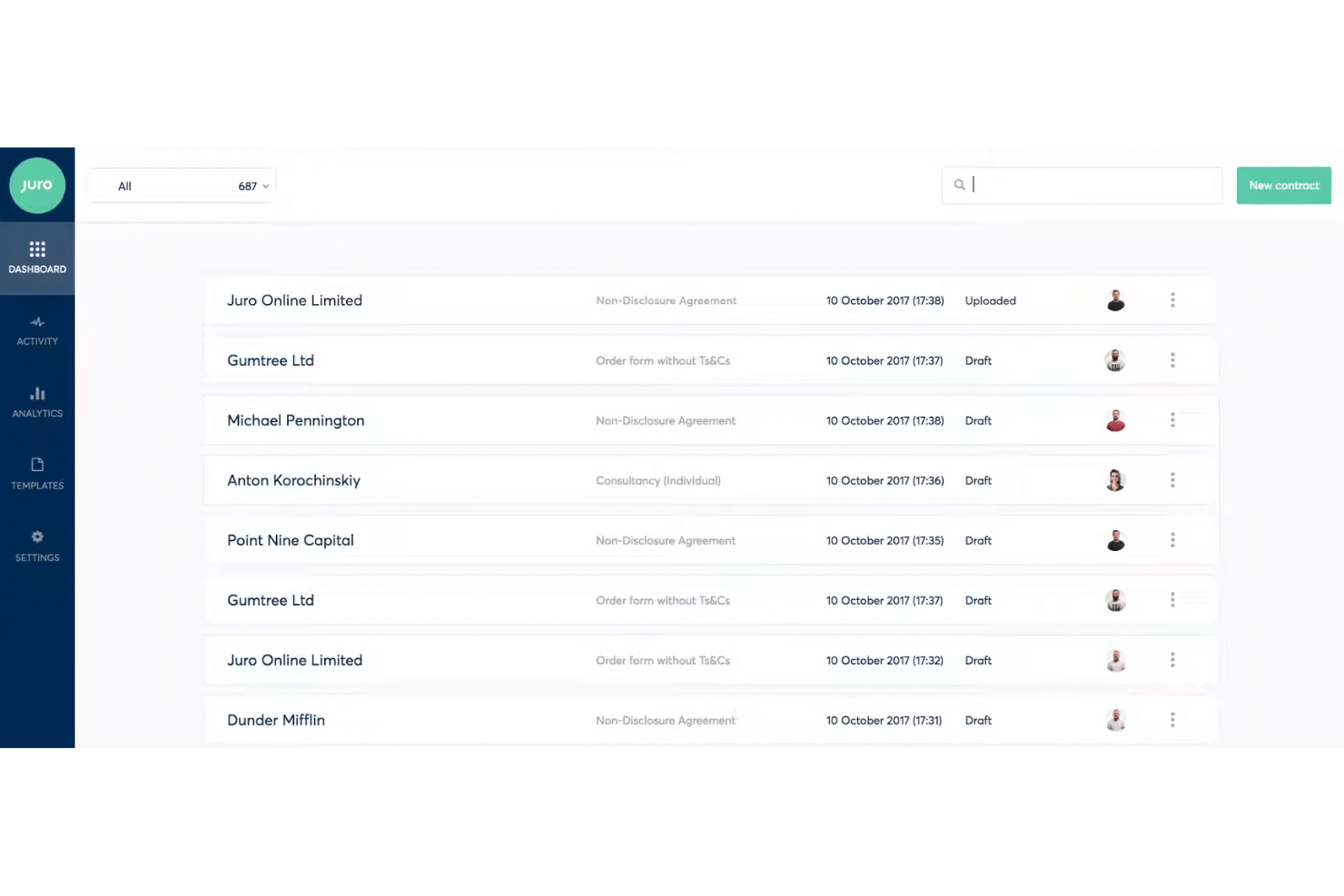
Juro is an intelligent contracting platform designed for legal, HR, procurement, sales, and finance teams. It helps these teams manage contracts efficiently through AI review and self-serve management.
Why it's a good Docusign alternative: Juro offers AI-driven contract review and an intelligent repository for contract data, which supports enhanced efficiency in contract management. Unlike Docusign, Juro is tailored for teams seeking more advanced contract automation features. The self-serve capabilities and quick setup make it appealing to users wanting to replace traditional contract management systems.
Standout features and integrations:
Features include AI contract review, self-serve contract management, and an intelligent repository for contract data. Juro also prioritizes security with enterprise-grade measures.
Integrations include Salesforce, HubSpot, ChatGPT, Slack, Google Drive, Zapier, Greenhouse, and more.
Pros and Cons
Pros:
- Efficient data repository
- High security standards
- AI-driven contract automation
Cons:
- Not ideal for very small businesses
- Lacks extensive customization

Best for simple, low-cost e-signature workflows
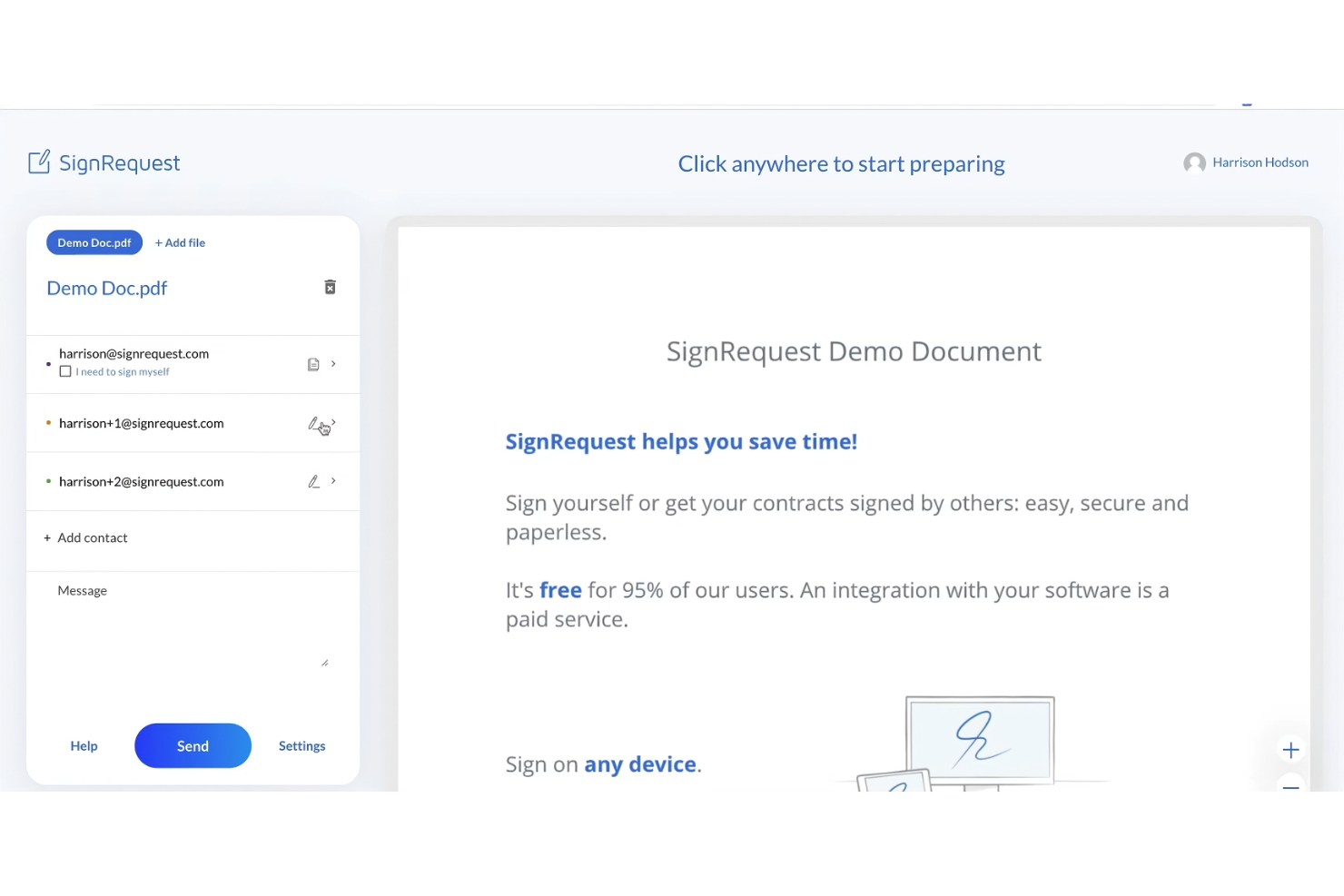
SignRequest is an electronic signature tool ideal for small to medium-sized businesses looking to optimize their document signing processes. It provides a straightforward platform for creating and managing legally binding e-signatures.
Why it's a good Docusign alternative: SignRequest offers a simple and cost-effective solution for electronic signatures, making it accessible for small teams and businesses. The platform emphasizes a user-friendly design, which means your team can quickly pick it up. With SignRequest, you can easily track document status and send reminders, ensuring timely completions. Its focus on simplicity and affordability distinguishes it from more complex alternatives.
Standout features and integrations:
Features include customizable templates, which allow you to tailor documents to specific needs. The platform supports multiple language options, making it versatile for international teams. You’ll also find audit trails useful for maintaining a detailed record of document interactions.
Integrations include Google Drive, Slack, Zapier, HubSpot, Gmail, Google Workspace, and more.
Pros and Cons
Pros:
- Provides audit trails
- Supports multiple languages
- Cost-effective for small businesses
Cons:
- Lacks extensive customization
- Basic reporting capabilities
PandaDoc
Best for document automation within CRM workflows
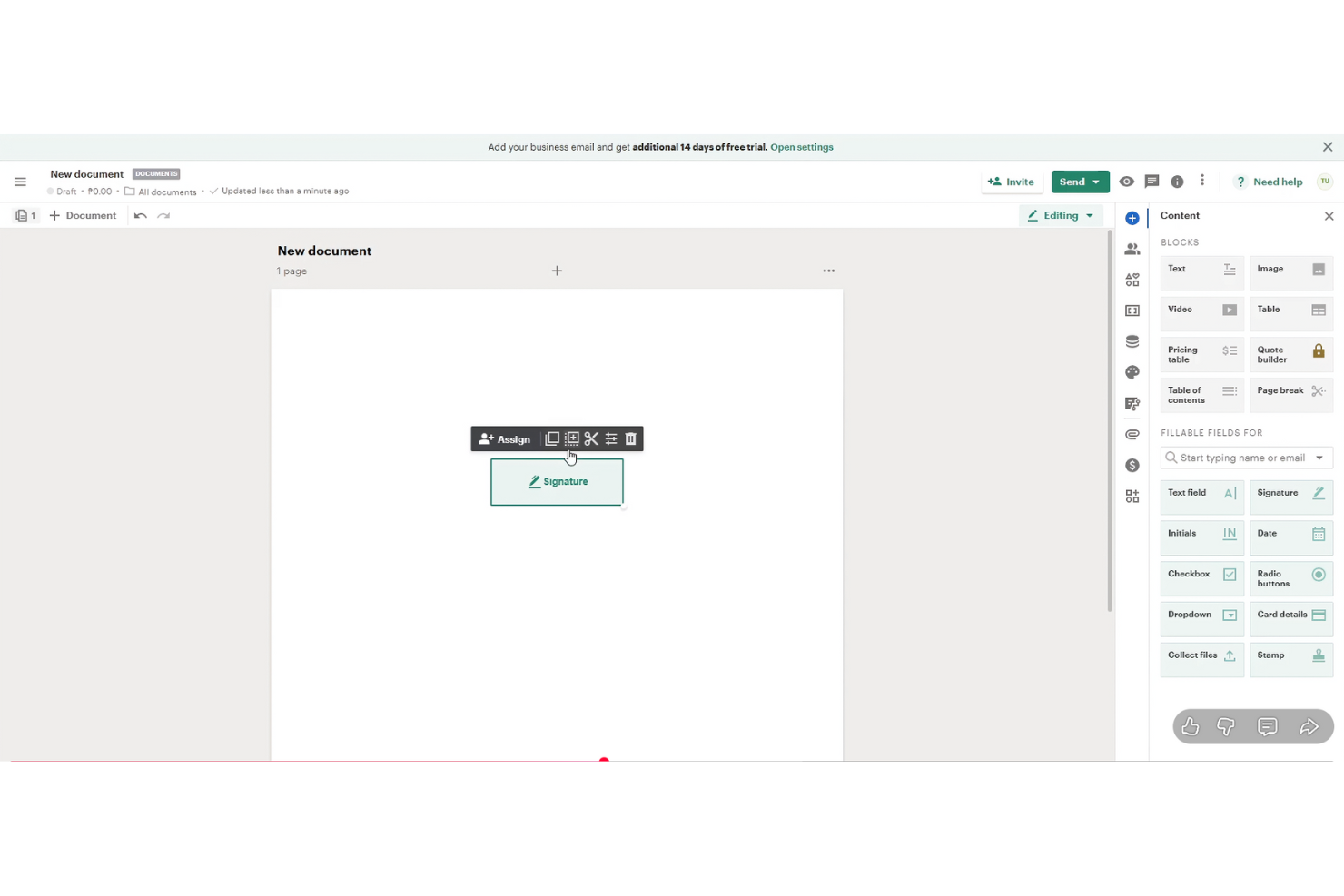
PandaDoc is a document automation software aimed at sales teams, marketing professionals, and businesses that need to create, send, and e-sign documents efficiently. It supports workflows by automating document generation and enhancing collaboration.
Why it's a good Docusign alternative: PandaDoc offers advanced document automation features that simplify the creation and management of documents. Its customer relationship management (CRM) integration capabilities allow your team to connect document workflows with CRM systems. The software provides customizable templates, which save time and ensure consistency across your documents. Real-time collaboration features enhance teamwork and communication.
Standout features and integrations:
Features include a content library, which helps you store and reuse document elements. The software also provides analytics to track document performance and engagement. You’ll appreciate the drag-and-drop editor for easy document customization.
Integrations include Salesforce, HubSpot, Zoho CRM, Pipedrive, Microsoft Dynamics, Dropbox, Zapier, Slack, QuickBooks, and more.
Pros and Cons
Pros:
- Easy drag-and-drop editor
- Real-time collaboration
- Strong document automation features
Cons:
- Not ideal for very small teams
- Lengthy initial setup

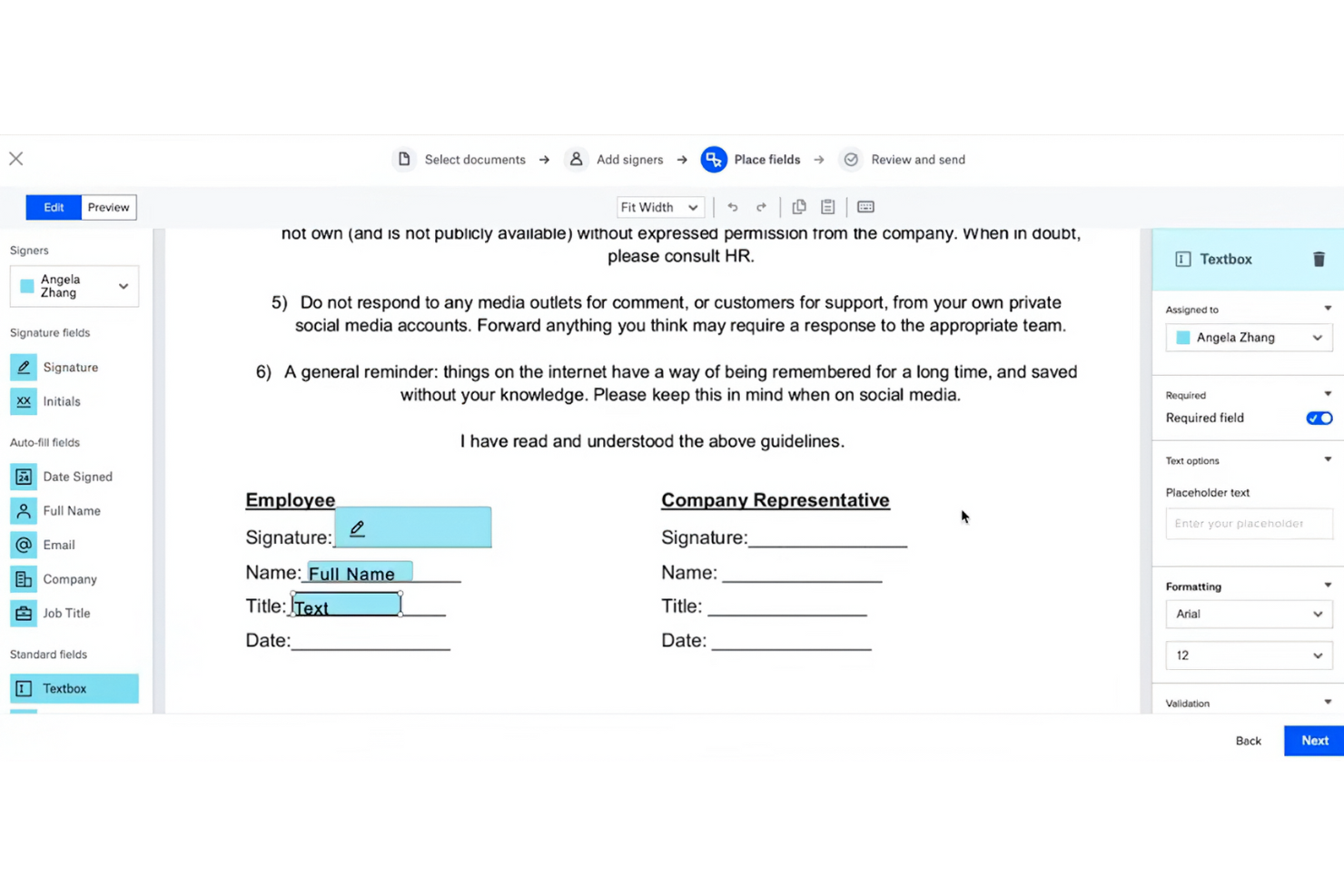
Dropbox Sign (formerly HelloSign) is an e-signature tool designed for businesses and teams looking to sign documents electronically and manage agreements efficiently in a similar manner to Acrobat Pro. Its main users include professionals in legal, finance, and sales who need reliable document signing capabilities.
Why it's a good Docusign alternative: Dropbox Sign integrates with Dropbox, making it perfect for users who already rely on Dropbox for storage. Its simple interface and easy-to-use features support productivity for teams accustomed to Dropbox's environment. With its focus on security and compliance, it offers peace of mind for businesses handling sensitive documents.
Standout features and integrations:
Features include customizable templates, audit trails, and in-person signing options. You can easily track document status with automatic notifications and reminders. The platform also supports team management features, helping you organize and oversee document workflows.
Integrations include Adobe Acrobat, Microsoft 365, Zapier, and more.
Pros and Cons
Pros:
- Supports in-person signing
- Strong security features
- Integrates well with Dropbox
Cons:
- Not ideal for large enterprises
- May require a Dropbox account

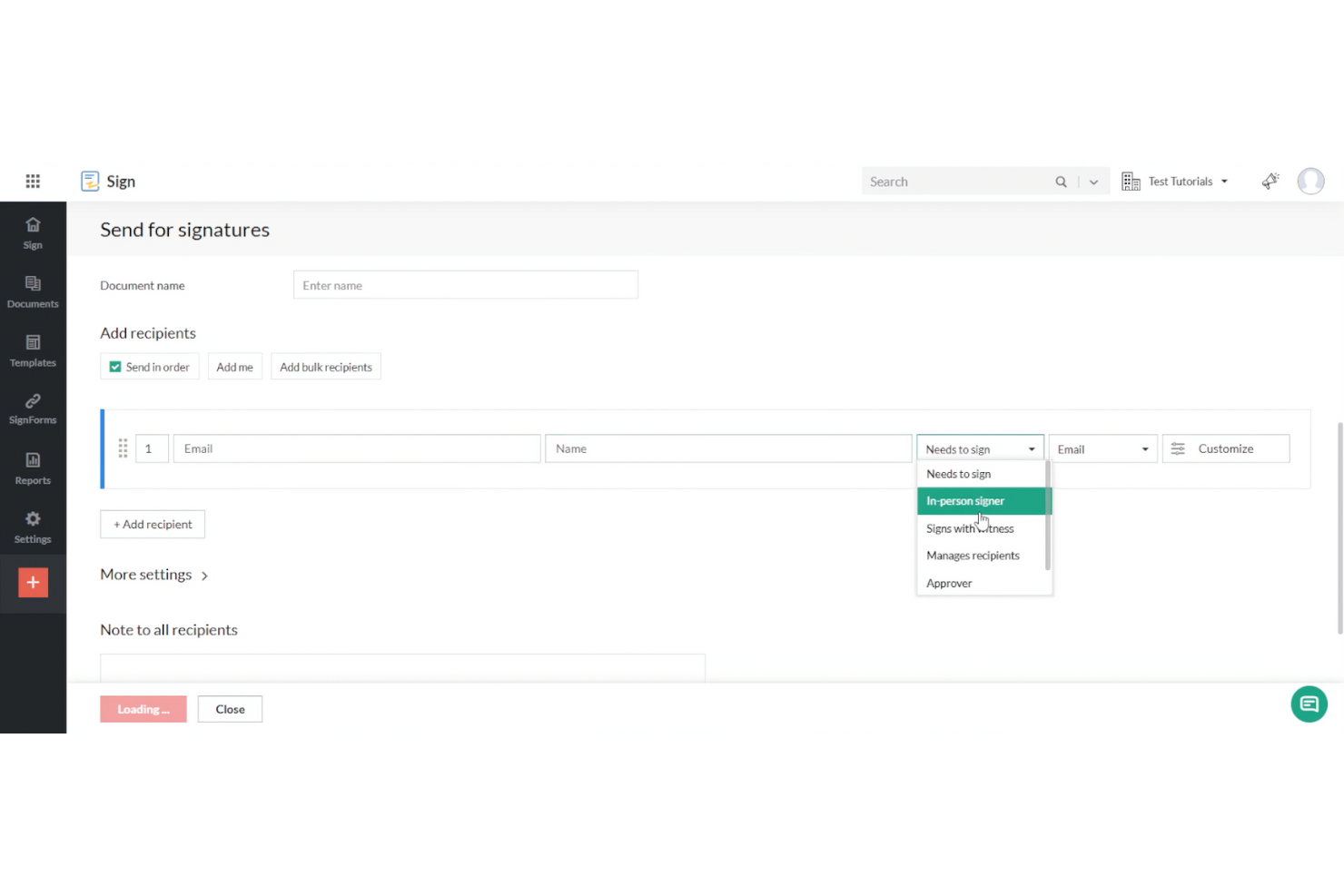
Zoho Sign is an electronic signature solution designed for businesses and professionals looking to sign documents digitally. It serves industries that require high compliance standards and privacy in document management, such as finance and healthcare.
Why it's a good Docusign alternative: Zoho Sign offers strong regulatory compliance features, making it suitable for industries with strict privacy requirements. The platform provides encryption and audit trails to ensure data security. Customizable workflows allow your team to tailor the signing process to meet specific needs. Its integration with other Zoho products enhances productivity and data management.
Standout features and integrations:
Features include bulk send options, which let you send documents to multiple recipients at once. The platform offers an audit trail for transparency and accountability. You’ll also find the template library useful for creating consistent and professional documents quickly.
Integrations include Zoho CRM, Zoho Forms, Google Drive, Dropbox, OneDrive, Box, Microsoft 365, Zapier, and more.
Pros and Cons
Pros:
- Bulk send options available
- Ensures data security
- Strong regulatory compliance
Cons:
- Basic reporting features
- Not ideal for very small teams

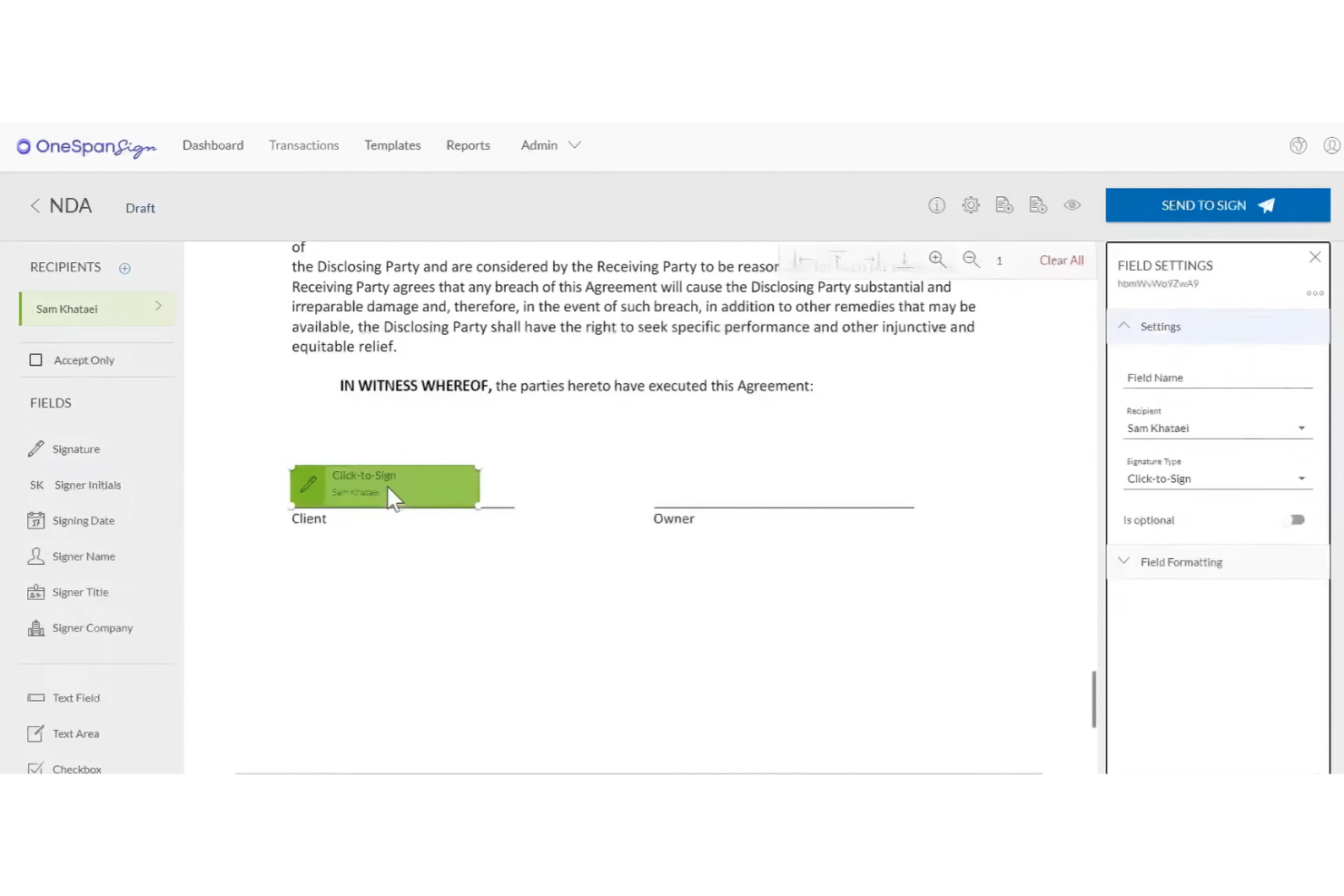
OneSpan Sign (formerly eSignLive) is an electronic signature solution designed for businesses that require secure, compliant, and scalable e-signature capabilities in a similar manner to Acrobat Sign. It mainly serves financial institutions, government agencies, and large enterprises needing reliable document signing solutions.
Why it's a good Docusign alternative: OneSpan Sign is known for its strong security features, making it ideal for industries with data protection concerns. The platform complies with strict security standards, and advanced authentication methods and audit trails provide an additional layer of security. These features make OneSpan Sign particularly suitable for enterprises that prioritize security and compliance.
Standout features and integrations:
Features include advanced authentication methods, allowing you to verify the identity of signers effectively. The platform offers detailed audit trails to track document activity and ensure transparency. You’ll also benefit from flexible deployment options, whether you prefer cloud-based or on-premises solutions.
Integrations include Salesforce, Microsoft Dynamics 365, SharePoint, Google Drive, Oracle Fusion, and more.
Pros and Cons
Pros:
- Suitable for large enterprises
- Advanced authentication options
- High security standards
Cons:
- Interface feels complex and unintuitive
- Rigid customization options
eSignly
Best for end-to-end encryption security

eSignly is an electronic signature software tailored for businesses and individuals who need a secure and efficient way to sign documents online. Its main functions include providing legally binding e-signatures, ensuring document security, and maintaining compliance with international standards.
Why it's a good Docusign alternative: eSignly emphasizes strong end-to-end encryption, offering superior security for your documents. The platform is compliant with regulations such as the GDPR and HIPAA, providing extra security for businesses handling sensitive information. Customizable templates and signature fields enhance flexibility, and the software's focus on security ensures that your documents remain confidential and protected throughout the signing process.
Standout features and integrations:
Features include legal validity for e-signatures, ensuring they are recognized as binding. The platform provides strong encryption to protect document authenticity and confidentiality. You can also utilize automated reminders to keep the signing process on track.
Integrations include Dropbox, Google Drive, OneDrive, Box, Salesforce, Microsoft Teams, Slack, Zoom, and more.
Pros and Cons
Pros:
- Automated reminders
- Compliant with regulations
- Strong encryption security
Cons:
- Limited advanced customization options
- Basic analytics features

OpenSign
Best for self-hosted, open-source e-signatures
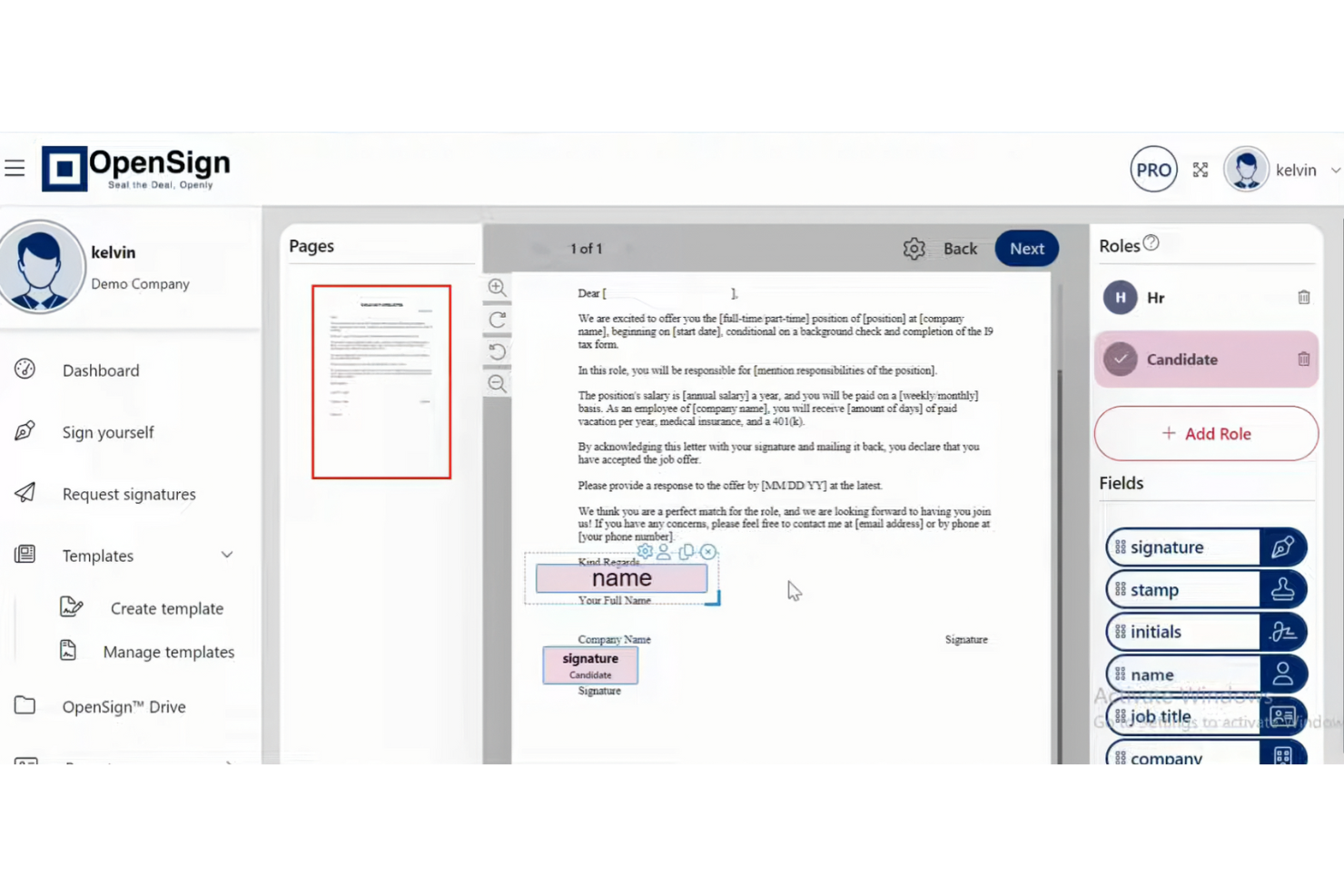
OpenSign is an open-source PDF e-signature platform for individuals, teams, and organizations that want more control over digital signing. It helps you sign, store, and secure documents online while tracking what happens to each document.
Why OpenSign is a good Docusign alternative: With OpenSign, you get unlimited digital signatures on a free plan instead of worrying about per-envelope limits. Because the code is open source, your team can self-host it and keep control over data and setup. The built-in completion certificates and access logs provide clear proof of who signed what and when without extra add-ons.
Standout features and integrations:
Features include support for signing encrypted PDFs, DOCX files, and images so that you can handle many document types in one place. You can tweak fonts and colors on form fields, rotate pages, and rely on autosave while you set up documents so you don't lose work. Your team can also use public profiles and templates to let people start common agreements themselves without preparing every document from scratch.
Integrations include Gmail, AWS S3, DigitalOcean Spaces, and more.
Pros and Cons
Pros:
- Flexible API
- Unlimited signatures
- Open-source code
Cons:
- Few tools for complex workflows
- Self-hosted setup needs technical skills
Andre Docusign-alternativer
Her er noen flere Docusign-alternativer som ikke kom med på kortlisten min, men som likevel er verdt å sjekke ut:
- eSignatures
For cost-effective pricing
- Signeasy
For quick e-signatures for small businesses
- Qwilr
For creating web-based sales proposals
- Proposify
For branded proposal customization
- Yousign
For compliance with EU laws such as eIDAS
- GetAccept
For sales team collaboration
- Scrive
For e-signatures with identity checks
- DocuSeal
For secure document storage
- HyperStart CLM
For contract lifecycle management
- airSlate SignNow
For mobile document signing
- Documenso
For e-signature source code control


How I Evaluate DocuSign Alternatives
I split every evaluation into baseline requirements—like legally binding signatures and multi-party routing—and differentiators that separate one tool from another for PM teams.
Core Functionality (Table Stakes For This List)
When I'm selecting tools for my list, I rank each one on a scale from 0 (does not offer the functionality) to 5 (excels in this area) for each core functionality listed below. Then, I calculate the tool's total score into a percentage. Each tool needs to achieve a minimum total score of 65% to be considered for inclusion.
- Legally Binding E-Signatures: I check compliance with ESIGN, UETA, and eIDAS so signed SOWs and change orders hold up across jurisdictions.
- Document Templates & Reusability: Reusable templates with shared team access matter here—think NDA and SOW templates your PMO uses on every engagement.
- Multi-Party Signing Workflows: I evaluate routing options for sequential and parallel signing, since most project contracts touch multiple approvers and clients.
- Audit Trail & Status Tracking: A tamper-evident log with real-time signer status helps project managers chase down bottlenecks before they delay a milestone.
- PM Tool Integrations: Native connections to tools like Asana, Jira, or Smartsheet—plus API or Zapier access—keep signature steps inside existing workflows.
- Fillable Fields & Doc Prep: The field editor should support signatures, initials, dates, text, and checkboxes so you can prepare a complete document without leaving the platform.
Once I have a list of tools that meet this criteria, I consider what sets each platform apart.
Differentiating Factors (What Sets Vendors Apart)
Here's how I compare and contrast different vendors:
Standout Features
Bulk send is a big deal when you're onboarding dozens of subcontractors or distributing updated project terms across a vendor list. I also look at mobile and offline signing, since field-based project coordinators often need signatures collected on-site without reliable connectivity. AI contract analysis is worth evaluating too—tools that can extract key dates, deliverables, and dollar amounts from incoming agreements save PMs real time during contract review cycles.
Beyond Features
Pricing structure matters a lot here. Per-envelope pricing can spiral fast for PMOs processing high volumes of change orders, so I evaluate whether a platform offers per-user or unlimited-send plans instead. Compliance certifications like SOC 2 and ISO 27001 are worth checking, especially for teams delivering projects in regulated industries. I also consider time-to-value—pre-built project document templates and self-serve onboarding mean your team starts collecting signatures in days, not weeks.
Hvorfor se etter et Docusign-alternativ?
Selv om Docusign tilbyr dokumenthåndtering og elektroniske signaturer, finnes det flere grunner til at enkelte brukere ser etter alternative løsninger. Det kan være lurt å se etter et Docusign-alternativ fordi …
- Du trenger rimeligere prisalternativer.
- Teamet ditt ønsker bedre integrasjon med eksisterende verktøy.
- Du ser etter forbedrede sikkerhetsfunksjoner.
- Du trenger samsvar med bestemte forskrifter.
- Virksomheten din trenger flere tilpasningsmuligheter.
Hvis noe av dette høres kjent ut, har du kommet til rett sted. Listen min inneholder flere alternativer for dokumenthåndtering og elektroniske signaturer, inkludert programvare for elektroniske signaturer med kunstig intelligens, som egner seg bedre for team som står overfor disse utfordringene med Docusign og ser etter alternative løsninger.
Funksjoner
Her er noen av de viktigste funksjonene i Docusign som kan hjelpe deg med å sammenligne hva alternative løsninger tilbyr:
- Elektronisk signatur: Send, signer og spor dokumenter effektivt for å optimalisere arbeidsflyten.
- Maler: Opprett gjenbrukbare maler for å spare tid og standardisere dokumentene dine.
- Nettbaserte skjemaer: Samle enkelt inn data med interaktive skjemaer, noe som gjør signeringsprosessen raskere.
- Massehandlinger: Administrer flere dokumenter samtidig for å balansere arbeidsmengden.
- Mobil signering: Signer dokumenter fra hvilken som helst enhet, slik at teamet ditt enkelt kan signere i sanntid.
- Autentisering: Bekreft signatarens identitet med flere autentiseringsmetoder for å ivareta sikkerheten.
- Revisjonsspor: Behold en fullstendig historikk over samhandlingen med dokumenter for åpenhet og samsvar.
- Samsvar: Overhold bransjereguleringer og få trygghet for at juridiske krav oppfylles.
- Integrasjoner: Koble til ulike plattformer og utvid den eksisterende teknologiske plattformen din.
- Tilpasset merkevarebygging: Endre e-poster og nettsider med logoen og fargene dine for å opprettholde en konsekvent merkevareprofil.