

10 beste alternativer til Bynder-verktøy for digitale ressurser i 2026

Kortliste over de beste Bynder-alternativene


De beste Bynder-alternativene er mer intuitive å navigere i, passer bedre til arbeidsflytene dine for oppretting og distribusjon av ressurser, og er bedre tilpasset budsjettet ditt, særlig hvis du er en mindre organisasjon. Med det rette alternativet til Bynder vil du oppleve at verktøyene støtter arbeidsflytene dine bedre og gjør det enklere å finne og bruke markedsføringsressursene og de digitale ressursene dine effektivt.
Jeg har brukt erfaringen min fra å drive et byrå og over tre års testing av programvare til å vurdere en rekke Bynder-alternativer og finne de beste alternativene for å hjelpe deg med å lagre og sikre de digitale ressursene dine bedre. I vurderingene nedenfor fremhever jeg styrker og viktige forskjeller, fordeler og ulemper samt ideelle bruksområder.
Hva er Bynder-alternativer?
Bynder-alternativer er verktøy for forvaltning av digitale ressurser som tilbyr sammenlignbare funksjoner med Bynder, potensielt til en lavere pris eller med et mer intuitivt grensesnitt. Disse verktøyene fungerer som sentraliserte lagringssteder for alle digitale filer og legger til rette for enkel tilgang til, deling av og administrasjon av merkevareressurser som logoer og bilder.
Bynder-alternativer kan være bedre tilpasset ditt spesifikke fagområde eller din bransje, og lar deg organisere innhold og opprettholde enhetlighet på tvers av kanaler. De gjør det enklere for teamet ditt å samarbeide, holde oversikt over ressurser og beskytte merkevarens uttrykk og identitet.
Sammenligningstabell for Bynder-alternativer
Sammenlign priser og annen informasjon om hvert av mine anbefalte alternativer til Bynder nedenfor:
| Tool | Best For | Trial Info | Price | ||
|---|---|---|---|---|---|
| 1 | Best for version control | Free demo available | Pricing upon request | Website | |
| 2 | Best for digital asset sharing | 30-day free trial | From $29/month | Website | |
| 3 | Best for brand guidelines | Free demo available | Pricing upon request | Website | |
| 4 | Best for marketing teams | Free demo available | Pricing upon request | Website | |
| 5 | Best for workflow automation | Free demo available | Pricing upon request | Website | |
| 6 | Best for customization | Free demo available | Pricing upon request | Website | |
| 7 | Best for Adobe integration | 14-day free trial | Pricing upon request | Website | |
| 8 | Best for AI capabilities | 14-day free trial + free plan available | From $7/user/month (min 5 seats) | Website | |
| 9 | Best for media optimization | 30-day free trial + free demo available | Pricing upon request | Website | |
| 10 | Best for scalability | Free demo available | Pricing upon request | Website |
Why Trust Our Software Recommendations
Our team has been testing and reviewing software since 2012. As project managers ourselves, we know how difficult—and important—it is to choose the right software.
For this guide, we evaluated tools using hands-on testing and independent research, scoring tools using our selection criteria. We also draw on insights from industry thought leaders and practicing project management experts.
Our reviews reflect our human editorial judgment, not a sales pitch.
Expert reviewers:
Vurderinger av de beste Bynder-alternativene
Her er mine detaljerte sammendrag av hvert Bynder-alternativ. Jeg går gjennom hvorfor de skiller seg ut, unike funksjoner og integrasjoner for å gjøre beslutningsprosessen enklere.

Pics.io
Best for version control

Pics.io is a comprehensive digital asset management platform. It is recognized as the best for version control due to its robust feature set that allows users to track changes and manage versions of their digital assets effectively.
Why Pics.io is a good Bynder alternative:
I chose Pics.io for the list because it offers a compelling version control system that stands out among Bynder alternatives. Its ability to manage asset versions ensures that teams can work collaboratively without losing track of the most current files, making it a strong contender for those prioritizing version history and control.
Standout features & integrations:
Features include unrestricted digital libraries, external links, data migration, and support for 3D models. It also provides tools for sharing, publishing, and collaborating, such as asset sharing, inboxes, and an online PDF viewer. The platform's search and organization capabilities include collections, keyword search, metadata management, and integrations with Google Drive and Amazon S3.
For analytics, customization, and usage, Pics.io offers analytics & reporting, file comparison, branding, and watermarking. AI & automation features include face recognition and speech-to-text transcription.
Integrations include Google Drive, Amazon S3, Slack, Zapier, Google Workspace add-ons, Adobe Creative Cloud (Photoshop, Illustrator, Premiere Pro, After Effects, InDesign), Google Docs, Google Sheets, Google Forms, Google Slides, Zoho CRM, Easy Projects, Shopify, Salesforce, Trello, ClickUp, HubSpot, Figma, YouTube, Wrike, and Monday.com.
Pros and Cons
Pros:
- AI and automation capabilities for asset management
- Wide range of integrations with popular tools and services
- Advanced version control features
Cons:
- The platform may have a learning curve for new users
- Pricing is billed annually, which may not be flexible for all users
New Product Updates from Pics.io
Pics.io Adds AVIF File Support
Pics.io now supports AVIF files, expanding the image formats you can upload and manage in the platform. This gives teams more flexibility when working with modern image assets. For more information, visit Pics.io’s official site.
 .
.
Filecamp
Best for digital asset sharing

Filecamp is a cloud-based digital asset management platform. It is best for digital asset sharing due to its unlimited user policy, which allows for extensive sharing capabilities without additional costs.
Why Filecamp is a good Bynder alternative:
I chose Filecamp for the list because it offers a unique proposition with its unlimited user policy in all plans, making it a cost-effective solution for digital asset sharing. This stands out as a good Bynder alternative, especially for organizations looking to share assets widely without incurring extra user fees.
Standout features & integrations:
Features include personalized branding options, a professional media library for organizing and sharing assets, and online proofing and approval tools. These features are designed to streamline the management and distribution of digital assets, making it easy for teams to access and collaborate on files.
Integrations include a variety of tools to enhance its digital asset management capabilities. Notably, Filecamp offers integrations with tools like Google Drive, Dropbox, Box, OneDrive, Slack, Zapier, Adobe Creative Cloud, WordPress, Joomla, and Drupal.
Pros and Cons
Pros:
- No training is required for new users
- User-friendly interface
- Unlimited users in all plans
Cons:
- Limited customization options
- The basic plan comes with limited storage
New Product Updates from Filecamp
Filecamp Adds Analytics, AI Thumbnails, and CDN Embed Links
Filecamp adds Analytics, AI-powered thumbnails, and CDN-backed Embed links. These updates give teams more visibility into asset usage, improve thumbnail presentation, and make embedded images easier to manage. For more information, visit Filecamp’s official site.
 .
.
Frontify
Best for brand guidelines

Frontify is a comprehensive brand management platform. It is best for creating and maintaining brand guidelines due to its intuitive tools and interconnected digital asset management system.
Why Frontify is a good Bynder alternative:
I chose Frontify for the list because it offers a user-friendly platform that emphasizes brand consistency while allowing for flexibility and evolution. Its focus on brand guidelines makes it a standout alternative to Bynder, providing teams with the tools they need to maintain a cohesive brand identity.
Standout features & integrations:
Features include brand guidelines, digital asset management, and digital & print templates. The platform is designed to boost collaboration and engagement, which is essential for maintaining brand consistency and quality of communication.
Integrations include Templafy, Storyblok, EyeEm, Intercom, Loom, Google Docs, Google Sheets, Google Slides, Instagram, and Vimeo.
Pros and Cons
Pros:
- Built-in brand tools and features
- Provides a mobile app for access to brand assets on the go
- Offers a free trial to test the platform
Cons:
- The platform may offer more features than needed for smaller organizations
- The setup process can be confusing and may require support
Canto
Best for marketing teams

Canto is a digital asset management platform designed to streamline asset organization and distribution. It is best for marketing teams due to its powerful search capabilities, unlimited portals, and style guides that ensure brand consistency.
Why Canto is a good Bynder alternative:
I chose Canto for the list because it offers a comprehensive set of digital asset management features tailored for marketing teams. Its focus on powerful search, API integration, and unlimited portals make it a strong contender as an alternative to Bynder.
Standout features & integrations:
Features include a powerful search function with smart tags, facial recognition, and text recognition, which help organize digital assets by searchable metadata. It also offers an API for integration with other platforms, unlimited portals for asset distribution, and style guides to maintain brand consistency.
Integrations include a variety of tools, including Contentful, Contentstack, commercetools, Commerce Cloud, Sanity, Akeneo, Syndigo, ContentSquare, Conscia, Uniform, AWS, and Google Cloud.
Pros and Cons
Pros:
- API and developer support for extended functionality
- Unlimited portals for customized asset distribution
- Powerful search capabilities with smart tags and facial recognition
Cons:
- Uploading files can be time-consuming
- Pricing information is not readily available on the website

Best for workflow automation

Nuxeo Platform is adept at managing a variety of content, including rich media assets. It stands out for workflow automation, leveraging a low-code platform to improve efficiency and extract more value from content and data.
Why Nuxeo Platform is a good Bynder alternative:
I selected Nuxeo Platform for its robust capabilities in automating complex workflows and managing substantial content volumes. Its cloud-native design and sophisticated metadata management, augmented by AI and machine learning, position it as a formidable alternative to Bynder for organizations with intricate digital asset management requirements.
Standout features & integrations:
Features include its comprehensive enterprise content management features, with a focus on advanced metadata management and AI and machine learning support. It is built for scalability and efficiency, utilizing cloud technology and a low-code approach for application development.
Integrations include Adobe Creative Cloud, M-Files, MongoDB, Box, Dropbox Business, Salesforce Sales Cloud, Google Drive, Elastic Stack, Microsoft Outlook, and Microsoft 365.
Pros and Cons
Pros:
- Capable of handling large-scale performance demands
- An open-source framework allows for extensive customization
- Extensive API access and integration options
Cons:
- Cost-prohibitive for some businesses
- Complex backend configuration required

Best for customization
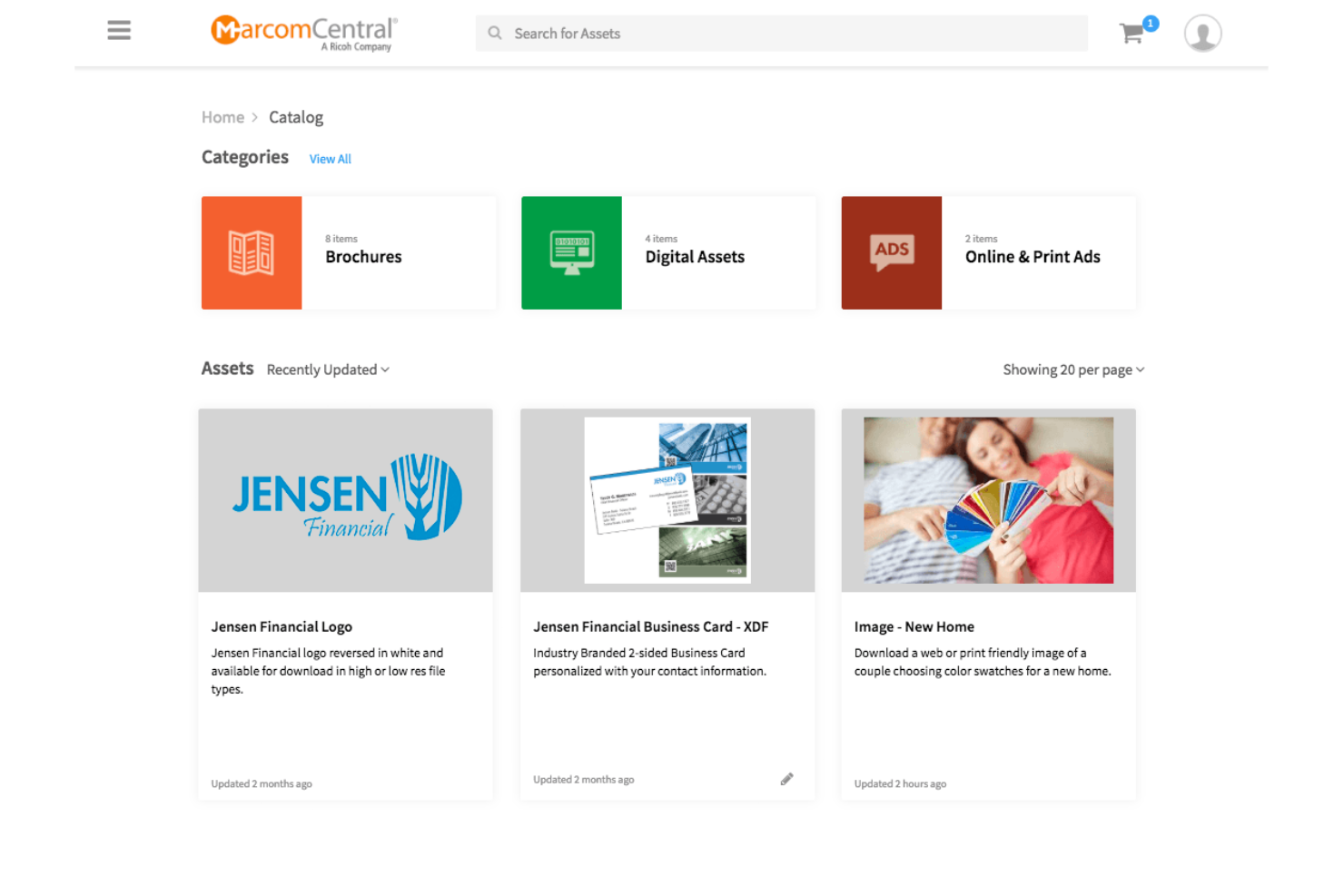
MarcomCentral is a marketing platform that centralizes brand assets. It excels in customization, allowing teams to create on-demand marketing materials.
Why MarcomCentral is a good Bynder alternative:
I chose MarcomCentral for the list because it offers robust customization options that are essential for brands that need to tailor their marketing materials frequently. Its ability to provide on-demand customizable collateral makes it a standout Bynder alternative.
Standout features & integrations:
Features include a suite of tools that cater to brand management, digital asset management, and workflow automation. It supports compliance and offers dynamic templates, usage analytics, and collateral distribution to ensure that marketing materials are effective and up-to-date.
Integrations include several tools to enhance its capabilities as a digital asset management and marketing automation platform. These integrations include Salesforce, Adobe Creative Cloud, Microsoft Office, Workfront, Marketo, Eloqua, Google Analytics, Zapier, Shopify, and WordPress.
Pros and Cons
Pros:
- Works faultlessly with other business tools
- Automates marketing tasks and material distribution
- Ensures all marketing materials meet brand guidelines
Cons:
- Could be expensive for smaller organizations
- May be difficult to learn and use initially

Adobe Bridge is a powerful creative asset manager that lets you preview, organize, edit, and publish multiple creative assets quickly and easily. It is best for Adobe integration because it centralizes creative assets and is designed to work flawlessly with other Adobe applications, enhancing the workflow for users who rely on Adobe's ecosystem.
Why Adobe Bridge is a good Bynder alternative:
I chose Adobe Bridge for the list because it offers a comprehensive solution for managing creative assets within the Adobe ecosystem. Its ability to integrate tightly with Adobe Creative Cloud applications makes it a standout alternative to Bynder for those who are already using Adobe products for their creative workflows.
Standout features & integrations:
Features include a centralized platform for managing creative assets, including the ability to edit metadata, add keywords, labels, and ratings to assets, and organize assets using collections. It also offers advanced filters and metadata search features, collaboration with Creative Cloud Libraries, and the ability to publish to Adobe Stock directly from Bridge.
Integrations include several Adobe applications to enhance its functionality as a digital asset management tool. These integrations include Adobe Photoshop, Adobe Illustrator, Adobe InDesign, Adobe Premiere Pro, Adobe After Effects, Adobe XD, Adobe Lightroom, Adobe Camera Raw, Adobe Stock, and Adobe Acrobat.
Pros and Cons
Pros:
- Direct integration with Adobe Creative Cloud Libraries and Adobe Stock
- Advanced metadata editing and search capabilities
- Centralized management of creative assets
Cons:
- Potential cost implications for the full Adobe Creative Cloud suite
- Limited integration with non-Adobe software


ioMoVo is a digital asset management platform that simplifies content management. It stands out for its AI capabilities, which provide intelligent asset organization and advanced search options.
Why ioMovo is a good Bynder alternative:
I chose ioMoVo for this list because it offers unique AI-driven features that enhance the way businesses manage their digital content. These features make it a noteworthy competitor to Bynder, particularly for those seeking AI tools to improve their digital asset management.
Standout features & integrations:
Features include AI capabilities extending to smart content categorization and intuitive search functionalities, which are essential for efficient digital asset management. It also offers collaborative tools for team workflows and supports a range of media types, ensuring versatility in asset handling.
Integrations include Adobe Creative Cloud, Microsoft Office, WordPress, Drupal, Slack, Zapier, Salesforce, Hootsuite, Asana, Trello, and Jira.
Pros and Cons
Pros:
- Support for a wide variety of media types
- Collaborative features for team workflows
- Advanced AI tools for content categorization and search
Cons:
- The full range of integrations may not cover all potential user needs
- Requires a minimum of five seats, which may not suit very small businesses

Best for media optimization

Cloudinary is a comprehensive image and video management solution. It's best for media optimization due to its robust set of features for transforming, optimizing, and delivering media files efficiently across various platforms.
Why Cloudinary is a good Bynder alternative:
I chose Cloudinary for the list because it offers a powerful suite of tools for media management that are essential for optimizing digital assets. Its focus on automation and AI-driven solutions makes it a standout alternative to Bynder, particularly for businesses looking to enhance their media optimization processes.
Standout features & integrations:
Features include a wide array of features that cater to the full lifecycle management of images and videos. This includes a media library for organizing assets, auto-tagging using content-aware AI, access control, and role-based administration. The platform also offers optimization and delivery features that ensure responsive, high-quality experiences across any screen size, device, or network. Editing and visual effects are supported with more than 100 types of transformations, and AI & media intelligence tools like visual search and smart cropping add further value.
Integrations include a variety of tools, including Contentful, Contentstack, commercetools, Salesforce Commerce Cloud, Sanity, Akeneo, Syndigo, ContentSquare, Conscia, Uniform, AWS, and Google Cloud.
Pros and Cons
Pros:
- High-quality, responsive delivery across devices
- Advanced AI features for image and video management
- Comprehensive API library and SDKs for integration
Cons:
- The vast array of features might be overwhelming for small projects
- Pricing may be higher compared to some alternatives
New Product Updates from Cloudinary

Cloudinary Integrates with Klaviyo for Personalized Email Visuals
Cloudinary integrates with Klaviyo to generate personalized images and GIFs from customer and event data. This reduces manual design work for email campaigns. For more information, visit Cloudinary’s official site.
 .
.
Best for scalability

Widen, now part of Acquia DAM, is a digital asset management platform that simplifies how organizations store, share, and maximize the impact of their digital assets. It is best for scalability because it offers solutions that can grow with your business, accommodating increasing amounts of digital content and users without compromising performance.
Why Widen is a good Bynder alternative:
I chose Widen (Acquia DAM) for the list because it provides a robust and scalable digital asset management solution that can handle the growing digital asset needs of large organizations. Its ability to support an unlimited number of users and manage extensive amounts of digital content makes it a standout Bynder alternative.
Standout features & integrations:
Features include personalized dashboards, simple-to-configure metadata, powerful search capabilities, flexible roles and permissions, AI-powered metadata and visual search, related assets, unlimited standard portals, robust analytics, custom branding, enterprise security, unlimited end-user support, unlimited bandwidth and CDN usage, single sign-on (SSO), archiving, product data modeling, related assets by product, and channel distribution.
Integrations include Salesforce, Adobe Creative Cloud, WordPress, Drupal, Sitecore, Hootsuite, Workfront, Slack, Microsoft Office 365, and Google Drive.
Pros and Cons
Pros:
- Offers a wide range of features for asset management
- Supports an unlimited number of users
- Scalable to accommodate business growth
Cons:
- Custom add-ons can quickly add up
- Can load slowly at times
Andre Bynder-alternativer du bør vurdere
Her er noen flere Bynder-alternativer du kan se nærmere på hvis du ikke fant det du lette etter ovenfor.
- Brandfolder
For brand consistency
- MediaValet
For global accessibility
- Air
For AI-powered content search
- Optimizely
For A/B testing
- Aprimo
For marketing operations
- Desygner
For template designs
- Censhare
For omnichannel content
- Lytho
For brand consistency
- Digizuite
For digital asset management
- Extensis Portfolio
For asset organization


Relaterte vurderinger av prosjektstyringsverktøy
Hvis du fortsatt ikke har funnet det du leter etter her, kan du se nærmere på disse andre vurderingene av prosjektstyringsverktøy som vi har samlet for deg:
- Verktøy for å lage Gantt-diagrammer
- Produktivitetsverktøy
- Programvare for prosjektsporing
- Programvare for prosjektplanlegging
- Programvare for prosjektstyring
- Programvare for ressursstyring
How I Evaluate Bynder Alternatives
I evaluate every option across two layers: the baseline a tool must cover—think DAM, versioning, and approval workflows—and the differentiators that matter most to creative ops and marketing teams.
Core Functionality (Table Stakes For This List)
When I'm selecting tools for my list, I rank each one on a scale from 0 (does not offer the functionality) to 5 (excels in this area) for each core functionality listed below. Then, I calculate the tool's total score into a percentage. Each tool needs to achieve a minimum total score of 65% to be considered for inclusion.
- Digital Asset Management: I look for a centralized library where teams can store, tag, and search creative files—not just a basic file dump, but structured metadata and filtering that makes locating a specific campaign asset fast.
- Project Workflow Management: Each tool needs task assignment, timelines, and dependencies that tie directly to creative production, like tracking a rebrand project from brief intake through final asset handoff.
- Review & Approval Workflows: I evaluate how stakeholders mark up and approve work—whether the tool supports in-context annotations on PDFs, images, or video, and whether approvals can follow multi-stage routing.
- Version Control: Keeping track of asset revisions matters when five stakeholders are editing the same banner set. I check for version history, comparison views, and the ability to roll back to earlier iterations.
- Brand Governance Controls: Tools should offer role-based permissions, brand guideline hubs, or asset usage rights so distributed teams pull the correct, approved logo or template every time.
- Integrations & Sharing: Creative teams live in Adobe Creative Cloud, Figma, and Canva. I check for native plugins, secure external share links, and open API access that connects the DAM to your broader marketing stack.
Once I have a list of tools that meet this criteria, I consider what sets each platform apart.
Differentiating Factors (What Sets Vendors Apart)
Here's how I compare and contrast different vendors:
Standout Features
AI-powered auto-tagging is a major differentiator—when your team uploads hundreds of campaign assets per week, manual metadata entry becomes a real bottleneck. I also evaluate resource and capacity planning features, which help creative ops leads balance designer workloads across concurrent projects. Usage analytics round out the picture by showing which assets get downloaded, which sit unused, and how project throughput trends over time.
Beyond Features
Pricing transparency matters here because many Bynder alternatives range from open self-serve plans to enterprise-only quotes. I check whether a vendor's licensing model scales with your team size or storage needs without surprise costs. Migration support is another factor I evaluate—switching DAM platforms means moving thousands of files, and I look for vendors that offer asset migration tooling or dedicated onboarding help. Scalability also counts: a tool that works for a 10-person creative team should still perform when you're managing multi-brand asset libraries across regions.
Hvorfor se etter et Bynder-alternativ?
Det kan hende du ser etter et alternativ til Bynder hvis du har:
- Kostnadsbekymringer: Bynders priser kan være utenfor budsjettet ditt.
- Funksjonskrav: Du kan ha behov for spesifikke funksjoner som Bynder ikke tilbyr.
- Behov for brukeropplevelse: Du ønsker deg et intuitivt brukergrensesnitt eller en bedre brukeropplevelse.
- Integrasjonsbehov: Integrasjonsmulighetene samsvarer ikke med den eksisterende teknologistakken din.
- Behov for kundestøtte: Du har opplevd at du trenger mer responsiv eller omfattende kundestøtte.
Viktige funksjoner i Bynder
Her er noen av de viktigste funksjonene i Bynder, slik at du kan sammenligne hva alternative løsninger tilbyr:
- Digital forvaltning av ressurser: Last enkelt opp og organiser filer med dra-og-slipp-funksjonalitet, og bruk AI-assistert søk for å finne det du trenger raskt.
- Arbeidsflyt for ressurser: Forbedre de kreative prosessene dine fra den innledende briefen til endelig godkjenning med samarbeidsverktøy for både interne og eksterne interessenter.
- Arbeidsflyt for innhold: Bruk AI-assisterte verktøy for innholdsproduksjon og administrer innholdskalenderen din med funksjoner for samarbeid og godkjenningsarbeidsflyter.
- Studiofunksjoner: Utform og opprett maler for å opprettholde en konsekvent merkevareprofil, og tilpass innholdet ditt til ulike formater og størrelser.
- Merkevaremaler for trykk: Administrer og rediger InDesign-maler enkelt, og eksporter trykkklare filer i flere formater.
- Bynder-analyse: Få innsikt i bruker- og innholdsaktivitet for å ta datadrevne beslutninger, med rapporteringsfunksjoner som gjør det enkelt å distribuere rapporter.
- Pålogging & autentisering: Få sikker tilgang med støtte for Google SSO og tilordning av gruppelister.