

Le 10 migliori app gratuite per il monitoraggio del tempo per freelance recensite nel 2026

Elenco delle migliori app gratuite per il monitoraggio del tempo per freelance


Come freelance, gestire il tempo in modo efficiente è fondamentale. Ti occupi di più progetti contemporaneamente e tenere traccia delle ore può essere una sfida. È qui che le app gratuite per il monitoraggio del tempo per freelance si rivelano utili, aiutandoti a registrare il lavoro senza aumentare le spese.
Durante la mia esperienza di test di questi strumenti, ho visto come possano aiutarti a mantenere l'organizzazione e garantire una fatturazione accurata. Hai bisogno di una soluzione che soddisfi le tue esigenze senza costare troppo.
In questo articolo condividerò le mie migliori scelte tra le app gratuite per il monitoraggio del tempo. Ho svolto la ricerca, così puoi concentrarti sul tuo lavoro. Troviamo lo strumento giusto per te e il tuo team.
Perché fidarsi dei nostri consigli sui software
Il nostro team testa e recensisce software dal 2012. In quanto project manager noi stessi, sappiamo quanto sia difficile — e importante — scegliere il software giusto.
Per questa guida, abbiamo valutato gli strumenti attraverso test pratici e ricerche indipendenti, assegnando un punteggio agli strumenti in base ai nostri criteri di selezione. Ci basiamo inoltre sulle competenze di leader di pensiero del settore e di professionisti attivi nella gestione dei progetti.
Le nostre recensioni riflettono il nostro giudizio editoriale umano, non un discorso di vendita.
Revisori esperti:
Tabella di confronto: app gratuite per il monitoraggio del tempo per freelance
Ecco i costi di base di ciascuno degli strumenti inclusi nel mio elenco:
| Tool | Best For | Trial Info | Price | ||
|---|---|---|---|---|---|
| 1 | Ideale per l'analisi automatica della produttività | Prova gratuita di 14 giorni + demo gratuita disponibile | Da $6.42/utente/mese (fatturato annualmente) | Website | |
| 2 | Ideale per il monitoraggio tramite estensione del browser | Piano gratuito disponibile + prova gratuita di 7 giorni | A partire da $5.49/postazione/mese (con fatturazione annuale) | Website | |
| 3 | Ideale per la gestione dei progetti | Prova gratuita di 14 giorni + piano gratuito + demo gratuita disponibile | A partire da $8/utente/mese (fatturazione annuale) | Website | |
| 4 | Ideale per accesso da dispositivi mobili | Prova gratuita di 14 giorni + piano gratuito + demo gratuita disponibile | A partire da $4.49/utente/mese (fatturazione annuale) | Website | |
| 5 | Ideale per il monitoraggio automatico | Prova gratuita di 14 giorni + piano gratuito + demo gratuita disponibile | Da $3.99/utente/mese (fatturazione annuale) | Website | |
| 6 | Ideale per opzioni di integrazione | Piano gratuito disponibile | Da $8.50/utente/mese (fatturato annualmente) | Website | |
| 7 | Ideale per utenti illimitati | Piano gratuito + demo gratuita + prova gratuita di 14 giorni disponibili | Da $3.75/user/month (con fatturazione annuale) | Website | |
| 8 | Ideale per strumenti di fatturazione | Piano gratuito disponibile | A partire da $11,95/mese | Website | |
| 9 | Ideale per la semplicità | Prova gratuita di 14 giorni | A partire da $14/mese (fatturato annualmente) | Website | |
| 10 | Ideale per freelance | Prova gratuita di 7 giorni + demo gratuita disponibile | Da $9/utente/mese (fatturato annualmente) | Website |
Recensioni delle migliori app gratuite per il monitoraggio del tempo per freelance
Di seguito trovi i miei riepiloghi dettagliati delle migliori app gratuite per il monitoraggio del tempo per freelance incluse nel mio elenco. Le mie recensioni offrono una panoramica dettagliata delle funzionalità principali, dei pro e dei contro, delle integrazioni e dei casi d’uso ideali di ogni strumento, per aiutarti a trovare quello più adatto a te.
Sebbene alcuni di questi strumenti offrano una versione completamente gratuita, altri mettono a disposizione un periodo di prova gratuito. In ciascuna recensione ho aggiunto una nota su ciò che è gratuito.

DeskTime
Ideale per l'analisi automatica della produttività

DeskTime è uno strumento di monitoraggio automatico del tempo che traccia l'utilizzo di app, siti web e documenti, registra il tempo offline e monitora le ore sui progetti—tutto senza bisogno di inserimento manuale.
Per chi è DeskTime?
DeskTime è ideale per freelance e piccoli team che desiderano un sistema di monitoraggio del tempo senza dover registrare manualmente le ore.
Perché ho scelto DeskTime
DeskTime merita un posto nella mia lista perché adoro il fatto che l'analisi della produttività avvenga in modo completamente automatico, senza necessità di configurazione manuale. L'app classifica automaticamente ogni app e URL utilizzato come produttivo, improduttivo o neutrale, quindi calcola una percentuale di produttività in tempo reale per la tua giornata lavorativa. Trovo particolarmente utile il monitoraggio dei titoli dei documenti: registra in quali file stai lavorando nello specifico, non solo quale app è aperta, offrendo così una visione dettagliata di come vengono impiegate realmente le tue ore.
Funzionalità principali di DeskTime
- Monitoraggio del tempo per progetto: Registra le ore dedicate a progetti e attività specifiche direttamente dall'app desktop.
- Monitoraggio tempo offline: Registra manualmente il tempo dedicato ad attività non svolte al computer, come telefonate o riunioni.
- Rapporti sul tempo: Genera report dettagliati delle ore monitorate, filtrabili per data, progetto o membro del team.
- Timer Pomodoro: Utilizza il timer integrato per strutturare il lavoro in intervalli di concentrazione intervallati da pause programmate.
Integrazioni di DeskTime
DeskTime offre integrazioni native con Google Calendar, Outlook Calendar, Trello, GitLab, Asana e Jira, e si collega a Zapier. È inoltre disponibile un'API per integrazioni personalizzate.
Cosa offre gratis?
DeskTime non propone un piano gratuito per sempre, ma offre una prova gratuita di 14 giorni. I piani a pagamento partono da $6.42 per utente al mese (fatturati annualmente) con il piano Pro.
Pros and Cons
Pros:
- Traccia il tempo in modo automatico senza inserimento manuale
- Classifica le app come produttive o improduttive
- Timer Pomodoro integrato per sessioni di concentrazione
Cons:
- Il piano gratuito è limitato a un solo utente
- L'interfaccia della dashboard appare visivamente datata

Clockify
Ideale per il monitoraggio tramite estensione del browser
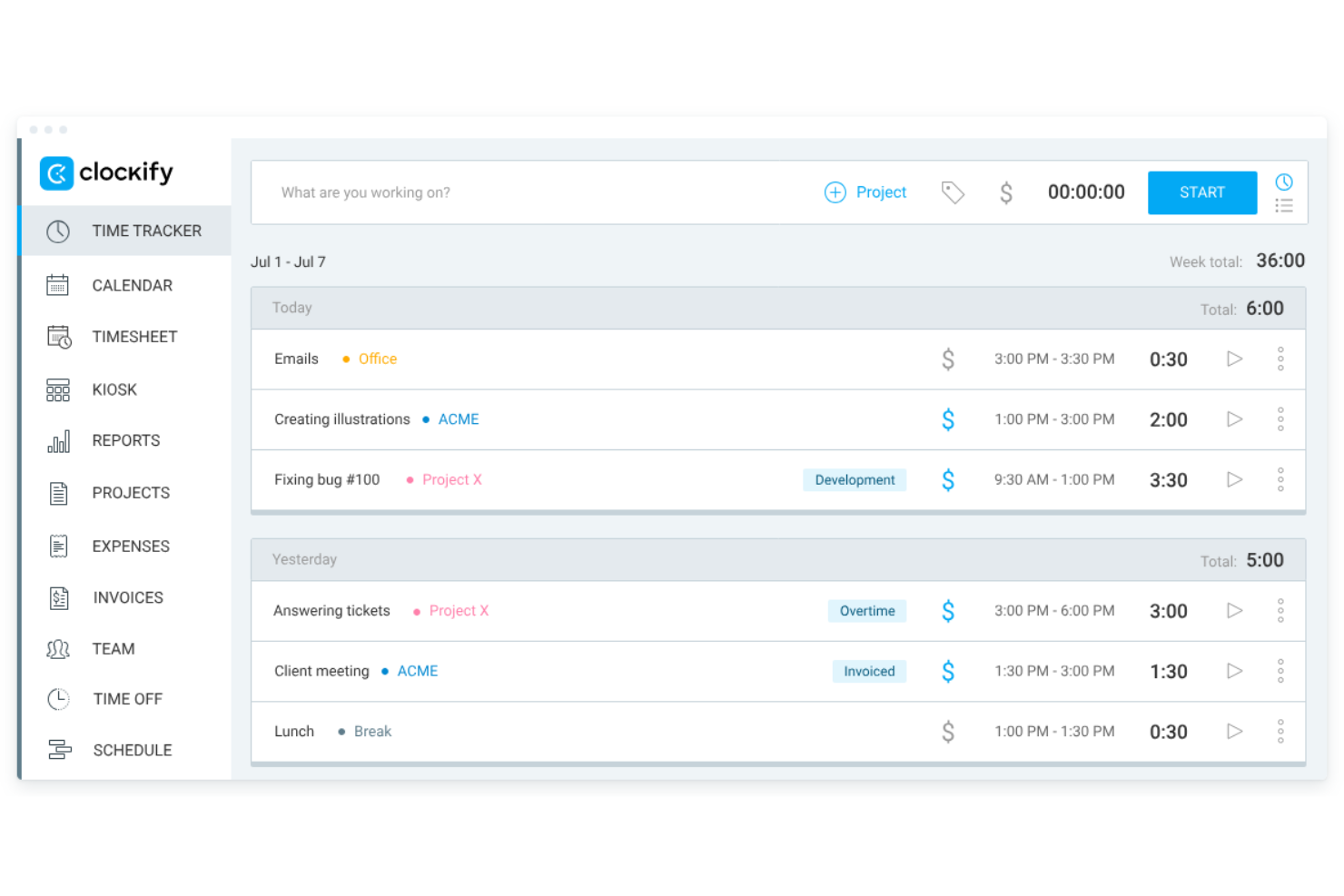
Clockify è un'app per il monitoraggio del tempo progettata per freelance e collaboratori. Consente agli utenti di monitorare le ore fatturabili, gestire i budget e creare fatture. Questo strumento è ideale per i freelance che hanno bisogno di organizzare i propri progetti e valutare la produttività senza costi aggiuntivi.
Perché ho scelto Clockify: Ho scelto Clockify perché la sua estensione per il browser consente ai freelance di registrare le ore direttamente all'interno degli strumenti che già utilizzano, senza interrompere i flussi di lavoro quotidiani. L'estensione integra un timer ad avvio rapido direttamente nelle applicazioni web, evitando l'attrito del monitoraggio manuale. Questo la rende ideale per i collaboratori indipendenti che devono monitorare al volo il tempo dedicato ai progetti, mantenendo al minimo la configurazione amministrativa.
Funzionalità e integrazioni principali:
Le funzionalità includono il monitoraggio del tempo tramite timer e schede attività, funzionalità di fatturazione e report dettagliati sull'attività settimanale. È inoltre possibile gestire i budget e valutare in modo efficiente i livelli di produttività. Il semplice processo di configurazione dell'app consente di iniziare rapidamente.
Le integrazioni includono Asana, Trello, Jira, monday.com, QuickBooks, Zapier, Notion, Google Calendar e altro.
Cosa è gratuito? Clockify offre un piano gratuito per sempre che include le funzionalità fondamentali di monitoraggio del tempo, gestione delle schede attività e reportistica per un massimo di 5 utenti, sebbene i controlli amministrativi avanzati, le funzionalità di fatturazione e le approvazioni personalizzate richiedano un piano a pagamento.
Pros and Cons
Pros:
- Offre un pulsante del timer nei browser web
- Consente di impostare facilmente le tariffe orarie
- Ampio supporto per dispositivi ed estensioni multipiattaforma
Cons:
- Funzionalità gratuite limitate
- App mobile macchinosa

My Hours
Ideale per la gestione dei progetti

My Hours è uno strumento di gestione dei progetti pensato per freelance e piccoli team. Permette agli utenti di monitorare il tempo, gestire le attività e supervisionare i progetti in modo efficiente. Questo strumento è perfetto per chi desidera organizzare i flussi di lavoro dei propri progetti e aumentare la produttività.
Perché ho scelto My Hours: Il piano gratuito offre funzionalità essenziali di gestione dei progetti che rispondono alle esigenze dei freelance. Puoi gestire progetti e attività illimitati, rendendo lo strumento flessibile per diversi scenari lavorativi. Include il monitoraggio del tempo sui progetti con report dettagliati, aiutandoti a capire come viene impiegato il tuo tempo. L'interfaccia intuitiva semplifica il processo di configurazione e gestione dei progetti.
Funzionalità principali e integrazioni:
Le funzionalità includono la gestione delle attività, che permette di suddividere i progetti in task più piccoli e assegnare loro il tempo necessario. Puoi inoltre generare report dettagliati per analizzare le prestazioni del progetto e la redditività. La funzione di fatturazione ti aiuta a fatturare i clienti in modo preciso in base alle ore monitorate.
Le integrazioni includono Google Calendar, QuickBooks, Asana, Zapier, Basecamp e molte altre.
Cosa è gratuito? My Hours offre un piano gratuito per sempre che supporta progetti e attività illimitati, con alcune limitazioni sulle funzionalità avanzate.
Pros and Cons
Pros:
- Progetti illimitati
- Report dettagliati
- Gestione delle attività
Cons:
- Funzionalità limitate nel piano gratuito
- L'app mobile può essere lenta

Jibble
Ideale per accesso da dispositivi mobili
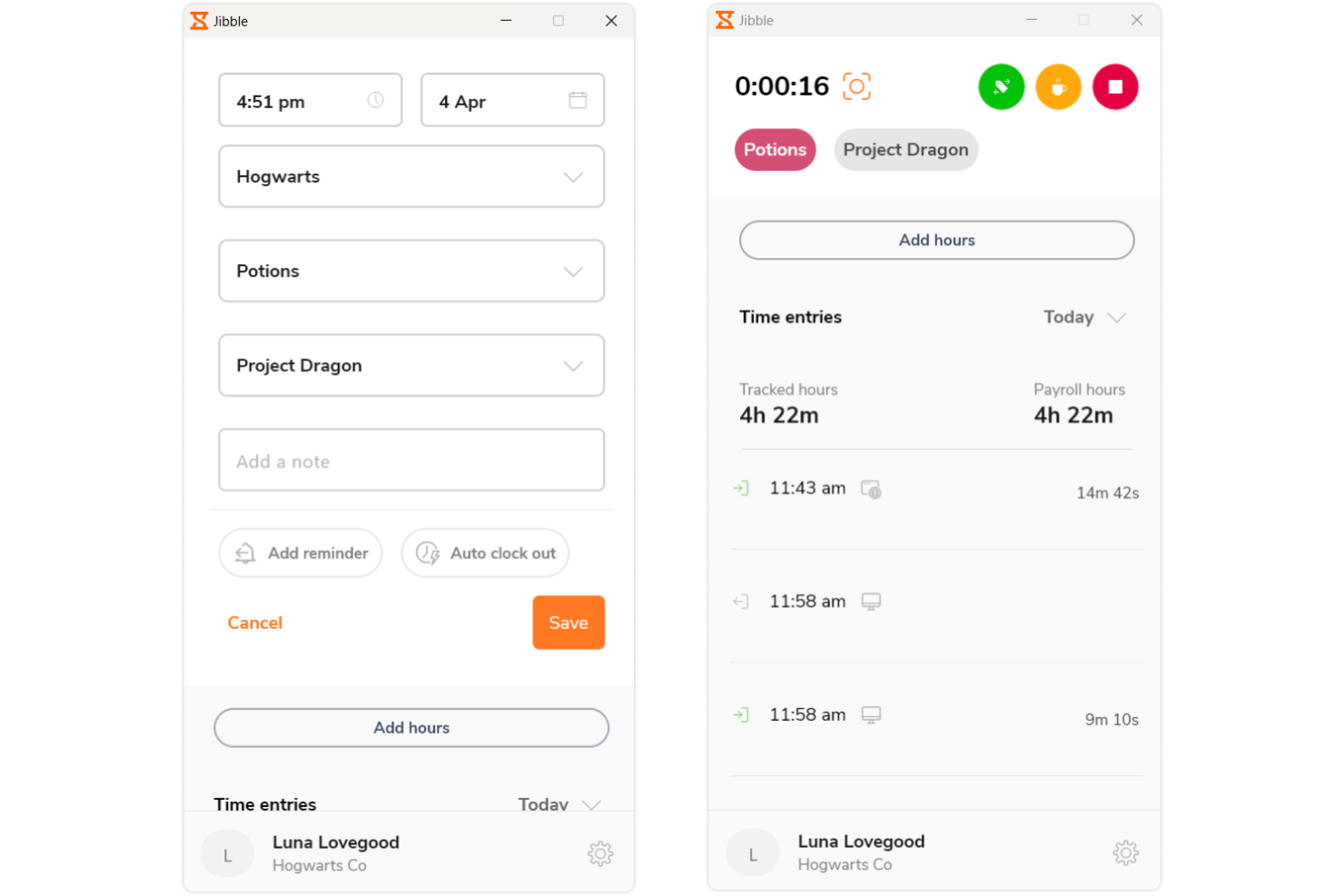
Jibble è un software per la rilevazione presenze e il monitoraggio del tempo, pensato per team e liberi professionisti. Offre funzionalità di timbratura in entrata e in uscita semplici da usare, ideale per la gestione delle ore lavorative ovunque ti trovi. Questo strumento è adatto a chi ha bisogno di una soluzione mobile-friendly per monitorare il tempo in modo efficiente.
Perché ho scelto Jibble: La versione gratuita permette l’accesso mobile, consentendoti di monitorare il tempo da qualsiasi luogo. Puoi timbrare l’entrata e l’uscita direttamente dallo smartphone, rendendolo comodo per il lavoro da remoto. L’app include il riconoscimento facciale per una rilevazione presenze sicura e precisa. Grazie alla possibilità di gestire più team, rappresenta una soluzione flessibile per freelance e piccole imprese.
Funzionalità e integrazioni principali:
Le funzionalità comprendono il riconoscimento facciale, che assicura timbrature sicure, e la geolocalizzazione GPS per la gestione delle presenze in base alla posizione. È possibile anche accedere ai timesheet per un’analisi dettagliata delle ore lavorate. Lo strumento offre monitoraggio delle attività per tenere sotto controllo i livelli di produttività.
Integrazioni disponibili con Slack, Microsoft Teams, Google Calendar, Zapier e altri.
Cosa è gratis? Jibble offre un piano gratuito per sempre con accesso mobile e funzionalità di rilevamento delle presenze, senza grandi limitazioni.
Pros and Cons
Pros:
- Timbratura in entrata e uscita da mobile
- Sicurezza con riconoscimento facciale
- Timesheet dettagliato
Cons:
- Flessibilità della dashboard basilare
- Nessuna funzionalità offline

TimeCamp
Ideale per il monitoraggio automatico
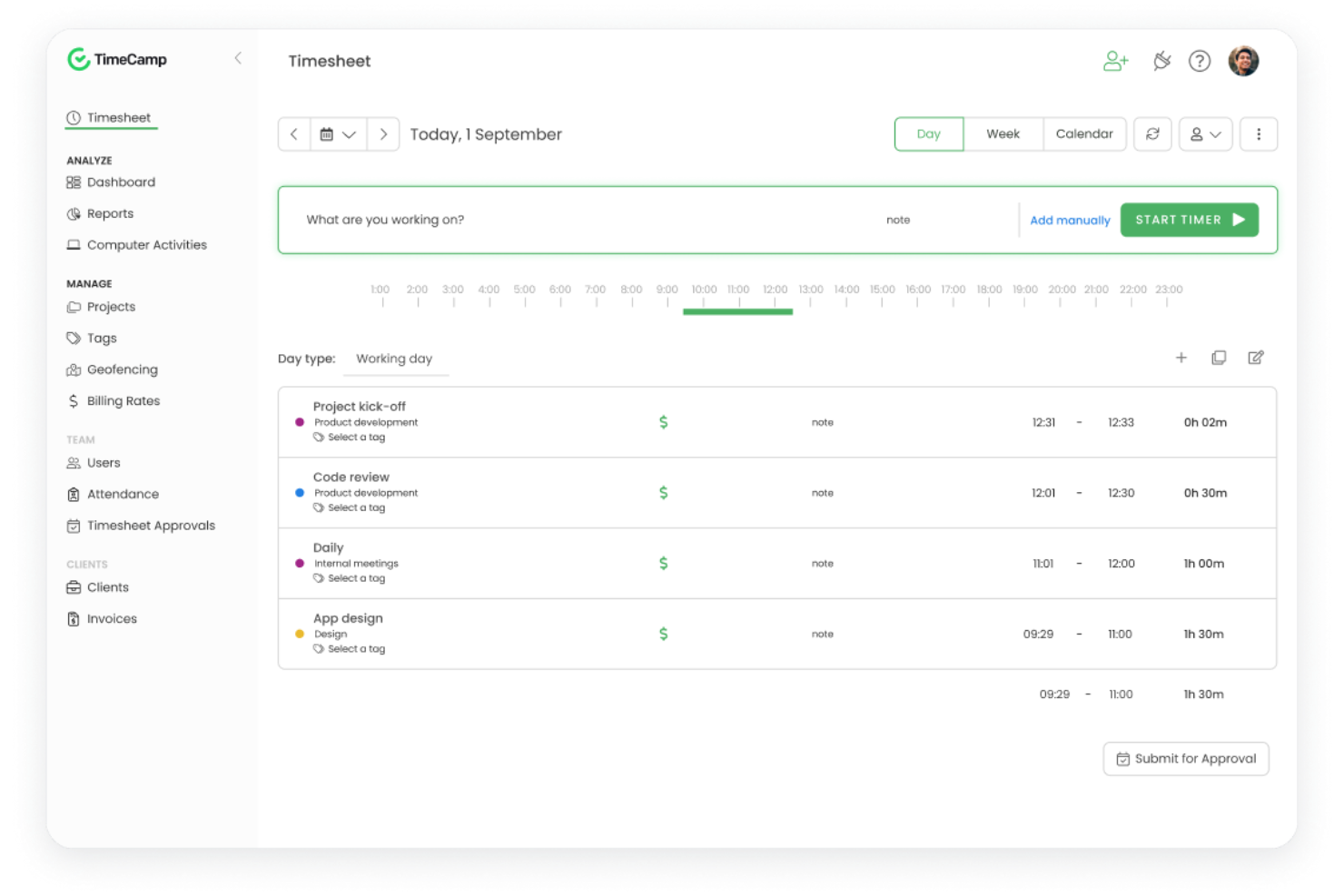
TimeCamp è un software di monitoraggio del tempo pensato per liberi professionisti e piccole imprese. Offre il tracciamento automatico del tempo e la generazione di report, facilitando la gestione dei progetti e della fatturazione. Questo strumento è ideale per chi desidera automatizzare le attività di gestione del tempo e aumentare la produttività.
Perché ho scelto TimeCamp: La versione gratuita dispone del tracciamento automatico, che elimina la necessità di inserire manualmente le ore di lavoro. Puoi beneficiare della capacità dello strumento di categorizzare automaticamente le attività, risparmiando tempo e fatica. Offre report dettagliati che ti aiutano ad analizzare come viene impiegato il tempo nei diversi progetti. Lo strumento include anche un piano per utente singolo, consentendo ai freelance di usufruire gratuitamente delle sue funzionalità.
Caratteristiche principali e integrazioni:
Le funzionalità includono la possibilità di tracciare automaticamente il tempo in base all'attività dell'utente, aiutando a ridurre gli errori manuali. Puoi anche impostare obiettivi e monitorare l'avanzamento dei progetti tramite dashboard visive. La funzione di reporting permette di creare report personalizzati per avere una visione più approfondita dei tuoi schemi di lavoro.
Le integrazioni includono Asana, Trello, Jira, Slack, QuickBooks, Zapier e altri.
Cosa è gratuito? TimeCamp offre un piano gratuito per sempre con funzioni di tracciamento e reporting automatici per un numero illimitato di utenti.
Pros and Cons
Pros:
- Monitoraggio automatico del tempo
- Dashboard visive
- Creazione di report personalizzati
Cons:
- Ritardi occasionali nella sincronizzazione
- Interfaccia utente affollata

Everhour
Ideale per opzioni di integrazione
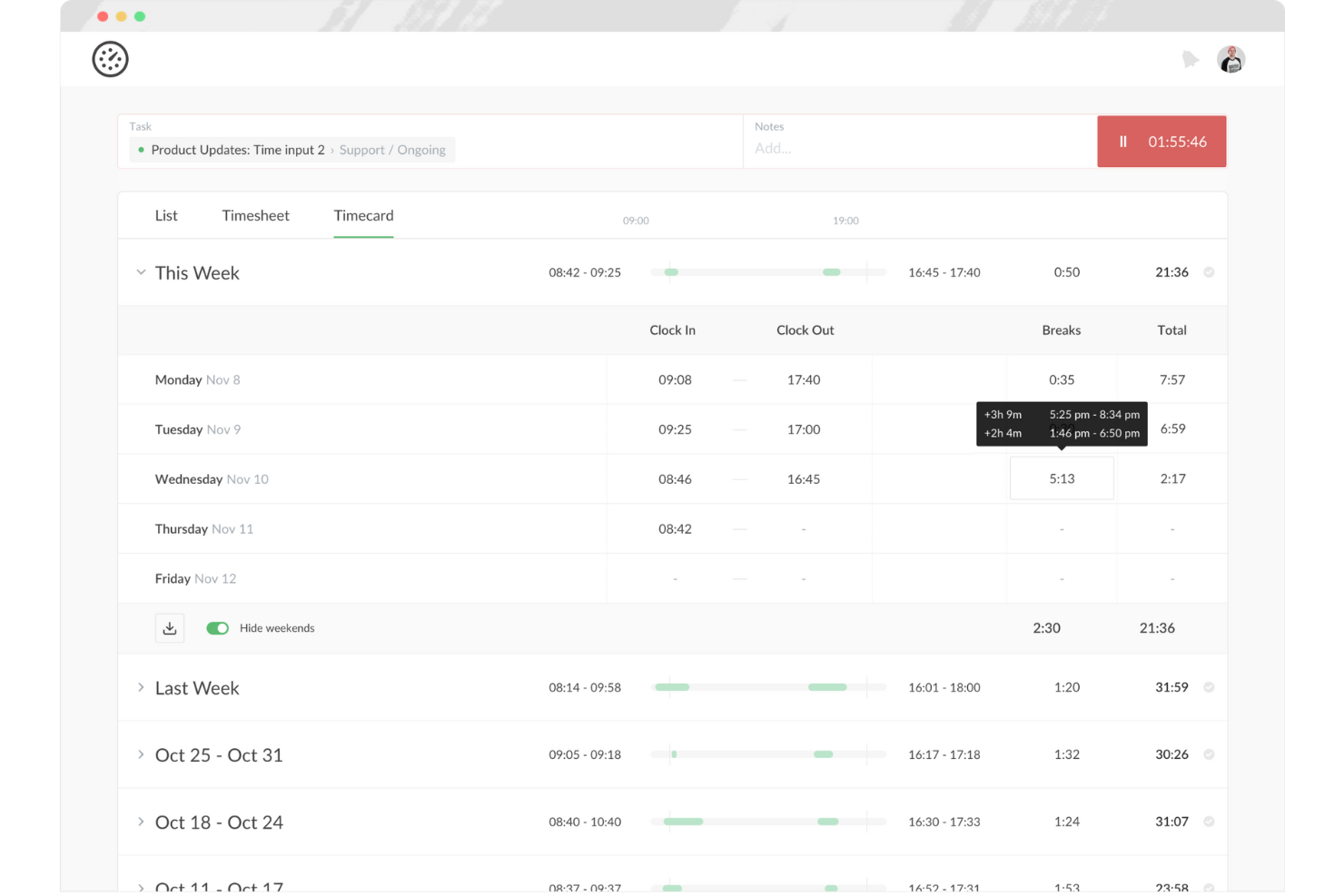
Everhour è uno strumento di monitoraggio del tempo e gestione progetti pensato per team e liberi professionisti. Aiuta gli utenti a tracciare il tempo, gestire i budget e generare report, rendendolo ideale per chi ha bisogno di informazioni dettagliate sulle prestazioni dei progetti. Questo strumento è particolarmente vantaggioso per i team che necessitano di un'integrazione fluida con altri software.
Perché ho scelto Everhour: L'offerta gratuita include opzioni di integrazione che permettono di collegarsi a diversi strumenti di gestione progetti. Puoi monitorare il tempo direttamente sulle piattaforme che già utilizzi, aumentando la produttività senza dover passare da un'app all'altra. Lo strumento offre funzionalità di reportistica dettagliate, utili per analizzare efficacemente l'utilizzo del tempo. Con strumenti di gestione del budget inclusi, è una soluzione completa per i freelance che gestiscono più progetti.
Funzionalità principali e integrazioni:
Funzionalità come il monitoraggio dei budget ti aiutano a gestire in modo efficiente i costi dei progetti. Puoi anche creare report personalizzati per ottenere approfondimenti sulle prestazioni del tuo team. Lo strumento offre dashboard in tempo reale che forniscono una panoramica sui progetti e sui compiti in corso.
Integrazioni disponibili includono Asana, Trello, Jira, Slack, Basecamp e altri.
Cosa è gratis? Everhour offre un piano gratuito fino a cinque utenti, il che è utile per piccoli team.
Pros and Cons
Pros:
- Ampie opzioni di integrazione
- Dashboard in tempo reale
- Creazione di report personalizzati
Cons:
- Capacità di reportistica di base
- L'inserimento manuale può essere noioso

Ideale per utenti illimitati
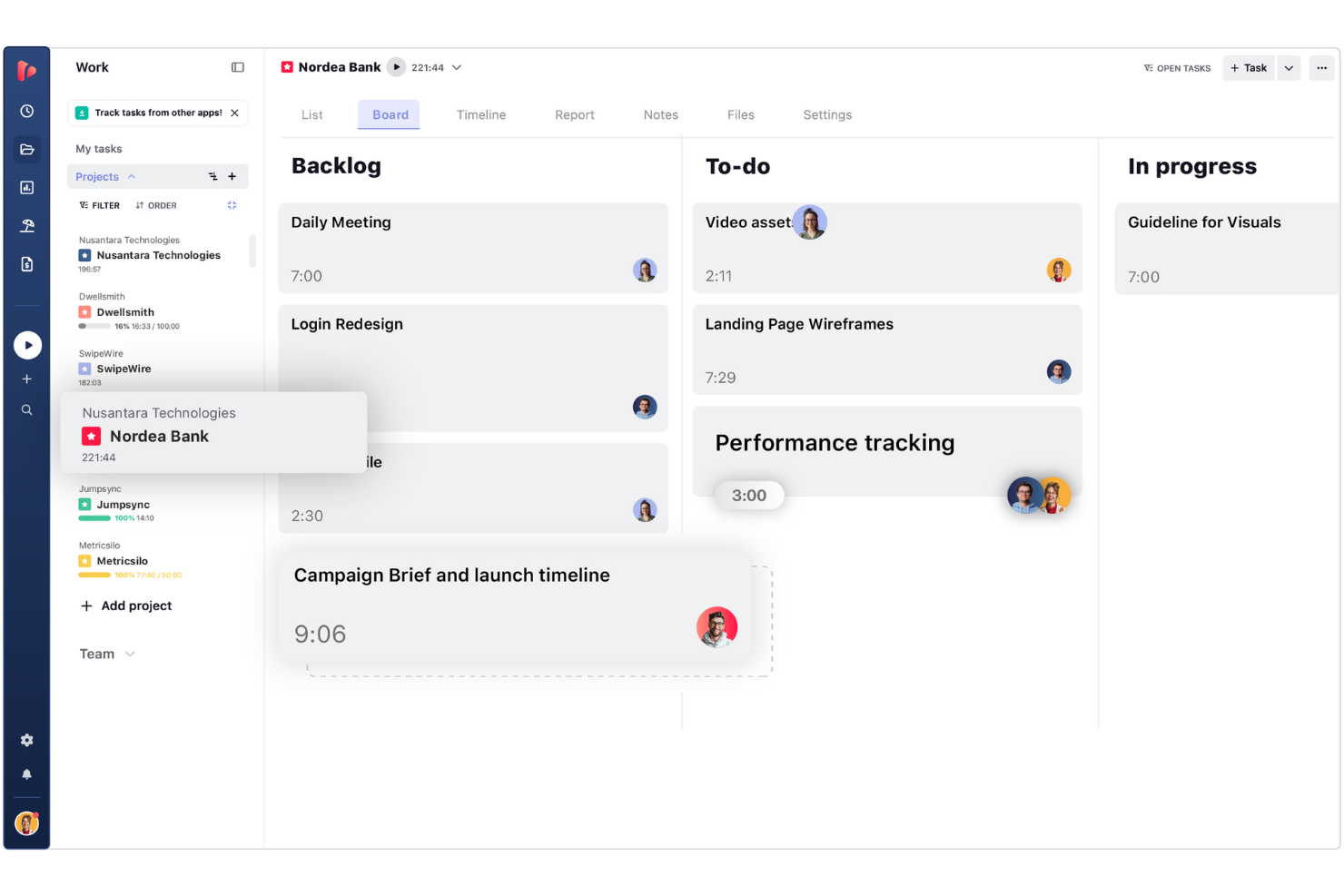
TrackingTime è un'app di monitoraggio del tempo basata sul web, progettata per aiutare freelance, project manager digitali e team remoti in crescita a registrare le ore dedicate alle attività quotidiane. Consente agli utenti di monitorare l'avanzamento dei progetti, misurare la produttività e generare report sul tempo senza limiti restrittivi al numero di utenti.
Perché ho scelto TrackingTime: Ho scelto TrackingTime perché il suo piano gratuito consente di aggiungere membri del team illimitati senza costi per utente. A differenza dei concorrenti che limitano l'accesso gratuito a un numero ridotto di utenti, permette ai freelance di coinvolgere gratuitamente subappaltatori, clienti o collaboratori nella registrazione del tempo sui progetti condivisi. Questo lo rende ideale per i responsabili di progetto che devono coordinare i registri delle ore tra team di progetto flessibili e in crescita, mantenendo al contempo contenuti i costi del software.
Funzionalità e integrazioni principali:
Le funzionalità includono la gestione delle attività, con la possibilità di assegnare compiti e monitorare i progressi. È inoltre possibile utilizzare la vista calendario per pianificare e programmare il lavoro in modo efficace. Lo strumento offre funzionalità di reportistica che forniscono informazioni sulle tempistiche dei progetti e sulle prestazioni del team.
Le integrazioni includono Asana, Trello, Slack, Basecamp, GitHub e altro.
Cosa è gratuito? TrackingTime offre un piano gratuito a tempo indeterminato che supporta utenti, attività e progetti illimitati con il monitoraggio di base in tempo reale, sebbene le opzioni di esportazione in CSV/Excel e il calcolo delle tariffe fatturabili richiedano un piano a pagamento.
Pros and Cons
Pros:
- Monitoraggio in tempo reale dell'attività del team
- Commenti e notifiche sulle attività
- Vista calendario per la programmazione
Cons:
- La reportistica offre poche possibilità di personalizzazione
- L'app desktop può presentare problemi
Avaza
Ideale per strumenti di fatturazione
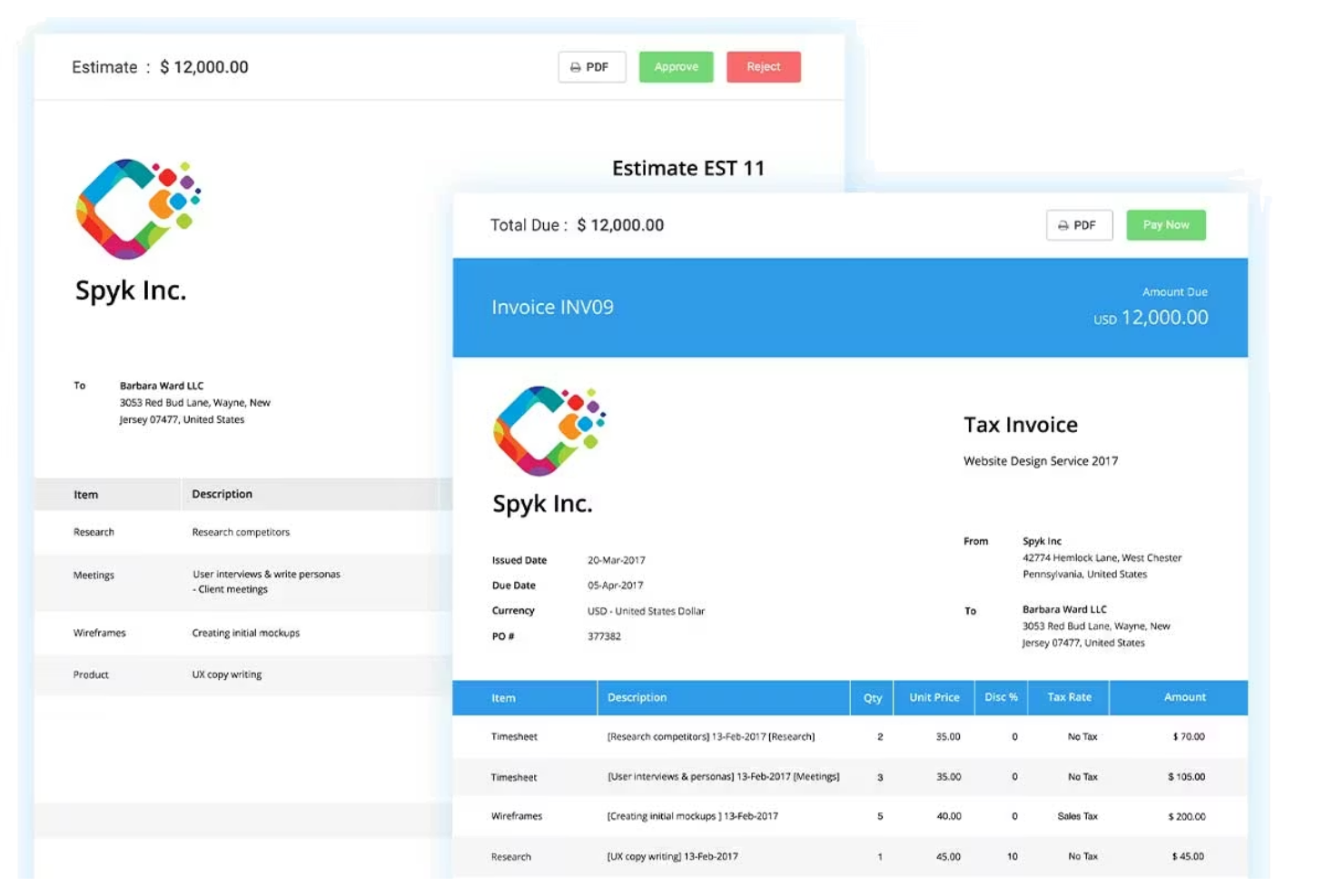
Avaza è uno strumento di gestione progetti e monitoraggio del tempo progettato per liberi professionisti e piccole imprese. Offre funzionalità come la gestione delle attività, la rilevazione delle ore lavorate e la fatturazione, che aiutano a semplificare le operazioni aziendali. Questo strumento è ideale per chi ha bisogno di una soluzione tutto-in-uno per gestire progetti e finanze.
Perché ho scelto Avaza: La versione gratuita include le funzionalità di fatturazione, permettendo di creare e inviare fatture con facilità. Puoi monitorare le ore fatturabili e convertirle direttamente in fatture, semplificando il processo di fatturazione. Lo strumento offre funzioni di gestione progetti che supportano attività e progetti illimitati. Grazie alla sua interfaccia intuitiva, gestire il lavoro e le finanze diventa semplice.
Funzionalità principali e integrazioni:
Le funzionalità includono il monitoraggio delle spese, che aiuta a controllare e gestire i costi dei progetti in modo efficiente. È anche possibile pianificare le risorse per ottimizzare le tempistiche dei progetti. Lo strumento offre report dettagliati che forniscono importanti informazioni sulle prestazioni dei progetti e sulla salute finanziaria.
Le integrazioni includono Xero, QuickBooks, Slack, Zapier, Google Drive e altro ancora.
Cosa è gratuito? Avaza offre un piano gratuito per sempre con funzionalità di fatturazione e gestione dei progetti, limitato a un solo utente.
Pros and Cons
Pros:
- Capacità di fatturazione e gestione dei pagamenti
- Attività e progetti illimitati
- Funzionalità di monitoraggio delle spese
Cons:
- L'interfaccia complessa può risultare opprimente
- Costo elevato per aggiungere altri utenti

Memtime
Ideale per la semplicità
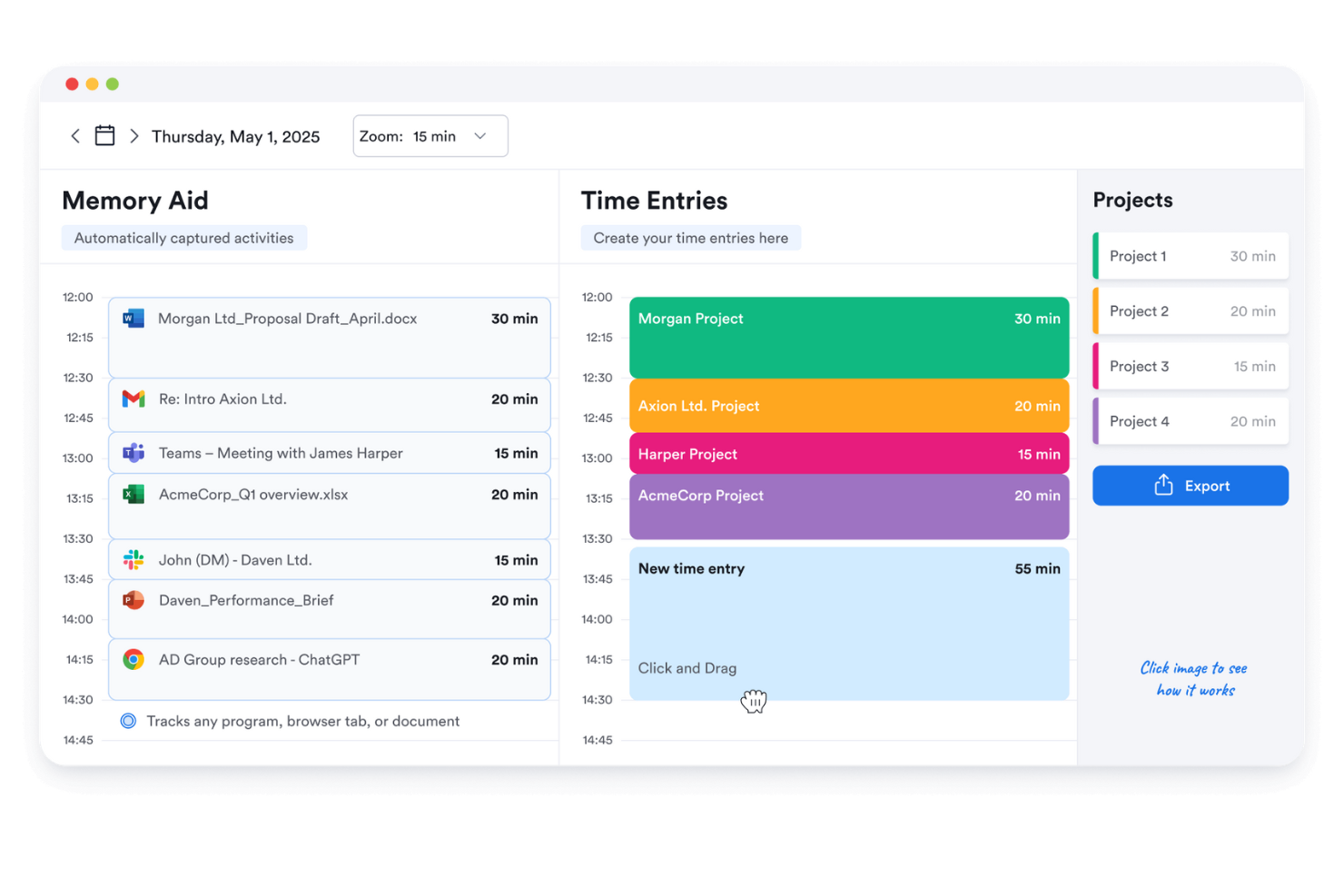
Memtime è uno strumento di rilevazione del tempo semplice pensato per liberi professionisti e piccoli team. Aiuta gli utenti a monitorare le ore di lavoro con un setup minimo, risultando ideale per chi apprezza semplicità ed efficienza. Questo strumento è perfetto per chiunque desideri tenere traccia del proprio tempo senza la complessità di funzionalità aggiuntive.
Perché ho scelto Memtime: La versione gratuita è incentrata sulla semplicità, offrendo un'interfaccia facile da usare che richiede pochissimo tempo di apprendimento. Puoi monitorare automaticamente il tuo tempo senza dover avviare o fermare manualmente i timer. Lo strumento fornisce report basilari che ti aiutano a capire come impieghi il tuo tempo. È una buona opzione per chi cerca una soluzione di gestione del tempo senza fronzoli.
Funzionalità e integrazioni principali:
Le funzionalità includono il tracciamento automatico del tempo, che registra le tue attività senza nessun intervento manuale. Puoi rivedere il tempo registrato tramite report semplici che evidenziano le tendenze della tua produttività. Lo strumento offre un'interfaccia priva di distrazioni, permettendoti di concentrarti sul lavoro.
Le integrazioni includono Asana, Google Calendar, Microsoft Teams, Zapier, QuickBooks, Xero e altri.
Cosa è gratuito? Memtime offre una prova gratuita di 14 giorni con tracciamento automatico del tempo e funzioni di reportistica di base, ideale per utenti singoli.
Pros and Cons
Pros:
- Facile da usare
- Tracciamento automatico del tempo
- Nessuna curva di apprendimento significativa
Cons:
- Preoccupazioni sulla privacy con la registrazione
- Nessuna visualizzazione in tempo reale

Bonsai
Ideale per freelance
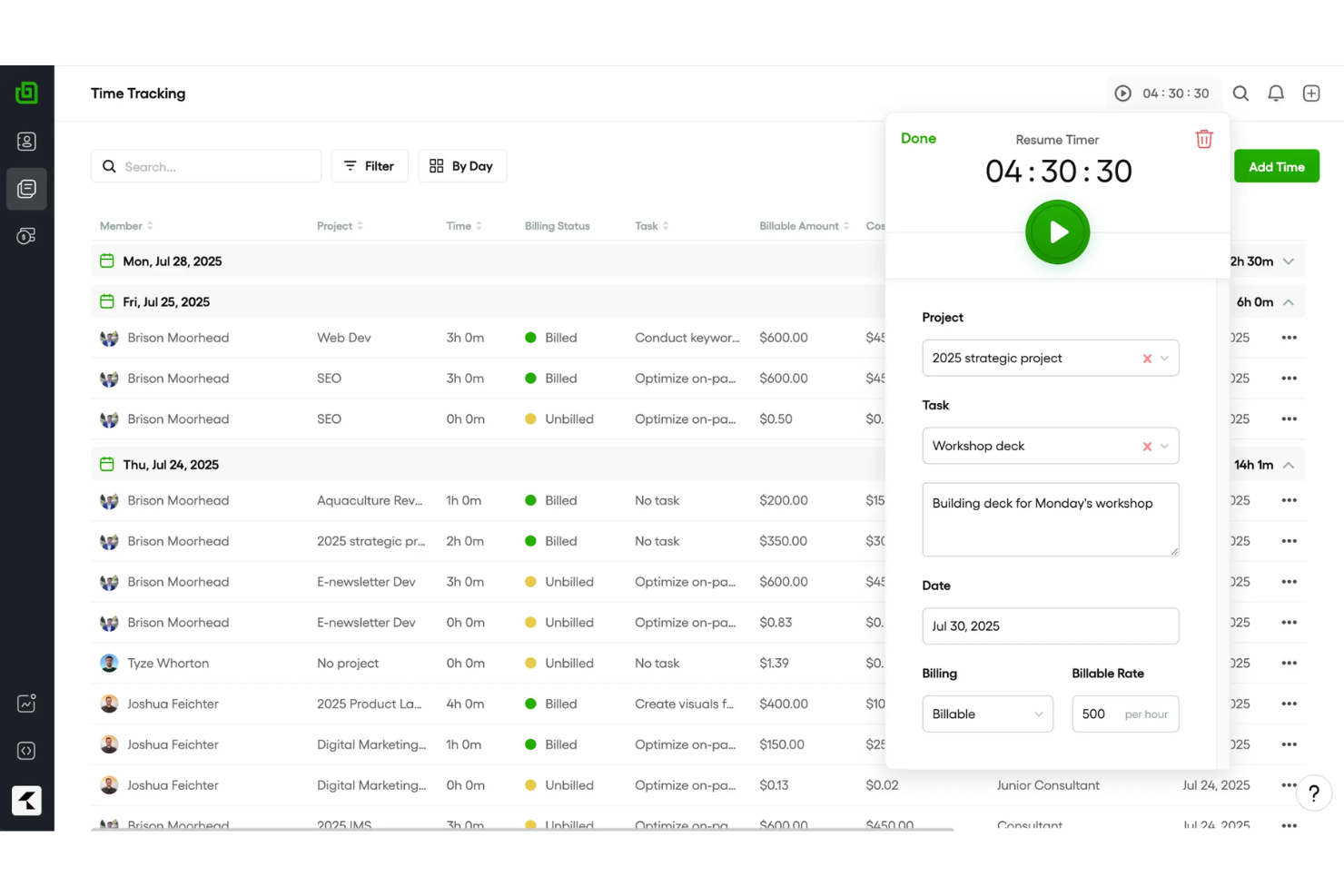
Bonsai è uno strumento completo progettato principalmente per freelance e piccole imprese, offrendo funzionalità come gestione dei contratti, fatturazione e tracciamento del tempo. Aiuta gli utenti a gestire progetti e finanze in modo efficiente, diventando così una soluzione ideale per i professionisti indipendenti.
Perché ho scelto Bonsai: L'offerta gratuita è pensata per i freelance, fornendo strumenti essenziali per gestire contratti e fatture. Puoi monitorare il tuo tempo e generare report professionali. Lo strumento offre modelli di contratto, semplificando la formalizzazione degli accordi con i clienti. L'interfaccia intuitiva garantisce una gestione dei progetti senza complicazioni.
Funzionalità principali e integrazioni:
Le funzionalità includono la gestione delle attività, che ti permette di organizzare e dare priorità al tuo lavoro. Puoi anche utilizzare la funzione proposte per creare e inviare proposte ai potenziali clienti. Lo strumento offre il monitoraggio delle spese, aiutandoti a tenere sotto controllo i costi dei progetti.
Le integrazioni includono QuickBooks, Xero, Zapier, Calendly, HiBob e altre ancora.
Cosa è gratuito? Bonsai offre una prova gratuita per un periodo limitato con accesso alle funzionalità principali, particolarmente adatta ai freelance che vogliono esplorare le sue possibilità.
Pros and Cons
Pros:
- Gestione estensiva dei contratti
- Funzione di creazione proposte
- Tracciamento del tempo facile
Cons:
- Opzioni di personalizzazione limitate
- Informazioni sul tracciamento del tempo limitate
Altre app gratuite per il monitoraggio del tempo per freelance
Ecco alcune app aggiuntive per il monitoraggio del tempo per freelance che offrono anch’esse piani o periodi di prova gratuiti. Sebbene questi strumenti non siano stati inclusi nel mio elenco, vale comunque la pena dare loro un’occhiata:
- Harvest
Ideale per il monitoraggio delle spese
- TopTracker
Ideale per chi dà priorità alla privacy


Come valuto le app gratuite per il monitoraggio del tempo per freelance
Divido la mia valutazione in criteri di base—come un vero piano gratuito con monitoraggio delle tariffe fatturabili per i progetti dei clienti—e in quegli elementi di differenziazione che distinguono uno strumento dagli altri.
Funzionalità di base (Requisiti fondamentali per questa lista)
Quando seleziono gli strumenti per la mia lista, assegno a ciascuno un punteggio da 0 (non offre la funzionalità) a 5 (eccelle in questa area) per ogni funzionalità di base elencata qui sotto. Poi calcolo il punteggio totale dello strumento come percentuale. Ogni strumento deve raggiungere un punteggio totale minimo del 65% per essere considerato.
- Timer monitoraggio tempo: Controllo se lo strumento offre sia un timer avvio/arresto in tempo reale sia l’inserimento manuale, dato che spesso i freelance devono registrare le ore dopo aver cambiato tra chiamate con i clienti e lavoro concentrato.
- Piano veramente gratuito: Il piano gratuito deve essere utilizzabile a lungo termine da un freelance singolo—verifico se le funzioni principali di monitoraggio restano accessibili senza l’obbligo di effettuare un upgrade dopo un periodo di prova.
- Organizzazione progetti e clienti: I freelance gestiscono più clienti simultaneamente, quindi valuto se ogni strumento consente di etichettare e separare le registrazioni di tempo per cliente, progetto e attività.
- Supporto ore fatturabili e tariffe: Cerco la possibilità di marcare le ore come fatturabili e di assegnare tariffe orarie, dato che i freelance hanno bisogno di totali precisi quando inviano fatture a clienti diversi con tariffe differenti.
- Reportistica ed esportazione dati: Qui contano i report chiari settimanali o per progetto, con esportazione in CSV o PDF—strumenti come Toggl Track e Clockify gestiscono questa funzione in modo diverso, quindi confronto opzioni di formato e filtri.
- Accesso multidispositivo: I freelance monitorano il tempo da laptop, smartphone e tablet durante la giornata, così verifico la presenza di app native per iOS e Android, oltre all’esperienza web.
Una volta stilata la lista degli strumenti che soddisfano questi criteri, considero cosa rende unica ciascuna piattaforma.
Fattori differenzianti (Cosa distingue i fornitori)
Ecco come confronto i vari fornitori:
Funzionalità distintive
La generazione integrata di fatture è una delle principali—i freelance che possono convertire le ore registrate in una fattura pronta da inviare saltano il passaggio di esportare i dati in uno strumento di fatturazione separato. Cerco anche la cattura automatica del tempo, che registra le app e i siti su cui lavori così puoi recuperare il tempo fatturabile che hai dimenticato di registrare manualmente. Anche l’integrazione con il calendario è importante, soprattutto se le riunioni con i clienti in Google Calendar o Outlook possono sincronizzarsi direttamente come registrazioni di tempo senza doppio inserimento dati.
Oltre le funzionalità
Presto molta attenzione a quanto sia davvero generoso il piano gratuito—alcuni strumenti limitano il numero di clienti o progetti, creando velocemente problemi per chi gestisce cinque o sei contratti attivi. Anche le integrazioni pesano molto nella mia valutazione. I freelance dipendono da strumenti come Trello, Asana, QuickBooks e FreshBooks, quindi le connessioni native a queste piattaforme riducono l’inserimento manuale di dati. Un altro fattore che verifico è la portabilità dei dati, perché vorrai sempre poter esportare la cronologia delle ore lavorate in formato CSV o PDF se decidi di cambiare strumento.
Come scegliere un'app gratuita per il monitoraggio del tempo per freelance
Gli elenchi complessi di funzionalità e le strutture tariffarie possono rendere difficile capire cosa si ottiene realmente da un'app gratuita per il monitoraggio del tempo per freelance. Per aiutarti a rimanere concentrato mentre selezioni il software, ecco alcuni fattori da tenere a mente:
| Fattore | Cosa considerare |
|---|---|
| Ampiezza dell'offerta gratuita | Esamina quali funzionalità sono incluse nel piano gratuito. Assicurati che copra le tue esigenze di base senza richiedere passaggi immediati a piani superiori. |
| Scalabilità | Considera se lo strumento può crescere insieme a te. Se il tuo team si espande, l'app supporterà altri utenti e progetti? |
| Integrazioni | Verifica la compatibilità con gli strumenti che già utilizzi. Integrazioni semplici possono farti risparmiare tempo e migliorare l'efficienza del flusso di lavoro. |
| Facilità d'uso | Valuta l'interfaccia e la navigazione. Un design intuitivo riduce al minimo la curva di apprendimento e ti aiuta a iniziare rapidamente. |
| Reportistica | Cerca funzionalità di reportistica dettagliate. Puoi generare rapidamente informazioni utili sulla tua produttività e sulle tempistiche dei progetti? |
| Accesso da dispositivi mobili | Determina se l'app offre una versione per dispositivi mobili. In questo modo puoi monitorare il tempo e gestire le attività mentre sei in movimento. |
| Assistenza clienti | Valuta il livello di assistenza disponibile. Risposte rapide e utili possono essere fondamentali quando incontri dei problemi. |
Che cos'è un'app gratuita per il monitoraggio del tempo per freelance?
Un'app per il monitoraggio del tempo per freelance è uno strumento che aiuta i professionisti a monitorare e registrare le proprie ore di lavoro. Questi strumenti offrono spesso piani o prove gratuite, consentendo agli utenti di accedere alle funzionalità di base senza costi immediati.
I freelance, i collaboratori a contratto e i titolari di piccole imprese utilizzano generalmente queste app per gestire in modo efficiente le ore fatturabili e le fatture. Funzionalità come il monitoraggio del tempo, la fatturazione e i report aiutano i freelance a mantenere l'organizzazione, gestire i progetti e garantire una fatturazione accurata.
Funzionalità
Esaminiamo le funzionalità comunemente presenti nelle app per il monitoraggio del tempo per freelance e quali sono generalmente incluse nei piani gratuiti rispetto a quelli a pagamento.
Funzionalità generalmente gratuite delle app per il monitoraggio del tempo per freelance
- Monitoraggio del tempo: consente agli utenti di registrare con precisione le ore di lavoro, un aspetto essenziale per la fatturazione e l'analisi della produttività.
- Report di base: fornisce report semplici per aiutare gli utenti a comprendere come impiegano il proprio tempo nei diversi progetti.
- Inserimento manuale del tempo: consente agli utenti di inserire manualmente il tempo lavorato, utile per correggere le registrazioni mancanti o dimenticate.
- Gestione dei progetti: supporta l'organizzazione di attività e progetti, aiutando i freelance a rispettare scadenze e risultati da consegnare.
- Fatturazione: genera fatture sulla base delle ore registrate, semplificando il processo di fatturazione per i freelance.
- Accesso da dispositivi mobili: offre la possibilità di monitorare il tempo utilizzando dispositivi mobili, garantendo flessibilità per il lavoro da remoto.
- Supporto per un singolo utente: consente generalmente un solo utente per account, adattandosi alle esigenze dei freelance individuali.
Funzionalità generalmente a pagamento delle app per il monitoraggio del tempo per freelance
- Report avanzati: forniscono dati dettagliati e analisi approfondite, agevolando valutazioni complete delle prestazioni e il processo decisionale.
- Collaborazione di squadra: facilita la comunicazione e la condivisione delle attività tra i membri del team, migliorando il coordinamento dei progetti.
- Monitoraggio GPS: monitora la posizione durante il lavoro sul campo, garantendo una registrazione accurata dell'orario di lavoro per i team mobili.
- Monitoraggio offline: consente di monitorare il tempo senza una connessione Internet, risultando utile nelle aree con connettività limitata.
- Integrazioni: si collega ad altri strumenti software, come app di contabilità e gestione dei progetti, aumentando l'efficienza del flusso di lavoro.
- Funzionalità personalizzabili: offrono la possibilità di adattare lo strumento alle esigenze specifiche dell'azienda, aggiungendo flessibilità per progetti diversi.
- Supporto per più utenti: supporta diversi utenti all'interno di un singolo account, una soluzione ideale per team in crescita o piccole imprese.
Vantaggi
L'implementazione di un'app gratuita per il monitoraggio del tempo per freelance offre diversi vantaggi al tuo team e alla tua azienda. Eccone alcuni che puoi aspettarti:
- Risparmio sui costi: l'utilizzo di uno strumento gratuito aiuta a gestire il tempo e i progetti senza investimenti finanziari, rendendolo accessibile ai freelance con un budget limitato.
- Maggiore accuratezza nella fatturazione: le funzionalità di monitoraggio del tempo garantiscono una fatturazione accurata delle ore lavorate ai clienti, riducendo controversie ed errori.
- Maggiore produttività: i report di base consentono di analizzare come viene impiegato il tempo, aiutando a identificare ed eliminare le inefficienze.
- Flessibilità: l'accesso da dispositivi mobili consente di monitorare il tempo da qualsiasi luogo, supportando il lavoro da remoto e i professionisti sempre in movimento.
- Fatturazione semplificata: le funzionalità di fatturazione gratuite consentono di generare fatture direttamente dalle ore registrate, semplificando il processo di fatturazione.
- Configurazione semplice: interfacce intuitive e un onboarding semplice consentono di iniziare rapidamente a utilizzare lo strumento, con il minimo impegno.
- Organizzazione delle attività: le funzionalità di gestione dei progetti aiutano a mantenere organizzate attività e scadenze, migliorando il flusso di lavoro e la gestione del tempo.
Costi e prezzi
Mi rendo conto che sei arrivato a questo articolo cercando le migliori opzioni gratuite di app per il monitoraggio del tempo per freelance. Tuttavia, poiché i piani gratuiti offrono solo funzionalità limitate, è molto probabile che in futuro dovrai passare a un piano superiore.
Tabella comparativa dei piani per app di monitoraggio del tempo per freelance
| Tipo di piano | Prezzo medio | Funzionalità comuni |
|---|---|---|
| Piano gratuito | $0 | Monitora il tempo, genera report di base e gestisci i progetti. |
| Piano personale | $3.99-$14/utente/ mese | Monitora il tempo, crea fatture, accedi alle app mobili e gestisci più progetti. |
| Piano aziendale | $10-$48/utente/ mese | Monitora il tempo, usufruisci di report avanzati, strumenti di collaborazione del team e integrazione con altri software. |
| Piano Enterprise | $25-$50/utente/ mese | Monitora il tempo, usufruisci di report personalizzati, di un account manager dedicato, di funzionalità di sicurezza avanzate e di utenti illimitati. |
Domande frequenti sulle app gratuite per il monitoraggio del tempo per freelance
Ecco alcune risposte alle domande comuni sulle app gratuite per il monitoraggio del tempo per freelance:
Come conteggiano le ore i freelance?
I freelance utilizzano spesso strumenti per il monitoraggio del tempo per conteggiare e categorizzare con precisione le ore. Questi strumenti aiutano a monitorare le ore specifiche dei progetti e forniscono ai clienti report trasparenti sul tempo impiegato. È inoltre possibile configurare fatture ricorrenti per semplificare il processo di fatturazione.
Come tenere traccia delle ore come lavoratore autonomo?
I lavoratori autonomi utilizzano fogli presenze o app per il monitoraggio del tempo per registrare le ore fatturabili dedicate ai progetti. Che si utilizzi un semplice foglio di calcolo o un’app completa, questi strumenti automatizzano il monitoraggio e la fatturazione, garantendo una fatturazione accurata ai clienti.
Posso usare un software per il monitoraggio del tempo per la fatturazione?
Sì, molte app per il monitoraggio del tempo includono funzionalità di fatturazione che consentono di fatturare direttamente i clienti in base alle ore monitorate. Questo semplifica il processo di fatturazione e garantisce che il pagamento ricevuto corrisponda con precisione al tempo lavorato.
Quali sono i limiti delle app gratuite per il monitoraggio del tempo?
Le app gratuite per il monitoraggio del tempo presentano spesso limitazioni, come un numero ridotto di funzionalità, capacità limitate di reporting e monitoraggio dei progetti oppure restrizioni sul numero di utenti o progetti. Tuttavia, offrono comunque strumenti essenziali per consentire ai freelance di gestire efficacemente il proprio tempo e le proprie attività.
Le app gratuite per il monitoraggio del tempo sono sicure?
La maggior parte delle app gratuite per il monitoraggio del tempo dà priorità alla sicurezza, utilizzando la crittografia e server sicuri per proteggere i dati. È importante esaminare le misure di sicurezza di qualsiasi app scelta per garantire che le informazioni rimangano al sicuro.