

10 meilleures alternatives à Jobber pour les entreprises de services en 2026

10 Liste des meilleures alternatives à Jobber
- 4. Workiz


La gestion d’une entreprise de services sur le terrain peut comporter son lot de difficultés. En tant que dirigeants, vous pouvez constater que Jobber ne répond pas à tous vos besoins, que ce soit parce que vous avez besoin de fonctionnalités plus avancées et d’une meilleure évolutivité, ou parce que vous devez respecter des exigences propres à votre secteur. C’est là que l’exploration d’alternatives peut faire la différence.
D’après mon expérience, les entreprises de services ont besoin d’un logiciel de gestion qui simplifie les opérations de l’entreprise, améliore la collaboration entre les équipes et renforce la satisfaction client. Je suis là pour vous aider à trouver la solution la mieux adaptée à votre entreprise.
Je vais vous présenter mes meilleurs choix d’alternatives à Jobber, en me concentrant sur les points forts de chaque outil. Ce guide a pour objectif de vous fournir des informations impartiales afin de vous aider à choisir plus facilement une solution qui correspond à vos objectifs spécifiques.
Qu’est-ce que Jobber ?
Jobber est un logiciel de gestion des services sur le terrain conçu pour aider les petites et moyennes entreprises de services à gérer leurs opérations. Il est couramment utilisé par des professionnels tels que les paysagistes, les entreprises de nettoyage et les entrepreneurs, en leur fournissant des outils pour organiser les tâches, communiquer avec les clients et gérer efficacement la facturation. Les fonctionnalités de planification, de facturation et de gestion des clients aident les entreprises à rester organisées et à améliorer la satisfaction client. Dans l’ensemble, Jobber offre une réelle valeur ajoutée en simplifiant les opérations quotidiennes et en facilitant la prestation de services.
Tableau comparatif des alternatives à Jobber
Le tableau ci-dessous compare les tarifs de mes meilleures alternatives à Jobber.
| Tool | Best For | Trial Info | Price | ||
|---|---|---|---|---|---|
| 1 | Idéal pour les travailleurs indépendants et les petites équipes soucieux de leur budget | Essai gratuit de 7 jours | À partir de 15 $/mois (facturation annuelle) | Website | |
| 2 | Am besten geeignet für Pauschalpreise mit unbegrenzt vielen Nutzern | Kostenlose Demo verfügbar | Ab $245/Monat | Website | |
| 3 | Idéal pour les contrats de services commerciaux et les SLA | Démo gratuite disponible | Tarification sur demande | Website | |
| 4 | Essai gratuit de 7 jours disponible | Tarifs sur demande | Website | ||
| 5 | Idéal pour les métiers du chauffage, de la ventilation, de la climatisation (HVAC) et de la plomberie à grande échelle | Démo gratuite disponible | Tarification sur demande | Website | |
| 6 | Idéal pour les opérations de service centrées sur les actifs | Démonstration gratuite disponible | Tarification sur demande | Website | |
| 7 | Idéal pour les flux de travail spécialisés connectés à QuickBooks | Démo gratuite disponible | Tarification sur demande | Website | |
| 8 | Idéal pour une tarification forfaitaire avec utilisateurs illimités | Démo gratuite disponible | À partir de $245/mois | Website | |
| 9 | Idéal pour les entrepreneurs des métiers spécialisés avec une tarification au volume d'interventions | Essai gratuit de 14 jours + forfait gratuit + démonstration gratuite disponible | À partir de $29/mois | Website | |
| 10 | La mejor opción para contratos de servicios comerciales y SLA | Demostración gratuita disponible | Precios bajo solicitud | Website |
Pourquoi faire confiance à nos recommandations de logiciels
Notre équipe teste et évalue des logiciels depuis 2012. En tant que chefs de projet nous-mêmes, nous savons à quel point il est difficile — et important — de choisir le bon logiciel.
Pour ce guide, nous avons évalué les outils grâce à des tests pratiques et une recherche indépendante, en notant les outils selon nos critères de sélection. Nous nous appuyons également sur les enseignements de leaders d’opinion du secteur et de professionnels de la gestion de projet en activité.
Nos avis reflètent notre jugement éditorial humain, et non un argumentaire de vente.
Réviseurs experts:
Avis sur les meilleures alternatives à Jobber
Vous trouverez ci-dessous mes résumés détaillés des meilleures alternatives à Jobber qui ont été retenues dans ma sélection. Mes avis présentent en détail les principales fonctionnalités, les avantages et les inconvénients, les intégrations et les cas d’utilisation idéaux de chaque outil afin de vous aider à trouver celui qui vous convient le mieux.

Tofu
Idéal pour les travailleurs indépendants et les petites équipes soucieux de leur budget
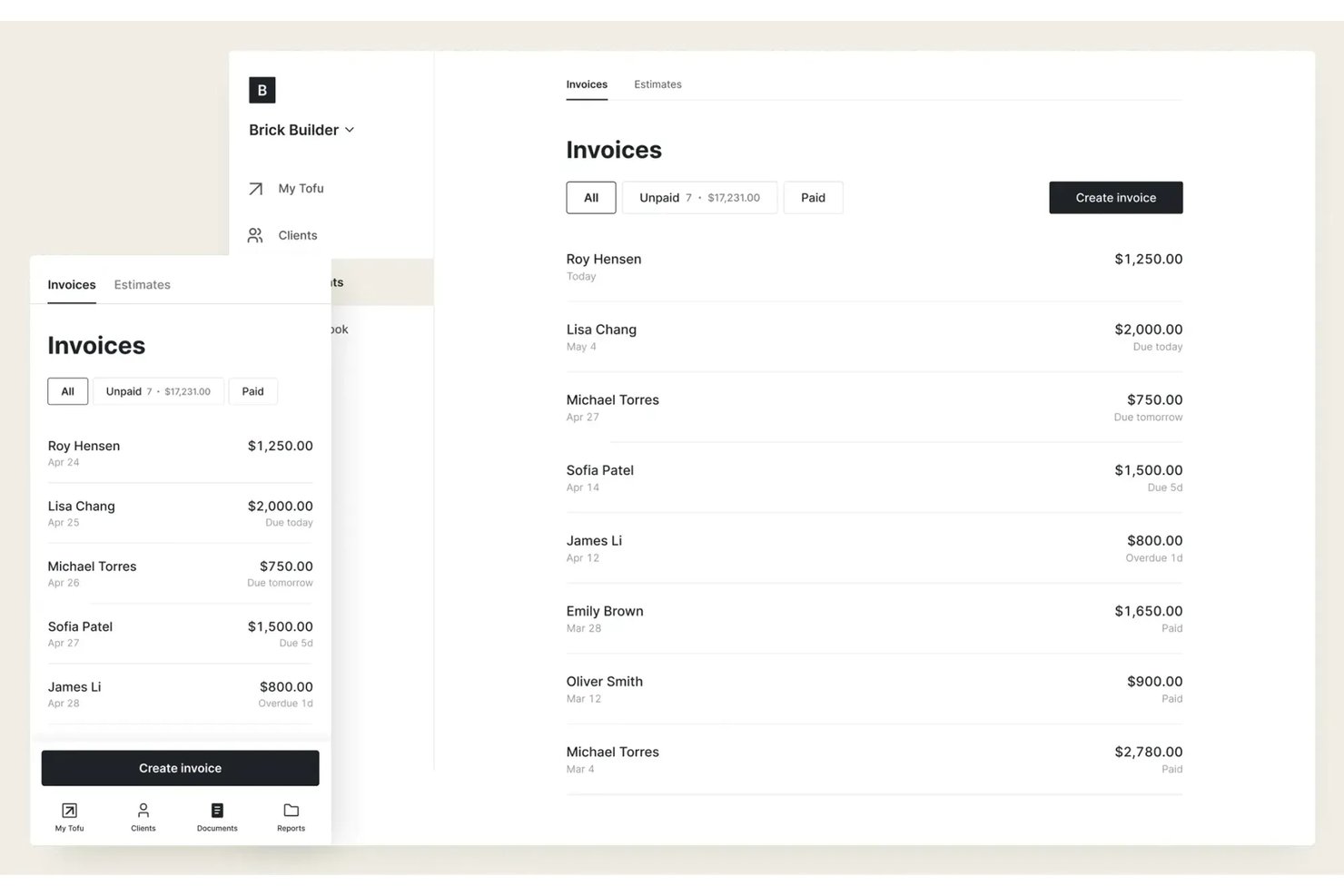
Tofu est une plateforme de gestion des interventions terrain conçue pour les travailleurs indépendants, les entrepreneurs individuels et les équipes réduites qui ont besoin d'une planification, d'une répartition des interventions et d'un suivi des missions abordables et sans complications, sans couches de fonctionnalités supplémentaires ni frais généraux inutiles.
À qui Tofu convient-il le mieux ?
Aux travailleurs indépendants et aux petites équipes qui souhaitent bénéficier d'une planification des interventions et d'un suivi des missions simples et peu coûteux, sans complexité superflue.
Pourquoi Tofu est une bonne alternative à Jobber
J'ai retenu Tofu dans ma sélection parce que la plateforme réduit la gestion des interventions terrain à ce dont les travailleurs indépendants et les petites équipes ont réellement besoin : une planification des missions, une répartition des interventions et un suivi des missions en temps réel à un prix abordable. J'apprécie le fait que Tofu évite la complexité et me permette de suivre les missions, les clients et les membres de l'équipe sans devoir parcourir des modules ou des fonctionnalités supplémentaires.
Fonctionnalités principales de Tofu
- Gestion de la base de données clients : Stockez et organisez au même endroit les coordonnées des clients, l'historique des missions et leurs préférences.
- Notes et pièces jointes des missions : Ajoutez des notes et téléchargez des photos ou des fichiers pour chaque mission afin de les consulter rapidement sur le terrain.
- Rappels automatisés des missions : Configurez des rappels automatiques pour vous informer, vous ou votre équipe, des prochaines missions ou des échéances.
- Interface adaptée aux appareils mobiles : Accédez aux plannings, aux informations sur les missions et aux mises à jour depuis n'importe quel smartphone ou tablette.
Intégrations de Tofu
Les intégrations natives ne sont pas clairement documentées. Tofu propose une API pour les intégrations personnalisées.
Pros and Cons
Pros:
- La planification simple convient aux travailleurs indépendants et aux petites équipes
- Notes de mission et pièces jointes photo depuis un appareil mobile
- Aucune fonctionnalité inutile n'encombre l'interface
Cons:
- Aucun outil de communication client intégré
- Les intégrations personnalisées nécessitent l'utilisation de l'API

Am besten geeignet für Pauschalpreise mit unbegrenzt vielen Nutzern
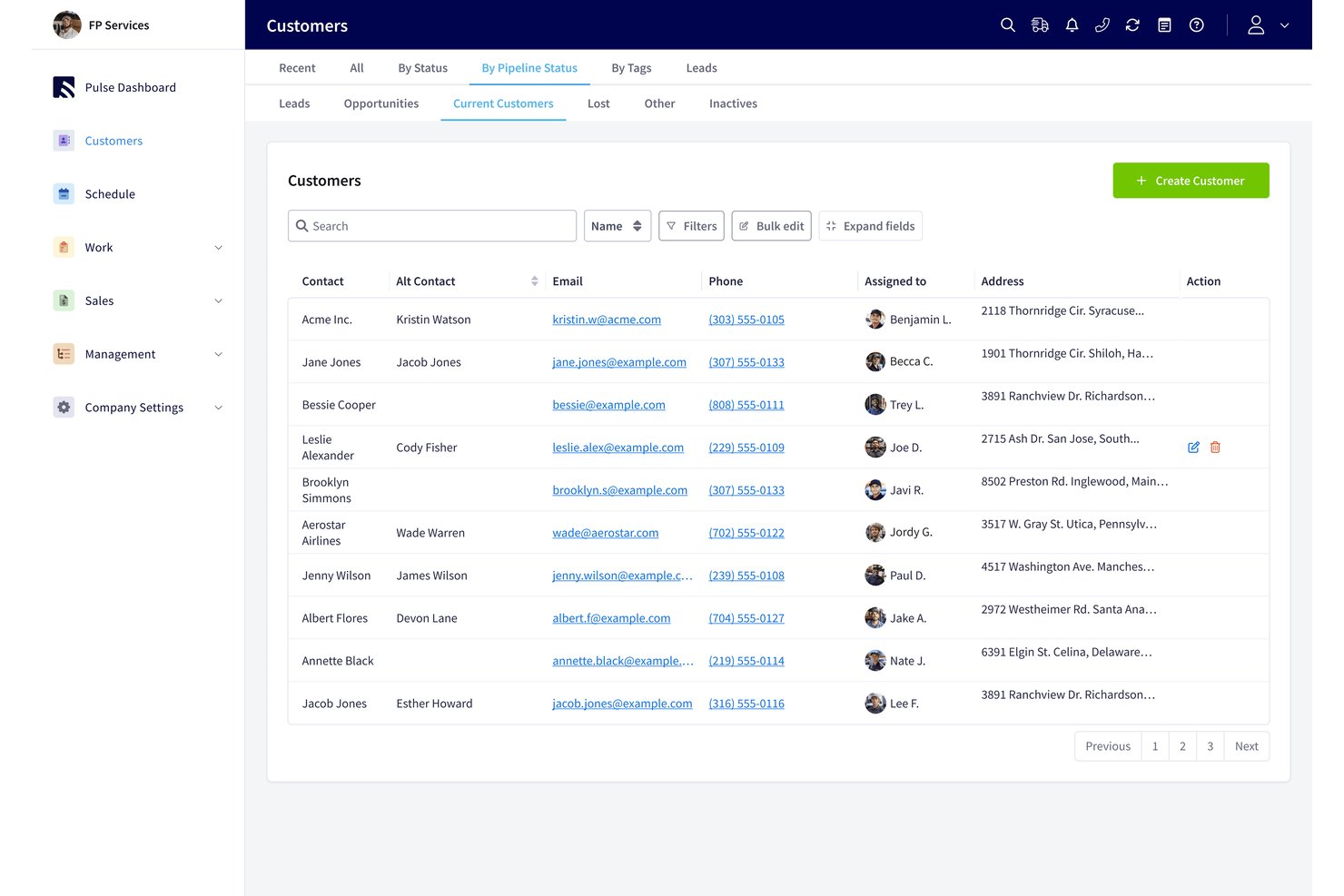
Service Fusion ist eine Software zur Verwaltung von Außendiensteinsätzen für private und gewerbliche Dienstleistungsunternehmen. Sie vereint Terminplanung, Disposition, Kundendaten, Kostenvoranschläge und Rechnungsstellung, damit Teams Techniker koordinieren und Aufträge voranbringen können.
Für wen ist Service Fusion am besten geeignet?
Service Fusion eignet sich für private und gewerbliche Dienstleistungsunternehmen, die Techniker koordinieren, Aufträge disponieren und Kundenaufträge in einem System verwalten müssen.
Warum ich mich für Service Fusion entschieden habe
Ich habe Service Fusion als Alternative zu Jobber ausgewählt, weil die Pauschalpreisgestaltung mit unbegrenzt vielen Nutzern es Dienstleistungsunternehmen ermöglicht, Disponenten und Außendiensttechniker ohne Gebühren pro Nutzer in ein gemeinsames System zu integrieren. Mir gefällt, dass Teams die Disposition koordinieren und gleichzeitig Kundendaten, Kostenvoranschläge und Rechnungen mit jedem Auftrag verknüpft halten können.
Die wichtigsten Funktionen von Service Fusion
- Mobile App für Techniker: Techniker können Aufträge über ihre Smartphones anzeigen und verwalten.
- GPS-Flottenverfolgung: Fahrzeugstandorte, Fahrten, Entfernungen, Leerlaufzeiten und Fahrverhalten anzeigen.
- QuickBooks-Integration: Rechnungsdaten mit QuickBooks Online oder Desktop synchronisieren.
- Benachrichtigungen per SMS: Kunden über geplante Aufträge und Aktualisierungen zu Technikern benachrichtigen.
Integrationen von Service Fusion
Service Fusion bietet native Integrationen mit QuickBooks Online und QuickBooks Desktop und lässt sich mit Zapier verbinden. Die im Pro-Tarif verfügbare API unterstützt benutzerdefinierte Integrationen.
Pros and Cons
Pros:
- Die Disposition verknüpft Zeitpläne mit aktuellen GPS-Standorten
- Aus dem Außendienst erstellte Kostenvoranschläge werden direkt in Arbeitsaufträge umgewandelt
- Serviceverträge unterstützen wiederkehrende Abrechnungen und Verlängerungen
Cons:
- Auf Mobilgeräten erstellte Rechnungen müssen möglicherweise auf dem Desktop erneut gespeichert werden
- Berichte bieten nur unzureichende Einblicke in aktive Wartungspläne

Idéal pour les contrats de services commerciaux et les SLA
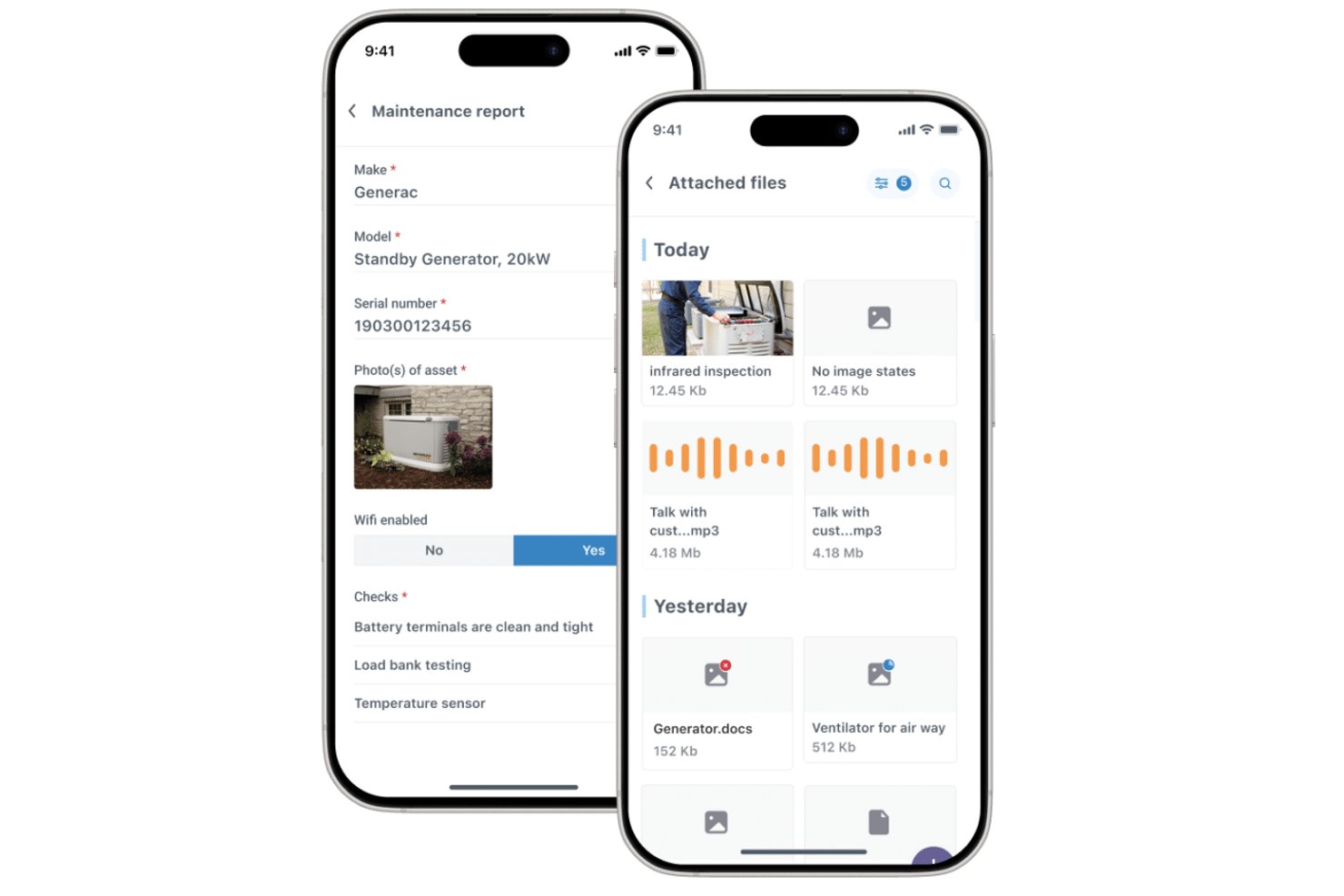
Commusoft est un logiciel de gestion des services sur le terrain destiné aux prestataires de services, qui relie les dossiers clients, la planification des interventions, les flux de travail des techniciens et la facturation afin d’aider les équipes à coordonner les tâches, de la réservation à l’achèvement.
À qui Commusoft convient-il le mieux ?
Commusoft convient aux prestataires de services qui gèrent la maintenance commerciale récurrente, l’affectation des techniciens et les engagements de niveau de service.
Pourquoi j’ai choisi Commusoft
J’ai choisi Commusoft comme alternative à Jobber parce qu’il est idéal pour les contrats de services commerciaux et les SLA. Il donne la priorité aux interventions contractuelles et suit les délais de réponse à l’aide de compteurs SLA. Les calendriers récurrents de maintenance préventive génèrent également des ordres de travail pour plusieurs actifs, ce qui m’aide à maintenir les visites mensuelles et les inspections annuelles dans les délais.
Fonctionnalités clés de Commusoft
- Portail client : Les clients peuvent consulter le statut et l’historique des interventions, accepter des devis et payer leurs factures.
- Application mobile hors ligne : Les techniciens peuvent accéder à l’historique des interventions et remplir des formulaires numériques sans connexion.
- Gestion des stocks : Suivez les stocks dans les entrepôts et les véhicules de service, avec des seuils de réapprovisionnement.
- Facturation sur le terrain : Créez des factures depuis le bureau ou le terrain après l’achèvement d’une intervention.
Intégrations de Commusoft
Commusoft répertorie des intégrations avec QuickBooks Online, Xero, Stripe, HubSpot, Gmail, Outlook Mail, Google Calendar, GoCardless, Sage Accounting et Zapier ; il fournit également une API pour les intégrations personnalisées.
Pros and Cons
Pros:
- Les flux de travail contractuels planifient les visites récurrentes des actifs
- Les compteurs SLA suivent les engagements de délai de réponse
- Les historiques des interventions relient les devis, les travaux et la facturation
Cons:
- La configuration initiale demande du temps
- L’application mobile peut ralentir ou se synchroniser lentement

Workiz
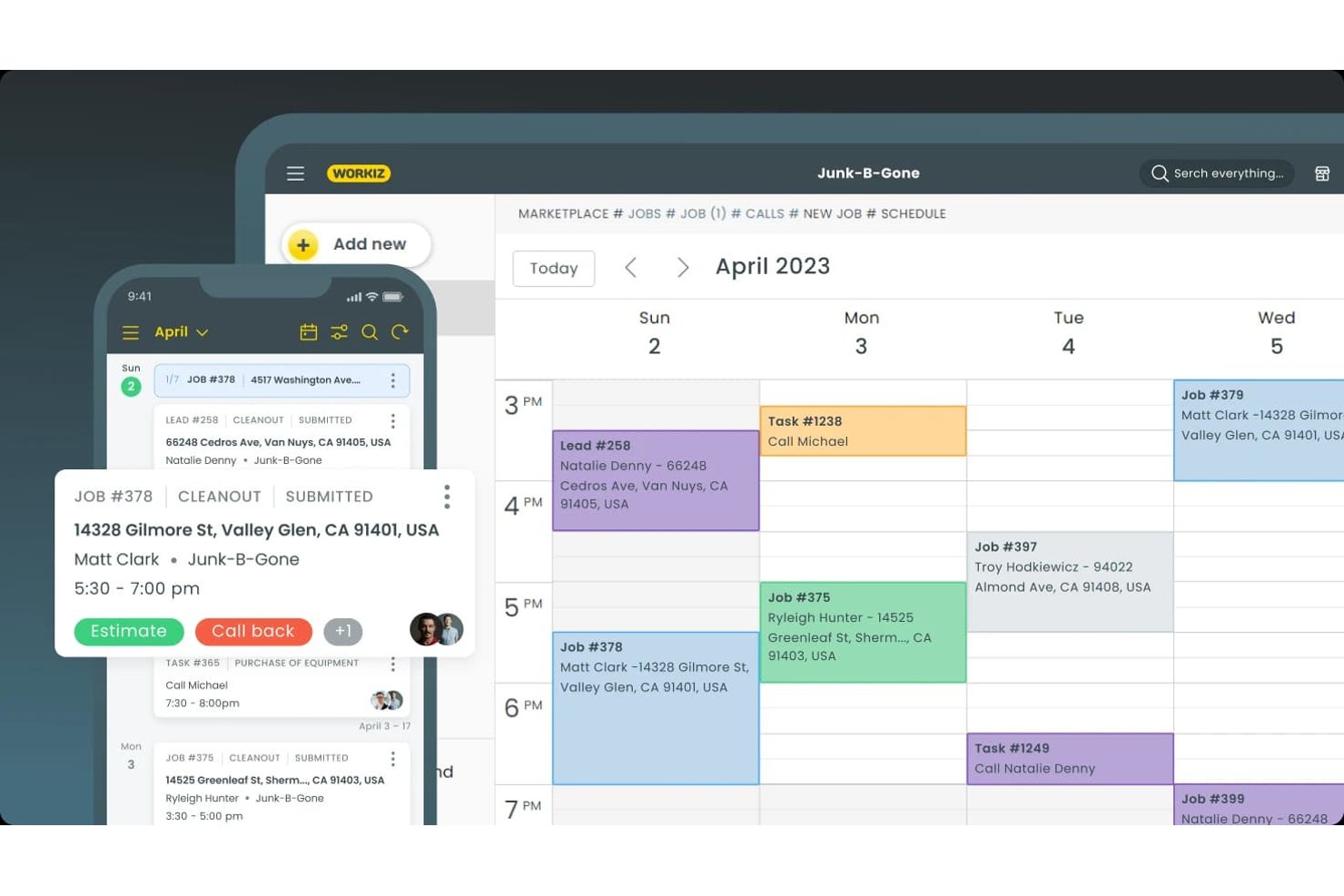
Workiz est une plateforme de gestion des services sur le terrain destinée aux entrepreneurs de services. Elle regroupe les dossiers clients, la coordination des interventions, les devis et la facturation au même endroit, ce qui en fait une option pour les équipes qui comparent les alternatives à Jobber.
À qui Workiz convient-il le mieux ?
Workiz convient aux propriétaires d’entreprises de services à domicile et aux équipes de répartition qui doivent enregistrer les prospects et coordonner les plannings des techniciens.
Pourquoi j’ai choisi Workiz
J’ai choisi Workiz comme alternative à Jobber parce qu’il est particulièrement adapté à la planification et à la capture de prospects pilotées par l’IA. Son IA répond aux appels, aux SMS et aux e-mails 24 heures sur 24 et peut planifier directement les interventions dans le calendrier. Elle transforme également les e-mails et les SMS entrants en interventions, ce qui aide les répartiteurs à maintenir les nouvelles demandes dans la file d’attente de planification.
Principales fonctionnalités de Workiz
- Portail client : Les clients peuvent consulter et signer les devis, approuver les interventions et payer les factures.
- CRM client : Stockez l’historique des clients, les factures, les plans de service et les communications dans un même dossier.
- Plans de service : Configurez des services récurrents et suivez les prochaines visites ainsi que l’historique des paiements.
- Application mobile : Les techniciens peuvent consulter les détails des interventions, mettre à jour leur statut, ajouter des notes ou des photos et facturer les clients.
Intégrations de Workiz
Le répertoire des intégrations de Workiz répertorie QuickBooks, Google Calendar, Reserve with Google, Yelp, Thumbtack, Angi Leads, CompanyCam et Mailchimp, ainsi que Zapier. Il propose également une API pour développeurs destinée aux intégrations personnalisées.
Pros and Cons
Pros:
- L’IA répond aux appels et planifie les interventions
- Le calendrier de répartition attribue visuellement les techniciens
- Les dossiers clients regroupent les appels, les SMS et les interventions
Cons:
- Des appels téléphoniques seraient interrompus ou échoueraient
- L’assistant IA déçoit certains évaluateurs

Idéal pour les métiers du chauffage, de la ventilation, de la climatisation (HVAC) et de la plomberie à grande échelle
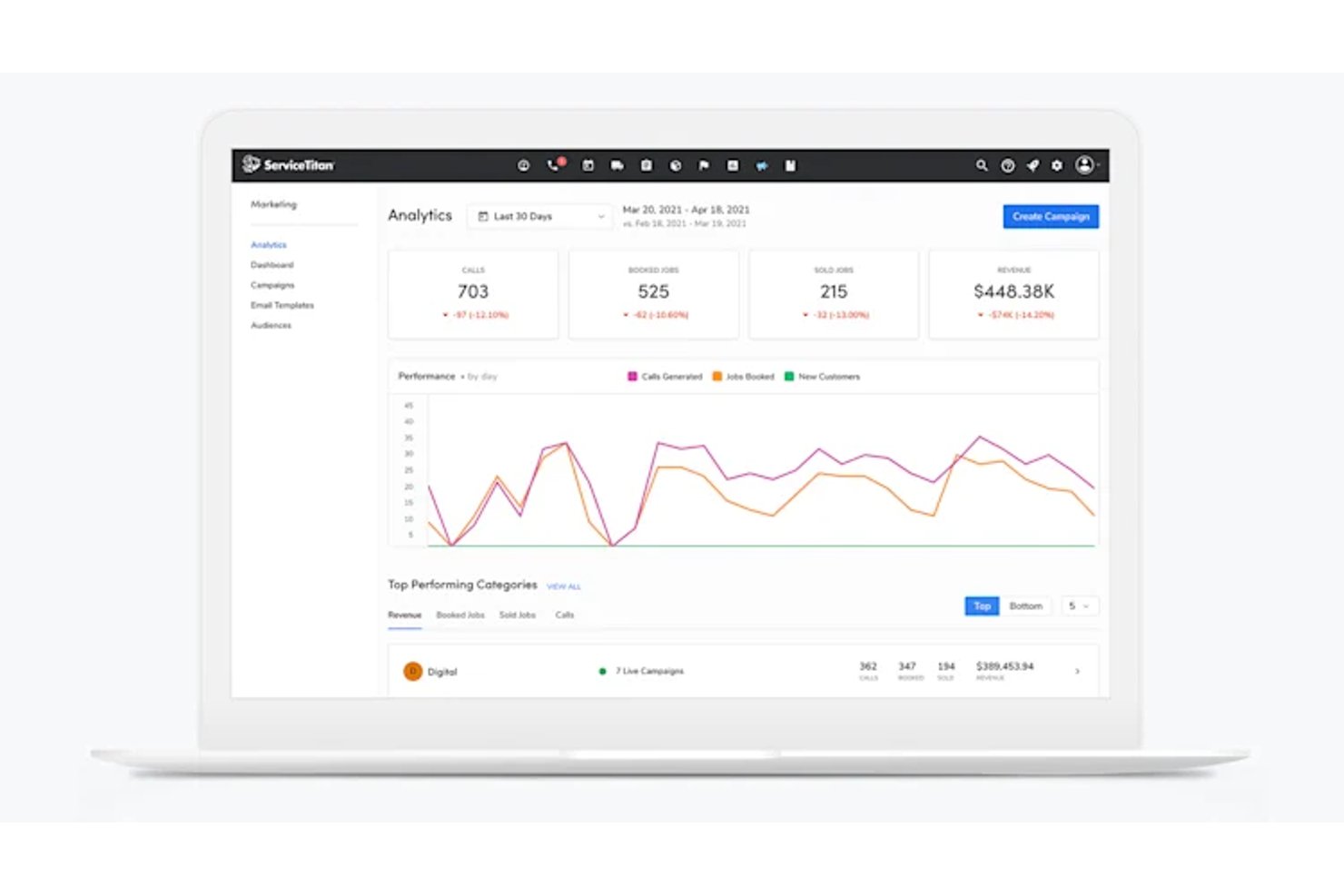
ServiceTitan est un logiciel de gestion des services sur le terrain conçu pour les métiers du chauffage, de la ventilation et de la climatisation (HVAC) ainsi que de la plomberie à grande échelle, aidant les entreprises de services en croissance à coordonner l'affectation des interventions, la planification, les dossiers clients et les opérations sur le terrain.
À qui ServiceTitan convient-il le mieux ?
ServiceTitan convient aux responsables des opérations des entreprises établies dans les secteurs du chauffage, de la ventilation, de la climatisation (HVAC) et de la plomberie, qui coordonnent l'affectation des interventions, les équipes sur le terrain et les travaux chez les clients dans le cadre d'une activité de services en pleine croissance.
Pourquoi j'ai choisi ServiceTitan
J'ai choisi ServiceTitan comme alternative à Jobber pour les entreprises de chauffage, de ventilation, de climatisation (HVAC) et de plomberie qui coordonnent de grandes équipes sur le terrain. J'apprécie la façon dont son tableau d'affectation aide le personnel administratif à attribuer et à suivre les interventions entre les techniciens, tandis que les dossiers des clients et des équipements fournissent aux équipes l'historique des interventions avant leur arrivée. C'est utile lorsqu'une réparation urgente survient en même temps que des opérations de maintenance planifiées pour plusieurs équipes.
Fonctionnalités clés de ServiceTitan
- Formulaires d'intervention mobiles : Les techniciens remplissent des formulaires numériques et prennent des photos des travaux sur le terrain.
- Paiements mobiles : Les techniciens traitent les paiements et envoient les factures depuis l'application mobile.
- Tableaux de bord de rapports : Les équipes suivent le chiffre d'affaires, les tendances et les indicateurs des techniciens dans des tableaux de bord personnalisables.
- Achats et stocks : Les équipes gèrent les bons de commande et les stocks au sein de la plateforme.
Intégrations de ServiceTitan
ServiceTitan propose des intégrations comptables avec QuickBooks Desktop, QuickBooks Online, Sage Intacct et Xero, ainsi que des intégrations avec les fournisseurs Ferguson et Lennox par l'intermédiaire de sa place de marché de partenaires. Il se connecte également à Zapier et fournit des API pour les intégrations personnalisées.
Pros and Cons
Pros:
- L'affectation coordonne les grandes équipes de techniciens et les interventions
- Les historiques des clients et des équipements éclairent les interventions sur le terrain
- Les tableaux de bord suivent les performances des techniciens et les indicateurs de l'entreprise
Cons:
- La configuration et la formation nécessitent beaucoup de temps de la part du personnel
- Les dysfonctionnements et les ralentissements de l'application mobile perturbent le travail sur le terrain

Idéal pour les opérations de service centrées sur les actifs
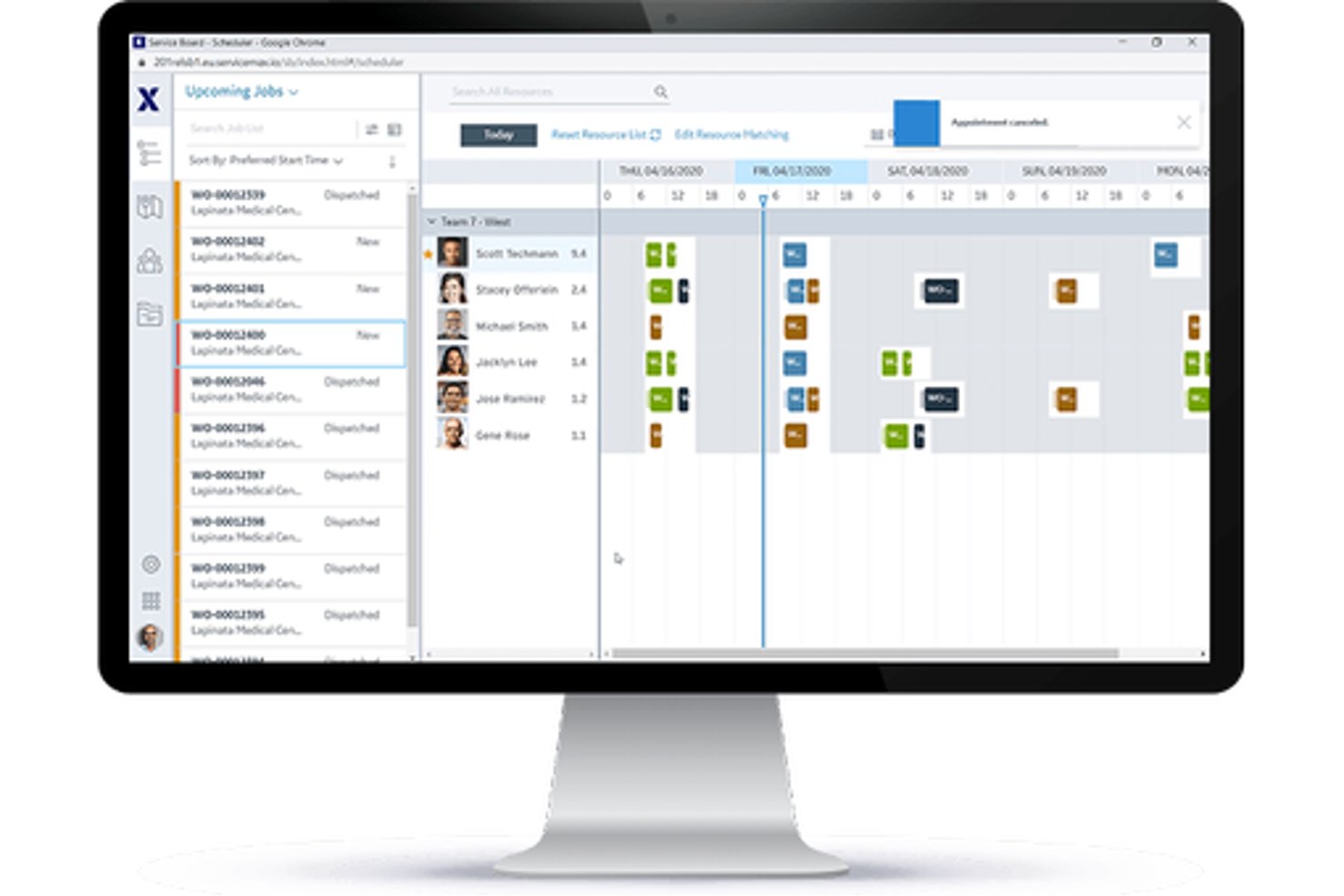
Pour les fabricants et les organisations de services qui gèrent des équipements sur le terrain, ServiceMax est une plateforme de gestion des services sur le terrain qui coordonne les ordres de travail, l'affectation des techniciens et la maintenance pendant tout le cycle de vie des actifs.
À qui ServiceMax convient-il le mieux ?
ServiceMax convient aux responsables des services sur le terrain des fabricants d'équipements et des entreprises utilisant beaucoup d'actifs, qui doivent suivre les équipements installés et gérer les services continus.
Pourquoi j'ai choisi ServiceMax
J'ai choisi ServiceMax comme la meilleure solution pour la gestion des actifs, car elle fournit aux équipes de services sur le terrain un contexte au niveau des actifs utile lors de l'évaluation des alternatives à Jobber. Les enregistrements des équipements installés relient les équipements aux nomenclatures, aux sous-composants, à l'historique des services et à la couverture contractuelle, afin que les techniciens puissent vérifier la configuration d'une unité industrielle avant une réparation. Les plans de maintenance peuvent déclencher des ordres de travail en fonction du temps, de la fréquence, de l'état ou des données de l'IoT.
Principales fonctionnalités de ServiceMax
- Optimisation de la planification : Attribue les interventions en fonction des compétences, de l'emplacement et des disponibilités des techniciens, ainsi que des exigences de la mission.
- Application mobile pour les techniciens : ServiceMax Go prend en charge les ordres de travail, la collecte de données, les signatures et les stocks en ligne ou hors ligne.
- Gestion des pièces : Suit les pièces de rechange dans les véhicules des techniciens et les dépôts.
- Libre-service client : ServiceMax Engage prend en charge la planification des rendez-vous et les mises à jour des services.
Intégrations de ServiceMax
ServiceMax documente des intégrations avec Salesforce CRM, SAP et ThingWorx pour les données d'entreprise et de l'IoT. La plateforme propose également des API et des frameworks d'intégration pour les connexions personnalisées.
Pros and Cons
Pros:
- Les historiques liés aux actifs guident les réparations d'équipements complexes
- Les flux de travail mobiles hors ligne prennent en charge les techniciens sur le terrain
- Les enregistrements de travail horodatés facilitent les pistes d'audit
Cons:
- Une configuration complexe peut ralentir le déploiement initial
- Les écrans d'affectation peuvent sembler lents et peu pratiques

Idéal pour les flux de travail spécialisés connectés à QuickBooks
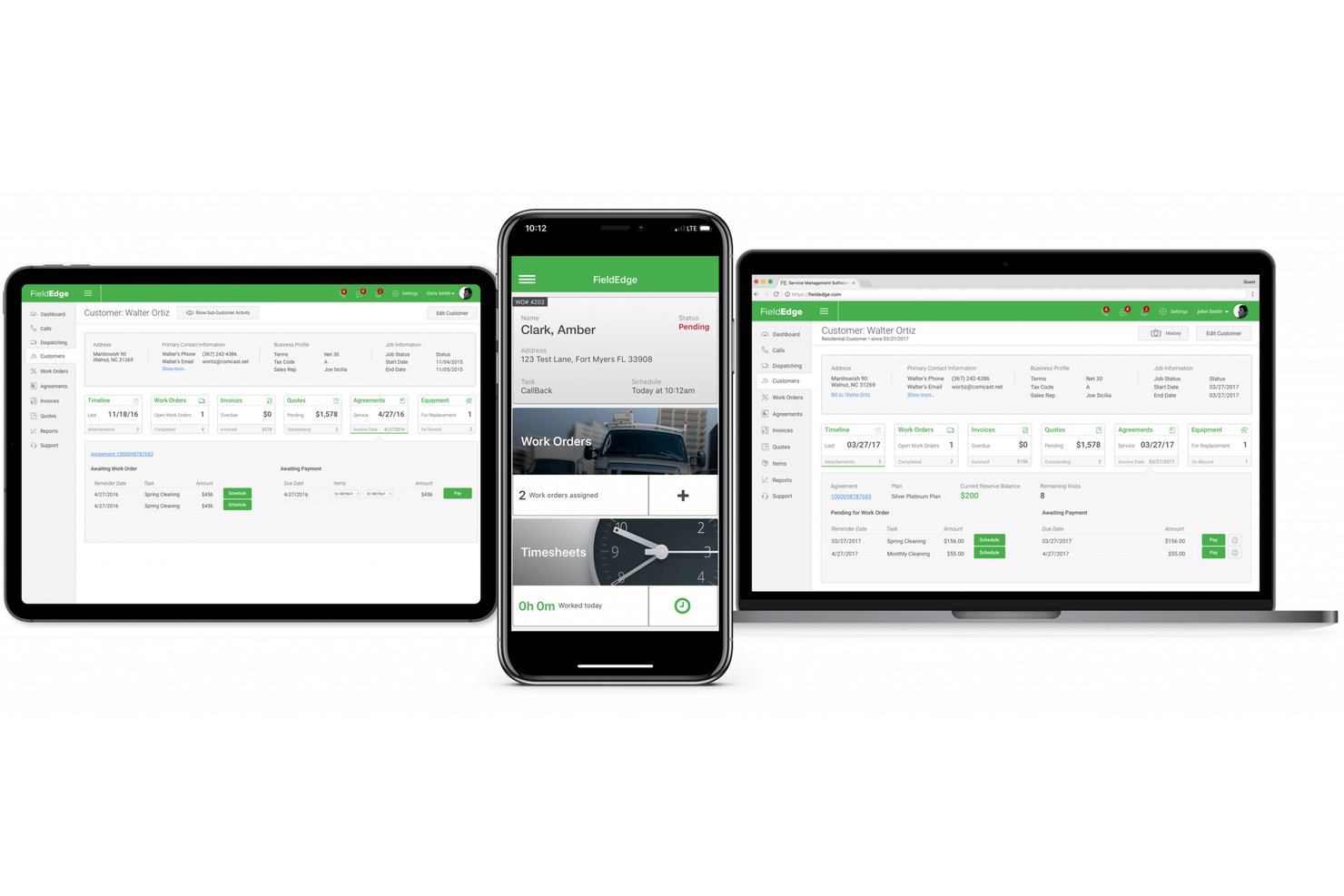
FieldEdge est un logiciel de gestion des services sur site destiné aux entrepreneurs en chauffage, ventilation et climatisation, plomberie et électricité. Il aide les équipes à coordonner les plannings des techniciens, les interventions, les dossiers clients et les travaux de service.
À qui FieldEdge convient-il le mieux ?
FieldEdge convient aux entrepreneurs en chauffage, ventilation et climatisation, plomberie et électricité qui doivent coordonner leurs activités de service sur site avec des flux de travail spécialisés connectés à QuickBooks.
Pourquoi j’ai choisi FieldEdge
J’ai choisi FieldEdge comme alternative à Jobber parce que ses flux de travail spécialisés connectés à QuickBooks conviennent aux entrepreneurs en chauffage, ventilation et climatisation, plomberie et électricité. J’apprécie le fait que les équipes puissent coordonner les plannings et les interventions des techniciens, ainsi que les dossiers clients et les travaux de service, en gardant les activités sur site connectées à leurs opérations spécialisées.
Principales fonctionnalités de FieldEdge
- Catalogues de prix forfaitaires : Donnent aux techniciens un accès mobile aux tarifs des services et des réparations.
- Facturation et paiements : Création de factures sur site, envoi par e-mail ou impression, et acceptation des paiements par carte ou fractionnés.
- Gestion des contrats de service : Suivi des renouvellements, des cycles de facturation et des visites planifiées.
- Tableaux de bord des performances : Analyse de la rentabilité des travaux, de la valeur moyenne des tickets et des revenus générés par les techniciens.
Intégrations de FieldEdge
FieldEdge propose une intégration en temps réel avec QuickBooks ainsi que des intégrations partenaires avec FleetSharp, Dispatch, Mailchimp, To Your Success, Sales Builder Pro, Ply et Free2Grow. Son API permet d’accéder aux partenaires intégrés.
Pros and Cons
Pros:
- Le tableau des interventions clarifie le statut des techniciens
- La facturation sur site facilite la progression des travaux
- Les contrats de service permettent de suivre les visites récurrentes
Cons:
- La synchronisation mobile est ralentie lorsque la réception est faible
- Les rapports offrent une personnalisation limitée des indicateurs clés de performance

Idéal pour une tarification forfaitaire avec utilisateurs illimités
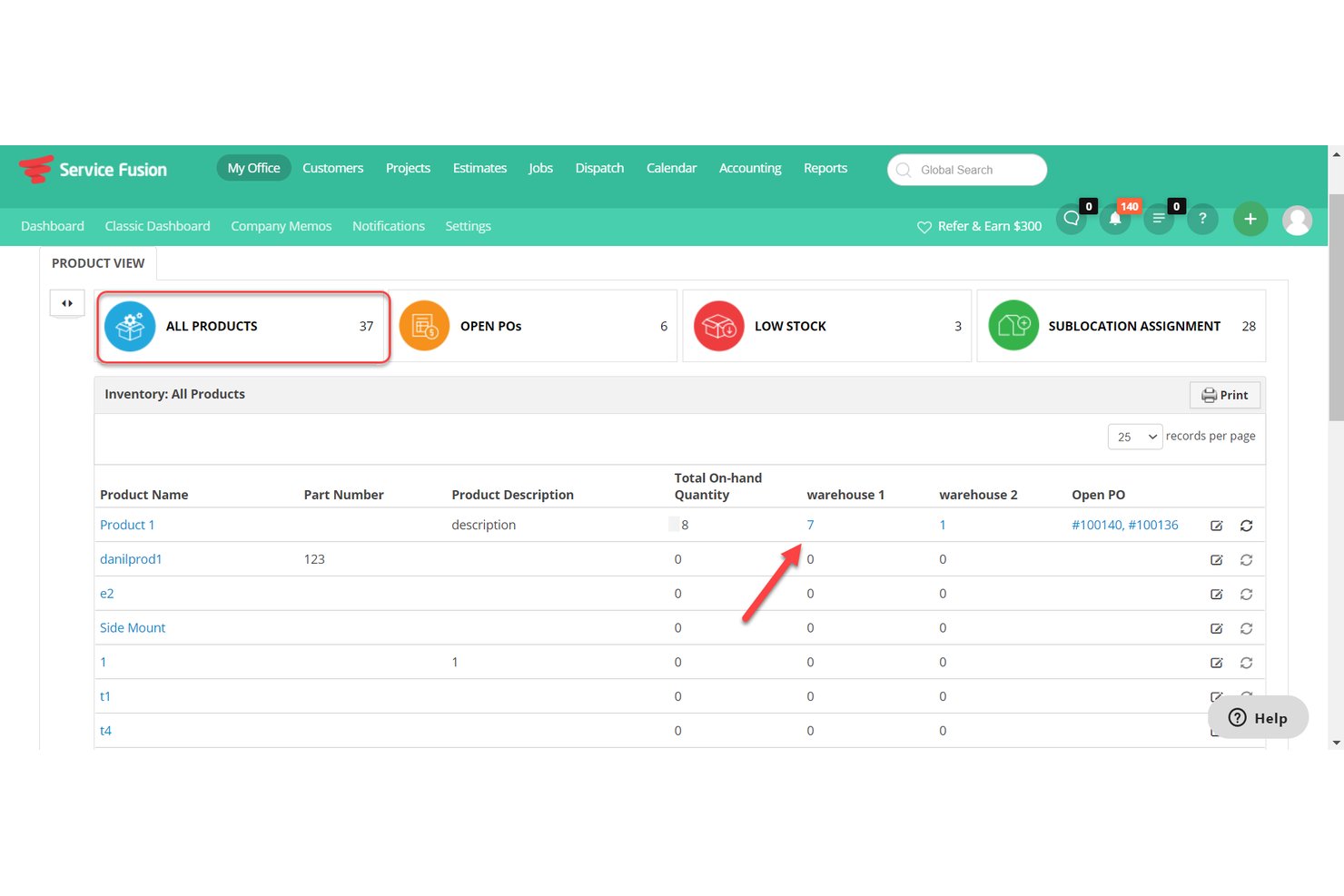
Service Fusion est un logiciel de gestion des services sur site destiné aux prestataires de services résidentiels et commerciaux. Il regroupe la planification, le dispatching, les dossiers clients, les devis et la facturation afin d'aider les équipes à coordonner les techniciens et à assurer l'avancement des interventions.
À qui Service Fusion convient-il le mieux ?
Service Fusion convient aux prestataires de services résidentiels et commerciaux qui doivent coordonner les techniciens, répartir les interventions et gérer les travaux des clients dans un seul système.
Pourquoi ai-je choisi Service Fusion ?
J'ai choisi Service Fusion comme alternative à Jobber, car sa tarification forfaitaire, idéale pour un nombre illimité d'utilisateurs, permet aux prestataires d'intégrer répartiteurs et techniciens de terrain dans un même système sans frais par utilisateur. J'apprécie que les équipes puissent coordonner le dispatching tout en associant les dossiers clients, les devis et les factures à chaque intervention.
Principales fonctionnalités de Service Fusion
- Application mobile pour les techniciens : Les techniciens peuvent consulter et gérer les interventions depuis leur smartphone.
- Suivi GPS de la flotte : Consultez l'emplacement des véhicules, les trajets, la distance parcourue, le temps d'inactivité et le comportement au volant.
- Intégration QuickBooks : Synchronisez les données de facturation avec QuickBooks Online ou Desktop.
- Alertes par SMS : Envoyez aux clients des alertes concernant les interventions planifiées et les mises à jour des techniciens.
Intégrations de Service Fusion
Service Fusion propose des intégrations natives avec QuickBooks Online et QuickBooks Desktop, et se connecte à Zapier. Son API, disponible avec l'offre Pro, prend en charge les intégrations personnalisées.
Pros and Cons
Pros:
- Le dispatching relie les plannings aux emplacements GPS en temps réel
- Les devis sur le terrain sont directement convertis en ordres de travail
- Les contrats de service prennent en charge la facturation récurrente et les renouvellements
Cons:
- Les factures créées sur mobile peuvent nécessiter un nouvel enregistrement sur ordinateur
- Les rapports offrent une visibilité limitée sur les plans de maintenance actifs

Idéal pour les entrepreneurs des métiers spécialisés avec une tarification au volume d'interventions
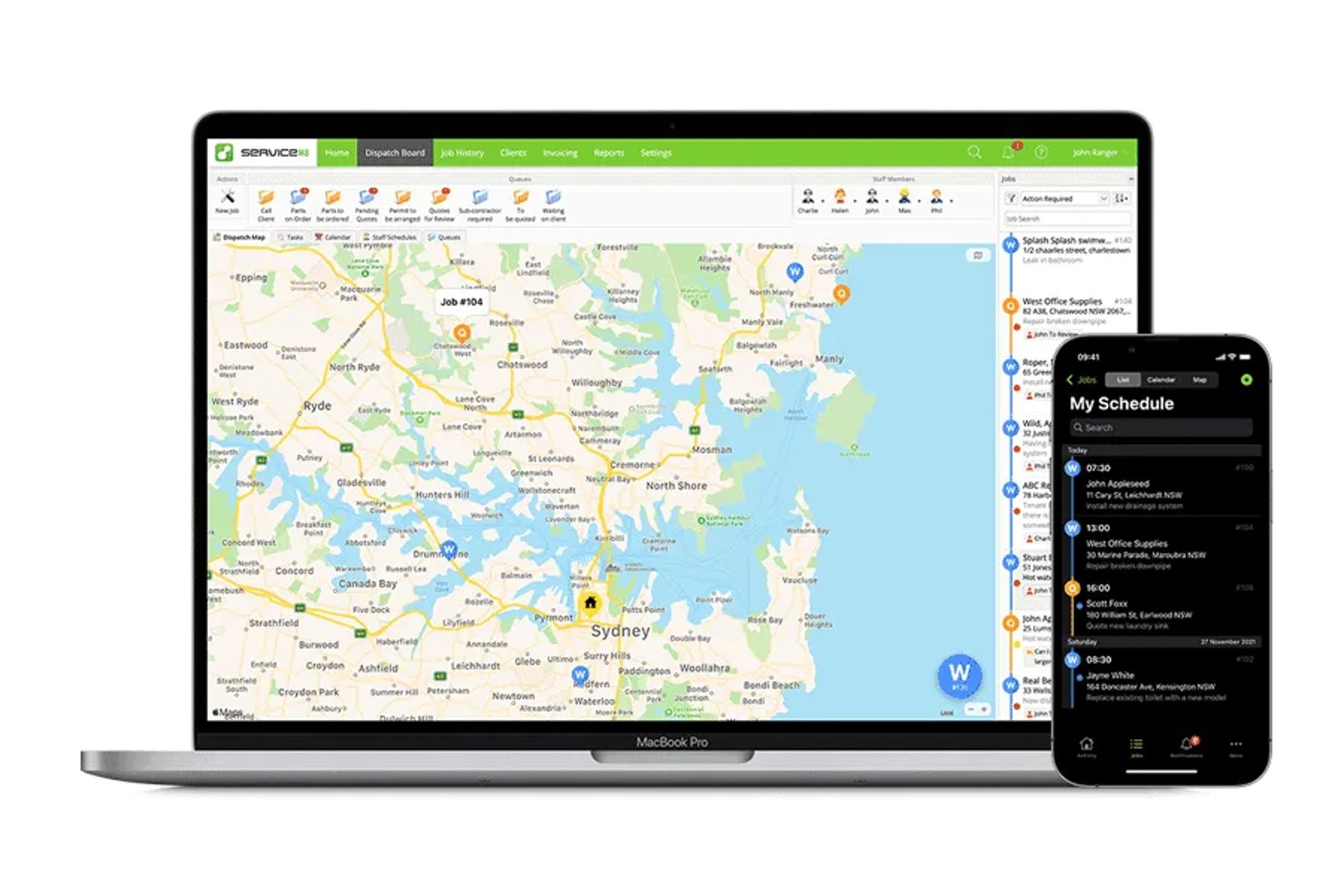
ServiceM8 est une application de gestion des interventions sur site conçue d'abord pour les appareils mobiles, destinée aux entrepreneurs des métiers spécialisés qui doivent organiser les interventions, planifier les travaux et gérer les dossiers clients, les devis et les factures.
À qui ServiceM8 convient-il le mieux ?
ServiceM8 convient aux entrepreneurs des métiers spécialisés dont la charge de travail varie et qui souhaitent une tarification logicielle liée au nombre d'interventions qu'ils gèrent.
Pourquoi j'ai choisi ServiceM8
J'ai choisi ServiceM8 comme alternative à Jobber pour son positionnement « Idéal pour les entrepreneurs des métiers spécialisés avec une tarification au volume d'interventions ». Sa tarification au volume d'interventions convient aux entrepreneurs dont le nombre d'appels varie, tandis que la planification des interventions, les devis et les factures aident à suivre les travaux, de la réservation à la facturation.
Principales fonctionnalités de ServiceM8
- Listes de contrôle des interventions : Ajoutez des tâches et des exigences aux dossiers d'intervention afin que le personnel puisse les réaliser.
- Suivi GPS du personnel : Consultez la position du personnel et l'historique de ses déplacements pendant la journée de travail.
- Formulaires personnalisés : Créez des formulaires PDF avec des photos, des questions à choix multiples et des champs de signature.
- Fiches des équipements : Stockez les détails des équipements par client et par site, puis accédez à l'historique des interventions.
Intégrations de ServiceM8
ServiceM8 répertorie des intégrations avec Xero, MYOB, QuickBooks Online, Mailchimp, Deputy, Workato et Zapier. Il propose également une API ouverte et un SDK pour les connexions personnalisées.
Pros and Cons
Pros:
- Les photos et les notes des interventions restent regroupées
- Le GPS du personnel aide les répartiteurs à suivre les déplacements sur le terrain
- Les formulaires PDF permettent de recueillir les signatures et les détails du site
Cons:
- Les contrôles de disponibilité du personnel limitent la répartition à la demande
- Les rappels de suivi des factures offrent des possibilités de planification limitées

La mejor opción para contratos de servicios comerciales y SLA
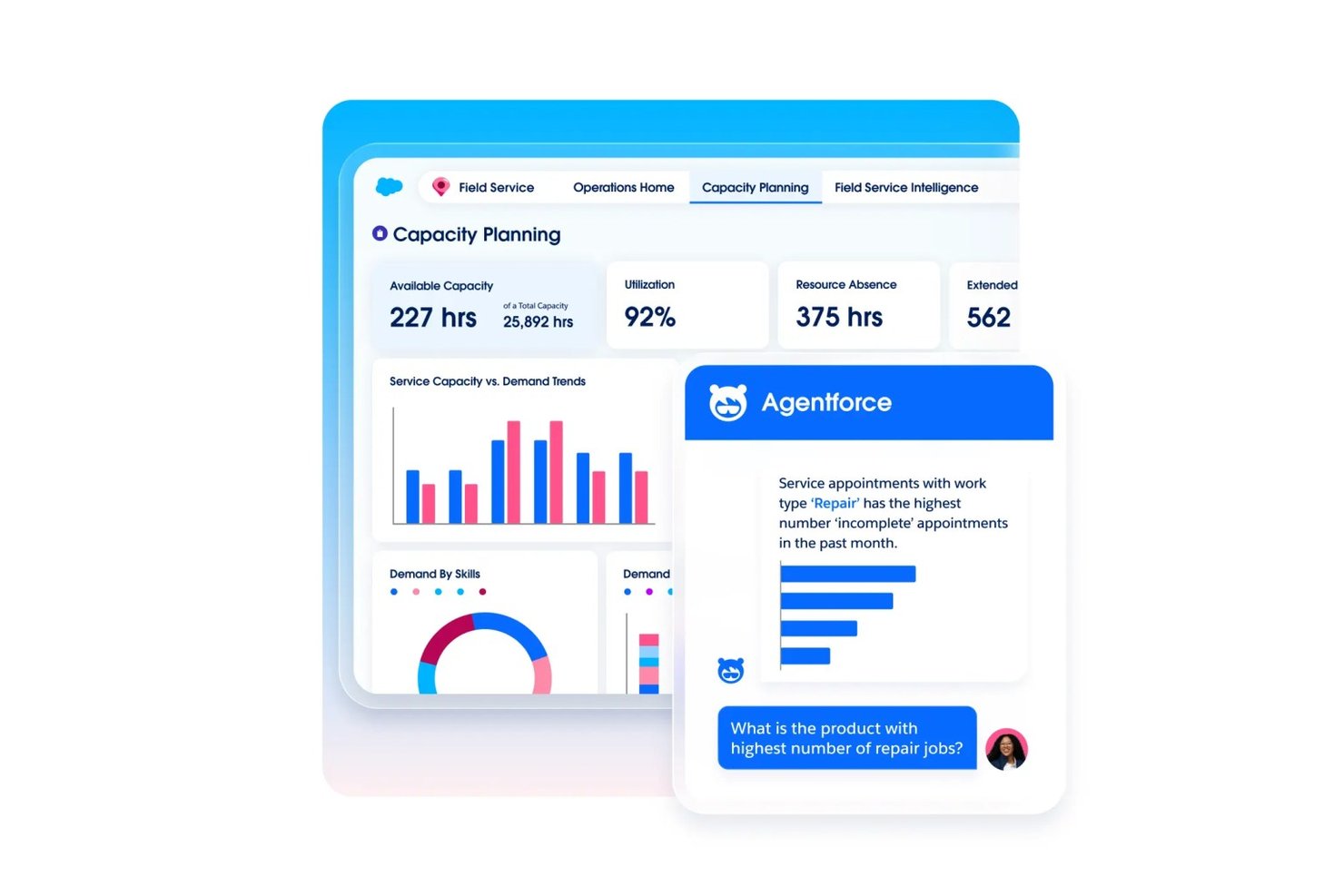
Commusoft es un software de gestión de servicios de campo para contratistas de servicios que conecta los registros de clientes, la programación de trabajos, los flujos de trabajo de los técnicos y la facturación para ayudar a los equipos a coordinar el trabajo desde la reserva hasta la finalización.
¿Para quién es más adecuado Commusoft?
Commusoft es adecuado para contratistas de servicios que gestionan mantenimiento comercial recurrente, despacho de técnicos y compromisos de nivel de servicio.
Por qué elegí Commusoft
Elegí Commusoft como alternativa a Jobber porque es la mejor opción para contratos de servicios comerciales y SLA. Prioriza los trabajos bajo contrato y realiza un seguimiento de los tiempos de respuesta mediante temporizadores de SLA. Las programaciones recurrentes de mantenimiento preventivo también generan órdenes de trabajo para varios activos, lo que me ayuda a mantener programadas las visitas mensuales y las inspecciones anuales.
Funciones principales de Commusoft
- Portal del cliente: Los clientes pueden consultar el estado y el historial de los trabajos, aceptar presupuestos y pagar facturas.
- Aplicación móvil sin conexión: Los técnicos pueden acceder a los historiales de trabajos y completar formularios digitales sin conexión.
- Gestión de inventario: Permite realizar un seguimiento del stock en almacenes y vehículos de servicio, con puntos de reposición.
- Facturación en campo: Permite crear facturas desde la oficina o desde el campo después de completar un trabajo.
Integraciones de Commusoft
Commusoft incluye integraciones con QuickBooks Online, Xero, Stripe, HubSpot, Gmail, Outlook Mail, Google Calendar, GoCardless, Sage Accounting y Zapier; también proporciona una API para integraciones personalizadas.
Pros and Cons
Pros:
- Los flujos de trabajo de contratos programan visitas recurrentes a los activos
- Los temporizadores de SLA realizan un seguimiento de los compromisos de respuesta
- Los historiales de trabajos conectan presupuestos, trabajos y facturación
Cons:
- La configuración inicial requiere tiempo
- La aplicación móvil puede presentar retrasos o sincronizarse lentamente
Autres alternatives à Jobber
Voici quelques alternatives supplémentaires à Jobber qui n’ont pas été retenues dans ma sélection, mais qui méritent tout de même votre attention :
- Service Autopilot
Idéal pour les flux de travail récurrents de tournées d'entretien des pelouses
- Housecall Pro
Idéal pour la collecte intégrée des paiements par carte et ACH
- Arrivy
Idéal pour les opérations de planification et d’acheminement assistées par l’IA
- OneCrew
Idéal pour le calcul des coûts des travaux de pavage et de béton
- Tradify
Idéal pour les devis des métiers et le suivi des travaux
- Salesforce Field Service
Idéal pour les opérations de terrain natives de l’IA à l’échelle de l’entreprise
- Workever
Idéal pour les équipes de service sur le terrain en croissance de 5 à 50 personnes
- GorillaDesk
Idéal pour les opérations de terrain de lutte antiparasitaire basées sur des itinéraires


Comment j’évalue les alternatives à Jobber
Je divise mon évaluation en trois parties. Tout d’abord — et c’est l’élément auquel j’accorde le plus de poids — je vérifie si un outil peut planifier et répartir les interventions, ainsi que générer des devis et des factures associés à ces interventions. Ensuite, je recherche des fonctionnalités remarquables, comme l’automatisation des interventions récurrentes ou les portails en libre-service pour les clients. Enfin, j’examine la structure tarifaire et l’accompagnement lors de la mise en route, en particulier pour les équipes sur le terrain dont les niveaux d’aisance technique varient.
Fonctionnalités de base (indispensables pour cette liste)
Lorsque je sélectionne des outils pour ma liste, j’attribue à chacun une note sur une échelle de 0 (la fonctionnalité n’est pas proposée) à 5 (excellent dans ce domaine) pour chaque fonctionnalité de base indiquée ci-dessous. Je convertis ensuite le total en pourcentage afin d’évaluer l’adéquation globale de chaque outil, en accordant un poids supplémentaire aux fonctionnalités que j’ai jugées essentielles.
- Planification et répartition des interventions (essentiel) : Je recherche l’attribution des interventions, la planification dans un calendrier et la replanification, afin d’aider les répartiteurs à coordonner les disponibilités des équipes et l’évolution des engagements envers les clients.
- Devis et factures (essentiel) : J’évalue si les devis sont associés aux dossiers d’intervention et peuvent être convertis en factures, avec notamment des étapes d’approbation claires et un suivi des paiements.
- Gestion des clients : Je vérifie que les profils clients regroupent l’historique des prestations, les notes d’intervention et les communications, afin que le personnel administratif puisse préparer les visites récurrentes.
- Traitement des paiements : Je recherche les moyens d’encaisser ou d’enregistrer les paiements associés aux factures et de suivre les montants réglés ou restant dus.
- Accès mobile sur le terrain : J’examine si les techniciens peuvent consulter les interventions, mettre à jour leur statut et ajouter des notes ou des photos depuis le terrain.
- Suivi des itinéraires et des équipes : J’évalue les vues cartographiques, la visibilité de la localisation des techniciens et la planification des itinéraires pour les équipes qui gèrent plusieurs interventions dans une même journée.
Une fois que j’ai établi une liste d’outils répondant aux critères, j’examine ce qui distingue chaque plateforme.
Facteurs de différenciation (ce qui distingue les fournisseurs)
Voici comment je compare les différents fournisseurs :
Fonctionnalités remarquables
Je recherche une automatisation des interventions récurrentes qui génère des visites de suivi, des factures et des rappels sans nouvelle saisie manuelle. Une équipe d’entretien des espaces verts qui gère des dizaines de contrats hebdomadaires a besoin que ce cycle fonctionne de manière autonome. Les portails en libre-service pour les clients sont également importants, car permettre aux clients d’approuver les devis et de payer en ligne réduit les échanges avec le personnel administratif. J’évalue aussi le suivi du temps associé aux dossiers d’intervention, afin de pouvoir comparer le temps de travail estimé aux heures réelles et de repérer les écarts de rentabilité avant qu’ils ne deviennent récurrents.
Au-delà des fonctionnalités
J’évalue si un outil est adapté à un métier particulier ou s’il cherche à servir tous les secteurs d’activité. Une entreprise de chauffage, ventilation et climatisation a besoin de processus de suivi des équipements qu’une plateforme généraliste ne proposera pas directement, tandis qu’une entreprise de nettoyage bénéficiera de modèles conçus autour des habitudes de visites récurrentes. La structure tarifaire est tout aussi importante — les coûts par utilisateur augmentent rapidement lorsque l’on développe des équipes saisonnières, je compare donc côte à côte les forfaits à tarif fixe et les formules à plusieurs niveaux. Je vérifie également la profondeur des intégrations avec des outils comptables comme QuickBooks et Xero, car l’absence de connexions entraîne une double saisie des données pour le personnel administratif.
Pourquoi chercher une alternative à Jobber ?
Bien que Jobber soit un bon choix de logiciel de gestion des services, plusieurs raisons peuvent pousser certains utilisateurs à rechercher d’autres solutions. Vous recherchez peut-être une alternative à Jobber parce que…
- Vous avez besoin de fonctionnalités de création de rapports plus avancées
- Votre équipe a besoin d’outils adaptés à son secteur
- Vous souhaitez une meilleure évolutivité pour accompagner votre croissance
- Vous avez besoin de formules tarifaires plus flexibles
- Votre équipe a besoin de davantage d’options de personnalisation
Si vous vous reconnaissez dans l’une de ces situations, vous êtes au bon endroit. Ma liste comprend plusieurs solutions logicielles de gestion des services mieux adaptées aux équipes confrontées à ces difficultés avec Jobber.
Principales fonctionnalités de Jobber
Voici quelques-unes des principales fonctionnalités de Jobber pour vous aider à les comparer avec celles proposées par les solutions alternatives :
- Planification et répartition : Attribuez facilement les tâches à votre équipe et gérez les rendez-vous.
- Facturation et paiements : Créez des factures et traitez les paiements efficacement.
- Gestion des clients : Conservez des dossiers détaillés des interactions avec les clients et de leur historique.
- Application mobile : Accédez aux détails et aux mises à jour des tâches où que vous soyez.
- Devis : Générez et envoyez rapidement des devis professionnels à vos clients.
- Suivi du temps : Surveillez les heures travaillées et la durée des tâches pour une facturation précise.
- Gestion des tâches : Suivez la progression et les mises à jour des tâches en temps réel.
- Rapports : Obtenez des informations sur les performances de votre entreprise grâce à des rapports personnalisables.
- Réservation en ligne : Permettez à vos clients de planifier directement des services via votre site web.