


Avis perspicace 2026 : avantages, inconvénients, fonctionnalités et tarifs



Insightful is a time tracking software built for teams that need visibility into how work time is actually being spent. It tracks activity across apps, websites, and projects—not just clock-in and clock-out times. I'd consider it over Hubstaff if deeper workforce analytics and productivity scoring matter more to you than GPS tracking and basic time logging.
Insightful Evaluation Summary
- From $8/user/month (billed annually)
- Free demo + 7-day free trial available
Pourquoi faire confiance à nos recommandations de logiciels
Notre équipe teste et évalue des logiciels depuis 2012. En tant que chefs de projet nous-mêmes, nous savons à quel point il est difficile — et important — de choisir le bon logiciel.
Pour ce guide, nous avons évalué les outils grâce à des tests pratiques et une recherche indépendante, en notant les outils selon nos critères de sélection. Nous nous appuyons également sur les enseignements de leaders d’opinion du secteur et de professionnels de la gestion de projet en activité.
Nos avis reflètent notre jugement éditorial humain, et non un argumentaire de vente.
Réviseurs experts:
Insightful Overview
When choosing a time tracking solution, I think Insightful stands out for its transparent reporting, intuitive dashboard, and automated time mapping that reduces manual entries. Its pricing feels fair for mid-sized teams seeking visibility without a steep learning curve. While some integrations are limited compared to others, and onboarding support could be more hands-on, I judge its core tracking and productivity analytics as reliable.
I’d suggest Insightful for teams that prioritize simple, agentless deployment and clear productivity insights over dense workflow customizations.
pros
-
Automatic time tracking accurately captures activity in real time
-
Detailed productivity analytics are included for team and individual insights
-
Stealth mode option helps monitor activity without interrupting workflows
cons
-
Manual editing of tracked time is not always flexible
-
Mobile time tracking features are limited compared to desktop
-
Occasional false positives in idle detection are reported by users
-

Celoxis
Visit WebsiteThis rating combines scores from multiple user review sites to reflect overall customer sentiment about the product.4.5 -
Smartsheet
Visit WebsiteThis rating combines scores from multiple user review sites to reflect overall customer sentiment about the product.4.5 -
Accelo
Visit WebsiteThis rating combines scores from multiple user review sites to reflect overall customer sentiment about the product.4.4





Notre méthodologie d'évaluation
Comment nous testons et notons les outils
Nous avons passé des années à construire, affiner et améliorer notre système de test et de notation de logiciels. Notre grille d’évaluation est conçue pour capturer les subtilités de la sélection de logiciels et ce qui rend un outil efficace, en mettant l’accent sur les aspects critiques de la prise de décision. Ci-dessous, vous pouvez voir exactement comment notre processus de test et de notation fonctionne sur sept critères. Cela nous permet de fournir une évaluation impartiale des logiciels selon leur fonctionnalité principale, leurs fonctionnalités remarquables, leur facilité d’utilisation, l’onboarding, le support client, les intégrations, les avis clients et le rapport qualité/prix.
Fonctionnalités principales (25 % du score final)
Le point de départ de notre évaluation est toujours la fonctionnalité principale de l’outil. Dispose-t-il des fonctionnalités et caractéristiques de base attendues par l’utilisateur ? Certaines de ces fonctionnalités de base sont-elles réservées aux formules tarifaires supérieures ? Nous nous attendons à ce qu’un outil soit à la hauteur des capacités de base de ses concurrents.
Fonctionnalités remarquables (25 % du score final)
Ensuite, nous évaluons les fonctionnalités remarquables et peu communes qui vont au-delà de la fonctionnalité de base habituellement retrouvée dans ce type d’outils. Un score élevé reflète des fonctionnalités spécialisées ou uniques qui rendent le produit plus rapide, plus efficace, ou offrent une valeur supplémentaire à l’utilisateur. Nous évaluons également la facilité d’intégration avec d’autres outils couramment présents dans l’environnement technique pour étendre la puissance et l’utilité du logiciel. Les outils offrant de nombreuses intégrations natives, des connexions tierces et un accès API pour créer des intégrations personnalisées obtiennent la meilleure note.
Facilité d’utilisation (10 % du score final)
Nous considérons la rapidité et la facilité d’exécution des tâches principales à l’aide de l’outil. Un logiciel bien noté est conçu intelligemment, intuitif à utiliser, propose des applications mobiles, fournit des modèles et simplifie les tâches relativement complexes.
Onboarding (10 % du score final)
Nous savons à quel point l’adoption rapide par l’équipe est cruciale lors de la mise en place d’une nouvelle plateforme. Nous évaluons donc la facilité avec laquelle un utilisateur peut apprendre et utiliser le logiciel avec un minimum de formation. Nous vérifions la rapidité avec laquelle un membre peut s’installer et démarrer sans expérience préalable. Les solutions ayant une note élevée nécessitent peu ou pas de support.
Support client (10 % du score final)
Nous examinons la rapidité et la facilité d’obtention d’une aide par téléphone, chat en direct ou base de connaissances. Les outils et sociétés proposant un support en temps réel obtiennent la meilleure note, tandis que les chatbots sont les moins bien notés.
Avis clients (10 % du score final)
Au-delà de nos propres tests et évaluations, nous tenons compte du net promoter score des clients actuels et passés. Nous étudions la probabilité, pour eux, de choisir à nouveau l’outil pour ses fonctionnalités principales. Un logiciel ayant une note élevée reflète un score NPS élevé de la part des utilisateurs actuels ou passés.
Rapport qualité/prix (10 % du score final)
Enfin, en tenant compte de tous les autres critères, nous comparons le prix moyen des forfaits d’entrée de gamme aux fonctionnalités principales et considérons la valeur des autres critères d’évaluation. Un logiciel qui en offre davantage pour moins cher sera mieux noté.
Core Features
Automatic Time Tracking
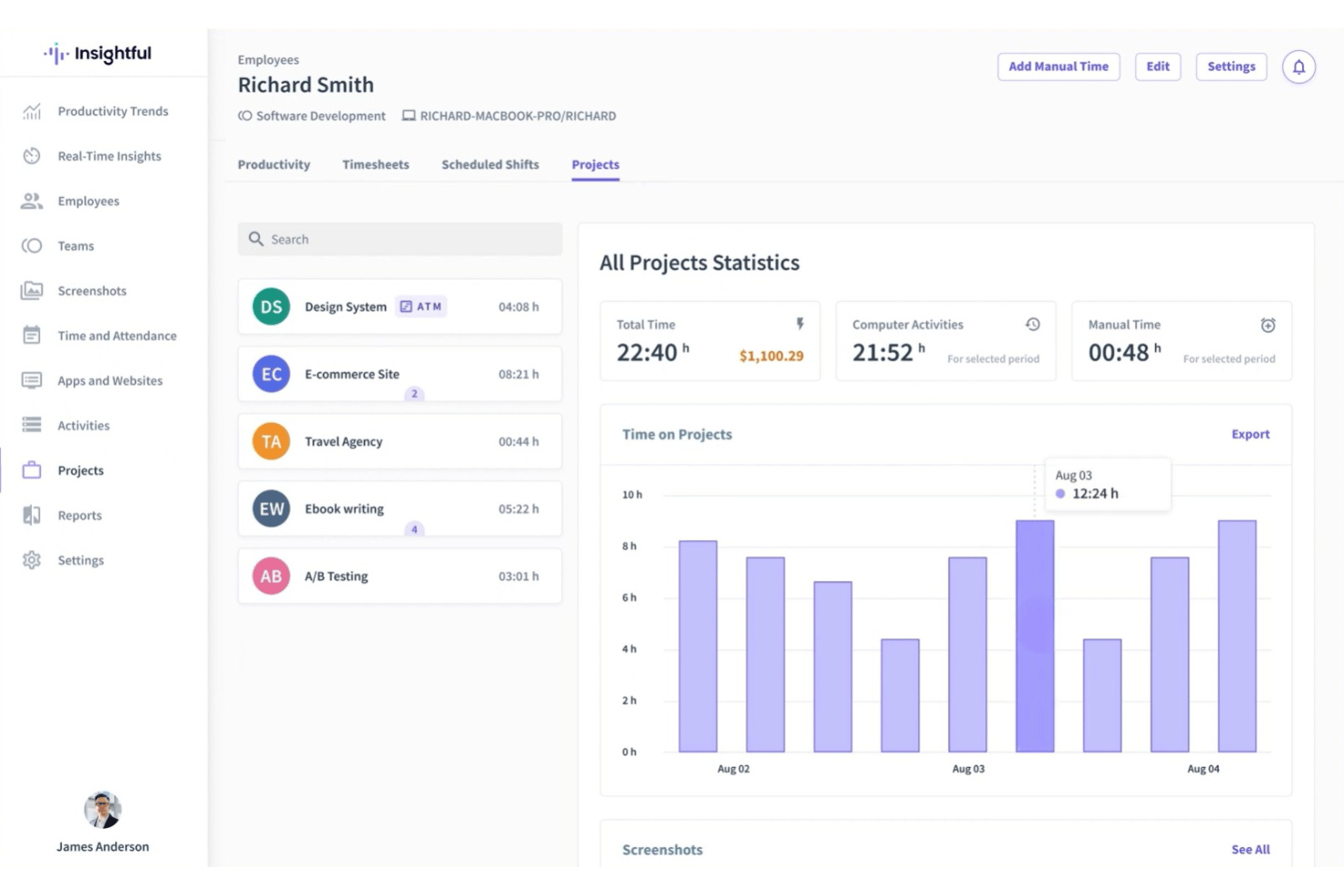
Tracks work hours and activities in real time without manual input. Users see detailed records by app, website, and project.
Employee Productivity Insights
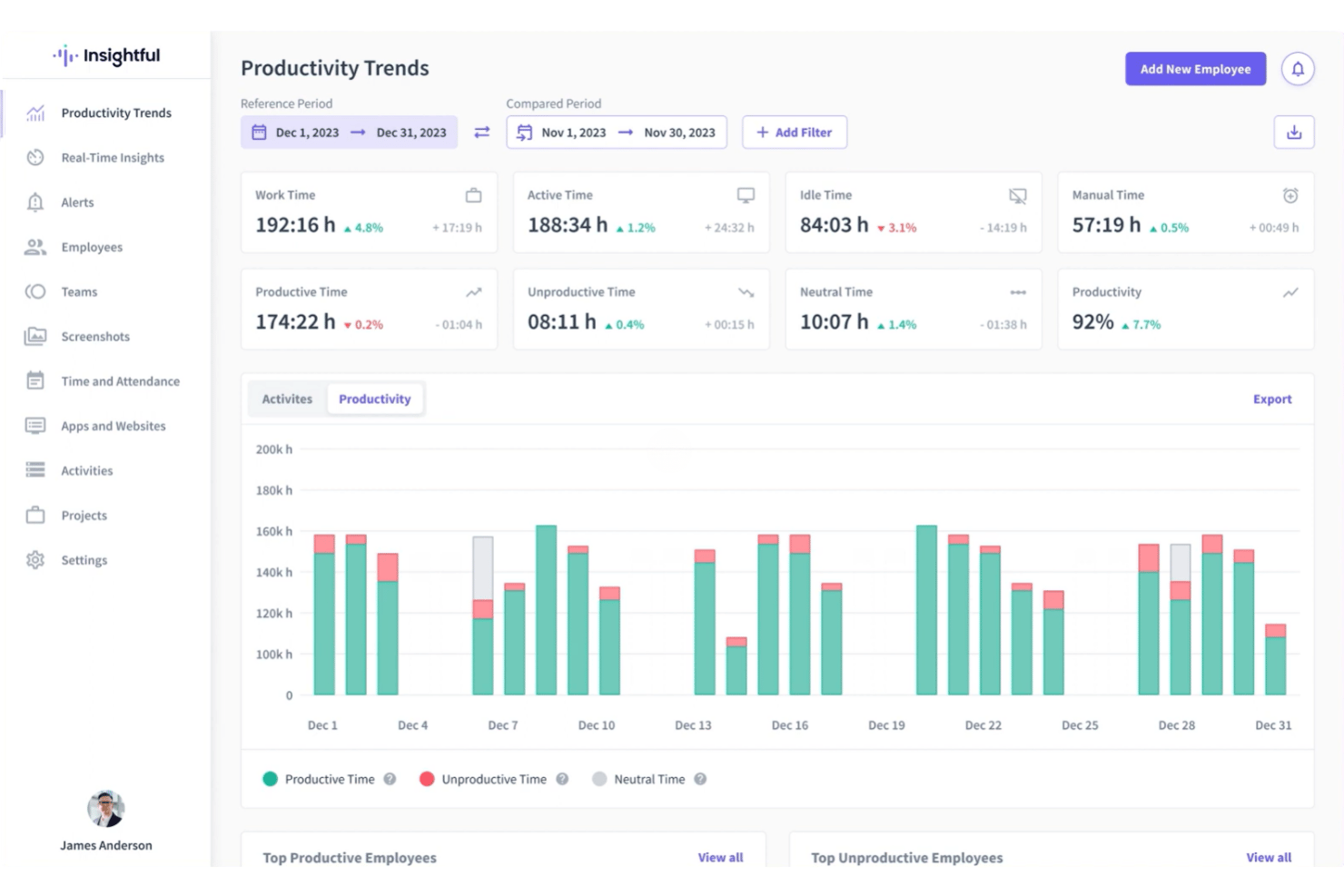
Delivers analytics on productive, unproductive, and neutral time for individuals and teams. Managers can spot trends and make data-driven decisions.
Stealth Mode Monitoring
Runs in the background invisibly, capturing user activity discreetly. This helps teams gather unbiased data on work habits.
Screenshots Capture
Takes automatic screenshots at set intervals for transparency and accountability. You control frequency and can blur images for privacy.
Project and Task Tracking
Assigns tracked time to specific projects or tasks for precise billing and reporting. Managers can monitor project progress and allocate resources.
Idle Time Detection
Automatically detects periods of inactivity and flags them in reports. Helps ensure only actual work hours are logged.
Ease of Use
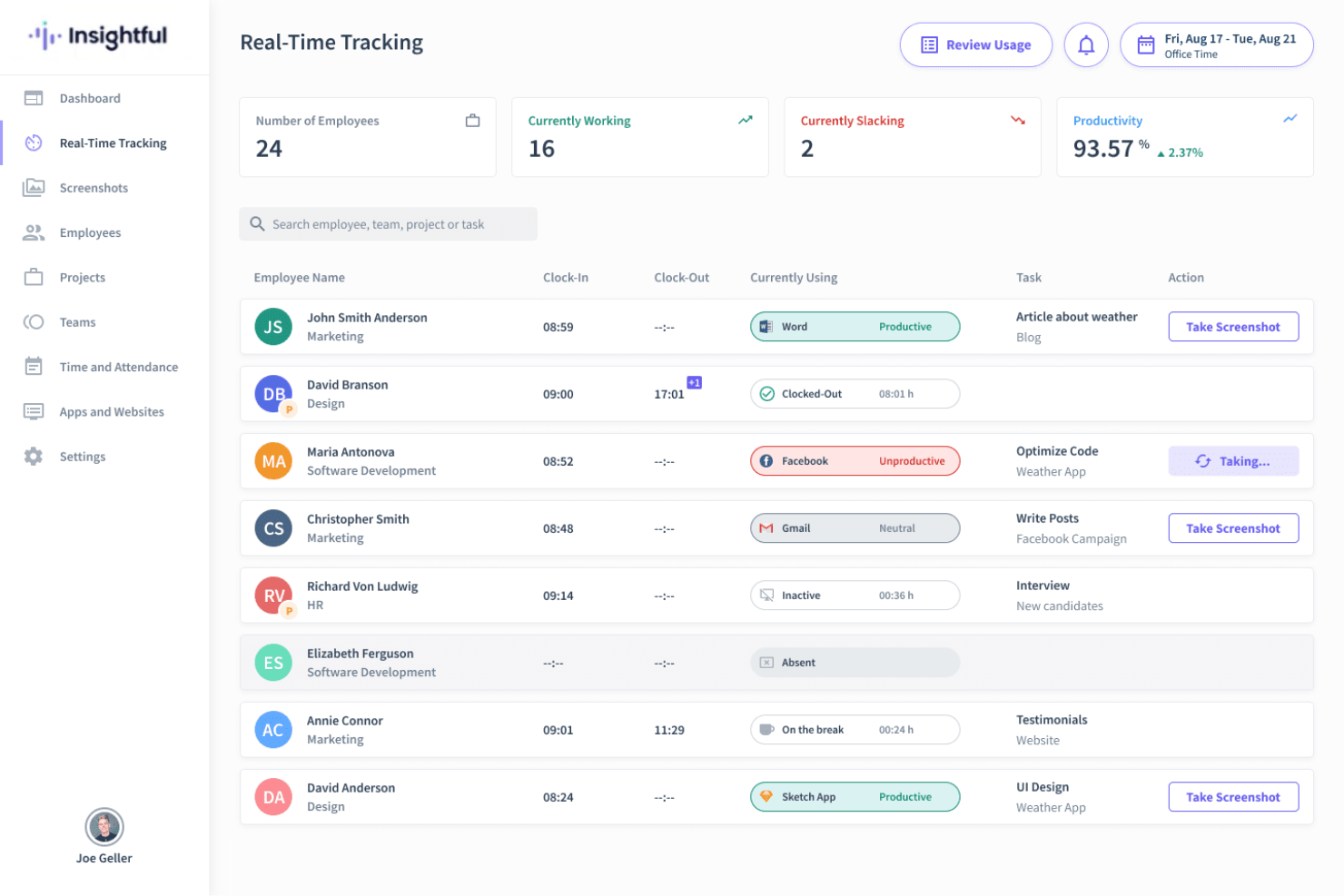
Insightful feels straightforward to use, thanks to its clean dashboard and automatic tracking, which minimizes the need for manual input. Users regularly praise how quickly they can view team activity and productivity analytics.
Visual timelines and clear reporting make it easy to get actionable insights without digging through menus.
Integrations
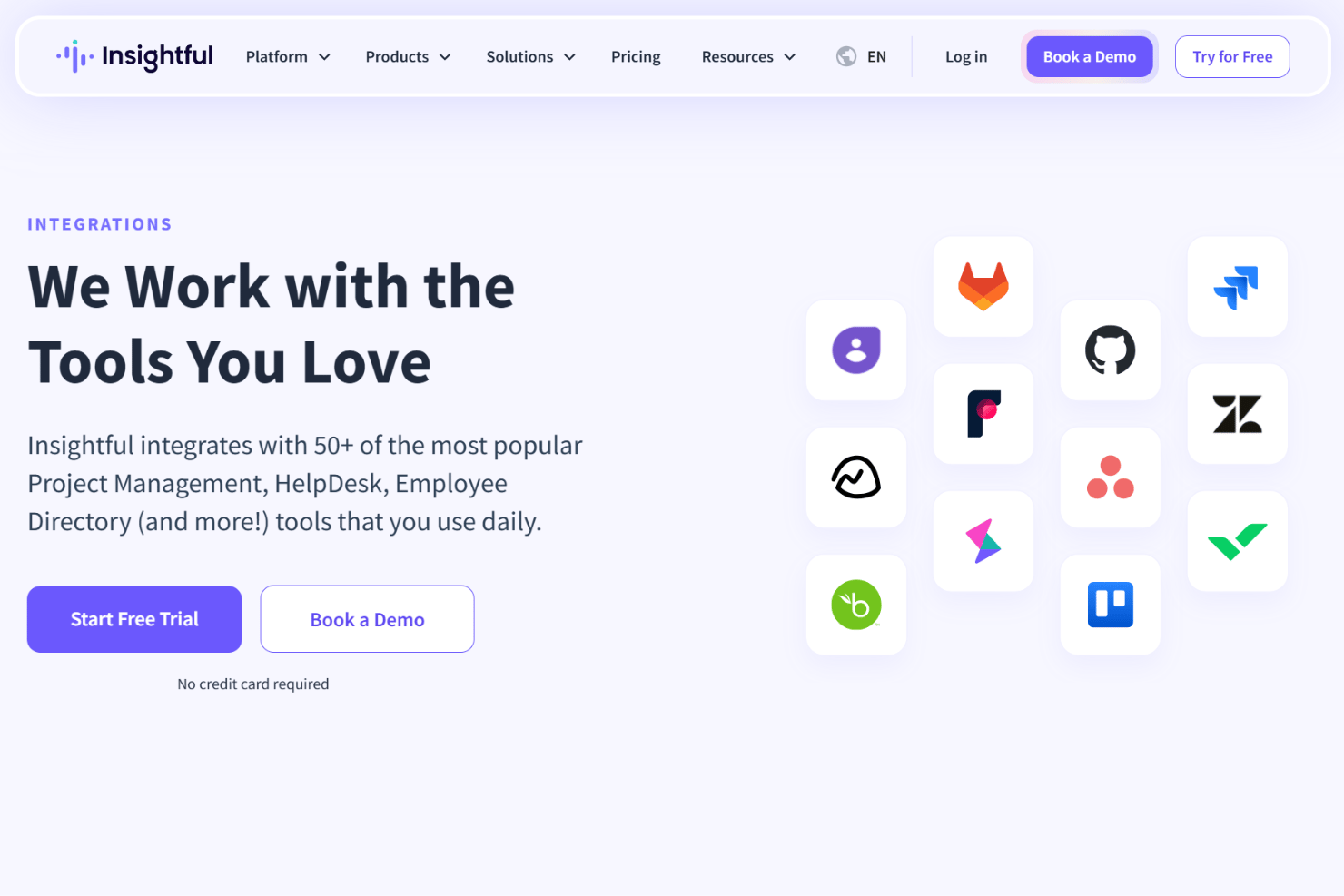
Insightful integrates with Jira, Trello, Asana, ClickUp, Basecamp, GitHub, GitLab, Azure DevOps, Wrike, and Zoho BugTracker, among others.
Insightful also offers a public API for custom integrations.
New Product Updates from Insightful
Insightful Expands MCP and HRIS Integrations
Insightful MCP Server now lets authorized users query live workforce data from ChatGPT and Copilot Studio using OAuth. HRIS integrations can also sync manager access from reporting hierarchies and keep permissions updated as structures change. Highlights include:
- ChatGPT Connection: Connects ChatGPT to live Insightful data through OAuth.
- Copilot Studio Connection: Adds OAuth access for Microsoft Copilot Studio.
- Read-Only MCP Access: Keeps AI queries within existing Insightful permissions.
- Manager Scope Sync: Aligns manager access with HRIS reporting hierarchies.
- Automatic Permission Updates: Adjusts manager access as organizational structures change.
- HRIS Beta: Manager scope syncing is currently available in Beta.
Visit Insightful’s official site for more details.
 for more details.
Insightful API Adds Alert Management
Insightful has expanded its API capabilities to include alert management, making it easier to automate and centrally administer alerting workflows. This helps teams integrate Insightful alerts into existing tools and reduce manual setup. Highlights include:
- Alert Creation: Creates new alerts through the API.
- Alert Updates: Changes existing alert configurations programmatically.
- Activation Controls: Activates or deactivates alerts through API calls.
- Alert Deletion: Removes alerts without using the UI.
- Permission Controls: Limits actions based on token access and user roles.
Visit Insightful’s official site for more details.
Insightful Redesigns Tracking Settings With Shared Controls
Insightful now centralizes shared tracking settings, employee assignments, and tracking actions in one redesigned experience. Admins can also assign employees during setup and review each setting’s scope more easily. Highlights include:
- Shared Tracking Settings: Centralizes reusable tracking configurations in one place.
- All Tab: Lists every shared tracking setting and its assigned scope.
- Employees Tab: Shows active employees alongside their applied tracking setting.
- Guided Setup: Walks admins through creating settings and assigning employees.
- Manage Actions: Groups employee tracking actions under a single Manage button.
- Team Inheritance: Lets employees inherit their team’s tracking setting when moved.
Visit Insightful’s official site for more details.
Insightful Brings Work Intelligence to AI Assistants
Insightful MCP Server lets Work Intelligence users access saved reports and run discovery conversations from AI assistants such as Claude. Users can start analyses, check progress, answer clarifying questions, and ask follow-ups from the same assistant. Highlights include:
- Saved Reports: Lets users list and read saved Work Intelligence reports.
- Discovery Conversations: Runs Work Intelligence analysis directly from a connected AI assistant.
- Progress Tracking: Lets users check the status of an active analysis.
- Follow-Up Questions: Supports clarifications and continued analysis within the conversation.
- Early Access: Available to organizations with Work Intelligence enabled.
Visit Insightful’s official site for more details.
Insightful Specs
- API
- Batch Permissions & Access
- Behavioral Tracking
- Big Data
- Competency Assessment
- Compliance Tracking
- Dashboard
- Data Export
- Data Import
- Data Visualization
- Database
- Employee Database
- Employee Engagement
- Employee Onboarding
- External Integrations
- Feedback Management
- Multi-User
- Notifications
- Password & Access Management
- Performance Appraisal
- Site Access Management
- Social-Media Integration
- Workflow Management


