



Zoho Projects vs. ClickUp: Comparación y Reseña Experta 2026



Zoho Projects ofrece una solución robusta para gestionar los proyectos de tu equipo con eficacia y facilidad. ClickUp se adapta a necesidades versátiles de gestión de proyectos gracias a su plataforma flexible. Mientras que Zoho Projects sobresale en la planificación estructurada de proyectos, ClickUp destaca por su adaptabilidad y opciones de personalización. En este artículo, encontrarás una comparación detallada de estas dos herramientas de software de gestión de proyectos, explorando sus características, ventajas y desventajas, precios y más.
Zoho Projects vs. ClickUp: An Overview
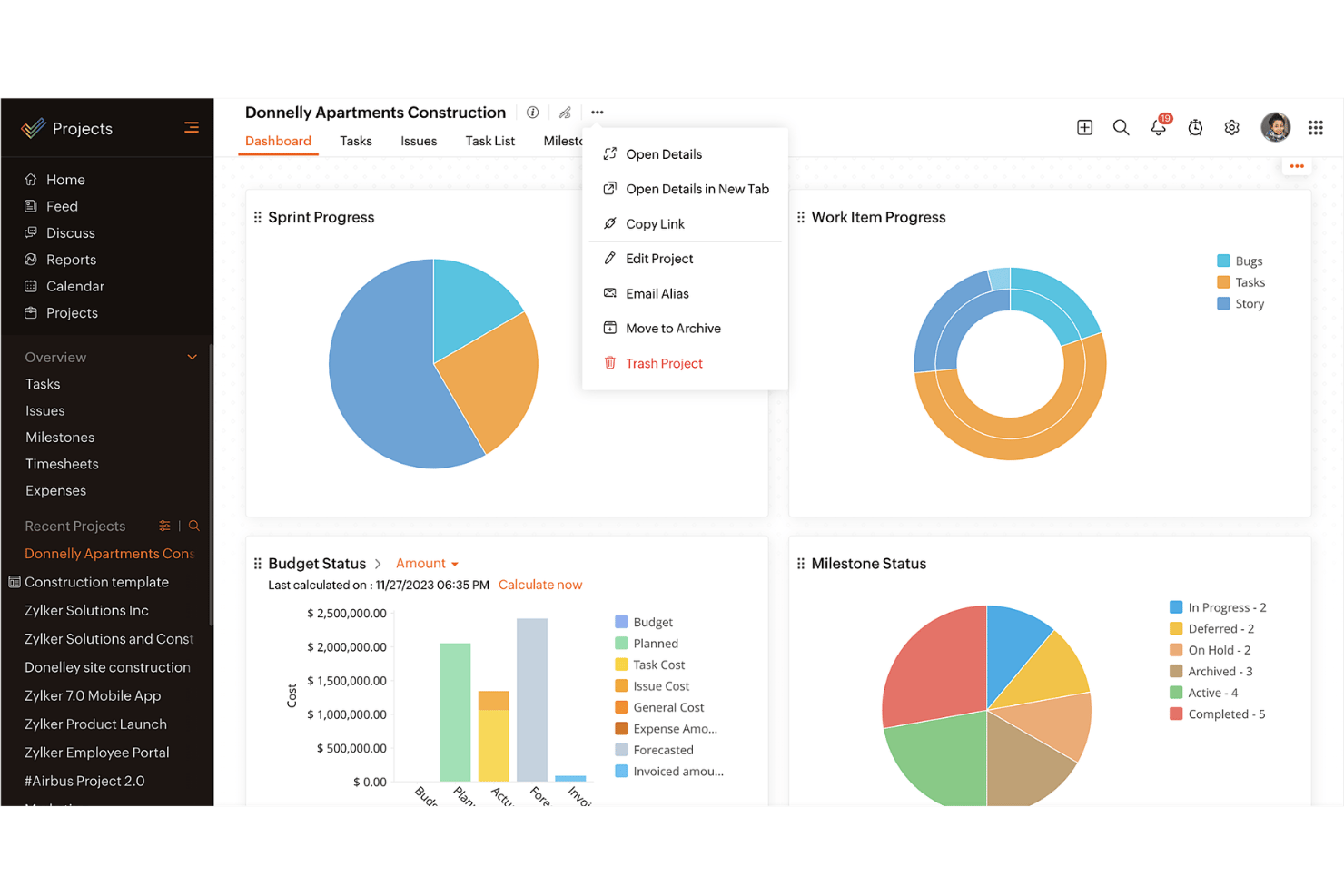
Zoho Projects
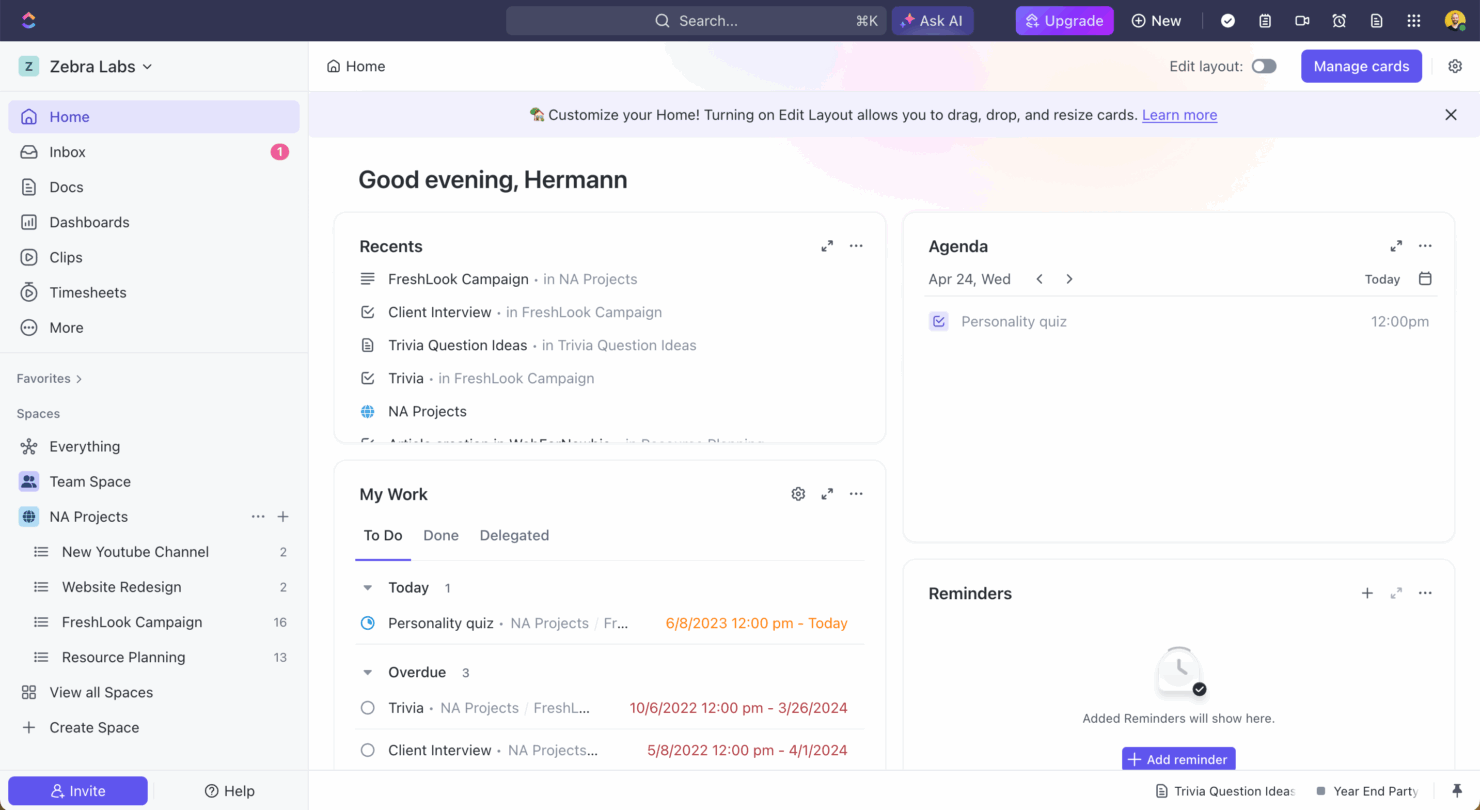
ClickUp
Por qué confiar en nuestras recomendaciones de software
Nuestro equipo lleva probando y evaluando software desde 2012. Como gestores de proyectos, sabemos lo difícil —y lo importante— que es elegir el software adecuado.
Para esta guía, evaluamos las herramientas mediante pruebas prácticas e investigación independiente, puntuando las herramientas según nuestros criterios de selección. También nos basamos en la experiencia de líderes de opinión del sector y de profesionales en activo de la gestión de proyectos.
Nuestras reseñas reflejan nuestro criterio editorial humano, no un discurso de ventas.
Revisores expertos:
Precios de Zoho Projects vs. ClickUp y Costos Ocultos
La tarifa de Zoho Projects está estructurada en planes escalonados, ofreciendo una gama de funciones según el nivel que elijas, pero debes tener en cuenta los posibles complementos que pueden aumentar los costos. La tarifa de ClickUp sigue un modelo escalonado similar, con un nivel gratuito y costes adicionales por funciones premium y almacenamiento. Para seleccionar la herramienta con el precio adecuado para tus necesidades, evalúa las características específicas que requiere tu equipo y considera los posibles costes ocultos que pueden surgir a medida que crecen tus necesidades. Asegúrate de alinear la oferta de la herramienta con los objetivos de tu proyecto y el potencial de escalabilidad a futuro.
Zoho Projects vs. ClickUp Feature Comparison
Con el seguimiento de hitos de Zoho Projects, puedes gestionar proyectos complejos estableciendo fases claras, lo cual es invaluable al coordinar cronogramas a largo plazo. La gestión versátil de tareas de ClickUp te permite personalizar ampliamente los flujos de trabajo, lo que resulta perfecto para equipos que necesitan adaptarse a cambios en el alcance del proyecto. Cada herramienta ofrece fortalezas únicas: Zoho Projects es ideal para fases estructuradas de proyectos, mientras que ClickUp sobresale en personalización y flexibilidad.
| Zoho Projects | ClickUp | |
|---|---|---|
| API | ||
| Batch Permissions & Access | ||
| Budgeting | ||
| Calendar Management | ||
| Collaboration Support | ||
| Contact Management | ||
| Contact Sharing | ||
| Customer Management | ||
| Dashboard | ||
| Dashboards | ||
| Data Export | ||
| Data Import | ||
| Data Visualization | ||
| Dependency Tracking | ||
| Document Sharing | ||
| Expense Tracking | ||
| External Integrations | ||
| File Sharing | ||
| Gantt Charts | ||
| Kanban Boards | ||
| Multi-User | ||
| Notifications | ||
| Project Management | ||
| Resource Management | ||
| Scheduling | ||
| Task Scheduling/Tracking | ||
| Third-Party Plugins/Add-Ons | ||
| Time Management | ||
| Travel Management | ||
| Workflow Management |
Zoho Projects vs. ClickUp Integraciones
| Integración | Zoho Projects | ClickUp |
|---|---|---|
| Slack | ✅ | ✅ |
| Google Drive | ✅ | ✅ |
| Microsoft Teams | ✅ | ✅ |
| Dropbox | ✅ | ✅ |
| HubSpot | ❌ | ✅ |
| Figma | ❌ | ✅ |
| GitHub | ❌ | ✅ |
| Salesforce | ✅ | ❌ |
| API | ✅ | ✅ |
| Zapier | ✅ | ✅ |
Gracias a la integración de Zoho Projects con Microsoft Teams, puedes agilizar la comunicación y la colaboración, lo cual resulta especialmente valioso al gestionar equipos remotos. La integración de ClickUp con Slack es ideal para mantener a tu equipo informado sobre el avance de las tareas sin salir de la plataforma de chat. Ambas herramientas ofrecen integraciones que potencian la productividad de diferentes maneras, así que considera qué integraciones se alinean mejor con tu flujo de trabajo.
Zoho Projects vs. ClickUp Seguridad, Cumplimiento y Fiabilidad
| Factor | Zoho Projects | ClickUp |
|---|---|---|
| Privacidad de datos | Zoho Projects cumple con los estándares GDPR, asegurando la privacidad y protección de tus datos. | ClickUp cumple con GDPR y CCPA, ofreciendo controles de privacidad robustos para tus datos. |
| Cifrado | Zoho Projects utiliza cifrado AES-256 para proteger los datos tanto en tránsito como en reposo. | ClickUp emplea cifrado AES-256, protegiendo tus datos durante la transferencia y el almacenamiento. |
| Fiabilidad operativa | Zoho Projects garantiza un 99,9% de tiempo de actividad, proporcionando acceso constante a tus proyectos. | ClickUp también ofrece un 99,99% de tiempo de actividad, asegurando una mínima interrupción en tu flujo de trabajo. |
Zoho Projects y ClickUp otorgan alta prioridad a la seguridad y el cumplimiento, pero ClickUp destaca ligeramente gracias a su cumplimiento adicional con CCPA. Al evaluar las funciones de seguridad y conformidad, concéntrate en entender las medidas de protección de datos específicas que ofrece cada herramienta y considera cómo se ajustan a los requisitos de cumplimiento de tu equipo.
Zoho Projects vs. ClickUp Facilidad de Uso
| Factor | Zoho Projects | ClickUp |
|---|---|---|
| Interfaz de usuario | Zoho Projects ofrece una interfaz limpia con paneles personalizables para una navegación sencilla. | ClickUp cuenta con una interfaz altamente personalizable, que te permite adaptar las vistas a tus necesidades. |
| Experiencia de incorporación | Zoho Projects proporciona tutoriales guiados e instrucciones de configuración paso a paso para ayudarte a empezar. | ClickUp ofrece un proceso de incorporación intuitivo con tutoriales en vídeo y plantillas. |
| Soporte | Zoho Projects incluye soporte al cliente 24/5 vía chat y correo electrónico para asistencia rápida. | ClickUp proporciona soporte 24/7 con chat en vivo y un completo centro de ayuda. |
Zoho Projects es una opción directa gracias a su interfaz limpia, pero las vistas altamente personalizables de ClickUp pueden hacerlo más adaptable para flujos de trabajo variados. ClickUp destaca en personalización y soporte, mientras que Zoho Projects sobresale en incorporación sencilla y facilidad de navegación.
Zoho Projects vs ClickUp: Pros & Cons
Zoho Projects
- Task dependencies are highly visual and easy to set up.
- Built-in time tracking integrates smoothly with billing features.
- Customizable project templates support repeatable workflows.
- Reporting customization can be limited for advanced needs.
- Mobile app notifications do not always sync in real time.
- Gantt chart drag-and-drop can feel sluggish with large projects.
ClickUp
- Extensive task management features keep your projects organized and on track
- Real-time collaboration makes team communication more effective
- Built-in automations reduce manual work and speed up your workflow
- Users often find the learning curve steep due to its rich feature set
- Some users report occasional performance lags when managing large projects
- Mobile app can be less intuitive than the desktop version
Best Use Cases for Zoho Projects and ClickUp
Zoho Projects
- Small Agencies Kanban boards, time tracking, and client billing streamline project delivery and reporting for agency teams.
- IT Departments Issue tracking, blueprint automations, and strong permission controls provide what IT teams need for complex internal projects.
- Consulting Firms Time sheets, detailed reports, and project-level billing help consultants keep track of client hours and invoicing.
- Remote Teams Robust collaboration tools, document sharing, and project forums help distributed users stay connected.
- Marketing Teams Reusable templates, task dependencies, and timeline tracking make repeated campaigns run smoothly and transparently.
- Construction Projects Gantt charts, milestones, and resource allocation features support the scheduling needs of construction and field project managers.
ClickUp
- Creative agencies ClickUp's customizable dashboards and task automation features can help you manage client projects, track feedback and revisions, and keep creative teams aligned.
- Tech startups ClickUp supports agile development with sprints and real-time collaboration features that can help teams iterate quickly.
- Marketing teams You can streamline campaign planning and execution using ClickUp’s task dependencies and timelines.
- Remote teams ClickUp's real-time updates and collaboration tools keep everyone on the same page, no matter where they are.
- Product managers ClickUp’s roadmaps and goal-tracking features help you align development with business objectives.
- Freelancers You can track your tasks and deadlines efficiently with ClickUp’s simple task and time management tools.
¿Quién debería usar Zoho Projects y quién debería usar ClickUp?
En mi opinión, Zoho Projects es ideal para equipos que necesitan una herramienta de gestión de proyectos estructurada con funciones directas y enfoque en cronogramas claros. Es muy adecuado para industrias donde las fases tradicionales del proyecto son clave, como la construcción o la manufactura. Por otro lado, considero que ClickUp es perfecto para equipos que requieren flexibilidad y personalización, especialmente en sectores dinámicos como startups tecnológicas o agencias creativas. Si tu equipo valora la adaptabilidad y la diversidad de flujos de trabajo, probablemente ClickUp sea la mejor opción.
Differences Between Zoho Projects and ClickUp
| Zoho Projects | ClickUp | |
|---|---|---|
| Automation | Zoho Projects includes basic automation for task management. | ClickUp offers advanced automation capabilities, allowing complex workflows. |
| Integrations | Zoho Projects integrates well with Microsoft Teams and Salesforce. | ClickUp excels with integrations like Slack, Figma, and GitHub. |
| Pricing | Zoho Projects offers tiered plans with additional costs for premium add-ons. | ClickUp provides a free tier with premium features available at extra cost. |
| Support | Zoho Projects provides 24/5 support via chat and email. | ClickUp offers 24/7 support with live chat and a detailed help center. |
| User Interface | Zoho Projects has a clean, straightforward interface for easy navigation. | ClickUp features a highly customizable interface tailored to your needs. |
| Read Zoho Projects ReviewOpens new window | Visit ClickUpOpens new window |
Similarities Between Zoho Projects and ClickUp
| Cloud-Based Access | Zoho Projects and ClickUp are cloud-based, offering your team remote access to project data anytime, anywhere, which is essential for modern teams. |
|---|---|
| Collaboration | Zoho Projects and ClickUp both integrate communication tools, enhancing team collaboration and keeping everyone in the loop. |
| Project Timelines | Each tool provides project timeline views, helping you visualize project phases and deadlines, ensuring your team stays on track. |
| Reporting | Both platforms allow you to generate custom reports, giving you insights into project performance and team productivity. |
| Task Management | Both Zoho Projects and ClickUp offer robust task management features, letting you assign, track, and manage tasks efficiently within your team. |
| Read Zoho Projects ReviewOpens new window Visit ClickUpOpens new window | |