


Monday CRM vs. Productive: Comparación experta para 2026



Monday CRM ofrece un enfoque simplificado para gestionar las interacciones con los clientes de tu equipo. Productive, por otro lado, proporciona un marco sólido para optimizar la productividad del equipo junto con la gestión de clientes. Aunque ambas herramientas buscan mejorar tus procesos de relación con clientes, se diferencian en sus capacidades de integración y diseño de interfaz de usuario. En este artículo, encontrarás una comparación completa de las características, ventajas y desventajas, precios y más, enfocándonos en su aplicación en la gestión de relaciones con clientes.
monday CRM vs. Productive: An Overview
monday CRM


Productive



Por qué confiar en nuestras recomendaciones de software
Nuestro equipo lleva probando y evaluando software desde 2012. Como gestores de proyectos, sabemos lo difícil —y lo importante— que es elegir el software adecuado.
Para esta guía, evaluamos las herramientas mediante pruebas prácticas e investigación independiente, puntuando las herramientas según nuestros criterios de selección. También nos basamos en la experiencia de líderes de opinión del sector y de profesionales en activo de la gestión de proyectos.
Nuestras reseñas reflejan nuestro criterio editorial humano, no un discurso de ventas.
Revisores expertos:
monday CRM vs. Productive Pricing Comparison
| monday CRM | Productive | |
|---|---|---|
| Free Trial | 14-day free trial + free demo available | 14-day free trial |
| Pricing | From $12/seat/month (billed annually) | From $10/user/month |
Precios y Costos Ocultos de Monday CRM vs. Productive
El precio de Monday CRM se estructura en planes escalonados que aumentan de costo a medida que agregas más funciones o usuarios, con posibles costos adicionales por integraciones premium o almacenamiento extra. El precio de Productive también sigue un modelo escalonado, con tarifas que aumentan en función del número de usuarios y cargos adicionales por funciones avanzadas o límites de uso ampliados.
Para elegir la herramienta adecuada para tu equipo de ventas, evalúa ambos proveedores considerando el costo total de propiedad, incluidos los gastos ocultos. Observa cómo se alinea el precio de cada herramienta con el tamaño de tu equipo, el crecimiento esperado y las funcionalidades específicas que necesitas. Considera los periodos de prueba o las demostraciones para evaluar el valor que cada herramienta ofrece en relación con su precio.
monday CRM vs. Productive Feature Comparison
Con las capacidades de automatización de Monday CRM, puedes agilizar tareas repetitivas como los correos electrónicos de seguimiento, lo que resulta ideal para un gerente de ventas que gestiona múltiples interacciones con clientes cada día. La función de finanzas de proyectos de Productive es excelente para llevar un seguimiento detallado de presupuestos y facturas, lo cual es esencial para gestionar costos de forma efectiva en entornos de ventas basados en proyectos. Mientras Monday CRM simplifica la automatización de flujos de trabajo, Productive destaca en el control financiero, ofreciendo beneficios únicos según las necesidades específicas de tu equipo.
| monday CRM | Productive | |
|---|---|---|
| API | ||
| Data Export | ||
| Data Import | ||
| External Integrations | ||
| Multi-User | ||
| Notifications | ||
| Scheduling | ||
| Task Scheduling/Tracking |
Monday CRM vs. Productive Integraciones
| Integración | Monday CRM | Productive |
|---|---|---|
| Google Calendar | ✅ | ✅ |
| HubSpot | ✅ | ✅ |
| Jira | ✅ | ✅ |
| QuickBooks | ❌ | ✅ |
| Salesforce | ✅ | ❌ |
| Trello | ✅ | ❌ |
| Slack | ✅ | ✅ |
| Bamboo HR | ❌ | ✅ |
| API | ✅ | ✅ |
| Zapier | ✅ | ✅ |
La integración de Monday CRM con Salesforce te permite gestionar datos de clientes y embudos de ventas sin inconvenientes, lo cual es perfecto para un gerente de ventas que necesita información actualizada de los clientes en tiempo real. La integración de Productive con QuickBooks es excelente para mantener el control de las finanzas y la facturación, especialmente útil en entornos de ventas por proyectos. Mientras Monday CRM se centra en optimizar los flujos de trabajo de ventas, Productive destaca en la gestión financiera, adaptándose a diferentes necesidades operativas.
Monday CRM vs. Productive Seguridad, Cumplimiento y Fiabilidad
| Factor | Monday CRM | Productive |
|---|---|---|
| Cifrado de Datos | Cifra los datos tanto en reposo como en tránsito, asegurando el manejo seguro de la información. | Utiliza cifrado AES-256 para proteger los datos, proporcionando seguridad robusta para la información almacenada. |
| Cumplimiento Normativo | Cumple con el RGPD y ofrece configuraciones de privacidad de datos personalizables para el control del usuario. | Garantiza cumplimiento con el RGPD mediante auditorías regulares y medidas de protección de datos. |
| Fiabilidad | Ofrece un 99.9% de tiempo de actividad con actualizaciones de estado en tiempo real accesibles a los usuarios. | Proporciona un servicio fiable con garantía del 99.9% de tiempo de actividad y monitorización continua. |
| Controles de Acceso | Incluye permisos basados en roles para controlar el acceso de los usuarios a datos sensibles. | Implementa roles y permisos de usuario para restringir el acceso según la función laboral. |
Tanto Monday CRM como Productive ofrecen marcos sólidos de seguridad y cumplimiento, pero las configuraciones de privacidad personalizables de Monday CRM le dan una ventaja en el control del usuario. Para elegir al proveedor correcto, evalúa las necesidades específicas de protección de datos de tu equipo, considerando factores como estándares de cifrado y requisitos regulatorios para encontrar la mejor opción.
Monday CRM vs. Productive Facilidad de Uso
| Factor | Monday CRM | Productive |
|---|---|---|
| Interfaz de Usuario | Ofrece una interfaz colorida e intuitiva con funcionalidad de arrastrar y soltar para fácil navegación. | Presenta un diseño limpio y minimalista enfocado en la gestión eficiente de tareas. |
| Experiencia de Incorporación | Proporciona tutoriales interactivos y guías para que los nuevos usuarios comiencen rápidamente. | Ofrece un proceso de incorporación sencillo con sugerencias útiles y recursos. |
| Configuración | Requiere una configuración mínima con plantillas prediseñadas para agilizar la configuración inicial. | Permite una configuración fácil con flujos de trabajo personalizables para adaptarse a diferentes equipos. |
| Soporte | Incluye soporte al cliente 24/7 y una base de conocimientos completa para la resolución de problemas. | Proporciona soporte ágil mediante chat y correo electrónico, junto con un centro de ayuda detallado. |
La interfaz vibrante de Monday CRM la hace atractiva, pero su variedad de funciones puede resultar abrumadora al principio. Productive es más sencillo de navegar gracias a su diseño directo, aunque puede carecer de parte del atractivo visual que hace destacar a Monday CRM.
monday CRM vs Productive: Pros & Cons
monday CRM
- You can easily customize workflows to fit your team's specific needs.
- It enhances team collaboration with real-time updates and dashboards.
- The onboarding process is smooth and user-friendly, helping your team get started quickly.
- The interface can be overwhelming for smaller teams with its extensive capabilities.
- Some users find the navigation less intuitive compared to other tools.
- It might not be the best fit for teams needing advanced financial features.
Productive
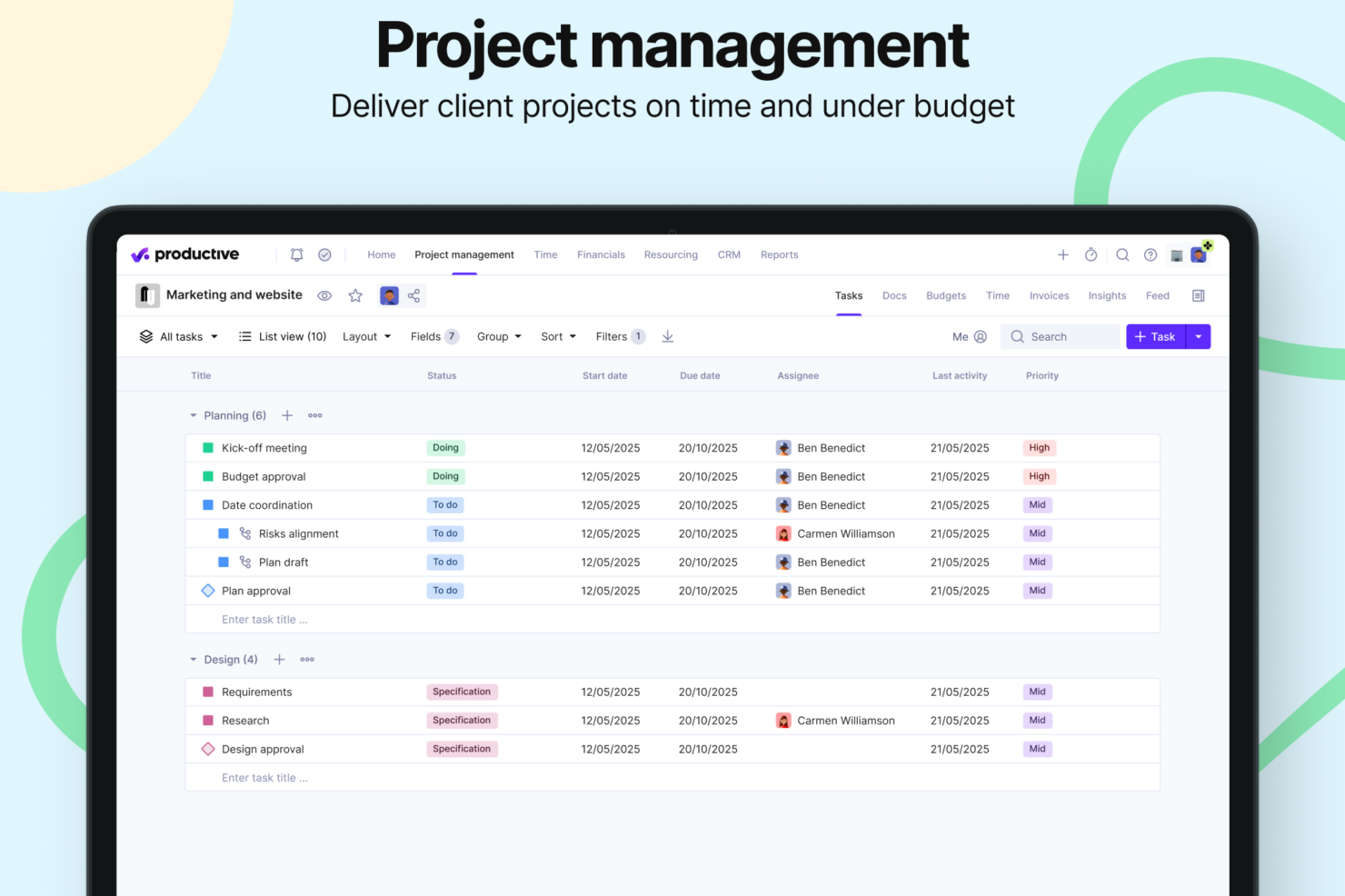
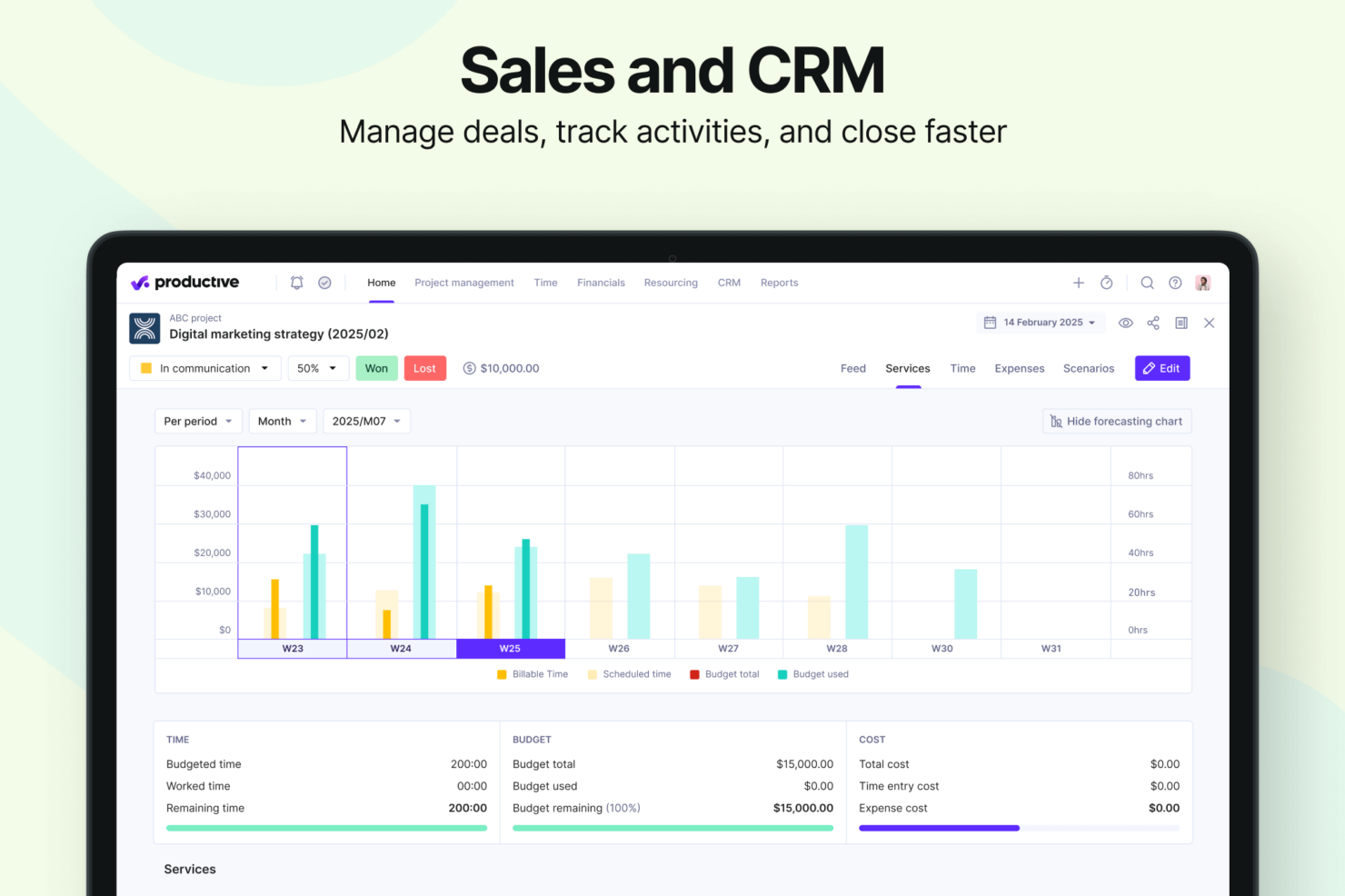
- Strong financial tracking and forecasting tools give you real-time insight into project profitability and overall business performance.
- You can handle agency projects end-to-end, from proposal to payment, which simplifies your workflow.
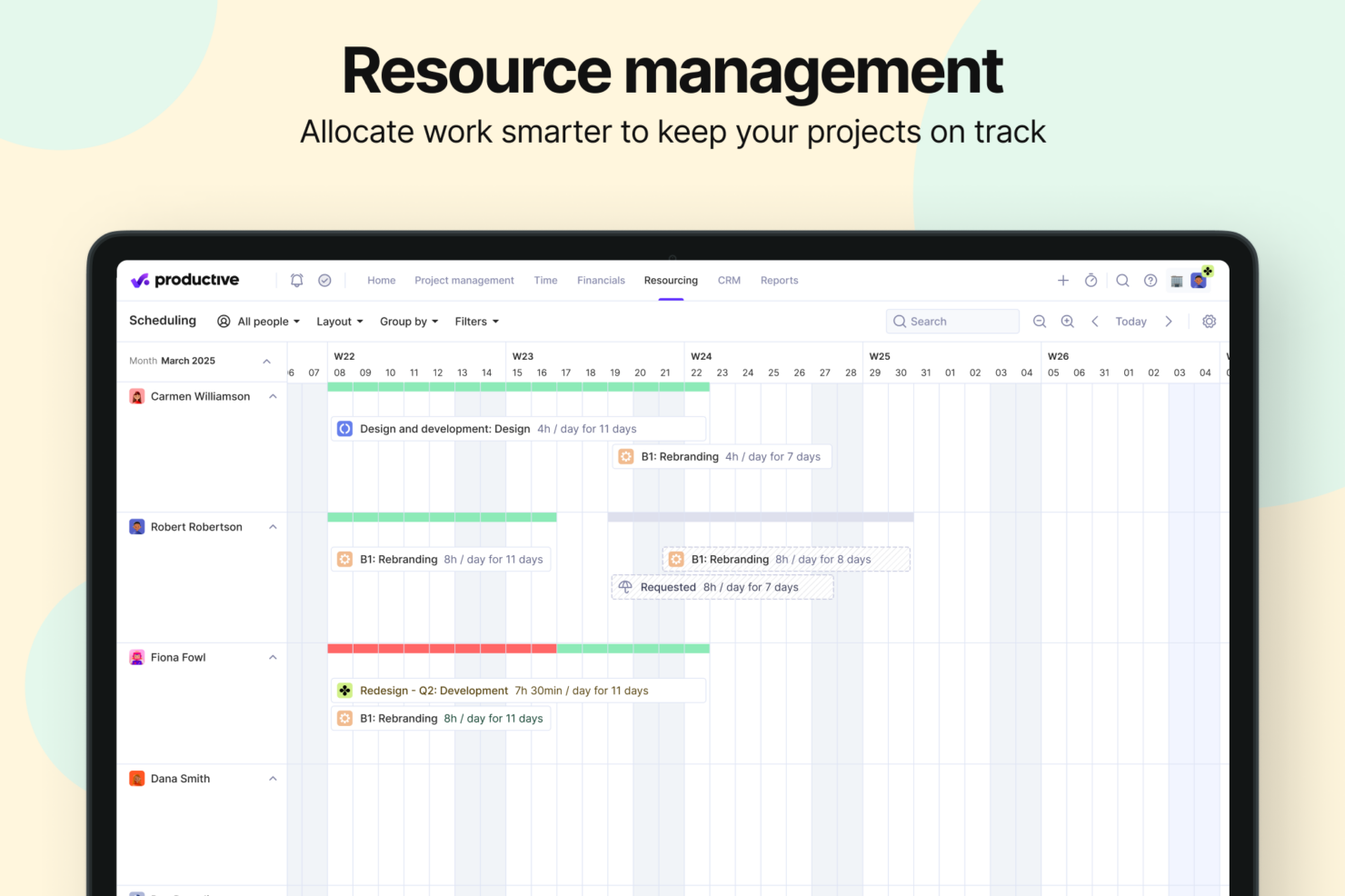
- Robust resource planning and workload management help you allocate people effectively.
- No free option available for teams looking for core project management functions.
- Advanced features can be complicated for small companies that just want basic task tracking.
- There's a minimum 3-seat requirement, so the tool isn't fit for single users or tiny teams.
Best Use Cases for monday CRM and Productive
monday CRM
- Marketing Teams Monday CRM lets you track campaigns and collaborate on content with its visual boards and real-time updates.
- Creative Agencies You can manage client projects and deadlines with customizable workflows that adapt to your needs.
- Sales Departments Track leads and sales pipelines with ease using Monday CRM’s intuitive dashboard and reporting features.
- Product Development Organize product roadmaps and collaborate with your team through Monday CRM’s task management and file-sharing capabilities.
- Event Planning Coordinate logistics and schedules seamlessly with Monday CRM’s timeline views and task assignments.
- Remote Teams Stay connected and on track with Monday CRM’s real-time collaboration tools and integration options.
Productive
- Creative agencies Agencies managing client retainers or project-based work gain real-time control over budgets, utilization, and profitability. Productive supports collaborative workflows while giving leadership deep financial insights.
- Architecture & Engineering Firms Productive aligns well with your workflows by combining project budgeting, resource planning, phased delivery, and profitability tracking.
- Consulting Firms Consultancies benefit from Productive’s integrated approach to scoping, staffing, project financials, and invoicing—providing clarity across complex engagements and supporting better revenue forecasting.
- Professional Service Providers Productive supports end-to-end service delivery with strong project financials, resource planning, time tracking, and billing workflows.
- IT Services IT service teams can streamline client engagements with robust time tracking, retainer management, cost tracking, and project profitability features.
- Mid-to-Large Businesses Organizations with growing teams benefit from Productive’s scalable project controls, forecasting, custom reporting, and multi-office management capabilities.
¿Quién debería usar Monday CRM y quién debería usar Productive?
Monday CRM es ideal para equipos de ventas que necesitan una plataforma altamente personalizable para gestionar oportunidades, automatizar tareas repetitivas y obtener una visión visual de todo el embudo de ventas. Es perfecto para equipos que desean adaptar cada etapa del CRM a su propio proceso, especialmente en sectores creativos o de rápido movimiento. Productive, en cambio, está diseñado para agencias y empresas de servicios que necesitan vincular directamente el embudo de ventas con la presupuestación, la asignación de recursos y la rentabilidad. Si tu equipo de ventas requiere una colaboración fluida entre departamentos—como ventas, finanzas y entrega—el enfoque todo en uno de Productive puede ajustarse mejor. Para flexibilidad visual y automatización escalable de CRM, Monday CRM es la opción; para seguimiento enriquecido de oportunidades y visibilidad de desempeño empresarial, Productive destaca.
Differences Between monday CRM and Productive
| monday CRM | Productive | |
|---|---|---|
| Business Intelligence | monday CRM offers dashboards focused on sales performance, deal tracking, and pipeline analytics—not project profitability, delivery margins, or financial forecasting. | Productive includes budgeting, cost tracking, profitability forecasting, revenue insights, and a full BI layer for service businesses. |
| Document Management | monday CRM does not have a native document editor; it integrates with external tools (Google Docs, etc.). | Productive includes integrated Docs for specs, notes, briefs, and project documentation. |
| Project Delivery | monday CRM focuses on CRM workflows: lead collection, deal stages, pipelines, email sequences, automations, and contact management. | Productive manages the entire lifecycle: proposals, projects, tasks, resources, financials, invoicing, reporting, docs, and profitability. |
| Resource Management | monday CRM does not offer traditional resource planning. It provides activity/task scheduling for sales reps, but not project-based capacity or utilization management. | Productive includes mature tools for resource planning and workload management: filtering by skills, seniority, availability, placeholders for future hiring, and visual workload balancing. |
| Scenario Building | monday CRM does not offer scenario-planning functionality. Its forecasting is sales pipeline–oriented. | Built-in Scenario Builder allows modeling different project or deal scenarios, comparing costs, staffing, timing, and profitability before committing. |
| Visit monday CRMOpens new window | Visit ProductiveOpens new window |
Similarities Between monday CRM and Productive
| Cross-Platform Access | Both platforms are accessible across devices, allowing teams to manage work on the go through mobile apps or responsive web interfaces. |
|---|---|
| Customizable Workflows | Both tools let teams tailor workflows to fit their processes, with support for customizable stages and a variety of templates. |
| Integration Options | Each platform supports a wide range of third-party integrations, including tools like Slack, Google Calendar, and other popular apps. |
| Real-time Collaboration | Both tools let teams tailor workflows to fit their processes, with support for customizable stages and a variety of templates. |
| Reporting | Both Monday CRM and Productive offer reporting features that allow users to visualize key metrics and track performance across workflows. |
| Visit monday CRMOpens new window Visit ProductiveOpens new window | |