

10 alternativas a Skype Empresarial para llamadas de equipo en 2026

Lista de las mejores alternativas a Skype Empresarial


Si gestionas un equipo remoto o híbrido, es muy probable que Skype Empresarial desempeñara en su momento un papel central en la forma en que se comunicaba tu equipo. Desde entonces, Microsoft ha trasladado esas funciones a Microsoft Teams, ampliando la plataforma hasta convertirla en un centro más completo para chats, reuniones y colaboración.
Para muchos equipos, Teams cubre todo lo que necesitan. Sin embargo, para otros, el cambio introduce nuevos retos, ya sea por una mayor complejidad, funciones superpuestas, preocupaciones relacionadas con el precio o flujos de trabajo que no encajan del todo con la forma en que trabaja su equipo. En esos casos, merece la pena analizar si otra herramienta se adapta mejor a tus necesidades de comunicación.
He probado y analizado varias alternativas a Skype Empresarial, incluidas opciones diseñadas para realizar videollamadas más sencillas, colaborar de forma más específica o satisfacer casos de uso empresariales concretos. En este artículo, repasaré las mejores alternativas que puedes considerar para que decidas si quieres seguir con Teams o elegir una herramienta que respalde mejor la forma en que realmente trabaja tu equipo.
¿Qué es Skype Empresarial?
Skype Empresarial era una plataforma de comunicación y colaboración empresarial diseñada para ayudar a los equipos a conectarse mediante videoconferencias, mensajería instantánea, uso compartido de pantalla y uso compartido de archivos. La utilizaban ampliamente las organizaciones que necesitaban formas seguras y fiables de comunicarse con colegas y clientes en distintas ubicaciones.
Desde entonces, Microsoft ha retirado Skype Empresarial y ha trasladado sus funciones principales a Microsoft Teams, que ahora es la plataforma principal de comunicación empresarial de Microsoft. Teams se basa en las funciones de llamadas y reuniones de Skype Empresarial, al tiempo que añade chat persistente, integraciones más profundas con Microsoft 365 y herramientas de colaboración más amplias.
Resumen de las mejores alternativas a Skype Empresarial
Esta tabla comparativa resume los detalles de precios de mis principales selecciones para ayudarte a encontrar la mejor alternativa a Skype Empresarial que se ajuste tanto a tu presupuesto como a las necesidades de tu empresa.
| Tool | Best For | Trial Info | Price | ||
|---|---|---|---|---|---|
| 1 | Ideal para la mensajería empresarial privada | Prueba gratuita + demostración disponible | Desde $6/mes | Website | |
| 2 | Ideal para la integración con Google Workspace | Prueba gratuita disponible | Desde $9.20/usuario/mes (facturado anualmente) | Website | |
| 3 | Ideal para la gestión de tareas | Plan gratuito + demostración gratuita disponible | Desde $3/usuario/mes (facturado anualmente) | Website | |
| 4 | Ideal para llamadas gratuitas internacionales | Demostración gratuita disponible | Gratis | Website | |
| 5 | Ideal para soluciones empresariales integradas | Prueba gratuita disponible | Desde $4.00/usuario/mes (facturado anualmente) | Website | |
| 6 | Ideal para herramientas de comunicación empresarial | Prueba gratuita + demostración gratuita disponible | Desde $12/organizador/mes (facturado anualmente) | Website | |
| 7 | Ideal para implementaciones seguras | Plan gratuito + demostración gratuita disponible | Precios bajo solicitud | Website | |
| 8 | La mejor opción para comunicaciones todo en uno | Demostración gratuita disponible | Precio bajo solicitud | Website | |
| 9 | Ideal para entornos de misión crítica | Demostración gratuita disponible | Precios bajo solicitud | Website | |
| 10 | Ideal para sistemas telefónicos virtuales | Plan gratuito | Desde $39/mes/10 usuarios (facturado anualmente) | Website |
Por qué confiar en nuestras recomendaciones de software
Nuestro equipo lleva probando y evaluando software desde 2012. Como gestores de proyectos, sabemos lo difícil —y lo importante— que es elegir el software adecuado.
Para esta guía, evaluamos las herramientas mediante pruebas prácticas e investigación independiente, puntuando las herramientas según nuestros criterios de selección. También nos basamos en la experiencia de líderes de opinión del sector y de profesionales en activo de la gestión de proyectos.
Nuestras reseñas reflejan nuestro criterio editorial humano, no un discurso de ventas.
Revisores expertos:
Análisis de las mejores alternativas a Skype Empresarial
A continuación encontrarás mis resúmenes detallados de las mejores alternativas a Skype que han entrado en mi lista. En mis análisis examino en detalle las funciones principales, las ventajas y desventajas, las integraciones y los casos de uso ideales de cada herramienta para ayudarte a encontrar la mejor opción para ti.
Brosix
Ideal para la mensajería empresarial privada
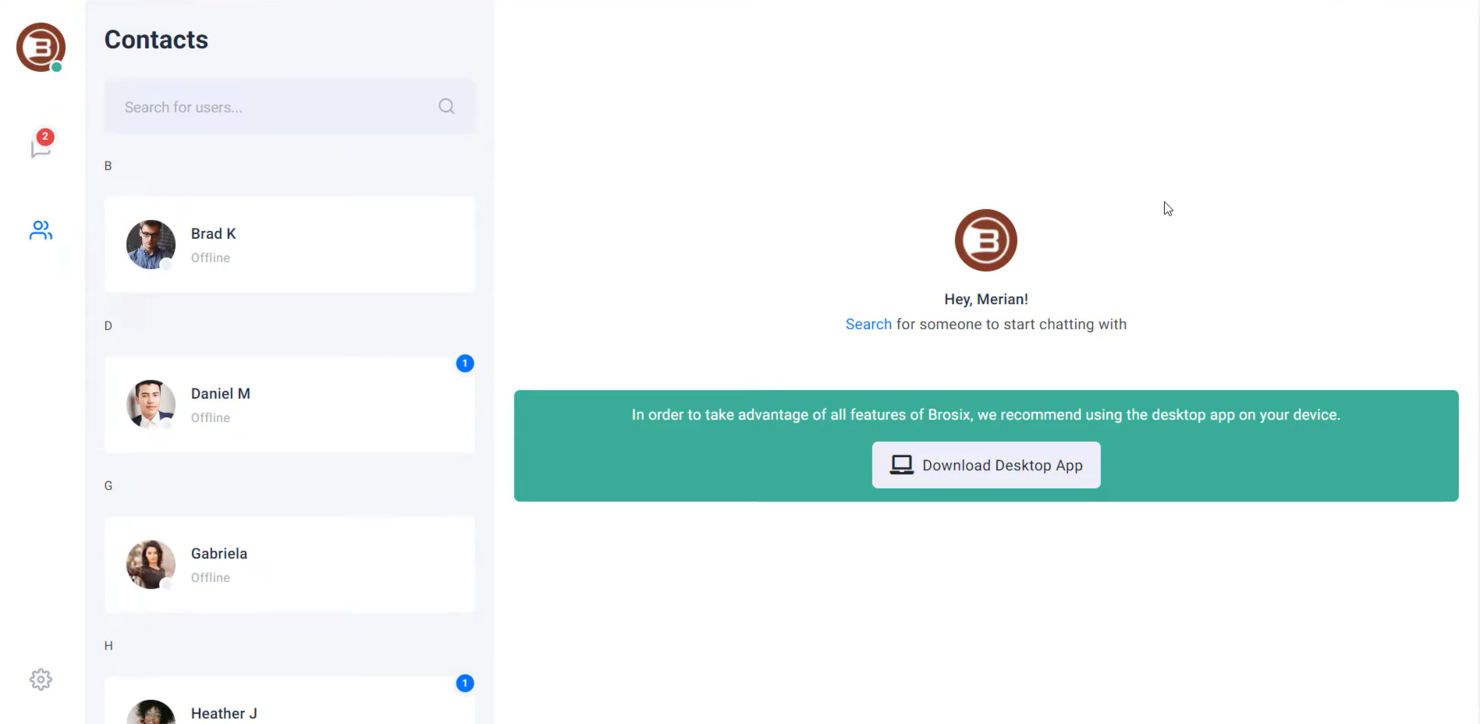
Brosix es un software de mensajería instantánea diseñado para empresas que priorizan la comunicación segura y privada. Es ideal para equipos de sectores como las finanzas, la atención sanitaria y la educación que requieren mensajería y colaboración cifradas.
Por qué Brosix es una buena alternativa a Skype: Brosix ofrece mensajería empresarial privada con cifrado de extremo a extremo, lo que garantiza que tus comunicaciones sigan siendo confidenciales. Puedes crear una red cerrada para tu equipo, mejorando la seguridad. La herramienta proporciona salas de chat para debates grupales, lo que permite una colaboración eficaz entre los equipos. Además, su función de transferencia de archivos garantiza que tus documentos se compartan de forma segura dentro de la red.
Funciones e integraciones destacadas:
Las funciones incluyen una herramienta de pizarra que permite a tu equipo aportar ideas visualmente. Brosix también ofrece una función para compartir la pantalla, lo que facilita la colaboración en proyectos. El software incluye una herramienta de navegación conjunta que te ayuda a asistir a miembros del equipo o clientes en tiempo real.
Las integraciones incluyen Google Drive, Dropbox, Facebook, Shopify, Slack, Microsoft Teams, Salesforce, HubSpot y GitHub.
Pros and Cons
Pros:
- Cifrado sólido
- Navegación conjunta en tiempo real
- Intercambio seguro de archivos
Cons:
- Personalización limitada
- Diseño de interfaz básico

Ideal para la integración con Google Workspace
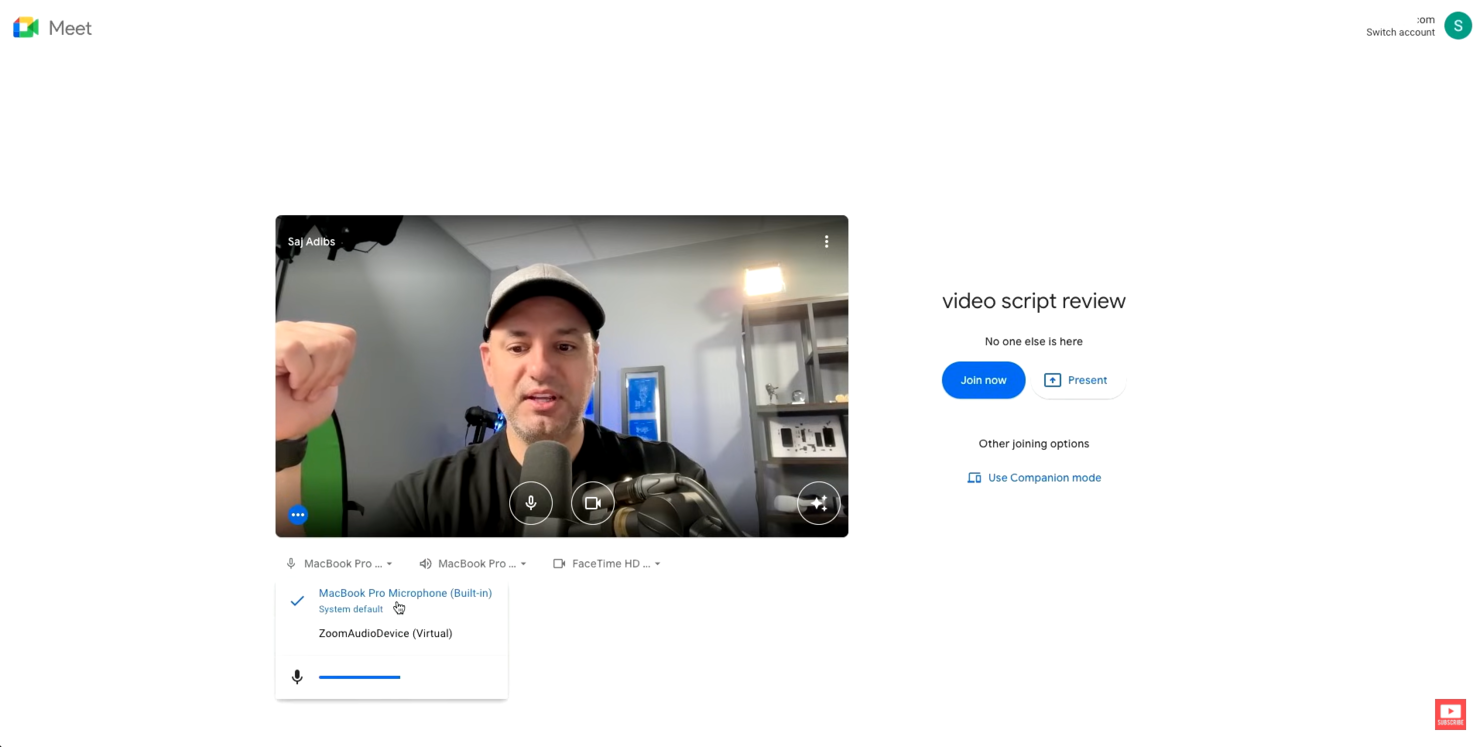
Google Meet es una herramienta de videoconferencias que presta servicio a empresas, instituciones educativas y personas que necesitan reuniones en línea fiables. Facilita videollamadas, seminarios web y aulas virtuales, mejorando la comunicación y la colaboración.
Por qué Google Meet es una buena alternativa a Skype: Google Meet se integra perfectamente con Google Workspace, lo que resulta práctico para quienes ya utilizan los servicios de Google. Ofrece subtítulos en tiempo real durante las reuniones, lo que mejora la accesibilidad para todos los participantes. Puedes programar reuniones directamente desde Google Calendar, simplificando el proceso para tu equipo. Además, Google Meet admite reuniones a gran escala, con capacidad para hasta 250 participantes.
Funciones e integraciones destacadas:
Entre las funciones se incluye una que reduce el ruido de fondo durante las llamadas, mejorando la claridad del audio. La plataforma ofrece un modo de poca luz, que ajusta automáticamente el vídeo para garantizar la visibilidad en condiciones de iluminación tenue. También ofrece grabaciones de reuniones, por lo que puedes guardarlas en Google Drive y compartirlas fácilmente con quienes no hayan podido asistir.
Entre las integraciones se incluyen Google Calendar, Google Drive, Gmail, Microsoft Outlook, Microsoft Office, Slack, Trello, Zoom, Cisco Webex, Salesforce y más.
Pros and Cons
Pros:
- Integración sencilla con Google Workspace
- Función de cancelación de ruido
- Subtítulos en tiempo real disponibles
Cons:
- No hay salas para grupos
- Control limitado sobre los participantes

Chanty
Ideal para la gestión de tareas
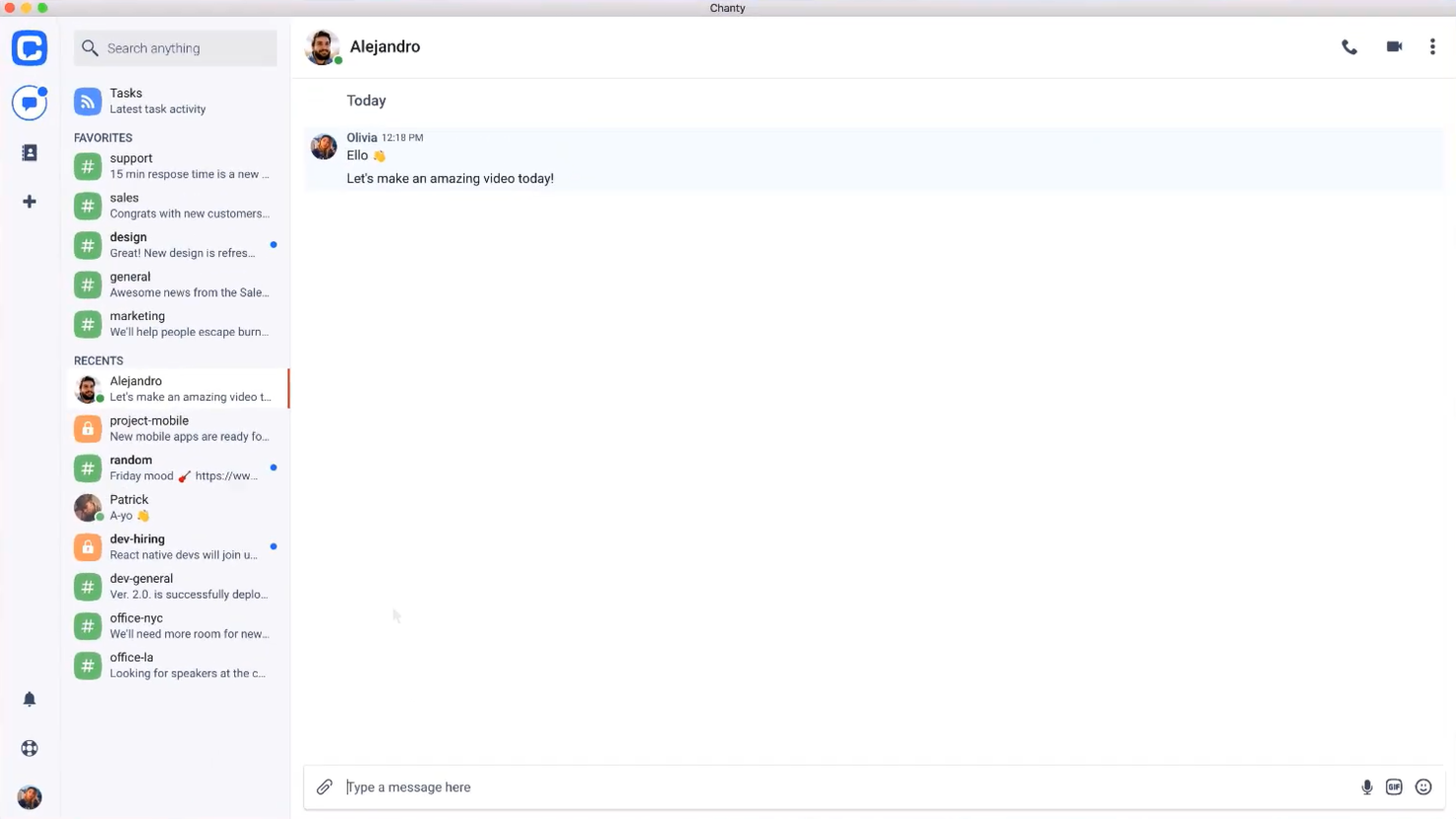
Chanty es una herramienta de comunicación y colaboración para equipos, diseñada para sectores como la atención sanitaria, el comercio minorista, el marketing, la educación y la logística. Está destinada principalmente a equipos que necesitan funcionalidades eficientes de mensajería, videollamadas y gestión de tareas.
Por qué Chanty es una buena alternativa a Skype: Chanty destaca en la gestión de tareas, ya que ofrece funciones como tableros Kanban y creación de tareas directamente desde el chat. A diferencia de Skype, admite videoconferencias y llamadas de audio en 4K, lo que mejora la calidad de la comunicación. La función de compartir pantalla permite que tu equipo colabore visualmente, y su integración con diversas aplicaciones ayuda a respaldar los flujos de trabajo. Estas funciones la convierten en una opción completa para equipos que necesitan algo más que comunicación.
Funciones e integraciones destacadas:
Las funciones incluyen gestión de tareas con vista Kanban, intercambio seguro de archivos y mensajes de audio. Puedes crear tareas directamente desde el chat, lo que facilita convertir las conversaciones en elementos accionables. Chanty también se centra en la seguridad de los datos y garantiza el cumplimiento de estándares como ISO 27001 y el RGPD.
Las integraciones incluyen Trello, Asana, Google Drive, Dropbox, GitHub, Zapier, Mailchimp, Giphy, HubSpot y más.
Pros and Cons
Pros:
- Compatibilidad con videollamadas en 4K
- Interfaz fácil de usar
- Accesible desde cualquier lugar
Cons:
- El plan gratuito ofrece servicios muy básicos
- Pocas opciones de personalización

Viber
Ideal para llamadas gratuitas internacionales
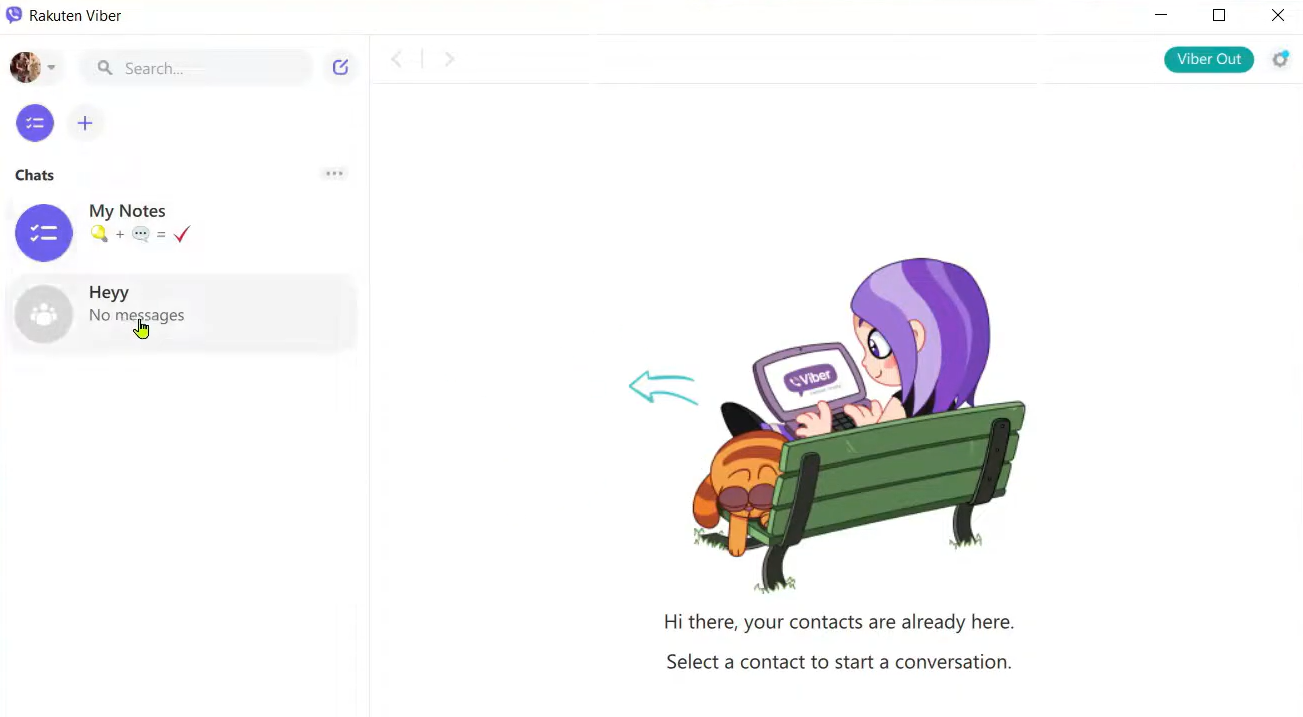
Viber es una aplicación de comunicación que particulares y empresas utilizan para mensajería, comunicación por voz y videollamadas. Está dirigida a usuarios que necesitan una comunicación fiable y rentable con amigos, familiares y colegas de todo el mundo.
Por qué Viber es una buena alternativa a Skype: Viber ofrece llamadas internacionales gratuitas, lo que la convierte en una opción atractiva para quienes se comunican frecuentemente a nivel internacional. Puedes enviar mensajes de texto, fotos y vídeos, lo que mejora tus opciones de interacción. Con sus llamadas de voz y videollamadas de alta calidad, Viber garantiza una comunicación clara. Además, la aplicación admite chats grupales, lo que te permite conectarte con varias personas a la vez.
Características e integraciones destacadas:
Características incluyen la posibilidad de crear comunidades, lo que te permite interactuar con grandes grupos de personas en torno a intereses compartidos. Viber también ofrece mensajes que desaparecen, proporcionando una capa adicional de privacidad para tus comunicaciones. Puedes utilizar el mercado de pegatinas de la aplicación para añadir diversión y personalizar tus mensajes.
Integraciones incluyen Facebook, Twitter, YouTube, Spotify, Giphy, Google Maps, Dropbox, Evernote, Slack, Microsoft Teams y más.
Pros and Cons
Pros:
- Llamadas de voz de alta calidad
- Admite chats grupales grandes
- Comunidades atractivas con mensajes segmentados
Cons:
- Sin funciones de aplicación de escritorio
- Requiere conexión a internet

Ideal para soluciones empresariales integradas

Microsoft Teams es una plataforma de colaboración diseñada para empresas y organizaciones que necesitan herramientas integradas de comunicación y productividad. Admite chats, reuniones por video y uso compartido de archivos para fortalecer la colaboración del equipo.
Por qué Microsoft Teams es una buena alternativa a Skype: Microsoft Teams ofrece soluciones empresariales integradas con funciones como espacios de trabajo compartidos y colaboración en archivos. Puedes realizar reuniones por video con hasta 300 participantes, lo que facilita las interacciones de equipos grandes. La plataforma permite editar documentos en tiempo real, lo que mantiene a tu equipo informado y coordinado. Además, sus funciones de gestión de tareas te ayudan a organizar y supervisar proyectos de manera eficiente.
Funciones e integraciones destacadas:
Las funciones incluyen una herramienta de pizarra que permite a tu equipo intercambiar ideas y visualizarlas en conjunto. Microsoft Teams también ofrece transcripción de reuniones, proporcionando un registro escrito de las conversaciones para consultarlo fácilmente. La plataforma incluye un calendario integrado que te ayuda a programar y gestionar reuniones de manera eficaz.
Las integraciones incluyen Microsoft Office 365, SharePoint, OneDrive, Power BI, Trello, Zoom, Salesforce, Asana y más.
Pros and Cons
Pros:
- Integrado con Microsoft Office
- Gestión de tareas integrada
- Transcripción de reuniones disponible
Cons:
- Requiere una suscripción a Microsoft 365
- Problemas ocasionales de rendimiento

Ideal para herramientas de comunicación empresarial
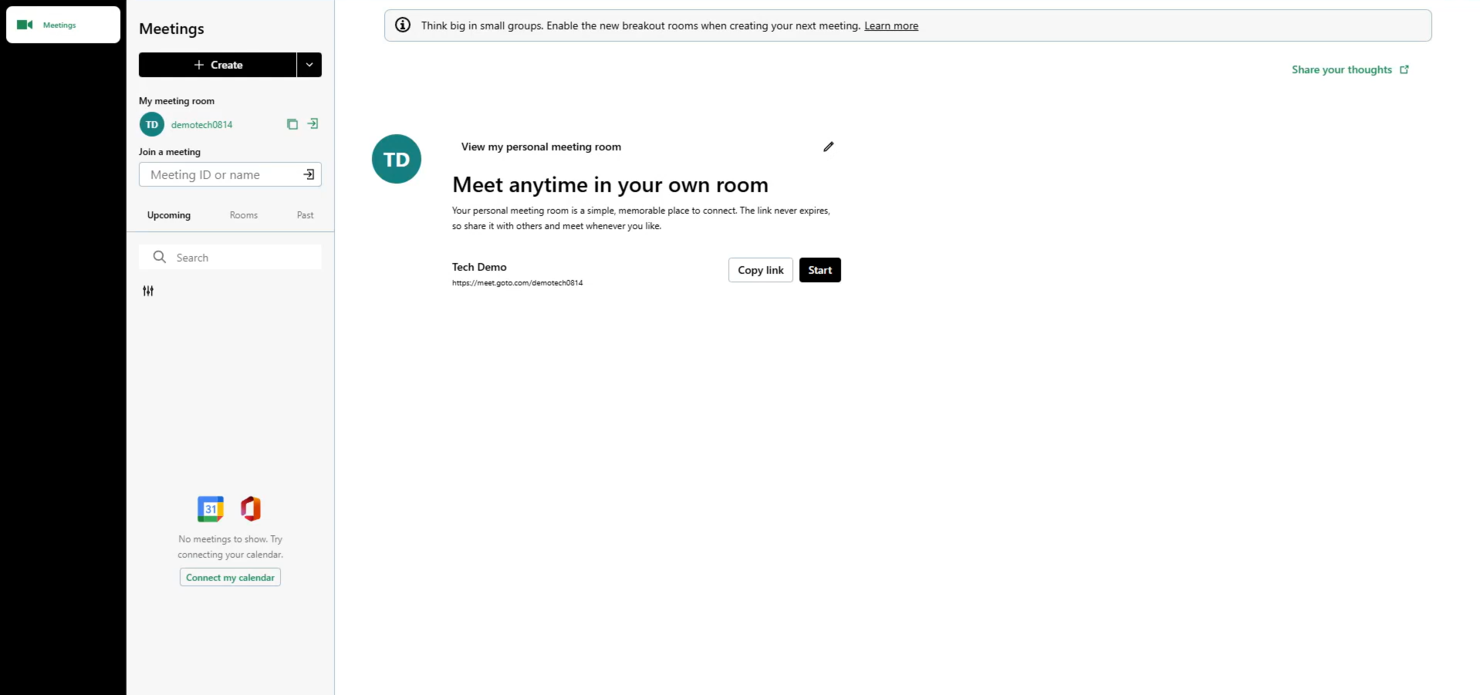
GoTo Meeting es una herramienta de conferencias web dirigida a profesionales y empresas que necesitan soluciones fiables para reuniones en línea. Permite realizar videoconferencias, compartir pantallas y colaborar con equipos y clientes remotos.
Por qué GoTo Meeting es una buena alternativa a Skype: GoTo Meeting ofrece herramientas de comunicación empresarial que mejoran las reuniones virtuales con funciones como videoconferencias en HD y audio nítido. La plataforma admite hasta 250 participantes, por lo que es adecuada para reuniones grandes. Puedes grabar las sesiones para consultarlas posteriormente, lo que garantiza que no se pierdan detalles importantes. Además, su aplicación móvil mantiene a tu equipo conectado mientras está fuera de la oficina.
Características destacadas e integraciones:
Características incluyen una función de bloqueo de reuniones que impide que asistentes no invitados se unan, añadiendo una capa adicional de seguridad. GoTo Meeting ofrece herramientas de dibujo que permiten anotar las pantallas compartidas durante las presentaciones. La plataforma también proporciona enlaces de reunión personalizados, lo que facilita invitar a participantes.
Integraciones incluyen Microsoft Office 365, Slack, Salesforce, Google Calendar, HubSpot, Microsoft Teams, Zoho CRM, Zendesk y más.
Pros and Cons
Pros:
- Aplicación móvil disponible
- Audio y vídeo de alta definición
- Función segura de bloqueo de reuniones
Cons:
- Puede consumir muchos recursos
- Opciones de personalización básicas

Ideal para implementaciones seguras
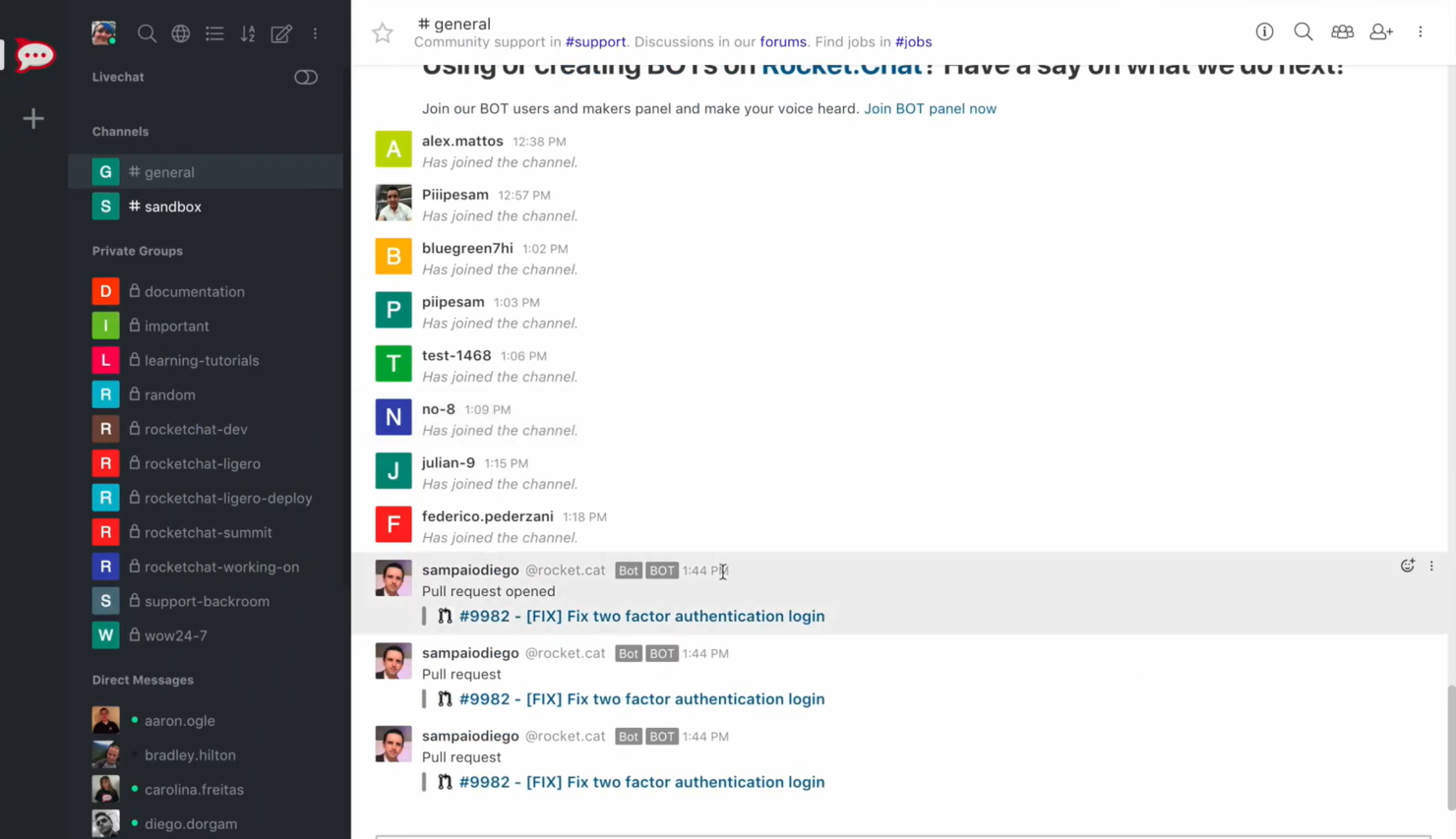
Rocket.Chat es una plataforma de comunicación diseñada para empresas y organizaciones centradas en la privacidad y la seguridad de los datos. Es ideal para equipos de sectores que necesitan una comunicación segura, como la atención sanitaria, las finanzas y la administración pública.
Por qué Rocket.Chat es una buena alternativa a Skype: Rocket.Chat ofrece implementaciones seguras con alojamiento local, lo que te proporciona un control total sobre tus datos. Gracias al cifrado de extremo a extremo, las conversaciones de tu equipo permanecen privadas. Admite un número ilimitado de usuarios, por lo que puede ampliarse para organizaciones más grandes. Además, los roles y permisos de usuario personalizables garantizan que tu equipo tenga el nivel de acceso adecuado.
Características e integraciones destacadas:
Las características incluyen asistencia mediante chat en directo, que te permite comunicarte con los clientes en tiempo real. Rocket.Chat también ofrece una opción de marca blanca, lo que te permite personalizar la plataforma con tu propia marca. Proporciona traducción en tiempo real, garantizando que las barreras lingüísticas no dificulten la comunicación.
Las integraciones incluyen GitHub, GitLab, Zapier, Google Drive, Dropbox Paper, Trello, Slack, Microsoft Teams Bridge y mucho más.
Pros and Cons
Pros:
- Sólidos controles de privacidad de datos
- Permisos de usuario personalizables
- Opción de marca blanca
Cons:
- Configuración inicial compleja
- Requiere conocimientos técnicos

La mejor opción para comunicaciones todo en uno

RingCentral es una plataforma de comunicación basada en la nube que presta servicio a empresas que necesitan una solución integrada para voz, vídeo y mensajería. Es compatible con equipos de trabajo remotos y ayuda a los equipos a colaborar eficazmente desde cualquier lugar.
Por qué RingCentral es una buena alternativa a Skype: RingCentral ofrece una solución de comunicación todo en uno que combina llamadas telefónicas, reuniones por vídeo y mensajería para equipos. Proporciona videoconferencias de alta definición, lo que mejora la calidad de las reuniones virtuales. La plataforma admite funciones de gestión de llamadas, como el desvío de llamadas y la operadora automática, para garantizar que tu equipo permanezca conectado. Además, sus herramientas de análisis y generación de informes te ofrecen información sobre los patrones de comunicación.
Características e integraciones destacadas:
Las características incluyen una aplicación móvil que permite a tu equipo mantenerse conectado mientras está fuera de la oficina. RingCentral ofrece la función de convertir mensajes de voz en correos electrónicos, para que puedas acceder a los mensajes en cualquier momento. La plataforma proporciona herramientas de colaboración para equipos, como asignación de tareas y calendarios compartidos, con el fin de mejorar la productividad.
Las integraciones incluyen Microsoft Teams, Salesforce, Google Workspace, Zendesk y más.
Pros and Cons
Pros:
- Llamadas de vídeo nítidas en alta definición
- Admite equipos de trabajo remotos
- Incluye herramientas de análisis y generación de informes
Cons:
- La configuración puede ser compleja
- Opciones de personalización limitadas


Mattermost es una plataforma de mensajería de código abierto diseñada para equipos que requieren soluciones de comunicación seguras y escalables. Es popular entre sectores como la tecnología, la atención sanitaria y la administración pública, donde la privacidad de los datos es primordial.
Por qué Mattermost es una buena alternativa a Skype: Mattermost ofrece entornos de misión crítica con opciones de implementación autohospedada, lo que le brinda un control total sobre sus datos. Admite el cifrado de extremo a extremo, garantizando que las conversaciones de su equipo sean seguras. Con su interfaz personalizable, puede adaptar la plataforma a las necesidades de su organización. Además, la plataforma admite el cumplimiento de las normativas del sector, incluida la HIPAA, lo que la hace adecuada para sectores regulados.
Características destacadas e integraciones:
Características como la mensajería en hilos, que le ayuda a mantener las conversaciones organizadas. Mattermost también ofrece uso compartido de archivos con almacenamiento ilimitado, lo que permite a su equipo colaborar de manera eficiente. La plataforma proporciona una función de búsqueda avanzada que le permite encontrar rápidamente información y conversaciones relevantes.
Integraciones con Jira, GitHub, GitLab, Jenkins, Zoom, Cisco Syslog, Slack, Google Drive, Microsoft Teams, Trello y más.
Pros and Cons
Pros:
- Implementación autohospedada
- Interfaz personalizable
- Admite el cumplimiento de las normativas del sector
Cons:
- Requiere conocimientos técnicos
- La configuración puede ser compleja


Zadarma es un sistema telefónico virtual adaptado para pequeñas empresas, trabajadores remotos, centros de llamadas y empresas. Proporciona llamadas mediante el protocolo de voz sobre Internet (VoIP), números de teléfono virtuales y un sistema multifuncional de gestión de relaciones con los clientes (CRM) para fortalecer la comunicación y las operaciones empresariales.
Por qué Zadarma es una buena alternativa a Skype: Zadarma ofrece un sistema telefónico virtual con funciones de llamadas, como una centralita virtual en la nube y troncales SIP, que no están disponibles en Skype. Permite a tu equipo configurar una oficina virtual rápidamente y sin coste. Con el seguimiento de llamadas y el análisis de voz, puedes obtener información sobre tus procesos de comunicación. Además, sus capacidades de videoconferencia ofrecen una solución de comunicación integral para tu empresa.
Funciones destacadas e integraciones:
Las funciones incluyen un CRM multifuncional para gestionar perfiles de clientes, análisis de voz para supervisar llamadas y un sistema de seguimiento de llamadas para evaluar el rendimiento del equipo. También puedes realizar llamadas directamente desde tu navegador, lo que simplifica el acceso de los usuarios. La plataforma admite videoconferencias y servicios de SMS, mejorando la flexibilidad de la comunicación.
Las integraciones incluyen Zoho CRM, Slack, Zendesk, Salesforce, HubSpot, Microsoft Teams y más.
Pros and Cons
Pros:
- Seguimiento detallado de llamadas
- Análisis de voz avanzado
- Llamadas directas desde el navegador
Cons:
- No ofrece herramientas empresariales de gran escala
- Compatibilidad limitada con aplicaciones de terceros
Otras alternativas a Skype Empresarial
Estas son algunas alternativas adicionales a Skype que no han entrado en mi lista, pero que aún merece la pena consultar:


Cómo evalúo las alternativas a Skype for Business
Divido mi evaluación en dos niveles: las capacidades básicas que toda herramienta debe tener —como vídeo grupal, chat persistente y VoIP— y los factores diferenciadores que separan las buenas herramientas de las excelentes.
Funcionalidad básica (esencial para esta lista)
Cuando selecciono herramientas para mi lista, clasifico cada una en una escala de 0 (no ofrece la funcionalidad) a 5 (sobresale en este ámbito) para cada una de las funcionalidades básicas indicadas a continuación. Después, calculo la puntuación total de la herramienta como un porcentaje. Cada herramienta debe alcanzar una puntuación total mínima del 75% para ser considerada.
- Videoconferencias: Evalúo la capacidad de vídeo grupal, el uso compartido de pantalla y la grabación: funciones en las que los equipos de proyecto confían para revisiones de sprints, demostraciones para clientes y presentaciones para las partes interesadas.
- Mensajería instantánea: El chat persistente individual y grupal, con respuestas en hilos, uso compartido de archivos e historial consultable, es importante cuando tu equipo necesita recuperar una decisión tomada hace semanas.
- VoIP y llamadas de audio: Compruebo si una plataforma admite llamadas de voz basadas en Internet y marcación opcional mediante PSTN, ya que los equipos distribuidos a menudo necesitan una llamada rápida en lugar de una reunión programada.
- Canales y espacios de trabajo para equipos: Los canales organizados por proyecto, cliente o área de trabajo mantienen las conversaciones localizables; analizo cómo gestiona cada herramienta los permisos, el acceso de invitados y la estructura de los canales.
- Integraciones con terceros: Busco conexiones nativas con herramientas como Jira, Asana, Monday.com y Trello, además de API abiertas que permitan a los equipos crear flujos de trabajo personalizados entre su conjunto de herramientas de gestión de proyectos y su plataforma de comunicación.
- Disponibilidad multiplataforma: Compruebo que haya acceso desde equipos de escritorio, dispositivos móviles y la web, con una paridad coherente de funciones, ya que los equipos híbridos cambian de dispositivo a lo largo del día.
Una vez que tengo una lista de herramientas que cumplen estos criterios, analizo qué diferencia a cada plataforma.
Factores diferenciadores (qué distingue a los proveedores)
Así es como comparo y contrasto los distintos proveedores:
Funciones destacadas
Los asistentes de reuniones basados en IA son un factor diferenciador importante. Busco herramientas que generen resúmenes automáticamente y extraigan elementos de acción, para que los responsables de proyectos puedan evitar tomar notas manualmente después de cada reunión diaria o llamada con un cliente. El acceso de invitados y usuarios externos también es importante. Los equipos de agencias y los responsables de proyectos que trabajan con clientes necesitan incorporar a las partes interesadas a canales o reuniones sin obligarlas a contratar una licencia de pago. También evalúo si una plataforma incluye asignación de tareas integrada, ya que cuantos menos cambios de contexto haya entre la herramienta de comunicación y el tablero de gestión de proyectos, menos tareas se pasarán por alto.
Más allá de las funciones
Conviene comprobar las certificaciones de seguridad y cumplimiento, como SOC 2 e ISO 27001, especialmente si tus proyectos implican datos confidenciales de clientes o sectores regulados. El soporte para la migración es otro factor que evalúo detenidamente: los equipos que dejan Skype for Business necesitan herramientas claras o una incorporación guiada para evitar interrupciones durante el cambio. También considero hasta qué punto escala una plataforma, ya que una herramienta que funciona para un equipo de proyecto de 10 personas pero falla con 500 participantes simultáneos en una reunión no será útil durante mucho tiempo para una oficina de gestión de proyectos en crecimiento.
¿Por qué buscar una alternativa a Skype Empresarial?
Aunque Skype Empresarial y ahora Microsoft Teams pueden ser una opción sólida para la comunicación empresarial, hay varios motivos por los que algunos equipos siguen buscando soluciones alternativas. Podrías considerar una alternativa a Skype Empresarial si:
- Necesitas una mejor integración con herramientas que no sean de Microsoft
- Tu equipo quiere controles de seguridad más avanzados o flexibles
- Buscas una mejor calidad o fiabilidad de las llamadas
- Tu empresa necesita una solución de comunicación más escalable o ligera
- Necesitas una mayor personalización o una configuración más sencilla
- Tu equipo necesita funciones de colaboración más específicas
Si alguna de estas situaciones te resulta familiar, has llegado al lugar adecuado. Esta lista incluye varias herramientas de comunicación empresarial que pueden adaptarse mejor a los equipos que ya han superado Microsoft Teams y que, idealmente, se ajustarán mejor a su forma de trabajar.
Funciones
Las funciones principales de Skype for Business, que ahora se ofrecen a través de Microsoft Teams, establecen el punto de referencia de lo que muchos equipos esperan de las herramientas de comunicación modernas. Utiliza estas funciones para comparar lo que ofrecen las soluciones alternativas:
- Videollamadas: Conecta cara a cara con tu equipo o tus clientes
- Compartir pantalla: Comparte tu pantalla para colaborar en proyectos en tiempo real
- Compartir archivos: Envía y recibe documentos durante reuniones y chats
- Subtítulos en directo: Consulta subtítulos en tiempo real en varios idiomas para facilitar la accesibilidad
Enlaces de reuniones: Comparte enlaces de reuniones con participantes desde cualquier dispositivo - Efectos de fondo: Personaliza los fondos para adaptarlos a distintos entornos de reunión
- Personalización del chat: Personaliza los diseños y temas del chat
- Herramientas de colaboración: Comparte contenido y colabora durante llamadas y reuniones
Próximos pasos:
Si estás investigando alternativas a Skype for Business, ponte en contacto con un asesor de SoftwareSelect para obtener recomendaciones gratuitas.
Rellenarás un formulario y mantendrás una breve conversación en la que se profundizará en los detalles de tus necesidades. Después, recibirás una lista de programas preseleccionados para revisar. También te ayudarán durante todo el proceso de compra, incluidas las negociaciones de precios.