

2026’nın En İyi 10 Ücretsiz Teklif Yazılımı

En İyi Ücretsiz Teklif Yazılımları Kısa Listesi


Ücretsiz teklif yazılımı; müşteri teklifleri oluşturmak, göndermek, takip etmek, onaylatmak ve imzalamak için ücretsiz bir planı veya deneme sürümü olan bir araçtır. Doğru seçenek, başka bir maliyetli abonelik eklemeden kapsamı, zaman çizelgelerini, teslimatları ve fiyatlandırmayı açıkça sunmanıza yardımcı olur. Etkileşimli teklifler, markalı belgeler, etkileşim takibi, faturalandırma, özel fiyat teklifleri ve elektronik imzalar genelinde 12 aracı karşılaştırdım. Proje iş akışınızı yazılımın gerçek ücretsiz plan sınırlarıyla eşleştirmek için bu kısa listeyi kullanın.
Why Trust Our Software Recommendations
Our team has been testing and reviewing software since 2012. As project managers ourselves, we know how difficult—and important—it is to choose the right software.
For this guide, we evaluated tools using hands-on testing and independent research, scoring tools using our selection criteria. We also draw on insights from industry thought leaders and practicing project management experts.
Our reviews reflect our human editorial judgment, not a sales pitch.
Expert reviewers:
Karşılaştırma Tablosu: Ücretsiz Teklif Yazılımları
Kısa listeme giren ücretsiz teklif yazılımlarının fiyatlarını ve teknik özelliklerini yan yana karşılaştırın.
Score legend (out of 5)
- Excellent 4.5–5
- Good 4–4.4
- Average 3–3.9
- Below average 2–2.9
- Poor 1–1.9
| Tool | Starting Price | Website | ||||||
|---|---|---|---|---|---|---|---|---|
| Best for tracking proposal engagement end-to-end | 4.2 out of 5 | 4 | 4 | 4 | 5 | 4 | $19/user/month 14-day free trial | Website |
| Best for interactive, web-based sales proposals | 4.6 out of 5 | 4 | 5 | 4 | 5 | 5 | $35/user/month 14-day free trial | Website |
| Best for Zoho ecosystem proposal signing workflows | 3.4 out of 5 | 4 | 3 | 4 | 4 | 2 | $25/month Free plan available | Website |
| Best for MSP-specific hardware quoting at scale | 3.8 out of 5 | 4 | 5 | 3 | 4 | 3 | $299/month Free demo available | Website |
| Best for legally binding e-signatures on proposals | — | 5 | — | 4 | 4 | 2 | $34/user/month Free plan available | Website |
| Best for visually branded proposal design | 2.4 out of 5 | 1 | 2 | 4 | 4 | 1 | $144/user/year Free trial + free plan available | Website |
| Best for legally binding e-sign on a free plan | — | 3 | — | 3 | 3 | 3 | $19/user/month Free plan + 14-day free trial + free demo available | Website |
| Best for proposal-to-invoice flow for freelancers | 4.2 out of 5 | 5 | 4 | 4 | 5 | 3 | $19/month 7-day free trial | Website |
| Best for freelancers managing proposals and invoices | 4.2 out of 5 | 5 | 4 | 4 | 4 | 4 | $24/month Free plan available | Website |
| Best for SaaS pricing quotes with built-in e-signatures | 3.6 out of 5 | 4 | 5 | 3 | 2 | 4 | $65/user/month Free plan available | Website |
Ücretsiz Teklif Yazılımı İncelemeleri
Aşağıda, kısa listemde yer alan ücretsiz teklif yazılımlarının ayrıntılı özetlerini bulabilirsiniz. Doğru aracı ve iş akışınızı bulmanıza yardımcı olmak için her inceleme özellikleri, ücretsiz plan sınırlarını ve en uygun kullanım alanlarını kapsar.

Best for tracking proposal engagement end-to-end
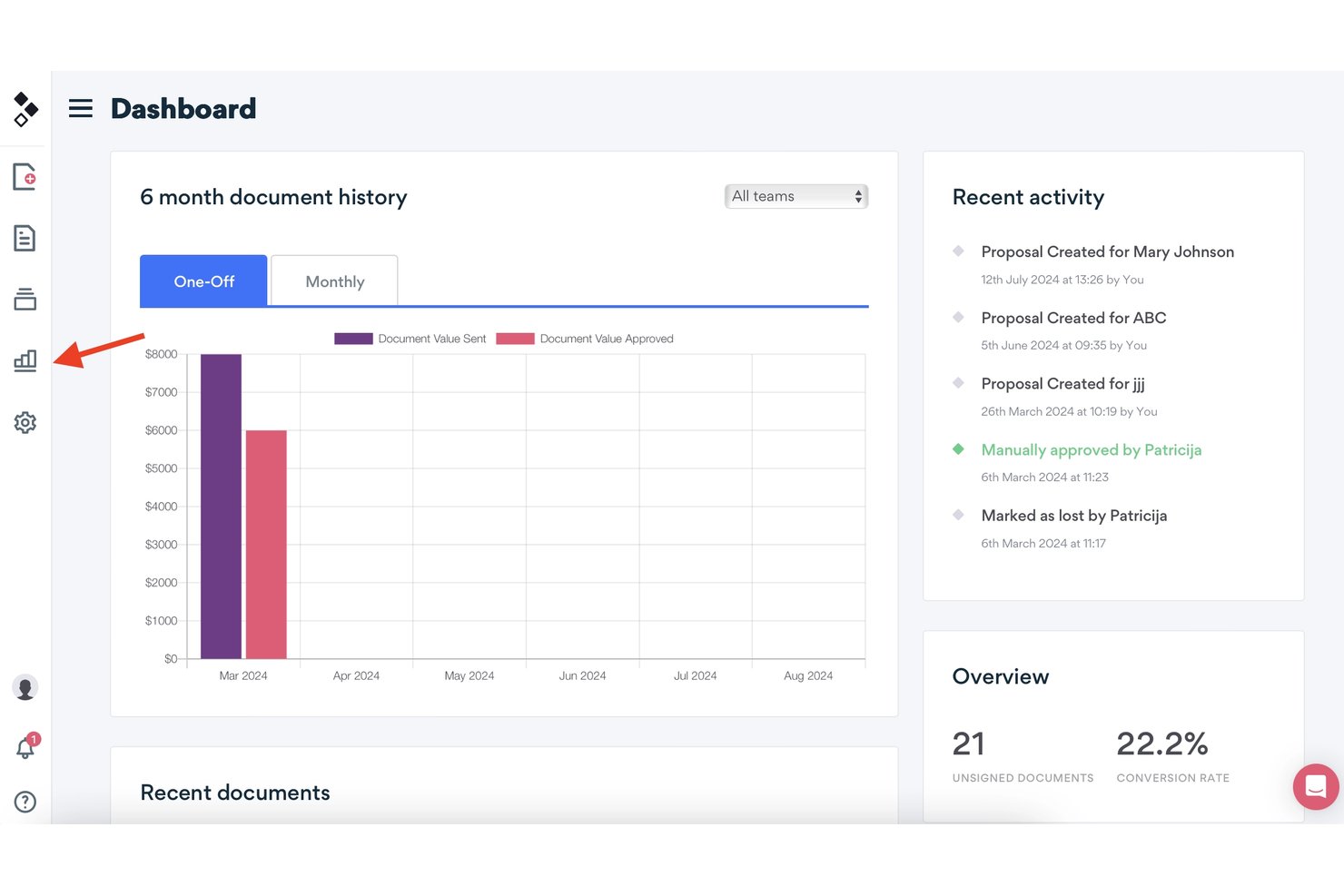
Better Proposals is proposal software with editable templates, interactive pricing tables, e-signatures, payment connections, and engagement analytics, available through a 14-day trial rather than a free-forever plan.
Who Is Better Proposals Best For?
Better Proposals suits freelancers, consultants, and small sales teams that need branded proposals with e-signatures, payment options, and engagement tracking.
Why I Picked Better Proposals
I picked Better Proposals because it is best for tracking proposal engagement end-to-end, even though it offers a 14-day trial rather than a free-forever plan. I use open tracking, section-level time data, live notifications, and signature tracking to see where prospects engage or stop reading. Its interactive pricing tables also show which options clients select.
Better Proposals Key Features
- Editable templates: Choose from 260+ templates across 25+ industries.
- Payment connections: Accept payments through Stripe, PayPal, or GoCardless.
- PDF export: Download proposals as PDFs or share them through unique links.
- CRM integrations: Connect Premium plans with HubSpot, Salesforce, Pipedrive, and other CRMs.
Better Proposals Integrations
Better Proposals integrates with Stripe, PayPal, GoCardless, HubSpot, Salesforce, Pipedrive, Asana, Trello, Teamwork, and Wrike. Premium plans also include an API and Zapier.
What's Free?
Better Proposals offers a 14-day free trial rather than a free-forever plan. After the trial ends, you’ll need a paid plan to continue using the software.
Pros and Cons
Pros:
- E-signatures included across all plans
- Interactive pricing tables support client choices
- Detailed section-level engagement tracking
Cons:
- PDF exports can misalign layouts
- No free-forever plan available

Qwilr
Best for interactive, web-based sales proposals
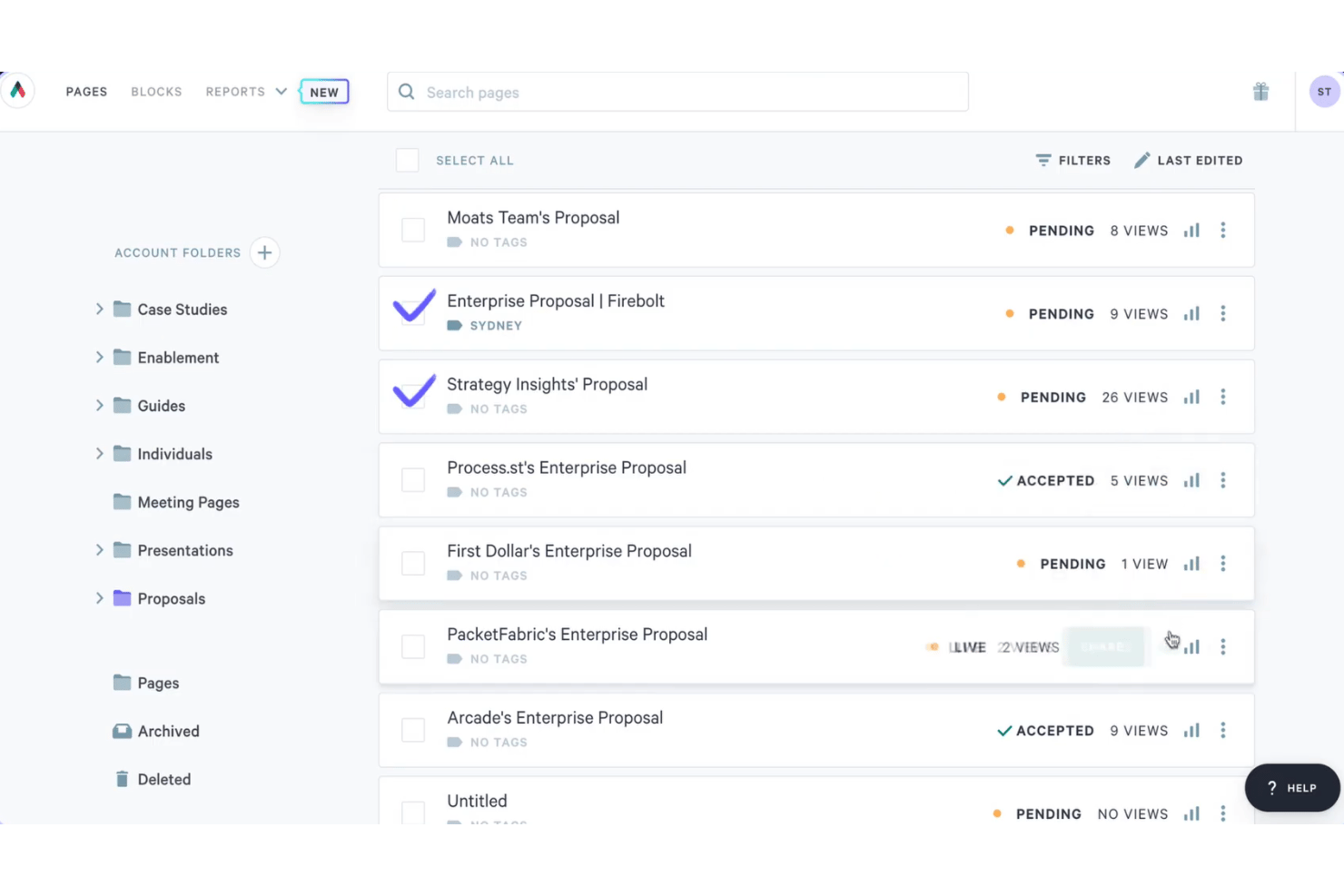
Qwilr is proposal software for interactive, web-based sales proposals, combining templates, dynamic quote tables, e-signatures, engagement analytics, PDF export, and a 14-day trial instead of a free-forever plan.
Who Is Qwilr Best For?
Qwilr suits sales representatives, agencies, and small businesses that need interactive proposals, configurable quotes, e-signatures, and engagement analytics.
Why I Picked Qwilr
I picked Qwilr for its interactive, web-based sales proposals, which combine responsive pages, configurable quote tables, embedded media, and e-signatures. I use its analytics to see which sections clients view before following up. Qwilr offers a 14-day trial, but no free-forever plan.
Qwilr Key Features
- AI proposal generator: Creates a proposal template from your company website.
- Saved Blocks: Stores reusable content for future proposals.
- Access controls: Adds passwords, expiry dates, and view limits to shared pages.
- QuickBooks Online integration: Creates draft invoices after clients accept proposals.
Qwilr Integrations
Qwilr offers native integrations with HubSpot, Zoho, Pipedrive, Microsoft Dynamics 365, Salesforce, QuickBooks Online, Stripe, and Slack. It also provides an API and Zapier connectivity.
What's Free?
Qwilr offers a 14-day free trial rather than a free-forever plan. After the trial ends, you’ll need a paid plan to continue using the platform, starting at $35 per user per month when billed annually.
Pros and Cons
Pros:
- Unlimited signers receive audit trails
- Detailed analytics show section engagement
- Interactive pages support configurable proposals
Cons:
- Client comments aren’t available
- No free-forever access after testing

Best for Zoho ecosystem proposal signing workflows
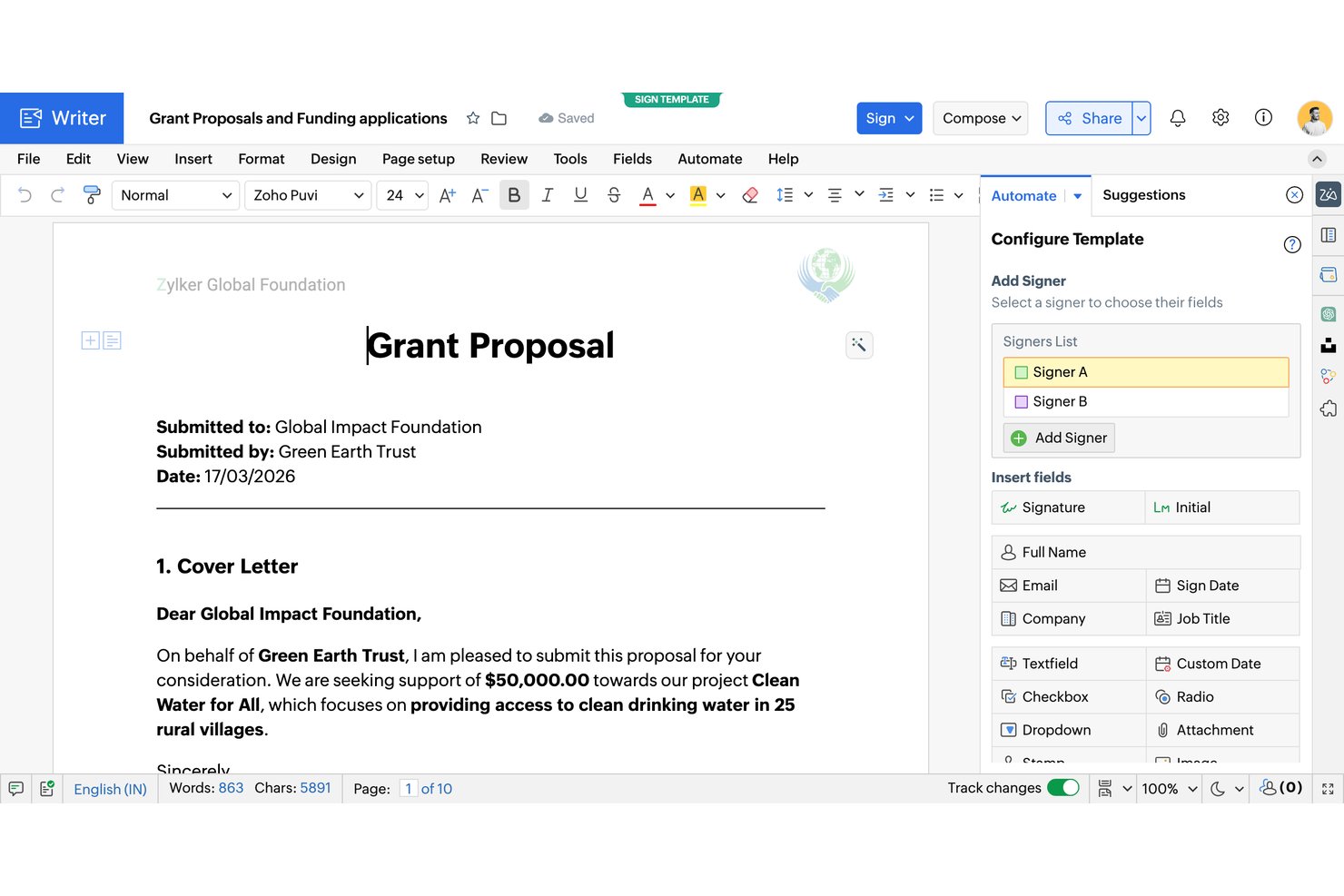
Zoho Writer is a free proposal document editor with AI-generated templates, data-driven mail merge, fillable forms, e-signatures, approval workflows, and secure sharing.
Who Is Zoho Writer Best For?
Small businesses and agencies already using Zoho can create branded proposals, automate document workflows, and collect signatures in one ecosystem.
Why I Picked Zoho Writer
I picked Zoho Writer for free proposal software because it supports Zoho ecosystem proposal signing workflows. I use AI-generated proposal templates, merge CRM or Sheets data into quote tables, then route documents through approval and multi-signer workflows. OTP verification, signing order, reminders, and bulk signing cover practical client-approval scenarios.
Zoho Writer Key Features
- Full document editor: Format proposals with tables, images, charts, headers, footers, and custom styles.
- Fillable forms: Add text, lookup, file attachment, and signature fields to client documents.
- Protected PDF export: Export PDFs with passwords and restrictions on copying, printing, and exporting.
- Secure sharing links: Set passwords, expiration dates, access permissions, and OTP verification.
Zoho Writer Integrations
Zoho Writer has native integrations with Zoho CRM, Zoho Books, Zoho Sheets, Zoho Forms, Zoho Sign, and Zoho Checkout. It also supports custom integrations through its REST API and Zapier.
What's Free?
Zoho Writer offers a free-forever plan with unlimited document creation, editing, and core features. Document automation includes a monthly quota of credits, while high-volume generation requires paid add-on credits.
Pros and Cons
Pros:
- Merge-driven quote tables support itemized proposals
- Built-in signing order and OTP verification
- Unlimited document creation and AI proposal templates
Cons:
- Automation limits constrain frequent signing workflows
- Proposal engagement tracking stops at email opens

Quoter
Best for MSP-specific hardware quoting at scale
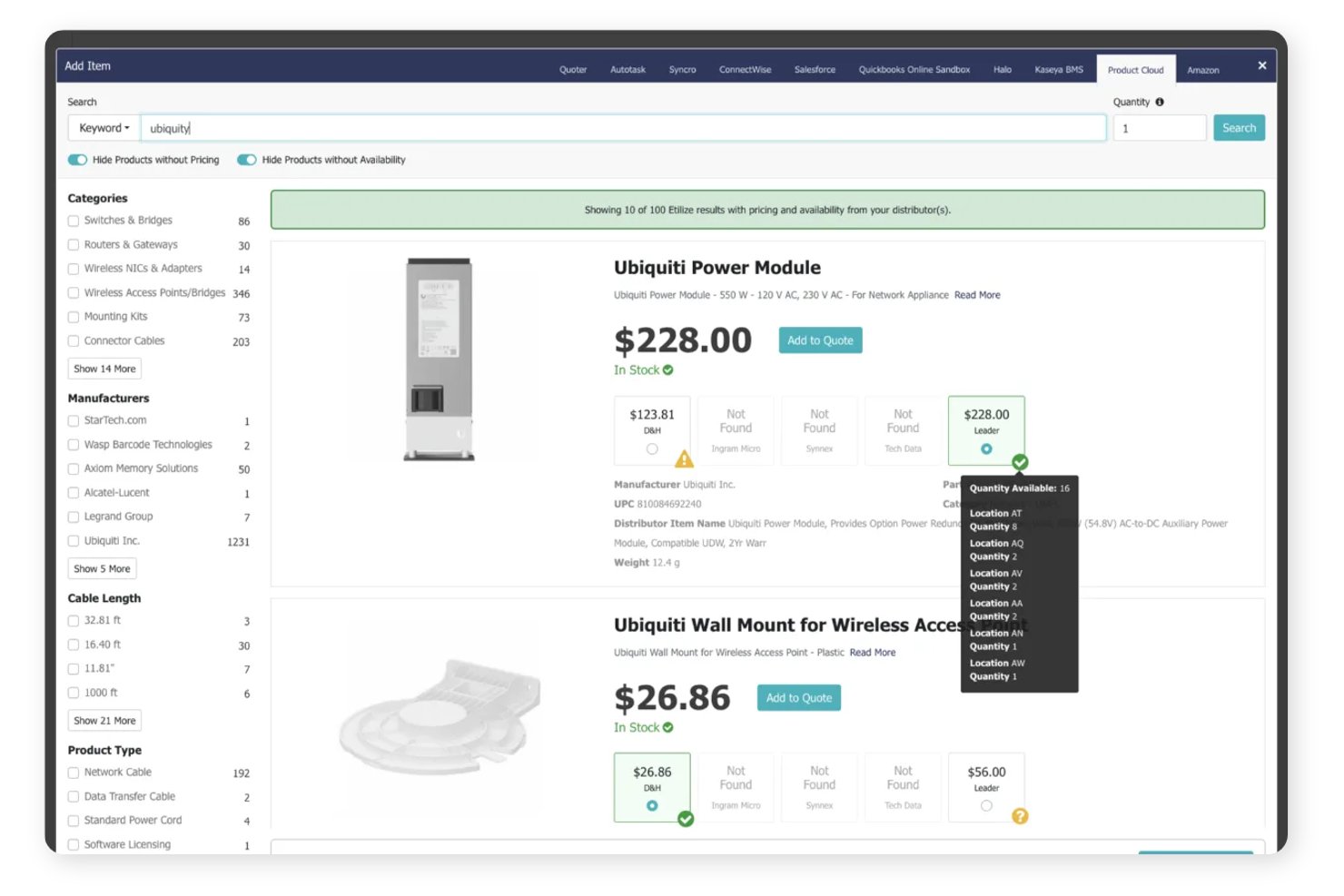
Quoter is an MSP-focused proposal and quoting platform with branded templates, itemized pricing, bundles, e-signatures, contracts, payments, and quote tracking.
Who Is Quoter Best For?
Quoter suits managed service providers that quote hardware, services, and recurring support at scale.
Why I Picked Quoter
I picked Quoter for Best for MSP-specific hardware quoting at scale because it organizes hardware, services, labor, and recurring items into structured quote sections. I use bundles, optional items, and good/better/best packages for MSP proposals, then collect signatures and payments in the same quote. It isn’t free, though, with plans starting at $299 per month on a 12-month term.
Quoter Key Features
- Email open tracking: See when clients open a quote.
- Automated reminders: Schedule up to three custom follow-up emails.
- Quote history log: Review timestamps for revisions, statuses, and payments.
- CSV export: Export quote lists for external reporting.
Quoter Integrations
Quoter lists 36 integrations, including HubSpot, Salesforce, ConnectWise PSA, Autotask, Stripe, PayPal/Braintree, Authorize.net, Avalara, and Datagate. Its API and MCP support custom integrations.
What's Free?
Quoter doesn’t offer a free-forever plan. It provides a free demo, while paid plans start at $299 per month when billed annually.
Pros and Cons
Pros:
- Open tracking and automated reminders
- Native signatures and payment acceptance
- MSP-specific hardware and service sections
Cons:
- Built narrowly for MSP sales teams
- No free plan or trial

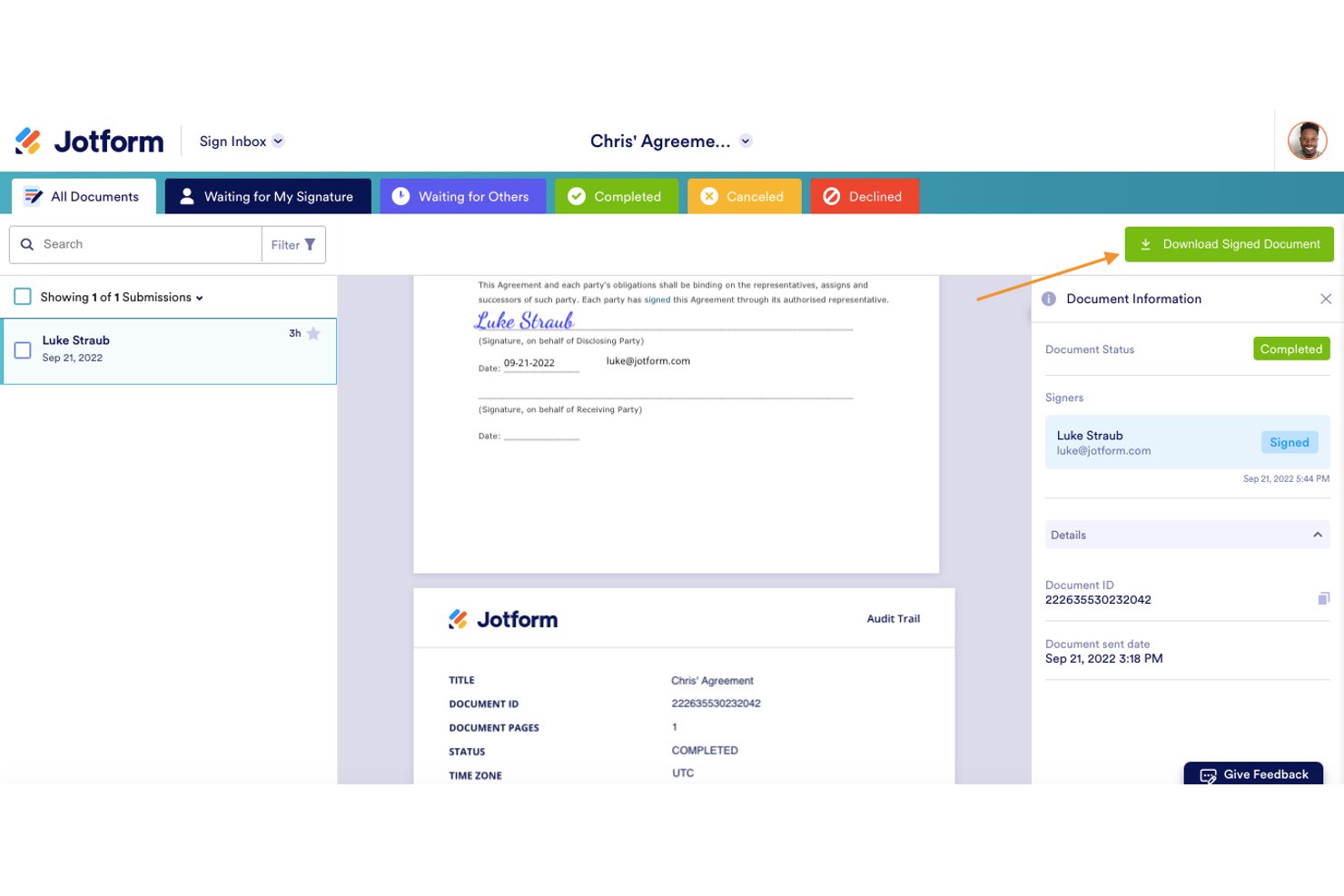
Jotform Sign is a free e-signature platform for proposal documents, with templates, drag-and-drop fields, multi-signer workflows, audit trails, document tracking, and shareable links, but no native quote tables or invoicing.
Who Is Jotform Sign Best For?
Freelancers and consultants who need reusable proposal templates and legally binding e-signatures without built-in quote tables or invoicing.
Why I Picked Jotform Sign
I picked Jotform Sign because it’s best for legally binding e-signatures on proposals. I use reusable proposal templates, sequential or parallel signing, and time-stamped audit trails with digital certificates for client-ready documents. Its free Starter plan fits occasional proposals, although the 10-document monthly cap and missing quote tables limit recurring sales workflows.
Jotform Sign Key Features
- Shareable links: Send proposal documents through public or private links, email invitations, or embed code.
- Access codes: Require a security code before recipients can view shared documents.
- Automatic reminders: Send reminder emails for unsigned documents and approaching due dates.
- Mobile signing: Let recipients view and sign documents in a mobile browser without an account.
Jotform Sign Integrations
Jotform lists 150+ integrations across its platform, including Salesforce, HubSpot, Pipedrive, Google Drive, Google Sheets, Dropbox, Asana, ClickUp, Trello, and Zapier. Payment integrations such as Stripe apply to Jotform Forms and Smart PDF Forms, not Sign Documents.
What's Free?
Jotform Sign offers a free-forever Starter plan for occasional proposals. It includes a 10-document monthly limit, and payment integrations such as Stripe apply to Jotform Forms and Smart PDF Forms, not Sign Documents.
Pros and Cons
Pros:
- Mobile signing without recipient accounts
- Reusable proposal templates support repeat sending
- Legally binding signatures with audit trails
Cons:
- Free tier limits documents and retains branding
- No native quote or pricing tables
Canva
Best for visually branded proposal design
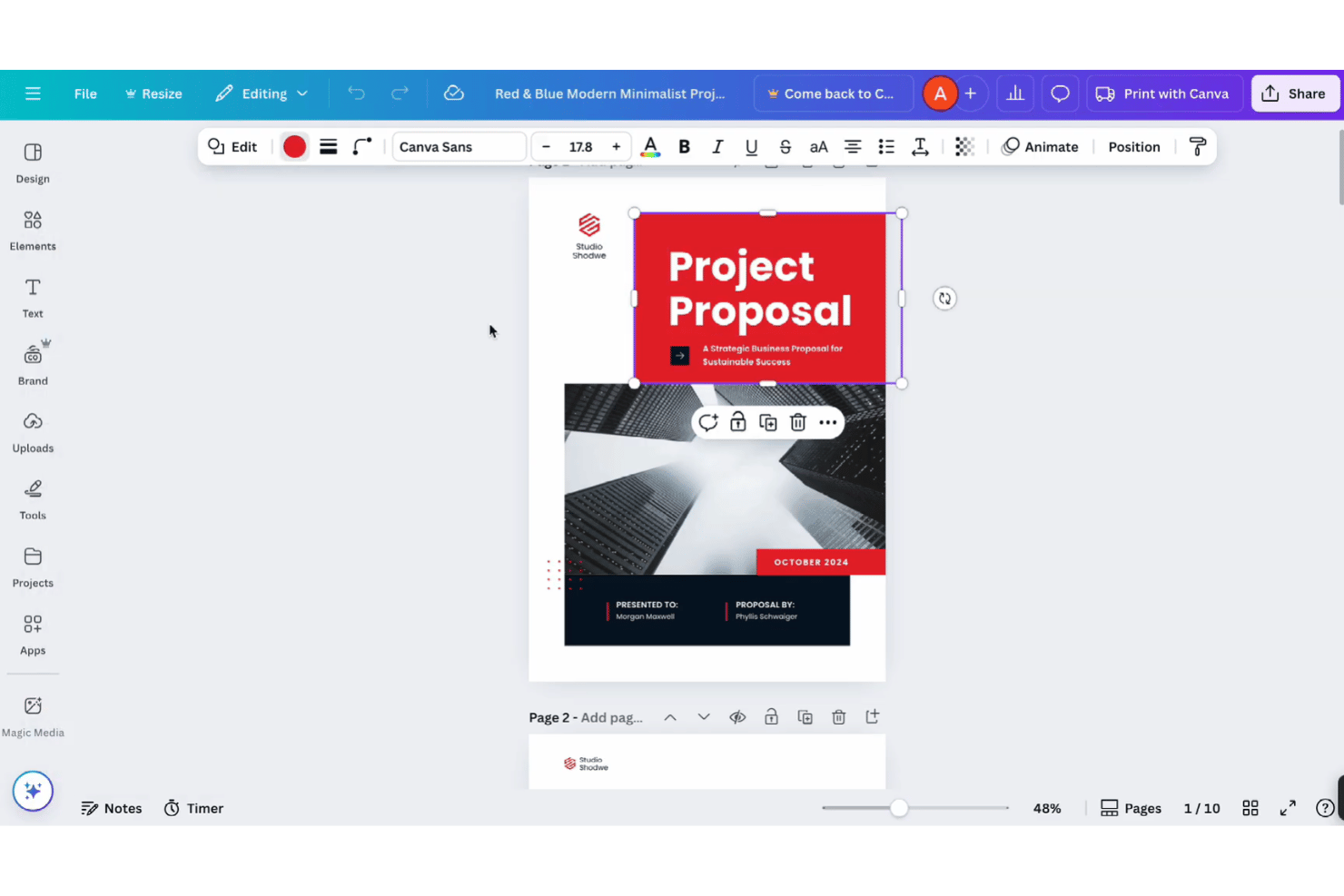
Canva is a free proposal design platform with proposal templates, drag-and-drop editing, Docs and Sheets, static pricing tables, PDF export, shareable links, and comments.
Who Is Canva Best For?
Canva suits freelancers, consultants, and small teams that need polished, branded proposal PDFs and share links without signing or deal tracking.
Why I Picked Canva
I picked Canva for visually branded proposal design because I can turn a project brief into a polished client document with proposal templates and drag-and-drop editing. I use Canva Docs for structured sections, tables, comments, and PDF export, then share a mobile-friendly view link. It fits design-led proposals, but I move signature collection elsewhere because clients can’t sign inside Canva.
Canva Key Features
- Canva Sheets: Import and export CSV or XLSX files and use over 60 spreadsheet functions.
- Self-signature tool: Draw, type, or upload a signature for placement in designs, Docs, or PDFs.
- PayPal Payment Links: Add PayPal payment links and QR codes to proposal designs.
- AI writing tools: Use up to 20 free Magic Write and other AI actions.
Canva Integrations
Canva offers marketplace integrations with HubSpot and PayPal Payment Links. It also provides a REST API for custom apps, with availability varying by plan.
What’s Free?
Canva offers a free-forever plan with proposal templates, drag-and-drop editing, PDF export, shareable links, and comments. Some premium templates, assets, and features require a paid plan, while free users receive up to 20 free Magic Write and other AI actions.
Pros and Cons
Pros:
- Shareable links enable client comments
- Docs and Sheets support static quotes
- Free templates create polished branded proposals
Cons:
- No proposal pipeline or open alerts
- Clients cannot request signatures inside Canva
PandaDoc
Best for legally binding e-sign on a free plan
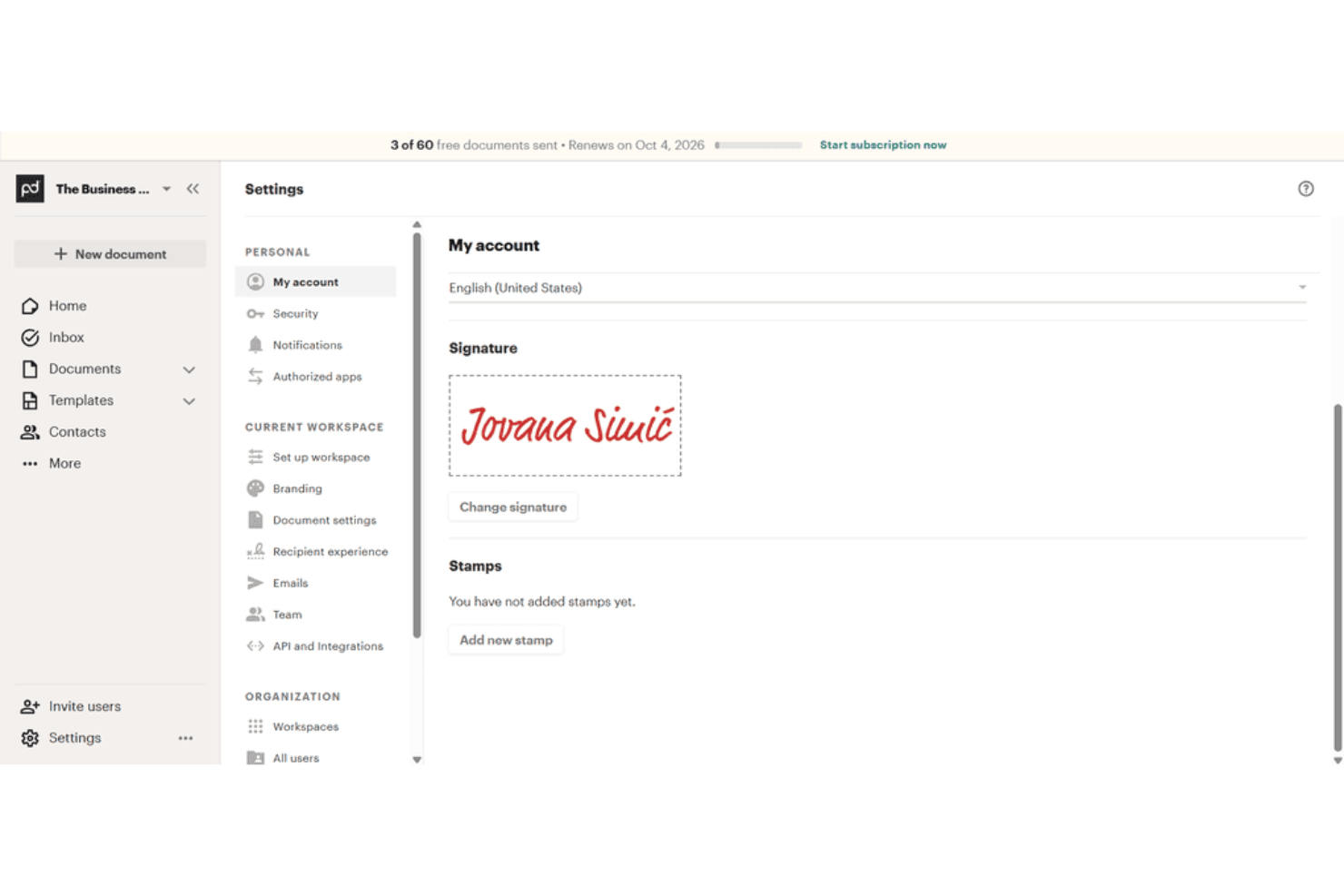
PandaDoc is free proposal software with a drag-and-drop editor, templates, document tracking, legally binding e-signatures, PDF downloads, and shareable links.
Who Is PandaDoc Best For?
PandaDoc suits freelancers and small teams that send occasional client documents requiring legally binding e-signatures and basic tracking.
Why I Picked PandaDoc
I picked PandaDoc because its Free eSign plan includes legally binding signatures, an audit trail, and PDF downloads without an expiration date. I use its drag-and-drop editor and templates to prepare client documents, then share them by email or link. The five-send monthly limit and two-recipient cap suit occasional, simple agreements.
PandaDoc Key Features
- Unlimited users: Add users to the free workspace without a user limit.
- Unlimited storage: Organize files with folders, tags, and search.
- Inline comments: Add comments directly within documents.
- Mobile app: Access and manage documents from mobile devices.
PandaDoc Integrations
PandaDoc lists 30+ integrations, including HubSpot, Salesforce, Google Sheets, Microsoft Word, and Zapier. Its API supports custom integrations, with Free eSign accounts limited to five sends and 25 document creations monthly.
What's Free?
PandaDoc offers a free plan rather than only a time-limited trial, with legally binding e-signatures, PDF downloads, and audit trails. The plan allows five sends, two recipients per document, and 25 document creations monthly, while users and storage remain unlimited.
Pros and Cons
Pros:
- Real-time tracking shows recipient activity
- Unlimited users and storage support occasional teams
- Legally binding signatures include audit trails
Cons:
- No pricing tables limit quote creation
- Five monthly sends restrict recurring proposals

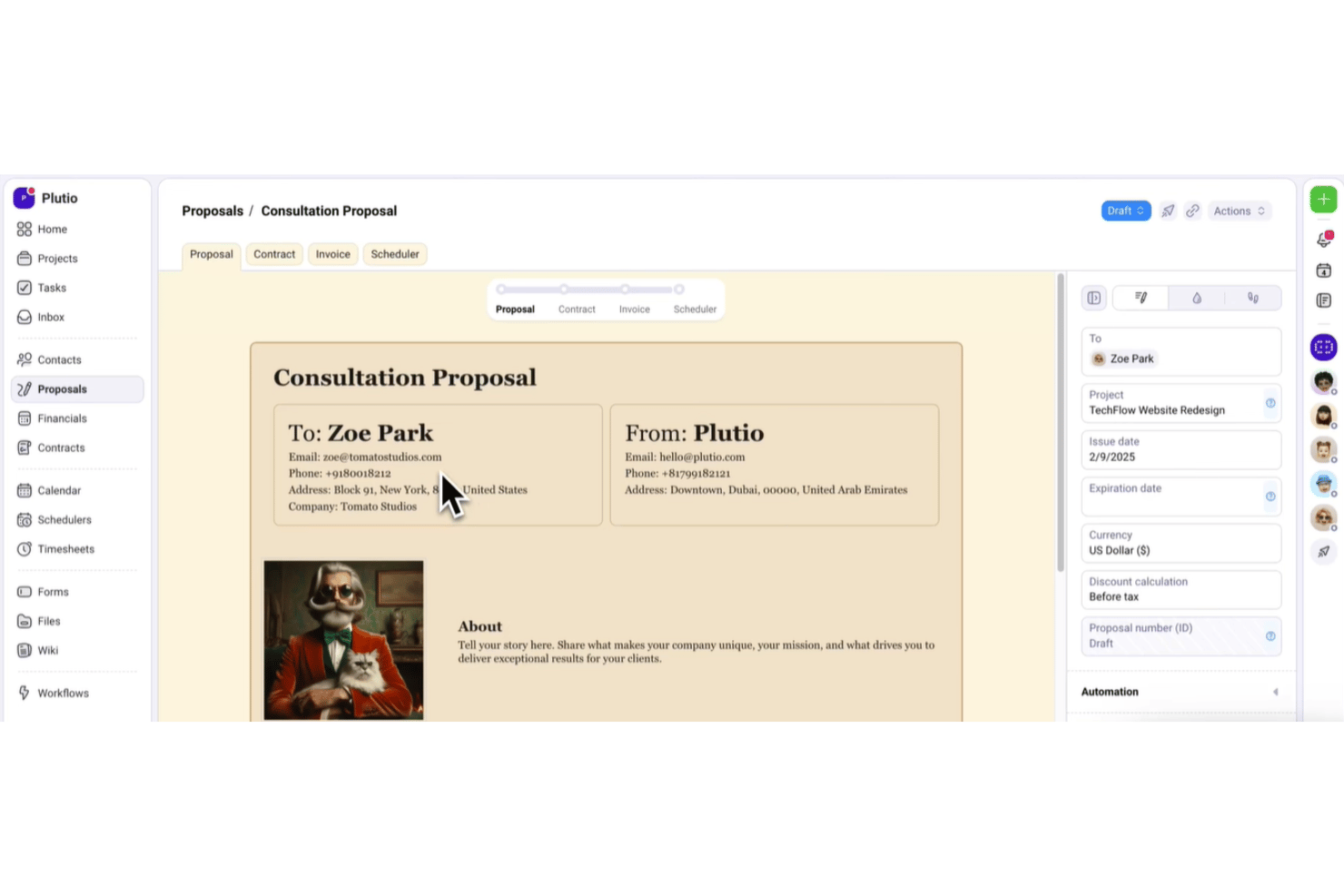
Plutio is an all-in-one proposal software platform for freelancers, combining branded proposals, quote tables, e-signatures, contracts, invoicing, and client portals with a free trial.
Who Is Plutio Best For?
Freelancers and small agencies that need branded proposals, e-signatures, contracts, and invoices in one workspace.
Why I Picked Plutio
I picked Plutio for its proposal-to-invoice flow for freelancers. During the free trial, I can build branded proposals with itemized packages, collect in-document signatures, and trigger an invoice when a client accepts. The workspace also links signed proposals to contracts and projects, keeping client handoff in one place.
Plutio Key Features
- Drag-and-drop editor: Arrange content, image, video, HTML, and canvas blocks.
- Proposal templates: Save reusable proposals or install templates from the community library.
- View tracking: Record proposal views with timestamps and status updates.
- Follow-up automations: Send reminders for pending proposals after three days, one week, and two weeks.
Plutio Integrations
Plutio offers native integrations with Stripe, PayPal, Square, Google Calendar, Outlook, Google Meet, Zoom, QuickBooks, and FreshBooks. It also supports Gmail, Zapier, an open API, and webhooks for custom integrations.
What's Free?
Plutio offers a 7-day free trial rather than a free-forever plan. After the trial, paid plans start at $19 per month.
Pros and Cons
Pros:
- Native signatures include audit details and PDFs
- Branded templates support polished, repeatable proposals
- Proposal-to-invoice workflow keeps client handoffs connected
Cons:
- Trial workspaces become read-only after expiration
- No free-forever plan for ongoing proposal access
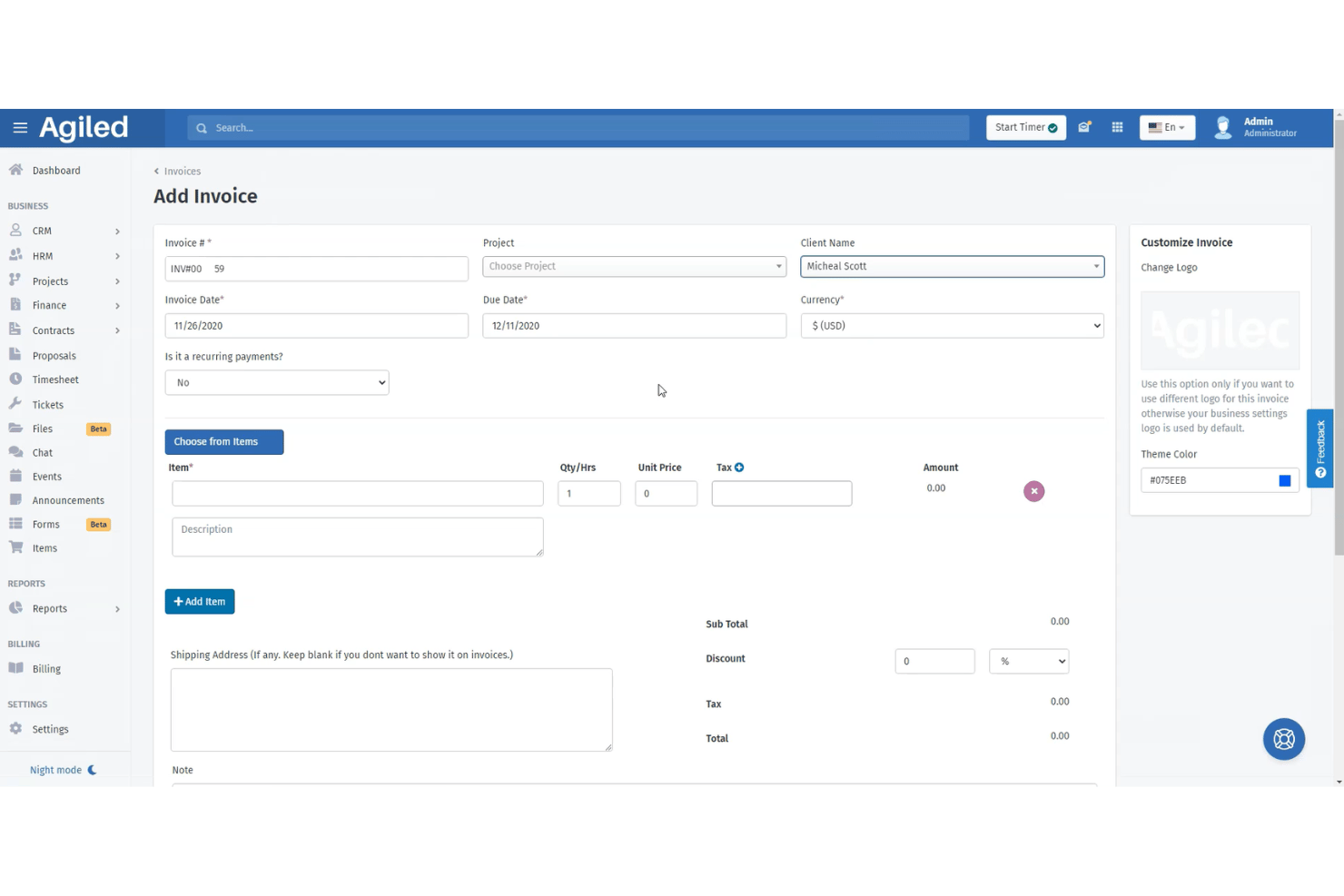
Agiled is an all-in-one proposal software platform with drag-and-drop templates, reusable content blocks, estimates, e-signatures, client tracking, and direct proposal-to-contract or invoice conversion.
Who Is Agiled Best For?
Freelancers and solo consultants who need to connect client proposals with estimates, e-signatures, contracts, and invoices.
Why I Picked Agiled
I picked Agiled for freelancers managing proposals and invoices because its reusable blocks and drag-and-drop builder help me assemble client-ready proposals quickly. I can collect signatures from multiple recipients, then convert accepted proposals into contracts or invoices. Its CRM deal records also prefill scope, pricing, and client details.
Agiled Key Features
- Proposal status tracking: Monitor draft, sent, viewed, and signed statuses with read-time details.
- Secure sharing links: Add passwords and expiration dates to shared proposal links.
- Pricing and estimate tables: Include line items, discounts, taxes, terms, and expiry dates.
- PDF export: Download completed contracts as PDF documents.
Agiled Integrations
Agiled lists 44 integrations, including Stripe, PayPal, QuickBooks, Xero, HubSpot, Asana, Trello, and Slack. It also supports custom connections through its REST API and webhooks, plus Zapier.
What's Free?
Agiled offers a free-forever plan rather than only a time-limited trial. The available plan information doesn't specify user limits, integration restrictions, or other free-plan conditions, so check Agiled's current plan details before subscribing.
Pros and Cons
Pros:
- Tracks views, signatures, and read times
- Converts accepted proposals into contracts
- Supports ordered and parallel e-signatures
Cons:
- Starter documents have restrictive limits
- Free proposal access remains unclear

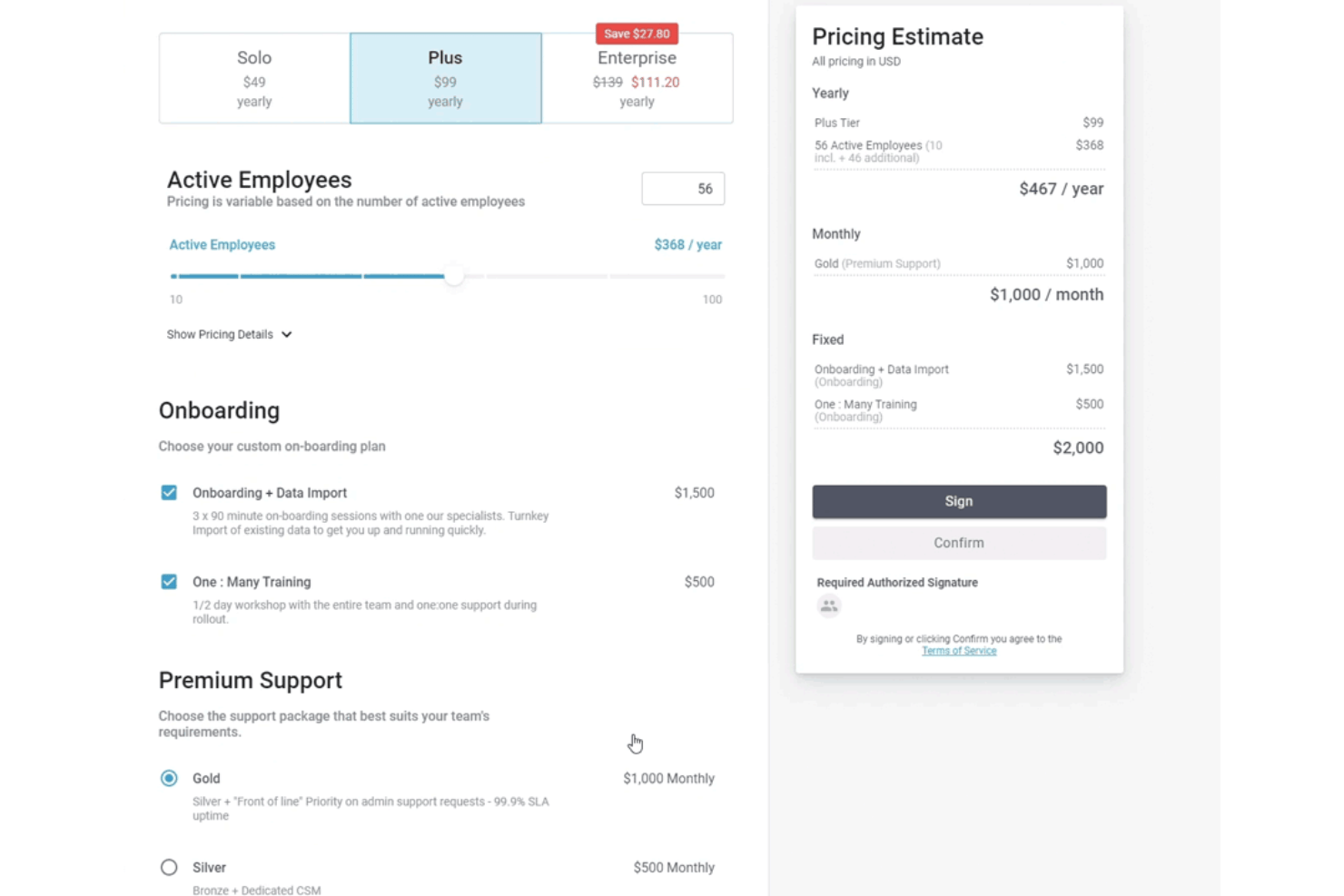
FastSpring IQ is a proposal software platform for SaaS quotes, with interactive pricing tiers, add-ons, e-signatures, engagement analytics, and HubSpot integration.
Who Is FastSpring IQ Best For?
FastSpring IQ suits SaaS sales teams that need interactive pricing quotes, built-in e-signatures, and detailed buyer engagement tracking.
Why I Picked FastSpring IQ
I picked FastSpring IQ because it’s best for SaaS pricing quotes with built-in e-signatures. I use its interactive tiers, quantity-based pricing, and add-ons to present software packages that recalculate totals as buyers configure them. Multiple signers, locked post-signing quotes, and audit-trail PDFs support a clear approval process.
FastSpring IQ Key Features
- Custom templates: Create reusable templates with custom themes and accent colors.
- Discount controls: Apply percentage, fixed-amount, or final-price discounts.
- Quote security: Protect shared quotes with passwords, visit limits, and expiry dates.
- HubSpot integration: Link quotes to deals and log quote activity in HubSpot.
FastSpring IQ Integrations
FastSpring IQ offers native integrations with HubSpot, Salesforce, FastSpring Payments, and Drift. It also provides an API and webhooks for custom integrations.
What's Free?
FastSpring IQ offers a free-forever plan at $0 with no credit card required. It includes unlimited quotes, interactive pricing, real-time analytics, eSignatures, HubSpot integration, and FastSpring Payments, but limits access to two users.
Pros and Cons
Pros:
- Multiple signers with audit-trail PDFs
- Detailed buyer engagement analytics
- Interactive pricing recalculates tiers and add-ons
Cons:
- Quote export remains link-based
- Narrative proposal sections are absent
Diğer Ücretsiz Teklif Yazılımları
İlk listeme girmeyen ancak yine de göz atmaya değer birkaç ek seçenek şunlardır:
- Docspo
For webpage-style proposals with reusable blocks
- Proposal.biz
For solo users sending branded proposals free
- Google Docs
For drafting proposals in a tool you already use
- Bitrix24
For CRM-linked quotes with free e-signature
- Indy
For freelancers with a proposal-to-client workflow
- Bonsai
For freelancers converting proposals to invoices
- Signaturely
For signing proposals sent outside the app
- Wethos
For freelancers quoting with peer pricing data
- DocHipo
For design-led proposals with pricing tables


How I Evaluate Free Proposal Software
First, I define what counts as free. A free-forever plan must support ongoing proposals, not just a trial, despite user or feature limits. From there, I evaluate creating proposals and capturing e-signatures, client comments, and how well the free plan scales toward paid upgrades.
Core Functionality (Table Stakes For This List)
In addition to my free plan requirements, I use a scoring system to select tools for my list. I score each one on a scale from 0 (does not offer the functionality) to 5 (excels in this area) for each core functionality listed below, based on what's available on the free plan. I then convert the total into a percentage to help assess each tool's overall fit, with extra weight on any functionalities I've deemed essential.
- Proposal Creation & Templates (Essential): I look for editable templates, branding, images, and reusable sections for presenting scope, milestones, and deliverables.
- E-Signature Capture (Essential): I check whether clients can approve and sign inside the proposal, with completion records suitable for a project handoff.
- Pricing & Quote Tables: Itemized services, quantities, options, and totals should be clear enough for clients to review before approval.
- Proposal Tracking & Notifications: I assess alerts for opens, views, repeat visits, and engagement that help account managers time follow-ups.
- PDF/Document Export & Sharing: I look for shareable links or downloadable files that clients can open across devices and retain for their records.
Once I have a list of tools that meet the criteria, I consider what sets each platform apart.
Differentiating Factors (What Sets Vendors Apart)
Here's how I compare and contrast different vendors:
Standout Features
I look for a content library that lets you save approved text blocks, case studies, and pricing modules to reuse across proposals. This matters when you're sending similar scopes repeatedly and need consistency without rebuilding from scratch. I also evaluate whether recipients can leave comments directly inside a proposal before signing, since that cuts down on email threads and speeds up approvals. Tools like Better Proposals and Qwilr handle this differently, so I check how each one surfaces client feedback alongside signature workflows.
Beyond Features
I check whether a free plan connects to payment processors like Stripe or PayPal, since turning a signed proposal into an immediate invoice or payment request cuts days off your close-to-cash cycle. Onboarding speed matters too—I look for guided setup and drag-and-drop editors that let a solo consultant send a polished proposal within minutes, not hours. I also evaluate audit trails for signatures, because both you and your client need defensible proof that an agreement was accepted.
Ücretsiz Teklif Yazılımı Nasıl Seçilir?
Ücretsiz teklif yazılımı seçerken, sınırlarının taslaktan imzalı onaya kadar tüm iş akışınızı destekleyip desteklemediğini test edin.
| Önceliğiniz | Şunları arayın |
|---|---|
| Düzenli olarak özenli teklifler göndermek | Yeniden kullanılabilir şablonlar, markalı bölümler ve kaydedilmiş fiyatlandırma içeriği |
| İmzalı onayları almak | İndirilebilir tamamlanma kaydıyla teklif içi imzalar |
| Değişen proje kapsamını yönetmek | Müşteri yorumları, revizyon geçmişi ve düzenlenebilir fiyat teklifi tabloları |
| Doğru zamanda takip yapmak | Açılma uyarıları, görüntüleme takibi ve tekrar ziyaret bildirimleri |
| Onaydan ödemeye geçmek | Aynı iş akışı içinde ödeme talepleri veya faturalandırma |
Kısa Listenizi Nasıl Değerlendirebilirsiniz?
- Tanımlı bir deneme görevi gerçekleştirin: Kapsamı, kilometre taşlarını, üç kalemlik bir fiyat listesini, bir revizyonu ve bir imza talebini içeren tek bir teklifi 30 dakika içinde oluşturun.
- Ücretsiz plan koşullarını isteyin: Teklif hacmini, şablonları, depolamayı, imzaları, dışa aktarmaları ve son kullanma tarihlerini kapsayan güncel bir sınırlar belgesi talep edin.
- Müşteriye devir sürecini test edin: Teklifi iki deneme alıcısına gönderin, bir yorum ekleyin, onayı tamamlayın ve nihai kaydı bir iş günü içinde indirin.
- Bir destek talebi oluşturun: Silinen tekliflerin, başarısız imzaların ve dışa aktarılan kayıtların nasıl ele alındığını sorun, ardından yazılı yanıtı destek belgesi olarak kaydedin.
- Önceliğinizi belirleyin: Görsel açıdan etkileşimli bir teklif deneyimine mi yoksa daha basit imzalama ve dışa aktarma sunan, belge odaklı bir iş akışına mı ihtiyacınız olduğuna karar verin.
Ücretsiz Teklif Yazılımı Nedir?
Ücretsiz teklif yazılımı; müşteri teklifleri oluşturmak, paylaşmak, takip etmek, onaylamak ve imzalamak için ücretsiz bir plan veya deneme sürümü sunan bir araçtır. Proje kapsamını, teslimatları, zaman çizelgelerini, fiyatlandırmayı ve koşulları müşteriye sunulan tek bir belgede göstermenize yardımcı olur. Özellikler plana göre değişir; bu nedenle bir araç seçmeden önce teklif sınırlarını, şablonları, elektronik imzaları, yorumları, dışa aktarma seçeneklerini, takibi ve ödeme seçeneklerini kontrol edin.
Ücretsiz Teklif Yazılımının Özellikleri
Ücretsiz teklif yazılımı planlarında genellikle edinebileceğiniz ve çoğunlukla ücret ödemeniz gereken özelliklerin ayrıntılı açıklaması aşağıdadır.
Genellikle Ücretsiz Özellikler
- Teklif şablonları: Hazır tasarımlar; hizmetleri, teslimatları, zaman çizelgelerini ve fiyatlandırmayı sunmanız için bir başlangıç noktası sağlar. Her müşteri için metni, bölümleri ve görsel öğeleri genellikle düzenleyebilirsiniz.
- Teklif düzenleyici: Sürükle ve bırak özellikli veya metin tabanlı bir düzenleyici, her sayfayı sıfırdan tasarlamadan teklifler oluşturmanıza olanak tanır. Bölümleri düzenleyebilir, içerik ekleyebilir ve teklifi paylaşmadan önce ayarlayabilirsiniz.
- Temel markalama: Ücretsiz planlar genellikle işletme adı, logo, renkler ve iletişim bilgileri eklemenize olanak tanır. Bu öğeler, müşterilerin teklifi kimin gönderdiğini anlamasına yardımcı olur.
- Fiyatlandırma tabloları: Kalemlere ayrılmış tablolar hizmetleri, miktarları, ücretleri, indirimleri ve toplamları gösterir. Müşterilere önerilen proje maliyetini incelemek için anlaşılır bir yol sunar.
- Paylaşılabilir bağlantılar: Büyük bir dosyayı e-postaya eklemek yerine teklifi müşteriye sunulan bir bağlantı üzerinden gönderebilirsiniz. Alıcılar teklifi farklı cihazlarda bir tarayıcıdan açabilir.
- PDF dışa aktarma: Dışa aktarma araçları, teklifi kaydetmesi, yazdırması veya kurum içinde paylaşması gereken müşteriler için indirilebilir bir kopya oluşturur. Ücretsiz planın dışa aktarılan dosyalara platform markalaması ekleyip eklemediğini kontrol edin.
- Temel elektronik imzalar: Bazı ücretsiz planlar, müşterilerin koşulları inceledikten sonra teklifleri elektronik olarak imzalamasına olanak tanır. Yazılım genellikle imzalayan kişiyi, tarihi ve tamamlanma durumunu kaydeder.
- Görüntüleme takibi: Temel takip özelliği, alıcının bir teklifi açıp açmadığını gösterir. Bu bilgiler, belgeyi gönderdikten sonra ne zaman takip yapacağınıza karar vermenize yardımcı olur.
- Müşteri yorumları: Yorum alanları, müşterilerin teklif içinde soru sormasına veya değişiklik talep etmesine olanak tanır. Böylece geri bildirim ilgili kapsam ya da fiyatlandırma bölümüyle bağlantılı kalır.
Genellikle Ücretli Özellikler
- Yeniden kullanılabilir içerik kitaplığı: Bir içerik kitaplığı; onaylanmış hizmet açıklamalarını, örnek çalışmaları, koşulları ve fiyatlandırma bloklarını saklar. Bu bölümleri yeniden oluşturmadan yeni tekliflere ekleyebilirsiniz.
- Gelişmiş etkileşim analizleri: Ücretli takip özellikleri; sayfalarda geçirilen süreyi, tekrarlanan ziyaretleri, bağlantı etkinliğini ve alıcı etkileşimini gösterebilir. Bu ayrıntılar, hangi bölümlerin ilgi gördüğünü belirlemenize yardımcı olur.
- Özel alan adı: Özel alan adı, sağlayıcının web adresini işletmenize bağlı bir URL ile değiştirir. Alıcılar teklifleri çevrim içi incelerken tutarlı bir bağlantı görür.
- Ödeme tahsilatı: Ödeme özellikleri, imzalanan teklifleri desteklenen ödeme işlemcileri üzerinden ödeme talepleriyle bağlar. Müşteriler teklifi kabul ettikten sonra kapora veya proje ücretlerini ödeyebilir.
- CRM entegrasyonları: Entegrasyonlar, teklif etkinliğini müşteri ilişkileri yönetimi kayıtlarına bağlar. Teklifleri, kişileri, anlaşma aşamalarını ve takip etkinliklerini tek bir sistemde ilişkilendirebilir.
- Ekip izinleri: İzin denetimleri, teklifleri kimin oluşturabileceğini, düzenleyebileceğini, gönderebileceğini, onaylayabileceğini veya görüntüleyebileceğini belirler. Bu özellik, daha büyük ekiplerin yazma yetkilerini yönetim erişiminden ayırmasına yardımcı olur.
- Onay iş akışları: Onay iş akışları, teklifleri müşteriye ulaşmadan önce kurum içi incelemelerden geçirir. Bir yöneticinin, hukuk incelemecisinin veya finans paydaşının onayını zorunlu kılabilir.
- Ayrıntılı denetim kayıtları: Denetim kayıtları; düzenlemeler, görüntülemeler, imzalar ve onaylar gibi teklif etkinliklerini kaydeder. Bu kayıtlar, ekiplerin ne olduğunu doğrulaması gerektiğinde daha net bir geçmiş sunar.
- Özel entegrasyonlar: API erişimi ve otomasyon araçları, teklif yazılımını kurum içi sistemlere bağlar. Ekipler teklif verilerini proje yönetimi, faturalandırma veya raporlama araçlarına aktarabilir.
Avantajlar
Ücretsiz sürümlerin sınırlamaları olsa da ücretsiz teklif yazılımını kullanarak yine de çeşitli pratik avantajlar elde edebilirsiniz:
- Daha hızlı teklif oluşturma: Şablonlar, sürükle ve bırak düzenleyicileri ve yeniden kullanılabilir bölümler; kapsamı, kilometre taşlarını, teslim edilecekleri ve koşulları sunmaya başlamak için size bir temel sağlar.
- Müşteriye sunulan fiyatlandırmada daha fazla netlik: Kalemlere ayrılmış fiyatlandırma tabloları; hizmetleri, miktarları, ücretleri, indirimleri ve toplamları tek bir teklifte düzenler.
- Daha kolay onay toplama: Elektronik imzalar, müşterilerin teklifleri çevrim içi inceleyip imzalamasını ve imzalayan kişiyi, tarihi ve tamamlanma durumunu kaydetmenizi sağlar.
- Daha odaklı müşteri iletişimi: Yorum alanları, soruları ve talep edilen değişiklikleri ilgili teklif bölümleriyle bağlantılı tutar.
- Daha iyi takip zamanlaması: Açılma ve görüntülenme takibi, alıcıların teklife ne zaman eriştiğini göstererek ne zaman takip mesajı göndereceğinize karar vermenize yardımcı olur.
- Esnek belge paylaşımı: Paylaşılabilir bağlantılar, müşterilerin teklifleri farklı cihazlarda açmasını sağlarken PDF dışa aktarımları kayıtları için indirilebilir kopyalar sunar.
- İş akışlarını test etmenin daha düşük riskli bir yolu: Ücretsiz planlar; ücretli bir plana geçmeden önce teklif oluşturmayı, müşteriye devretme süreçlerini, imzaları, dışa aktarımları ve yükseltme sınırlarını değerlendirmenize olanak tanır.
Maliyetler ve Fiyatlandırma
Şimdilik ücretsiz seçenekleri değerlendiriyor olsanız da ücretsiz planlar sınırlı özellikler sunar. Daha sonra yükseltme yapmanız gerekirse genellikle şunları bekleyebilirsiniz:
Teklif Yazılımları için Plan Karşılaştırma Tablosu
| Plan Türü | Ortalama Fiyat | Yaygın Özellikler |
|---|---|---|
| Ücretsiz Plan | $0 | Temel teklif şablonları, sınırlı sayıda teklif, paylaşılabilir bağlantılar ve temel elektronik imzalar. |
| Kişisel Plan | $10-$30/kullanıcı/ay | Daha fazla şablon, marka denetimleri, PDF dışa aktarımları, fiyatlandırma tabloları ve temel takip. |
| İşletme Planı | $30-$80/kullanıcı/ay | Yeniden kullanılabilir içerik kitaplıkları, gelişmiş takip, müşteri yorumları, ödeme alma ve ekip izinleri. |
| Kurumsal Plan | $75-$200/kullanıcı/ay | Özel iş akışları, ayrıntılı denetim izleri, CRM entegrasyonları, özel markalama ve özel destek. |
SSS
Ücretsiz teklif yazılımları hakkında sık sorulan sorulara bazı yanıtlar:
Ücretsiz teklif yazılımını birden fazla müşteri için kullanabilir miyim?
Evet, çoğu sürekli ücretsiz plan birden fazla müşteri için teklifleri destekler, ancak genellikle hacmi sınırlar. Sağlayıcının etkin teklifleri, gönderilen teklifleri, şablonları, depolama alanını veya alıcıları sınırlayıp sınırlamadığını kontrol edin. Bazı planlar eski belgeleri arşivler ya da sağlayıcı markalaması ekler. Bir araç seçmeden önce iki farklı müşteri için teklifler oluşturun ve tüm iş akışını test edin. İmzalama sonrasında her iki belgenin de erişilebilir kaldığını doğrulayın. Birden fazla projeyi yönettiğinizde ve her müşterinin onaylanmış kapsamı ile fiyatlandırmasına ilişkin güvenilir bir kayda ihtiyaç duyduğunuzda bu önemlidir.
Ücretsiz teklif yazılımlarındaki elektronik imzalar yasal olarak geçerli midir?
Evet, elektronik imzalar yasal olarak geçerli olabilir, ancak gereklilikler yargı bölgesine ve sözleşme türüne göre değişir. İmzalayan kişinin kimliğini, onayını, zaman damgasını ve belge sürümünü kaydeden bir araç seçin. Tamamlanma sertifikası veya denetim kaydı, tek başına bir imza görselinden daha güçlü kanıt sağlar. Sağlayıcıya imza kayıtlarını nasıl sakladığını ve müşterilerin bunları indirip indiremeyeceğini sorun. Düzenlemeye tabi işler, yüksek değerli sözleşmeler veya alışılmadık koşullar içeren anlaşmalar için imzalama sürecinin gereksinimlerinizi karşıladığını hukuk danışmanınızın doğrulamasını sağlayın.
Ücretsiz planı aşarsam tekliflerimi taşıyabilir miyim?
Genellikle evet, ancak dışa aktarma seçenekleri sağlayıcıya ve plana göre değişir. Ücretsiz katmanın PDF indirmelerini, veri dışa aktarımını veya yükseltme sonrasında tamamlanmış tekliflere erişimi destekleyip desteklemediğini kontrol edin. Planları değiştirmeden önce imzalanmış teklifleri, tamamlanma kayıtlarını ve önemli ekleri platformun dışında kaydedin. Ayrıca dışa aktarılan dosyaların sağlayıcı markalamasını içerip içermediğini veya yorumları ve imza ayrıntılarını koruyup korumadığını da kontrol etmelisiniz. Aracı önemli bir müşteri iş akışında kullanmaya başlamadan önce bu testi gerçekleştirin. Teklif geçmişiniz tek bir hesabın içinde kilitli kaldığında geçiş daha zor hale gelir.
Bir müşteriye ücretsiz teklif göndermeden önce neleri kontrol etmeliyim?
Göndermeden önce son kapsamı, fiyatlandırma hesaplamalarını, onay ayarlarını, imza alanlarını ve alıcı izinlerini kontrol edin. Müşteri görünümünü hem masaüstü tarayıcıda hem de mobil cihazda açın. Teklifin iletişim bilgilerinizi, koşullarınızı, görsellerinizi ve toplamları doğru şekilde gösterdiğini doğrulayın. Platform destekliyorsa kendinize bir test teklifi gönderin. Teslimden sonra görüntüleme bildirimlerinin çalıştığını ve imzalanmış kaydı indirebildiğinizi doğrulayın. Bu inceleme, müşteriniz görmeden önce bozuk bağlantıları, eksik bölümleri ve hatalı fiyatlandırmayı tespit eder.