

2026’nın En İyi 10 Teklif Yazılımı

En İyi Teklif Yazılımı Kısa Listesi


Teklif yazılımı, ekibinizin ticari teklifleri tek bir yerden oluşturmasına, göndermesine ve yönetmesine yardımcı olur. En iyi teklif yazılımını arıyorsanız muhtemelen manuel işleri azaltmak, teklifleri düzenli tutmak ve müşterilerle veya paydaşlarla iş birliği yapma biçiminizi geliştirmek istiyorsunuz. Doğru aracı seçmek, değişen gereksinimleri yönetmenize, teklif durumunu takip etmenize ve özellikle teslim tarihleri yaklaşırken herkesin aynı doğrultuda ilerlemesini sağlamanıza yardımcı olabilir. Bu kılavuzda, çeşitli iş akışlarına uygun, uzmanlar tarafından değerlendirilmiş seçenekleri bulacaksınız. Böylece 2026 yılında işletmeniz için doğru çözümü güvenle seçebilirsiniz.
Why Trust Our Software Recommendations
Our team has been testing and reviewing software since 2012. As project managers ourselves, we know how difficult—and important—it is to choose the right software.
For this guide, we evaluated tools using hands-on testing and independent research, scoring tools using our selection criteria. We also draw on insights from industry thought leaders and practicing project management experts.
Our reviews reflect our human editorial judgment, not a sales pitch.
Expert reviewers:
Teklif Yazılımı Karşılaştırma Tablosu
Bu karşılaştırma tablosu, en iyi teklif yazılımı seçimlerim için fiyatlandırma ayrıntılarını özetlemektedir:
Score legend (out of 5)
- Excellent 4.5–5
- Good 4–4.4
- Average 3–3.9
- Below average 2–2.9
- Poor 1–1.9
| Tool | Starting Price | Website | |||||||
|---|---|---|---|---|---|---|---|---|---|
| Best for guided sales process customizations | 3.8 out of 5 | 3 | 4 | 5 | 3 | 3 | 5 | Pricing upon request Free demo available | Website |
| Best for AI-drafted RFP and bid responses | — | — | 3 | 3 | 5 | 1 | — | $899/month 30-day money-back guarantee | Website |
| Best for simple, modern proposals | 4.0 out of 5 | 4 | 4 | 4 | 4 | 4 | 4 | $19/user/month 14-day free trial | Website |
| Best for creative professionals and freelancers | 3.5 out of 5 | 4 | 4 | 4 | 3 | 3 | 3 | $29/month 30-day free trial | Website |
| Best for customizable templates and analytics | 3.7 out of 5 | 4 | 4 | 3 | 3 | 4 | 4 | $19/user/month 14-day free trial + free demo available | Website |
| Best for interactive, web-based proposals | 3.8 out of 5 | 4 | 4 | 4 | 3 | 4 | 4 | $35/user/month 14-day free trial | Website |
| Best for buyer engagement tracking and e-signing | 4.2 out of 5 | 5 | 4 | 4 | 4 | 4 | 4 | $25/user/month Free demo + 14-day free trial available | Website |
| Best for quote-to-signature workflows with price books | 3.7 out of 5 | 4 | 4 | 4 | 3 | 3 | 4 | $39/month Free plan + 14-day free trial + free demo available | Website |
| Best for document automation with eSignatures | 4.0 out of 5 | 4 | 4 | 4 | 4 | 4 | 4 | $19/user/month Free plan + 14-day free trial + free demo available | Website |
| Best for AI-drafted proposals at freelancer pricing | 3.8 out of 5 | 4 | 4 | 4 | 4 | 4 | 3 | $19/user/month 14-day free trial | Website |
En İyi Teklif Yazılımı İncelemeleri
Aşağıda, kısa listeme giren en iyi teklif yazılımları hakkındaki ayrıntılı özetlerimi bulabilirsiniz. İncelemelerim, sizin için en iyi seçeneği bulmanıza yardımcı olmak amacıyla her yazılımın özelliklerine, entegrasyonlarına ve fiyatlandırmasına ayrıntılı bir bakış sunar.

Best for guided sales process customizations

Built for B2B sales teams, DealHub AI is a proposal and CPQ platform for quoting, document generation, buyer collaboration, and contract execution—all in one place.
Who Is DealHub AI Best For?
DealHub AI serves mid-market and enterprise B2B sales teams that handle complex, multi-stakeholder deals with structured pricing and approval workflows.
Why I Picked DealHub AI
I've included DealHub AI in my top picks because its guided selling engine is one of the most flexible I've seen for controlling how reps navigate a deal. You can build a master playbook inside your CRM opportunity stage, then layer in a question-and-answer process that adapts based on the rep's answers. That means every proposal starts from the right product configuration, with the right pricing logic applied automatically. What I especially like is the ability to segment guidance by user group, so enterprise reps and mid-market reps can follow different paths through the same catalog.
DealHub AI Key Features
- DealRoom: A branded digital room where buyers can view proposals, pricing, and supporting documents in one shared space.
- Built-in eSignature (DealSign): Native electronic signature for buyers to sign contracts directly within the proposal, without a third-party tool.
- Buyer engagement tracking: Real-time signals showing which sections of a proposal a buyer opened, viewed, and how much time they spent on each one.
- Contract redlining: CLM tools that allow legal and sales teams to mark up, negotiate, and approve contract language in one place.
DealHub AI Integrations
DealHub AI offers native integrations with Salesforce CRM, Microsoft Dynamics 365, HubSpot CRM, DocuSign, Gong, Slack, and more. An API is also available for custom integrations, including connecting to additional CRM and ERP systems.
Pros and Cons
Pros:
- CPQ, CLM, and billing combined in a single platform
- No-code approval workflows
- Guided selling playbooks prevent quoting errors
Cons:
- Documentation gaps make admin onboarding difficult
- Loads slowly with large deal volumes
New Product Updates from DealHub AI

DealHub AI Expands Bundle Attribute Automation
DealHub AI introduces Assignment Rules for child proposal attributes and numeric aggregation for bundles. These updates give admins more control over bundle attribute automation and configuration. For more information, visit DealHub’s official site.
 .

Best for AI-drafted RFP and bid responses
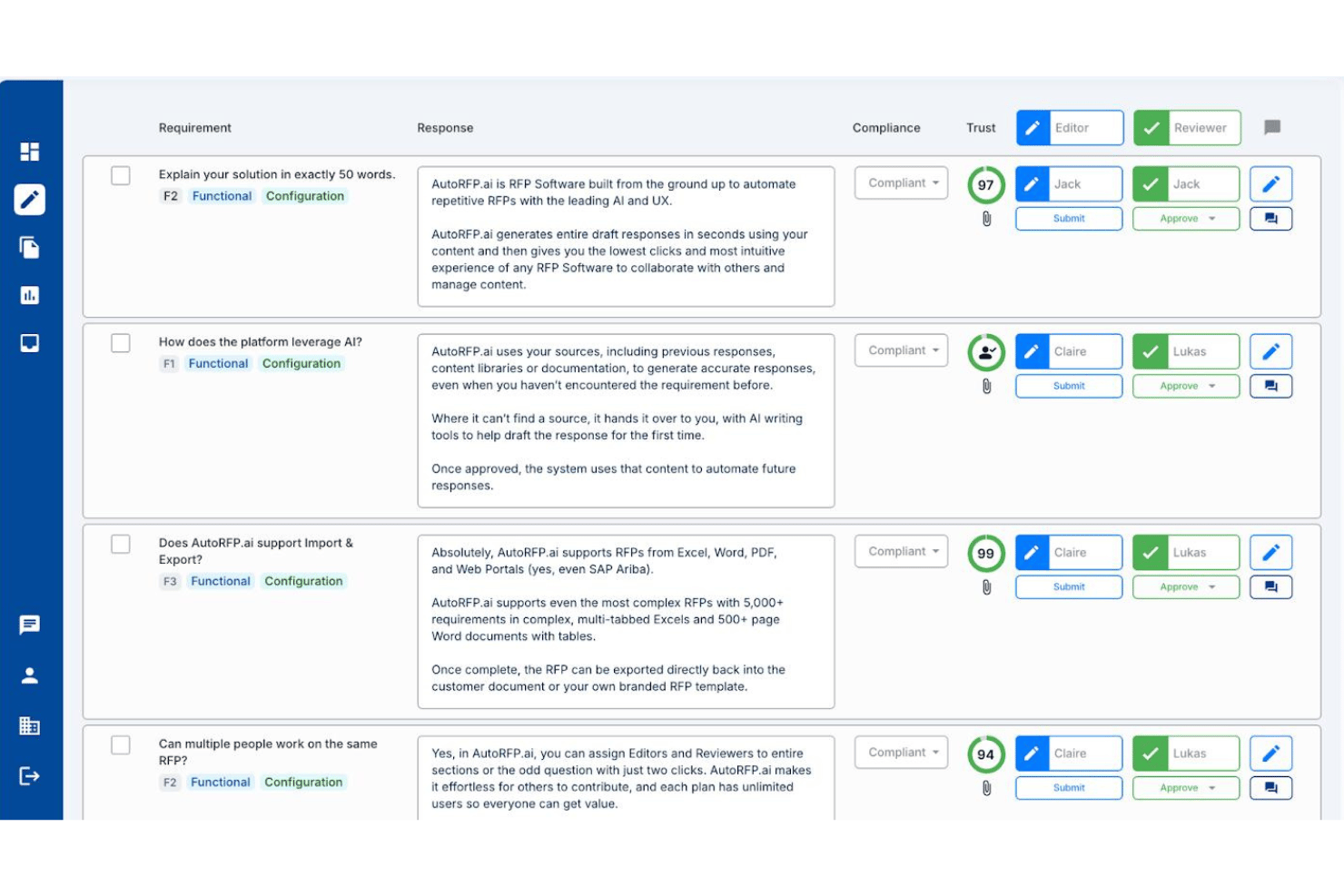
AutoRFP.ai is an AI-native RFP response platform that drafts answers to buyer-issued RFPs, RFIs, DDQs, and security questionnaires by pulling from your team's past responses and approved content.
Who Is AutoRFP.ai Best For?
AutoRFP.ai is a strong fit for proposal managers and bid teams at IT services, consulting, and professional services firms that regularly respond to formal RFPs, RFIs, and security questionnaires.
Why I Picked AutoRFP.ai
AutoRFP.ai earns its spot on my shortlist because no other tool I've tested handles AI-drafted RFP and bid responses with this level of accuracy. When a 500-question RFP lands in your inbox, the platform pulls from your team's past approved responses to generate a cited first draft, complete with Trust Scores flagging how confident the AI is in each answer. I also like that it responds directly inside procurement portals like SAP Ariba via browser extension, which removes a frustrating copy-paste bottleneck from the response cycle.
AutoRFP.ai Key Features
- Role-based access control: Assign Editor, Reviewer, or Admin roles at the section or question level across unlimited users.
- Multi-format import: Ingest RFP documents in Word, Excel, and PDF formats, including multi-tab Excel workbooks with thousands of requirements.
- Browser extension for portal responses: Answer questions directly inside procurement portals like SAP Ariba without copying content between platforms.
- AI Trust Scores: Each AI-generated answer displays a confidence score and source citation so reviewers can prioritize edits.
AutoRFP.ai Integrations
AutoRFP.ai advertises 18+ integrations, including native two-way Salesforce connectivity plus HubSpot, Microsoft Dynamics 365, SharePoint, Google Drive, Slack, and Microsoft Teams. An open API and webhooks support custom integrations.
Pros and Cons
Pros:
- Generates cited answers with confidence scores
- Unlimited users for collaborative RFP workflow
- AI drafts responses using approved content
Cons:
- Lacks interactive client proposal features
- No visual proposal templates or scoping

Best for simple, modern proposals

Better Proposals offers a streamlined platform for creating, sending, and tracking digital proposals. It’s a strong fit for small businesses and agencies that want modern, visually engaging documents with built-in e-signatures.
Who Is Better Proposals Best For?
Freelancers and small agencies that need to send polished, interactive proposals with digital signatures.
Why I Picked Better Proposals
I picked Better Proposals because its simple, modern editor lets my team create visually appealing proposals without design skills. I like that digital signatures are built in, so clients can sign instantly from any device. The platform’s templates help us maintain a consistent, professional look across all our documents. This combination of simplicity and digital signing makes it easy to close deals quickly.
Better Proposals Key Features
- Payment integrations: Connect Stripe or PayPal to collect payments directly from proposals.
- Proposal analytics: Track when proposals are opened, read, and signed.
- Custom branding: Add your logo, colors, and domain for a branded experience.
- Content library: Store and reuse proposal sections, images, and fees.
Better Proposals Integrations
Integrations include HubSpot, Zoho, Stripe, PayPal, GoCardless, Asana, Trello, Basecamp, Teamwork, and Capsule.
Pros and Cons
Pros:
- Integrated e-signature for faster deal closure
- Custom roles and permissions for team management
- Built-in analytics for proposal engagement tracking
Cons:
- Occasional delays in document loading speed
- Limited offline access to proposals

Best for creative professionals and freelancers
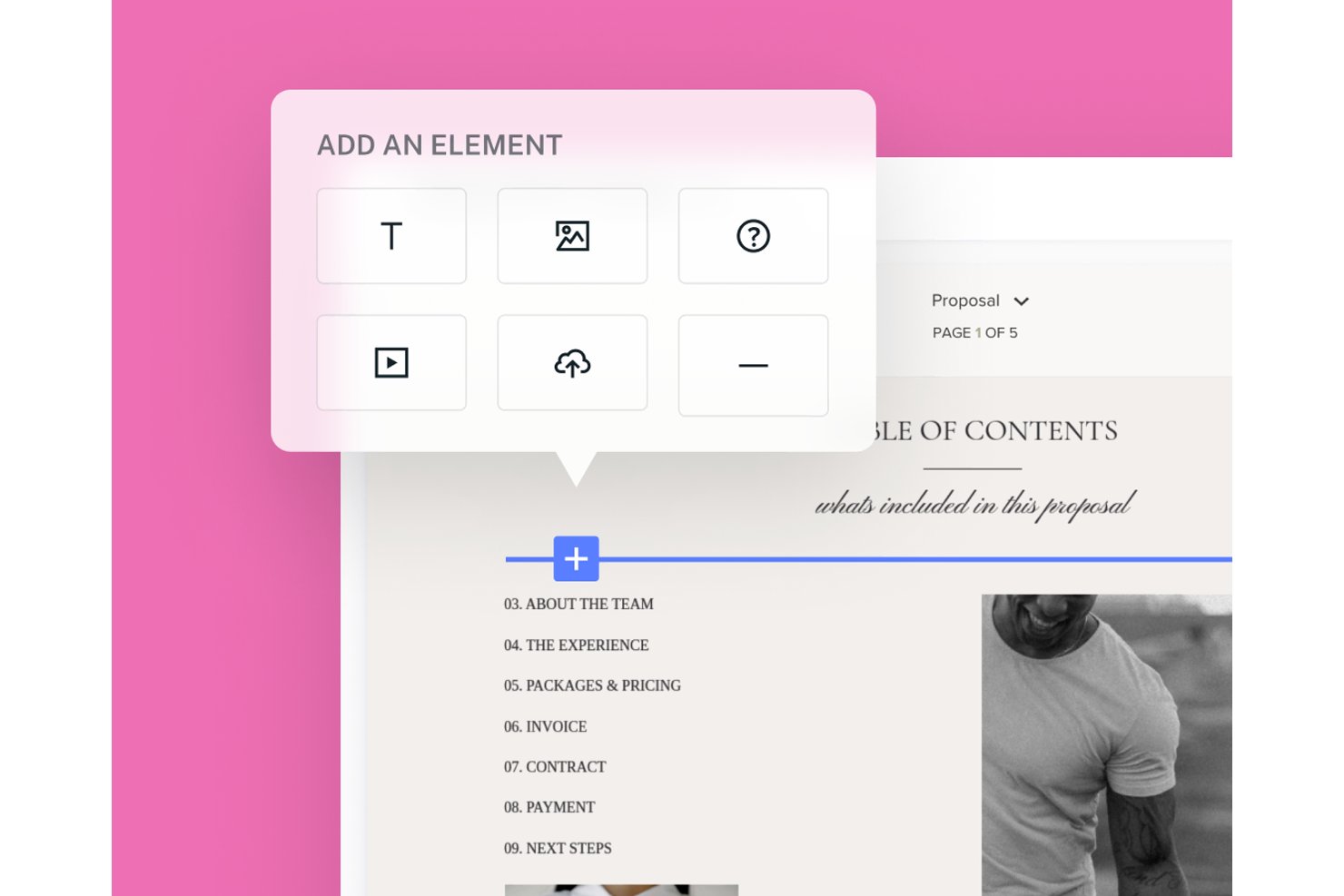
HoneyBook is a clientflow management platform for small businesses that combines proposal creation, e-signatures, invoicing, payments, and client pipeline management in one workflow.
Who Is HoneyBook Best For?
HoneyBook suits independent service providers—photographers, designers, consultants—who want proposals, contracts, and payments in one client-facing workflow.
Why I Picked HoneyBook
I've included HoneyBook in my top picks because it's built specifically for the kind of solo service provider who needs proposals, contracts, and payments to work as one connected flow rather than three separate tools. I love how HoneyBook's smart files let you combine selectable service packages, a legally binding e-signature block, and an invoice that automatically recalculates based on what the client picks, all in a single shareable link. The file progress tracker also shows you exactly when each recipient last viewed the file, almost in real time.
HoneyBook Key Features
- Client portal: Gives clients a dedicated space to access project files, communications, invoices, and contracts in one place.
- Pipeline management: Tracks leads and active projects through customizable workflow stages so you can see where every client stands.
- Payment scheduling: Lets you set one-time, recurring, or custom payment plans with autopay, late fees, and automatic payment reminders.
- HoneyBook AI meeting notetaker: Captures and summarizes meeting notes and action items automatically after client calls.
HoneyBook Integrations
HoneyBook offers native integrations with QuickBooks, Google Calendar, Gmail, Outlook, Zoom, and ChatGPT, plus integrations with Zoho CRM, Stripe, and Square. It also supports Zapier; API availability isn’t stated.
Pros and Cons
Pros:
- Recipient-level views reveal proposal progress
- Proposals bundle selections, signatures, and invoices
- Reusable templates speed polished proposal creation
Cons:
- Mobile editing omits some proposal action blocks
- Variable proposals can require manual adjustments

Best for customizable templates and analytics

Proposify is designed for sales teams and agencies that need to manage high volumes of proposals with consistency and control. Its workflow tools help you keep proposals organized, track progress, and maintain brand standards across your documents.
Who Is Proposify Best For?
Sales teams and agencies that need customizable templates and analytics for managing a large volume of proposals.
Why I Picked Proposify
I picked Proposify because its customizable templates let my team quickly tailor proposals for different clients without starting from scratch. I appreciate the built-in analytics, which show when prospects view or interact with our documents. This helps us prioritize follow-ups and refine our approach. The combination of template flexibility and actionable insights makes it a strong fit for managing high-volume proposal workflows.
Proposify Key Features
- Content library: Store reusable proposal sections, images, and fees for quick access.
- Approval workflows: Set up internal review and approval steps before sending proposals.
- E-signatures: Collect legally binding electronic signatures directly within proposals.
- Client notifications: Automatically notify clients when a proposal is sent, viewed, or signed.
Proposify Integrations
Integrations include 20+ tools, including HubSpot, Salesforce, Pipedrive, QuickBooks, Stripe, Google Drive, Dropbox, Slack, Microsoft Teams, and more.
Pros and Cons
Pros:
- Integrated e-signature for faster deal closure
- Automated approval workflows for compliance needs
- Centralized content library for reusable assets
Cons:
- Template editor can be slow with large files
- No built-in CRM functionality

Qwilr
Best for interactive, web-based proposals
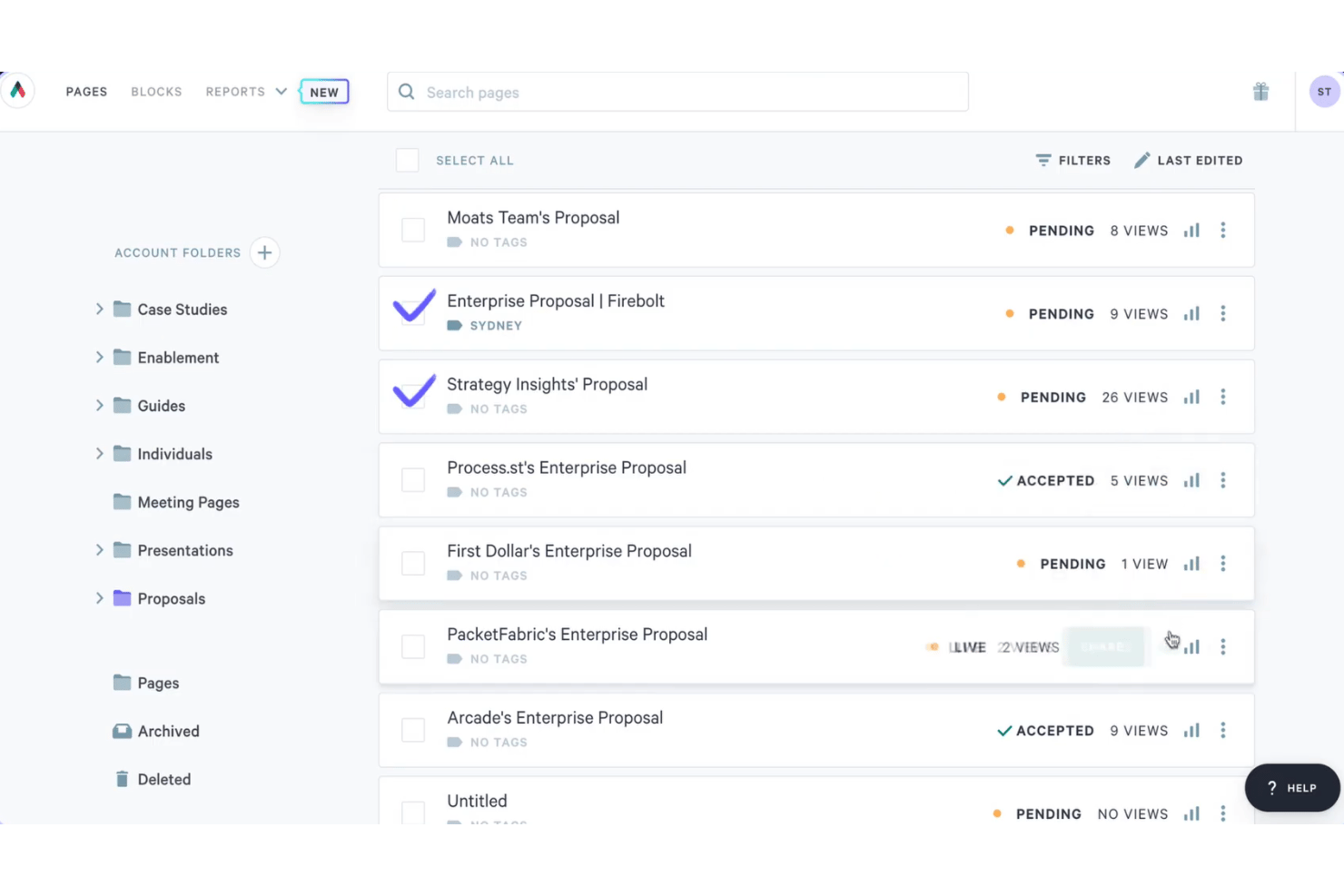
Qwilr is a web-based proposal software platform that lets sales teams build interactive, branded proposals with embedded quote blocks, e-signature capture, buyer engagement analytics, and payment collection.
Who Is Qwilr Best For?
Qwilr suits sales teams and agency account managers who send high volumes of branded proposals and want buyers to interact with pricing, sign, and pay in a single web link.
Why I Picked Qwilr
Qwilr earns its spot on my shortlist because it turns proposals into live, interactive web pages rather than static documents. I particularly like that buyers can toggle optional line items and see the quoted total update in real time, right inside the proposal, before they sign. Section-level analytics then show me exactly which parts a prospect spent time on, so I can follow up with the right conversation. The e-signature and payment collection all happen in that same link, which cuts a lot of back-and-forth out of the closing process.
Qwilr Key Features
- AI proposal generation: Scans a company website to generate a tailored, branded proposal page in about one to two minutes.
- Reusable saved blocks: Lets teams build a library of approved content blocks that can be locked, shared, and dropped into new proposals.
- Native CRM integrations: Connects with HubSpot, Salesforce, Microsoft Dynamics 365, Zoho CRM, and Pipedrive to populate proposals from existing deal records.
- QwilrPay: Collects full, partial, or recurring payments directly within a Qwilr proposal page via a connected Stripe account.
Qwilr Integrations
Qwilr offers native integrations with HubSpot, Salesforce, Microsoft Dynamics 365, Zoho CRM, Pipedrive, QuickBooks, Stripe, and Slack. It also supports Zapier and an API for custom integrations.
Pros and Cons
Pros:
- Reusable branded blocks speed repeat proposals
- Section-level engagement guides timely follow-up
- Interactive quote options recalculate totals live
Cons:
- Complex pricing structures strain quote tables
- PDF exports can distort proposal layouts

Best for buyer engagement tracking and e-signing
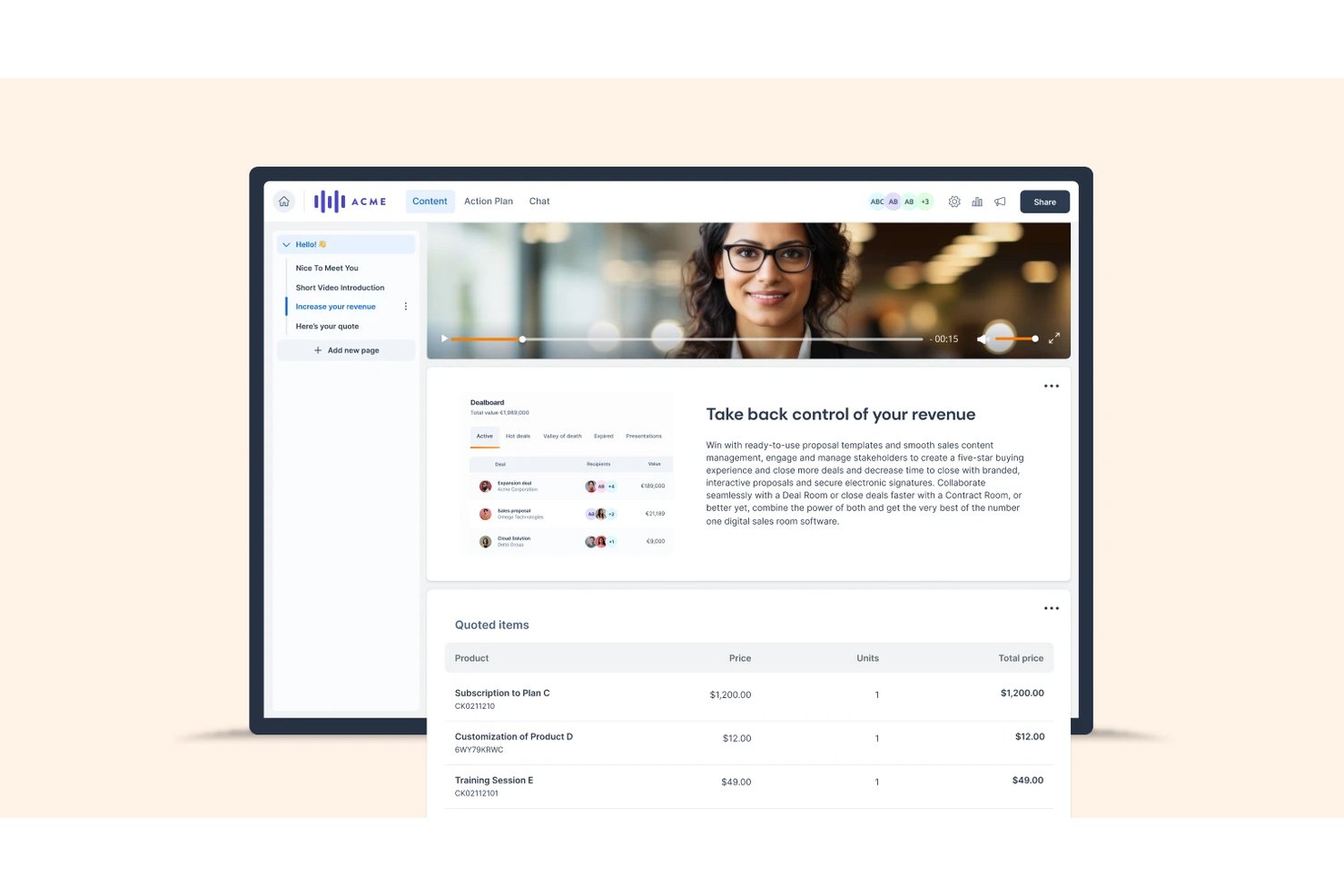
GetAccept is a proposal and e-signature platform that lets sales teams create branded proposals, track buyer engagement at the page level, collect legally binding signatures, and manage the full deal workflow from a shared digital sales room.
Who Is GetAccept Best For?
GetAccept is a strong fit for B2B sales teams that need to track exactly how prospects engage with proposals before following up to close.
Why I Picked GetAccept
GetAccept earns its spot on my shortlist because of how deeply it tracks buyer engagement after a proposal leaves your hands. I love that you can see exactly which pages a prospect spent time on, who forwarded the document to a new stakeholder, and how their engagement score shifts over time. The machine-learning deal score then uses that activity to estimate signing likelihood, so you know when to follow up and when to hold back. Pair that with multi-signer workflows and a full Signature Certificate, and the full close cycle is covered in one place.
GetAccept Key Features
- AI content editor: Use conversational prompts to generate and refine proposal copy, tone, and style directly within the document editor.
- Mutual action plans: Create a shared buyer-and-seller checklist of steps, owners, and dates to keep deals moving toward close.
- Conditional content: Automatically assemble documents based on pre-configured conditions, available on the Enterprise plan.
- In-app video recording: Embed a personal video introduction into a proposal or deal room to add context before a prospect reads.
GetAccept Integrations
GetAccept offers native integrations with Salesforce and HubSpot, plus integrations with Microsoft Dynamics, Pipedrive, SuperOffice, Stripe, and Authorize.Net. It supports REST APIs, webhooks, and Zapier for custom connectivity.
Pros and Cons
Pros:
- Templates support personalized, professional-looking proposals
- Signing reminders simplify remote proposal completion
- Page-level engagement reveals buyer attention
Cons:
- Long documents can load and edit slowly
- Template customization can feel clunky and manual
Revv
Best for quote-to-signature workflows with price books
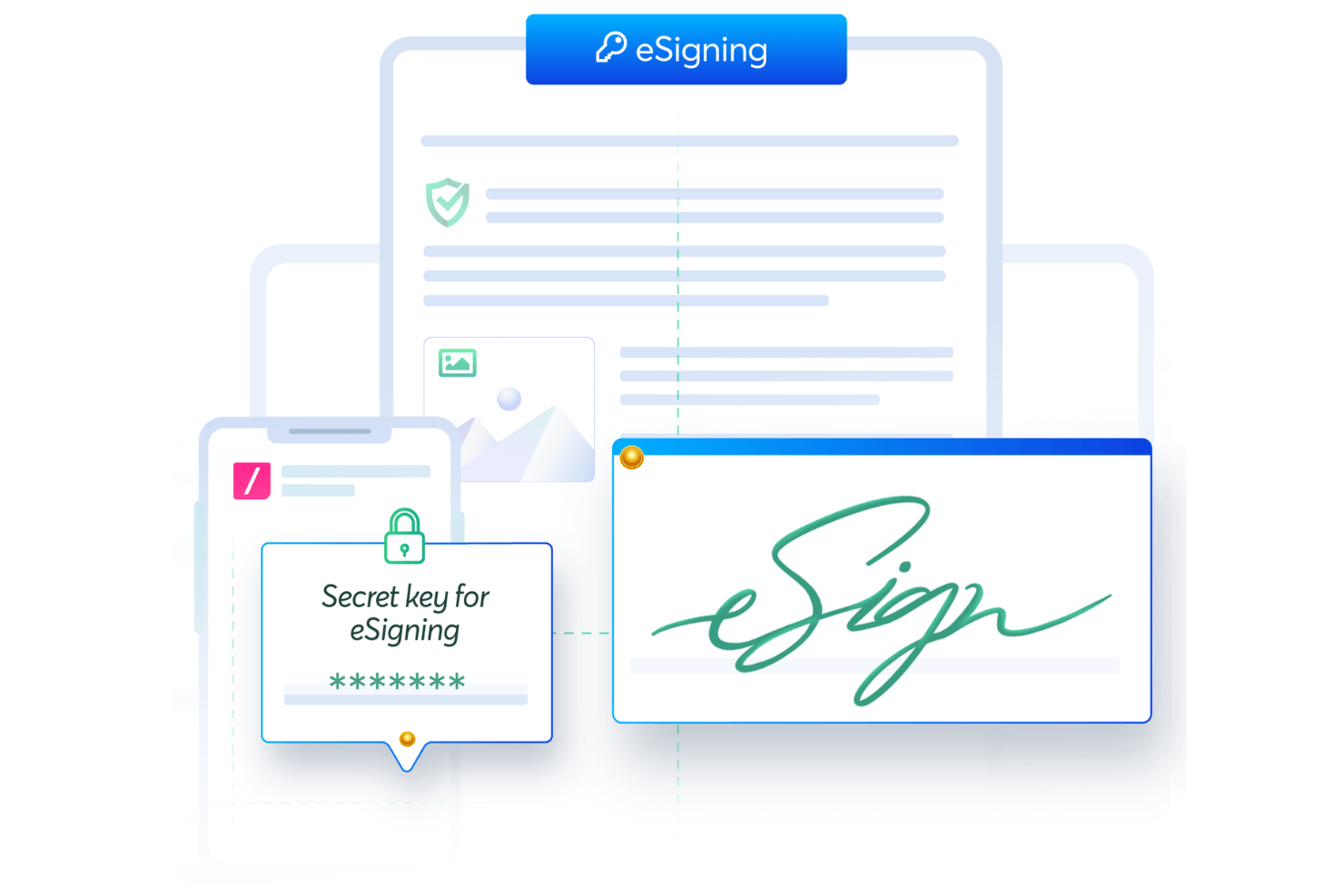
Revv is a document automation platform that combines proposal creation, configurable quoting with price books, e-signature capture, and CRM integrations into a single workflow.
Who Is Revv Best For?
Revv is a strong fit for sales teams that need to manage configurable pricing, multi-level discounts, and approval workflows alongside proposal creation and e-signature collection.
Why I Picked Revv
I picked Revv as one of the best because it's the only tool in this list that handles price books, multi-level discounts, and approval workflows inside the same document you're sending for signature. I love how quote documents can be built with configurable price books that support range and volume pricing, with discount rules set at the line, family, or deal level. When a rep needs sign-off on a deal-level discount, the approval workflow fires before the quote ever reaches the customer.
Revv Key Features
- Drag-and-drop proposal builder: Build proposals from scratch using a no-code editor with formatting, branding, and rich media options.
- 500+ ready-to-use templates: Choose from a library of proposal templates that can be customized, branded, and reused across deals.
- E-signature tracking and audit trail: Monitor email opens, document access, and signing activity with timestamped, non-editable records and an Evidence Summary for each signed transaction.
- Bulk send via spreadsheet or API: Generate and send documents at scale using spreadsheets, Zapier, or Revv's API, with per-document pricing based on annual volume.
Revv Integrations
Revv offers native integrations with Salesforce, HubSpot, Box, and Stripe, plus integrations with Google Sheets and Integromat. It also supports an API and webhooks for custom connectivity, with Zapier available.
Pros and Cons
Pros:
- Document tracking keeps signing activity visible
- Drag-and-drop quote builder speeds quote creation
- Reusable templates support faster proposal drafting
Cons:
- Engagement tracking lacks section-level analytics
- Some reviewers flag interface usability concerns
PandaDoc
Best for document automation with eSignatures
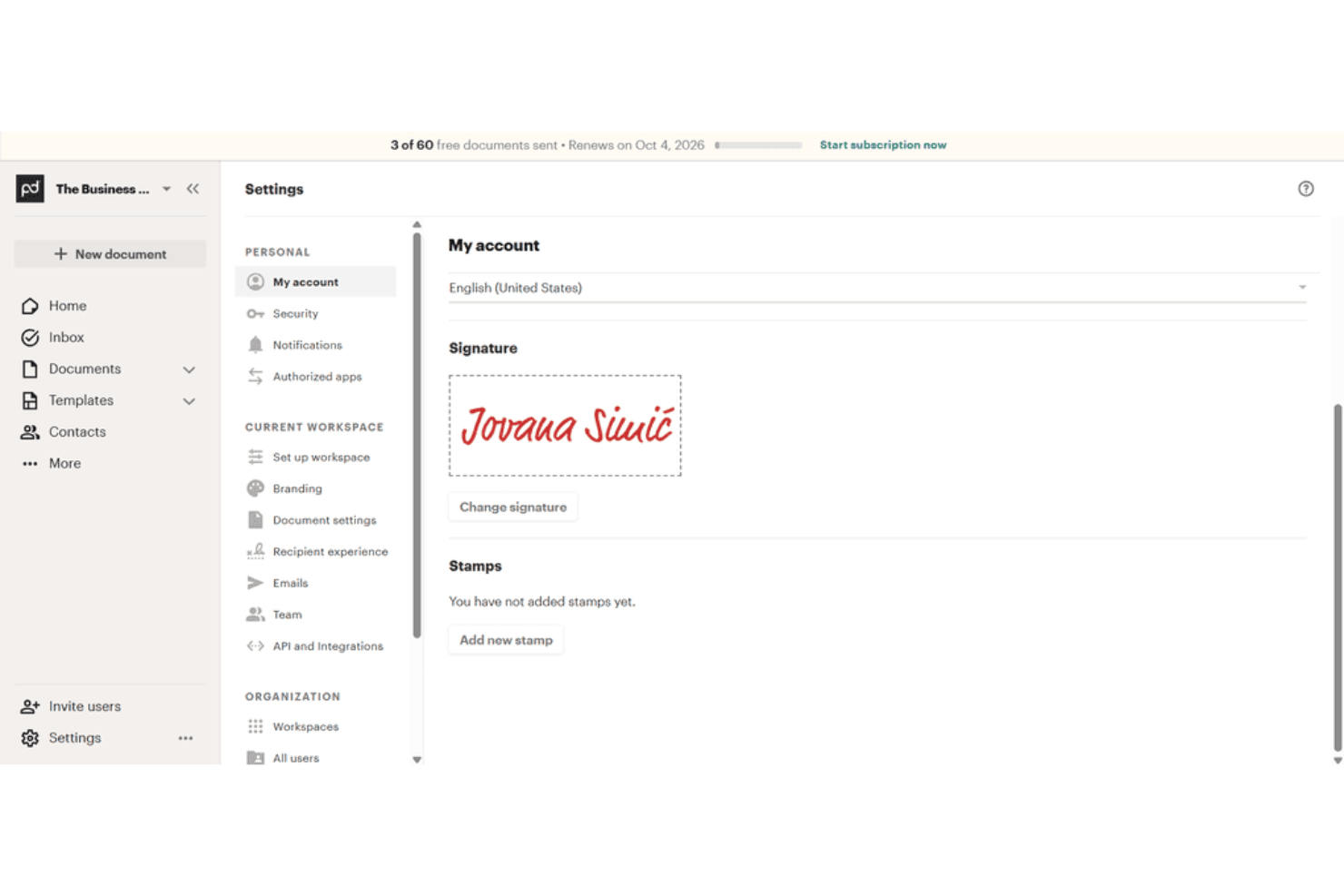
PandaDoc is a document automation platform that covers proposal creation, eSignatures, pricing tables, recipient tracking, and CRM integrations in one workflow.
Who Is PandaDoc Best For?
PandaDoc suits sales teams that need to manage the full document lifecycle—from proposal creation to signed contract—without jumping between tools.
Why I Picked PandaDoc
I've included PandaDoc in my top picks because it handles the full document lifecycle in one place, from first draft to signed contract, without requiring you to stitch together separate tools. I particularly like how the drag-and-drop editor, reusable content library, and interactive pricing tables let you build a polished, client-ready proposal fast. The recipient analytics on Business and Enterprise plans show you exactly which pages a prospect spent time on, so you know where they're engaged before you follow up.
PandaDoc Key Features
- Approval workflows: Route documents through multi-step internal review and sign-off processes before sending to recipients.
- Bulk send: Generate and distribute personalized documents to multiple recipients simultaneously using templates and CSV uploads.
- Audit trail: Automatically log every document event—creation, sending, viewing, signing, and payment—with exportable CSV records.
- eSignature ID verification: Authenticate signers via passcode, SMS, knowledge-based authentication, or ID Check before they can sign.
PandaDoc Integrations
PandaDoc offers 30+ integrations, including native Salesforce, HubSpot, Pipedrive, Zoho, Stripe, PayPal, and Square, plus marketplace integrations for Google Sheets and QuickBooks Online. It also provides REST API, webhooks, and Node.js, Python, and JavaScript SDKs.
Pros and Cons
Pros:
- Interactive pricing clarifies client choices
- Signatures and tracking share one workflow
- Customizable templates keep proposals consistent
Cons:
- Sent-document edits require resending
- Complex layouts can require extra editing

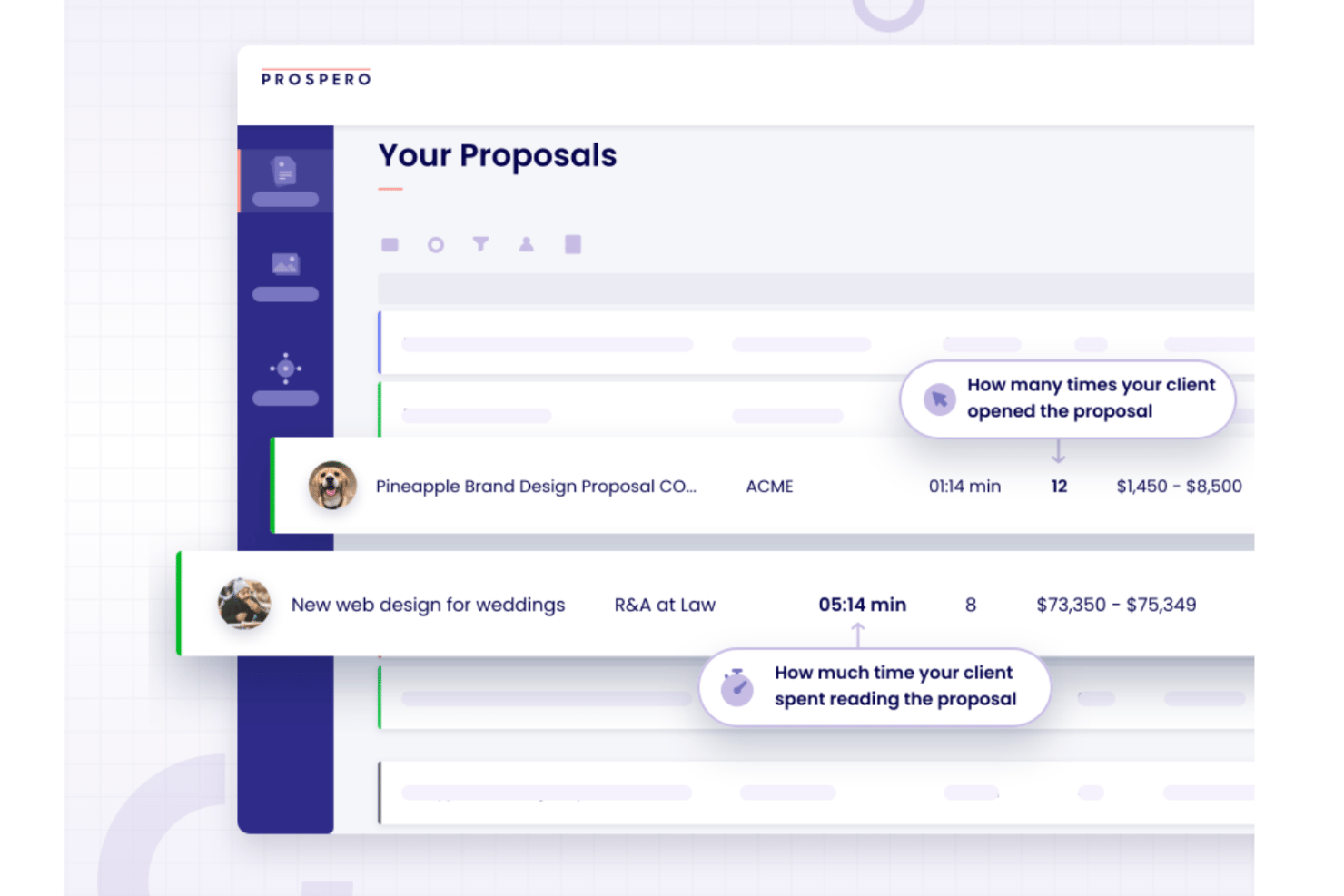
Prospero is proposal software that lets you build, send, and track business proposals using a drag-and-drop editor, 100+ templates, a built-in AI writing assistant, e-signatures, and engagement analytics.
Who Is Prospero Best For?
Prospero is a strong fit for freelancers, consultants, and small sales teams who need to send polished, AI-assisted proposals without paying enterprise-level prices.
Why I Picked Prospero
I picked Prospero as one of the best because it gives you a genuine AI writing assistant built directly into the proposal editor, not bolted on as an afterthought. You can prompt it to draft full proposal sections, adjust tone, or tighten your copy, then layer in section-level engagement heatmaps to see exactly which parts of your proposal clients are actually reading. At $12 per user per month on an annual plan, that combination is hard to access at this price point elsewhere in the category.
Prospero Key Features
- E-signature collection: Clients can sign proposals on desktop or mobile by typing, drawing, or uploading their signature, with timestamps and IP addresses recorded.
- Content library: Reusable templates, media, and proposal sections can be saved, organized into folders, and shared across your team.
- CRM and accounting integrations: Native connections to HubSpot, QuickBooks, FreshBooks, and Monday.com let you sync contacts, generate invoices, and track proposal status without switching tools.
- Automated reminders: Prospero can send scheduled follow-up emails to prospects who haven't responded to a proposal.
Prospero Integrations
Prospero offers native integrations with HubSpot, QuickBooks, FreshBooks, Monday.com, Stripe, Square, Xero, and Slack. It also supports Make and Zapier for connecting additional apps.
Pros and Cons
Pros:
- Section heatmaps reveal reader engagement
- Clients can sign directly in proposals
- Templates speed up polished proposal creation
Cons:
- Saving bugs risk lost proposal changes
- Editing can feel cumbersome during revisions
Diğer Teklif Yazılımları
Kısa listeme giremeyen ancak yine de göz atmaya değer bazı ek teklif yazılımı seçenekleri şunlardır:
- Nusii
For creative businesses
- ClientPoint
For proposal presentations for client engagement
- Docusign
For secure electronic signatures
- QuoteWerks
For quote and proposal automation for sales teams
- Ignition
For proposal-to-payment billing for accountants


How I Evaluate Proposal Software
I split my evaluation into three parts, giving core needs the most weight: create branded proposals with clear scope and collect e-signatures. Next, I consider differentiators like interactive pricing and AI drafting. Finally, I look beyond features at onboarding, support, and pricing value as teams scale.
Core Functionality (Table Stakes For This List)
When I'm selecting tools for my list, I score each one on a scale from 0 (does not offer the functionality) to 5 (excels in this area) for each core functionality listed below. I then convert the total into a percentage to help assess each tool's overall fit, with extra weight on any functionalities I’ve deemed essential.
- Proposal Creation (Essential): I look for editable, branded templates that make scope, deliverables, assumptions, and pricing easy to scan and tailor for each client.
- E-Signatures (Essential): I assess whether recipients can sign in the proposal, with signer status, timestamps, and an audit trail available for project handoff.
- Pricing & Quotes: I check whether optional services, tiers, and quantities recalculate totals so clients can compare scope choices.
- Engagement Tracking: View timestamps and section activity show whether a client reviewed scope, pricing, or approval terms before follow-up.
- Reusable Content (Library): I assess how teams organize approved case studies, service descriptions, and pricing blocks for reuse across proposals.
- CRM & Payments: I look for connections that carry accepted deal details into CRM records and support payment at approval.
Once I have a list of tools that meet the criteria, I consider what sets each platform apart.
Differentiating Factors (What Sets Vendors Apart)
Here's how I compare and contrast different vendors:
Standout Features
I look for interactive pricing that lets clients toggle line items, adjust quantities, and watch totals recalculate live—this cuts back-and-forth emails when a client wants to explore a smaller phase or add an optional module. AI drafting matters too, especially tools that pull from past proposals to generate scope narratives rather than starting from scratch. I also evaluate whether accepted proposals convert directly into statements of work, since re-entering scope and pricing into a separate contract is where details get lost before kickoff.
Beyond Features
I check whether a tool connects to PM platforms like Asana or ClickUp so accepted proposals feed scope and pricing directly into project plans. That handoff step is where details slip if you're copying between systems. I also evaluate onboarding support—template migration and admin training matter when rolling out to a multi-team agency. Finally, clear per-user or per-proposal pricing helps me gauge long-term cost as headcount shifts between projects.
Teklif Yazılımı Nasıl Seçilir?
Uzun özellik listeleri ve karmaşık fiyatlandırma yapıları içinde kaybolmak kolaydır. Kendinize özgü yazılım seçim sürecinizi yürütürken odaklanmanızı korumanıza yardımcı olmak için göz önünde bulundurmanız gereken faktörleri içeren bir kontrol listesi hazırladık:
| Faktör | Dikkate Alınması Gerekenler |
|---|---|
| Ölçeklenebilirlik | Kullanıcı sayısını artırdığınızda veya yeni iş birimlerine genişlediğinizde yazılım ekibinizi destekleyecek mi? |
| Entegrasyonlar | Hâlihazırda kullandığınız CRM, ödeme işlemcisi veya diğer temel sistemlere yerel olarak bağlanıyor mu? |
| Özelleştirilebilirlik | Şablonları, iş akışlarını ve marka unsurlarını şirketinizin süreçlerine ve kimliğine uyacak şekilde özelleştirebilir misiniz? |
| Kullanım kolaylığı | Ekibiniz yazılımı hızlı bir şekilde benimseyecek mi, yoksa herkesin sürece dahil olması için eğitim ve desteğe ihtiyaç duyulacak mı? |
| Uygulama ve kullanıma alma | Yazılımı çalışır duruma getirmek ne kadar sürecek ve satıcı hangi kaynakları veya desteği sağlayacak? |
| Maliyet | Fiyatlandırma kademeleri açık mı ve zaman içinde kullanım ihtiyaçlarınızla bütçenize uyuyor mu? |
| Güvenlik önlemleri | Araç; şifreleme, erişim denetimleri ve ilgili veri düzenlemelerine uyumluluk sunuyor mu? |
| Destek erişilebilirliği | Hangi destek kanalları sunuluyor ve bunlar çalışma saatlerinizde veya dünya genelinde kullanılabilir mi? |
Teklif Yazılımı Nedir?
Teklif yönetimi yazılımı, satış temsilcilerinin ve ekiplerinin satış belgelerini tek bir yerden oluşturmasına, yönetmesine ve takip etmesine yardımcı olur. İçerikleri düzenleyerek, iş birliğini geliştirerek ve etkileşim ile kazanma oranı gibi ölçümlere görünürlük sağlayarak teklif sürecindeki darboğazları azaltır. Bu teklif araçları zamandan tasarruf etmek, manuel işleri azaltmak ve projeler genelinde daha hızlı onayları desteklemek için tasarlanmıştır.
Özellikler
Teklif yazılımı seçerken aşağıdaki temel özelliklere dikkat edin:
- Şablon kitaplığı: Farklı müşteriler ve projeler için özelleştirilebilen, önceden tasarlanmış teklif şablonlarından oluşan bir koleksiyona erişerek zamandan tasarruf edin ve tutarlılığı sağlayın.
- Elektronik imzalar: Müşterilerin teklifleri dijital olarak imzalamasına olanak tanıyarak onay süreçlerini hızlandırın ve evrak işlerini azaltın.
- Özel markalama: Profesyonel ve tutarlı bir marka imajını korumak için şirketinizin logosunu, renklerini ve yazı tiplerini tekliflere ekleyin.
- İçerik blokları: Verimlilik ve doğruluk sağlamak için örnek olaylar, fiyatlandırma tabloları veya hüküm ve koşullar gibi kaydedilmiş bölümleri birden fazla teklifte yeniden kullanın.
- İş birliği araçları: Birden fazla ekip üyesinin teklifler üzerinde aynı anda çalışmasını, yorum bırakmasını ve değişiklikleri gerçek zamanlı olarak izlemesini sağlayın.
- Analiz ve izleme: Bir teklifin ne zaman açıldığını, görüntülendiğini veya imzalandığını izleyerek müşteri etkileşimi ve takip zamanlaması hakkında bilgi edinin.
- Entegrasyon özellikleri: İş akışlarını kolaylaştırmak ve manuel veri girişini azaltmak için CRM, ödeme ve belge yönetimi sistemlerine bağlanın.
- İzin denetimleri: Kuruluşunuz içinde teklifleri kimlerin görüntüleyebileceğini, düzenleyebileceğini veya gönderebileceğini yönetmek için kullanıcı rolleri ve erişim düzeyleri belirleyin.
- Dışa aktarma seçenekleri: Teklifleri çevrim dışı paylaşım veya kayıt tutma amacıyla PDF ya da diğer biçimlerde indirin.
- Ödeme tahsilatı: Ödeme seçeneklerini doğrudan tekliflerin içine ekleyerek müşterilerin kabul sırasında ödeme yapmasına olanak tanıyın ve satış sürecini kolaylaştırın.
Yaygın teklif yazılımı yapay zekâ özellikleri
Yukarıda listelenen standart teklif yazılımı özelliklerinin ötesinde, bu çözümlerin çoğu aşağıdaki özelliklerle yapay zekâyı bünyesine katıyor:
- İçerik oluşturma: Müşteri verilerine, önceki tekliflere veya istemlere dayanarak teklif bölümlerini ya da belgelerin tamamını otomatik olarak taslak hâline getirerek manuel yazma süresini azaltın. Bu özelliğe odaklanmak isteyen ekipler, taslak oluşturma sürecini hızlandırmak için yapay zekâ teklif oluşturma araçlarını kullanabilir.
- Akıllı öneriler: Müşterinin sektörüne, anlaşma büyüklüğüne veya geçmiş etkileşimlerine göre ilgili şablonları, fiyatlandırma seçeneklerini ya da içerik bloklarını önerin.
- Otomatik dil optimizasyonu: Ekiplerin daha ikna edici belgeler oluşturmasına yardımcı olmak için teklif dilini açıklık, üslup ve ikna edicilik açısından analiz edip geliştirin.
- Tahmine dayalı anlaşma puanlaması: Teklifin kabul edilme olasılığını tahmin etmek ve takip önceliklerini belirlemek için geçmiş verileri ve etkileşim sinyallerini kullanın.
- Yapay zekâ destekli kişiselleştirme: CRM verilerini ve önceki iletişimleri analiz ederek teklif içeriğini ve mesajlarını alıcıların her birine göre uyarlayın.
- Otomatik uyumluluk denetimleri: Teklifleri eksik yasal maddeler veya tutarsız koşullar açısından tarayarak müşterilere göndermeden önce sorunları işaretleyin.
Faydalar
Teklif yazılımını uygulamak ekibiniz ve işletmeniz için çeşitli faydalar sağlar. Yararlanabileceğiniz bazı faydalar şunlardır:
- Daha hızlı teklif hazırlama: Önceden oluşturulmuş şablonlar, içerik blokları ve elektronik imzalar ekibinizin teklifleri hızlı bir şekilde oluşturup göndermesine yardımcı olur.
- Geliştirilmiş iş birliği: Gerçek zamanlı düzenleme ve yorum yapma özellikleri, birden fazla ekip üyesinin tekliflere birlikte katkıda bulunmasına ve teklifleri incelemesine olanak tanır.
- Müşteri etkileşimi hakkında daha fazla görünürlük: Analiz ve izleme araçları tekliflerin ne zaman açıldığını, görüntülendiğini veya imzalandığını göstererek takiplerinizi zamanlamanıza yardımcı olur.
- Tutarlı markalama ve mesajlaşma: Özel markalama ve yeniden kullanılabilir içerik, her teklifin şirketinizin kimliğini ve standartlarını yansıtmasını sağlar.
- Basitleştirilmiş onay ve ödeme süreçleri: Entegre elektronik imza ve ödeme tahsilatı özellikleri, müşterilerin teklifleri tek bir yerden kabul etmesini ve ödemesini kolaylaştırır.
- Azaltılmış manuel hatalar: Otomatik uyumluluk denetimleri ve izin denetimleri, eksik bilgilerin ve yetkisiz değişikliklerin önlenmesine yardımcı olur.
- Mevcut araçlarla sorunsuz entegrasyon: CRM ve ödeme entegrasyonları manuel veri girişini azaltır ve iş akışlarınızın bağlantılı kalmasını sağlar.
Maliyetler ve Fiyatlandırma
Teklif yazılımı seçmek, mevcut çeşitli fiyatlandırma modellerinin ve planların anlaşılmasını gerektirir. Maliyetler özelliklere, ekip büyüklüğüne, eklentilere ve diğer unsurlara göre değişir. Aşağıdaki tabloda yaygın planlar, bunların ortalama fiyatları ve teklif yazılımı çözümlerinde genellikle bulunan özellikler özetlenmektedir:
Teklif yazılımı için plan karşılaştırma tablosu
| Plan Türü | Ortalama Fiyat | Yaygın Özellikler |
|---|---|---|
| Ücretsiz Plan | $0 | Temel şablonlar, ayda sınırlı sayıda teklif, basit elektronik imzalar ve temel analizler. |
| Kişisel Plan | $10-$25/kullanıcı/ay | Özel markalama, sınırsız teklif, içerik kitaplığı ve e-posta desteği. |
| İşletme Planı | $30-$60/kullanıcı/ay | Ekip iş birliği, gelişmiş analizler, CRM entegrasyonları, iş akışı otomasyonu ve ödeme tahsilatı. |
| Kurumsal Plan | $70-$150/kullanıcı/ay | Özel roller ve izinler, gelişmiş güvenlik, API erişimi, özel destek ve işe alıştırma yardımı. |
Teklif Yazılımı Hakkında SSS
Teklif yazılımı hakkında sık sorulan bazı soruların yanıtları aşağıda yer almaktadır:
Teklif yazılımı CRM'im ve diğer işletme araçlarımla entegre olabilir mi?
Evet, çoğu teklif yazılımı popüler CRM, ödeme ve belge yönetimi sistemleriyle entegrasyonlar sunar. Bu, müşteri verilerini senkronize etmenize, iş akışlarını otomatikleştirmenize ve manuel veri girişini azaltmanıza yardımcı olur. Karar vermeden önce tercih ettiğiniz araçların desteklenip desteklenmediğini mutlaka kontrol edin.
Hassas müşteri bilgilerini işlerken teklif yazılımı ne kadar güvenlidir?
Çoğu teklif yazılımı şifreleme, erişim kontrolleri ve veri koruma düzenlemelerine uyumluluk özelliklerini içerir. Hassas belgelere yalnızca yetkili kullanıcıların erişebilmesini veya bu belgeleri değiştirebilmesini sağlamak için rol tabanlı izinler ve denetim kayıtları sunan çözümleri tercih edin.
Manuel tekliflerden yazılıma geçiş yaparken nelere dikkat etmeliyim?
Şablonları içe aktarmak, ekibinizi eğitmek ve entegrasyonları kurmak için zaman ayırın. Ekibinizin hızlı bir şekilde uyum sağlamasına ve aksamaları en aza indirmesine yardımcı olmak için ürün tanıtımları, şablonlar ve hızlı yanıt veren destek gibi işe alıştırma kaynaklarına sahip bir çözüm seçin.
Teklif yazılımı küçük işletmeler veya serbest çalışanlar için uygun mudur?
Evet, birçok teklif yazılımı platformu bireyler ve küçük ekipler için tasarlanmış uygun fiyatlı planlar ve basit arayüzler sunar. Şablonlar, elektronik imzalar ve temel analizler gibi temel özelliklerin yanı sıra esnek fiyatlandırma sunan seçenekleri tercih edin.
Analiz ve izleme özellikleri satış sürecime nasıl yardımcı olur?
Analiz ve izleme özellikleri bir teklifin ne zaman açıldığını, görüntülendiğini veya imzalandığını gösterir. Bu bilgiler doğru zamanda takip yapmanıza, müşteri etkileşimini anlamanıza ve fırsatlara daha etkili bir şekilde öncelik vermenize yardımcı olur.