

2026’da İncelenen Geliştiriciler için En İyi 10 Zaman Takibi Yazılımı

Geliştiriciler için En İyi Zaman Takibi Yazılımı Kısa Listesi


Bir geliştirici ekibini yönetmek kendine özgü bir dizi zorluğu beraberinde getirir. Doğru faturalandırmayı ve proje takibini sağlarken üretkenliği dengelemek baş ağrıtıcı olabilir. İşte zaman takibi yazılımı burada yardımcı olabilir; kod yazmaya ne kadar zaman harcadığınızı takip etmenizi sağlar.
Deneyimlerime göre bu araçlar, ekibinizin iş akışı hakkında içgörüler sunarken sorumluluk bilincini de güçlendirir. Kısıtları belirlemenize ve kaynakları daha etkili şekilde tahsis etmenize yardımcı olurlar.
Geliştiriciler için en iyi zaman takibi yazılımlarına tarafsız bir bakış sunmak amacıyla çeşitli seçenekleri bağımsız olarak test edip inceledim. Her aracın güçlü ve zayıf yönlerini net bir şekilde görebilir, böylece ekibiniz için en iyi seçimi yapabilirsiniz.
Why Trust Our Software Recommendations
Our team has been testing and reviewing software since 2012. As project managers ourselves, we know how difficult—and important—it is to choose the right software.
For this guide, we evaluated tools using hands-on testing and independent research, scoring tools using our selection criteria. We also draw on insights from industry thought leaders and practicing project management experts.
Our reviews reflect our human editorial judgment, not a sales pitch.
Expert reviewers:
Geliştiriciler için Zaman Takibi Yazılımı Karşılaştırma Tablosu
Bu karşılaştırma tablosu, geliştiriciler için en iyi zaman takibi yazılımı seçimlerimin fiyatlandırma ayrıntılarını özetler:
| Tool | Starting Price | Website | |
|---|---|---|---|
| Best with anti-surveillance time tracking | 4.7 out of 5 | $9/user/month Free plan available; 30-day free trial; Free demo available | Book Demo |
| Best with detailed reporting tools | 4.6 out of 5 | $6/user/month Free plan + Free trial + Free demo available | Book Demo |
| Best for developer Git commits tracking | 4.8 out of 5 | $4.99/user/month Free plan + 7-day trial + demo available | Website |
| Best for payroll integration | 4.7 out of 5 | $20/month + $10/user/month 30-day free trial | Website |
| Best for AI-driven tracking | 4.7 out of 5 | $9/user/month Free 14-day trial + free demo available | Website |
| Best for project billing | 4.8 out of 5 | $5/user/month Free plan + 14-day free trial + free demo available | Website |
| Best for automatic time tracking | 4.7 out of 5 | $3.99/user/month Free plan + free trial + free demo available | Website |
| Best for small teams | 4.5 out of 5 | $5.83/user/month Free plan available + 14-day free trial | Book Demo |
| Best for distraction management | 4.5 out of 5 | $7/month 14-day free trial available | Website |
| Best for task management | 4.5 out of 5 | $3.75/user/month Free plan + free demo + 14-day free trial available | Website |
Geliştiriciler için En İyi Zaman Takibi Yazılımı İncelemeleri
Aşağıda, kısa listeme giren geliştiriciler için en iyi zaman takibi yazılımlarının ayrıntılı özetlerini bulabilirsiniz. İncelemelerim, her aracın temel özelliklerini, artılarını ve eksilerini, entegrasyonlarını ve ideal kullanım alanlarını ayrıntılı şekilde ele alarak sizin için en uygun olanı bulmanıza yardımcı olur.

Toggl
Best with anti-surveillance time tracking
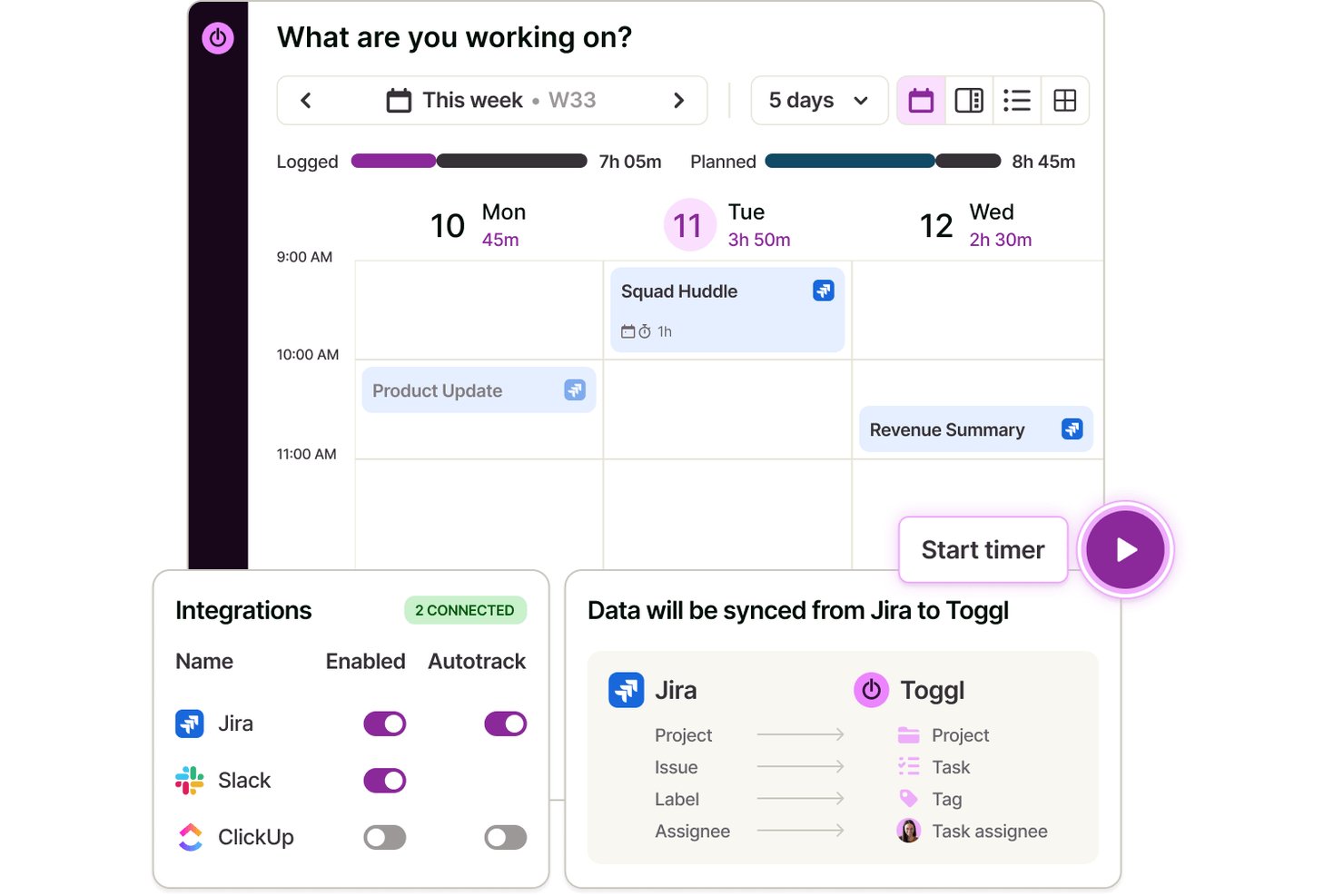
Toggl is a time tracking software and capacity planning tool designed for developers, providing features like private automated time capture, project-based tracking, integrations with dev tools, and detailed reporting.
Who Is Toggl Best For?
Engineering managers and software development teams seeking privacy-first time tracking across client projects and internal tasks.
Why I Picked Toggl
I picked Toggl as one of the best because I value its anti-surveillance time tracking, which means my team can log hours without invasive screenshots or keystroke tracking. We get automated time capture and privacy by default.
Toggl Key Features
- Integrations: Track time directly from Jira, GitHub, Asana, and more using native integrations and browser plugins.
- Customizable project structure: Organize projects, clients, and tasks with color coding and tags.
- Detailed reporting dashboards: Generate visual reports on time allocation by project, user, or client, plus team workloads, capacity, and profitability reports.
- Team timesheet approvals: Enable managers to review and approve team-submitted timesheets before client invoicing.
Toggl Integrations
Toggl offers native integrations with Jira, Asana, GitHub, Google Calendar, Outlook, Slack, and more. It connects with Zapier, provides an API for custom integrations, and has an MCP for connecting to Claude, Cursor, and Codex.
Pros and Cons
Pros:
- Supports team-based timesheet approvals
- No screenshots or keystroke monitoring
- Customizable reporting dashboards for projects
Cons:
- Limited sprint and epic tracking
- No native IDE integrations

actiTIME
Best with detailed reporting tools
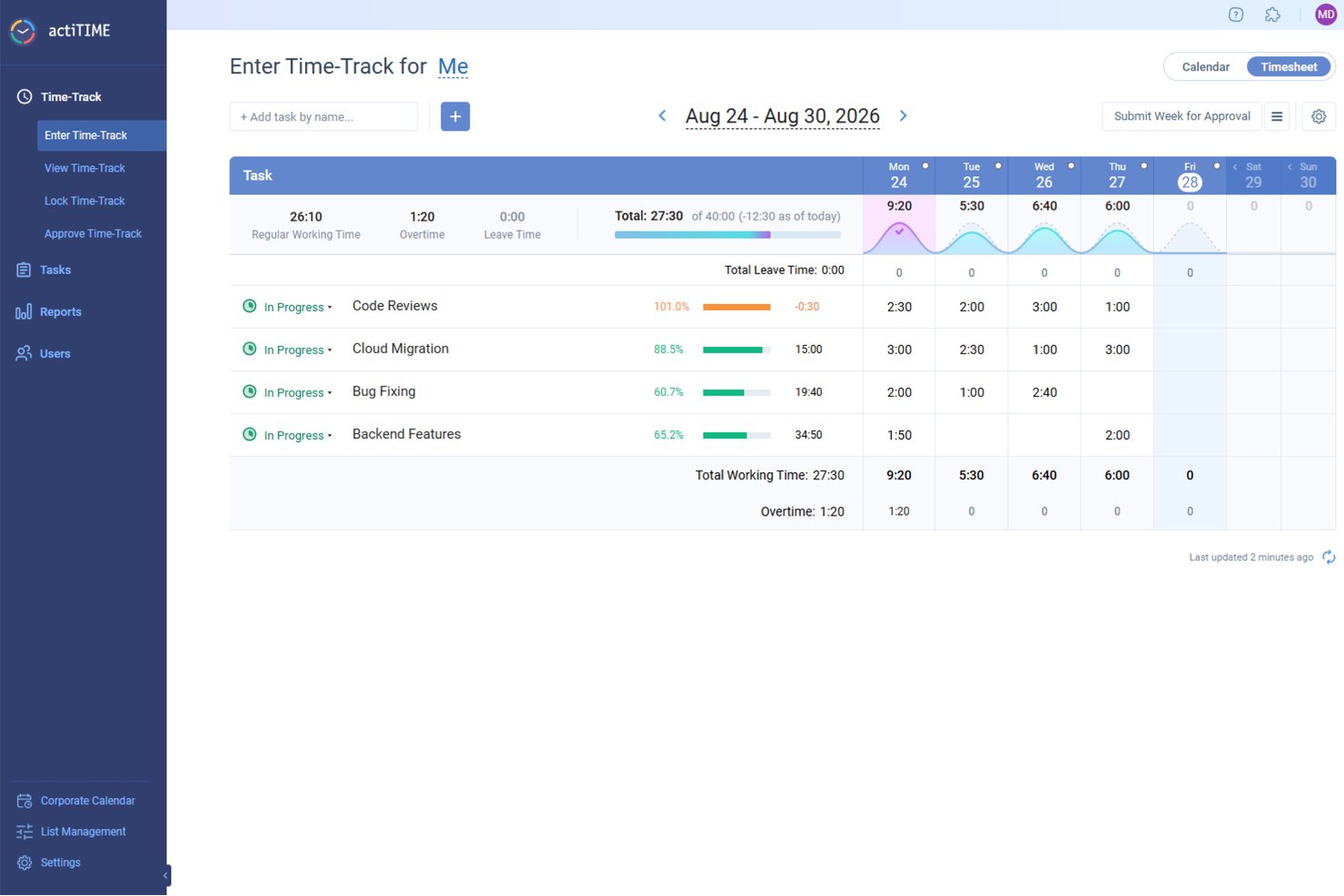
ActiTIME is designed to help teams track time, manage project costs, and monitor task progress, making it useful for development teams that need visibility into how work hours are spent. Its time-tracking system allows team members to log hours manually or with a timer and categorize them by project and task, giving managers a clear picture of how development time is distributed.
Why I Picked actiTIME
I chose actiTIME for its time tracking combined with project and task management features, which enable teams to assign work, set deadlines, and track progress against estimates. By comparing planned time or budgets with actual hours spent, teams can identify overruns early and adjust resources accordingly.
Additionally, actiTIME offers reporting and analytics tools that display project performance, team productivity, and project profitability. These insights can help development managers make better decisions about workload distribution, sprint capacity, and project budgeting, making actiTIME a valuable tool for development teams.
actiTIME Key Features
In addition to its project and budget tracking, actiTIME offers several other features that enhance its utility for developers:
- Billing & Invoicing: Set billing rates and generate on-brand PDF invoices based on recorded time.
- Work Schedules: Allows you to create company-wide work schedules, which can be overridden on an individual basis.
- Custom Workflows: Tailor task management processes to fit your team's specific needs and workflows.
- Leave Management: Manage team availability by tracking leaves and absences, ensuring smooth project execution.
actiTIME Integrations
Integrations include actiPLANS, QuickBooks, and Zapier.
Pros and Cons
Pros:
- Affordable solution for small businesses and teams
- Supports mobile apps for tracking on-the-go
- Simplifies reporting with quick and easy report generation
Cons:
- Not a full-featured issue tracking or backlog management tool
- Limited integrations compared to some other software options
New Product Updates from actiTIME

actiTIME Visual Hour Indicator and Time-Track Report Redesign
actiTIME adds a wave-style hour indicator to the Timesheet and Calendar views and refreshes the Time-Track report for smoother navigation and clearer visuals. For more information, visit actiTIME's official site.
 .

Clockify
Best for developer Git commits tracking
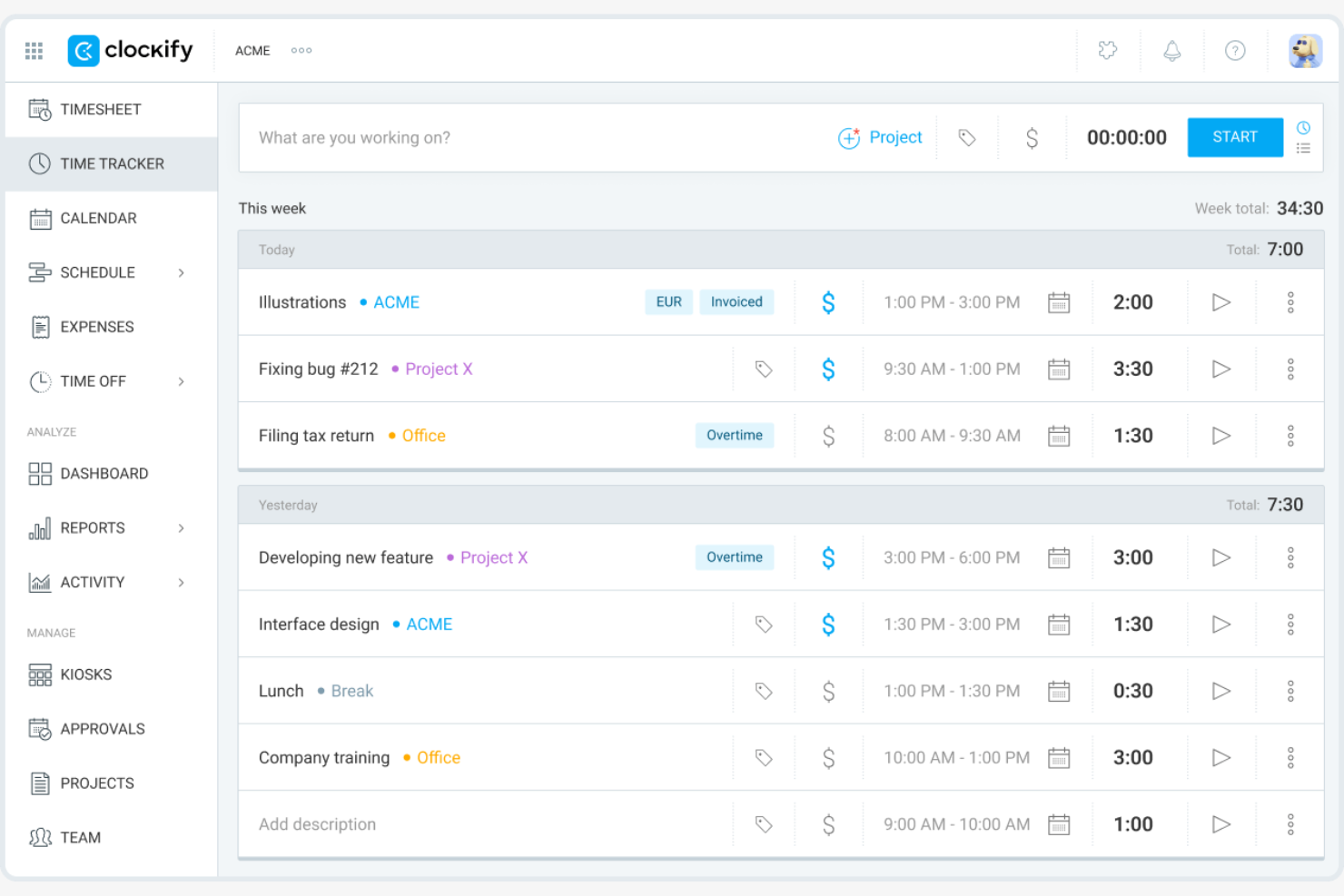
Clockify is a time tracking software designed for teams and individuals across various industries. It helps track work hours, manage projects, and monitor productivity efficiently.
Why I picked Clockify: I selected Clockify because it links daily developer activity directly with codebase updates, making it easy to track how engineering hours map to active code repositories. You can log time against specific GitHub, GitLab, and Bitbucket issues without forcing developers to leave their primary development environments. This alignment provides engineering leads with transparent visibility into sprint velocity, feature development overhead, and accurate R&D allocation without imposing extra administrative friction on the team.
Standout Features and Integrations:
Features include auto tracking, which records time spent on different tasks automatically. Budgeting tools allow you to set financial goals and track expenses. The calendar management feature helps you visualize and plan your team's schedule.
Integrations include Trello, Asana, Atlassian Jira, monday.com, QuickBooks, and more.
Pros and Cons
Pros:
- Supports five free users
- Extensive API and integrations
- Self-hosted on-premises solution
Cons:
- No built-in invoicing
- Limited automatic time tracking and productivity insights

Best for payroll integration

QuickBooks Time is a time tracking software that provides accurate time logging and payroll management for businesses of all sizes. It helps teams track employee hours, manage schedules, and simplify payroll processes.
Why I picked QuickBooks Time: QuickBooks Time excels in payroll integration, making it ideal for businesses needing efficient payroll management. It offers features such as real-time tracking and scheduling, which ensure accurate time logs for payroll processing. In my experience, its API integration with payroll systems simplifies the payroll process significantly.
Standout Features and Integrations:
Features include GPS tracking, which verifies employee locations during work hours. The scheduling feature helps you manage shifts and ensure coverage. You can also generate detailed reports to gain insights into labor costs and efficiency.
Integrations include QuickBooks Online, Xero, ADP, Gusto, Square, Expensify, and more.
Pros and Cons
Pros:
- Provides detailed labor reports
- Offers GPS tracking
- Strong payroll integration
Cons:
- GPS may be slow on mobile app
- Complex and overwhelming interface

Timely
Best for AI-driven tracking

Timely is a time tracking software that caters to professionals looking to automate their time management and improve productivity. It uses AI to automatically track work activities, providing insights into how time is spent across tasks and projects.
Why I picked Timely: Timely's AI-driven tracking automatically captures your work activities, reducing the need for manual input. This feature is particularly useful for those who want to focus on their tasks without constantly logging time. In my experience, its automation capabilities make it a standout choice for busy professionals.
Standout Features and Integrations:
Features include a visual timeline that helps you see your workday at a glance. The reporting feature offers insights into productivity patterns and efficiency. You can also set project budgets to keep track of time and costs effectively.
Integrations include Asana, Trello, Slack, QuickBooks, Zapier, and more.
Pros and Cons
Pros:
- Strong automation features
- Native integration with Google Calendar
- Drag-and-drop editing for automatically logged time
Cons:
- Mobile app lacks core AI tracking and timeline features
- Continuous background monitoring raises privacy concerns

My Hours
Best for project billing
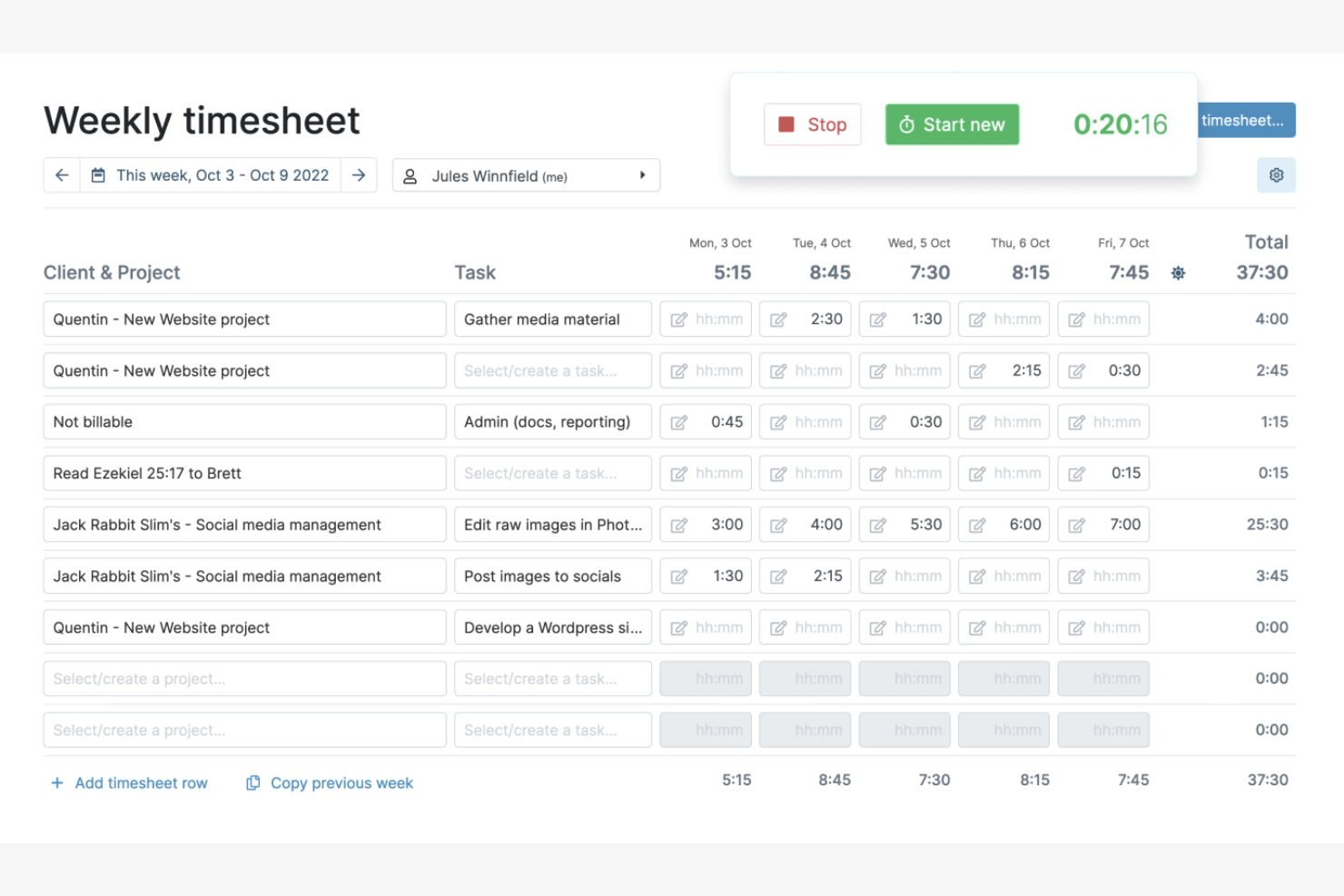
My Hours is a time tracking software designed for freelancers and small businesses to manage project hours and billing. It helps users track time, manage projects, and generate invoices efficiently.
Why I picked My Hours: My Hours is perfect for project billing, allowing you to track billable hours with ease. In my experience, its features make it a valuable tool for freelancers and small teams.
Standout Features and Integrations:
Features include customizable billing rates, which let you set different rates for projects and tasks. The reporting feature gives insights into project costs and profitability. You can also track time manually or with timers to ensure accurate logging.
Integrations include QuickBooks Online, Asana, Zapier, Microsoft Teams, and more.
Pros and Cons
Pros:
- Improves project billing accuracy
- Offers detailed cost reports
- Supports customizable billing rates
Cons:
- Occasional syncing delays between devices
- No automatic or background time tracking

TimeCamp
Best for automatic time tracking
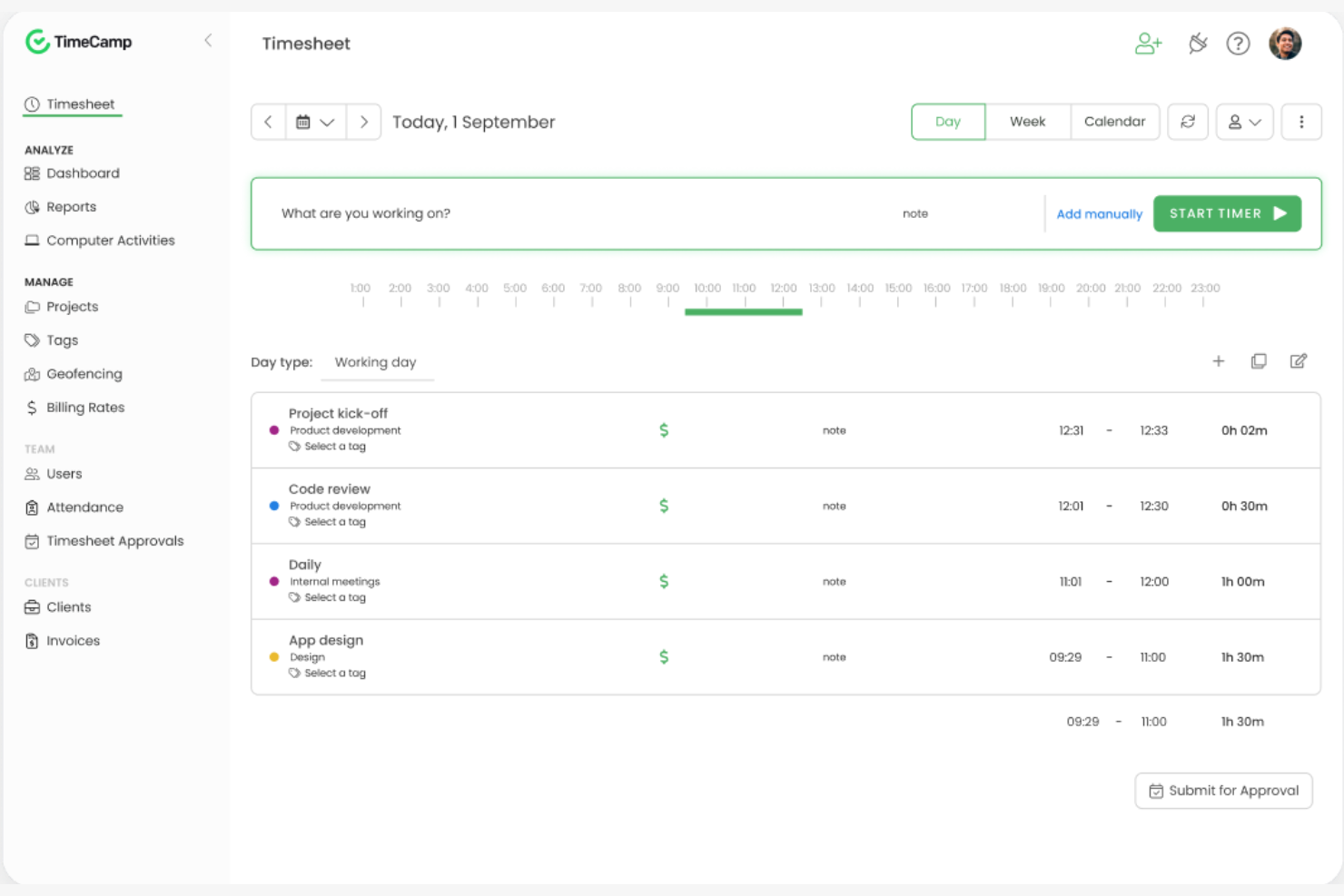
TimeCamp is a time tracking software tailored for businesses seeking to improve productivity and manage time effectively. It helps teams track hours, analyze productivity, and refine billing processes.
Why I picked TimeCamp: TimeCamp's automatic time tracking is perfect for teams that want to reduce manual input. It tracks your activities in the background, ensuring accurate time logs without disrupting your workflow. The tool also provides insightful reports to help you understand productivity patterns. In my experience, its easy setup and user-friendly interface make it a go-to option for many businesses.
Standout Features and Integrations:
Features include detailed reporting of time tracking data that helps you examine time spent on tasks and projects. The invoicing feature lets you bill clients directly from the platform. The project management tools allow you to assign tasks and track progress efficiently.
Integrations include Trello, Asana, Slack, Jira, QuickBooks, and more.
Pros and Cons
Pros:
- Easy to set up
- Exports to Google Spreadsheets to download as Excel, PDF, or CSV files
- Adds timer button to tools via browser plugins
Cons:
- Basic mobile app features
- Occasional tracking inaccuracies
TMetric
Best for small teams
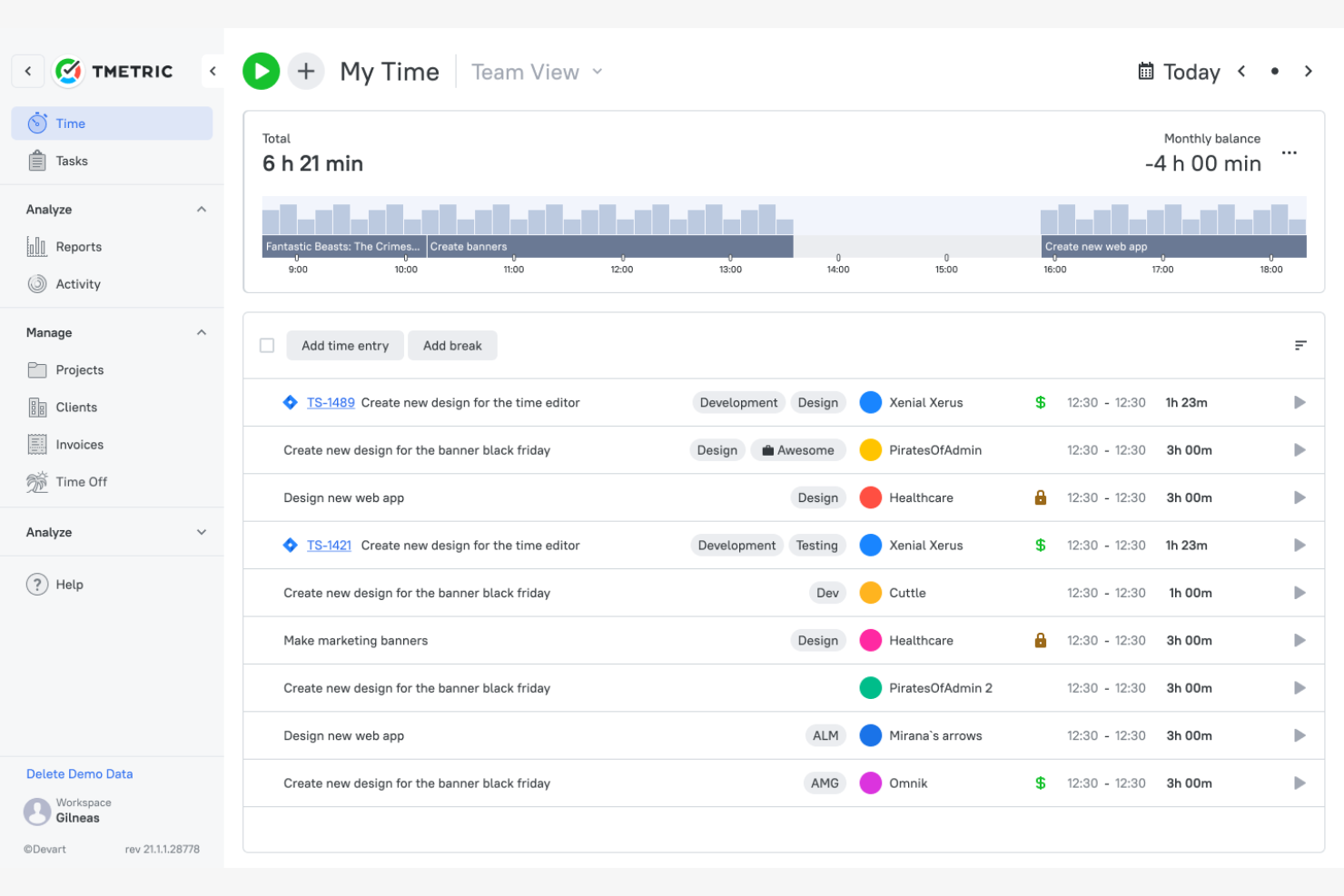
TMetric is a time tracking software that helps developers and small teams manage time, projects, and client billing. It offers features that boost productivity and provide detailed reporting for better project management.
Why I picked TMetric: TMetric is ideal for small teams due to its straightforward time tracking and budget management features. It allows your team to track employee time spent on tasks and projects accurately. The tool offers productivity analytics, giving insights into work patterns and efficiency. In my experience, its integration with popular development tools makes it a valuable asset for small teams.
Standout Features and Integrations:
Features include detailed reporting that helps you analyze time usage across projects. The invoicing feature lets you bill clients directly from the platform. Task management is also efficient, allowing you to assign and track tasks smoothly.
Integrations include Atlassian, Atlassian Jira, GitHub, Asana, Trello, Slack, and more.
Pros and Cons
Pros:
- Flexible billing modes
- Detailed productivity analytics
- Direct integrations with many developer ecosystems
Cons:
- Delayed customer support response
- Cluttered and less intuitive interface

Best for distraction management
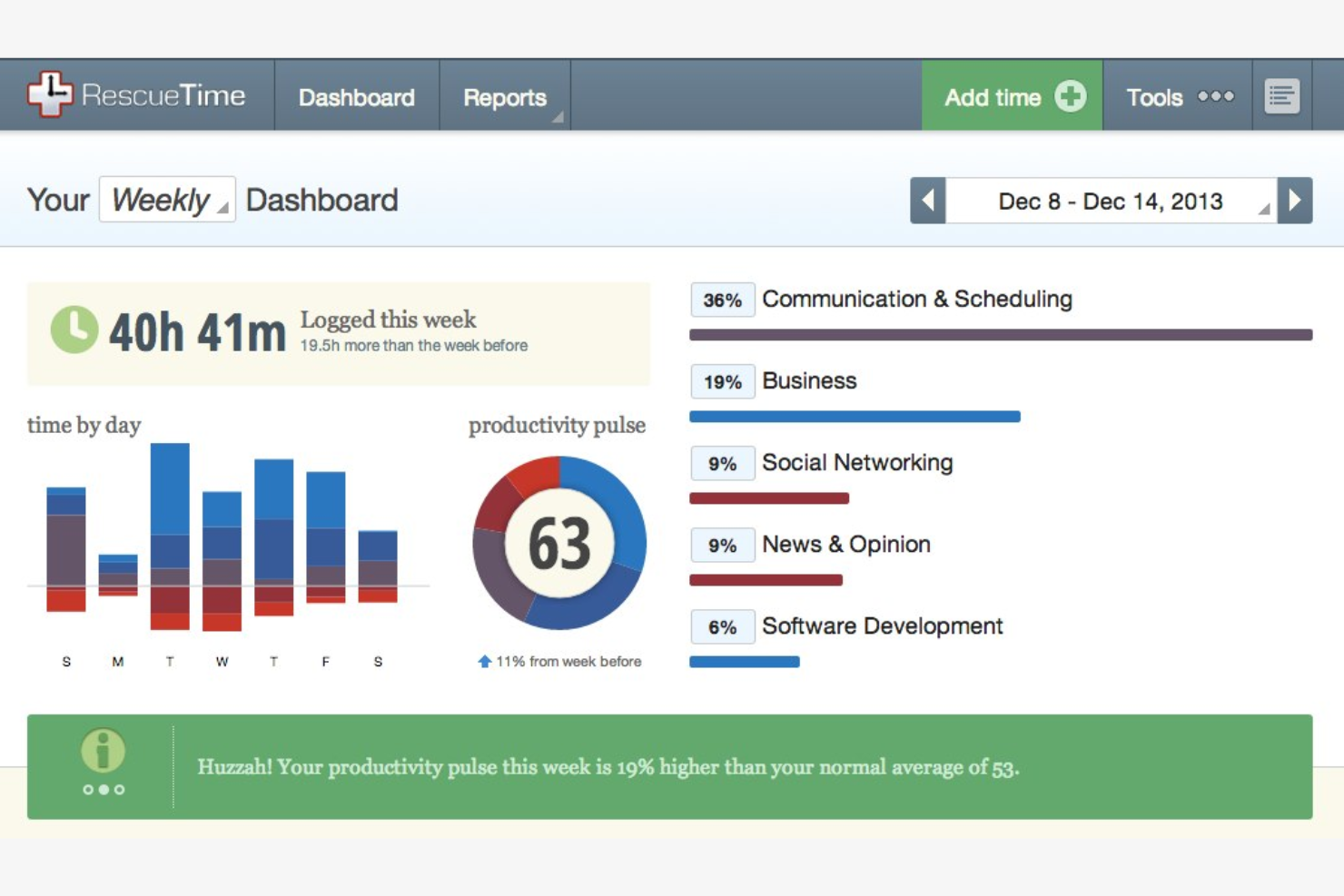
RescueTime is a time management software aimed at individuals and professionals who want to boost productivity by understanding their daily habits. It tracks time spent on applications and websites, helping users identify and eliminate distractions.
Why I picked RescueTime: RescueTime excels at distraction management, which is essential for maintaining focus in a busy work environment. In my experience, its focus on minimizing distractions makes it valuable for anyone looking to improve productivity.
Standout Features and Integrations:
Features include detailed activity reports that show where your time goes each day. The goal-setting feature sets limits on activities to help you maintain focus. You can also receive notifications when you spend too much time on distracting websites or apps.
Integrations include Slack, Trello, Asana, Beeminder, Exist, Google Calendar, and more.
Pros and Cons
Pros:
- Useful goal-setting features
- Customizable alerts for focus
- Effective distraction management
Cons:
- No manual timer or time entry functionality
- Limited offline tracking

TrackingTime
Best for task management

TrackingTime is a time tracking software that caters to teams and freelancers looking to efficiently manage tasks and projects. It provides tools to track time spent on tasks, manage team workloads, and generate accurate reports.
Why I picked TrackingTime: TrackingTime excels in task management, making it a great choice for teams needing to organize workloads. It allows you to create tasks, set deadlines, and assign them to team members. The platform offers real-time tracking, ensuring you know how time is spent on each task. In my experience, its task management capabilities help teams stay organized and meet deadlines.
Standout Features and Integrations:
Features include a built-in calendar that helps you visualize your team's schedule. The reporting feature provides insights into team productivity and time allocation. You can also set project budgets to manage resources effectively.
Integrations include Asana, Trello, Slack, Google Calendar, Outlook, and more.
Pros and Cons
Pros:
- Cross-platform desktop applications for Windows, Mac, and Linux
- Built-in calendar for scheduling
- Effective task management
Cons:
- Weak privacy controls and data encryption
- Inflexible and complex reporting
Geliştiriciler için Diğer Zaman Takibi Yazılımları
Kısa listeme giremeyen ancak yine de göz atmaya değer bazı ek geliştirici zaman takibi yazılımı seçenekleri şunlardır:
- Memtime
For offline tracking
- Harvest
For invoicing integration
- Timing
For macOS users
- WakaTime
For coding activity insights
- ClickTime
For project budgeting
- Paymo
For project management integration
- Zoho Projects
For task tracking
- Jibble
For attendance tracking
- Hubstaff
For remote team management
- ClockShark
For construction crews
- Lucen Timeline
For timeline visuals
- Productive
For agency workflows
- Apploye
For employee monitoring
- ATracker
For customizable dashboards
- Chrono Platform
For time analytics


How I Evaluate Time Tracking Software for Developers
I split evaluation into two layers: core functionality a tool must have to serve a dev team, and the differentiators—like Git logging or sprint analytics—that set the best options apart.
Core Functionality (Table Stakes For This List)
When I'm selecting tools for my list, I rank each one on a scale from 0 (does not offer the functionality) to 5 (excels in this area) for each core functionality listed below. Then, I calculate the tool's total score into a percentage. Each tool needs to achieve a minimum total score of 65% to be considered for inclusion.
- Automated Time Capture: I check whether a tool offers timers, idle detection, and background tracking so developers can log hours without breaking out of a coding session to fill in a manual form.
- Dev Tool Integrations: Tools like Jira, GitHub, GitLab, and Asana are staples in most dev stacks, so I evaluate how many of these a tracker connects with and whether it syncs tickets natively.
- Project & Task Organization: I look for the ability to map time against hierarchical structures like epics, sprints, and individual tickets rather than just flat project lists.
- Billable Hours & Rate Management: Agency owners and freelance developers need to split billable from non-billable time, so I evaluate whether per-project and per-user rates are supported.
- Timesheets & Reporting: Good reports turn raw time data into something useful. I look at whether a tool offers filterable dashboards, exportable timesheets, and breakdowns by developer, project, or client.
- Team Time Management: For engineering managers overseeing multiple developers, I evaluate role-based permissions, timesheet approval workflows, and aggregated team-level views.
Once I have a list of tools that meet this criteria, I consider what sets each platform apart.
Differentiating Factors (What Sets Vendors Apart)
Here's how I compare and contrast different vendors:
Standout Features
Git commit tracking is a big differentiator. Tools that link time entries to branches and pull requests give engineering managers a clear picture of where effort goes across a codebase. I also evaluate native IDE plugins for editors like VS Code or JetBrains, since developers who can start timers without switching windows are far more likely to log time consistently. Sprint and velocity analytics matter for agile teams that want to compare estimated vs. actual hours during retrospectives and refine future capacity planning.
Beyond Features
Developer workflow fit is something I weigh heavily. A tool with API access, CLI support, and webhooks lets teams automate time logging into their existing CI/CD pipelines instead of relying on manual input. Privacy controls also matter, especially configurable screenshot and activity monitoring settings, since many developers push back on surveillance-style tracking. For agencies and consultants, I look at whether a tool connects to accounting platforms like QuickBooks or Xero so teams can invoice directly from tracked billable hours.
Geliştiriciler için Zaman Takibi Yazılımı Nasıl Seçilir?
Uzun özellik listeleri ve karmaşık fiyatlandırma yapıları arasında kaybolmak kolaydır. Kendinize özgü yazılım seçim sürecinizi yürütürken odağınızı korumanıza yardımcı olmak için aklınızda bulundurmanız gereken faktörlerin bir kontrol listesi aşağıda yer alıyor:
| Faktör | Dikkat Edilmesi Gerekenler |
|---|---|
| Ölçeklenebilirlik | Yazılım ekibinizle birlikte büyüyebilir mi? Daha fazla kullanıcıyı ve projeyi sorunsuz şekilde yönetebildiğini kontrol edin. |
| Entegrasyonlar | Mevcut araçlarınıza bağlanabiliyor mu? Windows, macOS ve Android dahil olmak üzere mevcut proje yönetimi ve muhasebe yazılımlarınızla çalıştığından emin olun. |
| Özelleştirilebilirlik | İş akışınıza uyacak şekilde özelleştirebilir misiniz? Panoları, raporları ve kullanıcı ayarlarını özelleştirme seçenekleri arayın. |
| Kullanım kolaylığı | Herkes için kullanımı kolay mı? Kullanıcı dostu bir arayüz zamandan tasarruf sağlayabilir ve eğitim gereksinimlerini azaltabilir. |
| Uygulama ve işe alıştırma | Ne kadar hızlı kullanmaya başlayabilirsiniz? Sorunsuz bir geçiş için eğitimlerin, desteğin ve kaynakların bulunabilirliğini değerlendirin. |
| Maliyet | Fiyatlandırma bütçenizle uyumlu mu? Gizli ücretler ve uzun vadeli taahhütler dahil olmak üzere tüm maliyetleri göz önünde bulundurun. |
| Güvenlik önlemleri | Verileriniz ve gizliliğiniz korunuyor mu? Şifreleme, kullanıcı izinleri ve veri düzenlemelerine uygunluk özelliklerini arayın. |
| Destek bulunabilirliği | Gerektiğinde yardım alabiliyor musunuz? 7/24 destek, birden fazla iletişim seçeneği ve müşteri hizmetlerinin kalitesini kontrol edin. |
Geliştiriciler İçin Zaman Takibi Yazılımı Nedir?
Geliştiriciler için zaman takibi yazılımı, çeşitli kodlama görevleri ve projelerinde harcanan zamanı izlemeye yardımcı olan bir araçtır. Yazılım geliştiricileri, proje yöneticileri ve ekipler bu aracı genellikle verimliliği izlemek ve kaynakları etkili şekilde tahsis etmek için kullanır. Otomatik zaman kaydı, proje yönetimi entegrasyonu ve ayrıntılı raporlama özellikleri, iş yüklerinin yönetilmesine ve faturalandırmanın doğru şekilde yapılmasına yardımcı olur. Genel olarak bu araçlar verimliliği artırır ve zamanın nasıl harcandığına ilişkin değerli bilgiler sağlar.
Özellikler
Geliştiriciler için zaman takibi uygulamalarını seçerken aşağıdaki temel özelliklere dikkat edin:
- Otomatik zaman kaydı: Görevlere harcanan zamanı manuel giriş gerektirmeden izler; zamandan tasarruf sağlar ve doğruluğu güvence altına alır.
- Proje yönetimi entegrasyonu: Proje iş akışlarını geliştirmek için Trello ve Asana gibi araçlara bağlanır.
- Ayrıntılı raporlama: Verimlilik eğilimleri ve proje maliyetleri hakkında bilgiler sunarak bilinçli kararlar almanıza yardımcı olur.
- Özelleştirilebilir panolar: Çalışmanızla ilgili temel ölçümlere odaklanmak için görünümleri ihtiyaçlarınıza göre düzenlemenizi sağlar.
- Faturalandırma özellikleri: Faturaları doğrudan kaydedilen zamandan oluşturur ve faturalandırma süreçlerini kolaylaştırır.
- GPS takibi: Çalışma saatleri sırasında çalışanların konumlarını doğrular; uzaktan veya sahada çalışan ekipler için kullanışlıdır.
- Görev kategorilendirme: Daha iyi iş akışı yönetimi için görevleri ve projeleri düzenlemeye yardımcı olur.
- Bütçe izleme: Aşırı harcamayı önlemek ve finansal kontrolü güvence altına almak için proje bütçelerini takip eder.
Avantajlar
Geliştiriciler için zaman takibi yazılımını uygulamak, ekibiniz ve işletmeniz için çeşitli avantajlar sağlar. Yararlanabileceğiniz avantajlardan bazıları şunlardır:
- Artan verimlilik: Otomatik zaman takibi özellikleri, zamanın nasıl harcandığını belirlemeye yardımcı olur; ekiplerin iş akışlarını optimize etmesini ve önceliklere odaklanmasını sağlar.
- Doğru faturalandırma: Faturalandırma özellikleri, faturalandırılabilir tüm saatlerin kaydedilmesini ve doğru müşteri faturalarına dönüştürülmesini sağlar.
- Geliştirilmiş proje yönetimi: Proje yönetimi araçlarıyla entegrasyon, görevleri kolaylaştırmaya ve proje ilerlemesini izlemeye yardımcı olur.
- Daha iyi kaynak tahsisi: Ayrıntılı raporlama, iş yükü dağılımına ilişkin bilgiler sunarak kaynak yönetimi konusunda daha iyi kararlar alınmasını sağlar.
- Finansal kontrol: Bütçe izleme özellikleri, harcama izleme özellikleriyle birlikte projelerin mali sınırlar içinde kalmasını ve aşırı harcamanın önlenmesini sağlar.
- Etkili uzaktan çalışma yönetimi: GPS takibi, çalışanların konumlarını doğrulayarak uzaktan veya sahada çalışan ekiplerin sorumluluklarını yerine getirmesini sağlar.
Maliyetler ve Fiyatlandırma
Geliştiriciler için zaman takibi yazılımı seçerken mevcut çeşitli fiyatlandırma modellerini ve planları anlamak gerekir. Maliyetler özelliklere, ekip büyüklüğüne, eklentilere ve diğer unsurlara göre değişir. Aşağıdaki tabloda geliştiriciler için zaman takibi yazılımlarında yaygın olarak sunulan planlar, ortalama fiyatları ve genellikle dahil edilen özellikler özetlenmektedir:
Geliştiriciler İçin Zaman Takibi Yazılımı Plan Karşılaştırma Tablosu
| Plan Türü | Ortalama Fiyat | Yaygın Özellikler |
|---|---|---|
| Ücretsiz Plan | $0 | Temel zaman takibi, sınırlı raporlama ve manuel girişler. |
| Kişisel Plan | $3.99-$20/kullanıcı/ay | Otomatik zaman kaydı, proje kategorilendirme ve temel faturalandırma. |
| İşletme Planı | $15-$30/kullanıcı/ay | Gelişmiş raporlama, proje yönetimi araçlarıyla entegrasyonlar ve bütçe takibi. |
| Kurumsal Plan | $30-$50/kullanıcı/ay | Özelleştirilebilir panolar, özel destek ve kapsamlı güvenlik özellikleri. |
Geliştiriciler için Zaman Takibi Yazılımı SSS
Geliştiriciler için zaman takibi yazılımı hakkında sık sorulan soruların bazı yanıtları şunlardır:
Zaman takibi yazılımıyla veri gizliliğini nasıl sağlayabilirim?
Çoğu zaman takibi yazılımı veri gizliliği özellikleri sunar. Şifreleme, kullanıcı izinleri ve Genel Veri Koruma Tüzüğü gibi veri koruma düzenlemelerine uyumluluk sağlayan araçları arayın. Yazılımın, hangi kullanıcının hangi verileri görebileceğini kontrol etmek için kullanıcı erişim düzeylerini belirlemenize izin verip vermediğini de kontrol edebilirsiniz. Yazılımın gizlilik politikasını okumak, verilerinizin nasıl işlendiği hakkında fikir verebilir. Yazılım sağlayıcısının kullanıcı bilgilerini korumaya yönelik açık bir taahhüdü olduğundan daima emin olun.
Geliştirme ekibimin bir zaman takibi aracını düzenli olarak kullanmasını nasıl sağlayabilirim?
Aracı seçme sürecine geliştiricilerinizi dahil edebilir ve aracın Git veya Atlassian Jira gibi mevcut iş akışlarınıza uyduğundan emin olabilirsiniz. Açık bir eğitim sağlayın ve zaman takibinin yalnızca yönetime değil, ekibe de nasıl fayda sağladığını açıklayın. Hatırlatıcıları otomatikleştirin ve verilerin iş yüklerini yönetmeye ve tükenmişliği önlemeye nasıl yardımcı olduğunu vurgulayın.
Zaman takibi yazılımı mevcut araçlarımla entegre olabilir mi?
\u0026nbsp;
Evet. Çoğu zaman takibi yazılımı çok çeşitli araçlarla entegre olabilir. Yazılımın Trello, QuickBooks ve Slack gibi mevcut proje yönetimi, muhasebe ve iletişim araçlarınızla entegrasyonu destekleyip desteklemediğini kontrol edin. Entegrasyonlar, verilerin sistemler arasında serbestçe akmasını sağlayarak iş akışlarını basitleştirir. Satın almadan önce sunulan belirli entegrasyonları doğrulayın ve bunları mevcut kurulumunuzla test etmek için deneme sürümlerini kullanmayı değerlendirin.
Yeni bir zaman takibi yazılımına geçiş yapmak zor mudur?
Hayır. İyi planlandığında yeni bir zaman takibi yazılımına geçiş kolay olabilir. Eğitim videoları, öğreticiler ve müşteri desteği gibi kapsamlı işe alıştırma kaynakları sunan bir araç seçin. Tam kapsamlı kullanıma geçmeden önce yazılımın kullanıcı deneyimini test etmek için küçük bir ekibi geçirin. Ekibinizin yeni sistemi kullanma konusunda eğitimli ve rahat olduğundan emin olun. Etkili bir işe alıştırma süreci, kesintileri en aza indirebilir ve ekibinizin hızlı bir şekilde uyum sağlamasına yardımcı olabilir.
Hem tek başına çalışan geliştiriciler hem de ekipler için zamanı takip etmenin en iyi yolu nedir?
En iyi yöntem; otomatik ve manuel takibi, mobil ve masaüstü uygulamalarını, proje tabanlı zaman kayıtlarını ve bireysel raporlamayı destekleyen bir araç kullanmaktır. Geliştiricilerin çalışırken saatleri kaydetmesine veya görevleri tamamladıktan sonra eklemesine olanak tanımak için izleme modları arasında geçiş yapmanızı sağlayan yazılımları arayın. Bu esneklik, karma ekipler için çok önemlidir.
Sorunlarla karşılaşırsam hangi destek seçenekleri sunuluyor?
Çoğu zaman takibi yazılımı sağlayıcısı çeşitli destek seçenekleri sunar. Sohbet, e-posta veya telefon aracılığıyla 7/24 destek sağlayan araçları arayın. Birçoğu ayrıca yaygın sorunlarda size yol gösterecek makaleler ve SSS’ler içeren yardım merkezleri sunar. Bazı sağlayıcıların kişiselleştirilmiş destek için özel müşteri yöneticileri bulunur. Bir hizmete bağlanmadan önce, beklentilerinizi karşıladığından emin olmak için deneme sorularıyla destek ekibinin yanıt verme hızını test edin.