

As 10 melhores ferramentas de criação de fluxos de trabalho por arrastar e largar para 2026

10 Lista restrita dos melhores criadores de fluxos de trabalho por arrastar e largar


Why Trust Our Software Recommendations
Our team has been testing and reviewing software since 2012. As project managers ourselves, we know how difficult—and important—it is to choose the right software.
For this guide, we evaluated tools using hands-on testing and independent research, scoring tools using our selection criteria. We also draw on insights from industry thought leaders and practicing project management experts.
Our reviews reflect our human editorial judgment, not a sales pitch.
Expert reviewers:
Tabela de comparação de criadores de fluxos de trabalho por arrastar e largar
Esta tabela de comparação resume os detalhes de preços das minhas principais escolhas de criadores de fluxos de trabalho por arrastar e largar:
| Tool | Best For | Trial Info | Price | ||
|---|---|---|---|---|---|
| 1 | Best for secure client onboarding workflows | Free trial available | From $5,000/year (billed annually) | Website | |
| 2 | Best for connecting apps with advanced automation | Free plan + free demo available | From $9/month (billed annually) | Website | |
| 3 | Best for open-source workflow customization | Free trial available | From €20/month (billed annually) | Website | |
| 4 | Best for visual collaboration on workflow diagrams | Free plan + 30-day free trial + free demo available | Pricing upon request | Website | |
| 5 | Best for designing conversational workflows | Free trial + free demo available | Pricing upon request | Website | |
| 6 | Best for integrating forms with workflow automation | 14-day free trial | From $83/month (billed annually) | Website | |
| 7 | Best for automating multi-step business processes | Free trial + demo available | From ₹2,470/user/month (billed annually) | Website | |
| 8 | Best for developers building workflow-driven apps | Free plan available | From $20/month | Website | |
| 9 | Best for rapid prototyping of workflow ideas | 14-day free trial | From $37/month | Website | |
| 10 | Best for on-premise deployment flexibility | Not available | Pricing upon request | Website |

Análises dos melhores criadores de fluxos de trabalho por arrastar e largar
Apresentamos abaixo os meus resumos detalhados das ferramentas de criação de fluxos de trabalho por arrastar e largar que entraram na minha lista restrita. As minhas análises apresentam uma visão detalhada das funcionalidades, dos melhores casos de utilização e das integrações de cada plataforma, para ajudar a encontrar a melhor opção para a sua equipa.

Moxo
Best for secure client onboarding workflows
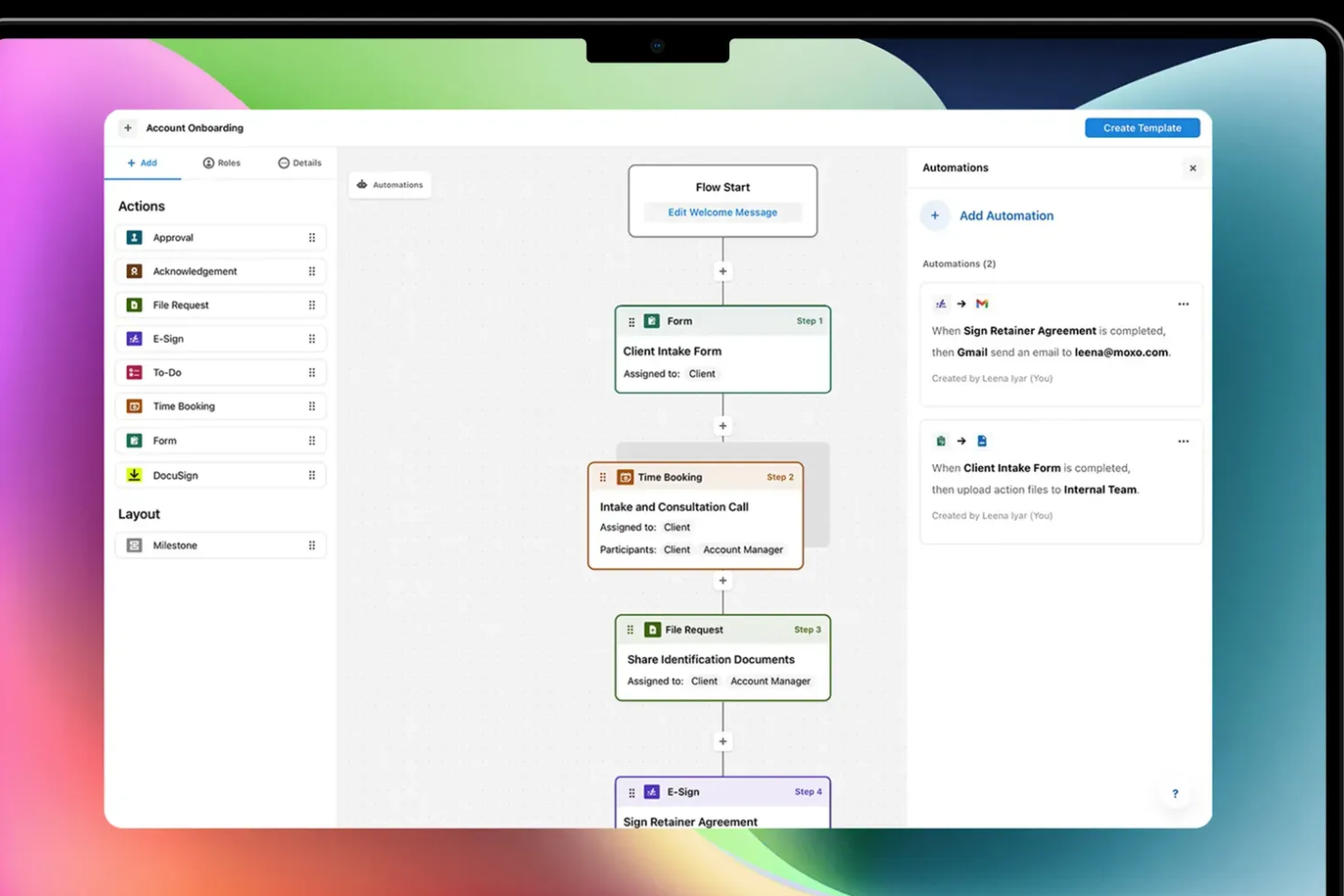
Moxo is a drag-and-drop workflow builder that lets you design and automate client-facing processes—combining approvals, file requests, e-signatures, forms, and conditional logic into structured, trackable flows.
Who Is Moxo Best For?
Moxo is a strong fit for professional services teams—think financial services, legal, and consulting—that manage recurring, multi-step client workflows.
Why I Picked Moxo
I've included Moxo in my top picks because its drag-and-drop flow builder is purpose-built for client-facing onboarding, not just internal task routing. When I build a client onboarding flow in Moxo, I can embed KYC verification steps, secure document requests, and acknowledgment actions directly into the canvas, with conditional branching that routes clients down different paths based on their inputs. What I find particularly useful is the role-based access control, which locks each participant to only their relevant steps, so a new client never sees internal review stages or another client's data. On top of that, Moxo is SOC 2 Type II certified, GDPR compliant, and encrypts all data in transit and at rest, which matters a lot when your onboarding flows involve sensitive financial or legal documents.
Moxo Key Features
- Workflow template library: Access and deploy pre-built onboarding flow templates, or save your own custom flows as reusable templates for repeat client types.
- SLA timers and escalations: Set time limits on individual workflow steps and trigger automatic escalations when a client or internal reviewer misses a deadline.
- Progress tracking dashboard: Monitor completion rates, step-level delays, and bottlenecks across all active onboarding flows from a single reporting view.
- Branded client portal: Deliver onboarding flows through a white-labeled portal with your logo and domain, keeping the client experience consistent with your brand.
Moxo Integrations
Moxo offers direct data sync integrations with Salesforce, HubSpot, Microsoft Dynamics, Zoho, Wealthbox, Redtail, Filevine, Global Relay, Smarsh, Xero, and Follow Up Boss, and supports additional integrations with tools like DocuSign, Jira, Slack, Stripe, Zendesk, Google Drive, Dropbox, Box, OneDrive, monday.com, QuickBooks, and Notion. It connects with Zapier and provides a REST API and webhooks for custom integrations.
Pros and Cons
Pros:
- Chat, video, and files in one flow
- White-label branding for client portals
- Built-in e-signatures inside workflow steps
Cons:
- Limited flexibility for cyclical workflows
- No built-in task timer for time tracking

Make
Best for connecting apps with advanced automation
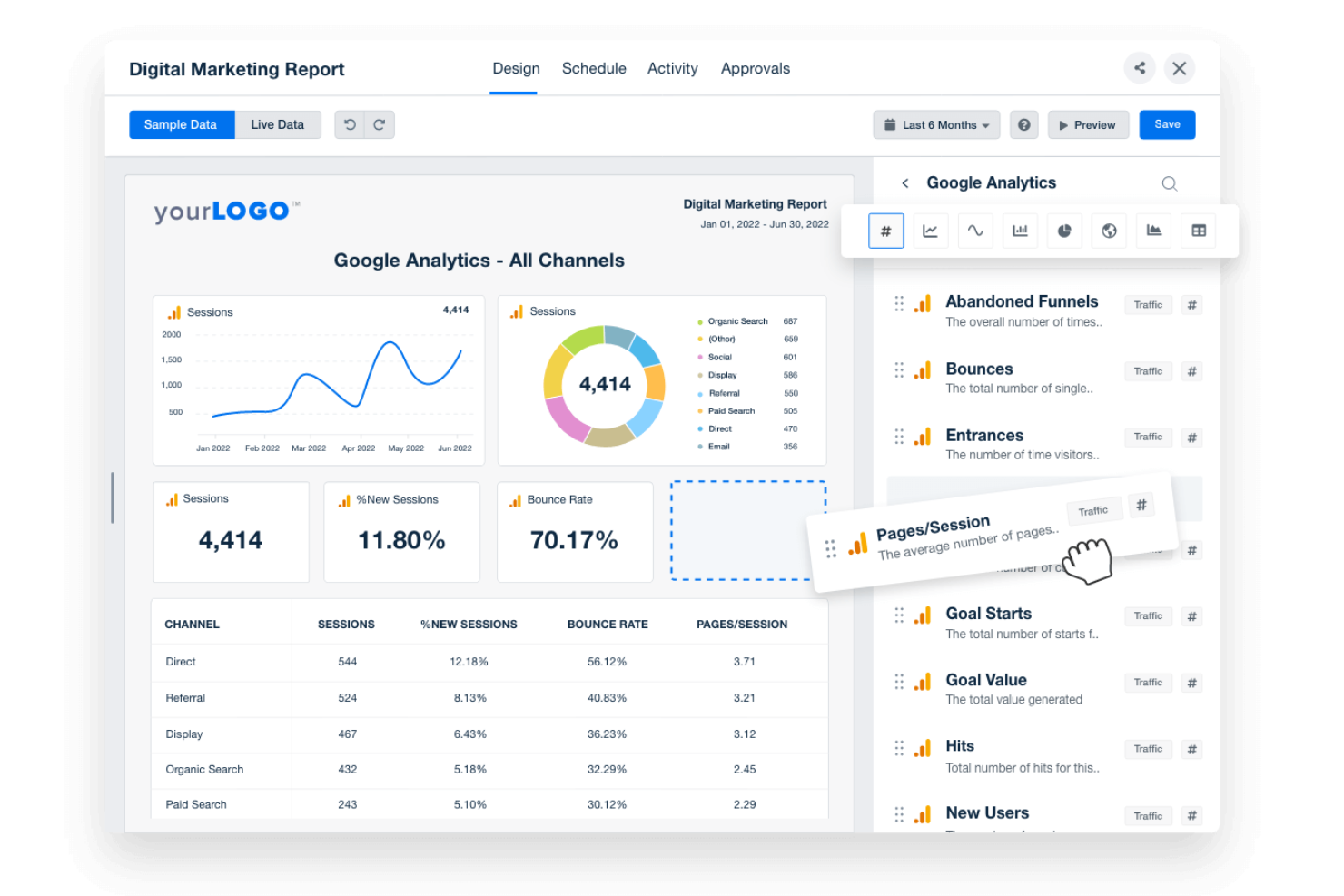
If you need to automate complex workflows across multiple apps, Make offers a visual builder that connects hundreds of tools with advanced logic. IT teams, operations leads, and product managers can design multi-step automations using a drag-and-drop canvas, branching, and custom triggers. Make stands out for users who want to build intricate, conditional workflows that go far beyond simple task automation.
Why I Picked Make
Unlike basic automation tools, Make gives you a drag-and-drop workflow builder designed for advanced, multi-app automation. I picked Make because it lets you visually map out complex workflows with branching logic, custom triggers, and conditional paths. The platform supports building automations that can handle data transformations and error handling within the same visual interface. This makes it a strong choice for teams that need to connect multiple systems and automate sophisticated processes without writing code.
Make Key Features
Some other features that make Make useful for workflow automation include:
- Scenario Versioning: Save and restore previous versions of your automation scenarios.
- Built-In Scheduling: Set workflows to run at specific times or intervals.
- Error Handling Tools: Configure custom responses for failed steps or data issues.
- Data Store Modules: Store and retrieve data within workflows without relying on external databases.
Make Integrations
Integrations include Google Sheets, Slack, Gmail, Airtable, Trello, Dropbox, HubSpot, Shopify, Facebook Pages, and more.
Pros and Cons
Pros:
- Scenario versioning allows rollback to previous states
- Supports scheduling automations by minute or hour
- Visual builder supports multi-step, branching workflows
Cons:
- Error messages can be difficult to interpret
- No built-in AI or machine learning modules

n8n
Best for open-source workflow customization
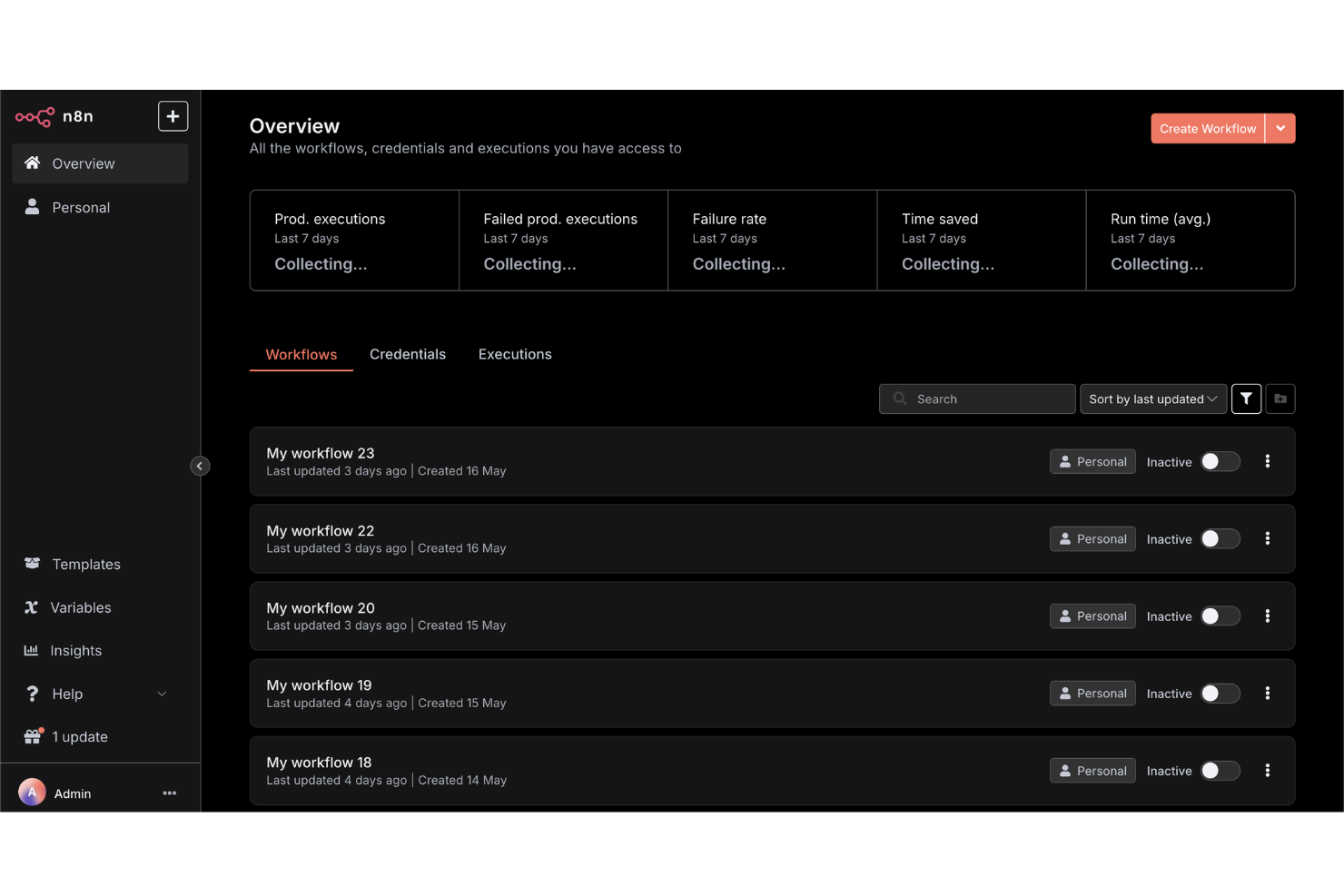
For teams that want full control over their workflow automations, n8n offers an open-source platform with deep customization options. Developers, IT teams, and technical operations leads can build, self-host, and extend workflows using a visual editor and custom code nodes. n8n is a strong fit if you need to tailor integrations or logic beyond what most drag-and-drop workflow builders allow.
Why I Picked n8n
What sets n8n apart is its open-source approach to workflow automation, which gives you full flexibility to customize and self-host your automations. I picked n8n because it lets you use a drag-and-drop builder alongside custom code nodes, so you can extend workflows far beyond standard templates. The platform supports building custom integrations and logic, making it ideal for teams with unique requirements or strict data control needs. If you want to tailor every aspect of your workflow builder, n8n offers the depth and control that many other tools don’t.
n8n Key Features
Some other features that make n8n appealing for workflow automation include:
- Built-In Credential Management: Securely store and manage authentication details for connected services.
- Webhooks Support: Trigger workflows from external apps or events using custom webhooks.
- Execution Logs: Access detailed logs for every workflow run to help with troubleshooting.
- Environment Variables: Configure workflows to use different settings across development, staging, and production.
n8n Integrations
Integrations include Google Sheets, Gmail, Slack, OpenAI, Airtable, Notion, Trello, HubSpot, Discord, and more.
Pros and Cons
Pros:
- Unlimited workflow executions on self-hosted plans
- Custom node creation with JavaScript or TypeScript
- Self-hosting option supports strict data privacy
Cons:
- Requires manual updates for self-hosted deployments
- Lacks built-in templates for common workflows

Creately
Best for visual collaboration on workflow diagrams
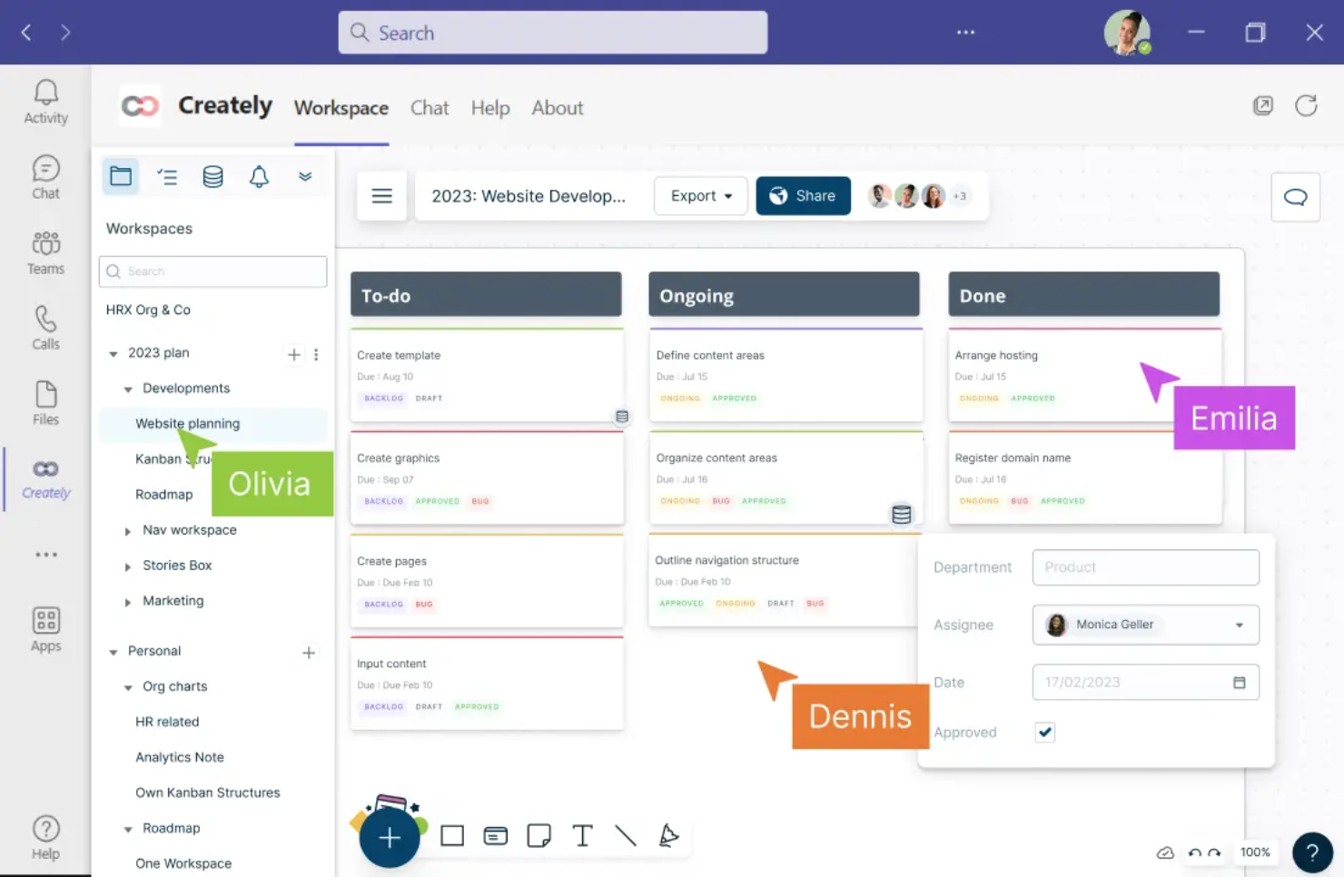
Creately offers a visual workspace built for teams that need to collaborate on workflow diagrams in real time. It’s a strong fit for project managers, business analysts, and cross-functional teams who want to map, discuss, and refine processes together. With features like multi-user editing and contextual comments, Creately helps teams turn complex workflows into clear, actionable diagrams.
Why I Picked Creately
For teams that need to collaborate visually on workflow diagrams, Creately brings real-time co-editing and discussion into a single workspace. I picked Creately because it lets multiple users build, edit, and comment on diagrams together, which is essential for cross-functional process mapping. The tool’s contextual commenting and in-diagram chat features help teams resolve questions and iterate on workflows without switching platforms. This focus on collaborative diagramming makes Creately a strong choice for anyone prioritizing teamwork in their workflow builder.
Creately Key Features
In addition to its collaborative diagramming tools, Creately offers several other features worth noting:
- Extensive Shape and Icon Library: Choose from thousands of shapes and icons to represent different workflow elements.
- Data Linking: Attach data sets or tables directly to workflow objects for richer context.
- Presentation Mode: Present workflow diagrams directly within the platform without exporting.
- Revision History: Track changes and restore previous versions of diagrams as needed.
Creately Integrations
Integrations include Google Drive, Slack, Confluence, and Microsoft Teams.
Pros and Cons
Pros:
- Presentation mode enables in-app workflow walkthroughs
- Data linking connects diagrams to live tables
- Real-time multi-user editing supports team workflows
Cons:
- Large diagrams can experience occasional lag
- Export options are restricted on lower plans
Best for designing conversational workflows
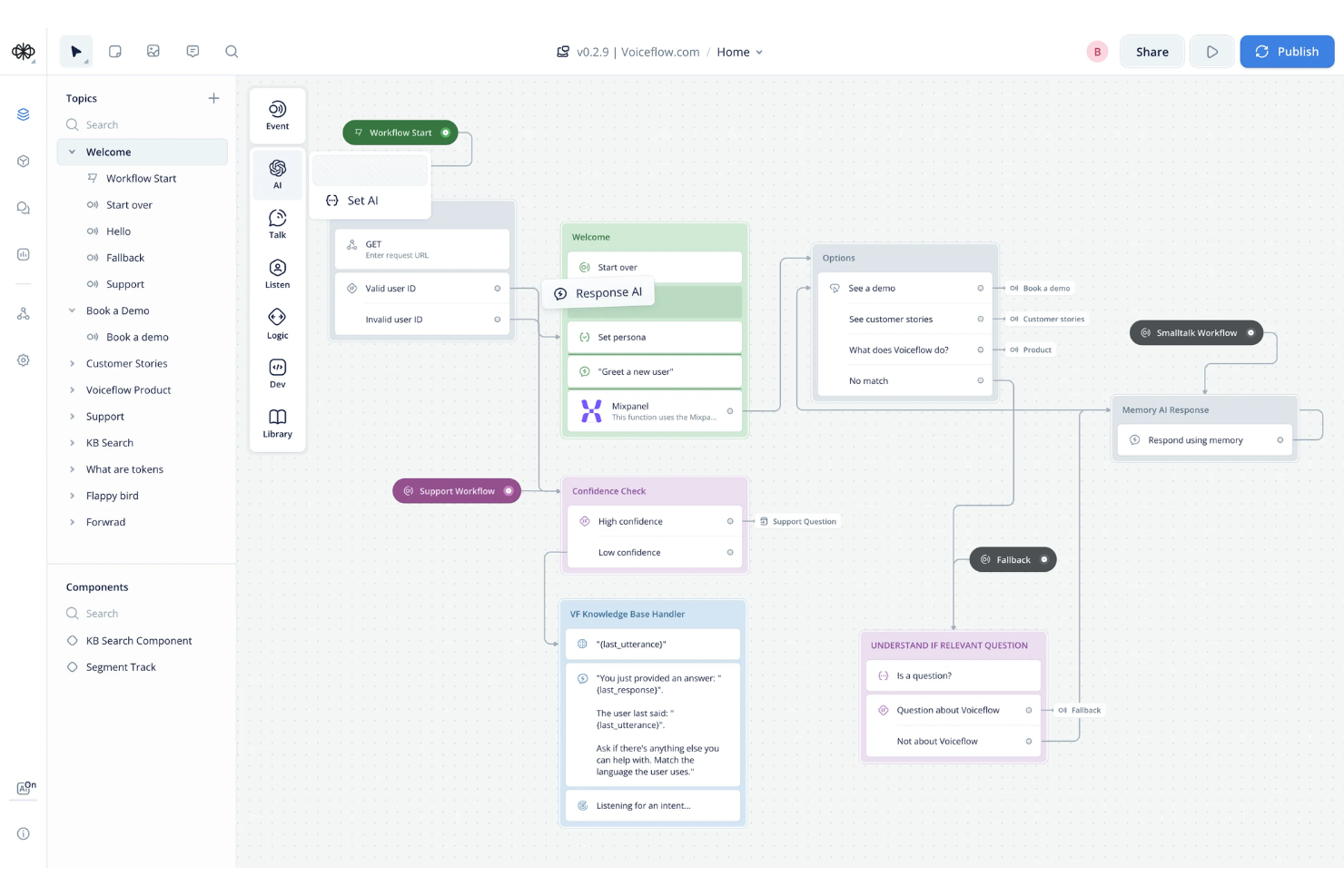
Voiceflow stands out for teams designing conversational workflows for chatbots, voice assistants, and AI agents. It’s built for product managers, conversation designers, and developers who need to map out complex, multi-turn dialogues visually. With Voiceflow, you can prototype, test, and iterate on conversational flows without writing code, making it easier to align technical and non-technical stakeholders.
Why I Picked Voiceflow
For teams focused on building conversational experiences, Voiceflow offers a specialized drag-and-drop workflow builder tailored to dialogue design. I picked it because it lets you visually map out conversation logic, branching paths, and context variables in a way that’s purpose-built for chatbots and voice assistants. The platform supports reusable components and modular flows, so you can manage complex, multi-turn conversations without getting lost in code. This makes Voiceflow a strong choice for anyone designing, prototyping, or iterating on conversational workflows.
Voiceflow Key Features
Some other features that make Voiceflow useful for workflow design include:
- AI Step Blocks: Add generative AI responses and logic directly into your conversational flows.
- Version History: Track changes and revert to previous versions of your workflow projects.
- User Testing Mode: Simulate conversations and gather feedback before deploying to production.
- Team Collaboration Tools: Invite team members to co-design, comment, and review workflows in real time.
Voiceflow Integrations
Integrations include Airtable, Discord, HubSpot, Linear, Manychat, Notion, SendGrid, Shopify, WhatsApp, Zendesk, and more.
Pros and Cons
Pros:
- Version history tracks all workflow changes
- User testing mode for pre-launch validation
- Built-in AI step for generative responses
Cons:
- Occasional lag with large, complex projects
- Limited export options for non-technical users

Best for integrating forms with workflow automation
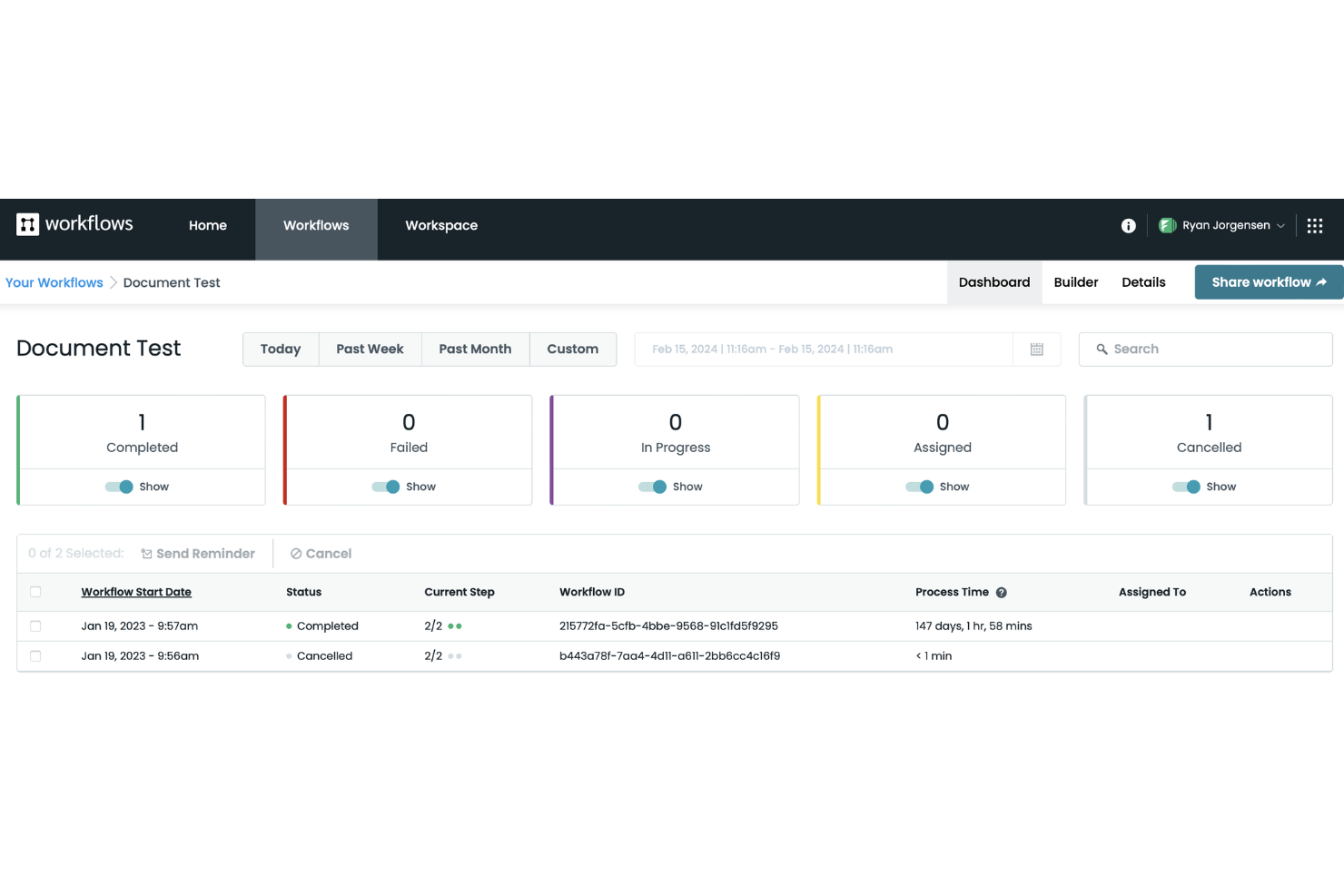
Formstack stands out for teams that need to connect forms directly to automated workflows without coding. It’s especially useful for operations, HR, and IT teams that want to capture data and trigger multi-step processes from a single form submission. If you’re looking to automate approvals, onboarding, or service requests with a drag-and-drop builder, Formstack is built for that kind of integration.
Why I Picked Formstack
Formstack caught my attention because it connects form submissions directly to workflow automation, which is a rare strength among drag-and-drop builders. The platform lets you build custom forms and then map each form field to workflow steps, so you can trigger approvals, notifications, or document generation automatically. I like that you can visually design both the form and the workflow in one place, making it easy to manage complex processes without switching tools. This approach is especially useful for teams that need to automate multi-step tasks starting from a single data entry point.
Formstack Key Features
Some other features that make Formstack useful for workflow automation include:
- Conditional Logic: Build workflows that branch based on user responses or data inputs.
- Document Generation: Automatically create PDFs or other documents from form data within a workflow.
- E-signature Collection: Collect legally binding signatures as part of automated processes.
- Role-Based Permissions: Control access to workflow steps and data based on user roles.
Formstack Integrations
Integrations include Salesforce, Amazon S3, PayPal, Stripe, HubSpot, Airtable, Microsoft, and more.
Pros and Cons
Pros:
- Prebuilt templates for common business processes
- Automated document generation from form data
- Native e-signature collection in workflows
Cons:
- No built-in chatbot or conversational forms
- Workflow versioning is not available

Yoroflow
Best for automating multi-step business processes
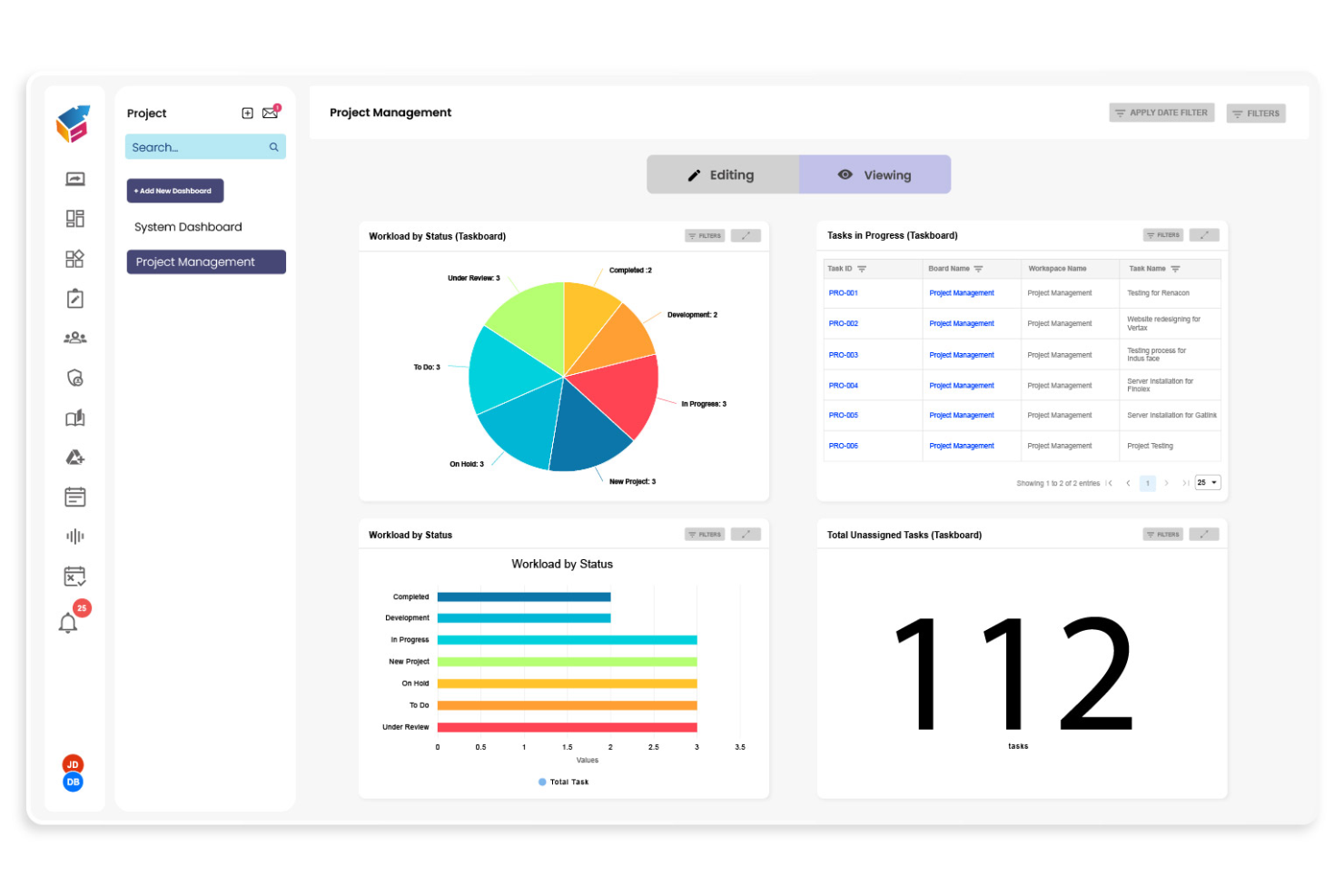
Yoroflow gives teams a way to automate complex, multi-step business processes without writing code. It’s a strong fit for operations managers, project leads, and IT teams who need to coordinate tasks across departments or systems. If you’re looking to build workflows that handle approvals, notifications, and integrations in one place, Yoroflow is designed for that level of control.
Why I Picked Yoroflow
I chose Yoroflow because it’s built to handle multi-step business processes that require more than just simple task automation. The platform’s drag and drop workflow builder lets you map out complex sequences, including conditional logic and parallel task branches, all from a visual interface. I like that you can set up automated approvals and notifications within the same workflow, which is essential for teams managing layered processes. Yoroflow’s focus on orchestrating multiple steps in a single flow makes it a strong choice for organizations with intricate operational needs.
Yoroflow Key Features
Some other features in Yoroflow that stand out for workflow builders include:
- Form Designer: Build custom forms to collect data and trigger workflows directly from user submissions.
- Document Management: Store, organize, and attach documents to workflow steps for easy reference and compliance.
- Role-Based Access Control: Assign permissions to users or groups to control who can view or edit specific workflows.
- Analytics Dashboard: Monitor workflow performance and track key metrics with built-in reporting tools.
Yoroflow Integrations
Native integrations are not currently listed.
Pros and Cons
Pros:
- Pre-built templates for common business processes
- Built-in document management and storage
- Multi-step workflows with conditional logic
Cons:
- Custom branding options are restricted
- Project board UX can slow navigation at scale

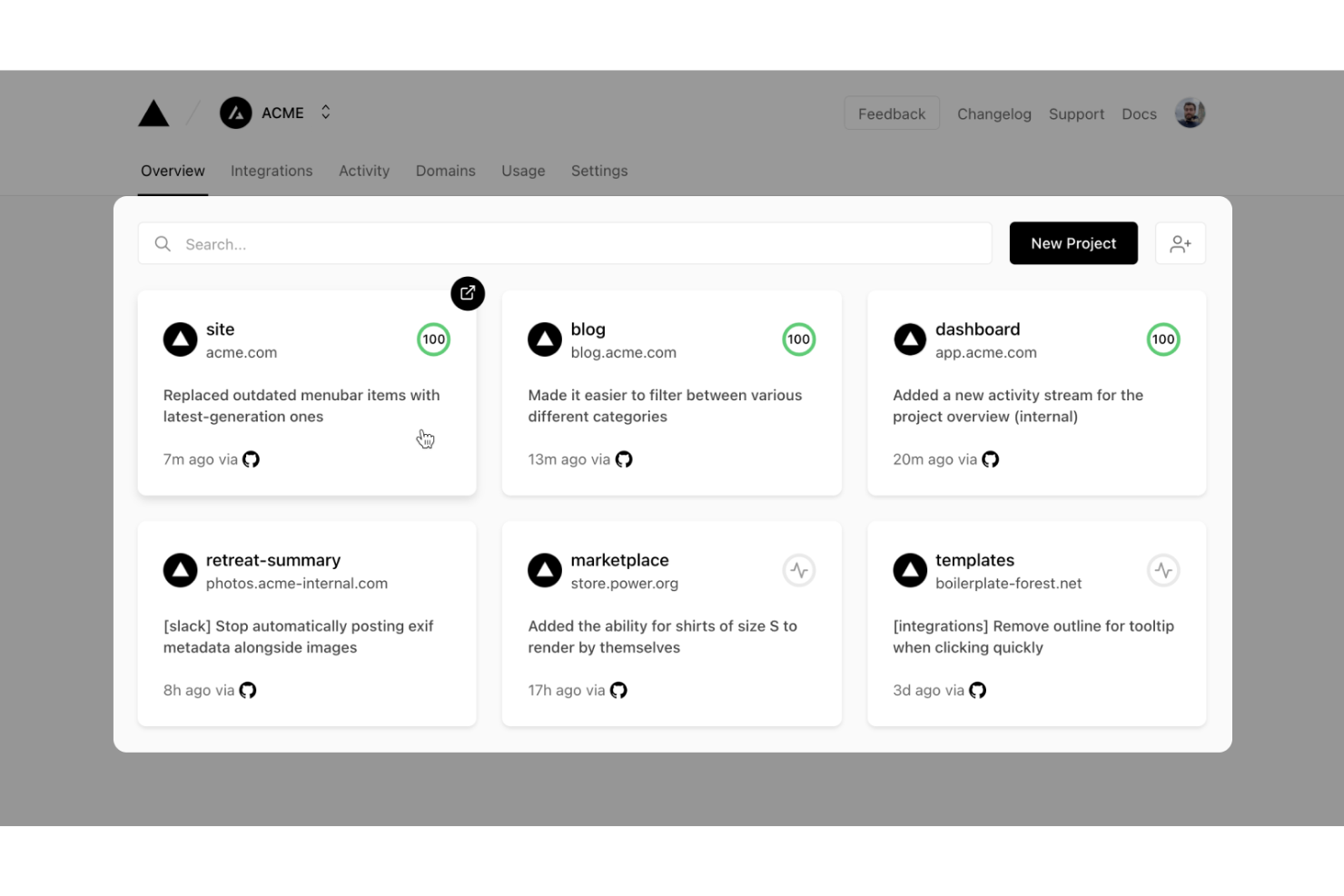
Vercel gives developers a platform to build, deploy, and scale workflow-driven web applications with modern frameworks. It’s especially useful for engineering teams who want to automate deployment pipelines and manage dynamic workflows in real time. With built-in serverless functions and instant preview environments, Vercel helps teams iterate quickly on workflow logic and user experience.
Why I Picked Vercel
What sets Vercel apart for workflow-driven app development is its focus on developer-centric automation and deployment. I picked Vercel because it lets teams build custom workflow logic using serverless functions and deploy changes instantly with preview environments. The platform’s Git-based workflow means every code push triggers automated builds and deployments, which is ideal for teams iterating on workflow builders. This approach gives developers full control over workflow customization while keeping deployment fast and reliable.
Vercel Key Features
Some other features that make Vercel appealing for workflow-driven app development include:
- Edge Middleware: Run custom logic at the edge to personalize workflows and handle requests before they reach your app.
- Environment Variable Management: Store and manage environment variables securely for different deployment stages.
- Custom Domains: Assign and manage custom domains directly from the Vercel dashboard.
- Analytics Dashboard: Access real-time performance and traffic analytics for deployed workflow apps.
Vercel Integrations
Integrations include GitHub, GitLab, Bitbucket, Slack, Datadog, Sentry, Contentful, Shopify, AWS, Sanity, and more.
Pros and Cons
Pros:
- Environment variable management for workflow configuration
- Middleware supports real-time workflow customization
- Instant preview deployments for workflow changes Edge
Cons:
- Custom domain setup can be complex for teams
- Limited visual workflow debugging tools

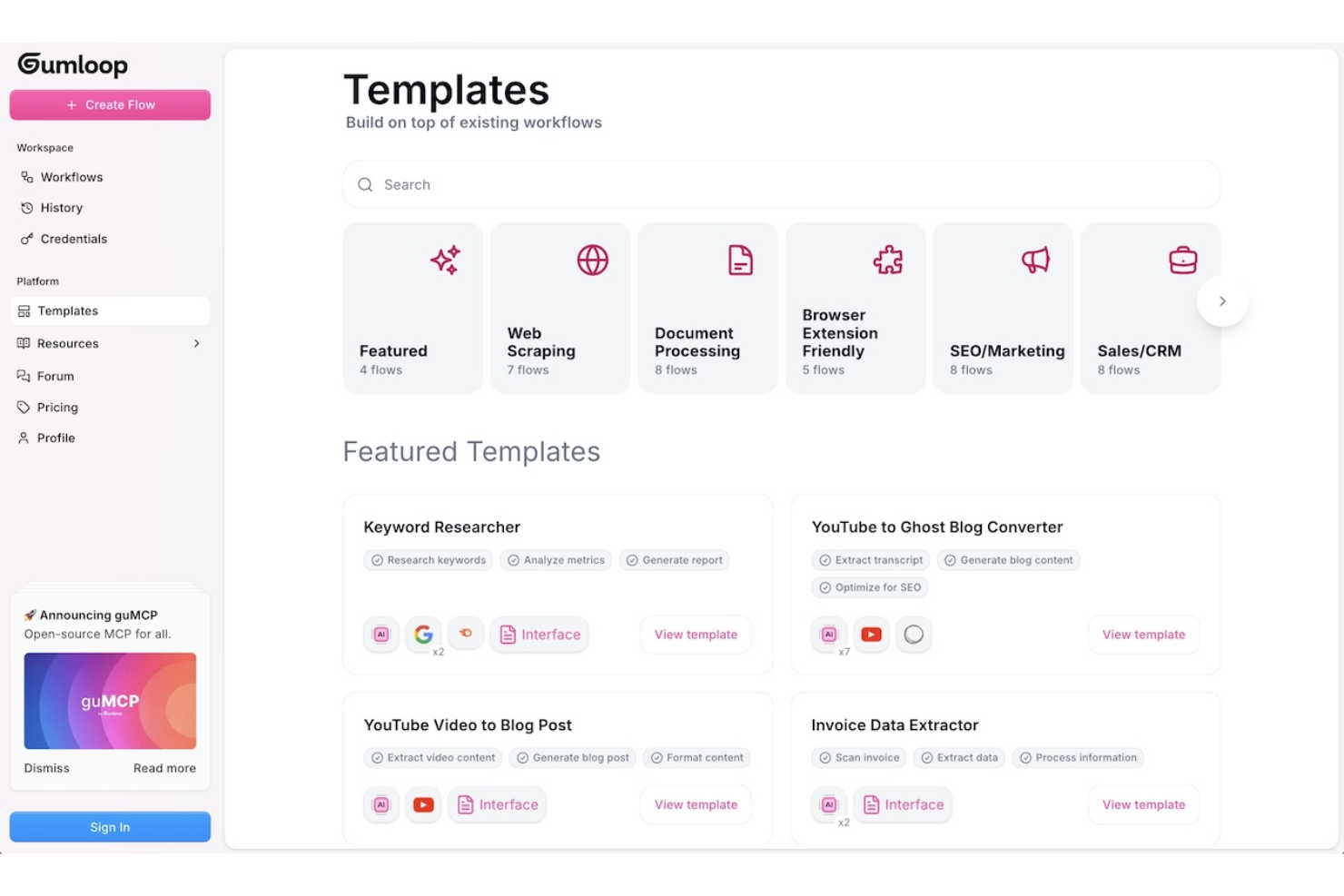
Gumloop is designed for teams and individuals who need to quickly prototype and test workflow ideas before committing to full development. It’s especially useful for product managers, UX designers, and innovation teams looking to validate concepts with interactive, drag-and-drop flows. With Gumloop, you can create and share workflow prototypes in minutes, making it easier to gather feedback and iterate early in the process.
Why I Picked Gumloop
When you need to move from idea to interactive prototype fast, Gumloop stands out for rapid workflow prototyping. I picked it because you can drag and drop steps, decisions, and actions to quickly visualize and test workflow logic without writing code. The tool supports instant sharing and live previews, so you can gather feedback from stakeholders or teammates right away. This makes Gumloop a strong fit for teams that want to validate workflow concepts before investing in full-scale development.
Gumloop Key Features
Some other features that make Gumloop useful for workflow prototyping include:
- Template Library: Access a collection of pre-built workflow templates to jumpstart new projects.
- Conditional Logic Blocks: Add if/then logic to simulate real-world decision points in your workflows.
- Commenting and Feedback Tools: Collect input directly on your prototypes from collaborators or stakeholders.
- Export to PDF or Image: Download workflow diagrams for documentation or presentations.
Gumloop Integrations
Integrations include Slack, Gmail, Google Sheets, Salesforce, Notion, HubSpot, Outlook, Google Drive, Apollo, and more.
Pros and Cons
Pros:
- No-code interface for non-technical team member
- Conditional logic blocks support complex flows
- Templates accelerate initial workflow prototyping
Cons:
- No built-in version control for prototypes
- Limited automation beyond visual prototyping stage

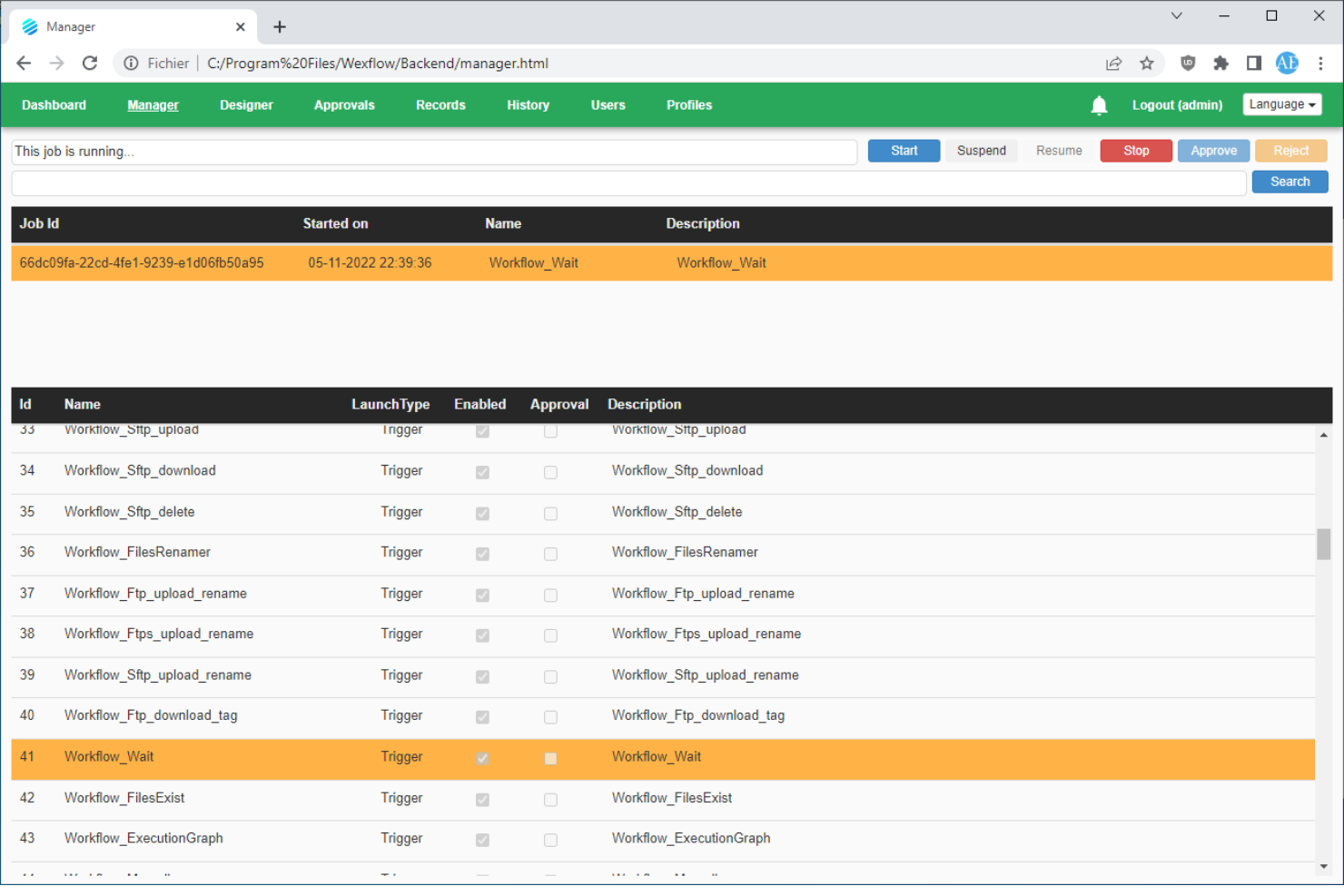
Wexflow is designed for IT teams and organizations that need full control over workflow automation in on-premise environments. It’s a fit for businesses with strict data security or compliance requirements that can’t use cloud-based workflow tools. If you want to build, schedule, and monitor automated processes on your own infrastructure, Wexflow gives you that deployment flexibility.
Why I Picked Wexflow
What sets Wexflow apart is its focus on on-premise deployment, which is rare among drag-and-drop workflow builders. I picked it because it lets you install and run the platform entirely within your own infrastructure, giving you full control over data and process security. Wexflow’s visual designer allows you to build, schedule, and monitor workflows without relying on cloud services. This makes it a strong choice for organizations with strict compliance needs or those operating in regulated industries.
Wexflow Key Features
Some other features that make Wexflow stand out for workflow automation include:
- Extensive Task Library: Choose from over 100 built-in tasks for automating file operations, email, database actions, and more.
- XML-Based Workflow Definitions: Edit and manage workflows using XML files for precise control and versioning.
- Real-Time Monitoring Dashboard: Track workflow execution status and logs through a web-based dashboard.
- Custom Script Integration: Add custom C# or PowerShell scripts directly into workflows for advanced automation needs.
Wexflow Integrations
Native integrations are not currently listed.
Pros and Cons
Pros:
- Built-in support for C# and PowerShell scripting
- XML workflow editing for advanced customization
- On-premise deployment supports strict data control
Cons:
- Lacks visual workflow version comparison
- No built-in cloud or SaaS option
Outros criadores de fluxos de trabalho por arrastar e largar
Eis algumas opções adicionais de criação de fluxos de trabalho por arrastar e largar que não entraram na minha lista restrita, mas que ainda vale a pena consultar:
- Kolleno
For finance and accounts receivable teams
- React Flow
For custom workflow UI development
- MyShyft
For shift scheduling and workforce management
- Retool
For building internal tool workflows
- Puzzle
With real-time workflow collaboration


How I Evaluate Drag and Drop Workflow Builders
I split my evaluation into two layers: whether a tool can visually build branching workflows with approvals and automation, and what differentiates it in integrations and governance.
Core Functionality (Table Stakes For This List)
When I'm selecting tools for my list, I rank each one on a scale from 0 (does not offer the functionality) to 5 (excels in this area) for each core functionality listed below. Then, I calculate the tool's total score into a percentage. Each tool needs to achieve a minimum total score of 65% to be considered for inclusion.
- Visual Drag-and-Drop Canvas: I evaluate how easily you can place, rearrange, and connect workflow steps on a canvas—like mapping a sprint review process by dragging stages into sequence.
- Conditional Logic & Branching: Each tool should let you set if/then rules that route work down different paths, such as escalating a task when a budget threshold is exceeded.
- Task & Stage Automation: I look for automated triggers that fire when work moves between stages—auto-assigning a QA reviewer, updating statuses, or sending Slack alerts on completion.
- Project Management Integration: The builder should connect to your existing PM stack. I check for native links to tools like Jira, Asana, or monday.com so workflows stay synced with live project data.
- Approvals & Handoffs: Structured approval gates matter. I evaluate whether you can insert review steps where a design lead signs off before dev picks up the next stage.
- Templates & Reusability: Saving a workflow as a reusable template—like a client onboarding sequence your PMO runs every quarter—should be straightforward and shareable across teams.
Once I have a list of tools that meet the criteria, I consider what sets each platform apart.
Differentiating Factors (What Sets Vendors Apart)
Here's how I compare and contrast different vendors:
Standout Features
Version history is one of the first things I check. When a PMO lead updates a release workflow mid-sprint, the ability to compare revisions and roll back matters. I also evaluate whether the builder surfaces analytics like stage duration and bottleneck detection—knowing where tasks stall between design review and dev handoff is far more useful than raw task counts. AI-powered workflow generation is increasingly relevant too, especially for teams that need to spin up new processes from a plain-language prompt.
Beyond Features
Integration ecosystem depth is something I always evaluate. A workflow builder that connects natively to your PM tools, Slack, and file storage means fewer manual handoffs between systems. Governance and access control also carry real weight—when multiple teams share a workspace, role-based permissions and sandbox environments prevent a junior coordinator from accidentally publishing changes to a production workflow. I also consider how well a vendor supports onboarding, especially whether they offer prebuilt templates and guided setup to shorten the ramp-up for new builders.
Como escolher um criador de fluxos de trabalho por arrastar e largar
É fácil ficar atolado em listas extensas de funcionalidades e estruturas de preços complexas. Para o ajudar a manter-se concentrado enquanto percorre o seu processo específico de seleção de software, eis uma lista de verificação dos fatores a ter em conta:
| Fator | O que considerar |
| Escalabilidade | A ferramenta conseguirá lidar com o volume dos seus fluxos de trabalho à medida que a sua equipa ou empresa cresce? Verifique os limites de utilizadores, fluxos de trabalho ou execuções. |
| Integrações | Liga-se nativamente às aplicações e aos serviços de que a sua equipa depende? Consulte a lista de integrações para identificar lacunas ou soluções alternativas. |
| Personalização | Pode adaptar os fluxos de trabalho para responder a processos ou requisitos específicos? Procure suporte para lógica personalizada, criação de scripts ou criação de nós. |
| Facilidade de utilização | Os utilizadores não técnicos conseguirão criar e gerir fluxos de trabalho sem assistência constante das TI? Teste a interface com utilizadores reais. |
| Implementação e integração inicial | Quanto tempo será necessário para começar a trabalhar? Tenha em conta as necessidades de migração, os recursos de formação e a disponibilidade de modelos ou de uma configuração orientada. |
| Custo | Os níveis de preços são claros e previsíveis à medida que a utilização aumenta? Esteja atento a taxas ocultas, custos por excedentes ou complementos obrigatórios. |
| Medidas de segurança | A plataforma cumpre as normas de privacidade e segurança de dados da sua organização? Informe-se sobre encriptação, controlos de acesso e registos de auditoria. |
| Disponibilidade do suporte | Terá acesso a ajuda atempada se surgirem problemas? Verifique o horário e os canais de suporte, bem como os compromissos relativos aos tempos de resposta. |
O que é um criador de fluxos de trabalho por arrastar e largar?
Um construtor de fluxos de trabalho por arrastar e largar é uma ferramenta visual que permite aos utilizadores conceber, automatizar e gerir processos com várias etapas, organizando componentes numa tela digital. Estas plataformas funcionam como uma plataforma de automatização e um motor de fluxos de trabalho, permitindo às equipas criar fluxos de trabalho sem código, com a flexibilidade do desenvolvimento com pouco código. Permitem ligar tarefas, acionadores e ações entre aplicações como um CRM e outras fontes de dados, ajudando as equipas a orquestrar processos de uma forma mais orientada por dados. Muitas ferramentas, frequentemente descritas como construtores visuais de fluxos de trabalho, incluem também funcionalidades baseadas em IA e são amplamente utilizadas por startups e equipas em crescimento. Ao tornar a automatização acessível tanto a utilizadores técnicos como não técnicos, estas plataformas ajudam as equipas a simplificar tarefas repetitivas, melhorar a visibilidade e validar resultados através de exemplos, como estudos de caso.
Funcionalidades
Ao selecionar o construtor de fluxos de trabalho por arrastar e largar, tenha em atenção as seguintes funcionalidades principais:
- Editor visual de fluxos de trabalho: Permite conceber e organizar fluxos de trabalho arrastando e ligando etapas numa tela digital, tornando o mapeamento de processos intuitivo e acessível.
- Integrações com várias aplicações: Liga-se a uma vasta gama de ferramentas e serviços de terceiros, para que possa automatizar tarefas em toda a sua infraestrutura tecnológica existente.
- Lógica condicional: Permite definir regras e ramificações nos fluxos de trabalho, possibilitando diferentes ações com base em acionadores específicos ou valores de dados.
- Modelos reutilizáveis de fluxos de trabalho: Disponibiliza exemplos de fluxos de trabalho pré-criados que pode personalizar, ajudando-o a começar rapidamente e a uniformizar processos comuns.
- Monitorização em tempo real: Oferece acompanhamento em direto das execuções dos fluxos de trabalho, para que possa ver o progresso, identificar estrangulamentos e resolver problemas à medida que ocorrem.
- Controlos de gestão de erros: Permite definir o que acontece quando uma etapa do fluxo de trabalho falha, como novas tentativas, notificações ou caminhos alternativos, para garantir a fiabilidade.
- Controlos de acesso baseados em funções: Permitem gerir quem pode ver, editar ou executar fluxos de trabalho, apoiando a colaboração segura entre equipas.
- Agendamento e acionadores: Permite executar fluxos de trabalho automaticamente com base em horários, eventos ou sinais externos, reduzindo a necessidade de intervenção manual.
- Histórico de versões: Regista as alterações aos fluxos de trabalho ao longo do tempo, permitindo reverter para versões anteriores ou auditar modificações para fins de conformidade.
- Documentação na aplicação: Disponibiliza ajuda integrada, dicas de ferramentas ou notas no próprio construtor de fluxos de trabalho, facilitando a compreensão e a manutenção de processos complexos pelos utilizadores.
Vantagens
A implementação do construtor de fluxos de trabalho por arrastar e largar proporciona várias vantagens à sua equipa e à sua empresa. Eis algumas que pode esperar:
- Automatização mais rápida de processos: Os editores visuais e os modelos permitem criar e implementar rapidamente fluxos de trabalho automatizados sem programação.
- Maior colaboração entre equipas: Os controlos de acesso baseados em funções e as telas de fluxos de trabalho partilhadas facilitam a contribuição e a revisão dos processos por várias partes interessadas.
- Redução dos erros manuais: Os acionadores automatizados, a gestão de erros e a lógica condicional ajudam a eliminar os erros que ocorrem frequentemente na gestão manual de tarefas.
- Melhor visibilidade e acompanhamento: As funcionalidades de monitorização em tempo real e de histórico de versões proporcionam uma visão clara do estado dos fluxos de trabalho e das alterações ao longo do tempo.
- Integração mais fácil de novos utilizadores: A documentação na aplicação e as interfaces intuitivas de arrastar e largar reduzem as barreiras à participação dos membros não técnicos da equipa na automatização.
- Escalabilidade à medida que as necessidades crescem: O suporte para integrações com várias aplicações e os fluxos de trabalho personalizáveis garantem que a sua automatização pode acompanhar a evolução dos requisitos da empresa.
- Maior segurança e conformidade: As permissões baseadas em funções e os registos de auditoria ajudam a manter o controlo sobre processos sensíveis e a cumprir as normas organizacionais.
Custos e preços
A seleção do construtor de fluxos de trabalho por arrastar e largar requer uma compreensão dos vários modelos de preços e planos disponíveis. Os custos variam consoante as funcionalidades, o tamanho da equipa, os complementos, entre outros fatores. A tabela abaixo resume os planos comuns, os seus preços médios e as funcionalidades normalmente incluídas nas soluções de construtores de fluxos de trabalho por arrastar e largar:
Tabela de comparação de planos para construtores de fluxos de trabalho por arrastar e largar
| Tipo de plano | Preço médio | Funcionalidades comuns |
| Plano gratuito | $0 | Editor de fluxos de trabalho básico, integrações limitadas, acesso para um único utilizador, apoio da comunidade e execuções de fluxos de trabalho limitadas. |
| Plano pessoal | $10-$25/user/month | Fluxos de trabalho ilimitados, mais integrações, limites de utilização superiores, apoio por e-mail e modelos básicos. |
| Plano empresarial | $25-$50/ user/month | Colaboração entre vários utilizadores, integrações avançadas, permissões baseadas em funções, registos de auditoria e apoio prioritário. |
| Plano empresarial avançado | $50-$100+/ user/month | Integrações personalizadas, integração inicial dedicada, controlos de segurança avançados, apoio abrangido por SLA e funcionalidades de conformidade. |
Perguntas frequentes sobre criadores de fluxos de trabalho de arrastar e largar
Eis algumas respostas a perguntas comuns sobre o criador de fluxos de trabalho de arrastar e largar:
Os utilizadores sem conhecimentos técnicos podem criar fluxos de trabalho com criadores de fluxos de trabalho de arrastar e largar?
Sim, a maioria dos criadores de fluxos de trabalho de arrastar e largar foi concebida para que os utilizadores sem conhecimentos técnicos possam criar e gerir fluxos de trabalho visualmente. A interface utiliza normalmente uma área de trabalho e componentes pré-criados, pelo que não é necessário escrever código para automatizar tarefas ou ligar aplicações.
Como lidam os criadores de fluxos de trabalho de arrastar e largar com erros ou passos falhados?
A maioria das plataformas inclui controlos de gestão de erros que permitem definir o que acontece se um passo falhar. Pode configurar novas tentativas, notificações ou caminhos alternativos para garantir que os fluxos de trabalho continuam ou alertam as pessoas certas quando algo corre mal.
Que tipos de processos podem ser automatizados com criadores de fluxos de trabalho de arrastar e largar?
Pode automatizar uma vasta gama de processos, incluindo aprovações, notificações, sincronização de dados, integração de novos funcionários e tarefas com várias etapas que abrangem várias aplicações. Estas ferramentas são suficientemente flexíveis para suportar fluxos de trabalho simples e complexos em diferentes equipas.
Existem limites ao número de fluxos de trabalho ou execuções?
Sim, a maioria dos planos estabelece limites ao número de fluxos de trabalho que pode criar ou ao número de vezes que os fluxos de trabalho podem ser executados por mês. Os planos de nível superior oferecem normalmente uma utilização aumentada ou ilimitada, por isso reveja os detalhes do plano para garantir que correspondem às suas necessidades.
Qual é o nível de segurança das plataformas de criação de fluxos de trabalho de arrastar e largar?
A segurança varia consoante o fornecedor, mas a maioria das plataformas orientadas para empresas oferece funcionalidades como encriptação, controlos de acesso, registos de auditoria e certificações de conformidade. Verifique sempre se a plataforma cumpre os requisitos de segurança e privacidade da sua organização antes de a adotar.