

10 beste Visme-alternativer for presentasjoner i 2026

Kortliste over Visme-alternativer


Et godt Visme-alternativ gir teamet ditt fleksible designmaler, interaktive presentasjonsverktøy og enkle samarbeidsfunksjoner uten å binde deg til én enkelt plattform. Hvis du ser etter Visme-alternativer, leter du sannsynligvis etter verktøy som håndterer infografikk, rapporter og presentasjoner, samtidig som de passer til arbeidsflyten og budsjettet ditt.
Med så mange tilgjengelige alternativer er det vanskelig å vite hvilken plattform som faktisk støtter teamets kreative behov og behov for prosjektleveranser. Denne listen går gjennom de beste Visme-alternativene for 2026, slik at du kan sammenligne funksjoner, samarbeidsmuligheter og integrasjoner – og trygt velge det som passer best til ditt neste prosjekt.
Hva er Visme?
Visme er en skybasert designplattform for innholdsproduksjon, blant annet presentasjoner, infografikk, rapporter og annet visuelt innhold. Den tilbyr et bredt utvalg av maler, dra-og-slipp-redigering og interaktive elementer som hjelper team og enkeltpersoner med å lage profesjonelt visuelt innhold. Visme brukes av prosjektledere, markedsførere, undervisere og forretningsteam som trenger å formidle ideer visuelt og samarbeide om kreative prosjekter uten å være avhengige av tradisjonell designprogramvare.
Sammenligningstabell for Visme-alternativer
Denne sammenligningstabellen oppsummerer prisdetaljene for mine beste utvalgte Visme-alternativer:
| Tool | Best For | Trial Info | Price | ||
|---|---|---|---|---|---|
| 1 | Best for multi-format content across teams | Free trial + free plan available | From $144/user/year (billed annually) | Website | |
| 2 | Best for social media marketing templates | Free plan available | From $13/month | Website | |
| 3 | Best for live data-linked chart publishing | Free plan available | From $25/month | Website | |
| 4 | Best for infographic-led data storytelling | Free plan available | From $15/user/month | Website | |
| 5 | Best for accessible infographic templates | Free plan available | From $10/month (billed annually) | Website | |
| 6 | Best for interactive content and animations | Free plan available | From $10/user/month (billed annually) | Website | |
| 7 | Best for non-linear canvas presentations | Free 14-day trial available | From $4/month | Website | |
| 8 | Best for Microsoft 365-native slide design | 30-day free trial available | From $9.99/person/month | Website | |
| 9 | Best for no-code drag-and-drop design | Free plan + free demo available | From $15/user/month | Website | |
| 10 | Best for Zoho ecosystem slide collaboration | 15-day free trial + free plan available | From $2.50/user/month (billed annually) | Website |
Hvorfor du kan stole på våre programvareanbefalinger
Teamet vårt har testet og anmeldt programvare siden 2012. Vi er selv prosjektledere, så vi vet hvor vanskelig og hvor viktig det er å velge riktig programvare.
I denne guiden har vi vurdert verktøyene gjennom praktisk testing og uavhengig research og gitt dem poeng ut fra våre utvelgelseskriterier. Vi bygger også på innsikt fra ledende eksperter i bransjen og erfarne prosjektledere.
Anmeldelsene våre bygger på vår egen redaksjonelle vurdering. De er ikke et salgsargument.
Ekspertanmeldere:
Anmeldelser av Visme-alternativer
Nedenfor finner du mine detaljerte sammendrag av de beste Visme-alternativene som kom med på kortlisten. Anmeldelsene mine gir en grundig gjennomgang av funksjonene, de beste bruksområdene og integrasjonene til hver plattform, slik at du kan finne den som passer best for deg.
Canva
Best for multi-format content across teams
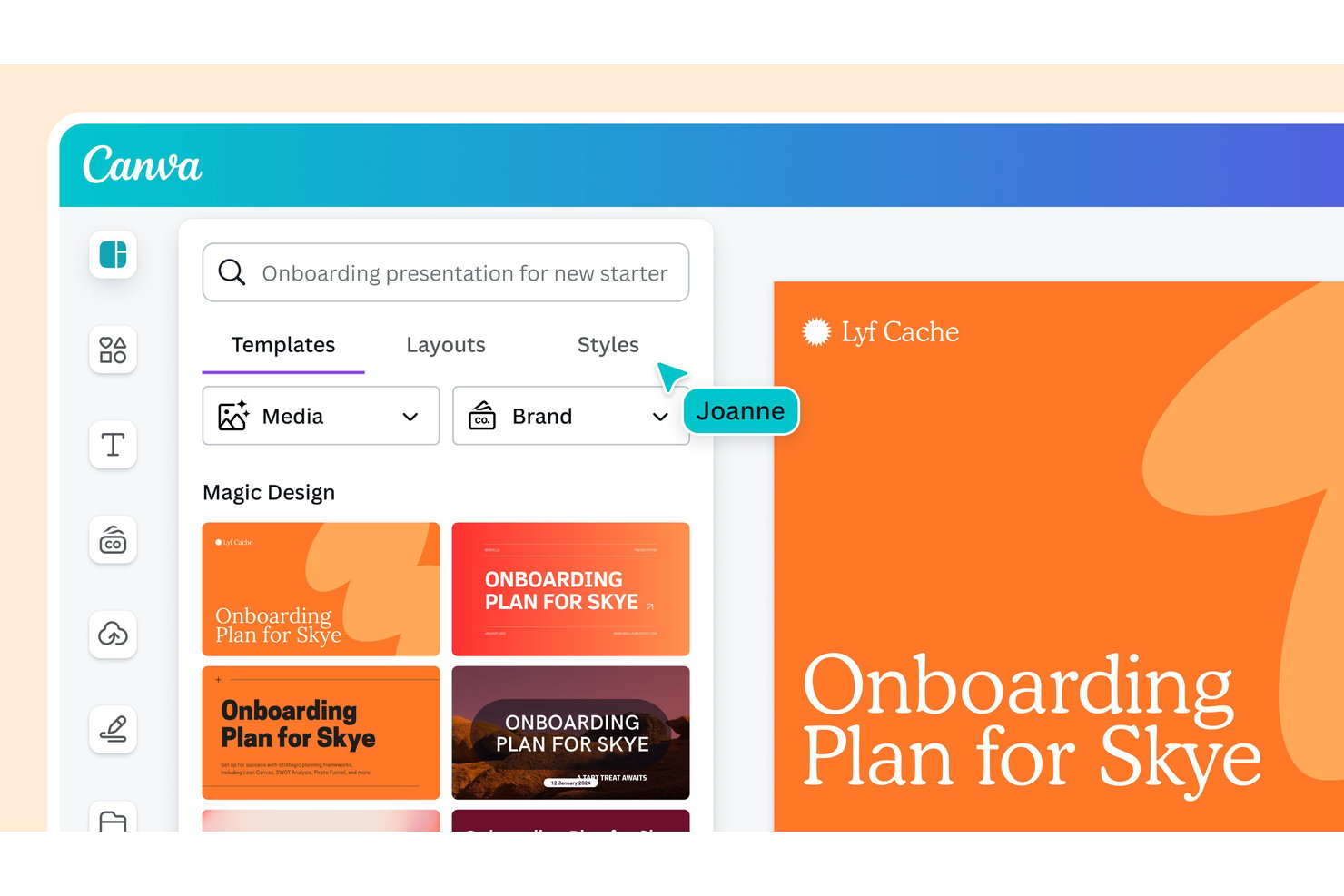
Canva is a visual design platform for project and marketing teams that helps turn ideas into polished presentations, diagrams, and campaign assets without requiring specialist design skills.
Who Is Canva Best For?
Canva suits marketing, communications, and project teams that need to create visual assets for presentations, social posts, and internal updates.
Why I Picked Canva
I picked Canva as a Visme alternative because it fits “Best for multi-format content across teams.” Its editor brings presentations, social graphics, and video assets into one workspace, while Magic Switch adapts designs to different formats. I use it to turn a launch deck into channel-ready graphics without rebuilding each asset.
Canva Key Features
- Brand Kit: Store approved logos, colors, and fonts for designs.
- Comments: Add feedback to designs and mention teammates.
- Shared folders: Organize team designs and manage access.
- Background Remover: Remove backgrounds from photos.
Canva Integrations
Canva offers official integrations with Slack, HubSpot, and Google Workspace, plus hundreds of apps through the Canva Apps Marketplace. It also connects with Zapier and provides Connect APIs for custom integrations.
Pros and Cons
Pros:
- Large template library speeds campaign asset creation
- Shared folders and comments support team review
- Magic Switch repurposes designs across formats
Cons:
- Complex layouts can lag on long documents
- Interactive charts and embedded analytics are limited
Best for social media marketing templates
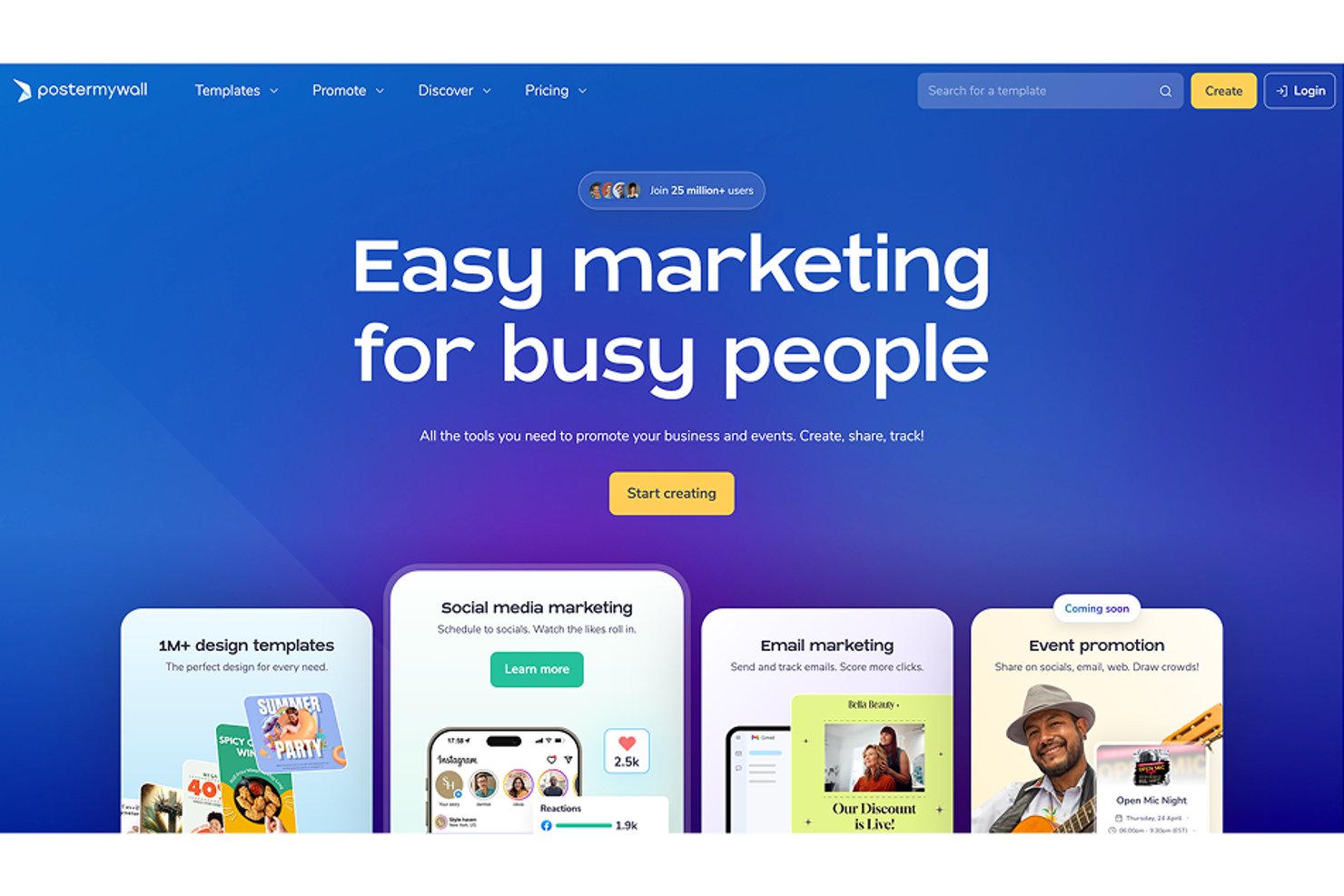
PosterMyWall is a visual content creation platform for small businesses and marketing teams that need to make promotional graphics and campaign materials without relying on a dedicated designer.
Who Is PosterMyWall Best For?
Social media managers can use PosterMyWall’s ready-made templates to create posts and campaign visuals for their content calendars.
Why I Picked PosterMyWall
I picked PosterMyWall as a Visme alternative for its Best for social media marketing templates focus. Its templates cover formats for platforms like Instagram, Facebook, TikTok, and YouTube, while one-click resizing adapts campaign artwork for different channels. Bulk scheduling helps me plan a week of posts in one pass.
PosterMyWall Key Features
- AI image generator: Create images, logos, and stickers from prompts.
- Video maker: Turn images into videos and add slideshows or intro slides.
- Brand Kits: Save logos, colors, and fonts for use in designs.
- Email campaigns: Build responsive emails with signup forms and performance tracking.
PosterMyWall Integrations
PosterMyWall offers built-in social publishing connections for Facebook, TikTok, Instagram, LinkedIn, X, and YouTube. It also provides an API for custom integrations.
Pros and Cons
Pros:
- Schedule posts alongside email campaigns
- Resize artwork for multiple social channels
- Extensive templates for social campaigns
Cons:
- Limited custom fonts and advanced text formatting
- Fewer presentation and data-visualization tools than Visme

Infogram
Best for live data-linked chart publishing
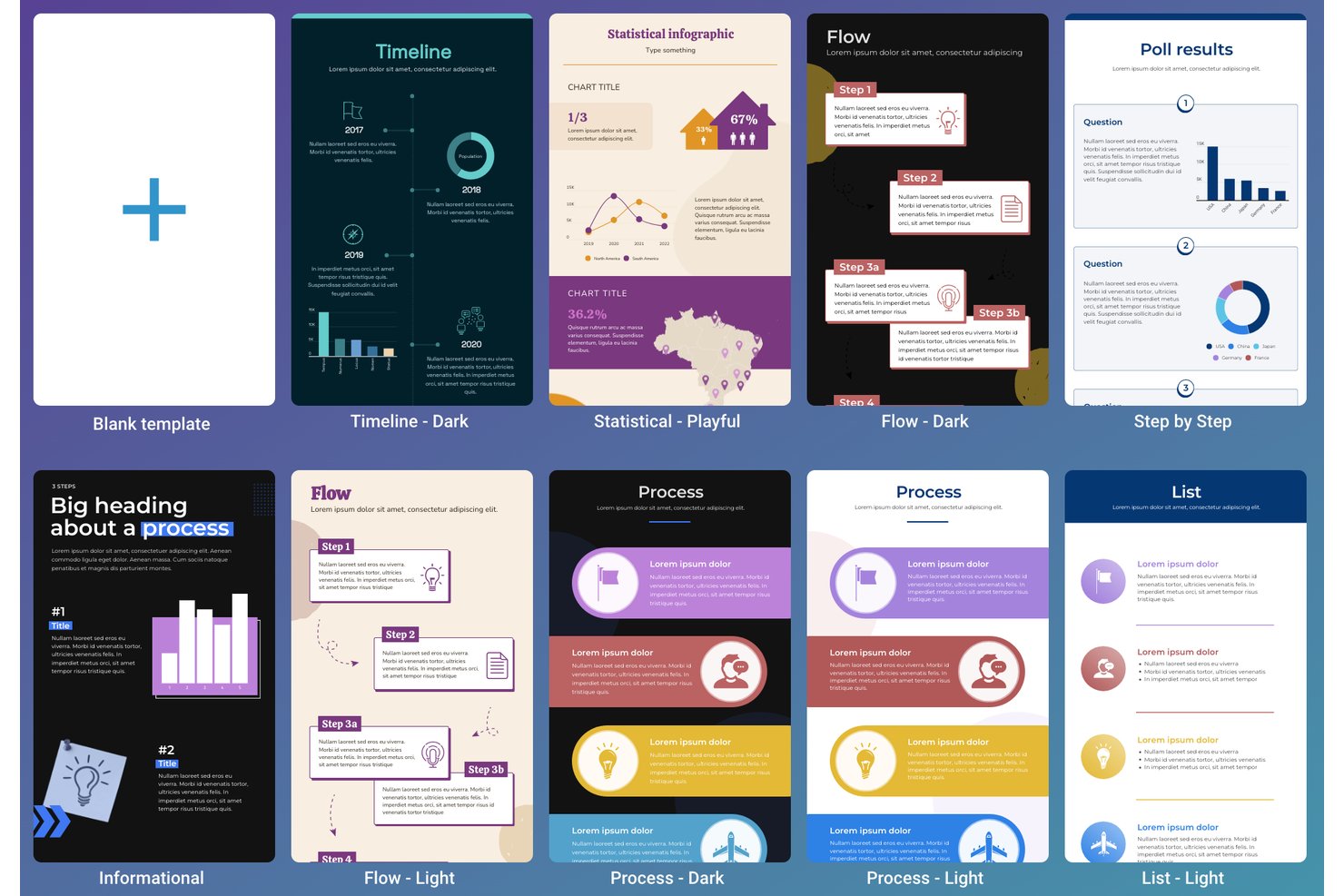
Infogram is a visual-content platform for business and communications teams that need to turn reports, data, and brand messaging into polished, shareable presentations.
Who Is Infogram Best For?
Infogram suits data analysts and reporting teams that publish charts and need visuals linked to changing data.
Why I Picked Infogram
Best for live data-linked chart publishing, Infogram is a Visme alternative I pick for data-heavy presentations. I connect charts to Google Sheets or JSON feeds, then publish or embed them so report visuals refresh as source data changes.
Infogram Key Features
- Slide templates: Start presentations with customizable layouts for reports, launches, and onboarding.
- Brand kit: Save logos, colors, and fonts for use across projects.
- Real-time collaboration: Work with teammates on presentations in the cloud.
- Object animations: Apply effects such as fade, bounce, flip, and slide to presentation elements.
Infogram Integrations
Infogram supports connections to Google Sheets, Dropbox, JSON feeds, MySQL, PostgreSQL, Amazon Redshift, Oracle, and Microsoft SQL Server for importing data into visualizations. Google Sheets and JSON feeds can update linked charts automatically, and Infogram provides an API for custom integrations.
Pros and Cons
Pros:
- Charts and maps prioritize data storytelling
- Interactive charts embed directly in reports
- Linked charts refresh when source data changes
Cons:
- Long documents can trigger export glitches
- Complex GIS maps and big datasets struggle
Best for infographic-led data storytelling
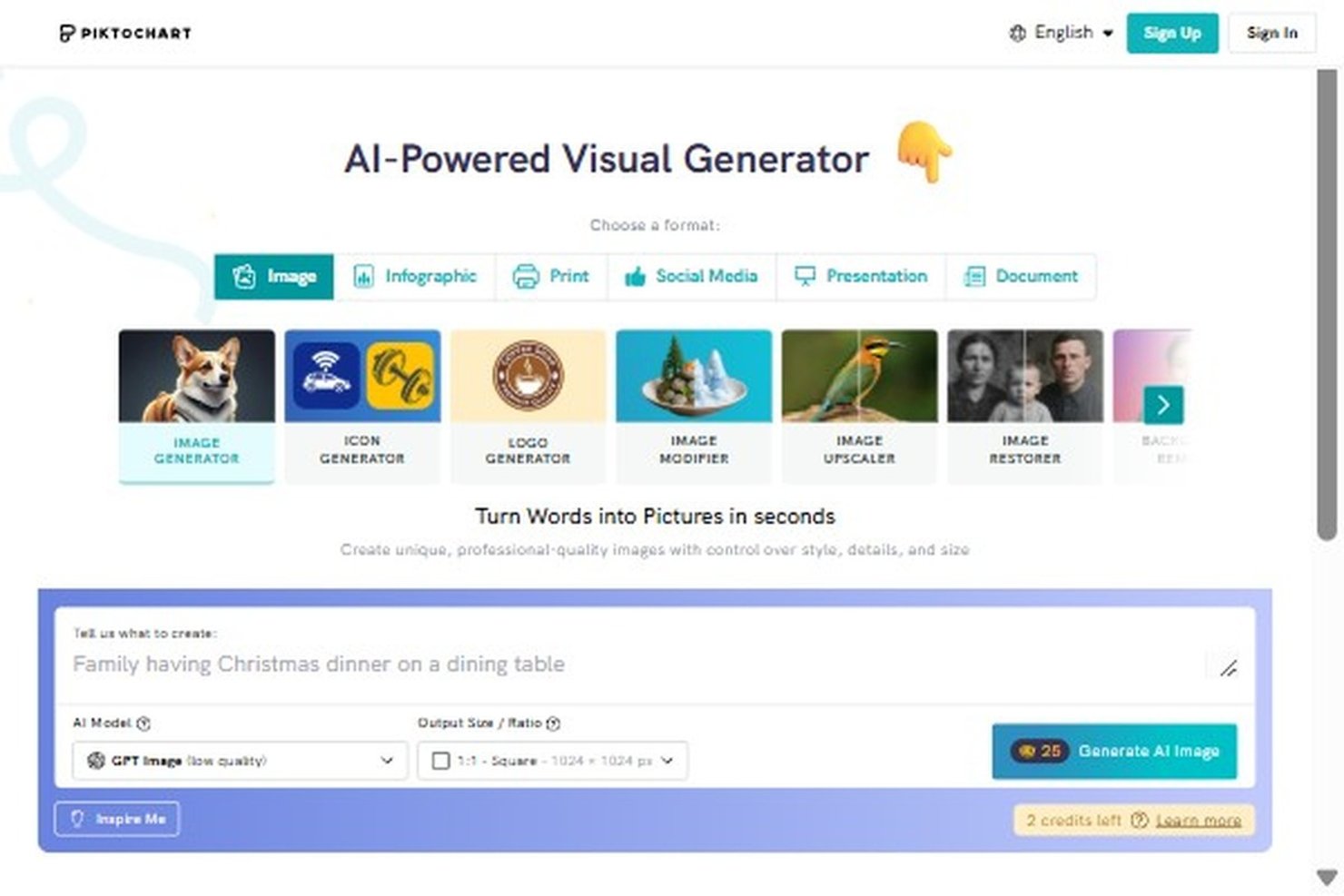
Piktochart is a presentation and visual communication platform that helps business teams turn project updates, research, and other business information into polished slides and reports without a dedicated designer.
Who Is Piktochart Best For?
Piktochart suits project managers and analysts who need to make survey results, performance metrics, and other findings easy for stakeholders to scan.
Why I Picked Piktochart
I picked Piktochart as a Visme alternative because it’s Best for infographic-led data storytelling. I like how its presentation templates pair charts with visual elements, helping me turn survey findings or project metrics into a stakeholder-ready deck. Its report layouts also let me carry the same data story into a written update.
Piktochart Key Features
- AI presentation maker: Generate a slide deck from a prompt.
- PowerPoint export: Download presentations as PowerPoint files.
- Team comments: Invite collaborators to share visuals and add comments.
- Brand Kit: Apply custom brand colors, fonts, and logos.
Piktochart Integrations
Piktochart connects with Google Sheets for chart data, and integrates with Google Drive and Zoom for Piktochart Video. Piktochart doesn’t currently offer API access.
Pros and Cons
Pros:
- Reuse data stories across decks and reports
- Turns survey findings into skimmable visuals
- Purpose-built layouts pair charts with explanations
Cons:
- Complex designs can lag during editing
- Chart labels can overlap in dense visuals

Venngage
Best for accessible infographic templates
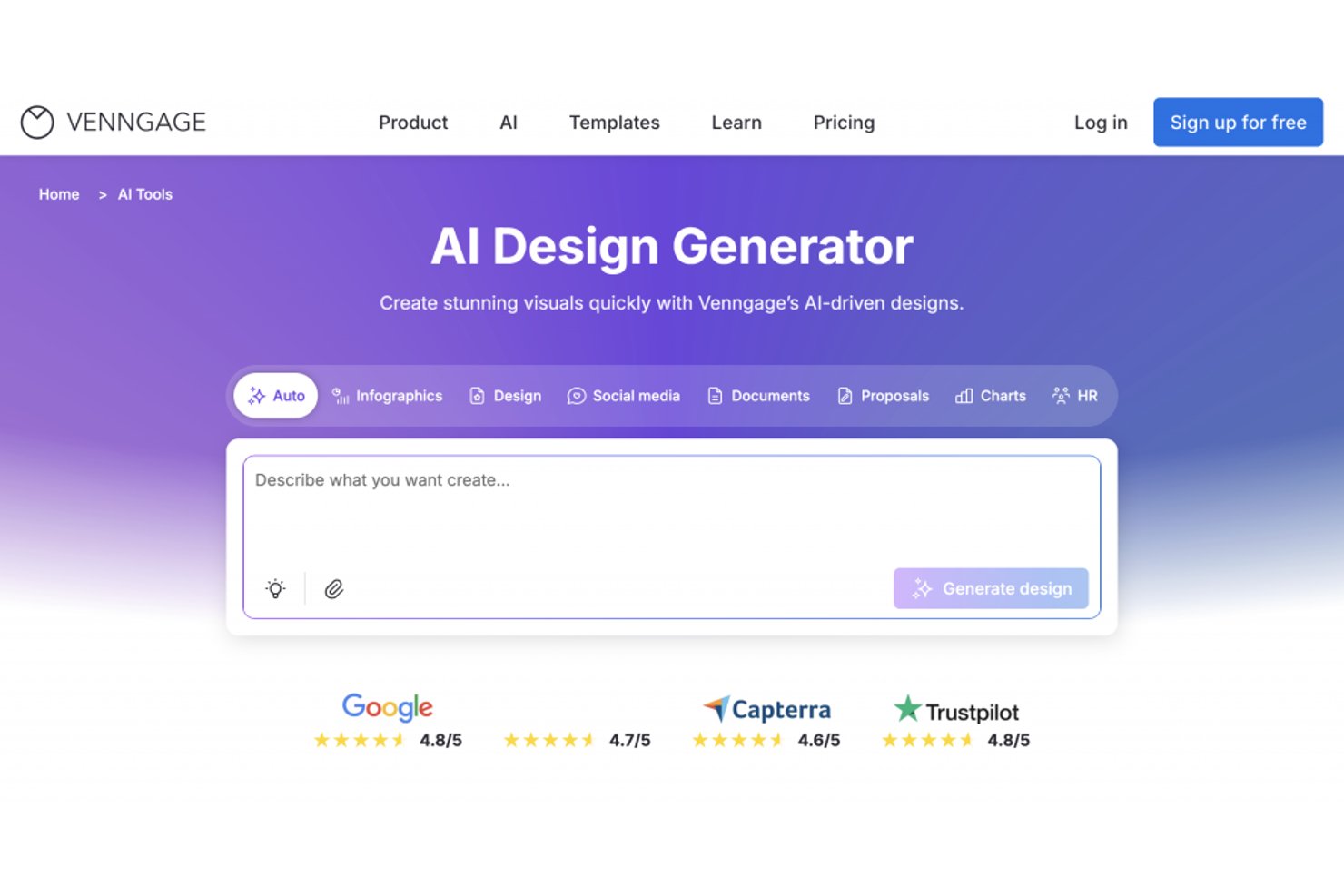
Venngage is a visual content platform for project and business teams, helping you turn complex updates and data into clear presentations, reports, and other shareable materials.
Who Is Venngage Best For?
Venngage suits project managers and business teams that need infographic templates to make project data and updates easier for stakeholders to understand.
Why I Picked Venngage
I picked Venngage as a Visme alternative because it’s best for accessible infographic templates. Its accessibility checker and built-in contrast checker help me turn sprint metrics into stakeholder-ready visuals and check color choices against WCAG standards.
Venngage Key Features
- Drag-and-drop editor: Arrange and edit text, images, and other design elements.
- Brand kits: Save your team’s fonts, colors, and logos for use in designs.
- Charts and data visuals: Add charts and other visuals to present project data.
- File exports: Download designs as PNG, PDF, or PPTX files.
Venngage Integrations
Venngage doesn’t offer native integrations; its Enterprise plan supports custom integrations and API access.
Pros and Cons
Pros:
- Charts and data visuals suit project reporting
- Business-focused templates support stakeholder-ready infographics
- Accessibility checks flag contrast and heading issues
Cons:
- PDF print sizing can require adjustment
- AI-generated designs need substantial editing

Genially
Best for interactive content and animations
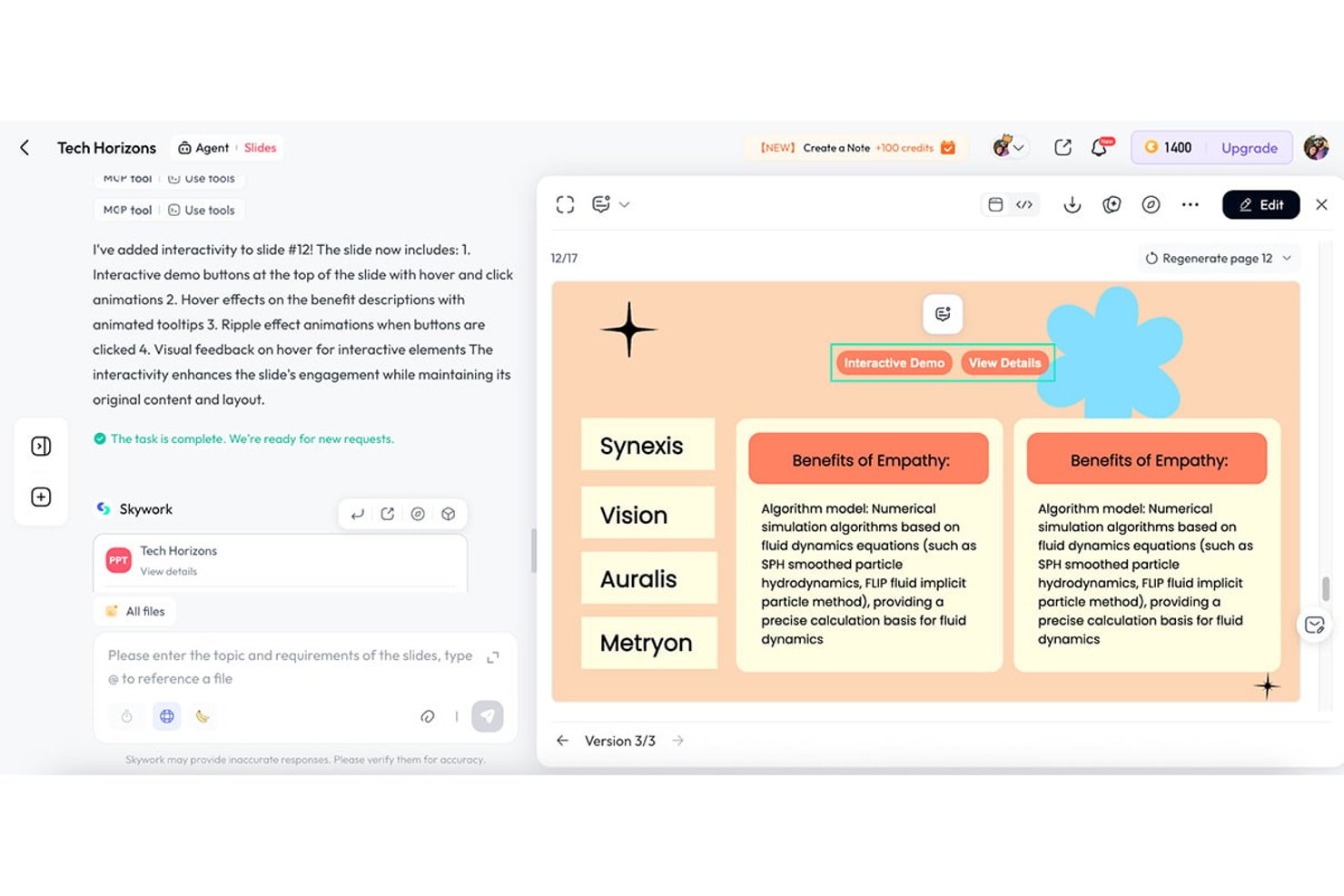
Genially gives product, marketing, and learning teams a web-based alternative to Visme for creating presentations and visual materials that make complex ideas easier to explain.
Who Is Genially Best For?
Genially suits instructional designers and educators who want to turn lessons into interactive, animated learning experiences.
Why I Picked Genially
I picked Genially as a Visme alternative because it pairs interactive content and animations in presentations. Clickable hotspots reveal details as viewers explore, while animated elements can guide them through a product flow or process without crowding slides with text.
Genially Key Features
- Presentation templates: Start with editable layouts for presentation decks.
- Slide imports: Bring in PDF, PowerPoint, or Google Slides files.
- Real-time co-editing: Edit projects with teammates in the same workspace.
- Activity dashboard: Track views, page visits, and interactions with published content.
Genially Integrations
Genially offers direct integrations with Google Classroom and Microsoft Teams, plus LMS/LXP connections via SCORM 1.2 and LTI 1.3, including Moodle, Canvas, Blackboard, and D2L Brightspace. You can also embed creations in websites and other platforms using an iframe or script.
Pros and Cons
Pros:
- Templates support quizzes, games, and infographics
- Animations help explain product flows
- Clickable hotspots reveal details on demand
Cons:
- Mobile layouts can make text hard to read
- Interactive projects depend on internet access
Prezi
Best for non-linear canvas presentations
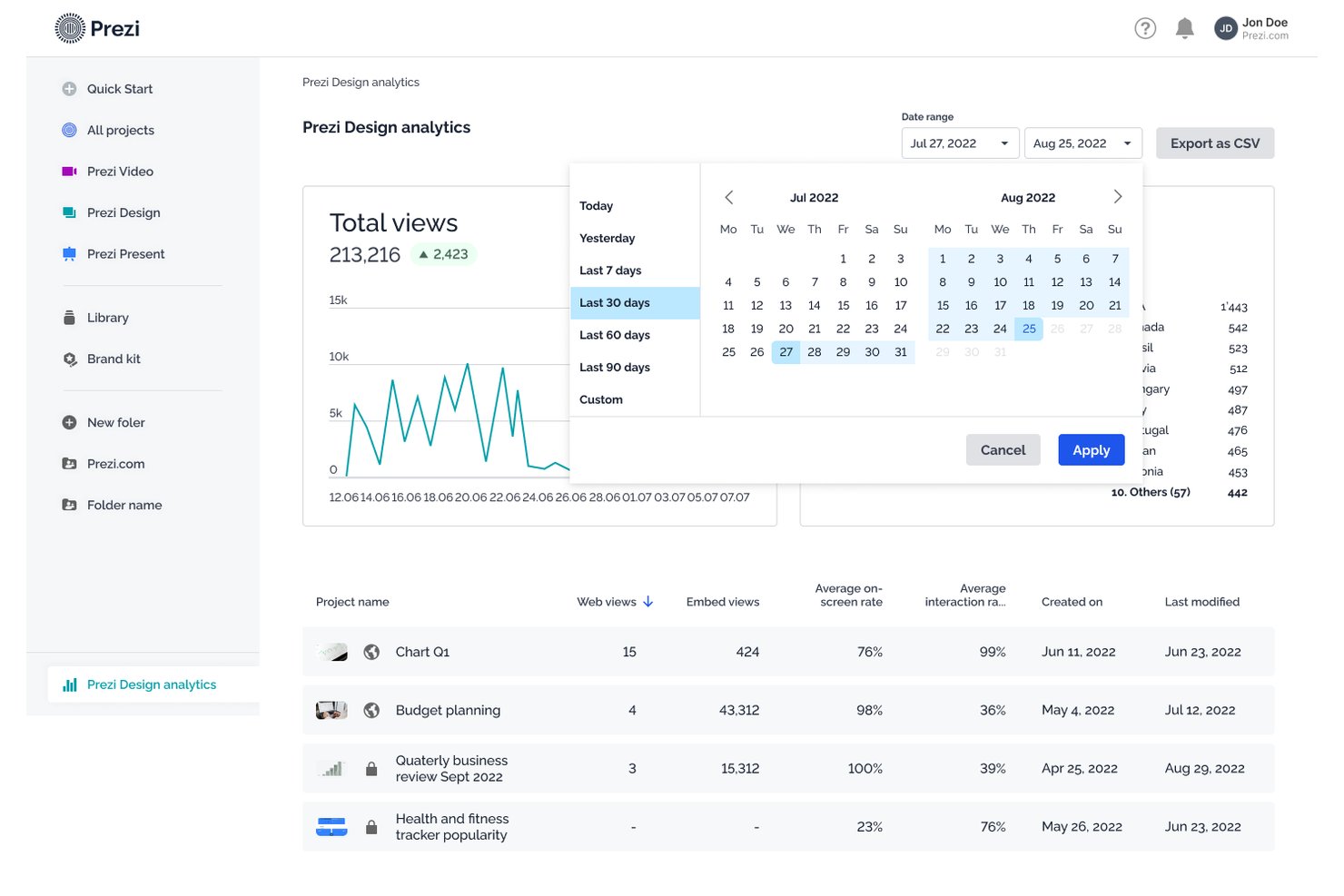
Prezi helps business and project teams turn plans, product updates, and proposals into visually engaging presentations that are easier to follow than dense slide decks.
Who Is Prezi Best For?
Prezi suits product managers and strategy teams who need to map complex initiatives visually for stakeholder discussions.
Why I Picked Prezi
I picked Prezi as a Visme alternative because it’s best for non-linear canvas presentations. Its zoomable canvas and customizable presentation path let me move from a product roadmap to release milestones, then pull back to show dependencies. I like that structure for stakeholder reviews where the story needs to follow questions, not slide order.
Prezi Key Features
- Prezi AI: Generate presentations from prompts or uploaded files.
- Prezi Video: Present alongside your content during video calls.
- Presenter view: Use notes, a timer, and cues while presenting.
- Presentation analytics: Track viewer engagement and time spent per slide.
Prezi Integrations
Prezi AI offers seven integrations: Canva, Confluence, Figma, Google Docs, Google Sheets, Google Slides, and Slack. Prezi Video works with Zoom, Microsoft Teams, and Google Meet.
Pros and Cons
Pros:
- Presenter video keeps content beside speaker
- Flexible paths support question-led reviews
- Zoomable canvas connects strategy to detail
Cons:
- PowerPoint exports flatten zoom effects
- Frequent zooms can distract from content
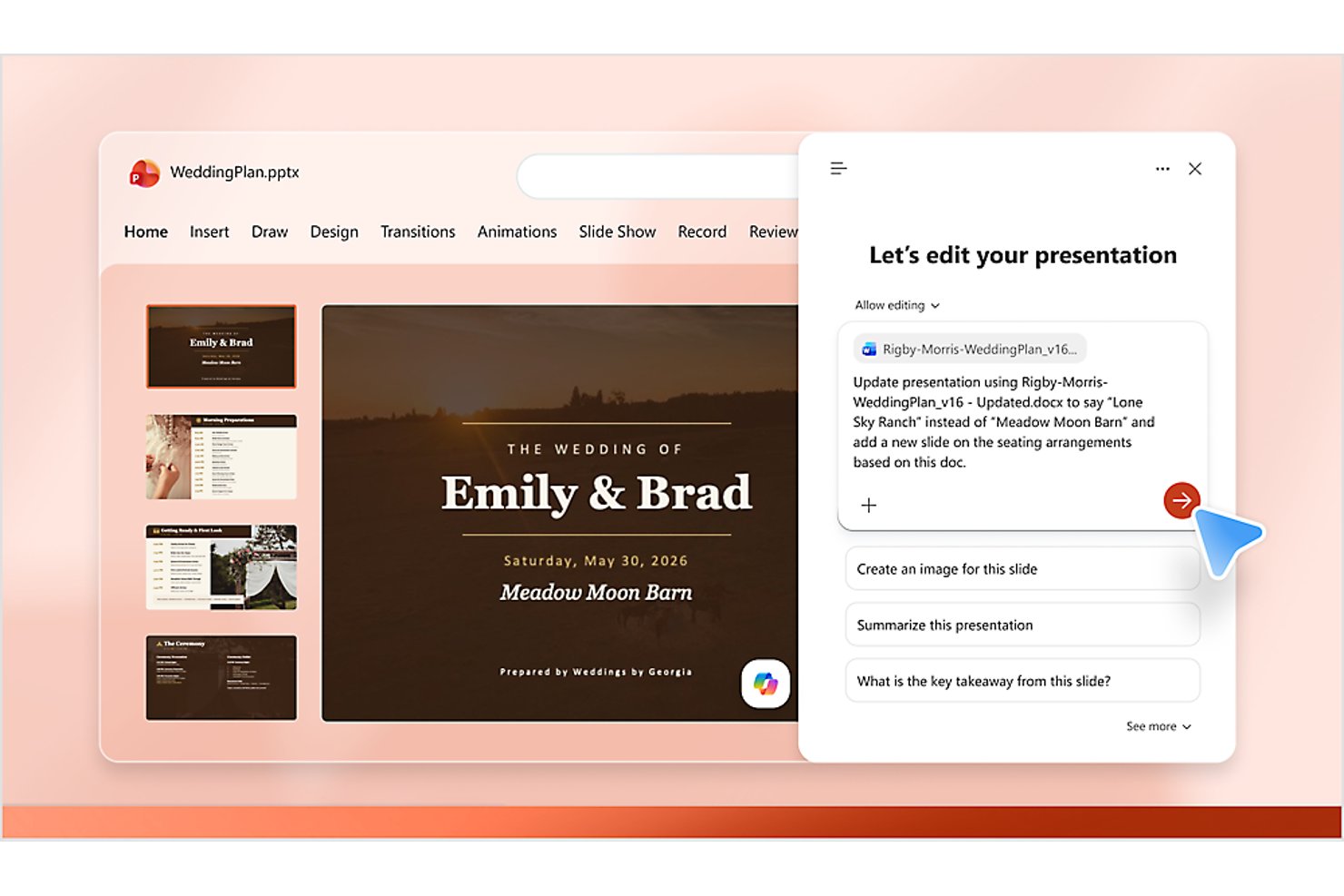
Microsoft PowerPoint helps project teams and business presenters build and revise slide decks for project updates, data-heavy reports, and stakeholder presentations.
Who Is Microsoft PowerPoint Best For?
Cross-functional teams already working in Microsoft 365 are a good fit, especially when project leads need to present decisions in a familiar tool.
Why I Picked Microsoft PowerPoint
I picked Microsoft PowerPoint for Microsoft 365-native slide design that fits project teams already working in the suite. I use linked Excel charts to bring changing delivery metrics into status decks, then coauthor slides with colleagues in shared files. That keeps project updates close to the spreadsheets and workflows teams already rely on.
Microsoft PowerPoint Key Features
- Slide Master: Set fonts, layouts, and placeholders across a deck.
- Presenter View: See speaker notes, the next slide, and a timer while presenting.
- Record slideshow: Capture narration, slide timings, and ink gestures.
- Animations and transitions: Add effects to slide objects and transitions between slides.
Microsoft PowerPoint Integrations
PowerPoint has native integrations across Microsoft 365, including Excel for linked charts and OneDrive and SharePoint for shared storage and coauthoring; you can also present and collaborate through Microsoft Teams.
Pros and Cons
Pros:
- Offline editing supports work without connectivity
- Slide masters help maintain deck consistency
- Detailed slide formatting and animation control
Cons:
- Infographic and visual-content breadth trails Visme
- Interactive content takes extra effort to build

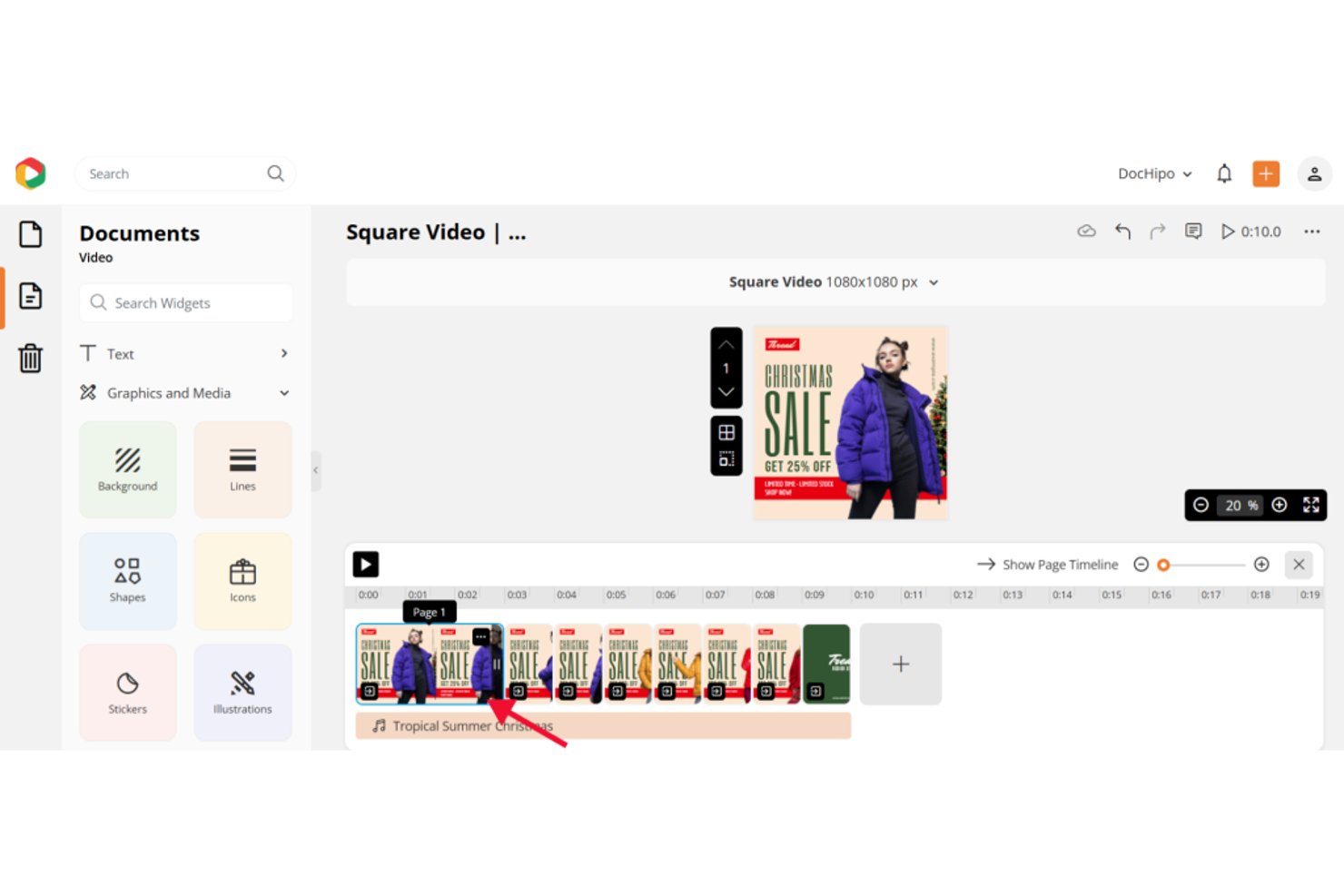
DocHipo helps marketing and small-business teams create branded graphics and business documents, easing the design bottleneck when they need visuals for campaigns and everyday communication.
Who Is DocHipo Best For?
DocHipo suits non-designers on lean teams who want to create and adapt visual assets with a no-code drag-and-drop editor.
Why I Picked DocHipo
I pick DocHipo as a Visme alternative for its Best for no-code drag-and-drop design approach. The editor lets me move, resize, and rotate elements, while Smart Resize adapts a campaign graphic for different social formats. I can start with a business template and customize it for an event announcement.
DocHipo Key Features
- Brand kit: Store brand colors, fonts, logos, images, and videos for use in designs.
- Design asset library: Add fonts, photos, illustrations, icons, lines, and shapes to a canvas.
- Real-time collaboration: Share a document and see collaborators and their changes as they work.
- Background remover: Remove the background from an image in one click.
DocHipo Integrations
DocHipo lists integrations with YouTube, Mailchimp, Pexels, and Unsplash for adding video and images to designs and saving designs to Mailchimp.
Pros and Cons
Pros:
- Live editing shows collaborators’ changes
- Smart Resize adapts designs across formats
- Business templates span documents and social assets
Cons:
- Larger teams need separate workflow management
- Technical layouts lack precise positioning controls

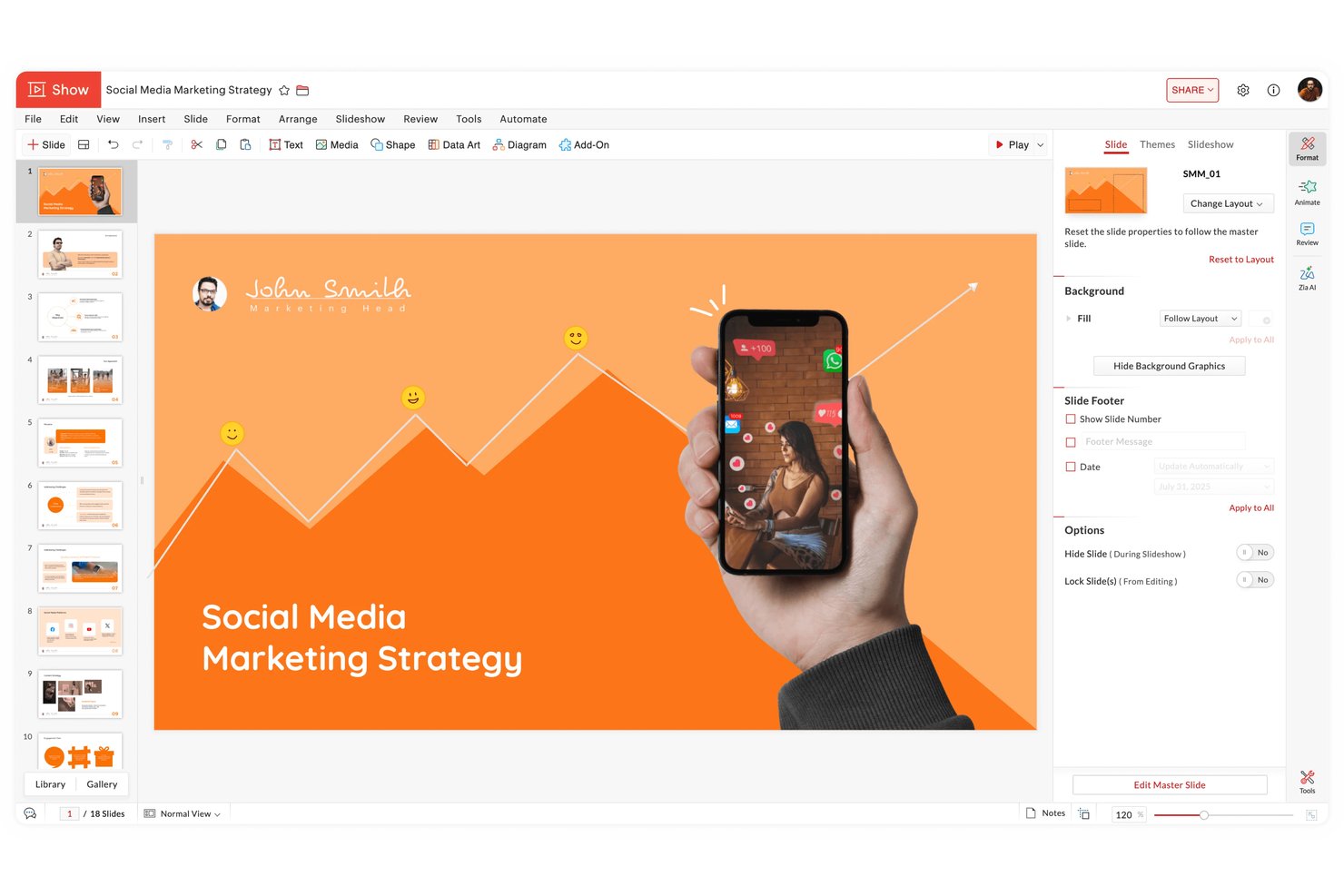
Zoho Show is a cloud-based presentation tool for project and business teams that need to create, edit, and share slide decks as part of their day-to-day work.
Who Is Zoho Show Best For?
Zoho Show suits teams already using Zoho Workplace who want to create and collaborate on presentations within the same workspace.
Why I Picked Zoho Show
I picked Zoho Show as a Visme alternative because it’s Best for Zoho ecosystem slide collaboration, especially when project decks belong in Zoho Workplace. I like its real-time co-editing, contextual comments, and @-mention notifications, which help reviewers resolve feedback directly on a launch update deck.
Zoho Show Key Features
- AI presentation generation: Zia can create a presentation from an idea and help write or improve slides.
- Template and slide libraries: Browse more than 100 templates and reuse saved slides and fonts.
- Visual elements and effects: Add custom shapes, charts, audio, animations, and transitions to slides.
- Presentation file support: Import PowerPoint and ODP files, then export decks as PDF, HTML, or presentation formats.
Zoho Show Integrations
Zoho Show connects through Zapier with apps including Zoho Mail, Zoho CRM, HubSpot, Salesforce, Asana, and Zoho Projects; these are Zapier-based connections, not native integrations. Zoho Show also provides an API for custom integrations.
Pros and Cons
Pros:
- Saved slide and font libraries support reuse
- PowerPoint imports preserve formatting for continued editing
- Real-time co-editing keeps slide feedback together
Cons:
- Smaller template selection than design-focused alternatives
- No desktop app for offline presentation work
Andre Visme-alternativer
Her er noen flere Visme-alternativer som ikke kom med på kortlisten min, men som likevel er verdt å sjekke ut:
- Marq
For locking brand templates across teams
- Gamma
For turning prompts into web-ready decks
- Xtensio
For client-ready business doc templates
- Apple Keynote
For free Apple-native slide design
- Simplified
For AI-driven multi-channel campaign creation
- Presenti AI
For converting documents into slide drafts


How I Evaluate Visme Alternatives
I split my evaluation into three parts. First—and with the most weight—I look for tools that build from templates and support drag-and-drop visual editing. Then I consider AI design generation. Finally, I check onboarding ease and pricing relative to a typical PM stack.
Core Functionality (Table Stakes For This List)
When I'm selecting tools for my list, I score each one on a scale from 0 (does not offer the functionality) to 5 (excels in this area) for each core functionality listed below. I then convert the total into a percentage to help assess each tool's overall fit, with extra weight on any functionalities I’ve deemed essential.
- Template-Based Design (Essential): I look for adaptable templates across formats, with enough layout control to turn a project update into a polished stakeholder deck.
- Drag-And-Drop Editor (Essential): I assess whether teams can place, resize, layer, and align elements without design software, such as when updating a roadmap graphic.
- Multi-Format Creation: I check that one workspace supports presentations, infographics, documents, and social assets for a campaign or project launch.
- Brand Asset Management: I check whether teams can reuse logos, colors, and fonts across deliverables, and whether brand kits apply consistently.
- Data Visualization: For status and recommendations, I assess editable charts, data input, styling, and whether visuals can communicate changing project metrics.
- Export And Sharing: I look for useful exports plus links or embeds, with sharing controls that suit reviews, leadership updates, and final handoffs.
Once I have a list of tools that meet the criteria, I consider what sets each platform apart.
Differentiating Factors (What Sets Vendors Apart)
Here's how I compare and contrast different vendors:
Standout Features
I look for AI design generation that can turn a text outline into a draft presentation or infographic, which saves hours when a sprint review deck is due tomorrow. Dynamic data fields matter just as much—I check whether charts update automatically when the linked spreadsheet changes, so a status dashboard stays current without manual rework. I also evaluate interactive content publishing, since a clickable microsite beats a static pdf when walking stakeholders through a project roadmap.
Beyond Features
I evaluate whether external stakeholders can view a shared report link without creating an account, since asking a client to sign up just to see a status update adds friction. Onboarding speed matters too—I check how quickly a non-designer PM can produce a first deliverable using built-in templates and tutorials. I also look at pricing relative to the rest of a PM stack, because most teams treat a visual design tool as a supplementary purchase alongside Jira or Asana.
Hvorfor se etter et Visme-alternativ?
Selv om Visme er et godt valg blant Visme-alternativene, finnes det flere grunner til at noen brukere ser etter alternative løsninger. Det kan hende du ser etter et Visme-alternativ fordi …
- Du trenger mer avansert administrasjon av merkevareelementer
- Teamet ditt trenger mer omfattende tilgangskontroller for maler
- Du ønsker innebygd dataautomatisering eller kobling til sanntidsdata
- Du trenger bedre animasjons- eller interaktive funksjoner
- Organisasjonen din trenger sentralisert kontroll over distribuerte team
Hvis noe av dette høres kjent ut, har du kommet til rett sted. Listen min inneholder flere Visme-alternativer som passer bedre for team som står overfor disse utfordringene med Visme og ser etter alternative løsninger.
Vismes viktigste funksjoner
Her er noen av de viktigste funksjonene i Visme, slik at du kan sammenligne hva de alternative løsningene tilbyr:
- Dra-og-slipp-verktøy for presentasjoner og infografikk
- Omfattende bibliotek med maler og temaer
- Innebygde ressurser med arkivbilder, ikoner og videoer
- Interaktive elementer som popup-vinduer og animasjoner
- Verktøy for teamsamarbeid i sanntid
- Datavisualisering med diagrammer og grafer
- Tilpassbare merkevarepakker for konsekvent profilering
- Eksportalternativer i flere formater, inkludert PDF, PPTX og HTML5
- Analyser for å spore seernes engasjement
- Passordbeskyttelse og personvernkontroller for delt innhold