

10 beste alternativer til Jobber for tjenestebedrifter i 2026

10 Kortliste over de beste alternativene til Jobber


Det kan by på egne utfordringer å administrere en servicebedrift som arbeider ute i felten. Som bedriftseier opplever du kanskje at Jobber ikke dekker alle behovene dine, enten fordi du trenger mer avanserte funksjoner og bedre skalerbarhet, eller fordi du må oppfylle spesifikke bransjekrav. Da kan det gjøre en stor forskjell å utforske alternativer.
Etter min erfaring trenger servicebedrifter programvare for virksomhetsstyring som forenkler driften, forbedrer samarbeidet i teamet og øker kundetilfredsheten. Jeg hjelper deg med å finne løsningen som passer best for bedriften din.
Jeg deler mine beste anbefalinger av alternativer til Jobber, med fokus på hva hvert verktøy gjør best. Målet med denne veiledningen er å gi deg objektiv innsikt, slik at det blir enklere å velge en løsning som samsvarer med dine unike mål.
Hva er Jobber?
Jobber er en programvare for servicestyring utviklet for å hjelpe små og mellomstore servicebedrifter med å administrere driften. Den brukes ofte av fagfolk som anleggsgartnere, rengjøringsfirmaer og entreprenører, og gir dem verktøy for å organisere oppdrag, kommunisere med kunder og håndtere fakturering effektivt. Funksjoner for planlegging, fakturering og kundeadministrasjon hjelper bedrifter med å holde orden og forbedre kundetilfredsheten. Alt i alt gir Jobber verdi ved å forenkle den daglige driften og støtte leveringen av tjenester.
Sammenligningstabell over alternativer til Jobber
Tabellen nedenfor sammenligner prisdetaljer for mine beste alternativer til Jobber.
| Tool | Best For | Trial Info | Price | ||
|---|---|---|---|---|---|
| 1 | Best for solo and small crew affordability | 7-day free trial | From $15/month (billed annually) | Website | |
| 2 | Best for AI-assisted job booking and dispatch | Free demo available | Pricing upon request | Website | |
| 3 | Best for commercial service contracts and SLAs | Free demo available | Pricing upon request | Website | |
| 4 | Best for AI-driven scheduling and lead capture | 7-day free trial available | Pricing upon request | Website | |
| 5 | Best for HVAC and plumbing trades at scale | Free demo available | Pricing upon request | Website | |
| 6 | Best for asset-centric service operations | Free demo available | Pricing upon request | Website | |
| 7 | Best for QuickBooks-connected trade workflows | Free demo available | Pricing upon request | Website | |
| 8 | Best for unlimited-user flat-rate pricing | Free demo available | From $245/month | Website | |
| 9 | Best for trade contractors on job-volume pricing | 14-day free trial + free plan + free demo available | From $29/month | Website | |
| 10 | Best for CRM-native enterprise field ops | Not available | From $80/user/month | Website |
Hvorfor du kan stole på våre programvareanbefalinger
Teamet vårt har testet og anmeldt programvare siden 2012. Vi er selv prosjektledere, så vi vet hvor vanskelig og hvor viktig det er å velge riktig programvare.
I denne guiden har vi vurdert verktøyene gjennom praktisk testing og uavhengig research og gitt dem poeng ut fra våre utvelgelseskriterier. Vi bygger også på innsikt fra ledende eksperter i bransjen og erfarne prosjektledere.
Anmeldelsene våre bygger på vår egen redaksjonelle vurdering. De er ikke et salgsargument.
Ekspertanmeldere:
Anmeldelser av de beste alternativene til Jobber
Nedenfor finner du mine detaljerte sammendrag av de beste alternativene til Jobber som kom med på kortlisten min. Anmeldelsene mine gir en grundig gjennomgang av de viktigste funksjonene, fordelene og ulempene, integrasjonene og ideelle bruksområdene for hvert verktøy, slik at du kan finne det beste alternativet for deg.

Tofu
Best for solo and small crew affordability
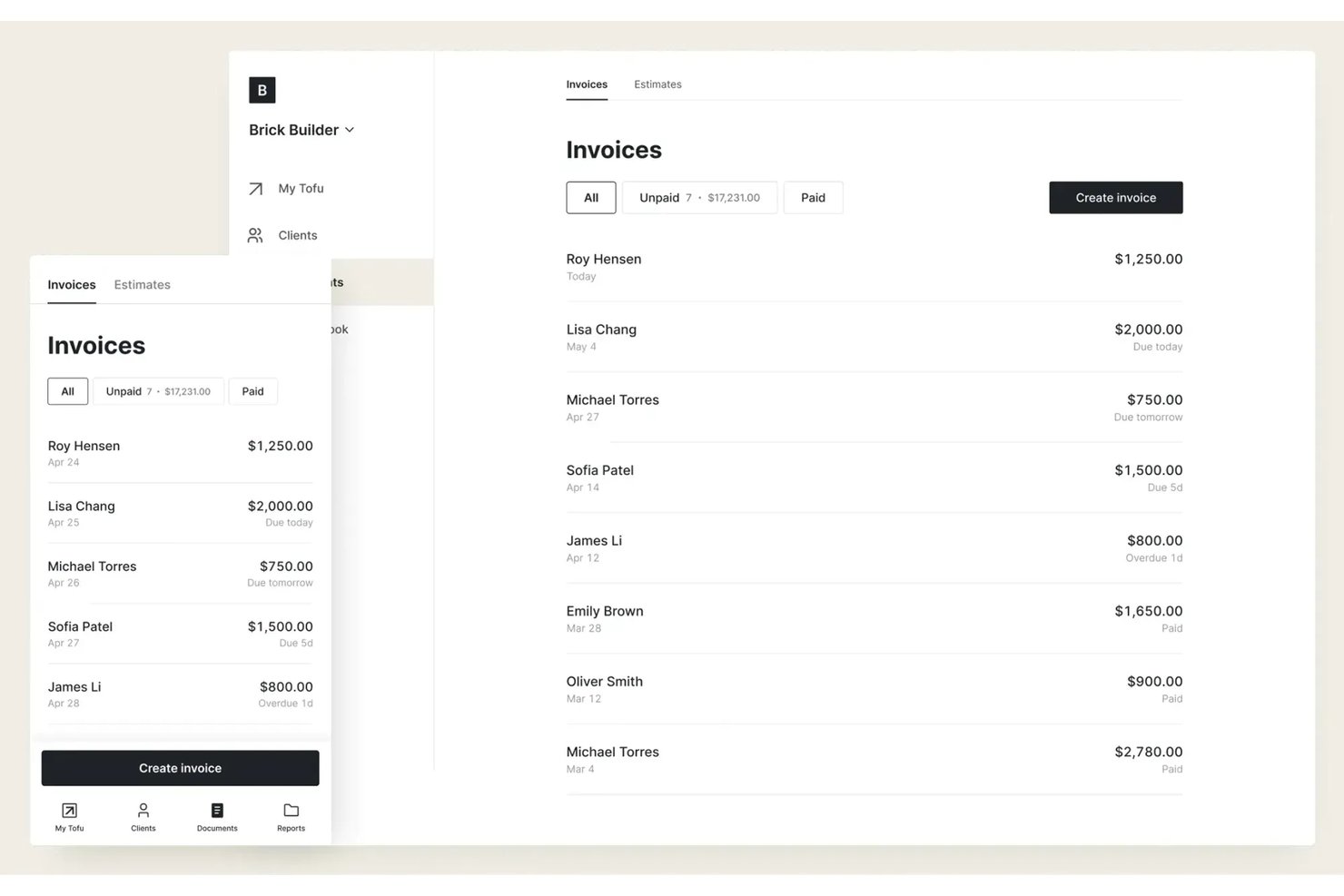
Tofu is a field service management platform designed for freelancers, solo operators, and lean teams who need affordable, no-fuss scheduling, dispatch, and job tracking without layers of extra features or overhead.
Who Is Tofu Best For?
Solo operators and small crews who want simple, low-cost field service scheduling and job tracking without unnecessary complexity.
Why Tofu Is a Good Jobber Alternative
I picked Tofu for my shortlist because the platform strips field service management down to what solo operators and small teams actually need: affordable job scheduling, dispatch, and real-time job tracking. I appreciate that Tofu avoids complexity and lets me track jobs, clients, and crew members without digging through extra modules or features.
Tofu Key Features
- Client database management: Store and organize client contact details, job history, and preferences in one place.
- Job notes and attachments: Add notes and upload photos or files to each job for quick reference in the field.
- Automated job reminders: Set automatic reminders to notify you or your crew about upcoming jobs or deadlines.
- Mobile-friendly interface: Access schedules, job information, and updates from any smartphone or tablet.
Tofu Integrations
Native integrations are not clearly documented. Tofu offers an API for custom integrations.
Pros and Cons
Pros:
- No unnecessary features crowd the interface
- Job notes and photo attachments from mobile
- Simple scheduling fits solo and small crews
Cons:
- Custom integrations require using the API
- No built-in client communication tools

Best for AI-assisted job booking and dispatch
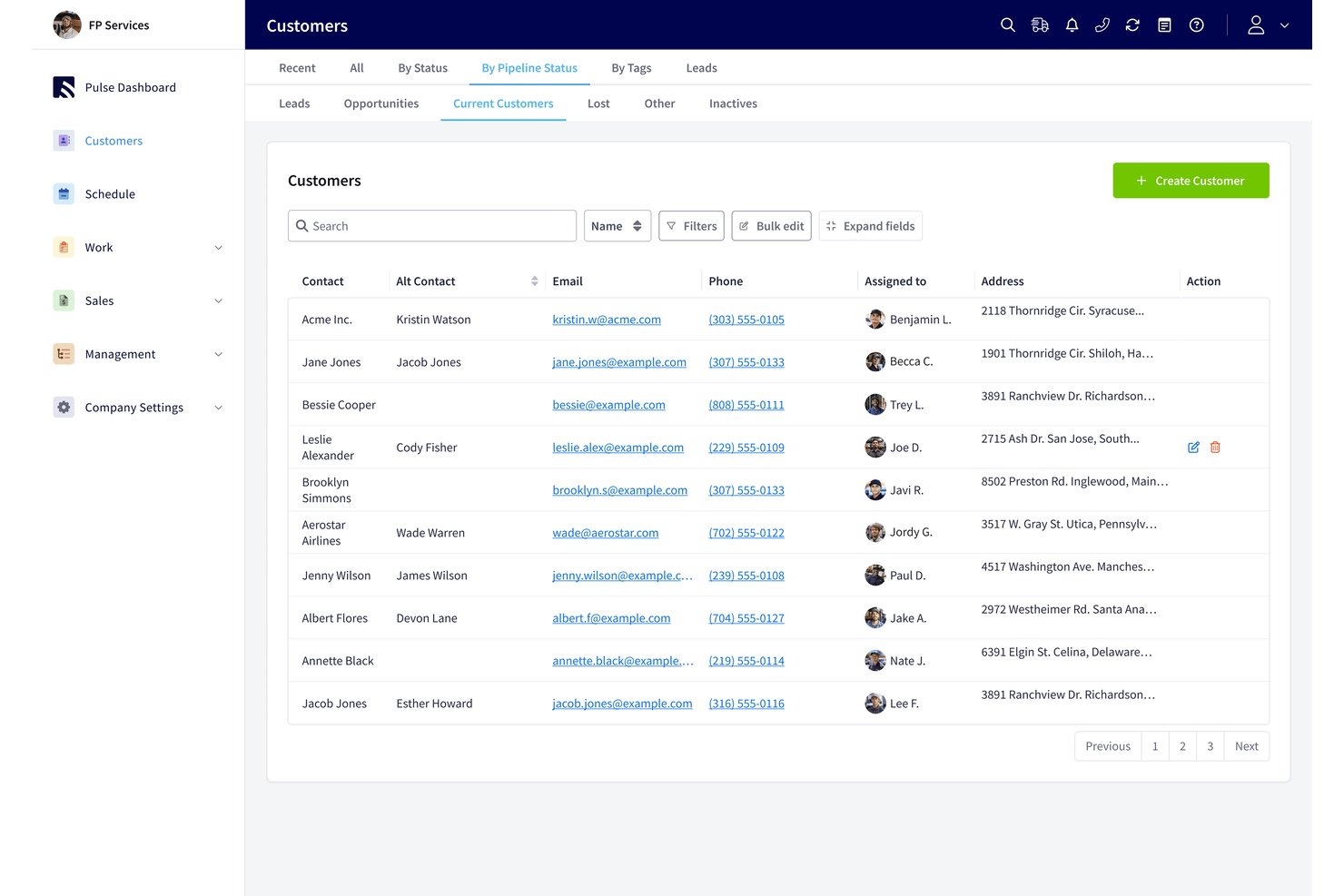
FieldPulse is field service management software for contractors who need to manage customer requests, estimates, invoices, and field teams (Best for AI-assisted job booking and dispatch).
Who Is FieldPulse Best For?
FieldPulse is a fit for field-service businesses whose office teams need to turn incoming customer requests into scheduled jobs for technicians.
Why I Picked FieldPulse
I picked FieldPulse as a Jobber alternative because its AI-assisted job booking and dispatch helps convert missed calls into scheduled work. Operator AI answers inbound calls, checks service-area coverage and appointment availability, then creates jobs on the FieldPulse schedule. For example, a plumbing request can be captured and booked without office staff entering the call manually.
FieldPulse Key Features
- Estimates and invoices: Create quotes, convert approved estimates to invoices, and accept payments.
- Work order management: Create and manage work orders for field jobs.
- Inventory management: Track inventory as part of your service operations.
- Customer management: Keep customer records and communication details in one place.
FieldPulse Integrations
FieldPulse documents native integrations with QuickBooks Online for syncing business records and Google Calendar for one-way job syncing. It also connects with Zapier and offers an API for custom integrations.
Pros and Cons
Pros:
- Estimates convert into invoices with less reentry
- Drag-and-drop scheduling clarifies technician dispatch
- Operator AI books inbound calls directly
Cons:
- Mobile app can glitch in weak coverage
- Dispatch lacks automated route optimization

Best for commercial service contracts and SLAs
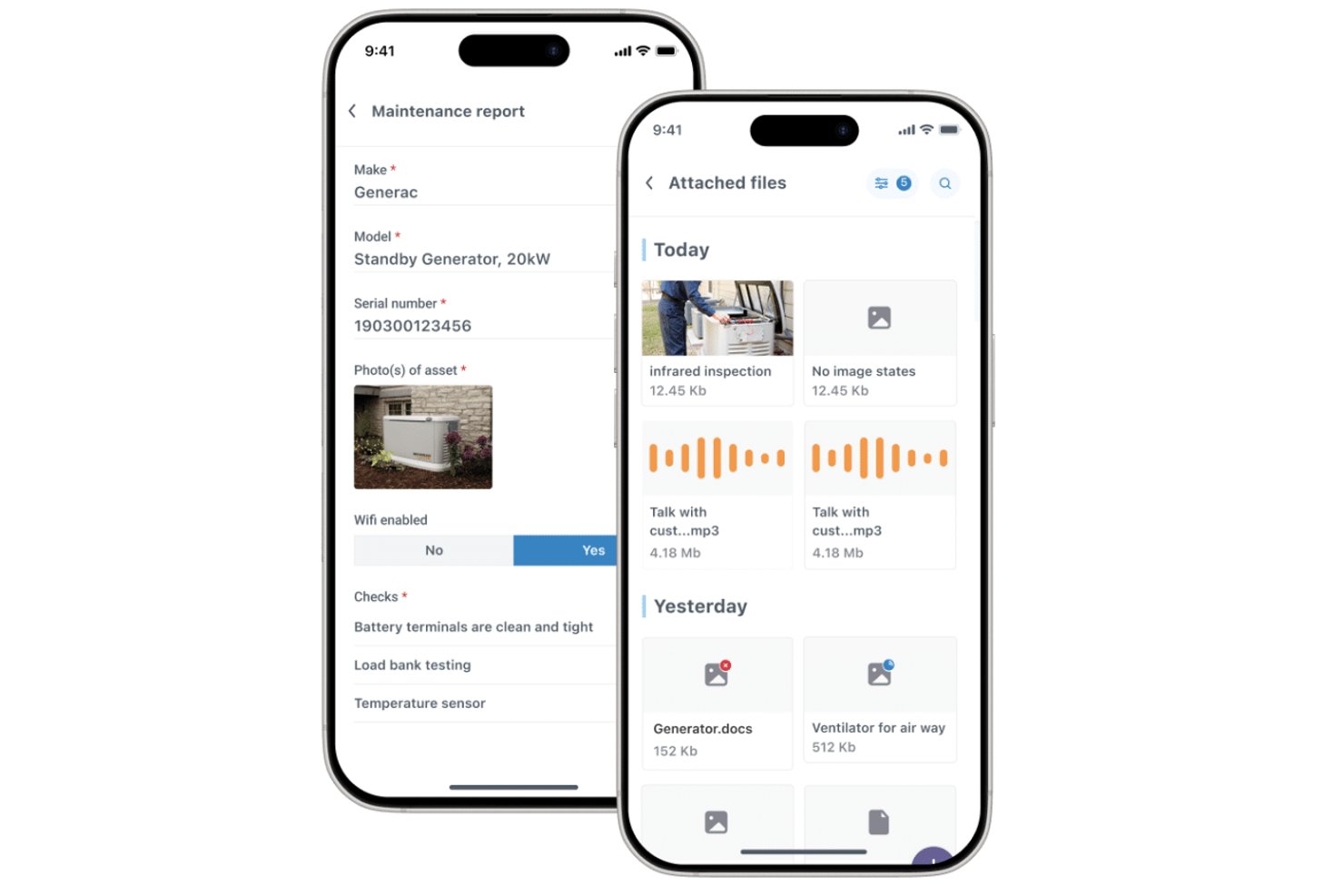
Commusoft is field service management software for service contractors that connects customer records, job scheduling, technician workflows, and billing to help teams coordinate work from booking through completion.
Who Is Commusoft Best For?
Commusoft suits service contractors managing recurring commercial maintenance, technician dispatch, and service-level commitments.
Why I Picked Commusoft
I picked Commusoft as a Jobber alternative because it’s Best for commercial service contracts and SLAs. It prioritizes contract jobs and tracks response times with SLA clocks. Recurring preventive maintenance schedules also generate work orders for multiple assets, helping me keep monthly visits and annual inspections on schedule.
Commusoft Key Features
- Customer portal: Customers can view job status and history, accept quotes, and pay invoices.
- Offline mobile app: Technicians can access job histories and complete digital forms without a connection.
- Inventory management: Track stock across warehouses and service vehicles, with reorder points.
- Field invoicing: Create invoices from the office or field after completing a job.
Commusoft Integrations
Commusoft lists integrations with QuickBooks Online, Xero, Stripe, HubSpot, Gmail, Outlook Mail, Google Calendar, GoCardless, Sage Accounting, and Zapier; it also provides an API for custom integrations.
Pros and Cons
Pros:
- Job histories connect quotes, work, and billing
- SLA clocks track response commitments
- Contract workflows schedule recurring asset visits
Cons:
- Mobile app can lag or sync slowly
- Initial setup takes time to configure

Workiz
Best for AI-driven scheduling and lead capture
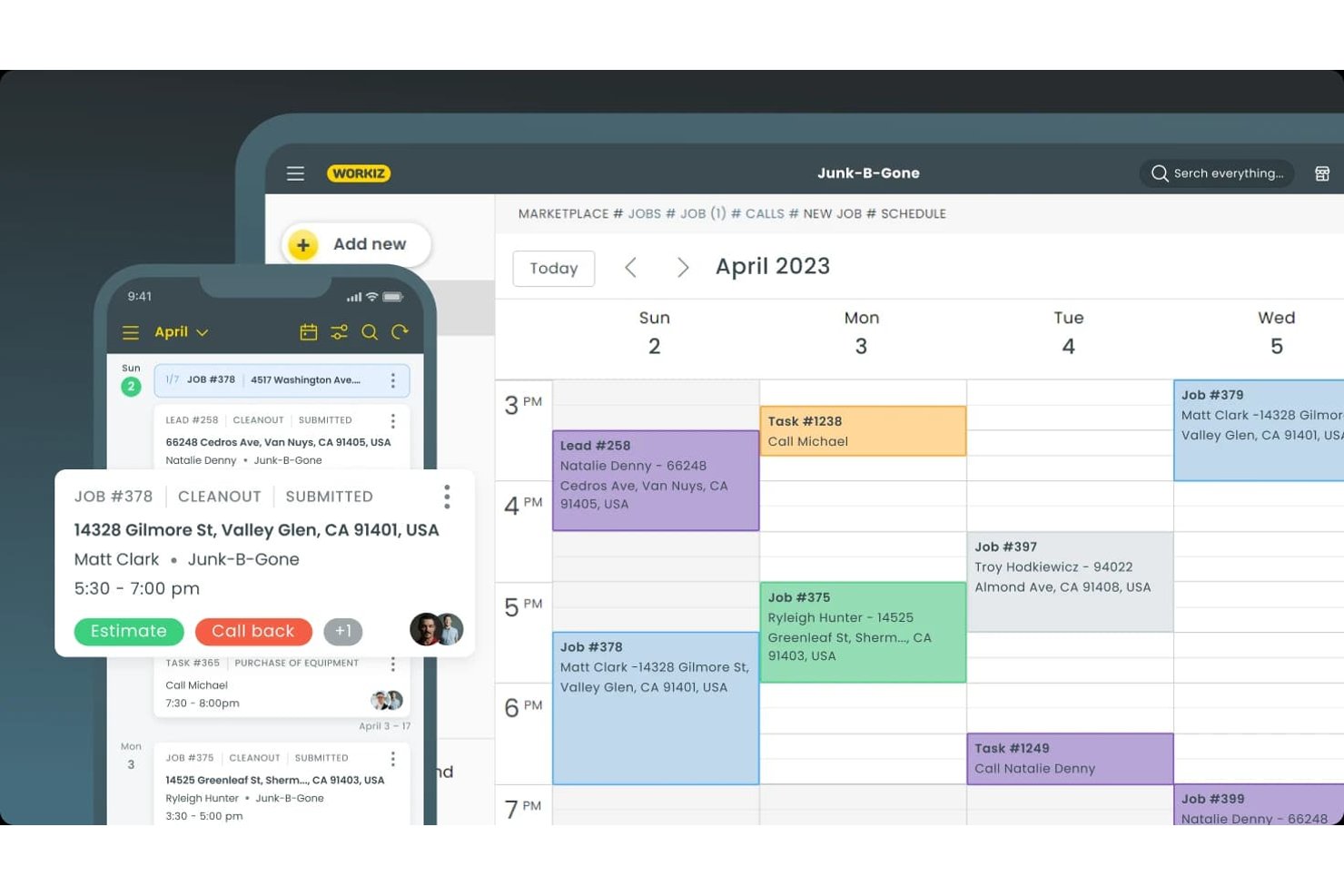
Workiz is a field service management platform for service contractors that brings customer records, job coordination, estimates, and invoicing into one place, making it an option for teams comparing Jobber alternatives.
Who Is Workiz Best For?
Workiz suits home-service business owners and dispatch teams that need to capture leads and coordinate technician schedules.
Why I Picked Workiz
I picked Workiz as a Jobber alternative because it’s Best for AI-driven scheduling and lead capture. Its AI answers calls, texts, and emails around the clock and can book jobs directly into the calendar. It also turns incoming emails and texts into jobs, helping dispatchers keep new requests in the scheduling queue.
Workiz Key Features
- Client portal: Customers can review and sign estimates, approve jobs, and pay invoices.
- Client CRM: Store client history, invoices, service plans, and communications in one record.
- Service plans: Set up recurring services and track upcoming visits and payment history.
- Mobile app: Technicians can view job details, update statuses, add notes or photos, and invoice customers.
Workiz Integrations
Workiz’s integrations directory lists QuickBooks, Google Calendar, Reserve with Google, Yelp, Thumbtack, Angi Leads, CompanyCam, and Mailchimp, plus Zapier. It also offers a Developer API for custom integrations.
Pros and Cons
Pros:
- Customer records combine calls, texts, and jobs
- Dispatch calendar assigns technicians visually
- AI answers calls and books jobs
Cons:
- AI assistant disappoints some reviewers
- Phone calls reportedly drop or fail

Best for HVAC and plumbing trades at scale
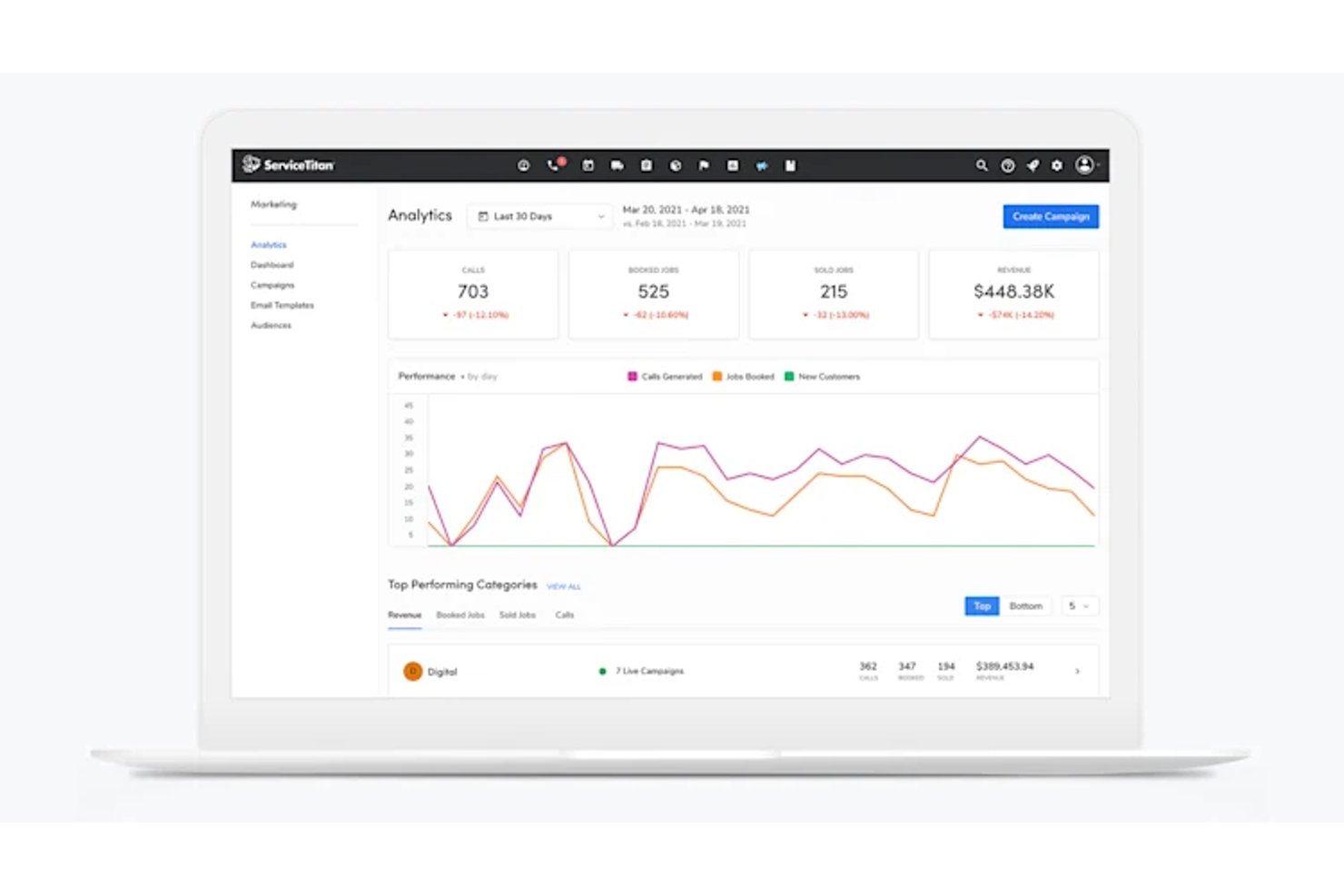
ServiceTitan is field service management software built for HVAC and plumbing trades at scale, helping growing service businesses coordinate dispatch, scheduling, customer records, and field operations.
Who Is ServiceTitan Best For?
ServiceTitan suits operations leaders at established HVAC and plumbing businesses coordinating dispatch, field crews, and customer work across a growing service operation.
Why I Picked ServiceTitan
I picked ServiceTitan as a Jobber alternative for HVAC and plumbing businesses coordinating large field teams. I like how its dispatch board helps office staff assign and track calls across technicians, while customer and equipment records give crews service history before they arrive. That’s useful when an urgent repair lands alongside scheduled maintenance across multiple crews.
ServiceTitan Key Features
- Mobile job forms: Technicians complete digital forms and capture job photos in the field.
- Mobile payments: Technicians process payments and send invoices from the mobile app.
- Reporting dashboards: Teams track revenue, trends, and technician metrics in customizable dashboards.
- Purchasing and inventory: Teams manage purchase orders and inventory within the platform.
ServiceTitan Integrations
ServiceTitan offers accounting integrations with QuickBooks Desktop, QuickBooks Online, Sage Intacct, and Xero, plus supplier integrations with Ferguson and Lennox through its partner marketplace. It also connects with Zapier and provides APIs for custom integrations.
Pros and Cons
Pros:
- Dashboards track technician performance and business metrics
- Customer and equipment histories inform field visits
- Dispatch coordinates large technician teams and calls
Cons:
- Mobile app glitches and lag disrupt fieldwork
- Setup and training demand substantial staff time

Best for asset-centric service operations
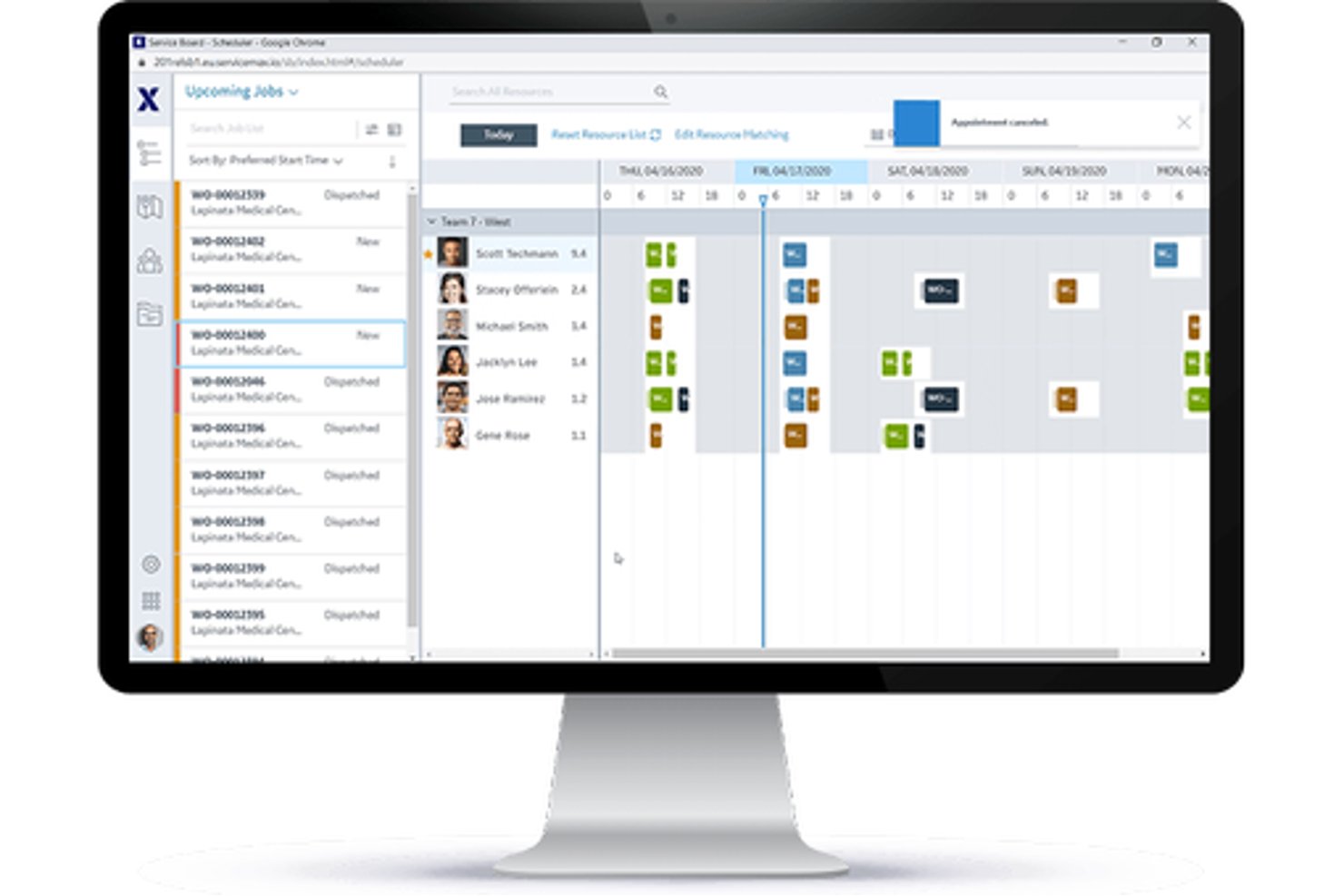
For manufacturers and service organizations managing equipment in the field, ServiceMax is a field service management platform that coordinates work orders, technician dispatch, and maintenance across the asset lifecycle.
Who Is ServiceMax Best For?
ServiceMax suits field service leaders at equipment manufacturers and asset-intensive businesses that need to track installed equipment and manage ongoing service.
Why I Picked ServiceMax
I picked ServiceMax as Best for asset management because it gives field service teams asset-level context that’s useful when evaluating Jobber alternatives. Installed-base records connect equipment to bills of materials, subcomponents, service history, and contract coverage, so technicians can check an industrial unit’s configuration before a repair. Maintenance plans can trigger work orders based on time, frequency, condition, or IoT data.
ServiceMax Key Features
- Schedule optimization: Assigns work based on technician skills, location, availability, and job requirements.
- Mobile technician app: ServiceMax Go supports work orders, data capture, signatures, and inventory online or offline.
- Parts management: Tracks spare parts across technician vans and depots.
- Customer self-service: ServiceMax Engage supports appointment scheduling and service updates.
ServiceMax Integrations
ServiceMax documents integrations with Salesforce CRM, SAP, and ThingWorx for enterprise and IoT data. It also offers APIs and integration frameworks for custom connections.
Pros and Cons
Pros:
- Timestamped work records support audit trails
- Offline mobile workflows support field technicians
- Asset-linked histories guide complex equipment repairs
Cons:
- Dispatch screens can feel slow and clunky
- Complex configuration can slow initial deployment

Best for QuickBooks-connected trade workflows
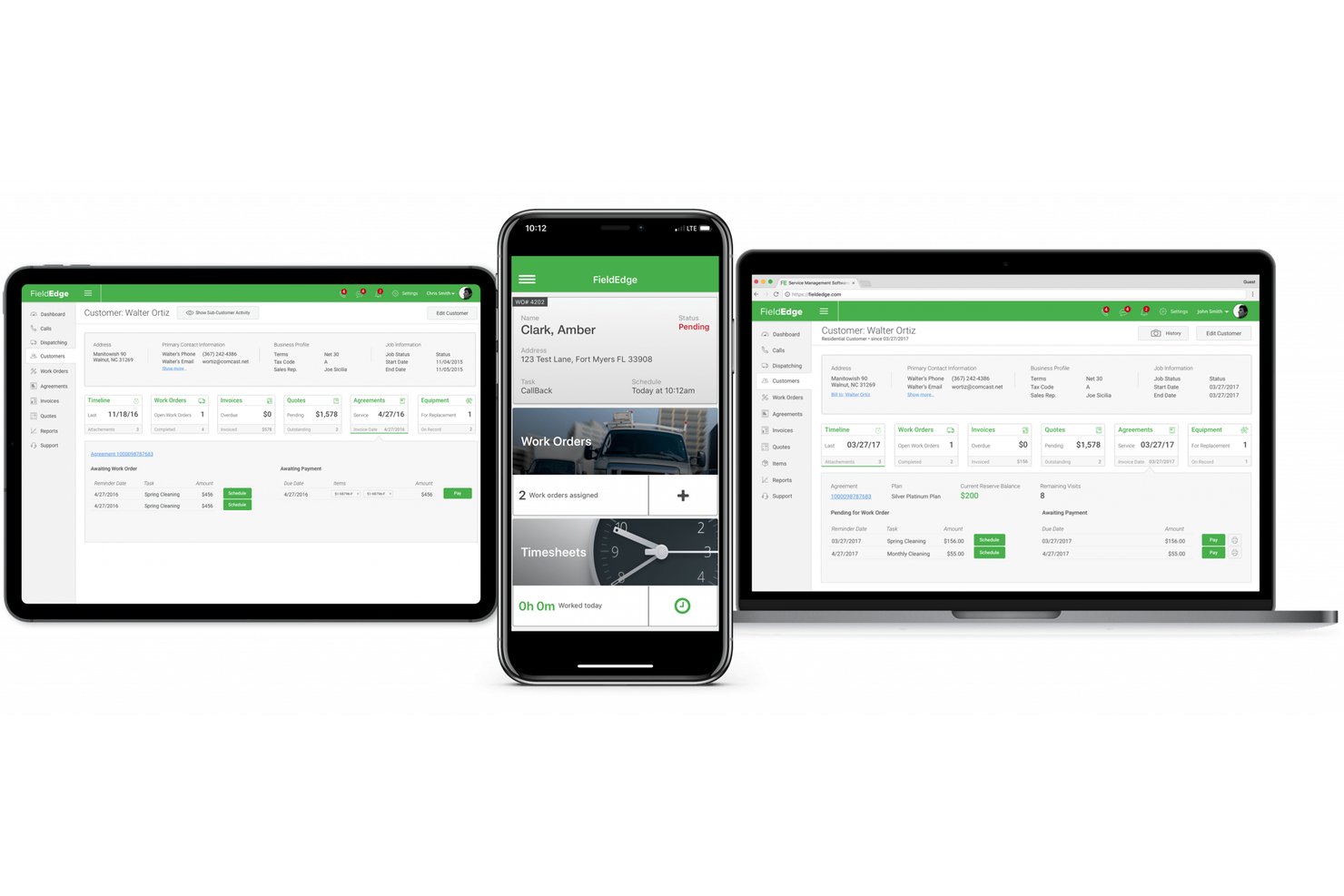
FieldEdge is field service management software for HVAC, plumbing, and electrical contractors that helps teams coordinate technician schedules, dispatch, customer records, and service jobs.
Who Is FieldEdge Best For?
FieldEdge suits HVAC, plumbing, and electrical contractors who need to coordinate field service work with QuickBooks-connected trade workflows.
Why I Picked FieldEdge
I picked FieldEdge as a Jobber alternative because its QuickBooks-connected trade workflows suit HVAC, plumbing, and electrical contractors. I like that teams can coordinate technician schedules and dispatch alongside customer records and service jobs, keeping field work connected to their trade operations.
FieldEdge Key Features
- Flat-rate price books: Give technicians mobile access to service and repair pricing.
- Invoicing and payments: Create invoices on-site, email or print them, and accept card or split payments.
- Service agreement management: Track renewals, billing cycles, and scheduled visits.
- Performance dashboards: Review job profitability, average ticket value, and technician revenue.
FieldEdge Integrations
FieldEdge offers a real-time QuickBooks integration and partner integrations with FleetSharp, Dispatch, Mailchimp, To Your Success, Sales Builder Pro, Ply, and Free2Grow. Its API provides access to integrated partners.
Pros and Cons
Pros:
- Service agreements track recurring visits
- On-site invoicing keeps jobs moving
- Dispatch board clarifies technician status
Cons:
- Reporting offers limited KPI customization
- Mobile syncing lags in weak reception

Best for unlimited-user flat-rate pricing
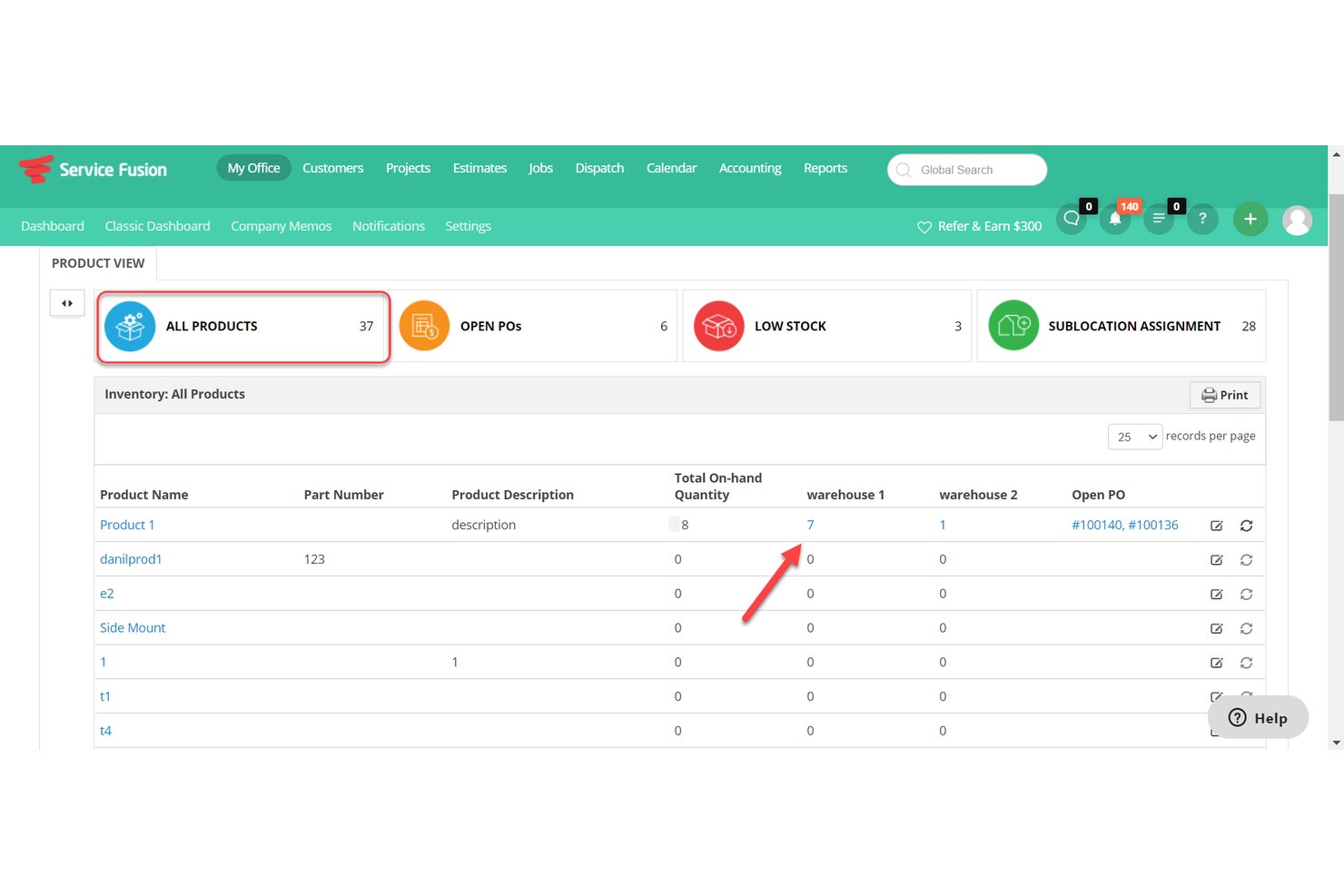
Service Fusion is field service management software for home and commercial service contractors, bringing scheduling, dispatch, customer records, estimates, and invoicing together to help teams coordinate technicians and keep jobs moving.
Who Is Service Fusion Best For?
Service Fusion suits home and commercial service contractors that need to coordinate technicians, dispatch jobs, and manage customer work in one system.
Why I Picked Service Fusion
I picked Service Fusion as a Jobber alternative because its Best for unlimited-user flat-rate pricing lets contractors bring dispatchers and field technicians into one system without per-user fees. I like that teams can coordinate dispatch while keeping customer records, estimates, and invoices tied to each job.
Service Fusion Key Features
- Technician mobile app: Technicians can view and manage jobs from their smartphones.
- GPS fleet tracking: View vehicle locations, trips, distance, idle time, and driving behavior.
- QuickBooks integration: Sync invoice data with QuickBooks Online or Desktop.
- Text messaging alerts: Send customers alerts about scheduled jobs and technician updates.
Service Fusion Integrations
Service Fusion offers native integrations with QuickBooks Online and QuickBooks Desktop, and connects with Zapier. Its API, available on the Pro plan, supports custom integrations.
Pros and Cons
Pros:
- Service agreements support recurring billing and renewals
- Field estimates convert directly into work orders
- Dispatch links schedules to live GPS locations
Cons:
- Reporting struggles with active maintenance-plan visibility
- Mobile-created invoices may need desktop resaving

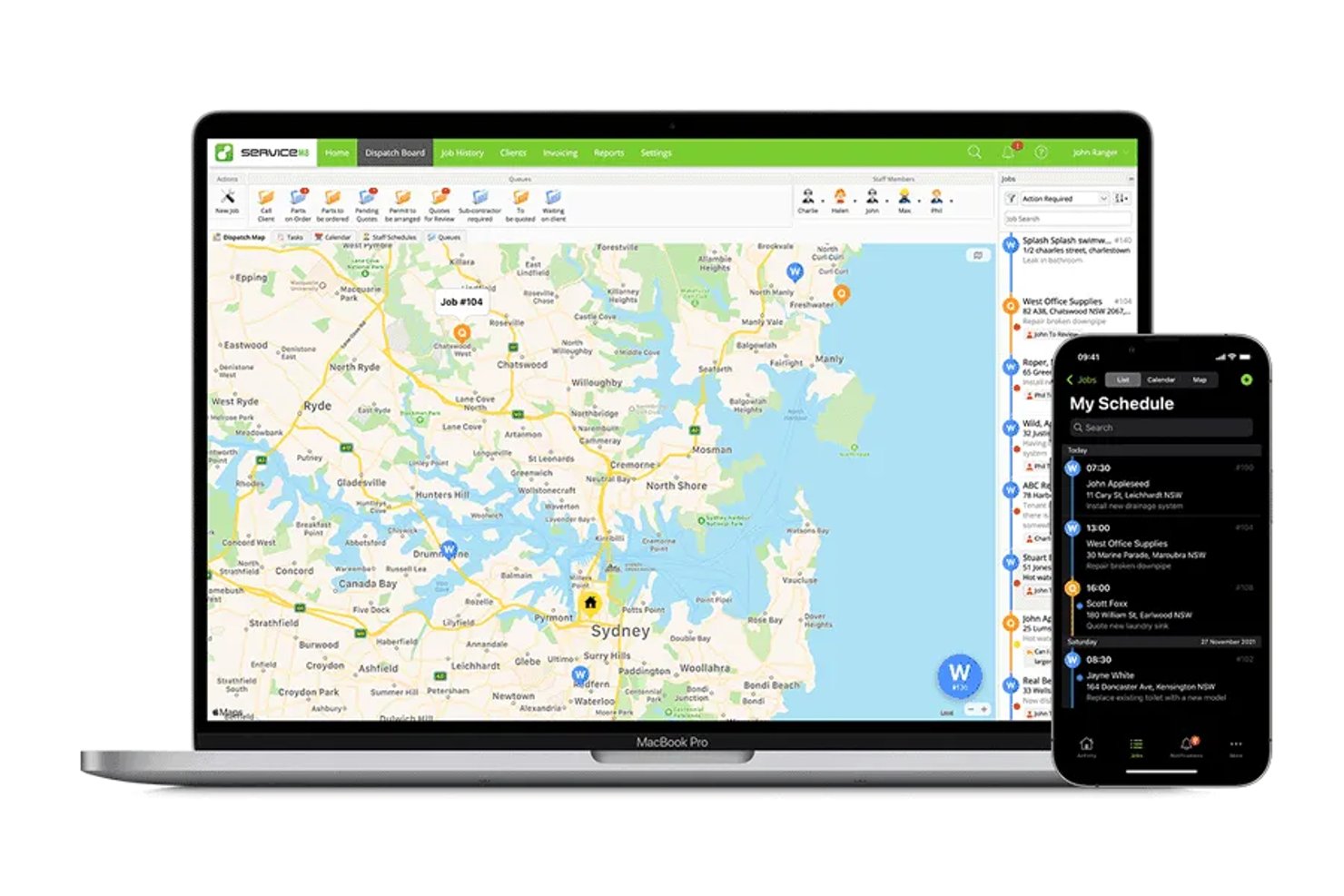
ServiceM8 is a mobile-first field service management app for trade contractors who need to organize jobs, schedule work, and manage customer records, quotes, and invoices.
Who Is ServiceM8 Best For?
ServiceM8 suits trade contractors with variable workloads who want software pricing tied to the number of jobs they handle.
Why I Picked ServiceM8
I picked ServiceM8 as a Jobber alternative for its “Best for trade contractors on job-volume pricing” focus. Its job-volume pricing suits contractors with fluctuating callout counts, while job scheduling, quotes, and invoices help track work from booking through billing.
ServiceM8 Key Features
- Job checklists: Add tasks and requirements to job records for staff to complete.
- Staff GPS tracking: View staff locations and workday travel history.
- Custom forms: Build PDF forms with photos, multiple-choice questions, and signature fields.
- Asset records: Store equipment details by client and site, then access service history.
ServiceM8 Integrations
ServiceM8 documents integrations with Xero, MYOB, QuickBooks Online, Mailchimp, Deputy, Workato, and Zapier. It also offers an Open API and SDK for custom connections.
Pros and Cons
Pros:
- PDF forms capture signatures and site details
- Staff GPS helps dispatchers track field movements
- Job photos and notes stay together
Cons:
- Invoice follow-up reminders offer limited scheduling
- Staff availability controls constrain on-demand dispatch

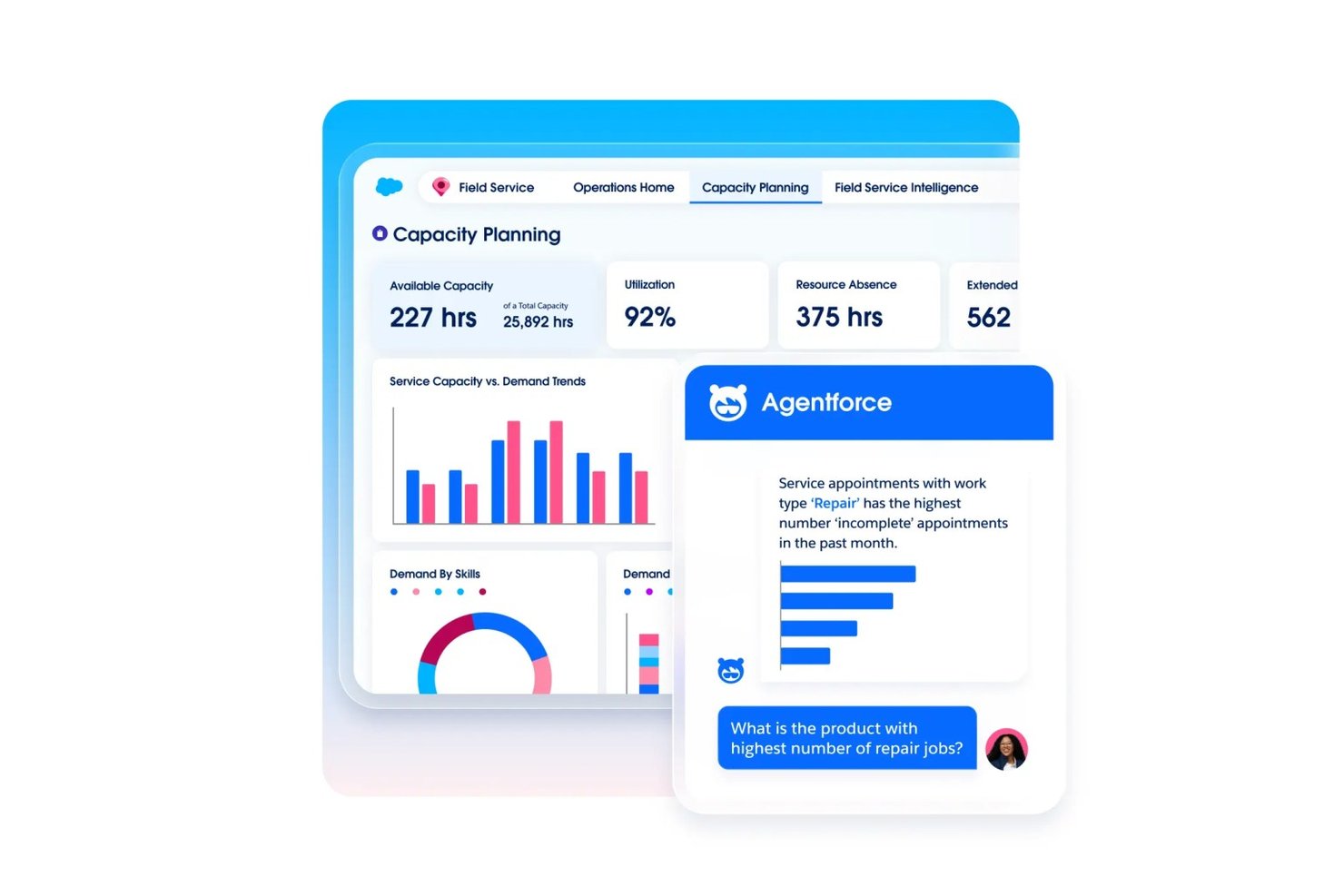
Agentforce Field Service helps larger service teams coordinate work orders, technician schedules, and customer records in Salesforce, making it easier to manage complex field operations as an alternative to Jobber.
Who Is Agentforce Field Service Best For?
Salesforce-based enterprises with distributed technician teams and complex field service operations are a strong fit for Agentforce Field Service.
Why I Picked Agentforce Field Service
I picked Agentforce Field Service for “Best for CRM-native enterprise field ops” because it connects field work with Salesforce customer records. I like how teams can coordinate work orders and technician schedules alongside customer information, so dispatchers can review job details when assigning service visits.
Agentforce Field Service Key Features
- Offline mobile app: Access records on Android and iOS, even without a connection.
- Dynamic forms and workflows: Configure low-code forms and workflows for field tasks.
- Preventive maintenance plans: Trigger maintenance based on asset usage, condition, or thresholds.
- Visual Remote Assistant: Use real-time video to guide customers through troubleshooting.
Agentforce Field Service Integrations
Agentforce Field Service is built on the Salesforce platform, connecting field operations with Salesforce customer and asset data; the Field Service Plus plan includes Service Cloud and Sales Cloud. A Field Service REST API is available for custom integrations.
Pros and Cons
Pros:
- Work orders connect with customer records
- Skill-based dispatch considers technician availability
- Offline app supports field work without connectivity
Cons:
- Technician app crashes can disrupt field workflows
- Implementation can demand substantial Salesforce expertise
Andre alternativer til Jobber
Her er noen flere alternativer til Jobber som ikke kom med på kortlisten min, men som likevel er verdt å se nærmere på:
- Synchroteam
For skills-based schedule optimization
- Quote IQ
For AI-powered home service estimates
- Service Autopilot
For recurring lawn care route workflows
- Housecall Pro
For built-in card and ACH payment collection
- Arrivy
For AI-powered scheduling and routing ops
- OneCrew
For paving and concrete job costing
- Tradify
For trades quoting and job tracking
- Salesforce Field Service
For AI-native field ops at enterprise scale
- Workever
For growing field service teams of 5–50
- GorillaDesk
For pest control route-based field ops


How I Evaluate Jobber Alternatives
I split my evaluation into three parts. First—and with the most weight—I check whether a tool can schedule and dispatch jobs and generate quotes and invoices tied to those jobs. Second, I look for standout features like recurring job automation or client self-service portals. Third, I consider pricing structure and onboarding support, especially for field teams with mixed technical comfort.
Core Functionality (Table Stakes For This List)
When I'm selecting tools for my list, I score each one on a scale from 0 (does not offer the functionality) to 5 (excels in this area) for each core functionality listed below. I then convert the total into a percentage to help assess each tool’s overall fit, with extra weight on any functionalities I’ve deemed essential.
- Job Scheduling & Dispatch (Essential): I look for job assignment, calendar scheduling, and rescheduling that help dispatchers coordinate crew availability and changing customer commitments.
- Quotes & Invoices (Essential): I assess whether quotes connect to job records and convert into invoices, including clear approval steps and payment tracking.
- Client Management: I check that client profiles link service history, job notes, and communications so office staff can prepare for repeat visits.
- Payment Processing: I look for ways to collect or record payments against invoices and track what’s paid or outstanding.
- Mobile Field Access: I consider whether technicians can view jobs, update statuses, and add notes or photos from the field.
- Route & Team Tracking: I evaluate map views, technician location visibility, and route planning for teams handling multiple jobs in a day.
Once I have a list of tools that meet the criteria, I consider what sets each platform apart.
Differentiating Factors (What Sets Vendors Apart)
Here's how I compare and contrast different vendors:
Standout Features
I look for recurring job automation that generates follow-up visits, invoices, and reminders without manual re-entry. A lawn care crew with dozens of weekly accounts needs that cycle to run on its own. Client self-service portals matter too, since letting customers approve quotes and pay online cuts back-and-forth for office staff. I also evaluate time tracking tied to job records so you can compare estimated labor against actual hours and spot profitability gaps before they become patterns.
Beyond Features
I evaluate whether a tool fits a specific trade or tries to serve every vertical. An HVAC company needs equipment-tracking workflows that a generic platform won't offer out of the box, while a cleaning service benefits from templates built around recurring visit patterns. Pricing structure matters just as much—per-user costs add up fast when you're scaling seasonal crews, so I compare flat-rate and tiered plans side by side. I also check integration depth with accounting tools like QuickBooks and Xero, since missing connections mean duplicate data entry for your office staff.
Hvorfor se etter et alternativ til Jobber?
Selv om Jobber er et godt valg av programvare for servicestyring, finnes det flere grunner til at enkelte brukere kan være på jakt etter alternative løsninger. Det kan hende du ser etter et alternativ til Jobber fordi …
- Du trenger mer avanserte rapporteringsfunksjoner
- Teamet ditt trenger bransjespesifikke verktøy
- Du ønsker bedre skalerbarhet for vekst
- Du trenger mer fleksible prisplaner
- Teamet ditt trenger bedre tilpasningsmuligheter
Hvis noe av dette høres kjent ut, har du kommet til rett sted. Listen min inneholder flere alternativer for programvare for servicestyring som passer bedre for team som møter disse utfordringene med Jobber.
Viktige funksjoner i Jobber
Her er noen av de viktigste funksjonene i Jobber, slik at du kan sammenligne dem med det alternative løsninger tilbyr:
- Planlegging og tildeling: Tildel enkelt oppdrag til teamet ditt og administrer avtaler.
- Fakturering og betalinger: Opprett fakturaer og behandle betalinger effektivt.
- Kundeadministrasjon: Oppbevar detaljerte opplysninger om kundeinteraksjoner og historikk.
- Mobilapp: Få tilgang til oppdragsdetaljer og oppdateringer hvor som helst.
- Tilbud: Generer og send profesjonelle tilbud til kunder raskt.
- Tidsregistrering: Overvåk arbeidstimer og oppdragenes varighet for nøyaktig fakturering.
- Oppdragshåndtering: Følg oppdragenes fremdrift og oppdateringer i sanntid.
- Rapportering: Få innsikt i virksomhetens resultater med tilpassbare rapporter.
- Nettbestilling: La kunder bestille tjenester direkte via nettstedet ditt.