

10 alternativer til Looker Studio for datadashbord i 2026

Kortliste over de beste alternativene til Looker Studio


Hvis du leder prosjekter, kjenner du presset ved å ta datadrevne beslutninger. I slike krevende situasjoner passer Looker Studio kanskje ikke alltid behovene dine, særlig hvis du må håndtere spesifikke bransjekrav eller trenger bedre integrasjon med eksisterende verktøy.
Etter min erfaring kan det riktige Business Intelligence-verktøyet (SaaS BI) som leveres som programvare som en tjeneste, gjøre arbeidsbelastningen lettere ved å tilby skreddersydde løsninger. Det handler om å finne det som fungerer best for deg og teamet ditt.
I denne artikkelen deler jeg mine beste anbefalinger for alternativer til Looker Studio. Jeg har testet og vurdert hvert av dem for å hjelpe deg med å finne et verktøy som passer til virksomhetens behov. Du får innsikt i funksjoner, brukervennlighet og unike fordeler, slik at beslutningen blir enklere.
Hva er Looker Studio?
Looker Studio er et verktøy for virksomhetsintelligens som hjelper organisasjoner med å omdanne data til handlingsrettet innsikt. Det brukes vanligvis av dataanalytikere, virksomhetsledere og IT-fagfolk som trenger å analysere store datasett og ta informerte beslutninger. Du og teamet ditt kan dra nytte av funksjonene for datavisualisering, samarbeidende dashbord og sanntidsanalyse, som bidrar til datadrevne beslutninger og bedre samarbeid. Alt i alt tilbyr Looker Studio en verdifull BI-plattform for å omdanne komplekse og omfattende data til tydelig, handlingsrettet innsikt.
Sammenligningstabell for alternativer til Looker Studio
Denne sammenligningstabellen oppsummerer prisopplysningene for mine beste alternativer til Looker Studio.
| Tool | Best For | Trial Info | Price | ||
|---|---|---|---|---|---|
| 1 | Best for visual storytelling | 14-day free trial | Pricing upon request | Website | |
| 2 | Best for AI-powered data integration | 30-day free trial | From $300/month (billed annually) | Website | |
| 3 | Best for enterprise planning | Free demo available | Pricing upon request | Website | |
| 4 | Best for Microsoft integration | 30-day free trial | From $14/user/month (billed annually) | Website | |
| 5 | Best for open-source flexibility | 14-day free trial + free plan available | From $100/month | Website | |
| 6 | Best for embedded analytics | 7-day free trial + free demo available | Pricing upon request | Website | |
| 7 | Best for AI-driven insights | 14-day free trial + free demo available | From $25/user/month (billed annually) | Website | |
| 8 | Best for AI-enabled interactive dashboards | 30-day free trial + free demo available | Pricing upon request | Website | |
| 9 | Best for no-code solutions | Free trial available | Pricing upon request | Website | |
| 10 | Best for end-to-end BI and analytics | 15-day free trial | From $30/month (billed annually) | Website |
Why Trust Our Software Recommendations
Our team has been testing and reviewing software since 2012. As project managers ourselves, we know how difficult—and important—it is to choose the right software.
For this guide, we evaluated tools using hands-on testing and independent research, scoring tools using our selection criteria. We also draw on insights from industry thought leaders and practicing project management experts.
Our reviews reflect our human editorial judgment, not a sales pitch.
Expert reviewers:
Anmeldelser av de beste alternativene til Looker Studio
Nedenfor finner du mine detaljerte oppsummeringer av de beste alternativene til Looker Studio som kom med på kortlisten min. I anmeldelsene mine får du et detaljert innblikk i de viktigste funksjonene, fordeler og ulemper, innebygde integrasjoner og ideelle bruksområder for hvert verktøy, slik at du kan finne det som passer best for deg.

Tableau
Best for visual storytelling

Tableau is a data visualization tool designed for business intelligence and analytics. Data analysts and business professionals primarily use it to create interactive and shareable dashboards.
Why Tableau is a good Looker Studio alternative: Tableau excels in visual storytelling, making it ideal for users who need to present data in an engaging way. You can also dynamically explore data and uncover insights quickly. Tableau’s focus on intuitive design helps you communicate your data’s story effectively.
Standout Features and Integrations:
Features include a drag-and-drop interface that simplifies the process of creating visualizations. Additionally, Tableau’s real-time analysis tools enable your team to make insights as soon as your data is ready. You also get interactive dashboards that let users explore data and gain insights on the fly.
Integrations include Salesforce, Google Analytics, Microsoft Excel, Amazon Redshift, Google BigQuery, Microsoft SQL Server, Oracle, SAP HANA, Dropbox, Box, and more.
Pros and Cons
Pros:
- Engaging storytelling capabilities
- Intuitive drag-and-drop interface
- Advanced visualization features
Cons:
- Complex data preparation process
- Weak data modeling

Qlik
Best for AI-powered data integration
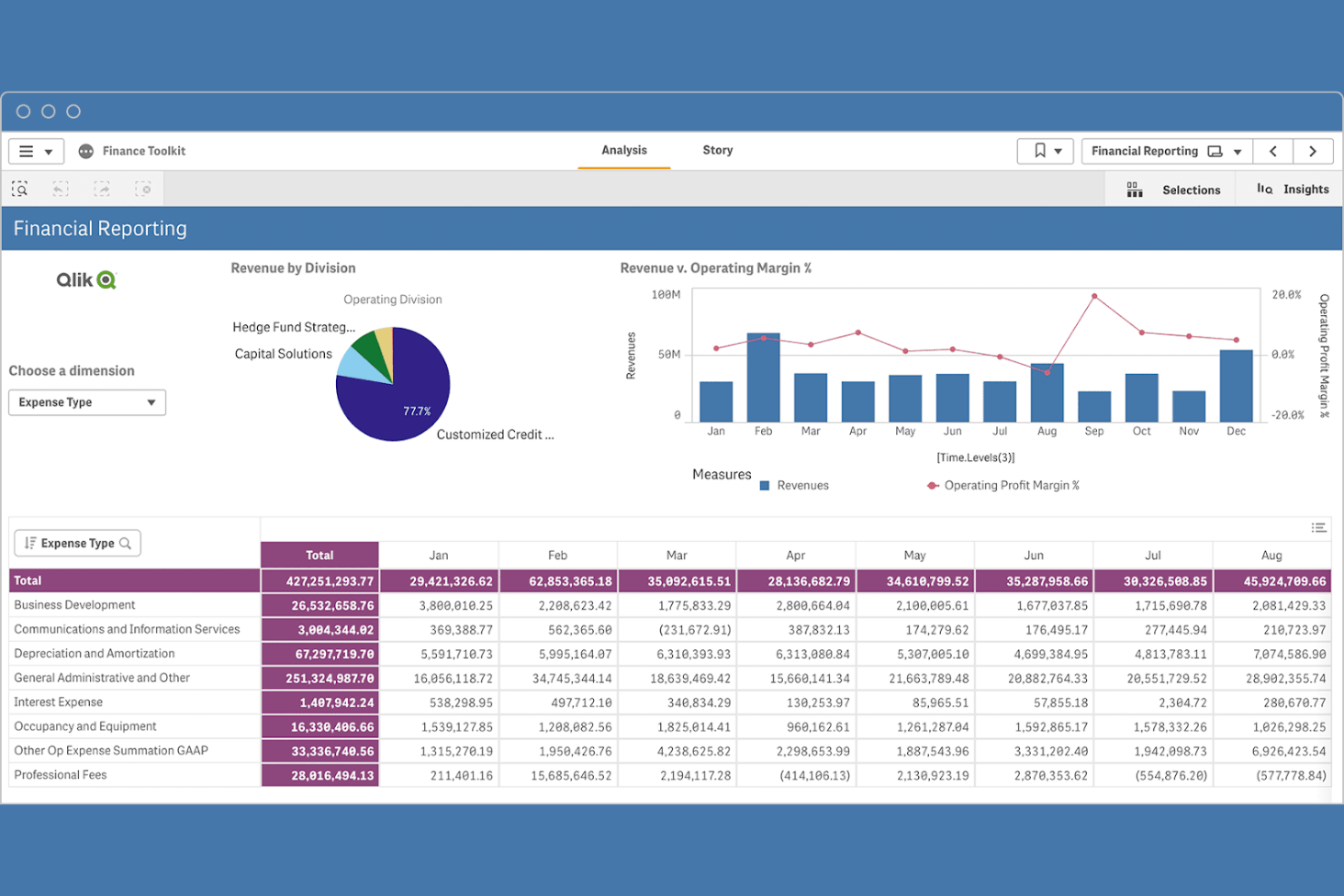
Qlik is a data analytics platform designed for creating interactive visualizations and dashboards. Business users and data teams use it to explore and analyze data.
Why Qlik is a good Looker Studio alternative: Qlik offers strong data integration capabilities, making it ideal for teams that need to connect multiple data sources. You can also build customized dashboards that help uncover insights. The platform’s AI-powered analytics capabilities support both guided and self-service analysis.
Standout Features and Integrations:
Features include an associative data engine that helps you see connections in your data. In addition, its self-service analytics empower your team to make data-driven decisions without relying on IT. The platform supports both cloud and on-premises deployment, offering flexibility for your business needs.
Integrations include Microsoft Office and more.
Pros and Cons
Pros:
- Customizable dashboards
- Flexible deployment options
- Supports self-service analytics
Cons:
- Fragile extensions
- Specific scripting language for data preparation

Best for enterprise planning
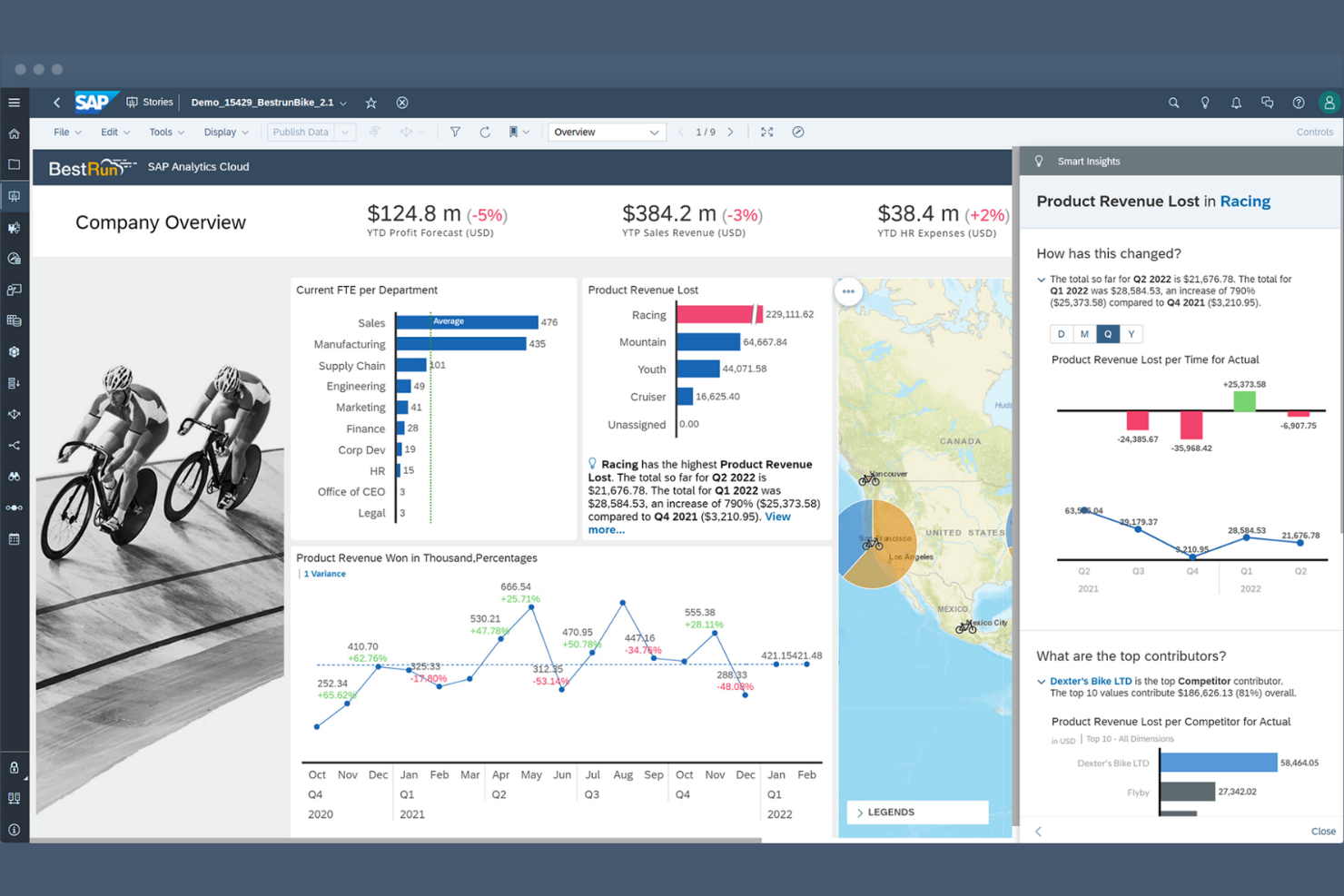
SAP Analytics Cloud (SAC) is a next-generation cloud solution that unifies business intelligence, augmented analytics, and collaborative planning in a single interface. Unlike traditional tools that only show the past, SAC is designed to help leadership teams model the future through integrated "what-if" scenarios and financial forecasting.
Why SAP Analytics Cloud is a good Looker Studio alternative: SAC moves beyond simple dashboards by allowing users to act on data—enabling teams to perform budgeting, forecasting, and predictive modeling directly within their reports. It is the gold standard for organizations that need a "single source of truth" across their SAP and non-SAP data landscapes.
Standout Features and Integrations:
Features include Integrated Planning & Analysis (xP&A), which allows you to combine financial, operational, and HR planning to create unified enterprise budgets. Its Augmented Analytics capabilities use "Smart Discovery" and "Smart Predict" to automatically identify key business drivers and forecast future trends using machine learning. Additionally, Live Data Connection enables you to connect directly to SAP S/4HANA, BW/4HANA, and Datasphere without moving data, providing real-time security and compliance.
Integrations include S/4HANA, SuccessFactors, Ariba, Google BigQuery, Salesforce, Snowflake, Microsoft Outlook, OData, and more.
Pros and Cons
Pros:
- Fully merges BI and financial planning
- Secure via live connection
- Built-in AI tools that don't require training
Cons:
- SAP ecosystem lock-in
- Performance lags
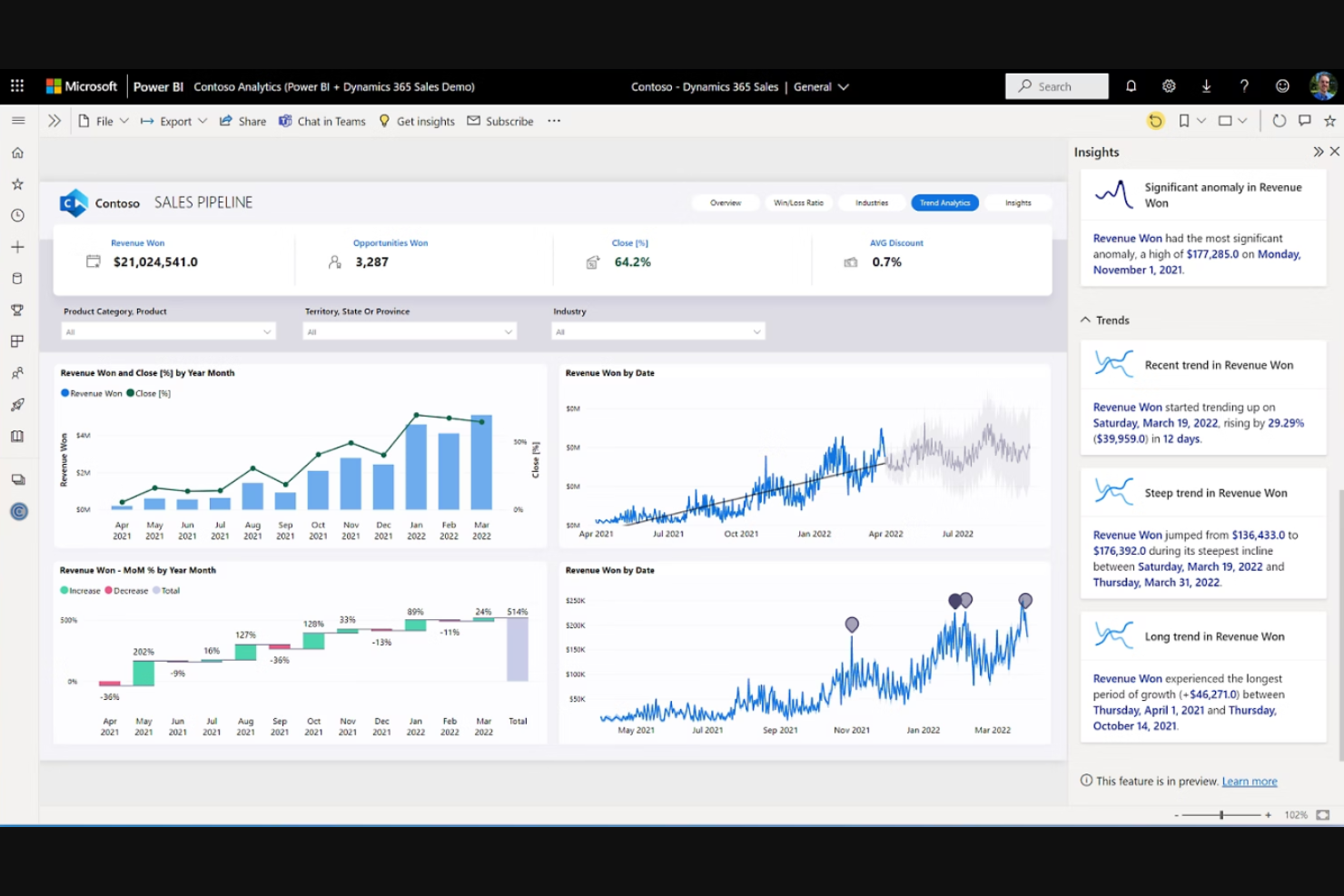
Microsoft Power BI is a business analytics service that provides interactive visualizations and business intelligence capabilities. Business analysts and IT professionals mainly use it to build dashboards, graphs, and reports.
Why Microsoft Power BI is a good Looker Studio alternative: Microsoft Power BI’s integration with Microsoft products makes it ideal for teams already using Microsoft services. You can also readily connect it to various data sources, including spreadsheets, and share insights across your organization. This makes it a suitable choice for large or small businesses looking for a familiar and integrated data solution.
Standout Features and Integrations:
Features include data visualization tools that help you create in-depth reports. Additionally, real-time analytics allow your team to access up-to-date data insights. The user-friendly interface also makes it easy for team members to adopt and use.
Integrations include Microsoft Dynamics 365, SharePoint, Google Analytics, GitHub, and more.
Pros and Cons
Pros:
- Wide data source connectivity
- Real-time data analytics
- Easy Microsoft ecosystem integration
Cons:
- Rigid table interactivity
- Windows dependency

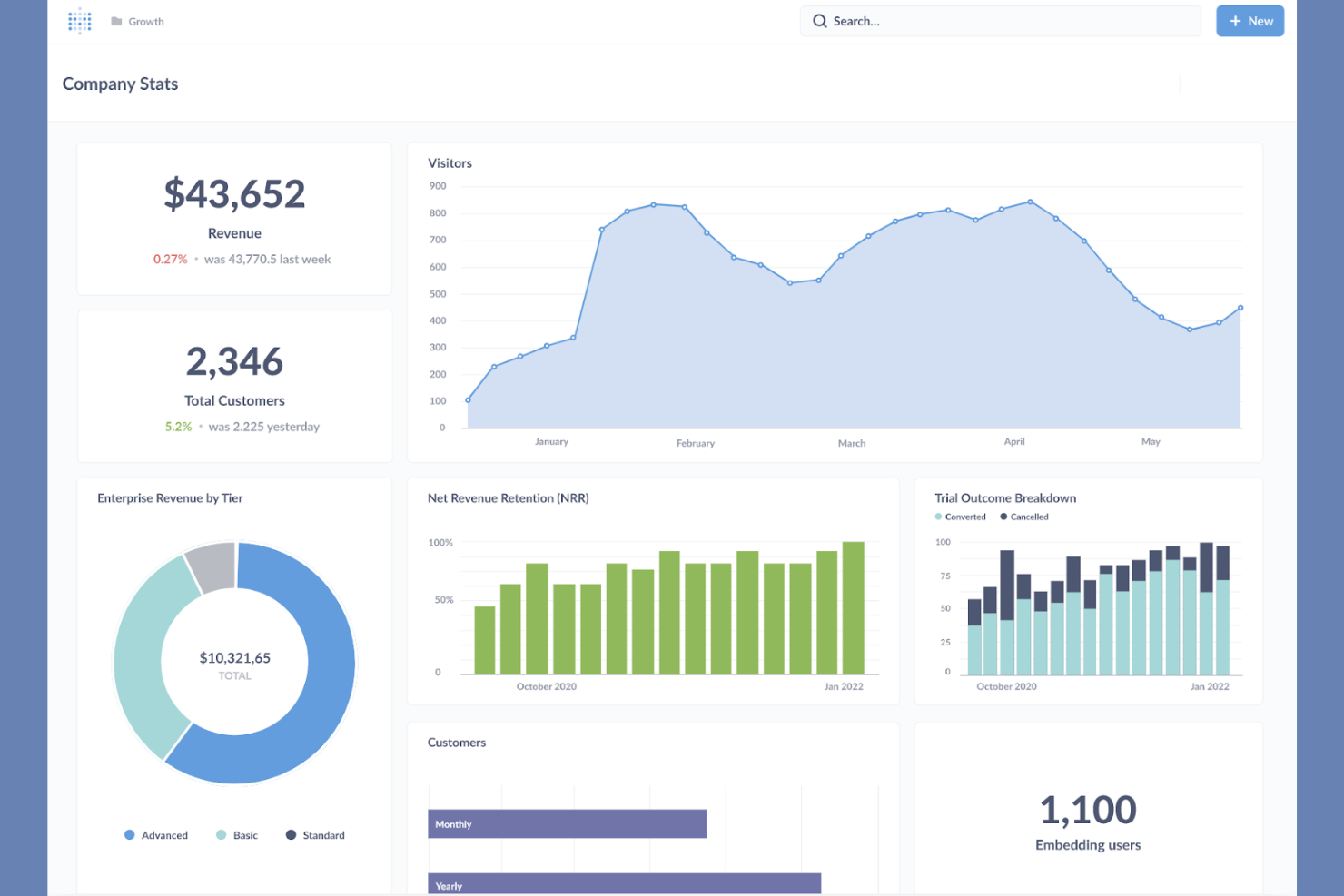
Metabase is an open-source business intelligence tool designed for simple data analysis and visualization. Data analysts, startups, and businesses use Metabase to create reports and dashboards without the need for complex coding.
Why Metabase is a good Looker Studio alternative: Metabase offers open-source flexibility, which is perfect for teams seeking customizable solutions. Its intuitive interface lets you create queries and visualizations, and you can set up dashboards to share insights across your organization. The platform supports self-service analytics, allowing your team to explore data independently.
Standout Features and Integrations:
Features include custom dashboard layouts that let you tailor data presentations to your needs. Additionally, the query builder helps you create data questions without SQL knowledge. Metabase can also schedule and share reports using email or Slack to help your team stay up to date on the latest insights.
Integrations include MySQL, DuckDB, Databricks, Google BigQuery, and more.
Pros and Cons
Pros:
- Supports self-service analytics
- Intuitive interface
- Open-source flexibility
Cons:
- No built-in ESL
- Weak enterprise governance


Sisense is a business intelligence software that specializes in data analytics and visualization. It’s used by data analysts and developers to create interactive dashboards and reports.
Why Sisense is a good Looker Studio alternative: Sisense offers strong capabilities in embedded analytics, allowing you to integrate analytics into your applications. The platform supports complex data modeling and offers flexibility in deployment. These features make it suitable for businesses looking to increase their applications with analytics.
Standout Features and Integrations:
Features include In-Chip technology that accelerates data processing. Additionally, its advanced data modeling tools let your team handle complex datasets efficiently. The platform also supports cloud, on-premises, and hybrid deployment formats.
Integrations include Google Maps, Microsoft Excel, and more.
Pros and Cons
Pros:
- Flexible deployment options
- Fast data processing
- Strong embedded analytics
Cons:
- Documentation gaps
- Not a "plug-and-play" tool


ThoughtSpot is an analytics platform designed to perform searches on and provide insights into large datasets. Data analysts and business professionals who need quick access to data insights use this software.
Why ThoughtSpot is a good Looker Studio alternative: ThoughtSpot’s AI-powered insights make it ideal for teams looking to leverage advanced analytics. Furthermore, you can uncover insights without needing extensive technical skills, and the platform’s user-friendly interface supports easy data exploration and visualization.
Standout Features and Integrations:
Features include a natural language search functionality that lets your team query data intuitively. You also get automated insights that help you discover trends and anomalies. The platform’s scalable architecture supports large datasets and complex queries.
Integrations include Google Cloud, VitaraCharts, Snowflake, Fivetran, and more.
Pros and Cons
Pros:
- Cost-effective and scalable architecture
- Natural language search
- AI-driven insights
Cons:
- Heavy setup required
- Designed for search, not layout design

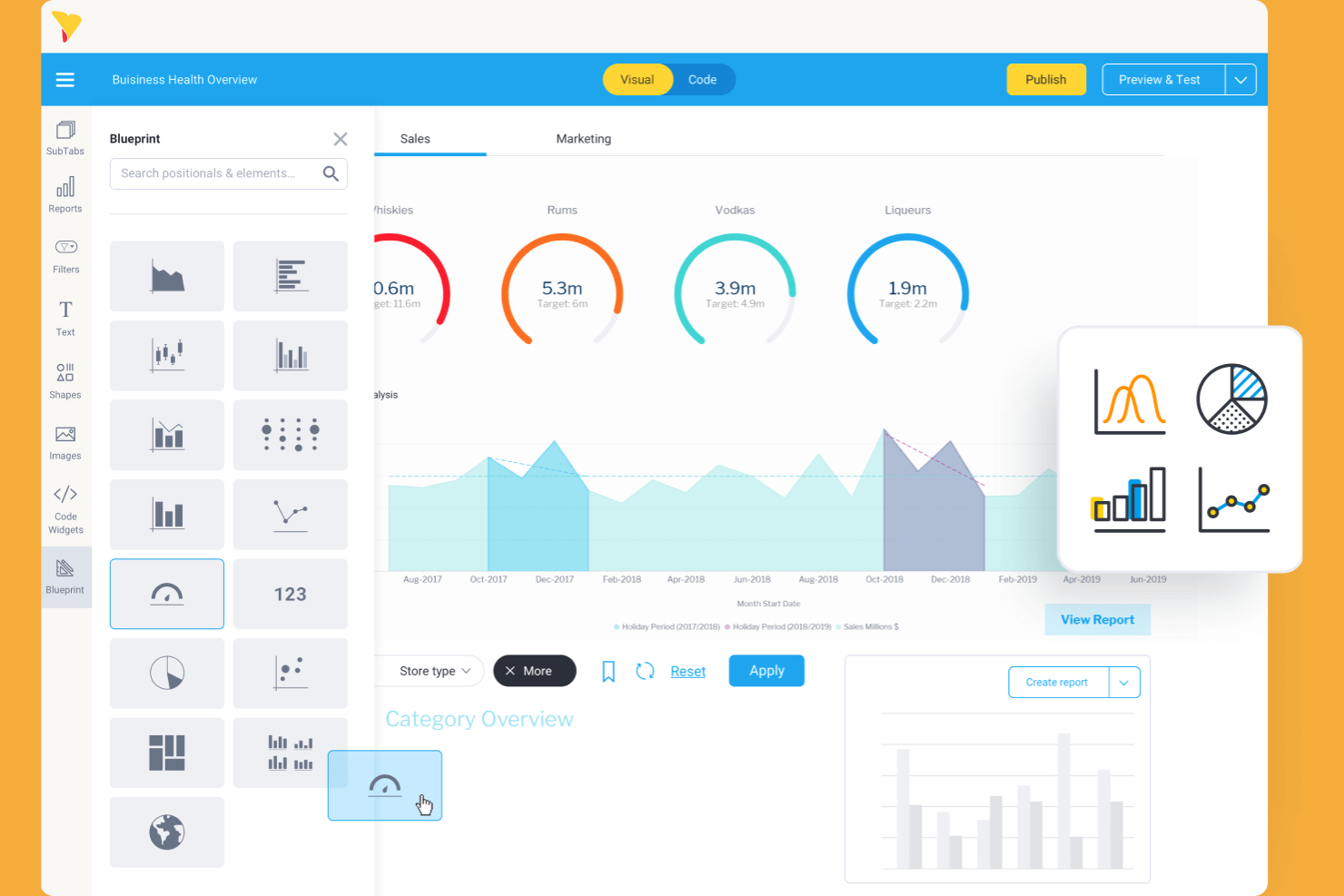
Yellowfin is a business intelligence and analytics platform that provides data visualization and data transformation tools. Business professionals and data analysts utilize it to find actionable insights from their data.
Why Yellowfin is a good Looker Studio alternative: Yellowfin focuses on interactive dashboards with AI features, helping your team quickly identify and act on insights. The platform’s flexibility supports a range of business needs and use cases.
Standout Features and Integrations:
Features include storytelling capabilities that let you build narratives around your data. Yellowfin also has collaboration tools that enable your team to discuss insights directly within the platform.
Integrations include Salesforce, Google Analytics, and more.
Pros and Cons
Pros:
- Collaborative tools
- Storytelling capabilities
- Interactive dashboards
Cons:
- Difficulty processing complex, multi-layered dashboards
- Authoring or editing complex reports on a mobile device can be difficult


Grow is a business intelligence platform that helps teams visualize data and track performance metrics. Small- and medium-sized businesses use this tool to make data-driven decisions.
Why Grow is a good Looker Studio alternative: Grow offers no-code workflows, making it ideal for teams that want to create dashboards without programming skills. Its intuitive interface also allows you to efficiently build and customize dashboards.
Standout Features and Integrations:
Features include real-time data tracking that helps your team stay updated with the latest metrics. The drag-and-drop interface simplifies dashboard creation and customization. Its data blending capabilities let you combine data from multiple sources for a holistic view.
Integrations include HubSpot, Google Sheets, QuickBooks, Salesforce, Shopify, Zendesk, and more.
Pros and Cons
Pros:
- Data blending capabilities
- Real-time data tracking
- No-code solutions
Cons:
- Complex cleaning may still require SQL
- Limited metric types

Best for end-to-end BI and analytics
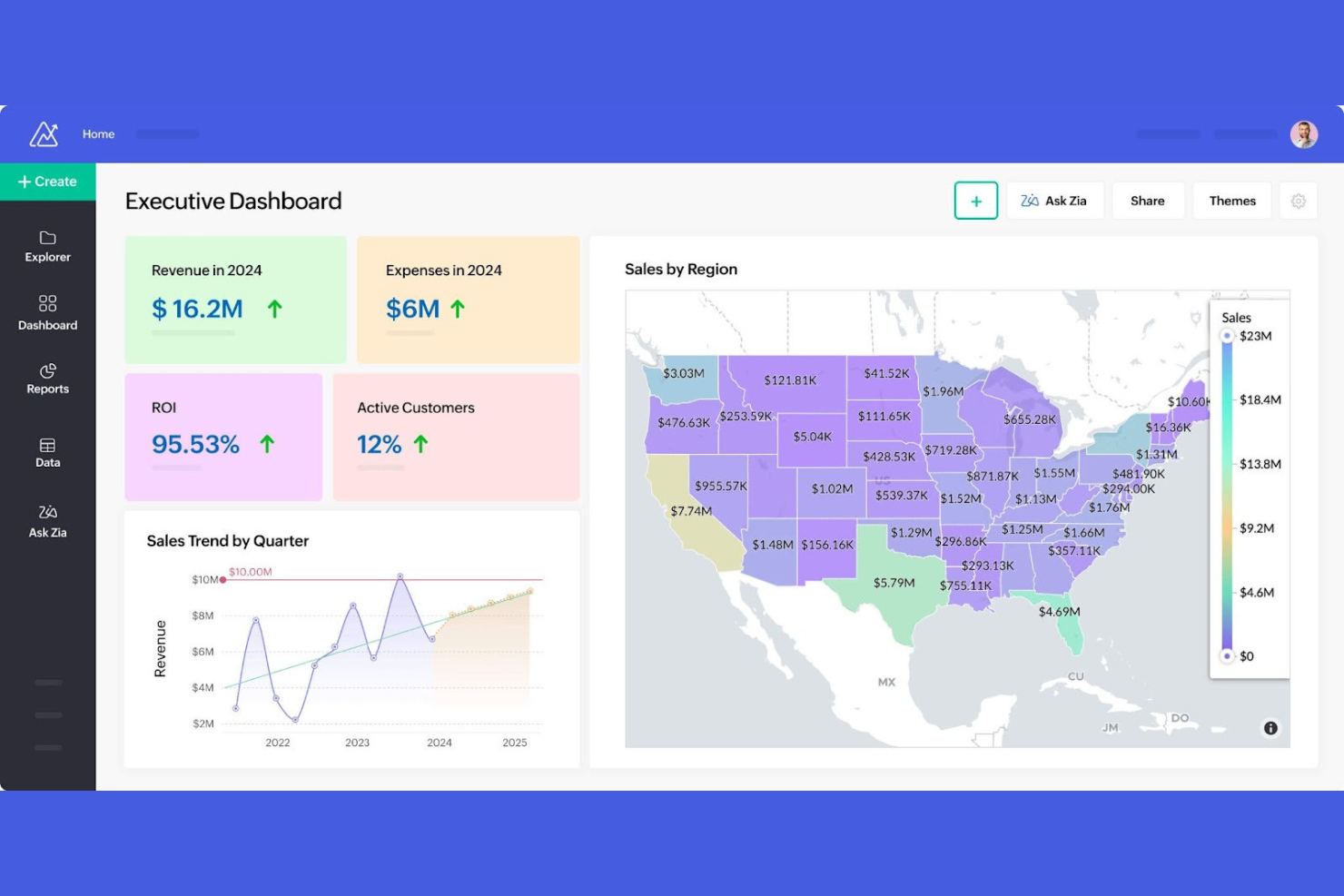
Zoho Analytics is an all-in-one self-service business intelligence and analytics platform. It’s used by business users and stakeholders to create visual reports and dashboards from their data.
Why Zoho Analytics is a good Looker Studio alternative: Zoho Analytics can blend data from a variety of sources, eliminating silos and making it an end-to-end BI solution. With its tools, you can create visualizations with ease. The platform also has a built-in AI agent that responds to your natural-language input.
Standout Features and Integrations:
Features include dashboards that provide a detailed view of your data. Non-technical users can also use the drag-and-drop interface to build visualizations quickly. In addition, the AI-powered assistant provides automated insights, helping your team with forecasting and trends.
Integrations include Zoho CRM, Salesforce, Microsoft Dynamics, HubSpot, Google Analytics, and more.
Pros and Cons
Pros:
- Easy drag-and-drop interface
- AI-powered assistant
- Data blending capabilities
Cons:
- Non-standard APIs require manual workarounds
- Basic predictive tools
New Product Updates from Zoho Analytics

Zoho Analytics Adds Exogenous Variables to Multivariate Forecasting
Zoho Analytics introduces exogenous variables for multivariate forecasting using the VARX model. This helps forecasts account for external drivers such as marketing spend, discounts, and seasonality. For more information, visit Zoho Analytics’ official site.
 .
.


How I Evaluate Looker Studio Alternatives
I split my evaluation into two layers: the baseline connectors and dashboarding a tool needs to handle Jira or Asana data, and the differentiators that set the best options apart for PMO teams.
Core Functionality (Table Stakes For This List)
When I'm selecting tools for my list, I rank each one on a scale from 0 (does not offer the functionality) to 5 (excels in this area) for each core functionality listed below. Then, I calculate the tool's total score into a percentage. Each tool needs to achieve a minimum total score of 65% to be considered for inclusion.
- Multi-Source PM Data Connectors: I check whether a tool connects natively to platforms like Jira, Asana, monday.com, and Smartsheet, plus databases and spreadsheets.
- Interactive Dashboarding: Each tool needs a drag-and-drop builder with cross-filtering and drill-downs so PMO leads can explore sprint data or budget status on their own.
- Custom Visualizations & Charts: Beyond bar and line charts, I look for PM-relevant visuals like burndown charts, timeline views, heatmaps, and KPI scorecards.
- Data Blending & Transformation: Joining Jira velocity data with Smartsheet resource plans in a single view matters, so I evaluate each tool's ability to blend and calculate across sources.
- Sharing, Scheduling & Embedding: I look at how easily you can share live dashboards with stakeholders via scheduled emails, permissioned links, or embedded views in a PM workspace.
- Real-Time / Refreshable Data: Stale data kills stakeholder trust, so I evaluate whether each tool supports live connections or frequent scheduled refreshes to keep project metrics current.
Once I have a list of tools that meet this criteria, I consider what sets each platform apart.
Differentiating Factors (What Sets Vendors Apart)
Here's how I compare and contrast different vendors:
Standout Features
Prebuilt PM templates matter a lot here. When a tool ships with ready-made dashboards for Jira sprints or Asana workloads, your PMO can start reporting in hours instead of building from scratch. I also evaluate cross-portfolio roll-ups. Program managers overseeing multiple delivery streams need weighted metrics that aggregate upward across teams and business units. Two-way write-back is another feature I look for, since updating a task status directly from a dashboard saves context-switching between your BI layer and your PM tool.
Beyond Features
Pricing structure is one of the first things I evaluate. Some tools charge per editor while giving viewers free access, which works well for PMOs that need dozens of stakeholders consuming dashboards but only a few people building them. Implementation speed also matters. I look at whether a vendor offers PM-specific onboarding resources and a learning curve that fits non-technical project managers. For enterprise teams, governance is a big differentiator. Row-level security, SSO, and audit logging determine whether a tool can handle confidential program data across business units.
Hvorfor se etter et alternativ til Looker Studio?
Selv om Looker Studio er et godt verktøy for virksomhetsintelligens, finnes det flere grunner til at enkelte brukere ser etter alternative løsninger. Du kan ønske å se etter et alternativ til Looker Studio av følgende grunner:
- Du trenger bedre alternativer for datavisualisering
- Teamet ditt trenger smidigere integrasjon med eksisterende verktøy
- Du ser etter rimeligere prisplaner
- Organisasjonen din krever bedre personvern for data
- Du trenger et verktøy som støtter større datasett
- Teamet ditt ønsker bedre tilgjengelighet på mobile enheter
Hvis noe av dette høres kjent ut, har du kommet til rett sted. Listen min inneholder flere alternativer innen BI-verktøy som passer bedre for team som møter disse utfordringene med Looker Studio og ser etter alternative løsninger.
Viktige funksjoner i Looker Studio
Her er noen av de viktigste funksjonene i Looker Studio som kan hjelpe deg med å sette opp mot hverandre og sammenligne hva alternative løsninger tilbyr:
- Brukervennlig grensesnitt: Et intuitivt design med dra-og-slipp-funksjonalitet hjelper teamet ditt med å opprette rapporter raskt.
- Rapportmaler: Tilpassbare maler lar deg visualisere data for dine spesifikke behov.
- Datakoblinger: Over 800 koblinger gjør det enkelt for deg å integrere med ulike datakilder uten å kode.
- API-tilgang: Automatisering og administrasjon gjennom API-et lar deg håndtere ressurser i Google Workspace eller Cloud Identity.
- Innebygging av rapporter: Ved å bygge inn rapporter på nettsider eller intranett blir det enklere å dele og samarbeide på tvers av organisasjonen.
- Oppdatering av data i sanntid: Hold kontrollpanelene og rapportene oppdaterte med automatisk oppdatering.
- Tilpassede måltall: Opprett spesifikke måltall for å dekke teamets behov for rapportering.
- Beregnede felt: Få nye innsikter ved å opprette felt basert på eksisterende data uten å endre kildedataene.
- Kombinering av data: Kombiner data fra ulike kilder for å gi en detaljert oversikt over forretningsmåltall.
- Interaktive kontrollpaneler: Samhandle med dataene dine gjennom interaktive elementer som lar deg filtrere for å få dypere innsikt.