

10 migliori selezioni di software gratuiti per la gestione dei clienti consigliate per il 2026

Elenco dei migliori software gratuiti per la gestione dei clienti


Il software gratuito per la gestione dei clienti offre al tuo team l'accesso a strumenti essenziali per monitorare i contatti, gestire le interazioni con i clienti e organizzare le pipeline di vendita, senza costi iniziali elevati. Se stai cercando soluzioni gratuite, probabilmente devi conciliare budget limitati con la necessità di mantenere i dati dei clienti organizzati e accessibili a tutto il team.
Scegliere il software gratuito giusto per la gestione dei clienti può aiutarti ad automatizzare le attività, migliorare la visibilità e favorire la collaborazione. In questo elenco troverai opzioni affidabili che offrono piani gratuiti o periodi di prova, così potrai confrontare le funzionalità e scegliere quella più adatta al tuo flusso di lavoro.
Perché fidarsi dei nostri consigli sui software
Il nostro team testa e recensisce software dal 2012. In quanto project manager noi stessi, sappiamo quanto sia difficile — e importante — scegliere il software giusto.
Per questa guida, abbiamo valutato gli strumenti attraverso test pratici e ricerche indipendenti, assegnando un punteggio agli strumenti in base ai nostri criteri di selezione. Ci basiamo inoltre sulle competenze di leader di pensiero del settore e di professionisti attivi nella gestione dei progetti.
Le nostre recensioni riflettono il nostro giudizio editoriale umano, non un discorso di vendita.
Revisori esperti:
Tabella comparativa dei software gratuiti per la gestione dei clienti
Ecco i costi di base di ciascuno degli strumenti inclusi nel mio elenco:
| Tool | Best For | Trial Info | Price | ||
|---|---|---|---|---|---|
| 1 | Ideale per funzionalità di monitoraggio dei progetti | Prova gratuita di 7 giorni e piano gratuito disponibili | Da $39/mese | Website | |
| 2 | Ideale per strumenti cliente tutto-in-uno | Piano gratuito + demo gratuita disponibile | Da $11,04/utente/mese (fatturazione biennale) | Website | |
| 3 | Ideale per l'organizzazione semplice dei contatti | Piano gratuito disponibile e prova gratuita di 14 giorni | Da $18/utente/mese (fatturato annualmente) | Website | |
| 4 | Ideale per la personalizzazione open-source | Prova gratuita di 30 giorni | Da $15/utente/mese | Website | |
| 5 | Ideale per campagne email integrate | Prova gratuita di 15 giorni disponibile | Da $12/utente/mese (fatturato annualmente) | Website | |
| 6 | Il migliore con integrazioni estese di app | Prova gratuita di 30 giorni + piano gratuito disponibile | Da $25/utente/mese (fatturazione annuale) | Website | |
| 7 | Migliore con funzionalità di telefonia integrate | Piano gratuito + prova gratuita di 15 giorni + demo gratuita disponibile | A partire da $49/organizzazione/mese (fatturato annualmente) | Website | |
| 8 | Ideale con automazione del marketing inclusa | Piano gratuito disponibile | Da $8.99/utente/mese | Website | |
| 9 | Ideale per spazio di archiviazione illimitato | Piano gratuito disponibile | Da $10/mese | Website | |
| 10 | Ideale per accesso utenti illimitato | Prova gratuita di 28 giorni + piano gratuito disponibile | Da $20/postazione/mese | Website |
Recensioni dei migliori software gratuiti per la gestione dei clienti
Di seguito trovi le mie sintesi dettagliate dei software gratuiti per la gestione dei clienti inclusi nel mio elenco. Le mie recensioni offrono uno sguardo approfondito alle funzionalità, ai casi d’uso migliori e alle integrazioni di ciascuna piattaforma, per aiutarti a trovare quella più adatta al tuo team.

Flowlu
Ideale per funzionalità di monitoraggio dei progetti

Se stai cercando una piattaforma di gestione clienti con monitoraggio progetti integrato, Flowlu merita attenzione. È progettato per team che devono gestire le relazioni con i clienti insieme a compiti, progetti e flussi di lavoro in un unico posto. Flowlu può aiutare agenzie, studi di consulenza e aziende di servizi a tenere organizzato il lavoro dei clienti dal primo contatto fino alla consegna del progetto.
Perché ho scelto Flowlu
Ciò che distingue Flowlu, secondo me, è il modo in cui integra profondamente il monitoraggio dei progetti con la gestione dei clienti. Lo considero molto adatto ai team che devono gestire comunicazioni con i clienti, task e le tappe fondamentali dei progetti in un unico posto. L'area di lavoro dei progetti di Flowlu ti consente di assegnare compiti, fissare scadenze e monitorare i progressi per ogni cliente, mantenendo al tempo stesso organizzati tutti i file e le discussioni correlate. Questo livello di visibilità del progetto è particolarmente utile per agenzie e aziende di servizi che gestiscono più progetti clienti contemporaneamente.
Funzionalità chiave di Flowlu
Altre funzionalità che spiccano per i team che considerano Flowlu come soluzione gratuita per la gestione clienti includono:
- Portale clienti: Consenti ai clienti di accedere a una dashboard personale per aggiornamenti sui progetti, fatture e comunicazioni.
- Fatturazione e pagamenti: Genera fatture, monitora i pagamenti e gestisci la fatturazione direttamente sulla piattaforma.
- Base di conoscenza: Crea e condividi basi di conoscenza interne o pubbliche per i clienti, centralizzando informazioni importanti.
- Monitoraggio del tempo: Registra ore fatturabili e non fatturabili per attività e progetti, per monitorare la produttività del team.
Integrazioni Flowlu
Le integrazioni includono Gmail, Microsoft Outlook, Google Drive, Dropbox, OneDrive, Twilio, Stripe, PayPal, Mailchimp e Slack.
Cosa è gratuito?
Flowlu offre un piano gratuito per sempre per un massimo di 2 utenti. Il piano gratuito include progetti e contatti illimitati ma limita lo spazio di archiviazione a 1 GB e limita l’accesso a funzionalità avanzate come automazioni e campi personalizzati.
Pros and Cons
Pros:
- Portale clienti integrato per la collaborazione esterna
- Progetti e contatti illimitati nel piano gratuito
- Inclusa fatturazione e monitoraggio dei pagamenti
Cons:
- Il piano gratuito limita lo spazio di archiviazione a 1 GB
- Nessuna integrazione nativa con QuickBooks

Ideale per strumenti cliente tutto-in-uno

Se stai cercando una piattaforma gratuita per la gestione dei clienti che combini strumenti di marketing, vendite e supporto, EngageBay merita sicuramente attenzione. È progettata per piccole imprese e agenzie che vogliono gestire l'intero ciclo di vita del cliente in un unico posto. EngageBay aiuta a unificare la gestione dei contatti, l’email marketing, il ticketing e il monitoraggio delle trattative senza dover passare tra più applicazioni.
Perché ho scelto EngageBay
Ciò che mi ha colpito di EngageBay è il modo in cui riunisce strumenti di marketing, vendite e supporto in un’unica piattaforma. Lo vedo particolarmente utile per i piccoli team che desiderano gestire le relazioni con i clienti, organizzare campagne email e gestire ticket di supporto senza dover utilizzare sistemi differenti. La gestione dei contatti di EngageBay, la pipeline di vendita e l’helpdesk integrato funzionano tutti insieme, permettendo di tracciare ogni interazione con il cliente dal primo contatto all’assistenza continua. Questo approccio all-in-one facilita l’organizzazione dei dati e delle comunicazioni man mano che l’azienda cresce.
Funzionalità principali di EngageBay
Altre funzionalità che rendono EngageBay utile per la gestione dei clienti includono:
- Pianificazione appuntamenti: Prenota incontri direttamente con i clienti tramite uno strumento calendario integrato.
- Costruttore di landing page: Crea e pubblica pagine di atterraggio per acquisire nuovi lead.
- Widget chat dal vivo: Aggiungi una chat dal vivo al tuo sito web per un supporto clienti in tempo reale.
- Gestione delle attività: Assegna, traccia e organizza le attività per il tuo team all’interno della piattaforma.
Integrazioni di EngageBay
Le integrazioni includono Shopify, Mailchimp, Xero, QuickBooks, Stripe, Slack, Zoom, Google Calendar, Outlook e LinkedIn.
Cosa è gratuito?
EngageBay offre un piano gratuito per sempre con utenti e contatti illimitati. Il piano gratuito ti limita a 500 email al giorno, 1.000 email brandizzate al mese e riduce l’accesso a funzionalità avanzate come l’automazione di marketing e i report personalizzati.
Pros and Cons
Pros:
- Il piano gratuito include strumenti di marketing, vendite e supporto
- Page builder e form builder integrati
- Sequenze email disponibili anche nel piano gratuito
Cons:
- Il piano gratuito è limitato a 500 email al giorno
- Le funzionalità di automazione sono limitate ai piani a pagamento

Ideale per l'organizzazione semplice dei contatti

Capsule CRM è progettato per team e professionisti che desiderano un modo semplice per organizzare i contatti e gestire le relazioni. Se cerchi uno strumento che mantenga ordinate le informazioni sui clienti senza complessità aggiuntive, Capsule CRM è la scelta ideale. È particolarmente utile per le piccole imprese che hanno bisogno di tracciare i contatti e gestire le attività in un unico luogo.
Perché ho scelto Capsule CRM
Ciò che mi ha attratto di Capsule CRM è la sua capacità di mantenere l'organizzazione dei contatti semplice e focalizzata, esattamente quello che molti piccoli team e professionisti autonomi cercano in un software gratuito per la gestione dei clienti. Capsule CRM consente di archiviare profili dettagliati dei contatti, categorizzare i clienti con tag e collegare note, email e attività direttamente a ciascun contatto. Mi piace che puoi cercare e filtrare velocemente il tuo database per trovare il cliente o l'azienda giusta senza dover scavare tra menu disordinati. Per chiunque desideri un modo diretto per mantenere le informazioni dei clienti organizzate e accessibili, l’approccio di Capsule CRM emerge.
Funzionalità principali di Capsule CRM
Altre funzionalità di Capsule CRM utili per la gestione gratuita dei clienti includono:
- Bacheca della pipeline di vendita: Visualizza e traccia le opportunità attraverso fasi di vendita personalizzabili.
- Promemoria attività: Imposta promemoria e scadenze per attività legate ai clienti.
- Tracciamento della cronologia email: Collega automaticamente le conversazioni email alle schede dei contatti.
- App mobile: Accedi e aggiorna le informazioni sui clienti da dispositivi iOS e Android.
Integrazioni Capsule CRM
Le integrazioni includono Gmail, Outlook, Xero, QuickBooks Online, Mailchimp, Transpond, Google Calendar, LinkedIn (tramite Add to CRM), Zendesk e FreshBooks.
Cosa è gratuito?
Capsule CRM offre un piano gratuito per sempre per un massimo di 2 utenti e 250 contatti. Il piano gratuito include la gestione di base dei contatti, pipeline di vendita e tracciamento delle attività, ma limita i campi personalizzati, le integrazioni e le funzionalità di reportistica.
Pros and Cons
Pros:
- Il piano gratuito supporta fino a 250 contatti
- La cronologia dei contatti include email e note
- La gestione delle attività è integrata nelle schede contatto
Cons:
- Il piano gratuito è limitato a 2 utenti
- Nessuna automazione dei flussi di lavoro nel piano gratuito

EspoCRM
Ideale per la personalizzazione open-source

Se desideri avere il pieno controllo sul tuo software di gestione clienti, EspoCRM si distingue per il suo approccio open-source. È una soluzione ideale per i team con risorse tecniche che vogliono personalizzare flussi di lavoro, moduli e strutture dati. EspoCRM aiuta le aziende a modellare il CRM sui processi specifici senza essere vincolate dai limiti imposti da un fornitore.
Perché ho scelto EspoCRM
Ciò che mi ha colpito di EspoCRM è la sua base open-source, che offre la libertà di personalizzare completamente il sistema di gestione clienti. È possibile modificare i modelli di dati, creare entità personalizzate e costruire flussi di lavoro unici per adattarsi alle esigenze specifiche del team. Questo livello di flessibilità è raro tra i software di gestione clienti gratuiti, soprattutto per le organizzazioni con requisiti particolari o in evoluzione. Se vuoi adattare il CRM mentre la tua azienda cresce o cambia, la personalizzazione open-source di EspoCRM è una scelta vincente.
Funzionalità principali di EspoCRM
Altre funzionalità di EspoCRM che supportano la gestione clienti gratuita includono:
- Integrazione email: Si collega al tuo provider email per inviare, ricevere e registrare le comunicazioni con i clienti direttamente nel CRM.
- Calendario e pianificazione: Permette di gestire riunioni, chiamate e attività con strumenti di calendario integrati.
- Controllo accessi basato sui ruoli: Consente di impostare permessi e limitare l’accesso ai dati sensibili dei clienti in base al ruolo utente.
- Automazione delle vendite: Supporta l’assegnazione di lead, il monitoraggio delle opportunità e i follow-up automatici per gestire il flusso delle vendite.
Integrazioni di EspoCRM
Le integrazioni includono 3CX, Twilio, Asterisk, Starface, Binotel, Zoom, Outlook, Google, Mailchimp e Stripe.
Cosa è gratuito?
EspoCRM offre una versione open-source gratuita per sempre, che puoi ospitare autonomamente senza limiti di utenti o record. Alcune funzionalità avanzate e l’hosting ufficiale nel cloud sono disponibili solo nei piani a pagamento.
Pros and Cons
Pros:
- Il codice open-source consente pieno accesso al backend
- Opzione di self-hosting per il controllo dei dati
- Nessun limite di utenti o record nella versione gratuita
Cons:
- Non offre integrazione nativa con Slack o Teams
- Funzionalità di reportistica limitate nella versione base

Vtiger
Ideale per campagne email integrate
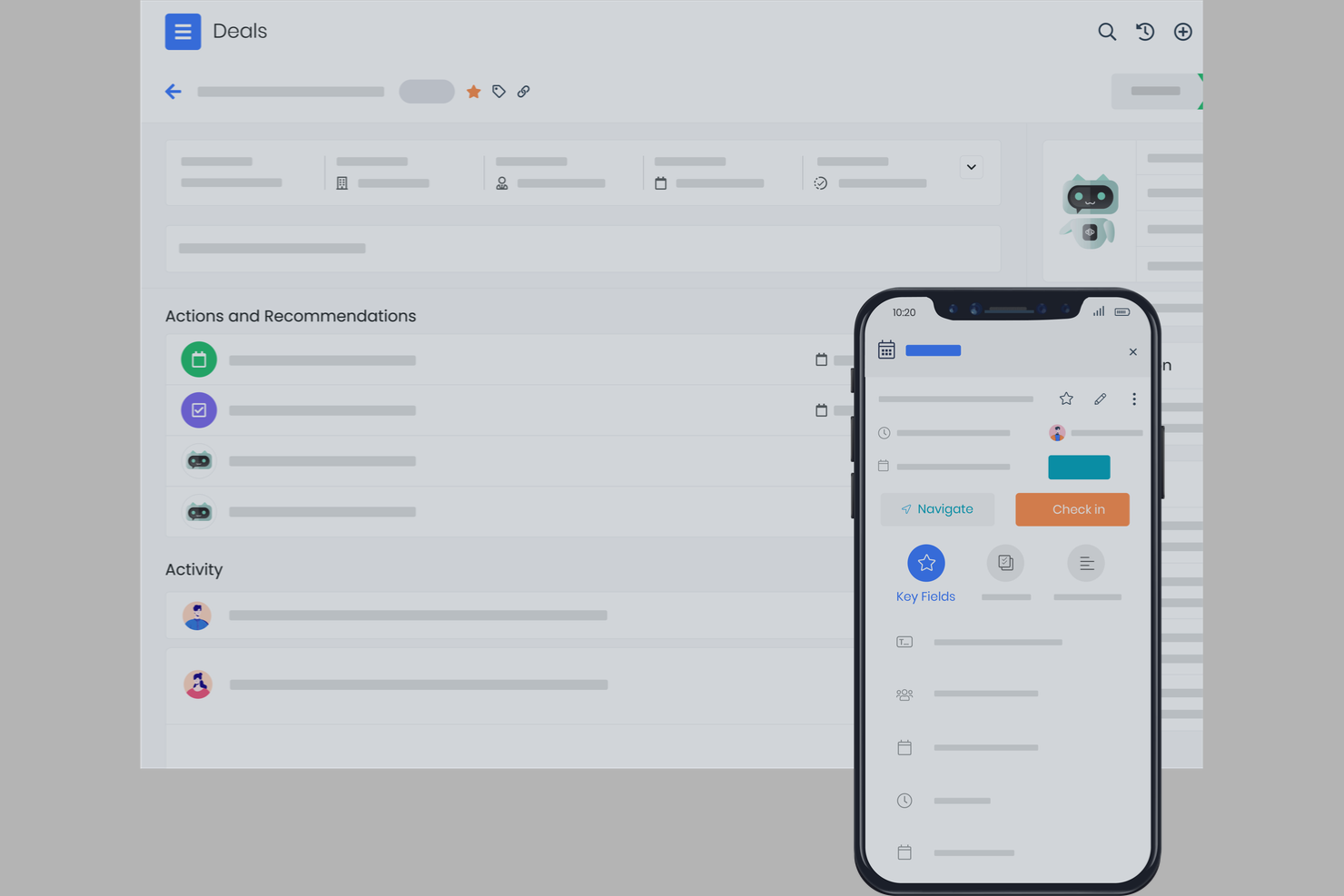
Se cerchi una soluzione gratuita per la gestione dei clienti con strumenti integrati per le campagne email, Vtiger merita attenzione. È progettato per i team che desiderano gestire i contatti e lanciare campagne email da un'unica piattaforma senza dover utilizzare più strumenti diversi. Vtiger può aiutare le piccole imprese e i team di vendita a mantenere organizzate le comunicazioni con i clienti e ad automatizzare le attività di contatto.
Perché ho scelto Vtiger
Ciò che distingue Vtiger è il modo in cui integra strumenti per campagne email direttamente nella sua piattaforma CRM gratuita. Puoi creare, inviare e monitorare campagne email senza uscire dal sistema, qualità rara tra i software gratuiti di gestione clienti. Ho scelto Vtiger perché consente di gestire i contatti e automatizzare i follow-up nello stesso posto, facilitando il mantenimento ordinato delle comunicazioni con i clienti. Questo approccio è particolarmente utile per piccoli team che desiderano coltivare lead e clienti senza dover ricorrere a strumenti di marketing separati.
Caratteristiche principali di Vtiger
Altre funzionalità di Vtiger che supportano la gestione clienti gratuita comprendono:
- Gestione contatti: Archivia, organizza e segmenta le informazioni dei clienti in un database centralizzato.
- Monitoraggio trattative: Monitora le opportunità di vendita e le fasi tramite una pipeline visuale.
- Gestione delle attività e dei compiti: Assegna, programma e monitora compiti e riunioni per il tuo team.
- Archiviazione documenti: Carica e gestisci file relativi ai clienti direttamente nel CRM.
Integrazioni di Vtiger
Le integrazioni includono Google Workspace, Microsoft Teams, WhatsApp, Gmail, Microsoft Outlook, Mailchimp, QuickBooks, Xero, Stripe e Zoom Meetings.
Cosa è gratis?
Vtiger offre un piano gratuito per sempre fino a 10 utenti. Il piano gratuito include le funzionalità CRM di base, campagne email e gestione dei contatti, ma limita automazioni avanzate, reportistica e alcune integrazioni.
Pros and Cons
Pros:
- Strumenti integrati per campagne email e monitoraggio
- Pipeline di vendita visuale per la gestione delle trattative
- Il piano gratuito comprende utenti e record illimitati
Cons:
- Il piano gratuito non prevede automazioni avanzate dei workflow
- Le funzionalità dell'app mobile sono limitate nel piano gratuito

Il migliore con integrazioni estese di app

Salesforce è una piattaforma CRM basata su cloud progettata per i team che necessitano di opzioni avanzate di personalizzazione e integrazione. È una soluzione ideale per le aziende che desiderano collegare la gestione dei clienti con una vasta gamma di app di terze parti e flussi di lavoro. Se cerchi una soluzione in grado di adattarsi a processi complessi e crescere insieme alla tua organizzazione, Salesforce si distingue per la sua flessibilità e il suo ecosistema.
Perché ho scelto Salesforce
Ciò che rende Salesforce una scelta valida per la gestione dei clienti è la sua capacità ineguagliabile di connettersi con una vasta gamma di app e servizi di terze parti. Ho scelto Salesforce perché il suo marketplace AppExchange consente di aggiungere strumenti per marketing, assistenza, analisi e altro ancora, tutto all'interno della stessa piattaforma. Questo significa che puoi personalizzare il tuo CRM in base al flusso di lavoro del tuo team, sincronizzandolo con software di contabilità, automatizzando l'acquisizione di lead o integrandolo con strumenti di comunicazione. Per i team che vogliono una soluzione di gestione clienti che cresca e si adatti man mano che la propria infrastruttura tecnologica evolve, l'ecosistema di integrazioni di Salesforce è difficile da eguagliare.
Funzionalità principali di Salesforce
Altre funzionalità che rendono Salesforce utile per la gestione dei clienti includono:
- Dashboard personalizzabili: Crea dashboard visive per monitorare vendite, assistenza e attività dei clienti in tempo reale.
- Automazione dei flussi di lavoro: Imposta regole automatiche per l'assegnazione dei lead, i follow-up e le approvazioni.
- Gestione dei casi: Gestisci le richieste di assistenza dei clienti e traccia l'avanzamento delle risoluzioni all'interno del CRM.
- App mobile: Accedi ai dati dei clienti, attività e notifiche ovunque tramite l'app mobile di Salesforce.
Integrazioni Salesforce
Le integrazioni includono Outlook, Gmail, Slack, QuickBooks, Mailchimp, HubSpot, Docusign, Dropbox, LinkedIn e Google Drive.
Cosa è gratuito?
Salesforce offre una prova gratuita di 30 giorni con accesso alle funzioni principali del CRM. La prova gratuita ha una durata limitata e non include un piano gratuito illimitato; durante il periodo di prova potrebbero applicarsi limiti a utenti e integrazioni.
Pros and Cons
Pros:
- AppExchange offre migliaia di opzioni di integrazione
- Dashboard personalizzabili per il monitoraggio delle attività clienti
- Gestione dei casi per il tracciamento del supporto clienti
Cons:
- Nessun piano gratuito illimitato disponibile
- Email limitate nei piani base

Se il tuo team ha bisogno di un software gratuito di gestione clienti con telefonia integrata, Bitrix24 merita attenzione. È progettato per le aziende che vogliono gestire chiamate, contatti e comunicazioni da un'unica piattaforma. Bitrix24 aiuta i team a centralizzare le interazioni con i clienti, semplificando il monitoraggio delle conversazioni e il follow-up senza cambiare strumento.
Perché ho scelto Bitrix24
Ciò che distingue Bitrix24 nel panorama dei software gratuiti di gestione clienti sono le sue funzionalità di telefonia integrate. Puoi effettuare e ricevere chiamate direttamente dal CRM, registrare automaticamente i dettagli delle chiamate e perfino salvare le conversazioni per riferimento futuro. Ho scelto Bitrix24 perché questi strumenti di telefonia sono inclusi nel piano gratuito, una rarità tra le piattaforme di gestione clienti. Per i team che fanno affidamento sulle comunicazioni telefoniche con i clienti, avere una telefonia completamente integrata con i dati dei contatti e il tracciamento delle attività rende Bitrix24 una scelta molto valida.
Funzionalità principali di Bitrix24
Altre funzionalità di Bitrix24 utili per la gestione gratuita dei clienti includono:
- Gestione di attività e progetti: Assegna attività, imposta scadenze e monitora l'avanzamento dei lavori legati ai clienti.
- Gestione documentale: Archivia, condividi e collabora sui file dei clienti all'interno della piattaforma.
- Widget di chat dal vivo: Aggiungi un widget di chat al tuo sito web per intercettare e rispondere in tempo reale alle richieste dei clienti.
- Visualizzazione della pipeline di vendita: Utilizza pipeline personalizzabili per monitorare trattative e stato dei clienti dal lead alla chiusura.
Integrazioni Bitrix24
Le integrazioni includono Gmail, Outlook, WhatsApp, Facebook Messenger, Instagram, Twilio, Shopify, Mailchimp, Slack e Dropbox. Bitrix24 offre anche un'API per integrazioni personalizzate.
Cosa è gratis?
Bitrix24 offre un piano gratuito per sempre per utenti illimitati. Il piano gratuito include le funzionalità CRM di base, telefonia, gestione attività e chat dal vivo, ma limita lo spazio di archiviazione a 5 GB e l'accesso a funzioni avanzate di automazione, reportistica e alcune integrazioni.
Pros and Cons
Pros:
- Telefonia integrata per chiamate e registrazione chiamate
- Contatti e trattative illimitati nel piano gratuito
- Include strumenti di chat dal vivo e moduli web
Cons:
- Il piano gratuito è limitato a 5 GB di spazio di archiviazione
- Le funzioni di telefonia possono richiedere crediti a pagamento


Agile CRM porta le funzionalità di automazione del marketing in una piattaforma gratuita di gestione clienti, rendendolo una scelta solida per piccole imprese e startup che desiderano unire vendite e marketing in un unico posto. Se hai bisogno di gestire i contatti mentre esegui campagne email e tracci il coinvolgimento web, Agile CRM copre entrambe le esigenze. È particolarmente utile per i team che vogliono automatizzare attività di marketing ripetitive insieme ai flussi di lavoro di gestione clienti.
Perché ho scelto Agile CRM
Ciò che distingue Agile CRM per me è la capacità di integrare direttamente l'automazione del marketing nella sua piattaforma gratuita di gestione clienti. Vedo questo aspetto come un grande vantaggio per i piccoli team che vogliono gestire i contatti e automatizzare campagne email, moduli web e sequenze di follow-up senza dover usare più strumenti. Il piano gratuito di Agile CRM include flussi di lavoro di automazione del marketing e tracciamento delle campagne, cosa non comune tra le opzioni CRM gratuite. Per chi desidera coltivare lead e gestire le relazioni con i clienti in un unico posto, le funzionalità di automazione di Agile CRM lo rendono una soluzione ideale.
Funzionalità principali di Agile CRM
Altre funzionalità di Agile CRM che supportano la gestione gratuita dei clienti includono:
- Cronologia dei contatti: Visualizza una cronologia cronologica di ogni interazione con ciascun contatto.
- Monitoraggio delle trattative: Organizza e monitora le opportunità di vendita attraverso fasi personalizzabili.
- Pianificazione appuntamenti: Consenti ai clienti di prenotare riunioni direttamente tramite link calendario integrati.
- App mobile: Accedi e aggiorna le informazioni dei clienti da dispositivi iOS e Android.
Integrazioni di Agile CRM
Le integrazioni includono Google Apps, LinkedIn, Facebook, Twitter, Mailchimp, Shopify, Stripe, QuickBooks, Zendesk e Twilio.
Cosa è gratuito?
Agile CRM offre un piano gratuito per sempre fino a 10 utenti. Il piano gratuito include gestione dei contatti, punteggio dei lead, pianificazione appuntamenti e automazione di marketing di base, ma limita le funzionalità avanzate, come report personalizzati e automazione dei flussi di lavoro.
Pros and Cons
Pros:
- Il piano gratuito include automazione di marketing di base
- Tracciamento email e modelli inclusi
- La pianificazione degli appuntamenti è disponibile nel piano gratuito
Cons:
- Il piano gratuito è limitato a 10 utenti
- L'automazione dei flussi di lavoro è limitata a un solo trigger


FreeCRM è una piattaforma di gestione clienti progettata per i team che hanno bisogno di uno spazio di archiviazione dati illimitato senza costi aggiuntivi. È una soluzione ideale per le aziende che gestiscono grandi volumi di contatti, note e comunicazioni e che non vogliono preoccuparsi di raggiungere limiti di archiviazione. Se il tuo lavoro implica la gestione di ampi registri clienti o storici di relazioni a lungo termine, FreeCRM ti aiuta a mantenere tutto organizzato in un unico posto.
Perché ho scelto FreeCRM
Ciò che mi ha attirato verso FreeCRM è la promessa di archiviazione dati illimitata sul piano gratuito, una caratteristica rara tra gli strumenti di gestione clienti. Per i team che gestiscono migliaia di contatti, note dettagliate e lunghe cronologie di comunicazione, raggiungere i limiti di spazio può essere davvero un ostacolo. FreeCRM permette di archiviare illimitati record, email e file senza costringerti a passare a un piano superiore. Questo lo rende una scelta pratica per le aziende che necessitano di mantenere accessibili e organizzate grandi quantità di informazioni sui clienti nel tempo.
Caratteristiche principali di FreeCRM
Altre funzionalità che si distinguono per i team che considerano FreeCRM come soluzione gratuita per la gestione clienti includono:
- Gestione delle attività: Assegna, monitora e aggiorna le attività per te o il tuo team direttamente dalla piattaforma.
- Integrazione calendario: Sincronizza appuntamenti e riunioni con strumenti calendario integrati.
- Integrazione email: Invia, ricevi e registra email direttamente dall'interfaccia CRM.
- Archiviazione documenti: Carica e organizza file e documenti legati ai tuoi contatti e affari.
Integrazioni FreeCRM
Le integrazioni includono Google, WhatsApp for Business, QuickBooks, Facebook, Twitter/X, Docusign, Amazon Web Services, Android, Apple iOS e Microsoft Entra.
Cosa è gratuito?
FreeCRM offre un piano gratuito per sempre fino a 100 utenti. Il piano gratuito include spazio di archiviazione illimitato ma limita funzionalità avanzate come l'automazione dei processi e il supporto premium.
Pros and Cons
Pros:
- Archiviazione illimitata per contatti e documenti
- Integrazione email con registrazione e tracciamento
- Il piano gratuito supporta fino a 100 utenti
Cons:
- Interfaccia utente e navigazione datate
- Funzionalità di automazione limitate sul piano gratuito


Se il tuo team necessita di una piattaforma di gestione clienti senza limiti di utenti, HubSpot CRM merita attenzione. È progettato per aziende in crescita che vogliono consentire a tutti l'accesso ai dati dei contatti, al monitoraggio delle trattative e alle timeline delle attività. Il piano gratuito facilita la collaborazione tra team distribuiti senza preoccuparsi di raggiungere un limite di utenti.
Perché ho scelto HubSpot CRM
Ho scelto HubSpot CRM perché è una delle poche piattaforme di gestione clienti gratuite che consente utenti illimitati già nel piano free. Questo lo rende particolarmente adatto ai team che necessitano che tutti—indipendentemente da dimensione o reparto—possano accedere e aggiornare i dati dei clienti. Il database condiviso dei contatti e le pipeline di vendita collaborative aiutano a mantenere tutti allineati. Apprezzo anche che il tracciamento delle attività sia disponibile per tutti, così non bisogna preoccuparsi di creare silos informativi man mano che il team cresce.
Caratteristiche principali di HubSpot CRM
Altre funzioni di HubSpot CRM che si distinguono per la gestione dei clienti includono:
- Monitoraggio email: Traccia quando i contatti aprono le email e cliccano sui link direttamente dal CRM.
- Pianificazione riunioni: Condividi un link personalizzato per permettere ai clienti di fissare riunioni con il tuo team.
- Gestione delle attività: Assegna e monitora compiti per te stesso o per i colleghi all'interno di ogni scheda cliente.
- Condivisione documenti: Archivia e invia materiali di vendita da una libreria centrale, con monitoraggio del coinvolgimento dei clienti.
Integrazioni di HubSpot CRM
Le integrazioni includono Gmail, Google Calendar, Outlook, HubSpot per WordPress, Outlook Calendar, Meta Ads, Zoom, Microsoft Teams, Slack e Salesforce.
Cosa è gratis?
HubSpot CRM offre un piano gratuito per sempre con utenti illimitati. Alcune funzionalità, come l'automazione dei workflow e i report avanzati, sono disponibili solo nei piani a pagamento e ci sono limiti al numero di contatti e ad alcune integrazioni.
Pros and Cons
Pros:
- Utenti illimitati anche nel piano gratuito
- Pianificatore di riunioni incluso senza costi aggiuntivi
- Ampia scelta di integrazioni con strumenti popolari
Cons:
- Il piano gratuito non comprende reportistica avanzata
- Automazione dei workflow non inclusa gratuitamente
Altri software gratuiti per la gestione dei clienti
Ecco alcune ulteriori opzioni gratuite per la gestione dei clienti che non sono state incluse nel mio elenco, ma che vale comunque la pena prendere in considerazione:
- Zoho CRM
Ideale per strumenti di automazione dei flussi di lavoro
- Bigin by Zoho CRM
Ideale per gestire pipeline di vendita
- Teamgate
Ideale per il monitoraggio dei lead di vendita


Come Valuto i Software Gratuiti di Gestione Clienti
Valuto questi strumenti su due livelli: le capacità di base che ogni strumento deve avere—come l'archiviazione delle schede cliente, il monitoraggio delle consegne e la condivisione degli aggiornamenti—e i fattori che li differenziano.
Funzionalità di Base (Requisiti Fondamentali per questa Lista)
Quando seleziono gli strumenti per la mia lista, attribuisco a ciascuno un punteggio da 0 (non fornisce la funzionalità) a 5 (eccelle in quest'area) per ogni funzionalità di base qui sotto. Poi calcolo il punteggio totale dello strumento in percentuale. Ogni software deve raggiungere un punteggio minimo totale del 65% per essere considerato nell'elenco.
- Disponibilità di un Piano Gratuito: Verifico che lo strumento offra un vero piano gratuito che supporti l'attività di gestione clienti in modo continuativo—non solo una prova di 14 giorni che si interrompe a metà progetto.
- Database Clienti & Contatti: Un buon centro di gestione contatti è fondamentale. Cerco la possibilità di archiviare profili clienti con campi personalizzati, tag e note che vadano oltre nome e email.
- Monitoraggio Progetti & Attività: Valuto se è possibile collegare attività e scadenze direttamente ai clienti, così che una consegna ricorrente o una milestone di campagna resti associata al proprio referente.
- Registrazione delle Comunicazioni con i Clienti: Cerco linee temporali delle attività, thread email o storici di note collegati ad ogni scheda cliente, in modo che i passaggi di consegne tra membri del team non facciano perdere il contesto.
- Portale Clienti o Condivisione Esterna: Strumenti come monday.com e HubSpot gestiscono questo aspetto in modo diverso, ma verifico che ci sia una qualche forma di accesso ospite, link condivisi o un portale dove il cliente possa vedere lo stato di avanzamento.
- Gestione File & Documenti: Allegare SOW, brief e documenti di feedback al giusto cliente o progetto rende tutto facilmente reperibile. Cerco la possibilità di caricare file legati ai record, non solo un drive generico.
Una volta che ho una lista di strumenti che risponde a questi criteri, valuto in cosa ciascuna piattaforma si distingue.
Fattori Differenzianti (Cosa Distingue le Soluzioni)
Ecco come confronto e metto a contrasto i diversi fornitori:
Funzionalità Distintive
Il rilevamento integrato delle ore è un grande punto a favore—soprattutto per chi in agenzia coordina diversi clienti ricorrenti e ha bisogno che gli orari registrati siano associati direttamente ai clienti. Anche le automazioni dei flussi di lavoro sono importanti. Gli strumenti che permettono di assegnare in automatico attività di onboarding o di inviare promemoria quando cambia lo stato di un progetto fanno risparmiare molte ore ogni settimana. Valuto inoltre la reportistica e i dashboard per i clienti. La possibilità di visualizzare al volo la redditività di ogni cliente o di condividere una vista aggiornata dello stato di avanzamento è indubbiamente meglio che assemblare report su un foglio di calcolo.
Oltre le Funzionalità
I limiti dei piani gratuiti sono estremamente variabili, quindi verifico quanti utenti e schede clienti sono supportati prima che il software suggerisca un passaggio al piano a pagamento. Anche la copertura delle integrazioni è importante—se lo strumento non si collega a email, calendario e gestionale di fatturazione, finirai per saltare da una scheda all'altra. Considero inoltre il pubblico per cui ogni soluzione è pensata. Un freelancer che gestisce cinque clienti ha esigenze molto diverse da un'agenzia di dieci persone con trenta account; la scelta giusta dipende tanto dal volume dei progetti quanto dalla profondità delle funzionalità offerte.
Come scegliere un software gratuito per la gestione dei clienti
È facile perdersi in lunghi elenchi di funzionalità e strutture tariffarie complesse. Per aiutarti a rimanere concentrato mentre affronti il tuo specifico processo di selezione del software, ecco un elenco di fattori da tenere a mente:
| Fattore | Cosa valutare |
|---|---|
| Scalabilità | Il software supporterà la tua base clienti durante la crescita? Controlla i limiti relativi a utenti, dati e flussi di lavoro previsti dal piano gratuito. |
| Integrazioni | Si collega agli strumenti che già utilizzi (e-mail, calendario, contabilità)? Verifica la presenza di integrazioni native, non solo di API o Zapier. |
| Personalizzazione | Puoi adattare campi, pipeline o flussi di lavoro al processo del tuo team? Cerca opzioni di trascinamento o modelli. |
| Facilità d'uso | Il tuo team lo adotterà rapidamente? Verifica la chiarezza dell'interfaccia e se le attività comuni sono facili da completare. |
| Implementazione e onboarding | Quanto tempo sarà necessario per iniziare a utilizzarlo? Valuta le opzioni di importazione dei dati, le risorse formative e il supporto alla migrazione. |
| Costo | Cosa succede dopo il piano gratuito? Esamina i prezzi per l'upgrade, i limiti relativi agli utenti e gli eventuali costi nascosti per l'espansione. |
| Misure di sicurezza | Lo strumento offre crittografia, autorizzazioni per gli utenti e backup dei dati? Assicurati che soddisfi gli standard di sicurezza della tua organizzazione. |
| Disponibilità del supporto | Quali canali di supporto sono disponibili nel piano gratuito? Verifica la presenza di chat dal vivo, e-mail o forum della community, oltre ai tempi di risposta tipici. |
Che cos'è un software gratuito per la gestione dei clienti?
Il software gratuito per la gestione dei clienti è un tipo di sistema CRM che aiuta le aziende a gestire i dati dei clienti, monitorare le interazioni e organizzare il processo di vendita senza richiedere un abbonamento a pagamento. Questi strumenti CRM sono progettati per supportare la gestione delle relazioni con i clienti centralizzando i contatti, monitorando le attività e migliorando la visibilità durante l'intero ciclo di vendita.
Molte piattaforme si presentano come un semplice CRM o come la migliore opzione CRM gratuita, offrendo funzionalità CRM essenziali come la generazione di lead, il monitoraggio delle trattative e la gestione delle attività. Alcune soluzioni includono anche funzionalità di intelligenza artificiale o un assistente basato sull’intelligenza artificiale per contribuire ad automatizzare le attività, analizzare i dati dei clienti e supportare i team mentre lavorano per concludere le trattative in modo più efficiente.
Funzionalità dei software gratuiti per la gestione dei clienti
Esaminiamo le funzionalità comunemente presenti nei software per la gestione dei clienti e quali sono generalmente incluse nei piani gratuiti rispetto a quelli a pagamento.
Funzionalità tipiche dei software gratuiti per la gestione dei clienti
- Gestione dei contatti: Archivia, organizza e aggiorna i dati dei clienti, come nomi, indirizzi email, numeri di telefono e informazioni aziendali, in un database ricercabile.
- Monitoraggio delle attività: Registra chiamate, email, riunioni e note per mantenere uno storico di tutte le interazioni con i clienti, facilmente consultabile.
- Gestione delle attività: Assegna, pianifica e monitora le attività relative ai follow-up con i clienti, alle riunioni o alle tappe fondamentali dei progetti direttamente dalla piattaforma.
- Reportistica di base: Genera report semplici sulle attività dei clienti, sulle pipeline di vendita o sul completamento delle attività per monitorare i progressi e le prestazioni.
- Visualizzazione della pipeline: Visualizza e gestisci le pipeline di vendita o dei progetti utilizzando schede o elenchi visivi per monitorare lo stato dei clienti e i passaggi successivi.
- Integrazione email: Collega il tuo account email per inviare, ricevere e registrare le comunicazioni con i clienti direttamente dal software.
- Promemoria e notifiche: Configura avvisi per le attività, le riunioni o i follow-up imminenti, così da evitare che nulla venga trascurato.
- Controlli degli accessi degli utenti: Gestisci le autorizzazioni di base per controllare chi può visualizzare o modificare le informazioni sui clienti all’interno del team.
Funzionalità tipiche dei software a pagamento per la gestione dei clienti
- Automazione avanzata: Automatizza flussi di lavoro ripetitivi, come l’assegnazione dei lead, le email di follow-up o la creazione di attività, in base a trigger e regole.
- Reportistica e analisi personalizzate: Crea report e dashboard dettagliati e personalizzabili per analizzare i dati dei clienti, le tendenze e le prestazioni del team.
- Integrazione con app di terze parti: Connettiti a una gamma più ampia di strumenti aziendali, come piattaforme di contabilità, marketing o assistenza, per garantire un flusso di dati continuo.
- Autorizzazioni basate sui ruoli: Imposta controlli granulari degli accessi per diversi membri del team o reparti, assicurandoti che i dati sensibili siano disponibili solo agli utenti autorizzati.
- Campagne email in blocco: Invia email personalizzate in blocco a segmenti di clienti, monitora i tassi di apertura e gestisci le prestazioni delle campagne all’interno della piattaforma.
- App mobile con accesso offline: Utilizza un’app mobile dedicata che consente di accedere e aggiornare i dati dei clienti anche senza connessione a Internet.
- Campi e layout personalizzati: Adatta la struttura del database aggiungendo campi, layout o moduli personalizzati per soddisfare i processi aziendali specifici.
- Accesso API: Utilizza strumenti per sviluppatori e API per creare integrazioni personalizzate o automatizzare la sincronizzazione dei dati con altri sistemi.
- Assistenza clienti prioritaria: Accedi a tempi di risposta più rapidi, account manager dedicati o canali di assistenza premium per la risoluzione dei problemi e l’avvio del servizio.
- Backup e ripristino dei dati: Approfitta di funzionalità avanzate per la protezione dei dati, inclusi backup automatici e opzioni di ripristino in caso di perdita dei dati.
Vantaggi dei software gratuiti per la gestione dei clienti
L’implementazione di un software gratuito per la gestione dei clienti offre diversi vantaggi al tuo team e alla tua azienda. Eccone alcuni di cui potrai beneficiare:
- Informazioni centralizzate sui clienti: Mantieni tutti i dettagli di contatto, le note e la cronologia delle attività dei clienti in un'unica posizione accessibile, riducendo il monitoraggio manuale e i silos di dati.
- Organizzazione migliorata delle attività: Utilizza la gestione delle attività e i promemoria integrati per assicurarti che i follow-up e gli impegni con i clienti non vengano mai dimenticati.
- Risparmio sui costi: Accedi alle funzionalità essenziali per la gestione dei clienti senza la necessità di un abbonamento a pagamento, rendendo più semplice per i piccoli team iniziare.
- Collaborazione di team migliorata: Condividi i dati dei clienti, assegna attività e monitora insieme i progressi, favorendo una comunicazione e una responsabilizzazione migliori.
- Facile integrazione con gli strumenti esistenti: Collega email, calendario e altre applicazioni aziendali di base per ottimizzare i flussi di lavoro e ridurre l'inserimento duplicato dei dati.
- Base scalabile: Inizia con funzionalità di base e passa a capacità avanzate man mano che la tua base clienti e le esigenze aziendali crescono.
- Avvio rapido: Sfrutta interfacce intuitive, modelli e risorse di formazione che aiutano il tuo team a diventare operativo con tempi di inattività minimi.
Costi e prezzi dei software per la gestione dei clienti
Mi rendo conto che sei arrivato a questo articolo cercando le migliori opzioni di software per la gestione dei clienti disponibili gratuitamente. Tuttavia, poiché i piani gratuiti offrono solo funzionalità limitate, è molto probabile che in futuro dovrai passare a un piano superiore.
La tabella seguente riassume i piani comuni, i relativi prezzi medi e le funzionalità tipicamente incluse nei software per la gestione dei clienti:
Tabella comparativa dei piani per i software di gestione dei clienti
| Tipo di piano | Prezzo medio | Funzionalità comuni |
|---|---|---|
| Piano gratuito | $0 | Gestione di base dei contatti, monitoraggio delle attività, gestione delle attività, reportistica limitata e integrazioni di base. |
| Piano personale | $5-$15/utente/mese | Tutte le funzionalità gratuite, integrazione email, pipeline personalizzabili, automazione semplice e spazio di archiviazione ampliato. |
| Piano aziendale | $20-$40/utente/mese | Automazione avanzata, report personalizzati, integrazioni di terze parti, autorizzazioni basate sui ruoli e accesso all'app mobile. |
| Piano aziendale | $50-$100/utente/mese | Tutte le funzionalità aziendali, accesso API, sicurezza avanzata, assistenza prioritaria, moduli personalizzati e backup dei dati. |
Domande frequenti sui software gratuiti per la gestione dei clienti
Ecco alcune risposte alle domande comuni sui software gratuiti per la gestione dei clienti:
Esistono costi nascosti nei software gratuiti per la gestione dei clienti?
No, la maggior parte dei piani gratuiti dei software per la gestione dei clienti non prevede costi nascosti, ma potresti incontrare limiti relativi al numero di utenti, allo spazio di archiviazione o alle funzionalità. Consulta sempre la pagina dei prezzi del fornitore per comprendere quando è necessario effettuare l’upgrade e gli eventuali costi per componenti aggiuntivi o integrazioni.
Posso migrare i miei dati se supero i limiti del piano gratuito?
Sì, la maggior parte delle piattaforme consente di esportare i dati o passare a un piano a pagamento senza perdere informazioni. Verifica le opzioni di esportazione dei dati e assicurati che lo strumento scelto supporti una migrazione semplice verso livelli superiori o altri sistemi.
Quanto è sicuro un software gratuito per la gestione dei clienti?
La sicurezza varia in base al fornitore, ma la maggior parte delle piattaforme affidabili offre misure di protezione di base come la crittografia e le autorizzazioni degli utenti, anche nei piani gratuiti. Per i dati sensibili, consulta la documentazione sulla sicurezza del fornitore e valuta se le protezioni avanzate siano disponibili solo nei livelli a pagamento.
Quali limitazioni devo aspettarmi con un software gratuito per la gestione dei clienti?
I piani gratuiti spesso limitano il numero di utenti, contatti, lo spazio di archiviazione o le integrazioni che puoi utilizzare. Le funzionalità avanzate come l’automazione, la reportistica personalizzata o l’assistenza prioritaria sono generalmente riservate ai piani a pagamento; valuta quindi se il livello gratuito soddisfa le tue esigenze attuali e quelle del prossimo futuro.
Posso utilizzare un software gratuito per la gestione dei clienti con un team distribuito o da remoto?
Sì, molti strumenti gratuiti per la gestione dei clienti sono basati sul cloud e accessibili da qualsiasi luogo con una connessione Internet. Tuttavia, verifica se le funzionalità di collaborazione, l’accesso mobile o le autorizzazioni degli utenti sono incluse nel piano gratuito per supportare il flusso di lavoro del tuo team.