

I 10 migliori software di gestione dei progetti per avvocati nel 2026

Elenco ristretto dei software di gestione dei progetti per avvocati


Un software di gestione dei progetti per avvocati offre al tuo studio un luogo centrale per organizzare i casi, monitorare le scadenze, gestire i documenti e collaborare con clienti e colleghi. Se stai cercando il miglior software di gestione dei progetti per avvocati, probabilmente devi gestire un carico di casi complesso, requisiti di conformità e la necessità di mantenere tutti aggiornati. Lo strumento giusto può aiutarti a ridurre il lavoro manuale, migliorare la visibilità e mantenere il tuo studio efficiente. In questa guida troverai opzioni valutate da esperti e adatte alle esigenze specifiche del lavoro legale, così potrai scegliere quella più adatta al tuo team e ai tuoi clienti.
Perché fidarsi dei nostri consigli sui software
Il nostro team testa e recensisce software dal 2012. In quanto project manager noi stessi, sappiamo quanto sia difficile — e importante — scegliere il software giusto.
Per questa guida, abbiamo valutato gli strumenti attraverso test pratici e ricerche indipendenti, assegnando un punteggio agli strumenti in base ai nostri criteri di selezione. Ci basiamo inoltre sulle competenze di leader di pensiero del settore e di professionisti attivi nella gestione dei progetti.
Le nostre recensioni riflettono il nostro giudizio editoriale umano, non un discorso di vendita.
Revisori esperti:
Tabella comparativa dei software di gestione dei progetti per avvocati
La tabella seguente confronta i dettagli dei prezzi delle mie principali selezioni di software di gestione dei progetti per avvocati.
| Tool | Best For | Trial Info | Price | ||
|---|---|---|---|---|---|
| 1 | Ideale per il rilevamento automatico del tempo legale | Demo gratuita disponibile | Prezzi su richiesta | Website | |
| 2 | Ideale per portali di collaborazione clienti sicuri | Prova gratuita di 10 giorni + demo gratuita disponibile | Da $239/mese (fatturazione annuale) | Website | |
| 3 | Ideale per la gestione completa degli studi legali | Prova gratuita di 7 giorni + demo gratuita disponibile | Da $49/utente/mese (fatturazione annuale) | Website | |
| 4 | Ideale per la gestione dei casi e la comunicazione con i clienti | Prova gratuita di 10 giorni + demo gratuita disponibile | Da $39/utente/mese (fatturazione annuale) | Website | |
| 5 | Ideale per flussi di lavoro e raccolta informazioni legali visivi | Prova gratuita di 14 giorni + demo gratuita disponibile | Da $39/utente/mese | Website | |
| 6 | Ideale per la gestione di casi basata sui documenti | Prova gratuita + demo gratuita disponibili | Prezzo su richiesta | Website | |
| 7 | Ideale per CRM legale e gestione documentale | Demo gratuita disponibile | Prezzo su richiesta | Website | |
| 8 | Ideale per la fatturazione legale e il rilevamento delle ore | Prova gratuita di 10 giorni + demo gratuita disponibile | Da $59/utente/mese (fatturato annualmente) | Website | |
| 9 | Ideale per workflow legali e gestione delle pratiche | Demo gratuita disponibile | Prezzi su richiesta | Website | |
| 10 | Ideale per flussi di lavoro legali personalizzabili | Demo gratuita disponibile | Da $70/utente/mese | Website |
Recensioni dei software di gestione dei progetti per avvocati
Di seguito trovi i miei riepiloghi dettagliati dei software di gestione dei progetti per avvocati inclusi nel mio elenco ristretto. Le mie recensioni offrono uno sguardo approfondito alle funzionalità, ai casi d’uso migliori e alle integrazioni di ciascuna piattaforma, per aiutarti a trovare quella più adatta a te.

Ideale per il rilevamento automatico del tempo legale

Smokeball è una piattaforma di gestione degli studi legali che combina la gestione dei casi, il rilevamento automatico del tempo, l'automazione dei documenti e strumenti integrati per la posta elettronica e la fatturazione.
Per chi è più adatto Smokeball?
Studi legali piccoli e medi che desiderano la gestione dei casi e l'automazione dei documenti basate sul cloud.
Perché ho scelto Smokeball
Ho scelto Smokeball come una delle migliori soluzioni perché mi affido al suo rilevamento automatico del tempo, che registra ogni minuto dedicato al lavoro per i clienti senza inserimenti manuali. Il mio team utilizza l'automazione dei documenti per generare moduli giudiziari e lettere direttamente dai dati dei casi. Apprezzo inoltre il modo in cui gli strumenti integrati per la posta elettronica e la fatturazione mantengono tutto collegato a ciascuna pratica.
Funzionalità principali di Smokeball
- Gestione delle attività: Assegna, monitora e organizza le attività per ogni pratica.
- Portale clienti: Condividi documenti e messaggi in modo sicuro con i clienti.
- Integrazione del calendario: Sincronizza le date delle udienze e le scadenze con Outlook.
- Dashboard dei report: Visualizza in tempo reale le metriche sulla produttività e sulle finanze dello studio.
Integrazioni di Smokeball
Smokeball offre integrazioni native con Microsoft 365, LawPay, InfoTrack, Xero e QuickBooks Online. È disponibile un'API per le integrazioni personalizzate.
Pros and Cons
Pros:
- Rilevamento automatico del tempo per tutte le attività
- Gestione integrata della posta elettronica nelle pratiche dei clienti
- Informazioni dettagliate sulle attività per ottenere dati sulla produttività del team
Cons:
- Applicazione desktop esclusiva per Windows per accedere a tutte le funzionalità
- La migrazione iniziale dei dati potrebbe richiedere il supporto del fornitore

Clinked
Ideale per portali di collaborazione clienti sicuri

Clinked è una piattaforma di portale clienti per studi legali che combina condivisione sicura di documenti, collaborazione di gruppo, gestione delle attività e strumenti di comunicazione in un unico spazio di lavoro.
A chi è più adatto Clinked?
Studi legali di qualsiasi dimensione che necessitano di un portale clienti sicuro per la condivisione di documenti e la collaborazione.
Perché ho scelto Clinked
Ho scelto Clinked come uno dei migliori perché mi affido al suo portale clienti sicuro per condividere documenti legali sensibili e gestire discussioni di gruppo con i clienti. Il mio team utilizza permessi granulari per controllare chi può accedere a file e cartelle specifici. Apprezzo anche la gestione delle attività integrata e le notifiche in tempo reale, che ci aiutano a tenere aggiornati i clienti sull’avanzamento delle pratiche.
Funzionalità principali di Clinked
- Branding white-label: Personalizza il portale con il logo e i colori del tuo studio legale.
- Controllo versione dei documenti: Tieni traccia delle modifiche e mantieni uno storico completo delle revisioni dei documenti.
- Chat di gruppo: Comunica istantaneamente con clienti e membri del team all’interno del portale.
- Integrazione calendario: Sincronizza eventi e scadenze con strumenti calendario esterni.
Integrazioni Clinked
Clinked offre integrazioni native con Google Workspace, Microsoft 365, DocuSign, Zoom e Zapier. È disponibile un’API per integrazioni personalizzate.
Pros and Cons
Pros:
- Portale clienti sicuro con permessi granulari
- Branding white-label per l’identità dello studio
- Chat di gruppo in tempo reale per le discussioni con i clienti
Cons:
- Nessuna gestione di regole di tribunale o scadenze
- Integrazioni minime con software per studi legali

Clio
Ideale per la gestione completa degli studi legali

Clio è una piattaforma di gestione per studi legali progettata per avvocati e professionisti del settore, che offre strumenti di gestione dei casi, archiviazione dei documenti, calendario, fatturazione e comunicazione con i clienti in un unico sistema.
A chi è più adatto Clio?
Studi legali di piccole e medie dimensioni e avvocati singoli che desiderano una gestione integrata di casi, documenti e fatturazione.
Perché ho scelto Clio
Ho scelto Clio come uno dei migliori perché posso gestire casi, documenti e fatturazione tutto in un unico posto senza dover passare da uno strumento all'altro. Utilizzo l'organizzazione centrata sui fascicoli di Clio per mantenere ogni file, nota e fattura collegati al fascicolo corretto. Le funzionalità integrate di fatturazione e monitoraggio del tempo consentono al mio team di gestire le fatture e la contabilità fiduciaria direttamente dalla stessa dashboard.
Funzionalità principali di Clio
- Gestione delle attività: Assegna, traccia e dai priorità alle attività di ogni pratica.
- Integrazione del calendario: Sincronizza date di udienza e scadenze con i calendari Google e Outlook.
- Portale clienti sicuro: Condividi documenti e messaggi con i clienti in un ambiente protetto.
- Automazione dei documenti: Genera documenti legali da modelli utilizzando i dati delle pratiche.
Integrazioni di Clio
Clio offre oltre 200 integrazioni native tra cui DocuSign, QuickBooks Online, Google Workspace, Dropbox, NetDocuments, LawPay, Zoom, Xero e Zapier. È disponibile un'API per integrazioni personalizzate.
Pros and Cons
Pros:
- Contabilità fiduciaria integrata per la conformità legale
- Ampia libreria di modelli di documenti legali
- Portale clienti sicuro per la condivisione dei documenti
Cons:
- Nessuna funzione integrata per la modifica dei documenti
- Automazione dei flussi di lavoro limitata per casi complessi

MyCase
Ideale per la gestione dei casi e la comunicazione con i clienti
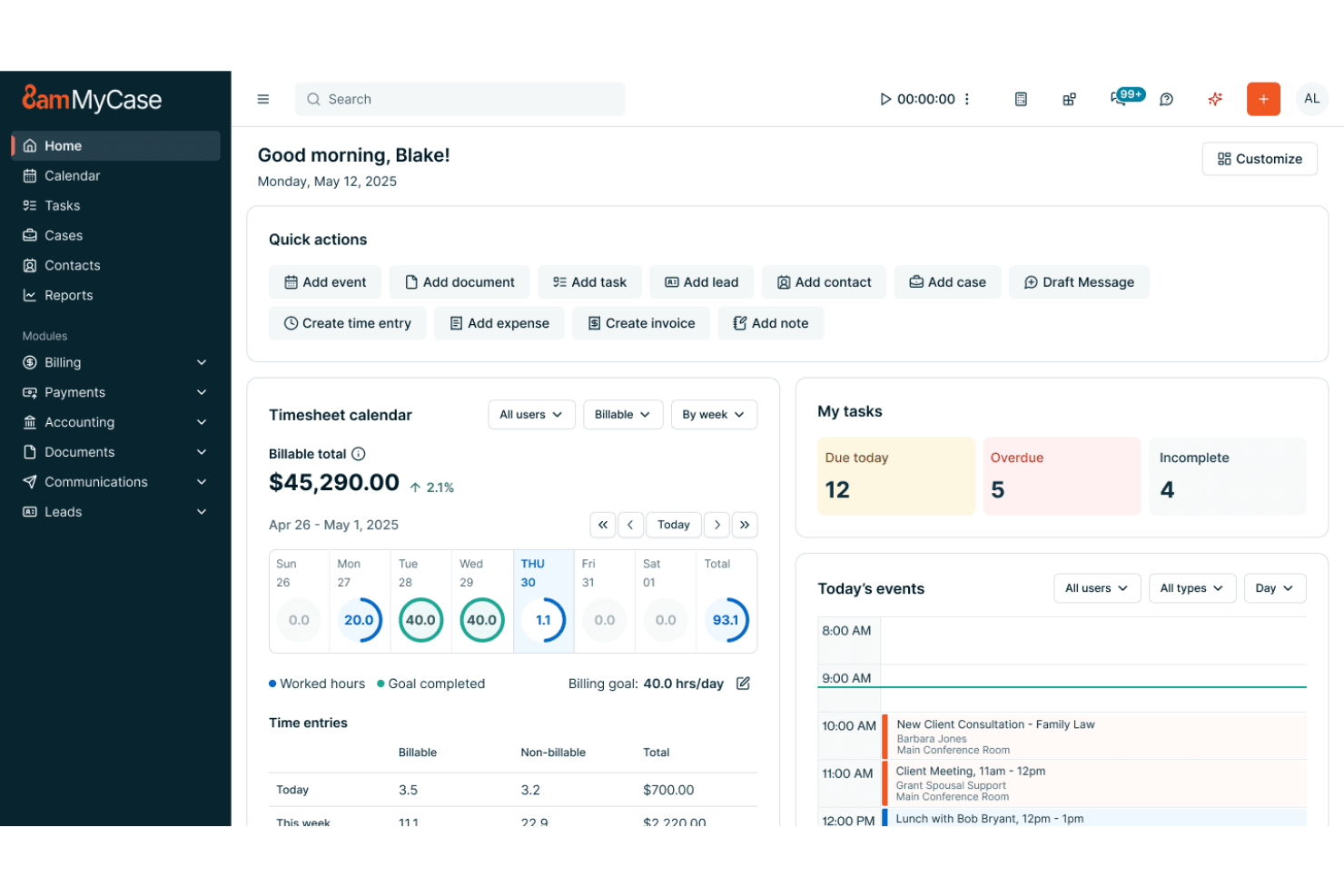
MyCase è una piattaforma di gestione per studi legali che unisce acquisizione clienti, monitoraggio dei casi, gestione dei documenti, calendario e fatturazione in un unico sistema.
Per chi è più indicato MyCase?
Per i piccoli e medi studi legali che desiderano una piattaforma tutto-in-uno per gestire acquisizione clienti, casi e fatturazione.
Perché ho scelto MyCase
Ho scelto MyCase tra i migliori perché posso gestire acquisizione clienti, monitoraggio dei casi e fatturazione senza dover usare più strumenti. Utilizzo i moduli inclusi per l’acquisizione dei clienti, per raccogliere nuovi lead e creare automaticamente nuove pratiche. Il mio team tiene traccia dell’avanzamento dei casi, condivide documenti e invia fatture—tutto da un’unica dashboard.
Caratteristiche principali di MyCase
- Gestione del calendario: Sincronizza date di udienza, scadenze e appuntamenti.
- Portale clienti sicuro: Permette ai clienti di visualizzare aggiornamenti sui casi e condividere documenti.
- Monitoraggio del tempo: Registra le ore fatturabili direttamente per ciascun caso.
- Integrazione con firma elettronica: Consente ai clienti di firmare documenti in modo elettronico.
Integrazioni MyCase
MyCase offre integrazioni native con QuickBooks Online, LawPay, Dropbox, Google Calendar, Microsoft 365 e CalendarRules. È disponibile un’API per integrazioni personalizzate.
Pros and Cons
Pros:
- Il calendario si sincronizza con regole e scadenze di tribunale
- Integrazione firma elettronica per documenti legali
- Aggiornamenti sullo stato dei casi visibili ai clienti
Cons:
- Nessun sistema nativo di controllo versione dei documenti
- L'importazione massiva dei contatti può essere incoerente

Lawcus
Ideale per flussi di lavoro e raccolta informazioni legali visivi

Lawcus è una piattaforma di gestione dello studio legale dedicata agli studi legali che combina gestione delle pratiche in stile Kanban, automazione dei flussi di lavoro, monitoraggio del tempo, fatturazione e comunicazione sicura con i clienti.
Per chi è migliore Lawcus?
Lawcus è particolarmente adatto per studi legali di piccole e medie dimensioni che desiderano automazione visiva dei flussi di lavoro e gestione delle pratiche in stile Kanban.
Perché ho scelto Lawcus
Ho scelto Lawcus tra i migliori perché mi piace come le sue bacheche in stile Kanban permettono di visualizzare ogni fase di una pratica. Il mio team utilizza il costruttore di automazione dei flussi di lavoro per attivare compiti e promemoria man mano che i casi avanzano. Mi affido anche ai suoi pipeline personalizzabili per adattarli ai processi unici del nostro studio.
Funzionalità principali di Lawcus
- Monitoraggio del tempo: Tieni traccia delle ore fatturabili direttamente in ogni pratica.
- Gestione documentale: Archivia, organizza e ricerca i file delle pratiche in modo sicuro.
- Portale clienti: Condividi documenti e messaggi con i clienti in uno spazio sicuro.
- Integrazione email: Sincronizza le email con le pratiche per un archivio completo delle comunicazioni.
Integrazioni Lawcus
Lawcus offre integrazioni native con Box, Calendly, Caramail, Clerx.ai, Confido Legal, WiseTime, Xero, YoCierge e Zapier. È disponibile anche un'API per integrazioni personalizzate.
Pros and Cons
Pros:
- Bacheche Kanban per monitoraggio visivo delle pratiche
- Costruttore di automazione dei flussi di lavoro per i processi legali
- Portale clienti integrato per messaggistica sicura
Cons:
- Nessun strumento integrato di automazione documentale
- Meno funzionalità di fatturazione avanzate rispetto ai concorrenti

Filevine
Ideale per la gestione di casi basata sui documenti

Filevine è una piattaforma di gestione progetti legali che combina gestione dei casi, automazione avanzata dei documenti, collaborazione del team e strumenti di comunicazione per studi legali.
A chi è più adatto Filevine?
Studi legali e team legali di grandi dimensioni che necessitano di automazione avanzata dei documenti e gestione collaborativa dei progetti.
Perché ho scelto Filevine
Ho scelto Filevine tra i migliori perché mi affido alla sua automazione avanzata dei documenti per generare, modificare e gestire i documenti legali direttamente all'interno di ciascun fascicolo. Il mio team utilizza le funzionalità di commenti collaborativi e assegnazione dei compiti per mantenere tutti allineati sullo stato dei casi. Apprezzo anche come gli strumenti di gestione progetti di Filevine mi permettano di personalizzare i flussi di lavoro per diverse aree di pratica.
Caratteristiche principali di Filevine
- Integrazione messaggi di testo: Invia e ricevi SMS direttamente dai fascicoli dei casi.
- Catene di scadenze: Automatizza la creazione di compiti e scadenze in base agli eventi del caso.
- Report personalizzati: Crea report su misura con strumenti drag-and-drop.
- Raccolta firme elettroniche: Richiedi e monitora le firme elettroniche direttamente sulla piattaforma.
Integrazioni di Filevine
Filevine offre integrazioni native con DocuSign, QuickBooks, Lead Docket, Kenect e RingCentral e fornisce un'API per integrazioni personalizzate.
Pros and Cons
Pros:
- Messaggistica integrata e tracciamento delle comunicazioni
- Generazione di documenti con supporto firme elettroniche
- Monitoraggio dell'avanzamento dei casi con cronologie delle attività
Cons:
- La velocità di caricamento dei documenti in blocco varia in base alla dimensione del file
- Le impostazioni delle notifiche sono prive di controlli granulari per l'utente

Ideale per CRM legale e gestione documentale

CARET Legal è una piattaforma di gestione studi legali per studi legali che combina gestione delle pratiche, CRM integrato, automazione dei documenti, monitoraggio del tempo e contabilità incorporata.
Per chi è più indicato CARET Legal?
CARET Legal è particolarmente indicato per studi legali di medie e grandi dimensioni che desiderano una piattaforma tutto-in-uno con CRM integrato, automazione documentale e contabilità.
Perché ho scelto CARET Legal
Ho scelto CARET Legal tra le migliori soluzioni perché mi piace come combina gestione delle pratiche, CRM e contabilità in un'unica piattaforma. Il mio team utilizza l'automazione documentale per generare moduli legali e contratti direttamente dai dati dei clienti. Inoltre, mi affido ai suoi strumenti di contabilità integrata per gestire il fondo fiduciario e la fatturazione senza cambiare sistema.
Funzionalità chiave di CARET Legal
- Gestione delle attività: Assegna, traccia e dai priorità alle attività per ogni pratica.
- Integrazione con calendario: Sincronizza le date di udienza e le scadenze con il tuo calendario.
- Gestione documentale: Organizza, archivia e ricerca i fascicoli dei casi in modo sicuro.
- Monitoraggio del tempo: Registra le ore fatturabili direttamente all’interno di ogni pratica.
Integrazioni di CARET Legal
CARET Legal offre integrazioni native con Microsoft 365, QuickBooks Online, NetDocuments e altri. È disponibile un'API per integrazioni personalizzate.
Pros and Cons
Pros:
- Piattaforma tutto-in-uno con contabilità incorporata
- Gestione email e documenti centrata sulla pratica
- Flussi di lavoro automatici per progetti legali
Cons:
- La ricerca documentale rallenta con grandi database
- L’onboarding può richiedere una formazione guidata dal fornitore

Ideale per la fatturazione legale e il rilevamento delle ore
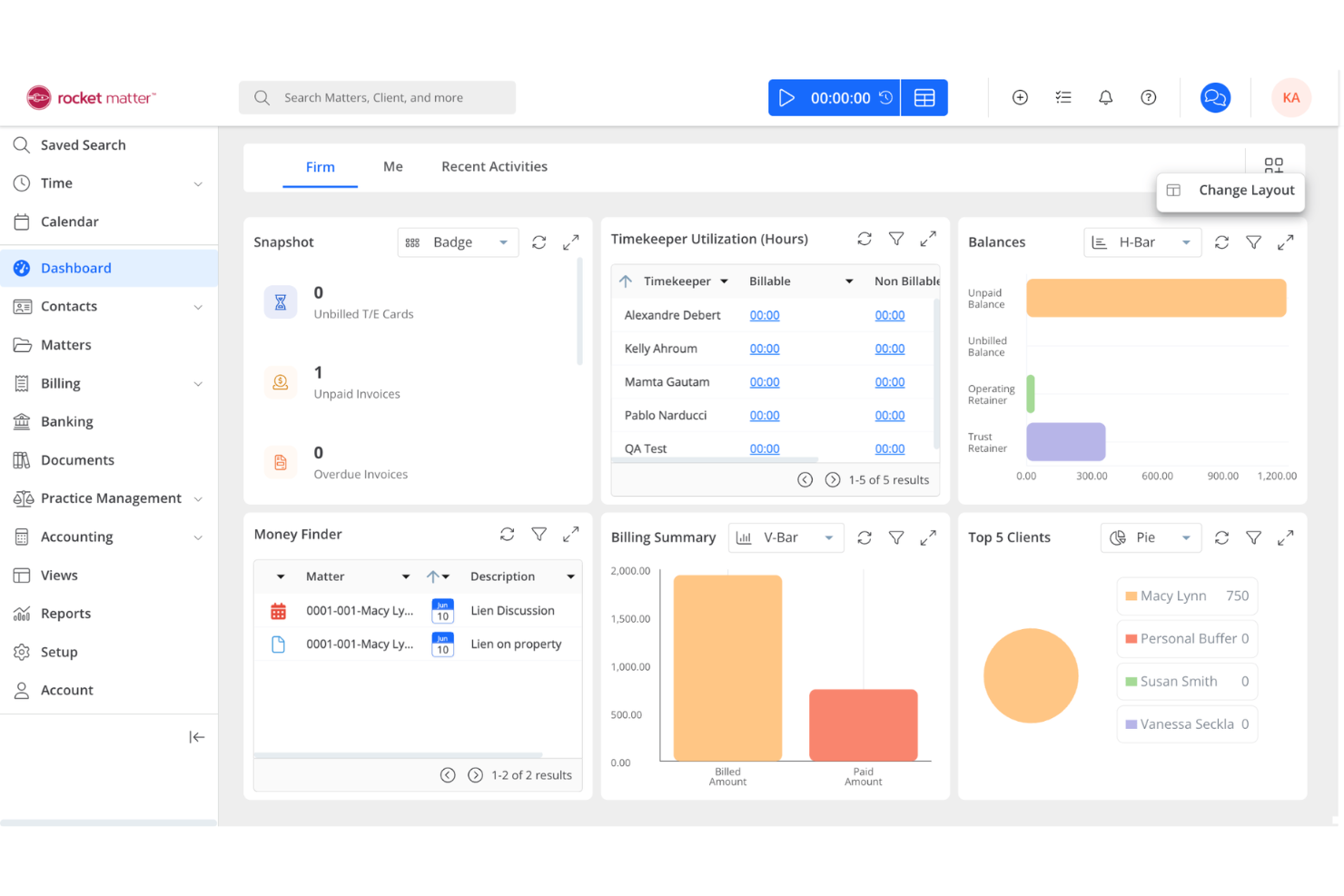
Rocket Matter è una piattaforma di gestione dello studio legale basata su cloud per studi legali che unisce gestione delle cause, strumenti di fatturazione e rilevazione ore, automazione documentale e calendario in un unico sistema.
A Chi È Indicato Rocket Matter?
Studi legali di piccole e medie dimensioni che necessitano di una gestione dei casi in cloud e strumenti integrati di fatturazione e rilevazione del tempo.
Perché Ho Scelto Rocket Matter
Ho scelto Rocket Matter come uno dei migliori perché mi affido ai suoi strumenti cloud di rilevazione ore e fatturazione per tracciare le ore e generare fatture direttamente dai fascicoli. Il mio team utilizza le funzionalità di automazione documentale per redigere rapidamente atti legali senza uscire dalla piattaforma. Apprezzo anche come la gestione di calendario e attività di Rocket Matter ci aiuta a mantenere organizzate le pratiche e visibili le scadenze a tutti.
Funzionalità Chiave di Rocket Matter
- Cruscotti delle pratiche: Visualizza stato della causa, contatti e date chiave in un'unica schermata.
- Moduli di accettazione personalizzati: Raccogli informazioni dai clienti con moduli online su misura.
- Contabilità dei fondi fiduciari: Gestisci i fondi fiduciari dei clienti con garanzie di conformità.
- Fatturazione in blocco: Genera fatture per più pratiche contemporaneamente.
Integrazioni di Rocket Matter
Rocket Matter offre integrazioni native con QuickBooks Online, Dropbox, Box, Microsoft 365 Outlook, Google Calendar e altro ancora. È disponibile una API per integrazioni personalizzate.
Pros and Cons
Pros:
- Inclusa bacheca di gestione pratiche in stile Kanban
- Fatturazione ricorrente automatizzata per clienti in abbonamento
- Creazione documenti automatica per modelli legali
Cons:
- Nessuna automazione avanzata per l'accettazione clienti
- Esportazione report limitata a certi formati

Ideale per workflow legali e gestione delle pratiche
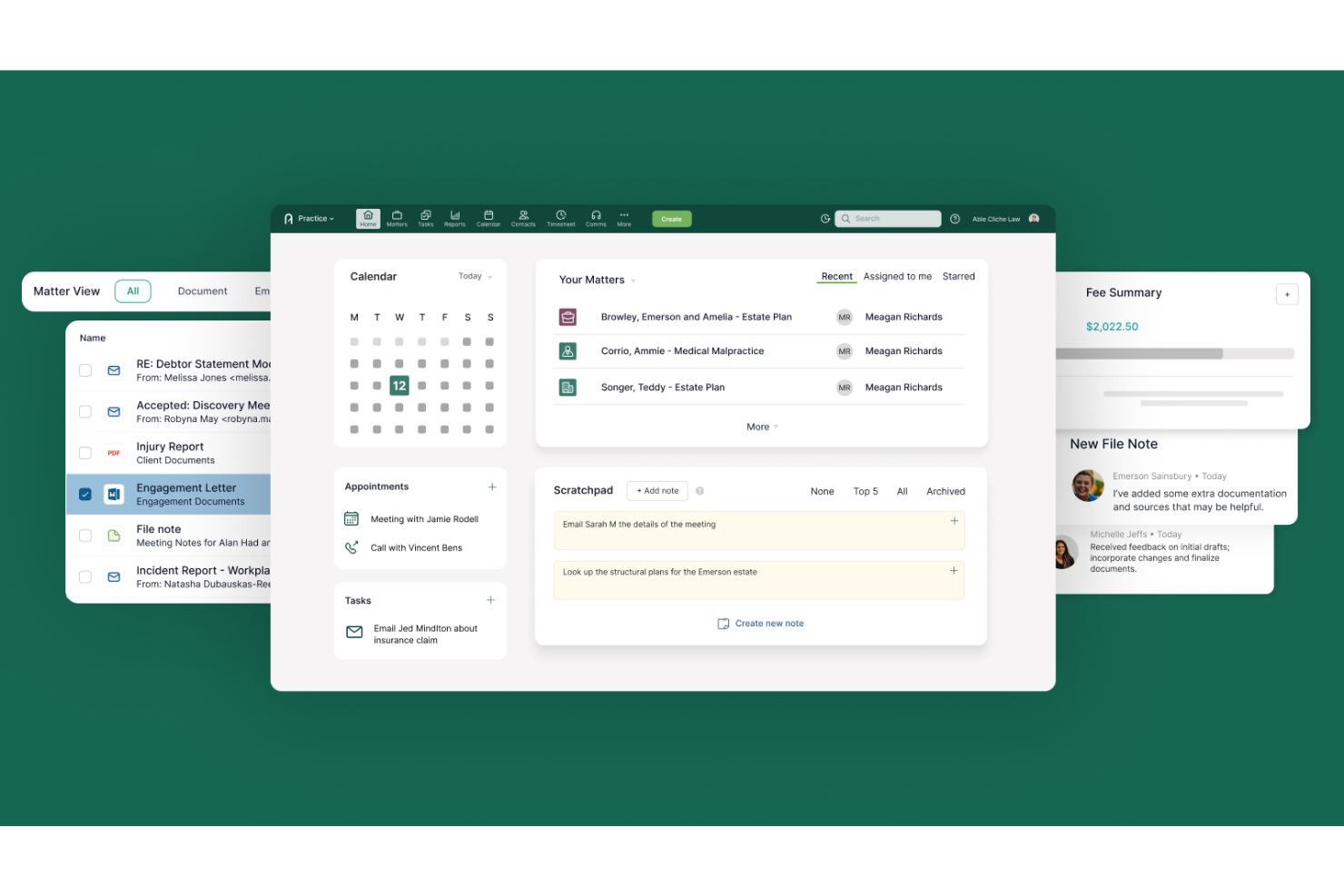
Actionstep è una piattaforma cloud per la gestione degli studi legali che unisce automazione dei flussi di lavoro, gestione delle pratiche, gestione documentale e rilevazione dei tempi in un unico sistema.
Per chi è più adatto Actionstep?
Studi legali di medie dimensioni e in crescita che desiderano automazione dei processi e gestione integrata dello studio.
Perché ho scelto Actionstep
Ho scelto Actionstep tra i migliori perché mi affido alla sua automazione dei processi per standardizzare le procedure legali e ridurre i passaggi manuali su tutte le pratiche. Il mio team utilizza gli strumenti integrati di gestione documentale e assegnazione dei compiti per mantenere tutto organizzato in un unico posto. Mi piace anche come i tipi di pratica personalizzabili di Actionstep ci consentano di adattare i flussi di lavoro alle diverse aree di attività.
Caratteristiche principali di Actionstep
- Rilevazione dei tempi: Traccia le ore fatturabili e non fatturabili direttamente all'interno di ogni pratica.
- Gestione dei fondi fiduciari: Gestisci i fondi fiduciari dei clienti con strumenti di conformità integrati.
- Gestione delle email: Archivia e organizza le email all'interno delle pratiche dei clienti.
- Portale clienti: Condividi documenti e aggiornamenti in modo sicuro con i clienti online.
Integrazioni di Actionstep
Actionstep offre oltre 50 integrazioni native, tra cui Box, Bundledocs, InfoTrack, First AML, SpeechWrite, MiTimes, Lexidesk, e si collega con Zapier. È disponibile un'API per integrazioni personalizzate.
Pros and Cons
Pros:
- Automazione dei flussi di lavoro completa per questioni legali
- Gestione delle email integrata con le pratiche
- Supporto multi-giurisdizionale per studi legali internazionali
Cons:
- L'integrazione con alcune app di terze parti è limitata
- La configurazione iniziale può essere dispendiosa in termini di tempo

Ideale per flussi di lavoro legali personalizzabili
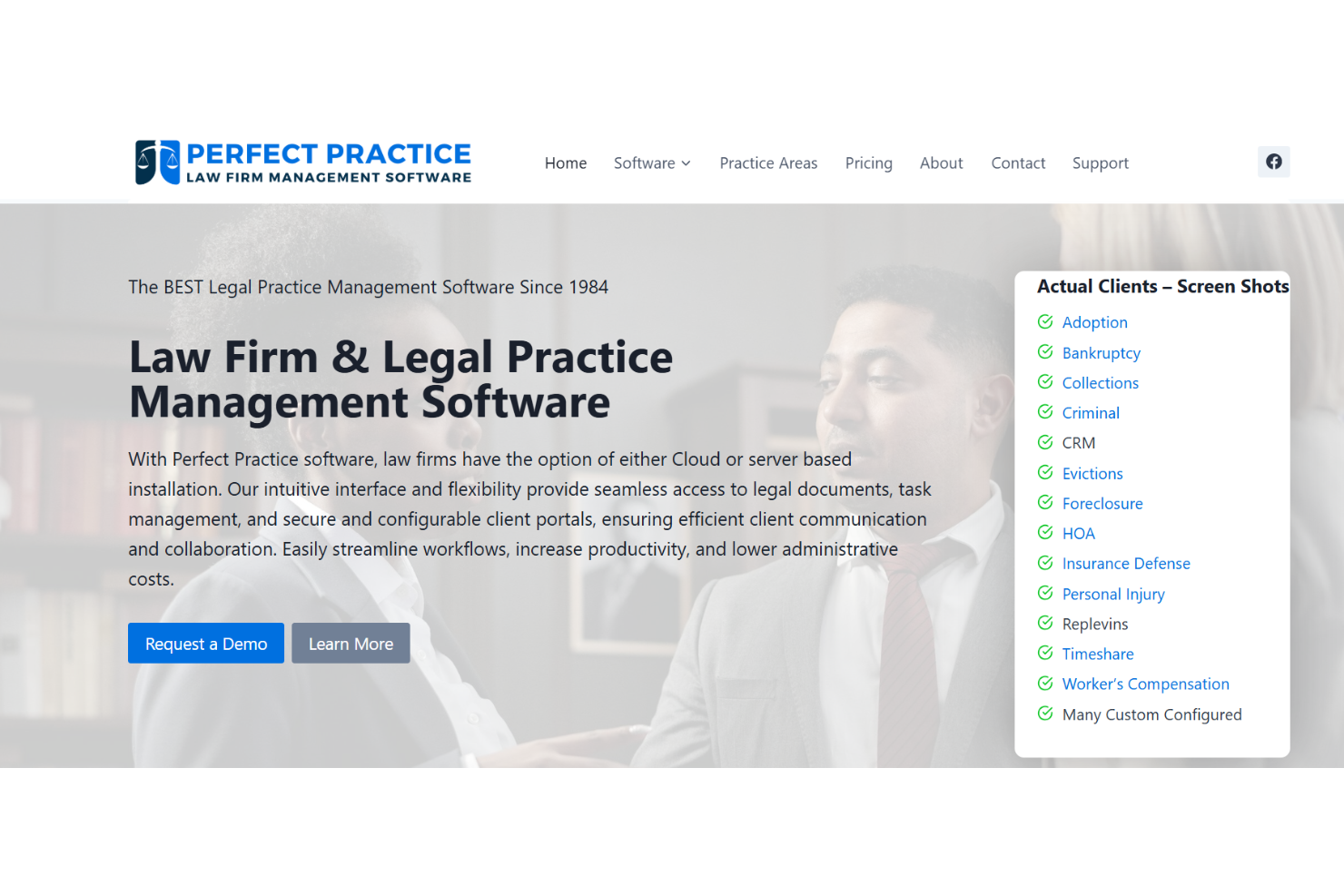
Perfect Practice è una piattaforma di gestione dello studio legale per studi legali che offre automazione dei flussi di lavoro, dashboard personalizzabili, gestione dei documenti e strumenti di fatturazione integrati.
Per chi è perfetto Perfect Practice?
Perfect Practice è ideale per studi legali di medie e grandi dimensioni che necessitano di flussi di lavoro personalizzabili e fatturazione integrata.
Perché ho scelto Perfect Practice
Ho scelto Perfect Practice tra i migliori perché posso adattare i flussi di lavoro ai processi unici del mio studio e automatizzare compiti legali multistep. Il mio team utilizza la fatturazione integrata per tracciare il tempo e le spese direttamente all'interno di ciascuna pratica. Inoltre, mi piace la personalizzazione delle dashboard che mi permette di evidenziare i dati più rilevanti per la mia attività.
Caratteristiche principali di Perfect Practice
- Gestione dei documenti: Archivia, organizza e ricerca i fascicoli delle pratiche in modo sicuro.
- Gestione del calendario: Pianifica udienze, scadenze e appuntamenti.
- Gestione dei contatti: Mantieni registri dettagliati per clienti e parti correlate.
- Assegnazione delle attività: Assegna e monitora i compiti tra i membri del team.
Integrazioni di Perfect Practice
Le integrazioni native al momento non sono indicate. Lo strumento supporta integrazioni tramite API per connessioni personalizzate.
Pros and Cons
Pros:
- Controlli dettagliati dei permessi per l'accesso degli utenti
- Gestione centralizzata dei documenti con cronologia delle versioni
- Controllo conflitti integrato per nuove pratiche
Cons:
- Interfaccia utente datata rispetto alla concorrenza
- Nessun portale clienti integrato per l'accesso esterno
Altri software di gestione dei progetti per avvocati
Ecco alcune ulteriori opzioni di software di gestione dei progetti per avvocati che non sono entrate nel mio elenco ristretto, ma che vale comunque la pena prendere in considerazione:
- Wrike
Ideale per flussi di lavoro e collaborazione legale
- PracticePanther
Ideale per l’automazione dei workflow legali
- Trello
Ideale per l'organizzazione visiva delle attività legali


Come Valuto il Software di Gestione Progetti per Avvocati
Esamino questi strumenti su due livelli: la gestione delle pratiche e il monitoraggio delle scadenze, indispensabili per uno studio, e i fattori distintivi che rendono una soluzione più adatta di un’altra.
Funzionalità Principali (Requisiti Fondamentali per Questa Lista)
Quando seleziono gli strumenti per la mia lista, assegno a ciascuno un punteggio da 0 (non offre la funzionalità) a 5 (eccelle in questa area) per ciascuna delle funzionalità principali elencate di seguito. Successivamente, calcolo il punteggio totale dello strumento convertendolo in percentuale. Ogni strumento deve ottenere un punteggio minimo totale del 55% per essere considerato per l’inclusione.
- Organizzazione dei Progetti Centrata sulla Pratica: Cerco strumenti che trattino pratiche o cause come il fulcro principale, collegando attività, documenti, contatti e note sotto un unico record invece di disperderli tra progetti generici.
- Monitoraggio delle Scadenze Legali: Le date di udienza, le finestre per i depositi e i termini di prescrizione richiedono molto più di un semplice calendario. Verifico se uno strumento supporta la calendarizzazione basata su regole o promemoria consapevoli della giurisdizione.
- Assegnazione di Attività & Flussi di Lavoro: Ogni studio deve poter delegare il lavoro tra avvocati, praticanti e personale. Valuto come ogni strumento gestisce le sottoattività, le dipendenze e i modelli di flusso di lavoro riutilizzabili per processi comuni come la discovery o la revisione contrattuale.
- Integrazione di Tempo & Fatturazione: Gli avvocati lavorano in base all’ora fatturabile. Esamino se la registrazione del tempo è integrata nei flussi di lavoro delle pratiche e come le registrazioni confluiscono nella fatturazione, sia tramite sistemi di fatturazione nativi o integrazioni con strumenti come QuickBooks o esportazioni in formato LEDES.
- Gestione Documentale: Le pratiche generano moltissima documentazione. Controllo che esistano il controllo delle versioni, cartelle per livello di pratica e una funzionalità di ricerca che permetta al team di trovare la giusta bozza di un’istanza o di un accordo senza incertezze.
- Gestione di Clienti & Contatti: Mantenere organizzati i profili dei clienti, lo storico delle comunicazioni e i dati delle parti correlate è fondamentale sia per la qualità del servizio che per gli obblighi deontologici. Valuto quanto bene ogni strumento collega i contatti alle pratiche e supporta il controllo dei conflitti d’interesse.
Una volta che ho una lista di strumenti che soddisfano i criteri, considero cosa distingue ciascuna piattaforma.
Fattori Differenzianti (Cosa Distingue i Fornitori)
Ecco come metto a confronto i fornitori:
Funzionalità Distintive
Il controllo automatico dei conflitti è un grande elemento differenziante: gli studi che gestiscono questa attività manualmente rischiano infrazioni etiche ogni volta che acquisiscono un nuovo cliente. Valuto anche i portali d’ingresso per i clienti, perché un processo di onboarding strutturato che confluisce direttamente nella creazione delle pratiche elimina la doppia immissione di dati. Per gli studi che gestiscono fondi dei clienti, la conformità nella gestione fiduciaria è centrale: quindi verifico la presenza di registri compatibili con IOLTA e riconciliazione tripartita integrata.
Oltre le Funzionalità
Conformità e sicurezza hanno un peso particolare nel software legale. Verifico la certificazione SOC 2, permessi basati sui ruoli e registri di controllo per la protezione dei dati riservati dei clienti. Anche le integrazioni tecnologiche legali sono importanti, poiché la maggior parte degli studi già utilizza strumenti come Westlaw o NetDocuments, e una piattaforma integrata con tali sistemi evita il doppio lavoro. La dimensione dello studio è un altro fattore che prendo in considerazione: un professionista singolo e uno studio con 200 avvocati hanno esigenze molto diverse in termini di gestione degli utenti e supporto per uffici multipli.
Come scegliere un software di gestione dei progetti per avvocati
È facile perdersi in lunghi elenchi di funzionalità e strutture tariffarie complesse. Per aiutarti a rimanere concentrato mentre affronti il processo di selezione del software più adatto alle tue esigenze, ecco una lista di fattori da tenere presenti:
| Fattore | Cosa considerare |
|---|---|
| Scalabilità | Il software sarà in grado di gestire la crescita del tuo studio, nuove aree di attività o un aumento del numero di casi nel tempo? |
| Integrazioni | Si connette nativamente agli strumenti esistenti per la gestione dei documenti, la fatturazione o il calendario? |
| Personalizzazione | Puoi adattare flussi di lavoro, campi e autorizzazioni ai processi e alla terminologia del tuo studio? |
| Facilità d'uso | Il tuo team lo adotterà rapidamente o formazione e assistenza saranno necessarie costantemente? |
| Implementazione e avviamento | Quanto tempo richiederà la configurazione e quali risorse o forme di assistenza fornirà il fornitore per la migrazione? |
| Costo | I livelli di prezzo sono chiari e corrispondono alle dimensioni, all'utilizzo e alle aspettative di budget del tuo studio? |
| Misure di sicurezza | La piattaforma offre crittografia, registri di controllo e controlli degli accessi conformi agli standard del settore legale? |
| Requisiti di conformità | Il software ti aiuterà a rispettare obblighi come il GDPR, l'HIPAA o le norme dell'ordine degli avvocati locale? |
Che cos'è un software di gestione dei progetti per avvocati?
Il software di gestione dei progetti per avvocati è un software di gestione degli studi legali progettato per aiutare gli studi a organizzare, monitorare e gestire questioni legali, attività, scadenze e documenti. Questi strumenti favoriscono il lavoro di squadra, semplificano i flussi di lavoro e centralizzano le informazioni, facilitando il rispetto delle aspettative dei clienti e dei requisiti normativi. Aiutano gli studi a gestire progetti complessi, impostare e monitorare traguardi e seguire i progressi, riducendo al contempo i colli di bottiglia. Molte piattaforme supportano anche la ricerca giuridica, migliorano la soddisfazione dei clienti e aumentano la redditività attraverso una migliore gestione delle risorse. Spesso intuitivi e talvolta basati sull'intelligenza artificiale, questi strumenti fanno parte di un più ampio ecosistema di tecnologie legali che supporta i moderni servizi legali per studi con esigenze specifiche, compresi gli studi di piccole dimensioni.
Funzionalità del software di gestione dei progetti per avvocati
Quando scegli un software di gestione dei progetti per avvocati, presta attenzione alle seguenti funzionalità principali:
- Gestione delle questioni legali: centralizza tutte le informazioni, i documenti e le comunicazioni relative a un caso in un unico luogo, per facilitarne l'accesso e il monitoraggio.
- Assegnazione delle attività: consente di delegare, stabilire le priorità e monitorare le attività all'interno del team legale, garantendo responsabilità e completamento puntuale.
- Gestione dei documenti: offre archiviazione sicura, controllo delle versioni e funzionalità di ricerca per i file e le prove legali.
- Monitoraggio del tempo: registra le ore fatturabili e non fatturabili associate a questioni legali specifiche, supportando una fatturazione accurata e la conformità normativa.
- Gestione del calendario: pianifica date delle udienze, scadenze e appuntamenti, con promemoria che aiutano a evitare il mancato rispetto degli obblighi.
- Fatturazione ed emissione delle fatture: genera fatture in base al tempo e alle spese registrati, integrandosi con i sistemi contabili per semplificare la gestione finanziaria.
- Gestione dei contatti: conserva registri dettagliati di clienti, avvocati della controparte, testimoni e altri contatti chiave per ogni questione legale.
- Controlli delle autorizzazioni: limita l'accesso alle informazioni sensibili in base ai ruoli degli utenti, supportando la riservatezza e la conformità.
- Verifica dei conflitti: individua potenziali conflitti di interesse prima dell'accettazione di nuove questioni legali, aiutando gli studi a evitare problemi etici.
- Report e analisi: offre report personalizzabili sull'avanzamento dei casi, sul carico di lavoro e sui dati finanziari, per supportare decisioni basate sui dati.
Vantaggi del software di gestione dei progetti per avvocati
L'implementazione di un software di gestione dei progetti per avvocati offre diversi vantaggi al team e all'attività. Ecco alcuni dei risultati che puoi aspettarti:
- Maggiore organizzazione: la gestione centralizzata delle questioni legali e dei documenti mantiene accessibili tutte le informazioni sui casi e riduce il tempo dedicato alla ricerca dei file.
- Maggiore responsabilità: le funzionalità di assegnazione e monitoraggio delle attività chiariscono chi è responsabile di ogni fase di un caso.
- Conformità migliorata: i controlli delle autorizzazioni e la verifica dei conflitti aiutano lo studio a rispettare i requisiti etici e normativi.
- Fatturazione accurata: il monitoraggio integrato del tempo e l'emissione delle fatture garantiscono la registrazione delle ore fatturabili e una corretta fatturazione ai clienti.
- Riduzione del rischio di scadenze mancate: la gestione del calendario e i promemoria automatici aiutano il team a tenere sotto controllo le date delle udienze e le attività importanti.
- Servizio clienti migliore: flussi di lavoro semplificati e strumenti di comunicazione chiari favoriscono tempi di risposta più rapidi e aggiornamenti ai clienti più costanti.
- Informazioni basate sui dati: le funzionalità di report e analisi offrono visibilità sull'avanzamento dei casi, sul carico di lavoro del team e sulle prestazioni dello studio.
Costi e prezzi del software di gestione dei progetti per avvocati
La scelta di un software di gestione dei progetti per avvocati richiede la comprensione dei diversi modelli di prezzo e dei piani disponibili. I costi variano in base alle funzionalità, alle dimensioni del team, ai componenti aggiuntivi e ad altri fattori. La tabella seguente riassume i piani più comuni, i relativi prezzi medi e le funzionalità generalmente incluse nelle soluzioni di software di gestione dei progetti per avvocati:
Tabella di confronto dei piani per il software di gestione dei progetti per avvocati
| Tipo di piano | Prezzo medio | Funzionalità comuni |
|---|---|---|
| Piano gratuito | $0 | Gestione di base delle pratiche, monitoraggio limitato delle attività, archiviazione semplice dei documenti e autorizzazioni utente di base. |
| Piano personale | $5-$25/utente/mese | Gestione delle pratiche, assegnazione delle attività, gestione dei documenti, monitoraggio del tempo e reportistica di base. |
| Piano aziendale | $25-$60/utente/mese | Automazione avanzata dei flussi di lavoro, fatturazione ed emissione delle fatture, gestione del calendario, controlli delle autorizzazioni e integrazioni. |
| Piano per grandi aziende | $60-$120/utente/mese | Flussi di lavoro personalizzati, sicurezza avanzata, strumenti per la conformità, assistenza dedicata, analisi avanzate e accesso API. |
Domande frequenti sul software di gestione dei progetti per avvocati
Ecco alcune risposte alle domande più comuni sul software di gestione dei progetti per avvocati:
In che modo il software di gestione dei progetti per avvocati è diverso dagli strumenti generali di gestione dei progetti?
Il software di gestione dei progetti per avvocati include funzionalità specifiche per il settore legale, come la gestione delle pratiche, il controllo dei conflitti e gli strumenti per la conformità. Queste funzionalità aiutano gli studi legali a gestire dati sensibili, monitorare le ore fatturabili e soddisfare i requisiti normativi che gli strumenti generali non prendono in considerazione.
Il software di gestione dei progetti per avvocati può integrarsi con i sistemi di fatturazione o gestione documentale legale?
Sì, molti strumenti di gestione dei progetti legali offrono integrazioni con sistemi di fatturazione, contabilità e gestione documentale. Questo aiuta il tuo studio a mantenere coerenti i dati, ridurre l’inserimento manuale e semplificare i flussi di lavoro tra le piattaforme.
È difficile migrare i dati del mio studio in un nuovo sistema di gestione dei progetti?
No, la maggior parte dei fornitori di software per la gestione dei progetti legali offre strumenti per l’importazione dei dati, supporto durante l’avvio o servizi di migrazione. Dovresti verificare cosa è incluso nel tuo piano e chiedere informazioni sul supporto per trasferire pratiche, contatti e documenti.
Quali funzionalità di sicurezza dovrei cercare nel software di gestione dei progetti per avvocati?
Cerca la crittografia, i controlli degli accessi basati sui ruoli, i registri di controllo e le certificazioni di conformità. Queste funzionalità aiutano a proteggere i dati sensibili dei clienti e a supportare gli obblighi etici e normativi del tuo studio.
Come posso sapere se uno strumento di gestione dei progetti si adatterà al flusso di lavoro del mio studio?
Prova il software con una versione di prova gratuita o una demo e coinvolgi avvocati e personale nella valutazione. Prima di prendere una decisione, verifica se puoi personalizzare flussi di lavoro, campi e autorizzazioni in base ai processi del tuo studio.