

Le 10 migliori alternative a Tettra per le wiki interne nel 2026

Elenco delle migliori alternative a Tettra


Le migliori alternative a Tettra offrono al tuo team una documentazione dei processi chiara, una ricerca efficace e un'integrazione semplice con gli strumenti che usi abitualmente. Se stai cercando alternative a Tettra, probabilmente stai riscontrando delle lacune nel modo in cui Tettra si adatta ai tuoi flussi di lavoro, gestisce la collaborazione o mantiene organizzati e accessibili i processi fondamentali. La mancanza di dettagli, le autorizzazioni limitate o la necessità di una maggiore struttura possono spingerti a valutare altre opzioni. In questa guida troverai strumenti collaudati per la documentazione delle conoscenze e dei processi, così potrai scegliere con sicurezza la soluzione più adatta alle esigenze quotidiane del tuo team e ampliare la documentazione man mano che la tua attività cresce.
Che cos'è Tettra?
Tettra è una piattaforma software basata sul cloud per la gestione della base di conoscenza, progettata per la documentazione interna, la documentazione dei processi e la condivisione delle conoscenze del team. Aiuta i team a organizzare le politiche aziendali, le procedure, le domande frequenti e i dettagli dei progetti in pagine ricercabili, offrendo ai dipendenti un punto centrale in cui trovare risposte affidabili.
In quanto software per la gestione delle conoscenze, Tettra supporta la collaborazione del team con autorizzazioni, richieste di pagine, verifica dei contenuti e integrazioni con strumenti come Slack e Google Workspace. Le aziende lo utilizzano per favorire l'accesso autonomo alle informazioni sui processi, ridurre le domande ripetitive e semplificare la gestione delle operazioni quotidiane all'interno di team in crescita.
Tabella di confronto delle alternative a Tettra
Questa tabella di confronto riassume i dettagli sui prezzi delle mie principali alternative a Tettra:
| Tool | Best For | Trial Info | Price | ||
|---|---|---|---|---|---|
| 1 | Ideale per la condivisione collaborativa di file in un ambiente familiare | Prova gratuita di 14 giorni e piano gratuito disponibili | Da $6.30/mese (con fatturazione annuale) | Website | |
| 2 | Ideale per wiki e database flessibili dei team | Piano gratuito disponibile | A partire da $10/utente/mese (con fatturazione annuale) | Website | |
| 3 | Ideale per hub documentali aziendali sottoposti a governance | Prova gratuita di 30 giorni disponibile | A partire da $6/utente/mese (con fatturazione annuale) | Website | |
| 4 | Ideale per la gestione di conoscenze multimediali ricercabili | Demo gratuita disponibile | Prezzi su richiesta | Website | |
| 5 | Ideale per la formazione dei dipendenti basata sulla conoscenza | Piano gratuito disponibile | A partire da $1/utente/mese | Website | |
| 6 | Ideale per la documentazione tecnica collegata a Jira | Prova gratuita + piano gratuito disponibili | A partire da $5.42/utente/mese | Website | |
| 7 | Ideale per wiki open source personalizzabili | Utilizzabile gratuitamente | Utilizzabile gratuitamente | Website | |
| 8 | Ottimale con l'estensione per browser e l'integrazione con Slack | Demo gratuita disponibile | Prezzi su richiesta | Website | |
| 9 | Ideale per organizzare in modo chiaro le conoscenze del team | Piano gratuito disponibile | A partire da $6.67/utente/mese (fatturato annualmente) | Website | |
| 10 | Ideale per la documentazione interattiva dei processi | Piano gratuito disponibile | Da $8/utente/mese | Website |
Perché fidarsi dei nostri consigli sui software
Il nostro team testa e recensisce software dal 2012. In quanto project manager noi stessi, sappiamo quanto sia difficile — e importante — scegliere il software giusto.
Per questa guida, abbiamo valutato gli strumenti attraverso test pratici e ricerche indipendenti, assegnando un punteggio agli strumenti in base ai nostri criteri di selezione. Ci basiamo inoltre sulle competenze di leader di pensiero del settore e di professionisti attivi nella gestione dei progetti.
Le nostre recensioni riflettono il nostro giudizio editoriale umano, non un discorso di vendita.
Revisori esperti:
Recensioni delle migliori alternative a Tettra
Di seguito trovi i miei riepiloghi dettagliati delle migliori alternative a Tettra che sono entrate nella mia selezione. Le mie recensioni offrono una panoramica dettagliata delle funzionalità, delle integrazioni e dei casi d’uso migliori di ciascuna piattaforma per la documentazione dei processi, per aiutarti a trovare quella più adatta a te.

Ideale per la condivisione collaborativa di file in un ambiente familiare

Google Drive è una piattaforma basata sul cloud che semplifica la gestione, l'organizzazione e la condivisione dei documenti relativi ai processi aziendali da parte dei team. Ritengo che sia una soluzione particolarmente adatta ai team che necessitano di un accesso sicuro e centralizzato ai file in formati familiari su diversi dispositivi.
A chi è più adatto Google Drive?
Team distribuiti e piccole imprese che desiderano gestire, condividere e aggiornare i documenti relativi ai processi aziendali utilizzando i familiari tipi di file di Google.
Perché Google Drive è una buona alternativa a Tettra
Ho scelto Google Drive perché offre ai team un ambiente familiare e intuitivo per creare e condividere documenti relativi ai processi utilizzando Google Documenti, Fogli e Presentazioni, ovvero formati che la maggior parte delle persone già conosce. Apprezzo particolarmente il modo in cui Documenti gestisce la modifica collaborativa, con commenti in linea, modalità di suggerimento e co-creazione in tempo reale, che semplificano la stesura e il perfezionamento delle procedure operative standard con il contributo di più parti interessate. Il mio team si affida inoltre ai drive condivisi, con gerarchie di cartelle strutturate e impostazioni granulari delle autorizzazioni, per organizzare la documentazione per team o funzione. Per i team che non necessitano di uno strumento wiki dedicato, questa combinazione copre la maggior parte delle esigenze di documentazione dei processi.
- Ricerca basata sull'IA: La ricerca basata sull'IA di Drive individua i file pertinenti in base alla tua attività e ai contenuti, non solo ai nomi dei file.
- Annotazione dei PDF: Aggiungi e modifica commenti direttamente nei PDF evidenziando il testo, senza dover utilizzare uno strumento separato.
- Vista delle attività: Ottieni in un unico punto un registro aggiornato delle attività sui file nell'intero spazio di lavoro, incluse le richieste di accesso e le modifiche.
- Scansione dei documenti: Utilizza l'app mobile di Drive per scansionare e archiviare documenti cartacei come PDF ricercabili direttamente in Drive.
Integrazioni di Google Drive
Google Drive offre integrazioni native con Google Documenti, Fogli Google, Presentazioni Google, Gmail, Google Calendar, Google Meet e altre app di Google Workspace. È disponibile un'API per le integrazioni personalizzate.
Pros and Cons
Pros:
- Supporta la collaborazione in tempo reale su documenti e fogli di lavoro
- Si integra direttamente con altre app di Google Workspace
- L'app mobile supporta la scansione e la modifica dei documenti
Cons:
- L'organizzazione delle cartelle può diventare caotica su larga scala
- Nessun supporto nativo per i flussi di approvazione
Notion
Ideale per wiki e database flessibili dei team
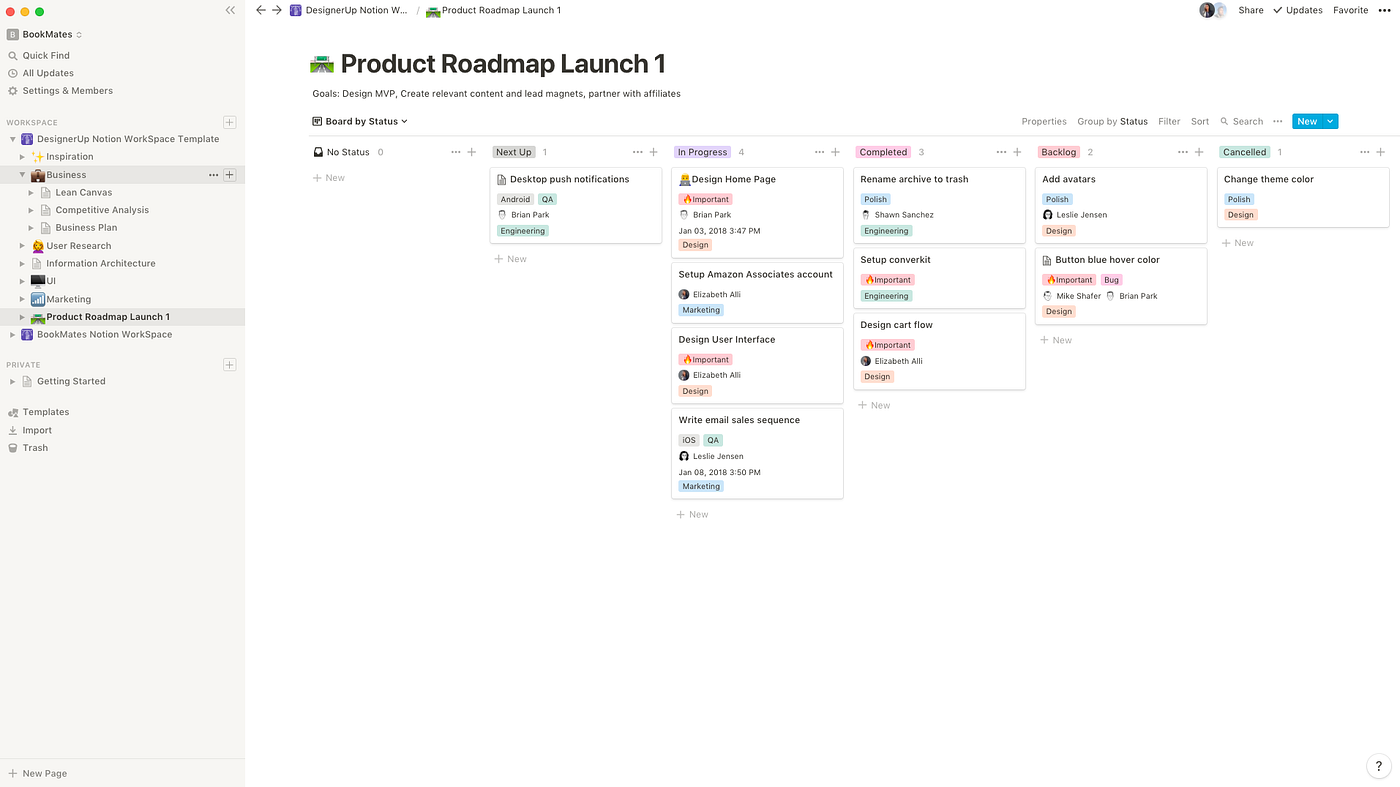
Notion è uno spazio di lavoro completo per i team che vogliono creare basi di conoscenza personalizzate, centri per i processi e documenti collaborativi in un'unica piattaforma. La combinazione di database, modelli dinamici e modifica in tempo reale è ideale per i team di prodotto, ingegneria e operazioni che lavorano a ritmi intensi.
Per chi è più adatto Notion?
Notion è particolarmente adatto a startup e team interfunzionali che hanno bisogno di hub interni personalizzabili per documentare i processi e raccogliere le conoscenze del team.
Perché Notion è una buona alternativa a Tettra
Ho scelto Notion perché nessun altro strumento in questo ambito consente di creare una base di conoscenza esattamente nel modo in cui lavora realmente il tuo team. La flessibilità deriva dalla sua architettura basata sui database: puoi creare wiki collegate, procedure operative standard strutturate e librerie di processi, tutte connesse tramite relazioni e filtri. Mi piace in particolare la possibilità di incorporare un database di documenti sui processi all'interno della pagina principale di un team, così tutto rimane contestualizzato invece di essere nascosto nelle cartelle. Per i team che hanno superato la struttura più rigida di Tettra, Notion fornisce gli elementi necessari per progettare una soluzione che si adatti davvero alle loro esigenze.
Funzionalità principali di Notion
- Pagine nidificate: Crea gerarchie di pagine multilivello per organizzare processi, wiki del team e documentazione in un unico luogo.
- Libreria di modelli: Accedi a modelli predefiniti per procedure operative standard, note delle riunioni, brief di progetto e altro ancora e duplicali.
- Comandi barra: Inserisci direttamente in linea qualsiasi blocco di contenuto, incorporamento o tipo di media mentre scrivi.
- Modifica collaborativa: Più membri del team possono scrivere e commentare contemporaneamente sulla stessa pagina.
Integrazioni di Notion
Notion offre integrazioni native con Slack, GitHub, GitLab, Google Drive, Figma, Asana, Jira, Trello, Zoom e Slack. È disponibile un'API per le integrazioni personalizzate.
Pros and Cons
Pros:
- I database flessibili aiutano i team a creare librerie di processi personalizzate
- Le pagine collegate connettono wiki, procedure operative standard e documentazione di progetto
- La collaborazione in tempo reale supporta aggiornamenti rapidi tra i team
Cons:
- Una configurazione altamente flessibile può diventare incoerente senza una governance
- Le esportazioni avanzate delle pagine potrebbero non conservare la formattazione complessa

Ideale per hub documentali aziendali sottoposti a governance
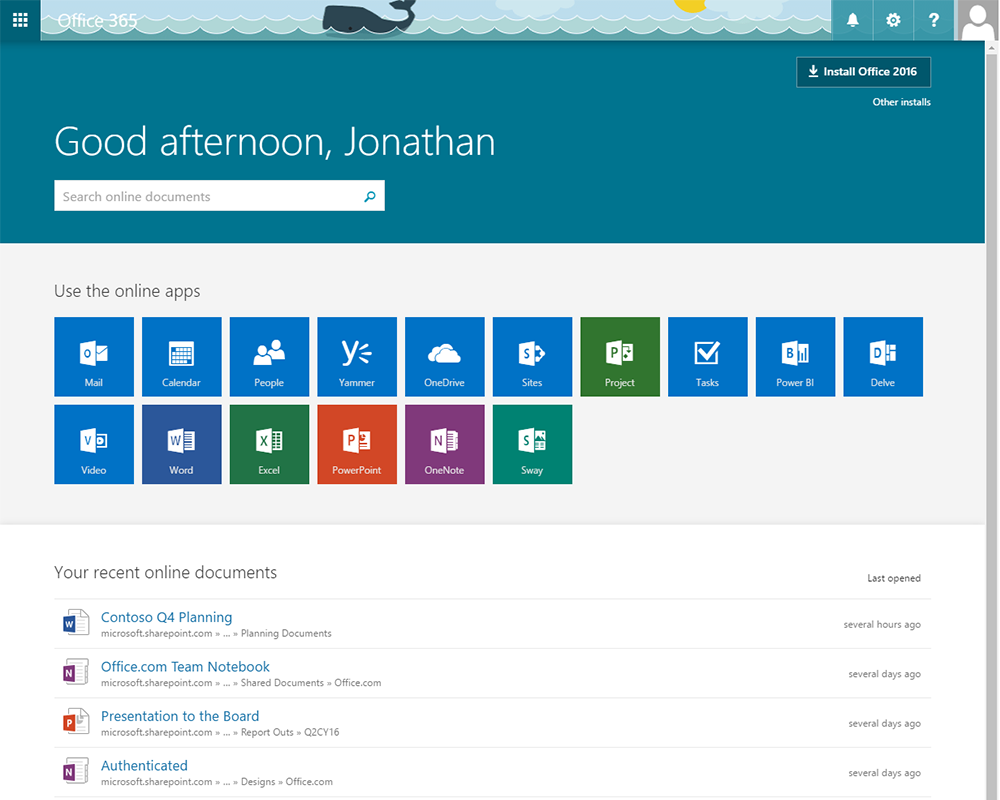
Microsoft 365 combina app familiari come Word, OneNote e SharePoint per aiutare le aziende di qualsiasi dimensione a documentare e condividere i processi. Ritengo che i team alla ricerca di una documentazione collaborativa dei processi a livello organizzativo e di controlli integrati per l'accesso ai contenuti la troveranno particolarmente utile.
Per chi è più adatto Microsoft 365?
Grandi organizzazioni e team distribuiti che necessitano di documentazione collaborativa e sicura dei processi e di condivisione dei contenuti tra i vari reparti.
Perché Microsoft 365 è una buona alternativa a Tettra
Ho scelto Microsoft 365 perché nessun altro strumento di questo elenco offre ai team una suite completa di strumenti per la documentazione che operano a livello organizzativo. SharePoint da solo consente al mio team di creare intranet strutturate in cui documenti sui processi, SOP e articoli della base di conoscenze sono organizzati per reparto, con controlli granulari delle autorizzazioni che determinano chi può visualizzare o modificare ogni pagina. Utilizzo inoltre Word e OneNote insieme per redigere, collaborare e gestire il controllo delle versioni dei documenti in tempo reale. Per i team che utilizzano già l'ecosistema Microsoft, questo livello di condivisione integrata dei contenuti tra i vari reparti è difficile da replicare altrove.
Funzionalità principali di Microsoft 365
- Componenti Microsoft Loop: crea blocchi di contenuti modulari e collaborativi in tempo reale, che possono essere incorporati e rimanere sincronizzati tra più documenti e app.
- Co-creazione in Word: più membri del team possono modificare contemporaneamente lo stesso documento, con modifiche rilevate e discussioni nei commenti per fornire riscontri in linea.
- Viva Topics: identifica e organizza automaticamente le conoscenze presenti nei contenuti di Microsoft 365 in schede tematiche che mostrano i documenti e gli esperti pertinenti.
- Modelli di pagina SharePoint: crea strutture di pagina organizzate e riutilizzabili per la documentazione dei processi, che i team possono replicare nei vari reparti.
Integrazioni di Microsoft 365
Microsoft 365 offre integrazioni native nell'ecosistema Microsoft, tra cui Microsoft Teams, SharePoint, OneDrive, Outlook, Power Automate, Power BI e Azure. È disponibile un'API per le integrazioni personalizzate.
Pros and Cons
Pros:
- Condivisione immediata tra le app Microsoft e Teams
- Supporta flussi di lavoro complessi tramite Power Automate
- Funzionalità integrate di conformità e gestione della conservazione dei dati
Cons:
- La navigazione di SharePoint può confondere i nuovi utenti
- La ricerca organizzativa a volte mostra file irrilevanti

Ideale per la gestione di conoscenze multimediali ricercabili

Bloomfire è progettato per i team che operano in settori altamente regolamentati e in ruoli a contatto con i clienti, che hanno bisogno di accedere rapidamente alle conoscenze aziendali. Lo troverai particolarmente utile per organizzare e centralizzare documenti di processo, FAQ e best practice a supporto della condivisione interna delle conoscenze.
Per chi è più adatto Bloomfire?
Bloomfire è adatto ai team di assistenza clienti, operativi e conformità di organizzazioni di medie e grandi dimensioni che gestiscono processi complessi e hanno bisogno di una condivisione delle conoscenze sicura e centralizzata.
Perché Bloomfire è una buona alternativa a Tettra
Ho scelto Bloomfire perché la sua ricerca basata sull'intelligenza artificiale è più approfondita rispetto a quella della maggior parte degli strumenti per la gestione della conoscenza. Indicizza i contenuti all'interno di PDF, presentazioni, file audio e video: così, quando un addetto all'assistenza o un membro del team operativi cerca una procedura, ottiene una risposta esatta, non un elenco di file da consultare. Apprezzo anche la base di conoscenza autoalimentata, che segnala i contenuti obsoleti o duplicati e invita automaticamente gli autori ad aggiornarli. Per i team che passano da Tettra e hanno bisogno di un governo dei contenuti più rigoroso su larga scala, è difficile trovare una combinazione migliore di ricerca approfondita e controllo qualità automatizzato.
Funzionalità principali di Bloomfire
- Motore collettivo di conoscenza per domande e risposte: Acquisisci e organizza il patrimonio di conoscenze aziendali in coppie strutturate e ricercabili di domande e risposte.
- Apprendimento e verifica: Inserisci quiz e verifiche delle conoscenze direttamente nei contenuti per convalidare che le informazioni critiche siano state consultate.
- Strumenti di moderazione: Utilizza flussi di approvazione e controllo delle versioni per gestire la qualità dei contenuti in tutte le comunità della conoscenza.
- Esperienze utente personalizzate: Configura pagine iniziali e navigazione specifiche per ruolo, così che ogni team visualizzi i contenuti più pertinenti.
Integrazioni di Bloomfire
Bloomfire offre integrazioni native con Salesforce, Slack, Zendesk, Google Drive, Microsoft 365, Microsoft Teams, Box, Dropbox, Okta e OneLogin. È disponibile un'API per le integrazioni personalizzate.
Pros and Cons
Pros:
- La ricerca basata sull'intelligenza artificiale indicizza le conoscenze in documenti, contenuti multimediali e file
- Le funzionalità per la gestione dello stato dei contenuti aiutano a identificare le informazioni obsolete o duplicate
- Esperienze specifiche per ruolo supportano le diverse esigenze di conoscenza dei team
Cons:
- Non sono disponibili strumenti nativi per la creazione di diagrammi e la mappatura dei processi visivi
- Le verifiche dell'apprendimento offrono meno flessibilità rispetto alle piattaforme di formazione dedicate
Ideale per la formazione dei dipendenti basata sulla conoscenza
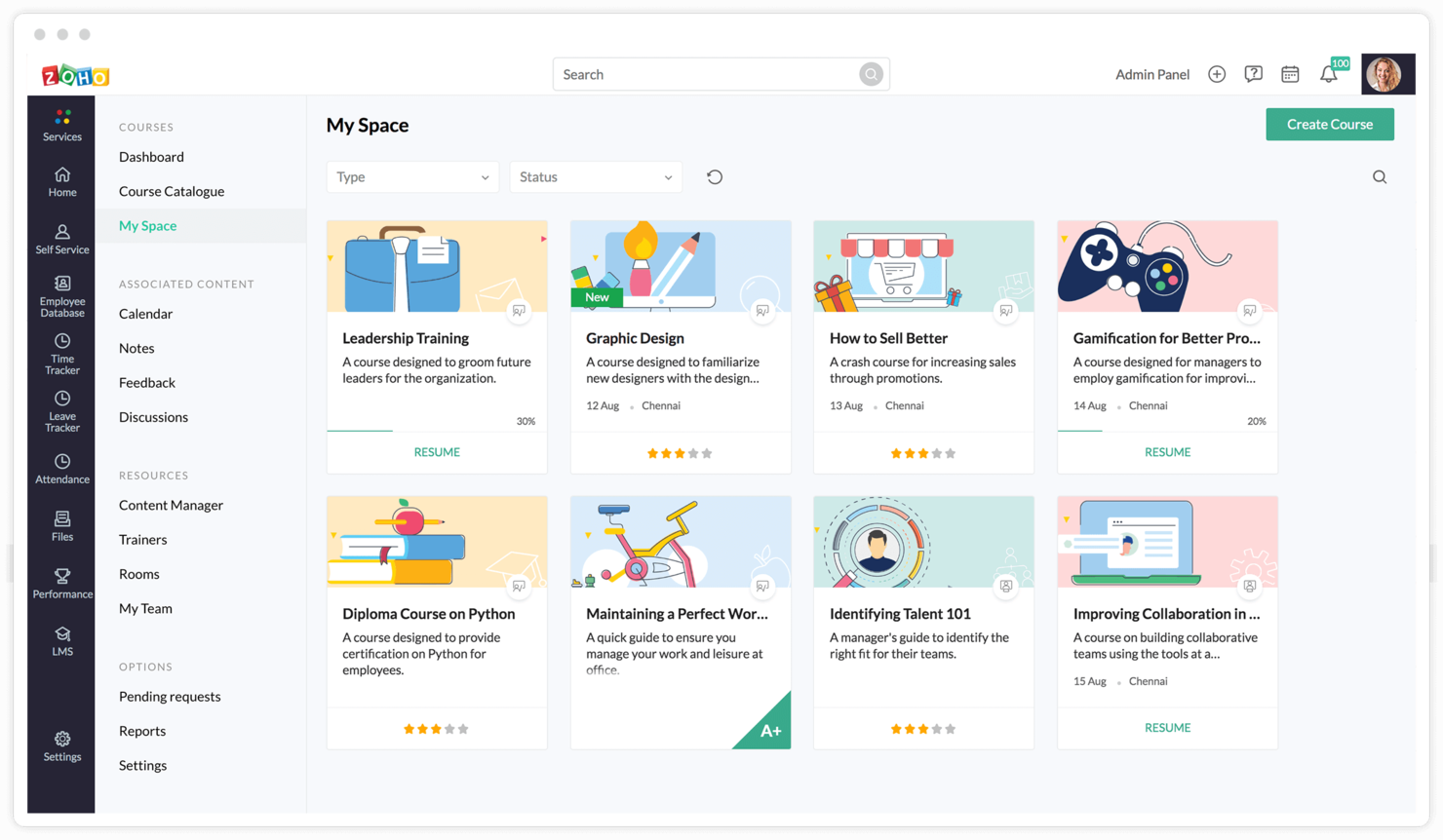
Le organizzazioni basate sulla conoscenza alla ricerca di una piattaforma per la documentazione che combini i wiki del team con lo sviluppo strutturato dei dipendenti potrebbero scoprire che Zoho Learn si distingue. La sua attenzione al collegamento tra gestione della conoscenza e formazione pratica sulle competenze risolve le lacune relative all'inserimento e alla coerenza dei processi per i team in crescita.
Per chi è più adatto Zoho Learn?
Le aziende distribuite che devono documentare i processi e fornire contenuti formativi per supportare l'inserimento, la conformità e lo sviluppo continuo del team.
Perché Zoho Learn è una valida alternativa a Tettra
Ciò che distingue Zoho Learn da Tettra è la sua capacità di trasformare la documentazione statica in percorsi di apprendimento strutturati. Mi piace il fatto che il mio team possa organizzare gli articoli in capitoli e moduli, per poi assegnarli come formazione obbligatoria con un completamento monitorabile. Abbiamo utilizzato con successo questa funzionalità per gestire interamente l'inserimento dei nuovi dipendenti all'interno della piattaforma, monitorando chi ha letto cosa e in quali punti si è bloccato. Gli strumenti di valutazione integrati mi consentono di associare quiz a qualsiasi modulo, aggiungendo un livello di responsabilità che gli strumenti di documentazione pura come Tettra semplicemente non offrono.
Funzionalità principali di Zoho Learn
- Editor degli articoli: Crea e formatta la documentazione con immagini incorporate, video, frammenti di codice e tabelle.
- Spazi dei contenuti: Organizza la conoscenza in spazi di lavoro separati, suddivisi per team, reparto o progetto.
- Autorizzazioni basate sui ruoli: Controlla chi può visualizzare, modificare o pubblicare contenuti nei diversi spazi.
- Ricerca e tag: Trova rapidamente gli articoli utilizzando la ricerca nel testo integrale e tag personalizzati per i contenuti.
Integrazioni di Zoho Learn
Zoho Learn offre integrazioni native con Zoho CRM, Zoho People, Zoho Analytics e altre app Zoho. È disponibile un'API per le integrazioni personalizzate.
Pros and Cons
Pros:
- Strumenti integrati per la creazione di corsi e quiz
- Autorizzazioni granulari per spazi di lavoro e utenti
- Analisi per monitorare i progressi dell'apprendimento
Cons:
- Integrazioni limitate al di fuori dell'ecosistema Zoho
- Nessuna documentazione pubblica dell'API per gli sviluppatori

Ideale per la documentazione tecnica collegata a Jira
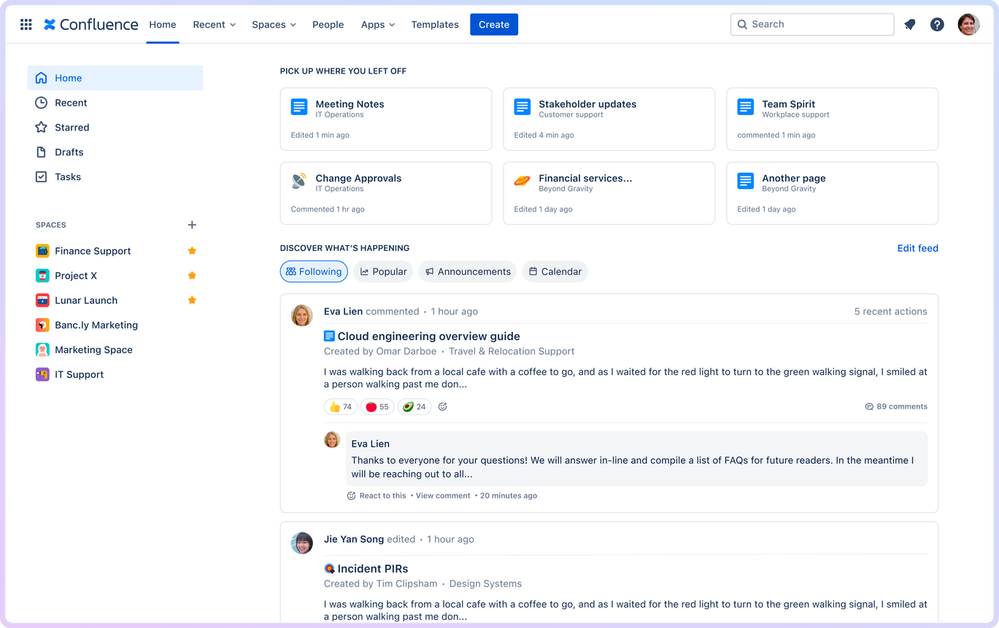
Confluence è uno spazio di lavoro collaborativo che aiuta i team a documentare, organizzare e condividere i processi e le conoscenze aziendali. È una scelta efficace per le organizzazioni che desiderano documentazione integrata dei progetti, controllo delle versioni e collaborazione flessibile tra team distribuiti.
Per chi è più indicato Confluence?
Confluence è adatto ai team interfunzionali che necessitano di una condivisione collaborativa delle conoscenze e di una documentazione strutturata dei processi, soprattutto nei settori del software, dell'IT e dei servizi professionali.
Perché Confluence è una buona alternativa a Tettra
Ho scelto Confluence per la naturale integrazione con i team che utilizzano già Jira, Trello o altri strumenti Atlassian. Quando i ticket degli sprint si trovano in Jira e la documentazione dei processi in Confluence, collegarli è immediato: posso allegare un documento di specifiche direttamente a un'epopea di Jira senza uscire da nessuno dei due strumenti. Apprezzo anche la struttura degli spazi di Confluence, che consente ai team di organizzare la documentazione per progetto, team o funzione, con gerarchie di pagine che rimangono facilmente navigabili anche quando i contenuti aumentano. Per i team che gestiscono cicli di consegna attivi insieme alla documentazione, questa stretta integrazione con Atlassian riduce notevolmente i cambi di contesto.
Funzionalità principali di Confluence
- Modelli di pagina: Utilizza modelli predefiniti o personalizzati per standardizzare la creazione della documentazione tra i team.
- Commenti in linea: Lascia feedback direttamente su sezioni specifiche di una pagina senza interrompere la struttura del documento.
- Versionamento delle pagine: Accedi alla cronologia completa delle modifiche di qualsiasi pagina e ripristina le versioni precedenti quando necessario.
- Lavagne: Crea diagrammi visivi, diagrammi di flusso e tavole per il brainstorming direttamente in Confluence.
Integrazioni di Confluence
Confluence offre integrazioni native con Jira, Trello, Bitbucket, GitHub, Slack, Microsoft Teams, Google Drive, Dropbox e Zoom. È disponibile un'API per le integrazioni personalizzate.
Pros and Cons
Pros:
- Gli spazi e gli alberi delle pagine mantengono organizzata la documentazione del team su larga scala
- La connettività con Jira supporta la documentazione dei processi collegata ai progetti
- Le lavagne e i modelli aiutano i team a standardizzare la pianificazione collaborativa
Cons:
- Le macro avanzate possono richiedere una certa familiarità tecnica
- Le esportazioni della documentazione possono risultare limitanti per alcune esigenze di pubblicazione

XWiki
Ideale per wiki open source personalizzabili
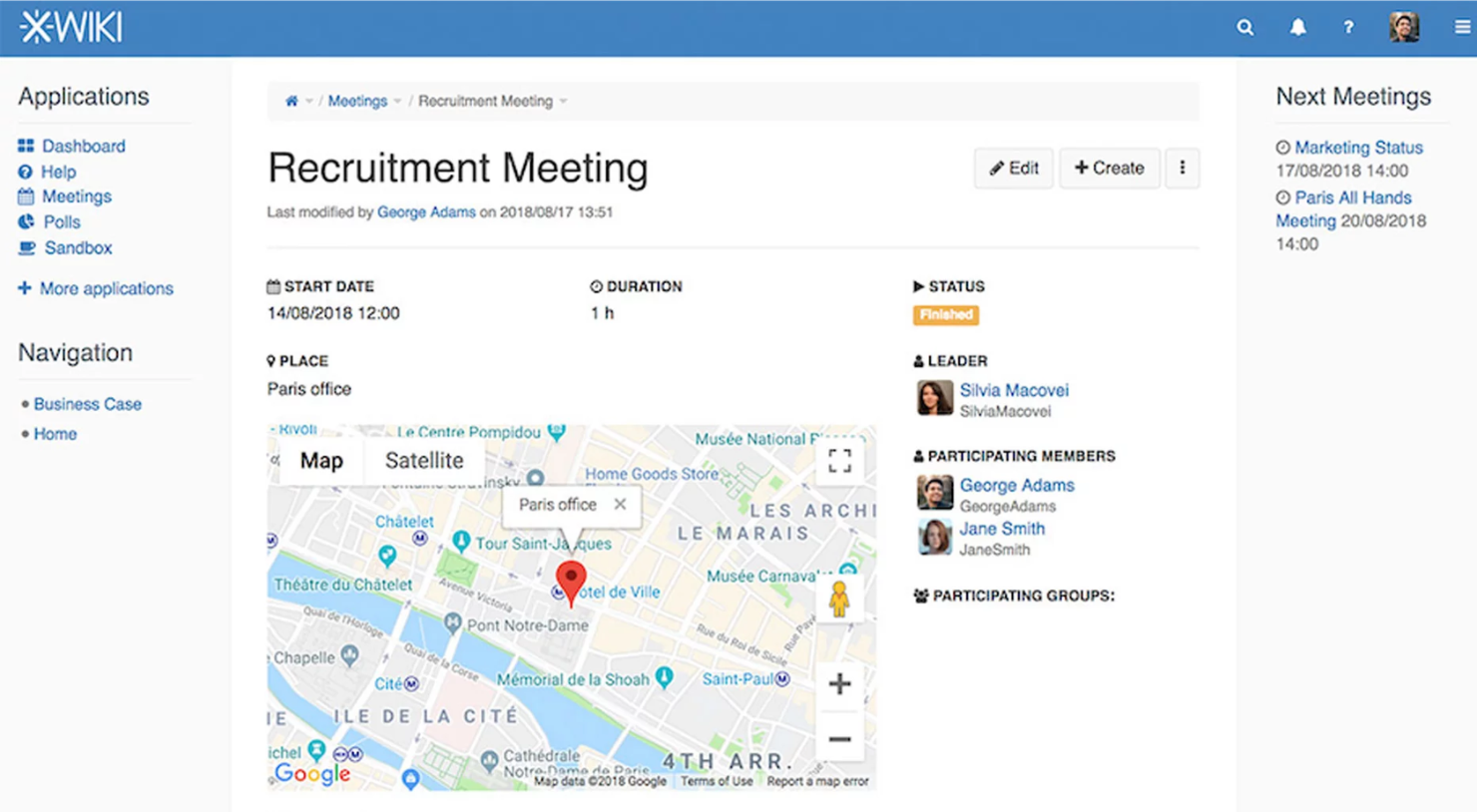
XWiki è una piattaforma open source per la gestione della conoscenza, con ampie opzioni di personalizzazione per team tecnici e organizzazioni che attribuiscono valore al controllo sulla propria documentazione. È un'opzione solida per la documentazione dei processi quando sono necessarie autorizzazioni flessibili e integrazioni adattate a flussi di lavoro complessi.
Per chi è più adatto XWiki?
XWiki è adatto a team tecnici e aziende che necessitano di una piattaforma open source altamente personalizzabile per la documentazione dei processi e la gestione della conoscenza.
Perché XWiki è una buona alternativa a Tettra
Ho scelto XWiki perché offre ai team il pieno controllo sul proprio ambiente di documentazione, in un modo che gli strumenti closed source semplicemente non possono eguagliare. Poiché è open source e concesso in licenza LGPL, è possibile ospitarlo autonomamente, modificare il codice e creare applicazioni completamente personalizzate basate su di esso. Apprezzo in particolare la funzionalità per creare applicazioni in pochi minuti, che consente di creare moduli con dati strutturati e applicazioni personalizzate basate su wiki senza scrivere codice. Per i team con esigenze di documentazione complesse e non standard, che superano i modelli predefiniti di strumenti come Tettra, questo livello di estensibilità è davvero utile.
Funzionalità principali di XWiki
- Ricerca a tutto testo: consente di effettuare ricerche in tutte le pagine wiki, negli allegati e nei dati strutturati utilizzando l'indicizzazione basata su Apache Solr.
- Gestione granulare dei diritti: consente di controllare le autorizzazioni di visualizzazione, modifica ed eliminazione a livello di pagina, spazio o intero wiki.
- Supporto per pagine multilingue: consente di creare e gestire le traduzioni delle singole pagine, in modo che gli utenti visualizzino i contenuti nella propria lingua.
- Importazione di documenti Office: consente di importare file Word, Excel e PowerPoint direttamente nelle pagine wiki senza uscire dalla piattaforma.
Integrazioni di XWiki
XWiki offre integrazioni native con OnlyOffice, Microsoft 365, Google Drive, Dropbox e directory LDAP. È disponibile un'API per le integrazioni personalizzate.
Pros and Cons
Pros:
- L'architettura open source supporta personalizzazione e controllo avanzati
- Le autorizzazioni granulari sono adatte ad ambienti di documentazione complessi
- I dati strutturati e le macro consentono di creare flussi di lavoro personalizzati per la gestione della conoscenza
Cons:
- La configurazione amministrativa può essere complessa per i team non tecnici
- La modifica da dispositivi mobili è meno curata rispetto ai flussi di lavoro della documentazione su desktop

Guru
Ottimale con l'estensione per browser e l'integrazione con Slack

Guru si distingue per la rapidità nell'acquisizione delle conoscenze e per gli approfondimenti personalizzati destinati ai team distribuiti, soprattutto nei settori tecnologico, dell'assistenza o delle vendite in rapida evoluzione. Se desideri una documentazione dei processi che renda disponibili le risposte nel luogo in cui lavora il tuo team, l'estensione intelligente per browser e le integrazioni di Guru possono contribuire a eliminare i silos informativi.
Per chi è più adatto Guru?
Team di assistenza e vendite in rapida crescita che hanno bisogno di risposte in tempo reale sui processi e sulle politiche comuni all'interno dei flussi di lavoro quotidiani.
Perché Guru è una buona alternativa a Tettra
Ho scelto Guru perché fornisce le conoscenze sui processi direttamente all'interno degli strumenti che il tuo team utilizza già, invece di richiedere il passaggio a un hub separato per la documentazione. Apprezzo in particolare l'estensione per browser, che consente a chiunque di visualizzare schede di conoscenza verificate senza lasciare la scheda corrente. L'integrazione di Guru con Slack permette al mio team di consultare i processi documentati durante le conversazioni, mantenendo attivi i flussi di lavoro senza interruzioni. Il flusso di verifica delle conoscenze segnala inoltre le schede obsolete, così la documentazione rimane accurata con l'evolversi dei processi.
Funzionalità principali di Guru
- Attivatori della conoscenza: Guru mostra automaticamente le schede di conoscenza pertinenti quando visiti determinati siti web o utilizzi strumenti specifici, senza alcuna ricerca manuale.
- Rilevamento dei duplicati: L'intelligenza artificiale di Guru segnala i contenuti ridondanti nella tua base di conoscenze, così il tuo team non deve mantenere documentazione sovrapposta.
- Flussi di pubblicazione: Imposta i controlli sugli autori e le approvazioni obbligatorie prima della pubblicazione dei contenuti, mantenendo costante la qualità della documentazione.
- Annunci: Invia gli aggiornamenti sui processi direttamente a team o singoli individui specifici e monitora chi ha letto e confermato di aver preso visione dei contenuti.
Integrazioni di Guru
Guru offre integrazioni native con Slack, Microsoft Teams, Google Workspace, Zendesk, Salesforce, Confluence, Jira, Box e GitHub e si collega a Zapier. È disponibile un'API per le integrazioni personalizzate.
Pros and Cons
Pros:
- L'estensione per browser mostra le conoscenze verificate nei flussi di lavoro quotidiani
- La verifica delle conoscenze aiuta i team a mantenere aggiornati i contenuti sui processi
- L'accesso tramite Slack e Teams facilita la ricerca delle risposte durante le conversazioni
Cons:
- La struttura basata sulle schede può sembrare limitante per la documentazione complessa
- Le importazioni di grandi dimensioni possono richiedere operazioni di pulizia e ristrutturazione dei contenuti


Slab è una piattaforma unificata di base di conoscenza progettata per i team che desiderano una documentazione strutturata e facilmente consultabile, con particolare attenzione all'usabilità e all'organizzazione chiara. È adatta a startup e aziende in crescita che necessitano di una rapida condivisione delle conoscenze e di collegamenti intuitivi tra i documenti dei vari reparti.
Per chi è più adatto Slab?
Slab è una scelta eccellente per i team di prodotto, ingegneria e commerciali di aziende di piccole e medie dimensioni che necessitano di basi di conoscenza semplici e organizzate per documentare processi e politiche.
Perché Slab è una buona alternativa a Tettra
Ho scelto Slab per la sua capacità di facilitare la scoperta delle conoscenze attraverso il sistema Topics, che va oltre le semplici cartelle aggiungendo contesto alla documentazione: mostra cosa è importante leggere, in quale ordine e a chi rivolgersi in caso di difficoltà. Questa struttura lo rende davvero utile per l'inserimento dei nuovi membri e per la documentazione interfunzionale. Apprezzo anche la Ricerca unificata, che raccoglie in un'unica ricerca i risultati dei contenuti di Slab e degli strumenti collegati, come Google Drive e GitHub. Per i team stanchi di cercare su più piattaforme un documento relativo a un processo, questo cambia da solo il modo in cui la condivisione delle conoscenze avviene quotidianamente.
Funzionalità principali di Slab
- Analisi per amministratori: Monitora quali articoli sono più visualizzati, quali stanno diventando obsoleti e quali domande pone il tuo team senza ricevere risposta.
- Editor collaborativo in tempo reale: Modifica lo stesso articolo contemporaneamente con i colleghi, così nessuno sovrascrive il lavoro degli altri.
- Configurazione degli utenti Slab: Configura modelli utente personalizzati affinché i nuovi membri del team visualizzino i contenuti più pertinenti dal momento in cui effettuano l'accesso.
- Incorporamenti multimediali avanzati: Aggiungi widget interattivi e incorporamenti di terze parti direttamente negli articoli, andando oltre la documentazione in semplice testo.
Integrazioni di Slab
Slab offre integrazioni native con Google Drive, Slack, GitHub, Asana, Trello e Zapier. È disponibile un'API per le integrazioni personalizzate.
Pros and Cons
Pros:
- Ricerca rapida che indicizza le integrazioni collegate
- Le gerarchie degli argomenti favoriscono la reperibilità dei contenuti
- Cronologia delle versioni con facile ripristino delle pagine
Cons:
- Nessun controllo granulare delle autorizzazioni per i sottoargomenti
- La gestione di archivi e tag sembra basilare


Bit.ai è una piattaforma basata sul cloud progettata per i team che desiderano rendere la documentazione dei processi aziendali più interattiva e visivamente coinvolgente. Penso sia un'opzione interessante per chi ha bisogno di centralizzare guide, SOP e conoscenze con contenuti multimediali e collaborazione in un unico luogo.
Per chi è più adatto Bit.ai?
Team remoti e ibridi che devono creare documentazione visivamente coinvolgente e ricca di contenuti multimediali per i processi interfunzionali e la condivisione delle conoscenze interne.
Perché Bit.ai è una buona alternativa a Tettra
Ho scelto Bit.ai in particolare perché trasforma i documenti statici sui processi in guide interattive e ricche di contenuti multimediali, qualcosa che Tettra non può offrire allo stesso livello. Mentre Tettra mantiene la documentazione incentrata sul testo, Bit.ai consente al mio team di incorporare direttamente in un documento file Figma, fogli Google, sondaggi Typeform, video Loom e altro ancora, permettendo ai lettori di interagire con i contenuti invece di limitarsi a leggerli. Apprezzo anche la condivisione di link tracciabili, che consente di vedere come gli stakeholder esterni o i nuovi assunti interagiscono effettivamente con i documenti dei processi. Per i team la cui documentazione si estende a più strumenti e tipi di contenuto, questa combinazione fa davvero la differenza.
Funzionalità principali di Bit.ai
- Creatore di wiki intelligenti: Trasforma qualsiasi documento in un wiki multipagina con una gerarchia di sottopagine nidificate per strutturare conoscenze interne complesse.
- Modelli di documenti: Scegli tra quasi 100 modelli predefiniti per creare SOP, guide tecniche e riferimenti interni.
- Libreria di risorse: Salva e categorizza i contenuti digitali utilizzati più frequentemente, così il tuo team può riutilizzarli nei documenti senza doverli ricreare da zero.
- Temi dei documenti: Applica temi di design e caratteri personalizzati ai documenti per mantenere una coerenza visiva nella base di conoscenza interna.
Integrazioni di Bit.ai
Bit.ai offre integrazioni native con Google Drive, OneDrive, Slack, Trello, YouTube, Figma, Miro, Airtable e Loom. È disponibile un'API per le integrazioni personalizzate.
Pros and Cons
Pros:
- Incorporamenti dinamici per oltre 100 strumenti esterni
- Ricerca intelligente in tutti i documenti dell'area di lavoro
- Monitoraggio dei documenti in tempo reale e analisi del coinvolgimento
Cons:
- Autorizzazioni di pagina granulari limitate per ogni sottopagina
- Opzioni limitate per proteggere i documenti con password
Altre alternative a Tettra
Ecco alcune ulteriori alternative a Tettra che non sono entrate nella mia selezione, ma che vale comunque la pena prendere in considerazione:
- Document360
Ideale per documentazione complessa rivolta ai clienti
- Stonly
Guide interattive per la condivisione delle conoscenze
- SlimWiki
Semplice wiki aziendale per la documentazione aziendale


Hoe ik alternatieven voor Tettra evalueer
Ik kijk naar twee lagen: de basis waaraan een tool moet voldoen—een wikihiërarchie, inhoudsverificatie en realtime bewerking—en de onderscheidende factoren die belangrijk zijn voor projectteams die SOP's en verspreide documentatie beheren.
Basisfunctionaliteit (vereisten voor deze lijst)
Bij het selecteren van tools voor mijn lijst beoordeel ik elke tool op een schaal van 0 (biedt de functionaliteit niet aan) tot 5 (blink uit op dit gebied) voor elke onderstaande kernfunctionaliteit. Vervolgens zet ik de totaalscore van de tool om in een percentage. Elke tool moet een minimale totaalscore van 65% behalen om in aanmerking te komen voor opname.
- Structuur van de interne wiki: Ik controleer of een tool geneste pagina's, categorieën en gestructureerde navigatie ondersteunt, zodat teams draaiboeken en SOP's kunnen organiseren zonder dat alles in een platte lijst terechtkomt.
- Zoeken in alle inhoud: Het vinden van een specifieke evaluatie na een incident van drie maanden geleden zou slechts enkele seconden moeten duren. Ik beoordeel de kwaliteit van de zoekfunctie voor volledige tekst, de filteropties en of bijlagen worden geïndexeerd.
- Gezamenlijk bewerken: Projectdocumentatie ontwikkelt zich snel, dus ik zoek naar realtime of asynchroon gezamenlijk bewerken, opmerkingen in de tekst en versiegeschiedenis waarmee je een pagina kunt herstellen na een per ongeluk overschreven versie.
- Machtigingen en toegangsbeheer: Ik beoordeel of je gevoelige pagina's—zoals budgetdocumenten of leverancierscontracten—kunt beperken tot specifieke groepen, terwijl algemene projectwiki's toegankelijk blijven voor het hele team.
- Inhoudsverificatie en actualiteit: Verouderde documentatie is erger dan geen documentatie. Ik zoek naar herinneringen voor controles, toewijzing van eigenaars en verificatiewerkstromen die verouderde inhoud automatisch markeren.
- Integraties met werktools: Een kennisbank werkt het best wanneer deze verbonden is met de tools waarin je team al werkt. Ik beoordeel ingebouwde integraties met Slack, Teams en projectmanagementtools, zoals Jira- of Asana-koppelingen.
Nadat ik een lijst heb samengesteld van tools die aan deze criteria voldoen, kijk ik naar wat elk platform onderscheidt.
Onderscheidende factoren (wat leveranciers van elkaar onderscheidt)
Zo vergelijk ik verschillende leveranciers met elkaar:
Opvallende functies
Ik let goed op AI-kennisassistenten die teamvragen kunnen beantwoorden door bestaande documentatie te gebruiken—een enorme tijdsbesparing bij het inwerken van nieuwe leden van een sprintteam. Vraag-en-antwoordworkflows zijn ook belangrijk, vooral workflows die onbeantwoorde vragen doorsturen naar vakspecialisten en antwoorden omzetten in permanente wikipagina's. Ik beoordeel ook inhoudsanalyses om te zien welke pagina's worden gebruikt, welke zoekopdrachten niets opleveren en waar kennishiaten in je projectdocumentatie verborgen zitten.
Meer dan functies
Inhoudsmigratie is belangrijk wanneer je overstapt van Tettra. Ik controleer of een platform ingebouwde importfuncties biedt voor gangbare indelingen zoals Markdown, HTML of Confluence-exports—want honderden wikipagina's handmatig opnieuw maken schaadt de acceptatie. Ook de diepgang van de integratie met je projectmanagementomgeving is belangrijk; een Jira- of Asana-koppeling die kennispagina's verbindt met actieve taken is veel nuttiger dan een eenvoudige inbedding. Tot slot beoordeel ik prijsmodellen om te zien of de kosten per gebruiker redelijk blijven wanneer je projectteam groeit tot voorbij een kleine pilotgroep.
Perché cercare un'alternativa a Tettra?
Sebbene Tettra sia una buona scelta per la documentazione dei processi, ci sono diversi motivi per cui alcuni utenti cercano soluzioni alternative. Potresti essere alla ricerca di un'alternativa a Tettra perché…
- Hai bisogno di integrazioni oltre a Slack e Teams
- Vuoi analisi e reportistica più avanzate
- Il tuo team necessita del supporto per contenuti multilingue
- Hai bisogno di una personalizzazione più approfondita dell'identità del marchio
- I tuoi flussi di lavoro richiedono l'automazione integrata dei processi
Se una di queste situazioni ti è familiare, sei nel posto giusto. Il mio elenco contiene diverse opzioni software per la documentazione dei processi più adatte ai team che affrontano queste difficoltà con Tettra e cercano soluzioni alternative.
Funzionalità principali di Tettra
Ecco alcune delle funzionalità principali di Tettra, che ti aiuteranno a mettere a confronto ciò che offrono le soluzioni alternative:
- Base di conoscenza: consente di organizzare la documentazione interna in raccolte e pagine strutturate, rendendo semplice per i team creare, modificare e trovare le informazioni.
- Flusso di domande e risposte: permette ai membri del team di porre domande all’interno di Tettra e ottenere risposte documentate, trasformando attivamente la conoscenza tacita in processi accessibili.
- Integrazione con Slack: consente agli utenti di cercare, creare e condividere pagine di Tettra direttamente da Slack, mantenendo la conoscenza dei processi disponibile nell’hub di messaggistica del team.
- Verifica dei contenuti: invita i responsabili a rivedere e verificare periodicamente la documentazione, così la base di conoscenza dell’azienda rimane aggiornata e affidabile.
- Flussi di approvazione: assegna a specifici membri del team il compito di esaminare e approvare i contenuti prima della pubblicazione, applicando un controllo della qualità per le informazioni sensibili o soggette a normative.
- Controllo delle autorizzazioni: fornisce diritti granulari di accesso e modifica per le pagine, in modo che solo le persone autorizzate possano modificare o visualizzare i contenuti designati.
- Suggerimenti per le pagine: evidenzia le lacune nella documentazione esistente e consiglia nuovi articoli, incoraggiando i team a raccogliere continuamente le competenze tacite.
- Gestione dei modelli: consente ai team di uniformare lo stile e la struttura della documentazione utilizzando modelli riutilizzabili per processi e flussi di lavoro.
- Integrazioni: si collega a strumenti come Google Drive, Microsoft Teams, GitHub e Zapier, permettendo alla documentazione di rimanere coordinata con l’intero ecosistema tecnologico dell’azienda.