

10 migliori alternative a MEGA per l’archiviazione crittografata nel 2026

10 Elenco ristretto delle alternative a Mega


Una valida alternativa a Mega offre archiviazione cloud sicura, opzioni flessibili per la condivisione e controlli della privacy che eguagliano o superano quelli offerti da Mega. Se stai cercando alternative a Mega, probabilmente stai valutando aspetti legati alla privacy dei dati, alle funzionalità di collaborazione o all'integrazione con gli strumenti già utilizzati dal tuo team.
Questo elenco ti aiuterà a confrontare le migliori alternative a Mega per il 2026, così potrai trovare una soluzione adatta al tuo flusso di lavoro, ai tuoi standard di sicurezza e alle tue esigenze di collaborazione, sia che tu gestisca file sensibili o supporti un team distribuito.
Che cos'è Mega?
Mega è una piattaforma di archiviazione cloud e condivisione di file nota per la crittografia end-to-end e per l'ampio spazio di archiviazione gratuito. Gli utenti possono caricare, archiviare e condividere file in modo sicuro, con le chiavi di crittografia gestite dall'utente per una maggiore privacy. Mega supporta l'accesso via web, desktop e dispositivi mobili, diventando una scelta popolare per privati e team che danno priorità alla sicurezza dei dati e alla condivisione semplice dei file tra dispositivi.
Tabella di confronto delle alternative a Mega
Questa tabella di confronto riassume i dettagli sui prezzi delle mie migliori alternative a Mega:
| Tool | Best For | Trial Info | Price | ||
|---|---|---|---|---|---|
| 1 | Ideale per la collaborazione su documenti in tempo reale | Prova gratuita di 14 giorni e piano gratuito disponibile | Da $6.30/mese (fatturato annualmente) | Website | |
| 2 | Ideale per automazione avanzata dei flussi di lavoro | Prova gratuita di 14 giorni + piano gratuito + demo gratuita disponibile | Da $5/utente/mese (fatturato annualmente) | Website | |
| 3 | Ideale per la collaborazione sui file di Microsoft 365 | Piano gratuito disponibile | A partire da $1.99/mese | Website | |
| 4 | Ideale per la condivisione crittografata end-to-end | Piano gratuito disponibile | Da $4.99/mese (fatturato annualmente) | Website | |
| 5 | Ideale per autorizzazioni di accesso granulari | Demo gratuita disponibile | A partire da $16.50/utente/mese (fatturato annualmente) | Website | |
| 6 | Ideale con ampie integrazioni di terze parti | Prova gratuita + piano gratuito disponibile | Da $9.99/utente/mese (fatturato annualmente) | Website | |
| 7 | Ideale per massima flessibilità di implementazione self-hosted | Prova gratuita + demo gratuita disponibile | Da €42/utente (fatturato annualmente) | Website | |
| 8 | Ideale per i team che condividono file con elevati requisiti di conformità | Prova gratuita di 15 giorni | A partire da $14/utente/mese (con fatturazione annuale) | Website | |
| 9 | Ideale per opzioni rigorose di residenza dei dati | Prova gratuita di 30 giorni | Da $6/utente/mese (fatturato annualmente) | Website | |
| 10 | Ideale per l'organizzazione dei documenti dei team | Prova gratuita di 15 giorni | A partire da $2.50/utente/mese (con fatturazione annuale) | Website |
Perché fidarsi dei nostri consigli sui software
Il nostro team testa e recensisce software dal 2012. In quanto project manager noi stessi, sappiamo quanto sia difficile — e importante — scegliere il software giusto.
Per questa guida, abbiamo valutato gli strumenti attraverso test pratici e ricerche indipendenti, assegnando un punteggio agli strumenti in base ai nostri criteri di selezione. Ci basiamo inoltre sulle competenze di leader di pensiero del settore e di professionisti attivi nella gestione dei progetti.
Le nostre recensioni riflettono il nostro giudizio editoriale umano, non un discorso di vendita.
Revisori esperti:
Recensioni delle alternative a Mega
Di seguito trovi le mie sintesi dettagliate delle migliori alternative a Mega incluse nel mio elenco ristretto. Le mie recensioni offrono un’analisi approfondita delle funzionalità, delle opzioni di sicurezza e delle integrazioni di ogni piattaforma, per aiutarti a trovare quella più adatta alle tue esigenze.

Ideale per la collaborazione su documenti in tempo reale
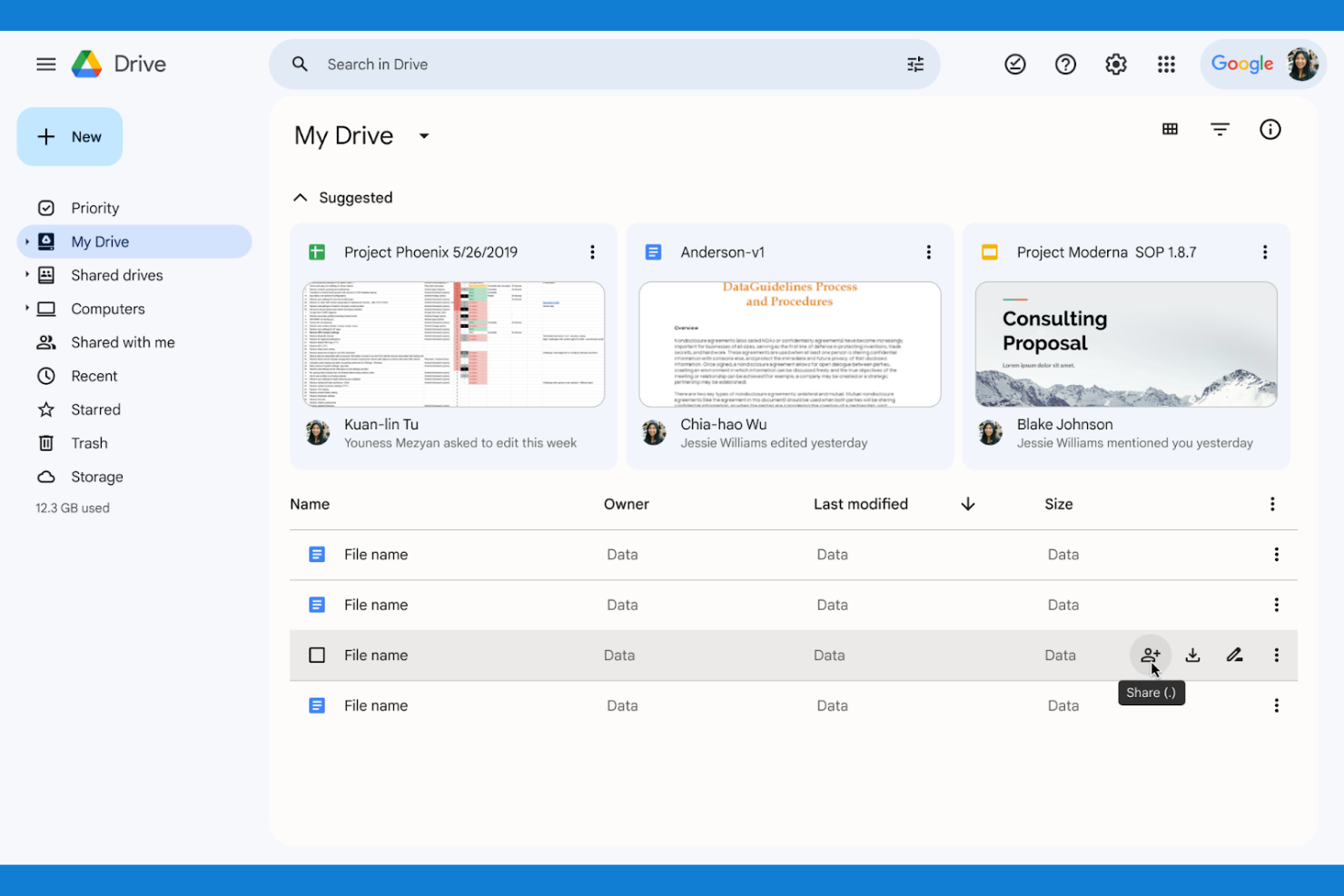
Se il tuo team ha bisogno di collaborare su documenti in tempo reale, Google Drive è una delle scelte migliori. È stato progettato per le organizzazioni che desiderano creare, modificare e condividere file simultaneamente senza confusione di versioni. A differenza di Mega, l’integrazione di Google Drive con Docs, Sheets e Slides rende la collaborazione dal vivo e il feedback parte integrante del flusso di lavoro quotidiano.
Perché Google Drive è una buona alternativa a Mega
Diversamente da Mega, Google Drive è stato creato per i team che devono lavorare insieme sui documenti nello stesso momento. Ho scelto Google Drive perché la modifica in tempo reale su Docs, Sheets e Slides permette a più utenti di apportare modifiche e lasciare commenti senza conflitti sui file. La cronologia delle versioni integrata ti consente sempre di tenere traccia delle modifiche o ripristinare versioni precedenti se necessario. Se i tuoi progetti richiedono feedback collaborativo e veloce, gli strumenti di documenti dal vivo di Google Drive sono difficili da eguagliare.
Funzionalità principali di Google Drive
Altre funzionalità di Google Drive che potrebbero essere utili per il tuo team includono:
- Drive Condivisi: Crea cartelle di team con gestione e proprietà centralizzate.
- Filtri di ricerca avanzati: Trova i file velocemente utilizzando filtri per tipo, proprietario e data.
- Accesso offline: Visualizza e modifica file anche senza connessione internet.
- Verifica in due passaggi: Aggiungi un ulteriore livello di sicurezza al tuo account.
Integrazioni Google Drive
Le integrazioni includono Gmail, Google Meet, Google Chat, Google Calendar, Google Docs, Google Sheets, Google Slides, Salesforce, Slack e Zoom.
Pros and Cons
Pros:
- Sincronizzazione impeccabile con le app di Google
- Motore di ricerca incredibile
- Piattaforma usata universalmente
Cons:
- Organizzazione dei file caotica
- Le politiche sulla privacy variano

Box
Ideale per automazione avanzata dei flussi di lavoro

Per i team che hanno bisogno di più della semplice archiviazione di file, Box offre un’avanzata automazione dei flussi di lavoro integrata nella sua piattaforma cloud. È una soluzione ideale per le organizzazioni con catene di approvazione complesse, cicli di vita dei documenti articolati o requisiti di conformità stringenti. A differenza di Mega, Box consente di automatizzare processi a più fasi e integrare i flussi di lavoro dei contenuti direttamente con le applicazioni aziendali.
Perché Box è una valida alternativa a Mega
Box si distingue per i team che desiderano automatizzare i flussi di lavoro documentali e le approvazioni direttamente sulla propria piattaforma di archiviazione cloud. Ho scelto Box perché i suoi strumenti di automazione dei flussi di lavoro permettono di costruire processi personalizzati e multi-fase per attività come revisioni contrattuali, onboarding e approvazioni di conformità. È possibile attivare notifiche, assegnare compiti e impostare logiche condizionali senza abbandonare la piattaforma. Per le organizzazioni che richiedono più del semplice file sharing di base, le funzionalità di automazione di Box aiutano a mantenere i contenuti in movimento attraverso processi aziendali complessi.
Funzionalità chiave di Box
Altre funzionalità di Box che potrebbero essere utili per il tuo team includono:
- Controlli di accesso dettagliati: Imposta permessi specifici per utenti, gruppi e collaboratori esterni.
- Box Notes: Crea e modifica note in modalità collaborativa direttamente sulla piattaforma.
- Integrazione con eSignature: Raccogli firme elettroniche legalmente valide direttamente sui documenti.
- Prevenzione perdita dati (DLP): Monitora e limita la condivisione di dati sensibili con strumenti DLP integrati.
Integrazioni Box
Le integrazioni includono Microsoft 365, Google Workspace, Salesforce, Slack, Adobe, Okta, Zoom, Oracle NetSuite, ServiceNow e DocuSign.
Pros and Cons
Pros:
- Ottima automazione dei flussi di lavoro
- Controlli avanzati sui dati amministrativi
- Strumenti per firme elettroniche integrati
Cons:
- Curva di apprendimento ripida
- L'interfaccia utente è molto orientata al business

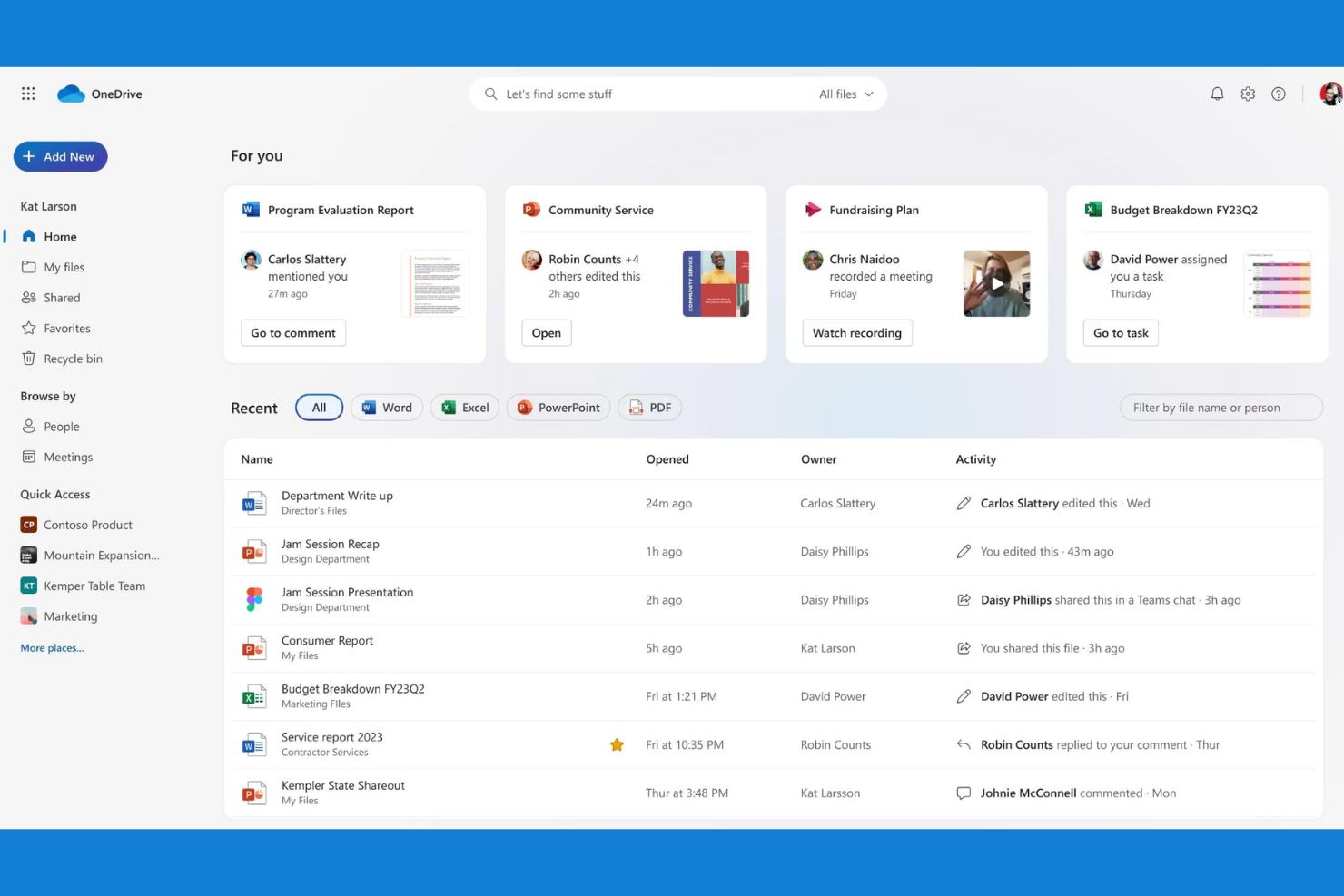
I team che si affidano alle app di Microsoft 365 spesso scelgono Microsoft OneDrive per l'archiviazione cloud e la condivisione dei file. È progettato per le organizzazioni che desiderano mantenere file, e-mail e collaborazione strettamente connessi all'interno dell'ecosistema Microsoft. A differenza di Mega, OneDrive consente di creare e gestire documenti in collaborazione direttamente da strumenti familiari come Word, Excel e Teams.
Perché Microsoft OneDrive è una buona alternativa a Mega
Se il tuo team utilizza già Microsoft 365, OneDrive è la scelta naturale per l'archiviazione cloud e la condivisione dei file. Ho scelto OneDrive perché consente di salvare, sincronizzare e modificare i file in collaborazione direttamente da Word, Excel, PowerPoint e Teams senza uscire da queste app. La cronologia delle versioni e la collaborazione in tempo reale sono integrate, così puoi tenere traccia delle modifiche e lavorare insieme sui documenti senza confusione tra i file. Per le organizzazioni che desiderano che l'archiviazione sia una parte perfettamente integrata del flusso di lavoro quotidiano, l'integrazione di OneDrive con Microsoft 365 si distingue.
Caratteristiche principali di Microsoft OneDrive
Alcune altre funzionalità di Microsoft OneDrive che potrebbero essere utili per la tua organizzazione includono:
- Cassaforte personale: archivia i file sensibili in un'area protetta con verifica dell'identità.
- Richiesta di file: raccogli i file da chiunque direttamente in una cartella specificata.
- Rilevamento e ripristino dopo ransomware: ricevi avvisi e ripristina i file se viene rilevata un'attività sospetta.
- Blocco del download per i file condivisi: impedisci ai destinatari di scaricare i documenti condivisi.
Integrazioni di Microsoft OneDrive
Le integrazioni includono Microsoft Teams, Microsoft Outlook, Microsoft Word, Microsoft Excel, Microsoft PowerPoint, Microsoft SharePoint, Windows, Samsung, Azure e Dynamics 365.
Pros and Cons
Pros:
- Sincronizzazione perfetta con Office 365
- Molto economico con il piano Office
- Funzionalità File su richiesta
Cons:
- Analizza i dati alla ricerca di violazioni delle policy
- Configurazioni aziendali confuse
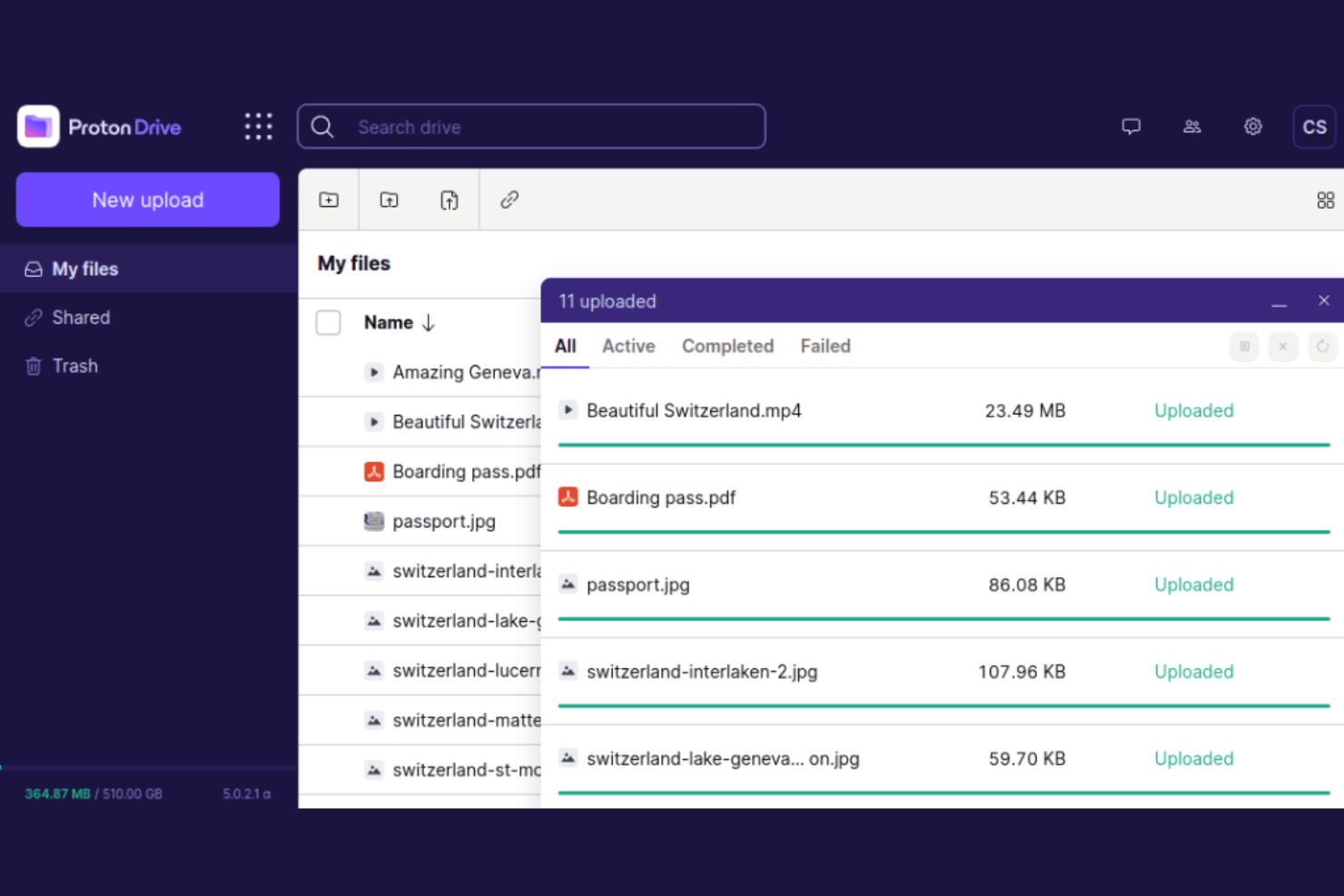
Per team e singoli che necessitano della massima privacy, Proton Drive offre uno spazio di archiviazione cloud e condivisione di file con crittografia end-to-end. È particolarmente utile per organizzazioni che gestiscono dati sensibili, come professionisti legali, sanitari o della ricerca. A differenza di Mega, Proton Drive garantisce che solo tu e i destinatari previsti possiate accedere ai vostri file—nessun altro, nemmeno Proton.
Perché Proton Drive è una valida alternativa a Mega
Se cerchi la massima privacy nella condivisione dei file, Proton Drive si distingue grazie alla sua crittografia end-to-end su ogni file e cartella. Ho scelto Proton Drive perché assicura che solo tu e i tuoi destinatari possiate accedere ai dati—nessuna terza parte, nemmeno Proton stessa. La piattaforma supporta inoltre link di condivisione crittografati, permettendoti di inviare file in modo sicuro senza esporli ad accessi non autorizzati. Per chiunque debba garantire la riservatezza, l’approccio orientato alla crittografia di Proton Drive offre un livello di protezione superiore rispetto a quanto fornisce Mega.
Funzionalità principali di Proton Drive
Altre caratteristiche che rendono Proton Drive interessante includono:
- Accesso multipiattaforma: Usa Proton Drive sul web, su iOS e Android per gestire i file ovunque ti trovi.
- Cronologia delle versioni: Ripristina versioni precedenti dei file per recuperare modifiche o cancellazioni indesiderate.
- Hosting dei dati in Svizzera: Conserva tutti i file in data center svizzeri, attenti alla privacy.
- Integrazione con l’account Proton: Accedi a Proton Mail, Proton Calendar e Proton VPN con un unico login.
Integrazioni di Proton Drive
Le integrazioni includono Proton Mail, Proton Calendar, Proton VPN, Proton Pass, Proton Docs, Proton Sheets, Proton Authenticator, Proton Meet, Proton Wallet e SimpleLogin.
Pros and Cons
Pros:
- Crittografia open source
- Integrazione fluida con Mail
- Link di condivisione altamente sicuri
Cons:
- Caricamento lento di file di grandi dimensioni
- Nessuna sincronizzazione a livello di blocco
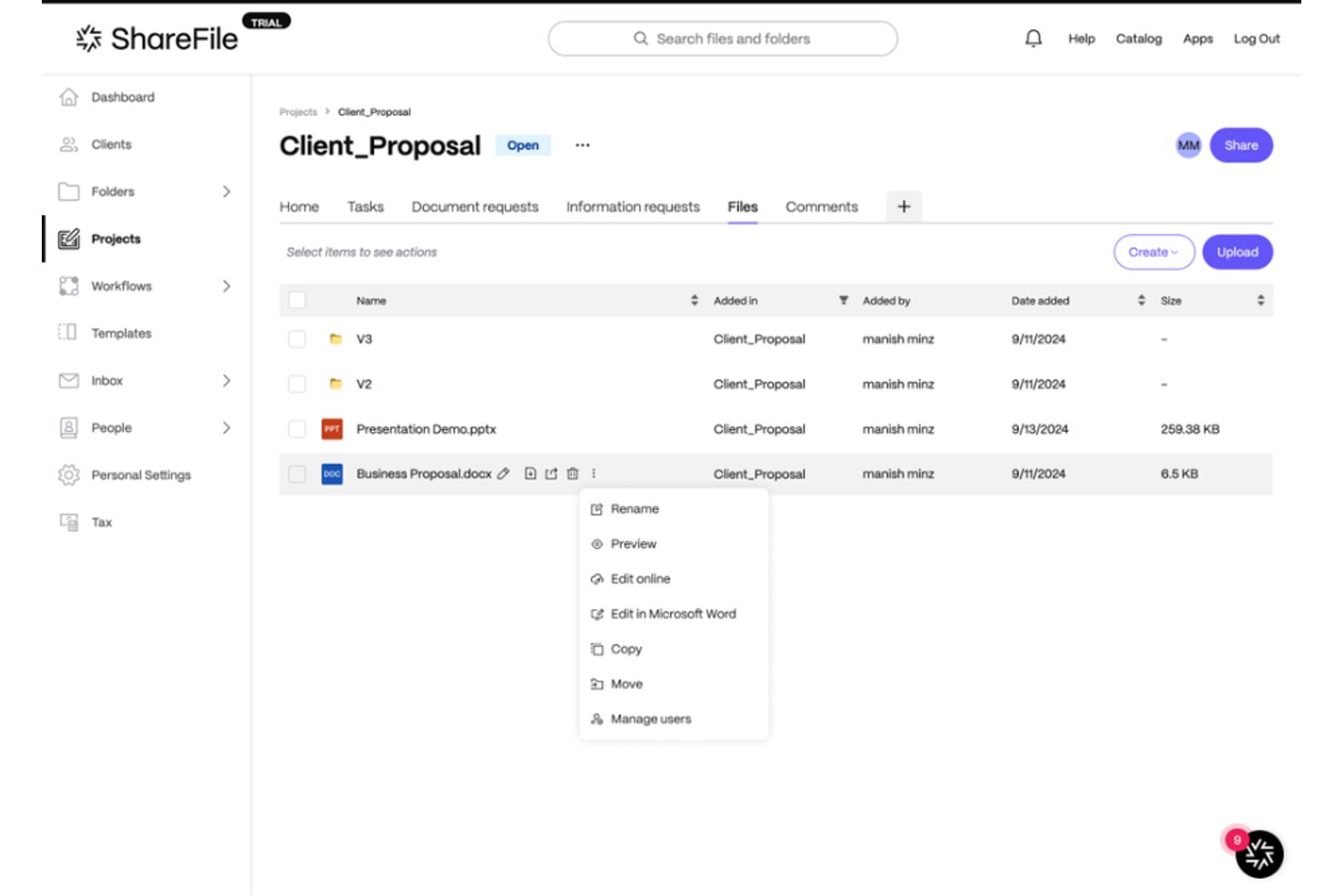
Progress ShareFile offre spazio di archiviazione cloud e condivisione di file progettati per le aziende che necessitano di uno stretto controllo sull'accesso degli utenti, risultando particolarmente adatto ai team legali, finanziari e IT che gestiscono file riservati.
Per chi è più adatto Progress ShareFile?
Progress ShareFile è una scelta eccellente per i team legali, finanziari e IT che necessitano di uno stretto controllo sull'accesso e sulle autorizzazioni dei file riservati.
Perché Progress ShareFile è una buona alternativa a Mega
Ho scelto Progress ShareFile perché mi affido ai suoi controlli dettagliati delle autorizzazioni a livello di cartella e al monitoraggio degli audit per gestire i file sensibili con sicurezza. In pratica, il mio team può impostare accessi personalizzati per ogni cliente o progetto, limitare l'accesso ai documenti riservati e monitorare esattamente chi visualizza o scarica qualsiasi elemento.
Funzionalità principali di Progress ShareFile
- Crittografia sicura dei file: Protegge i file inattivi e in transito con protocolli di crittografia conformi agli standard del settore.
- Integrazione della firma elettronica: Consente di richiedere, monitorare e gestire le firme elettroniche direttamente all'interno della piattaforma.
- Portali per i clienti con marchio personalizzato: Consente di creare portali professionali e personalizzati per condividere e richiedere file ai clienti.
- Strumenti per flussi di lavoro automatizzati: Supporta i flussi di lavoro per la richiesta di file e le notifiche, semplificando la raccolta e l'approvazione dei documenti.
Integrazioni di Progress ShareFile
Progress ShareFile offre integrazioni native con Microsoft 365, Outlook, Gmail, Salesforce, DocuSign, QuickBooks, Citrix Workspace e RightSignature. È disponibile un'API per le integrazioni personalizzate.
Pros and Cons
Pros:
- Controlli granulari degli accessi per la condivisione di file riservati
- Portali per i clienti con marchio personalizzato per la collaborazione esterna
- Include funzionalità integrate per la richiesta di firme elettroniche
Cons:
- La sincronizzazione desktop può essere inaffidabile
- La condivisione esterna richiede una configurazione aggiuntiva

Dropbox
Ideale con ampie integrazioni di terze parti
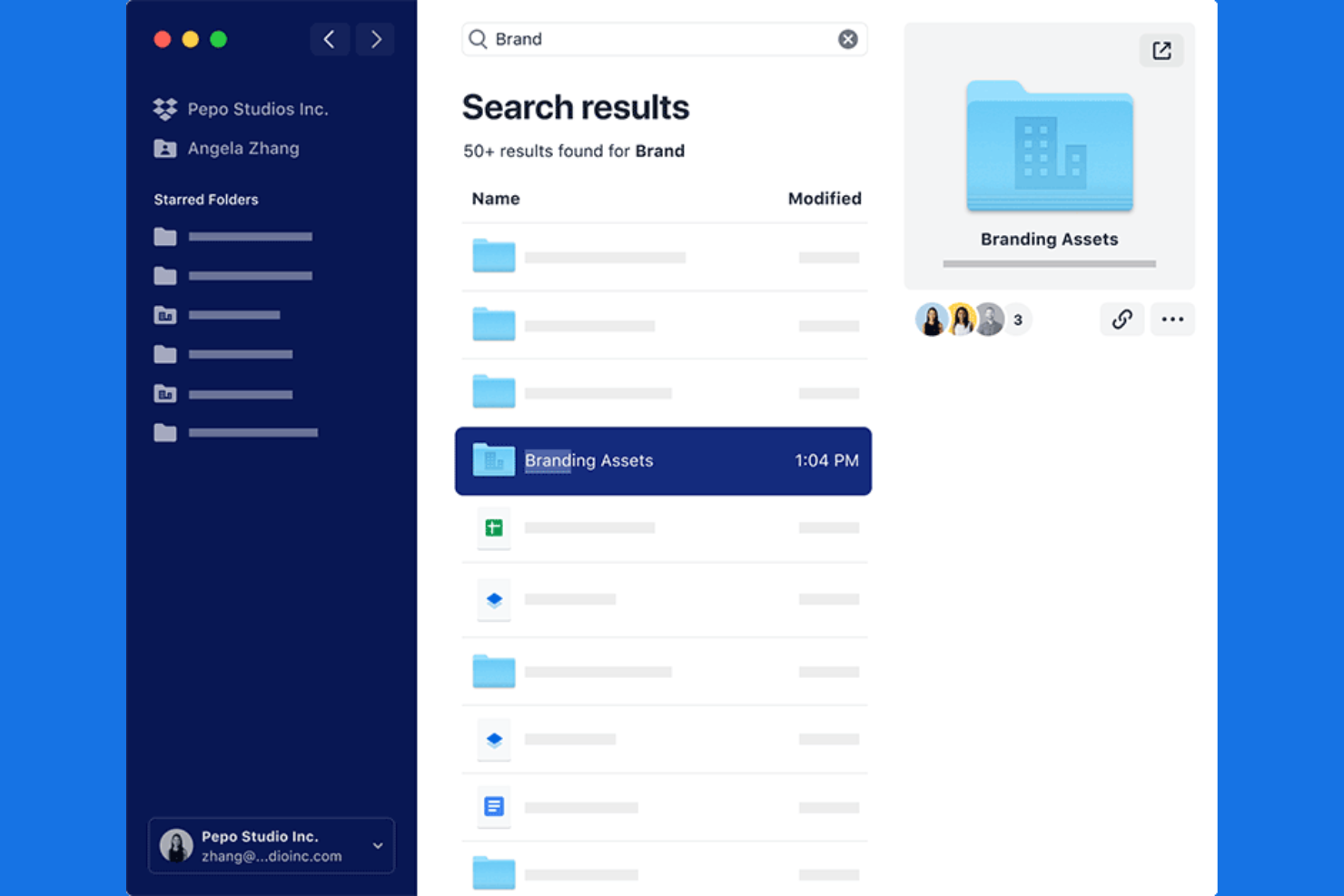
I team che fanno affidamento su un'ampia gamma di app aziendali spesso scelgono Dropbox per le sue impareggiabili capacità di integrazione. Dropbox è progettato per le organizzazioni che necessitano di collegare l'archiviazione cloud con strumenti come Slack, Zoom e Microsoft 365 per mantenere i flussi di lavoro unificati. A differenza di Mega, le vaste integrazioni di terze parti di Dropbox facilitano la centralizzazione dei file e l'automazione dei processi in tutto l'ecosistema tecnologico esistente.
Perché Dropbox è una buona alternativa a Mega
Per i team che dipendono da un flusso di lavoro connesso, Dropbox si distingue per il suo ecosistema di integrazione avanzato. Ho scelto Dropbox come alternativa a Mega perché si collega nativamente con strumenti come Slack, Zoom, Microsoft 365 e Google Workspace, permettendo di gestire i file direttamente all'interno di queste piattaforme. Dropbox supporta anche azioni automatizzate sui file tramite integrazioni con strumenti come Zapier e Trello, aiutando a ridurre il lavoro manuale. Se la tua azienda deve mantenere i file sincronizzati tra più app, le opzioni di integrazione di Dropbox rappresentano una valida scelta.
Funzionalità principali di Dropbox
Altre funzionalità di Dropbox che potrebbero essere utili per il tuo team includono:
- Strumento di richiesta file: Raccogli file da chiunque, anche da chi non ha un account Dropbox.
- Autorizzazioni granulari sulle cartelle: Assegna permessi di visualizzazione, modifica o commento a livello di cartella.
- Scansione di documenti: Scansiona e carica documenti cartacei direttamente dall'app mobile.
- Cronologia delle versioni dei file: Ripristina o visualizza versioni precedenti dei file fino a 180 giorni.
Integrazioni di Dropbox
Le integrazioni includono Google Workspace, Microsoft, Adobe, HubSpot, Autodesk, Canva, AWS, Slack, Zoom e Trello.
Pros and Cons
Pros:
- Trasferimenti di file a livello di blocco
- Ottima condivisione di cartelle di team
- Firma di documenti integrata
Cons:
- Piccolissimo piano gratuito da 2GB
- Piani premium costosi

Ideale per massima flessibilità di implementazione self-hosted
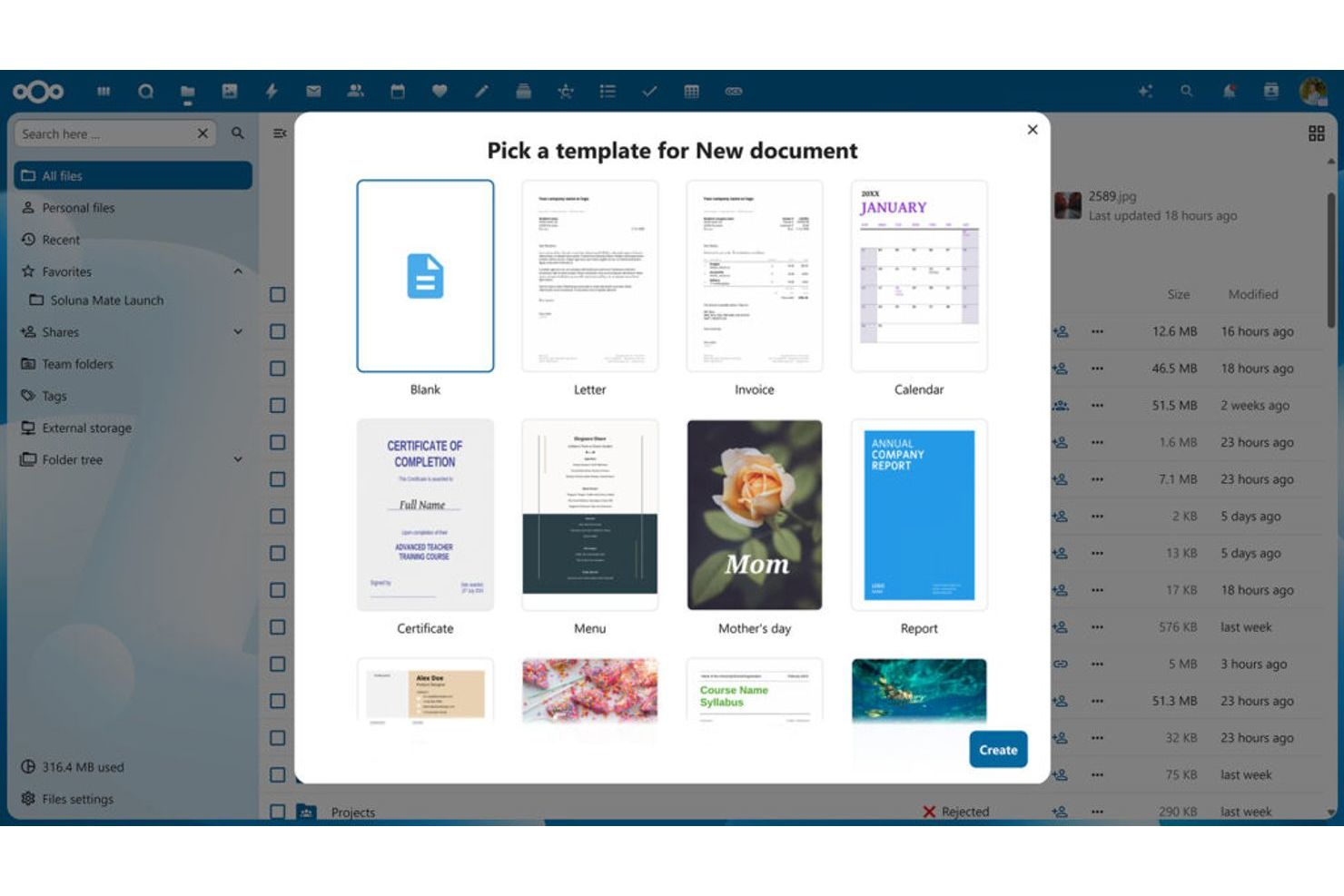
Se hai bisogno di pieno controllo sui tuoi dati e sulla distribuzione, Nextcloud offre una piattaforma di archiviazione cloud self-hosted che puoi eseguire sui tuoi server. È una scelta solida per team IT, organizzazioni attente alla privacy e settori regolamentati che desiderano personalizzare le impostazioni di sicurezza e conformità. A differenza di Mega, Nextcloud ti permette di personalizzare ogni aspetto dell’ambiente di condivisione file, dall’infrastruttura alle autorizzazioni degli utenti.
Perché Nextcloud è una valida alternativa a Mega
Nextcloud è un’ottima scelta se vuoi ospitare il tuo cloud storage e mantenere il pieno controllo sui tuoi dati. Mi piace il fatto che tu possa distribuire Nextcloud on-premises o su un cloud privato, offrendoti flessibilità per soddisfare stringenti requisiti di sicurezza o conformità. La piattaforma supporta la gestione personalizzata degli utenti, controlli di accesso dettagliati e avanzati log di audit, tutto gestito all’interno della tua infrastruttura. Per i team che devono adattare l’ambiente di condivisione file a esigenze aziendali o normative specifiche, Nextcloud offre un livello di flessibilità di distribuzione che Mega non possiede.
Funzionalità chiave di Nextcloud
Altre funzionalità che rendono Nextcloud interessante includono:
- Suite Office integrata: Collabora su documenti, fogli di calcolo e presentazioni direttamente dal browser.
- Crittografia end-to-end: Proteggi i file con crittografia lato client per una privacy aggiuntiva.
- App di sincronizzazione per mobile e desktop: Accedi e sincronizza i file su dispositivi Windows, macOS, Linux, iOS e Android.
- Marketplace di App: Estendi le funzionalità con componenti aggiuntivi per chat, calendario, mail e altro ancora.
Integrazioni Nextcloud
Le integrazioni includono Microsoft Outlook, Microsoft Teams, SharePoint, Zimbra e Rocket.Chat.
Pros and Cons
Pros:
- UI altamente personalizzabile
- Nessun limite mensile di archiviazione
- Enorme community di plugin
Cons:
- La velocità dipende dal tuo host
- Non è uno strumento plug and play

Ideale per i team che condividono file con elevati requisiti di conformità
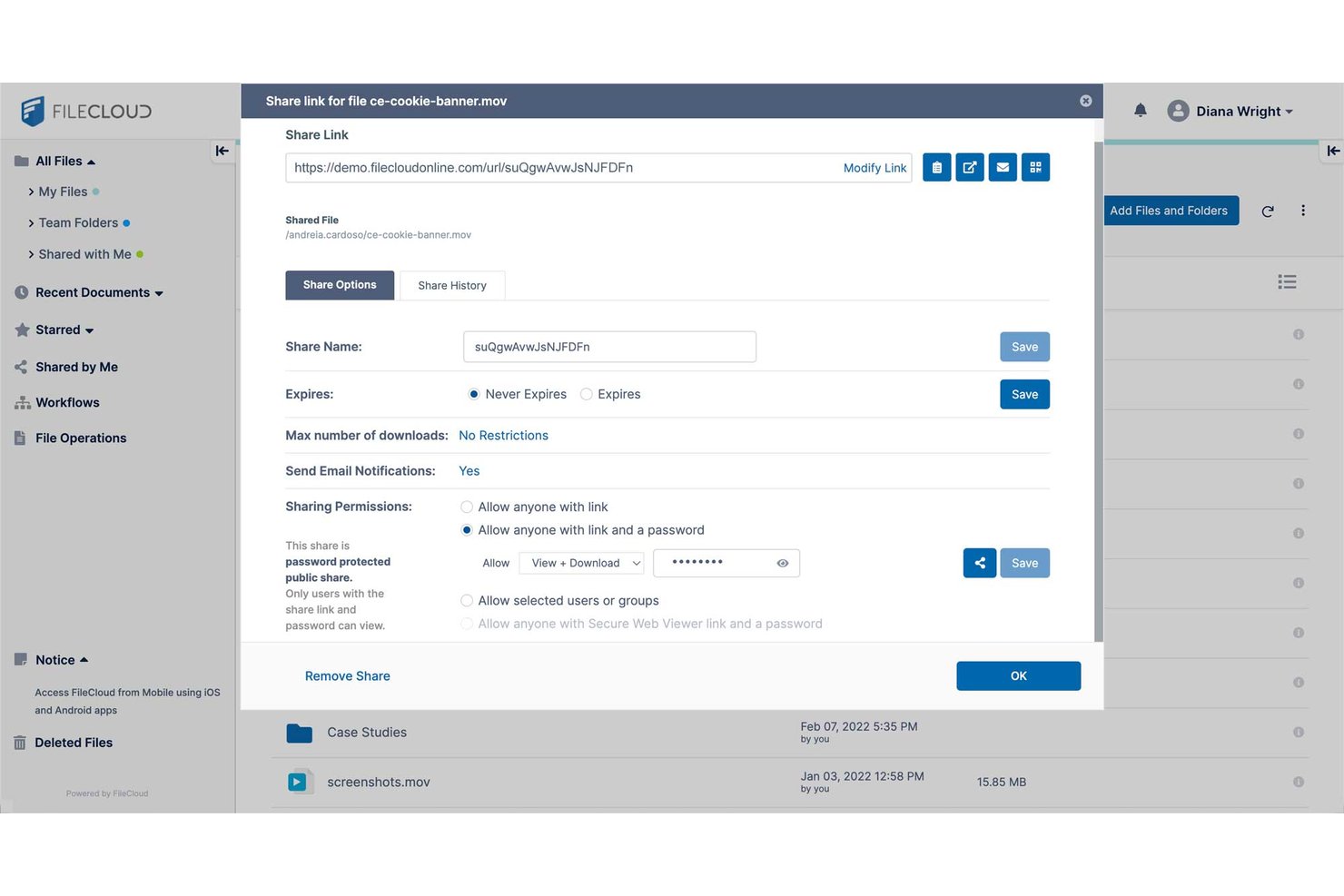
FileCloud è una piattaforma di archiviazione cloud e condivisione di file progettata per le organizzazioni che necessitano di uno stretto controllo dei dati, impostazioni avanzate sulla privacy e opzioni flessibili di distribuzione on-premise o cloud.
Per chi è più adatto FileCloud?
FileCloud è una scelta solida per i team IT dei settori regolamentati che necessitano di un controllo completo sull'archiviazione dei file, sulla privacy e sulla conformità.
Perché FileCloud è una buona alternativa a Mega
Ho scelto FileCloud come una delle migliori opzioni perché mi fido della sua gestione avanzata della conformità per i team che devono affrontare rigorosi requisiti normativi. Apprezzo la possibilità per il mio team di impostare autorizzazioni utente granulari e verificare i registri delle attività degli utenti, facilitando il mantenimento della privacy e della sicurezza nei progetti di condivisione dei file.
Funzionalità principali di FileCloud
- Backup degli endpoint: Proteggi i file su computer desktop, laptop e dispositivi mobili con le funzionalità integrate di backup degli endpoint.
- Personalizzazione del marchio: Aggiungi il logo e l'identità visiva della tua azienda alle interfacce utente e ai portali di condivisione.
- Gestione delle versioni dei documenti: Tieni traccia, archivia e accedi automaticamente alle versioni precedenti dei documenti.
- Sincronizzazione selettiva: Controlla quali file e cartelle sincronizzare su ciascun dispositivo per ottimizzare l'uso dello spazio di archiviazione e il controllo da parte degli utenti.
Integrazioni di FileCloud
FileCloud offre integrazioni native con Microsoft 365, Microsoft Teams, Okta, OneLogin, Google Workspace, Microsoft Active Directory e Duo Security. È disponibile un'API per le integrazioni personalizzate.
Pros and Cons
Pros:
- Offre la distribuzione on-premise o su cloud privato
- Include registri dettagliati delle attività per il monitoraggio della conformità
- Supporta il backup degli endpoint su più dispositivi
Cons:
- L'interfaccia può sembrare datata e poco intuitiva
- Le app mobili non dispongono di alcune funzionalità avanzate
Sync.com
Ideale per opzioni rigorose di residenza dei dati
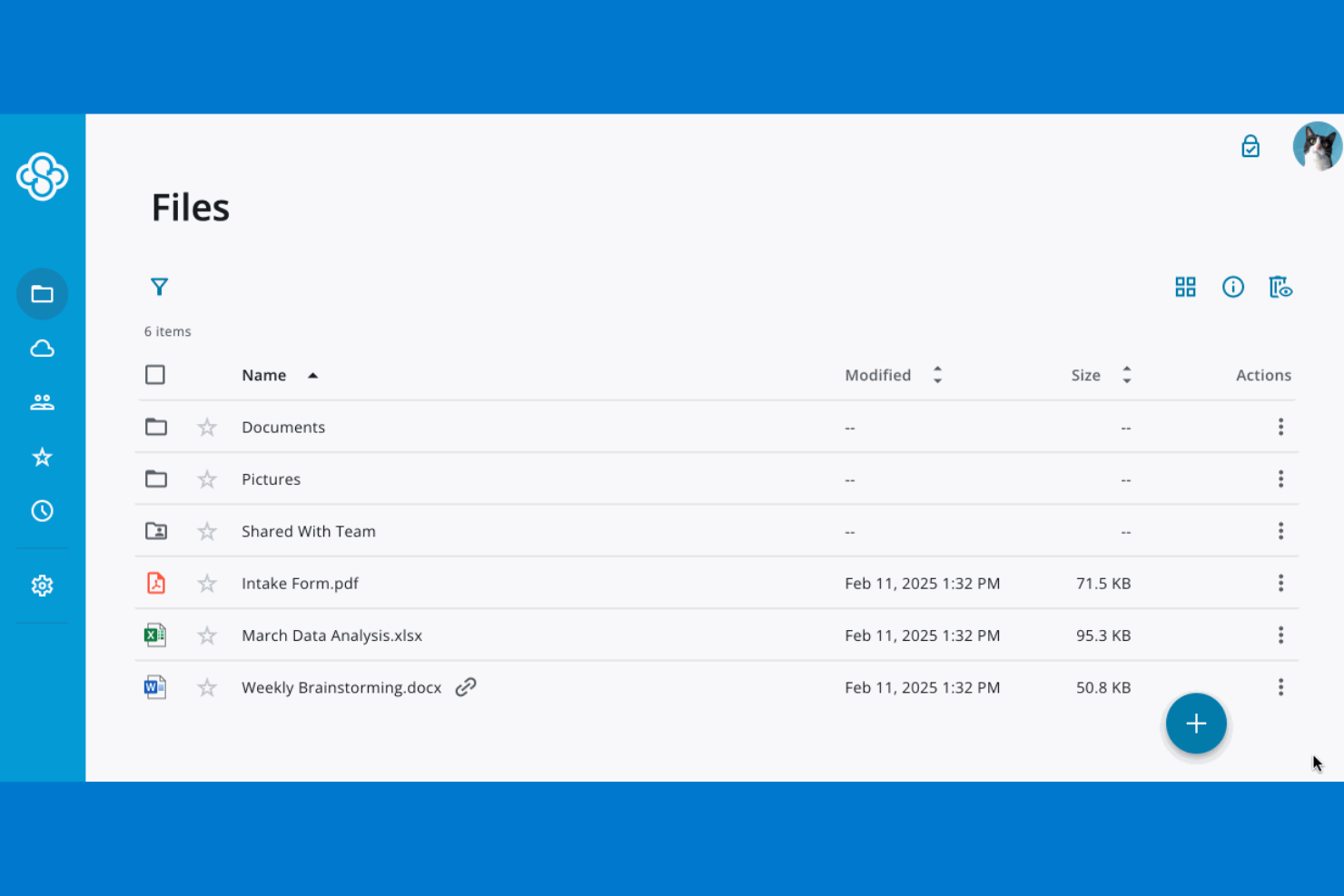
Se la tua organizzazione ha bisogno di controllare esattamente dove vengono archiviati i dati, Sync.com offre opzioni rigorose di residenza dei dati che vanno oltre quanto proposto dalla maggior parte dei fornitori di archiviazione cloud. Questa piattaforma è particolarmente indicata per le aziende in settori regolamentati o per chi ha requisiti di conformità legati a specifiche aree geografiche. A differenza di Mega, Sync.com ti permette di scegliere la posizione di archiviazione dei dati, aiutandoti a soddisfare obblighi legali e normativi relativi alla sovranità dei dati.
Perché Sync.com è una valida alternativa a Mega
A differenza di molti fornitori di archiviazione cloud, Sync.com ti consente di scegliere dove i tuoi dati vengono archiviati fisicamente, un elemento fondamentale per le organizzazioni con esigenze rigorose di residenza o sovranità dei dati. Ho scelto Sync.com perché offre data center in Canada e controlli chiari per adempiere agli standard di conformità nei settori regolamentati. La piattaforma offre anche crittografia end-to-end, garantendo che i tuoi file restino privati e protetti ovunque siano archiviati. Se la tua azienda deve conformarsi a leggi regionali sui dati o a mandati specifici dei clienti, Sync.com permette un livello di controllo che Mega non offre.
Funzionalità principali di Sync.com
Altre funzionalità di Sync.com che potrebbero interessarti includono:
- Permessi utente granulari: Imposta livelli di accesso dettagliati per file e cartelle all'interno del team.
- Cancellazione remota dei dispositivi: Rimuovi i dati Sync.com da dispositivi smarriti o rubati da remoto.
- Cronologia delle versioni dei file: Ripristina versioni precedenti dei file fino a 365 giorni.
- Link di condivisione protetti da password: Aggiungi una protezione con password ai link condivisi per maggiore sicurezza.
Integrazioni Sync.com
Le integrazioni includono Microsoft 365, Slack, Windows File Explorer e macOS Finder.
Pros and Cons
Pros:
- Ottima gestione delle versioni dei file
- Nessun tracciamento da terze parti
- Prezzi convenienti per i team
Cons:
- Manca la sincronizzazione con app di terze parti
- Impossibile visualizzare l'anteprima di molti file

Ideale per l'organizzazione dei documenti dei team
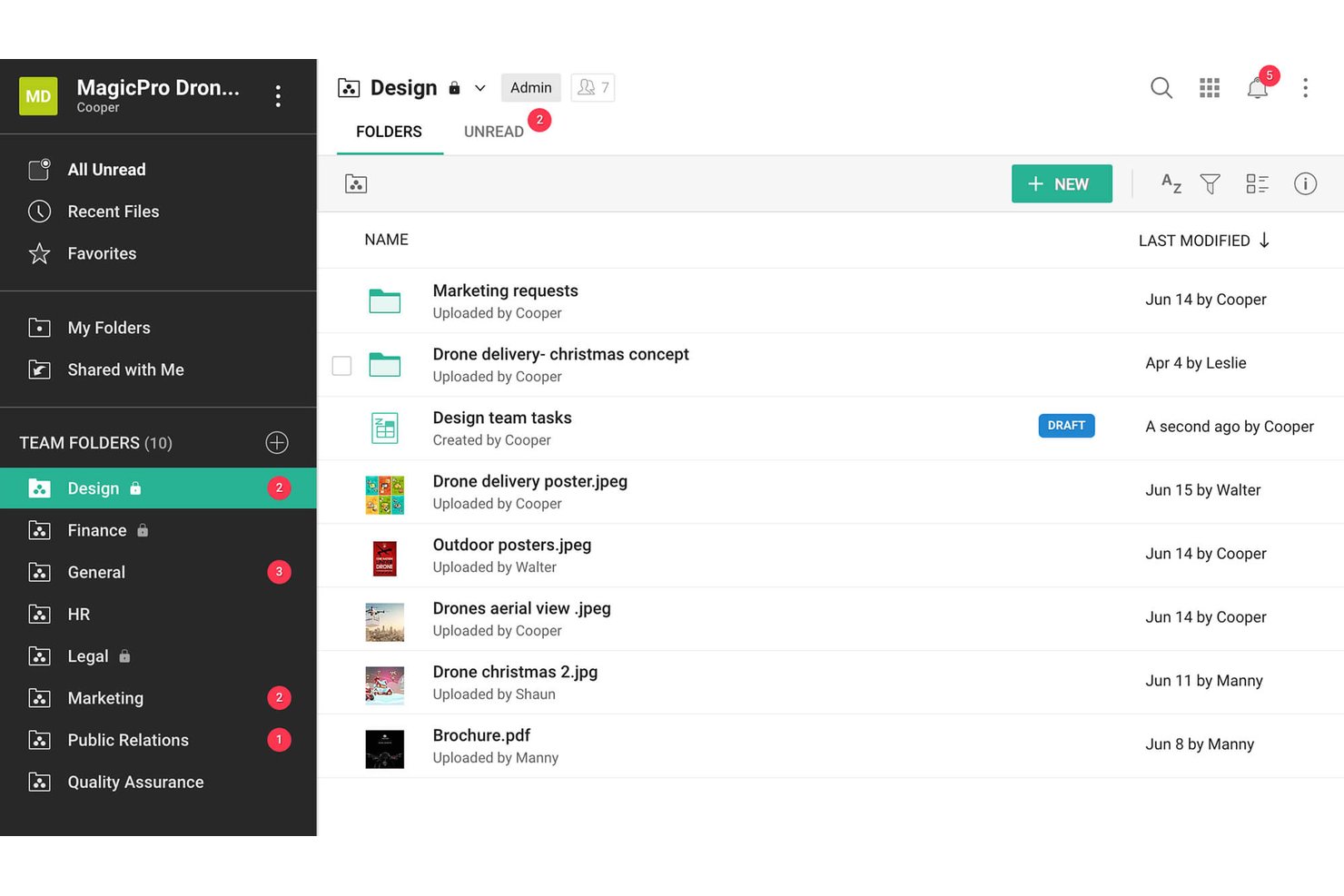
Zoho WorkDrive è una piattaforma di archiviazione cloud progettata per i team che desiderano organizzare, condividere e collaborare sui documenti in uno spazio di lavoro digitale sicuro. È una soluzione particolarmente adatta ai project manager che operano in ambienti dinamici e cercano di mantenere contenuti e discussioni in un unico luogo.
Per chi è più adatto Zoho WorkDrive?
Team che necessitano di uno spazio di lavoro condiviso e sicuro per organizzare e collaborare sui documenti durante progetti in rapida evoluzione.
Perché Zoho WorkDrive è una buona alternativa a Mega
Ho scelto Zoho WorkDrive come una delle migliori alternative a Mega perché il mio team può creare cartelle del team condivise, raggruppare i file per progetto o reparto e gestire l'accesso ai documenti a un livello molto dettagliato. Apprezzo il fatto che le richieste di file rendano semplice raccogliere i contributi degli stakeholder e che il controllo delle versioni mantenga organizzati i contenuti anche con l'evolversi dei progetti.
Funzionalità principali di Zoho WorkDrive
- Gestione unificata dei documenti: Archivia, cerca e organizza i file in un unico spazio di lavoro digitale centralizzato.
- Registri delle attività dettagliati: Monitora ogni azione sui file con tracce di controllo dettagliate per garantire conformità e supervisione.
- Ruoli e autorizzazioni personalizzati: Imposta l'accesso specifico per ciascun utente con ruoli personalizzati per controllare la visibilità e le modifiche ai file.
- App dell'ecosistema Zoho integrate: Collegati nativamente a Zoho Projects, Zoho Mail e altri strumenti per la sincronizzazione automatica e una maggiore produttività.
Integrazioni di Zoho WorkDrive
Zoho WorkDrive offre integrazioni native con Zoho Projects, Zoho Mail, Zoho CRM, Zoho Sign, Microsoft 365, Google Workspace, Slack e Zapier. È disponibile un'API per le integrazioni personalizzate.
Pros and Cons
Pros:
- Le cartelle del team supportano l'organizzazione dei documenti in base al progetto
- I ruoli personalizzati consentono un controllo dettagliato dell'accesso ai file
- La funzionalità integrata per le richieste di file semplifica la raccolta dei contributi
Cons:
- Le impostazioni di condivisione esterna possono essere restrittive
- Accesso offline limitato ai file per i membri del team
Altre alternative a Mega
Ecco alcune ulteriori opzioni alternative a Mega che non sono state incluse nel mio elenco ristretto, ma che vale comunque la pena prendere in considerazione:
- kDrive
Ideale per l'archiviazione nei centri dati svizzeri
- Filen
Ideale con il controllo illimitato delle versioni dei file
- Tresorit
Ideale per la condivisione di file nei settori regolamentati
- Egnyte
Ideale per la governance dei file nei settori regolamentati
- pCloud
Ideale per piani di archiviazione a vita
- IDrive
Ideale per la gestione dei backup su più dispositivi
- IceDrive
Ideale per accesso tramite unità virtuale integrata
- Koofr
Ideale per l'aggregazione di più cloud con hosting nell'UE
- Internxt
Ideale per controlli privacy open-source
- Jottacloud
Ideale per l'archiviazione di file di grandi dimensioni ospitata in Norvegia


Come valuto le alternative a Mega
Divido la mia valutazione in due livelli: le funzionalità di base che ogni strumento deve offrire e i fattori distintivi che differenziano un fornitore dall'altro.
Funzionalità di base (requisiti minimi per questo elenco)
Quando seleziono gli strumenti per il mio elenco, assegno a ciascuno un punteggio su una scala da 0 (non offre la funzionalità) a 5 (eccelle in quest'area) per ogni funzionalità di base elencata di seguito. Calcolo quindi il punteggio totale dello strumento in percentuale, utilizzando il 75% come parametro di riferimento per valutarne l'idoneità complessiva per l'elenco.
- Archiviazione di file nel cloud: verifico se la piattaforma offre livelli di archiviazione flessibili e strutture di cartelle in grado di adattarsi alla crescita di un progetto, da una manciata di documenti a migliaia di risorse.
- Condivisione di file e link: i controlli di condivisione sono importanti, quindi cerco autorizzazioni configurabili per i link, protezione tramite password e impostazioni di scadenza che consentano di inviare in sicurezza i materiali finali a clienti e collaboratori esterni.
- Sincronizzazione tra dispositivi: i team che lavorano tra uffici e fusi orari diversi hanno bisogno dei file su ogni dispositivo. Valuto se i client di sincronizzazione coprono computer desktop, dispositivi mobili e web, con sincronizzazione selettiva e accesso offline.
- Crittografia e sicurezza: cerco almeno la crittografia AES-256 dei dati a riposo, oltre all'autenticazione a due fattori e ai registri di controllo. Piattaforme come Tresorit e Sync.com vanno oltre, offrendo una crittografia a conoscenza zero e end-to-end per i dati sensibili dei progetti.
- Controlli per la collaborazione: gli spazi di lavoro condivisi con autorizzazioni basate sui ruoli e cronologia delle versioni mantengono allineati i team distribuiti. Verifico quanto sia facile assegnare l'accesso in visualizzazione o modifica e ripristinare una sovrascrittura accidentale.
- Trasferimento di file di grandi dimensioni: il lavoro sui progetti spesso comporta rendering video di diversi gigabyte o file CAD. Valuto i limiti alle dimensioni dei caricamenti e se la piattaforma supporta trasferimenti riprendibili, così che una connessione instabile non costringa a ricominciare.
Una volta ottenuto un elenco di strumenti che soddisfano i criteri, considero ciò che distingue ogni piattaforma.
Fattori distintivi (ciò che differenzia i fornitori)
Ecco come confronto e metto a confronto i diversi fornitori:
Funzionalità di spicco
La crittografia a conoscenza zero è molto importante quando i file del progetto contengono proprietà intellettuale o dati dei clienti sensibili. Verifico se il fornitore non conserva davvero alcuna chiave di decrittografia, poiché piattaforme come Tresorit e Sync.com adottano un'architettura diversa rispetto ai fornitori che offrono la crittografia standard dei dati a riposo. Valuto anche i link pubblici per la richiesta di file, che consentono agli stakeholder esterni di caricare i materiali finali in una cartella del progetto senza creare un account. Per i team colpiti da sovrascritture accidentali, sono importanti anche la funzione di riavvolgimento e la profondità del recupero delle versioni. Analizzo quanto indietro arrivi la cronologia e se il ripristino copra gli scenari di attacco ransomware.
Oltre le funzionalità
Valuto dove un fornitore archivia i dati e quale giurisdizione li disciplina, poiché ciò determina l'esposizione alle richieste governative di accesso ai dati e alle norme sui trasferimenti transfrontalieri. La struttura dei prezzi è altrettanto importante: i piani per utente possono far aumentare rapidamente i costi per i team di progetto numerosi, mentre i modelli basati sullo spazio di archiviazione penalizzano i team creativi che condividono con i clienti risorse di grandi dimensioni. Verifico inoltre quanto sia facile per gli stakeholder esterni aprire un link condiviso senza creare un account, perché le registrazioni obbligatorie rallentano le revisioni dei clienti e i cicli di approvazione.
Perché cercare un'alternativa a Mega?
Sebbene Mega sia una buona scelta per l'archiviazione cloud e la condivisione di file, ci sono diversi motivi per cui alcuni utenti cercano soluzioni alternative. Potresti cercare un'alternativa a Mega perché…
- Hai bisogno di strumenti di collaborazione più avanzati
- Vuoi un'integrazione nativa con i prodotti Apple o Microsoft
- Hai bisogno di una conformità più rigorosa alle leggi regionali sulla protezione dei dati
- Hai bisogno di un supporto migliore per team o organizzazioni di grandi dimensioni
- Vuoi opzioni di condivisione più flessibili con utenti esterni
- Preferisci un fornitore con pratiche aziendali più trasparenti
Se ti riconosci in una di queste situazioni, sei nel posto giusto. Il mio elenco comprende diverse opzioni di software per l'archiviazione cloud e la condivisione di file più adatte ai team che affrontano queste difficoltà con Mega e cercano soluzioni alternative.
Funzionalità principali di Mega
Ecco alcune delle principali funzionalità di Mega, per aiutarti a confrontare ciò che offrono le soluzioni alternative:
- Archiviazione dei file con crittografia end-to-end
- Condivisione sicura dei link con autorizzazioni personalizzabili
- Chat e messaggistica crittografate integrate
- Controllo delle versioni dei file e opzioni di recupero
- Applicazioni multipiattaforma per desktop e dispositivi mobili
- Supporto per il caricamento e il trasferimento di file di grandi dimensioni
- Autenticazione a due fattori per la sicurezza dell'account
- Collaborazione tramite cartelle condivise
- Monitoraggio e controllo dell'utilizzo della larghezza di banda
- Caricamenti automatici delle foto dalla fotocamera dei dispositivi mobili