

10 migliori alternative ad Appian per app a basso codice nel 2026

Selezione delle migliori alternative ad Appian


Una valida alternativa ad Appian offre modellazione flessibile dei processi, automazione a basso codice e integrazione con lo stack tecnologico esistente, senza vincolarti all'approccio di un singolo fornitore. Se stai cercando concorrenti di Appian, probabilmente stai valutando opzioni in grado di gestire flussi di lavoro complessi, supportare cambiamenti rapidi e adattarsi ai requisiti specifici del tuo team. Questo elenco ti aiuterà a confrontare i principali strumenti per la gestione dei processi aziendali (BPM) e lo sviluppo a basso codice, evidenziando i punti di forza di ciascuno per aiutarti a prendere una decisione consapevole per il tuo prossimo progetto o per la revisione dei processi.
Che cos'è Appian?
Appian è una piattaforma per la gestione dei processi aziendali (BPM) e lo sviluppo a basso codice che consente ai team di progettare, automatizzare e ottimizzare i flussi di lavoro. Supporta la modellazione dei processi, l'integrazione dei dati e lo sviluppo di applicazioni tra diversi reparti. Appian viene utilizzata da grandi organizzazioni che devono gestire processi complessi, adattarsi rapidamente ai cambiamenti e collegare più origini dati all'interno di un'unica piattaforma di sviluppo. Il suo approccio a basso codice aiuta gli utenti tecnici e non tecnici a creare applicazioni personalizzate, anche se alcuni utenti ritengono che la curva di apprendimento sia ripida.
Tabella di confronto delle alternative ad Appian
Questa tabella di confronto riassume i dettagli dei prezzi delle mie principali alternative ad Appian.
| Tool | Best For | Trial Info | Price | ||
|---|---|---|---|---|---|
| 1 | Ideale per strumenti di automazione basati su AI | Demo gratuita disponibile | Prezzo su richiesta | Website | |
| 2 | Ideale per implementazioni aziendali su larga scala | Prova gratuita + demo gratuita disponibili | Da $0.45/caso | Website | |
| 3 | Ideale per la progettazione di processi low-code | Prova gratuita + demo gratuita disponibili | Da $3.000/mese (fatturato annualmente) | Website | |
| 4 | Ideale per template di workflow personalizzabili | Prova gratuita + demo gratuita disponibile | Prezzo su richiesta | Website | |
| 5 | Ideale per funzionalità di sicurezza avanzate | Demo gratuita disponibile | Prezzo su richiesta | Website | |
| 6 | Ideale per l'integrazione con Microsoft 365 | Prova gratuita di 30 giorni disponibile | Da $15/utente/mese (fatturato annualmente) | Website | |
| 7 | Ideale per le funzionalità di process mining | Prova gratuita di 30 giorni + demo gratuita disponibile | Prezzo su richiesta | Website | |
| 8 | Ideale per la modellazione visiva dei processi | Demo gratuita disponibile | Prezzo su richiesta | Website | |
| 9 | Ideale per l'ottimizzazione dei processi produttivi | Demo gratuita disponibile | Da $504/trimestre | Website | |
| 10 | Ideale per opzioni di implementazione on-premise | Non disponibile | Prezzi su richiesta | Website |
Perché fidarsi dei nostri consigli sui software
Il nostro team testa e recensisce software dal 2012. In quanto project manager noi stessi, sappiamo quanto sia difficile — e importante — scegliere il software giusto.
Per questa guida, abbiamo valutato gli strumenti attraverso test pratici e ricerche indipendenti, assegnando un punteggio agli strumenti in base ai nostri criteri di selezione. Ci basiamo inoltre sulle competenze di leader di pensiero del settore e di professionisti attivi nella gestione dei progetti.
Le nostre recensioni riflettono il nostro giudizio editoriale umano, non un discorso di vendita.
Revisori esperti:
Recensioni delle migliori alternative ad Appian
Di seguito trovi i miei riepiloghi dettagliati delle migliori alternative ad Appian incluse nella mia selezione. Le mie recensioni offrono un’analisi approfondita delle funzionalità, delle capacità e delle integrazioni di ciascuna piattaforma, per aiutarti a trovare quella più adatta al tuo team.

Comidor
Ideale per strumenti di automazione basati su AI
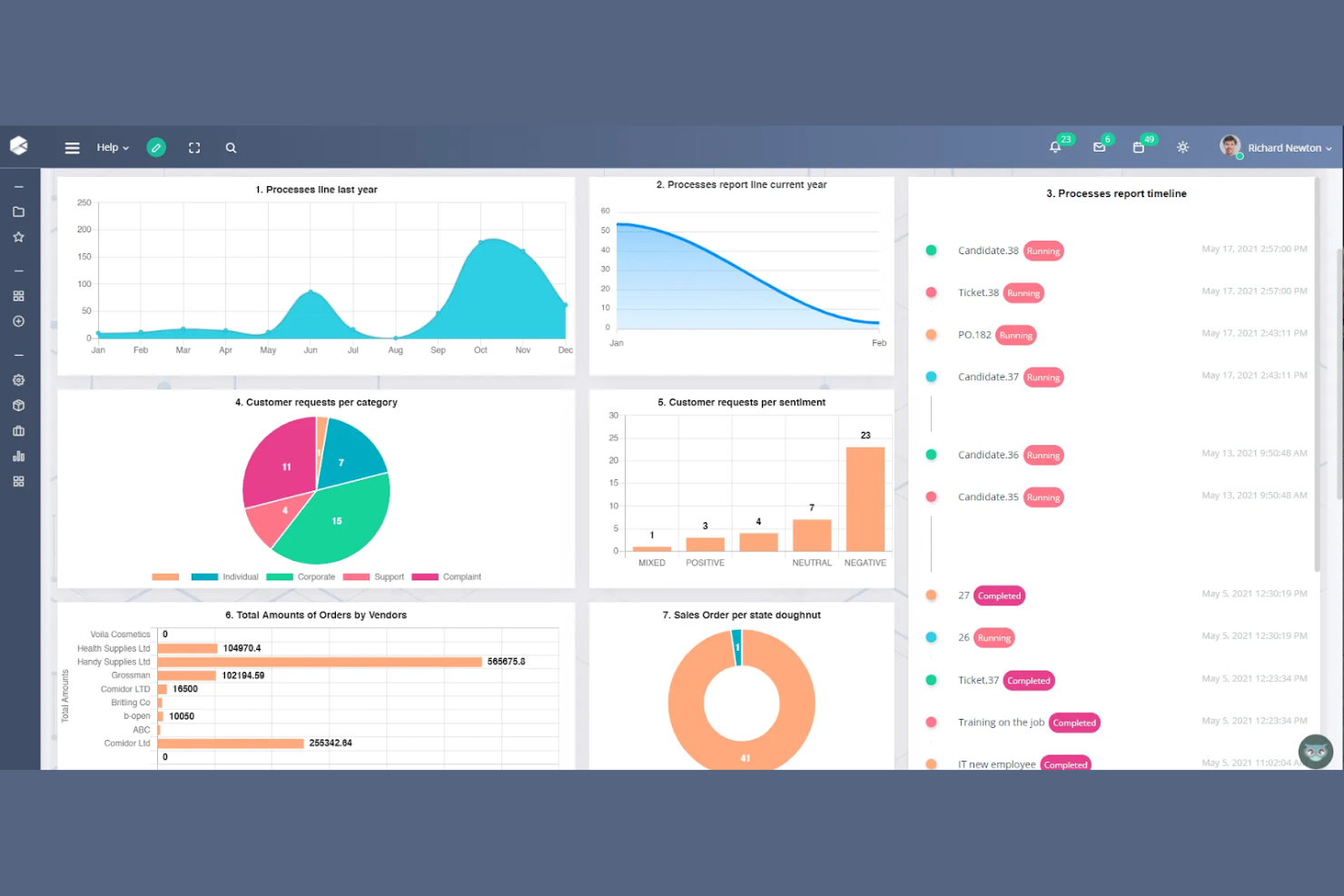
L'automazione basata sull'AI è al centro di Comidor, rendendolo una scelta solida per i team che desiderano modernizzare processi aziendali complessi. È particolarmente utile per le organizzazioni che vogliono combinare l'automazione dei workflow con strumenti AI avanzati come il processamento intelligente dei documenti e l'analisi predittiva. A differenza di Appian, Comidor pone una forte enfasi sulle funzionalità low-code basate su AI che aiutano ad automatizzare le decisioni e ottimizzare i processi end-to-end.
Perché Comidor è una valida alternativa ad Appian
Per i team che danno priorità all'automazione guidata dall'AI, Comidor offre un insieme unico di funzionalità nel mondo BPM. L'ho scelto perché la sua piattaforma combina la progettazione di workflow low-code con strumenti AI integrati per il processamento intelligente dei documenti e l'analisi predittiva. Gli utenti possono automatizzare decisioni complesse e sfruttare modelli di machine learning direttamente all'interno dei processi aziendali. Questo focus sull'AI integrata rende Comidor una scelta forte per le organizzazioni che desiderano andare oltre l'automazione tradizionale e aggiungere intelligenza a ogni workflow.
Caratteristiche principali di Comidor
Oltre alle sue capacità di automazione guidate dall'AI, Comidor offre diverse altre funzionalità per la gestione dei processi aziendali:
- Process Designer Drag-and-Drop: Crea e modifica i workflow visivamente senza scrivere codice.
- Gestione progetti integrata: Monitora attività, traguardi e risorse insieme all'automazione dei processi.
- Sistema di gestione documentale: Archivia, organizza e collabora sui file direttamente dalla piattaforma.
- Costruttore di moduli personalizzati: Crea moduli di inserimento dati personalizzati per raccogliere e gestire informazioni di processo.
Integrazioni Comidor
Le integrazioni includono Salesforce, SAP, Oracle, Microsoft Dynamics 365, Slack, DocuSign, Google Drive, Dropbox, Jira e Outlook.
Pros and Cons
Pros:
- Workspace di team integrato
- Forti capacità RPA
- Modelli ML predittivi
Cons:
- Processo di configurazione complesso
- Comunità di utenti di nicchia

Pega
Ideale per implementazioni aziendali su larga scala
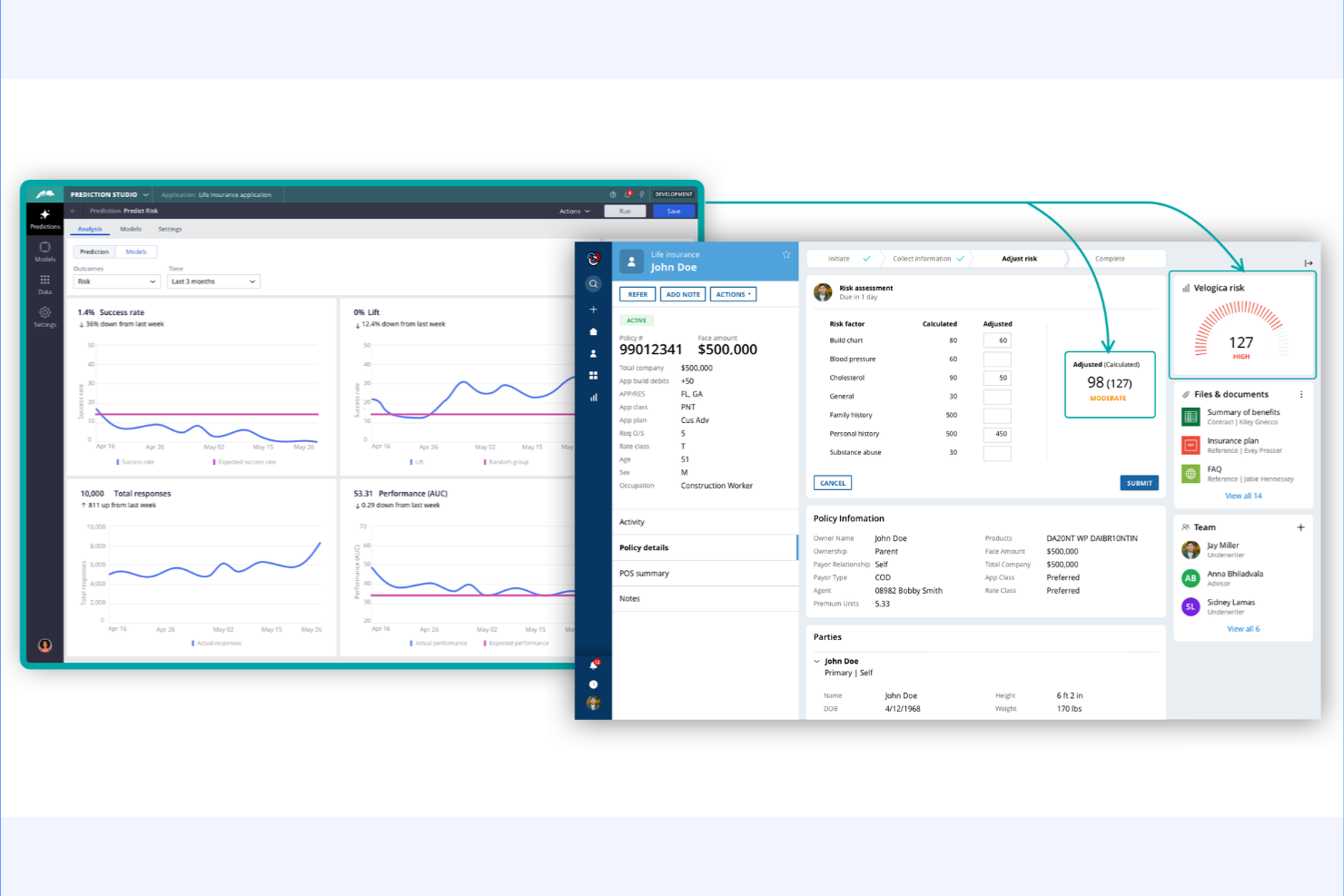
Pega si distingue per le organizzazioni che gestiscono operazioni complesse e su larga scala in più regioni o unità aziendali. La sua piattaforma è progettata per aziende che necessitano di una gestione dei casi avanzata, automazione end-to-end e decisioni in tempo reale su larga scala. A differenza di Appian, Pega offre soluzioni approfondite specifiche per settore e un'architettura unificata che supporta processi critici ad alto volume.
Perché Pega è una buona alternativa ad Appian
Quando si tratta di supportare implementazioni su larga scala aziendale, Pega offre funzionalità che vanno oltre quelle di molte piattaforme BPM. Ho scelto Pega perché la sua architettura è costruita per processi critici ad alto volume e per la gestione di casi complessi in organizzazioni globali. La piattaforma include strumenti avanzati per le decisioni e l'AI in tempo reale per automatizzare e ottimizzare i flussi di lavoro su ampia scala. Per le aziende che devono orchestrare processi tra più unità aziendali o regioni, l'approccio unificato e le soluzioni verticali di Pega lo rendono una valida alternativa ad Appian.
Caratteristiche principali di Pega
Altre caratteristiche che rendono Pega interessante per le esigenze BPM aziendali includono:
- Low-Code App Studio: Crea e distribuisci applicazioni di processo utilizzando un'interfaccia visuale drag-and-drop.
- Gestione dei Casi Omnicanale: Gestisci casi e interazioni su web, mobile, chat ed email da un'unica piattaforma.
- Robotic Process Automation (RPA): Automatizza attività ripetitive con bot integrati che lavorano insieme agli utenti umani.
- Gestione SLA Integrata: Imposta, monitora e applica accordi sui livelli di servizio direttamente all'interno dei flussi di processo.
Integrazioni Pega
Le integrazioni includono Salesforce, SAP, Oracle, AWS, Google Cloud, ServiceNow e DocuSign.
Pros and Cons
Pros:
- Scala enterprise enorme
- Eccezionale instradamento AI
- Gestione avanzata dei casi
Cons:
- Eccessivo per applicazioni semplici
- Architettura molto rigida

Ideale per la progettazione di processi low-code
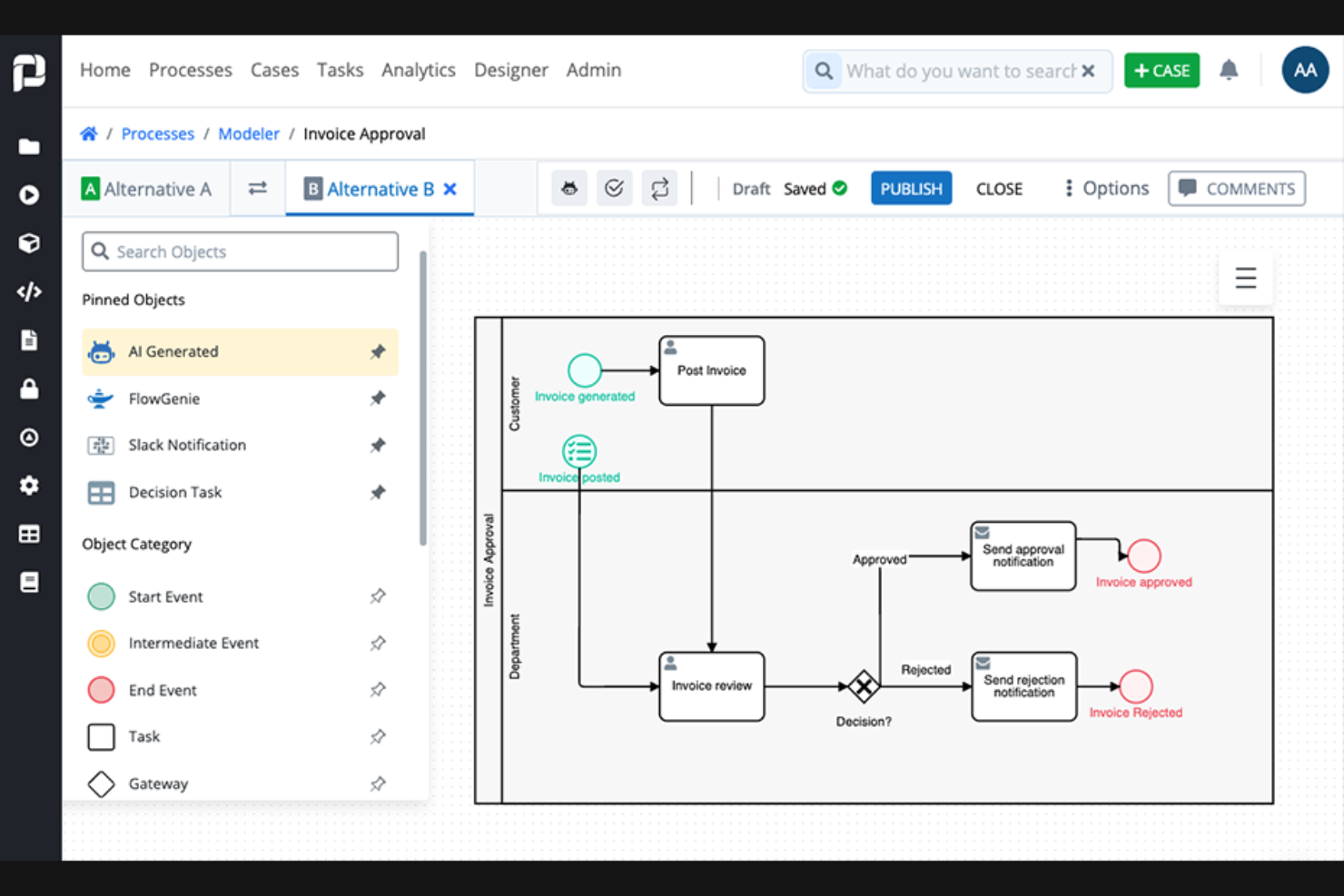
ProcessMaker è progettato per i team che desiderano creare e automatizzare processi aziendali con un minimo di programmazione. È particolarmente utile per i responsabili IT e gli analisti aziendali in organizzazioni che hanno bisogno di prototipare, distribuire e iterare rapidamente sui flussi di lavoro. A differenza di Appian, l'ambiente low-code di ProcessMaker rende più facile coinvolgere i non sviluppatori nella progettazione e nell'automazione dei processi.
Perché ProcessMaker è una valida alternativa ad Appian
Per i team che danno priorità alla progettazione low-code dei processi, ProcessMaker offre un approccio più accessibile rispetto ad Appian. Il suo modellatore di processi drag-and-drop consente di mappare visivamente i flussi di lavoro senza scrivere codice, ideale per utenti business e analisti. Mi piace anche il fatto che sia possibile utilizzare il suo costruttore di moduli per creare moduli personalizzati di raccolta dati direttamente all'interno dei processi. Questo focus su strumenti low-code rende ProcessMaker una scelta valida per le organizzazioni che vogliono dare la possibilità anche al personale non tecnico di automatizzare e ottimizzare i processi aziendali.
Caratteristiche principali di ProcessMaker
Altre funzionalità di ProcessMaker che aiutano i team a gestire e ottimizzare i loro processi aziendali:
- Integrazione REST API: Collega i flussi di lavoro a sistemi esterni e fonti di dati usando connettori REST API integrati.
- Supporto multilingue: Configura processi e interfacce utente in più lingue per team globali.
- Reportistica avanzata: Genera report e dashboard personalizzati per monitorare le prestazioni dei processi e i colli di bottiglia.
- Permessi basati sui ruoli: Assegna controlli di accesso granulari agli utenti in base ai loro ruoli all'interno dell'organizzazione.
Integrazioni di ProcessMaker
Le integrazioni includono BambooHR, DocuSign, GitHub, Gmail, Microsoft Excel, Slack, SAP S/4HANA, Formstack, Jotform e Typeform.
Pros and Cons
Pros:
- Costo inferiore rispetto ad Appian
- Ottime integrazioni API
- Facile per gli sviluppatori citizen
Cons:
- Richiede alcune competenze di programmazione
- Monitoraggio analitico di base
CMW Lab
Ideale per template di workflow personalizzabili
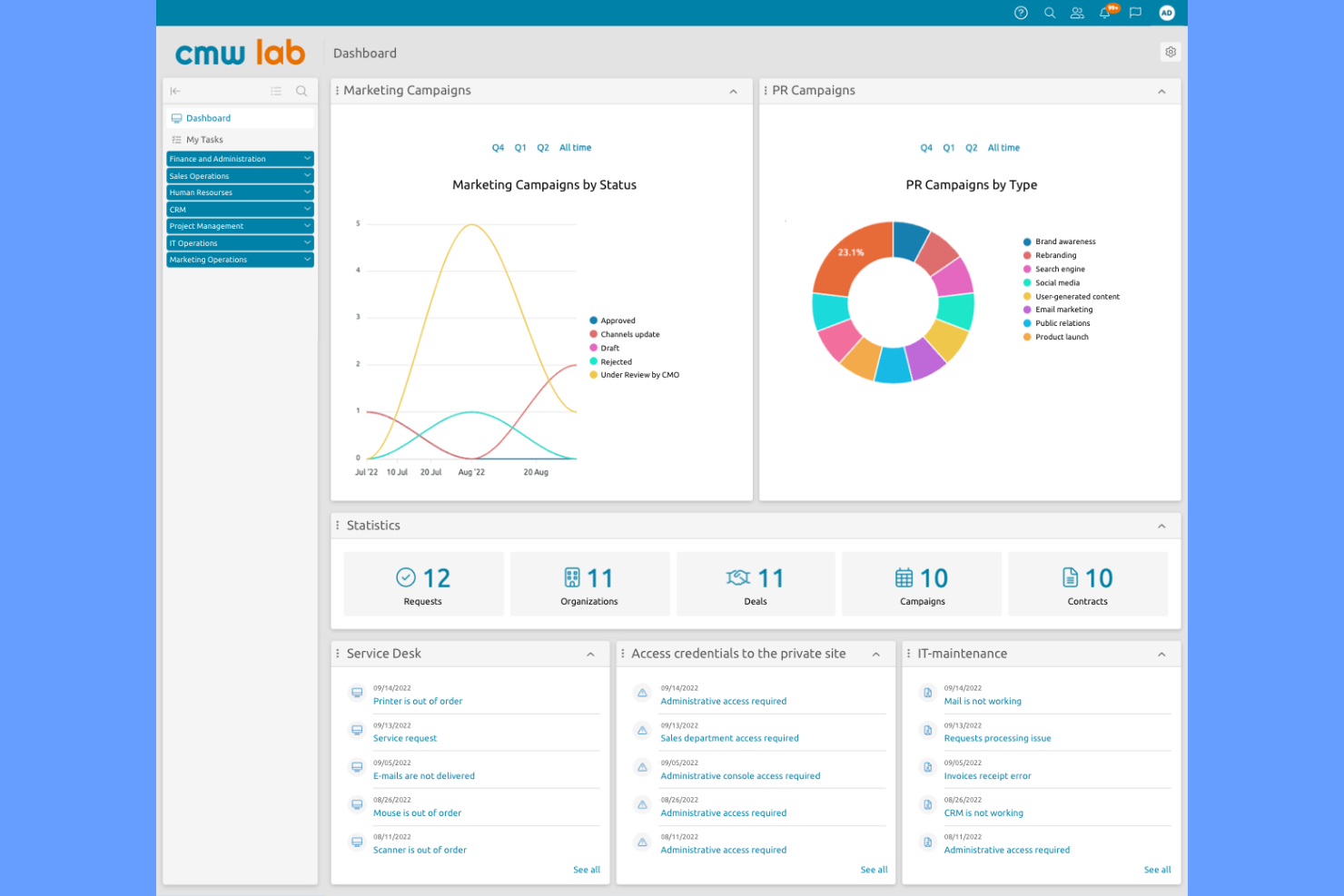
Se hai bisogno di una piattaforma BPM che si adatti ai tuoi flussi di lavoro specifici, CMW Lab si distingue per i suoi template personalizzabili di workflow. Questo strumento è particolarmente indicato per i responsabili operativi e i proprietari dei processi in settori con esigenze complesse e in continuo cambiamento. CMW Lab aiuta i team a progettare, automatizzare e adattare i processi aziendali senza il bisogno di un pesante coinvolgimento IT, rendendo più semplice rispondere ai cambiamenti rispetto a piattaforme più rigide come Appian.
Perché CMW Lab è una valida alternativa ad Appian
CMW Lab è una solida alternativa ad Appian se hai bisogno di una profonda personalizzazione nei tuoi processi aziendali. Il suo designer di template per workflow consente di creare e modificare i modelli di processo in base alle esigenze specifiche del tuo team, invece di costringerti a una struttura rigida. Trovo utile poter modificare percorsi di approvazione, assegnazioni di compiti e logiche di processo al volo, particolarmente utile per le organizzazioni con workflow frequentemente soggetti a cambiamento. Questa flessibilità rende CMW Lab una scelta pratica per i team che desiderano maggior controllo nella progettazione dei processi rispetto a quanto solitamente permette Appian.
Funzionalità principali di CMW Lab
Altre funzionalità in CMW Lab lo rendono una piattaforma BPM versatile per diversi team e settori:
- Builder di moduli: crea moduli personalizzati per raccogliere e gestire dati di processo senza codice.
- Controllo degli accessi basato sui ruoli: imposta permessi e livelli di accesso per gli utenti in base ai loro ruoli in azienda.
- Analisi dei processi: monitora le performance dei processi con dashboard e strumenti di reportistica integrati.
- Gestione documentale: archivia, condividi e monitora i documenti direttamente all’interno dei workflow per un miglior controllo delle versioni.
Integrazioni di CMW Lab
Le integrazioni includono Microsoft Outlook, SharePoint, Salesforce, Oracle, SAP e Active Directory.
Pros and Cons
Pros:
- Scalabilità conveniente
- Ampia libreria di template
- Buona interfaccia drag and drop
Cons:
- L'interfaccia appare leggermente datata
- Il supporto può essere piuttosto lento

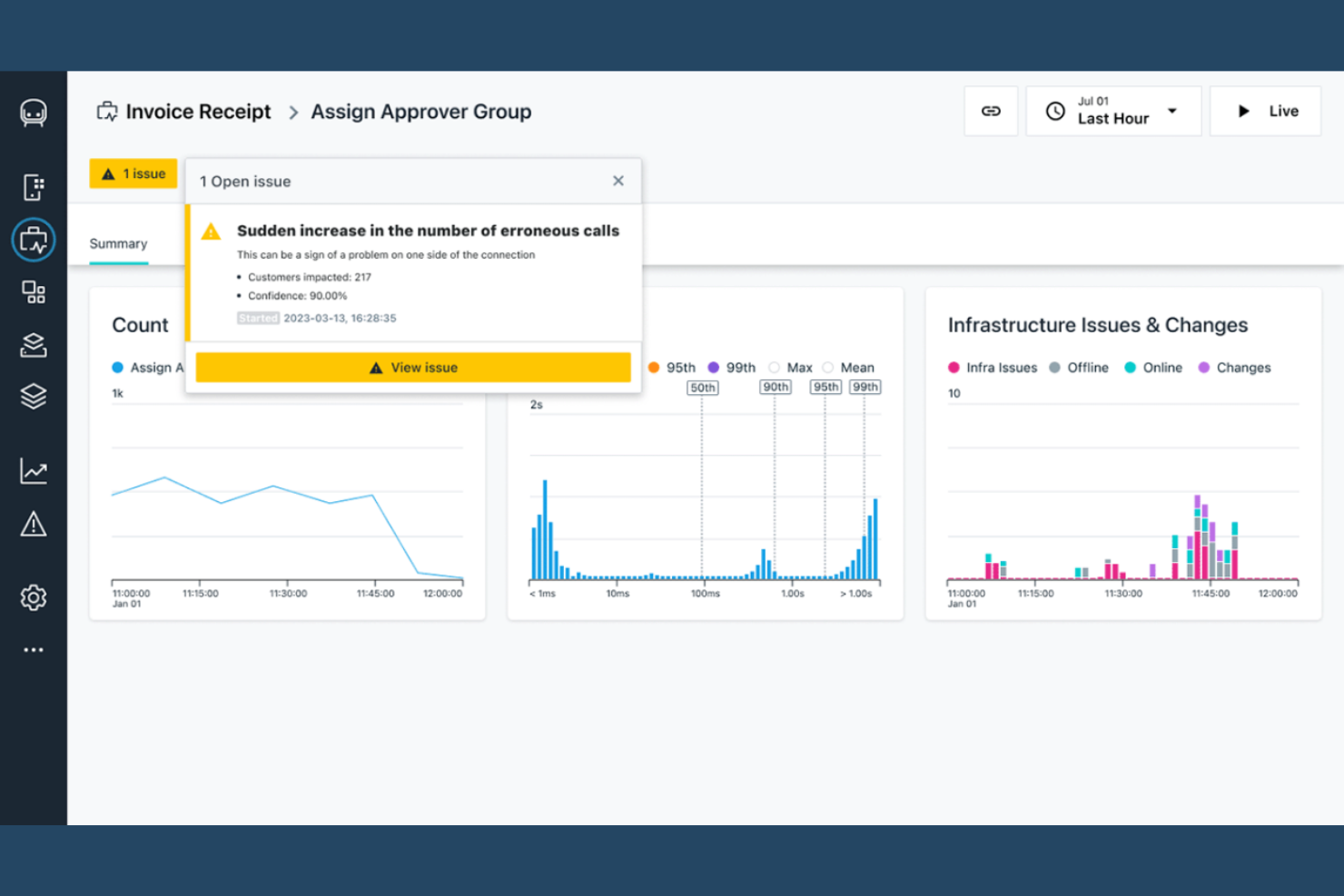
Le organizzazioni orientate alla sicurezza spesso si rivolgono a IBM per soluzioni BPM che danno priorità alla protezione avanzata dalle minacce e alla conformità. I servizi di sicurezza gestiti di IBM sono progettati per le aziende che operano in settori regolamentati, come la finanza e la sanità, dove la privacy dei dati e la gestione del rischio sono priorità fondamentali. A differenza di Appian, IBM integra il monitoraggio della sicurezza, la risposta agli incidenti e la governance direttamente nei flussi di lavoro di gestione dei processi.
Perché IBM è una valida alternativa ad Appian
Se le tue priorità BPM sono focalizzate sulla sicurezza avanzata, IBM offre funzionalità che vanno oltre quello che propone Appian. Ho scelto IBM perché integra il rilevamento delle minacce in tempo reale e la risposta automatizzata agli incidenti direttamente nei flussi di lavoro aziendali. La sua piattaforma supporta inoltre controlli degli accessi dettagliati e la gestione della conformità, elementi essenziali per le organizzazioni che gestiscono dati sensibili o operano in settori regolamentati. Per i team che hanno bisogno di allineare l'automazione dei processi a livelli di sicurezza di tipo enterprise, le funzionalità di sicurezza gestita di IBM rappresentano una valida alternativa.
Funzionalità chiave di IBM
Altre funzionalità che i team BPM potrebbero trovare utili includono:
- Orchestrazione automatizzata dei flussi di lavoro: Progetta e gestisci flussi di lavoro complessi con strumenti di automazione integrati.
- Dashboard personalizzabili: Crea dashboard su misura per monitorare le prestazioni dei processi e gli eventi di sicurezza.
- Registrazione delle tracce di audit: Mantieni registri dettagliati di tutte le attività dei processi a fini di conformità e revisione.
- Supporto al deployment multi-cloud: Distribuisci soluzioni BPM in ambienti cloud pubblici, privati o ibridi.
Integrazioni IBM
Le integrazioni includono SAP, Salesforce, Microsoft 365, ServiceNow, AWS e Box.
Pros and Cons
Pros:
- Supporto esteso ai sistemi legacy
- Piattaforma altamente scalabile
- Motore di regole potente
Cons:
- Implementazione lenta
- Estremamente costoso


Microsoft Power Automate è un servizio basato su cloud che consente agli utenti aziendali di automatizzare flussi di lavoro e attività tra varie applicazioni e servizi. È molto popolare tra i professionisti IT e gli utenti business che vogliono aumentare la produttività automatizzando compiti ripetitivi.
Perché Microsoft Power Automate è una valida alternativa ad Appian
Se hai bisogno di una piattaforma BPM che funzioni in modo nativo con Microsoft 365, Power Automate è la scelta ideale. L'ho selezionata per la sua capacità di automatizzare flussi di lavoro direttamente all'interno di Outlook, SharePoint e Teams, permettendo agli utenti di avviare azioni e approvazioni senza uscire dalle app familiari. I suoi modelli predefiniti e i connettori per i servizi Microsoft aiutano i team a digitalizzare e orchestrare rapidamente i processi aziendali. Questo rende Power Automate particolarmente interessante per le organizzazioni che hanno già investito nell'ecosistema Microsoft e vogliono estendere l'automazione agli strumenti usati quotidianamente.
Caratteristiche principali di Microsoft Power Automate
Altre funzionalità di Power Automate aiutano i team a costruire e gestire processi aziendali su larga scala:
- Robotic Process Automation (RPA): Automatizza attività ripetitive su sistemi legacy e moderni utilizzando bot assistiti e non presidiati.
- Integrazione con AI Builder: Aggiungi funzionalità basate sull'IA come l'elaborazione dei documenti e l'analisi del sentiment ai flussi di lavoro senza programmazione personalizzata.
- Process Mining: Analizza e visualizza i dati di processo per individuare inefficienze e opportunità di ottimizzazione.
- Controllo accessi basato sui ruoli: Imposta permessi granulari per utenti e gruppi per gestire l'accesso ai flussi di lavoro e la sicurezza.
Integrazioni di Microsoft Power Automate
Le integrazioni includono Microsoft Teams, SharePoint, Outlook, OneDrive, Dynamics 365, Azure DevOps, Power BI, Salesforce, SAP e Twitter.
Pros and Cons
Pros:
- Incluso nelle licenze MS
- Ottimi strumenti AI builder
- Automazione desktop rapida
Cons:
- Struttura delle licenze complessa
- Non è una piattaforma BPM completa

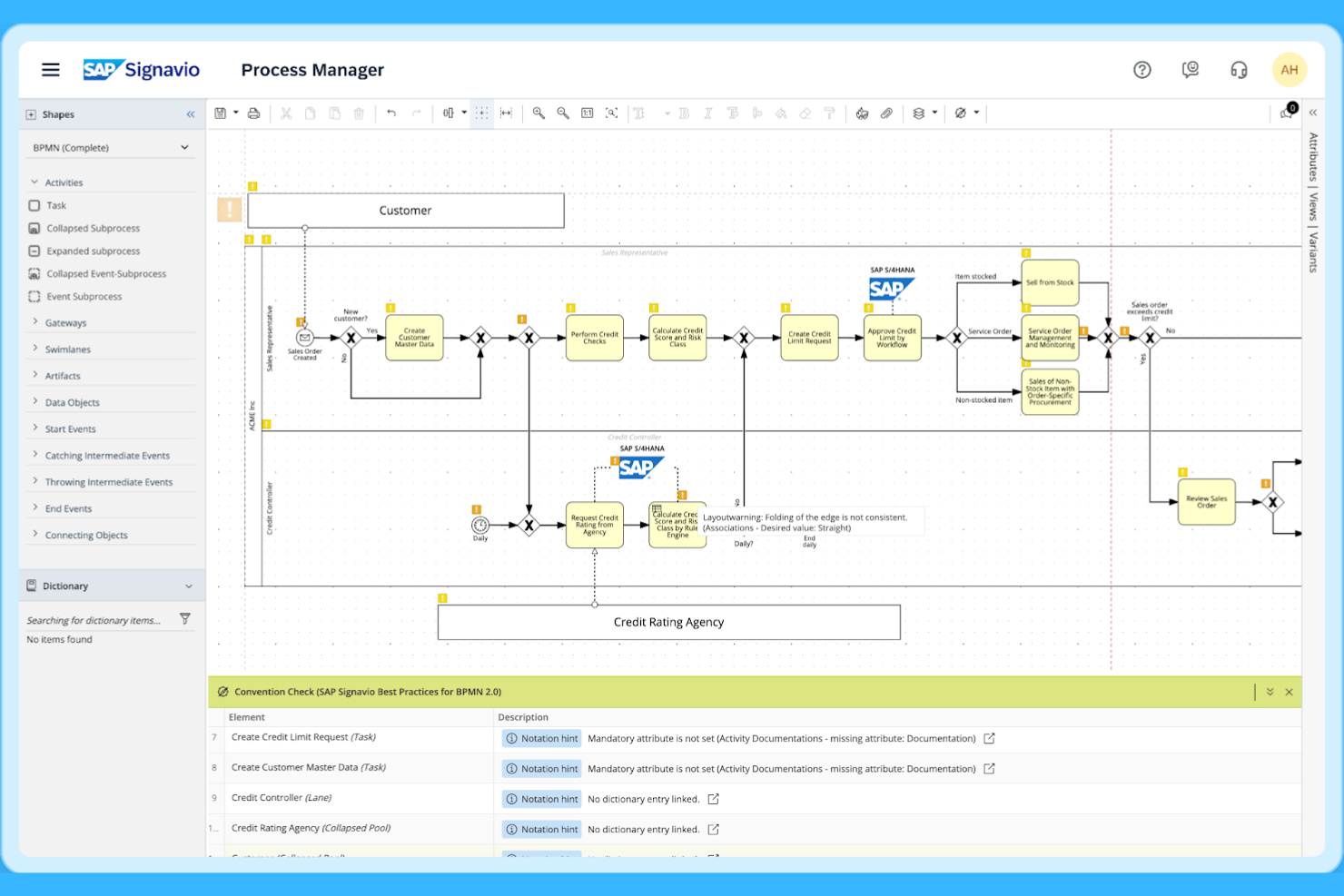
SAP Signavio è pensato per le organizzazioni che vogliono approfondire i propri processi aziendali utilizzando un’analisi avanzata dei processi. È particolarmente utile per i team aziendali e per gli analisti dei processi che devono individuare inefficienze e visualizzare i flussi di lavoro end-to-end attraverso sistemi complessi. Ciò che distingue SAP Signavio da Appian è la capacità di analizzare dati di processo reali e offrire insight operativi per il miglioramento continuo.
Perché SAP Signavio è una buona alternativa ad Appian
Se il tuo team necessita di un’analisi avanzata dei processi, SAP Signavio è una scelta solida. Ho scelto SAP Signavio perché consente di mappare, analizzare e monitorare i processi aziendali reali utilizzando dati provenienti dai sistemi esistenti. I suoi strumenti di intelligenza di processo aiutano a identificare colli di bottiglia, lacune di conformità e opportunità di automazione che non sono sempre visibili sulle tradizionali piattaforme BPM. Per le organizzazioni focalizzate sul miglioramento dei processi basato sui dati, SAP Signavio offre funzionalità che vanno oltre quelle messe a disposizione da Appian.
Caratteristiche principali di SAP Signavio
Altre funzionalità che rendono SAP Signavio prezioso per i team BPM includono:
- Progettazione collaborativa dei processi: più utenti possono co-progettare e aggiornare i diagrammi di processo in tempo reale.
- Generatore di documentazione dei processi: crea automaticamente documentazione dettagliata a partire dai modelli di processo per la conformità e gli audit.
- Analisi dell’impatto delle modifiche: visualizza come le modifiche proposte influenzeranno processi e sistemi collegati.
- Controlli di accesso basati sui ruoli: imposta permessi e gestisci l’accesso di diversi gruppi di utenti all’interno della tua organizzazione.
Integrazioni SAP Signavio
Le integrazioni includono SAP S/4HANA, SAP ECC, SAP SuccessFactors, SAP Ariba, SAP Concur, SAP Business AI, LeanIX, Automation Anywhere, Datricks e Knoa.
Pros and Cons
Pros:
- Mappa percorsi complessi
- Insight basati sui dati
- Ottimo monitoraggio del ROI
Cons:
- Prezzi da grande azienda
- Curva di apprendimento molto ripida

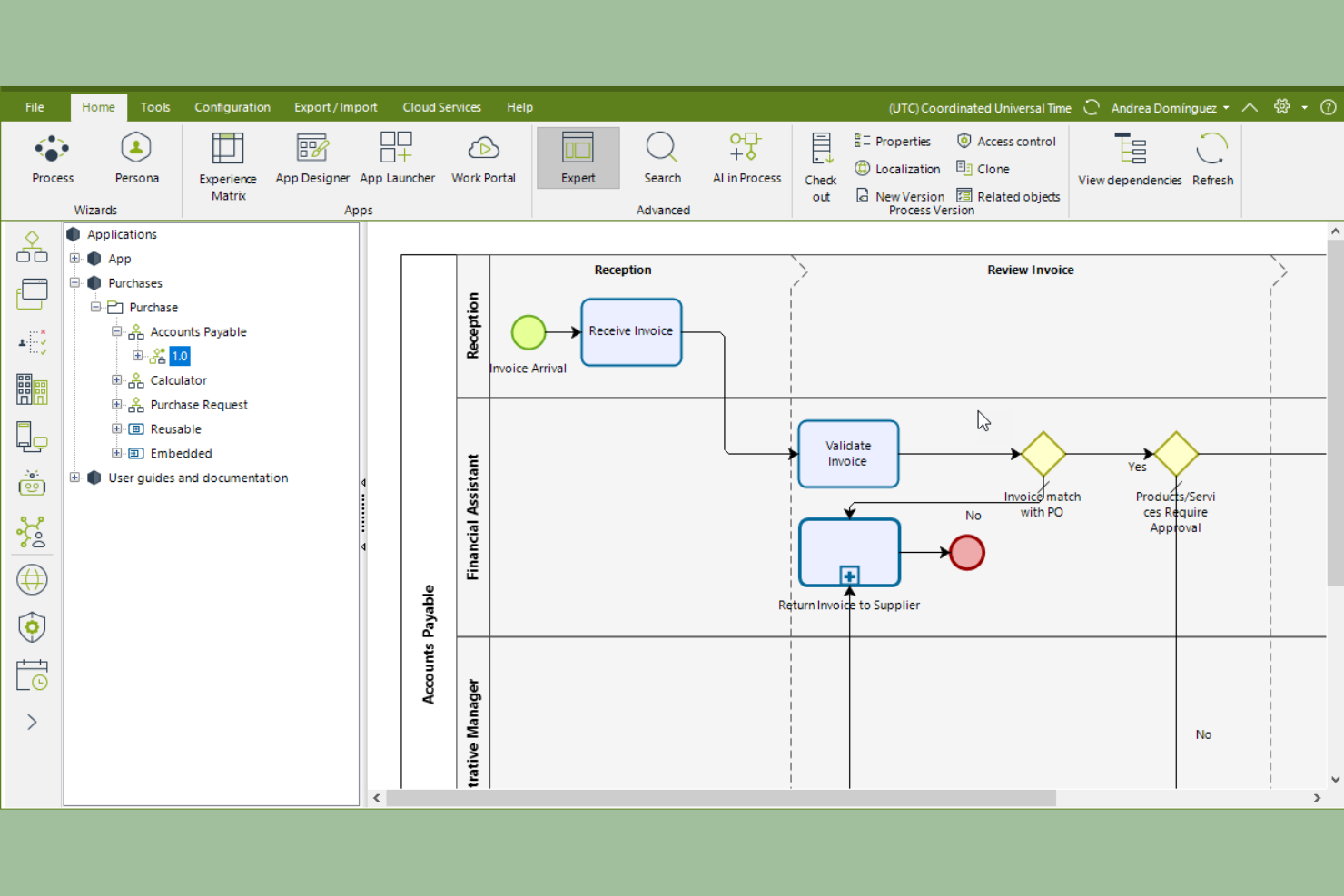
Se il tuo team ha bisogno di una piattaforma BPM con un forte focus sulla modellazione visiva dei processi, Bizagi merita considerazione. È progettato per analisti aziendali e responsabili di processo che desiderano mappare, simulare e ottimizzare i flussi di lavoro con un’interfaccia intuitiva drag-and-drop. Bizagi si distingue da Appian offrendo strumenti dettagliati di visualizzazione dei processi che aiutano i team a identificare rapidamente i colli di bottiglia e a migliorare la chiarezza dei processi.
Perché Bizagi è una buona alternativa ad Appian
Per i team che danno la priorità alla modellazione visiva dei processi, Bizagi offre un vantaggio significativo rispetto a molte piattaforme BPM. Ho scelto Bizagi perché il suo modellatore drag-and-drop consente di costruire, documentare e simulare i flussi di lavoro con un alto livello di dettaglio e chiarezza. Gli strumenti di simulazione dei processi della piattaforma aiutano a testare gli scenari e prevedere i risultati prima di apportare modifiche in produzione. Se occorre comunicare processi complessi tra team aziendali e tecnici, l’approccio visivo di Bizagi lo rende una valida alternativa ad Appian.
Funzionalità principali di Bizagi
Altre funzionalità che rendono Bizagi utile per i team BPM includono:
- Modulo di Governance dei Processi: Assegna ruoli, responsabilità e flussi di approvazione per mantenere il controllo dei processi.
- Template di Processi Riutilizzabili: Accedi a una libreria di template predefiniti per velocizzare la progettazione dei processi.
- Portale di Collaborazione: Condividi modelli di processo e raccogli feedback dagli stakeholder in uno spazio centralizzato.
- Opzioni di Deployment Cloud: Distribuisci applicazioni di processo nel cloud per scalabilità e accesso da remoto.
Integrazioni Bizagi
Le integrazioni includono SAP, SharePoint, Salesforce, UiPath, Blue Prism, Oracle e Microsoft 365.
Pros and Cons
Pros:
- Eccellente mappatura dei processi
- Più economico di Appian
- Buone integrazioni native
Cons:
- Costruzione meno rapida
- Comunità di sviluppatori più piccola

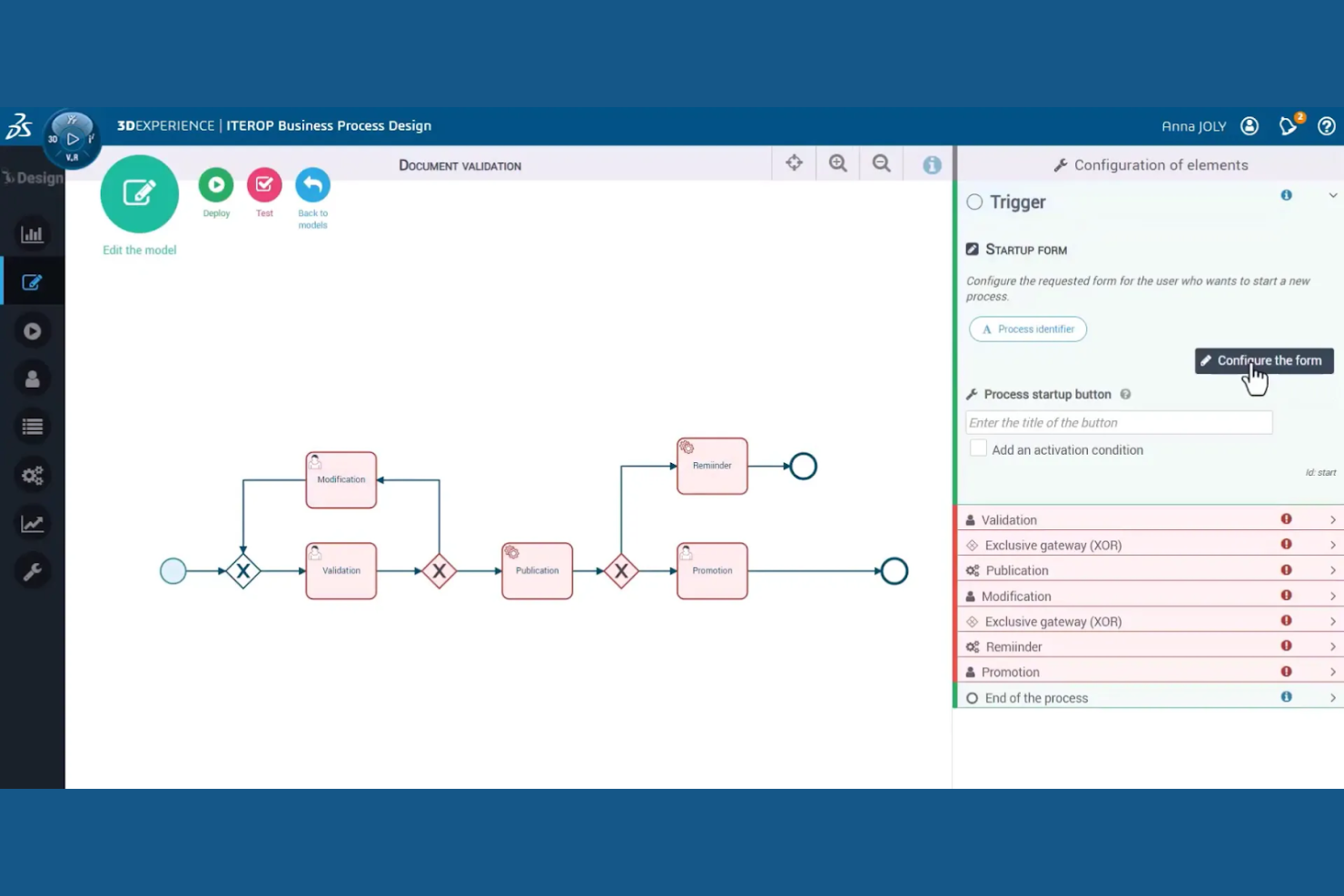
I team di produzione che desiderano ottimizzare processi produttivi complessi spesso si affidano a Dassault Systèmes per le sue capacità BPM specializzate. Questa piattaforma è pensata per settori come l'automotive, l'aerospaziale e i macchinari industriali, dove l'efficienza dei processi e la continuità digitale sono essenziali. A differenza di Appian, Dassault Systèmes offre strumenti integrati di modellazione e simulazione 3D che aiutano i team a visualizzare, perfezionare e automatizzare i flussi di lavoro produttivi.
Perché Dassault Systèmes è una valida alternativa ad Appian
Per l'ottimizzazione dei processi produttivi, Dassault Systèmes offre punti di forza unici che la distinguono da Appian. Ho scelto Dassault Systèmes perché combina BPM con avanzata modellazione e simulazione 3D, consentendo ai team di visualizzare e testare le modifiche ai processi prima dell'implementazione. La sua tecnologia di gemello digitale aiuta i produttori a monitorare i dati di produzione in tempo reale e a prevedere l'impatto degli aggiustamenti sul reparto produttivo. Se il tuo obiettivo è ottimizzare e automatizzare i flussi di lavoro produttivi, Dassault Systèmes offre strumenti specializzati che vanno oltre le tradizionali piattaforme BPM.
Caratteristiche principali di Dassault Systèmes
Oltre alla sua attenzione per l'ottimizzazione produttiva, ho trovato anche queste funzionalità preziose per i team BPM:
- Gestione del ciclo di vita dei processi: Gestisci l'intero ciclo di vita dei processi aziendali dalla progettazione all'esecuzione e al monitoraggio.
- Monitoraggio della conformità normativa: Traccia e documenta la conformità a standard e regolamenti di settore direttamente nei flussi di lavoro.
- Automazione dei flussi basata sui ruoli: Assegna attività e approvazioni in base ai ruoli degli utenti e alla gerarchia organizzativa.
- Dashboard di reportistica integrati: Accedi a dashboard in tempo reale che visualizzano le prestazioni dei processi e i principali indicatori.
Integrazioni di Dassault Systèmes
Le integrazioni includono SAP, Oracle, Microsoft Office, SolidWorks, AutoCAD e CATIA.
Pros and Cons
Pros:
- Forte specializzazione in ambito produttivo
- Strumenti avanzati per la supply chain
- Vault dati altamente sicuri
Cons:
- Prezzi estremamente elevati
- Tempistiche di implementazione lente


Le organizzazioni che necessitano del pieno controllo sulla propria infrastruttura BPM spesso scelgono FlowWright per la sua flessibilità di implementazione on-premise. Questa piattaforma si adatta perfettamente ai team IT di settori con severi requisiti in materia di residenza dei dati o sicurezza, come la pubblica amministrazione o la manifattura. A differenza di Appian, FlowWright offre la possibilità di ospitare, gestire e personalizzare l’ambiente BPM interamente all’interno della propria infrastruttura.
Perché FlowWright è una buona alternativa ad Appian
Per i team che necessitano di opzioni di implementazione on-premise, FlowWright si distingue come piattaforma BPM costruita per il pieno controllo dell'infrastruttura. Ho scelto FlowWright perché consente di installare e gestire l’intera soluzione all’interno del proprio data center, un aspetto essenziale per le organizzazioni con stringenti requisiti di conformità o sovranità dei dati. La piattaforma supporta inoltre la progettazione di workflow personalizzati e l’accesso diretto al database, offrendo ai team IT una maggiore flessibilità rispetto alla maggior parte degli strumenti BPM basati sul cloud. Se la tua azienda non può utilizzare BPM SaaS per motivi normativi o di sicurezza, FlowWright rappresenta un’alternativa pratica ad Appian.
Funzionalità principali di FlowWright
Altre funzionalità che i team BPM potrebbero voler considerare includono:
- Designer visuale di workflow: Crea e modifica flussi di lavoro tramite un’interfaccia drag-and-drop.
- Regole di escalation delle attività: Imposta percorsi di escalation automatica per attività in ritardo.
- Motore di notifica via email: Configura avvisi email personalizzati per eventi nel flusso di lavoro.
- Supporto API REST: Collega FlowWright ad altri sistemi aziendali tramite API RESTful.
Integrazioni di FlowWright
Le integrazioni includono SharePoint, Active Directory, Salesforce, Microsoft Dynamics, SAP e DocuSign.
Pros and Cons
Pros:
- Solida base su framework dot NET
- Facile collegamento con API personalizzate
- Buona sincronizzazione dei dati
Cons:
- Manca di scalabilità cloud nativa
- Funzionalità AI basilari
Altre alternative ad Appian
Ecco alcune alternative aggiuntive ad Appian e opzioni di piattaforme di automazione che non sono state incluse nella mia selezione, ma che vale comunque la pena prendere in considerazione:
- Kissflow
Ideale per un’implementazione rapida
- OutSystems
Ideale per lo sviluppo completo nelle grandi aziende
- jBPM
Il migliore per la modellazione dei processi open source


Come Valuto le Alternative ad Appian
La mia valutazione si suddivide in due livelli: i requisiti minimi che ogni strumento deve soddisfare—come l'automazione visuale dei flussi di lavoro e l'integrazione con i sistemi aziendali—e i fattori distintivi che differenziano le opzioni più valide.
Funzionalità di Base (Requisiti Fondamentali per Questo Elenco)
Quando seleziono gli strumenti per il mio elenco, valuto ciascuno su una scala da 0 (non offre la funzionalità) a 5 (eccelle in questo ambito) per ognuna delle funzioni di base elencate di seguito. Successivamente, calcolo il punteggio totale dello strumento in percentuale. Ogni strumento deve raggiungere un punteggio totale minimo del 65% per essere preso in considerazione.
- Sviluppo App Low-Code: Cerco un builder visuale, drag-and-drop, che permetta ai team di creare rapidamente moduli personalizzati per l’acquisizione progetti, dashboard o app di approvazione senza dover scrivere molto codice.
- Motore di Automazione dei Flussi di Lavoro: Ogni strumento dovrebbe permettere di mappare processi a più step con ramificazioni condizionali, come l'instradamento di una richiesta di modifica attraverso diversi livelli di approvazione in base all'impatto sul budget.
- Gestione di Progetti e Attività: Valuto se la piattaforma copre le esigenze principali di project management, come assegnazione delle attività, monitoraggio delle milestone, visualizzazioni Gantt e mappatura delle dipendenze in un unico ambiente di lavoro.
- Supporto per l'Integrazione Aziendale: È fondamentale la connessione a sistemi ERP, CRM e database. Verifico la disponibilità di API aperte e connettori preconfigurati per piattaforme come Salesforce, SAP o ServiceNow.
- Modelizzazione Visuale dei Processi: Lo strumento dovrebbe offrire un designer di processi che consenta di rappresentare graficamente e iterativamente i workflow, idealmente supportando BPMN o uno standard simile per la documentazione e il trasferimento.
- Accesso Basato sui Ruoli e Governance: Valuto i modelli di permessi per confermare che sia possibile definire ruoli granulari, restringere l’accesso ai dati sensibili del progetto e mantenere audit trail per le verifiche di conformità.
Una volta individuati gli strumenti che soddisfano questi criteri, considero ciò che rende ciascuna piattaforma unica.
Fattori Distintivi (Cosa Distingue i Fornitori)
Ecco come confronto e metto a paragone i diversi fornitori:
Funzionalità Esclusive
L'automazione guidata dall’AI è un grande elemento distintivo. Cerco piattaforme in grado di classificare automaticamente le richieste in arrivo o segnalare milestone a rischio in base a schemi storici. Anche il process mining è una funzionalità da valutare: rivela dove i workflow si bloccano regolarmente, ad esempio quando un'approvazione di cambio rimane ferma allo stesso passaggio di revisione a ogni sprint. I template predefiniti dedicati ai diversi settori sono un altro elemento importante. Un acceleratore già conforme per i servizi finanziari o un kit di onboarding pazienti per la sanità possono ridurre i tempi di implementazione di mesi.
Oltre le Funzionalità
Il costo totale di proprietà è uno dei primi aspetti che valuto. Alcune piattaforme applicano tariffe per utente che aumentano notevolmente quando si coinvolgono stakeholder esterni o collaboratori indipendenti in un progetto. Anche la flessibilità di deployment è importante: i team nei settori regolamentati spesso necessitano di hosting on-premise o su cloud privato, ma non tutti i fornitori lo supportano. Verifico inoltre la rapidità con cui è possibile pubblicare la prima app: se una piattaforma offre documentazione solida, una rete di partner certificati e una community attiva, il primo workflow potrebbe essere operativo in poche settimane anziché mesi.
Perché cercare un'alternativa ad Appian?
Sebbene Appian sia una buona scelta come piattaforma per la gestione dei processi aziendali (BPM), esistono diversi motivi per cui alcuni utenti cercano soluzioni alternative. Potresti essere alla ricerca di un'alternativa ad Appian perché…
- Hai bisogno di un'implementazione più rapida con il minimo coinvolgimento del reparto IT
- Il tuo team desidera opzioni di prezzo più flessibili
- Hai bisogno di una personalizzazione più approfondita per flussi di lavoro specifici
- Preferisci un'interfaccia più semplice, senza codice, per la progettazione dei processi
- Hai bisogno di una migliore integrazione con gli strumenti che già utilizzi
- La tua organizzazione opera in regioni con un supporto limitato per Appian
Se ti riconosci in una di queste situazioni, sei nel posto giusto. Il mio elenco contiene diverse opzioni di piattaforme per la gestione dei processi aziendali (BPM) più adatte ai team che affrontano queste difficoltà con Appian e cercano soluzioni alternative.
Funzionalità principali di Appian
Ecco alcune delle principali funzionalità di Appian, utili per mettere a confronto ciò che offrono le soluzioni alternative:
- Modellazione e automazione dei processi low-code
- Progettazione dei flussi di lavoro con trascinamento
- Gestione integrata dei casi
- Motore avanzato per le regole aziendali
- Analisi e reportistica in tempo reale
- Supporto nativo per le app mobili
- Integrazione dell'automazione robotica dei processi (RPA)
- Controlli di accesso sicuri basati sui ruoli
- Strumenti per la gestione e la collaborazione sui documenti
- Raccomandazioni sui processi basate sull'intelligenza artificiale