

10 meilleures alternatives à Zoom pour les réunions vidéo en 2026

Sélection des meilleures alternatives à Zoom


En tant que chef de projet, vous êtes confronté chaque jour au défi de coordonner les équipes, de gérer les plannings et de garantir une communication efficace. Les logiciels de visioconférence et de réunion en ligne peuvent contribuer à résoudre ces difficultés, mais il est important de trouver les bons outils de collaboration adaptés à vos besoins. Vous recherchez peut-être une alternative aux réunions Zoom qui réponde mieux aux exigences spécifiques de votre équipe, qu'il s'agisse d'une sécurité renforcée, d'une intégration avec les outils existants ou d'une expérience utilisateur améliorée.
D'après mon expérience, comprendre ces besoins est essentiel pour choisir la bonne solution. Dans cet article, je vous propose un examen impartial des meilleures alternatives gratuites à Zoom, en mettant l'accent sur ce qui rend chacune d'elles particulièrement adaptée à différents défis professionnels. Vous y trouverez des informations qui vous aideront à choisir le meilleur outil pour votre équipe.
Qu'est-ce que Zoom ?
Zoom est une plateforme de visioconférence et un logiciel de réunion en ligne qui vous permet, à vous et à votre équipe, de vous connecter virtuellement. Après avoir gagné en popularité pendant la pandémie, il est couramment utilisé par des professionnels de nombreux secteurs, notamment l'éducation, la santé et les entreprises, en offrant une plateforme fiable pour la communication et la collaboration. Des fonctionnalités telles que le partage d'écran, les salles de réunion en petits groupes et l'enregistrement des réunions facilitent la coordination des réunions, les discussions et la conservation des informations importantes. Dans l'ensemble, Zoom constitue une solution précieuse pour maintenir la communication et la productivité dans les environnements de travail à distance ou hybrides.
Tableau comparatif des alternatives à Zoom
Ce tableau comparatif récapitule les informations tarifaires de ma sélection des meilleures alternatives à Zoom :
| Tool | Best For | Trial Info | Price | ||
|---|---|---|---|---|---|
| 1 | Idéal pour l’intégration à Google Workspace | Essai gratuit disponible | À partir de $9.20/utilisateur/mois (facturé annuellement) | Website | |
| 2 | Idéal pour l’intégration à Microsoft 365 | Essai gratuit disponible | À partir de $4.00/utilisateur/mois (facturé annuellement) | Website | |
| 3 | Idéal pour la confidentialité des utilisateurs et la propriété des données | Essai gratuit de 14 jours | À partir de $1/par hôte/mois (facturé annuellement) | Website | |
| 4 | Idéal pour les conversations clients assistées par l’IA | Essai gratuit de 14 jours | À partir de $15/utilisateur/mois (facturé annuellement) | Website | |
| 5 | Idéal pour les communications unifiées par IA destinées aux employés | Essai gratuit de 14 jours + démonstration gratuite | À partir de $30/utilisateur/mois (facturé annuellement) | Website | |
| 6 | Idéal pour les réunions externes soumises à des contrôles de sécurité | Essai gratuit et démonstration gratuite disponibles | À partir de 12 $/organisateur/mois (facturé annuellement) | Website | |
| 7 | Idéal pour les webinaires et l’engagement lors des réunions des petites entreprises | Démo gratuite disponible | À partir de $27.99/utilisateur/mois (dans le cadre d’Intermedia Unite) | Website | |
| 8 | Idéal pour les jeux vidéo et les interactions sociales | Forfait gratuit disponible | À partir de $2.99/utilisateur/mois | Website | |
| 9 | Idéal pour la programmation en binôme et le débogage | Forfait gratuit disponible | À partir de $20/utilisateur/mois | Website | |
| 10 | Idéal pour la visioconférence open source | Gratuit pour toujours | Gratuit pour toujours | Website |
Pourquoi faire confiance à nos recommandations de logiciels
Notre équipe teste et évalue des logiciels depuis 2012. En tant que chefs de projet nous-mêmes, nous savons à quel point il est difficile — et important — de choisir le bon logiciel.
Pour ce guide, nous avons évalué les outils grâce à des tests pratiques et une recherche indépendante, en notant les outils selon nos critères de sélection. Nous nous appuyons également sur les enseignements de leaders d’opinion du secteur et de professionnels de la gestion de projet en activité.
Nos avis reflètent notre jugement éditorial humain, et non un argumentaire de vente.
Réviseurs experts:
Avis sur les meilleures alternatives à Zoom
Vous trouverez ci-dessous mes résumés détaillés des meilleures alternatives à Zoom qui figurent dans ma sélection. Mes avis présentent en détail les principales fonctionnalités, les avantages et les inconvénients, les intégrations, les limites de durée et les cas d’utilisation idéaux de chaque outil afin de vous aider à trouver celui qui vous convient le mieux.

Idéal pour l’intégration à Google Workspace

Google Meet est un outil de visioconférence conçu pour faciliter les réunions virtuelles et la collaboration entre les entreprises et les établissements d’enseignement. Il permet à votre équipe d’organiser facilement des réunions, directement depuis les navigateurs web ou les appareils mobiles.
Pourquoi c’est une bonne alternative à Zoom : Google Meet fait partie de Google Workspace, ce qui vous permet de planifier des réunions individuelles ou d’équipe directement depuis Google Agenda et de collaborer sur Google Docs pendant les appels. Cette intégration étroite coordonne les flux de travail des équipes qui utilisent déjà la suite d’outils de productivité de Google. De plus, son fonctionnement basé sur un navigateur signifie que vous n’avez pas besoin d’installer de logiciel supplémentaire, ce qui le rend accessible et pratique.
Fonctionnalités et intégrations remarquables :
Les fonctionnalités comprennent des sous-titres en temps réel générés par la technologie de reconnaissance vocale de Google, améliorant ainsi l’accessibilité. La plateforme prend en charge jusqu’à 250 participants par appel, ce qui la rend adaptée aux grandes réunions. Vous pouvez également enregistrer les réunions et les sauvegarder directement sur Google Drive, pour en faciliter l’accès et le partage.
Les intégrations comprennent Google Agenda, Google Drive, Gmail, Google Docs, Google Sheets, Google Slides, Miro et bien plus encore.
Pros and Cons
Pros:
- Prend en charge les grandes réunions
- Sous-titres en temps réel disponibles
- Planification facile des réunions
Cons:
- Interface à la conception basique
- Problèmes de connectivité occasionnels

Idéal pour l’intégration à Microsoft 365
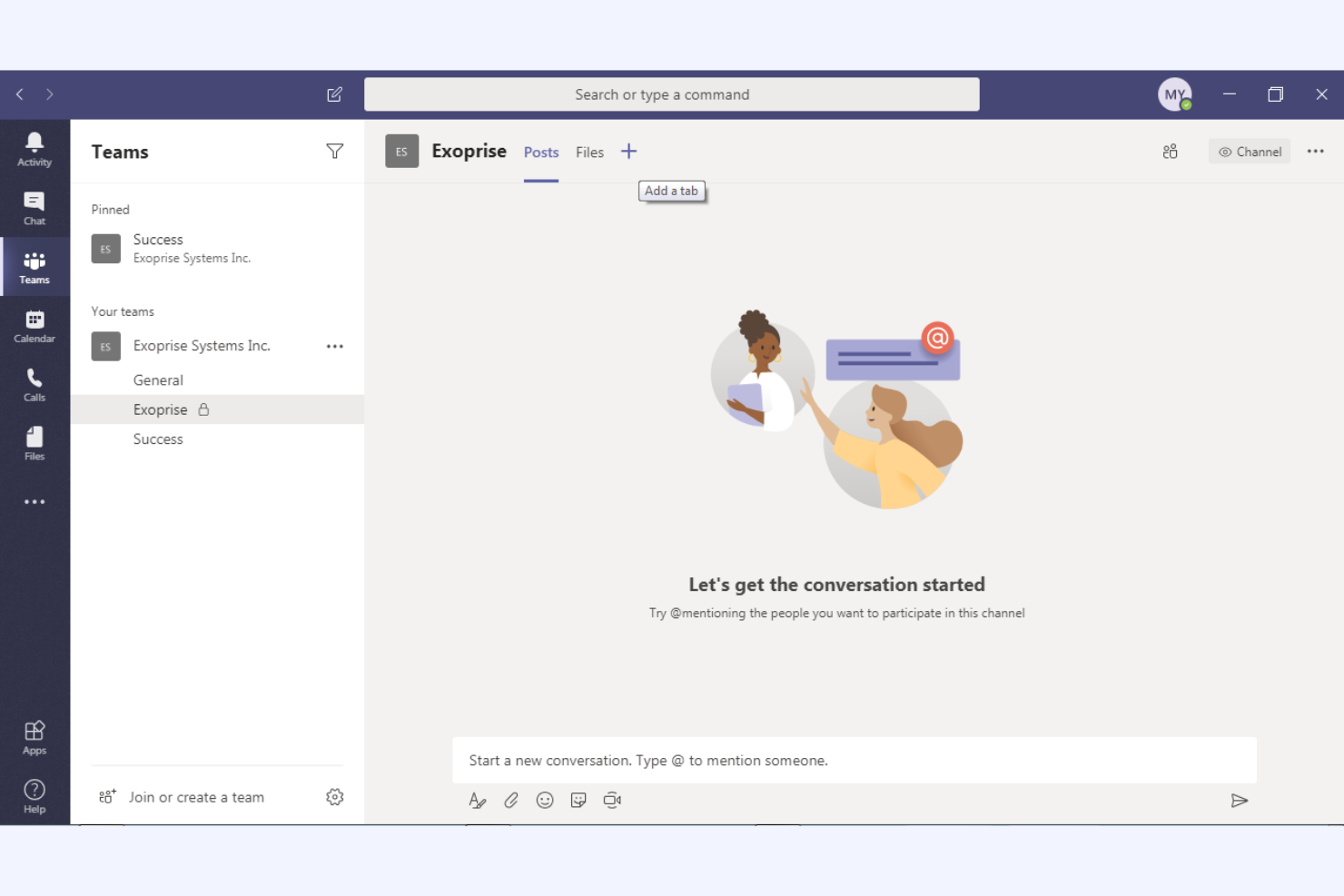
Microsoft Teams est une plateforme de collaboration qui intègre la messagerie instantanée, la visioconférence et le partage de fichiers, conçue principalement pour les utilisateurs professionnels et éducatifs. Elle aide votre équipe à communiquer efficacement et à gérer des projets au sein d’un espace de travail unifié.
Pourquoi c’est une bonne alternative à Zoom : Microsoft Teams offre une intégration approfondie avec l’écosystème Microsoft 365, ce qui améliore la productivité grâce à des fonctionnalités de collaboration documentaire en temps réel et à la synchronisation des calendriers. Ces capacités en font une solution idéale si votre organisation utilise déjà les produits Microsoft. De plus, ses nombreuses fonctionnalités de discussion et de canaux favorisent la communication continue au sein de l’équipe et la gestion de projets, offrant une solution plus complète que la plateforme de Zoom axée sur la vidéo.
Fonctionnalités et intégrations remarquables :
Les fonctionnalités comprennent des outils de gestion des tâches qui vous permettent d’attribuer et de suivre les tâches au sein de votre équipe. La plateforme inclut un wiki intégré pour documenter et partager les connaissances, et prend en charge les événements en direct destinés à de larges audiences, ce qui la rend polyvalente pour différents besoins de communication.
Les intégrations comprennent Microsoft Outlook, SharePoint, OneDrive, Power BI, Trello, Asana, GitHub, Salesforce, et bien plus encore.
Pros and Cons
Pros:
- Intégration approfondie avec Microsoft 365
- Prend en charge les grands événements virtuels
- Collaboration documentaire en temps réel
Cons:
- Options de personnalisation limitées
- Peut nécessiter beaucoup de ressources

Idéal pour la confidentialité des utilisateurs et la propriété des données
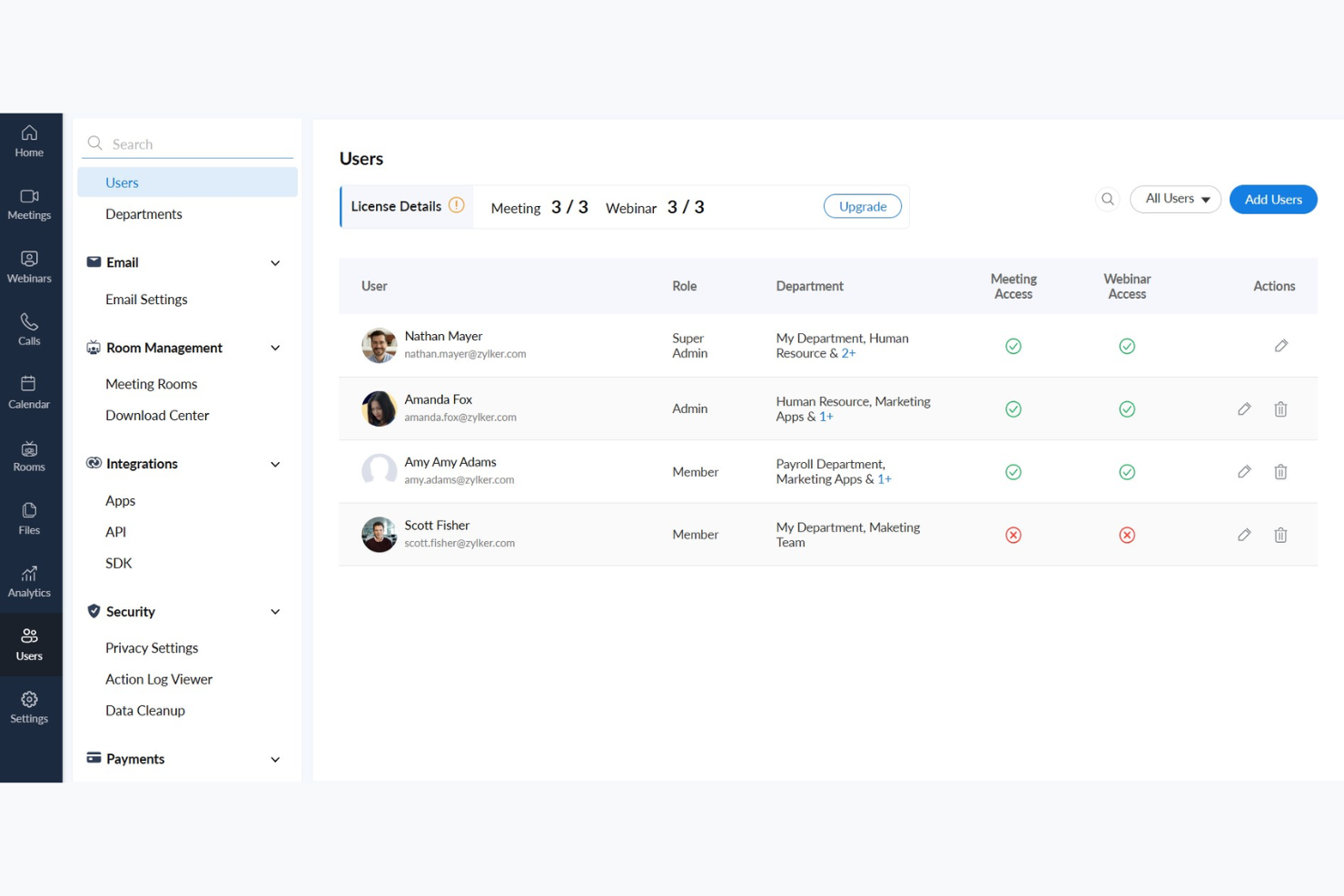
Zoho Meeting est une solution de conférence en ligne conçue pour les entreprises qui ont besoin d'outils de réunion en ligne sécurisés et fiables. Elle s'adresse aux professionnels et aux équipes qui souhaitent organiser efficacement des webinaires et des réunions virtuelles.
Pourquoi c'est une bonne alternative à Zoom : Zoho Meeting accorde la priorité à la confidentialité des utilisateurs et à la propriété des données, ce qui en fait un choix privilégié pour ceux qui se préoccupent de la sécurité des données. Il propose des fonctionnalités telles que le chiffrement des réunions et des formulaires d'inscription personnalisables, contribuant ainsi à garantir la protection des informations de votre équipe. La plateforme fournit également des analyses et des rapports détaillés pour les webinaires, afin que vous puissiez suivre l'engagement et améliorer vos présentations.
Fonctionnalités et intégrations remarquables :
Les fonctionnalités comprennent le partage d'écran, qui vous permet de présenter visuellement vos idées aux participants. La plateforme prend en charge les sondages et les sessions de questions-réponses pour les webinaires, ce qui vous permet d'impliquer efficacement votre audience. Vous pouvez également enregistrer les réunions et les webinaires, constituant ainsi une ressource précieuse pour une consultation ultérieure et la formation.
Les intégrations comprennent Zoho CRM, Zoho Projects, Zoho Connect, Google Calendar, Microsoft Outlook, Slack, et bien plus encore.
Pros and Cons
Pros:
- Priorité accordée à la confidentialité et à la sécurité des données
- Analyses détaillées pour les webinaires
- Chiffrement des réunions disponible
Cons:
- Fonctionnalités avancées limitées
- Évolutivité limitée pour les événements de grande ampleur

Dialpad
Idéal pour les conversations clients assistées par l’IA
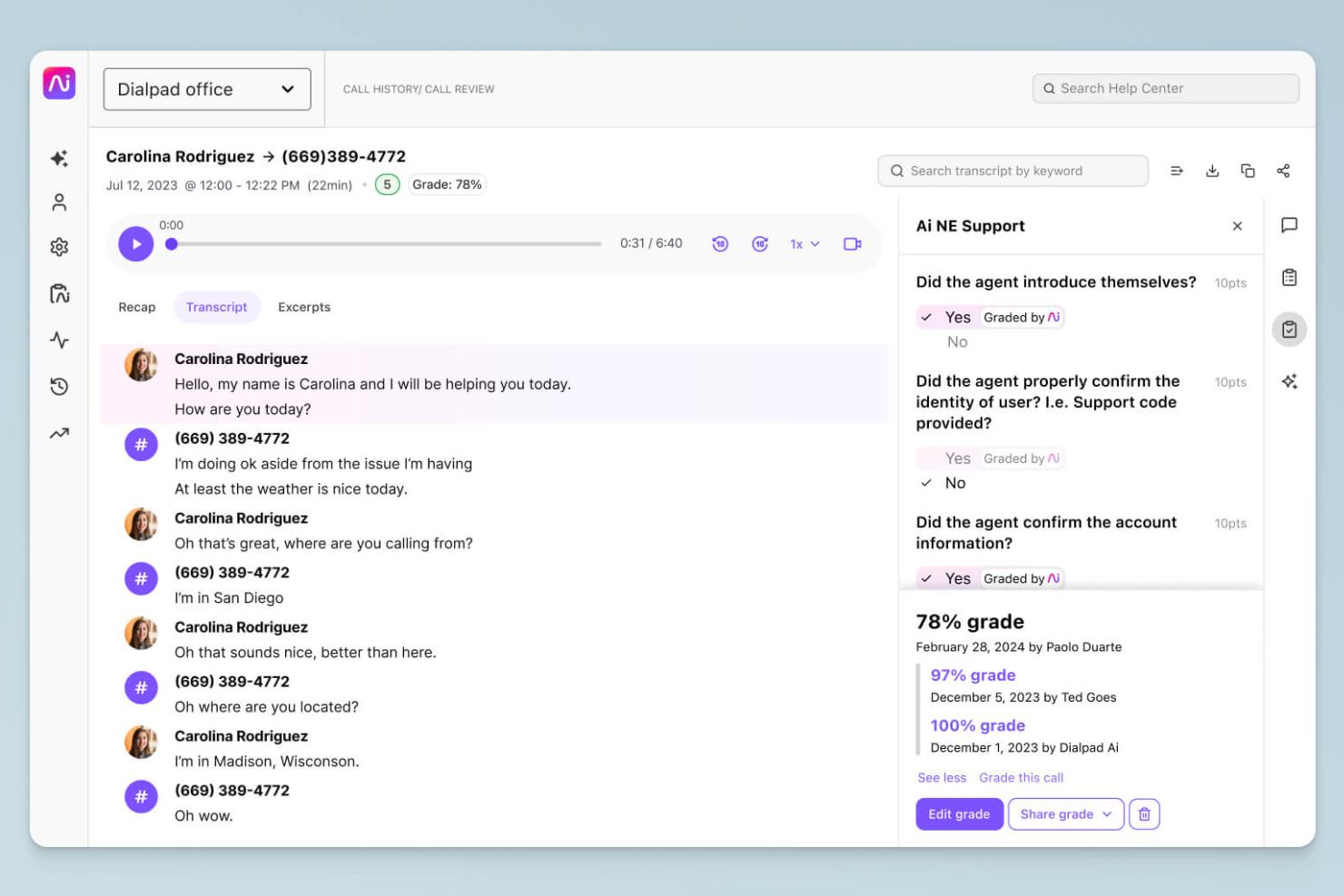
Dialpad est une plateforme de communication basée sur le nuage qui améliore les échanges grâce à des informations optimisées par l’IA. Elle s’adresse aux entreprises à la recherche de solutions efficaces de communication vocale, vidéo et de messagerie pour soutenir les interactions avec leurs clients et leurs équipes.
Pourquoi c'est une bonne alternative à Zoom : Les fonctionnalités optimisées par l’IA de Dialpad fournissent une transcription en temps réel et des analyses vocales, offrant des informations précieuses pendant les appels. Cela permet à votre équipe de prendre des décisions éclairées et d’améliorer les interactions avec les clients. Grâce au routage des appels intégré et aux flux de travail personnalisables, Dialpad favorise des processus de communication efficaces, ce qui en fait une alternative polyvalente à l’approche centrée sur la vidéo de Zoom.
Fonctionnalités et intégrations remarquables :
Les fonctionnalités comprennent une intelligence vocale qui fournit un accompagnement des appels en temps réel et une analyse des sentiments, aidant votre équipe à améliorer ses conversations. La plateforme prend en charge l’enregistrement dans le nuage, le stockage dans le nuage et la lecture des appels, ce qui est utile pour la formation et l’assurance qualité. De plus, Dialpad offre une expérience de communication unifiée avec la voix, la vidéo et la messagerie dans une seule application.
Les intégrations comprennent Salesforce, Microsoft 365, Google Workspace, Slack, HubSpot, Zendesk, ServiceNow, Okta et bien plus encore.
Pros and Cons
Pros:
- Informations sur les appels optimisées par l’IA
- Transcription en temps réel
- Routage efficace des appels
Cons:
- Compatibilité matérielle
- Pannes occasionnelles du système

Idéal pour les communications unifiées par IA destinées aux employés
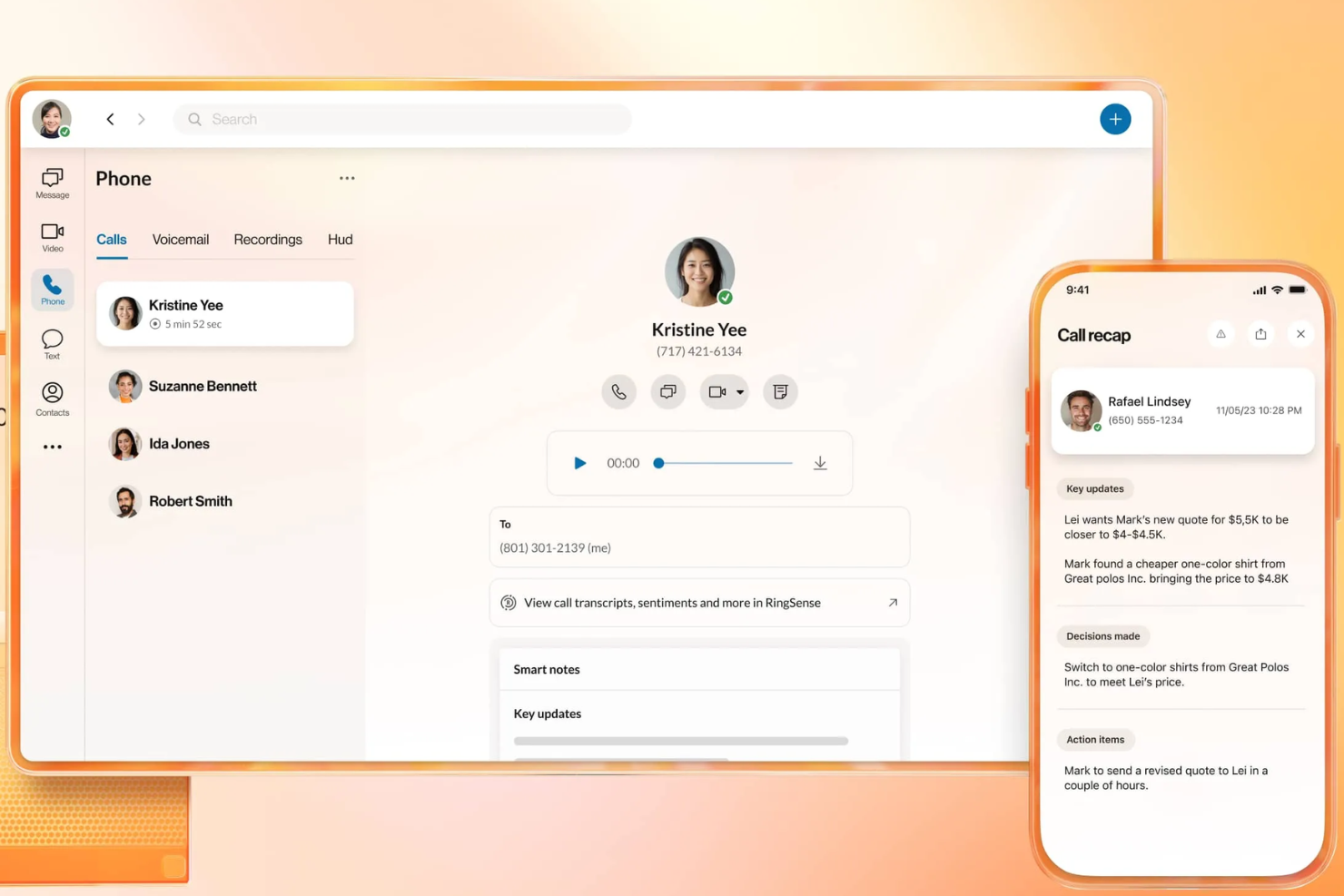
RingEX est une plateforme de communication basée sur le cloud conçue pour améliorer les capacités de communication d'une entreprise grâce à des fonctionnalités avancées. Elle offre des solutions fiables de voix, de vidéo et de messagerie pour la collaboration en équipe.
Pourquoi c'est une bonne alternative à Zoom : RingEX offre des informations et des analyses pilotées par l'IA, permettant à votre équipe de prendre des décisions éclairées pendant les appels. La plateforme prend en charge des fonctionnalités telles que l'enregistrement des appels et la transcription en temps réel, fournissant des ressources utiles pour la formation et l'assurance qualité. De plus, les flux de travail personnalisables et les outils robustes de gestion des appels de RingEX en font un choix polyvalent pour les entreprises de toutes tailles.
Fonctionnalités et intégrations remarquables :
Les fonctionnalités comprennent un routage avancé des appels qui garantit que ceux-ci sont dirigés vers les bons membres de l'équipe. La plateforme fournit des analyses des appels, vous donnant un aperçu des habitudes de communication de votre équipe. Vous pouvez également utiliser la visioconférence avec des fonctionnalités de partage d'écran, ce qui améliore la collaboration lors des réunions virtuelles.
Les intégrations comprennent Microsoft 365, Google Workspace, Salesforce, Slack, Zendesk, HubSpot, Zapier, Microsoft Teams, Okta, et bien plus encore.
Pros and Cons
Pros:
- Analyses des appels pilotées par l'IA
- Gestion des appels personnalisable
- Adapté aux grandes entreprises
Cons:
- Configuration et interface utilisateur complexes
- Fiabilité des appels inégale
Idéal pour les réunions externes soumises à des contrôles de sécurité
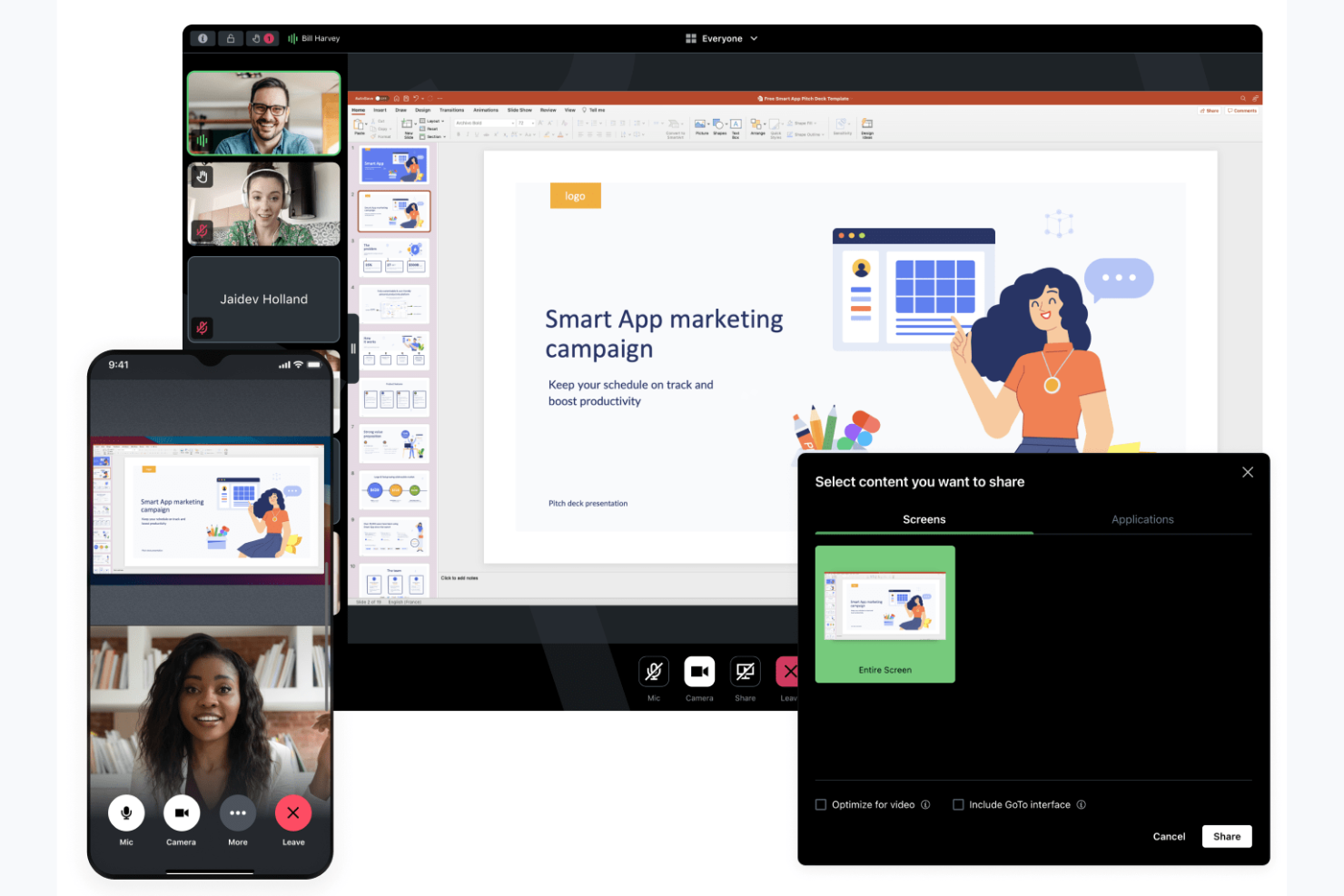
GoTo Meeting est un outil de visioconférence conçu pour les entreprises qui ont besoin d’une plateforme fiable pour organiser des réunions virtuelles. Il s’adresse aux professionnels de tous les secteurs et propose des fonctionnalités favorisant une communication et une collaboration efficaces.
Pourquoi c’est une bonne alternative à Zoom : GoTo Meeting met l’accent sur des options de réunion sécurisées et flexibles, avec des fonctionnalités de sécurité telles que le chiffrement des réunions et des contrôles administratifs, ainsi que des paramètres de réunion personnalisables. Ces fonctionnalités contribuent à préserver la confidentialité de vos réunions et à les adapter à vos besoins. La plateforme prend en charge la visioconférence HD et propose des applications mobiles, ce qui est pratique pour les équipes en déplacement.
Fonctionnalités et intégrations remarquables :
Les fonctionnalités comprennent une option « Appelez-moi » qui simplifie la participation aux réunions en appelant directement les participants, ainsi que des outils de dessin permettant d’annoter les écrans partagés pour favoriser la collaboration. Vous pouvez également profiter de salles de réunion personnalisées, qui offrent un espace permanent où votre équipe peut se réunir.
Les intégrations comprennent Salesforce, Google Calendar, Zapier, Zoho CRM, Zendesk, Outlook, Trello et bien plus encore.
Pros and Cons
Pros:
- Chiffrement sécurisé des réunions
- Paramètres de réunion flexibles
- Visioconférence avec qualité vidéo HD
Cons:
- Interface vieillissante par rapport à certains concurrents
- Plusieurs étapes sont nécessaires pour rejoindre un flux de travail

Idéal pour les webinaires et l’engagement lors des réunions des petites entreprises
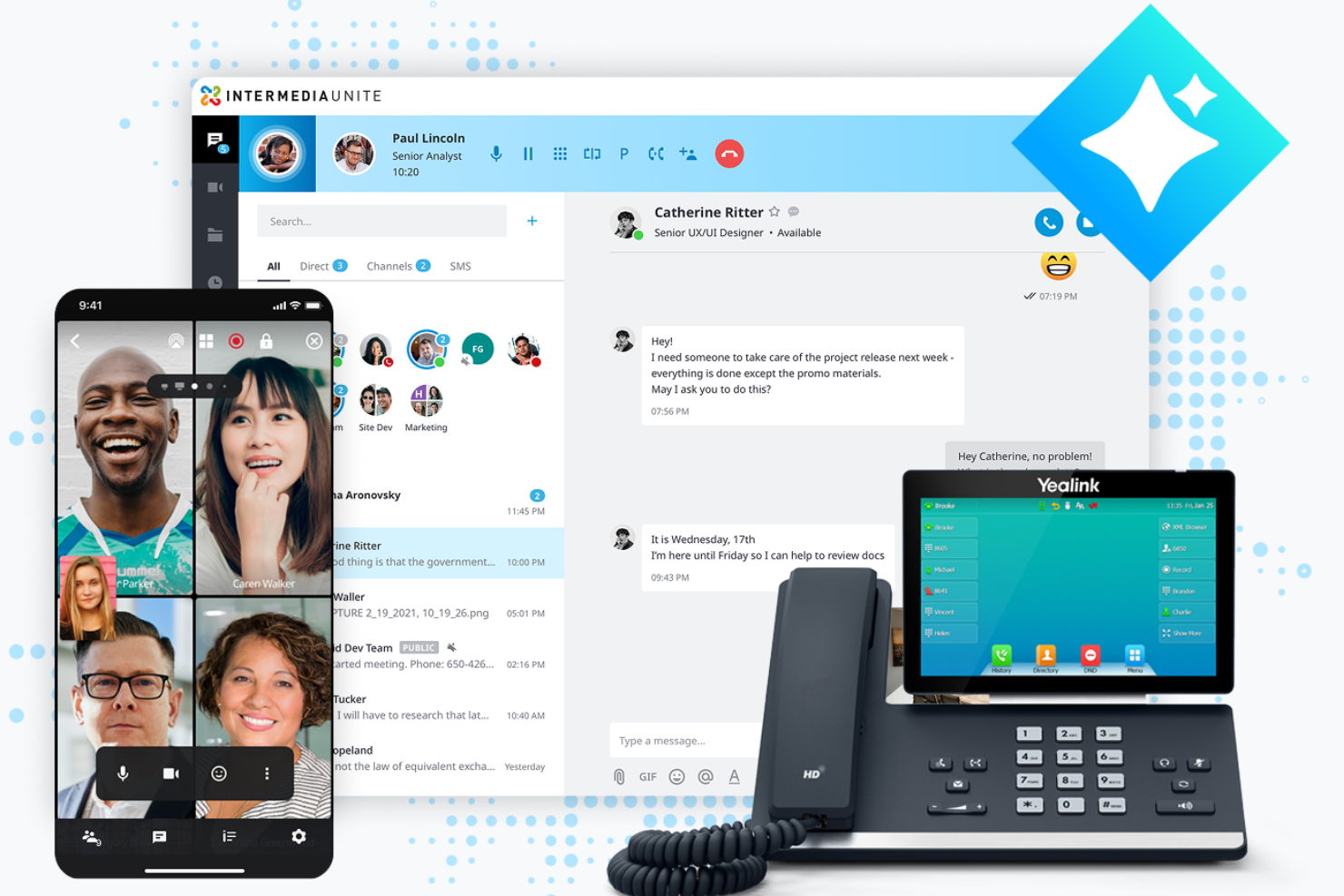
AnyMeeting est une plateforme de visioconférence conçue pour les petites et moyennes entreprises à la recherche d’une solution de communication complète. Faisant partie de la plateforme cloud Intermedia Unite, elle propose des outils pour organiser des réunions virtuelles, des webinaires et des conférences téléphoniques, favorisant la collaboration et la connectivité.
Pourquoi c’est une bonne alternative à Zoom : AnyMeeting propose une suite de communication tout-en-un avec des fonctionnalités telles que l’organisation de webinaires et la transcription des réunions. Ces fonctionnalités en font une solution adaptée aux entreprises qui ont besoin de plus que de simples réunions vidéo. AnyMeeting offre le partage d’écran et des dispositions de réunion personnalisables, permettant à votre équipe d’adapter les réunions à ses besoins spécifiques.
Fonctionnalités et intégrations remarquables :
Les fonctionnalités incluent la transcription des réunions, qui enregistre et transcrit automatiquement vos réunions pour faciliter leur consultation. La plateforme offre des fonctionnalités d’organisation de webinaires, avec des outils pour mobiliser de larges audiences, ainsi que des dispositions personnalisées pour améliorer l’expérience globale des réunions.
Les intégrations incluent Microsoft Office 365, Google Calendar, Slack, Salesforce, Zendesk, et plus encore.
Pros and Cons
Pros:
- Prend en charge l’organisation de webinaires
- Transcription des réunions disponible
- Dispositions de réunion personnalisables
Cons:
- Fonctionnalités avancées limitées
- Évolutivité limitée pour les grandes entreprises


Discord est une plateforme de communication conçue principalement pour les joueurs et les communautés sociales. Offrant des fonctionnalités de discussion vocale, vidéo et textuelle, elle est largement utilisée par les passionnés de jeux vidéo et les communautés en ligne pour interagir et collaborer en temps réel.
Pourquoi c'est une bonne alternative à Zoom : Discord propose des canaux vocaux persistants, permettant à votre équipe de rejoindre les conversations et de les quitter à volonté, contrairement aux réunions planifiées de Zoom. La plateforme offre des paramètres de serveur et des rôles personnalisables pour gérer les autorisations des utilisateurs et créer des espaces de discussion organisés. De plus, la version gratuite de Discord et ses fonctionnalités axées sur les communautés, telles que les serveurs publics et les interfaces conviviales, en font un outil idéal pour les rassemblements informels et les interactions sociales.
Fonctionnalités et intégrations remarquables :
Les fonctionnalités comprennent le partage d'écran, qui vous permet de partager votre écran avec d'autres personnes pour jouer ou travailler en collaboration, ainsi que les appels vidéo et vocaux. Vous pouvez également utiliser la fonctionnalité de messagerie directe de Discord pour communiquer en privé avec des personnes ou lors de petits appels.
Les intégrations comprennent Spotify, Twitch, YouTube, Reddit, Patreon, Steam, GitHub et bien plus encore.
Pros and Cons
Pros:
- Canaux vocaux persistants
- Paramètres de serveur personnalisables
- Fonctionnalités axées sur les communautés
Cons:
- Conformité et audit limités pour les entreprises
- Limites de taille réduites pour l'importation de fichiers

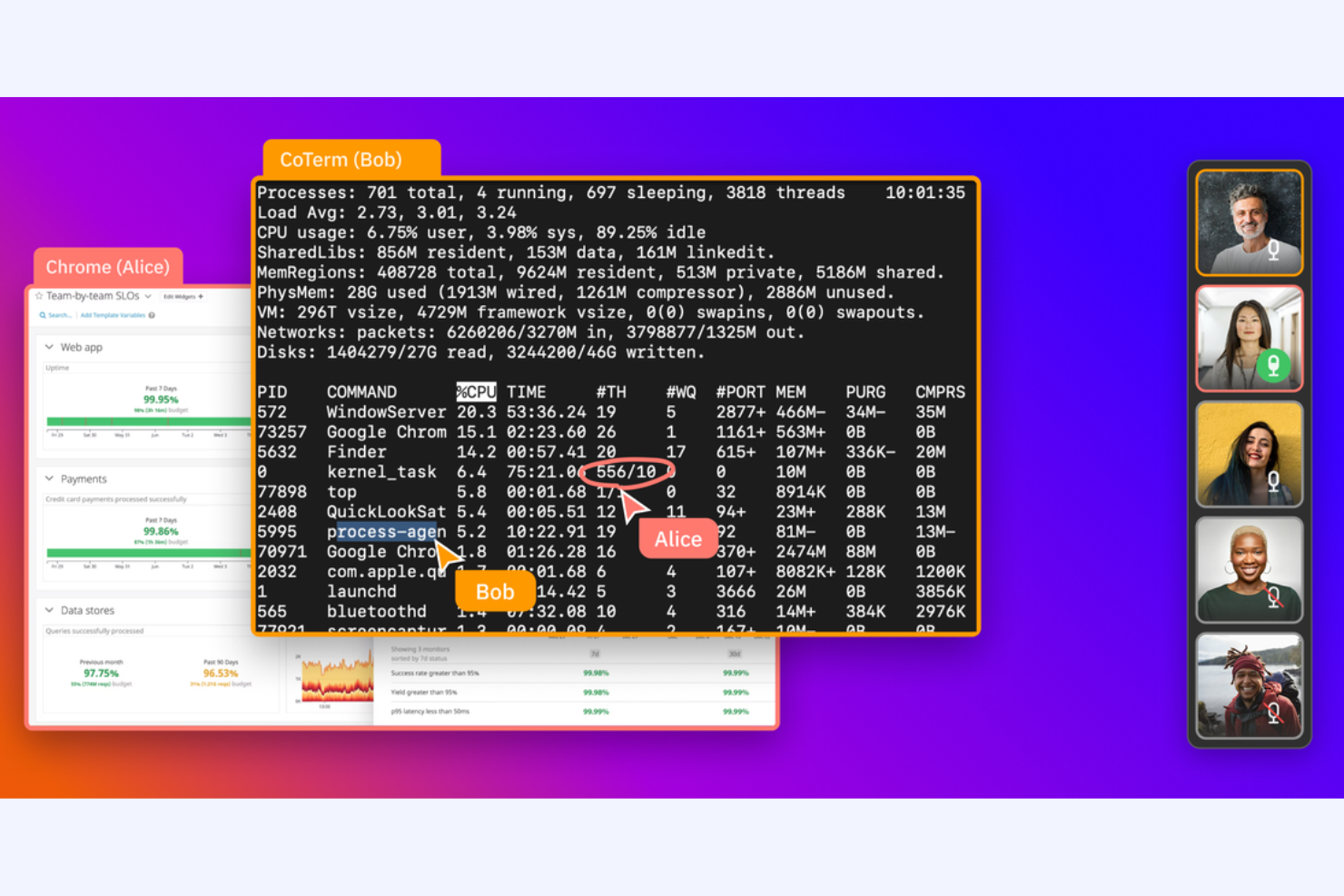
CoScreen est un outil de partage d'écran destiné aux développeurs et aux équipes qui ont besoin d'une collaboration en temps réel. Il est utilisé par les ingénieurs logiciels et les équipes techniques pour faciliter les sessions de programmation en binôme et de débogage.
Pourquoi c'est une bonne alternative à Zoom : CoScreen permet à plusieurs utilisateurs de partager leur écran simultanément, ce qui en fait un outil idéal pour la collaboration technique. Contrairement à Zoom, qui se concentre sur les réunions vidéo, CoScreen met l'accent sur la modification de code et la résolution de problèmes en temps réel. Ses performances à faible latence garantissent des interactions fluides et efficaces au sein de votre équipe, permettant une collaboration efficace dans les environnements de programmation.
Fonctionnalités et intégrations remarquables :
Les fonctionnalités comprennent le partage simultané d'écran, qui permet à chaque membre de votre équipe de partager son écran au même moment. Vous pouvez également utiliser des appels vidéo à faible latence pour assurer une communication fluide pendant les sessions. CoScreen prend en charge la modification de code en temps réel, ce qui en fait un outil précieux pour les développeurs qui travaillent ensemble sur des projets.
Les intégrations comprennent Slack, GitHub, Jira, Asana, Google Calendar, Zoom, Visual Studio Code, IntelliJ IDEA, et bien plus encore.
Pros and Cons
Pros:
- Idéal pour la programmation en binôme
- Performances à faible latence
- Modification de code en temps réel
Cons:
- Destiné aux développeurs
- Fonctionnalités non techniques limitées
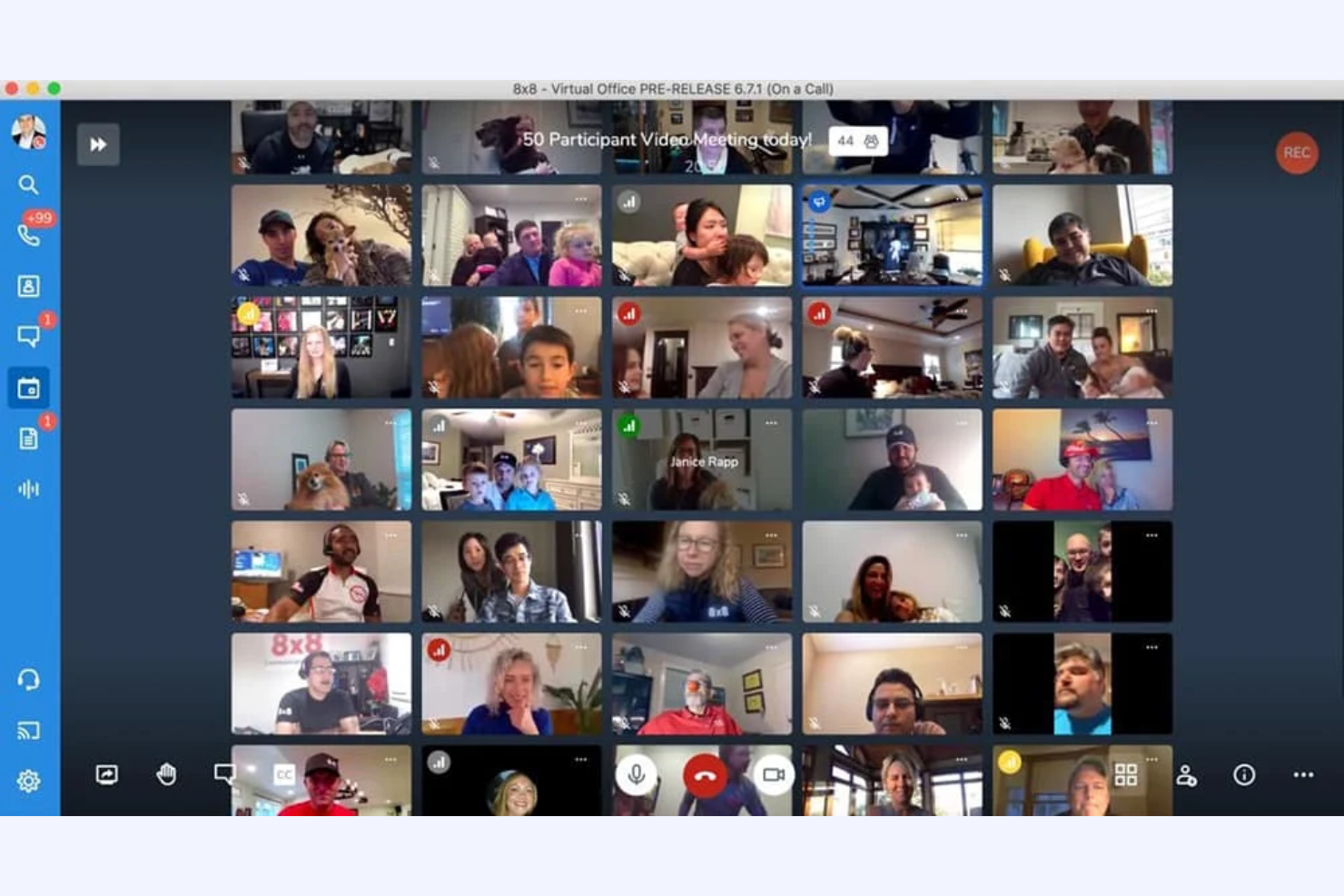
Jitsi est un outil de visioconférence open source destiné aux particuliers et aux équipes à la recherche de solutions de communication flexibles et sécurisées. Il fournit une plateforme pour organiser des réunions virtuelles sans nécessiter de compte utilisateur, de téléchargement ni d'offre payante.
Pourquoi c'est une bonne alternative à Zoom : les réunions Jitsi vous offrent le contrôle de vos données et de votre confidentialité, ce qui est idéal si vous êtes préoccupé par la sécurité. Vous pouvez personnaliser et héberger votre propre serveur, afin de rendre vos réunions de visioconférence gratuites plus sécurisées. De plus, sa nature open source vous permet de modifier et d'étendre la plateforme pour répondre à vos besoins spécifiques, contrairement à Zoom, qui est un système fermé.
Fonctionnalités et intégrations remarquables :
Les fonctionnalités comprennent la vidéo et l'audio haute qualité, garantissant une communication claire lors des réunions prolongées. Vous pouvez également utiliser la fonction de discussion de la plateforme pour communiquer par texte en complément des appels vidéo. Jitsi prend en charge le partage d'écran, ce qui vous permet de présenter des informations et de collaborer efficacement avec votre équipe.
Les intégrations varient selon l'hébergement et la configuration ; elles peuvent être étendues grâce à des plugins et des API open source
Pros and Cons
Pros:
- Flexibilité de l'open source
- Confidentialité élevée des données
- Option d'auto-hébergement
Cons:
- Peut nécessiter des connaissances techniques
- Prise en charge limitée des grandes réunions
Autres alternatives à Zoom
Voici quelques alternatives supplémentaires aux logiciels de visioconférence qui n’ont pas été retenues dans ma sélection, mais qui méritent tout de même d’être découvertes :
- ON24
Idéal pour les webinaires axés sur les données
- TeamViewer
Idéal pour l'assistance à distance
- Miro
Idéal pour une collaboration visuelle dédiée


Comment j’évalue les alternatives à Zoom
Je divise mon évaluation en deux niveaux : les fonctionnalités indispensables de base (comme la vidéo HD, l’enregistrement et les intégrations aux outils de gestion de projet) et les éléments différenciateurs qui distinguent les meilleurs outils pour les équipes de projet.
Fonctionnalités essentielles (indispensables pour cette liste)
Lorsque je sélectionne les outils pour ma liste, j’évalue chacun d’entre eux sur une échelle de 0 (ne propose pas la fonctionnalité) à 5 (excelle dans ce domaine) pour chaque fonctionnalité essentielle répertoriée ci-dessous. Je convertis ensuite le score total de l’outil en pourcentage. Chaque outil doit obtenir un score total minimum de 65 % pour être pris en compte.
- Qualité vidéo et audio HD : j’évalue si la plateforme fournit une vidéo stable en haute définition, pour des appels allant d’un rapide point individuel à une revue de sprint réunissant plus de 50 personnes ou à une démonstration client.
- Partage d’écran et collaboration : les équipes de projet travaillent principalement dans des tableaux, des chronologies et des documents. Je recherche donc un partage d’écran fluide avec annotation, contrôle à distance et prise en charge de plusieurs présentateurs pendant les séances de travail.
- Enregistrement et transcription des réunions : la capture des décisions prises lors de la planification des sprints et des retours des parties prenantes est importante. Chaque outil est donc évalué sur l’enregistrement dans le cloud, la précision de la transcription automatique et la possibilité d’effectuer des recherches dans les sessions précédentes.
- Discussion et messagerie : au-delà de la discussion intégrée aux réunions, je vérifie la présence de canaux persistants et de conversations organisées en fils, qui permettent de structurer les échanges liés aux projets entre les réunions.
- Intégrations aux calendriers et aux outils de gestion de projet : je recherche des connexions natives à Google Calendar, Outlook et à des outils de gestion de projet comme Jira, Asana ou Monday, afin que les réunions soient directement liées aux flux de travail qu’elles accompagnent.
- Planification et gestion des réunions : les réunions récurrentes comme les réunions quotidiennes et les rétrospectives doivent être faciles à planifier. J’évalue donc les contrôles de l’organisateur, les liens de réunion uniques, les salles d’attente et les invitations automatisées.
Une fois que j’ai établi une liste d’outils répondant à ces critères, j’examine ce qui distingue chaque plateforme.
Éléments différenciateurs (ce qui distingue les fournisseurs)
Voici comment je compare les différents fournisseurs :
Fonctionnalités remarquables
Les résumés de réunions alimentés par l’IA constituent un facteur de différenciation important. Je recherche des outils qui génèrent automatiquement les actions à effectuer et les décisions clés, afin que les responsables de projet puissent éviter de prendre manuellement des notes après chaque réunion quotidienne ou rétrospective. Les salles de répartition sont également importantes lorsque vous organisez des ateliers ou la planification d’un sprint avec plusieurs sous-équipes qui ont besoin de temps de travail en parallèle. Pour les équipes distribuées sur plusieurs fuseaux horaires, la messagerie vidéo asynchrone mérite également d’être évaluée, car elle permet aux parties prenantes d’enregistrer rapidement des mises à jour de statut au lieu de planifier un nouvel appel en direct.
Au-delà des fonctionnalités
La structure tarifaire joue un rôle important lorsque vous quittez Zoom. J’évalue si une licence par organisateur est pertinente pour les équipes où seuls quelques responsables de projet animent des réunions, par rapport aux modèles par utilisateur qui couvrent tout le monde. La sécurité constitue un autre facteur essentiel : je vérifie la présence du chiffrement de bout en bout, de l’authentification unique et de certifications de conformité comme SOC 2 et le RGPD, en particulier pour les équipes qui traitent des données sensibles liées aux projets de leurs clients. La profondeur des intégrations ne se limite pas non plus à la simple présence d’un connecteur. J’examine dans quelle mesure un outil s’intègre étroitement à votre environnement de gestion de projet, par exemple si une réunion est automatiquement rattachée à un ticket Jira ou si les notes sont synchronisées dans Confluence.
Pourquoi chercher une alternative à Zoom ?
Bien que Zoom soit un bon choix de logiciel de visioconférence et de réunion en ligne, plusieurs raisons peuvent pousser certains utilisateurs à rechercher d'autres solutions. Vous cherchez peut-être une alternative à Zoom parce que…
- Vous avez besoin de fonctionnalités de sécurité plus avancées
- Votre équipe a besoin d'une meilleure intégration avec les outils
- Vous êtes confronté à des limitations lors des grandes réunions
- Vous souhaitez davantage d'options de personnalisation
- Votre équipe rencontre fréquemment des problèmes de connectivité
Si l'une de ces situations vous correspond, vous êtes au bon endroit. Ma liste comprend plusieurs logiciels de visioconférence et de réunion en ligne mieux adaptés aux équipes confrontées à ces difficultés avec Zoom et à la recherche de solutions alternatives.
Fonctionnalités clés de Zoom
Voici quelques-unes des principales fonctionnalités de Zoom, pour vous aider à comparer les solutions alternatives et ce qu’elles proposent :
- Arrière-plans virtuels : Modifiez l’arrière-plan de votre réunion avec n’importe quelle image ou vidéo, ce qui contribue à préserver la confidentialité et à réduire les distractions.
- Salles de répartition : Divisez votre réunion en appels de groupe plus restreints pour mener des discussions ciblées lors d’ateliers ou d’activités d’équipe.
- Partage d’écran : Partagez votre bureau ou des applications spécifiques avec votre équipe afin de présenter efficacement des informations pendant les réunions.
- Enregistrement et transcriptions : Enregistrez les réunions et générez automatiquement des transcriptions, offrant ainsi une ressource aux personnes qui n’ont pas pu y assister.
- Discussion de réunion : Utilisez la fonctionnalité de discussion pour envoyer des messages aux participants, partager des fichiers et améliorer la communication pendant les réunions.
- Sondages et enquêtes : Recueillez des commentaires ou prenez rapidement des décisions grâce aux sondages et enquêtes pendant les réunions, en faisant participer activement les participants.
- Chiffrement de bout en bout : Assurez la sécurité de vos réunions grâce au chiffrement, qui protège vos données et vos communications.
- Salle d’attente : Contrôlez le moment où les participants rejoignent votre réunion en les plaçant dans une salle d’attente avant le début de la session.
- Outils d’annotation : Utilisez les outils d’annotation pour mettre en évidence ou annoter le contenu partagé, afin d’améliorer la collaboration et la compréhension.
- Levée de main virtuelle : Permettez aux participants de lever virtuellement la main lorsqu’ils souhaitent prendre la parole, afin de gérer efficacement les réunions réunissant un grand nombre de participants.