

Avis sur Smartsheet 2026 : Fonctionnalités et Opinion d’Expert



Smartsheet is an AI-powered work management platform that helps teams plan, track, and manage work in a flexible spreadsheet-like interface. It’s a good fit for teams that require cross-functional coordination, such as operations, marketing, and PMO teams in industries like construction, healthcare, and IT. Smartsheet gives you a clear, customizable view of your work so you can keep projects moving without confusion or delays.
In this article, I’ll walk you through Smartsheet’s features, pros and cons, pricing, and where it works best—and where it doesn’t. If you’re trying to keep your projects organized and your team aligned, this’ll help you decide if Smartsheet’s right for your workflow.
Smartsheet Evaluation Summary

- From $12/user/month
- 30-day free trial
Pourquoi faire confiance à nos recommandations de logiciels
Notre équipe teste et évalue des logiciels depuis 2012. En tant que chefs de projet nous-mêmes, nous savons à quel point il est difficile — et important — de choisir le bon logiciel.
Pour ce guide, nous avons évalué les outils grâce à des tests pratiques et une recherche indépendante, en notant les outils selon nos critères de sélection. Nous nous appuyons également sur les enseignements de leaders d’opinion du secteur et de professionnels de la gestion de projet en activité.
Nos avis reflètent notre jugement éditorial humain, et non un argumentaire de vente.
Réviseurs experts:
Smartsheet Overview
In my opinion, Smartsheet does a solid job as a project management software, especially for teams that like the familiarity of spreadsheets but need more structure and automation. It’s not the flashiest tool, but it delivers steady value with strong dashboards, flexible workflows, and solid reporting. It outperforms many tools when it comes to managing multiple, complex projects at scale, but it can feel clunky compared to lighter options.
Onboarding takes effort, and non-technical users might feel overwhelmed at first. That said, once it’s up and running, it’s a powerhouse for operations, marketing, and PMO teams that manage deadlines and dependencies across departments. If you’re judging tools based on control, visibility, and scalability, Smartsheet is a smart pick.

pros
-
Gives your team a lot of flexibility with how you set up sheets, dashboards, and workflows
-
Proofing and approval tools can help you better collaborate with your team
-
Handles complex projects and cross-team coordination better than most tools
cons
-
It takes time to set up and isn’t very intuitive for new users
-
Interactive spreadsheets don’t automatically sync changes
-
You can’t easily build simple task lists without doing extra setup
Is Smartsheet Right For Your Needs?
Who Would be a Good Fit for Smartsheet?
Smartsheet works best for teams that manage complex projects with lots of moving parts, like operations, marketing, or PMO teams. If you’re tracking dependencies, deadlines, approvals, and deliverables across multiple people or departments, Smartsheet gives you the structure and visibility to keep things on track. It’s also a great tool if your team likes spreadsheets but needs more automation, reporting, and control.
-
Marketing Teams
You can manage campaign timelines, creative approvals, and content calendars in one place using built-in forms, reminders, and dashboards.
-
Construction Projects
Smartsheet is great for tracking tasks, permits, and inspections across vendors and crews using Gantt charts and status columns.
-
PMO Departments
You get a clear portfolio view of all your projects, timelines, and risks with built-in reports and resource views.
-
Healthcare Operations
Smartsheet helps you track compliance tasks, training, and onboarding with audit-ready logs and approval workflows.
-
IT Teams
Smartsheet is useful for managing system rollouts, support requests, and change logs with forms, automations, and sheet linking.
-
Mid-Sized & Enterprise-Level Companies
You get enough structure to handle complex operations and scale without needing a full custom solution.
Who Would be a Bad Fit for Smartsheet?
If your team runs simple, repeatable projects or just wants a fast way to assign tasks, Smartsheet might feel like overkill. It’s not built for teams that want plug-and-play simplicity or don’t have time to configure sheets and workflows. Creative teams, freelancers, or very small teams might feel bogged down by the setup and learning curve.
-
Freelance Creatives
Smartsheet requires too much setup just to manage a few tasks or share updates with clients.
-
Small Startups
You probably won’t need Smartsheet’s structure or reporting if your team’s still figuring out basic processes.
-
Sales Teams
Smartsheet isn't built for CRM work—tracking leads, calls, and deal stages feels clunky and inefficient.
-
Agencies
If you manage fast-turn client projects, Smartsheet may slow you down with too much structure and not enough speed.
-
Retail Stores
You won’t find much value in Smartsheet for day-to-day store ops or inventory tracking.
-
HR Teams
Smartsheet lacks people-first features, which makes it not the best fit for managing hiring pipelines or employee engagement.
Notre méthodologie d'évaluation
Comment nous testons et notons les outils
Nous avons passé des années à construire, affiner et améliorer notre système de test et de notation de logiciels. Notre grille d’évaluation est conçue pour capturer les subtilités de la sélection de logiciels et ce qui rend un outil efficace, en mettant l’accent sur les aspects critiques de la prise de décision. Ci-dessous, vous pouvez voir exactement comment notre processus de test et de notation fonctionne sur sept critères. Cela nous permet de fournir une évaluation impartiale des logiciels selon leur fonctionnalité principale, leurs fonctionnalités remarquables, leur facilité d’utilisation, l’onboarding, le support client, les intégrations, les avis clients et le rapport qualité/prix.
Fonctionnalités principales (25 % du score final)
Le point de départ de notre évaluation est toujours la fonctionnalité principale de l’outil. Dispose-t-il des fonctionnalités et caractéristiques de base attendues par l’utilisateur ? Certaines de ces fonctionnalités de base sont-elles réservées aux formules tarifaires supérieures ? Nous nous attendons à ce qu’un outil soit à la hauteur des capacités de base de ses concurrents.
Fonctionnalités remarquables (25 % du score final)
Ensuite, nous évaluons les fonctionnalités remarquables et peu communes qui vont au-delà de la fonctionnalité de base habituellement retrouvée dans ce type d’outils. Un score élevé reflète des fonctionnalités spécialisées ou uniques qui rendent le produit plus rapide, plus efficace, ou offrent une valeur supplémentaire à l’utilisateur. Nous évaluons également la facilité d’intégration avec d’autres outils couramment présents dans l’environnement technique pour étendre la puissance et l’utilité du logiciel. Les outils offrant de nombreuses intégrations natives, des connexions tierces et un accès API pour créer des intégrations personnalisées obtiennent la meilleure note.
Facilité d’utilisation (10 % du score final)
Nous considérons la rapidité et la facilité d’exécution des tâches principales à l’aide de l’outil. Un logiciel bien noté est conçu intelligemment, intuitif à utiliser, propose des applications mobiles, fournit des modèles et simplifie les tâches relativement complexes.
Onboarding (10 % du score final)
Nous savons à quel point l’adoption rapide par l’équipe est cruciale lors de la mise en place d’une nouvelle plateforme. Nous évaluons donc la facilité avec laquelle un utilisateur peut apprendre et utiliser le logiciel avec un minimum de formation. Nous vérifions la rapidité avec laquelle un membre peut s’installer et démarrer sans expérience préalable. Les solutions ayant une note élevée nécessitent peu ou pas de support.
Support client (10 % du score final)
Nous examinons la rapidité et la facilité d’obtention d’une aide par téléphone, chat en direct ou base de connaissances. Les outils et sociétés proposant un support en temps réel obtiennent la meilleure note, tandis que les chatbots sont les moins bien notés.
Avis clients (10 % du score final)
Au-delà de nos propres tests et évaluations, nous tenons compte du net promoter score des clients actuels et passés. Nous étudions la probabilité, pour eux, de choisir à nouveau l’outil pour ses fonctionnalités principales. Un logiciel ayant une note élevée reflète un score NPS élevé de la part des utilisateurs actuels ou passés.
Rapport qualité/prix (10 % du score final)
Enfin, en tenant compte de tous les autres critères, nous comparons le prix moyen des forfaits d’entrée de gamme aux fonctionnalités principales et considérons la valeur des autres critères d’évaluation. Un logiciel qui en offre davantage pour moins cher sera mieux noté.
New Product Updates from Smartsheet

Smartsheet Adds Non-Plan User Management in Admin Center
Smartsheet now lists non-plan users and users deactivated from the plan for more than 30 days in a dedicated Admin Center tab. System admins can manage those users directly from the same page. Highlights include:
- Non Plan Users Tab: View users who belong to the organization but are not currently on the plan.
- Deactivated User Visibility: See users who were deactivated from the plan more than 30 days ago.
- Add to Plan: Add eligible users to the plan directly from the page.
- Remove From Organization: Remove non-plan users from the organization without switching workflows.
- Centralized User Management: Manage these users from the Seat types and true-up page in Admin Center.
Visit Smartsheet’s official site for more details.
 for more details.
Smartsheet Gov Adds Login and IP Address Event Tracking
Smartsheet Gov Event Reporting has been enhanced to include sign-in activity details for government environments. Admins can now audit login and logout events and see associated IP addresses, improving security oversight and compliance workflows. Highlights include:
- Login Events: Track when users sign in to Smartsheet Gov.
- Logout Events: Record when users sign out.
- IP Address Tracking: Capture the IP address associated with reported sign-in activity.
- Audit Visibility: Review who signed in and where the activity originated.
- Commercial Parity: Brings Gov Event Reporting sign-in activity in line with Commercial.
Visit Smartsheet’s official site for more details.
Smartsheet Adds Column Duplication Without Data
Smartsheet has introduced a new option in table view to duplicate columns without bringing over any existing cell data. This helps teams standardize sheet structure faster while preserving the configuration and rules that make columns work as intended. Highlights include:
- Column Duplication: Duplicate configured columns without copying their cell data.
- Property Retention: Keep column type, formatting, validation, and descriptions.
- Dropdown and Contact Options: Preserve existing dropdown values and contact list settings.
- Color Chips: Carry over configured color chips to the duplicated column.
- Copy and Paste Support: Duplicate columns from the column menu or with standard keyboard shortcuts.
Visit Smartsheet’s official site for more details.
Smartsheet Introduces Custom Privacy Notices for Forms
Smartsheet introduces custom privacy notices in Admin Center that appear alongside Smartsheet’s notice on new and existing forms. This gives admins one place to manage organization-wide privacy messaging. Highlights include:
- Custom Privacy Notices: Lets admins add organization-specific privacy information to forms.
- Organization-Wide Setup: Applies the configured notice across all new and existing forms.
- Separate Notices: Displays the organization’s notice alongside Smartsheet’s own privacy notice.
- Admin Center Controls: Lets admins configure the notice once from a central location.
Visit Smartsheet’s official site for more details.
Smartsheet Brings Scenario Planning to Its MCP Server
Smartsheet brings Scenario Planning to its MCP server with tools for creating scenarios, checking allocation, comparing plans, and reassigning work. These capabilities make AI-assisted planning more accessible through Claude and Copilot. Highlights include:
- Scenario Creation: Lets users create scenario plans and individual scenarios through an AI assistant.
- Scenario Comparison: Provides high-level scenario data and comparison metrics.
- Resource Checks: Shows allocation and availability for the active plan.
- Bulk Reassignment: Lets users move tasks between resources in bulk.
- Plan Application: Applies revised scenarios back to the original sheet.
Visit Smartsheet’s official site for more details.
Smartsheet Introduces New Dashboard Charting Experience
Smartsheet introduces a new charting experience with AI-assisted creation, direct data sourcing, built-in aggregations, and live previews. These updates make dashboard chart creation faster and reduce manual data preparation. Highlights include:
- Build With AI: Creates charts from sheet data using a prompt.
- Direct Data Sourcing: Builds charts directly from a primary sheet or report.
- Built-In Aggregations: Supports Count, Sum, Average, Min, Max, and Median.
- Live Preview: Shows chart changes as users adjust the configuration.
- Chart Types: Supports bar, column, line, pie, donut, stacked, and grouped charts.
- Legacy Charts: Keeps existing charts available in Legacy mode.
Visit Smartsheet’s official site for more details.
Smartsheet Adds Smart Assist for Sheets on Mobile
Smartsheet has brought Smart Assist directly into sheets on the iOS and Android mobile apps. This gives teams AI-powered visibility and quicker communication from anywhere, helping users understand progress and act on work faster. Highlights include:
- AI Status Readouts: Summarizes completed, in-progress, at-risk, and blocked work directly from a sheet.
- Suggested Prompts: Helps surface assigned tasks, overdue items, summaries, and other sheet information.
- Drafted Updates: Lets users prepare updates for collaborators directly from the Smart Assist panel.
Visit Smartsheet’s official site for more details.

Smartsheet Adds Project Leads Sync for Workspace Access
Smartsheet adds Project Leads Sync to automatically manage workspace admin access when project leads are added or removed. This helps teams keep access permissions current without manually updating sharing settings across workspaces. Highlights include:
- Automatic Admin Access: Grants workspace admin access when a contact is added to the Project Leads column.
- Automatic Access Removal: Revokes admin access when a project lead is removed, helping keep permissions in sync with project ownership.
Visit Smartsheet’s official site for more details.
Smartsheet Expands Seat Management and Reporting
Smartsheet lets system admins check inactive users and available seats, then upgrade or downgrade users through supported MCP-compatible AI clients with confirmation. The Seat Type Report also adds details such as how users joined the plan, starting status, department, job title, and key true-up dates. Highlights include:
- AI Seat Management: Lets admins manage seats through supported MCP-compatible AI clients.
- Seat Availability Checks: Shows inactive users and available seats before making changes.
- User Upgrades and Downgrades: Supports seat changes with explicit confirmation.
- Expanded Seat Type Report: Adds user source, starting status, department, job title, and true-up details.
- Admin Auditing: Gives admins more context for billing reviews, seat audits, and user management.
Visit Smartsheet’s official site for more details.
Smartsheet Adds Scenario Plan Duplication
Smartsheet adds a duplicate option for scenario plans that copies the full planning setup into a new plan. The update helps teams create what-if variations and carry existing plans into new cycles faster. Highlights include:
- Scenario Plan Duplication: Creates a complete copy of an existing scenario plan.
- Full Plan Copy: Includes scenarios, connected sheets, dates, dependencies, and resource allocations.
- Faster What-If Modeling: Lets users test variations without rebuilding the original plan.
- Planning Cycle Reuse: Makes it easier to carry an existing plan into a new planning period.
Visit Smartsheet’s official site for more details.
Core Features
Sheets
Smartsheet’s Sheets give you a spreadsheet-style way to organize work, assign owners, set due dates, and track progress in one place.
Calendar View
Calendar View displays tasks and deadlines in a calendar format, helping teams quickly see what’s due and plan upcoming work more easily.
Gantt View + Dependencies
Gantt View lets you map tasks across a timeline, while dependencies help you connect work steps so your schedule adjusts when timelines shift.
Automation Workflows
Smartsheet automation helps reduce manual follow-ups by triggering alerts, approvals, and status updates based on changes in your sheet.
Board View
This Kanban-style layout helps you organize tasks by status, making it easy to track what’s next, what’s in progress, and what’s done.
Dashboards + Reports
Dashboards and reports help you track project health in real time and share progress with stakeholders without building manual status updates.

Standout Features
Control Center
Control Center helps you standardize and manage multiple projects at once by rolling out consistent templates, tracking progress across initiatives, and reducing manual setup work.
Dynamic View
Dynamic View lets you share only the right tasks and updates with specific users, making collaboration easier while protecting the rest of your sheet from unwanted edits.
Ease of Use
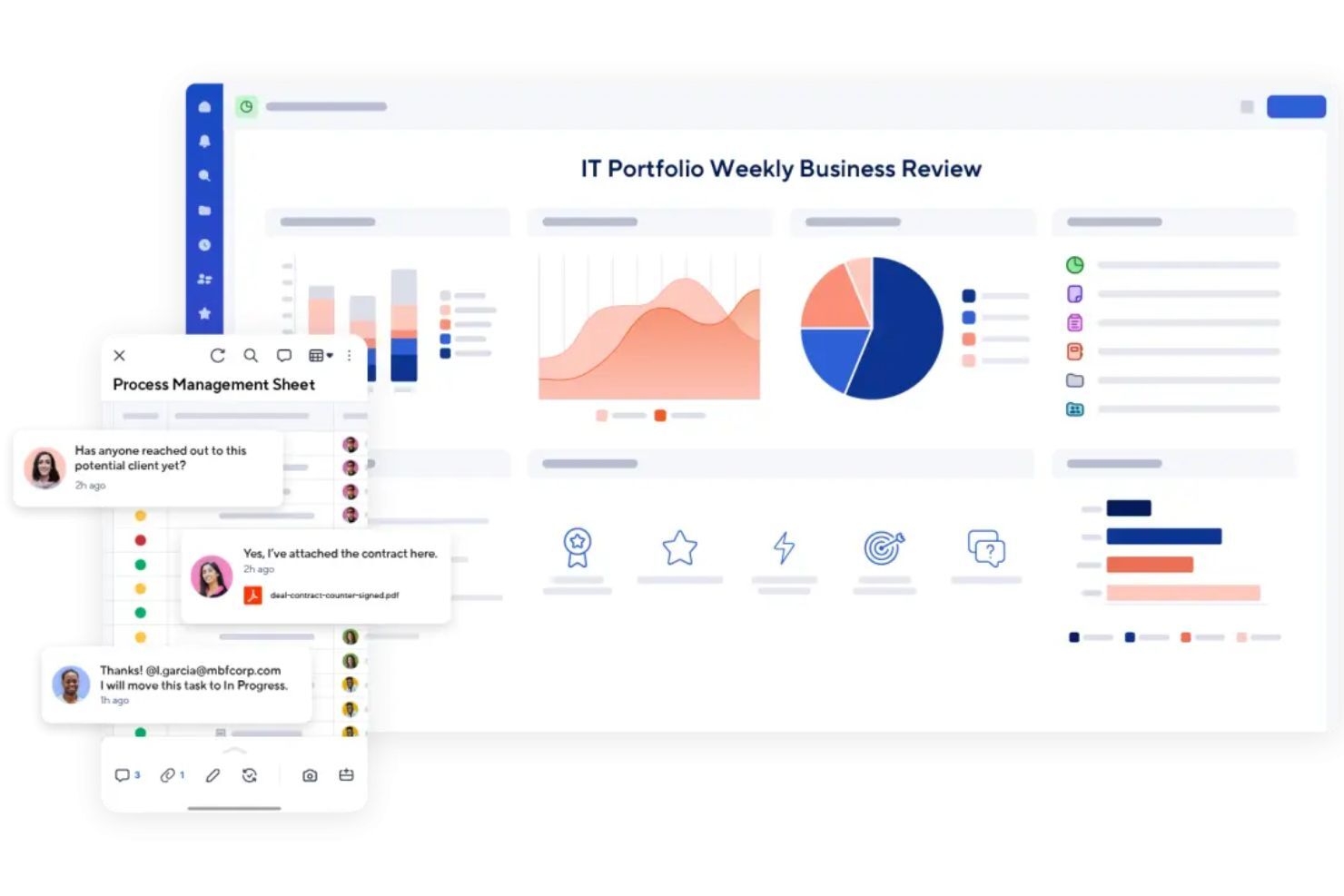
Smartsheet is fairly easy to pick up, especially if you’re already comfortable using spreadsheets. The layout feels familiar, and it’s simple to create a sheet, assign tasks, and track deadlines.
Where it gets harder is when you start building more advanced setups like automations, dashboards, formulas, and reporting across multiple sheets. It’s powerful, but it can take time to learn how to structure things properly so your workspace doesn’t get messy.
Overall, it’s user-friendly for teams that like a spreadsheet-style workflow, but it may feel less intuitive if you’re not familiar with that format and if you prefer a more modern, visual project management tool.
Onboarding
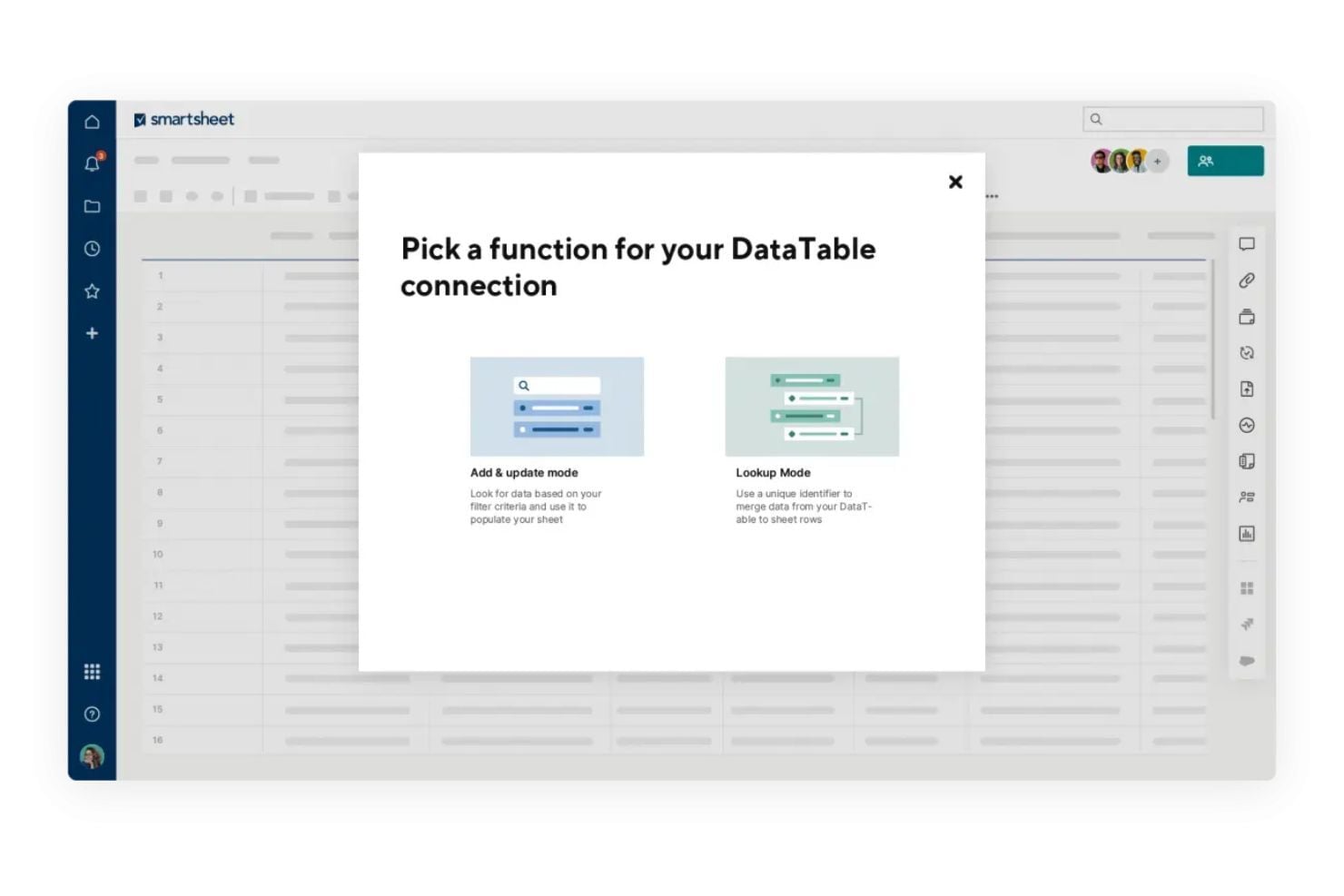
Smartsheet onboarding is mostly self-guided, with plenty of structured resources to help new users ramp up quickly.
New teams can follow Smartsheet’s Getting Started checklist and learning paths to understand the basics, then build from templates and examples as their workflows get more advanced. Smartsheet also offers onboarding webinar sessions for users who prefer a guided walkthrough of the platform’s core capabilities.
Customer Support
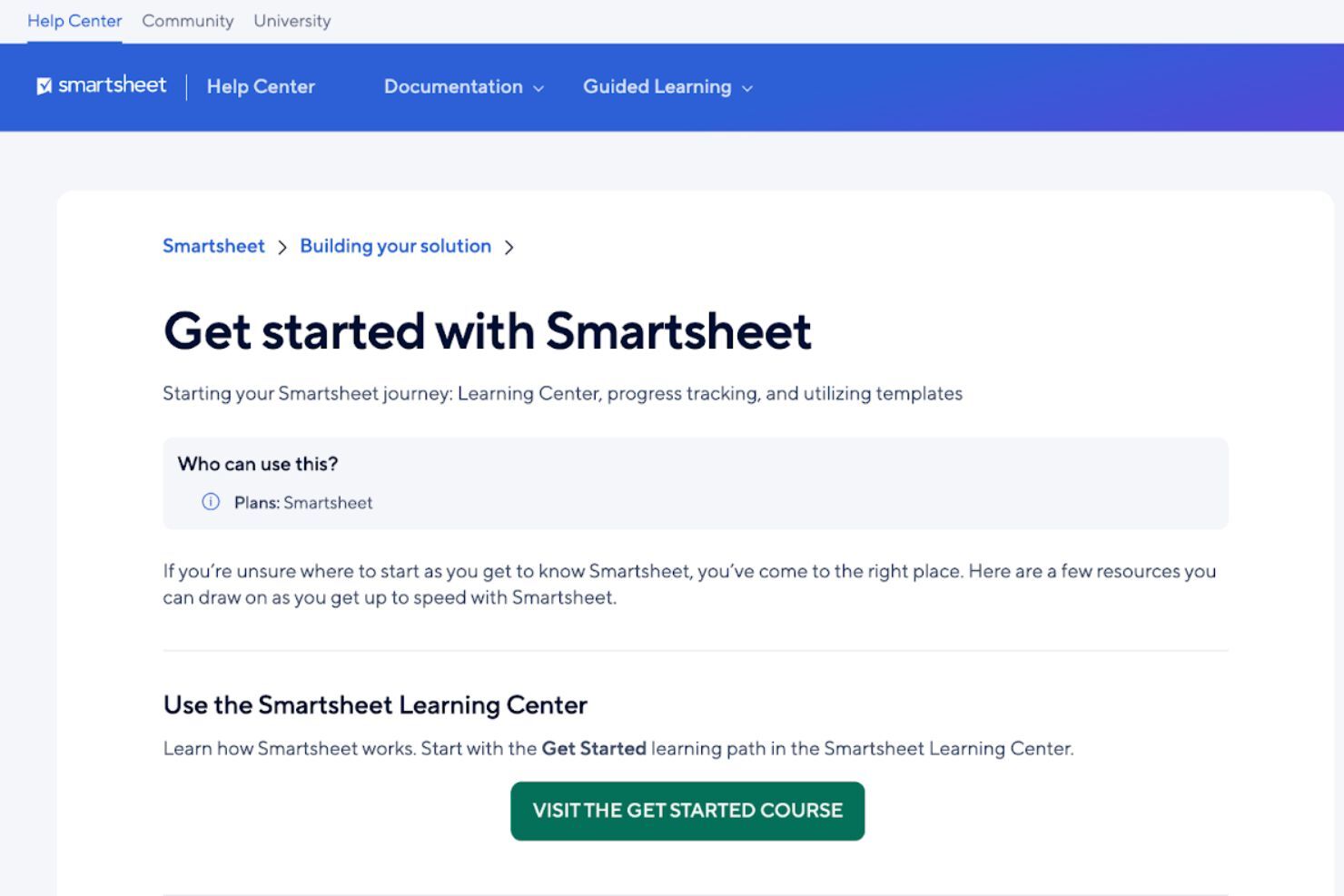
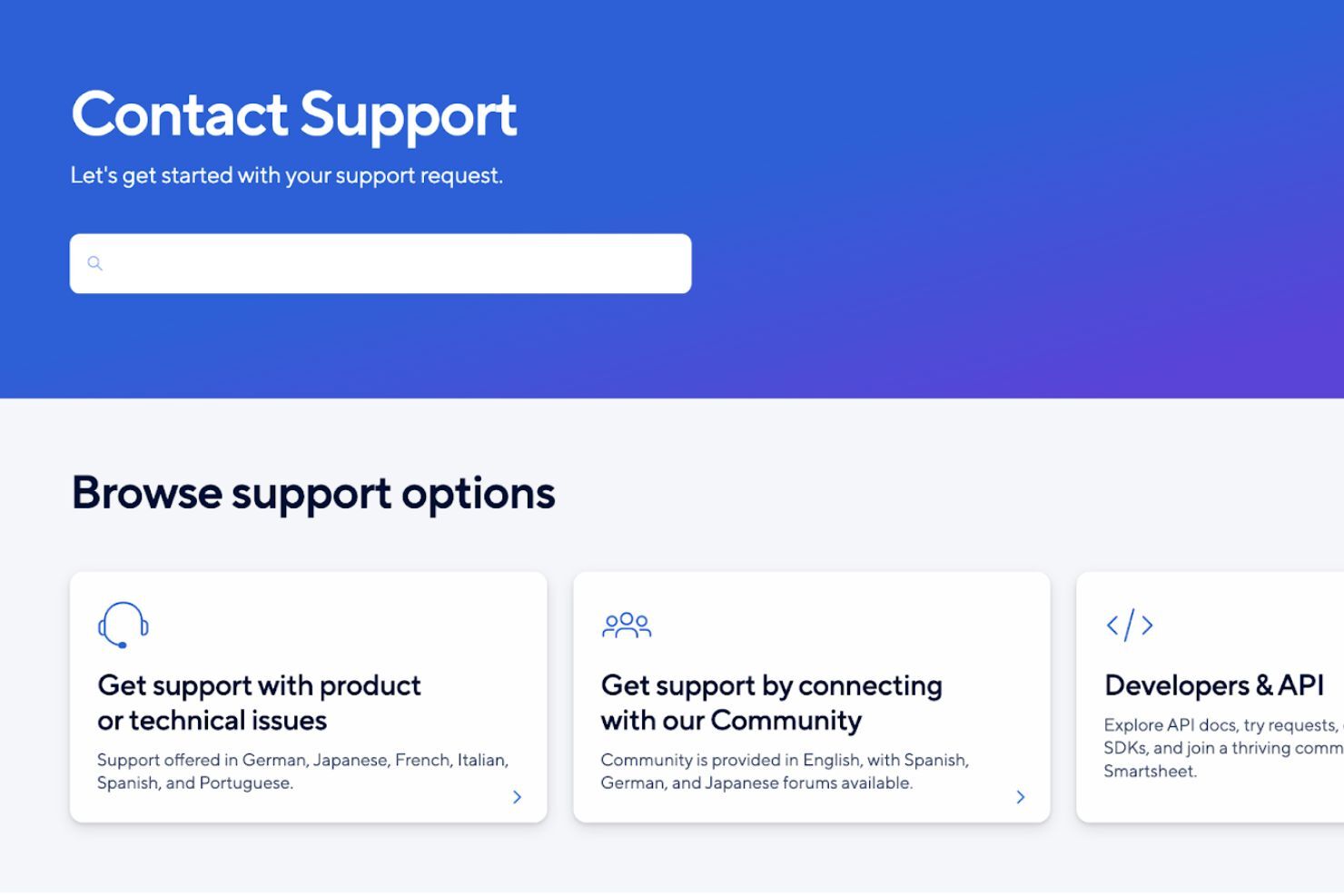
Smartsheet offers customer support through its Contact Support page, where you can get directed to the right help option based on what you need. Live support is available through multiple channels (tickets, the Smartsheet Community, and in-app chat), though some options are restricted to higher-tiers, like 24/7 global phone support, 24/7 live agent support via in-app chat, and Pro Desk guided coaching sessions.
If you prefer self-serve support, you can also rely on Smartsheet’s Help Center documentation and guided learning resources to troubleshoot issues, learn features, and set up workflows without needing to contact support directly.
Integrations
Integrations include Jira, Power BI, Salesforce, ServiceNow, Workday, Make, Google Calendar, Slack, and Microsoft Teams.
An API is available for building custom integrations, which is helpful if you need Smartsheet to sync with internal systems or support more advanced workflows.

Value for Money
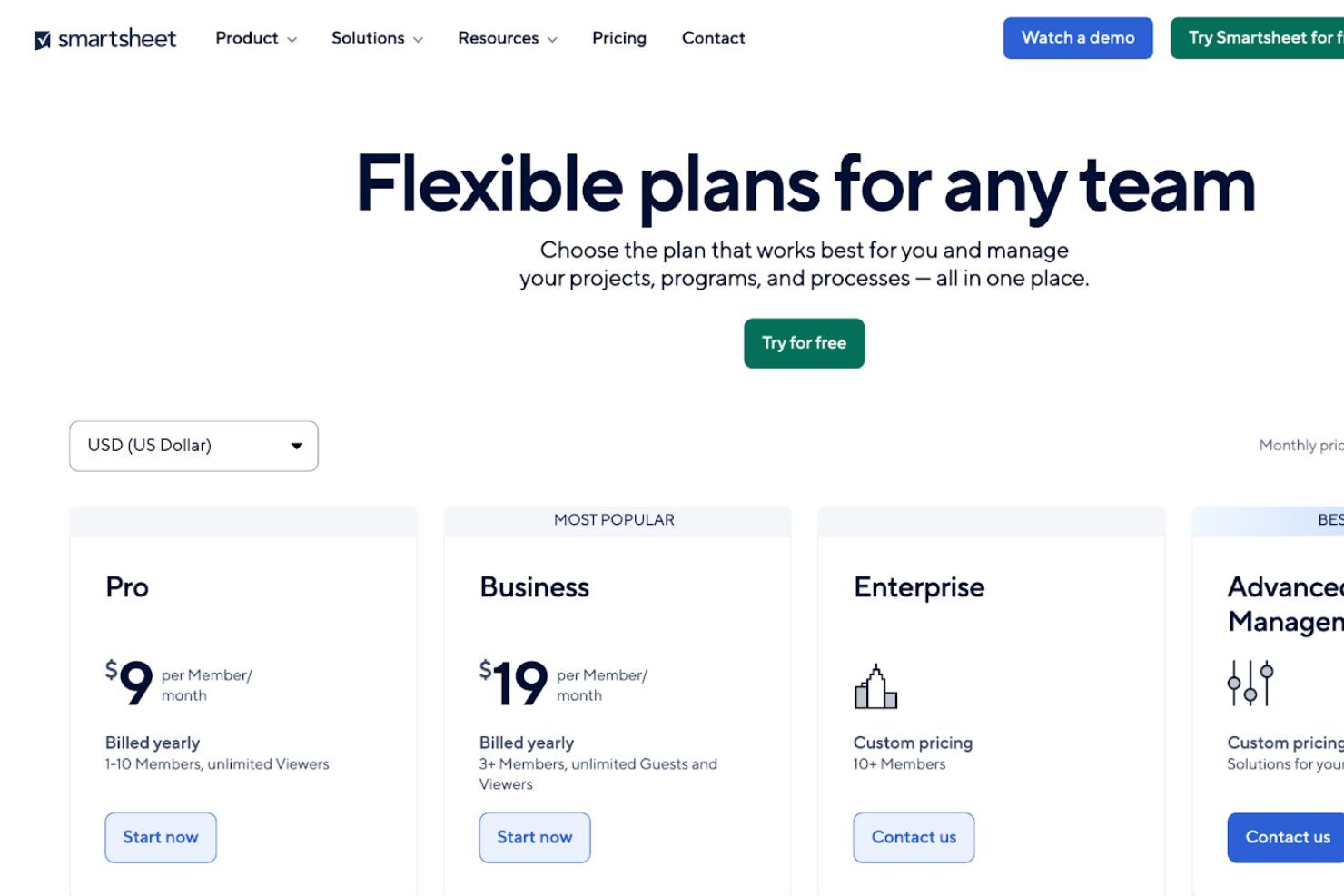
Smartsheet uses a tiered subscription model with plans built for different team sizes and workflow complexity.
- Pro: Basic work tracking for individuals and small teams.
- Business: More workflow tools for growing teams and projects.
- Enterprise: Advanced security, admin, and governance controls.
- Advanced Work Management: Premium tools for portfolio-level work management.
Plans include core views like Gantt, board, and calendar, plus tools like forms, reports, and automations. Higher tiers add stronger security, admin controls, and premium apps like Control Center and Dynamic View.
Smartsheet Specs
- API
- Batch Permissions & Access
- Budgeting
- Calendar Management
- Collaboration Support
- Contact Management
- Contact Sharing
- Customer Management
- Dashboard
- Dashboards
- Data Export
- Data Import
- Data Visualization
- Dependency Tracking
- Document Sharing
- Expense Tracking
- External Integrations
- File Sharing
- Gantt Charts
- Kanban Boards
- Multi-User
- Notifications
- Project Management
- Resource Management
- Scheduling
- Task Scheduling/Tracking
- Third-Party Plugins/Add-Ons
- Time Management
- Travel Management
- Workflow Management
Smartsheet FAQs
Can Smartsheet handle complex projects with multiple teams?
Is Smartsheet easy for non-technical team members to use?
How does Smartsheet support collaboration?
Can I automate repetitive tasks in Smartsheet?
Is Smartsheet secure and compliant?
Can I track project performance in real time?
How does Smartsheet handle document sharing and storage?
What happens if someone accidentally deletes data?
Smartsheet Company Overview & History
Smartsheet Inc. is a publicly traded company based in Bellevue, Washington, with more than 3,000 employees. It launched its project management platform in 2006 and has grown to serve large organizations like Cisco, Netflix, and PayPal. Smartsheet focuses on enterprise work management and is known for its flexible, spreadsheet-style interface. The company trades on the NYSE under the ticker symbol SMAR.
Smartsheet Major Milestones
- 2005: Smartsheet Inc. was founded in Bellevue, Washington.
- 2006: First version of Smartsheet launched to the public.
- 2017: Reached over $100M in annualized recurring revenue.
- 2018: Went public on the NYSE under the ticker symbol SMAR.
- 2020: Acquired Brandfolder, a digital asset management platform.
- 2025: Acquired by Vista Equity Partners and Blackstone for $8.4 billion.
Et maintenant ?
Vous souhaitez échanger avec d'autres chefs de projet digital pour partager des ressources et des bonnes pratiques ? Rejoignez notre communauté de membres pour accéder à plus de 100 modèles, exemples et groupes Slack avec des centaines de pairs.