


Reseña de Things 3: Pros, Contras, Características y Precios



Things 3 is a task management software built for individuals who need a clean, structured way to capture and organize personal and professional to-dos across Apple devices. I'd consider it over something like Todoist if you're already in the Apple ecosystem and want a more opinionated, design-forward experience. Todoist gives you more cross-platform flexibility, but Things 3 delivers a more focused, distraction-free approach to task organization that's hard to match on Mac and iPhone.
Things 3 Evaluation Summary
- Pricing upon request
- Not available
Por qué confiar en nuestras recomendaciones de software
Nuestro equipo lleva probando y evaluando software desde 2012. Como gestores de proyectos, sabemos lo difícil —y lo importante— que es elegir el software adecuado.
Para esta guía, evaluamos las herramientas mediante pruebas prácticas e investigación independiente, puntuando las herramientas según nuestros criterios de selección. También nos basamos en la experiencia de líderes de opinión del sector y de profesionales en activo de la gestión de proyectos.
Nuestras reseñas reflejan nuestro criterio editorial humano, no un discurso de ventas.
Revisores expertos:
Things 3 Overview
In my opinion, Things 3 is a solid choice for individuals looking for a straightforward task management tool. It shines with a clean interface and intuitive design, which makes it ideal for those who prioritize simplicity and aesthetics over complex workflows or extensive integrations. However, it may not suit teams, as it lacks advanced features and collaboration tools. If you're seeking a no-fuss solution for organizing personal tasks or small-scale projects—especially within the Apple ecosystem—Things 3 is definitely worth considering.

pros
-
A clean and intuitive interface with distraction-free task management
-
Powerful organization tools including tags, checklists, headings, and project categories
-
Deadlines and reminders help you stay on track with your tasks
cons
-
No collaboration or team-sharing features
-
Onboarding process is a bit challenging without prior experience
-
Limited reporting and analytics may not meet the needs of power users
-

Smartsheet
Visit WebsiteThis rating combines scores from multiple user review sites to reflect overall customer sentiment about the product.4.4 -
Celoxis
Visit WebsiteThis rating combines scores from multiple user review sites to reflect overall customer sentiment about the product.4.5 -
Accelo
Visit WebsiteThis rating combines scores from multiple user review sites to reflect overall customer sentiment about the product.4.4





Nuestra Metodología de Revisión
Cómo probamos y puntuamos las herramientas
Llevamos años construyendo, refinando y mejorando nuestro sistema de prueba y puntuación de software. La rúbrica está diseñada para capturar los matices de la selección de software y los factores que hacen efectivo a un sistema, centrándose en los aspectos críticos del proceso de toma de decisiones.
A continuación, puedes ver exactamente cómo funciona nuestro proceso de prueba y puntuación en base a siete criterios. Esto nos permite proporcionar una evaluación imparcial del software basada en la funcionalidad principal, características destacadas, facilidad de uso, incorporación, soporte al cliente, integraciones, opiniones de clientes y valor por el dinero.
Funcionalidad principal (25% de la puntuación final)
El punto de partida de nuestra evaluación es siempre la funcionalidad principal de la herramienta. ¿Cuenta con las funciones y características básicas que un usuario esperaría ver? ¿Alguna de estas funciones principales está limitada a planes de precios superiores? Esperamos que la herramienta se mantenga a la par de las capacidades básicas de sus competidores.
Características destacadas (25% de la puntuación final)
A continuación, evaluamos las características destacadas poco comunes que van más allá de la funcionalidad principal normalmente encontrada en este tipo de herramientas. Una puntuación alta refleja funciones únicas o especializadas que hacen que el producto sea más rápido, eficiente, o aporte valor extra al usuario.
También evaluamos la facilidad de integración con otras herramientas habitualmente presentes en el ecosistema tecnológico para ampliar la funcionalidad y utilidad del software. Las herramientas que ofrecen muchas integraciones nativas, conexiones de terceros y acceso por API para integrar soluciones personalizadas obtienen la mejor puntuación.
Facilidad de uso (10% de la puntuación final)
Consideramos cuán rápido y fácil es ejecutar las tareas fundamentales usando la herramienta. El software con alta puntuación está bien diseñado, es intuitivo, ofrece aplicaciones móviles, proporciona plantillas y hace que tareas relativamente complejas parezcan sencillas.
Incorporación (10% de la puntuación final)
Sabemos lo importante que es una adopción rápida para un nuevo sistema, así que evaluamos cuán sencillo es aprender a usar la herramienta con una capacitación mínima. Analizamos cuán rápido un miembro del equipo puede configurarse y comenzar a usar la herramienta sin experiencia previa. Las soluciones mejor puntuadas indican que se requiere poco o ningún soporte.
Soporte al cliente (10% de la puntuación final)
Revisamos la rapidez y facilidad para obtener ayuda por teléfono, chat en vivo o base de conocimientos. Las empresas que ofrecen soporte en tiempo real obtienen las mejores puntuaciones, mientras que los chatbots obtienen las peores.
Opiniones de clientes (10% de la puntuación final)
Además de nuestras propias pruebas y valoraciones, consideramos la puntuación neta del promotor de clientes actuales y anteriores. Revisamos la probabilidad de que, ante la opción, quisieran elegir la herramienta de nuevo por su funcionalidad central. Un software con una puntuación alta refleja una gran satisfacción de sus usuarios actuales o pasados.
Valor por el dinero (10% de la puntuación final)
Por último, tomando en cuenta todos los criterios mencionados, comparamos el precio promedio de los planes básicos respecto a las funciones principales y el valor aportado por los otros criterios. El software que entrega más por menos recibirá una puntuación superior.
Core Features
Task organization: Things 3 allows you to organize tasks and subtasks using Projects, Areas, and Tags. Projects help group related tasks with clear goals, while Areas categorize broader themes like "Work" or "Personal." Tags let you add context, which makes it easy to filter and prioritize tasks based on what matters most.
Deadline reminders: Things 3 lets you assign due dates and deadlines to tasks, with optional notifications to remind you when it's time to take action. This supports effective time management by helping you stay on top of important responsibilities—especially for tasks with hard deadlines or recurring obligations.
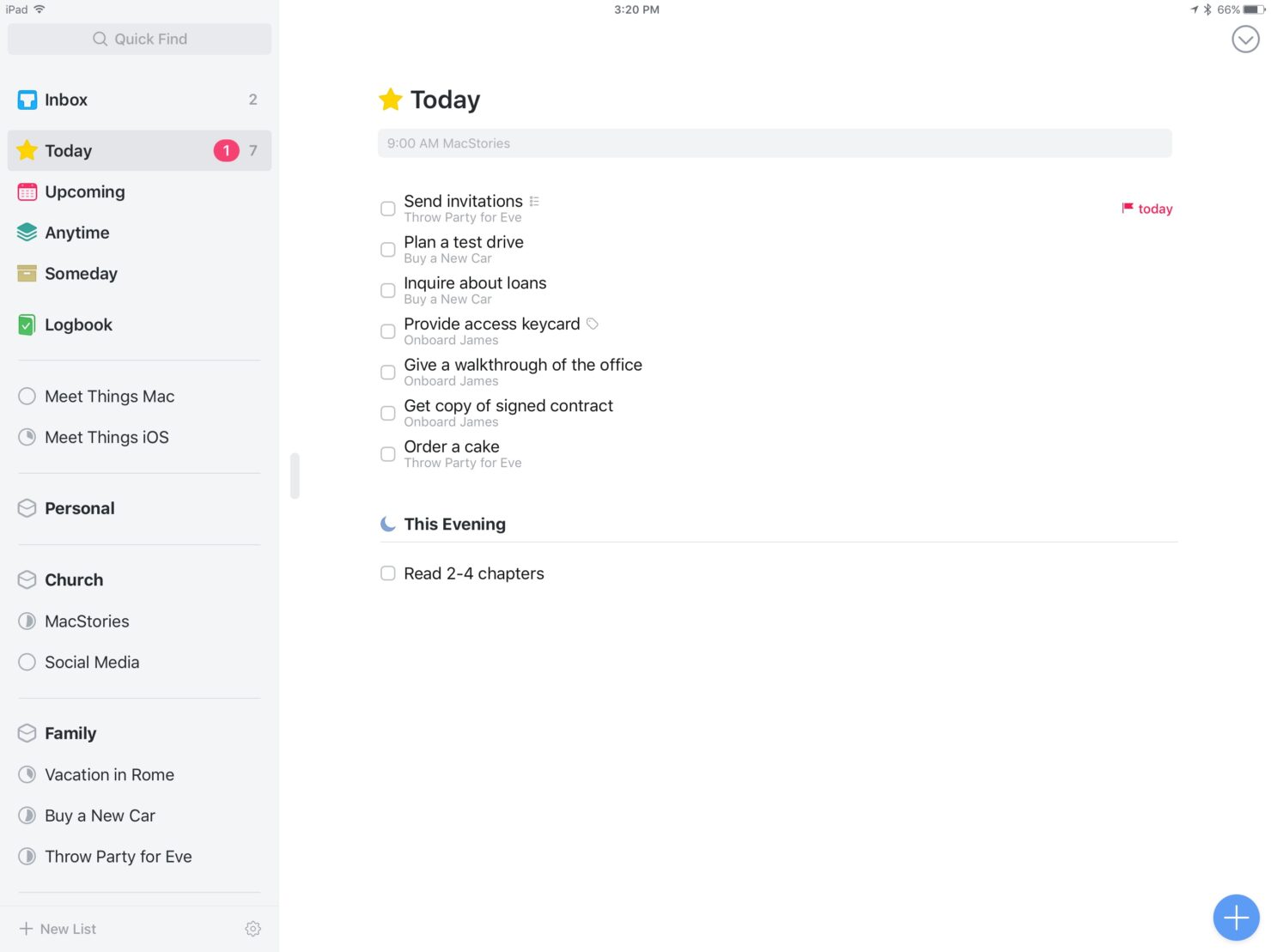
Daily planning: The Today view in Things 3 highlights all tasks scheduled or due today, giving you a focused, up-to-date agenda. This view automatically pulls in tasks with set dates and allows you to manually add items you want to prioritize, helping you concentrate on what requires your immediate attention.
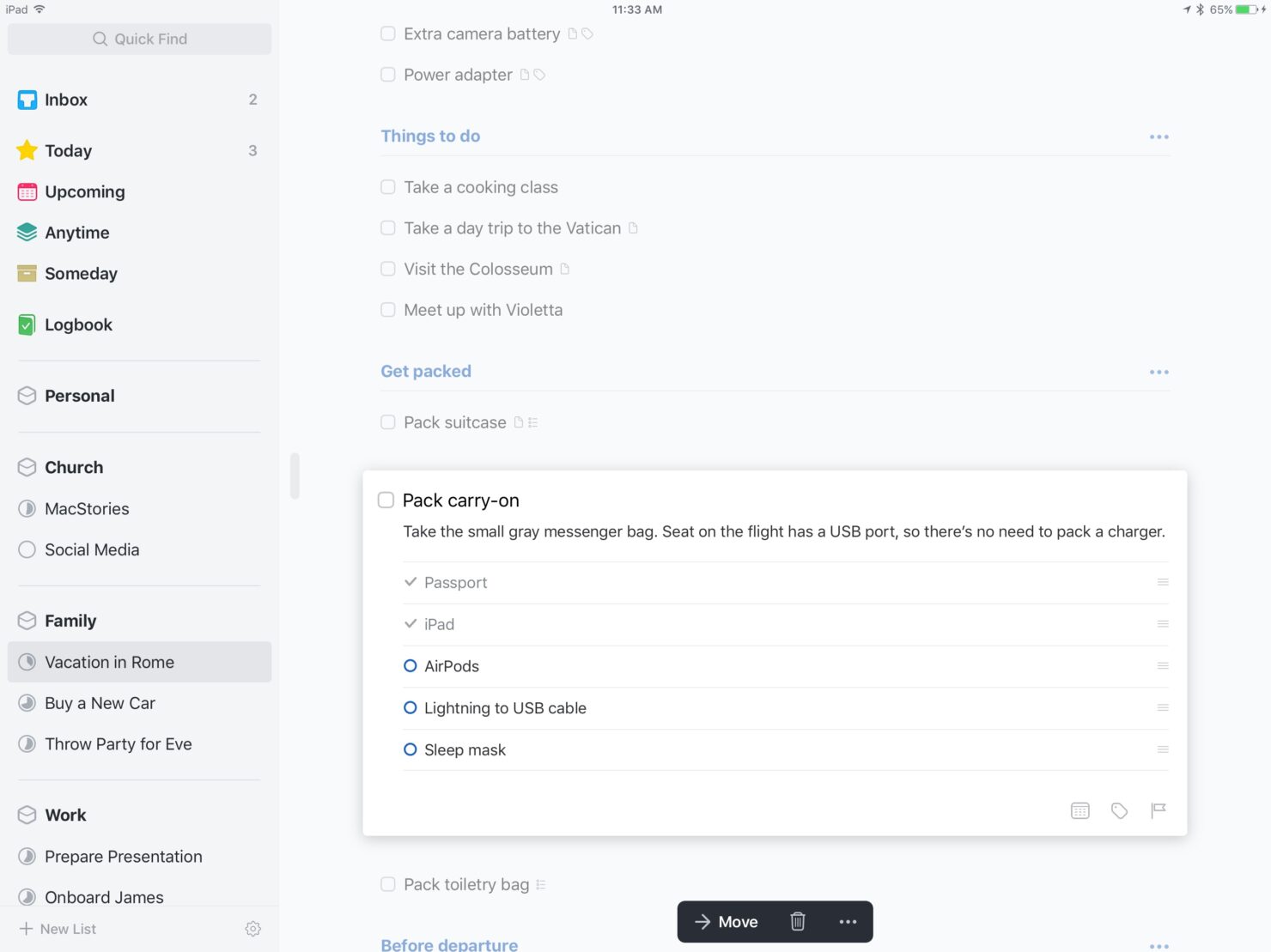
Checklists: Within any task in Things 3, you can create checklists to break it down into smaller, more manageable steps. This is especially helpful for multi-step tasks or detailed workflows to ensure that nothing slips through the cracks.
Search functionality: Things 3 includes a powerful, system-wide search function that lets you instantly locate tasks, projects, tags, or notes. Whether you're looking for a specific keyword, project title, or tag, the search bar delivers fast results.
Calendar integration: Things 3 can sync with your Apple Calendar app, which allows you to view scheduled events alongside your tasks in the Today and Upcoming views. This provides a unified, comprehensive view of your day or week that can help you plan tasks around existing commitments and avoid scheduling conflicts.
Ease of Use
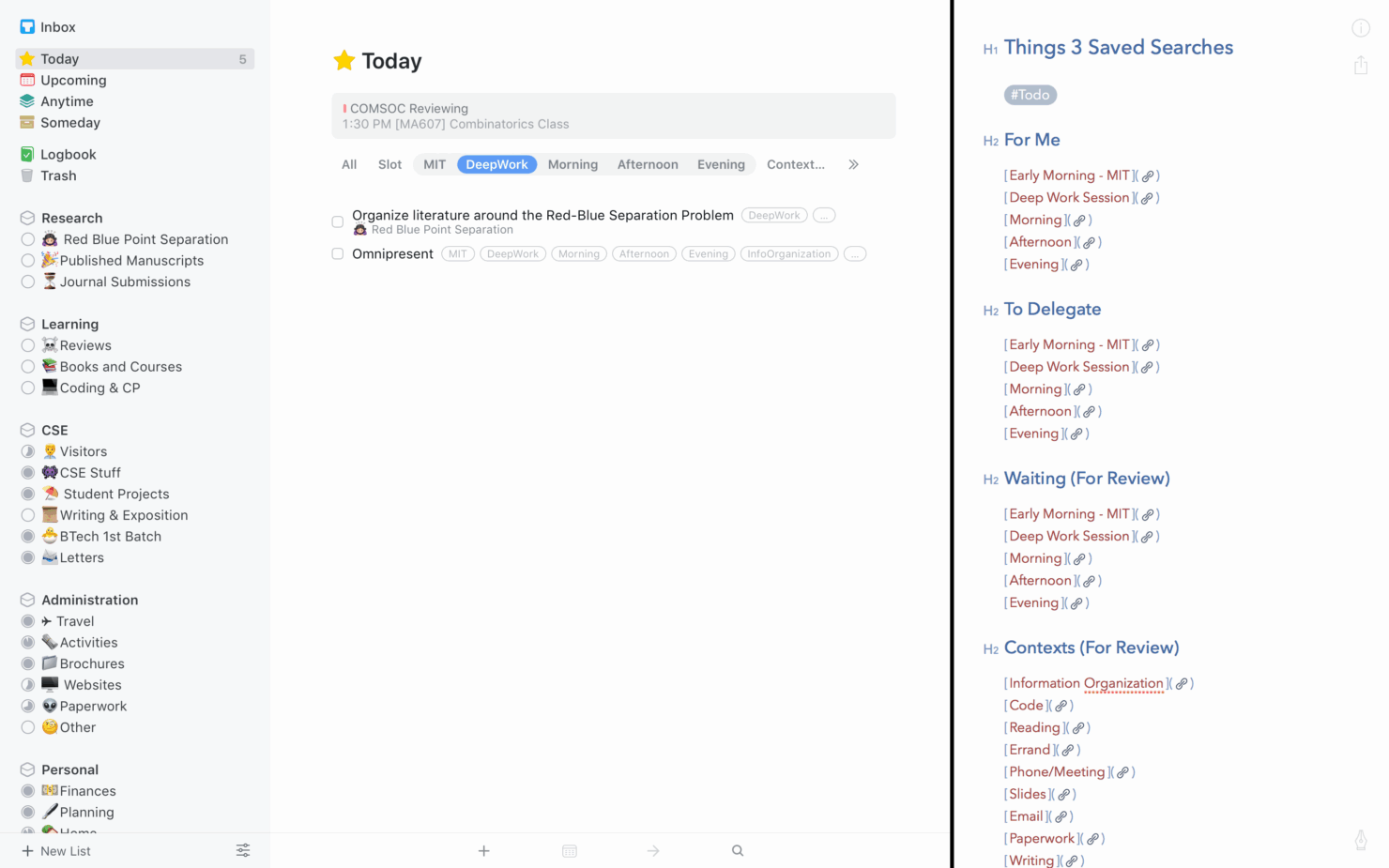
Things 3 stands out for its intuitive design and user-friendly interface, which makes it easy for you to navigate and manage tasks. The natural language input and simple task organization let you quickly add, categorize, and schedule tasks without unnecessary hassle. The app’s clean, minimalist layout ensures you spend less time learning the tool and more time getting things done. Whether you're tech-savvy or just starting out, Things 3 offers a smooth, efficient user experience that’s easy to adopt.
Things 3 Specs
- A/B Testing
- API
- Automated Testing
- Browser Compatibility Testing
- Bug Tracking
- Calendar Management
- CI/CD Integration
- Dashboard
- Data Export
- Data Import
- Data Visualization
- Developer Tools
- External Integrations
- History/Version Control
- Manual Testing
- Multi-User
- Notifications
- Performance Testing
- Regression Testing
- Scheduling
- Status Notifications
- Third-Party Plugins/Add-Ons


Things 3 FAQs
Can I collaborate with my team using Things 3?
Is Things 3 available on Android?
How does Things 3 handle data security?
Can I use Things 3 offline?
Does Things 3 offer reminders and notifications?
How customizable is the Things 3 interface?
Can I import tasks from other apps into Things 3?
Does Things 3 support recurring tasks?
¿Qué sigue?
¿Quieres conectarte con otros gestores de proyectos digitales para compartir recursos y mejores prácticas? Únete a nuestra comunidad de miembros y obtén acceso a más de 100 plantillas, muestras y ejemplos, y conecta con cientos de otros gestores de proyectos digitales en Slack.