


Reseña de Plaky: Ventajas, Desventajas, Características y Resumen de Precios



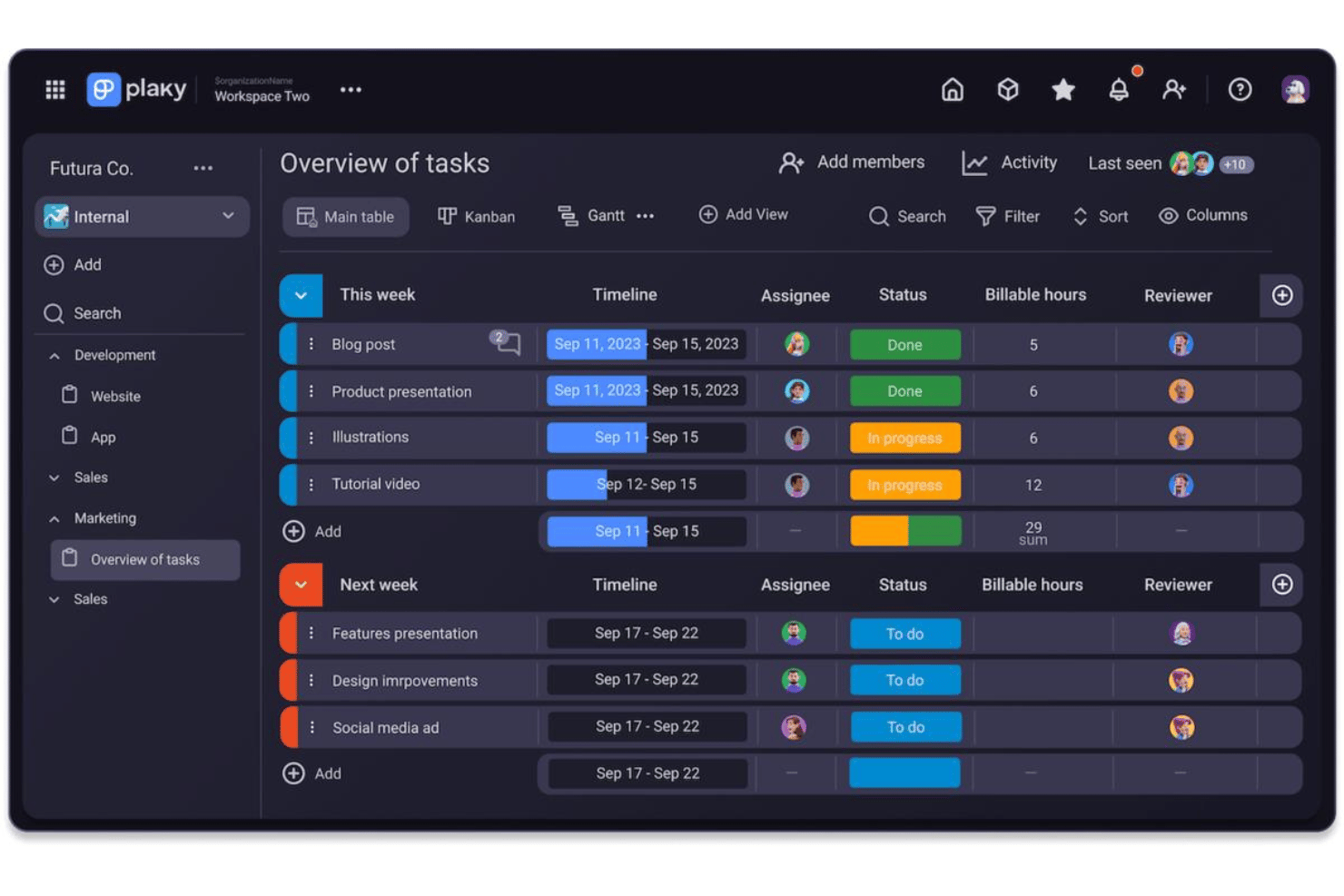
Plaky is a project management software for small business that centers on task tracking, board views, and project organization across teams. I'd consider it if you need clear project visibility without the per-seat pricing pressure that makes tools like monday.com expensive as your team grows. Plaky's free plan supports unlimited users and unlimited projects, which makes it a practical starting point for small teams managing multiple workstreams on a tight budget.
Plaky Evaluation Summary
- From $3.99/seat/month (billed annually)
- Free plan + free demo available
Por qué confiar en nuestras recomendaciones de software
Nuestro equipo lleva probando y evaluando software desde 2012. Como gestores de proyectos, sabemos lo difícil —y lo importante— que es elegir el software adecuado.
Para esta guía, evaluamos las herramientas mediante pruebas prácticas e investigación independiente, puntuando las herramientas según nuestros criterios de selección. También nos basamos en la experiencia de líderes de opinión del sector y de profesionales en activo de la gestión de proyectos.
Nuestras reseñas reflejan nuestro criterio editorial humano, no un discurso de ventas.
Revisores expertos:
Plaky Overview
If you're looking for a straightforward project management tool, I think Plaky offers above-average value—especially with its clean user interface, quick onboarding, and free core plan. While it lacks deep integration options and advanced automations, it delivers everything most small teams need for daily task tracking and collaboration. Teams managing workspaces across multiple projects will appreciate the transparent price structure and the ability to scale without per-seat penalties. I'd judge it as ideal for teams wanting easy setup, reliable task boards, and simple file sharing, rather than complex workflow customization. For budget-conscious teams new to formal project management, Plaky is likely a smart pick.
pros
-
Unlimited users and projects on the free plan
-
Clear task boards with drag-and-drop functionality
-
Fast setup and onboarding for new team members
cons
-
No built-in time-tracking features
-
Limited reporting and analytics options
-
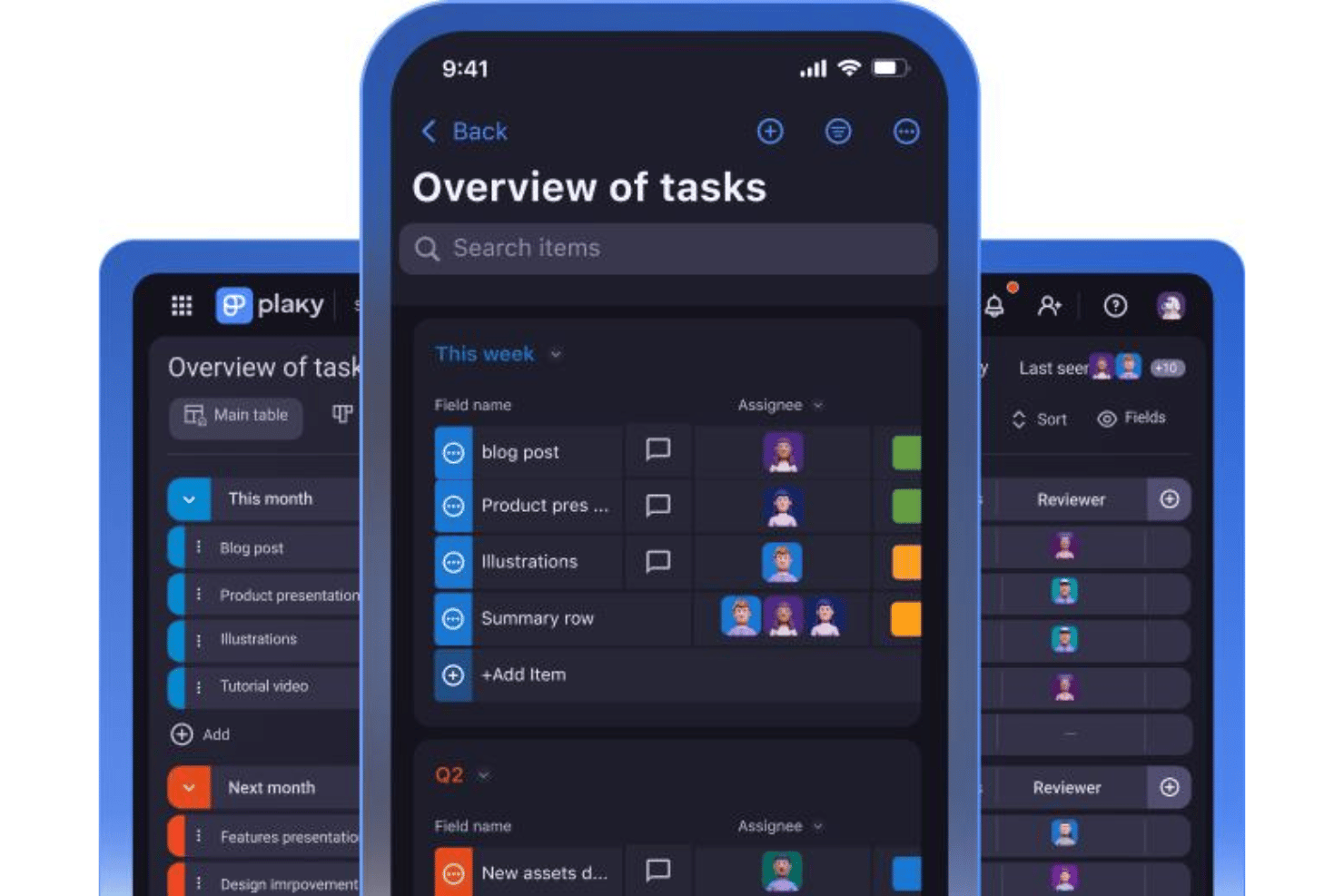
Lacks offline or native mobile app support
-

Smartsheet
Visit WebsiteThis rating combines scores from multiple user review sites to reflect overall customer sentiment about the product.4.4 -
Celoxis
Visit WebsiteThis rating combines scores from multiple user review sites to reflect overall customer sentiment about the product.4.5 -
Accelo
Visit WebsiteThis rating combines scores from multiple user review sites to reflect overall customer sentiment about the product.4.4





Nuestra Metodología de Revisión
Cómo probamos y puntuamos las herramientas
Llevamos años construyendo, refinando y mejorando nuestro sistema de prueba y puntuación de software. La rúbrica está diseñada para capturar los matices de la selección de software y los factores que hacen efectivo a un sistema, centrándose en los aspectos críticos del proceso de toma de decisiones.
A continuación, puedes ver exactamente cómo funciona nuestro proceso de prueba y puntuación en base a siete criterios. Esto nos permite proporcionar una evaluación imparcial del software basada en la funcionalidad principal, características destacadas, facilidad de uso, incorporación, soporte al cliente, integraciones, opiniones de clientes y valor por el dinero.
Funcionalidad principal (25% de la puntuación final)
El punto de partida de nuestra evaluación es siempre la funcionalidad principal de la herramienta. ¿Cuenta con las funciones y características básicas que un usuario esperaría ver? ¿Alguna de estas funciones principales está limitada a planes de precios superiores? Esperamos que la herramienta se mantenga a la par de las capacidades básicas de sus competidores.
Características destacadas (25% de la puntuación final)
A continuación, evaluamos las características destacadas poco comunes que van más allá de la funcionalidad principal normalmente encontrada en este tipo de herramientas. Una puntuación alta refleja funciones únicas o especializadas que hacen que el producto sea más rápido, eficiente, o aporte valor extra al usuario.
También evaluamos la facilidad de integración con otras herramientas habitualmente presentes en el ecosistema tecnológico para ampliar la funcionalidad y utilidad del software. Las herramientas que ofrecen muchas integraciones nativas, conexiones de terceros y acceso por API para integrar soluciones personalizadas obtienen la mejor puntuación.
Facilidad de uso (10% de la puntuación final)
Consideramos cuán rápido y fácil es ejecutar las tareas fundamentales usando la herramienta. El software con alta puntuación está bien diseñado, es intuitivo, ofrece aplicaciones móviles, proporciona plantillas y hace que tareas relativamente complejas parezcan sencillas.
Incorporación (10% de la puntuación final)
Sabemos lo importante que es una adopción rápida para un nuevo sistema, así que evaluamos cuán sencillo es aprender a usar la herramienta con una capacitación mínima. Analizamos cuán rápido un miembro del equipo puede configurarse y comenzar a usar la herramienta sin experiencia previa. Las soluciones mejor puntuadas indican que se requiere poco o ningún soporte.
Soporte al cliente (10% de la puntuación final)
Revisamos la rapidez y facilidad para obtener ayuda por teléfono, chat en vivo o base de conocimientos. Las empresas que ofrecen soporte en tiempo real obtienen las mejores puntuaciones, mientras que los chatbots obtienen las peores.
Opiniones de clientes (10% de la puntuación final)
Además de nuestras propias pruebas y valoraciones, consideramos la puntuación neta del promotor de clientes actuales y anteriores. Revisamos la probabilidad de que, ante la opción, quisieran elegir la herramienta de nuevo por su funcionalidad central. Un software con una puntuación alta refleja una gran satisfacción de sus usuarios actuales o pasados.
Valor por el dinero (10% de la puntuación final)
Por último, tomando en cuenta todos los criterios mencionados, comparamos el precio promedio de los planes básicos respecto a las funciones principales y el valor aportado por los otros criterios. El software que entrega más por menos recibirá una puntuación superior.
Core Features
Task Boards
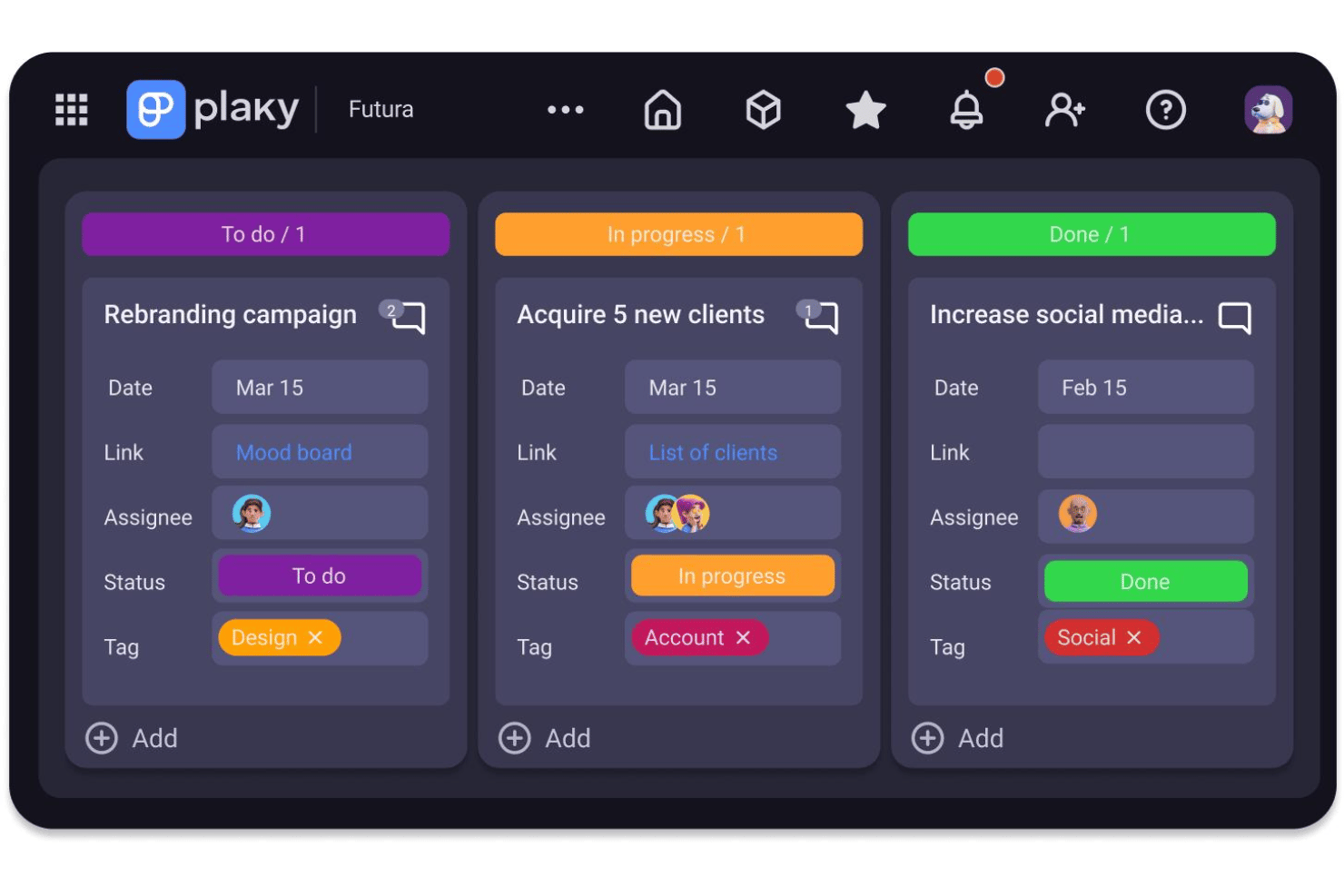
Plaky lets you create custom Kanban-style boards for any project. You can visually move tasks between columns as work progresses.
Custom Fields
Add multiple field types to tasks, such as due dates, dropdowns, or attachments. This makes tracking work details flexible for any workflow.
Table and Board Views
Switch between spreadsheet-style and drag-and-drop board layouts. This helps teams see data the way that fits their process best.
User Permissions
Set exact user roles for each team member, like admin or guest. You control who can edit, add, or only view tasks inside each project.
Activity Logs
Plaky records all changes made in your project. You always know who updated what and when for accountability.
File Attachments
Attach documents, images, or links directly to any task. Plaky keeps all your project files organized and easy to find in one place.
Ease of Use
Plaky's user interface is clean, simple, and quick to navigate, which makes it genuinely user-friendly for small businesses. I think teams appreciate being able to set up custom boards, tags, and board permissions in minutes without technical help. The learning curve is refreshingly short—most workflows can be built with drag and drop, and feedback often highlights the clutter-free design and easy onboarding for new users. Notifications keep everyone in the loop without overwhelming inboxes, and assigning an assignee to any task takes seconds.
Integrations
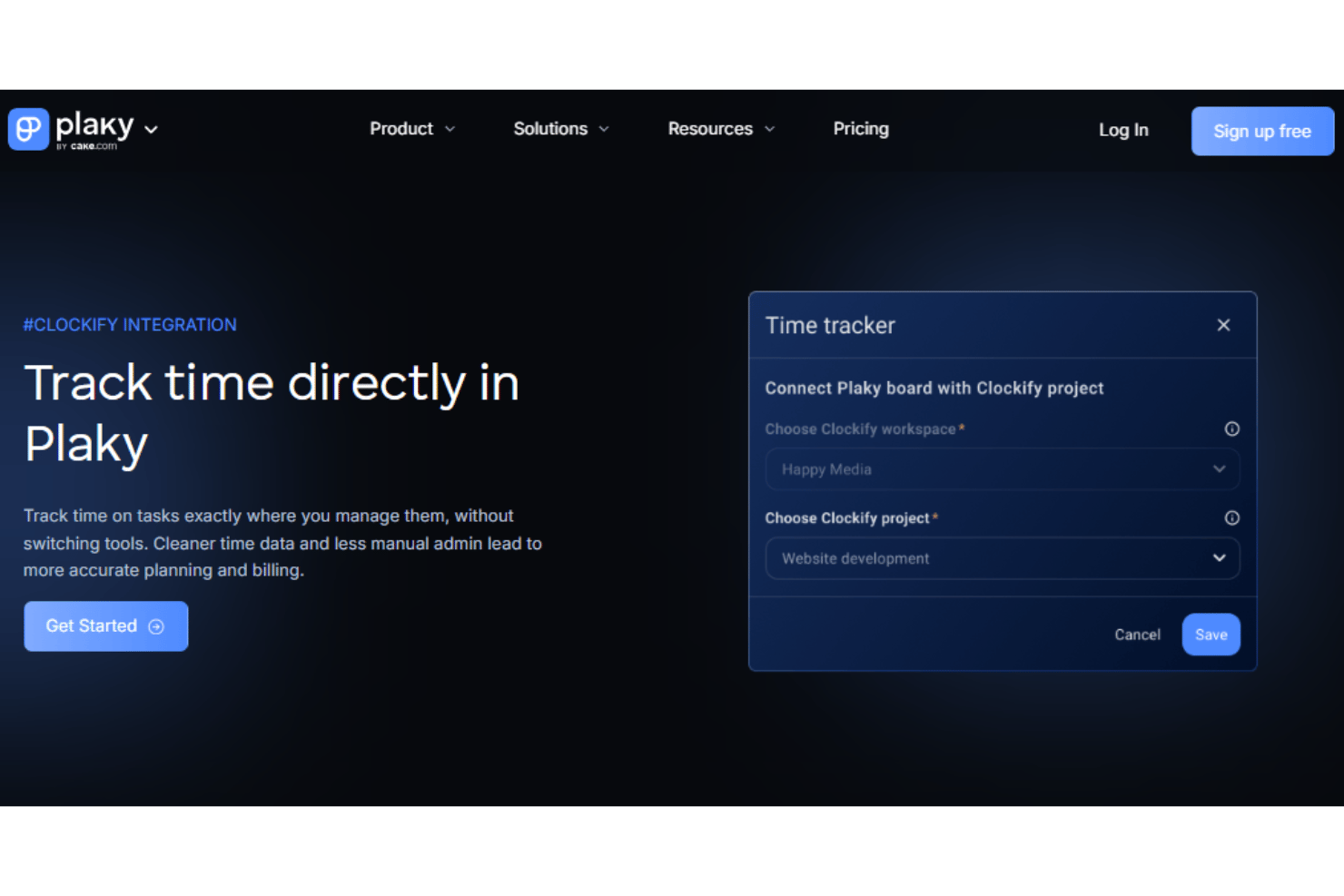
Plaky integrates with Pumble and Clockify.
Plaky also offers a public API, so you can build custom integrations or connect with other third-party tools as needed.
Plaky Specs
- API
- Batch Permissions & Access
- Budgeting
- Calendar Management
- Collaboration Support
- Contact Management
- Contact Sharing
- Customer Management
- Dashboard
- Dashboards
- Data Export
- Data Import
- Data Visualization
- Dependency Tracking
- Document Sharing
- Expense Tracking
- External Integrations
- File Sharing
- Gantt Charts
- Kanban Boards
- Multi-User
- Notifications
- Project Management
- Resource Management
- Scheduling
- Task Scheduling/Tracking
- Third-Party Plugins/Add-Ons
- Time Management
- Travel Management
- Workflow Management


