



Microsoft Project vs. monday.com: Reseñas de Expertos para 2026



Microsoft Project ofrece una solución robusta para gestionar proyectos complejos, lo que la convierte en una opción confiable para las empresas. Por otro lado, monday.com proporciona una plataforma flexible e intuitiva que se adapta a las necesidades únicas de flujo de trabajo de tu equipo.
Si bien ambas herramientas son potentes, Microsoft Project es más tradicional y estructurada en comparación con el enfoque moderno y personalizable de monday.com.
En este artículo, profundizaremos en una comparación detallada de estas herramientas, examinando sus características, ventajas y desventajas, precios y más para ayudarte a decidir qué software de gestión de proyectos se ajusta mejor a tus necesidades.
Microsoft Project vs. monday AI Workspace: An Overview
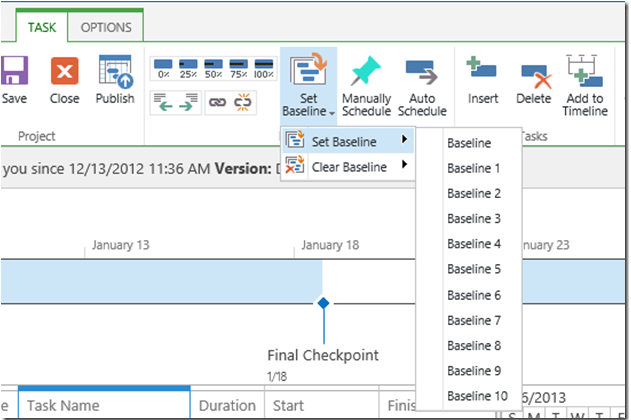
Microsoft Project
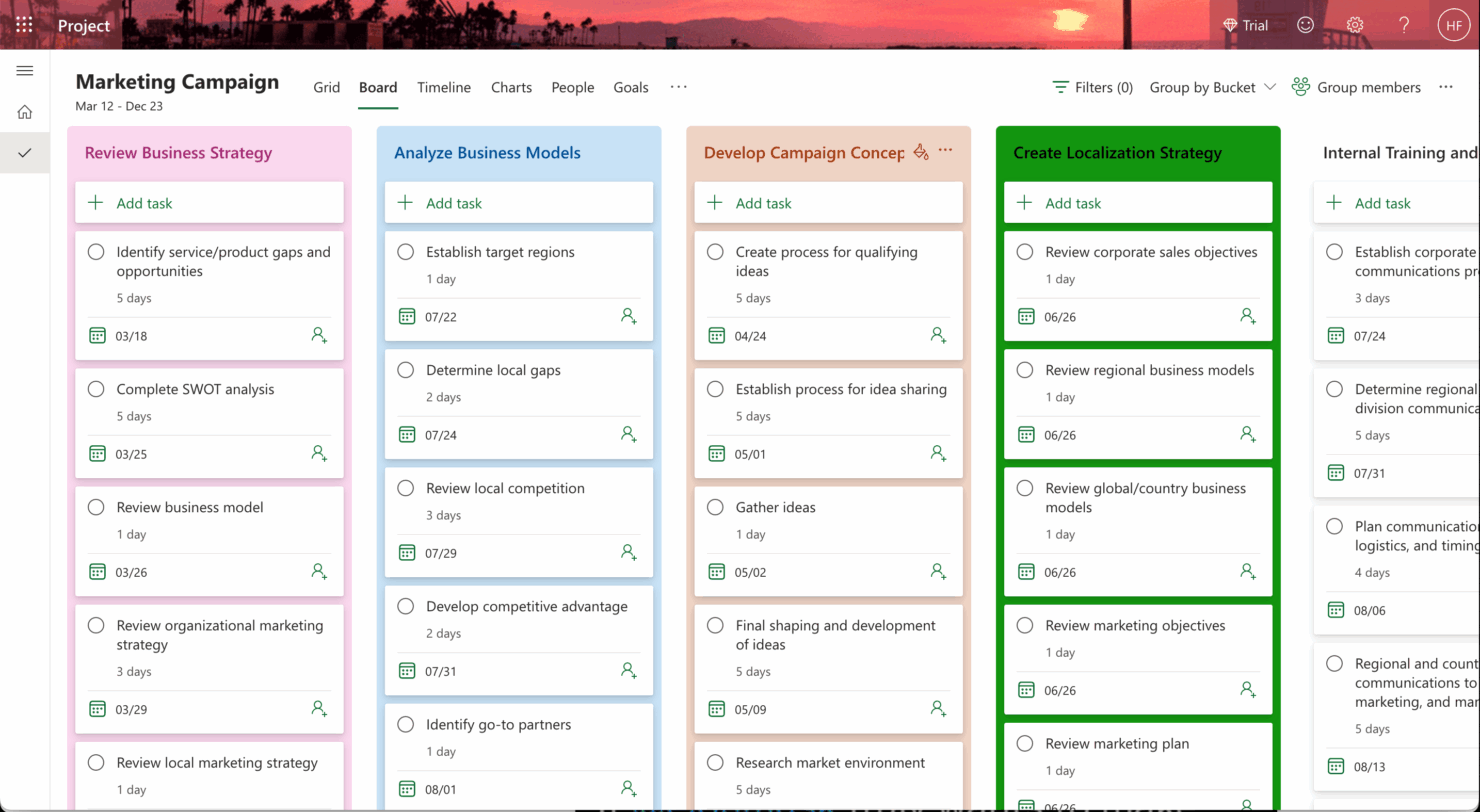




monday AI Workspace


Por qué confiar en nuestras recomendaciones de software
Nuestro equipo lleva probando y evaluando software desde 2012. Como gestores de proyectos, sabemos lo difícil —y lo importante— que es elegir el software adecuado.
Para esta guía, evaluamos las herramientas mediante pruebas prácticas e investigación independiente, puntuando las herramientas según nuestros criterios de selección. También nos basamos en la experiencia de líderes de opinión del sector y de profesionales en activo de la gestión de proyectos.
Nuestras reseñas reflejan nuestro criterio editorial humano, no un discurso de ventas.
Revisores expertos:
Microsoft Project vs. monday AI Workspace Pricing Comparison
| Microsoft Project | monday AI Workspace | |
|---|---|---|
| Free Trial | 30-day free trial | Free plan available |
| Pricing | From $10/user/month (billed annually) | From $9/user/month (billed annually) |
Microsoft Project vs monday.com: Precios y Costos Ocultos
Los precios de Microsoft Project siguen un modelo basado en suscripción, con costos que varían según el plan y con tarifas adicionales por funciones como informes avanzados o integraciones.
En cambio, los precios de monday.com son escalonados, ofreciendo diferentes niveles según la cantidad de usuarios y características, con posibles costos extra por soporte premium o complementos.
Para seleccionar la herramienta con el precio adecuado para tus necesidades, evalúa el tamaño de tu equipo, las funciones requeridas y la complejidad del proyecto, luego prueba las herramientas con versiones gratuitas para ver cuál se ajusta mejor a tu flujo de trabajo y presupuesto.
Microsoft Project vs. monday AI Workspace Feature Comparison
Con la funcionalidad de cronograma de arrastrar y soltar de Microsoft Project, puedes gestionar fácilmente los cronogramas de proyectos complejos, lo que lo hace ideal para una planificación detallada en proyectos corporativos de gran escala.
Mientras tanto, las automatizaciones de monday.com son excelentes para agilizar tareas repetitivas, permitiéndote concentrarte en la toma de decisiones estratégicas en entornos dinámicos y de ritmo acelerado.
Mientras que el cronograma de Microsoft Project destaca en la planificación estructurada, la automatización de monday.com ofrece flexibilidad y eficiencia en las operaciones diarias.
| Microsoft Project | monday AI Workspace | |
|---|---|---|
| API | ||
| Batch Permissions & Access | ||
| Budgeting | ||
| Calendar Management | ||
| Collaboration Support | ||
| Contact Management | ||
| Contact Sharing | ||
| Customer Management | ||
| Dashboard | ||
| Dashboards | ||
| Data Export | ||
| Data Import | ||
| Data Visualization | ||
| Dependency Tracking | ||
| Document Sharing | ||
| Expense Tracking | ||
| External Integrations | ||
| File Sharing | ||
| Gantt Charts | ||
| Kanban Boards | ||
| Multi-User | ||
| Notifications | ||
| Project Management | ||
| Resource Management | ||
| Scheduling | ||
| Task Scheduling/Tracking | ||
| Third-Party Plugins/Add-Ons | ||
| Time Management | ||
| Travel Management | ||
| Workflow Management |
Microsoft Project vs monday.com: Integraciones
| Integración | Microsoft Project | monday.com |
| Microsoft Teams | ✅ | ✅ |
| Slack | ❌ | ✅ |
| Jira | ✅ | ✅ |
| Trello | ❌ | ✅ |
| Salesforce | ✅ | ✅ |
| Google Workspace | ❌ | ✅ |
| Zoom | ❌ | ✅ |
| Power BI | ✅ | ❌ |
| API | ✅ | ✅ |
| Zapier | ✅ | ✅ |
Microsoft Project se integra con Power BI para crear informes detallados y basados en datos, que son valiosos para los gerentes que necesitan información exhaustiva sobre proyectos. monday.com se integra con Slack, lo que permite comunicación en tiempo real y actualizaciones de tareas sencillas para equipos colaborativos. Microsoft Project destaca por sus informes avanzados, mientras que monday.com favorece el trabajo en equipo ágil y la comunicación.
Microsoft Project vs monday.com Seguridad, Cumplimiento y Fiabilidad
| Factor | Microsoft Project | monday.com |
| Cifrado de datos | Microsoft Project utiliza cifrado AES-256 para proteger los datos tanto en reposo como en tránsito. | monday.com emplea cifrado TLS para los datos en tránsito y AES-256 para los datos en reposo. |
| Cumplimiento normativo | Microsoft Project cumple con normas como GDPR, ISO 27001 y HIPAA | monday.com cumple con GDPR, ISO 27001 y las certificaciones SOC 2 Tipo II. |
| Privacidad de datos | Microsoft Project ofrece configuraciones de privacidad personalizables y permisos de usuario | monday.com proporciona control de acceso basado en roles y características de privacidad. |
Microsoft Project y monday.com destacan por su enfoque en seguridad y cumplimiento, pero Microsoft Project ofrece una gama más amplia de certificaciones. Al evaluar estas herramientas, considera las necesidades de cumplimiento específicas de tu sector y utiliza cuentas de prueba para evaluar los ajustes de seguridad de cada plataforma y determinar cuál se adapta mejor.
Microsoft Project vs monday.com Facilidad de uso
| Factor | Microsoft Project | monday.com |
| Interfaz de usuario | Microsoft Project cuenta con una interfaz tradicional y rica en funciones que puede ser abrumadora para principiantes. | monday.com ofrece una interfaz visual e intuitiva con funcionalidad de arrastrar y soltar. |
| Experiencia de incorporación | Microsoft Project requiere tutoriales detallados y formación para aprovechar todas sus funciones. | monday.com proporciona guías interactivas y plantillas para un inicio rápido. |
| Configuración | La configuración de Microsoft Project es compleja y suele requerir soporte de TI para la integración. | monday.com tiene una configuración sencilla con pasos fáciles de seguir. |
| Soporte | Microsoft Project ofrece documentación extensa y un equipo de soporte dedicado. | monday.com ofrece soporte por chat en vivo y un foro comunitario para asistencia rápida. |
monday.com es fácil de navegar gracias a su interfaz moderna y proceso de incorporación rápido. En cambio, Microsoft Project tiene una curva de aprendizaje más pronunciada debido a su complejidad. Si bien monday.com destaca por su facilidad de uso, Microsoft Project ofrece funciones avanzadas que benefician a usuarios experimentados que necesitan mayor control sobre los detalles del proyecto.
Microsoft Project vs monday AI Workspace: Pros & Cons
Microsoft Project
- You can manage complex project schedules with ease.
- It offers robust resource management tools.
- You get detailed reporting and analytics for better decision-making.
- It has a steep learning curve for new users.
- The interface can feel outdated compared to newer tools.
- It requires significant time investment for setup and maintenance.
monday AI Workspace
- The interface is easy to use, with simple drag and drop timeline and charting mechanics.
- You can create forms that live within your project as a view.
- There is a long list of supported integrations
- The Gantt view isn't useful for building a project.
- Recurring tasks are considered automations and limited to higher tier plans.
- There is a steep learning curve for beginners.
Best Use Cases for Microsoft Project and monday AI Workspace
Microsoft Project
- Construction Firms You can manage timelines and resources effectively, ensuring project phases align perfectly.
- IT Departments You’ll find its detailed scheduling invaluable for managing multiple, overlapping projects.
- Government Agencies You can rely on its precise tracking and reporting to meet regulatory requirements.
- Engineering Teams You’ll benefit from its resource management capabilities to allocate manpower and materials efficiently.
- Large Enterprises You can handle complex project portfolios with advanced analytics and reporting tools.
- Project Managers You’ll appreciate its ability to plan and track intricate project details for successful execution.
monday AI Workspace
- Creative departments With features like collaborative docs and a proofing screen, creative teams can improve feedback loops and increase delivery speeds.
- Marketing teams Its customizable dashboards and automation features let you track campaigns and workflows efficiently.
- Content creation monday.com's file management and commenting capabilities let teams manage media files and improve collaboration.
- Event planners The platform’s timeline views and easy collaboration features make managing multiple events straightforward.
- Product development You can track progress and updates across teams to maintain alignment and meet deadlines.
- Remote teams With collaborative features and real-time updates, remote teams can maintain productivity and communication effortlessly.
Differences Between Microsoft Project and monday AI Workspace
A continuación, encontrarás detalles sobre lo que hace que estas herramientas sean diferentes entre sí.
| Microsoft Project | monday AI Workspace | |
|---|---|---|
| Automation | Microsoft Project's automation is less intuitive, requiring more setup and customization. | monday.com offers easy-to-use automations that streamline repetitive tasks quickly. |
| Integrations | Microsoft Project integrates well within the Microsoft ecosystem, like with Power BI. | monday.com integrates with a wide range of apps like Slack and Trello, enhancing team collaboration. |
| Onboarding | Microsoft Project's onboarding process is extensive, often needing formal training. | monday.com provides interactive guides and templates for a quick start. |
| Pricing | Microsoft Project uses a subscription-based model with additional costs for advanced features. | monday.com offers tiered pricing based on users and features, with add-ons available. |
| User Interface | Microsoft Project has a traditional, complex interface suited for detailed planning. | monday.com features a modern, intuitive interface with drag-and-drop functionality. |
| Read Microsoft Project ReviewOpens new window | Visit monday AI WorkspaceOpens new window |
Similarities Between Microsoft Project and monday AI Workspace
Ahora que sabes qué las hace diferentes, veamos las similitudes.
| Cloud-Based | Both platforms are cloud-based, giving you and your team access to project data from anywhere. Microsoft Project offers cloud integration with Office 365, while monday.com provides seamless access through web and mobile apps |
|---|---|
| Collaboration | You can collaborate with your team using both platforms, allowing for shared updates and comments. Microsoft Project integrates with Microsoft Teams, and monday.com provides in-app communication features. |
| Customization | You can customize workflows in both tools to fit your project's needs. Microsoft Project allows for in-depth customization, while monday.com offers easy-to-use templates and drag-and-drop functions. |
| Reporting | Both offer reporting capabilities to track project progress and performance. Microsoft Project provides detailed Gantt charts and reports, whereas monday.com offers customizable dashboards and visual reports. |
| Task Management | Both Microsoft Project and monday.com enable you to create, assign, and track tasks, helping your team stay organized and on schedule. Microsoft Project excels in detailed task dependencies, while monday.com offers visual task boards. |
| Read Microsoft Project ReviewOpens new window Visit monday AI WorkspaceOpens new window | |