

10 mejores alternativas a Obsidian para tomar notas en 2026

Lista de las mejores alternativas a Obsidian


Gestionar proyectos es difícil, y encontrar las herramientas adecuadas puede marcar la diferencia. Si utilizas Obsidian, pero consideras que no se adapta del todo a las necesidades de tu equipo, quizá estés pensando en buscar alternativas. Tal vez necesites mejores funciones de colaboración o algo más fácil de usar.
Según mi experiencia, las aplicaciones para tomar notas pueden ayudarte a organizar tareas e ideas de forma eficiente. He probado y analizado distintos programas para ofrecerte información imparcial. Esta lista te guiará por las mejores alternativas a Obsidian, centrándose en lo que realmente puede beneficiar a tu equipo.
Descubrirás opciones adaptadas a distintos sectores y tamaños de equipo. Ya se trate de integración, almacenamiento o cumplimiento normativo, te ayudaré a encontrar la opción adecuada. Vamos a analizar qué solución podría ser perfecta para tus desafíos de gestión de proyectos.
¿Qué es Obsidian?
Obsidian es una aplicación para tomar notas que te ayuda a organizar y conectar tus ideas mediante el formato Markdown. Es popular entre escritores, investigadores y gestores de proyectos que necesitan una herramienta flexible para gestionar información compleja.
Las funciones de enlaces, vista de gráfico y Markdown de Obsidian ayudan a visualizar conexiones, organizar pensamientos y mantener un flujo de trabajo estructurado. En general, Obsidian ofrece una plataforma versátil para gestionar notas detalladas y fomentar la creatividad.
Resumen de las mejores alternativas a Obsidian
Esta tabla comparativa resume los detalles de precios de mis principales alternativas a Obsidian para ayudarte a encontrar la mejor opción para tu presupuesto y las necesidades de tu empresa.
| Tool | Best For | Trial Info | Price | ||
|---|---|---|---|---|---|
| 1 | Ideal para una sincronización fluida con iCloud | Plan gratuito para siempre disponible | Gratis | Website | |
| 2 | Ideal para búsquedas avanzadas y recorte web | Plan gratuito disponible | Desde $8.33/mes (facturado anualmente) | Website | |
| 3 | Ideal para la integración con aplicaciones de Microsoft | Prueba gratuita de 30 días disponible | Desde $6/usuario/mes (facturado anualmente) | Website | |
| 4 | Ideal para la colaboración y la gestión de equipos | Plan gratuito + demostración gratuita disponible | Desde $10/miembro/mes (facturado anualmente) | Website | |
| 5 | Ideal para notas de código abierto y seguras | Plan gratuito permanente disponible | Uso gratuito | Website | |
| 6 | Ideal para la productividad impulsada por IA | Plan gratuito disponible | Desde $16/mes (facturado anualmente) | Website | |
| 7 | Ideal para la colaboración en tiempo real | Plan gratuito disponible | Desde $11.99/año | Website | |
| 8 | Ideal para herramientas de aprendizaje interactivas | Plan gratuito disponible | Desde $20/año | Website | |
| 9 | La mejor opción por su simplicidad y accesibilidad | Hay un plan gratuito disponible | Uso gratuito | Website | |
| 10 | Ideal para el marcado y la colaboración en PDF en tiempo real | Prueba gratuita de 7 días + plan gratuito + demostración gratuita disponible | Desde $4.19/mes | Website |
Por qué confiar en nuestras recomendaciones de software
Nuestro equipo lleva probando y evaluando software desde 2012. Como gestores de proyectos, sabemos lo difícil —y lo importante— que es elegir el software adecuado.
Para esta guía, evaluamos las herramientas mediante pruebas prácticas e investigación independiente, puntuando las herramientas según nuestros criterios de selección. También nos basamos en la experiencia de líderes de opinión del sector y de profesionales en activo de la gestión de proyectos.
Nuestras reseñas reflejan nuestro criterio editorial humano, no un discurso de ventas.
Revisores expertos:
Análisis de las mejores alternativas a Obsidian
A continuación encontrarás mis resúmenes detallados de las mejores alternativas a Obsidian que han entrado en mi lista. Mis análisis ofrecen una visión detallada de las funciones principales, ventajas y desventajas, integraciones y casos de uso ideales de cada herramienta para ayudarte a encontrar la mejor opción para ti.

Ideal para una sincronización fluida con iCloud
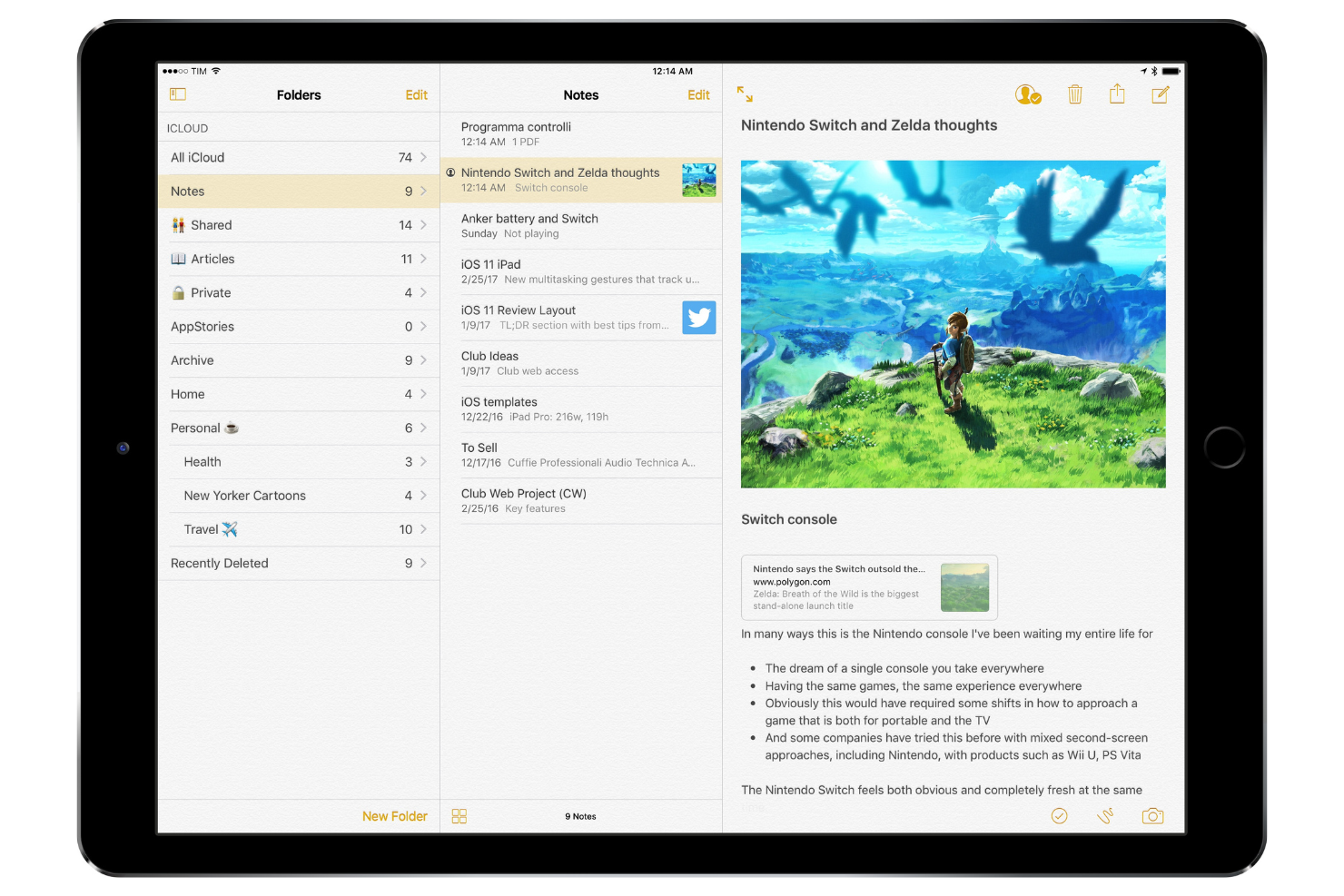
Apple Notes es una herramienta para tomar notas dirigida principalmente a usuarios de dispositivos Apple, incluidos estudiantes, profesionales y creativos. Permite capturar ideas, organizar notas y colaborar con otras personas mediante notas compartidas.
Por qué es una buena alternativa a Obsidian: ofrece una sincronización fluida con iCloud, lo que mantiene tus notas accesibles en todos tus dispositivos Apple. Con funciones como las carpetas compartidas y la posibilidad de bloquear notas, la aplicación Notas admite tanto proyectos personales como colaborativos. La integración de la aplicación con Siri te permite crear notas rápidamente mediante comandos de voz. Apple Notes también admite formato de texto enriquecido y archivos adjuntos, lo que la hace versátil para diversos casos de uso.
Funciones e integraciones destacadas:
Las funciones incluyen la posibilidad de escanear documentos directamente en la aplicación, organizar notas con etiquetas y crear listas de verificación para gestionar tareas. También puedes dibujar bocetos y añadirlos a tus notas, algo ideal para las personas con pensamiento visual. La aplicación permite compartir notas con otras personas, mejorando la colaboración.
Las integraciones incluyen Apple iCloud y más.
Pros and Cons
Pros:
- Sincronización entre dispositivos Apple
- Permite compartir notas con otras personas
- Se integra con Siri para tomar notas por voz
Cons:
- Opciones de formato limitadas
- Limitada al ecosistema de Apple

Evernote
Ideal para búsquedas avanzadas y recorte web
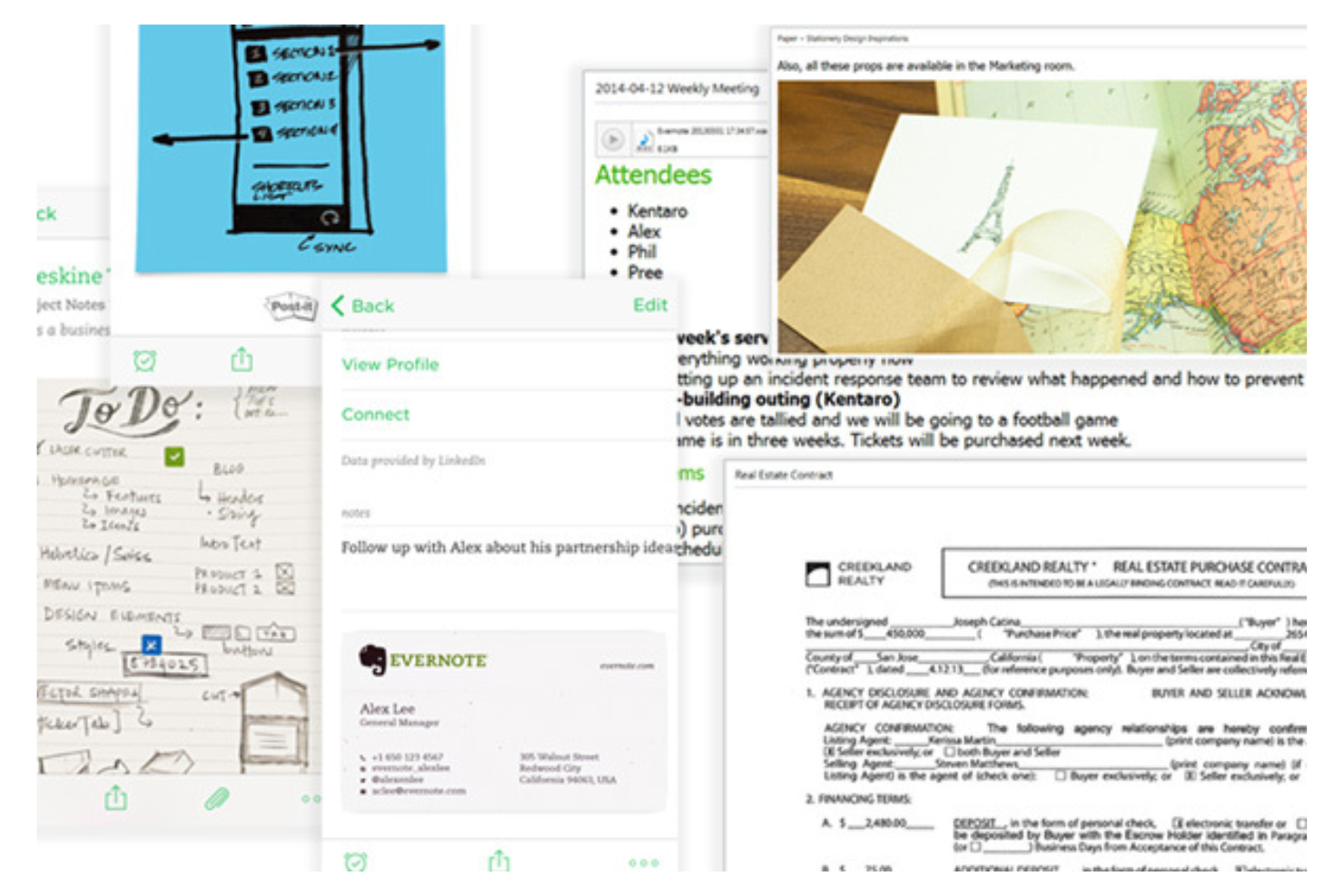
Evernote es una herramienta para tomar notas y organizarse que utilizan profesionales y estudiantes para capturar ideas, gestionar proyectos y almacenar información. Funciona como un segundo cerebro y ayuda a los usuarios a realizar un seguimiento de notas, tareas y documentos en una ubicación centralizada.
Por qué es una buena alternativa a Obsidian: Ofrece capacidades avanzadas de búsqueda y funciones para recortar contenido de la web, lo que la hace ideal para los usuarios que necesitan recopilar y organizar información de manera eficiente. Evernote permite buscar dentro de archivos PDF e imágenes, lo que resulta útil para la investigación y la documentación. El recortador web permite guardar artículos, páginas web y correos electrónicos directamente en las notas. Su sistema de etiquetas ayuda a categorizar y encontrar notas rápidamente.
Funciones e integraciones destacadas:
Las funciones incluyen la posibilidad de organizar libretas por proyecto o tema y un asistente de IA que ayuda a gestionar las tareas. También puedes establecer recordatorios para realizar un seguimiento de los plazos y utilizar su plantilla de diario para capturar tus pensamientos y emociones. El reconocimiento de escritura a mano de Evernote permite buscar notas manuscritas, lo que añade otra capa de utilidad para diversos estilos de toma de notas.
Las integraciones incluyen Google Drive, Google Calendar, Slack, Microsoft Outlook, Google Gmail, Zapier y más.
Pros and Cons
Pros:
- Capacidades de búsqueda
- Herramienta para recortar contenido de la web
- Recordatorios para gestionar tareas
Cons:
- Requiere actualizaciones periódicas
- Límites estrictos en la versión gratuita
Ideal para la integración con aplicaciones de Microsoft

Microsoft OneNote es una aplicación digital para tomar notas, utilizada principalmente por estudiantes, educadores y profesionales para organizar información y colaborar en proyectos. Permite capturar ideas, organizar contenido y compartir notas con otras personas.
Por qué es una buena alternativa a Obsidian: Se integra perfectamente con otras aplicaciones de Microsoft, por lo que es ideal si tu equipo ya utiliza Microsoft 365. Con funciones como los blocs de notas compartidos y la colaboración en tiempo real, OneNote permite trabajar en equipo de manera eficiente. La posibilidad de insertar documentos y contenido multimedia mejora la toma de notas. Su estructura organizativa intuitiva te ayuda a realizar un seguimiento de proyectos complejos.
Características destacadas e integraciones:
Las características incluyen la posibilidad de crear secciones y páginas, dibujar y hacer anotaciones con un lápiz óptico, así como funciones de grabación de audio para capturar notas de reuniones. También puedes buscar en notas manuscritas, lo que facilita encontrar contenido específico. La flexibilidad de la aplicación permite insertar distintos tipos de contenido multimedia en las notas.
Las integraciones incluyen Microsoft 365, Microsoft SharePoint y mucho más.
Pros and Cons
Pros:
- Se integra bien con el ecosistema de Microsoft
- Funciones de colaboración en tiempo real
- Permite buscar en notas manuscritas
Cons:
- La aplicación móvil carece de algunas funciones de escritorio
- Requiere una cuenta de Microsoft


Notion es una herramienta versátil de gestión del conocimiento personal utilizada por equipos y particulares como organizador de notas, organizador jerárquico y herramienta de bases de datos para la gestión de proyectos y bases de conocimiento. Ofrece una plataforma flexible donde puedes crear notas, bases de datos y wikis para respaldar diversas funciones empresariales.
Por qué es una buena alternativa a Obsidian: destaca en la colaboración y la gestión de equipos, proporcionando espacios de trabajo compartidos que fortalecen el trabajo en equipo. Puedes crear paneles personalizados para realizar un seguimiento de los proyectos y el progreso, lo que resulta ideal para mantener a todos alineados. Las plantillas de Notion te permiten configurar rápidamente páginas para distintos fines, ahorrando tiempo en la configuración. Su interfaz de arrastrar y soltar facilita la organización del contenido según tus necesidades.
Funciones e integraciones destacadas:
Las funciones incluyen la posibilidad de crear bases de datos relacionales, lo que ayuda a vincular distintos tipos de contenido. También puedes utilizar tableros Kanban para visualizar tareas y flujos de trabajo. La aplicación permite insertar distintos tipos de contenido multimedia, lo que la convierte en una herramienta dinámica para la creación de contenido.
Las integraciones incluyen Slack, Google Drive, Trello, GitHub, Asana, Zapier, Typeform, Figma y más.
Pros and Cons
Pros:
- Admite la gestión de proyectos
- Páginas altamente personalizables
- Plantillas fáciles de configurar
Cons:
- Funcionalidad sin conexión limitada
- Excesivo para notas sencillas


Joplin es una aplicación de código abierto para tomar notas y gestionar tareas pendientes, diseñada con un enfoque local como prioridad para usuarios que dan importancia a la privacidad y la seguridad. Está dirigida a personas y equipos que buscan organizar notas y tareas de manera eficiente mientras mantienen el control de sus datos.
Por qué es una buena alternativa a Obsidian: Es una alternativa de código abierto disponible para dispositivos móviles y ordenadores, incluidos Windows, Linux y Mac, que ofrece una toma de notas segura y permite alojar tus datos en tus propios servidores. Joplin admite cifrado de extremo a extremo, lo que mantiene tus notas a salvo de accesos no autorizados. Puedes organizar tus notas mediante libretas, etiquetas y un editor de Markdown, lo que ofrece flexibilidad para gestionar tu información. Las funciones con prioridad al uso sin conexión de la aplicación te permiten acceder a tus notas sin conexión a Internet, lo que resulta práctico para usarla mientras estás fuera de casa.
Funciones e integraciones destacadas:
Las funciones incluyen la posibilidad de sincronizar notas en varios dispositivos mediante el servicio en la nube que prefieras. También admite enlaces bidireccionales mediante complementos específicos para crear notas interconectadas. Además, puedes buscar en tus notas con opciones de búsqueda avanzada para encontrar rápidamente contenido específico. El recortador web de Joplin te permite guardar páginas web y capturas de pantalla en tus notas, mejorando tu investigación y documentación.
Las integraciones incluyen Nextcloud, Dropbox, Microsoft OneDrive, Evernote, Microsoft Azure y más.
Pros and Cons
Pros:
- Código abierto con opciones de personalización
- Gran enfoque en la privacidad de los datos
- Acceso sin conexión a las notas
Cons:
- Sin OCR integrado para imágenes
- Funciones de colaboración limitadas


Saner.AI es una herramienta de productividad que utiliza inteligencia artificial para mejorar la toma de notas y la gestión de tareas para profesionales y equipos. Está diseñada para ayudar a los usuarios a organizar sus flujos de trabajo y mejorar la eficiencia.
Por qué es una buena alternativa a Obsidian: Ofrece funciones de productividad impulsadas por IA que ayudan a automatizar tareas y gestionar notas de manera más eficaz. Con sugerencias inteligentes, Saner.AI puede ayudar a priorizar tareas según su urgencia e importancia. Sus capacidades de IA permiten una categorización inteligente de las notas, lo que facilita encontrar lo que necesitas. Las funciones de productividad impulsadas por IA de la herramienta ayudan a que tú y tu equipo trabajen de forma más inteligente, no más arduamente.
Funciones e integraciones destacadas:
Las funciones incluyen entrada de texto predictiva, que acelera el proceso de toma de notas. También puedes configurar recordatorios automatizados para hacer un seguimiento de las fechas límite importantes. La herramienta ofrece análisis que proporcionan información sobre tus patrones de productividad y te ayudan a identificar áreas de mejora.
Las integraciones incluyen Slack, Google Calendar, Google Gmail y más.
Pros and Cons
Pros:
- Priorización de tareas impulsada por IA
- Categorización inteligente de notas
- Entrada de texto predictiva
Cons:
- Depende en gran medida de los créditos de IA
- Prioridad al escritorio; la versión móvil es limitada

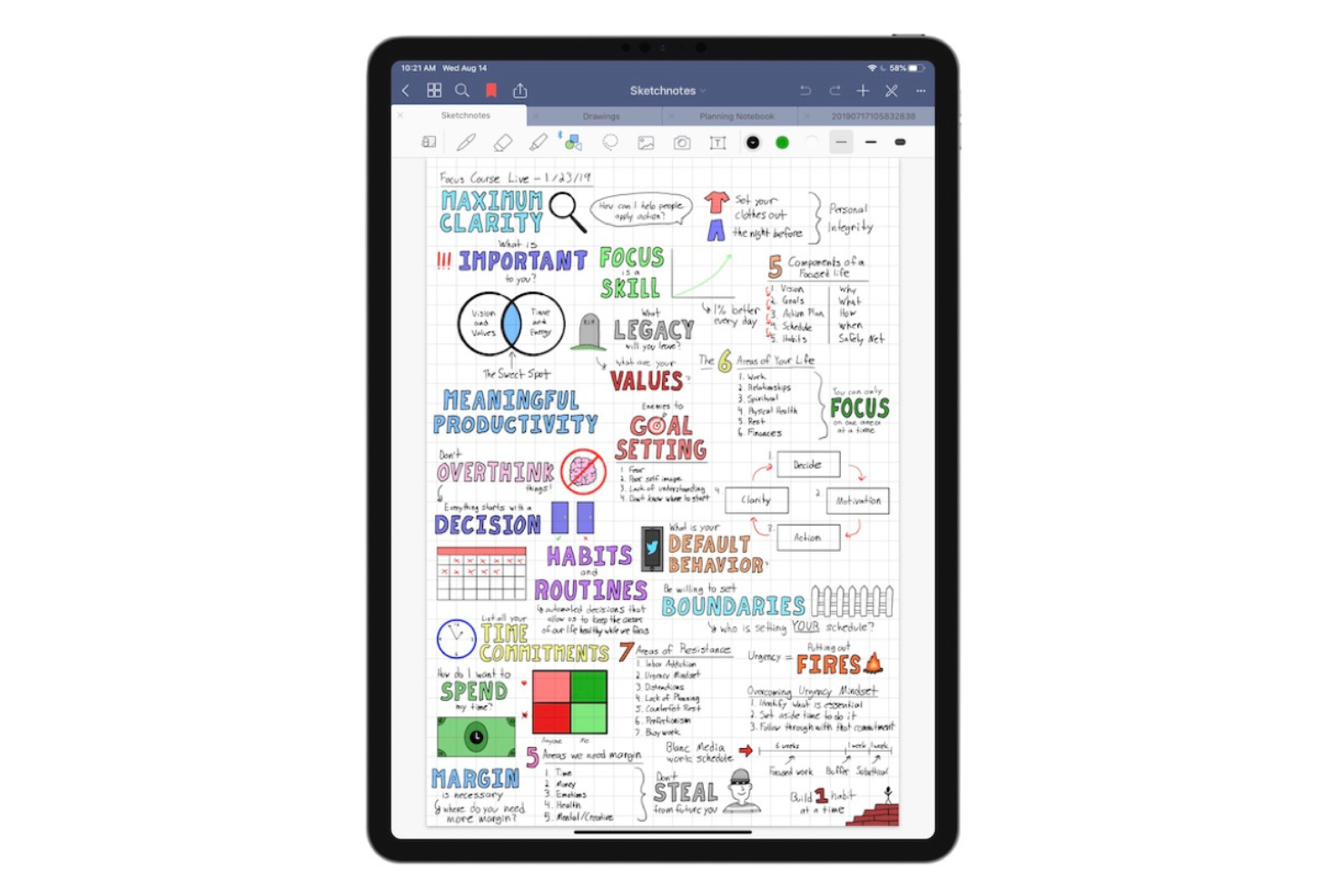
Goodnotes es una aplicación para tomar notas diseñada para estudiantes, educadores y profesionales que prefieren escribir notas a mano en dispositivos digitales, incluidos Mac, Windows y Android. Permite a los usuarios crear, organizar y compartir notas, lo que la convierte en una herramienta versátil tanto para uso personal como académico.
Por qué es una buena alternativa a Obsidian: Admite la colaboración en tiempo real, lo que permite que tú y tu equipo trabajen en las notas simultáneamente. Goodnotes ofrece una experiencia de escritura fluida gracias a su función de reconocimiento de escritura manuscrita. Puedes convertir las notas manuscritas en texto, lo que resulta práctico para organizar tus ideas. El sistema de cuadernos de la aplicación permite categorizar y acceder a las notas de manera eficiente, lo que la convierte en una opción práctica para proyectos colaborativos.
Características destacadas e integraciones:
Las características incluyen la posibilidad de anotar archivos PDF directamente dentro de la aplicación, lo que resulta útil para revisar documentos. También puedes importar imágenes y diagramas a tus notas, añadiendo elementos visuales a tu contenido. La función de búsqueda de la aplicación te ayuda a encontrar rápidamente notas o palabras clave específicas.
Las integraciones incluyen Apple iCloud, Google Drive, Microsoft OneDrive, Microsoft Teams y más.
Pros and Cons
Pros:
- Admite el reconocimiento de escritura manuscrita
- Permite anotar archivos PDF
- Funciones de colaboración en tiempo real
Cons:
- La búsqueda de escritura manuscrita puede fallar
- Compatibilidad multiplataforma limitada

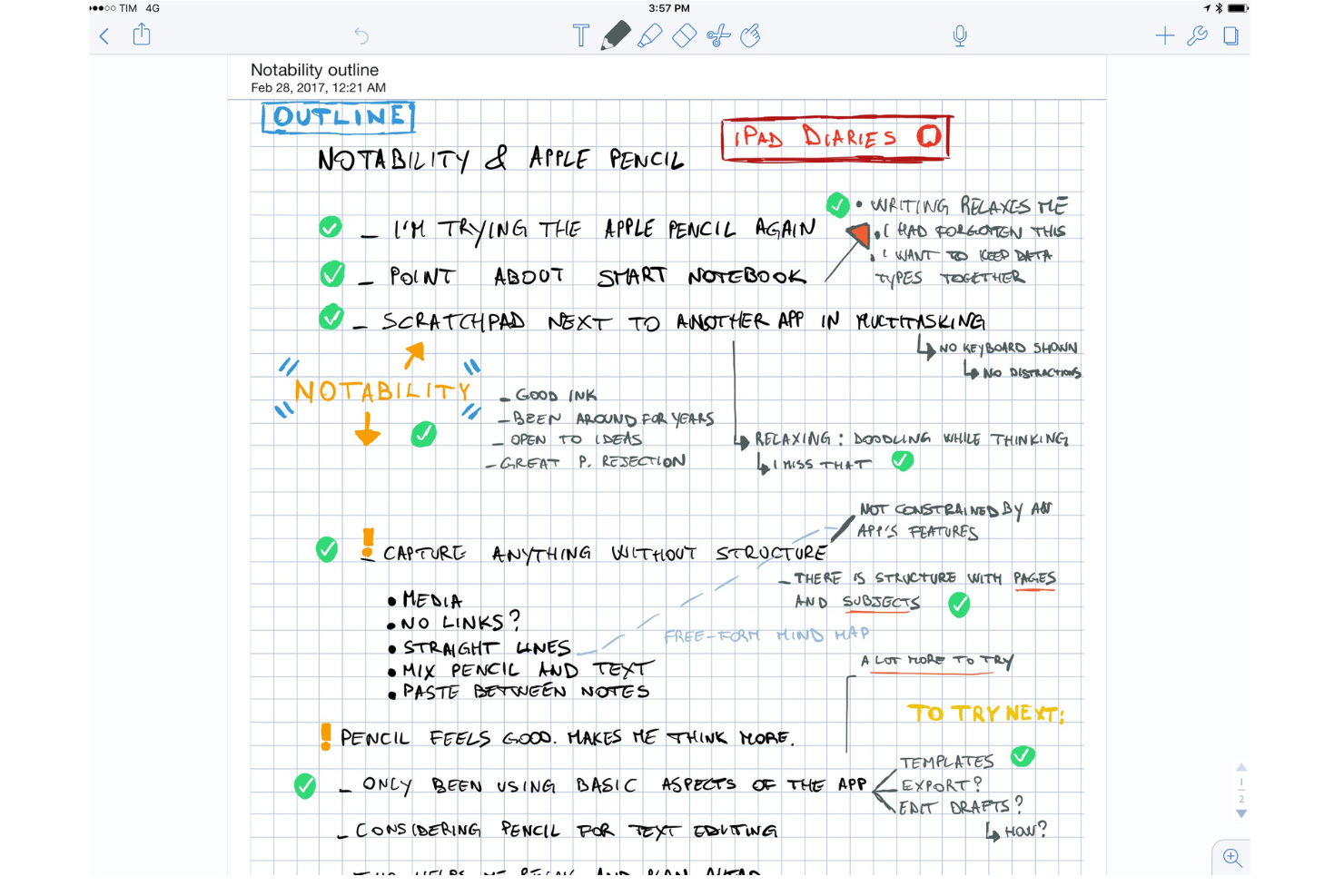
Notability es una aplicación para tomar notas popular entre estudiantes, educadores y profesionales por su capacidad para combinar escritura a mano, fotos y texto mecanografiado en una sola nota. Permite a los usuarios capturar ideas, anotar documentos, organizar notas eficazmente y puede utilizarse como pizarra digital.
Por qué es una buena alternativa a Obsidian: ofrece herramientas de aprendizaje interactivas que mejoran la toma de notas con elementos multimedia. Puedes grabar notas de audio mientras escribes, lo cual resulta útil para clases y reuniones. La capacidad de la aplicación para anotar archivos PDF e imágenes, junto con la función de tarjetas didácticas impulsada por IA, la hace versátil para distintos estilos de aprendizaje. La interfaz fácil de usar de Notability te permite concentrarte en tu contenido sin complicarte con funciones complejas.
Funciones e integraciones destacadas:
Las funciones incluyen la posibilidad de buscar en notas escritas a mano y convertirlas en texto. También puedes organizar las notas por asignaturas y separadores para una mejor categorización. La aplicación permite importar y exportar documentos en varios formatos, lo que facilita compartir tu trabajo.
Las integraciones incluyen Apple iCloud, Google Drive, Dropbox, Microsoft OneDrive, Box, Apple Pencil, Evernote y más.
Pros and Cons
Pros:
- Combina la escritura a mano con la grabación de audio
- Permite anotar archivos PDF e imágenes
- Admite elementos multimedia
Cons:
- Requiere Apple Pencil para un uso óptimo
- La colaboración no es en tiempo real


Easy Notes es una aplicación minimalista de notas personales dirigida a usuarios que desean una forma sencilla y accesible de anotar ideas y organizar información. Es popular entre las personas que buscan una herramienta fácil de usar para registrar rápidamente pensamientos y tareas.
Por qué es una buena alternativa a Obsidian: Ofrece simplicidad y accesibilidad, por lo que cualquiera puede usarla fácilmente. La interfaz limpia de la aplicación te permite concentrarte en tus notas sin distracciones. Puedes crear notas y listas coloridas para organizar tus pensamientos de manera eficaz. Su función de acceso rápido te permite anotar ideas en cuanto se te ocurren, lo que aumenta la productividad.
Características destacadas e integraciones:
Entre las características se incluye la posibilidad de crear listas de verificación para realizar un seguimiento de las tareas y los pendientes. También puedes configurar recordatorios para no olvidar tareas importantes. La aplicación permite fijar notas para mantenerlas en la parte superior de la lista y acceder a ellas fácilmente.
Las integraciones no aparecen públicamente.
Pros and Cons
Pros:
- Diseño sencillo e intuitivo
- Acceso rápido a las notas
- Seguimiento de tareas
Cons:
- La sincronización en la nube está limitada al plan prémium
- Solo ofrece una estructura básica de carpetas


Drawboard PDF es una herramienta de productividad documental utilizada por profesionales y equipos para anotar, editar y colaborar en documentos PDF. Es ideal para arquitectos, ingenieros y diseñadores que necesitan herramientas precisas de marcado.
Por qué es una buena alternativa a Obsidian: ofrece marcado y colaboración en PDF en tiempo real, lo que permite que tu equipo trabaje conjuntamente en documentos de forma simultánea. Puedes utilizar herramientas como cuadros de texto, formas y dibujo a mano alzada para anotar archivos PDF, lo que resulta ideal para revisiones detalladas. La aplicación admite firmas digitales, haciendo más ágiles los procesos de aprobación de documentos. Su enfoque en la colaboración y el marcado la convierte en una herramienta versátil para diversas necesidades profesionales.
Funciones e integraciones destacadas:
Las funciones incluyen la posibilidad de personalizar las barras de herramientas para acceder rápidamente a las herramientas que utilizas con frecuencia. También puedes utilizar tinta sensible a la presión para escribir y dibujar de forma más natural. La aplicación permite superponer imágenes y texto en los PDF, mejorando la claridad de los documentos.
Las integraciones incluyen Microsoft OneDrive, Microsoft SharePoint, Dropbox, Google Drive, Box, Microsoft Teams, Slack y más.
Pros and Cons
Pros:
- Funciones de colaboración en tiempo real
- Admite firmas digitales
- Compatibilidad con tinta sensible a la presión
Cons:
- Consume mucha batería
- El rendimiento se ralentiza con archivos PDF grandes
Otras alternativas a Obsidian
Estas son algunas alternativas adicionales a Obsidian que no han entrado en mi lista, pero que merece la pena conocer:
- Hive Notes
Ideal para notas de reuniones de equipo
- Logseq
Ideal para la privacidad y la elaboración de esquemas
- Heptabase
Ideal para el aprendizaje visual


Cómo evalúo las alternativas a Obsidian
Divido mi evaluación en dos niveles: las capacidades básicas que toda herramienta de conocimiento sólida necesita y los factores diferenciadores, como las vistas de gráfico o la sincronización con Jira, que son más importantes para los gestores de proyectos.
Funcionalidad principal (requisitos básicos para esta lista)
Al seleccionar herramientas para mi lista, clasifico cada una en una escala del 0 (no ofrece la funcionalidad) al 5 (sobresale en esta área) para cada funcionalidad principal que se indica a continuación. Después, calculo la puntuación total de la herramienta como porcentaje. Cada herramienta debe alcanzar una puntuación total mínima del 75 % para ser considerada.
- Edición de Markdown y texto enriquecido: Busco un editor flexible que gestione Markdown, bloques de código, tablas e incrustaciones: el tipo de formato que realmente necesitas al redactar informes de sprints o documentos de requisitos de producto (PRD).
- Enlaces bidireccionales: Los vínculos de retorno y las referencias enlazadas ayudan a los gestores de proyectos a rastrear las decisiones hasta su origen. Compruebo si las herramientas muestran estas conexiones automáticamente o si requieren mantenimiento manual.
- Seguimiento de tareas y proyectos: Toda herramienta debería permitir asignar tareas, establecer fechas de vencimiento y hacer seguimiento del progreso sin tener que cambiar a otra aplicación. Herramientas como Notion y Coda integran las tareas directamente en los documentos.
- Colaboración en tiempo real: Evalúo si los equipos pueden editar páginas conjuntamente, dejar comentarios insertados y etiquetar a sus compañeros, especialmente para las reuniones diarias asíncronas y las sesiones de retrospectiva distribuidas.
- Sincronización en la nube y acceso multiplataforma: Las notas de los proyectos deben estar disponibles desde un ordenador portátil, un teléfono o un navegador. Compruebo la fiabilidad de la sincronización entre dispositivos y si el modo sin conexión funciona realmente.
- Búsqueda y organización del conocimiento: Una wiki de proyecto que crece se vuelve inmanejable rápidamente. Busco búsqueda de texto completo, etiquetado, jerarquías de páginas anidadas y filtros que faciliten encontrar decisiones anteriores.
Una vez que tengo una lista de herramientas que cumplen estos criterios, analizo qué distingue a cada plataforma.
Factores diferenciadores (qué distingue a los proveedores)
Así es como comparo y contrasto los distintos proveedores:
Funciones destacadas
Las funciones de IA son importantes cuando gestionas varios proyectos. Herramientas como Notion y Coda ofrecen IA capaz de resumir notas extensas de reuniones o redactar actualizaciones de estado a partir de información dispersa. También evalúo la compatibilidad con bases de datos y vistas personalizadas, ya que los gestores de proyectos a menudo necesitan alternar entre un tablero Kanban para el trabajo del sprint y una vista de cronograma para los informes a las partes interesadas dentro del mismo espacio de trabajo. Las plantillas para flujos de trabajo recurrentes, como las retrospectivas de sprint o los lanzamientos de proyectos, ahorran mucho tiempo de configuración, especialmente cuando se combinan con automatizaciones que asignan tareas o actualizan estados al activarse.
Más allá de las funciones
Las integraciones determinan hasta qué punto una herramienta encaja en tu flujo de trabajo actual. Compruebo si cada plataforma se conecta con herramientas como Jira, Slack y GitHub, ya que una base de conocimiento desconectada genera más fricción de la que resuelve. La portabilidad de los datos también tiene mucho peso: la exportación a Markdown y el historial de versiones significan que no estás atado a un proveedor si tus necesidades cambian. Uno de los mayores atractivos de Obsidian es la propiedad de los datos, por lo que analizo si las alternativas ofrecen almacenamiento local u opciones de alojamiento propio. Por último, considero cómo escala el precio por puesto, ya que el despliegue en una oficina de gestión de proyectos (PMO) es muy diferente de una suscripción individual para un gestor de proyectos.
¿Por qué buscar una alternativa a Obsidian?
Aunque Obsidian es una buena opción como aplicación para tomar notas, hay varios motivos por los que algunos usuarios buscan soluciones alternativas. Puede que estés buscando una alternativa a Obsidian porque…
- Necesitas más funciones de colaboración
- Tu equipo necesita acceso desde dispositivos móviles
- Quieres una gestión de tareas integrada
- Tu proyecto requiere herramientas de búsqueda avanzadas
- Necesitas una interfaz de usuario más sencilla
- Tu equipo trabaja en distintas zonas horarias
Si alguna de estas situaciones te resulta familiar, has llegado al lugar adecuado. Mi lista contiene varias opciones de aplicaciones para tomar notas más adecuadas para equipos que afrontan estos desafíos con Obsidian y buscan soluciones alternativas.
Funciones de Obsidian
Estas son algunas de las características principales de Obsidian, que te ayudarán a contrastar y comparar lo que ofrecen las soluciones alternativas:
- Almacenamiento basado en Markdown: Las notas se guardan como archivos de texto sin formato en Markdown, lo que te proporciona control y portabilidad.
- Enlaces inversos: Crea enlaces entre notas para construir una red de conocimiento conectada, mejorando tu capacidad para encontrar información relacionada.
- Vista de gráfico: Visualiza las conexiones entre tus notas, lo que te ayuda a ver el panorama general y las relaciones entre tus datos.
- Complementos: Amplía las funcionalidades con complementos desarrollados por la comunidad, lo que te permite personalizar Obsidian para adaptarlo a tus necesidades.
- Almacenamiento local: Guarda las notas de forma privada en tu dispositivo, proporcionando un acceso rápido y privacidad.
- Temas personalizables: Adapta el aspecto de tu espacio de trabajo a tus preferencias para que su uso sea más cómodo.
- Notas diarias: Crea y organiza automáticamente las notas por fecha, ayudándote a llevar un seguimiento de tus pensamientos y tareas diarias.
- Control de versiones: Registra los cambios realizados en tus notas, lo que te permite volver a versiones anteriores cuando sea necesario.
- Disponibilidad multiplataforma: Accede a tus notas desde varios dispositivos, manteniendo la continuidad de tu flujo de trabajo.
- Búsqueda avanzada: Encuentra rápidamente notas específicas o contenido dentro de tus notas, mejorando la eficiencia.
Qué viene después:
Si estás investigando una aplicación para tomar notas, ponte en contacto gratuitamente con un asesor de SoftwareSelect para recibir recomendaciones.
Rellenas un formulario y mantienes una breve conversación en la que analizan los detalles específicos de tus necesidades. Después recibirás una lista breve de programas que podrás revisar. Incluso te apoyarán durante todo el proceso de compra, incluidas las negociaciones de precios.