

Las 10 mejores alternativas a Jobber para empresas de servicios en 2026

10 Lista de las mejores alternativas a Jobber
- 4. Workiz


Gestionar una empresa de servicios de campo puede conllevar sus propios desafíos. Como propietarios de una empresa, es posible que descubráis que Jobber no satisface todas vuestras necesidades, ya sea porque necesitáis funciones más avanzadas y una mayor escalabilidad o porque tenéis que cumplir requisitos específicos del sector. Ahí es donde explorar alternativas puede marcar la diferencia.
Según mi experiencia, las empresas de servicios necesitan un software de gestión que simplifique las operaciones empresariales, mejore la colaboración del equipo y aumente la satisfacción de los clientes. Estoy aquí para ayudaros a encontrar la opción adecuada para vuestra empresa.
Compartiré mis principales opciones alternativas a Jobber, centrándome en lo que cada herramienta hace mejor. Esta guía pretende ofreceros información imparcial para que os resulte más fácil elegir una solución que se ajuste a vuestros objetivos específicos.
¿Qué es Jobber?
Jobber es un software de gestión de servicios de campo diseñado para ayudar a las pequeñas y medianas empresas de servicios a gestionar sus operaciones. Lo utilizan habitualmente profesionales como paisajistas, empresas de limpieza y contratistas, ya que les proporciona herramientas para organizar trabajos, comunicarse con clientes y gestionar la facturación de forma eficiente. Sus funciones de programación, facturación y gestión de clientes ayudan a las empresas a mantenerse organizadas y mejorar la satisfacción del cliente. En general, Jobber ofrece valor al simplificar las operaciones diarias y facilitar la prestación de servicios.
Tabla comparativa de alternativas a Jobber
La siguiente tabla compara los detalles de precios de mis principales alternativas a Jobber.
| Tool | Best For | Trial Info | Price | ||
|---|---|---|---|---|---|
| 1 | La mejor opción por su asequibilidad para operadores individuales y equipos pequeños | Prueba gratuita de 7 días | Desde $15/mes (facturado anualmente) | Website | |
| 2 | Ideal para la reserva y el despacho de trabajos asistidos por IA | Demostración gratuita disponible | Precios disponibles previa solicitud | Website | |
| 3 | Ideal para contratos de servicios comerciales y SLA | Demostración gratuita disponible | Precio bajo solicitud | Website | |
| 4 | Prueba gratuita de 7 días disponible | Precios bajo solicitud | Website | ||
| 5 | Ideal para empresas de HVAC y fontanería a gran escala | Demostración gratuita disponible | Precio bajo consulta | Website | |
| 6 | La mejor opción para operaciones de servicio centradas en los activos | Demostración gratuita disponible | Precio bajo solicitud | Website | |
| 7 | Paras tekoälyavusteiseen töiden varaukseen ja välitykseen | Ilmainen esittely saatavilla | Hinta pyydettäessä | Website | |
| 8 | Ideal para precios de tarifa fija para usuarios ilimitados | Demostración gratuita disponible | Desde $245/mes | Website | |
| 9 | Mejor para contratistas de oficios con precios basados en el volumen de trabajos | Prueba gratuita de 14 días + plan gratuito + demo gratuita disponible | Desde $29/mes | Website | |
| 10 | Más adecuado para operaciones empresariales de campo nativas del CRM | No disponible | Desde $80/usuario/mes | Website |
Por qué confiar en nuestras recomendaciones de software
Nuestro equipo lleva probando y evaluando software desde 2012. Como gestores de proyectos, sabemos lo difícil —y lo importante— que es elegir el software adecuado.
Para esta guía, evaluamos las herramientas mediante pruebas prácticas e investigación independiente, puntuando las herramientas según nuestros criterios de selección. También nos basamos en la experiencia de líderes de opinión del sector y de profesionales en activo de la gestión de proyectos.
Nuestras reseñas reflejan nuestro criterio editorial humano, no un discurso de ventas.
Revisores expertos:
Reseñas de las mejores alternativas a Jobber
A continuación se incluyen mis resúmenes detallados de las mejores alternativas a Jobber que llegaron a mi lista de selección. Mis reseñas ofrecen un análisis detallado de las funciones principales, ventajas y desventajas, integraciones y casos de uso ideales de cada herramienta para ayudaros a encontrar la mejor opción para vosotros.

Tofu
La mejor opción por su asequibilidad para operadores individuales y equipos pequeños
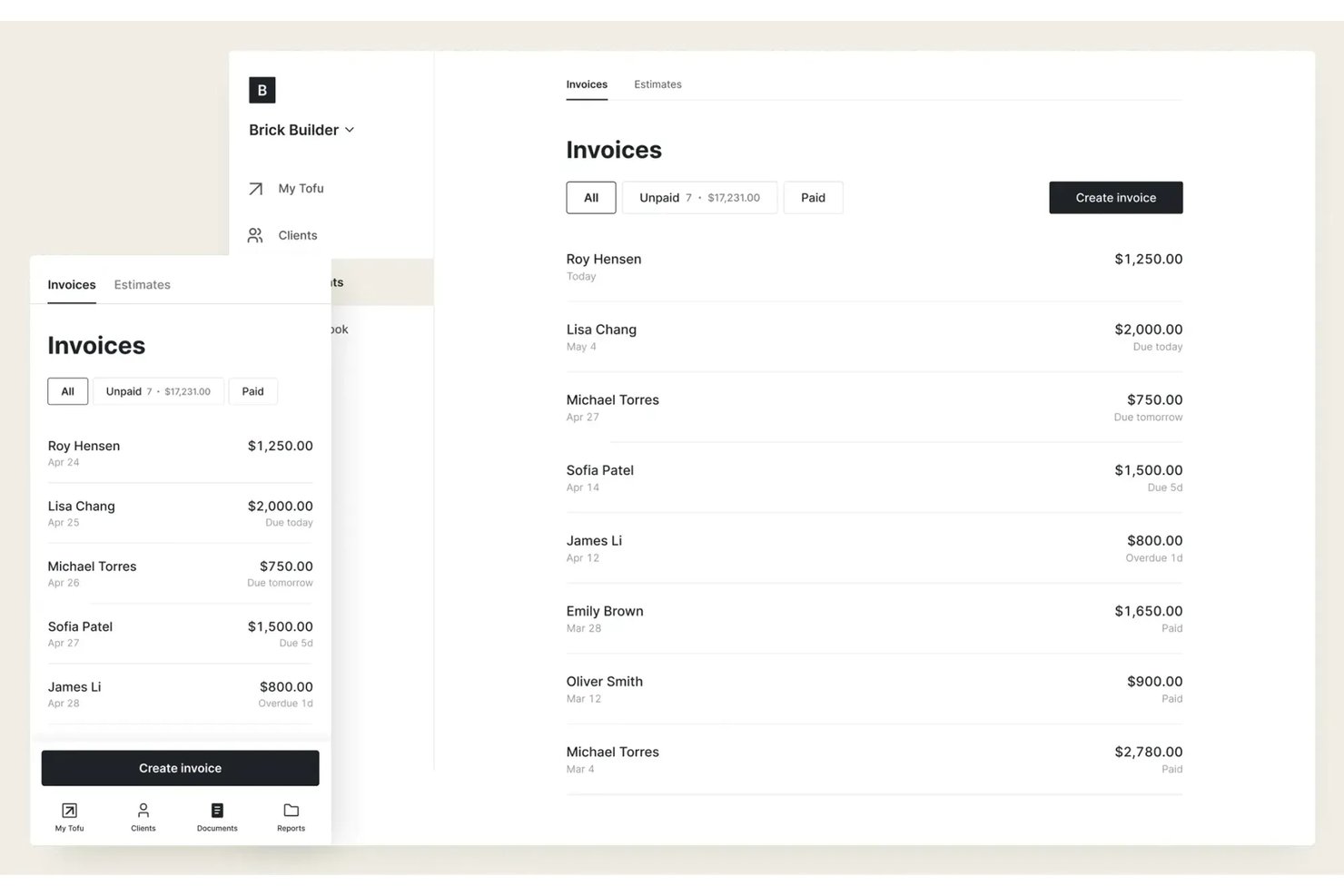
Tofu es una plataforma de gestión de servicios de campo diseñada para autónomos, operadores individuales y equipos pequeños que necesitan programación, despacho y seguimiento de trabajos asequibles y sin complicaciones, sin capas de funciones adicionales ni gastos generales.
¿Para quién es más adecuado Tofu?
Operadores individuales y equipos pequeños que buscan una programación de servicios de campo y un seguimiento de trabajos sencillos y de bajo coste, sin complejidad innecesaria.
Por qué Tofu es una buena alternativa a Jobber
Elegí Tofu para mi lista final porque la plataforma reduce la gestión de servicios de campo a lo que realmente necesitan los operadores individuales y los equipos pequeños: programación de trabajos asequible, despacho y seguimiento de trabajos en tiempo real. Aprecio que Tofu evite la complejidad y me permita hacer un seguimiento de trabajos, clientes y miembros del equipo sin tener que buscar entre módulos o funciones adicionales.
Funciones principales de Tofu
- Gestión de la base de datos de clientes: Guarda y organiza los datos de contacto, el historial de trabajos y las preferencias de los clientes en un solo lugar.
- Notas y archivos adjuntos de los trabajos: Añade notas y sube fotos o archivos a cada trabajo para consultarlos rápidamente sobre el terreno.
- Recordatorios automáticos de trabajos: Configura recordatorios automáticos para notificarte a ti o a tu equipo sobre próximos trabajos o fechas límite.
- Interfaz adaptada a dispositivos móviles: Accede a horarios, información de trabajos y actualizaciones desde cualquier teléfono inteligente o tableta.
Integraciones de Tofu
Las integraciones nativas no están documentadas claramente. Tofu ofrece una API para integraciones personalizadas.
Pros and Cons
Pros:
- La programación sencilla se adapta a operadores individuales y equipos pequeños
- Notas de trabajos y archivos de fotos adjuntos desde el móvil
- La interfaz no está saturada de funciones innecesarias
Cons:
- No incluye herramientas integradas de comunicación con los clientes
- Las integraciones personalizadas requieren el uso de la API

Ideal para la reserva y el despacho de trabajos asistidos por IA
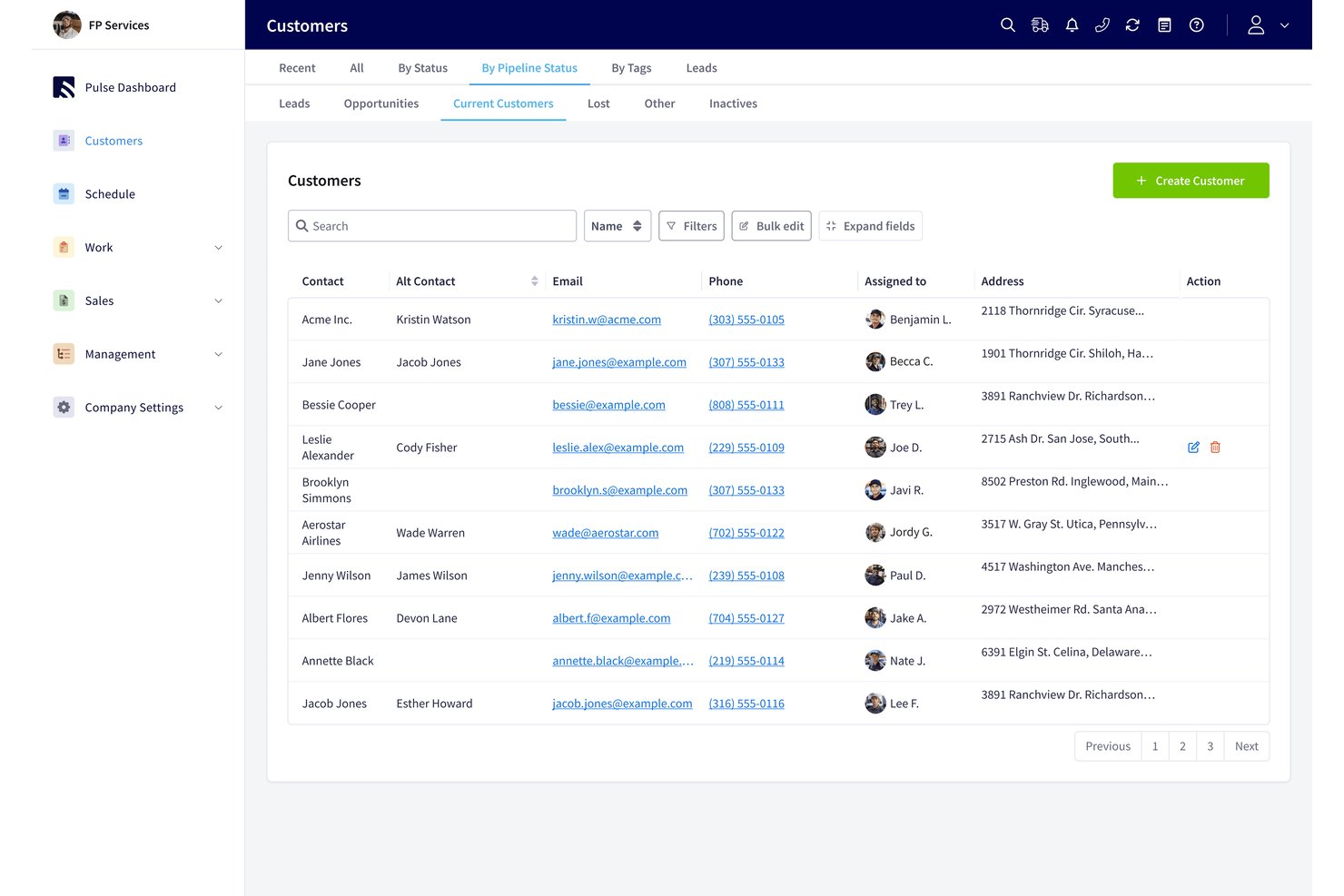
FieldPulse es un software de gestión de servicios en campo para contratistas que necesitan gestionar solicitudes de clientes, presupuestos, facturas y equipos de campo (ideal para la reserva y el despacho de trabajos asistidos por IA).
¿Para quién es más adecuado FieldPulse?
FieldPulse es adecuado para empresas de servicios en campo cuyos equipos administrativos necesitan convertir las solicitudes entrantes de los clientes en trabajos programados para los técnicos.
Por qué elegí FieldPulse
Elegí FieldPulse como alternativa a Jobber porque su reserva y despacho de trabajos asistidos por IA ayudan a convertir las llamadas perdidas en trabajos programados. Operator AI responde las llamadas entrantes, comprueba la cobertura del área de servicio y la disponibilidad de citas, y luego crea trabajos en el calendario de FieldPulse. Por ejemplo, una solicitud de fontanería puede registrarse y programarse sin que el personal administrativo tenga que introducir la llamada manualmente.
Funciones principales de FieldPulse
- Presupuestos y facturas: Crea presupuestos, convierte los presupuestos aprobados en facturas y acepta pagos.
- Gestión de órdenes de trabajo: Crea y gestiona órdenes de trabajo para servicios en campo.
- Gestión de inventario: Realiza un seguimiento del inventario como parte de tus operaciones de servicio.
- Gestión de clientes: Mantén los registros de clientes y los datos de comunicación en un solo lugar.
Integraciones de FieldPulse
FieldPulse documenta integraciones nativas con QuickBooks Online para sincronizar registros empresariales y con Google Calendar para sincronizar trabajos en una sola dirección. También se conecta con Zapier y ofrece una API para integraciones personalizadas.
Pros and Cons
Pros:
- Operator AI reserva directamente las llamadas entrantes
- La programación mediante arrastrar y soltar facilita el despacho de técnicos
- Los presupuestos se convierten en facturas con menos reintroducción de datos
Cons:
- El despacho carece de optimización automática de rutas
- La aplicación móvil puede presentar fallos cuando la cobertura es débil

Ideal para contratos de servicios comerciales y SLA
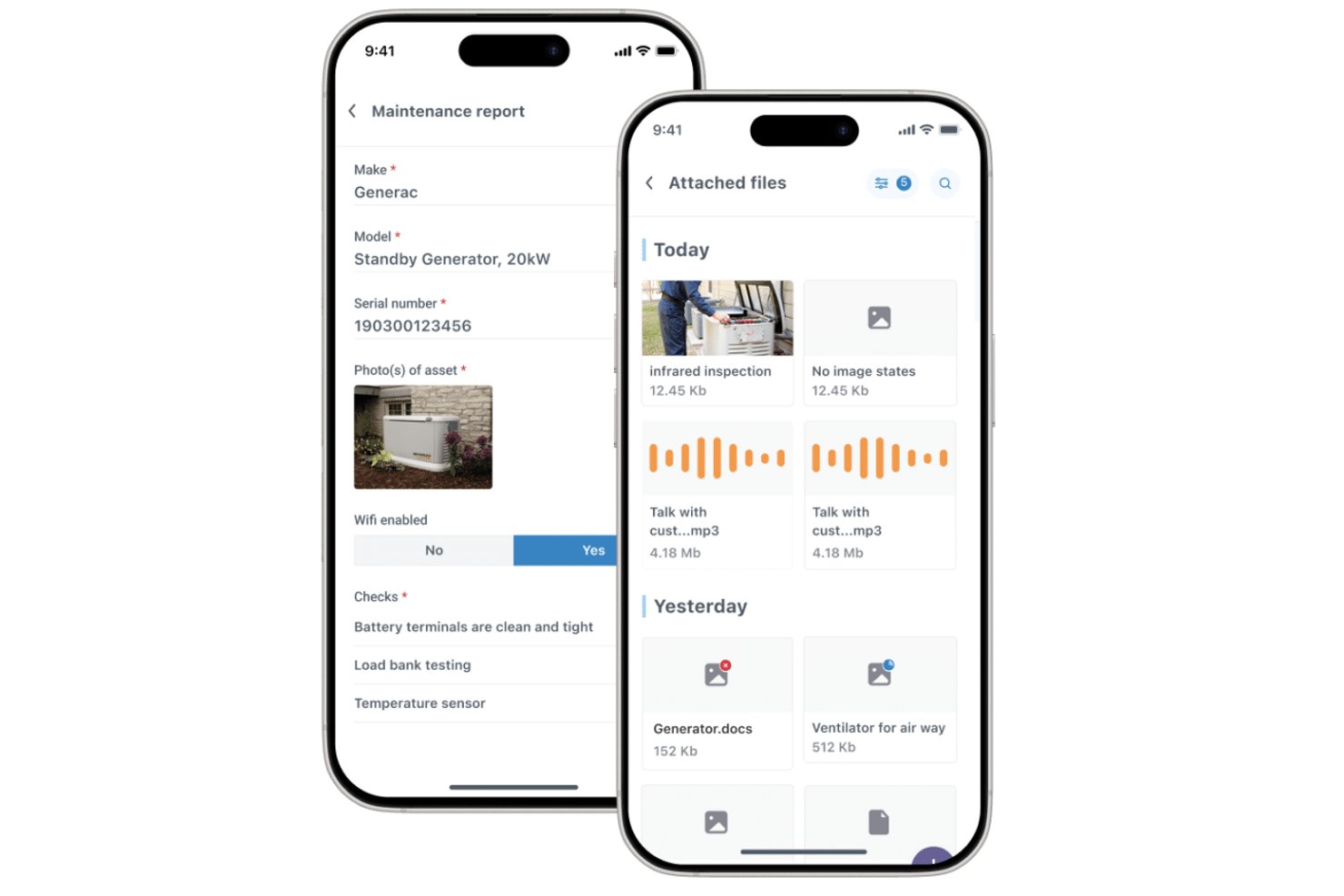
Commusoft es un software de gestión de servicios de campo para contratistas de servicios que conecta los registros de clientes, la programación de trabajos, los flujos de trabajo de los técnicos y la facturación para ayudar a los equipos a coordinar el trabajo desde la reserva hasta la finalización.
¿Para quién es más adecuado Commusoft?
Commusoft es adecuado para contratistas de servicios que gestionan mantenimiento comercial recurrente, asignación de técnicos y compromisos de nivel de servicio.
Por qué elegí Commusoft
Elegí Commusoft como alternativa a Jobber porque es la mejor opción para contratos de servicios comerciales y SLA. Da prioridad a los trabajos contractuales y registra los tiempos de respuesta mediante relojes de SLA. Las programaciones recurrentes de mantenimiento preventivo también generan órdenes de trabajo para varios activos, lo que me ayuda a mantener programadas las visitas mensuales y las inspecciones anuales.
Características principales de Commusoft
- Portal del cliente: Los clientes pueden consultar el estado y el historial de los trabajos, aceptar presupuestos y pagar facturas.
- Aplicación móvil sin conexión: Los técnicos pueden acceder a los historiales de trabajos y completar formularios digitales sin conexión.
- Gestión de inventario: Permite hacer un seguimiento del inventario en almacenes y vehículos de servicio, con puntos de reposición.
- Facturación en campo: Permite crear facturas desde la oficina o el campo después de completar un trabajo.
Integraciones de Commusoft
Commusoft incluye integraciones con QuickBooks Online, Xero, Stripe, HubSpot, Gmail, Outlook Mail, Google Calendar, GoCardless, Sage Accounting y Zapier; también ofrece una API para integraciones personalizadas.
Pros and Cons
Pros:
- Los flujos de trabajo contractuales programan visitas recurrentes a los activos
- Los relojes de SLA registran los compromisos de respuesta
- Los historiales de trabajos conectan presupuestos, trabajos y facturación
Cons:
- La configuración inicial requiere tiempo
- La aplicación móvil puede presentar retrasos o sincronizarse lentamente

Workiz
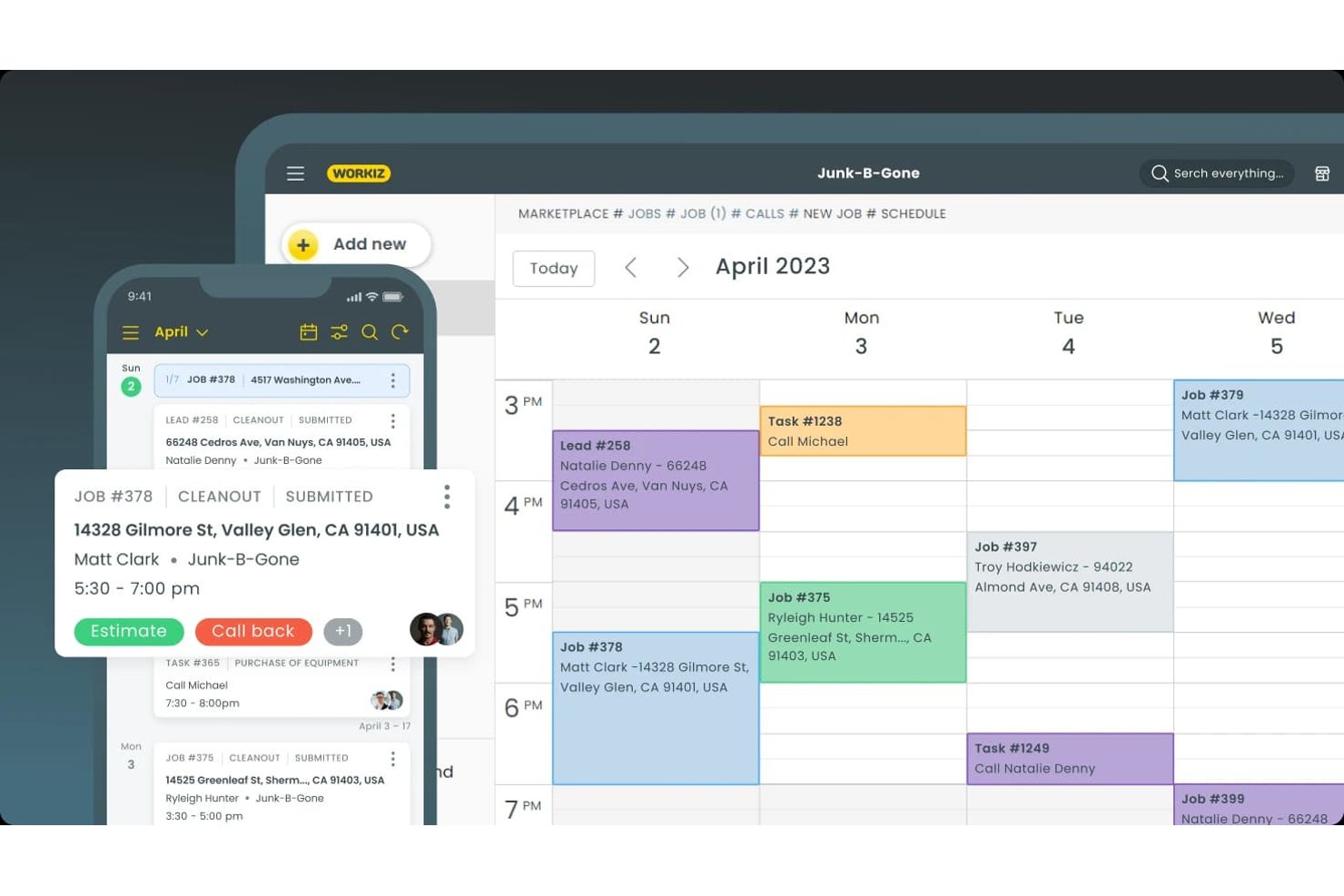
Workiz es una plataforma de gestión de servicios de campo para contratistas de servicios que reúne los registros de clientes, la coordinación de trabajos, los presupuestos y la facturación en un solo lugar, lo que la convierte en una opción para los equipos que comparan alternativas a Jobber.
¿Para quién es más adecuado Workiz?
Workiz es ideal para propietarios de empresas de servicios para el hogar y equipos de despacho que necesitan captar clientes potenciales y coordinar los horarios de los técnicos.
Por qué elegí Workiz
Elegí Workiz como alternativa a Jobber porque es ideal para la programación y la captación de clientes impulsadas por IA. Su IA responde llamadas, mensajes de texto y correos electrónicos las 24 horas, y puede reservar trabajos directamente en el calendario. También convierte los correos electrónicos y mensajes de texto entrantes en trabajos, lo que ayuda a los despachadores a mantener las nuevas solicitudes en la cola de programación.
Características principales de Workiz
- Portal del cliente: Los clientes pueden revisar y firmar presupuestos, aprobar trabajos y pagar facturas.
- CRM de clientes: Almacena el historial de clientes, las facturas, los planes de servicio y las comunicaciones en un solo registro.
- Planes de servicio: Configura servicios recurrentes y realiza un seguimiento de las próximas visitas y del historial de pagos.
- Aplicación móvil: Los técnicos pueden consultar los detalles de los trabajos, actualizar estados, añadir notas o fotos y facturar a los clientes.
Integraciones de Workiz
El directorio de integraciones de Workiz incluye QuickBooks, Google Calendar, Reserve with Google, Yelp, Thumbtack, Angi Leads, CompanyCam y Mailchimp, además de Zapier. También ofrece una API para desarrolladores para integraciones personalizadas.
Pros and Cons
Pros:
- La IA responde llamadas y reserva trabajos
- El calendario de despacho asigna técnicos visualmente
- Los registros de clientes combinan llamadas, mensajes de texto y trabajos
Cons:
- Según se informa, las llamadas telefónicas se interrumpen o no se completan
- El asistente de IA decepciona a algunos usuarios

Ideal para empresas de HVAC y fontanería a gran escala
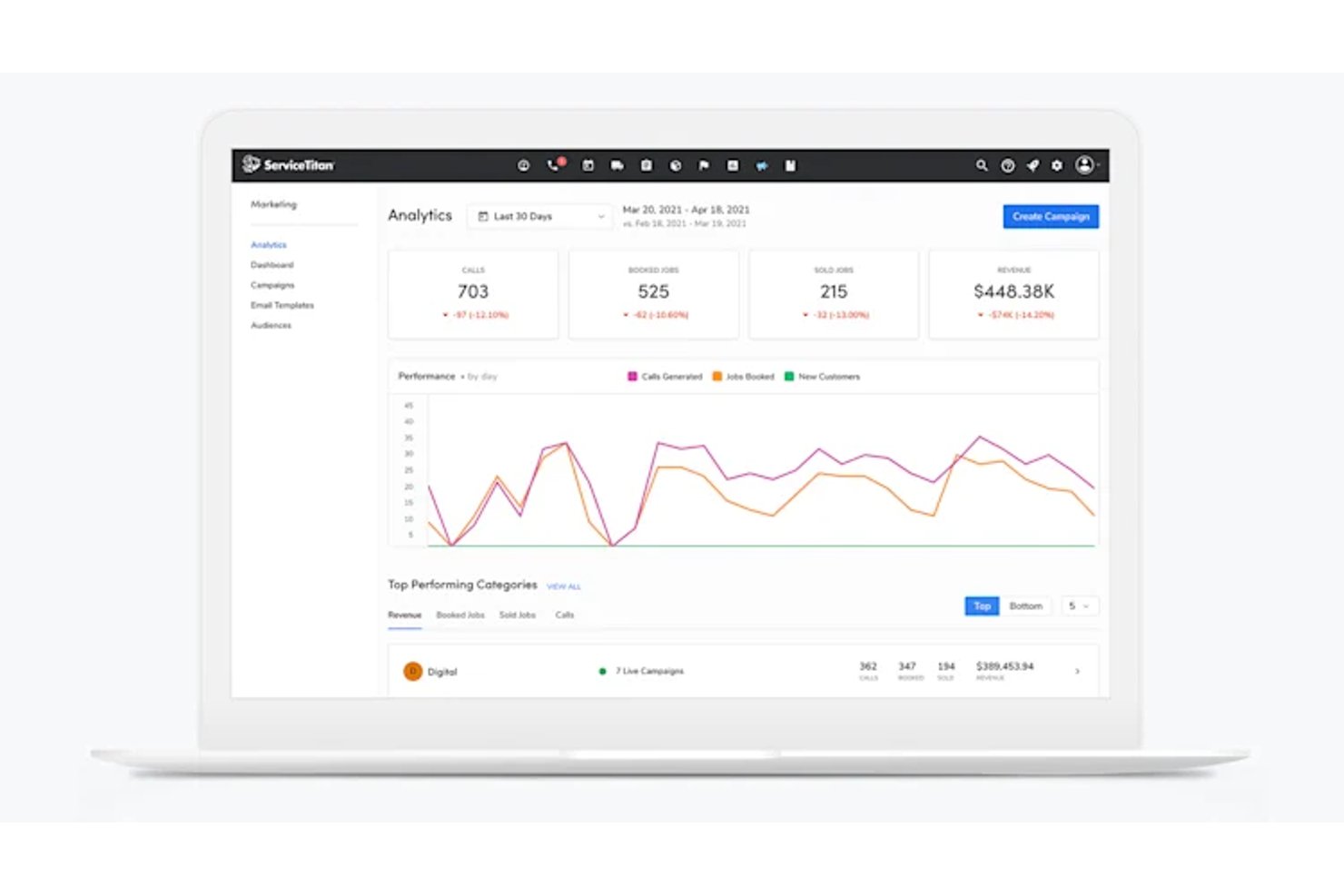
ServiceTitan es un software de gestión de servicios de campo diseñado para empresas de HVAC y fontanería a gran escala, que ayuda a las empresas de servicios en crecimiento a coordinar el despacho, la programación, los registros de clientes y las operaciones de campo.
¿Para quién es más adecuado ServiceTitan?
ServiceTitan es adecuado para los responsables de operaciones de empresas consolidadas de HVAC y fontanería que coordinan el despacho, los equipos de campo y los trabajos de los clientes en una operación de servicios en crecimiento.
Por qué elegí ServiceTitan
Elegí ServiceTitan como alternativa a Jobber para empresas de HVAC y fontanería que coordinan equipos de campo grandes. Me gusta cómo su panel de despacho ayuda al personal de oficina a asignar y realizar un seguimiento de las llamadas entre los técnicos, mientras que los registros de clientes y equipos proporcionan a los equipos el historial de servicio antes de que lleguen. Esto resulta útil cuando una reparación urgente coincide con tareas de mantenimiento programadas en varios equipos.
Características principales de ServiceTitan
- Formularios de trabajo móviles: Los técnicos completan formularios digitales y capturan fotos del trabajo sobre el terreno.
- Pagos móviles: Los técnicos procesan pagos y envían facturas desde la aplicación móvil.
- Paneles de informes: Los equipos realizan un seguimiento de los ingresos, las tendencias y las métricas de los técnicos en paneles personalizables.
- Compras e inventario: Los equipos gestionan órdenes de compra e inventario dentro de la plataforma.
Integraciones de ServiceTitan
ServiceTitan ofrece integraciones contables con QuickBooks Desktop, QuickBooks Online, Sage Intacct y Xero, además de integraciones con proveedores como Ferguson y Lennox a través de su mercado de socios. También se conecta con Zapier y proporciona API para integraciones personalizadas.
Pros and Cons
Pros:
- El despacho coordina equipos grandes de técnicos y llamadas
- Los historiales de clientes y equipos informan sobre las visitas de campo
- Los paneles realizan un seguimiento del rendimiento de los técnicos y de las métricas empresariales
Cons:
- La configuración y la formación exigen una cantidad considerable de tiempo del personal
- Los fallos y la lentitud de la aplicación móvil interrumpen el trabajo de campo

La mejor opción para operaciones de servicio centradas en los activos
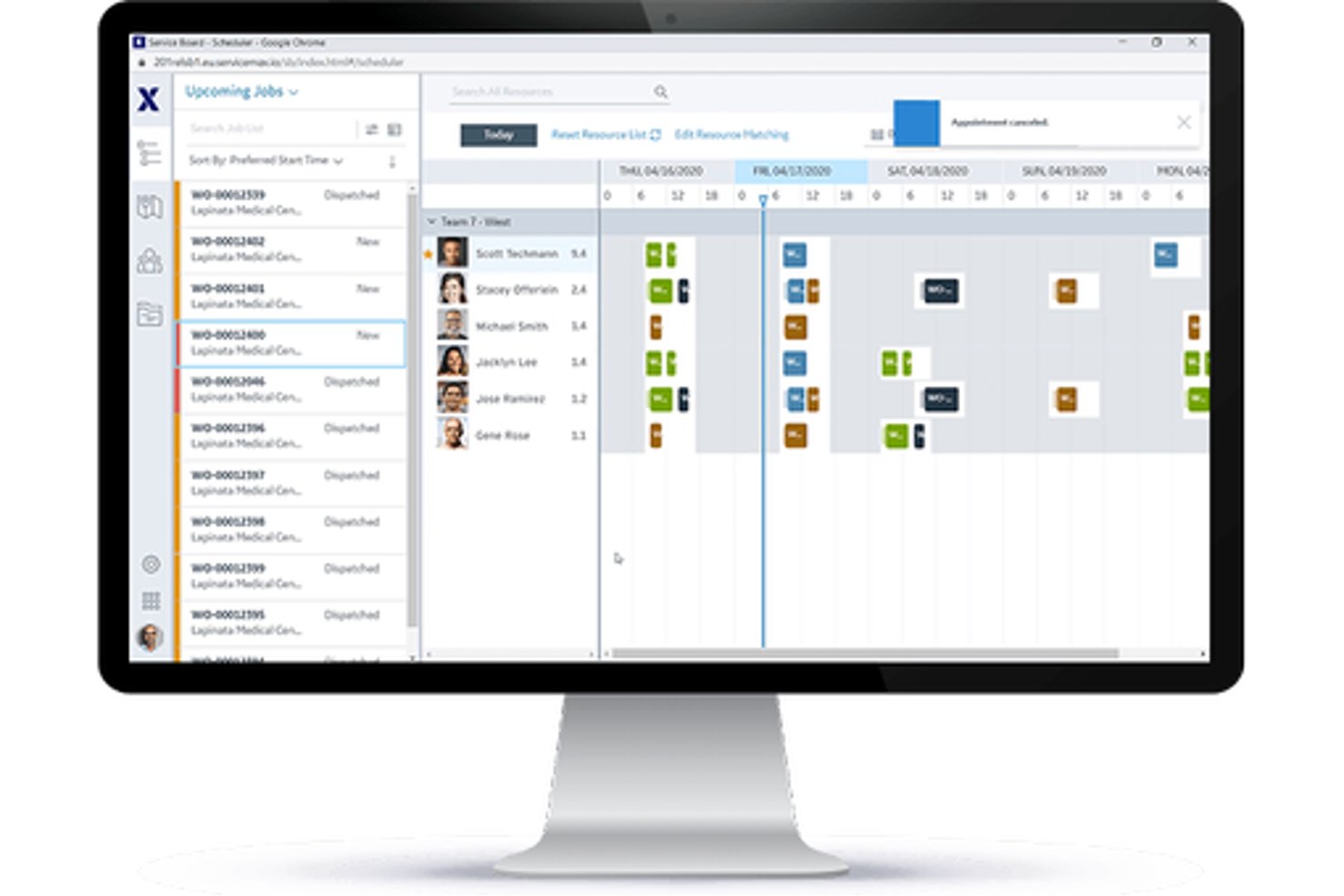
Para fabricantes y organizaciones de servicios que gestionan equipos sobre el terreno, ServiceMax es una plataforma de gestión de servicios de campo que coordina órdenes de trabajo, asignación de técnicos y mantenimiento durante todo el ciclo de vida de los activos.
¿Para quién es más adecuado ServiceMax?
ServiceMax es adecuado para responsables de servicios de campo de fabricantes de equipos y empresas con gran cantidad de activos que necesitan realizar un seguimiento de los equipos instalados y gestionar el servicio continuo.
Por qué elegí ServiceMax
Elegí ServiceMax como la mejor opción para la gestión de activos porque proporciona a los equipos de servicios de campo un contexto a nivel de activo que resulta útil al evaluar alternativas a Jobber. Los registros de la base instalada conectan los equipos con listas de materiales, subcomponentes, historial de servicio y cobertura contractual, de modo que los técnicos pueden comprobar la configuración de una unidad industrial antes de realizar una reparación. Los planes de mantenimiento pueden activar órdenes de trabajo según el tiempo, la frecuencia, el estado o los datos del IoT.
Características clave de ServiceMax
- Optimización de la programación: Asigna el trabajo según las habilidades de los técnicos, su ubicación, disponibilidad y los requisitos del trabajo.
- Aplicación móvil para técnicos: ServiceMax Go permite gestionar órdenes de trabajo, capturar datos, recopilar firmas y consultar el inventario tanto en línea como sin conexión.
- Gestión de piezas: Realiza un seguimiento de las piezas de repuesto en las furgonetas de los técnicos y los depósitos.
- Autoservicio para clientes: ServiceMax Engage permite programar citas y consultar actualizaciones del servicio.
Integraciones de ServiceMax
ServiceMax documenta integraciones con Salesforce CRM, SAP y ThingWorx para datos empresariales y del IoT. También ofrece API y marcos de integración para conexiones personalizadas.
Pros and Cons
Pros:
- Los historiales vinculados a los activos orientan las reparaciones complejas de equipos
- Los flujos de trabajo móviles sin conexión son compatibles con los técnicos de campo
- Los registros de trabajo con marca de tiempo facilitan los rastros de auditoría
Cons:
- La configuración compleja puede ralentizar la implementación inicial
- Las pantallas de asignación pueden parecer lentas y poco intuitivas

Paras tekoälyavusteiseen töiden varaukseen ja välitykseen
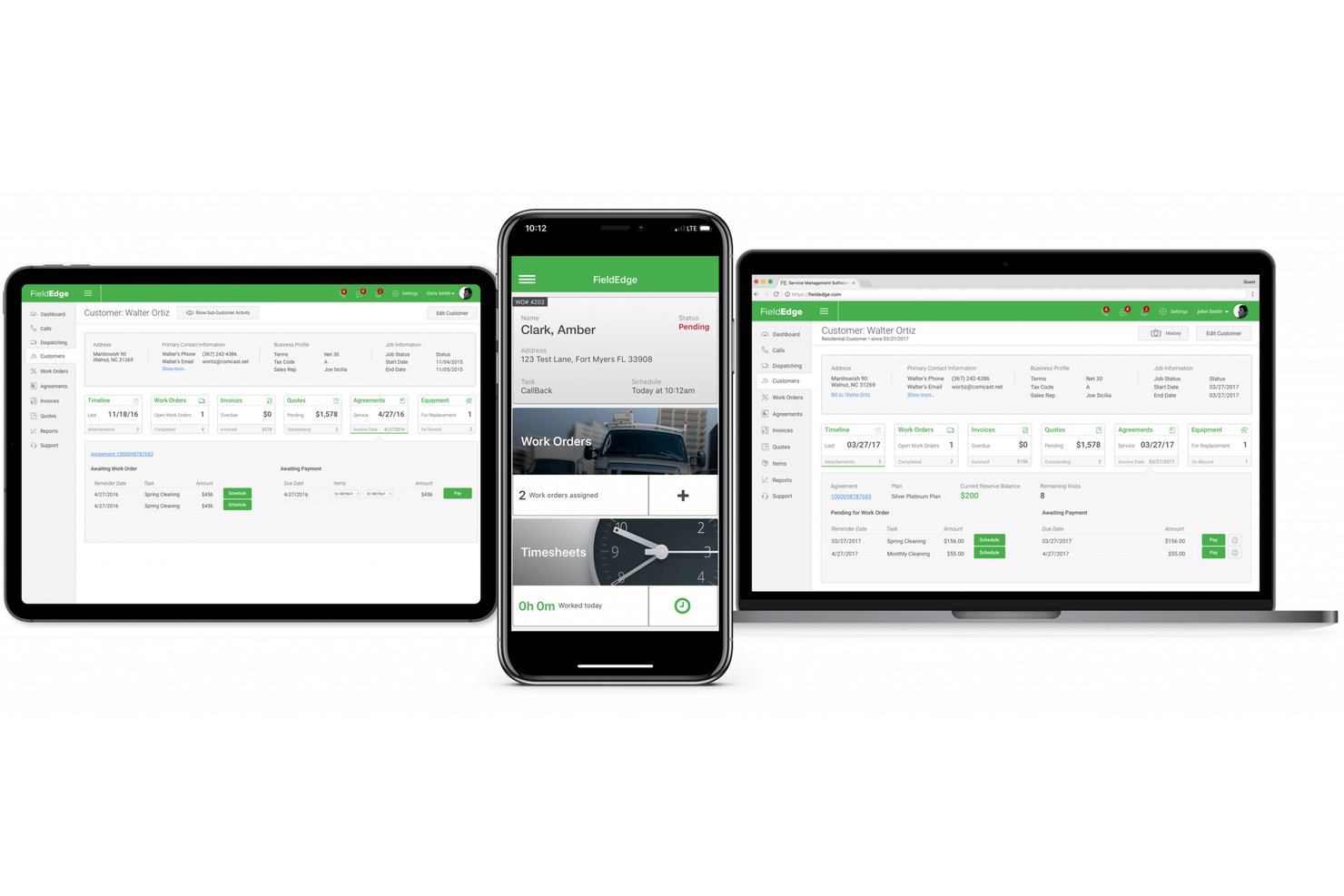
FieldPulse on kenttäpalvelujen hallintaohjelmisto urakoitsijoille, joiden on hallittava asiakaspyyntöjä, tarjouksia, laskuja ja kenttätiimejä (paras tekoälyavusteiseen töiden varaukseen ja välitykseen).
Kenelle FieldPulse sopii parhaiten?
FieldPulse sopii kenttäpalveluyrityksille, joiden toimistotiimien on muutettava saapuvat asiakaspyynnöt teknikoille aikataulutetuiksi töiksi.
Miksi valitsin FieldPulsen
Valitsin FieldPulsen Jobberin vaihtoehdoksi, koska sen tekoälyavusteinen töiden varaus ja välitys auttaa muuttamaan vastaamattomat puhelut aikataulutetuiksi töiksi. Operator AI vastaa saapuviin puheluihin, tarkistaa palvelualueen kattavuuden ja ajanvarausten saatavuuden ja luo sitten työt FieldPulsen aikatauluun. Esimerkiksi putkityöpyyntö voidaan kirjata ja varata ilman, että toimiston työntekijän tarvitsee syöttää puhelun tietoja manuaalisesti.
FieldPulsen tärkeimmät ominaisuudet
- Tarjoukset ja laskut: Luo tarjouksia, muunna hyväksytyt tarjoukset laskuiksi ja vastaanota maksuja.
- Työtilausten hallinta: Luo ja hallitse kenttätöiden työtilauksia.
- Varastonhallinta: Seuraa varastoa osana palvelutoimintojasi.
- Asiakkuuksien hallinta: Säilytä asiakastiedot ja viestintätiedot yhdessä paikassa.
FieldPulsen integraatiot
FieldPulse dokumentoi natiivin integraation QuickBooks Onlinen kanssa liiketoimintatietojen synkronointia varten sekä Google Calendarin kanssa yksisuuntaista töiden synkronointia varten. Se yhdistyy myös Zapieriin ja tarjoaa ohjelmointirajapinnan mukautettuja integraatioita varten.
Pros and Cons
Pros:
- Operator AI varaa saapuvista puheluista tulevat työt suoraan
- Vedä ja pudota -aikataulutus selkeyttää teknikoiden töiden välitystä
- Tarjoukset voidaan muuntaa laskuiksi vähäisemmällä tietojen uudelleensyötöllä
Cons:
- Töiden välityksestä puuttuu automaattinen reittien optimointi
- Mobiilisovellus saattaa toimia virheellisesti heikon kuuluvuuden alueilla

Ideal para precios de tarifa fija para usuarios ilimitados
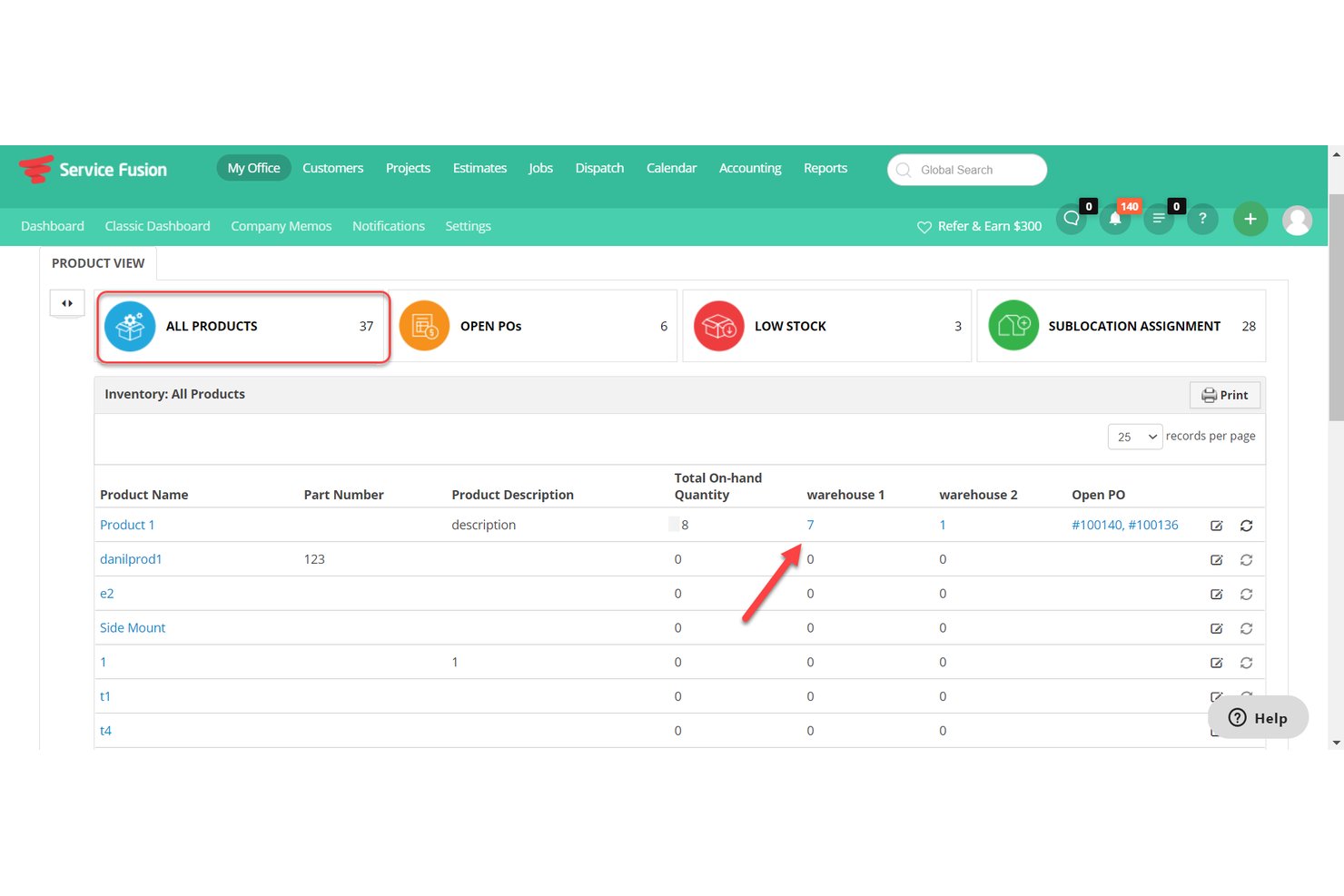
Service Fusion es un software de gestión de servicios de campo para contratistas de servicios residenciales y comerciales, que reúne la programación, el despacho, los registros de clientes, los presupuestos y la facturación para ayudar a los equipos a coordinar a los técnicos y mantener los trabajos en marcha.
¿Para quién es más adecuado Service Fusion?
Service Fusion es adecuado para contratistas de servicios residenciales y comerciales que necesitan coordinar técnicos, despachar trabajos y gestionar el trabajo de los clientes en un solo sistema.
Por qué elegí Service Fusion
Elegí Service Fusion como alternativa a Jobber porque sus precios de tarifa fija para usuarios ilimitados permiten a los contratistas incorporar a despachadores y técnicos de campo en un solo sistema sin tarifas por usuario. Me gusta que los equipos puedan coordinar el despacho mientras mantienen los registros de clientes, los presupuestos y las facturas vinculados a cada trabajo.
Características principales de Service Fusion
- Aplicación móvil para técnicos: Los técnicos pueden consultar y gestionar trabajos desde sus smartphones.
- Seguimiento de flotas mediante GPS: Consulta las ubicaciones de los vehículos, los trayectos, la distancia, el tiempo de inactividad y el comportamiento al volante.
- Integración con QuickBooks: Sincroniza los datos de las facturas con QuickBooks Online o Desktop.
- Alertas por mensajes de texto: Envía a los clientes alertas sobre los trabajos programados y las actualizaciones de los técnicos.
Integraciones de Service Fusion
Service Fusion ofrece integraciones nativas con QuickBooks Online y QuickBooks Desktop, y se conecta con Zapier. Su API, disponible en el plan Pro, admite integraciones personalizadas.
Pros and Cons
Pros:
- El despacho vincula los horarios con las ubicaciones GPS en tiempo real
- Los presupuestos de campo se convierten directamente en órdenes de trabajo
- Los acuerdos de servicio admiten la facturación recurrente y las renovaciones
Cons:
- Las facturas creadas desde el móvil pueden requerir volver a guardarse en el escritorio
- Los informes tienen dificultades para mostrar la visibilidad de los planes de mantenimiento activos

Mejor para contratistas de oficios con precios basados en el volumen de trabajos
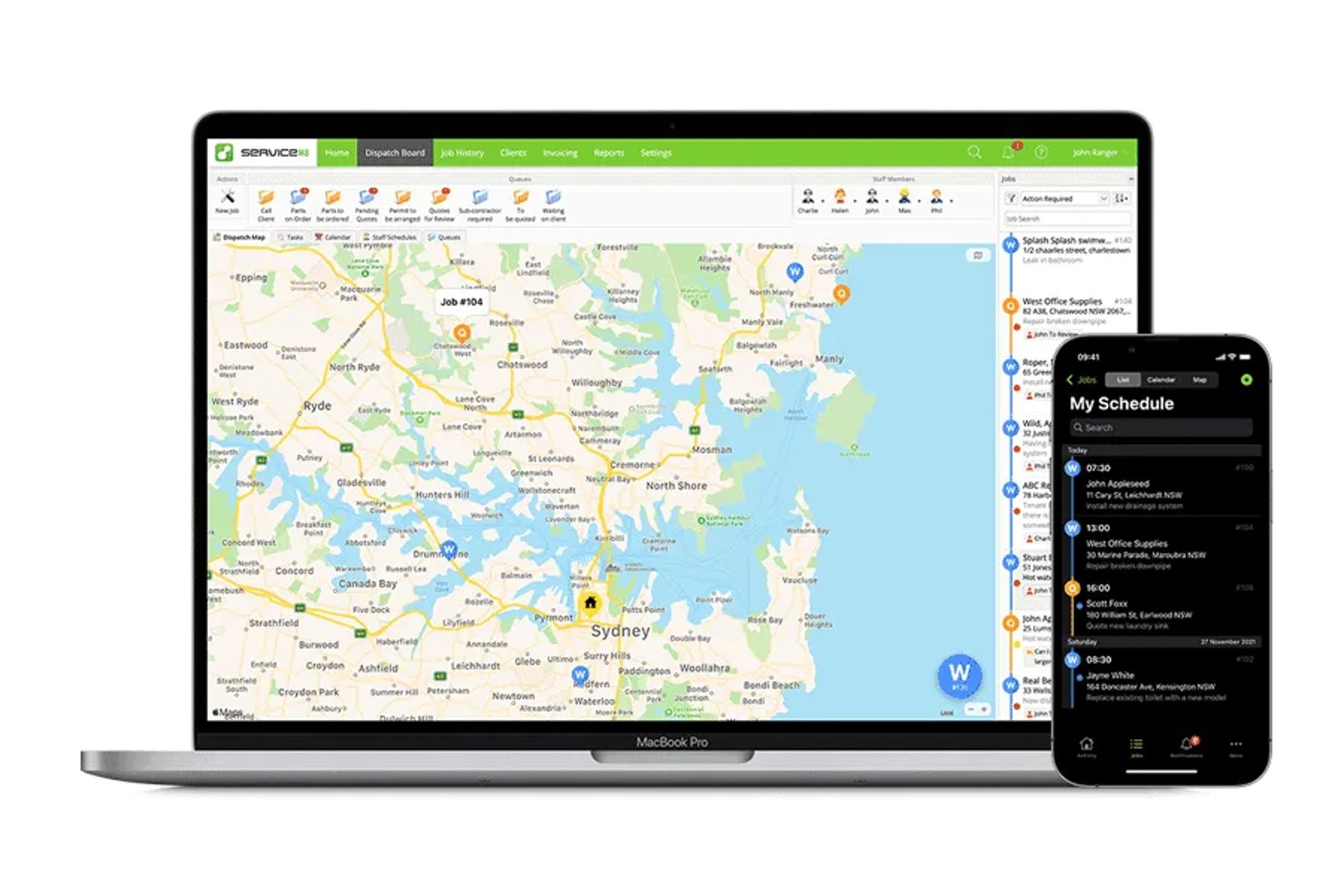
ServiceM8 es una aplicación de gestión de servicios de campo diseñada para dispositivos móviles, dirigida a contratistas de oficios que necesitan organizar trabajos, programar tareas y gestionar registros de clientes, presupuestos y facturas.
¿Para quién es mejor ServiceM8?
ServiceM8 es adecuada para contratistas de oficios con cargas de trabajo variables que desean que el precio del software esté vinculado al número de trabajos que gestionan.
Por qué elegí ServiceM8
Elegí ServiceM8 como alternativa a Jobber por su enfoque de “Mejor para contratistas de oficios con precios basados en el volumen de trabajos”. Sus precios basados en el volumen de trabajos se adaptan a contratistas con un número fluctuante de servicios solicitados, mientras que la programación de trabajos, los presupuestos y las facturas ayudan a realizar un seguimiento del trabajo desde la reserva hasta la facturación.
Características principales de ServiceM8
- Listas de verificación de trabajos: Añade tareas y requisitos a los registros de trabajos para que el personal los complete.
- Seguimiento GPS del personal: Consulta la ubicación del personal y el historial de desplazamientos durante la jornada laboral.
- Formularios personalizados: Crea formularios PDF con fotos, preguntas de opción múltiple y campos de firma.
- Registros de activos: Guarda los detalles de los equipos por cliente y ubicación, y después accede al historial de servicio.
Integraciones de ServiceM8
ServiceM8 documenta integraciones con Xero, MYOB, QuickBooks Online, Mailchimp, Deputy, Workato y Zapier. También ofrece una API abierta y un SDK para conexiones personalizadas.
Pros and Cons
Pros:
- Las fotos y notas de los trabajos permanecen juntas
- El GPS del personal ayuda a los responsables de asignación a realizar un seguimiento de los desplazamientos en campo
- Los formularios PDF registran firmas y detalles del sitio
Cons:
- Los controles de disponibilidad del personal limitan la asignación bajo demanda
- Los recordatorios de seguimiento de facturas ofrecen una programación limitada

Más adecuado para operaciones empresariales de campo nativas del CRM
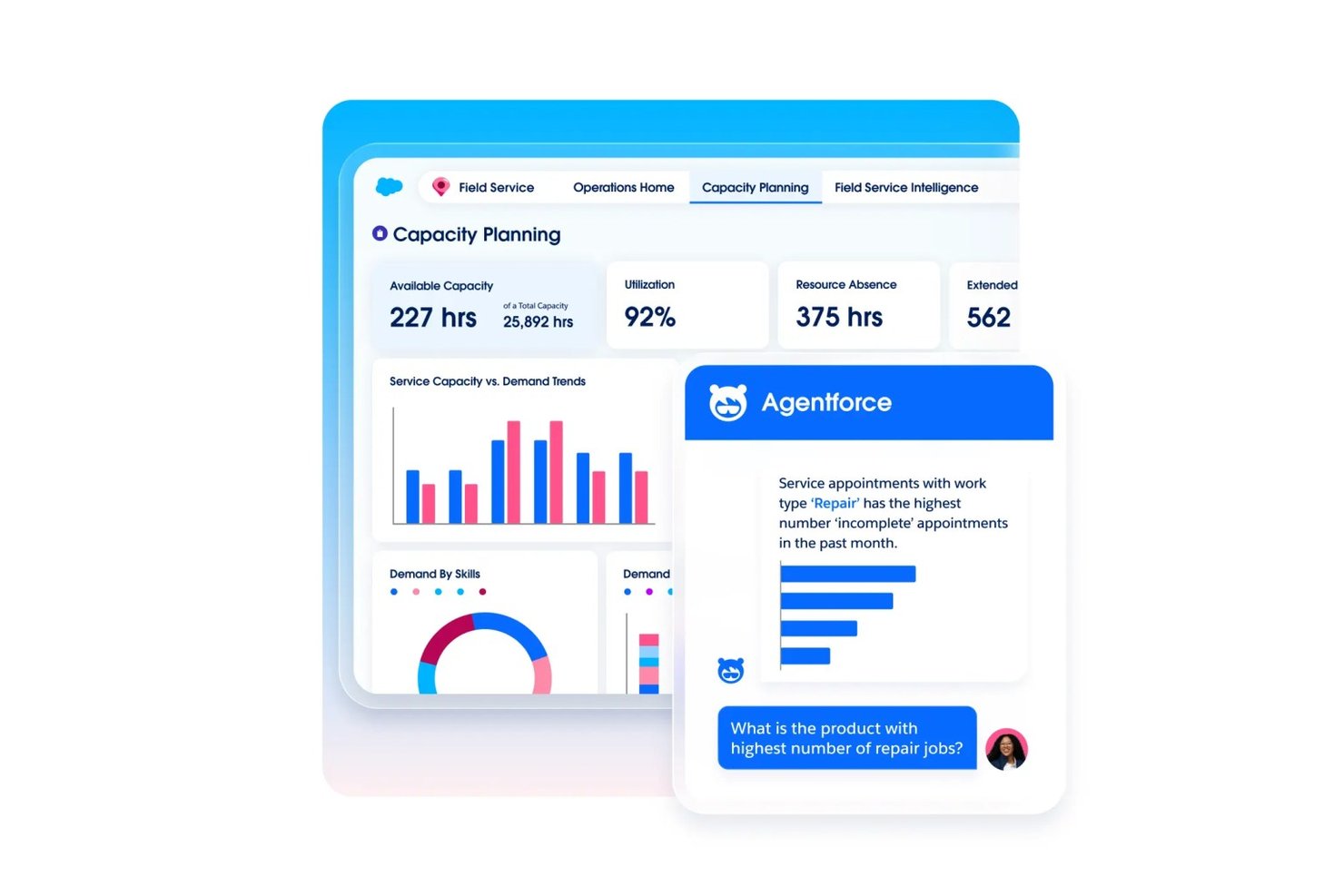
Agentforce Field Service ayuda a los equipos de servicio más grandes a coordinar órdenes de trabajo, horarios de técnicos y registros de clientes en Salesforce, lo que facilita la gestión de operaciones de campo complejas como alternativa a Jobber.
¿Para quién es más adecuado Agentforce Field Service?
Las empresas basadas en Salesforce con equipos de técnicos distribuidos y operaciones complejas de servicio de campo son una buena opción para Agentforce Field Service.
Por qué elegí Agentforce Field Service
Elegí Agentforce Field Service como la opción “Más adecuado para operaciones empresariales de campo nativas del CRM” porque conecta el trabajo de campo con los registros de clientes de Salesforce. Me gusta que los equipos puedan coordinar las órdenes de trabajo y los horarios de los técnicos junto con la información de los clientes, de modo que los despachadores puedan revisar los detalles del trabajo al asignar visitas de servicio.
Características principales de Agentforce Field Service
- Aplicación móvil sin conexión: Accede a los registros en Android e iOS, incluso sin conexión.
- Formularios y flujos de trabajo dinámicos: Configura formularios y flujos de trabajo con poco código para las tareas de campo.
- Planes de mantenimiento preventivo: Activa el mantenimiento según el uso, el estado o los umbrales de los activos.
- Asistente remoto visual: Usa vídeo en tiempo real para guiar a los clientes durante la resolución de problemas.
Integraciones de Agentforce Field Service
Agentforce Field Service está basado en la plataforma Salesforce y conecta las operaciones de campo con los datos de clientes y activos de Salesforce; el plan Field Service Plus incluye Service Cloud y Sales Cloud. Hay disponible una API REST de Field Service para integraciones personalizadas.
Pros and Cons
Pros:
- La aplicación sin conexión permite realizar trabajos de campo sin conectividad
- El despacho basado en habilidades tiene en cuenta la disponibilidad de los técnicos
- Las órdenes de trabajo se conectan con los registros de clientes
Cons:
- La implementación puede exigir amplios conocimientos de Salesforce
- Los fallos de la aplicación para técnicos pueden interrumpir los flujos de trabajo de campo
Otras alternativas a Jobber
Estas son algunas alternativas adicionales a Jobber que no llegaron a mi lista de selección, pero que aun así merece la pena conocer:
- Service Autopilot
Ideal para flujos de trabajo recurrentes de rutas de cuidado del césped
- Housecall Pro
Ideal para la recopilación integrada de pagos con tarjeta y ACH
- Arrivy
Ideal para operaciones de programación y enrutamiento impulsadas por IA
- OneCrew
Ideal para calcular los costos de trabajos de pavimentación y concreto
- Tradify
Ideal para presupuestos de oficios y seguimiento de trabajos
- Workever
Ideal para equipos de servicios de campo en crecimiento de 5 a 50 personas
- GorillaDesk
Mejor para operaciones de campo basadas en rutas de control de plagas


Cómo evalúo las alternativas a Jobber
Divido mi evaluación en tres partes. Primero —y con el mayor peso— compruebo si una herramienta puede programar y asignar trabajos, además de generar presupuestos y facturas vinculados a esos trabajos. En segundo lugar, busco funciones destacadas, como la automatización de trabajos recurrentes o los portales de autoservicio para clientes. En tercer lugar, considero la estructura de precios y el soporte para la incorporación, especialmente para equipos de campo con distintos niveles de comodidad técnica.
Funcionalidad principal (requisitos básicos para esta lista)
Al seleccionar herramientas para mi lista, puntúo cada una en una escala de 0 (no ofrece la funcionalidad) a 5 (sobresale en esta área) para cada funcionalidad principal que se indica a continuación. Después convierto el total en un porcentaje para ayudar a evaluar la adecuación general de cada herramienta, con un peso adicional para las funcionalidades que he considerado esenciales.
- Programación y asignación de trabajos (esencial): Busco asignación de trabajos, programación en el calendario y reprogramación que ayuden a los coordinadores a organizar la disponibilidad del equipo y los cambios en los compromisos con los clientes.
- Presupuestos y facturas (esencial): Evalúo si los presupuestos se vinculan a los registros de trabajo y se convierten en facturas, incluidos pasos claros de aprobación y seguimiento de pagos.
- Gestión de clientes: Compruebo que los perfiles de clientes vinculen el historial de servicios, las notas de trabajo y las comunicaciones para que el personal de oficina pueda prepararse para visitas posteriores.
- Procesamiento de pagos: Busco formas de cobrar o registrar pagos asociados a las facturas y de hacer un seguimiento de lo pagado o pendiente.
- Acceso móvil para equipos de campo: Considero si los técnicos pueden consultar trabajos, actualizar estados y añadir notas o fotos desde el lugar de trabajo.
- Seguimiento de rutas y equipos: Evalúo las vistas de mapas, la visibilidad de la ubicación de los técnicos y la planificación de rutas para equipos que gestionan varios trabajos al día.
Una vez que tengo una lista de herramientas que cumplen los criterios, considero qué diferencia a cada plataforma.
Factores diferenciadores (lo que distingue a los proveedores)
Así es como comparo y contrasto los distintos proveedores:
Funciones destacadas
Busco automatización de trabajos recurrentes que genere visitas de seguimiento, facturas y recordatorios sin volver a introducir los datos manualmente. Un equipo de mantenimiento de jardines con decenas de cuentas semanales necesita que ese ciclo funcione por sí solo. Los portales de autoservicio para clientes también son importantes, ya que permitir que los clientes aprueben presupuestos y paguen en línea reduce los intercambios constantes del personal de oficina. También evalúo el seguimiento del tiempo vinculado a los registros de trabajo para poder comparar la mano de obra estimada con las horas reales y detectar brechas de rentabilidad antes de que se conviertan en patrones.
Más allá de las funciones
Evalúo si una herramienta se adapta a un sector específico o intenta atender a todos los sectores. Una empresa de climatización necesita flujos de trabajo para el seguimiento de equipos que una plataforma genérica no ofrecerá de forma inmediata, mientras que un servicio de limpieza se beneficia de plantillas diseñadas en torno a patrones de visitas recurrentes. La estructura de precios es igual de importante: los costes por usuario se acumulan rápidamente al ampliar equipos estacionales, por lo que comparo los planes de tarifa fija y escalonados uno junto al otro. También compruebo la profundidad de las integraciones con herramientas de contabilidad como QuickBooks y Xero, ya que la falta de conexiones implica que el personal de oficina tenga que introducir los datos por duplicado.
¿Por qué buscar una alternativa a Jobber?
Aunque Jobber es una buena opción de software de gestión de servicios, hay varias razones por las que algunos usuarios pueden buscar soluciones alternativas. Es posible que estéis buscando una alternativa a Jobber porque…
- Necesitáis funciones de generación de informes más avanzadas
- Vuestro equipo necesita herramientas específicas del sector
- Queréis una mejor escalabilidad para crecer
- Necesitáis planes de precios más flexibles
- Vuestro equipo necesita más opciones de personalización
Si alguna de estas situaciones os resulta familiar, habéis llegado al lugar adecuado. Mi lista incluye varias opciones de software de gestión de servicios más adecuadas para los equipos que se enfrentan a estos desafíos con Jobber.
Funciones principales de Jobber
Estas son algunas de las funciones principales de Jobber que os ayudarán a compararlas con lo que ofrecen las soluciones alternativas:
- Programación y asignación: Asigna fácilmente trabajos a tu equipo y gestiona las citas.
- Facturación y pagos: Crea facturas y procesa pagos de manera eficiente.
- Gestión de clientes: Mantén registros detallados de las interacciones y el historial de los clientes.
- Aplicación móvil: Accede a los detalles y las actualizaciones de los trabajos desde cualquier lugar.
- Presupuestos: Genera y envía presupuestos profesionales a los clientes rápidamente.
- Registro de horas: Supervisa las horas trabajadas y la duración de los trabajos para una facturación precisa.
- Gestión de trabajos: Realiza un seguimiento del progreso y las actualizaciones de los trabajos en tiempo real.
- Informes: Obtén información sobre el rendimiento de tu negocio mediante informes personalizables.
- Reserva en línea: Permite a los clientes programar servicios directamente a través de tu sitio web.