

2026’nın En İyi 19 Ücretsiz Belge Sürüm Kontrol Yazılımı

En İyi Ücretsiz Belge Sürüm Denetimi Yazılımları Kısa Listesi


Ücretsiz belge sürüm denetimi yazılımları, bir lisans veya abonelik için ödeme yapmadan belgelerinizdeki değişiklikleri izlemenize, yönetmenize ve düzenlemenize olanak tanır. Bütçenizi zorlamadan sürüm geçmişini düzenli tutmanın, dosyalar üzerinde iş birliği yapmanın ve maliyetli üzerine yazma işlemlerini önlemenin yollarını arıyorsanız, hangi araçların gerçekten ücretsiz bir plan veya deneme sunduğunu bilmek büyük önem taşır.
Bu rehberde, öne çıkan seçeneklere ilişkin değerlendirmelerimi bulacaksınız. Böylece özellikleri karşılaştırabilir, ekibiniz için nelerin işe yaradığını değerlendirebilir ve günlük iş akışınıza gerçekten uyan bir çözüm seçebilirsiniz.
Why Trust Our Software Recommendations
Our team has been testing and reviewing software since 2012. As project managers ourselves, we know how difficult—and important—it is to choose the right software.
For this guide, we evaluated tools using hands-on testing and independent research, scoring tools using our selection criteria. We also draw on insights from industry thought leaders and practicing project management experts.
Our reviews reflect our human editorial judgment, not a sales pitch.
Expert reviewers:
Ücretsiz Belge Sürüm Denetimi Yazılımları Karşılaştırma Tablosu
Bu karşılaştırma tablosunda, en iyi ücretsiz belge sürüm denetimi yazılımı seçimlerimin fiyatlandırma ayrıntıları öne çıkarılmaktadır.
| Tool | Starting Price | Website | |
|---|---|---|---|
| Best for real-time document editing | 4.7 out of 5 | $7/user/month Free plan + trial available | Website |
| Best for built-in document co-editing tools | 4.5 out of 5 | Pricing upon request Free plan available | Website |
| Best for tracking PDF versions | 4.5 out of 5 | $19.99/user/month 7-day free trial | Website |
| Best for task management integration | 4.2 out of 5 | €69/month Free plan + 15-day free trial + free demo available | Website |
| Best for familiar editing interface | — | Pricing upon request Free plan available | Website |
| Best for advanced metadata organization | 4.4 out of 5 | $65/user/month Free demo available | Website |
| Best for centralized team file storage | 4.3 out of 5 | $3/user/month Free plan available | Website |
| Best for customizable workflow automation | — | Free and open-source Free and open-source | Website |
| Best for scalable open-source deployments | — | Free to use Free to use | Website |
| Best for API-driven document automation | — | $1250/month Free plan + free demo available | Website |
Ücretsiz Belge Sürüm Denetimi Yazılımı İncelemeleri
Aşağıda, kısa listeme giren ücretsiz belge sürüm denetimi yazılımlarına ilişkin ayrıntılı özetlerimi bulabilirsiniz. İncelemelerimde, sizin için en iyi seçeneği bulmanıza yardımcı olmak amacıyla her platformun özelliklerine, en uygun kullanım alanlarına ve entegrasyonlarına ayrıntılı bir bakış sunuyorum.

Best for real-time document editing
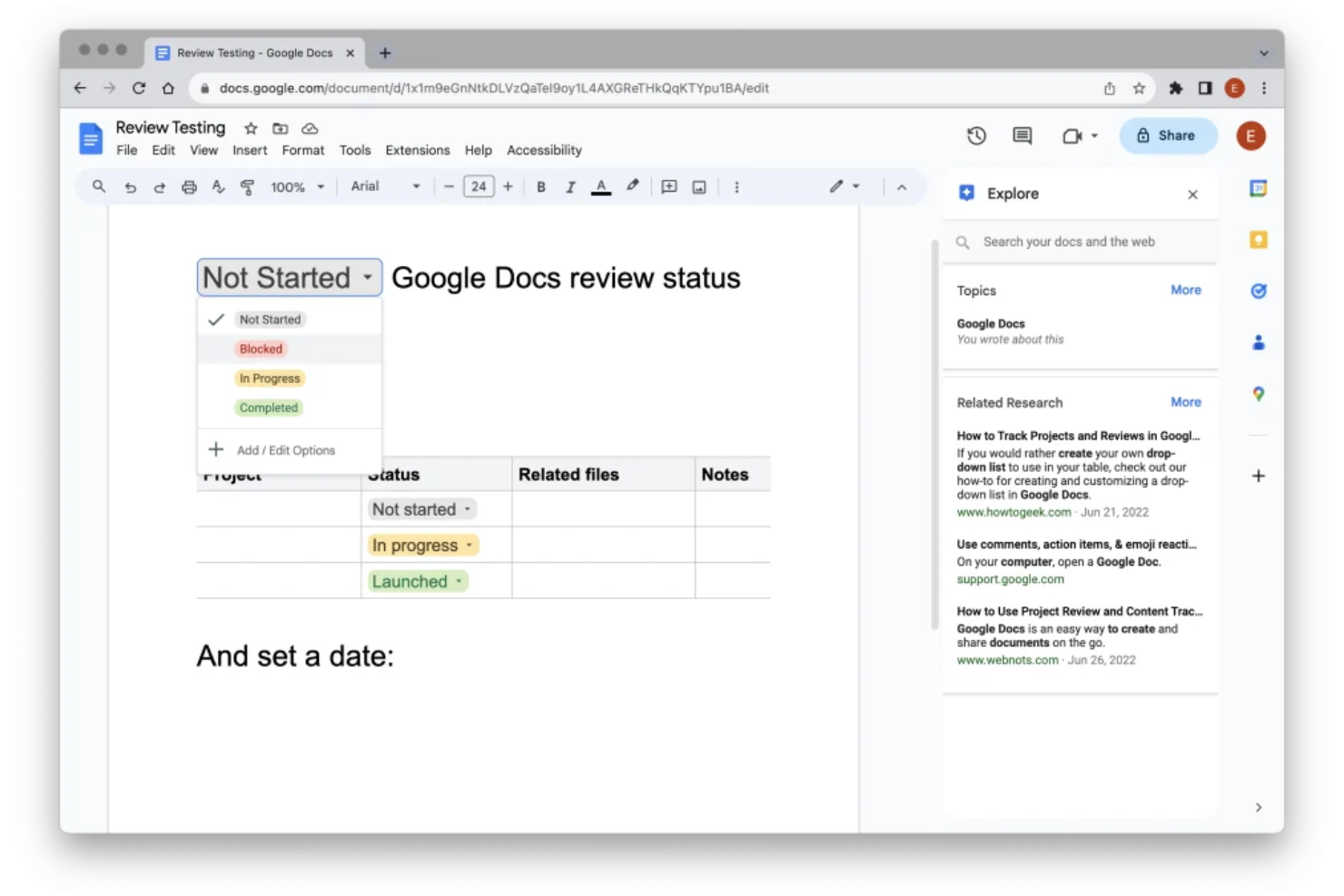
Google Docs is a cloud-based document editing and collaboration platform that enables individuals and teams to create, share, comment, and manage document versions in real time.
Who Is Google Docs Best For?
Google Docs is a good fit for distributed teams and small businesses that need to collaborate on documents online from anywhere.
Why I Picked Google Docs
I picked Google Docs as one of the best because I rely on its real-time editing and multi-user collaboration, where everyone can contribute and comment simultaneously. Version history lets my team track changes and restore past work with ease.
Google Docs Key Features
- Offline editing: Work on documents without an internet connection and sync changes later.
- Comment threading: Add, resolve, and track conversations linked to specific document text.
- Access permission controls: Limit who can view, edit, or comment on each file.
- File export options: Download documents as PDF, Word, or other formats for sharing outside Google Docs.
Google Docs Integrations
Google Docs offers native integrations with Google Drive, Google Sheets, Google Slides, Google Forms, and Gmail, and can connect to third-party apps through Google Workspace Marketplace. An API is also available for custom integrations.
What's Free?
Google Docs offers a free-forever plan for anyone with a Google Account. Some advanced features, like joining a Meet call from within Docs, require a paid Google Workspace plan.
Pros and Cons
Pros:
- Cloud-based with easy access from any device
- Automatic version history and change tracking
- Real-time collaboration for unlimited users
Cons:
- Limited offline editing functionality
- Formatting issues when importing from Word

Best for built-in document co-editing tools
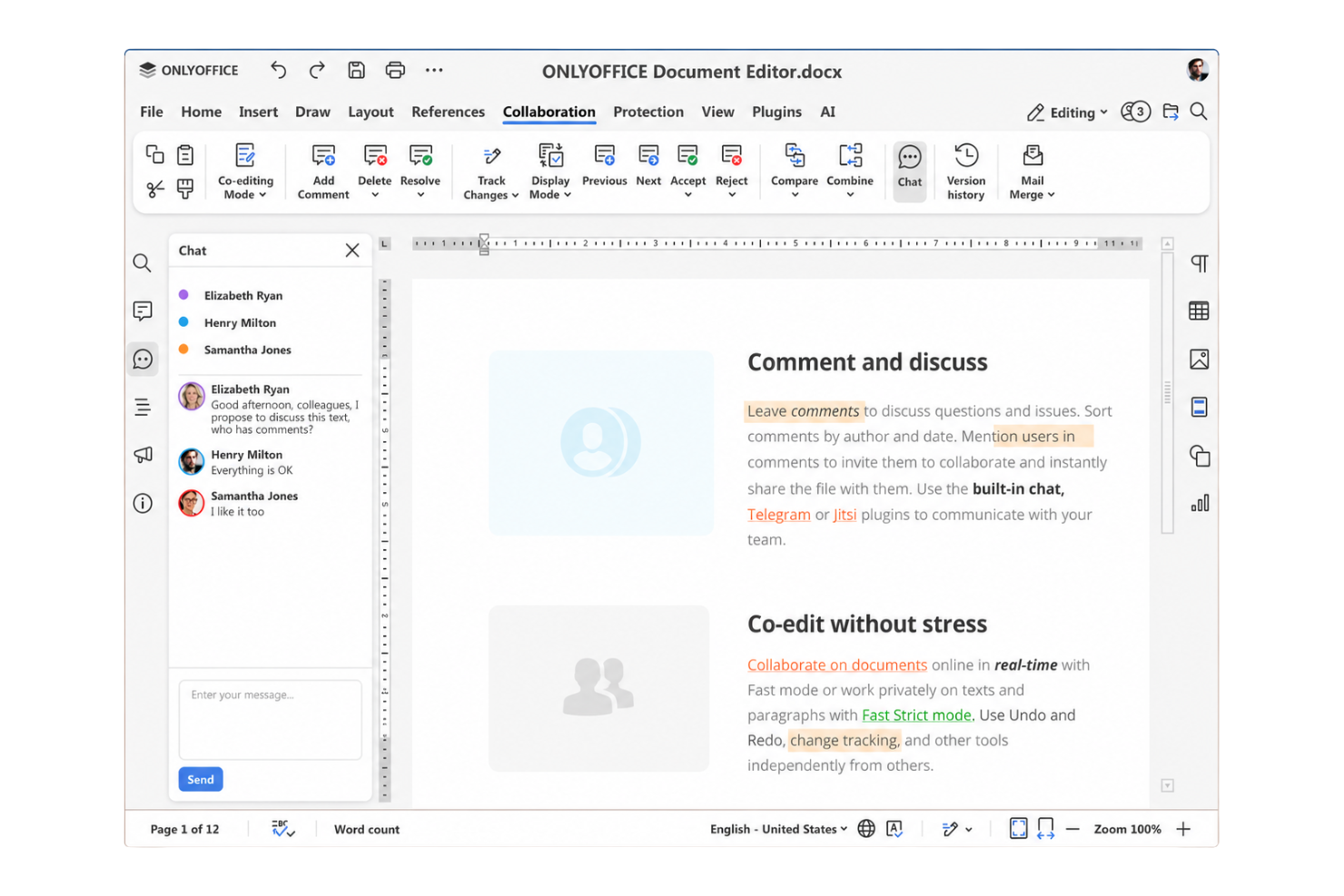
ONLYOFFICE Docs is a document management software and editing platform that provides teams with integrated word processing, spreadsheet, and presentation tools, plus advanced permission controls and real-time editing capabilities for multi-user document collaboration.
Who Is ONLYOFFICE Docs Best For?
ONLYOFFICE Docs is a solid choice for distributed teams and organizations that need collaborative editing and document control across offices or remote environments.
Why I Picked ONLYOFFICE Docs
I picked ONLYOFFICE Docs because my team can edit documents together in real time using both fast and strict co-editing modes, track document version history, and set custom sharing permissions within the same workspace. The built-in editors feel better than most alternatives.
ONLYOFFICE Docs Key Features
- Content control: Prevents content copying, printing, or screenshotting in sensitive documents.
- Multi-format support: Edits and manages DOCX, XLSX, PPTX, and other file types.
- Document comparison: Highlights and displays differences between file versions.
- Integration with storage platforms: Connects with Google Drive, Dropbox, Nextcloud, and others.
ONLYOFFICE Docs Integrations
ONLYOFFICE Docs offers native integrations with Nextcloud, ownCloud, Seafile, Alfresco, Confluence, SharePoint, Moodle, Redmine, and Jira. An API is available for custom integrations.
What's Free?
ONLYOFFICE Docs offers a free desktop version for Windows, Linux, and macOS, as well as a free community server build for self-hosting. Free plans may have some limitations compared to enterprise editions.
Pros and Cons
Pros:
- Multi-format document support
- Strong version history and permission controls
- Real-time collaborative document editing tools
Cons:
- Server setup requires technical knowledge
- Interface can feel outdated to some users

Best for tracking PDF versions

Adobe Acrobat is a document management solution for creating, editing, and organizing PDF files, with built-in tools for file comparison, commenting, and workflow management tailored to teams handling PDF-based version control.
Who Is Adobe Acrobat Best For?
Adobe Acrobat is a strong choice for legal, finance, and compliance teams that manage multiple versions of sensitive PDF documents.
Why I Picked Adobe Acrobat
I picked Adobe Acrobat as one of the best because I rely on its detailed PDF version tracking and audit trails. I like using the compare files tool to quickly spot every change between document versions. Its commenting and collaborative review features keep my team aligned.
Adobe Acrobat Key Features
- E-signature workflows: Collect signatures and approvals directly within PDF documents.
- Password protection: Restrict access to PDFs with password security settings.
- Redaction tools: Permanently remove sensitive information from files before sharing.
- Bulk file conversion: Convert multiple formats to PDF in one workflow.
Adobe Acrobat Integrations
Adobe Acrobat offers native integrations with Microsoft 365, Google Drive, Box, and Dropbox, enabling users to work with files stored in these platforms. An API is available for custom integrations.
What's Free?
Adobe’s free tier is called Adobe Acrobat Reader (available on desktop and mobile) alongside Acrobat Web (accessed via a browser). The free tier allows for viewing, commenting on, filling out, and signing PDFs, along with 2GB of cloud storage. Advanced features like editing text, merging files, and converting formats require a paid Acrobat subscription.
Pros and Cons
Pros:
- Advanced redaction for confidential documents
- Supports layered comments and annotations
- Detects every change between PDF versions
Cons:
- Limited collaboration options
- Only tracks version history for PDFs

Bitrix24
Best for task management integration
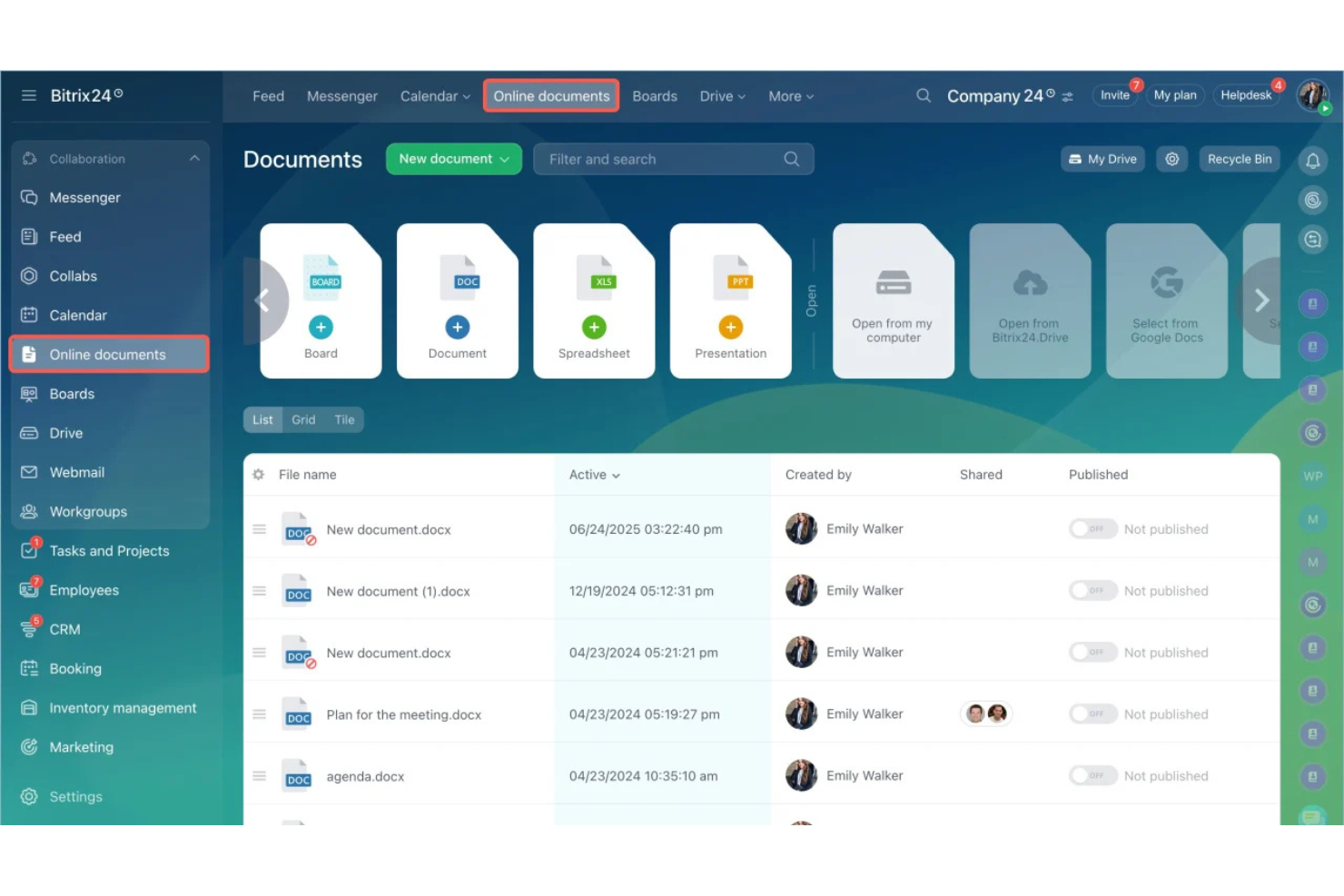
Bitrix24 is a project management platform that features document storage, editing, sharing, and automatic version control for teams needing free document management alongside collaboration and workflow tools.
Who Is Bitrix24 Best For?
Bitrix24 is a strong choice for small to midsize teams that need integrated document handling with project and task management in a single workspace.
Why I Picked Bitrix24
I picked Bitrix24 because its document version control ties closely with task tracking, so my team can link files to specific tasks and monitor updates in context. I also like the built-in change history and collaborative editing features.
Bitrix24 Key Features
- Document locking: Prevents multiple users from editing a document at the same time.
- Access permissions: Lets you assign granular read or edit rights to documents.
- Audit trails: Tracks a detailed activity log for every document.
- Cloud storage integration: Connects documents with Google Drive, Dropbox, and OneDrive.
Bitrix24 Integrations
Bitrix24 offers native integrations with Google Drive, Dropbox, Microsoft 365, OneDrive, Mailchimp, Xero, and Facebook, and provides an API for custom integrations.
What's Free?
Bitrix24 offers a free-forever plan for unlimited users. The free plan includes basic document management, task management, and collaboration tools, but limits storage and advanced features.
Pros and Cons
Pros:
- Granular access rights for document folders
- Document editing is integrated with tasks
- Supports multiple team collaborators
Cons:
- Large file uploads can be slow
- Strict five gigabyte storage cap
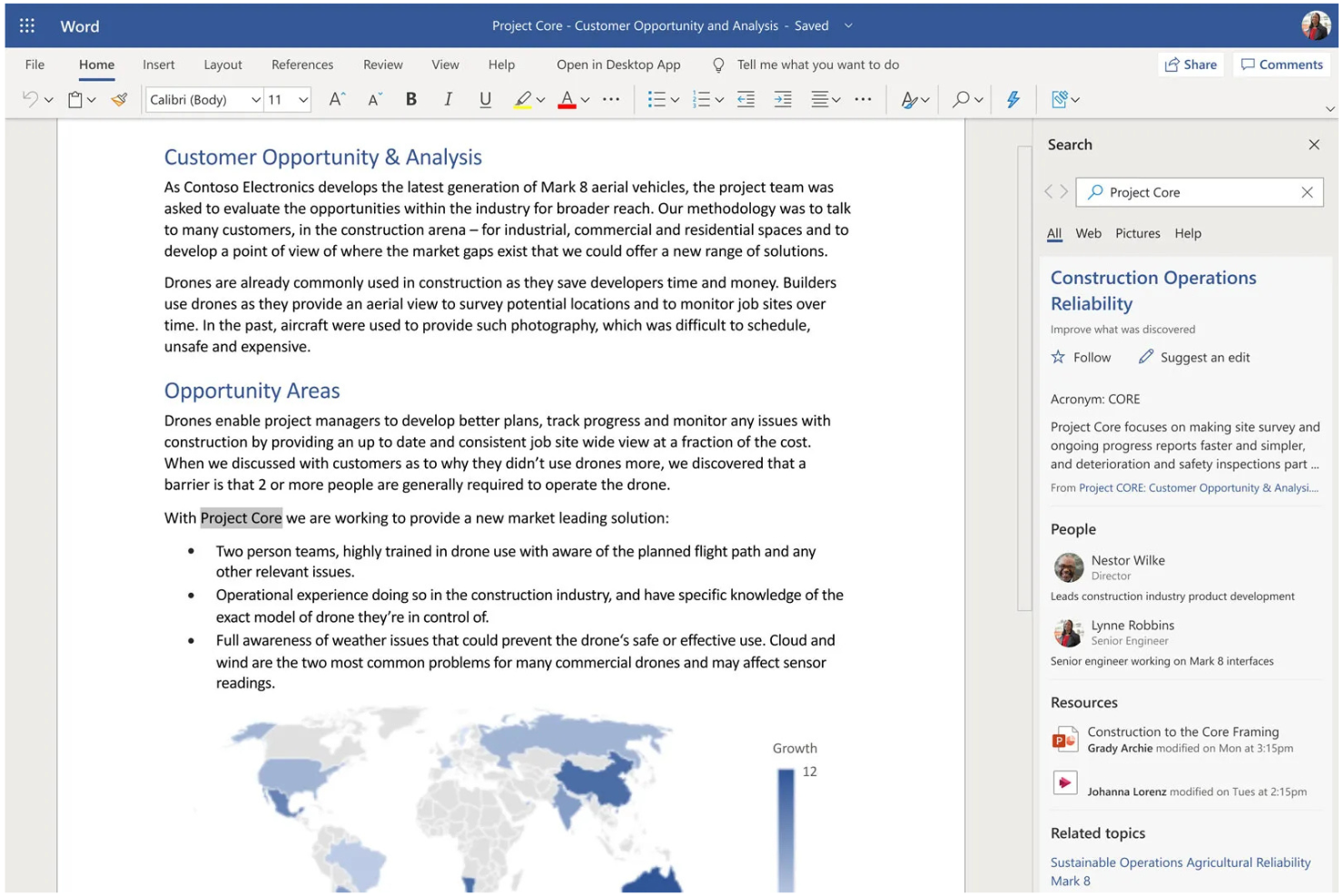
Microsoft Word is a document creation and editing platform that gives teams built-in version history, real-time collaboration, commenting, and easy access to files across devices using Microsoft 365 or the free online version.
Who Is Microsoft Word Best For?
Microsoft Word is a good fit for individuals and teams in any industry who need a widely recognized document editing and version control tool.
Why I Picked Microsoft Word
I picked Microsoft Word as one of the best because its familiar editing interface helps my team collaborate efficiently on docs everyone already knows. I rely on real-time co-authoring, tracked changes, and its extensive version history for document control.
Microsoft Word Key Features
- Templates gallery: Choose from a wide range of prebuilt templates for business, education, or reports.
- Password protection: Secure files with document-level encryption and access controls.
- Comments and annotations: Leave threaded feedback or notes directly within documents.
- Auto-save with OneDrive: Files save automatically when stored in OneDrive, reducing the risk of data loss.
Microsoft Word Integrations
Microsoft Word has native integrations across the Microsoft ecosystem, including Microsoft 365 and Azure. An API is available for custom integrations.
What's Free?
Microsoft Word offers a free online version with basic editing features and real-time collaboration for users with a Microsoft account. Advanced features and offline access require a paid Microsoft 365 subscription.
Pros and Cons
Pros:
- Offers extensive template selection
- Reliable version history with easy restore
- Real-time document co-authoring for teams
Cons:
- Collaboration requires Microsoft account
- Limited approval workflow options

M-Files
Best for advanced metadata organization

M-Files is a document management platform that centralizes file storage, automates version control, supports advanced metadata tagging, and enables secure collaboration for teams handling a wide range of business documents.
Who Is M-Files Best For?
M-Files is a good fit for midsize and large organizations managing high document volumes and requiring complex metadata and compliance controls.
Why I Picked M-Files
I picked M-Files as one of the best because I can organize documents around advanced metadata, not just folders. I often rely on its automatic versioning and permission controls to manage sensitive documents across complex workflows.
M-Files Key Features
- Automated workflow routing: Set up document review, approval, and publishing workflows tailored to your organization.
- Mobile document access: View, edit, and share documents securely from iOS and Android devices.
- Outlook integration: Save and manage emails and attachments directly from Microsoft Outlook.
- Audit logging: Track document access, changes, and history for security and compliance auditing.
M-Files Integrations
M-Files offers native integrations with Salesforce, Microsoft 365, Google Workspace, SharePoint, Microsoft Teams, Outlook, DocuSign, and Adobe Sign, and provides an API for custom integrations.
What's Free?
M-Files offers a free 30-day trial with no credit card required, and unlimited colleagues can be added. The trial includes all core features but does not provide access to all integrations or advanced industry configurations.
Pros and Cons
Pros:
- Detailed audit trails for compliance tracking
- Automated document workflows and permissions
- Metadata-based document search and retrieval
Cons:
- Limited mobile editing capabilities
- Complex initial configuration for administrators

Best for centralized team file storage

Zoho WorkDrive is a cloud-based document management system (DMS) designed for file versioning, team document collaboration, access controls, and centralized storage for business teams.
Who Is Zoho WorkDrive Best For?
Zoho WorkDrive suits small to midsize businesses that need organized, secure document storage and collaborative access for distributed project teams.
Why I Picked Zoho WorkDrive
I picked Zoho WorkDrive because I like how it brings every team file into a single space with group-level permissions, built-in file version tracking, and granular admin controls for centralized team file storage.
Zoho WorkDrive Key Features
- Activity timeline: Track actions, edits, and views on every document.
- File locking: Prevents simultaneous edits by locking files in use.
- Team folders: Organize files by projects, departments, or groups.
- Document request: Collect files or documents directly from stakeholders.
Zoho WorkDrive Integrations
Zoho WorkDrive offers native integrations across the Zoho ecosystem, including Zoho CRM, Zoho Projects, Zoho Mail, Zoho Cliq, and Zoho Sign, plus Google Workspace and Microsoft 365. An API is available for custom integrations.
What's Free?
Zoho WorkDrive offers a free forever plan for up to 3 users with 10 GB total storage. Some advanced features, admin controls, and higher storage limits are only available on paid plans.
Pros and Cons
Pros:
- Built-in document request feature
- Team folders for project-based organization
- Unlimited file version history included
Cons:
- No real-time co-editing like Google Docs
- Restrictive external sharing permissions


LogicalDOC Community Edition is an open-source document management platform that lets you organize, version, search, and share digital documents, with a focus on supporting team-based file access and control.
Who Is LogicalDOC Community Edition Best For?
Small to medium teams who want open-source document control with workflow customization options.
Why I Picked LogicalDOC Community Edition
I picked LogicalDOC Community Edition as one of the best because I can build custom workflow automations and set up granular document version history. My team uses its flexible rule-based engine to automate document approvals and organize complex folder hierarchies.
LogicalDOC Community Edition Key Features
- Document check-in/check-out: Prevents overwrites by allowing users to lock documents when editing.
- Full-text search: Lets you quickly find documents by searching file content and metadata.
- Multi-language support: Offers interface and OCR options in multiple languages.
- Role-based access control: Assigns specific permissions to users and groups for document security.
LogicalDOC Community Edition Integrations
LogicalDOC Community Edition offers an API for custom integrations.
What's Free?
LogicalDOC Community Edition is a free open-source document management system with no user or document limits. It does not include technical support or some advanced enterprise features.
Pros and Cons
Pros:
- Supports advanced indexing and full-text search
- Custom workflow automation for document processes
- Open-source and self-hosted option available
Cons:
- No built-in mobile app support
- Lacks advanced collaboration features

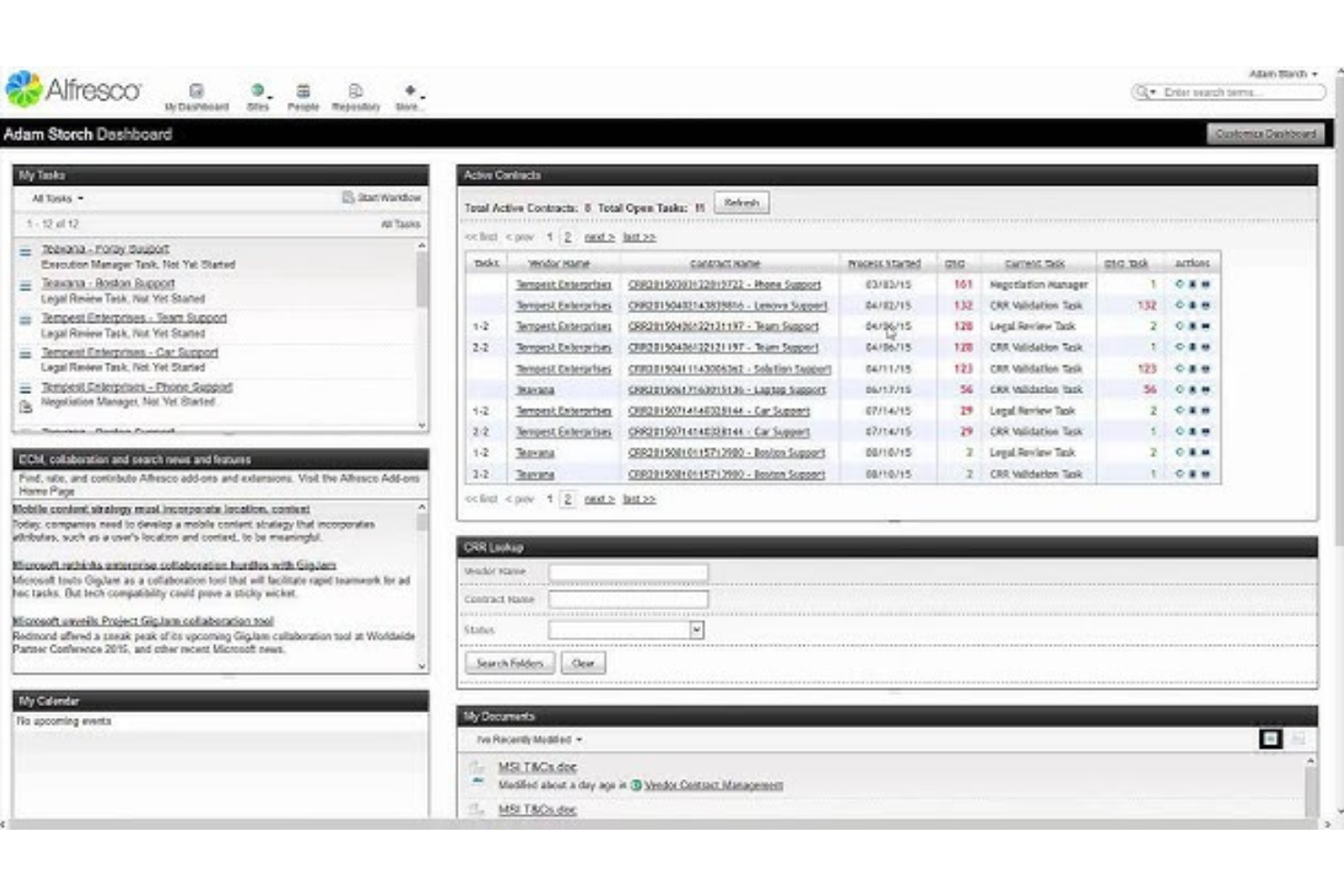
Hyland Alfresco is an enterprise content management platform that provides document version control, workflow automation, collaboration features, and extensive support for large-scale, open-source deployments.
Who Is Hyland Alfresco Community Edition Best For?
Hyland Alfresco is a strong choice for IT teams at large enterprises and government organizations seeking open-source document management with complex workflow needs.
Why I Picked Hyland Alfresco Community Edition
I picked Hyland Alfresco as one of the best because I can deploy it at scale through open-source components and automate complex business processes. I use its granular version control settings and workflow tools to manage enterprise documents securely across large teams.
Hyland Alfresco Community Edition Key Features
- Content repository: Store, organize, and retrieve documents in a central system.
- Metadata management: Tag documents with custom metadata for easy search.
- Document preview: View documents in-browser without downloading files.
- Permission controls: Define access levels by user, group, or role.
Hyland Alfresco Community Edition Integrations
Hyland Alfresco offers an API for custom integrations.
What's Free?
Hyland Alfresco offers a free open-source Community Edition with core document management, workflow automation, and open APIs for self-hosted deployment. High-availability clustering, commercial database support, official technical patches, and dedicated corporate support require a paid Enterprise license.
Pros and Cons
Pros:
- Scalable architecture for high-volume environments
- Supports custom metadata and smart folders
- Open-source deployment options for enterprises
Cons:
- Community support is less responsive than paid plans
- Configuration requires significant technical expertise


FormKiQ is an API-first document version control platform that lets you automate file lifecycle management, integrate storage with custom workflows, and control documents programmatically using cloud-native infrastructure.
Who Is FormKiQ Best For?
FormKiQ suits developers and technical teams at midsize to large organizations who need granular programmatic control over document storage and workflow automation.
Why I Picked FormKiQ
I picked FormKiQ as one of the best because I can use its API-driven document automation to build custom content workflows, automate retention policies, and manage metadata tagging directly through my organization's infrastructure.
FormKiQ Key Features
- Versioning engine: Tracks document changes and maintains historical versions for each file.
- Document access controls: Lets you set user and group-level permissions for documents.
- Webhook support: Sends real-time notifications on document events via webhook.
- Audit logging: Records all actions taken on documents for compliance and review.
FormKiQ Integrations
FormKiQ offers an API for custom integrations and supports deployments on AWS services, but native integrations with specific third-party apps are not clearly documented.
What's Free?
FormKiQ offers an open-source Community Edition that is free to use. This version provides core document management features but does not include advanced modules or support.
Pros and Cons
Pros:
- Fine-grained access and version control
- Cloud-native deployment supports AWS ecosystem
- Fully API-driven document management
Cons:
- Limited user interface for non-developers
- Requires technical expertise for implementation
Diğer Ücretsiz Belge Sürüm Denetimi Yazılımları
Kısa listeme giremeyen ancak yine de göz atmaya değer bazı ek ücretsiz belge sürüm denetimi yazılımı seçeneklerini burada bulabilirsiniz:
- Dropbox
For team file collaboration
- Box
For granular document access controls
- Lark
For integrated chat within documents
- Notion
For combining documents with team wikis
- Simul Documents
For managing multiple document versions
- Git
For distributed file version tracking
- Collabora Online
For on-premise editing
- Mayan EDMS
For self-hosted document archiving
- Paperless-ngx
For automated document import and tagging


How I Evaluate Free Document Version Control Software
First, I define what counts as free. For document version control software—where PMs track spec revisions across months-long projects—that means a free-forever plan, not a trial. I then evaluate two layers: the core functionality a tool must have to make the list, and the differentiators that separate vendors.
Core Functionality (Table Stakes For This List)
In addition to my free offer requirements, I also use a scoring system to select tools for my list. Here's how it works:
I rank each one on a scale from 0 (does not offer the functionality) to 5 (excels in this area) for each core functionality listed below. Then, I calculate the tool's total score into a percentage. Each tool needs to achieve a minimum total score of 65% to be considered for inclusion.
- Version History Tracking: I check whether the tool automatically logs each saved revision with author names and timestamps, so a project coordinator can trace exactly who edited a contract draft and when.
- Version Restoration & Rollback: A good rollback lets you revert a policy document to last Tuesday's version without losing today's draft—I look for one-click restore that preserves the current state as a new entry.
- Change Comparison (Diff View): I evaluate how clearly the tool highlights what changed between two versions, especially for text-heavy files like SOWs or compliance policies where a single deleted clause can shift risk.
- Free Tier Availability: The free plan needs to actually include version control features for a usable number of collaborators and documents—I look past trial-only models and check what's truly available at no cost.
- Access Controls & Permissions: I look for role-based settings that let an ops manager grant view-only access to external reviewers while keeping edit rights limited to internal team members at the document or folder level.
- Check-In/Check-Out or Edit Locking: When multiple people touch the same deliverable, conflicting saves destroy work. I evaluate whether the tool offers file locking, formal check-out workflows, or real-time co-authoring with conflict resolution.
- Audit Trail & Activity Log: Compliance officers need to know who viewed, downloaded, or restored a file. I look for searchable activity logs that go beyond basic edit tracking to cover the full range of document interactions.
- Multi-Format File Support: Most teams don't work in a single file type, so I check whether version control applies across Word docs, spreadsheets, PDFs, and Google Workspace files rather than just native formats.
Once I have a list of tools that meet this criteria, I consider what sets each platform apart.
Differentiating Factors (What Sets Vendors Apart)
Here's how I compare and contrast different vendors:
Standout Features
Approval workflows matter a lot when your team needs formal sign-off before a document moves from draft to final—think compliance policies or client-facing proposals. I also look for automated version numbering, where the tool assigns labels like v1.0 or v2.1 based on approval milestones rather than forcing someone to rename files manually. Real-time co-editing is another differentiator I evaluate, since it lets distributed teams collaborate without waiting on file locks.
Beyond Features
Free plan limits deserve close attention—I check how many users and how much storage the free tier actually supports, because a five-person cap won't work if your project team has twelve contributors reviewing deliverables. Integration coverage also matters. I evaluate whether the tool connects to PM platforms like Jira or Asana and to file ecosystems like Google Workspace or Microsoft 365, since version control that lives outside your daily workflow gets ignored. Finally, I consider the upgrade path, making sure teams can scale into paid plans without losing version history or migrating files.
Ücretsiz Belge Sürüm Denetimi Yazılımı Nasıl Seçilir?
Uzun özellik listeleri ve karmaşık fiyatlandırma yapılarına kendinizi kaptırmanız kolaydır. Kendinize özgü yazılım seçim süreciniz üzerinde çalışırken odağınızı korumanıza yardımcı olmak için göz önünde bulundurmanız gereken faktörleri içeren bir kontrol listesi hazırladım:
| Faktör | Dikkate Alınması Gerekenler |
|---|---|
| Ölçeklenebilirlik | Ekibiniz veya kuruluşunuz büyüdükçe çözüm, kullanıcı ya da depolanan belge sayısındaki artışı kaldırabilecek mi? Kullanıcılar, depolama alanı veya belge türleriyle ilgili bilinen sınırları göz önünde bulundurun. |
| Entegrasyonlar | Yazılım, ekibinizin temel araçlarıyla (e-posta, üretkenlik paketleri, iş akışı uygulamaları) çalışıyor mu? Sınırlı bağlantı seçeneklerine veya ek kurulum adımlarına dikkat edin. |
| Özelleştirilebilirlik | İş akışlarını, izinleri ve belge türlerini süreçlerinize göre uyarlayabiliyor musunuz? Bazı ücretsiz çözümler, kullanıcıların özelleştirme özelliklerine erişimini sınırlar. |
| Kullanım kolaylığı | Arayüz, tüm ekip üyeleri için anlaşılır ve sezgisel mi? Gereksiz karmaşıklıkları kontrol etmek için belgeleri yüklemeyi, sürümlemeyi ve geri yüklemeyi deneyin. |
| Uygulama ve kullanıma alma | Ekibiniz ne kadar hızlı çalışmaya başlayabilir? Eski belgeler için içe/dışa aktarma seçenekleri, kullanıma alma kılavuzları ve veri taşıma desteği arayın. |
| Maliyet | Daha sonra ortaya çıkabilecek gizli yükseltme veya depolama maliyetleri var mı? Gelecekte satın alma gerektirebilecek depolama kotalarını veya kullanıcı sınırlarını öğrenin. |
| Güvenlik önlemleri | Erişim denetimi, şifreleme veya denetim izleri için hangi önlemler uygulanıyor? Güvenlik özelliklerinin ekibinizin veri koruma gereksinimleriyle uyumlu olup olmadığını değerlendirin. |
| Destek erişilebilirliği | Sorun yaşadığınızda hangi yardım kanalları mevcut: forumlar, sohbet veya e-posta mı? Ücretsiz araçlarda özel yardım masaları yerine daha yavaş veya topluluk tabanlı destek bulunabilir. |
Ücretsiz Belge Sürüm Denetimi Yazılımı Nedir?
Ücretsiz belge sürüm denetimi yazılımı, abonelik ücreti ödemeden dijital belgelerinizin farklı sürümlerini depolamanıza, izlemenize ve yönetmenize olanak tanıyan bir araçtır.
Bu platformlar, bireylerin ve ekiplerin belge sürümlerini düzenlemesine, bunlara erişmesine ve sürümleri geri yüklemesine yardımcı olurken dosyaları kimlerin görüntüleyebileceğini veya değiştirebileceğini de kontrol eder. Bu yaklaşım veri kaybını önler ve iş birliğini geliştirir.
Özellikler
Belge sürüm denetimi yazılımlarında yaygın olarak bulunan özellikleri ve bunların ücretsiz ve ücretli planlarda genellikle hangilerinin sunulduğunu inceleyelim.
Genellikle Ücretsiz Belge Sürüm Denetimi Yazılımı Özellikleri
- Sürüm geçmişi: Kullanıcıların değişiklikleri takip edebilmesi ve önceki taslakları hızlıca alabilmesi için önceki dosya sürümlerinin arşivini sunar.
- Dosya teslim alma ve teslim etme: Kullanıcıların belgeleri düzenlemek üzere kilitlemesine olanak tanır; böylece güncellenen dosyalar yeniden teslim edilene kadar başka hiç kimse değişikliklerin üzerine yazamaz.
- Kullanıcı izinleri: Dosya sisteminizde belirli belgeleri kimlerin görüntüleyebileceğini veya değiştirebileceğini kısıtlayabilmeniz için temel erişim denetimleri sağlar.
- Dosya arama: Sistem içinde belgeleri ad, üst veri veya yükleme ayrıntılarına göre bulmak için basit bir arama çubuğu sunar.
- Belge önizleme: Kullanıcıların desteklenen dosya türlerini ayrıca indirmelerine gerek kalmadan platform içinde görüntülemesine olanak tanır.
- Temel denetim günlüğü: Yükleme, indirme veya düzenleme gibi basit işlemleri takip ederek belge denetimi için görünür bir kayıt oluşturur.
- Klasör düzenleme: Dosyaları ekip veya kişisel kullanım için uygun şekilde kategorilere ayırmak üzere dizinler ya da iç içe klasörler oluşturmanıza olanak tanır.
Genellikle Ücretli Belge Sürüm Denetimi Yazılımı Özellikleri
- İş akışı otomasyonu: Tekrarlanan inceleme veya yayımlama süreçlerini kolaylaştırmak için otomatik belge yönlendirme, onay zincirleri ve bildirimler sağlar.
- Gelişmiş güvenlik denetimleri: Hassas içerikler için ayrıntılı izin kümeleri, içerik şifreleme, çok faktörlü kimlik doğrulama ve daha sıkı erişim denetimleri ekler.
- Elektronik imza entegrasyonu: Yasal doğrulama gerektiren sözleşmeler veya onaylar için platform içinde elektronik imza toplanmasını destekler.
- Tam metin ve OCR araması: Optik karakter tanıma ve arama dizinleme sayesinde kullanıcıların taranmış PDF'lerde veya görüntü dosyalarında arama yapmasına olanak tanır.
- Belge saklama politikaları: Otomatik arşivleme, silme veya yasal koruma gibi belge yaşam döngüsü yönetimi kurallarının belirlenmesini otomatikleştirir.
- Özel üst veri etiketleme: Kullanıcıların depolanan içerikleri gelişmiş şekilde kategorilere ayırmak, sıralamak ve raporlamak için özel etiketler veya öznitelikler eklemesine olanak tanır.
- Mobil uygulama erişimi: Belgelerdeki değişiklikleri hareket hâlindeyken yönetmek, paylaşmak ve takip etmek için özel mobil uygulamalar sunar.
- API ve gelişmiş entegrasyonlar: Daha kolay veri paylaşımı için CRM, ERP veya iş akışı araçları dâhil diğer kurumsal sistemlerle bağlantı kurulmasını sağlar.
- Büyük dosya veya depolama yükseltmeleri: Ücretsiz planların sınırlarının ötesinde artırılmış depolama kapasitesi ve daha büyük dosyalar için destek sunar.
- Öncelikli veya özel destek: Gelişmiş yardım almak isteyen ücretli müşteriler için hızlandırılmış destek, özel müşteri yöneticileri veya eğitim içerir.
Avantajlar
Ücretsiz belge sürüm denetimi yazılımını uygulamak, ekibiniz ve işletmeniz için çeşitli avantajlar sağlar. Yararlanabileceğiniz avantajlardan bazıları şunlardır:
- Azalan veri kaybı riski: Önceki sürümlerin saklanması ve denetim günlüklerinin tutulması, yanlışlıkla yapılan silme veya düzenlemelerin her zaman kurtarılabilmesini sağlar.
- Gelişmiş iş birliği: Birden fazla kişi, değişikliklerinin takip edildiğini ve kurtarılabileceğini bilerek belgeler üzerinde güvenle çalışabilir.
- Maliyet tasarrufu: Ücretsiz planlar, ekiplerin lisans veya abonelik ücreti ödemeden belge denetimini yönetmesine olanak tanır.
- Daha iyi süreç görünürlüğü: Erişim denetimleri, sürüm oluşturma ve denetim izleri, kimin ne yaptığını takip etmeyi ve hesap verebilirliği sürdürmeyi kolaylaştırır.
- Daha hızlı belge erişimi: Arama araçları, klasörler ve üst veriler, kullanıcıların ihtiyaç duydukları doğru belgeyi veya sürümü hızlıca bulmasına yardımcı olur.
- Daha kolay işe alıştırma: Ücretsiz çözümlerin çoğu yeni kullanıcılar için hızlı kurulum, sezgisel iş akışları ve topluluk ya da belgelere dayalı destek sunar.
- Büyüyen ekipler için ölçeklenebilirlik: Birçok ücretsiz araç sınırsız kullanıcıyı veya belgeyi destekleyerek ihtiyaçlarınız değiştikçe kullanımı genişletmenize olanak tanır.
Maliyetler ve Fiyatlandırma
Bu makaleye ücretsiz olarak sunulan en iyi belge sürüm kontrolü yazılımı seçeneklerini arayarak geldiğinizi biliyorum. Ancak ücretsiz planlar yalnızca sınırlı özellikler sunduğundan, gelecekte planınızı yükseltmeniz gerekme ihtimali oldukça yüksektir.
Aşağıdaki tablo, belge sürüm kontrolü yazılımlarında yaygın planları, ortalama fiyatlarını ve genellikle sunulan özellikleri özetlemektedir:
Belge Sürüm Kontrolü Yazılımları için Plan Karşılaştırma Tablosu
| Plan Türü | Ortalama Fiyat | Yaygın Özellikler |
|---|---|---|
| Ücretsiz Plan | $0 | Temel sürüm takibi, kullanıcı izinleri, arama, belge önizleme, klasör düzenleme ve sınırlı depolama. |
| Kişisel Plan | $5–$10/kullanıcı/ay | Artırılmış depolama, belge paylaşımı, mobil uygulama erişimi, geliştirilmiş arama ve öncelikli e-posta desteği. |
| İşletme Planı | $15–$25/kullanıcı/ay | İş akışı otomasyonu, gelişmiş güvenlik denetimleri, iş birliği araçları, denetim günlükleri ve entegrasyon seçenekleri. |
| Kurumsal Plan | $30–$50/kullanıcı/ay | Özel meta veriler, SSO, API erişimi, uyumluluk araçları, sınırsız depolama ve özel müşteri desteği. |
Ücretsiz Belge Sürüm Kontrolü Yazılımı Hakkında SSS
Ücretsiz belge sürüm kontrolü yazılımı hakkında sık sorulan bazı soruların yanıtlarını burada bulabilirsiniz:
Ücretsiz ve ücretli belge sürüm kontrolü yazılımları arasındaki fark nedir?
Ücretsiz sürümler genellikle sürüm takibi ve temel izinler gibi temel özellikleri içerir, ancak depolama, entegrasyon ve otomasyon özelliklerini çoğu zaman sınırlar. Ücretli planlar; genişleyen iş ihtiyaçlarını karşılamak üzere daha büyük veya büyüyen ekipler için gelişmiş güvenlik, daha fazla entegrasyon, otomasyon, destek seçenekleri ve depolama sunar.
Hassas veya gizli belgeler için ücretsiz belge sürüm kontrolü yazılımı kullanabilir misiniz?
Evet, ancak hassas bilgileri depolamadan önce güvenlik önlemlerini, erişim denetimlerini ve uyumluluk özelliklerini dikkatlice kontrol etmelisiniz. Çoğu ücretsiz DMS (belge yönetim sistemi), gelişmiş güvenlik özelliklerini ve onay süreçlerini sınırlar ve katı yasal düzenleme gereklilikleriyle uyumlu olmayabilir.
Belgeleri ücretsiz bir sürüm kontrolü sistemine nasıl taşırsınız?
Belgeleri genellikle manuel olarak yüklersiniz veya varsa yerleşik içe aktarma araçlarını kullanırsınız. Bazı platformlar dosya paylaşmak için klasörleri, kaynak kodlarını veya toplu belgeleri içe aktarmanıza olanak tanır, ancak gelişmiş taşıma veya entegrasyon yardımı çoğu zaman ücretli bir plan gerektirir.
Ücretsiz belge sürüm kontrolü sistemleri büyük ekipler için uygun mudur?
Platform sınırsız kullanıcı ve belgeye izin veriyorsa ücretsiz araçlar büyük ekipler için işe yarayabilir. Ancak gelişmiş izin denetimleri ve iş birliği özelliklerindeki sınırlamalar, ekipler büyüdükçe sorun hâline gelebilir.
Ücretsiz plandaki depolama sınırına ulaşırsanız ne olur?
Çoğu yazılım ek yüklemeleri kısıtlar, yükseltme yapmanızı ister veya bazı özellikleri geçici olarak engeller. Yeni belgeleri izlemeye devam etmek için dosyaları arşivlemeniz, silmeniz veya daha fazla depolama alanı satın almanız gerekebilir.