

2026’da İncelenen En İyi 10 Ekip İletişimi Aracı

10 En İyi Ekip İletişimi Araçları Kısa Listesi


Bir ekip içindeki iletişim, iş birliğini geliştirecek doğru araçları seçmek kadar zorlu olabilir. Pek çok kuruluş, ekip etkileşimini iyileştirmek için yeterli kaynakları sağlamakta zorlanır; bu da yanlış anlaşılmalara ve verimliliğin azalmasına yol açar.
Ekip iletişimi araçları konusunda uzmanlaşmış bir proje yöneticisi olarak, bu zorlukları etkili bir şekilde ele alan çözümlere yönelik artan bir ihtiyaç olduğunu fark ettim. Uzmanlığımdan yararlanarak ekiplerin ihtiyaçları için en iyi seçenekleri belirlemelerine yardımcı olmak amacıyla önde gelen çeşitli iletişim platformlarını değerlendirdim ve inceledim.
İster yeni bir iletişim sistemi uygulamak ister mevcut araçlarınızı geliştirmek isteyin, rehberim ekip iş birliğini ve üretkenliği artıracak bilinçli kararlar almanıza yardımcı olacaktır.
Why Trust Our Software Recommendations
Our team has been testing and reviewing software since 2012. As project managers ourselves, we know how difficult—and important—it is to choose the right software.
For this guide, we evaluated tools using hands-on testing and independent research, scoring tools using our selection criteria. We also draw on insights from industry thought leaders and practicing project management experts.
Our reviews reflect our human editorial judgment, not a sales pitch.
Expert reviewers:
Ekip İletişimi Araçları Karşılaştırma Tablosu
Score legend (out of 5)
- Excellent 4.5–5
- Good 4–4.4
- Average 3–3.9
- Below average 2–2.9
- Poor 1–1.9
| Tool | Starting Price | Website | |||||||
|---|---|---|---|---|---|---|---|---|---|
| Best for intranet-based team messaging and HR tools | — | 3 | 3 | — | 3 | 2 | 4 | £3.75/user/month Free demo available | Website |
| Best for topic-organized async team chat | 3.8 out of 5 | 5 | 4 | 2 | 5 | 3 | 4 | $6.67/user/month Free plan + free demo available | Website |
| Best for affordable cross-platform team messaging | 3.7 out of 5 | 4 | 3 | 3 | 4 | 4 | 4 | $4.50/user/month 30-day free trial + free plan available | Website |
| Best for Zoho-integrated remote team coordination | 3.8 out of 5 | 4 | 3 | 4 | 4 | 3 | 5 | $16.20/month 14-day free trial + free plan + free demo available | Website |
| Best for AI meeting notes and action items | 4.2 out of 5 | 4 | 4 | 4 | 5 | 3 | 5 | $4/user/month Free plan + 1-month free trial available | Website |
| Best for Google Workspace team messaging | 3.5 out of 5 | 4 | 3 | 3 | 4 | 3 | 4 | $4.60/month 14-day free trial available | Website |
| Best for AI-assisted enterprise team messaging | 3.7 out of 5 | 4 | 3 | 4 | 4 | 3 | 4 | $12/user/month 90-day free trial | Website |
| Best for multi-site teams on one phone system | 3.7 out of 5 | 3 | 3 | 4 | 3 | 4 | 5 | £18/user/month 14-day free trial | Website |
| Best for self-hosted secure team messaging | 3.7 out of 5 | 4 | 4 | 2 | 4 | 3 | 5 | Pricing upon request 30-day free trial | Website |
| Best for AI meeting summaries across teams | 3.8 out of 5 | 4 | 4 | 4 | 4 | 3 | 4 | $14.16/month Free plan available | Website |
En İyi Ekip İletişimi Araçları İncelemeleri
Bu bölüm, her bir ekip iletişimi aracının kapsamlı bir analizini ve genel değerlendirmesini sunar. Her aracın artılarını ve eksilerini, özelliklerini ve en uygun kullanım alanlarını inceleyeceğim.

Hub
Best for intranet-based team messaging and HR tools

Hub is an employee intranet platform built for HR and internal comms teams, with tools for news articles, targeted messaging, onscreen alerts, and staff engagement in one place.
Who Is Hub Best For?
Hub is a good fit for mid-size to large organizations where HR and internal comms teams need a centralized digital workplace to connect distributed employees.
Why I Picked Hub
Hub earns its spot on my shortlist because of how far its customization goes without touching a single line of code. I like that you can apply custom branding across the entire workspace, including colors, logos, and page layouts, so the intranet feels like a natural extension of your brand rather than a generic out-of-the-box tool. The no-code CMS also lets HR and comms teams build and restructure pages themselves, with a "3 clicks or less" design philosophy that keeps non-technical admins fully in control. Add content personalization on top of that, and different teams or locations can see a workspace that actually feels tailored to them.
Hub Key Features
- Must-reads: Mark critical news articles as mandatory so users must click to confirm they've read them, with automated reminders for anyone who hasn't.
- Group forums: Create public, private, or hidden group spaces where team members can post updates and collaborate in threaded conversations.
- PWA mobile app: A fully mobile-responsive progressive web app that delivers push notifications to employees on any device without requiring a download.
- Activity feed: A real-time feed showing the latest posts, events, chat threads, and newly added content across the organization.
Hub Integrations
Hub offers native integrations with Microsoft 365 (including SharePoint and Teams), Google Workspace, Slack, Confluence, and BambooHR, as well as out-of-the-box connections with Box and Jira. SSO is supported through Microsoft Entra ID, Google, Office 365, OneLogin, and Okta, and Eventbrite can be connected to display external events alongside Hub's internal calendar. An API is available for custom integrations.
Pros and Cons
Pros:
- Dedicated onboarding and human-led support
- Targeted announcements with read tracking
- Multi-site intranet from one platform
Cons:
- Back-end content editing feels clunky
- No native calendar invite sending
Zulip
Best for topic-organized async team chat
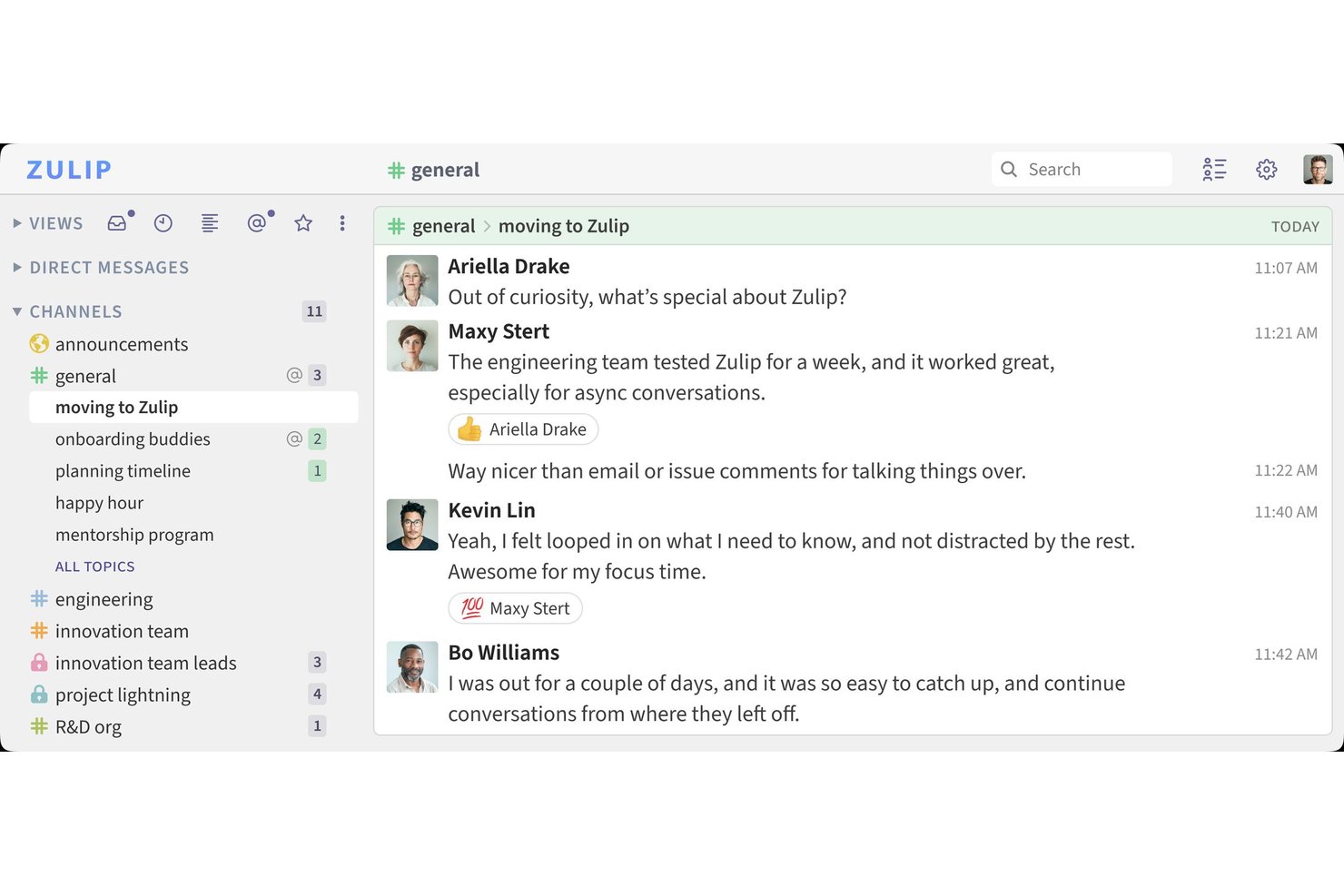
Zulip is a team chat platform that organizes messages into channels and topics, offering persistent message history, file sharing, search, over 130 native integrations, and support for external voice and video call providers.
Who Is Zulip Best For?
Zulip is a strong fit for distributed and remote teams—especially in tech and open-source environments—that need async-first communication with clear conversation structure.
Why I Picked Zulip
I've included Zulip in my top picks because its channel-and-topic model solves a real problem I see in async teams: conversations that collapse into noise. Unlike flat chat tools where everything lands in one stream, Zulip separates each discussion into its own topic within a channel, so a single engineering channel can hold parallel threads on a bug fix, a sprint review, and an onboarding question without any of them bleeding together. I also like that you can mark topics as resolved and move messages between topics when a conversation drifts.
Zulip Key Features
- Guest access controls: Invite external collaborators into specific channels without exposing your full workspace or user list.
- Over 130 native integrations: Connect tools like GitHub, GitLab, Jira, PagerDuty, and Zoom to route notifications directly into relevant topics.
- Message retention policies: Set organization-wide or channel-specific retention periods to automatically manage how long messages are stored.
- Role-based permissions: Assign access controls by user role, custom group, or individual user to manage who can create channels, invite members, or manage bots.
Zulip Integrations
Zulip offers over 130 native integrations, including GitHub, GitLab, Jira, Asana, Google Calendar, Zoom, PagerDuty, and Dropbox. It also supports REST APIs, webhooks, interactive bots, IFTTT, and Zapier for custom connectivity.
Pros and Cons
Pros:
- Granular permissions support controlled guest access
- Search helps recover older project decisions
- Topics keep parallel discussions organized
Cons:
- Mobile experience feels less polished than desktop
- Topic-based chat takes adjustment

Flock
Best for affordable cross-platform team messaging
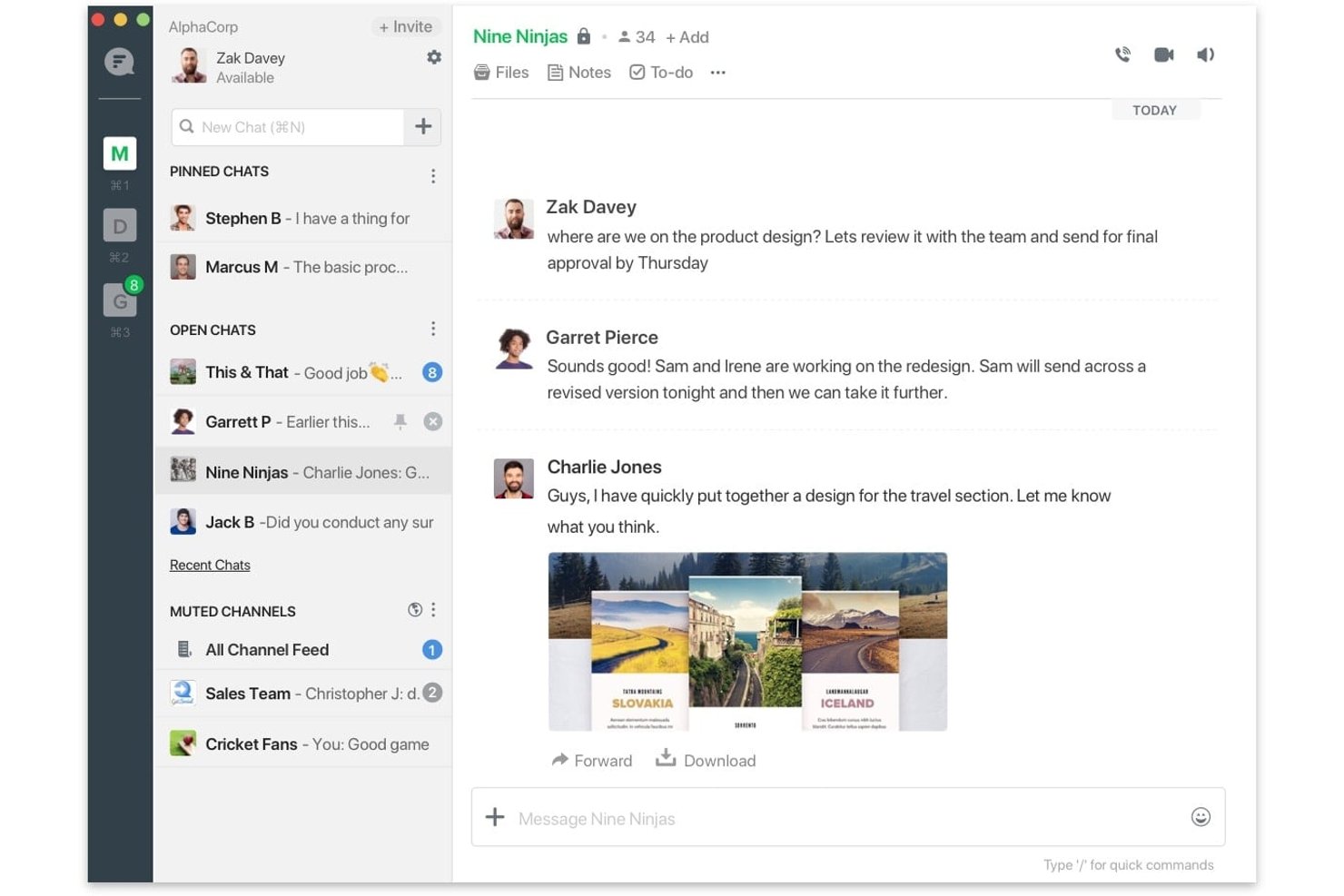
Flock is a team messaging and collaboration platform with channels, direct and group messaging, voice and video calls, file sharing, and process automation across web, desktop, and mobile.
Who Is Flock Best For?
Flock is a strong fit for small to mid-sized teams that need cross-platform messaging without paying Slack-level prices.
Why I Picked Flock
I picked Flock as one of the best because it delivers real team messaging across every major platform, web, desktop, and mobile, at a price point that's genuinely hard to justify skipping. I love that Smart Channels automatically add teammates based on defined criteria, so a distributed engineering team doesn't have to manually manage membership as it grows. Announcement Channels let admins push one-way updates without the noise of back-and-forth replies cluttering the feed.
Flock Key Features
- Guest access controls: Invite external collaborators and limit their visibility to specific chats and channels only.
- Process automation: Build multi-step workflow templates for recurring processes like IT requests or reimbursement approvals.
- Channel mailing lists: Email an entire channel directly, including people outside your Flock team, without leaving the platform.
- Cross-platform availability: Access Flock on web, Windows, macOS, Linux, iOS, Android, and Chrome with synced pinned chats.
Flock Integrations
Flock offers a marketplace with over 60 apps, including native integrations with Google Drive, Google Calendar, and GitHub, plus integrations with Trello, Asana, and Jira. FlockOS and webhooks support custom apps and integrations.
Pros and Cons
Pros:
- Smart Channels automate team membership
- Remote teams stay connected across devices
- Channels keep project discussions organized
Cons:
- Video calls can feel unreliable
- Older-message search can miss results

Best for Zoho-integrated remote team coordination
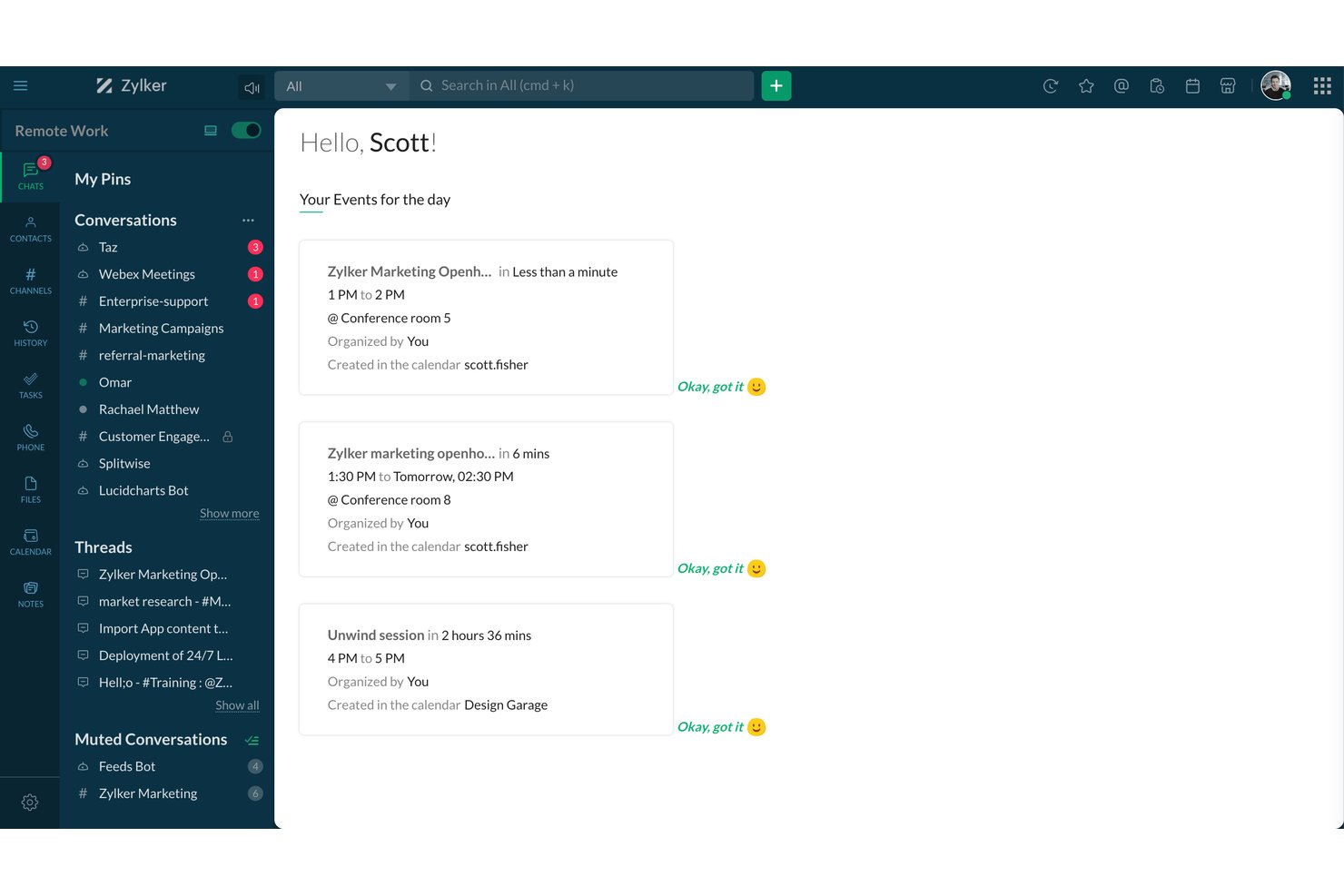
Zoho Cliq is a business messaging and collaboration platform that combines real-time chat, channels, audio and video calling, file sharing, and workflow automation bots within the broader Zoho ecosystem.
Who Is Zoho Cliq Best For?
Zoho Cliq is a natural fit for teams already running on Zoho apps who want their communication hub built into the same ecosystem.
Why I Picked Zoho Cliq
Zoho Cliq earns its spot on my shortlist because it's the only team communication tool that's genuinely built around the Zoho ecosystem, not just bolted onto it. I love how status sync works across Zoho Calendar, Zoho Meeting, and Zoho CRM automatically, so your team's availability reflects what's actually happening without anyone updating it manually. The Zoho Projects channel integration is also a standout: you can link a project directly to a channel, convert messages into tasks or issues, and keep delivery context inside the same conversation thread where decisions were made.
Zoho Cliq Key Features
- On-demand chat summary: Summarizes messages from a selected 3-, 7-, or 30-day window, with filters by sender, on Professional and Enterprise plans.
- Guest user access controls: Admins can enable guest users, set their permissions, and map them to specific channels and contacts.
- Forked messages: Branches a group-chat message into a separate conversation while keeping its original context intact.
- Remote-work check-in dashboard: Lets team members check in and out, set availability statuses, and view team work hours in one place.
Zoho Cliq Integrations
Zoho Cliq offers native integrations with Zoho Projects, Zoho CRM, Zoho Mail, Zoho Books, and Zoho Expense, plus marketplace integrations including Jira Software, GitHub, Google Calendar, and Google Drive. It supports REST APIs, Zoho Flow, viaSocket, and Zapier.
Pros and Cons
Pros:
- Calls pair screen sharing with chat
- Remote check-ins clarify team availability
- Project discussions stay organized in channels
Cons:
- Older messages can be hard to find
- Mobile notifications can arrive late

Best for AI meeting notes and action items
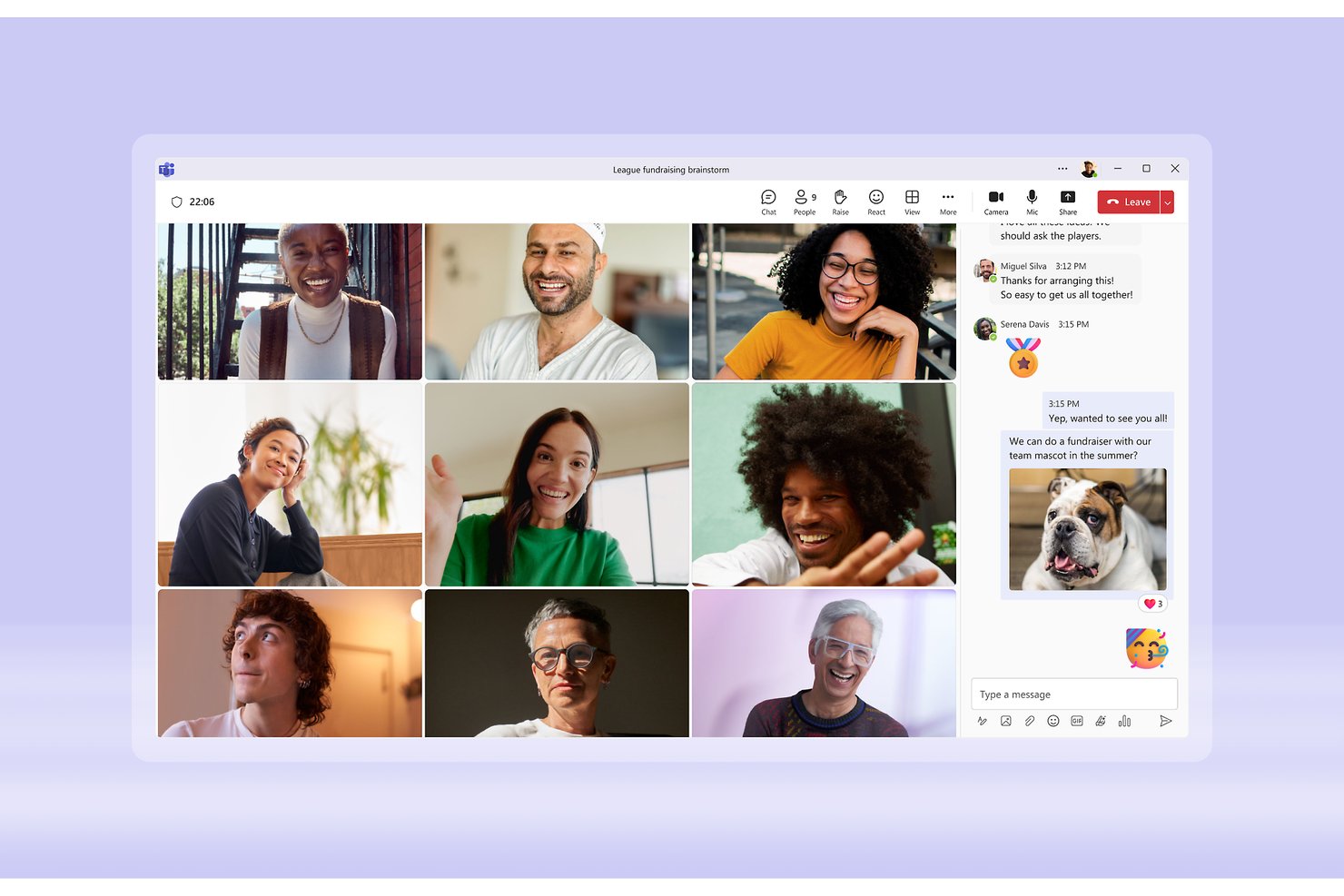
Microsoft Teams is a collaboration and communication platform from Microsoft that brings together chat, channels, video meetings, calling, and file sharing alongside deep integration with the Microsoft 365 ecosystem.
Who Is Microsoft Teams Best For?
Microsoft Teams is a strong fit for organizations already running Microsoft 365 that want chat, meetings, and file collaboration in one place without adding a separate tool.
Why I Picked Microsoft Teams
I've included Microsoft Teams in my top picks because its intelligent recap feature genuinely changes how my team handles meetings: AI-generated notes and recommended tasks surface automatically after each call, so nothing slips through the cracks. I especially like that speaker timeline markers and topic chapters make it easy to jump straight to the part of a recording that matters, without scrubbing through the whole thing. Paired with persistent, organized channels that keep project conversations and shared files in one place, Teams handles the full communication loop from discussion to documented action.
Microsoft Teams Key Features
- Standard, private, and shared channels: Create open team channels, invitation-only private channels, or shared channels that extend access to people outside your organization.
- Guest access controls: Add external collaborators as guests with access to specific teams, channels, files, and chats, managed through Microsoft Entra ID policies.
- Power Automate and Workflows integration: Build automated workflows that post to chats or channels in response to triggers, using the Workflows app or Power Automate.
- 3,750+ marketplace apps: Connect Teams to third-party tools across dev, analytics, and productivity categories directly from the Teams app marketplace.
Microsoft Teams Integrations
Microsoft Teams offers native integrations across the Microsoft ecosystem, including Microsoft 365, Outlook, SharePoint, OneDrive, Word, and Excel. Its marketplace lists 3,751 apps, including Calendly, Cursor, Snowflake Cortex Agents, and Read AI, with Microsoft Graph API and Teams SDKs for custom integrations.
Pros and Cons
Pros:
- Calls sit beside ongoing team chat
- Project channels keep discussions and files together
- AI recaps surface notes and recommended tasks
Cons:
- Calls can drop or lose clarity
- Older messages and files can be hard to find

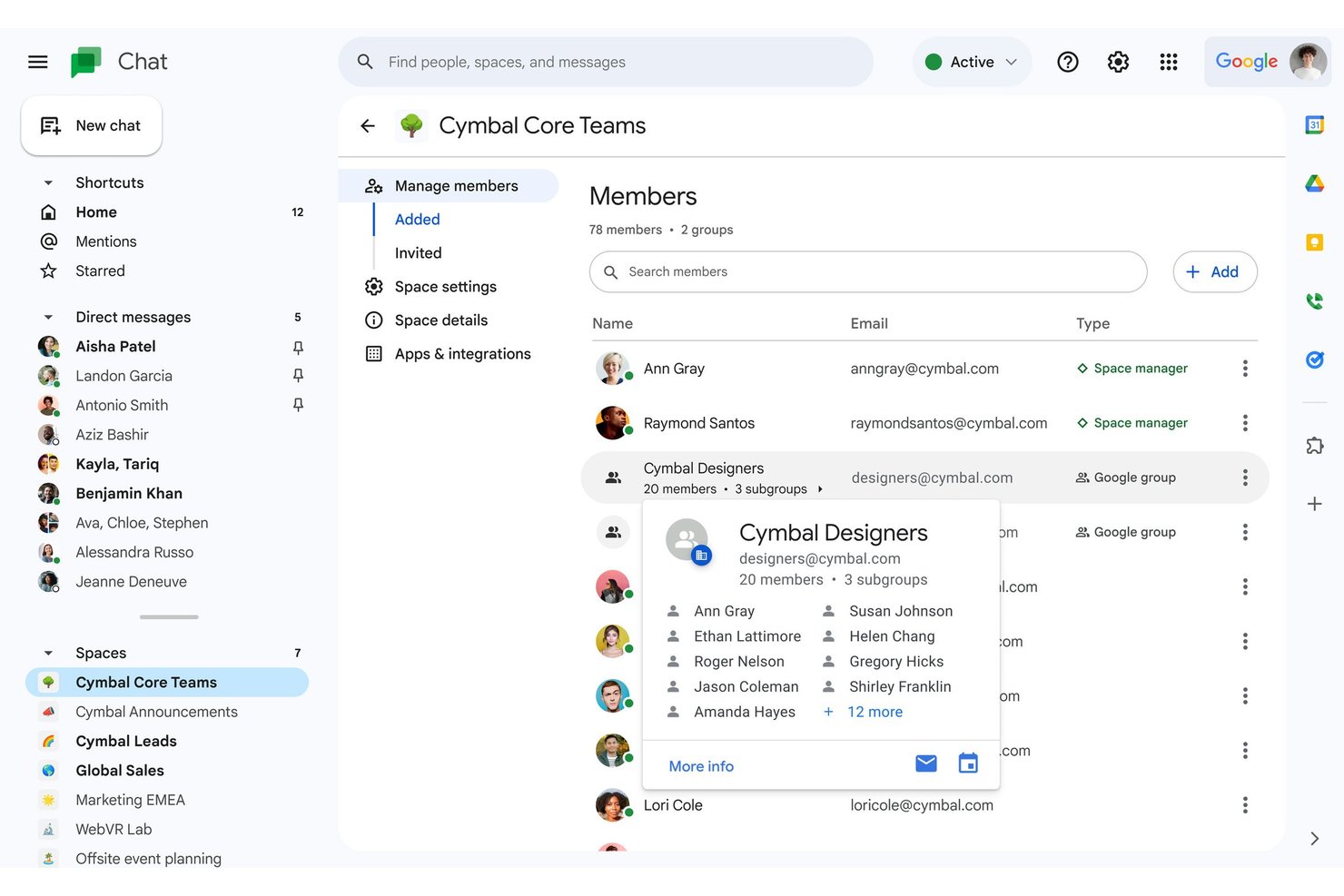
Google Chat is a business messaging platform built into Google Workspace that combines direct messaging, threaded Spaces, file sharing, huddles, and Gemini AI-powered conversation tools.
Who Is Google Chat Best For?
Google Chat is a natural fit for teams already running on Google Workspace who want messaging built into the same ecosystem as Gmail, Drive, and Meet.
Why I Picked Google Chat
Google Chat earns its spot on my shortlist because it's built directly into Google Workspace, making it the most natural messaging layer for teams already living in Gmail, Drive, and Meet. I particularly like how Spaces keep project conversations persistent and organized, with threading that lets my team follow multiple discussions without losing context. Gemini's conversation summaries are a real time-saver when catching up on a busy Space after time away.
Google Chat Key Features
- Gemini AI action items: Gemini automatically identifies action items from conversations so your team can track next steps without manual note-taking.
- Guest access for non-Workspace users: You can invite external collaborators who don't have a Google account to join spaces and huddles via a guest invitation.
- Custom Chat apps via API: Teams can build and deploy custom Chat apps using the Chat API or Apps Script to bring external services directly into conversations.
- Calendar-synced availability status: Google Chat automatically updates a user's availability based on their Google Calendar, showing when someone is in a meeting or out of office.
Google Chat Integrations
Google Chat has native integrations with Google Calendar, Google Drive, Google Meet, and Google Groups, plus hundreds of Marketplace integrations including Asana, GitHub, Workday, Zendesk, and Jenkins. Its Google Chat API, webhooks, and Apps Script support custom integrations inside conversations.
Pros and Cons
Pros:
- Gemini summaries surface missed action items
- Quick huddles make calls easy to start
- Spaces keep project discussions organized
Cons:
- Notifications can be missed or duplicated
- Threads can leave conversations feeling cluttered

Webex
Best for AI-assisted enterprise team messaging
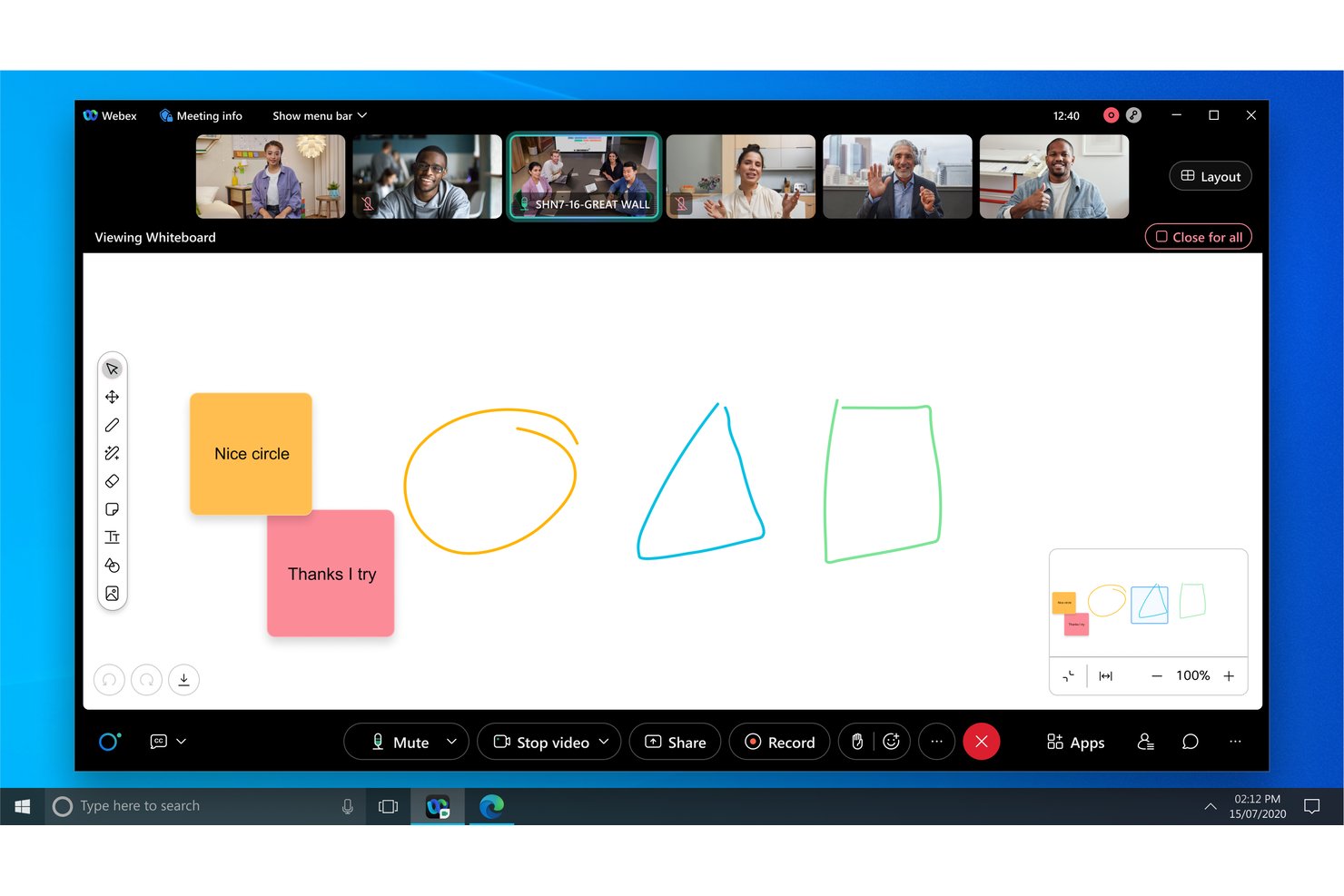
Webex is an enterprise collaboration suite from Cisco that brings together persistent team messaging, voice and video calling, meetings, whiteboarding, and AI-powered conversation tools in one platform.
Who Is Webex Best For?
Webex is a strong fit for enterprise IT and distributed teams that need AI-assisted messaging, built-in voice and video calling, and enterprise-grade security under one Cisco-managed platform.
Why I Picked Webex
I've included Webex in my top picks because it's one of the few team messaging platforms that layers real AI directly into the conversation flow, not just into meetings. The Cisco AI Assistant can surface decisions, blockers, and action items from message threads automatically, which is genuinely useful when your team is spread across time zones. I also like that space summaries let anyone catch up on a missed thread without scrolling through hundreds of messages.
Webex Key Features
- Persistent messaging spaces: Create dedicated spaces for projects, teams, and external partners where messages, files, and co-edited documents stay organized in one place.
- End-to-end encrypted calling: Make business calls through the Webex app or Cisco IP phones with AES-256-GCM media encryption and SRTP protection for audio, video, and screen sharing.
- Control Hub administration: Manage user access, external collaboration policies, retention rules, and compliance settings from a single centralized admin console.
- Guest and external access controls: Configure domain-based allow and block policies to control how external partners, vendors, and customers interact in your team spaces.
Webex Integrations
Webex lists 100+ integrations, including Google Workspace, Microsoft Teams, Slack, Salesforce, Jira, Box, Smartsheet, Calendly, Miro, and Slido. REST APIs, webhooks, and SDKs support custom integrations.
Pros and Cons
Pros:
- Project spaces keep discussions organized
- AI recaps reduce follow-up work
- Clear audio and dependable video
Cons:
- Mobile app can freeze or lag
- Navigation takes time to learn

Best for multi-site teams on one phone system
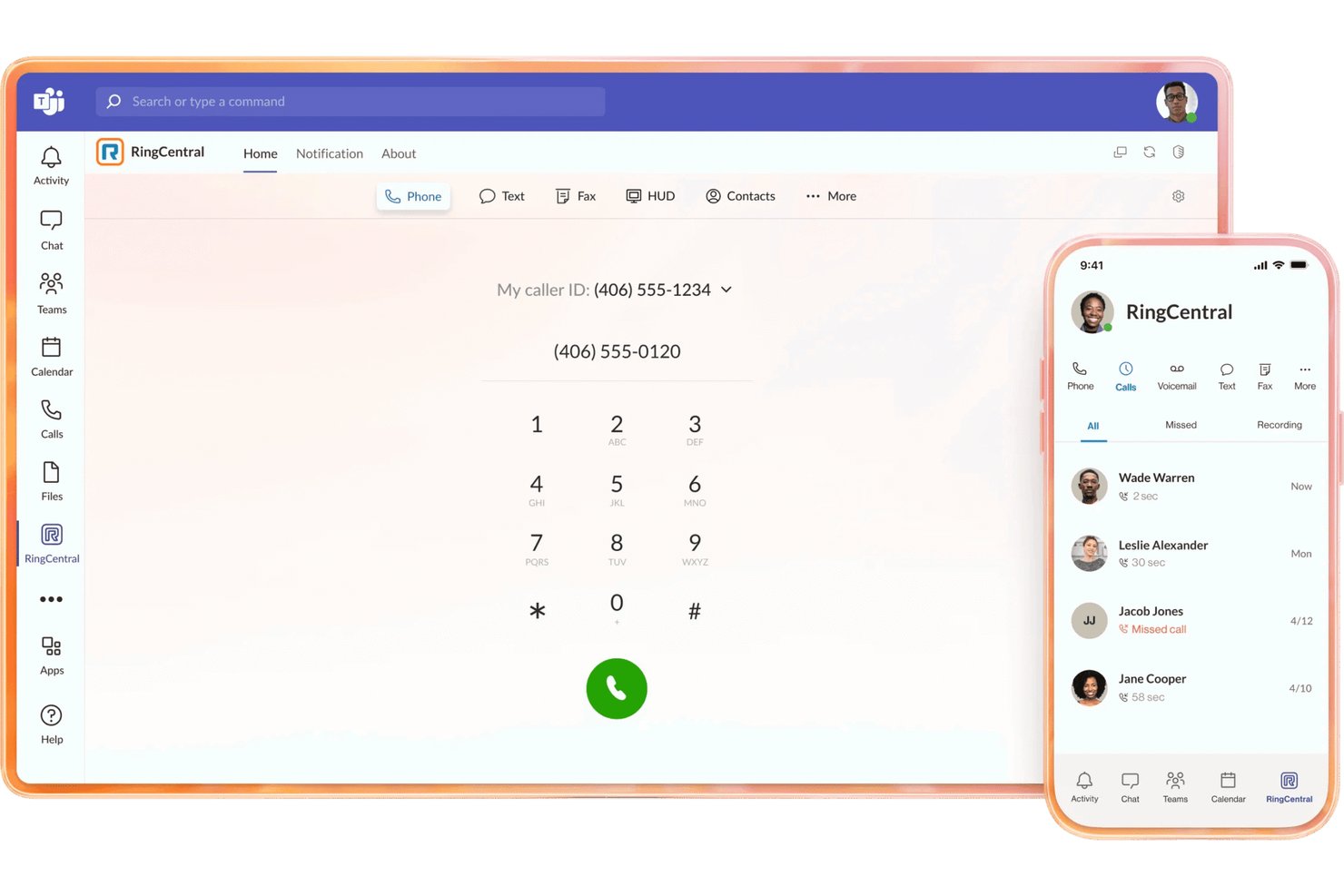
RingCentral's RingEX is a unified communications platform that brings together cloud calling, team messaging, video meetings, business texting, and fax in a single app with centralized multi-location administration.
Who Is RingCentral Best For?
RingCentral RingEX suits organizations managing staff across multiple offices or locations who need calling, messaging, and video unified under one admin console.
Why I Picked RingCentral
I picked RingCentral as one of the best because its centralized multi-location admin console is genuinely built for teams spread across offices, not bolted on as an afterthought. From one dashboard, admins can configure call routing, manage users across sites, and set up call menus with drag-and-drop tools. I also like that the AI Assistant captures live call notes and generates post-meeting summaries with action items, so nothing falls through the cracks when your teams are split across locations.
RingCentral Key Features
- Business texting and fax: Send and receive SMS, MMS, and fax from the same RingEX app you use for calls and team chat.
- Custom call routing: Configure call paths based on business hours, team availability, or custom rules using a drag-and-drop call menu builder.
- AI-generated meeting summaries: Automatically capture live call notes and produce post-meeting recaps that include decisions and action items.
- 500+ pre-built integrations: Connect RingEX to tools like Salesforce, HubSpot, Microsoft Teams, and Google Workspace through a broad integration library.
RingCentral Integrations
RingCentral lists 500+ RingEX integrations and 600+ across its broader ecosystem, including Salesforce, Microsoft Teams, Google Workspace, HubSpot, and AWS. APIs, webhooks, and SDKs support custom integrations.
Pros and Cons
Pros:
- Users praise clear calls across devices
- AI recaps capture meeting decisions and actions
- Centralized controls span multiple office locations
Cons:
- Admins report clunky setup and IVR configuration
- Some users report dropped or missed calls

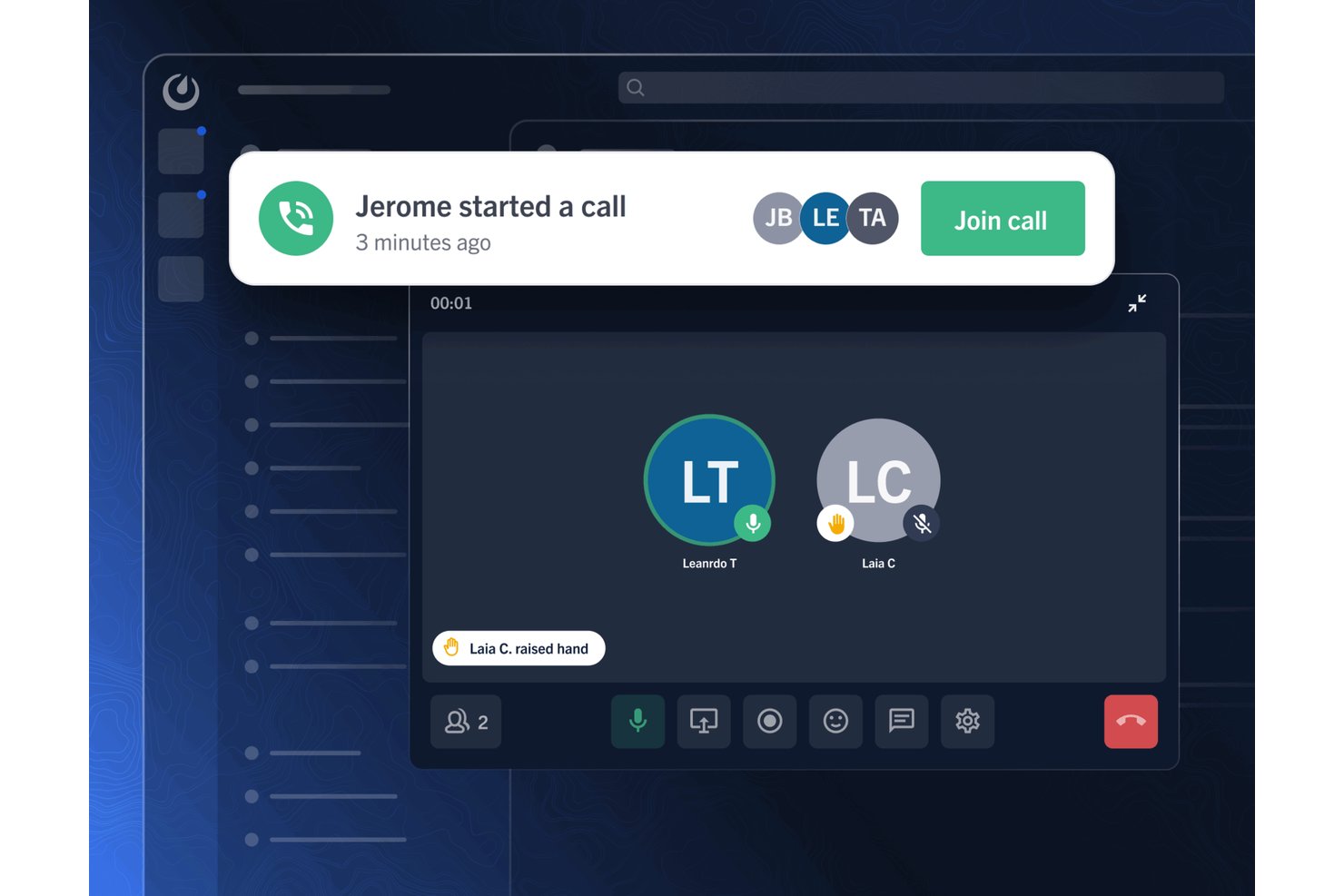
Mattermost is a self-hostable team messaging platform that combines channel-based messaging, threaded discussions, audio calling, workflow automation via Playbooks, and over 700 integrations with developer and enterprise tools.
Who Is Mattermost Best For?
Mattermost is a strong fit for IT and security teams that need full control over where their data lives and how their communication infrastructure is deployed.
Why I Picked Mattermost
I picked Mattermost as one of the best because it's the only platform on this list that lets your team own the entire communication stack, down to the server, the database, and the encryption keys. What I find genuinely compelling is Mattermost Playbooks, which lets teams run structured incident or project workflows with checklists, timelines, and automated triggers without leaving the messaging environment. I also like that air-gapped deployment is a first-class option, not an afterthought, so teams in classified or disconnected environments can still collaborate in real time.
Mattermost Key Features
- Channel-based messaging: Organizes team conversations into public and private channels with threading, emoji reactions, and message priority settings.
- Guest access controls: Invites external collaborators into specific channels via AD/LDAP, SAML 2.0, or email magic links without granting broader workspace access.
- Over 700 integrations: Connects Mattermost to tools like GitHub, Jira, Zoom, ServiceNow, and Google Drive through plugins, webhooks, and slash commands.
- Mattermost Boards: Provides Kanban, calendar, table, and gallery views for planning and tracking work alongside channel conversations.
Mattermost Integrations
Mattermost offers marketplace integrations with over 700 tools, including GitHub, Jira, Microsoft Teams, Zoom, ServiceNow, Google Drive, GitLab, Zendesk, and Confluence. Its REST API, webhooks, slash commands, plugins, and connectors support custom integrations.
Pros and Cons
Pros:
- Reviewers praise sharing large files
- Channels help keep project discussions together
- Self-hosting keeps communications under organizational control
Cons:
- Self-hosting requires technical setup and maintenance
- Video calls remain limited without external services

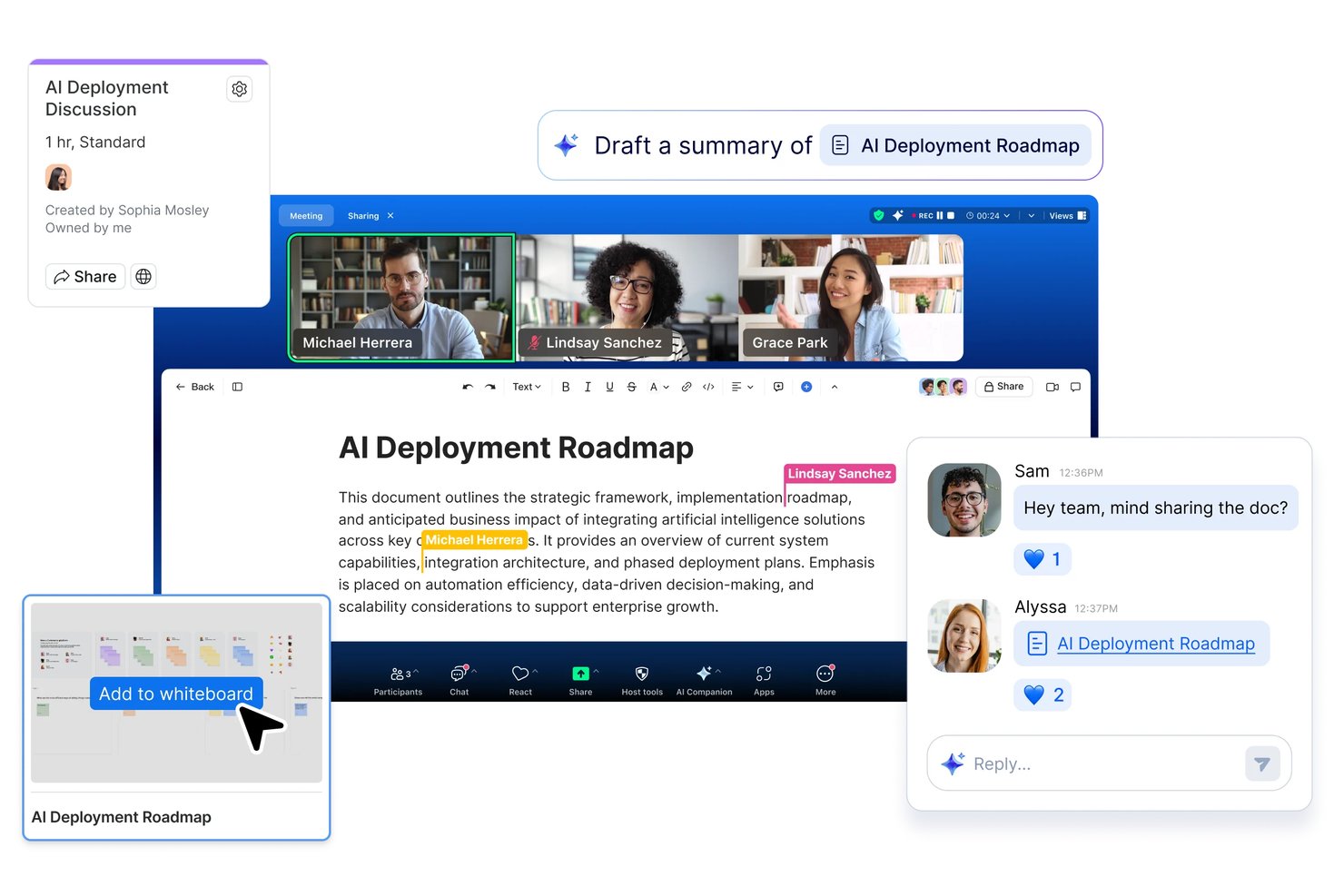
Zoom Workplace is a team communication and collaboration platform that brings together chat, video meetings, phone, mail, calendar, and whiteboard tools in a single app.
Who Is Zoom Workplace Best For?
Zoom Workplace is a strong fit for distributed teams that already live in Zoom meetings and want AI-powered summaries, chat, and scheduling in one place.
Why I Picked Zoom Workplace
I've included Zoom Workplace in my top picks because the AI meeting summary feature genuinely changes how distributed teams handle follow-up. After every call, Zoom automatically generates summaries, extracts action items, and even lets you ask questions about what was discussed, so nothing falls through the cracks between engineering, product, and design. I also like that Chat threads and channel conversations get the same AI treatment, summarizing long message chains so you can catch up without scrolling through hundreds of messages.
Zoom Workplace Key Features
- Unlimited public and private channels: Create as many channels as you need to organize conversations by team, project, or department.
- Global search: Search across messages, files, meetings, whiteboards, and mail from a single experience on desktop and mobile.
- Zoom Marketplace integrations: Connect tools like Jira, Salesforce, Google Workspace, Workday, and Slack directly within Zoom Workplace.
- Automated approval workflows: Set up notifications and approval workflows in Zoom Chat to track and manage team responses without leaving the app.
Zoom Workplace Integrations
Zoom Workplace offers Marketplace integrations with Google Workspace, Microsoft Teams, Slack, Jira, Workday, Salesforce, Google Drive, Microsoft 365, and Figma. Its REST API, webhooks, WebSockets, and GraphQL beta support custom integrations.
Pros and Cons
Pros:
- Chat and meetings keep follow-up together
- Clear audio supports distributed team meetings
- AI meeting summaries capture action items
Cons:
- Free group meetings stop after 40 minutes
- Crowded interface complicates finding settings
Diğer Ekip İletişimi Araçları
Aşağıda, kısa listeme aldığım ancak en üst sıralara ulaşamayan ek ekip iletişimi araçlarının bir listesi yer alıyor. Yine de göz atmaya değer!
- Slack
For AI-powered channel and workflow automation
- Troop Messenger
For end-to-end encrypted communication
- Chanty
For chat-to-task workflow in small teams
- Rocket.Chat
For open-source, customizable communication
- Pumble
For free unlimited messaging history
- Bitrix24
For chat, tasks, and CRM in one workspace
- ClickUp
For chat woven into project work
- Discord
For drop-in voice and free community chat


How I Evaluate Team Communication Tools
I split my evaluation into three parts, giving the most weight to core functions: send persistent real-time messages and organize discussions by project or team. Next, I look for differentiators like AI thread summaries that surface missed decisions. Finally, I consider onboarding, admin support, and pricing as teams scale.
Core Functionality (Table Stakes For This List)
When I'm selecting tools for my list, I score each one on a scale from 0 (does not offer the functionality) to 5 (excels in this area) for each core functionality listed below. I then convert the total into a percentage to help assess each tool's overall fit, with extra weight on any functionalities I’ve deemed essential.
- Real-Time Messaging (Essential): I look for persistent one-to-one and group chats with threads and reactions, so teams can discuss decisions without losing context.
- Channel Organization (Essential): I assess whether teams can create discoverable spaces for projects, departments, and topics, with access controls suited to the conversation.
- Voice and Video: I check for built-in group calls, screen sharing, and practical support for quick decisions when a text exchange falls short.
- File Sharing and Search: I look for shared files and searchable message history, so a project team can find a decision or document later.
- App Integrations: I assess connections to calendars, storage, and project trackers, including how relevant updates appear alongside team conversations.
- Cross-Platform Access: I check whether desktop and mobile apps keep conversation history in sync, so distributed teammates can follow discussions across devices.
Once I have a list of tools that meet the criteria, I consider what sets each platform apart.
Differentiating Factors (What Sets Vendors Apart)
Here's how I compare and contrast different vendors:
Standout Features
I look for AI-powered summaries that recap long threads or meeting transcripts, since a project manager rejoining after a day off shouldn't need to scroll through hundreds of messages to find what was decided. Workflow automation bots also matter—I evaluate whether a tool can run automated standups or approval prompts inside a channel, the way Slack and Microsoft Teams handle bot-driven reminders. Beyond that, I check how guest and client access controls work, because inviting an external stakeholder to a specific channel without exposing internal discussions is a real, recurring need on every client-facing project.
Beyond Features
I evaluate how each tool's pricing model handles team growth—per-user costs add up fast when you're onboarding contractors for a single project phase. Security and compliance posture also matters: I check for SSO support, audit logs, and certifications like SOC 2 or HIPAA that regulated teams need before they can even pilot a tool. Finally, I look at deployment flexibility, since some organizations require on-premise or hybrid hosting that only a few vendors like Mattermost and Rocket.Chat actually offer.
Ekip İletişimi Araçları Nasıl Seçilir?
Kendinize özgü yazılım seçim sürecinizi yürütürken aşağıdaki noktaları göz önünde bulundurun.
- Kullanım Kolaylığı: İletişim aracı, çalışanların yüksek oranda benimsemesini sağlamak için kullanıcı dostu olmalıdır. Karmaşık araçlar düşük kullanıma yol açabilir ve bu da araca sahip olmanın sağladığı faydaları ortadan kaldırır. Kullanıcı dostu bir araç, mühendislikten insan kaynaklarına kadar tüm departmanların aracı etkili bir şekilde kullanabilmesini ve böylece değerini en üst düzeye çıkarmasını sağlar.
- Entegrasyonlar: Araç, kuruluşunuzun günlük olarak kullandığı diğer temel araçlarla entegre olabilmelidir. Bu esneklik ve uyarlanabilirlik, iş akışlarını basitleştirerek verimliliği artırabilir. Örneğin, proje yönetimi yazılımlarıyla, CRM sistemleriyle ve bulut depolamayla entegre olan bir iletişim aracı tüm iletişimleri merkezi bir yerde toplayabilir.
- Güvenlik: Siber suç tehdidinin artmasıyla birlikte güvenlik önemli bir endişe kaynağıdır. Araç, gerekli harici iletişimlere izin verirken hassas şirket verilerini koruyacak güvenlik özellikleri sunmalıdır. Örneğin, uçtan uca şifreleme sağlayan bir araç veri ihlallerine karşı koruma sağlayabilir.
- Ölçeklenebilirlik: Araç, performanstan ödün vermeden kuruluşunuzla birlikte büyüyebilmelidir. Bu özellik, özellikle hızla büyüyen şirketler veya ekip büyüklükleri değişkenlik gösteren kuruluşlar için önemlidir. Ölçeklenebilir bir araç, yavaşlamadan veya önemli ölçüde ek yatırım gerektirmeden artan sayıda kullanıcıyı ve veriyi yönetebilir.
- Özelleştirme: Araç, kuruluşunuzun kendine özgü ihtiyaçlarını ve tercihlerini karşılayacak şekilde özelleştirilebilir olmalıdır. Buna özelliklerin, kullanıcı arayüzlerinin ve iş akışlarının belirli iş süreçlerine uyacak şekilde düzenlenmesi dahildir. Örneğin, özelleştirilebilir bir araç farklı iletişim tarzlarını, proje gereksinimlerini ve ekip yapılarını destekleyecek şekilde uyarlanabilir.
Ekip İletişimi Araçlarındaki Trendler
Teknoloji ilerledikçe en son gelişmelerden haberdar olmak büyük önem taşır. İşte kuruluşunuzu etkileyebilecek ve yakından takip etmeniz gereken bazı önemli trendler.
- Yapay Zekâ Destekli İletişim Araçları: Yapay zekâ destekli iletişim araçları, ekip etkileşimlerinde devrim yaratıyor. Bu araçlar, rutin görevleri otomatikleştirerek ve akıllı içgörüler sunarak verimliliği artırır. Örneğin yapay zekâ, mesajları sıralayarak yanıt sürelerini kısaltabilir ve üretkenliği artırabilir.
- Mobil Öncelikli İletişim: Uzaktan çalışmanın yaygınlaşmasıyla mobil öncelikli iletişim stratejileri zorunlu hâle geliyor. Çalışanlar işle ilgili görevlerde mobil cihazları kullanmayı tercih ediyor; bu da şirketlerin mobil uyumlu iletişim araçlarını benimsemesini gerekli kılıyor. Bu trend, ekiplerin konumlarından bağımsız olarak bağlantıda ve üretken kalmasını sağlar.
- Mevcut Platformlarla Geliştirilmiş Entegrasyon: İletişim araçlarını mevcut platformlarla entegre etmek giderek yaygınlaşan bir trenddir. Bu entegrasyon, farklı sistemler arasında kolay veri paylaşımına olanak tanıyarak iş akışlarını basitleştirir ve üretkenliği artırır. Bu yaklaşımı benimseyen şirketler, verimlilikte önemli kazanımlar elde ettiklerini bildiriyor.
- Çalışan Katılımına ve Geri Bildirime Odaklanma: Çalışan katılımı ve geri bildirim, ekip başarısı için kritik öneme sahiptir. Düzenli geri bildirim ve katılımı kolaylaştıran araçlar, moral ve üretkenliğin artırılmasına yardımcı olur. Bu unsurlara öncelik veren şirketler, çalışanları elde tutma ve yenilikçilik açısından daha iyi sonuçlar elde eder.
- Sürükleyici İş Birliği Teknolojileri: Sanal gerçeklik (VR) ve artırılmış gerçeklik (AR) gibi sürükleyici teknolojiler, ekip iletişimi araçlarında kendine yer buluyor. Bu teknolojiler, daha ilgi çekici ve etkileşimli iş birliği deneyimleri sunarak yaratıcılığı ve sorun çözme becerisini geliştirebilir.
Teknoloji ilerledikçe bu araçlar daha gelişmiş hâle gelir; gelişmiş analizler, sosyal medya platformlarıyla daha iyi entegrasyon ve iyileştirilmiş kullanıcı deneyimi sunar. Bu değişen trendlerden yararlanan şirketlerin rekabet avantajı elde etme olasılığı yüksektir.
Ekip İletişimi Araçları Nedir?
Ekip iletişimi araçları, ekip üyeleri arasındaki iletişimi ve iş birliğini teşvik etmek için tasarlanmış yazılım uygulamalarıdır. İşletmeler, uzaktan çalışan ekipler ve proje grupları bu araçları genellikle bilgi paylaşmak, görevleri görüşmek ve faaliyetleri koordine etmek için kullanır.
Ekip iletişimi araçlarının temel amacı, bir ekip içindeki iletişimi verimli ve etkili hâle getirerek tüm üyelerin aynı doğrultuda hareket etmesini ve bilgi sahibi olmasını sağlamaktır. Yaygın kullanıcılar arasında proje yöneticileri, ekip liderleri ve görevler ile projeler üzerinde iş birliği yapması gereken çalışanlar yer alır.
Ekip iletişimi araçlarının bileşenleri genellikle mesajlaşma platformlarını, görüntülü konferansı, dosya paylaşımını ve görev yönetimi özelliklerini içerir. Bu unsurlar, ekip iletişimi ve iş birliği için kapsamlı bir çözüm sunmak üzere birlikte çalışır.
Ekip İletişimi Araçlarının Özellikleri
Pratik ekip iletişimi araçları iletişimi basitleştirmeye, iş birliğini geliştirmeye ve herkesin aynı bilgiye sahip olmasını sağlamaya yardımcı olur. Ekip iletişimi araçlarında aranması gereken en önemli özelliklerden bazıları şunlardır.
- Anlık Mesajlaşma: Bu özellik, ekip üyelerinin gerçek zamanlı olarak kurum içi iletişim yoluyla iletişim kurmasını sağlar; bu da hızlı karar alma ve sorun çözme açısından önemlidir.
- Görüntülü Konferans: Görüntülü aramalar, yüz yüze görüntülü konferans iletişimi sağlar; bu da daha güçlü ilişkiler kurulmasına yardımcı olur ve sanal toplantılarda sözsüz ipuçlarının gözden kaçmamasını sağlar.
- Dosya Paylaşımı: Belgeleri ve dosyaları iletişim aracı içinde paylaşabilme olanağı, platformlar arasında geçiş yapmadan herkesin gerekli kaynaklara erişmesini sağlar. Bu özellik, beyin fırtınası ve diğer ekip çalışması etkinlikleri için oldukça kullanışlıdır.
- Görev Yönetimi: Görev yönetimi özelliklerinin entegre edilmesi, ekiplerin sorumluluklarını ve son teslim tarihlerini takip etmesine yardımcı olarak projelerin planlandığı şekilde ilerlemesini sağlar.
- Diğer Araçlarla Entegrasyon: Proje yönetimi araçları, iş birliği araçları, takvimler ve e-posta gibi diğer yazılımlarla kolay entegrasyon, farklı uygulamalar arasında geçiş yapma ihtiyacını azaltarak birleşik bir iş akışı oluşturulmasına yardımcı olur.
- Arama İşlevi: Bir arama özelliği, ekip üyelerinin geçmiş konuşmaları, dosyaları ve diğer önemli bilgileri hızlıca bulmasını sağlayarak zamandan tasarruf ettirir ve verimliliği artırır.
- Bildirimler ve Uyarılar: Özelleştirilebilir bildirimler, ekip üyelerinin önemli güncellemelerden haberdar olmasını ve gereksiz uyarılarla bunalmadan hızlıca yanıt vermesini sağlar.
- Kullanıcı Rolleri ve İzinler: Bu özellik, yöneticilerin aracın farklı bölümlerine erişimi kontrol etmesini sağlayarak hassas bilgilerin yalnızca ihtiyaç duyan kişiler tarafından erişilebilir olmasını güvence altına alır.
- Mobil Erişim: Mobil iletişim uygulamasına sahip olmak, ekip üyelerinin masalarından uzakta olduklarında bile bağlantıda ve üretken kalmasını sağlar.
- Güvenlik ve Uyumluluk: Güçlü güvenlik özellikleri ve sektör standartlarına uyumluluk, hassas ticari iletişimleri korur ve kuruluşun düzenleyici gereklilikleri karşılamasını sağlar.
Bu özelliklere sahip doğru ekip iletişim aracını seçmek, ekibiniz içindeki iş birliğini ve üretkenliği önemli ölçüde artırabilir. Bu temel unsurlara odaklanarak ekibinizin etkili iletişim kurmak ve hedeflerine ulaşmak için ihtiyaç duyduğu kaynaklara sahip olmasını sağlayabilirsiniz.
Ekip İletişim Araçlarının Faydaları
Günümüzün hızlı tempolu iş ortamında ekip iletişim araçları, ekip üyeleri arasındaki etkileşimi, iş birliğini ve üretkenliği kolaylaştırmak için vazgeçilmez hâle gelmiştir. Aşağıda, ekip iletişim araçlarını kullanmanın hem kullanıcılar hem de kuruluşlar açısından beş temel faydası yer almaktadır.
- Gelişmiş İş Birliği: Ekip iletişim araçları, ekip üyelerinin fiziksel konumlarından bağımsız olarak projeler üzerinde birlikte çalışmasına, fikir paylaşmasına ve anında geri bildirimde bulunmasına olanak tanıyarak gerçek zamanlı iş birliğini mümkün kılar.
- Artan Üretkenlik: Bu araçlar, iletişimi merkezileştirip uzun e-posta yazışmalarına duyulan ihtiyacı azaltarak iş akışlarını basitleştirir ve ekiplerin görevlerine odaklanmasına yardımcı olur; bu da daha yüksek üretkenlik sağlar.
- Geliştirilmiş Şeffaflık: Bu araçlar, gerçekleştirilen tüm iletişim ve alınan kararların net bir kaydını sunarak herkesin aynı bilgilere sahip olmasını sağlar ve yanlış anlaşılma veya bilgilerin gözden kaçma olasılığını azaltır.
- Daha İyi Proje Yönetimi: Entegre proje yönetimi özellikleri sayesinde ekip iletişim araçları ilerlemeyi izlemeye, son tarihleri belirlemeye ve görevleri atamaya yardımcı olur; bu da projeleri verimli bir şekilde yönetmeyi ve son tarihlere uymayı kolaylaştırır.
- Gelişmiş Esneklik: Ekip iletişim araçları, ekip üyelerinin her yerden iletişim kurmasına ve iş birliği yapmasına olanak tanıyarak uzaktan çalışmayı destekler ve farklı çalışma koşullarına ve saat dilimlerine uyum sağlamak için gereken esnekliği sunar.
Ekip iletişim araçlarına yatırım yapmak, ekibinizin etkileşim kurma ve iş birliği yapma biçimini önemli ölçüde iyileştirerek daha iyi sonuçlara ve daha uyumlu bir çalışma ortamına katkıda bulunabilir. Kuruluşlar bu araçlardan yararlanarak ekiplerinin birbirine bağlı, bilgili ve üretken olmasını sağlayabilir.
Ekip İletişim Araçlarının Maliyetleri & Fiyatlandırması
Bu bölümde ortalama ekip iletişim planları ve bunlarla ilişkili maliyetler hakkında ayrıntılı bir tahmin sunulmaktadır. Veriler, yaygın fiyatlandırma kademeleri ve bunların sunduğu özellikler analiz edilerek elde edilmiştir. Kullanıcılar bu fiyatlandırma yapılarını anlayarak ekip iletişim araçlarını seçerken ihtiyaçlarını ve bütçe gereksinimlerini daha iyi değerlendirebilir.
Ekip İletişim Araçları için Plan Karşılaştırma Tablosu
| Plan Türü | Ortalama Fiyat | Yaygın Özellikler |
| Ücretsiz Plan | $0 | Temel mesajlaşma, sınırlı dosya paylaşımı, sınırlı entegrasyonlar, temel güvenlik |
| Bireysel Plan | $5-$10 kullanıcı başına /ay | Gelişmiş mesajlaşma, görüntülü aramalar, daha fazla dosya depolama alanı, entegrasyonlar, temel destek |
| İşletme Planı | $10-$20 kullanıcı başına /ay | Gelişmiş mesajlaşma, video konferans, geniş dosya depolama alanı, gelişmiş entegrasyonlar, öncelikli destek |
| Kurumsal Plan | $20+ kullanıcı başına /ay | Özel özellikler, sınırsız depolama alanı, gelişmiş güvenlik, özel destek, uyumluluk araçları |
Ekip İletişim Araçları Hakkında SSS
Ekip iletişim araçları ve nasıl çalıştıkları hakkında sahip olabileceğiniz sık sorulan soruların bazı yanıtlarını burada bulabilirsiniz.
Ekip iletişim araçlarını diğer proje yönetimi yazılımlarıyla nasıl entegre edebilirim?
Çoğu ekip iletişim aracı, Trello, Asana ve Jira gibi popüler proje yönetimi yazılımlarıyla entegrasyonlar sunar. Bu seçenekleri genellikle aracın ayarlar veya entegrasyonlar bölümünde bulabilirsiniz. Örneğin Slack, Slack çalışma alanınıza Trello uygulamasını ekleyerek Trello ile bağlantı kurmanıza ve Trello kartlarını doğrudan Slack kanallarından oluşturup yönetmenize olanak tanır.
Ekip iletişim araçlarındaki bildirimleri yönetmek için en iyi uygulamalar nelerdir?
Bildirim yoğunluğundan kaçınmak için önemli mesajlara öncelik verecek şekilde bildirim ayarlarınızı özelleştirin. Birçok araç, belirli kanalları veya konuşmaları sessize almanıza, rahatsız etmeyin saatleri belirlemenize ve alacağınız bildirim türlerini seçmenize olanak tanır. Örneğin Microsoft Teams’te bildirim ayarlarınızı yalnızca bahsetmeler veya doğrudan mesajlar için uyarı alacak şekilde düzenleyebilirsiniz.
Ekip iletişim araçlarında veri güvenliğini ve gizliliğini nasıl sağlayabilirim?
Uçtan uca şifreleme, iki faktörlü kimlik doğrulama ve GDPR ile HIPAA gibi sektör standartlarına uyumluluk gibi güvenlik özellikleri sunan araçları seçin. Güvenlik yamalarından yararlanmak için yazılımınızı düzenli olarak en son sürüme güncelleyin. Ayrıca güçlü parolalar kullanma ve kimlik avı girişimlerini tanıma gibi veri güvenliği için en iyi uygulamalar konusunda ekibinizi eğitin.
Ekip iletişim araçları aracılığıyla etkileşimi geliştirmek için hangi stratejileri uygulayabilirim?
Etkileşimleri daha dinamik hâle getirmek için düzenli kontroller yapılmasını teşvik edin ve anketler, tepkiler ve görüntülü aramalar gibi özellikleri kullanın. Topluluk duygusunu güçlendirmek için işle ilgili olmayan konulara özel kanallar oluşturun. Örneğin Slack’te gündelik konuşmalar ve ekip bağlılığı etkinlikleri için bir #random kanalı oluşturabilirsiniz.
Ekip iletişim araçlarındaki eski konuşmaları ve dosyaları nasıl yönetir ve arşivlerim?
Çoğu araç, çalışma alanınızı düzenli tutmak için arşivleme seçenekleri sunar. Slack’te artık etkin olmayan kanalları arşivleyebilir, Microsoft Teams’te ise mesajların ve dosyaların yaşam döngüsünü yönetmek için saklama politikalarını kullanabilirsiniz. Verimli bir çalışma alanını korumak için eski verileri düzenli olarak gözden geçirip temizleyin.
Ekip iletişim araçlarını daha büyük ekipler için ölçeklendirirken karşılaşılan yaygın zorluklar nelerdir?
Ekipler büyüdükçe, açık ve etkili iletişimi sürdürmek zorlaşabilir. Yaygın sorunlar arasında bilgi yoğunluğu, parçalanmış konuşmalar ve önemli güncellemeleri takip etme güçlüğü yer alır. Bunları ele almak için net iletişim protokolleri oluşturun, tartışmaları düzenli tutmak üzere ileti dizili konuşmaları kullanın ve bilgilere hızlıca ulaşmak için arama işlevlerinden yararlanın.
Ekip iletişim araçlarının etkinliğini nasıl ölçebilirim?
İletişim araçlarınızın etkinliğini değerlendirmek için yanıt süreleri, mesaj hacmi ve kullanıcı etkileşimi gibi ölçümleri takip edin. Birçok araç yerleşik analiz özellikleri sunar veya üçüncü taraf analiz platformlarıyla entegre edilebilir. İyileştirme alanlarını belirlemek ve araçların ekibinizin ihtiyaçlarını karşıladığından emin olmak için bu ölçümleri düzenli olarak gözden geçirin.