

Beoordeling van Toggl Track-tijdregistratiesoftware voor 2026



Toggl Track is a time tracking software for teams and freelancers who need to log time across projects, clients, and tasks without a heavy setup process. It's worth considering if you want the reporting depth of a tool like Harvest, but without the invoicing-first structure that shapes how Harvest organizes your data.
Toggl Track Evaluation Summary
- From $9/user/month (billed annually)
- Free plan + 30-day free trial + free demo available
Waarom u onze softwareaanbevelingen kunt vertrouwen
Ons team test en beoordeelt software sinds 2012. Als projectmanagers weten we zelf hoe moeilijk — en belangrijk — het is om de juiste software te kiezen.
Voor deze gids hebben we tools geëvalueerd met behulp van praktijktests en onafhankelijk onderzoek, waarbij we tools beoordeelden aan de hand van onze selectiecriteria. We putten ook uit inzichten van vooraanstaande experts uit de branche en praktiserende projectmanagementprofessionals.
Onze reviews weerspiegelen ons menselijke redactionele oordeel, geen verkooppraatje.
Deskundige beoordelaars:
Toggl Track Overview
In my opinion, Toggl Track is one of the better time tracking tools available—especially if you value clean design, ease of use, and fast onboarding. It’s fast, lightweight, and doesn’t clutter your workflow. The core timer, project and tag organization, and reporting tools are reliable, and the web, desktop, and mobile apps are intuitive and well-synced.
Compared to tools like Clockify or Harvest, Toggl Track feels smoother and more modern but doesn’t offer as many built-in billing, invoicing, or expense tracking features. That’s not a dealbreaker, but it does make the tool a better fit for teams that already rely on separate accounting software.
Toggl Track stands out most for its minimalist design and ease of use, which make daily time tracking feel less like a task. If you're selecting software for a creative agency, consultancy, or remote team that needs flexible tracking without the overhead, Toggl Track is a strong choice—just don’t expect built-in advanced administrative or financial features.

pros
-
The intuitive interface makes tracking time a breeze
-
Insightful reports help you understand team productivity and time allocation
-
Flexible structure supports diverse workflows across industries and roles
cons
-
Some users find the reporting features lack advanced customization
-
The mobile app can occasionally be less responsive compared to the desktop version
-
May not offer strong budgeting features that some projects require
-

Celoxis
Visit WebsiteThis rating combines scores from multiple user review sites to reflect overall customer sentiment about the product.4.5 -
Smartsheet
Visit WebsiteThis rating combines scores from multiple user review sites to reflect overall customer sentiment about the product.4.5 -
Accelo
Visit WebsiteThis rating combines scores from multiple user review sites to reflect overall customer sentiment about the product.4.4





Core Features
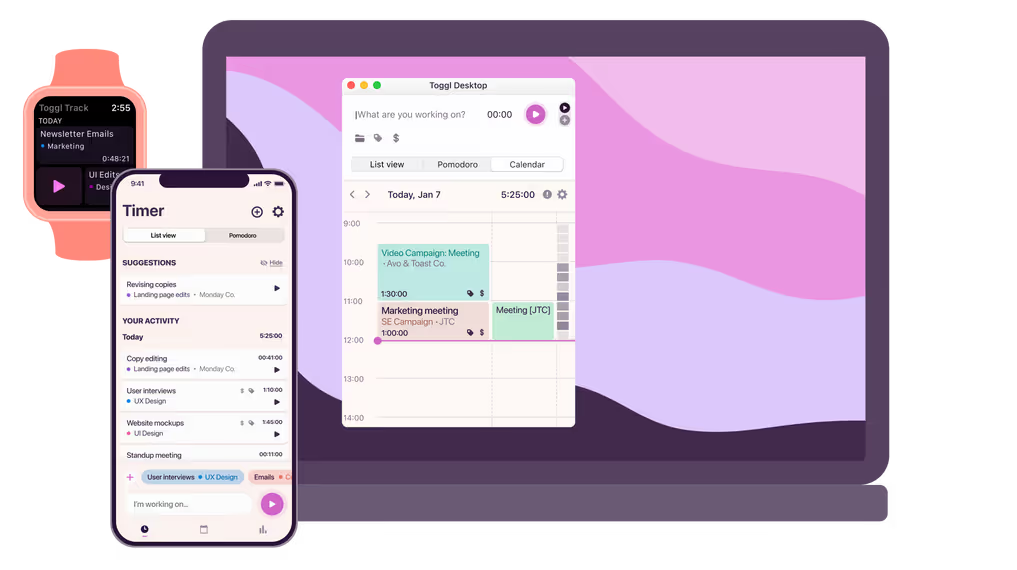
Time entries: You can track your work hours with ease by starting and stopping timers. This feature helps you accurately log time and create a timesheet for individual tasks or projects.
Project tracking: You can assign your time entries to specific projects, giving you accurate time tracking data and a clear view of where your efforts go. This helps you manage workloads and deadlines effectively.
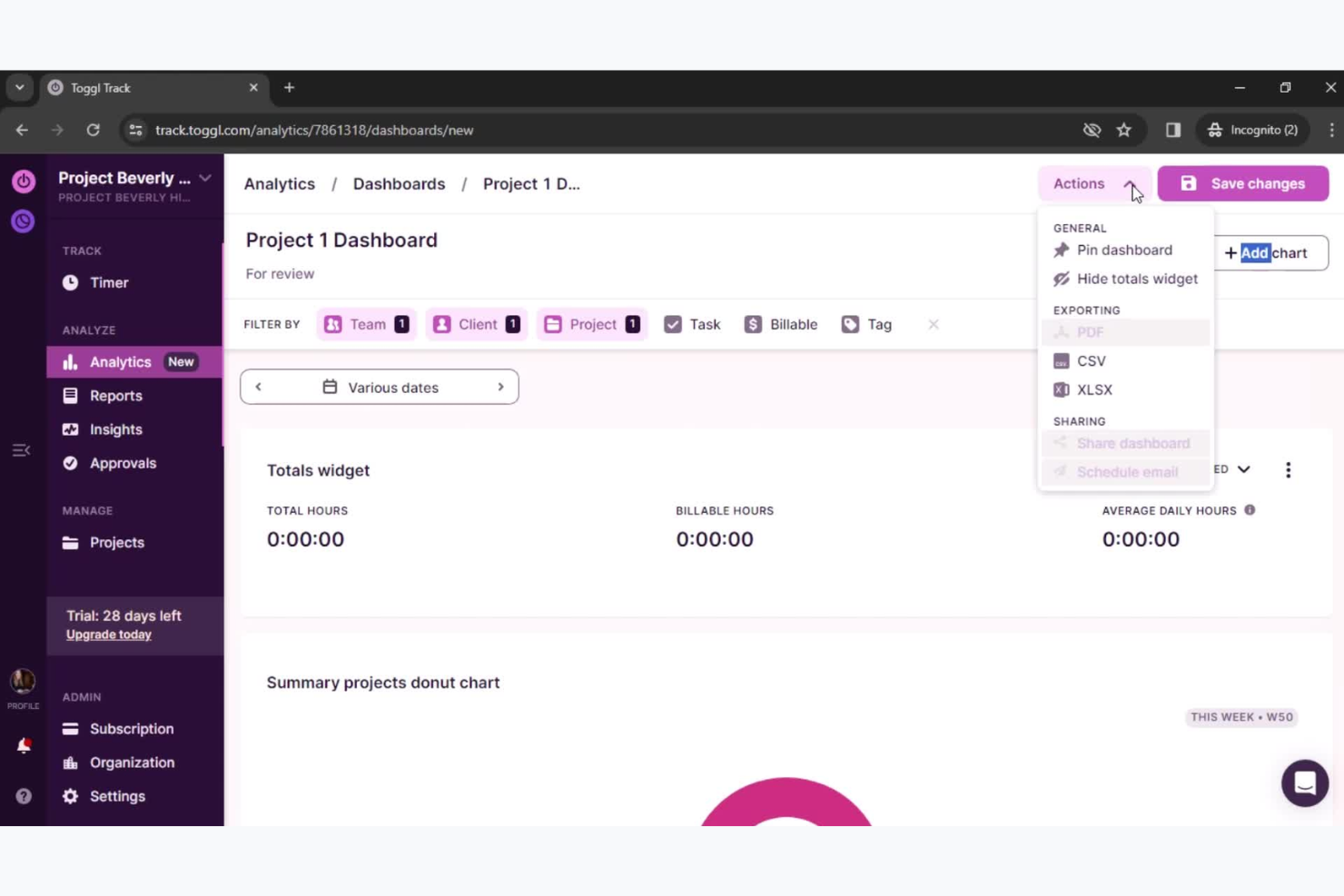
Reporting: You can generate customizable reports that allow you to focus on the metrics most relevant to your work. These reports can be filtered by projects, team members, or date range, such as for weekly reports, and exported in various formats.
Billable hours: You can mark hours as billable, making it easy to track client work and ensure accurate invoicing. This helps you maintain transparency with clients and manage your billing efficiently.
Offline tracking: Users can track time without an internet connection, which is later synced when connectivity is restored. This feature is invaluable for those working remotely or in areas with unreliable internet.
Timeline view: You can identify productivity patterns by viewing a visual representation of your day or week. This view assists in planning and optimizing your schedule.

Ease of Use
Toggl Track is known for its user-friendly interface that allows teams to start tracking time with little to no learning curve. Its intuitive design makes it easy to set up project dashboards, start timers, and generate reports.
The platform’s simple navigation and clear visuals keep the focus on work rather than the software. Users consistently highlight how easy it is to manage tasks and monitor productivity, which helps improve overall efficiency.
Toggl Track Specs
- 360 Degree Feedback
- API
- Attendance Tracking
- Batch Permissions & Access
- Budgeting
- Calendar Management
- Dashboard
- Data Export
- Data Import
- Data Visualization
- Employee Database
- Employee Engagement
- Employee Onboarding
- External Integrations
- Feedback Management
- Forecasting
- Multi-User
- Notifications
- Project Management
- Scheduling
- Timesheets
- Travel Management
- Vacation & Absence Calendar
Alternatives to Toggl Track


Toggl Track FAQs
How does Toggl Track handle offline time tracking?
What support does Toggl Track offer for mobile devices?
How does Toggl Track ensure data security and compliance?
Is it easy to switch from another time tracking tool to Toggl Track?
Can I manage team permissions in Toggl Track?
Does Toggl Track offer reminders for time tracking?
How does Toggl Track handle multiple projects?
Wat is de volgende stap?
Wil je contact leggen met andere digitale projectmanagers om bronnen en best practices te delen?
Word lid van onze community en krijg toegang tot meer dan 100 sjablonen, voorbeelden en uitgewerkte cases, en leg via Slack contact met honderden andere digitale projectmanagers.