

10 beste programvarer for håndtering av ingeniørdokumenter i 2026

Kortliste over programvare for dokumenthåndtering innen ingeniørfag


Programvare for dokumenthåndtering innen ingeniørfag hjelper teamet ditt med å organisere, kontrollere og spore tekniske dokumenter gjennom hele prosjektets livssyklus. Hvis du leter etter det beste systemet for dokumenthåndtering innen ingeniørfag for å håndtere tegninger, revisjoner og samsvarsregistre, vet du hvor raskt filene kan bli mange, og hvor avgjørende det er å holde teammedlemmene samkjørte. Disse plattformene støtter endringshåndtering, forbedrer datahåndteringen og bidrar til å standardisere forretningsprosesser på tvers av ingeniørprosjekter.
Denne listen hjelper deg med å sammenligne ledende løsninger og velge programvare som støtter samarbeid, samsvar og digital transformasjon på tvers av arbeidsflytene innen ingeniørfag.
Hvorfor du kan stole på våre programvareanbefalinger
Teamet vårt har testet og anmeldt programvare siden 2012. Vi er selv prosjektledere, så vi vet hvor vanskelig og hvor viktig det er å velge riktig programvare.
I denne guiden har vi vurdert verktøyene gjennom praktisk testing og uavhengig research og gitt dem poeng ut fra våre utvelgelseskriterier. Vi bygger også på innsikt fra ledende eksperter i bransjen og erfarne prosjektledere.
Anmeldelsene våre bygger på vår egen redaksjonelle vurdering. De er ikke et salgsargument.
Ekspertanmeldere:
Sammenligningstabell for programvare for dokumenthåndtering innen ingeniørfag
Denne sammenligningstabellen oppsummerer prisdetaljene for mine beste utvalg av programvare for dokumenthåndtering innen ingeniørfag
| Tool | Best For | Trial Info | Price | ||
|---|---|---|---|---|---|
| 1 | Best with multilingual document handling | Free demo available | Pricing upon request | Website | |
| 2 | Best for metadata-based organization | Free demo available | From $65/user/month | Website | |
| 3 | Best for large-scale enterprise deployments | Free demo available | Pricing upon request | Website | |
| 4 | Best for infrastructure project coordination | Free trial available | From $312/year (billed annually) | Website | |
| 5 | Best for compliance-driven industries | Free demo available | From $58/user/month | Website | |
| 6 | Best for Microsoft Office integration | Free demo available | Pricing upon request | Website | |
| 7 | Best for controlled revision management | Free demo available | Pricing upon request | Website | |
| 8 | Best with CAD integration workflows | Not available | From $14/user/month (billed annually) | Website | |
| 9 | Best for rapid cloud implementation | Free demo available | From $399/month | Website | |
| 10 | Best for capital project documentation | Free demo available | Pricing upon request | Website |
Anmeldelser av programvare for dokumenthåndtering innen ingeniørfag
Nedenfor finner du mine detaljerte oppsummeringer av programvare for dokumenthåndtering innen ingeniørfag som kom med på kortlisten min. Anmeldelsene mine gir en detaljert gjennomgang av funksjonene, de beste bruksområdene og integrasjonene til hver plattform, slik at du kan finne den beste løsningen for teamet ditt.
Doxis
Best with multilingual document handling

Doxis is an enterprise content management platform that manages document lifecycle, version control, CAD file archiving, AI-powered classification, and workflow automation for engineering and technical environments.
Who is Doxis Best For?
Doxis is a strong fit for large enterprises in manufacturing, engineering, or regulated industries managing high volumes of technical documents across multiple departments.
Why I Picked Doxis
I've included Doxis in my top picks because of how well it handles document management across international engineering teams. The enterprise search lets you filter by language, so teams working across regions can locate the right version of a technical document without digging through mixed-language repositories. On top of that, Doxis AI.dp uses NLP to classify and extract data from documents regardless of language, which means incoming specs, supplier records, or compliance files in different languages get processed and routed correctly without manual sorting.
Doxis Key Features
- CAD Manager: Archive and view CAD drawings and technical models without needing native CAD software installed.
- Version management: Track document revisions, see complete change histories, and control which version is active at any time.
- Multi-stage approval workflows: Route documents through customizable review and release processes, each with specific sign-off steps.
- Audit-proof archiving: Store records in compliance with ISO 16175-2 standards, using automated retention and deletion policies.
Doxis Integrations
Doxis offers native integrations with SAP, Salesforce, and the Microsoft ecosystem, including Microsoft 365, Microsoft Teams, Microsoft Outlook, Microsoft SharePoint, and Microsoft Dynamics 365. There is also native integration with SAP SuccessFactors and Google Workspace. Doxis provides a REST API for custom integrations, and its vendor-independent connectors support connections to ERP, CRM, and HR systems. Zapier support is not clearly documented.
Pros and Cons
Pros:
- Handles large engineering document files natively
- Tamper-proof archiving with retention automation
- AI-driven classification and metadata extraction
Cons:
- Complex customizations require coordination with vendor support
- Limited support for 3D model file storage

M-Files
Best for metadata-based organization
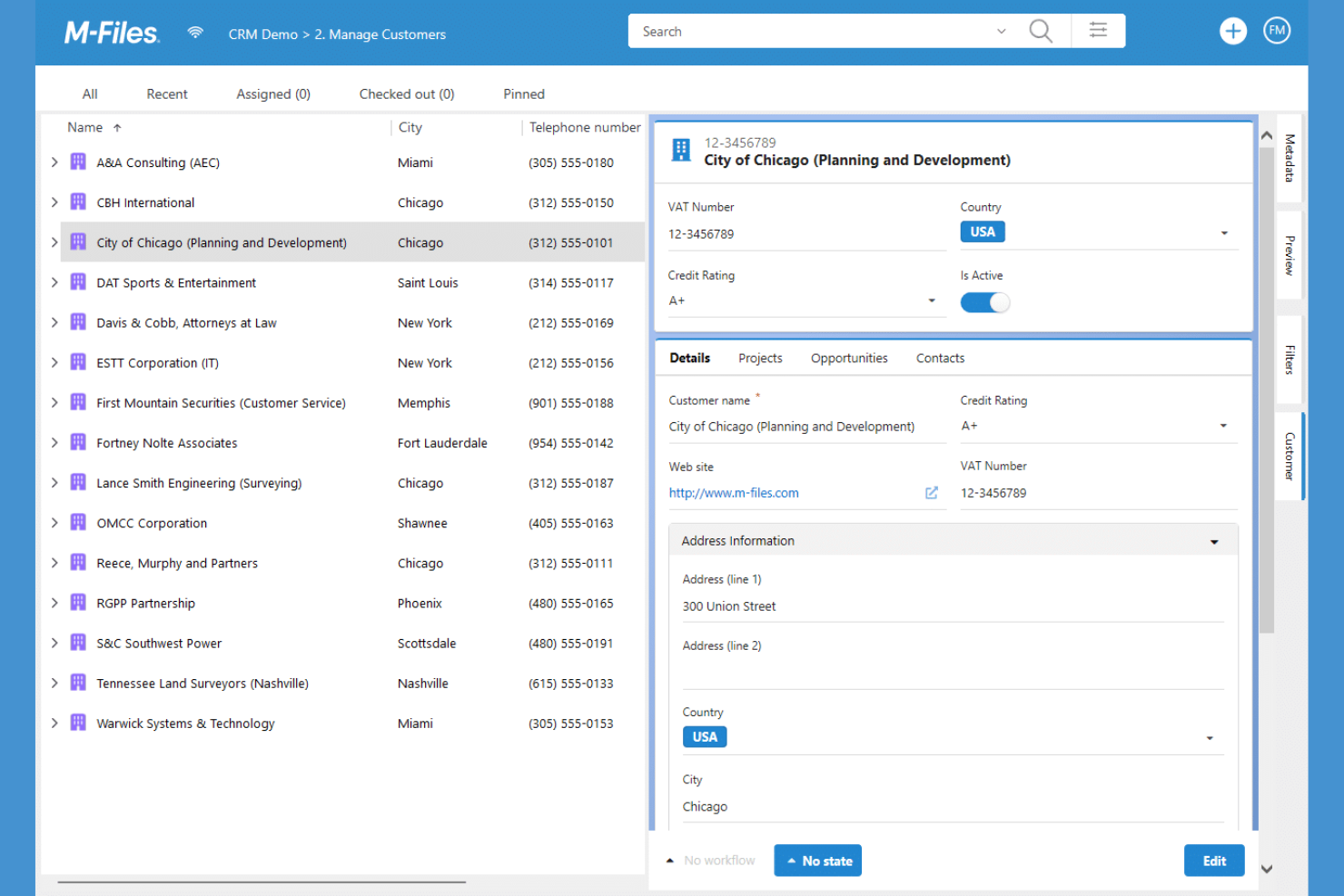
M-Files takes a metadata-driven approach to engineering document management, making it easier for teams to organize and retrieve files based on context rather than folder location. This platform is a strong fit for organizations that handle complex projects and need to track documents by project, asset, or compliance requirement. Its unique structure helps reduce time spent searching for information and supports strict version control across distributed teams.
Why I Picked M-Files
Unlike traditional document management systems that rely on rigid folder structures, M-Files organizes engineering documents using metadata, which means you can find files based on project, asset, or document type. This approach is especially useful for engineering teams that need to manage large volumes of technical documents and drawings across multiple projects. I like that M-Files automatically tags and categorizes documents, making retrieval and compliance tracking much more efficient. Its metadata-based search and dynamic views help ensure everyone is always working with the right version of every file.
M-Files Key Features
Some other features that engineering teams might find useful include:
- Automated Workflow Management: Lets you design and automate document approval and review processes.
- Mobile Access: Provides a mobile app for accessing and managing documents from anywhere.
- Microsoft 365 Integration: Connects with Microsoft Teams, SharePoint, and Outlook for document collaboration.
- Audit Trail Logging: Tracks every action taken on a document for compliance and accountability.
M-Files Integrations
Integrations include Microsoft Teams, Microsoft SharePoint, Microsoft Outlook, Microsoft Word, Microsoft Excel, Microsoft PowerPoint, Adobe Acrobat Sign, Google Workspace, and more.
Pros and Cons
Pros:
- Automated workflows support engineering approvals
- Version control prevents accidental overwrites
- Metadata search finds documents by project context
Cons:
- Limited CAD file preview within the platform
- Initial metadata setup requires significant planning

OpenText
Best for large-scale enterprise deployments
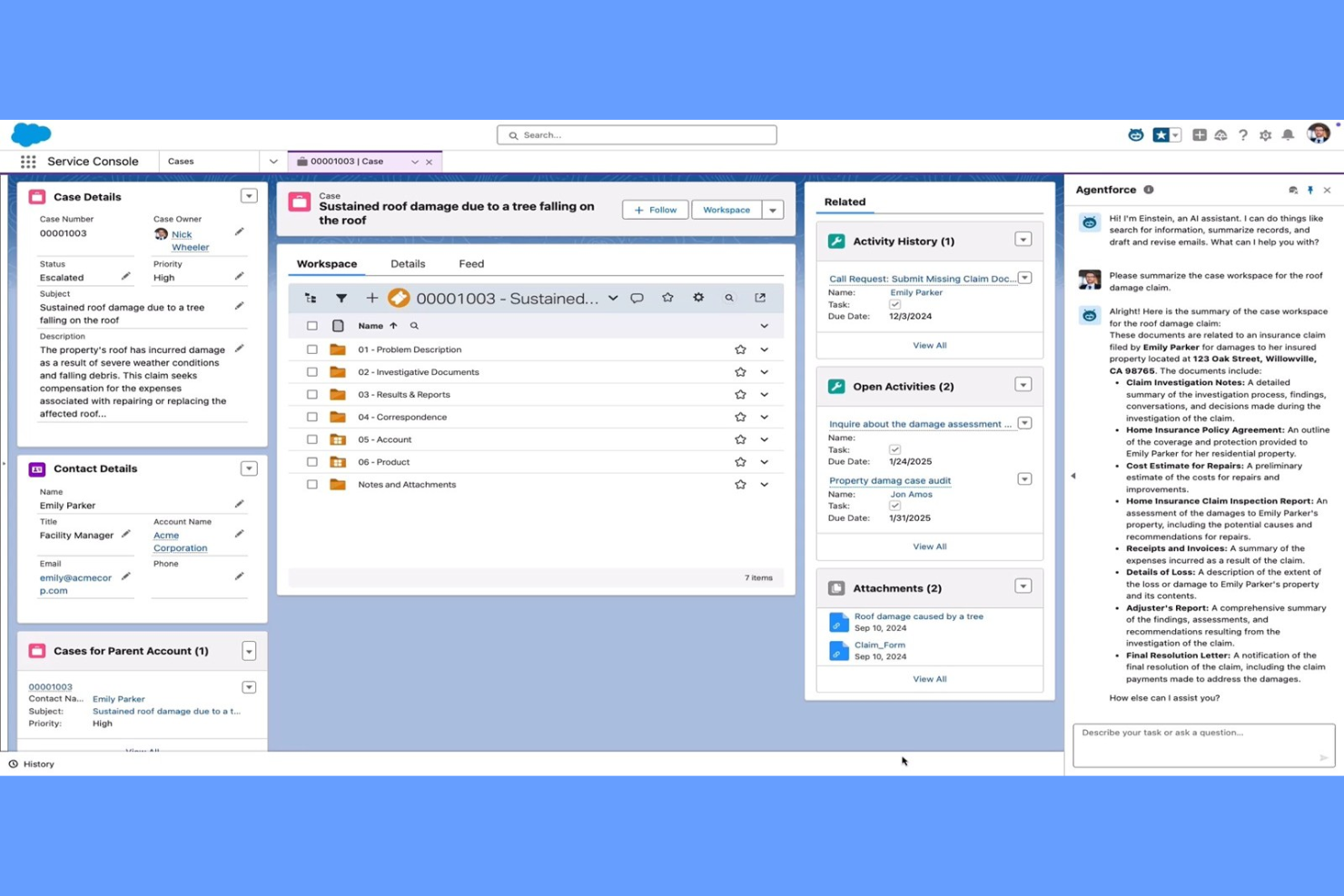
OpenText offers a document management platform designed for organizations handling complex engineering projects at scale. It’s a strong fit for enterprises that need to manage high volumes of technical documents, strict compliance requirements, and global collaboration. Teams in industries like energy, utilities, and manufacturing use OpenText to centralize control over drawings, revisions, and project records, helping team members find the right document quickly through a more user-friendly interface.
Why I Picked OpenText
I chose OpenText for this list because it’s purpose-built to handle the demands of large-scale enterprise deployments. The platform supports advanced document control, including automated versioning and audit trails, which are essential for organizations managing thousands of engineering files across multiple projects. I also appreciate its granular permissions system, which lets teams set access levels for different departments, contractors, or regions. These capabilities make OpenText a strong choice for enterprises that need centralized oversight and compliance across complex engineering environments.
OpenText Key Features
Some other features that engineering teams may find useful include:
- Document Workflow Automation: Set up custom workflows to route documents for review, approval, and distribution.
- Integrated Search Tools: Use advanced search capabilities to quickly locate drawings, specifications, or correspondence by metadata or content.
- Mobile Access: Access, review, and annotate engineering documents from mobile devices in the field or on-site.
- Records Management: Apply retention policies and manage the lifecycle of engineering documents to support compliance and audit readiness.
OpenText Integrations
Integrations include SAP, SAP SuccessFactors, Microsoft 365, Guidewire, Salesforce, and more.
Pros and Cons
Pros:
- Scales for global, multi-site deployments
- Integrates with major enterprise platforms
- Offers granular user and group permissions
Cons:
- Search performance slows with very large archives
- Advanced features may require extra licensing

Best for infrastructure project coordination
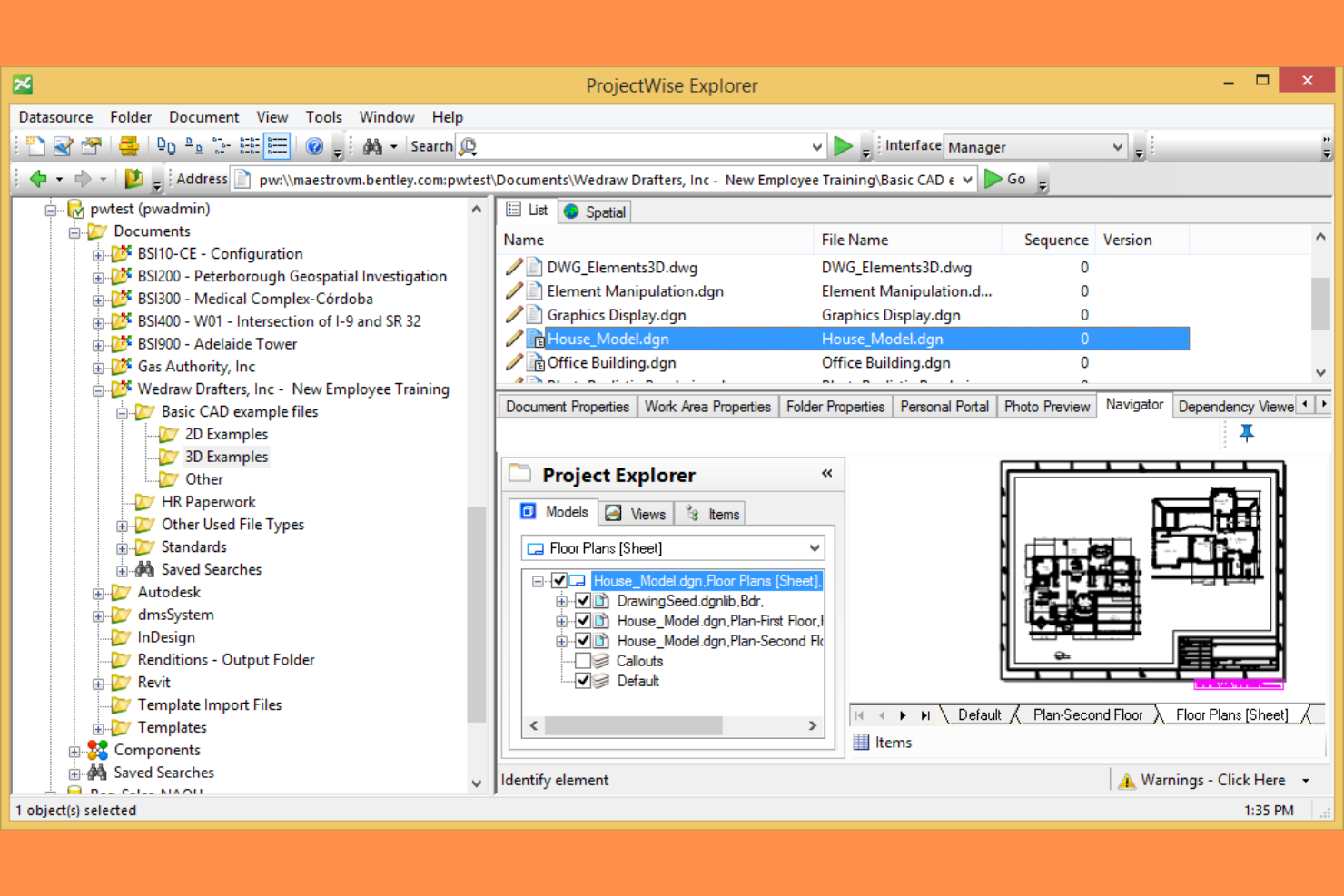
Bentley ProjectWise is purpose-built for infrastructure teams that need to coordinate complex engineering projects across organizations and disciplines. It connects civil, structural, and utility engineers with a shared environment for managing models, drawings, and project data. This makes it especially useful for firms handling large-scale transportation, energy, or public works projects where collaboration and control are critical.
Why I Picked Bentley ProjectWise
For infrastructure project coordination, Bentley ProjectWise stands out by offering a connected data environment that supports multi-disciplinary teams working on large-scale projects. Its federated model management lets civil, structural, and utility engineers collaborate on shared models and drawings without overwriting each other’s work. I appreciate how ProjectWise automates document versioning and approval workflows, which helps maintain control over complex project deliverables. These features make it a strong choice for organizations that need to coordinate infrastructure projects across multiple stakeholders and locations.
Bentley ProjectWise Key Features
Some other features that infrastructure teams may find valuable include:
- Geospatial Data Integration: Connects project documents with GIS and mapping data for location-based context.
- Automated Metadata Tagging: Applies standardized tags to documents for easier search and organization.
- Mobile Field Access: Lets users view and update project files from mobile devices on site.
- Audit Trail Reporting: Tracks all document actions and changes for compliance and accountability.
Bentley ProjectWise Integrations
Native integrations are not currently listed.
Pros and Cons
Pros:
- Handles large infrastructure project file sizes
- Provides detailed audit trails for compliance
- Supports federated models for multi-disciplinary teams
Cons:
- Cloud hosting options are not globally available
- Limited support for non-Bentley file formats
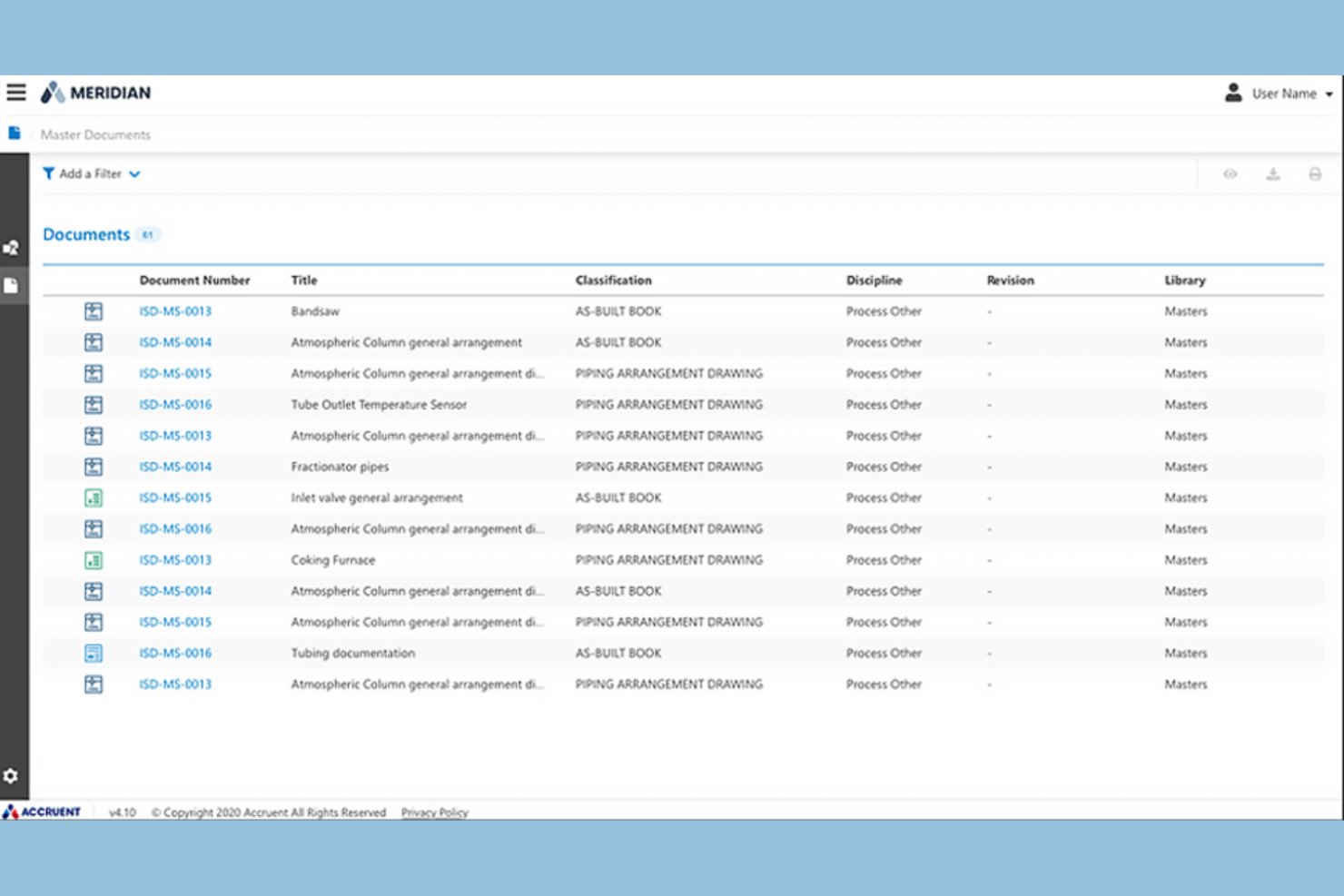
Accruent is designed for organizations in highly regulated industries that need to manage engineering documents with strict compliance requirements. It’s especially relevant for teams in sectors like pharmaceuticals, energy, and healthcare, where audit trails and regulatory alignment are non-negotiable. The platform helps address challenges around document versioning, controlled access, and maintaining up-to-date compliance documentation.
Why I Picked Accruent
For teams working in compliance-driven industries, Accruent offers specialized tools that help meet strict regulatory standards for engineering documentation. The platform provides detailed audit trails and electronic signatures, which are essential for industries where traceability and accountability are required by law. I appreciate that Accruent also supports document control processes, including version management and automated approval workflows, to help ensure every file meets compliance requirements. These features make it a strong fit for organizations that can’t afford to compromise on regulatory alignment.
Accruent Key Features
Some other features in Accruent that you might find useful for managing engineering documents include:
- Version Control: Track document revisions and maintain a complete history of changes for audit and reference purposes.
- Automated Workflow Routing: Set up rule-based workflows to route documents for review, approval, or distribution based on project requirements.
- CAD Integration: Connect directly with CAD applications to manage and update engineering drawings without leaving the platform.
- Role-Based Access Controls: Assign granular permissions to users and groups, ensuring only authorized personnel can view or edit sensitive documents.
Accruent Integrations
Native integrations are not currently listed. However, Accruent does offer an API for custom integrations.
Pros and Cons
Pros:
- Detailed reporting for compliance and usage metrics
- Automated document retention and disposition rules
- Built-in audit trails for regulatory compliance
Cons:
- Customization requires vendor involvement and time
- Limited offline access for remote field teams

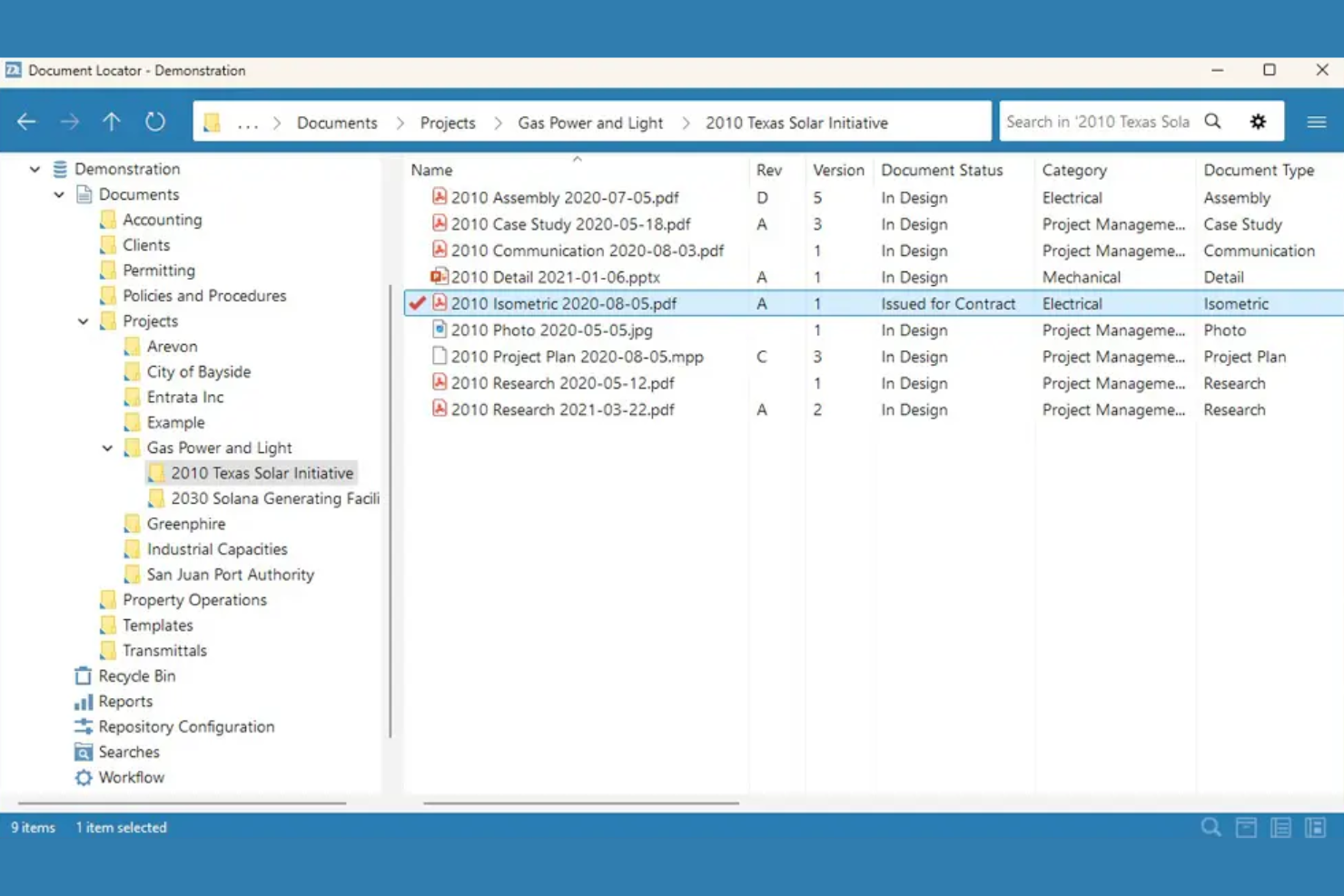
Document Locator is designed for engineering teams that rely heavily on Microsoft Office for their daily workflows. It integrates document management directly into familiar Office applications, making it easier to manage, search, and control engineering files without leaving Word, Excel, or Outlook. This approach helps organizations maintain strict version control and compliance while working within the tools they already use.
Why I Picked Document Locator
For engineering teams that work extensively in Microsoft Office, Document Locator stands out by embedding document management directly into Word, Excel, and Outlook. This tight integration allows users to check documents in and out, track revisions, and apply document controls without leaving their familiar Office environment. I appreciate how this setup supports engineering workflows that depend on Office-based specifications, drawings, and correspondence. Document Locator also enables automated document routing and approval processes, which help maintain compliance and project oversight.
Document Locator Key Features
Some other features that engineering teams might find valuable include:
- Automated Retention Policies: Lets you set rules for document retention and disposal based on project or compliance needs.
- Full-Text Search: Allows you to search the entire content of documents, not just file names or metadata.
- Audit Trail Reporting: Tracks every action taken on documents for accountability and compliance.
- CAD File Support: Supports storage and management of engineering drawings and CAD files alongside Office documents.
Document Locator Integrations
Integrations include Microsoft Office, DocuSign, AutoCAD, Adobe Acrobat, and more.
Pros and Cons
Pros:
- Supports electronic signatures with DocuSign
- CAD file storage and version management
- Full audit trail for compliance tracking
Cons:
- Limited collaboration features for external partners
- Windows-only client limits cross-platform access

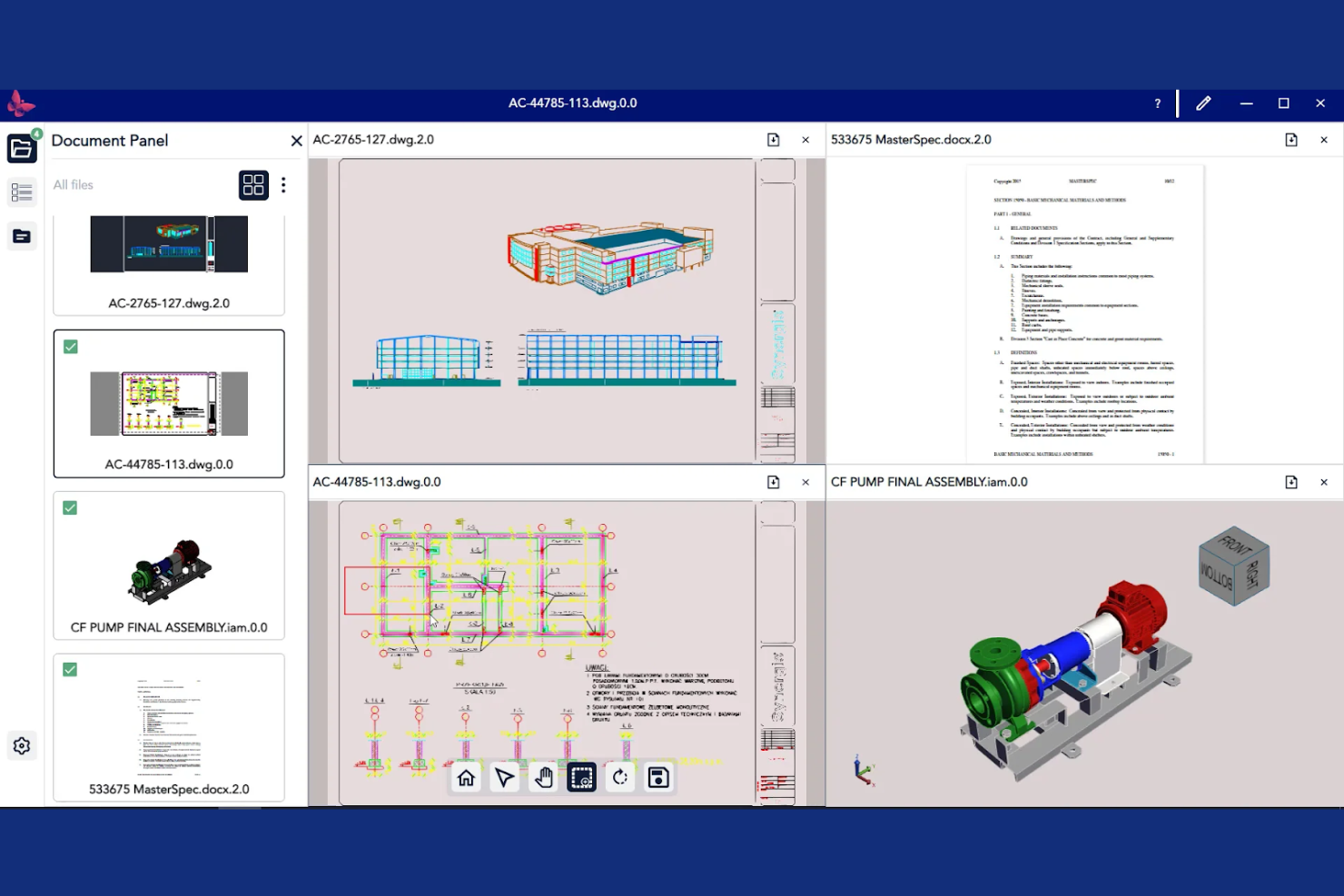
Synergis Software is built for teams that need strict control over engineering document revisions and approvals. It’s especially useful for manufacturers, utilities, and engineering firms that manage frequent design changes and need to maintain a clear audit trail. The platform helps users reduce errors and confusion by automating revision management and ensuring everyone works from the latest version.
Why I Picked Synergis Software
What sets Synergis Software apart is its focus on controlled revision management, which is a top priority for engineering teams handling frequent design updates. The platform offers automated revision tracking, so every change is logged and traceable, reducing the risk of working from outdated files. I like that it includes configurable approval workflows, allowing teams to enforce review steps before documents are released or updated. These features make Synergis Software a strong choice for organizations that need to maintain strict version control and compliance throughout the engineering document lifecycle.
Synergis Software Key Features
In addition to its revision management strengths, Synergis Software offers several other features that support engineering teams:
- CAD Application Integration: Connect directly with popular CAD tools to manage drawings and related files without leaving your design environment.
- Automated Notifications: Set up alerts for document status changes, approvals, or required actions to keep projects moving.
- Document Check-In/Check-Out: Lock files for editing to prevent conflicts and ensure only one person makes changes at a time.
- Audit Trail Reporting: Generate detailed reports on document access, edits, and workflow activity for compliance and oversight.
Synergis Software Integrations
Native integrations are not currently listed.
Pros and Cons
Pros:
- Provides automated notifications for document events
- Offers granular access control for sensitive files
- Supports multi-level document approval workflows
Cons:
- Bulk upload process can be slow
- Interface updates lag behind industry trends
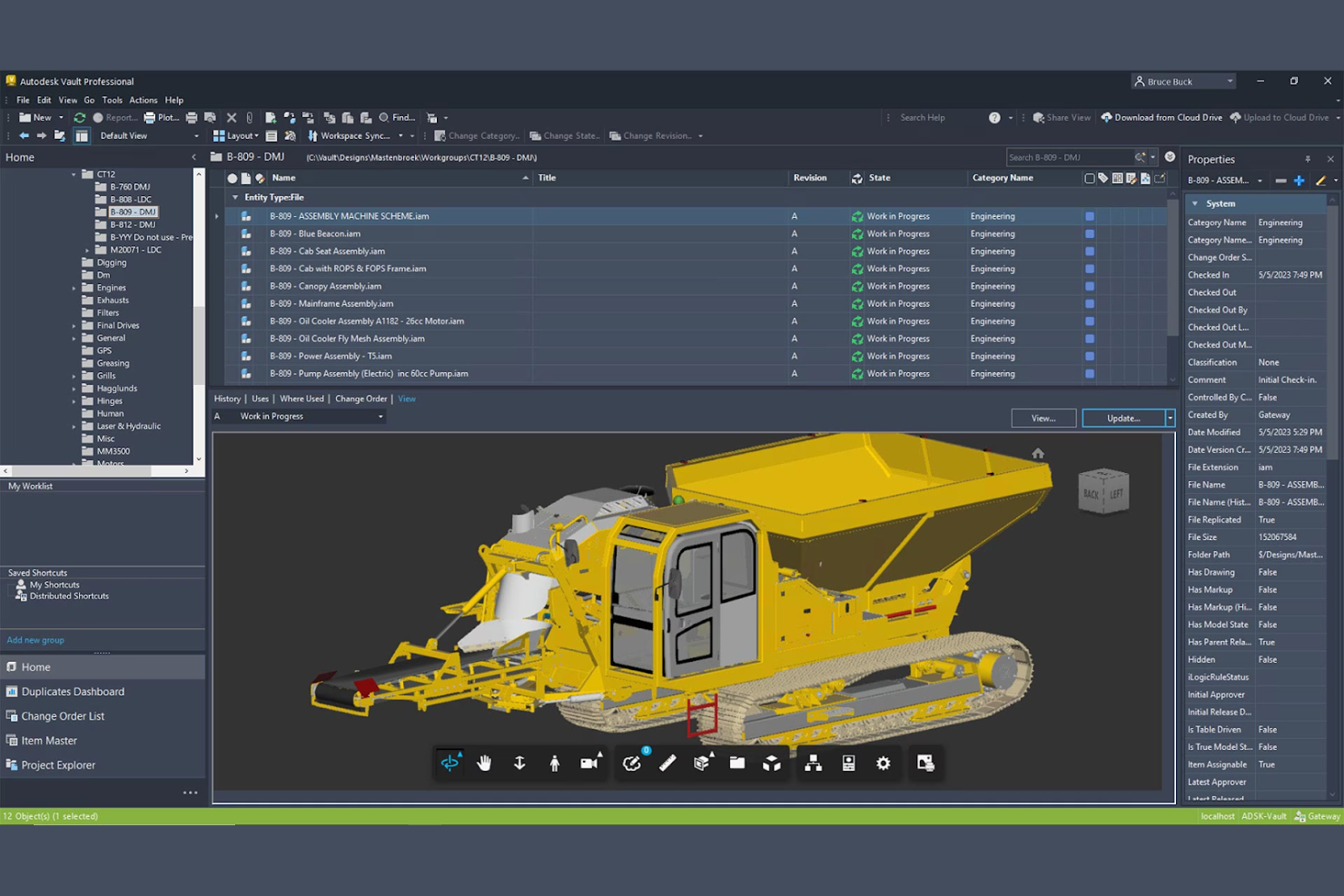
Autodesk Vault is designed for engineering teams that rely heavily on CAD data and need tight integration with Autodesk design tools. It’s a strong fit for manufacturers, product designers, and engineering firms looking to manage complex design files and automate version control. The platform helps teams keep track of design iterations, collaborate on assemblies, and ensure everyone is working from the correct file versions.
Why I Picked Autodesk Vault
For teams that need deep CAD integration, Autodesk Vault stands out as a purpose-built solution. The platform connects directly with Autodesk design tools, allowing users to manage, track, and update CAD files without leaving their familiar environment. I appreciate how Vault automates version control and assembly management, which helps prevent errors and lost work during design changes. These capabilities make it a strong choice for engineering teams that need to coordinate complex design workflows and maintain tight control over file versions.
Autodesk Vault Key Features
Some other features that make Autodesk Vault useful for engineering teams include:
- Automated Lifecycle Management: Define and enforce document states, such as work-in-progress, review, and released, to match your team’s processes.
- Role-Based Permissions: Assign granular access rights to users and groups to control who can view, edit, or approve documents.
- Batch Plotting: Generate and print multiple drawings or documents at once to speed up documentation workflows.
- File Relationship Visualization: View and manage dependencies between files, such as assemblies, parts, and drawings, in a visual interface.
Autodesk Vault Integrations
Integrations include Autodesk Fusion Manage, AutoCAD, Inventor, Revit, Civil 3D, Microsoft Office, Microsoft SharePoint, Power BI, Autodesk Platform Services, and Navisworks.
Pros and Cons
Pros:
- Enforces document lifecycle states and approvals
- Supports batch plotting of multiple drawings
- Visualizes file dependencies and relationships
Cons:
- Requires dedicated server infrastructure
- Limited support for non-Autodesk file formats

DMI WebDocs offers a cloud-based document management system built for organizations that need to get up and running quickly. It’s a practical choice for engineering teams or firms looking to digitize paper-heavy processes without a lengthy deployment. The platform helps users centralize documents, automate retention policies, and enable secure remote access with minimal IT overhead.
Why I Picked DMI WebDocs
When rapid deployment is a top priority, DMI WebDocs offers a straightforward path to cloud-based document management. The platform is designed so engineering teams can digitize, organize, and secure documents without waiting for lengthy IT projects or custom development. I like that WebDocs includes built-in document retention scheduling and automated workflow routing, which help teams quickly establish compliance and approval processes. These features make it a strong fit for organizations that need to modernize document handling with minimal disruption.
DMI WebDocs Key Features
Some other features that make DMI WebDocs practical for engineering teams include:
- Browser-Based Document Access: Users can view, upload, and manage documents from any device with internet access.
- Full-Text Search: Quickly locate documents using keyword searches across all stored files.
- Audit Trail Reporting: Track document activity and user actions for compliance and accountability.
- Barcode Scanning Support: Capture and index documents using barcode technology for faster retrieval.
DMI WebDocs Integrations
Native integrations are not currently listed.
Pros and Cons
Pros:
- Automated document retention scheduling
- Audit trail reporting for compliance tracking
- Barcode scanning for document indexing
Cons:
- No public information on API availability
- Limited support for CAD file preview

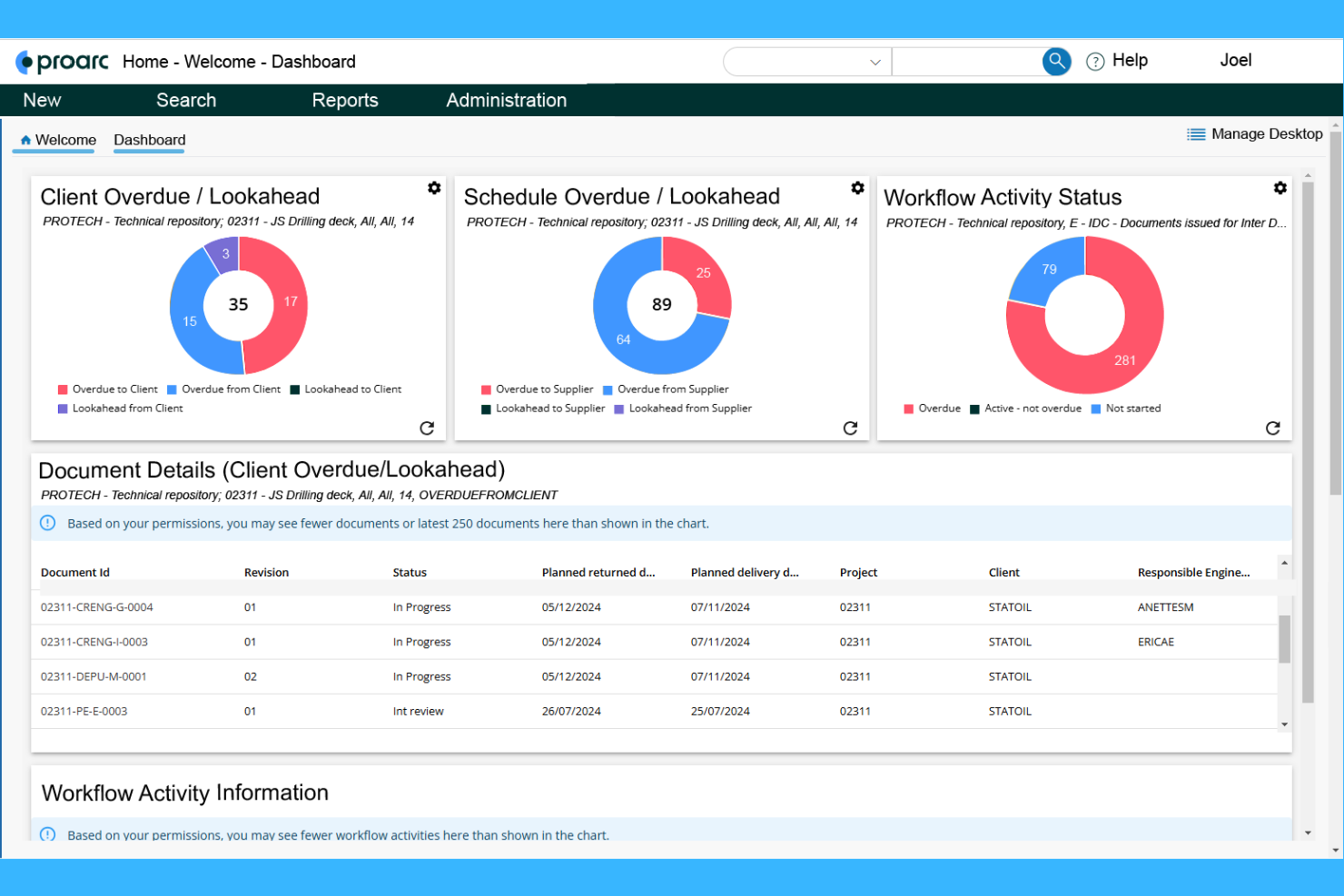
Ascertra Proarc is purpose-built for managing documentation on large-scale capital projects. It’s well-suited for engineering, procurement, and construction teams that need to coordinate complex document workflows across multiple contractors and stakeholders. The platform helps users control revisions, track transmittals, and maintain compliance throughout the project lifecycle.
Why I Picked Ascertra Proarc
For capital project documentation, Ascertra Proarc stands out because it’s designed to handle the scale and complexity of major engineering initiatives. The platform supports advanced document control, including revision management and transmittal tracking, which are essential for projects with multiple contractors and regulatory requirements. I appreciate that Proarc also offers configurable workflows, allowing teams to automate review and approval processes specific to capital projects. These capabilities make it a strong choice for organizations that need to maintain strict oversight and compliance throughout the project lifecycle.
Ascertra Proarc Key Features
Some other features that make Proarc valuable for engineering teams include:
- Document Metadata Management: Capture and organize detailed metadata for every document to support advanced search and reporting.
- Bulk Document Import: Upload and register large volumes of documents at once to accelerate project onboarding.
- Role-Based Access Control: Set granular permissions for users and groups to protect sensitive project information.
- Automated Notifications: Trigger email alerts for document status changes, deadlines, or required actions.
Ascertra Proarc Integrations
Integrations include Microsoft Office 365, AutoCAD, and more.
Pros and Cons
Pros:
- Provides audit trails for compliance needs
- Tracks document transmittals and revisions
- Offers configurable document metadata fields
Cons:
- CAD file viewing capabilities are not specified
- Interface design appears dated in demos
Annen programvare for dokumenthåndtering innen ingeniørfag
Her er noen flere alternativer for programvare for dokumenthåndtering innen ingeniørfag som ikke kom med på kortlisten min, men som likevel er verdt å undersøke:
- eQuorum
For secure on-premises installations
- SmartProject EDMS
For multi-site collaboration
- Siemens Teamcenter
For customizable workflow templates


How I Evaluate Engineering Document Management Software
I split my evaluation into two layers: the core criteria every platform must meet—version control, CAD/BIM support, and approval workflows—and the differentiators that set the best tools apart.
Core Functionality (Table Stakes For This List)
When I'm selecting tools for my list, I rank each one on a scale from 0 (does not offer the functionality) to 5 (excels in this area) for each core functionality listed below. Then, I calculate the tool's total score into a percentage. Each tool needs to achieve a minimum total score of 65% to be considered for inclusion.
- Version Control & Revisions: I check whether a platform tracks every document iteration with automated revision history, rollback, and superseded-file lockdown so teams never build from outdated drawings.
- CAD/BIM File Support: Viewing and marking up DWG, RVT, or IFC files without launching native authoring software matters a lot—I evaluate format coverage, in-browser rendering, and metadata extraction.
- Controlled Workflows & Approvals: I look for configurable multi-step workflows that mirror real engineering processes like transmittal sign-offs, contractor submittals, and multi-discipline review cycles.
- Access Control & Permissions: Engineering projects involve owners, designers, and subcontractors who each need different visibility—I evaluate how granularly a tool restricts access by project, discipline, or role.
- Audit Trail & Compliance: I look at whether the platform logs every document action in a way that supports ISO 19650, ISO 9001, or FDA 21 CFR Part 11 requirements with exportable records.
- Project-Centric Organization: A flat file dump won't work for capital projects with thousands of deliverables—I evaluate structured metadata, custom numbering schemes, and faceted search capabilities.
Once I have a list of tools that meet the criteria, I consider what sets each platform apart.
Differentiating Factors (What Sets Vendors Apart)
Here's how I compare and contrast different vendors:
Standout Features
Drawing comparison tools save reviewers real time—overlay and side-by-side views make it easy to spot what changed between revisions without flipping between files. I also evaluate CDE functionality aligned with ISO 19650, which structures how owner, design, and contractor teams exchange information across project phases. Transmittal and submittal automation is another area I look at closely, especially platforms that auto-generate packages, track delivery status, and tie deadlines to contractual milestones.
Beyond Features
Integration depth matters—I check whether a platform connects natively to CAD tools like AutoCAD or Revit and syncs bidirectionally with PM systems like Procore or Primavera P6. Licensing models also deserve scrutiny, especially how vendors handle external collaborators like contractors and consultants who need access but shouldn't drive up per-seat costs. I also evaluate deployment flexibility, since many engineering firms need on-premise or hybrid options to meet data residency and IT security policies.
Slik velger du programvare for dokumenthåndtering innen ingeniørfag
Det er lett å gå seg vill i lange funksjonslister og komplekse prisstrukturer. For å hjelpe deg med å holde fokus mens du går gjennom den unike prosessen din for programvarevalg, har vi laget en sjekkliste over faktorer du bør ha i tankene:
| Faktor | Hva du bør vurdere |
|---|---|
| Skalerbarhet | Vil systemet håndtere dokumentvolumet og brukerøkningen din de neste 3-5 årene? Spør om lagringsgrenser, brukerbegrensninger og muligheter for oppgradering. |
| Integrasjoner | Kan programvaren kobles direkte til CAD-, BIM- eller prosjektstyringsverktøyene dine? Se etter direkte integrasjoner, ikke bare API-tilgang. |
| Tilpasningsmuligheter | Kan du tilpasse arbeidsflyter, metadatafelt og tillatelser slik at de samsvarer med teamets prosesser? Unngå rigide systemer som tvinger deg til å tilpasse deg. |
| Brukervennlighet | Vil ingeniørene og prosjektteamene dine ta i bruk verktøyet raskt? Se etter tydelig navigasjon, minimale opplæringskrav og logiske oppsett. |
| Implementering og introduksjon | Hvor lang tid vil det ta å migrere dokumenter og lære opp brukere? Spør om støtte til migrering, ressurser for introduksjon og typiske tidsrammer for utrulling. |
| Kostnad | Er prisnivåene transparente og forutsigbare etter hvert som behovene dine vokser? Vær oppmerksom på skjulte gebyrer, overskridelse av lagringsgrensen eller kostbare tillegg. |
| Sikkerhetstiltak | Tilbyr plattformen kryptering, detaljerte tilgangskontroller og revisjonsspor? Bekreft at den oppfyller sikkerhetsstandardene i bransjen din. |
| Tilgjengelig kundestøtte | Vil du ha tilgang til rask kundestøtte under kritiske prosjektfaser? Sjekk om de tilbyr dekning døgnet rundt, direktechat og dedikerte kundeansvarlige. |
Hva er programvare for håndtering av ingeniørdokumenter?
Programvare for håndtering av ingeniørdokumenter er et digitalt system utviklet for å lagre, organisere og kontrollere tilgangen til tekniske dokumenter, tegninger og prosjektfiler. Den hjelper ingeniørteam med å håndtere versjonskontroll, spore endringer og opprettholde samsvar med bransjestandarder. Disse plattformene støtter samarbeid på tvers av fagområder og geografiske steder, slik at alle arbeider med den mest oppdaterte og nøyaktige informasjonen gjennom hele prosjektets livssyklus.
Funksjoner
Når du velger programvare for håndtering av ingeniørdokumenter, bør du se etter følgende viktige funksjoner:
- Versjonskontroll: Sporer dokumentrevisjoner og sikrer at brukerne alltid får tilgang til de nyeste godkjente filene, noe som reduserer feil forårsaket av utdatert informasjon.
- Tilgangstillatelser: Lar administratorer angi detaljerte brukerroller og kontrollere hvem som kan vise, redigere eller godkjenne bestemte dokumenter.
- Revisjonsspor: Registrerer alle handlinger som utføres på et dokument, og gir en oversiktlig historikk for samsvar og ansvarlighet.
- Automatisering av arbeidsflyt: Automatiserer prosessene for dokumentgjennomgang, godkjenning og distribusjon for å holde prosjektene i gang og redusere manuelle oppgaver.
- Metadatamerking: Gjør det mulig for brukere å tilordne søkbare merker og attributter til dokumenter for raskere gjenfinning og organisering.
- Integrasjon med CAD/BIM-verktøy: Kobler direkte til designprogramvare slik at team kan håndtere tegninger og modeller uten å forlate de primære verktøyene sine.
- Dokumentsøk: Tilbyr avanserte søkefunksjoner, inkludert fulltekstsøk og attributtbaserte søk, for raskt å finne filer.
- Mobil tilgang: Gjør det mulig for brukere å vise, laste opp eller kommentere dokumenter fra steder ute i felten ved hjelp av smarttelefoner eller nettbrett.
- Innsjekking/utsjekking av dokumenter: Forhindrer motstridende redigeringer ved at brukere kan låse dokumenter mens de gjør endringer, og deretter frigi dem for tilgang til teamet.
- Sikker fillagring: Beskytter sensitive ingeniørdata med kryptering, sikkerhetskopiering og funksjoner for katastrofegjenoppretting for å sikre kontinuitet i virksomheten.
Fordeler
Implementering av programvare for håndtering av ingeniørdokumenter gir flere fordeler for teamet og virksomheten din. Her er noen av fordelene du kan se frem til:
- Bedre versjonsnøyaktighet: Versjonskontroll og revisjonsspor sikrer at alle arbeider med de mest oppdaterte og godkjente dokumentene.
- Bedre sikkerhet: Tilgangstillatelser og sikker fillagring beskytter sensitive ingeniørdata mot uautorisert tilgang eller tap.
- Raskere gjenfinning av dokumenter: Metadatamerking og avanserte søkefunksjoner hjelper team med raskt å finne filene de trenger.
- Forenklet samarbeid: Integrasjon med CAD/BIM-verktøy og automatisering av arbeidsflyt støtter effektivt teamarbeid på tvers av fagområder og geografiske steder.
- Overholdelse av regelverk: Revisjonsspor og tilgangskontroller bidrar til å opprettholde samsvar med bransjestandarder og prosjektkrav.
- Færre prosjektforsinkelser: Automatiserte arbeidsflyter og mobil tilgang holder dokumentgjennomganger og godkjenninger i gang, selv når teamene er geografisk spredt.
- Lavere risiko for feil: Innsjekking/utsjekking av dokumenter og tydelige revisjonshistorikker minimerer risikoen for at motstridende redigeringer eller utdatert informasjon blir brukt.
Kostnader og priser
Valg av programvare for håndtering av ingeniørdokumenter krever en forståelse av de ulike prismodellene og abonnementene som er tilgjengelige. Kostnadene varierer basert på funksjoner, teamstørrelse, tillegg og mer. Tabellen nedenfor oppsummerer vanlige abonnementer, gjennomsnittsprisene deres og typiske funksjoner som er inkludert i løsninger for programvare for håndtering av ingeniørdokumenter:
Sammenligningstabell for programvare for håndtering av ingeniørdokumenter
| Abonnementstype | Gjennomsnittspris | Vanlige funksjoner |
|---|---|---|
| Gratisabonnement | $0 | Grunnleggende dokumentlagring, begrenset versjonskontroll, enkelt søk og begrenset brukertilgang. |
| Personlig abonnement | $10–$25/bruker/måned | Individuell dokumenthåndtering, grunnleggende tillatelser, standard brukerstøtte og begrensede integrasjoner. |
| Bedriftsabonnement | $30–$60/bruker/måned | Verktøy for teamsamarbeid, avansert versjonskontroll, automatisering av arbeidsflyt, integrasjoner og revisjonsspor. |
| Virksomhetsabonnement | $70–$150/bruker/måned | Tilpassede arbeidsflyter, forbedret sikkerhet, verktøy for samsvar, dedikert brukerstøtte og ubegrenset lagring. |
Vanlige spørsmål om programvare for håndtering av ingeniørdokumenter
Her er svar på vanlige spørsmål om programvare for håndtering av ingeniørdokumenter:
Hvordan støtter programvare for håndtering av ingeniørdokumenter versjonskontroll?
Programvare for håndtering av ingeniørdokumenter sporer alle endringer som gjøres i en fil, lagrer tidligere versjoner og lar brukerne tilbakestille eller sammenligne revisjoner. Dette hjelper team med å unngå forvirring, reduserer risikoen for å bruke utdaterte dokumenter og gir et tydelig revisjonsspor for samsvar og ansvarlighet.
Kan programvare for håndtering av ingeniørdokumenter integreres med CAD- og BIM-verktøy?
Ja, de fleste programmer for håndtering av ingeniørdokumenter tilbyr integrasjoner med populære CAD- og BIM-plattformer. Disse integrasjonene lar brukerne håndtere tegninger og modeller direkte i designmiljøet, reduserer behovet for manuelle opplastinger og sørger for at prosjektfiler holdes organiserte og oppdaterte.
Hvilke sikkerhetsfunksjoner bør jeg se etter i programvare for håndtering av ingeniørdokumenter?
Se etter kryptering, detaljerte tilgangskontroller, revisjonsspor og samsvarssertifiseringer. Disse funksjonene bidrar til å beskytte sensitive ingeniørdata, sørge for at bare autoriserte brukere kan få tilgang til eller endre dokumenter, og gi åpenhet ved tilsyn fra myndigheter eller kunder.
Hvor lang tid tar det å implementere programvare for håndtering av ingeniørdokumenter?
Tidsrammen for implementeringen varierer, men de fleste team kan forvente en prosess som varer fra noen uker til flere måneder. Faktorer inkluderer størrelsen på dokumentbiblioteket, kompleksiteten i arbeidsflytene og hvor mye støtte leverandøren tilbyr under migrering og opplæring.
Er skybasert eller lokal distribusjon best for håndtering av ingeniørdokumenter?
Det riktige valget avhenger av organisasjonens IT-retningslinjer, sikkerhetskrav og budsjett. Skybaserte løsninger gir enklere tilgang og lavere innledende kostnader, mens lokale installasjoner gir bedre kontroll over dataene og kan foretrekkes ved strenge krav til samsvar.