

10 beste dokumenthåndteringssystemer med åpen kildekode for 2026

Kortliste over de beste systemene for dokumenthåndtering med åpen kildekode


Det kan være krevende for teamet å administrere dokumenter, særlig når filer blir borte eller plassert feil. Dere trenger et system som holder alt organisert og gjør det enkelt å finne frem. Det er her systemer for dokumenthåndtering kommer inn i bildet.
Jeg har brukt tid på å teste og vurdere disse verktøyene, med fokus på alternativer med åpen kildekode på grunn av fleksibiliteten og kostnadsbesparelsene de gir.
I denne artikkelen går jeg gjennom noen av de beste systemene for dokumenthåndtering med åpen kildekode. Jeg fremhever funksjonene og fordelene deres, og hvordan de kan hjelpe teamet ditt med å jobbe mer effektivt. Målet mitt er å gi deg tydelig innsikt, slik at du kan ta velinformerte beslutninger.
Why Trust Our Software Recommendations
Our team has been testing and reviewing software since 2012. As project managers ourselves, we know how difficult—and important—it is to choose the right software.
For this guide, we evaluated tools using hands-on testing and independent research, scoring tools using our selection criteria. We also draw on insights from industry thought leaders and practicing project management experts.
Our reviews reflect our human editorial judgment, not a sales pitch.
Expert reviewers:
Sammenligningstabell for systemer for dokumenthåndtering med åpen kildekode
Denne sammenligningstabellen oppsummerer prisdetaljene for mine utvalgte systemer for dokumenthåndtering med åpen kildekode:
| Tool | Best For | Trial Info | Price | ||
|---|---|---|---|---|---|
| 1 | Best for secure file sharing | 1-hour free trial | From 71.29€/user/year (billed annually) | Website | |
| 2 | Best for enterprise workflows | Free and open-source | Free and open-source | Website | |
| 3 | Best for document security | Free and open-source | Free and open-source | Website | |
| 4 | Best for compliance tracking | Free demo available | Pricing upon request | Website | |
| 5 | Best for simple user interface | Free and open-source | Free and open-source | Website | |
| 6 | Best for enterprise-grade records governance | Free plan available | Pricing upon request | Website | |
| 7 | Best for multilingual support | Free and open-source | Free and open-source | Website | |
| 8 | Best for automatic document tagging | Free and open-source | Free and open-source | Website | |
| 9 | Best for document version control | Free | Free | Website | |
| 10 | Best for self-hosted OCR and AI classification | Free and open-source | Free and open-source | Website |
Vurdering av de beste systemene for dokumenthåndtering med åpen kildekode
Nedenfor finner du mine detaljerte oppsummeringer av de beste systemene for dokumenthåndtering med åpen kildekode som kom med på kortlisten. Vurderingene mine gir et detaljert innblikk i de viktigste funksjonene, fordelene og ulempene, integrasjonene og de ideelle bruksområdene for hvert verktøy, slik at du kan finne det som passer best for deg.

Best for secure file sharing
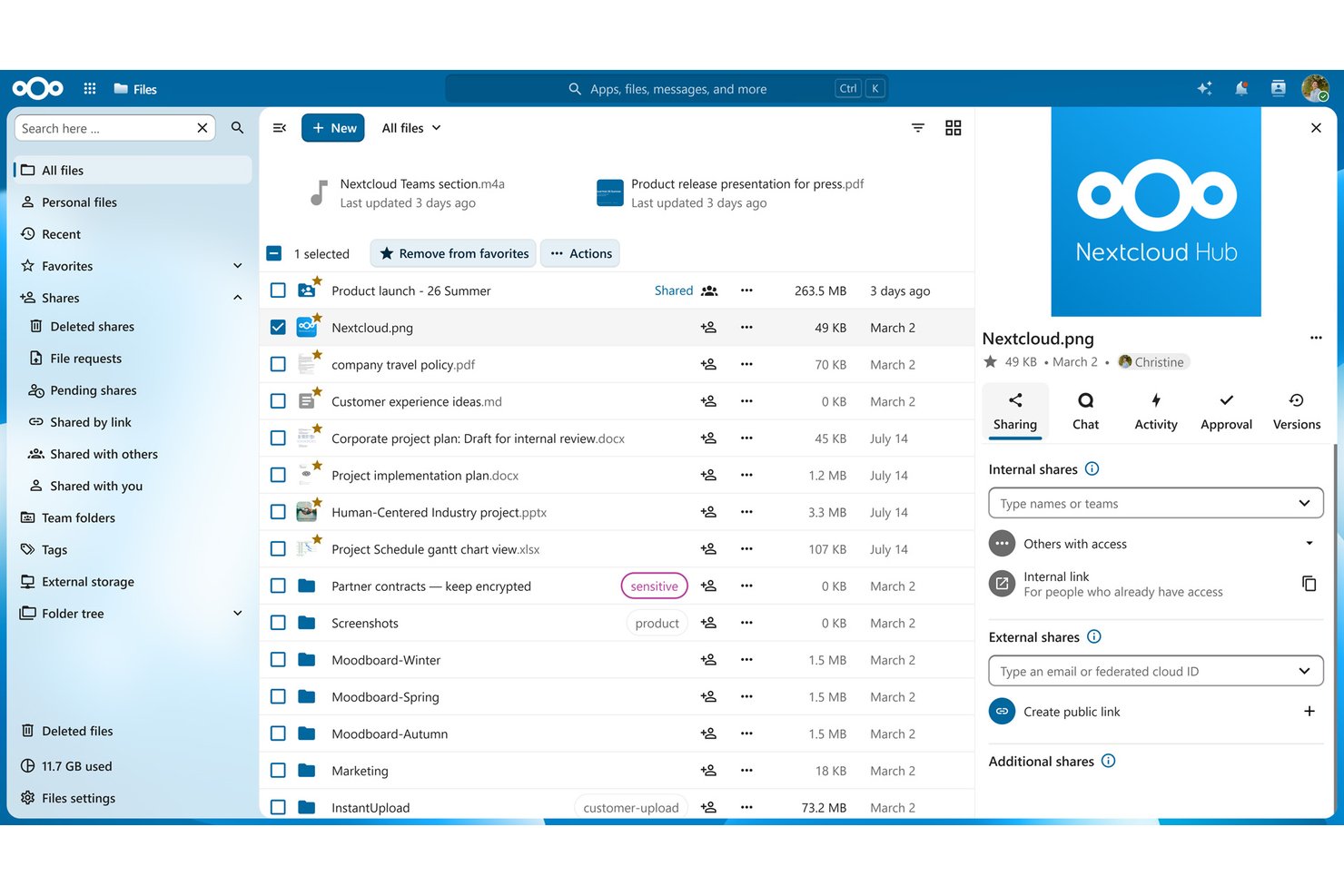
Nextcloud is a self-hosted, open-source file management and collaboration platform that combines document storage, version control, access control, real-time co-editing, and workflow automation in a single deployable system.
Who Is Nextcloud Best For?
Nextcloud is a strong fit for IT-forward teams and technical project managers who need full control over where their documents live and who can access them.
Why I Picked Nextcloud
Nextcloud earns its spot on my shortlist because no other open-source platform matches its layered approach to secure file sharing. I love that File Access Control policies let you restrict sharing by IP address, user group, file type, or even time of access, which is exactly what you need when sharing sensitive project documents with external contractors. Secure View adds another layer by letting stakeholders preview watermarked documents without ever downloading them.
Nextcloud Key Features
- File versioning with rollback: Track every revision of a document and restore any prior version directly from the file manager.
- Nextcloud Flow automation: Build no-code workflow automations using a Windmill-based engine to trigger actions like PDF generation, email notifications, and approval routing.
- Real-time collaborative editing: Co-edit Word, Excel, and PowerPoint-compatible files in the browser via Nextcloud Office without leaving the platform.
- External storage integration: Connect Amazon S3, SMB, SharePoint, and FTP backends so all your existing file repositories appear inside one unified interface.
Nextcloud Integrations
Nextcloud offers native Microsoft ecosystem integrations, including Microsoft 365, Teams, Outlook, Exchange, and SharePoint, plus OpenProject. Marketplace integrations include Jira, GitHub, GitLab, Slack, and Mattermost; REST/OCS API, WebDAV, webhooks, and AppAPI support custom connections.
Pros and Cons
Pros:
- Real-time co-editing with self-hosted office suite
- Advanced file access control policies included
- No feature gating in free edition
Cons:
- OCR functionality is complex to configure
- Full-text search needs external Elasticsearch setup

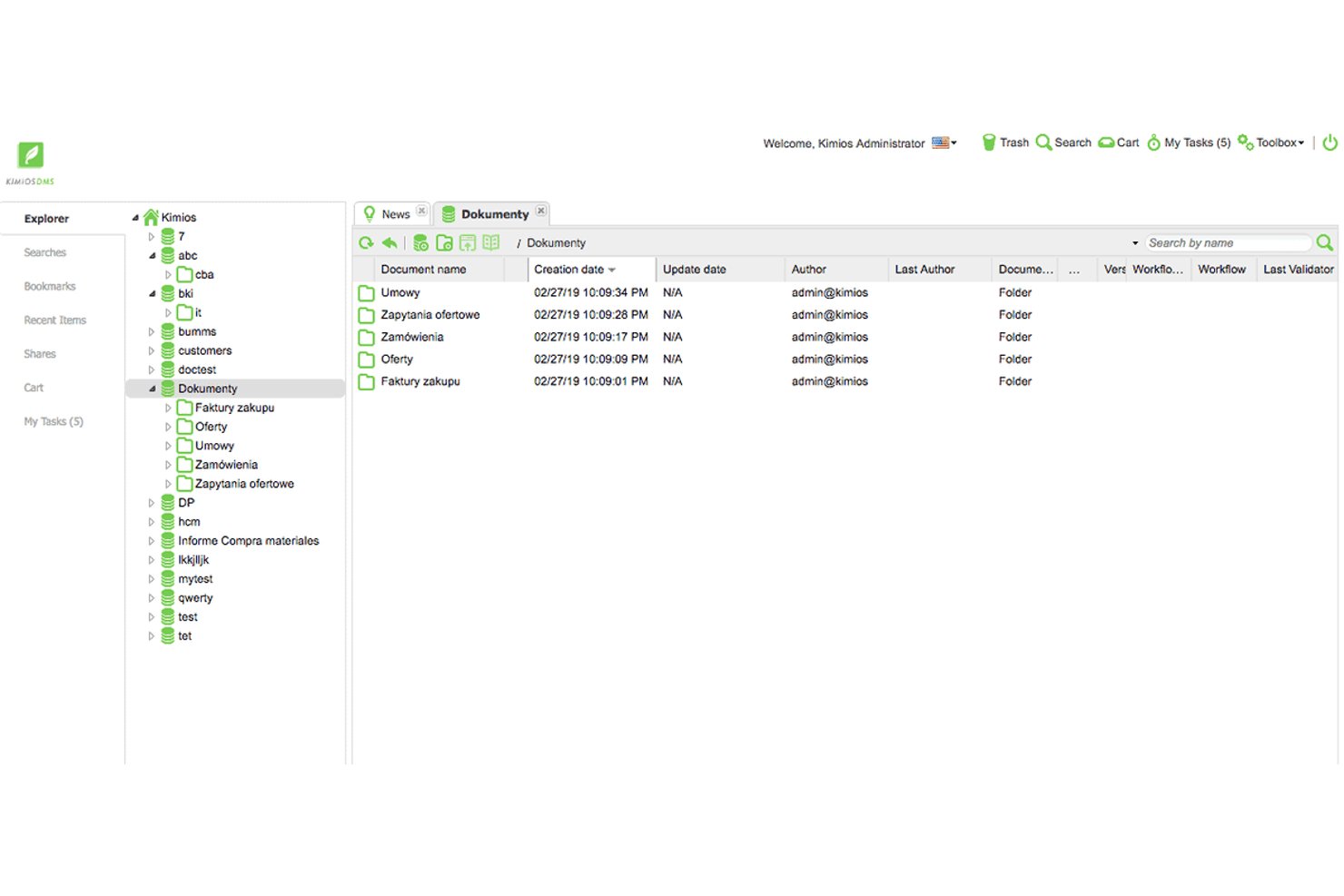
Kimios is a Java-based, self-hosted open-source document management system built around fine-grained permissions, Apache Solr full-text search, customizable metadata schemas, and Bonita BPM workflow integration.
Who Is Kimios Best For?
Kimios is a strong fit for IT project managers and technical teams that need a self-hosted, zero-licensing-cost DMS with fine-grained permissions and BPM-driven document workflows.
Why I Picked Kimios
Kimios earns its spot on my shortlist because of its native Bonita BPM integration, which lets you build real, multi-step document approval workflows without bolting on a third-party engine. I picked it specifically for enterprise workflow use cases: you can route a contract through legal, finance, and sign-off stages with configurable rules and deadline reminders tied directly to document metadata. The fine-grained permissions model, backed by LDAP and Active Directory, means access control holds up across large, cross-functional teams.
Kimios Key Features
- Apache Solr full-text search: Indexes document content and metadata so you can retrieve files across the entire repository using keyword queries.
- Customizable metadata schemas: Lets you define custom fields and tags at the document level to match your team's classification and categorization needs.
- Check-in/check-out locking: Prevents simultaneous edits by locking a document when one user has it open for editing.
- REST and SOAP APIs: Expose core DMS functions to external systems, enabling custom integrations with your existing tools and pipelines.
Kimios Integrations
Kimios has documented integrations with LDAP, Active Directory, Apereo CAS, Bonita BPM, Apache Solr, PostgreSQL, MariaDB, and MySQL. REST and SOAP APIs support custom integrations, but no pre-built Jira, Asana, or Microsoft Project connectors are documented.
Pros and Cons
Pros:
- Apache Solr-powered full-text document search
- Fine-grained permissions and SSO support
- Native Bonita BPM workflow engine integration
Cons:
- No confirmed OCR or native mobile app
- Stagnant development and inactive community

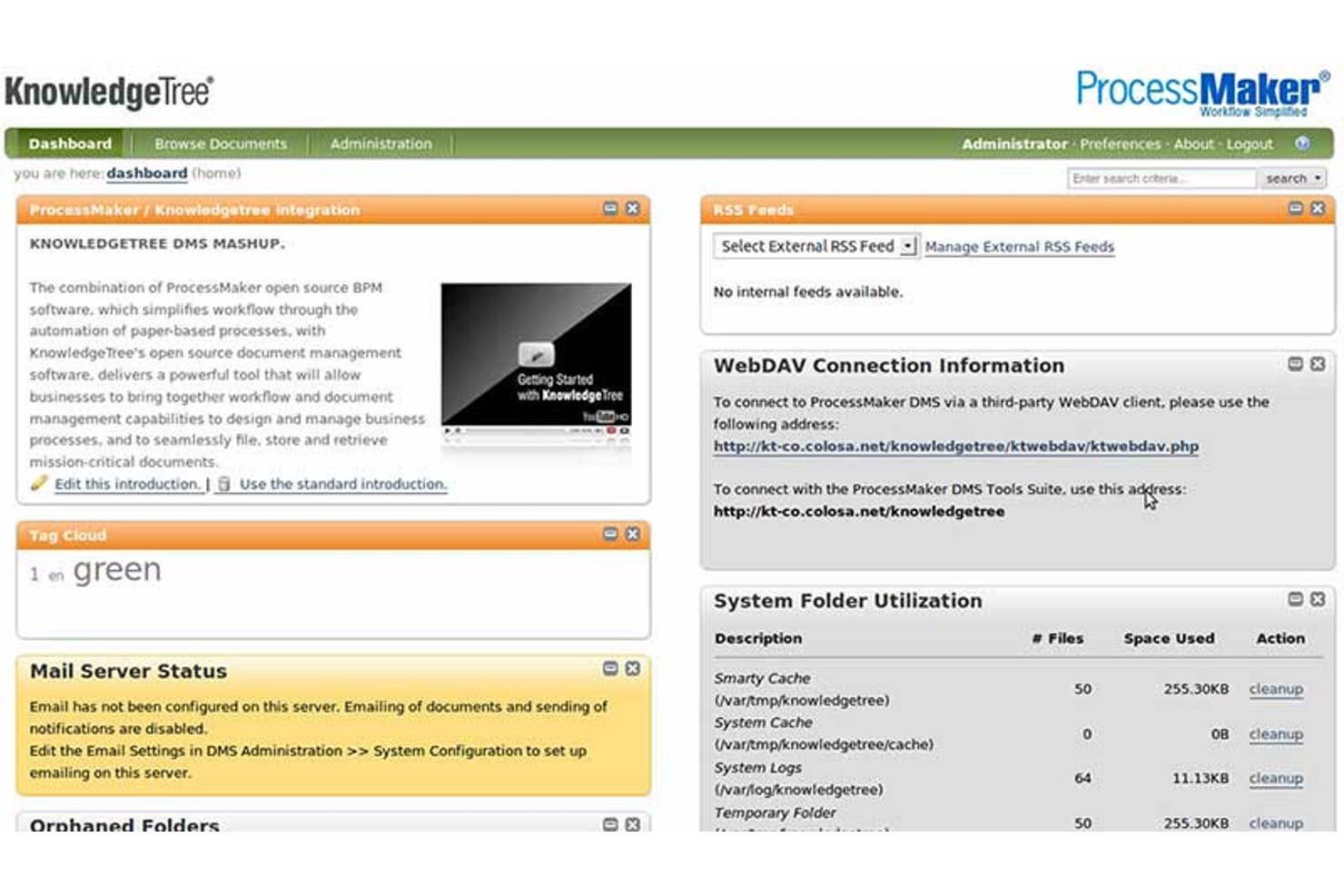
KnowledgeTree Community Edition is a self-hosted, open-source document management system built on a LAMP stack that offers hierarchical document storage, version control with check-in/check-out, granular role-based access control, configurable state-machine workflows, and full-text search with custom metadata schemas.
Who Is KnowledgeTree Community Edition Best For?
KnowledgeTree Community Edition suits technically resourced teams in regulated industries that need granular access control and detailed audit trails for compliance-driven document workflows.
Why I Picked KnowledgeTree Community Edition
I've included KnowledgeTree Community Edition in my top picks because its access control model is one of the most granular I've seen in an open-source DMS. It combines role-based permissions with Dynamic Conditions, which lets you restrict access based on document metadata, not just folder location. Pair that with per-workflow-state permission enforcement, and sensitive documents stay visible only to the right people at the right stage of a review cycle.
KnowledgeTree Community Edition Key Features
- Full-text search: Indexes document content across Office, PDF, and OpenOffice formats using Boolean search queries against both content and metadata fields.
- Custom document types: Administrators define metadata schemas per document class, including hierarchical drop-down fields, so each document type carries the right structured data.
- State-machine workflow engine: Configurable workflows move documents through discrete states with guards, automated actions, and email notifications triggered at each transition.
- WebDAV access: Users can connect to the repository through standard file system clients, including Windows Explorer, without using the web interface.
KnowledgeTree Community Edition Integrations
KnowledgeTree Community Edition has native LDAP and Microsoft Active Directory integrations, plus WebDAV access. Its SOAP and REST APIs support custom integrations, but no Jira, Asana, or other project management connectors are documented.
Pros and Cons
Pros:
- Custom Document Types with detailed metadata schemas
- Regulatory compliance framing for audit requirements
- Most granular access controls in open source DMS
Cons:
- Lacks OCR, digital signatures, and retention tools
- No security patches or maintenance since 2012

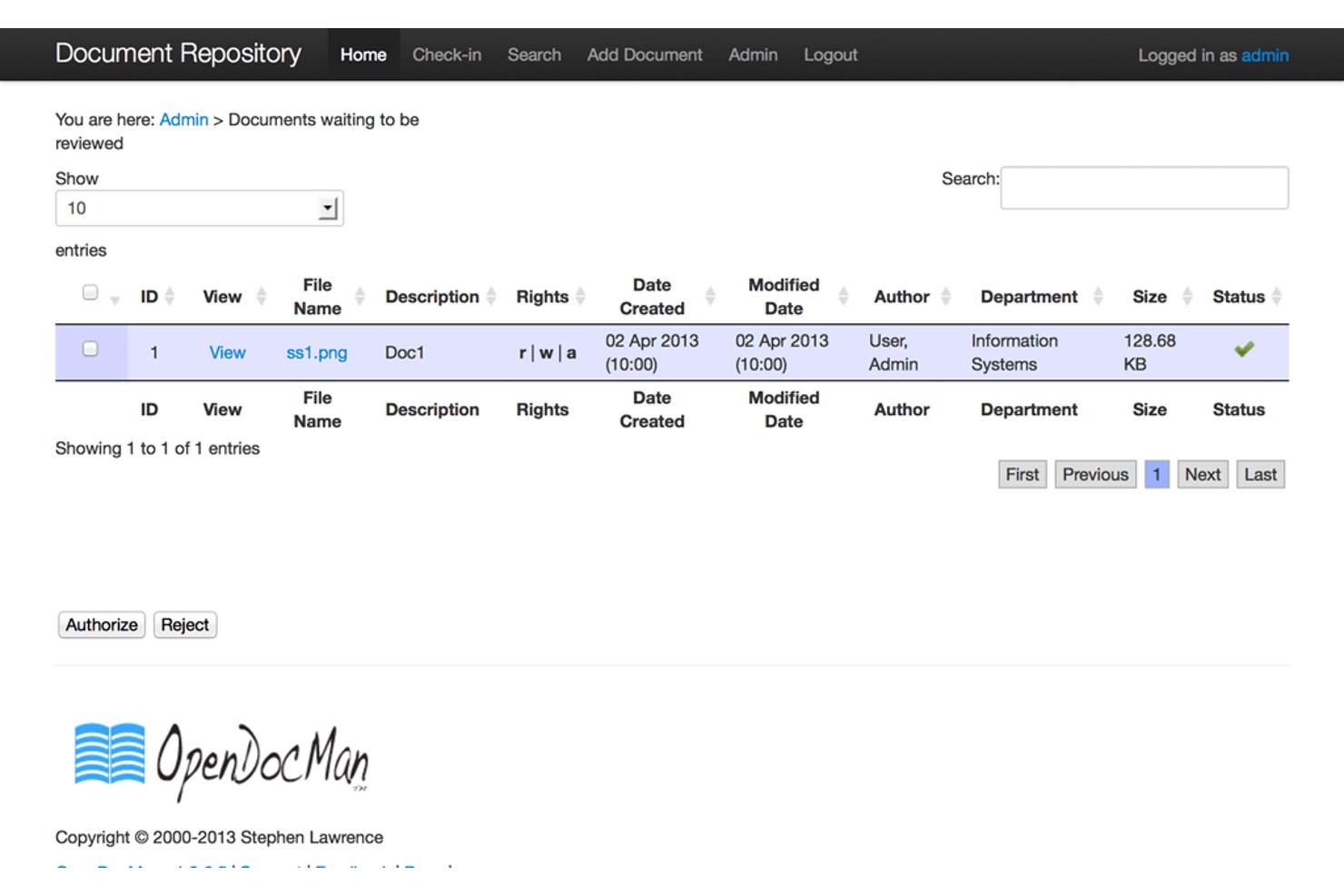
OpenDocMan is a GPL v2.0-licensed, self-hosted document management system built around version control, audit trails, check-in/check-out file locking, and role-based access control.
Who Is OpenDocMan Best For?
OpenDocMan is a strong fit for IT project managers and engineering document controllers who need self-hosted, compliance-ready document control without licensing costs.
Why I Picked OpenDocMan
I picked OpenDocMan as one of the best because its compliance tracking capabilities are built into the core product, not bolted on as a paid add-on. It's explicitly designed to meet ISO 17025 and OIE standards, with check-in/check-out file locking, full revision history, and a complete audit trail available in the free Community Edition. I find that combination particularly valuable for engineering document controllers who need to prove version integrity during a regulatory review without paying for an enterprise license.
OpenDocMan Key Features
- Custom metadata fields: Define your own document properties (UDFs) so uploaded files carry the exact metadata your team already uses.
- Department-level permissions: Assign access rights at the departmental level so teams only see the documents relevant to their work.
- Automated review notifications: Email alerts fire automatically before and after document review cycles, keeping reviewers on schedule.
- Document expiration tracking: Flag or auto-expire outdated files so your repository doesn't quietly accumulate stale versions.
OpenDocMan Integrations
OpenDocMan doesn't have any native integrations with project management or productivity tools. It supports custom extensions through plugins, but has no documented REST API or prebuilt Jira, Asana, or Microsoft Project connectors.
Pros and Cons
Pros:
- Custom metadata fields for document properties
- Designed for ISO 17025 compliance reporting
- Fully open source with audit trails included
Cons:
- No built-in document preview function
- No full-text document search available

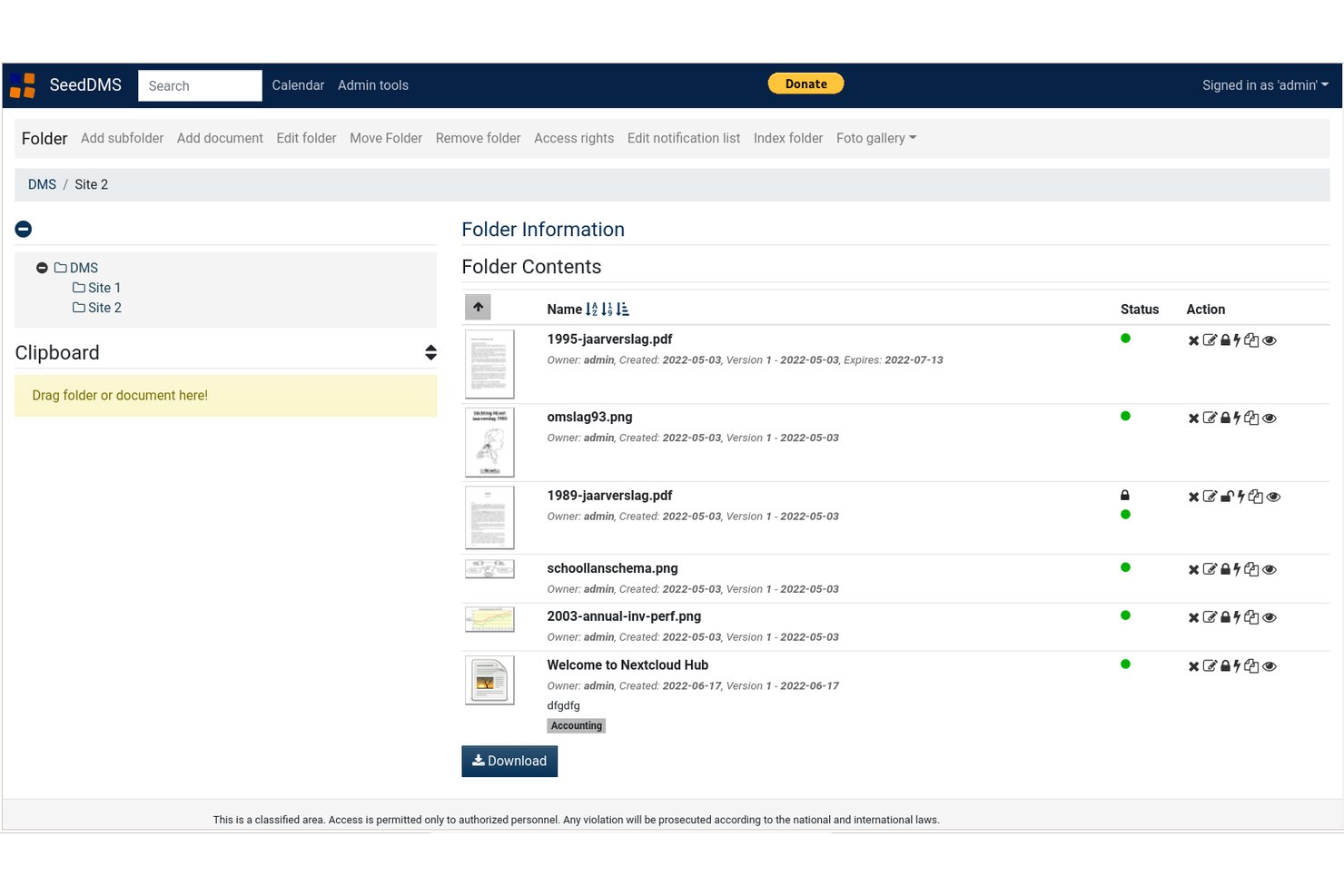
SeedDMS is a self-hosted, open-source document management system built around hierarchical folder organization, granular access controls, version history, and multi-step approval workflows.
Who Is SeedDMS Best For?
SeedDMS is a strong fit for IT project managers and engineering document controllers who need self-hosted version control, granular access permissions, and LDAP integration without licensing costs.
Why I Picked SeedDMS
SeedDMS earns its spot on my shortlist because its interface cuts through the clutter that makes so many self-hosted DMS tools frustrating to navigate. I particularly like how the hierarchical folder structure mirrors a familiar file system, so my team isn't relearning where anything lives. The check-in/check-out locking system is especially practical: when someone checks out a contract for editing, the document is locked and a new version is created on check-in, keeping history clean without any manual tracking.
SeedDMS Key Features
- LDAP/Active Directory integration: Connects SeedDMS to your existing directory service to sync user groups and authenticate team members centrally.
- Advanced multi-step workflow engine: Lets administrators define branching, multi-stage approval workflows with custom states and transitions across document types.
- Full-text search with faceted filtering: Indexes document content via SqliteFTS and supports faceted search to narrow results by metadata attributes.
- Prometheus metrics endpoint: Exposes live system metrics—users, documents, and folders—via an HTTP endpoint for operational monitoring.
SeedDMS Integrations
SeedDMS offers documented integrations with Collabora Office, OnlyOffice, Tesseract OCR, Etherpad, HedgeDoc, LDAP/Active Directory, and WebDAV. It also provides a REST API for custom integrations and supports Paperless-NGX API-compatible clients.
Pros and Cons
Pros:
- Prometheus metrics endpoint supports live monitoring
- Advanced multi-step workflow engine for approvals
- LDAP and Active Directory integration included
Cons:
- LDAP setup only possible via config file
- No native mobile app available

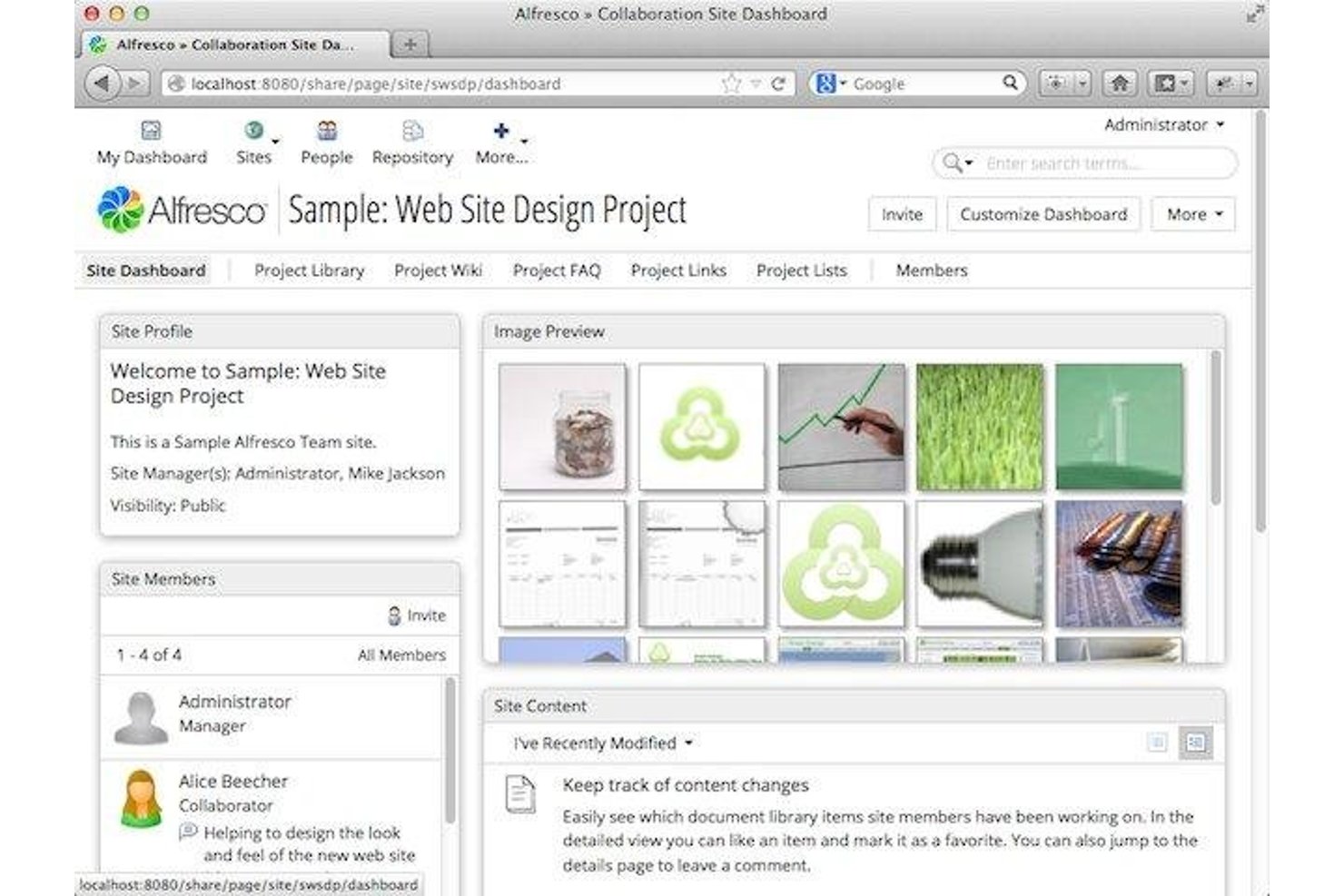
Alfresco Community Edition is a self-hosted, open-source document management system built on an enterprise-grade content repository, offering version control, RBAC, custom metadata schemas, BPM-powered workflows, and built-in records governance via its Governance Services module.
Who Is Alfresco Community Edition Best For?
Alfresco Community Edition is a strong fit for IT-led teams and document controllers who need enterprise-grade records governance without paying for a commercial license.
Why I Picked Alfresco Community Edition
Alfresco Community Edition earns its spot on my shortlist because it ships with records governance features that most open-source tools simply don't offer. I'm particularly impressed by Governance Services Community Edition, which gives you formal retention schedules, automated record lifecycle management from capture through disposition, and legal hold support. Pair that with version rollback and comprehensive audit logging, and you have a genuinely compliance-ready repository at zero licensing cost.
Alfresco Community Edition Key Features
- Custom metadata schemas: Define your own metadata fields and content models to classify documents by project type, discipline, or any organizational standard your team requires.
- Activiti BPM workflow engine: Build multi-step document approval and review workflows using a fully embedded BPMN-compliant engine with task assignment and notifications.
- LDAP and SSO integration: Sync your existing directory service and enable single sign-on via Keycloak, supporting SAML and multiple identity providers.
- Mobile Workspace app: Access, preview, scan, and upload documents from iOS or Android devices, with offline support for field-based teams working without reliable connectivity.
Alfresco Community Edition Integrations
Alfresco Community Edition integrates with Microsoft Office via AOS, Google Docs, and Jira through Ricksoft’s third-party connector. REST, CMIS, WebDAV, CIFS/Samba, LDAP, and Keycloak SSO support custom connectivity and identity management.
Pros and Cons
Pros:
- Fine-grained folder and document permissions
- Full version history with audit rollback
- Native records retention and legal hold support
Cons:
- Digital signatures require third-party add-ons
- No vendor support for community edition

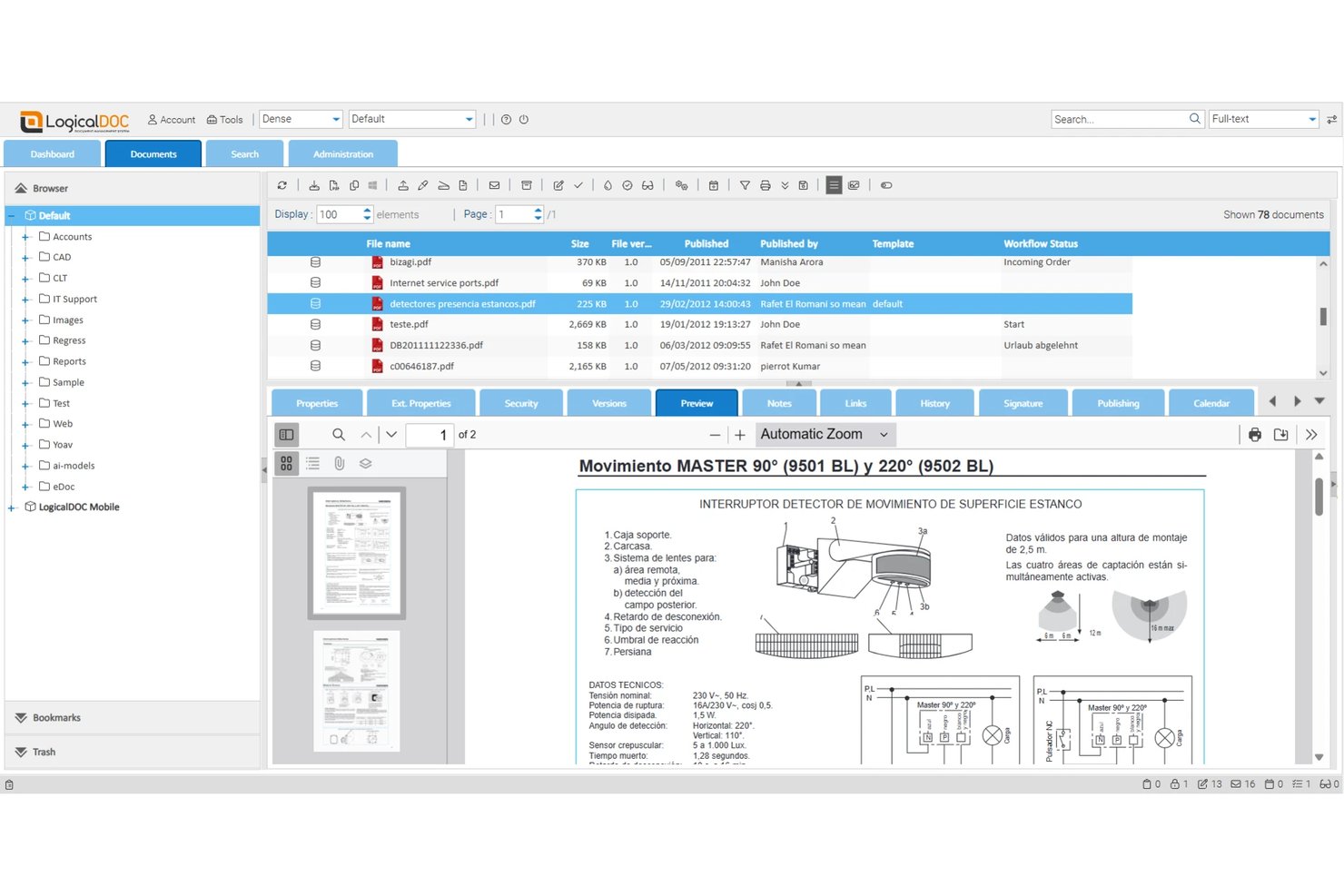
LogicalDOC Community Edition is a self-hosted, open-source document management system licensed under LGPL v3 that offers multilingual full-text search, version control, role-based permissions, workflow automation, and REST/SOAP APIs.
Who Is LogicalDOC Community Edition Best For?
LogicalDOC Community Edition is a strong fit for international teams that need to search, manage, and retrieve documents across multiple languages without paying for a commercial license.
Why I Picked LogicalDOC Community Edition
I've included LogicalDOC Community Edition in my top picks because its multilingual full-text indexing is genuinely rare in free, self-hosted DMS tools. It indexes documents across multiple languages simultaneously, so a team managing contracts in French, German, and Japanese can run a single search and surface results across all three. I also like that version control is thorough here: check-in/check-out locking, rollback, and per-version notes give you a clean audit trail without any paid upgrade.
LogicalDOC Community Edition Key Features
- Role-based access control: Set granular permissions at the folder and document level, with LDAP, Active Directory, and SSO authentication included in the free tier.
- Custom workflow engine: Route documents through approval and review workflows with task assignments, notifications, and reading confirmation requests.
- REST and SOAP APIs: Access full API support in the Community Edition, plus WebDAV and CMIS interfaces, for custom integrations with external systems.
- Native mobile apps: Browse, upload, search, and receive workflow notifications on iOS and Android devices at no additional cost.
LogicalDOC Community Edition Integrations
LogicalDOC Community Edition offers integrations with OnlyOffice, Google Drive, Joomla, WordPress, LDAP, and Active Directory, plus SSO. REST, SOAP, WebDAV, and CMIS interfaces support custom integrations with project and business systems.
Pros and Cons
Pros:
- Native mobile apps included in free version
- Version control with rollback and audit trail
- Multilingual full-text search across all documents
Cons:
- Advanced workflow automation is paid only
- No official vendor support for CE
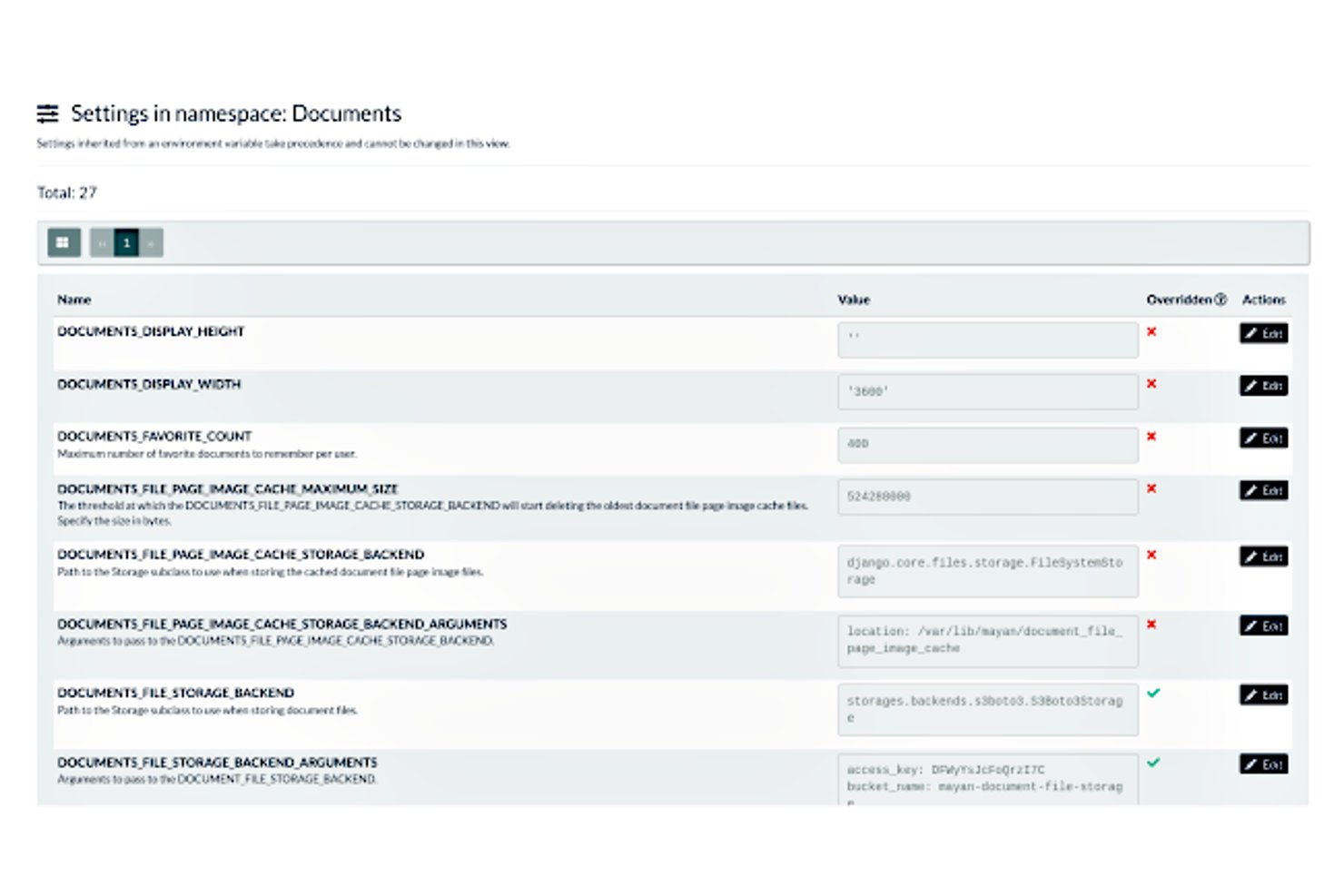
Mayan EDMS is a self-hosted, open-source document management system that covers the full document lifecycle—from multi-source capture and OCR to versioned storage, granular access control, state machine workflows, and AI-driven classification.
Who Is Mayan EDMS Best For?
Mayan EDMS is a strong fit for IT project managers and engineering document controllers who need a self-hosted, enterprise-grade DMS with granular access control and AI-driven classification.
Why I Picked Mayan EDMS
I picked Mayan EDMS as one of the best because its AI-driven automatic tagging genuinely sets it apart. Using OpenAI API or a locally hosted Ollama model, it classifies incoming documents and writes structured metadata back into the system automatically. Color-coded tags can also trigger workflow state transitions, so a tag applied at ingestion can route a contract through an approval chain without any manual intervention.
Mayan EDMS Key Features
- Finite state machine workflow engine: Define document states and allowed transitions, with automated actions, escalation timers, and external system triggers at each stage.
- Non-destructive page manipulation: Reorder, hide, rotate, crop, or redact pages as overlay layers without modifying the original stored file.
- Multi-source document ingestion: Pull documents into the repository from watched folders, IMAP/POP3 email inboxes, SANE-compatible scanners, or S3-compatible cloud storage.
- Atomic, per-object access control: Assign discrete permissions for every individual operation—view, download, print, redact, check out—at both the role level and per-document level.
Mayan EDMS Integrations
Mayan EDMS integrates with Amazon S3, MinIO, LDAP, Active Directory, SSO, OIDC, IMAP, POP3, SANE, Elasticsearch, OpenAI, and Ollama. Its versioned REST API supports custom integrations with project and business systems.
Pros and Cons
Pros:
- Non-destructive page rearrangement and redaction
- AI-driven automatic metadata tagging
- Atomic per-operation document permissions
Cons:
- No real-time collaborative document editing
- No native offline mobile access
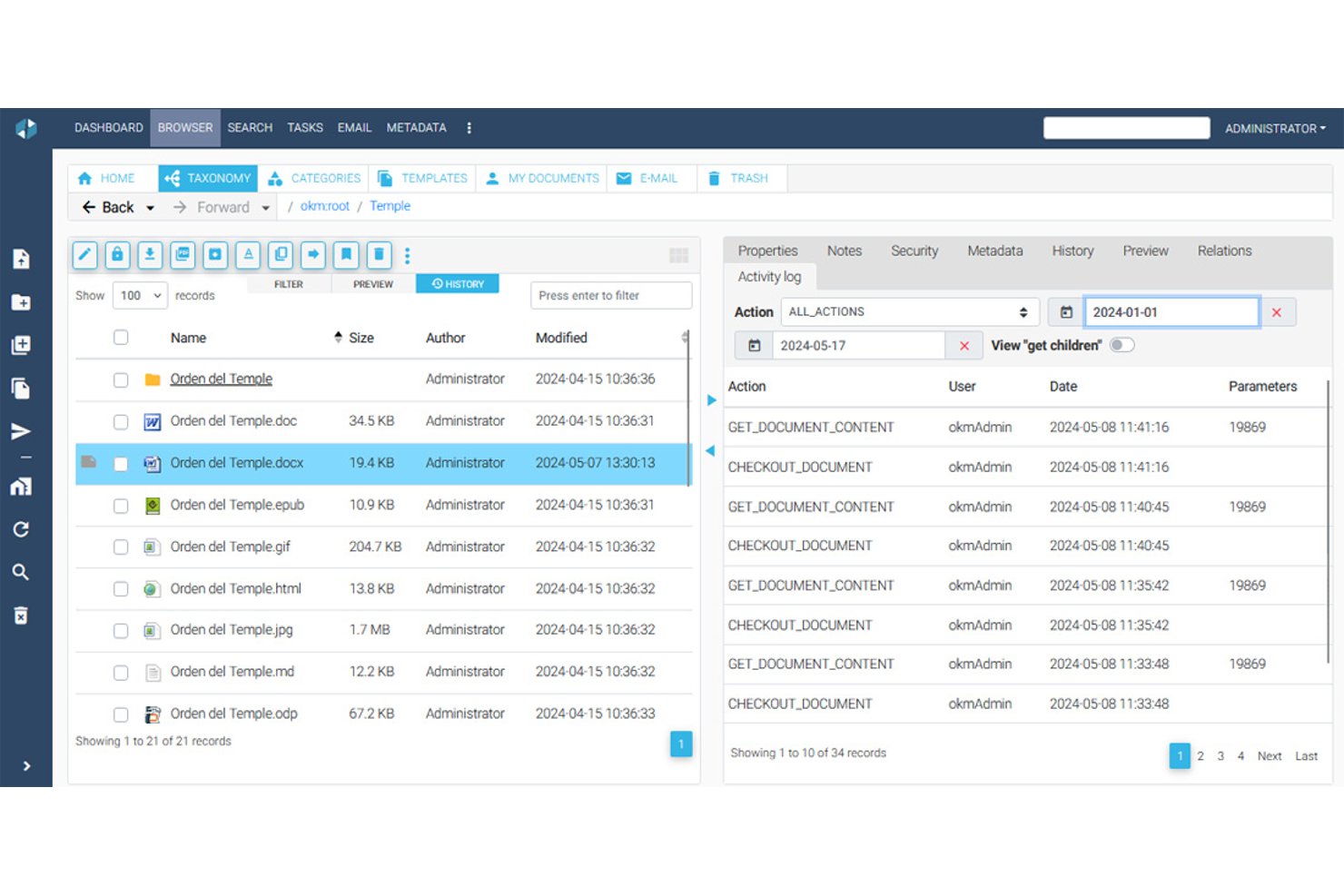
OpenKM Community Edition is a self-hosted document management system that combines hierarchical document storage, full-text search with OCR, role-based access control, jBPM-powered workflows, and check-in/check-out version control.
Who Is OpenKM Community Edition Best For?
OpenKM Community Edition is a strong fit for engineering document controllers and IT project managers who need rigorous version control and self-hosted document governance without licensing costs.
Why I Picked OpenKM Community Edition
I picked OpenKM Community Edition as one of the best because its version control system is genuinely hard to beat at no cost. The check-in/check-out model locks documents during editing, and every save creates a versioned snapshot with per-version comments and a full text diff. When a change order gets disputed or a prior spec needs restoring, I can roll back to any previous state in seconds.
OpenKM Community Edition Key Features
- jBPM workflow engine: Configure multi-step document review and approval workflows with both parallel and serial paths, triggered automatically by folder or document type.
- Full-text search with OCR: Index and search document content using Apache Lucene or Elasticsearch, with Tesseract OCR extracting text from scanned files and images.
- Custom metadata schemas: Define document metadata fields—text inputs, dates, dropdowns, checkboxes—across multiple languages to match your project taxonomy.
- REST API with SDKs: Access roughly 500 API endpoints with official SDKs for Java, .NET, Node.js, and PHP to connect OpenKM to your existing toolchain.
OpenKM Community Edition Integrations
OpenKM Community Edition integrates with Microsoft Office, LDAP/Active Directory, WebDAV, FTP, PostgreSQL, MySQL, Oracle, and Microsoft SQL Server. CMIS is available through an extension, while its REST API and SDKs support custom integrations.
Pros and Cons
Pros:
- Granular role-based permissions and audit trails
- Full-text search supports OCR for scanned files
- Strong version control with check-in/check-out
Cons:
- No AI features in free edition
- Source code is not public in v7.0
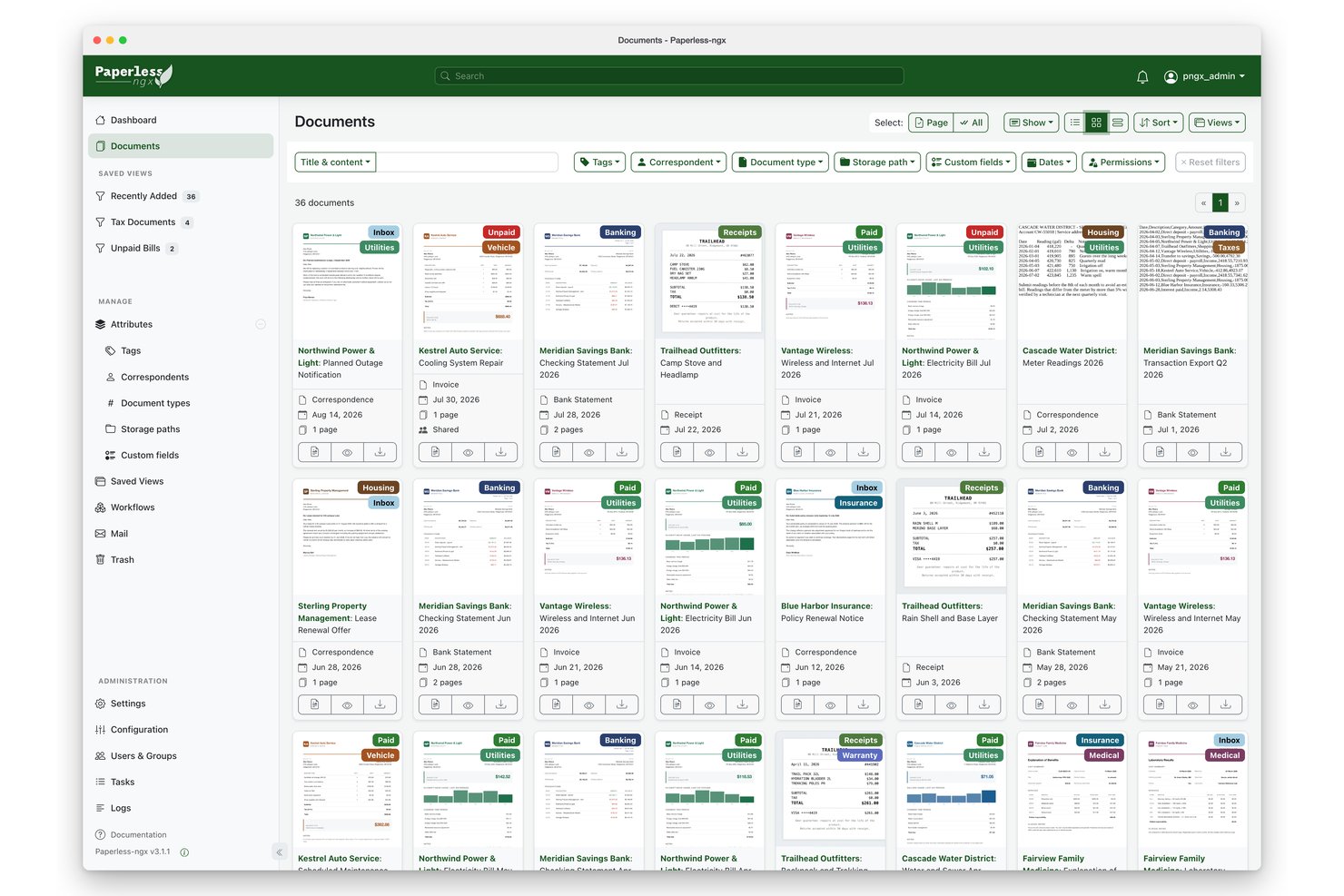
Paperless-ngx is a self-hosted, open-source document management system that combines OCR-powered text extraction, AI-based auto-classification, full-text search, and multi-user access control to digitize and organize large document archives.
Who Is Paperless-ngx Best For?
Paperless-ngx is a strong fit for IT project managers and technical teams who want full control over their document infrastructure without paying for a commercial platform.
Why I Picked Paperless-ngx
Paperless-ngx earns its spot on my shortlist because its OCR and AI classification capabilities are genuinely best-in-class for a self-hosted, open-source tool. Tesseract OCR handles 100+ languages, while the built-in ML classifier automatically assigns tags, correspondents, and document types, and you can layer in LLM-based suggestions on top of that. I've seen teams processing thousands of scanned invoices and contracts get to 75%+ auto-classification accuracy once the corpus is large enough, which is a real payoff for paper-heavy workflows.
Paperless-ngx Key Features
- Email ingestion via IMAP: Paperless-ngx automatically polls configured mailboxes and ingests attachments as documents, then applies post-receipt actions like marking emails as read or deleting them.
- Consume folder: A monitored directory watches for new files and automatically pulls them into the document archive without any manual upload step.
- Object-level permissions: You can assign view and edit access on a per-document basis to specific users or groups, separate from global role-based permissions.
- REST API: A fully documented API exposes all core functionality—uploading documents, querying metadata, fetching OCR text, and triggering reprocessing—for custom integrations and automation pipelines.
Paperless-ngx Integrations
Paperless-ngx offers a Nextcloud marketplace integration, plus connectivity with n8n and OIDC providers such as Authentik. Its documented REST API and webhooks support custom integrations; native Jira, Asana, and Microsoft Project connectors aren't available.
Pros and Cons
Pros:
- Strong full-text search with fuzzy matching
- Multi-user permissions with object-level control
- Advanced OCR and AI-powered classification
Cons:
- Lacks automated retention policy options
- No true document version history
Andre systemer for dokumenthåndtering med åpen kildekode
Her er noen flere alternativer for systemer for dokumenthåndtering med åpen kildekode som ikke kom med på kortlisten min, men som likevel er verdt å undersøke:
- Seafile
For block-based sync on self-hosted storage
- NemakiWare
For integration with CMIS
- OpenProject
For construction project BIM workflows
- DocMGR
For WebDAV-accessible file repositories
- FormKiQ
For serverless AWS document ingestion
- Papermerge DMS
For GoBD-compliant document archiving
- Epiware
For all-in-one project and document tracking


How I Evaluate Open Source Document Management Systems
I look at these tools in two layers: the baseline every platform must meet—like self-hostable versioning and role-based access for project teams—and the differentiators that separate top picks from the rest.
Core Functionality (Table Stakes For This List)
When I'm selecting tools for my list, I rank each one on a scale from 0 (does not offer the functionality) to 5 (excels in this area) for each core functionality listed below. I then calculate the tool's total score into a percentage, using 65% as a benchmark to help assess its overall fit for the list.
- Open Source Licensing Model: I check for an OSI-approved license and a publicly accessible code repository, since some platforms market themselves as "open source" but gate core DMS features behind paid enterprise editions.
- Document Storage & Repository: The platform should support a centralized, hierarchical folder structure that handles diverse file types—from CAD drawings to contracts—with bulk upload and scalable storage backends.
- Version Control & Audit Trails: I evaluate whether the system tracks every revision with rollback capability and logs who changed what, which matters when project teams need to trace edits on shared deliverables.
- Access Control & Permissions: Granular, role-based permissions at both the folder and document level are what I look for, especially the ability to create user groups that mirror cross-functional project teams.
- Metadata & Search: Full-text search paired with custom metadata schemas makes a real difference when a PMO needs to locate a specific submittal or RFI across hundreds of project folders.
- Workflow & Collaboration: I look at whether the tool supports configurable approval chains and check-in/check-out flows, since document review cycles are a daily reality for most project teams.
Once I have a list of tools that meet this criteria, I consider what sets each platform apart.
Differentiating Factors (What Sets Vendors Apart)
Here's how I compare and contrast different vendors:
Standout Features
API extensibility is a big one for me. Project teams typically run Jira or Asana alongside their DMS, so I evaluate whether a platform offers REST APIs and webhooks that make those connections realistic. OCR and content intelligence also separate the strong picks from the average ones—being able to auto-extract text from scanned drawings or contracts saves hours of manual tagging. For teams with field workers, mobile and offline access matters too, since site-based coordinators need to pull up specs without relying on stable connectivity.
Beyond Features
Deployment flexibility matters a lot in this space. I check whether a platform supports Docker or Kubernetes, since many project teams want full data sovereignty without heavy DevOps overhead. Community health is another factor I weigh—active GitHub repos, frequent releases, and well-maintained docs signal long-term viability. Total cost of ownership rounds out my evaluation. A free license means little if the platform demands significant infrastructure spend or locks key features behind an enterprise tier that quietly inflates costs as your project portfolio grows.
Slik velger du et system for dokumenthåndtering med åpen kildekode
Det er lett å gå seg vill i lange funksjonslister og kompliserte prismodeller. For å hjelpe deg med å holde fokus mens du går gjennom den unike prosessen din for valg av programvare, har jeg satt sammen en sjekkliste over faktorer du bør ha i tankene:
| Faktor | Hva du bør vurdere |
|---|---|
| Skalerbarhet | Kan systemet vokse sammen med teamet ditt? Ta hensyn til dagens behov og fremtidig ekspansjon. Se etter løsninger som kan håndtere økende dokumentmengder uten betydelig ytelsesreduksjon. |
| Integrasjoner | Kan det kobles til eksisterende verktøy? Kontroller kompatibiliteten med den nåværende programvarestakken for å unngå forstyrrelser i arbeidsflyten eller ekstra kostnader til mellomvareløsninger. |
| Tilpasningsmuligheter | Kan du tilpasse det til prosessene dine? Sørg for at verktøyet tillater justeringer av arbeidsflyter og grensesnitt, slik at de samsvarer med teamets unike krav og preferanser. |
| Brukervennlighet | Er grensesnittet intuitivt for teamet ditt? Test systemets navigasjon og oppsett. En bratt læringskurve kan hindre utbredelse og effektivitet. |
| Implementering og introduksjon | Hvor smidig er overgangen? Vurder ressursene som kreves for oppsett, og kvaliteten på introduksjonsmateriellet, for eksempel veiledninger, videoer eller tilgjengelig kundestøtte. |
| Kostnad | Hva er de totale eierkostnadene? I tillegg til abonnementsavgifter bør du ta med kostnader til oppsett, integrasjon og eventuell skalering. Sammenlign med budsjettbegrensningene dine. |
| Sikkerhetstiltak | Hvordan beskytter det dataene dine? Sørg for at systemet har kryptering, tilgangskontroller og regelmessige sikkerhetsoppdateringer for å beskytte sensitiv informasjon. |
| Etterlevelseskrav | Oppfyller det bransjestandardene? Kontroller om verktøyet overholder relevante regelverk i sektoren din, for eksempel GDPR, for å unngå juridiske problemer. |
Hva er et dokumentstyringssystem med åpen kildekode?
Et dokumentstyringssystem med åpen kildekode er programvare som lar brukere lagre, administrere og spore dokumenter elektronisk ved hjelp av åpen kildekode. Disse verktøyene brukes ofte av fagpersoner som prosjektledere, IT-spesialister og administrativt personale for å forbedre organiseringen og tilgjengeligheten av dokumenter.
Versjonskontroll, tilgangstillatelser og søkefunksjoner bidrar til å administrere dokumenter effektivt og sikkert. Samlet sett tilbyr disse verktøyene kostnadseffektive løsninger for å forbedre dokumentflyt og samarbeid.
Funksjoner i et dokumentstyringssystem med åpen kildekode
Når du velger et dokumentstyringssystem med åpen kildekode, bør du se etter følgende viktige funksjoner:
- Versjonskontroll: Sporer endringer i dokumenter og sørger for at brukerne får tilgang til de nyeste versjonene, noe som reduserer feil og forvirring.
- Tilgangstillatelser: Administrerer hvem som kan se eller redigere dokumenter, og styrker sikkerheten og kontrollen over sensitiv informasjon.
- Søkefunksjonalitet: Lar brukere raskt finne dokumenter ved hjelp av nøkkelord eller metadata, noe som sparer tid og forbedrer effektiviteten.
- Tilpassbare arbeidsflyter: Gjør det mulig for team å tilpasse prosesser etter sine spesifikke behov, noe som øker fleksibiliteten og tilpasningsevnen.
- Dokumentkryptering: Beskytter sensitive data mot uautorisert tilgang og sørger for samsvar med sikkerhetsstandarder.
- Revisjonsspor: Gir en detaljert oversikt over dokumentaktiviteter og bidrar til samsvar og ansvarlighet.
- Automatisk dokumentmerking: Bruker metadata til å kategorisere dokumenter automatisk, noe som forbedrer organisering og gjenfinning.
- Integrasjonsmuligheter: Kobler seg til andre verktøy og annen programvare, og legger til rette for sømløs datadeling og samarbeid.
- Mobil tilgang: Lar brukere administrere dokumenter mens de er på farten, noe som gir større fleksibilitet for eksterne medarbeidere eller teammedlemmer som er ute og reiser.
Fordeler med et dokumentstyringssystem med åpen kildekode
Implementering av et dokumentstyringssystem med åpen kildekode gir flere fordeler for teamet og virksomheten din. Her er noen av fordelene du kan se frem til:
- Kostnadseffektivitet: Løsninger med åpen kildekode har ofte lavere startkostnader, noe som gjør dem budsjettvennlige for virksomheter av alle størrelser.
- Forbedret samarbeid: Funksjoner som versjonskontroll og tilgangstillatelser gjør det mulig for team å arbeide effektivt sammen uten å overskrive hverandres arbeid.
- Forbedret sikkerhet: Dokumentkryptering og tilgangskontroller beskytter sensitiv informasjon og reduserer risikoen for datainnbrudd.
- Økt fleksibilitet: Tilpassbare arbeidsflyter og integrasjonsmuligheter lar deg tilpasse systemet til virksomhetens spesifikke behov.
- Bedre samsvar: Revisjonsspor og dokumentmerking bidrar til å sikre at organisasjonen oppfyller bransjeregler og standarder.
- Enkel skalerbarhet: Systemet kan vokse med virksomheten din og tilpasses økte dokumentmengder og flere brukere uten store forstyrrelser.
Kostnader og priser for et dokumentstyringssystem med åpen kildekode
Valg av et dokumentstyringssystem med åpen kildekode krever en forståelse av de ulike prismodellene og abonnementene som er tilgjengelige. Kostnadene varierer basert på funksjoner, teamstørrelse, tillegg og mer.
Tabellen nedenfor oppsummerer vanlige abonnementer, gjennomsnittsprisene deres og typiske funksjoner som er inkludert i løsninger for dokumentstyringssystemer med åpen kildekode:
Sammenligningstabell for abonnementer for et dokumentstyringssystem med åpen kildekode
| Abonnementstype | Gjennomsnittspris | Vanlige funksjoner |
|---|---|---|
| Gratisabonnement | $0 | Grunnleggende lagring, begrenset støtte og tilgang til fellesskapet. |
| Personlig abonnement | $5-$15/bruker/måned | Utvidet lagring, grunnleggende integrasjoner og versjonskontroll. |
| Bedriftsabonnement | $20-$40/bruker/måned | Avanserte integrasjoner, tilpasning av arbeidsflyter og revisjonsspor. |
| Virksomhetsabonnement | $50-$100/bruker/måned | Full støtte, avanserte sikkerhetsfunksjoner og skaleringsmuligheter. |
Vanlige spørsmål om dokumentstyringssystemer med åpen kildekode
Her er noen svar på vanlige spørsmål om dokumentstyringssystemer med åpen kildekode:
Hvordan skiller dokumentstyring med åpen kildekode seg fra proprietær programvare?
Dokumentstyringssystemer med åpen kildekode lar deg endre og tilpasse programvaren slik at den dekker dine spesifikke behov, i motsetning til proprietær programvare, som tilbyr begrensede tilpasningsmuligheter. Du drar også nytte av et utviklerfellesskap som bidrar til forbedringer og oppdateringer. Dette kan føre til raskere innovasjon og løsninger som er tilpasset din bransje.
Hva bør jeg vurdere når jeg velger et dokumentstyringssystem med åpen kildekode?
Vurder systemets skalerbarhet for å sikre at det kan vokse sammen med virksomheten din. Evaluer hvor enkelt det er å integrere systemet med eksisterende verktøy og plattformer. Se nærmere på hvilken støtte som er tilgjengelig fra fellesskapet, ettersom dette kan være uvurderlig ved feilsøking og spesialutvikling.
Kan dokumentstyringssystemer med åpen kildekode oppfylle krav til samsvar?
Ja, mange systemer med åpen kildekode er utviklet for å oppfylle krav til samsvar, for eksempel GDPR eller HIPAA. Sørg for at systemet støtter funksjoner som revisjonsspor og datakryptering. Det er avgjørende å kontrollere at systemet kan konfigureres slik at det følger spesifikke bransjeregler.
Hvor sikre er dokumentstyringssystemer med åpen kildekode?
Systemer med åpen kildekode kan være svært sikre og tilbyr ofte robust kryptering og tilgangskontroller. Sikkerheten avhenger av hvor aktivt systemet vedlikeholdes og oppdateres. Det er viktig å holde seg oppdatert på oppdateringer og sikkerhetsfikser for å beskytte mot sårbarheter.
Krever dokumentstyringssystemer med åpen kildekode teknisk ekspertise?
Det kreves ofte et visst nivå av teknisk ekspertise for å installere og konfigurere systemer med åpen kildekode. Mange har imidlertid brukervennlige grensesnitt og tilbyr dokumentasjon som hjelper med oppsett og tilpasning. Vurder teamets tekniske ferdigheter før du tar en beslutning.
Hvilke kostnadsfordeler gir bruk av dokumentstyring med åpen kildekode?
Systemer med åpen kildekode har vanligvis lavere kostnader i startfasen og ingen lisensavgifter, noe som gjør dem kostnadseffektive. Du kan tilpasse systemet uten å betale for ekstra funksjoner. Ta imidlertid høyde for eventuelle kostnader til hosting, support og spesialutvikling.