

I 10 migliori software intelligenti di elaborazione dei documenti basati sull’IA 2026

10 Elenco dei migliori software intelligenti di elaborazione dei documenti con AI


Il software intelligente di elaborazione dei documenti con AI consente di automatizzare attività noiose come organizzare, estrarre e gestire i documenti, permettendoti di risparmiare tempo e migliorare subito la precisione. Se vuoi eliminare gli errori manuali e ottimizzare il flusso di lavoro, lo strumento giusto può fare davvero la differenza.
Ho testato e analizzato personalmente le migliori opzioni disponibili per aiutarti a trovare quella più adatta alle tue esigenze. Di seguito troverai le mie valutazioni oneste sui software intelligenti di elaborazione dei documenti con AI e un confronto tra le loro prestazioni.
Perché fidarsi dei nostri consigli sui software
Il nostro team testa e recensisce software dal 2012. In quanto project manager noi stessi, sappiamo quanto sia difficile — e importante — scegliere il software giusto.
Per questa guida, abbiamo valutato gli strumenti attraverso test pratici e ricerche indipendenti, assegnando un punteggio agli strumenti in base ai nostri criteri di selezione. Ci basiamo inoltre sulle competenze di leader di pensiero del settore e di professionisti attivi nella gestione dei progetti.
Le nostre recensioni riflettono il nostro giudizio editoriale umano, non un discorso di vendita.
Revisori esperti:
Tabella comparativa dei software intelligenti di elaborazione dei documenti con AI
La tabella seguente confronta i dettagli dei prezzi dei software intelligenti di elaborazione dei documenti con AI che ho analizzato.
| Tool | Best For | Trial Info | Price | ||
|---|---|---|---|---|---|
| 1 | Ideale per l'acquisizione di documenti finanziari e assicurativi | Prova gratuita di 14 giorni | Prezzi su richiesta | Website | |
| 2 | Ideale per flussi di lavoro documentali personalizzati | Demo gratuita disponibile | Prezzo su richiesta | Website | |
| 3 | Ideale per l'automazione documentale senza codice | Demo gratuita disponibile | Da $399/mese (fatturati annualmente) | Website | |
| 4 | Ideale per l'elaborazione di documenti non strutturati | Versione di prova gratuita disponibile + demo gratuita | Prezzo su richiesta | Website | |
| 5 | Ideale per l'automazione dei processi robotici | Prova gratuita di 60 giorni + demo gratuita disponibile | Da $25/mese | Website | |
| 6 | Ideale per approfondimenti sui documenti tramite IA | Piano gratuito disponibile | Da $14,99/mese (fatturato annualmente) | Website | |
| 7 | Ideale per la gestione dei contenuti aziendali | Demo gratuita disponibile | Prezzo su richiesta | Website | |
| 8 | Ideale per l'integrazione con strumenti Microsoft | Prova gratuita di 30 giorni disponibile | Da $15/utente/mese (fatturato annualmente) | Website | |
| 9 | Ideale per la connettività tramite API | Prova gratuita + demo gratuita disponibili | Prezzo su richiesta | Website | |
| 10 | Ideale per RPA cloud-native | Demo gratuita disponibile | Prezzi su richiesta | Website |
Recensione dei migliori software intelligenti di elaborazione dei documenti con AI
Di seguito trovi i miei riepiloghi dettagliati dei migliori software intelligenti di elaborazione dei documenti con AI. Ho esaminato attentamente le funzionalità principali, i vantaggi e gli svantaggi, le integrazioni e i casi d’uso ideali di ogni strumento per aiutarti a trovare quello più adatto.

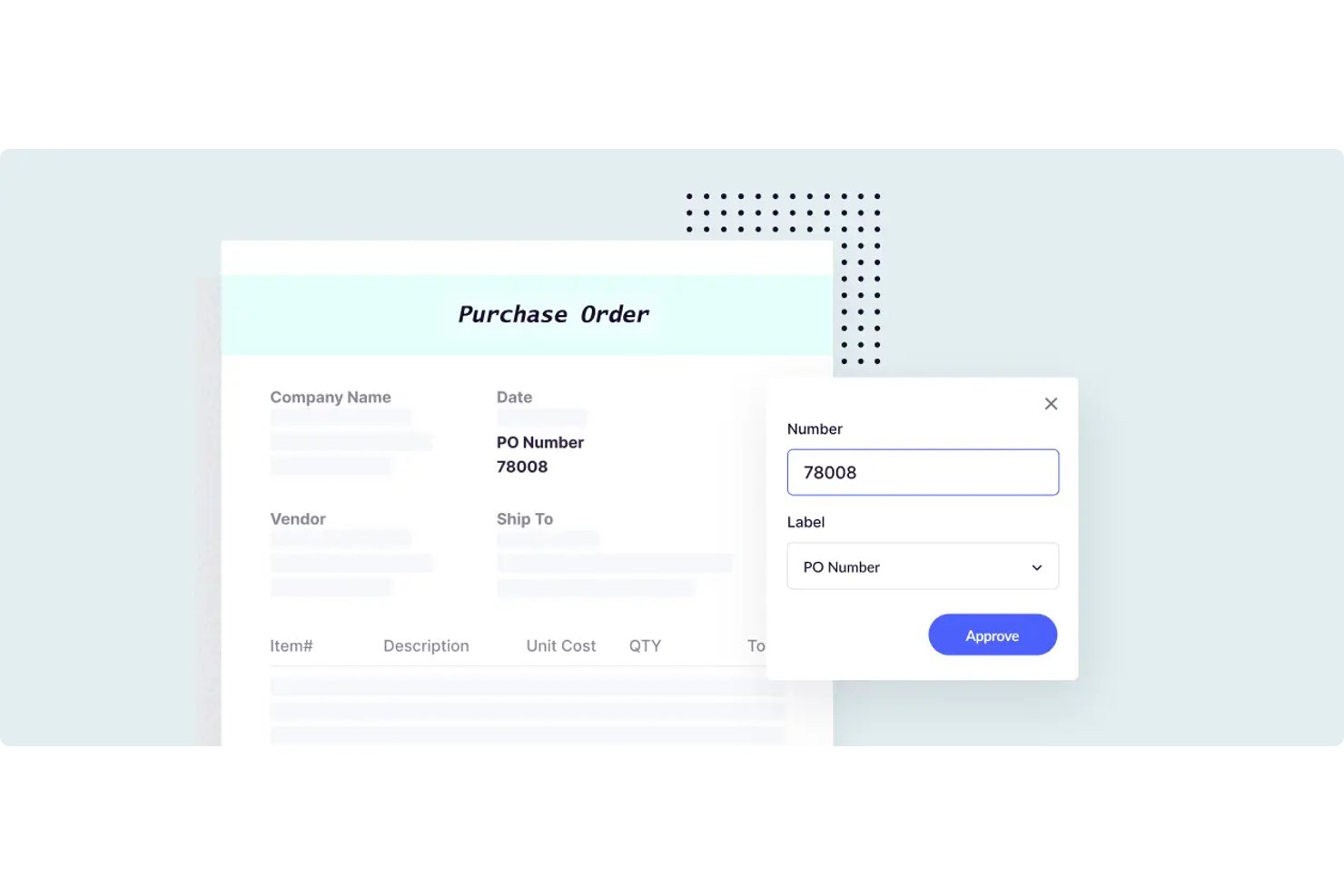
Docsumo è una piattaforma intelligente di elaborazione dei documenti che combina OCR, classificazione basata sull'IA, estrazione di dati strutturati e flussi di revisione con intervento umano, con modelli predefiniti che coprono documenti di tipo finanziario, assicurativo e di contabilità fornitori.
Per chi è più indicato Docsumo?
Docsumo è particolarmente adatto ai team finanziari e assicurativi che elaborano grandi volumi di documenti strutturati, come fatture, pratiche di prestito e moduli ACORD.
Perché ho scelto Docsumo
Ho scelto Docsumo come una delle soluzioni migliori perché i suoi modelli predefiniti per i documenti finanziari e assicurativi sono davvero impressionanti. Include estrattori addestrati per moduli ACORD, estratti conto bancari, fatture e pratiche di prestito, pronti all'uso. Mi piace anche il modo in cui la coda di revisione basata sul livello di affidabilità invia a un revisore umano solo i documenti con un basso livello di affidabilità, mantenendo così l'intervento manuale concentrato dove è realmente necessario.
Funzionalità principali di Docsumo
- Classificatore automatico e separatore di documenti: Etichetta automaticamente i tipi di documento e separa i caricamenti multipagina in singoli documenti da elaborare.
- Convalida tra documenti: Confronta nomi, date e importi tra documenti correlati, ad esempio le fatture con i contratti, per segnalare le discrepanze.
- Gestione dei casi con agente di raccolta: Raggruppa i documenti correlati in un unico caso, monitora i file mancanti tramite una lista di controllo e invia automaticamente richieste via e-mail per i documenti ancora da fornire.
- Motore di estrazione a cascata basato su LLM: Invia ogni documento attraverso una sequenza di modelli di IA di fornitori come Anthropic e OpenAI per massimizzare l'accuratezza dell'estrazione a livello di campo.
Integrazioni di Docsumo
Docsumo offre integrazioni documentate con Google Drive, OneDrive, SharePoint, Dropbox, Box, Amazon S3, Salesforce e Google Sheets. Supporta inoltre API REST, webhook, chiamate API esterne e Zapier.
Pros and Cons
Pros:
- Modelli predefiniti per il settore finanziario e assicurativo
- Code di revisione delle eccezioni basate sul livello di affidabilità
- La convalida tra documenti segnala le discrepanze
Cons:
- L'accuratezza varia a seconda dei layout dei documenti
- I flussi di lavoro personalizzati richiedono attività di implementazione

Ideale per flussi di lavoro documentali personalizzati

Klippa DocHorizon è un software intelligente per l'elaborazione dei documenti che automatizza i flussi di lavoro documentali utilizzando tecnologie AI e OCR.
Perché ho scelto Klippa DocHorizon: Uno dei motivi per cui ho scelto Klippa DocHorizon è la sua capacità di gestire oltre 50 tipologie di documenti, incluse fatture, ricevute, carte d'identità, passaporti e contratti. Puoi inoltre addestrare modelli per elaborare tipi di documenti personalizzati, permettendo così flessibilità nei tuoi flussi di lavoro. Il software consente anche di definire specifici campi dati da estrarre, come numeri di documento, date, nomi, indirizzi, importi totali e IBAN.
Funzionalità principali & integrazioni:
Funzionalità comprendono il rilevamento delle frodi documentali, che utilizza l'intelligenza artificiale per individuare documenti alterati tramite l'analisi dei dati EXIF e il confronto con i database. Il software offre inoltre l'anonimizzazione dei dati, consentendo di oscurare le informazioni sensibili per rispettare il GDPR e altre normative sulla privacy dei dati.
Integrazioni includono Google Workspace, Dropbox, Zoho, Xero, Odoo, Microsoft Teams, Slack, Discord, OpenAI, Jira, monday.com e Stripe.
Pros and Cons
Pros:
- Supporta l'elaborazione di oltre 50 tipologie di documenti, inclusi quelli personalizzati
- Combina intelligenza artificiale e automazione con supervisione umana per una migliore accuratezza dei dati
- Oscura le informazioni sensibili per rispettare il GDPR e le altre normative sulla privacy
Cons:
- La configurazione di flussi di lavoro personalizzati potrebbe essere complessa per utenti non tecnici
- Nessuna possibilità di provare il software prima dell'acquisto
New Product Updates from Doxis AI.dp.
Doxis AI.dp Improves Dataset Validation and API Controls
Doxis AI.dp improves dataset editing with real-time type validation, better field controls, and save prevention on invalid values, plus new API capabilities. These updates help teams maintain cleaner dataset values and manage rows more reliably. For more information, visit Doxis AI.dp’s official site.
 .
.
altaFlow
Ideale per l'automazione documentale senza codice
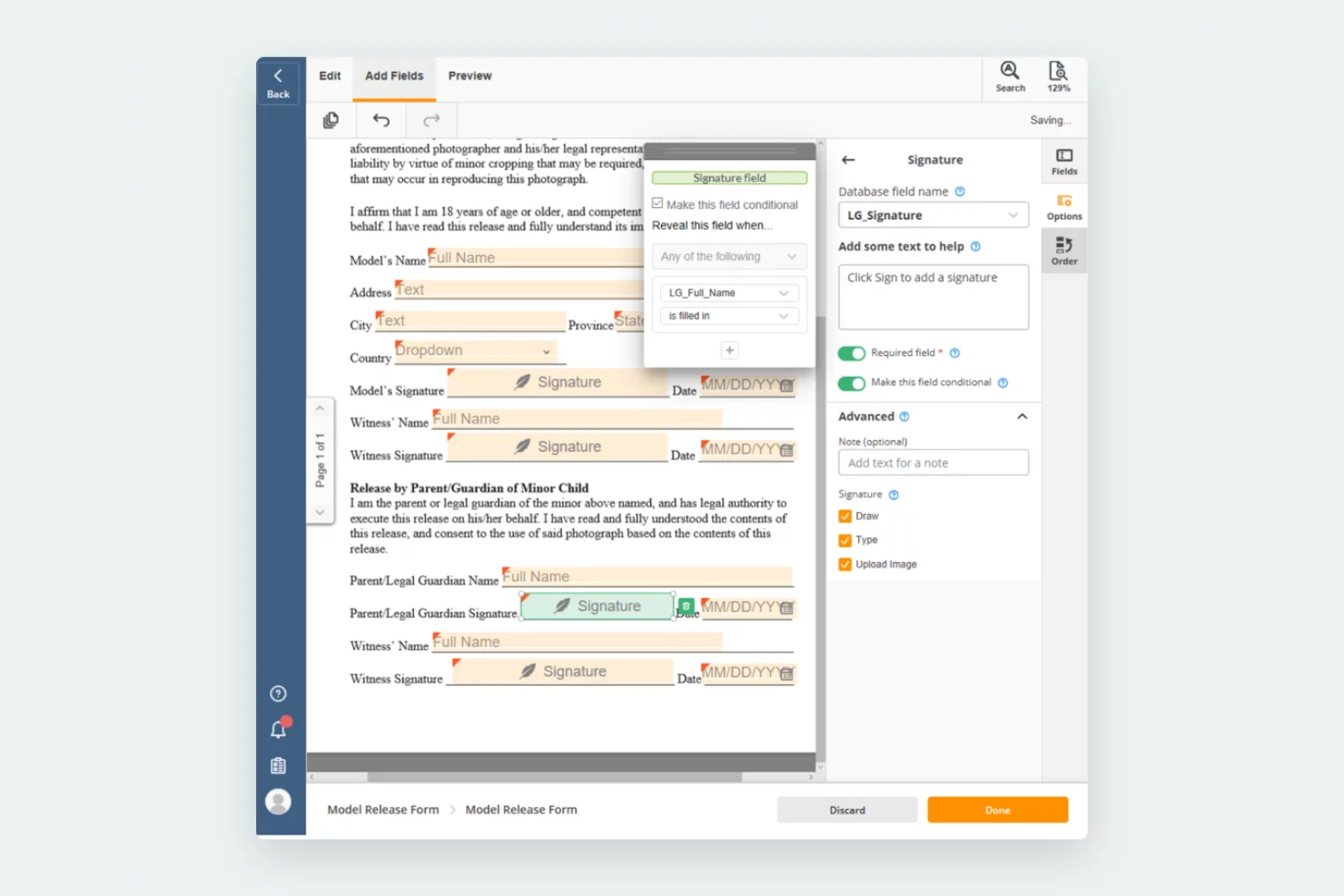
airSlate Workflow è una piattaforma no-code che ti aiuta ad automatizzare i flussi di lavoro dei documenti senza bisogno di competenze di programmazione. Offre funzionalità AI che ti permettono di creare, instradare e firmare documenti in un unico posto, rendendo più semplice la gestione dei processi e riducendo il lavoro manuale.
Perché ho scelto airSlate Workflow: Ho scelto questo strumento perché ti permette di creare pacchetti di documenti dinamici che si adattano automaticamente in base ai dati del destinatario. Questo ti consente di fornire le informazioni giuste alla persona giusta senza passaggi aggiuntivi. Mi piace anche la possibilità di precompilare i moduli utilizzando dati provenienti da database collegati o da sistemi di Customer Relationship Management (CRM), il che aiuta a ridurre gli errori. Il suo costruttore visivo di flussi di lavoro rende facile progettare e monitorare i cicli di vita dei documenti, anche se non si hanno competenze tecniche.
Caratteristiche principali e integrazioni:
Caratteristiche includono automazione dei flussi di lavoro che sostituisce le attività manuali, creazione dinamica di documenti con logica condizionale e allegato sicuro dei documenti firmati ai record dei sistemi collegati.
Integrazioni includono Salesforce, Microsoft Dynamics 365, Netsuite, UiPath, HubSpot, Google, Airtable, Smartsheet, Magento, Pipedrive e ServiceNow.
Pros and Cons
Pros:
- Allega in modo sicuro i documenti firmati ai record
- I bot fanno risparmiare tempo sulle attività di routine
- Opzioni flessibili per la creazione di flussi di lavoro
Cons:
- La configurazione iniziale può sembrare complessa
- Alcune integrazioni potrebbero non funzionare perfettamente

TrailHQ
Ideale per l'elaborazione di documenti non strutturati

Nanonets è una piattaforma basata sull'IA progettata per l'elaborazione dei documenti e l'automazione dei flussi di lavoro, in grado di acquisire dati da vari tipi di documenti come fatture, ricevute e carte d'identità.
Perché ho scelto Nanonets: Ho scelto Nanonets perché è in grado di gestire documenti non strutturati. A differenza degli strumenti OCR tradizionali che richiedono modelli predefiniti, l'intelligenza artificiale di Nanonets legge documenti semi-strutturati mai visti prima che non seguono uno schema standard. Ciò significa che puoi elaborare diversi tipi di documenti senza il fastidio di dover configurare nuovi modelli per ogni formato.
Funzionalità e integrazioni principali:
Funzionalità incluse validazione rapida dei dati, che permette di verificare le informazioni estratte per mantenere la precisione dei dati. Offre inoltre automazione dei processi end-to-end per aiutare il tuo team a elaborare i documenti più velocemente e con maggiore accuratezza.
Integrazioni incluse Google Drive, Zapier, Dropbox, SharePoint, Gmail, Notion, Airtable, SAP, Salesforce e HubSpot.
Pros and Cons
Pros:
- Gestisce vari tipi di documenti
- Estrazione dati accurata
- Riconosciuta per le sue applicazioni OCR avanzate
Cons:
- La configurazione iniziale può essere complessa
- Funzionalità offline limitate

UiPath
Ideale per l'automazione dei processi robotici

UiPath è uno strumento di Robotic Process Automation (RPA) progettato per automatizzare attività ripetitive all'interno delle aziende. Serve le aziende che desiderano migliorare l'efficienza automatizzando i processi di routine e riducendo il carico di lavoro manuale.
Perché ho scelto UiPath: È noto per le sue solide capacità di RPA, che aiutano ad automatizzare una vasta gamma di compiti. Lo strumento offre un'interfaccia drag-and-drop ed è accessibile a team con diversi livelli di competenza tecnica. Le funzionalità di automazione di UiPath sono flessibili e consentono di adattare i processi alle tue esigenze specifiche. Questo focus sull'automazione lo rende adatto se vuoi migliorare l'efficienza operativa.
Funzionalità e integrazioni principali:
Funzionalità includono l'automazione non presidiata, che consente ai processi di funzionare in modo indipendente. Inoltre, fornisce analisi in tempo reale che è possibile utilizzare per monitorare e ottimizzare i flussi di lavoro.
Integrazioni includono Salesforce, SAP, Oracle, Microsoft Office, Google Workspace, ServiceNow, AWS, Dropbox, Box e Slack.
Pros and Cons
Pros:
- Forti capacità RPA
- Funzionalità di automazione flessibili
- Supporta l'automazione non presidiata
Cons:
- Elevata curva di apprendimento
- Richiede competenze tecniche

Ideale per approfondimenti sui documenti tramite IA

Adobe Acrobat è una piattaforma intelligente per l'elaborazione dei documenti, pensata per i team che necessitano di avanzate funzionalità di modifica dei PDF, approfondimenti sui documenti basati sull'IA, strumenti di collaborazione e gestione centralizzata dei modelli.
Per chi è ideale Adobe Acrobat?
Adobe Acrobat è adatto a team interfunzionali in organizzazioni di medie e grandi dimensioni che devono gestire, elaborare e collaborare su grandi volumi di documenti digitali.
Perché ho scelto Adobe Acrobat
Ho scelto Adobe Acrobat tra i migliori perché i suoi approfondimenti sui documenti alimentati dall'IA aiutano il mio team a estrarre rapidamente le informazioni chiave da grandi set di PDF. Utilizzo funzioni come la ricerca intelligente e l'estrazione automatizzata dei dati per individuare tendenze e schemi in contratti e report. In pratica, questo significa che possiamo analizzare e classificare i documenti su larga scala senza revisioni manuali.
Funzionalità principali di Adobe Acrobat
- Strumenti di modifica PDF: Modifica direttamente testo, immagini e formattazione nei documenti PDF.
- Flussi di lavoro per firme elettroniche: Raccogli firme elettroniche legalmente vincolanti sui documenti.
- Gestione dei modelli: Crea, archivia e riutilizza modelli di documento per garantire una formattazione coerente.
- Commenti e annotazioni: Aggiungi commenti, evidenziazioni e annotazioni per la collaborazione del team.
Integrazioni di Adobe Acrobat
Adobe Acrobat offre integrazioni native con Microsoft 365, Google Drive, Dropbox, Box e OneDrive. È disponibile una API per integrazioni personalizzate.
Pros and Cons
Pros:
- Collaborazione in tempo reale su PDF con più utenti
- Strumenti avanzati di sintesi dei documenti tramite IA
- Gestione centralizzata dei modelli per team aziendali
Cons:
- Le funzioni IA richiedono abbonamenti di livello superiore
- L'elaborazione in blocco può essere lenta con file di grandi dimensioni

OpenText
Ideale per la gestione dei contenuti aziendali

OpenText è una soluzione per l'elaborazione dei documenti progettata per le aziende che necessitano di una gestione efficiente dei contenuti. Serve le grandi organizzazioni offrendo funzionalità come l'IA e l'automazione per la cattura dei documenti e il miglioramento dell'accuratezza dei dati.
Perché ho scelto OpenText: Il suo focus sulla gestione dei contenuti aziendali lo rende unico. Lo strumento offre funzionalità avanzate di cattura per garantire l'accuratezza nell'estrazione dei dati. La sua capacità di gestire grandi volumi di contenuti lo rende ideale per le aziende con elevate esigenze documentali.
Funzionalità e integrazioni principali:
Funzionalità includono la cattura avanzata dei documenti che aumenta la precisione dei dati e la velocità di elaborazione. Le capacità di automazione dei flussi di lavoro dello strumento aiutano a gestire le attività documentali ed offre anche una piattaforma sicura per archiviare e gestire documenti sensibili.
Integrazioni includono SAP, Oracle, Microsoft Dynamics, Salesforce, IBM, Google Workspace, AWS, Box, Dropbox e SharePoint.
Pros and Cons
Pros:
- Potenti funzionalità di gestione dei contenuti
- Cattura avanzata dei documenti
- Piattaforma sicura per documenti sensibili
Cons:
- Curva di apprendimento elevata
- Complesso per i piccoli team


Microsoft Power Automate è uno strumento di automazione dei flussi di lavoro progettato per le aziende che desiderano automatizzare compiti ripetitivi e processi. Si rivolge principalmente alle organizzazioni che già utilizzano prodotti Microsoft e migliora la produttività automatizzando l'elaborazione dei documenti e il flusso dei dati.
Perché ho scelto Microsoft Power Automate: È particolarmente indicato per chi si affida agli strumenti Microsoft, e la sua capacità di integrarsi con Microsoft 365 consente un'automazione fluida delle attività su più piattaforme. È facile impostare flussi di lavoro senza conoscenze tecniche approfondite. Questo lo rende una scelta eccellente per i team che desiderano aumentare l'efficienza all'interno dell'ecosistema Microsoft.
Caratteristiche e integrazioni principali:
Funzionalità includono modelli predefiniti che possono essere utilizzati per creare, modificare e gestire rapidamente i flussi di lavoro e qualsiasi automazione di documenti correlata. L'interfaccia drag-and-drop dello strumento rende la progettazione dei flussi di lavoro semplice e intuitiva. Offre anche l'accesso mobile, così puoi gestire i processi ovunque tu sia.
Integrazioni includono Microsoft Teams, SharePoint, OneDrive, Outlook, Dynamics 365, Azure, Salesforce, Dropbox, Google Drive e Slack.
Pros and Cons
Pros:
- Si integra perfettamente con i prodotti Microsoft
- Modelli di flusso di lavoro personalizzabili
- App mobile per accesso da remoto
Cons:
- Funzionalità limitate al di fuori dell'ecosistema Microsoft
- Richiede comprensione della logica dei flussi


MuleSoft è una piattaforma di integrazione che aiuta le aziende a connettere applicazioni, dati e dispositivi. Serve principalmente le imprese che vogliono migliorare la connettività e automatizzare i loro flussi di lavoro tra sistemi diversi.
Perché ho scelto MuleSoft: La sua connettività basata su API consente di collegare sistemi eterogenei in modo efficiente. La piattaforma supporta inoltre la creazione rapida di API, facilitando lo scambio di dati senza interruzioni. Questo la rende ideale per le organizzazioni che devono migliorare ambienti IT complessi.
Funzionalità e integrazioni principali:
Funzionalità includono un ambiente di sviluppo visuale che semplifica la creazione di integrazioni, agenti AI e una gestione scalabile delle API in grado di crescere insieme alla tua azienda. Offre anche monitoraggio in tempo reale per mantenere prestazioni costanti.
Integrazioni includono Salesforce, SAP, Oracle, Microsoft Dynamics, ServiceNow, Workday, NetSuite, AWS, Google Cloud e Slack.
Pros and Cons
Pros:
- Forte connettività API
- Scalabile per grandi imprese
- Strumenti di sviluppo visuale
Cons:
- Richiede competenze tecniche
- Capacità offline limitate


Automation Anywhere è uno strumento RPA cloud-native progettato per automatizzare attività e processi ripetitivi. Offre funzionalità di IA agentica e si rivolge principalmente alle aziende che desiderano migliorare la produttività riducendo il carico di lavoro manuale e ottimizzando le operazioni.
Perché ho scelto Automation Anywhere: È noto per le sue capacità RPA cloud-native, che permettono ai team di accedere e gestire l'automazione da qualsiasi luogo. Lo strumento offre un'interfaccia intuitiva che semplifica la creazione dei processi di automazione. La sua scalabilità garantisce la crescita insieme alle esigenze aziendali. Questa attenzione a flessibilità e accessibilità lo rende adatto alle organizzazioni che vogliono ottimizzare le proprie attività.
Caratteristiche salienti e integrazioni:
Funzionalità includono un'interfaccia drag-and-drop per creare facilmente flussi di lavoro automatizzati e supportano la creazione di bot per eseguire automazioni. Lo strumento include anche strumenti di analisi per monitorare e migliorare le prestazioni delle automazioni.
Integrazioni includono Microsoft Office, Salesforce, SAP, Oracle, Google Workspace, ServiceNow, Workday, Dropbox, Box e Slack.
Pros and Cons
Pros:
- Piattaforma cloud-native
- Scalabile per aziende in crescita
- Supporta automazioni di compiti complessi
Cons:
- Curva di apprendimento elevata
- Capacità offline limitate
Altri software intelligenti di elaborazione dei documenti con AI
Ecco altre opzioni di software intelligenti di elaborazione dei documenti con AI che non sono entrate nel mio elenco, ma che vale comunque la pena valutare:
- ABBYY
Ideale per un'acquisizione dati accurata
- Hyland IDP
Ideale per la conformità nel settore sanitario
- Conga
Ideale per la gestione del ciclo di vita dei contratti
- Templafy
Ideale per la conformità del brand
- AntWorks
Ideale per l'automazione cognitiva
- NeuralSpace
Ideale per l'elaborazione di documenti multilingue
- DocuPipe
Ideale per estrazione dati da layout personalizzati
- Work.AI by WorkFusion
Ideale per il decision-making guidato dall'IA
- Document360
Ideale per la scalabilità degli sforzi documentali


Come Valuto il Software di Elaborazione Intelligente dei Documenti
Valuto questi strumenti su due livelli: le capacità di base che qualificano un fornitore e i fattori differenzianti che determinano quali strumenti si adattano al modo in cui i team di progetto elaborano effettivamente contratti, SOW e fatture.
Funzionalità di Base (Requisiti Minimi per Questa Lista)
Quando seleziono gli strumenti per la mia lista, valuto ciascuno su una scala da 0 (non offre la funzionalità) a 5 (eccelle in questa area) per ciascuna funzionalità chiave elencata di seguito. Quindi, calcolo il punteggio totale dello strumento convertendolo in una percentuale. Ogni strumento deve raggiungere un punteggio totale minimo del 65% per essere considerato per l'inclusione.
- OCR & Acquisizione Dati: Verifico se uno strumento è in grado di estrarre accuratamente testo, tabelle e valori di campo da contratti scansionati, fatture e PDF di bassa qualità comuni nella documentazione di progetto.
- Classificazione Documentale AI/ML: Ogni piattaforma dovrebbe ordinare automaticamente i file in arrivo—SOW, ordini di modifica, ordini di acquisto—nella categoria corretta senza affidarsi esclusivamente a modelli rigidi.
- Output dei Dati Strutturati: Cerco formati di output configurabili come JSON, CSV o mappature dirette al database affinché i dati di progetto estratti fluiscano senza intoppi negli strumenti di reportistica a valle.
- Automazione del Workflow: L'invio di una fattura di un fornitore per l'approvazione del budget o l'escalation di una clausola contrattuale segnalata deve poter essere attivato in base ai dati estratti, senza intervento manuale.
- Capacità di Integrazione: Valuto se lo strumento si collega a piattaforme di gestione progetti e archiviazione come Jira, Procore, SharePoint o SAP tramite connettori nativi o API aperte.
- Validazione con Intervento Umano: Un'interfaccia di revisione chiara è importante—I team di progetto necessitano di visualizzazioni affiancate per verificare i campi estratti, segnalare eccezioni e correggere errori prima che i dati vengano finalizzati.
Una volta che ho una lista di strumenti che soddisfano questi criteri, considero cosa distingue ciascuna piattaforma.
Fattori Differenzianti (Cosa Distingue i Fornitori)
Ecco come confronto e metto a confronto i diversi fornitori:
Caratteristiche di Spicco
Cerco la possibilità di porre domande in linguaggio naturale tramite IA generativa che permetta ai project manager di ottenere risposte dai documenti elaborati—come estrarre il limite di responsabilità da una SOW di 40 pagine senza dover scorrere manualmente. Il confronto tra più documenti è un altro fattore differenziante, soprattutto per i team che esaminano revisioni contrattuali o offerte di fornitori concorrenti fianco a fianco. Modelli preimpostati per documenti di progetto comuni come fatture, ordini di modifica e RFI sono anch'essi importanti perché riducono i tempi di configurazione e consentono ai team di ottenere risultati più velocemente.
Oltre le Caratteristiche
La trasparenza dei prezzi è molto importante qui—verifico se i costi sono legati al volume di pagine, agli utenti o ai documenti, perché un PMO che elabora migliaia di fatture al mese ha bisogno di una fatturazione prevedibile senza spese inattese. La sicurezza e le certificazioni di conformità come SOC 2 Type II e ISO 27001 sono da verificare, soprattutto quando vengono gestiti contratti sensibili o accordi con fornitori. Valuto anche l'accuratezza e l'apprendimento continuo: le piattaforme che riaddestrano i modelli di estrazione sulla base delle correzioni umane tendono a migliorare nel tempo, fatto che si rivela prezioso quando il volume di documenti cresce su un intero portafoglio.
Come scegliere un software intelligente di elaborazione dei documenti con AI
È facile perdersi in lunghi elenchi di funzionalità e strutture tariffarie complesse. Per aiutarti a rimanere concentrato mentre affronti il tuo particolare processo di selezione del software, ecco una lista di fattori da tenere presenti:
| Fattore | Cosa considerare |
|---|---|
| Scalabilità | Assicurati che il software possa crescere insieme alla tua attività e gestire un volume maggiore di documenti senza sacrificare le prestazioni. |
| Integrazioni | Verifica che si integri senza problemi con i sistemi esistenti, come CRM o ERP, per mantenere un flusso di lavoro efficiente. |
| Personalizzazione | Cerca opzioni che consentano di adattare il software ai tuoi processi specifici e alle esigenze del tuo settore, rendendolo più adatto al tuo team. |
| Facilità d'uso | Valuta l'interfaccia utente per assicurarti che sia intuitiva, così da far risparmiare tempo al tuo team nella formazione e aumentare la produttività. |
| Budget | Considera il costo totale, comprese le commissioni nascoste, per assicurarti che rientri nei tuoi vincoli finanziari e non comprometta le funzionalità essenziali. |
| Misure di sicurezza | Verifica le misure di sicurezza del software per proteggere i dati sensibili, soprattutto se gestisci documenti riservati. |
| Servizi di assistenza | Valuta la disponibilità dell'assistenza clienti e di risorse come tutorial o domande frequenti per supportare il tuo team in caso di problemi. |
| Metriche delle prestazioni | Considera la capacità del software di fornire informazioni e analisi per monitorare l'efficienza dell'elaborazione dei documenti e individuare le aree da migliorare. |
Che cos'è il software intelligente per l'elaborazione dei documenti con IA?
Il software intelligente per l'elaborazione dei documenti con IA è uno strumento che utilizza l'apprendimento automatico e l'automazione per leggere, ordinare ed estrarre dati da documenti digitali o scansionati. Questi strumenti sono spesso utilizzati da project manager, team operativi e amministratori che devono gestire rapidamente e con precisione grandi quantità di documenti cartacei.
Funzionalità come la classificazione dei documenti, l'estrazione dei dati e l'OCR aiutano a ridurre le attività manuali, mantenere l'organizzazione e diminuire gli errori. Nel complesso, questi strumenti aiutano i team a risparmiare tempo e a utilizzare meglio le proprie risorse.
Funzionalità del software intelligente per l'elaborazione dei documenti con IA
Quando scegli un software intelligente per l'elaborazione dei documenti con IA, presta attenzione alle seguenti funzionalità principali:
- Estrazione dei dati: estrae automaticamente le informazioni rilevanti dai documenti, consentendo di risparmiare tempo e ridurre gli errori di inserimento manuale dei dati.
- Elaborazione del linguaggio naturale: aiuta a comprendere ed elaborare testi complessi, migliorando la precisione nella gestione dei documenti.
- Analisi basate sull'IA: fornisce informazioni utili dai dati, contribuendo a prendere decisioni rapide.
- Collaborazione in tempo reale: consente a più utenti di lavorare contemporaneamente sui documenti, migliorando la produttività e il lavoro di squadra.
- Automazione dei flussi di lavoro: migliora i processi aziendali relativi ai documenti e aumenta l'efficienza e la coerenza delle operazioni. A questo scopo puoi utilizzare anche un software per l'automazione dei documenti.
- Accesso basato sul cloud: offre flessibilità e accesso da remoto, soddisfacendo le esigenze degli ambienti di lavoro digitali.
- Sicurezza avanzata: protegge i dati sensibili grazie alla crittografia e alle funzionalità di conformità.
- Classificazione dei documenti: organizza e categorizza automaticamente i documenti, facilitandone il recupero e la gestione.
- Modelli personalizzabili: consente agli utenti di adattare i modelli di documento a esigenze aziendali specifiche e migliora la coerenza.
- Analisi e report: monitora le metriche di elaborazione dei documenti e fornisce informazioni utili per l'ottimizzazione e il miglioramento delle prestazioni.
Vantaggi del software intelligente per l'elaborazione dei documenti con IA
L'implementazione di un software intelligente per l'elaborazione dei documenti con IA offre numerosi vantaggi al tuo team e alla tua azienda. Ecco alcuni dei benefici che puoi aspettarti:
- Maggiore efficienza: automatizza le attività ripetitive, come l'estrazione dei dati, facendo risparmiare tempo e fatica al tuo team.
- Maggiore precisione: riduce gli errori manuali grazie a funzionalità come le analisi basate sull'IA e l'elaborazione del linguaggio naturale.
- Maggiore collaborazione: gli strumenti di collaborazione in tempo reale consentono a più membri del team di lavorare insieme, migliorando la produttività.
- Maggiore sicurezza dei dati: le misure di sicurezza avanzate proteggono le informazioni sensibili e garantiscono la conformità alle normative.
- Scalabilità: le soluzioni basate sul cloud crescono insieme alla tua azienda e possono gestire volumi crescenti di documenti senza ridurre le prestazioni.
- Decisioni più rapide: le funzionalità di analisi e report forniscono informazioni utili e aiutano il tuo team a prendere rapidamente decisioni consapevoli.
- Gestione organizzata dei documenti: la classificazione automatica e i modelli personalizzabili mantengono i tuoi documenti ben organizzati e facili da recuperare.
Costi e prezzi del software intelligente per l'elaborazione dei documenti con IA
La tabella seguente riassume i piani più comuni, i relativi prezzi medi e le funzionalità tipicamente incluse nelle soluzioni software intelligenti per l'elaborazione dei documenti:
| Tipo di piano | Prezzo medio | Funzionalità comuni |
|---|---|---|
| Piano gratuito | $0 | Estrazione limitata dei dati, archiviazione di base dei documenti e assistenza minima |
| Piano personale | $5 - $25/utente/mese | Estrazione dei dati, classificazione dei documenti e automazione di base dei flussi di lavoro |
| Piano aziendale | $30-60/utente/mese | Estrazione avanzata dei dati, automazione dei flussi di lavoro, strumenti di collaborazione e funzionalità di sicurezza |
| Piano aziendale avanzato | $75-$150/utente/mese | Automazione completa, analisi avanzate, integrazioni personalizzate e assistenza premium |
Domande frequenti sul software intelligente di elaborazione dei documenti tramite IA
Ecco alcune risposte alle domande comuni sul software intelligente di elaborazione dei documenti tramite IA:
Quanto è accurata l'elaborazione intelligente dei documenti tramite IA?
L’elaborazione intelligente dei documenti è nota per la sua elevata accuratezza. Ciò è reso possibile da tecnologie avanzate come l’elaborazione del linguaggio naturale, il riconoscimento ottico dei caratteri e l’apprendimento automatico, che lavorano insieme per estrarre e convalidare i dati e mantenere la precisione nella gestione dei documenti.
Quali sono le funzionalità dell'IDP?
L’IDP combina l’automazione con le tecnologie menzionate nella domanda precedente per acquisire e contestualizzare i dati. Ciò si traduce in maggiore accuratezza ed efficienza durante l’elaborazione dei documenti e consente alle aziende di automatizzare le attività ripetitive e liberare tempo per attività più strategiche.
In che modo l'IDP si differenzia dall'OCR tradizionale?
Mentre l’OCR tradizionale converte i documenti acquisiti tramite scansione in testo leggibile, l’IDP si spinge oltre comprendendo ed elaborando il contenuto. Utilizza l’IA per riconoscere schemi e contesto e può gestire anche formati di documenti complessi. Questa funzionalità consente di automatizzare attività più complesse.
L'IDP può gestire più tipi di documenti?
Sì, l’IDP può elaborare un’ampia gamma di tipi di documenti, dalle fatture e dai contratti alle e-mail e ai moduli. Questa flessibilità lo rende uno strumento prezioso se la tua azienda gestisce diversi tipi di documenti.
Come viene gestita la sicurezza dei dati nelle soluzioni IDP?
Le soluzioni IDP gestiscono la sicurezza dei dati tramite crittografia, controlli degli accessi e conformità alle normative. Queste misure garantiscono che le informazioni sensibili siano protette dagli accessi non autorizzati.