

I 10 migliori software per la gestione dei progetti HVAC recensiti nel 2026

Elenco dei migliori software per la gestione dei progetti HVAC
- 6. Jobber


Gestire i progetti HVAC può essere un vero grattacapo. Devi coordinare attività, tempistiche e team, assicurandoti al contempo qualità ed efficienza. È molto da gestire, ed è qui che entra in gioco il software per la gestione dei progetti HVAC. Questi strumenti possono aiutarti a mantenere tutto sotto controllo.
Ho testato e recensito queste soluzioni software in modo indipendente. Il mio obiettivo è fornirti informazioni imparziali su quali strumenti possano soddisfare al meglio le tue esigenze.
In questo articolo condividerò le mie scelte principali tra i software per la gestione dei progetti HVAC. Avrai un'idea dei punti di forza di ogni strumento, che ti aiuterà a decidere quale sia più adatto al tuo team. Rendiamo la gestione dei tuoi progetti un po' più semplice.
Perché fidarsi dei nostri consigli sui software
Il nostro team testa e recensisce software dal 2012. In quanto project manager noi stessi, sappiamo quanto sia difficile — e importante — scegliere il software giusto.
Per questa guida, abbiamo valutato gli strumenti attraverso test pratici e ricerche indipendenti, assegnando un punteggio agli strumenti in base ai nostri criteri di selezione. Ci basiamo inoltre sulle competenze di leader di pensiero del settore e di professionisti attivi nella gestione dei progetti.
Le nostre recensioni riflettono il nostro giudizio editoriale umano, non un discorso di vendita.
Revisori esperti:
Tabella di confronto dei software per la gestione dei progetti HVAC
Questa tabella di confronto riassume i dettagli dei prezzi delle mie migliori selezioni di software per la gestione dei progetti HVAC:
| Tool | Best For | Trial Info | Price | ||
|---|---|---|---|---|---|
| 1 | Ideale per la pianificazione degli interventi HVAC e il monitoraggio GPS | Demo gratuita disponibile | Prezzi disponibili su richiesta | Website | |
| 2 | Ideale per la determinazione dei costi dei lavori degli appaltatori in un'unica soluzione | Prova gratuita di 30 giorni | A partire da $49/mese (fatturato annualmente) | Website | |
| 3 | Ideale per piccoli operatori HVAC che gestiscono le attività sul campo | Demo gratuita disponibile | A partire da $245/mese | Website | |
| 4 | Ideale per l'automazione dell'assistenza sul campo | Demo gratuita disponibile | Prezzi su richiesta | Website | |
| 5 | Paras LVI-palvelusopimusten hallintaan | Ilmainen esittely saatavilla | Hinnoittelu pyynnöstä | Website | |
| 6 | Prova gratuita di 14 giorni | A partire da $49/mese | Website | ||
| 7 | Ideale per le aziende di servizi | Demo gratuita disponibile | Prezzo su richiesta | Website | |
| 8 | Ideale per piccole aziende di servizi HVAC | Prova gratuita di 14 giorni + demo gratuita disponibile | A partire da $59/mese (con fatturazione annuale) | Website | |
| 9 | Ideale per l'assegnazione e la pianificazione degli interventi dei servizi HVAC | Demo gratuita disponibile | Prezzi su richiesta | Website | |
| 10 | Ideale per la conformità HVAC e la gestione dei contratti | Prova gratuita di 7 giorni; demo gratuita disponibile | A partire da £49/utente/mese (con fatturazione annuale) | Website |
Recensioni dei migliori software per la gestione dei progetti HVAC
Di seguito trovi i miei riepiloghi dettagliati dei migliori software per la gestione dei progetti HVAC inclusi nella mia selezione. Le mie recensioni offrono un’analisi approfondita delle funzionalità principali, dei pro e dei contro, delle integrazioni e dei casi d’uso ideali di ogni strumento, per aiutarti a trovare quello più adatto a te.

Zuper
Ideale per la pianificazione degli interventi HVAC e il monitoraggio GPS
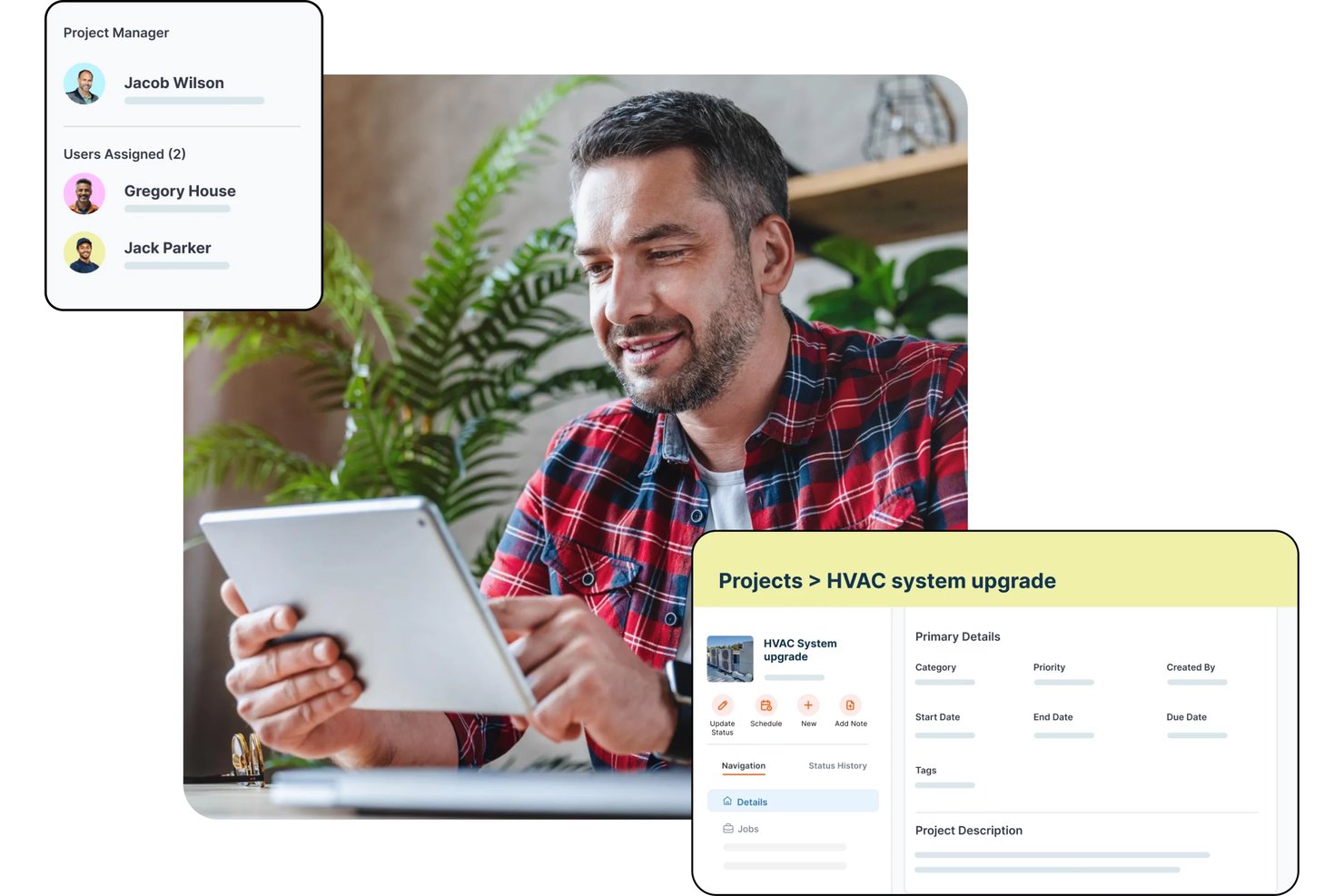
Zuper è una piattaforma di gestione dei servizi sul campo per le aziende HVAC che include assegnazione degli interventi basata sull'IA, pianificazione delle squadre, monitoraggio GPS, gestione degli ordini di lavoro, calcolo dei costi dei lavori, stime e manutenzione preventiva.
Per chi è più adatto Zuper?
Zuper è una soluzione particolarmente adatta ai responsabili e agli addetti alla pianificazione dei servizi sul campo HVAC che hanno bisogno di visibilità in tempo reale sulle squadre e di assegnare i lavori in base alle competenze tra più tecnici o territori.
Perché ho scelto Zuper
Ho scelto Zuper come una delle soluzioni migliori perché la sua bacheca di pianificazione e il monitoraggio GPS delle squadre in tempo reale sono stati progettati specificamente per le operazioni HVAC, anziché essere aggiunti in un secondo momento. Mi piace il fatto che sia possibile visualizzare in un'unica schermata le posizioni dei tecnici in tempo reale, la disponibilità per i lavori e la riprogrammazione tramite trascinamento, così assegnare la chiamata di emergenza al tecnico qualificato più vicino richiede pochi secondi. L'assegnazione basata sulle competenze e sulla vicinanza fa sì che la persona giusta venga inviata al lavoro giusto, mentre i clienti ricevono aggiornamenti automatici sull'orario di arrivo previsto senza che nessuno debba effettuare una chiamata manuale.
Funzionalità principali di Zuper
- Calcolo dei costi dei lavori: Monitora manodopera, componenti e spese rispetto ai budget stimati, con una suddivisione della redditività aggiornata in tempo reale man mano che cambiano i registri delle ore e le voci.
- Fatturazione progressiva: Genera bozze di fatture basate su traguardi o programmate, collegate a un importo fisso del progetto o ai totali di tempi e materiali.
- Moduli di ispezione delle risorse: Configura moduli personalizzati con campi per contenuti multimediali, scansione di codici a barre, firme e tabelle di dati, che i tecnici compilano prima di contrassegnare un lavoro come completato.
- Pianificazione della manutenzione preventiva: Imposta record di manutenzione ricorrente per generare automaticamente lavori ogni giorno, settimana, mese o secondo un intervallo personalizzato prima di ogni data di intervento.
Integrazioni di Zuper
Zuper offre oltre 60 integrazioni, tra cui ABC Supply, QuickBooks, Salesforce, HubSpot, Xero, Zoho Books, Stripe e Microsoft Teams. API REST, webhook e un server MCP supportano le integrazioni personalizzate.
Pros and Cons
Pros:
- La pianificazione GPS aiuta a coordinare le squadre sul campo
- Gli ordini di lavoro mobili tengono informati i team dell'ufficio
- La pianificazione tramite trascinamento organizza le assegnazioni dei tecnici
Cons:
- Gli strumenti di stima possono risultare limitati
- Gli aggiornamenti mobili possono sincronizzarsi lentamente

Ideale per la determinazione dei costi dei lavori degli appaltatori in un'unica soluzione
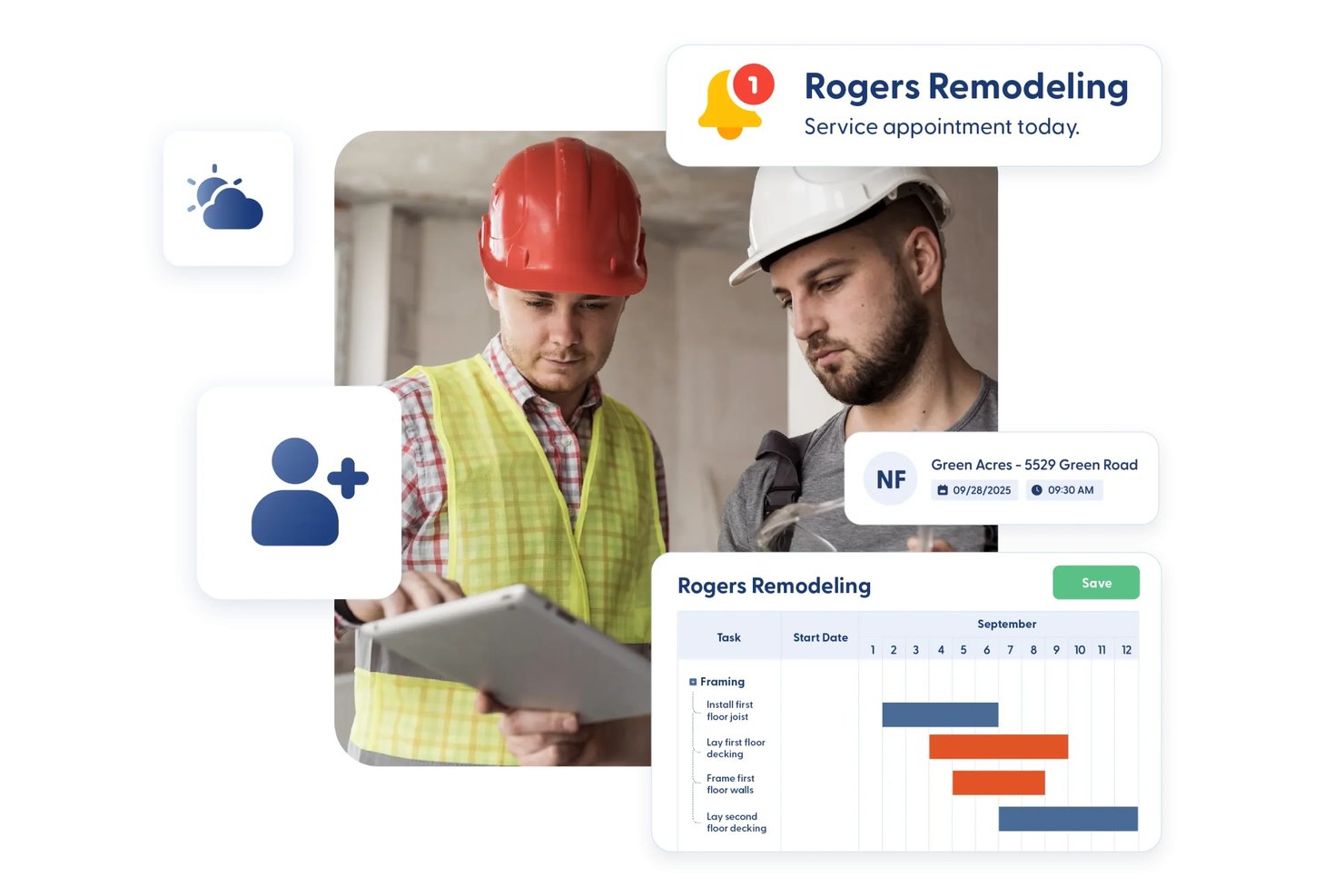
Contractor Foreman è una piattaforma di gestione edilizia tutto-in-uno per appaltatori che copre la stima dei costi, la determinazione dei costi dei lavori, la pianificazione, gli ordini di lavoro, i ticket di assistenza, i subappalti e la documentazione sul campo.
Per chi è più indicato Contractor Foreman?
Contractor Foreman è particolarmente adatto alle imprese appaltatrici specializzate di piccole e medie dimensioni che necessitano di gestione dei progetti, stima dei costi e determinazione dei costi dei lavori in un'unica piattaforma conveniente.
Perché ho scelto Contractor Foreman
Ho incluso Contractor Foreman tra le mie scelte principali perché riunisce la determinazione dei costi dei lavori, la stima dei costi e gli aspetti finanziari dei progetti in un'unica piattaforma, a un prezzo davvero sensato per le attività HVAC più piccole. Mi piace il modo in cui i report sui costi dei lavori tengono traccia dei costi stimati, impegnati ed effettivi affiancati, così puoi vedere esattamente dove la manodopera o i materiali stanno generando scostamenti in un'installazione attiva. Anche la pianificazione delle squadre e la mappa per l'assegnazione dei ticket di assistenza consentono di assegnare i tecnici e organizzare visivamente le chiamate vicine, una funzione che trovo davvero utile per il coordinamento quotidiano sul campo.
Funzionalità principali di Contractor Foreman
- Mappa per l'assegnazione dei ticket di assistenza: Una mappa visiva mostra geograficamente i ticket di assistenza aperti, così puoi organizzare le chiamate vicine e assegnare i tecnici senza cambiare strumento.
- Firma mobile degli ordini di modifica: Clienti e proprietari possono firmare gli ordini di modifica direttamente nell'app iOS o Android, con la firma inclusa nel PDF generato.
- Monitoraggio di permessi e ispezioni: I permessi registrano date, costi, stato e documentazione, mentre i record delle ispezioni collegati mostrano chi ha completato ciascuna ispezione e quando.
- Modulo per i subappalti: I record dedicati ai subappalti raccolgono separatamente da quelli degli ordini di lavoro l'ambito, i termini, le ritenute, la fatturazione e i pagamenti.
Integrazioni di Contractor Foreman
Contractor Foreman elenca oltre 50 integrazioni, tra cui connessioni native con QuickBooks Online, QuickBooks Desktop, Google Calendar, Outlook Calendar, Gusto, CompanyCam e Stripe. Xero è indicato per la metà del 2026 e il supporto per Zapier è anch'esso disponibile.
Pros and Cons
Pros:
- Visibilità sui costi stimati, impegnati ed effettivi
- Foto e registri sul campo riducono la documentazione cartacea
- La mappa di assegnazione raggruppa le chiamate di assistenza vicine
Cons:
- L'app mobile rallenta sui progetti di grandi dimensioni
- I report sui costi necessitano di maggiori dettagli

Ideale per piccoli operatori HVAC che gestiscono le attività sul campo
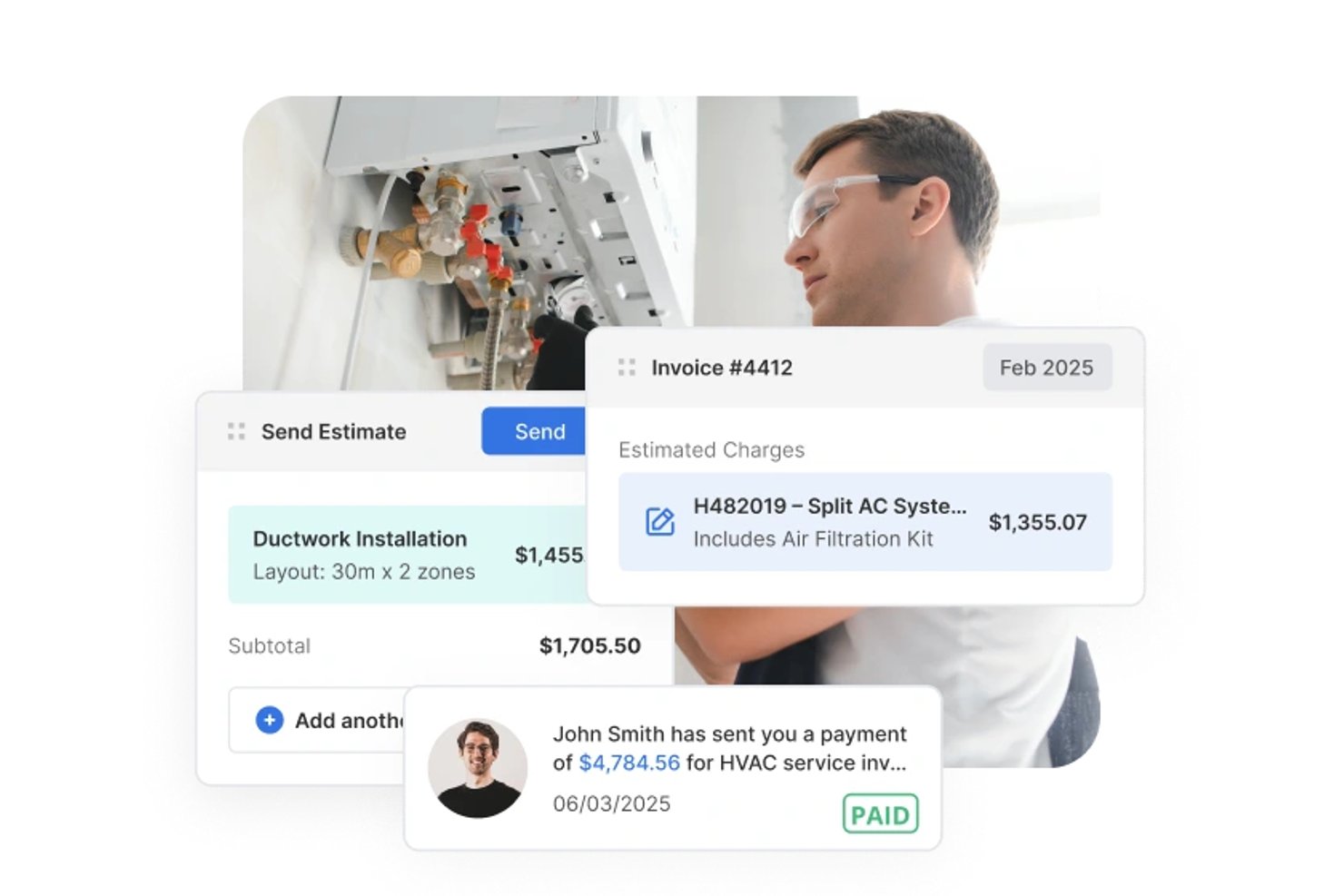
Service Fusion è una piattaforma per la gestione dei servizi sul campo pensata per i professionisti HVAC e altri appaltatori specializzati, che include programmazione, assegnazione degli interventi, preventivi, gestione degli ordini di lavoro, fatturazione e accesso mobile per il personale sul campo.
Per chi è più adatto Service Fusion?
Service Fusion è adatto ai piccoli appaltatori HVAC che devono gestire programmazione, assegnazione degli interventi e operazioni sul campo senza pagare per ogni utente.
Perché ho scelto Service Fusion
Ho scelto Service Fusion come una delle soluzioni migliori perché gestisce l'intero ciclo di assegnazione degli interventi che i piccoli operatori HVAC affrontano ogni giorno: la griglia di assegnazione consente di assegnare gli interventi ai tecnici, trascinarli e rilasciarli man mano che arrivano le chiamate e inviare i dettagli dell'intervento direttamente all'app mobile. Mi piace anche il fatto che i tecnici possano acquisire note, foto e firme sul campo ed elaborare il pagamento sul posto, mantenendo chiuso il ciclo con l'ufficio senza ulteriori scambi. Le regole di stato possono richiedere una foto o una firma prima che un intervento venga contrassegnato come completato, aggiungendo un'effettiva responsabilizzazione senza una lista di controllo manuale.
Funzionalità principali di Service Fusion
- Opzioni per i preventivi: Crea e invia un singolo preventivo con fino a cinque alternative denominate che i clienti possono esaminare, accettare e firmare online.
- Monitoraggio degli ordini di acquisto: Crea ordini di acquisto direttamente da un intervento, inviali via e-mail ai fornitori e monitora lo stato della ricezione e della chiusura all'interno dello stesso record dell'intervento.
- Contratti di assistenza clienti: Configura record dei contratti con date di validità e prezzi riservati ai membri che vengono applicati automaticamente a prodotti e servizi negli interventi e nelle fatture.
- Accesso mobile offline: L'app mobile passa automaticamente alla modalità offline, consentendo ai tecnici di visualizzare i dettagli degli interventi e aggiungere note, foto e liste di controllo senza connessione.
Integrazioni di Service Fusion
Service Fusion offre integrazioni native con QuickBooks Online e QuickBooks Desktop, oltre a connessioni con partner tra cui Gusto, Coast e PaySimple. Fornisce inoltre un'API per integrazioni personalizzate, sebbene il numero totale delle integrazioni non sia documentato.
Pros and Cons
Pros:
- La scheda di assegnazione mantiene allineati tecnici e interventi
- Le alternative nei preventivi aiutano i clienti a confrontare gli interventi HVAC
- Gli ordini di lavoro e la fatturazione restano insieme
Cons:
- L'app mobile può rallentare sul campo
- L'inserimento manuale dei costi indebolisce il monitoraggio del budget


Fieldpoint è una piattaforma di gestione dell'assistenza sul campo progettata per gli appaltatori commerciali, con strumenti per la gestione degli ordini di lavoro, il calcolo dei costi delle commesse, la pianificazione e l'assegnazione degli interventi, i contratti di manutenzione preventiva, l'accesso mobile sul campo e la preventivazione.
A chi è più adatto Fieldpoint?
Fieldpoint è particolarmente adatto agli appaltatori HVAC commerciali che devono gestire sia le installazioni di progetto sia gli interventi di assistenza continuativi all'interno di un'unica piattaforma.
Perché ho scelto Fieldpoint
Ho scelto Fieldpoint come una delle soluzioni migliori perché eccelle davvero nell'automazione dell'assistenza sul campo: gli addetti all'assegnazione degli interventi possono gestire un carico di lavoro eterogeneo, composto da installazioni HVAC, interventi di manutenzione preventiva e lavori di riparazione, tramite un'unica bacheca di pianificazione con funzionalità di trascinamento, visualizzando in tempo reale la posizione GPS dei tecnici insieme alle loro competenze e certificazioni. Apprezzo anche il fatto che i contratti di manutenzione preventiva attivino automaticamente ordini di lavoro, ispezioni e promemoria per i rinnovi, senza necessità di follow-up manuali. Questo tipo di automazione senza interventi manuali evita che gli impegni di assistenza ricorrenti vengano trascurati nella gestione di clienti commerciali con un'attività intensa.
Funzionalità principali di Fieldpoint
- Conversione da preventivo a commessa: I preventivi approvati e i piani di spesa vengono convertiti direttamente in ordini di lavoro, contratti o progetti, trasferendo attività, componenti e voci contrattuali.
- Gestione dei subappaltatori: Assegna e distribuisci gli interventi ai subappaltatori in base alla vicinanza e al punteggio di soddisfazione, gestendo preventivi dei fornitori, accordi sui prezzi e fatturazione in un unico luogo.
- Monitoraggio delle apparecchiature e dei numeri di serie: Le schede delle apparecchiature memorizzano marca, modello, numero di serie, dati sulla garanzia e produttore, con lo storico completo accessibile ai tecnici sul campo.
- Calcolo dei costi delle commesse con previsione dei profitti: Monitora in tempo reale manodopera, componenti e costi rispetto alle stime e aggiungi componenti e ore previste agli ordini di lavoro futuri per prevedere i profitti.
Integrazioni di Fieldpoint
Fieldpoint offre integrazioni native con Microsoft Dynamics, Microsoft Dynamics 365, Microsoft Dynamics GP, Microsoft Business Central, CMiC, NetSuite, QuickBooks, WorkMarket e ServiceChannel. La sua API aperta e il servizio di trasferimento dati di Fieldpoint supportano le integrazioni personalizzate.
Pros and Cons
Pros:
- Pianifica le squadre di progetto insieme agli interventi di assistenza
- Monitora manodopera e materiali rispetto alle stime
- Automatizza gli ordini di lavoro per la manutenzione preventiva
Cons:
- Le implementazioni possono richiedere un notevole impegno del personale
- I trasferimenti di dati mobili possono risultare instabili con una connettività debole

Paras LVI-palvelusopimusten hallintaan

Jobber
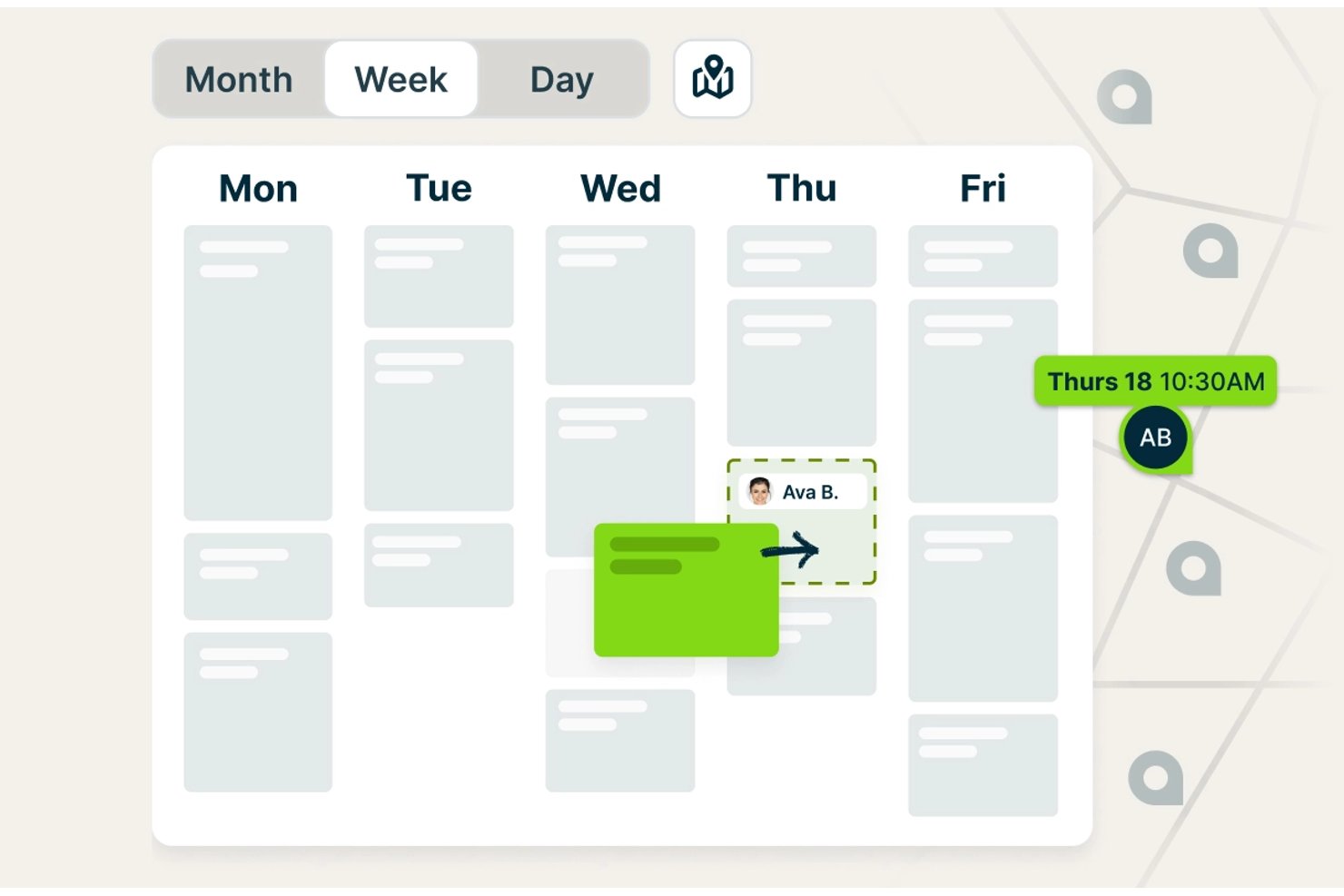
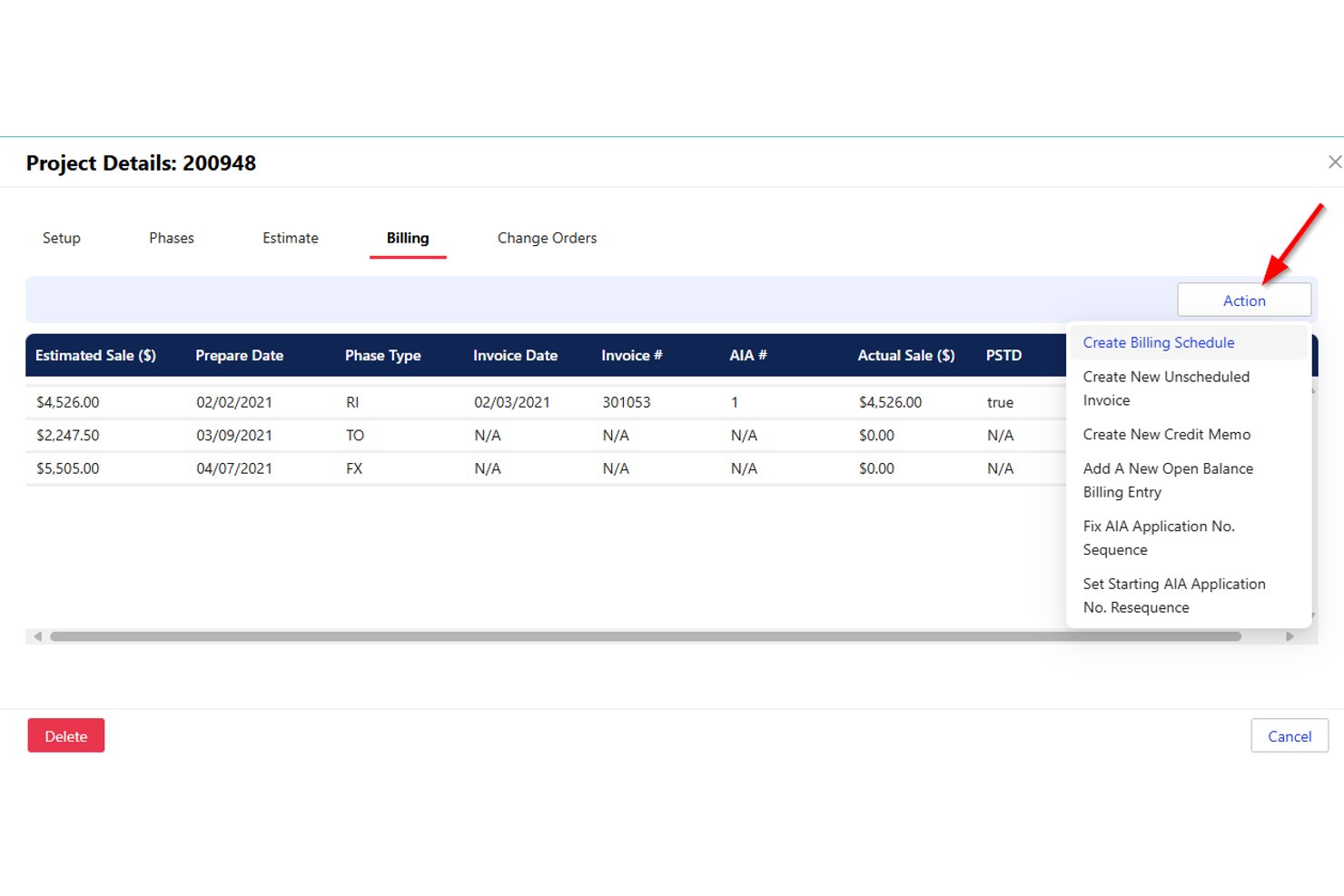
Jobber è una piattaforma di gestione dei servizi sul campo pensata per le aziende artigiane, che combina pianificazione, assegnazione degli interventi, preventivi, calcolo dei costi dei lavori, fatturazione e comunicazione con i clienti in un unico sistema.
Per chi è più adatto Jobber?
Jobber è ideale per piccoli appaltatori HVAC e responsabili dei servizi sul campo che devono gestire pianificazione, assegnazione degli interventi, preventivi e fatturazione in un unico posto, senza una curva di apprendimento ripida.
Perché ho scelto Jobber
Jobber si è guadagnato un posto nella mia lista ristretta per la sua capacità di gestire efficacemente l'intero ciclo di pianificazione delle squadre HVAC, dall'assegnazione dei tecnici all'individuazione dei conflitti relativi ai tempi di spostamento prima dell'inizio della giornata. Apprezzo in particolare lo strumento 'Trova un orario', che controlla contemporaneamente il carico di lavoro già assegnato a ciascun tecnico, l'orario di lavoro e i tempi di spostamento, evitando di dover confrontare manualmente i calendari per prevenire doppie prenotazioni. Con il piano Plus, la pianificazione delle squadre consente di raggruppare i tecnici e assegnare un'intera squadra a un lavoro in un'unica operazione.
Funzionalità principali di Jobber
- Calcolo dei costi dei lavori: Tiene traccia della manodopera, dei materiali e delle spese per ogni lavoro e mostra ricavi, costi, profitti e margini in un'unica schermata.
- Sincronizzazione con QuickBooks Online: Sincronizza i dati di clienti, fatture e pagamenti tra Jobber e QuickBooks per mantenere allineate le registrazioni contabili.
- Prenotazioni online: Consente ai clienti di richiedere e prenotare appuntamenti in base ai servizi configurati e alla disponibilità del team.
- Fatturazione per avanzamento: Consente di fatturare ai clienti in base alle tappe del progetto, invece di richiedere un'unica fattura al completamento del lavoro.
Integrazioni di Jobber
Il mercato delle integrazioni di Jobber collega oltre 100 strumenti, tra cui QuickBooks Online, Xero, The Home Depot, Gusto e Zapier. La sua API GraphQL supporta integrazioni personalizzate con query, mutazioni e webhook.
Pros and Cons
Pros:
- La pianificazione mantiene coordinate le squadre HVAC e il personale d'ufficio
- I preventivi approvati vengono convertiti in lavori senza dover reinserire i dati
- L'app mobile consente ai tecnici di accedere ai dettagli dei lavori
Cons:
- Le note e le foto sul campo possono non sincronizzarsi
- Il calcolo dei costi dei lavori può conteggiare due volte spese e voci

Ideale per le aziende di servizi

ServiceTitan è un software di gestione dei servizi sul campo progettato per le aziende del settore dei servizi domestici, come imprese di climatizzazione, idraulica ed elettricità. Aiuta a gestire efficacemente la pianificazione, l'invio degli operatori e le comunicazioni con i clienti.
Perché ho scelto ServiceTitan: Si distingue nel supportare le aziende di servizi grazie alle sue funzionalità complete di pianificazione e invio degli operatori. Puoi gestire gli appuntamenti e garantire che i tecnici vengano inviati in modo efficiente. Gli strumenti di comunicazione con i clienti ti permettono di mantenere solide relazioni con i clienti, aumentando la soddisfazione e la fidelizzazione. Le sue capacità di reporting offrono approfondimenti sulle tue attività, permettendoti di prendere decisioni informate.
Funzionalità principali e integrazioni:
Funzionalità includono un'app mobile che consente ai tecnici di accedere ai dettagli dei lavori in mobilità. La funzione di prenotazione telefonica aiuta a gestire al meglio le richieste in arrivo dei clienti. Puoi anche utilizzare gli strumenti di automazione del marketing per creare campagne mirate e monitorare il loro successo.
Integrazioni includono QuickBooks, Intacct, Sage Intacct, Zapier, Google Calendar, Mailchimp, Salesforce, Stripe, Twilio e ADP.
Pros and Cons
Pros:
- Sistema di invio efficiente
- Ottima comunicazione con i clienti
- Strumenti di pianificazione dettagliati
Cons:
- Funzionalità offline limitate
- Potrebbe richiedere personalizzazioni per esigenze specifiche

Ideale per piccole aziende di servizi HVAC
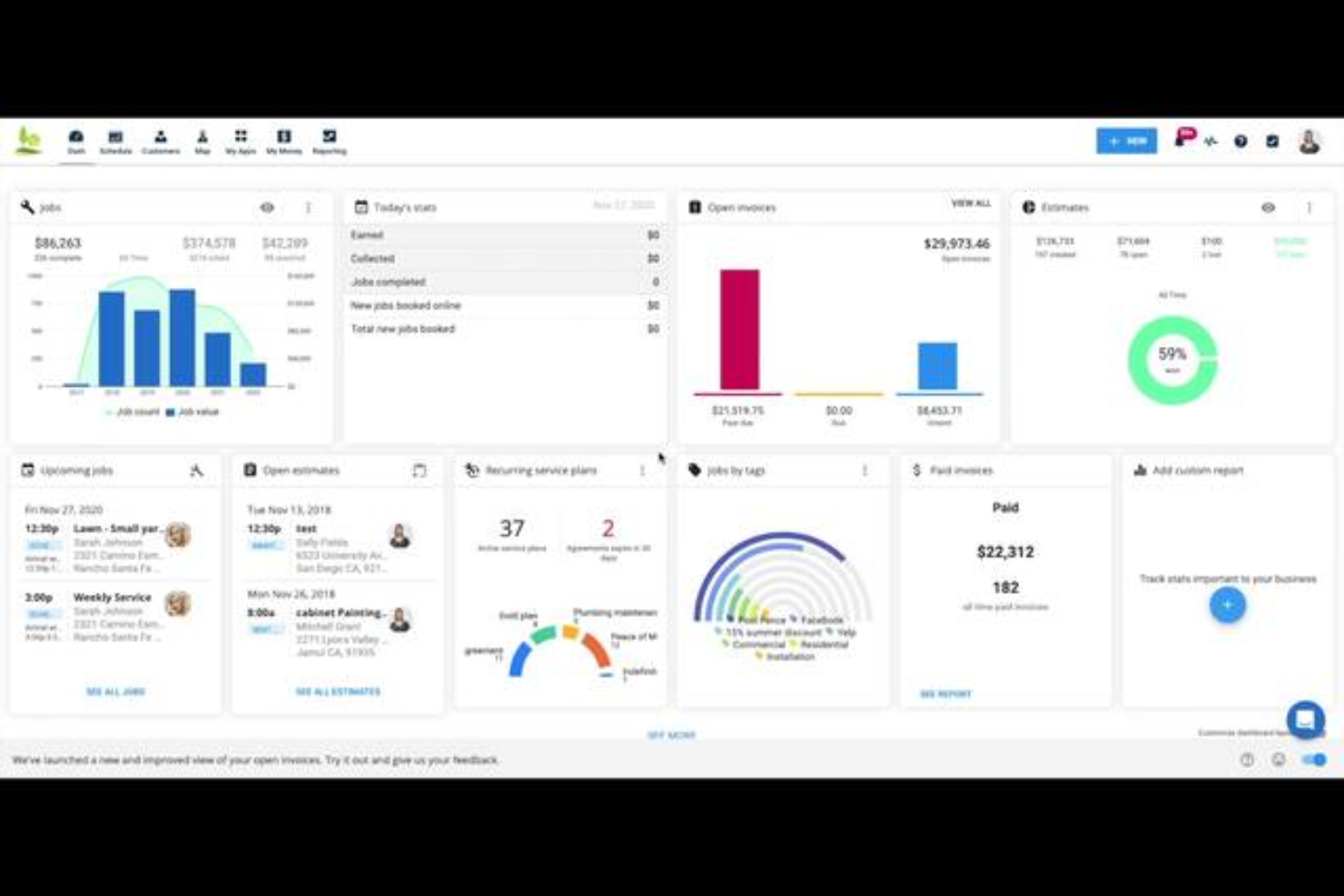
Housecall Pro è una piattaforma di gestione dei servizi sul campo per le aziende di servizi domestici, inclusi gli installatori HVAC, che copre la pianificazione, l'assegnazione degli interventi, la gestione degli ordini di lavoro, il calcolo dei costi dei lavori, i preventivi e gli accordi di manutenzione ricorrente.
Per chi è più adatto Housecall Pro?
Housecall Pro è una soluzione ideale per le piccole aziende HVAC che hanno bisogno di gestire pianificazione, assegnazione degli interventi e fatturazione in un unico posto, senza una curva di apprendimento ripida.
Perché ho scelto Housecall Pro
Ho incluso Housecall Pro tra le mie scelte migliori perché offre alle piccole aziende HVAC un unico spazio per gestire le attività quotidiane senza una configurazione complessa. Apprezzo in particolare il funzionamento della pianificazione: è possibile trascinare i lavori non assegnati nel calendario, visualizzare a colpo d'occhio la disponibilità dell'intero team e assegnare gli interventi dalla stessa schermata. Il calcolo dei costi dei lavori tiene quindi traccia della manodopera utilizzando le tariffe complete dei dipendenti rispetto al tempo effettivamente registrato, così sai sempre a che punto è il margine di un lavoro.
Funzionalità principali di Housecall Pro
- Profilo della proprietà: Registra i dettagli delle apparecchiature del cliente, inclusi marca, modello, numero di serie e data di installazione, e li collega direttamente ai lavori.
- Ordini di acquisto: Crea e monitora gli ordini dei materiali attraverso stati come Bozza, Emesso, Confermato e Ricevuto, con associazione al fornitore e note.
- Piani di servizio ricorrenti: Pianifica le visite di manutenzione e automatizza la fatturazione ricorrente, con addebiti automatici sulla carta memorizzata in base alla frequenza del piano.
- Monitoraggio GPS dei dipendenti: Monitora la posizione dei tecnici durante l'orario lavorativo e visualizza percorsi e tempi di percorrenza stimati su una mappa.
Integrazioni di Housecall Pro
Housecall Pro offre integrazioni documentate con QuickBooks Online e Reece, oltre a integrazioni tramite marketplace con CompanyCam, MeasureQuick, Profit Rhino e Zapier. La sua API pubblica è disponibile nel piano Max per le integrazioni personalizzate.
Pros and Cons
Pros:
- L'assegnazione tramite trascinamento mostra la disponibilità della squadra
- Il calcolo dei costi dei lavori tiene traccia dei margini di manodopera e materiali
- I recensori apprezzano i flussi di lavoro che vanno dai preventivi ai pagamenti
Cons:
- I progetti di ristrutturazione di lunga durata superano i flussi di lavoro dei lavori di assistenza
- Gli ordini di modifica non dispongono di un monitoraggio dei costi collegato

Ideale per l'assegnazione e la pianificazione degli interventi dei servizi HVAC

FieldEdge è una piattaforma di gestione degli interventi sul campo progettata per gli appaltatori HVAC, che copre l'assegnazione degli interventi, la pianificazione, la gestione degli ordini di lavoro, i preventivi, la fatturazione e le schede dei clienti.
A chi è più adatto FieldEdge?
FieldEdge è adatto agli appaltatori di servizi HVAC con più veicoli e tecnici che hanno bisogno di gestire assegnazione degli interventi, pianificazione e ordini di lavoro sul campo in un unico posto.
Perché ho scelto FieldEdge
FieldEdge si è guadagnato un posto nella mia lista perché la sua bacheca di assegnazione degli interventi è davvero progettata per le operazioni di assistenza: posso trascinare un ordine di lavoro non assegnato sulla fascia oraria di un tecnico in pochi secondi, mentre i filtri per competenze, posizione e disponibilità svolgono gran parte del lavoro. Mi piace anche il fatto che i tecnici possano aggiornare gli ordini di lavoro, allegare foto degli interventi e riscuotere i pagamenti sul posto tramite l'app mobile, mantenendo sincronizzati ufficio e team sul campo senza bisogno di uno strumento separato. Il monitoraggio dello stato in tempo reale (in sospeso, in viaggio, in lavorazione, completato) offre ai responsabili dell'assegnazione una panoramica aggiornata di ogni veicolo in qualsiasi giorno.
Funzionalità principali di FieldEdge
- Listino prezzi e tariffazione a forfait: Consente di creare preventivi utilizzando un database di prezzi gestito con tariffe standardizzate, per garantire prezzi coerenti per gli interventi tra i vari tecnici.
- Contratti di assistenza: Supporta contratti di assistenza ricorrenti di base e avanzati, con avvisi e promemoria automatici per aiutare a gestire i contratti di manutenzione.
- Sincronizzazione con QuickBooks: Sincronizza schede dei clienti, fatture, pagamenti, richieste di parti di ricambio, spese e registrazioni delle ore tra FieldEdge e QuickBooks Online o Desktop.
- Preventivi con più opzioni: Consente ai tecnici o al personale d'ufficio di presentare ai clienti diverse opzioni di preventivo dal luogo dell'intervento o dall'ufficio prima di programmare un intervento.
Integrazioni di FieldEdge
FieldEdge offre integrazioni native con QuickBooks Online, QuickBooks Desktop, Xplor Pay e FieldEdge Flat Rate, oltre a integrazioni dal marketplace tra cui FleetSharp. Fornisce inoltre un'API per integrazioni personalizzate.
Pros and Cons
Pros:
- La bacheca di assegnazione organizza gli interventi giornalieri
- Gli ordini di lavoro collegano la cronologia dei clienti e degli interventi
- Supporto per preventivi e fatturazione sul campo per completare gli interventi
Cons:
- La reportistica offre una visibilità limitata sui costi dei progetti
- La sincronizzazione mobile può rallentare in caso di ricezione scarsa

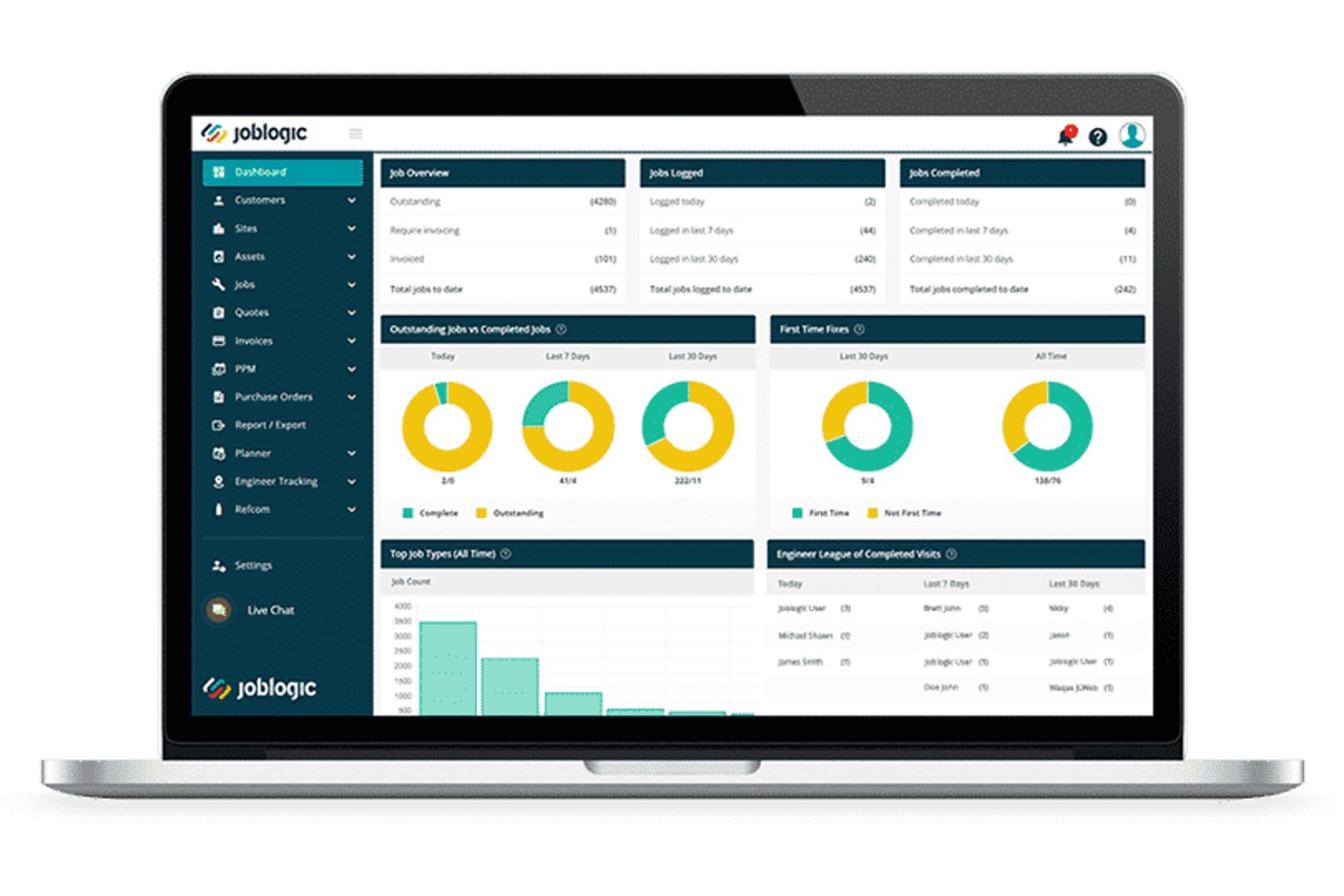
Joblogic è una piattaforma di gestione dei servizi sul campo basata sul cloud, progettata per gli appaltatori HVAC e meccanici, che comprende la pianificazione degli interventi, la preventivazione, i contratti PPM, la conformità F-Gas, la gestione dei costi degli interventi e i flussi di lavoro mobili sul campo.
Per chi è più adatto Joblogic?
Joblogic è adatto agli appaltatori di servizi HVAC e meccanici in crescita che devono gestire la conformità F-Gas, i contratti PPM e la pianificazione di più tecnici da un'unica piattaforma.
Perché ho scelto Joblogic
Joblogic si è guadagnato un posto nella mia selezione perché integra in modo estremamente efficace la conformità F-Gas, i contratti PPM e la gestione dei costi dei progetti in un unico ambiente. Apprezzo molto il fatto che il pacchetto HVAC per il settore consenta ai tecnici di accedere a 26 moduli specifici per il settore, inclusi i moduli per la manutenzione della refrigerazione e i registri della sicurezza del gas, direttamente dall'app mobile sul posto. Per quanto riguarda i progetti, posso monitorare i costi stimati rispetto a quelli impegnati, assegnare i subappaltatori come risorse nominate e gestire le modifiche all'ambito tramite variazioni formali dei preventivi senza perdere il preventivo di progetto originale.
Funzionalità principali di Joblogic
- Pianificatore dinamico: Suggerisce automaticamente i percorsi e le assegnazioni dei tecnici in base a posizione, competenze, disponibilità e priorità dell'intervento.
- Pianificazione PPM degli impianti: Imposta gli interventi di assistenza in base alla frequenza o alle letture dei contatori, con opzioni di fatturazione per singolo impianto o contratto.
- Monitoraggio mobile dei tecnici: Mostra le posizioni GPS in tempo reale e gli spostamenti storici di tutti i tecnici direttamente nel pianificatore del back office.
- Portale dei subappaltatori: Assegna gli interventi ai subappaltatori e ne monitora l'avanzamento da un sistema centralizzato.
Integrazioni di Joblogic
Joblogic offre oltre 70 app, moduli e integrazioni disponibili sul marketplace, inclusi collegamenti nativi a Xero, QuickBooks, Sage, AccountsIQ, FreeAgent, KashFlow, Stripe e PartsArena. Supporta inoltre Microsoft 365, Zapier e l'accesso API per integrazioni personalizzate.
Pros and Cons
Pros:
- I moduli di conformità HVAC coprono la refrigerazione e la conformità F-Gas
- Gli strumenti PPM gestiscono contratti di manutenzione ad alto volume
- Le viste di assegnazione aiutano ad assegnare rapidamente i tecnici
Cons:
- Il caricamento delle foto da dispositivi mobili può subire rallentamenti o non riuscire
- I report personalizzati possono richiedere esportazioni e soluzioni alternative
Altri software per la gestione dei progetti HVAC
Ecco alcune ulteriori opzioni di software per la gestione dei progetti HVAC che non sono state incluse nella mia selezione, ma che vale comunque la pena prendere in considerazione:
- AnyDB
Ideale per i record sul campo HVAC configurabili
- Kickserv
Ideale per il flusso di lavoro dal preventivo all'intervento nelle chiamate di assistenza
- ServiceTrade
Ideale per il monitoraggio delle modifiche agli ordini HVAC commerciali
- Simpro
Ideale per la determinazione dei costi dei lavori HVAC dall'inizio alla fine
- Knowify
Ideale per il lavoro su progetti e servizi in un'unica soluzione
- FieldPulse
Ideale per team HVAC in crescita che gestiscono le operazioni sul campo
- BuildOps
Ideale per lavori meccanici commerciali end-to-end
- Buildertrend
Ideale per il monitoraggio dei costi dei progetti di costruzione
- Commusoft
Ideale per la gestione dei contratti di assistenza HVAC


Come valuto i software per la gestione dei progetti HVAC
Divido la mia valutazione in requisiti di base, come la pianificazione degli interventi e l'accesso mobile dal cantiere all'ufficio, e fattori distintivi che separano gli strumenti migliori dal resto.
Funzionalità essenziali (requisiti fondamentali per questo elenco)
Quando seleziono gli strumenti da inserire nel mio elenco, valuto ciascuno su una scala da 0 (non offre la funzionalità) a 5 (eccelle in quest'area) per ogni funzionalità essenziale riportata di seguito. Quindi, calcolo il punteggio totale dello strumento e lo converto in percentuale. Ogni strumento deve raggiungere un punteggio totale minimo del 65% per essere preso in considerazione.
- Pianificazione e assegnazione degli interventi HVAC: cerco una pianificazione con funzionalità di trascinamento che consenta di assegnare le squadre a più cantieri e di visualizzare a colpo d'occhio la disponibilità dei tecnici.
- Strumenti per stime e offerte: ogni strumento dovrebbe supportare la creazione di stime specifiche per l'HVAC con voci per apparecchiature, condotti e unità di manodopera, non solo modelli generici di preventivo.
- Contabilità dei costi dei lavori e monitoraggio del budget: in questo caso è importante monitorare i costi in tempo reale rispetto all'offerta originale, soprattutto poter confrontare i costi effettivi della manodopera e dei materiali con le stime durante il progetto.
- Accesso mobile dal cantiere all'ufficio: valuto se i tecnici sul campo possano consultare i dettagli del lavoro, registrare il tempo, acquisire foto e inviare aggiornamenti dal cantiere tramite un'app mobile dedicata.
- Gestione degli ordini di lavoro e dell'assistenza: la piattaforma dovrebbe gestire l'intero ciclo di vita dell'ordine di lavoro, dalla creazione all'assegnazione fino al monitoraggio dello stato, per installazioni, interventi di manutenzione e assistenza in garanzia.
- Gestione dei documenti di progetto: verifico la presenza di uno spazio di archiviazione centralizzato per permessi, specifiche delle apparecchiature, garanzie e dati dei clienti, collegati direttamente a specifici lavori HVAC o indirizzi di assistenza.
Una volta ottenuto un elenco di strumenti che soddisfano questi criteri, considero ciò che distingue ogni piattaforma.
Fattori distintivi (ciò che differenzia i fornitori)
Ecco come confronto i diversi fornitori:
Funzionalità distintive
I contratti di manutenzione preventiva sono un importante fattore distintivo: cerco strumenti che automatizzino la pianificazione e la fatturazione ricorrenti della manutenzione preventiva, poiché questi accordi generano entrate costanti per le aziende HVAC. Anche il monitoraggio delle apparecchiature e degli asset è importante, soprattutto quando i tecnici devono consultare sul posto il numero di serie di un'unità, la data di installazione e la cronologia completa degli interventi. Valuto inoltre come ogni piattaforma gestisce i flussi di lavoro dei subappaltatori, dall'assegnazione dei subappaltatori per la lattoneria o i sistemi di controllo al monitoraggio dei relativi costi rispetto al budget del progetto.
Oltre le funzionalità
Le integrazioni contabili sono tra le prime cose che verifico. I professionisti HVAC utilizzano quotidianamente QuickBooks o Sage, quindi la sincronizzazione bidirezionale di fatture e costi dei lavori consente di risparmiare ore di inserimento dati duplicato ogni settimana. La scalabilità è altrettanto importante: un'azienda residenziale con tre camion e un'impresa meccanica commerciale con 50 squadre hanno bisogno di configurazioni molto diverse. Valuto se i livelli di prezzo e il supporto per più sedi possano crescere insieme all'azienda. Si distinguono anche gli strumenti per la conformità, in particolare il monitoraggio dei refrigeranti secondo le normative EPA, la gestione delle certificazioni dei tecnici e le liste di controllo di sicurezza OSHA integrate, che consentono alle squadre sul campo di essere sempre pronte per gli audit.
Come scegliere un software per la gestione dei progetti HVAC
È facile perdersi in lunghi elenchi di funzionalità e strutture di prezzo complesse. Per aiutarti a rimanere concentrato mentre affronti il tuo processo di selezione del software, unico per le tue esigenze, ecco un elenco di fattori da tenere a mente:
| Fattore | Cosa considerare |
| Scalabilità | Il software crescerà insieme alla tua attività? Considera se supporta un numero crescente di utenti e progetti senza rallentamenti o la necessità di costosi aggiornamenti. |
| Integrazioni | Si collega agli strumenti che già utilizzi? Cerca un software che si integri con il tuo CRM, i sistemi contabili e i dispositivi IoT, per ottimizzare i flussi di lavoro e la condivisione dei dati. |
| Possibilità di personalizzazione | Puoi adattare il software ai tuoi processi? Assicurati di poter personalizzare dashboard, report e flussi di lavoro in base alle esigenze specifiche del tuo team. |
| Facilità d'uso | L'interfaccia è intuitiva per tutti gli utenti? Un sistema complesso può rallentarne l'adozione. Prova la demo per assicurarti che sia facile da usare sia per il personale esperto di tecnologia sia per quello meno esperto. |
| Implementazione e onboarding | Quanto è fluida la transizione al nuovo software? Valuta i materiali di formazione, il supporto durante la configurazione e il tempo necessario per implementare completamente il sistema. |
| Costo | Ci sono costi nascosti o prezzi a livelli? Esamina la struttura dei prezzi per individuare eventuali costi aggiuntivi per funzionalità, supporto o aggiornamenti, così da evitare spese impreviste. |
| Misure di sicurezza | Protegge i tuoi dati? Verifica la presenza di solide misure di sicurezza, come crittografia, aggiornamenti regolari e conformità alle normative sulla protezione dei dati, per salvaguardare le informazioni sensibili. |
| Disponibilità del supporto | L'aiuto è facilmente accessibile quando serve? Assicurati che il fornitore offra canali di supporto affidabili, tra cui chat dal vivo, telefono ed e-mail, e verifica i relativi tempi di risposta. |
Che cos'è un software per la gestione dei progetti HVAC?
Il software per la gestione dei progetti HVAC è uno strumento progettato per aiutare a gestire e coordinare i progetti HVAC, inclusi la pianificazione, l'allocazione delle risorse e la comunicazione. Questi strumenti sono generalmente utilizzati da appaltatori HVAC, project manager e tecnici per migliorare l'efficienza e la produttività. Le funzionalità di pianificazione, definizione del budget e reportistica aiutano a organizzare le attività, monitorare i costi e analizzare l'avanzamento dei progetti. Nel complesso, questi strumenti forniscono una piattaforma centralizzata per gestire i progetti HVAC in modo più efficace.
Funzionalità del software per la gestione dei progetti HVAC
Quando selezioni un software per la gestione dei progetti HVAC, presta attenzione alle seguenti funzionalità chiave:
- Pianificazione: consente di pianificare e organizzare attività e appuntamenti, garantendo l'esecuzione puntuale dei progetti.
- Allocazione delle risorse: aiuta ad assegnare e gestire le risorse in modo efficace, evitando sovrapposizioni e garantendo l'efficienza.
- Monitoraggio del budget: monitora le spese del progetto e mantiene sotto controllo i dati finanziari per evitare spese eccessive.
- Reportistica: offre informazioni dettagliate attraverso report completi, aiutando ad analizzare le prestazioni del progetto e a prendere decisioni consapevoli.
- Accesso da dispositivi mobili: consente ai tecnici di accedere ai dettagli del progetto e aggiornare gli stati mentre sono in movimento, migliorando la comunicazione sul campo.
- Gestione dei clienti: tiene traccia delle interazioni e dello storico dei clienti, favorendo relazioni solide e la fidelizzazione.
- Gestione dell'inventario: monitora componenti e forniture, garantendo la disponibilità di tutto ciò che serve per ogni progetto.
- Funzionalità di integrazione: si collega agli strumenti esistenti, come i sistemi CRM e di contabilità, per ottimizzare i flussi di lavoro.
- Gestione delle attività: organizza attività e responsabilità, facilitando il monitoraggio dei progressi e il rispetto delle scadenze.
- Misure di sicurezza: protegge i dati sensibili con la crittografia e la conformità alle normative sulla protezione dei dati.
Vantaggi del software per la gestione dei progetti HVAC
L'implementazione di un software per la gestione dei progetti HVAC offre diversi vantaggi al tuo team e alla tua azienda. Ecco alcuni dei benefici che puoi aspettarti:
- Maggiore efficienza: automatizza la pianificazione e la gestione delle attività, aiutando il tuo team a completare i progetti più rapidamente e con meno sforzo.
- Controllo dei costi: monitora budget e spese, offrendo una visione chiara dei dati finanziari per evitare spese eccessive.
- Comunicazione migliorata: facilita gli aggiornamenti in tempo reale e l'accesso da dispositivi mobili, mantenendo tutti aggiornati, sia in ufficio sia sul campo.
- Migliore gestione delle risorse: gestisce l'allocazione delle risorse per garantire l'utilizzo ottimale del personale e dei materiali, riducendo sprechi e ritardi.
- Maggiore soddisfazione dei clienti: mantiene i dati dei clienti organizzati e accessibili, consentendo di offrire un servizio migliore e costruire relazioni più solide.
- Decisioni basate sui dati: fornisce report e analisi dettagliati, consentendo di prendere decisioni consapevoli basate sulle prestazioni effettive del progetto.
- Garanzia di sicurezza: protegge le informazioni sensibili con solide misure di sicurezza, garantendo la conformità agli standard di protezione dei dati.
Costi e prezzi del software per la gestione dei progetti HVAC
La selezione di un software per la gestione dei progetti HVAC richiede la comprensione dei vari modelli e piani tariffari disponibili. I costi variano in base alle funzionalità, alle dimensioni del team, agli elementi aggiuntivi e ad altri fattori. La tabella seguente riassume i piani più comuni, i relativi prezzi medi e le funzionalità tipicamente incluse nelle soluzioni software per la gestione dei progetti HVAC:
Tabella di confronto dei piani per il software di gestione dei progetti HVAC
| Tipo di piano | Prezzo medio | Funzionalità comuni |
| Piano gratuito | $0 | Pianificazione di base, gestione delle attività e reportistica limitata. |
| Piano personale | $5-$25/utente/mese | Pianificazione, gestione delle attività, reportistica e accesso da dispositivi mobili. |
| Piano aziendale | $30-$60/ utente/mese | Pianificazione avanzata, definizione del budget, collaborazione tra team e gestione dei clienti. |
| Piano per grandi aziende | $75-$150/ utente/mese | Integrazioni personalizzate, sicurezza avanzata, assistenza dedicata e analisi complete. |
Domande frequenti sul software di gestione dei progetti HVAC
\u003cspan style=\u0022font-weight: 400;\u0022\u003eEcco alcune risposte alle domande comuni sul software di gestione dei progetti HVAC:\u003c/span\u003e
In che modo il software di gestione dei progetti HVAC può migliorare la comunicazione del team?
\u003cspan style=\u0022font-weight: 400;\u0022\u003eIl software di gestione dei progetti HVAC migliora la comunicazione del team offrendo una piattaforma centralizzata per condividere aggiornamenti, documenti e pianificazioni dei progetti. Il team può accedere alle informazioni in tempo reale, riducendo le incomprensioni e garantendo che tutti siano allineati. Consente inoltre di messaggiare e collaborare facilmente, indipendentemente dalla posizione.\u003c/span\u003e
Cosa bisogna cercare in un software di gestione dei progetti HVAC?
\u003cspan style=\u0022font-weight: 400;\u0022\u003eQuando scegli un software di gestione dei progetti HVAC, considera funzionalità come la pianificazione, il monitoraggio del budget, l’accesso da dispositivi mobili e gli \u003ca href=\u0022https://thedigitalprojectmanager.com/tools/best-hvac-estimating-software/\u0022\u003estrumenti di stima e preventivazione\u003c/a\u003e. Assicurati che si integri con gli strumenti già in uso e che offra un’assistenza clienti affidabile. Valuta la facilità d’uso per il tuo team e verifica che fornisca le necessarie misure di sicurezza per i tuoi dati.\u003c/span\u003e
Il software di gestione dei progetti HVAC può aiutare a garantire la conformità?
\u003cspan style=\u0022font-weight: 400;\u0022\u003eSì, il software di gestione dei progetti HVAC può contribuire a garantire la conformità monitorando i requisiti normativi e le scadenze. Può archiviare documenti e certificazioni essenziali, assicurandosi che siano facilmente accessibili durante gli audit. Questo aiuta a evitare potenziali sanzioni e a mantenere gli standard del settore.\u003c/span\u003e
In che modo il software di gestione dei progetti HVAC contribuisce all'allocazione delle risorse?
\u003cspan style=\u0022font-weight: 400;\u0022\u003eIl software facilita l’allocazione delle risorse fornendo strumenti per assegnare attività e gestire efficacemente i carichi di lavoro. Puoi monitorare la disponibilità delle risorse e le esigenze dei progetti, garantendo un utilizzo ottimale del personale e dei materiali. Questo riduce al minimo i tempi di inattività e previene le sovrapposizioni di assegnazioni, mantenendo i progetti nei tempi previsti.\u003c/span\u003e
Quale ruolo svolge l'accesso da dispositivi mobili nel software di gestione dei progetti HVAC?
\u003cspan style=\u0022font-weight: 400;\u0022\u003eL’accesso da dispositivi mobili consente al team di aggiornare lo stato degli interventi, accedere ai dettagli dei progetti e comunicare con l’ufficio mentre è sul campo. Questa flessibilità migliora le operazioni sul campo, poiché i tecnici possono risolvere rapidamente i problemi e ricevere aggiornamenti senza tornare in ufficio, aumentando l’efficienza complessiva.\u003c/span\u003e
In che modo il software di gestione dei progetti HVAC supporta decisioni basate sui dati?
\u003cspan style=\u0022font-weight: 400;\u0022\u003eIl software supporta le decisioni basate sui dati offrendo strumenti dettagliati di reportistica e analisi. Puoi monitorare le prestazioni dei progetti, tenere sotto controllo gli aspetti finanziari e individuare le tendenze, prendendo decisioni informate. Queste informazioni aiutano a ottimizzare i processi e a migliorare i risultati complessivi dei progetti.\u003c/span\u003e