

Le 10 migliori alternative a Jobber per le aziende di servizi nel 2026

10 Elenco delle migliori alternative a Jobber
- 4. Workiz


Gestire un'azienda di servizi sul campo può comportare una serie di sfide. In qualità di titolari d'azienda, potreste scoprire che Jobber non soddisfa tutte le vostre esigenze, sia perché avete bisogno di funzionalità più avanzate e di una maggiore scalabilità, sia perché dovete rispettare requisiti specifici del settore. È proprio qui che valutare delle alternative può fare la differenza.
Nella mia esperienza, le aziende di servizi hanno bisogno di un software gestionale che semplifichi le operazioni aziendali, migliori la collaborazione del team e aumenti la soddisfazione dei clienti. Sono qui per aiutarvi a trovare la soluzione più adatta alla vostra azienda.
Condividerò le mie migliori alternative a Jobber, concentrandomi sui punti di forza di ciascuno strumento. Questa guida mira a fornirvi informazioni imparziali, semplificando la scelta di una soluzione in linea con i vostri obiettivi specifici.
Che cos'è Jobber?
Jobber è un software per la gestione dei servizi sul campo progettato per aiutare le aziende di servizi di piccole e medie dimensioni a gestire le proprie attività. Viene comunemente utilizzato da professionisti come giardinieri, addetti alle pulizie e appaltatori, offrendo loro strumenti per organizzare i lavori, comunicare con i clienti e gestire la fatturazione in modo efficiente. Le funzionalità di pianificazione, fatturazione e gestione dei clienti aiutano le aziende a rimanere organizzate e a migliorare la soddisfazione dei clienti. Nel complesso, Jobber offre valore semplificando le operazioni quotidiane e supportando l'erogazione dei servizi.
Tabella di confronto delle alternative a Jobber
La tabella seguente confronta i dettagli dei prezzi delle mie migliori alternative a Jobber.
| Tool | Best For | Trial Info | Price | ||
|---|---|---|---|---|---|
| 1 | La soluzione più conveniente per operatori singoli e piccole squadre | Prova gratuita di 7 giorni | A partire da $15/mese (con fatturazione annuale) | Website | |
| 2 | Ideale per la prenotazione e l'assegnazione degli interventi con assistenza dell'IA | Demo gratuita disponibile | Prezzi su richiesta | Website | |
| 3 | Ideale per i contratti di assistenza commerciale e gli SLA | Demo gratuita disponibile | Prezzi su richiesta | Website | |
| 4 | Prova gratuita di 7 giorni disponibile | Prezzi su richiesta | Website | ||
| 5 | Ideale per attività HVAC e idrauliche su larga scala | Demo gratuita disponibile | Prezzi su richiesta | Website | |
| 6 | Ideale per operazioni di assistenza incentrate sugli asset | Demo gratuita disponibile | Prezzo su richiesta | Website | |
| 7 | Ideale per flussi di lavoro del settore collegati a QuickBooks | Demo gratuita disponibile | Prezzi su richiesta | Website | |
| 8 | Ideale per prezzi forfettari indipendenti dal numero di utenti | Dimostrazione gratuita disponibile | A partire da $245/mese | Website | |
| 9 | Ideale per gli appaltatori del settore con prezzi basati sul volume dei lavori | Prova gratuita di 14 giorni + piano gratuito + demo gratuita disponibili | A partire da $29/mese | Website | |
| 10 | La soluzione migliore per le operazioni aziendali sul campo native del CRM | Non disponibile | A partire da $80/utente/mese | Website |
Perché fidarsi dei nostri consigli sui software
Il nostro team testa e recensisce software dal 2012. In quanto project manager noi stessi, sappiamo quanto sia difficile — e importante — scegliere il software giusto.
Per questa guida, abbiamo valutato gli strumenti attraverso test pratici e ricerche indipendenti, assegnando un punteggio agli strumenti in base ai nostri criteri di selezione. Ci basiamo inoltre sulle competenze di leader di pensiero del settore e di professionisti attivi nella gestione dei progetti.
Le nostre recensioni riflettono il nostro giudizio editoriale umano, non un discorso di vendita.
Revisori esperti:
Recensioni delle migliori alternative a Jobber
Di seguito sono riportati i miei riepiloghi dettagliati delle migliori alternative a Jobber incluse nel mio elenco. Le mie recensioni offrono un’analisi approfondita delle funzionalità principali, dei pro e dei contro, delle integrazioni e dei casi d’uso ideali di ciascuno strumento, per aiutarvi a trovare quello più adatto alle vostre esigenze.

Tofu
La soluzione più conveniente per operatori singoli e piccole squadre
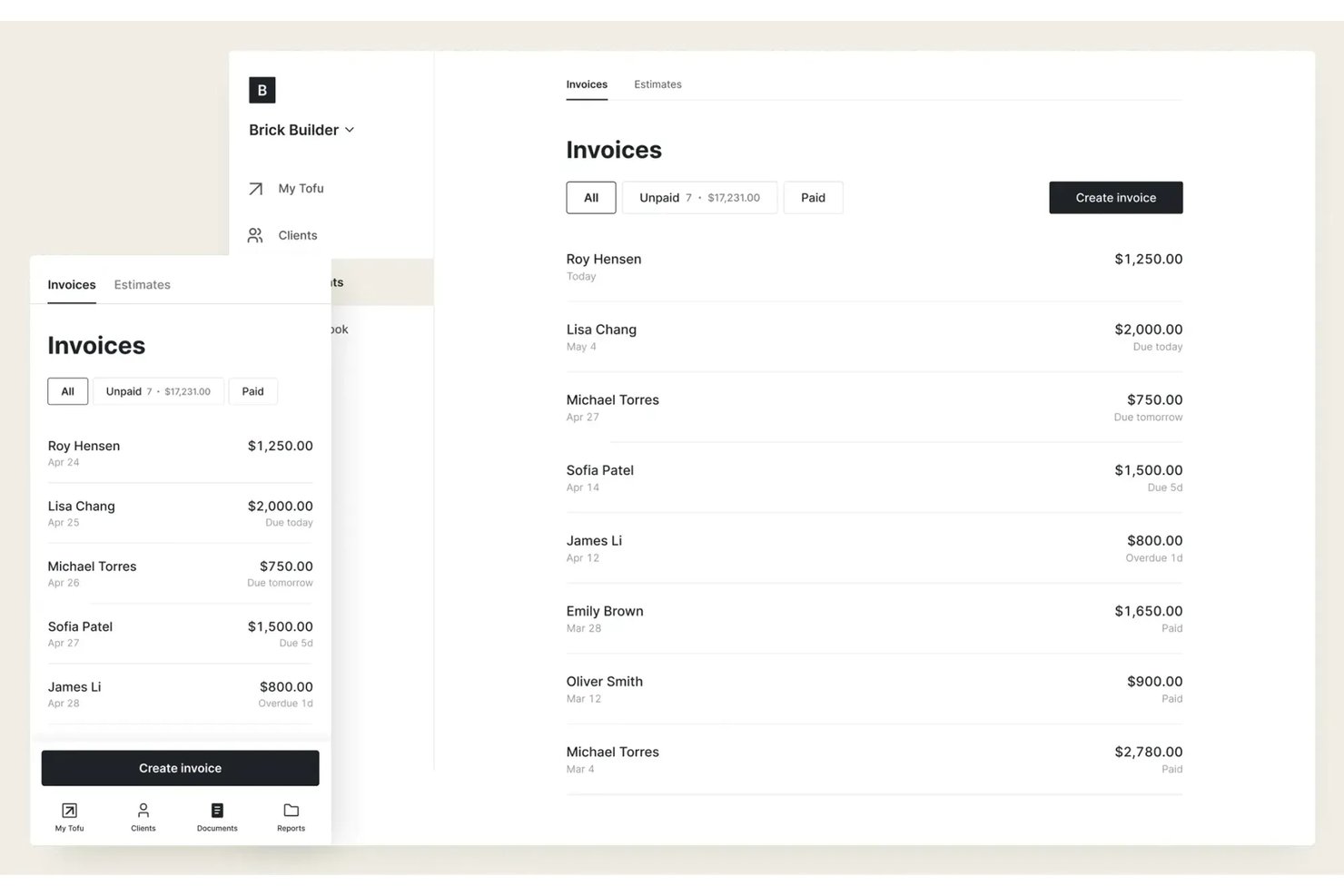
Tofu è una piattaforma per la gestione dei servizi sul campo progettata per liberi professionisti, operatori singoli e squadre essenziali che necessitano di pianificazione, assegnazione degli interventi e monitoraggio dei lavori a prezzi accessibili, senza livelli di funzionalità o costi aggiuntivi superflui.
Per chi è più adatto Tofu?
Operatori singoli e piccole squadre che desiderano una pianificazione dei servizi sul campo e un monitoraggio dei lavori semplici ed economici, senza complessità inutili.
Perché Tofu è una buona alternativa a Jobber
Ho scelto Tofu per la mia selezione perché la piattaforma riduce la gestione dei servizi sul campo a ciò di cui gli operatori singoli e le piccole squadre hanno effettivamente bisogno: pianificazione dei lavori, assegnazione degli interventi e monitoraggio dei lavori in tempo reale a prezzi accessibili. Apprezzo il fatto che Tofu eviti la complessità e mi permetta di monitorare lavori, clienti e membri della squadra senza dover cercare tra moduli o funzionalità aggiuntivi.
Funzionalità principali di Tofu
- Gestione del database dei clienti: Archivia e organizza in un unico luogo i dati di contatto dei clienti, la cronologia dei lavori e le preferenze.
- Note e allegati ai lavori: Aggiungi note e carica foto o file a ciascun lavoro per un rapido riferimento sul campo.
- Promemoria automatici dei lavori: Imposta promemoria automatici per notificare a te o alla tua squadra i lavori o le scadenze imminenti.
- Interfaccia ottimizzata per dispositivi mobili: Accedi a pianificazioni, informazioni sui lavori e aggiornamenti da qualsiasi smartphone o tablet.
Integrazioni di Tofu
Le integrazioni native non sono documentate chiaramente. Tofu offre un'API per integrazioni personalizzate.
Pros and Cons
Pros:
- La pianificazione semplice è adatta a operatori singoli e piccole squadre
- Note sui lavori e allegati fotografici da dispositivi mobili
- Nessuna funzionalità superflua ingombra l'interfaccia
Cons:
- Nessuno strumento integrato per la comunicazione con i clienti
- Le integrazioni personalizzate richiedono l'utilizzo dell'API

Ideale per la prenotazione e l'assegnazione degli interventi con assistenza dell'IA
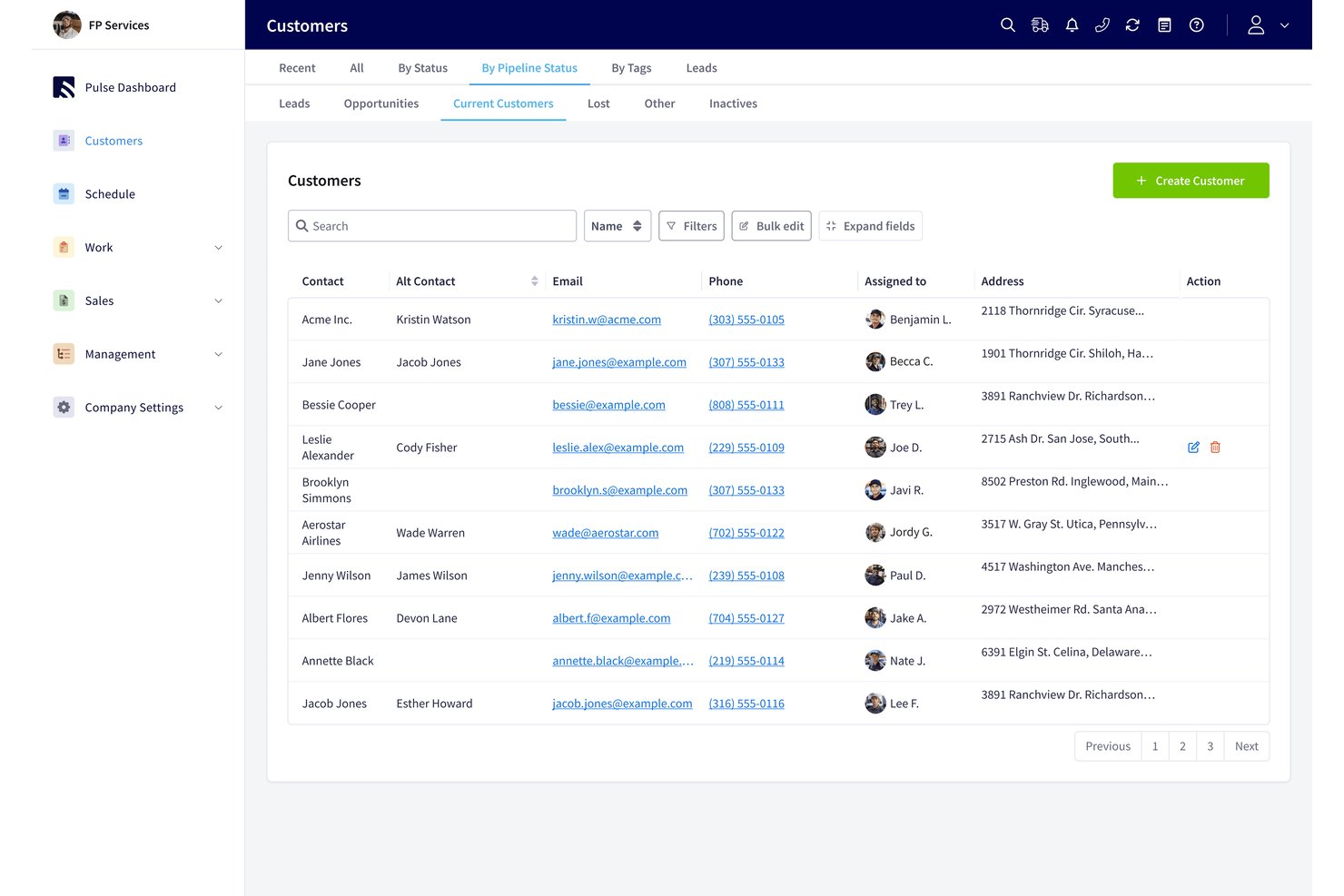
FieldPulse è un software di gestione dei servizi sul campo per gli appaltatori che devono gestire richieste dei clienti, preventivi, fatture e squadre sul campo (ideale per la prenotazione e l'assegnazione degli interventi con assistenza dell'IA).
Per chi è più adatto FieldPulse?
FieldPulse è adatto alle aziende di servizi sul campo i cui team d'ufficio devono trasformare le richieste dei clienti in arrivo in interventi programmati per i tecnici.
Perché ho scelto FieldPulse
Ho scelto FieldPulse come alternativa a Jobber perché la prenotazione e l'assegnazione degli interventi con assistenza dell'IA aiutano a trasformare le chiamate perse in lavoro programmato. Operator AI risponde alle chiamate in entrata, verifica la copertura dell'area di servizio e la disponibilità degli appuntamenti, quindi crea gli interventi nel calendario di FieldPulse. Ad esempio, una richiesta di intervento idraulico può essere acquisita e prenotata senza che il personale d'ufficio debba inserire manualmente la chiamata.
Funzionalità principali di FieldPulse
- Preventivi e fatture: Crea preventivi, converti i preventivi approvati in fatture e accetta pagamenti.
- Gestione degli ordini di lavoro: Crea e gestisci gli ordini di lavoro per gli interventi sul campo.
- Gestione dell'inventario: Tieni traccia dell'inventario nell'ambito delle tue attività di assistenza.
- Gestione dei clienti: Conserva i dati dei clienti e i dettagli delle comunicazioni in un unico posto.
Integrazioni di FieldPulse
FieldPulse documenta integrazioni native con QuickBooks Online per sincronizzare i dati aziendali e Google Calendar per la sincronizzazione unidirezionale degli interventi. Si connette inoltre a Zapier e offre un'API per integrazioni personalizzate.
Pros and Cons
Pros:
- Operator AI prenota direttamente le chiamate in entrata
- La pianificazione tramite trascinamento chiarisce l'assegnazione degli interventi ai tecnici
- I preventivi vengono convertiti in fatture con un minore reinserimento dei dati
Cons:
- L'assegnazione degli interventi non dispone di un'ottimizzazione automatica dei percorsi
- L'app mobile può presentare malfunzionamenti con una copertura debole

Ideale per i contratti di assistenza commerciale e gli SLA
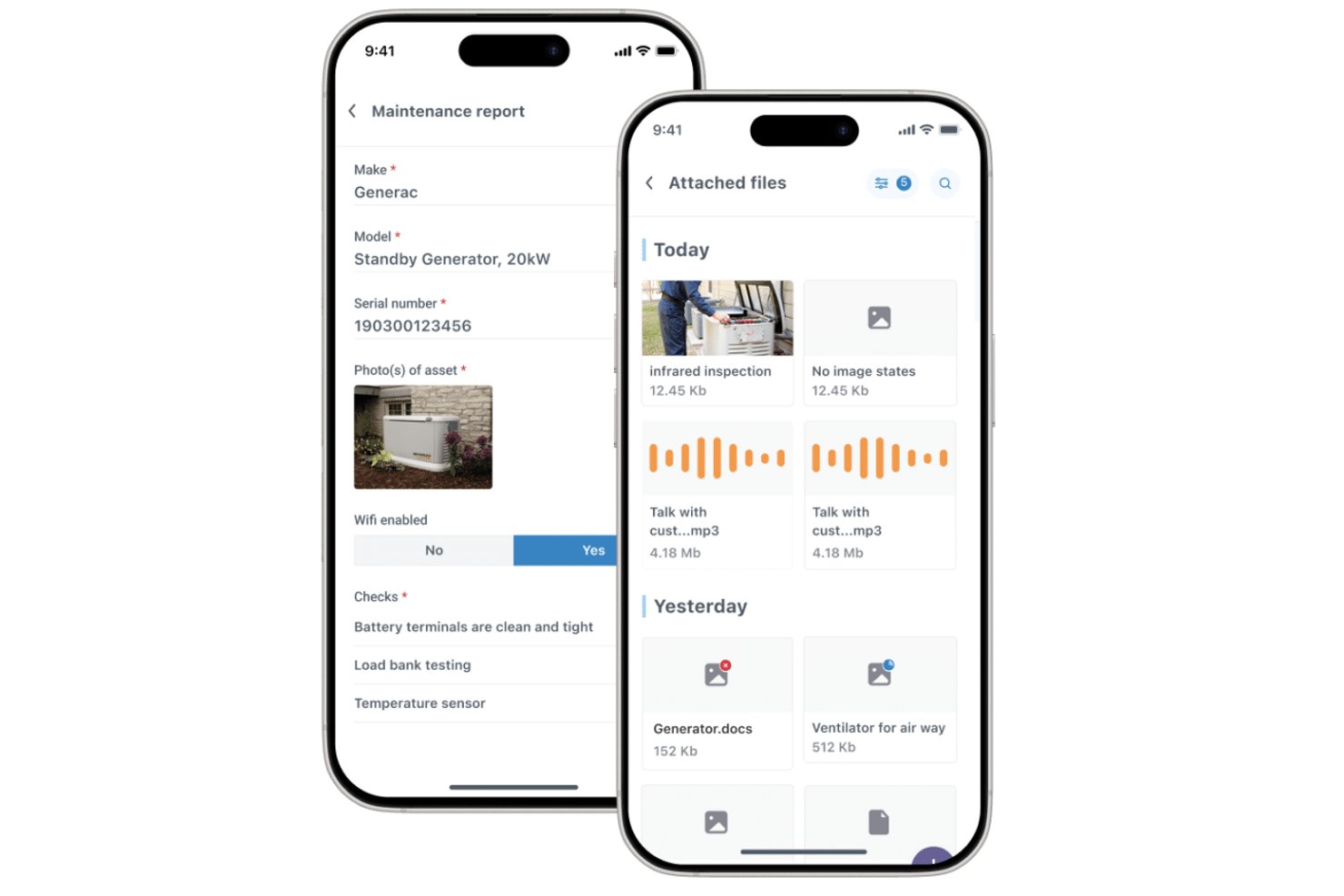
Commusoft è un software per la gestione dei servizi sul campo destinato alle imprese appaltatrici di servizi, che collega i dati dei clienti, la pianificazione degli interventi, i flussi di lavoro dei tecnici e la fatturazione per aiutare i team a coordinare il lavoro dalla prenotazione al completamento.
Per chi è più adatto Commusoft?
Commusoft è adatto alle imprese appaltatrici di servizi che gestiscono manutenzione commerciale ricorrente, assegnazione degli interventi ai tecnici e impegni a livello di servizio.
Perché ho scelto Commusoft
Ho scelto Commusoft come alternativa a Jobber perché è ideale per i contratti di assistenza commerciale e gli SLA. Dà priorità agli interventi contrattuali e monitora i tempi di risposta con timer SLA. Inoltre, i programmi ricorrenti di manutenzione preventiva generano ordini di lavoro per più risorse, aiutandomi a mantenere puntuali le visite mensili e le ispezioni annuali.
Funzionalità principali di Commusoft
- Portale clienti: I clienti possono visualizzare lo stato e la cronologia degli interventi, accettare i preventivi e pagare le fatture.
- App mobile offline: I tecnici possono accedere alla cronologia degli interventi e completare moduli digitali senza connessione.
- Gestione dell'inventario: Monitora le scorte nei magazzini e nei veicoli di servizio, con livelli di riordino.
- Fatturazione sul campo: Crea fatture dall'ufficio o dal campo dopo aver completato un intervento.
Integrazioni di Commusoft
Commusoft elenca integrazioni con QuickBooks Online, Xero, Stripe, HubSpot, Gmail, Outlook Mail, Google Calendar, GoCardless, Sage Accounting e Zapier; offre inoltre un'API per integrazioni personalizzate.
Pros and Cons
Pros:
- I flussi di lavoro dei contratti pianificano visite ricorrenti alle risorse
- I timer SLA monitorano gli impegni relativi ai tempi di risposta
- Le cronologie degli interventi collegano preventivi, lavoro e fatturazione
Cons:
- La configurazione iniziale richiede tempo
- L'app mobile può rallentare o sincronizzarsi lentamente

Workiz
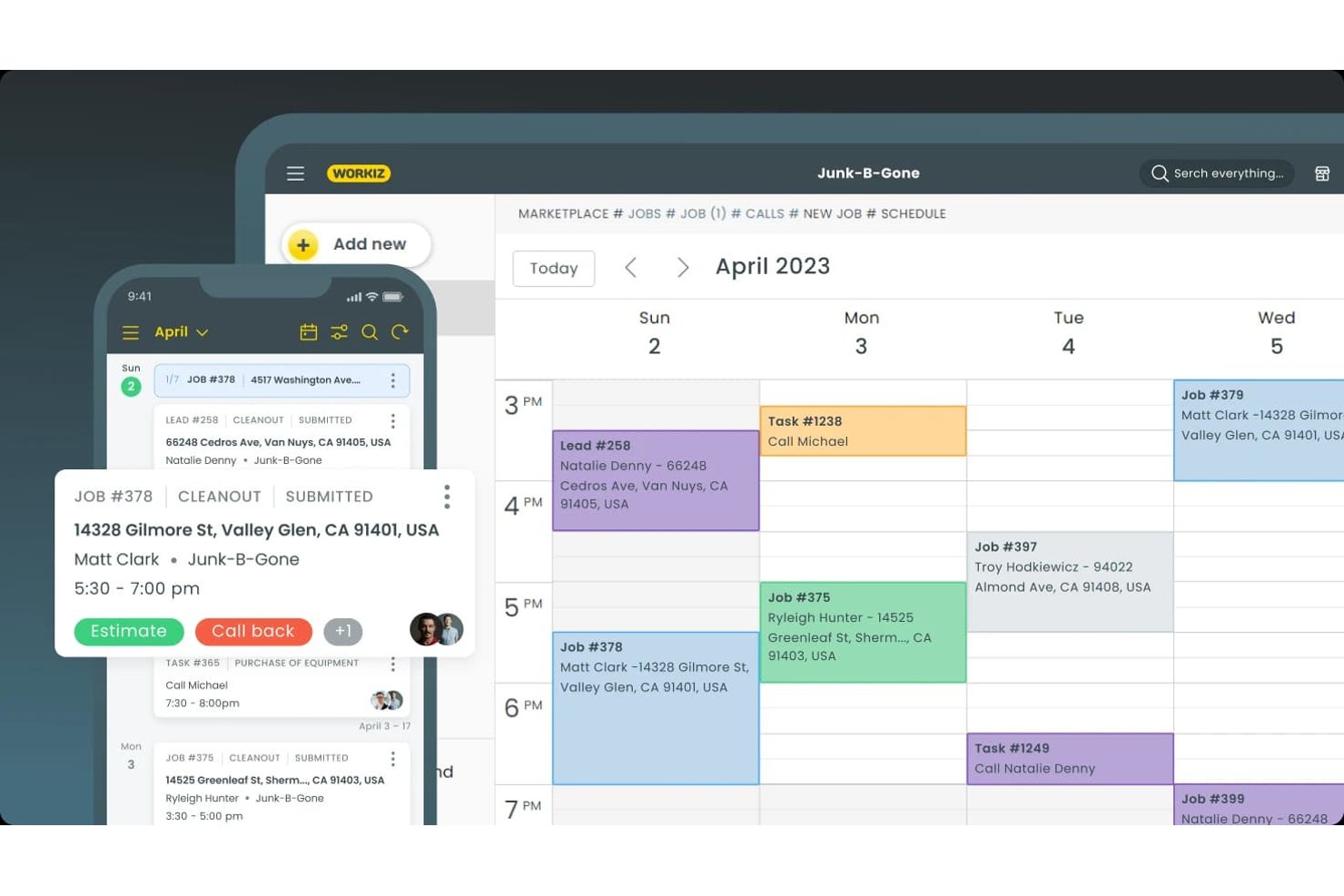
Workiz è una piattaforma di gestione dei servizi sul campo per gli appaltatori di servizi che riunisce in un unico luogo i dati dei clienti, il coordinamento degli interventi, i preventivi e la fatturazione, rappresentando un'opzione per i team che stanno valutando alternative a Jobber.
Per chi è più adatto Workiz?
Workiz è adatto ai titolari di aziende di servizi domestici e ai team addetti alla gestione degli interventi che devono acquisire contatti e coordinare gli orari dei tecnici.
Perché ho scelto Workiz
Ho scelto Workiz come alternativa a Jobber perché è ideale per la pianificazione basata sull'IA e l'acquisizione di contatti. La sua IA risponde a chiamate, messaggi ed e-mail 24 ore su 24 e può prenotare gli interventi direttamente nel calendario. Inoltre, trasforma le e-mail e i messaggi in arrivo in interventi, aiutando gli addetti alla gestione a mantenere le nuove richieste nella coda di pianificazione.
Funzionalità principali di Workiz
- Portale clienti: I clienti possono esaminare e firmare i preventivi, approvare gli interventi e pagare le fatture.
- CRM dei clienti: Archivia la cronologia dei clienti, le fatture, i piani di assistenza e le comunicazioni in un'unica scheda.
- Piani di assistenza: Configura servizi ricorrenti e monitora le visite future e la cronologia dei pagamenti.
- App mobile: I tecnici possono visualizzare i dettagli degli interventi, aggiornare gli stati, aggiungere note o foto e fatturare i clienti.
Integrazioni di Workiz
La directory delle integrazioni di Workiz elenca QuickBooks, Google Calendar, Reserve with Google, Yelp, Thumbtack, Angi Leads, CompanyCam e Mailchimp, oltre a Zapier. Offre inoltre un'API per sviluppatori per le integrazioni personalizzate.
Pros and Cons
Pros:
- L'IA risponde alle chiamate e prenota gli interventi
- Il calendario degli interventi assegna visivamente i tecnici
- I dati dei clienti riuniscono chiamate, messaggi e interventi
Cons:
- Secondo quanto riferito, le chiamate telefoniche vengono interrotte o non vanno a buon fine
- L'assistente IA delude alcuni recensori

Ideale per attività HVAC e idrauliche su larga scala
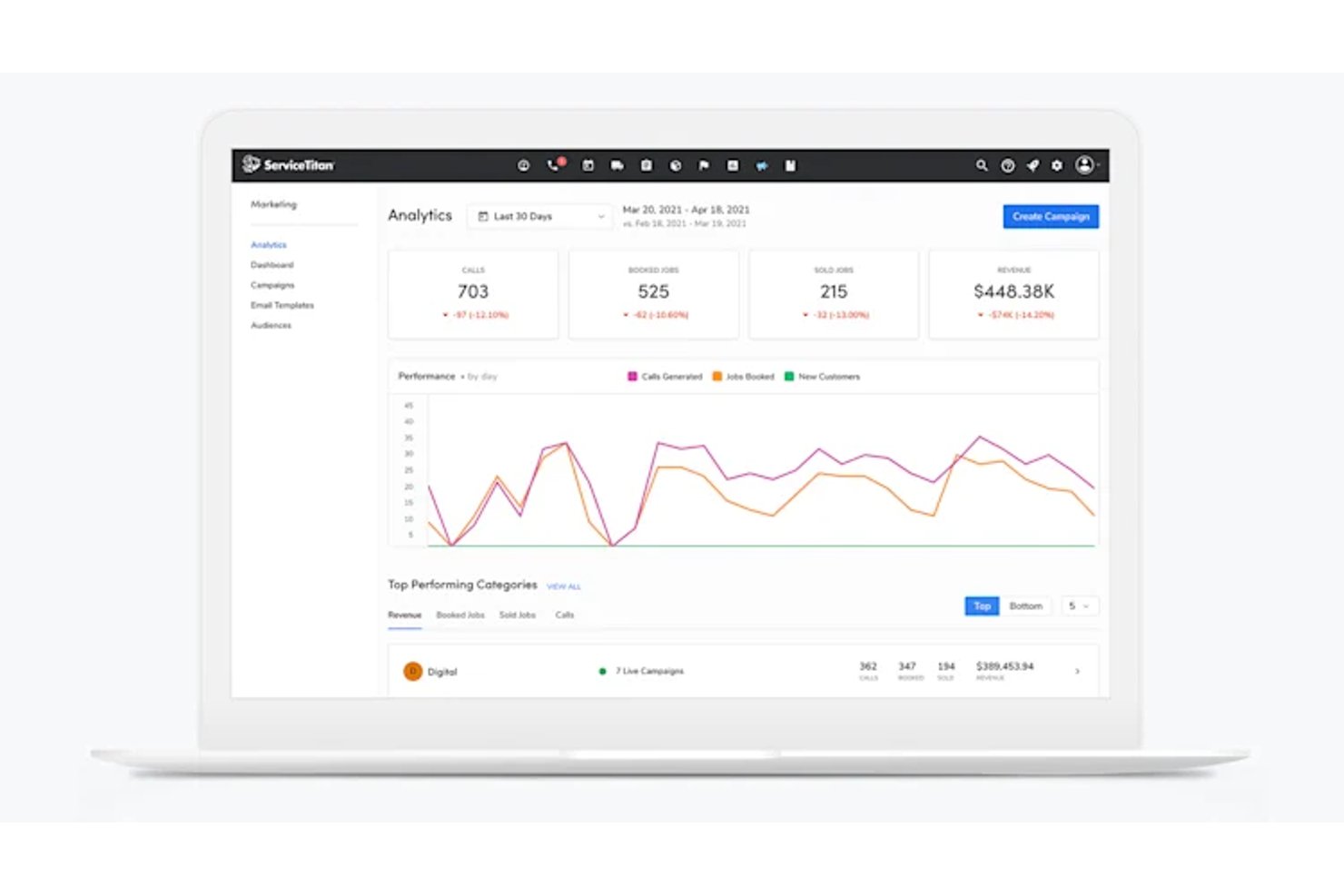
ServiceTitan è un software per la gestione dei servizi sul campo, progettato per le attività di HVAC e idraulica su larga scala, che aiuta le aziende di servizi in crescita a coordinare l'assegnazione degli interventi, la programmazione, le schede dei clienti e le operazioni sul campo.
Per chi è più adatto ServiceTitan?
ServiceTitan è adatto ai responsabili operativi di aziende affermate nei settori HVAC e idraulico che coordinano l'assegnazione degli interventi, le squadre sul campo e il lavoro sui clienti nell'ambito di un'attività di servizi in crescita.
Perché ho scelto ServiceTitan
Ho scelto ServiceTitan come alternativa a Jobber per le aziende HVAC e idrauliche che coordinano grandi squadre sul campo. Mi piace il modo in cui la sua bacheca per l'assegnazione degli interventi aiuta il personale d'ufficio ad assegnare e monitorare le chiamate tra i tecnici, mentre le schede dei clienti e delle apparecchiature forniscono alle squadre lo storico degli interventi prima del loro arrivo. È utile quando una riparazione urgente si presenta insieme alla manutenzione programmata di più squadre.
Funzionalità principali di ServiceTitan
- Moduli di lavoro mobili: I tecnici compilano moduli digitali e acquisiscono foto degli interventi sul campo.
- Pagamenti mobili: I tecnici elaborano i pagamenti e inviano le fatture dall'applicazione mobile.
- Pannelli di controllo per i rapporti: Le squadre monitorano ricavi, tendenze e metriche dei tecnici in pannelli di controllo personalizzabili.
- Acquisti e inventario: Le squadre gestiscono ordini di acquisto e inventario all'interno della piattaforma.
Integrazioni di ServiceTitan
ServiceTitan offre integrazioni contabili con QuickBooks Desktop, QuickBooks Online, Sage Intacct e Xero, oltre a integrazioni con i fornitori Ferguson e Lennox tramite il suo mercato dei partner. Si collega inoltre a Zapier e mette a disposizione API per integrazioni personalizzate.
Pros and Cons
Pros:
- L'assegnazione degli interventi coordina grandi squadre di tecnici e chiamate
- Gli storici dei clienti e delle apparecchiature forniscono informazioni per gli interventi sul campo
- I pannelli di controllo monitorano le prestazioni dei tecnici e le metriche aziendali
Cons:
- La configurazione e la formazione richiedono un considerevole impegno di tempo da parte del personale
- Problemi tecnici e rallentamenti dell'applicazione mobile ostacolano il lavoro sul campo

Ideale per operazioni di assistenza incentrate sugli asset
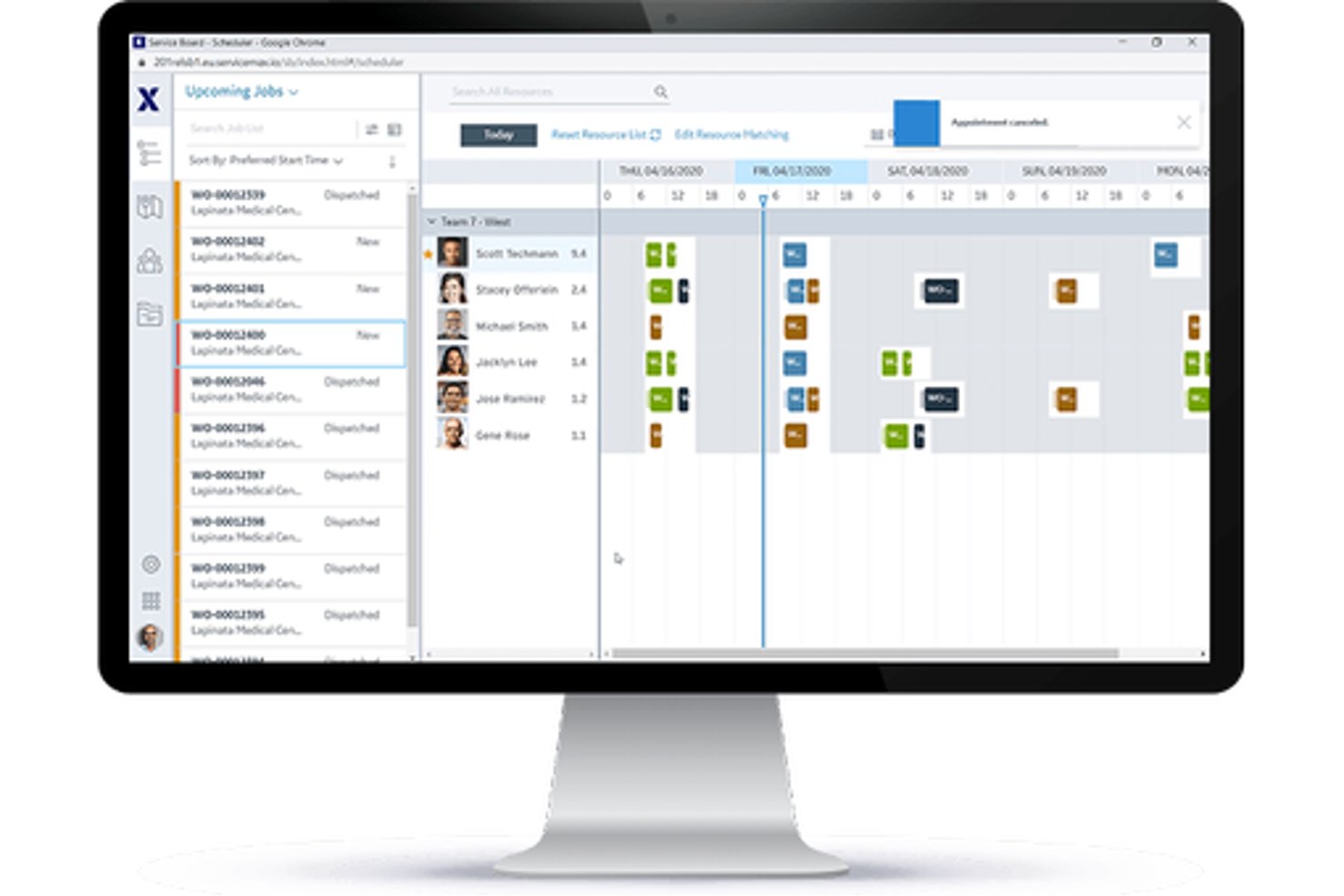
Per i produttori e le organizzazioni di servizi che gestiscono apparecchiature sul campo, ServiceMax è una piattaforma di gestione dell'assistenza sul campo che coordina gli ordini di lavoro, l'assegnazione dei tecnici e la manutenzione durante l'intero ciclo di vita degli asset.
Per chi è più adatto ServiceMax?
ServiceMax è adatto ai responsabili dell'assistenza sul campo presso produttori di apparecchiature e aziende ad alta intensità di asset che devono monitorare le apparecchiature installate e gestire l'assistenza continuativa.
Perché ho scelto ServiceMax
Ho scelto ServiceMax come soluzione migliore per la gestione degli asset perché fornisce ai team di assistenza sul campo un contesto a livello di asset utile nella valutazione delle alternative a Jobber. I record della base installata collegano le apparecchiature alle distinte base, ai sottocomponenti, alla cronologia degli interventi e alla copertura contrattuale, consentendo ai tecnici di verificare la configurazione di un'unità industriale prima di una riparazione. I piani di manutenzione possono attivare ordini di lavoro in base al tempo, alla frequenza, alle condizioni o ai dati IoT.
Funzionalità principali di ServiceMax
- Ottimizzazione della pianificazione: assegna il lavoro in base alle competenze dei tecnici, alla posizione, alla disponibilità e ai requisiti dell'intervento.
- App mobile per tecnici: ServiceMax Go supporta ordini di lavoro, acquisizione dei dati, firme e gestione dell'inventario online o offline.
- Gestione dei ricambi: monitora i pezzi di ricambio nei furgoni dei tecnici e nei depositi.
- Self-service per i clienti: ServiceMax Engage supporta la pianificazione degli appuntamenti e gli aggiornamenti sul servizio.
Integrazioni di ServiceMax
ServiceMax documenta le integrazioni con Salesforce CRM, SAP e ThingWorx per i dati aziendali e IoT. Offre inoltre API e framework di integrazione per connessioni personalizzate.
Pros and Cons
Pros:
- Le cronologie collegate agli asset guidano le riparazioni di apparecchiature complesse
- I flussi di lavoro mobili offline supportano i tecnici sul campo
- I record di lavoro con indicazione temporale supportano le tracce di audit
Cons:
- La configurazione complessa può rallentare l'implementazione iniziale
- Le schermate di assegnazione possono risultare lente e macchinose

Ideale per flussi di lavoro del settore collegati a QuickBooks
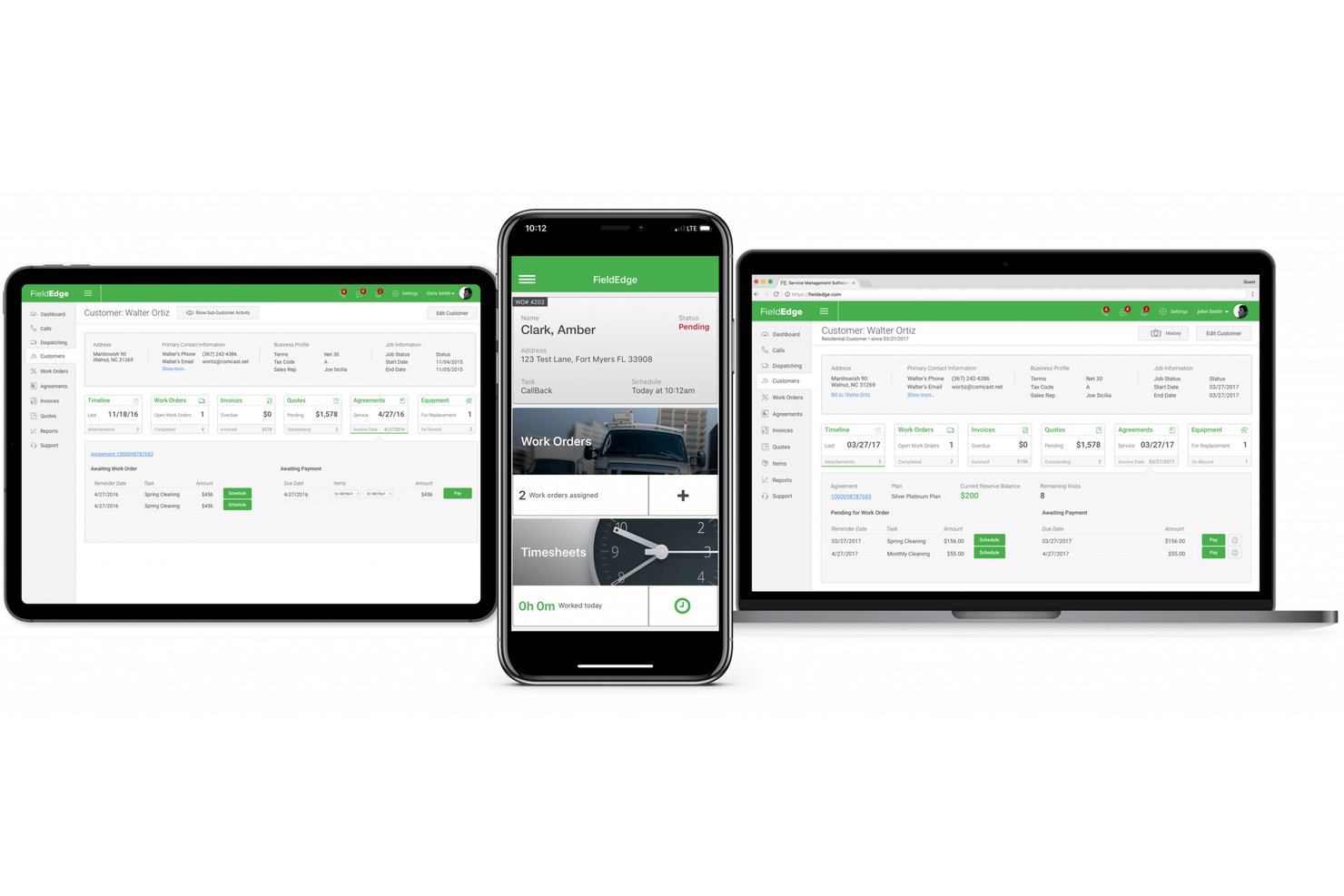
FieldEdge è un software per la gestione dei servizi sul campo destinato agli appaltatori HVAC, idraulici ed elettrici, che aiuta i team a coordinare i programmi dei tecnici, gli interventi, le anagrafiche dei clienti e gli incarichi di assistenza.
Per chi è più adatto FieldEdge?
FieldEdge è adatto agli appaltatori HVAC, idraulici ed elettrici che devono coordinare le attività di assistenza sul campo con flussi di lavoro del settore collegati a QuickBooks.
Perché ho scelto FieldEdge
Ho scelto FieldEdge come alternativa a Jobber perché i suoi flussi di lavoro del settore collegati a QuickBooks sono adatti agli appaltatori HVAC, idraulici ed elettrici. Apprezzo il fatto che i team possano coordinare i programmi e gli interventi dei tecnici insieme alle anagrafiche dei clienti e agli incarichi di assistenza, mantenendo le attività sul campo collegate alle operazioni del settore.
Funzionalità principali di FieldEdge
- Listini a tariffa fissa: Offrono ai tecnici l'accesso mobile ai prezzi per assistenza e riparazioni.
- Fatturazione e pagamenti: Consentono di creare fatture sul posto, inviarle tramite email o stamparle e accettare pagamenti con carta o suddivisi.
- Gestione dei contratti di assistenza: Permette di monitorare rinnovi, cicli di fatturazione e visite programmate.
- Dashboard delle prestazioni: Consentono di esaminare la redditività degli incarichi, il valore medio degli interventi e i ricavi dei tecnici.
Integrazioni di FieldEdge
FieldEdge offre un'integrazione in tempo reale con QuickBooks e integrazioni con partner come FleetSharp, Dispatch, Mailchimp, To Your Success, Sales Builder Pro, Ply e Free2Grow. La sua API fornisce accesso ai partner integrati.
Pros and Cons
Pros:
- La bacheca degli interventi chiarisce lo stato dei tecnici
- La fatturazione sul posto mantiene attivi gli incarichi
- I contratti di assistenza monitorano le visite ricorrenti
Cons:
- La sincronizzazione mobile rallenta in caso di ricezione debole
- La reportistica offre una personalizzazione limitata degli indicatori KPI

Ideale per prezzi forfettari indipendenti dal numero di utenti
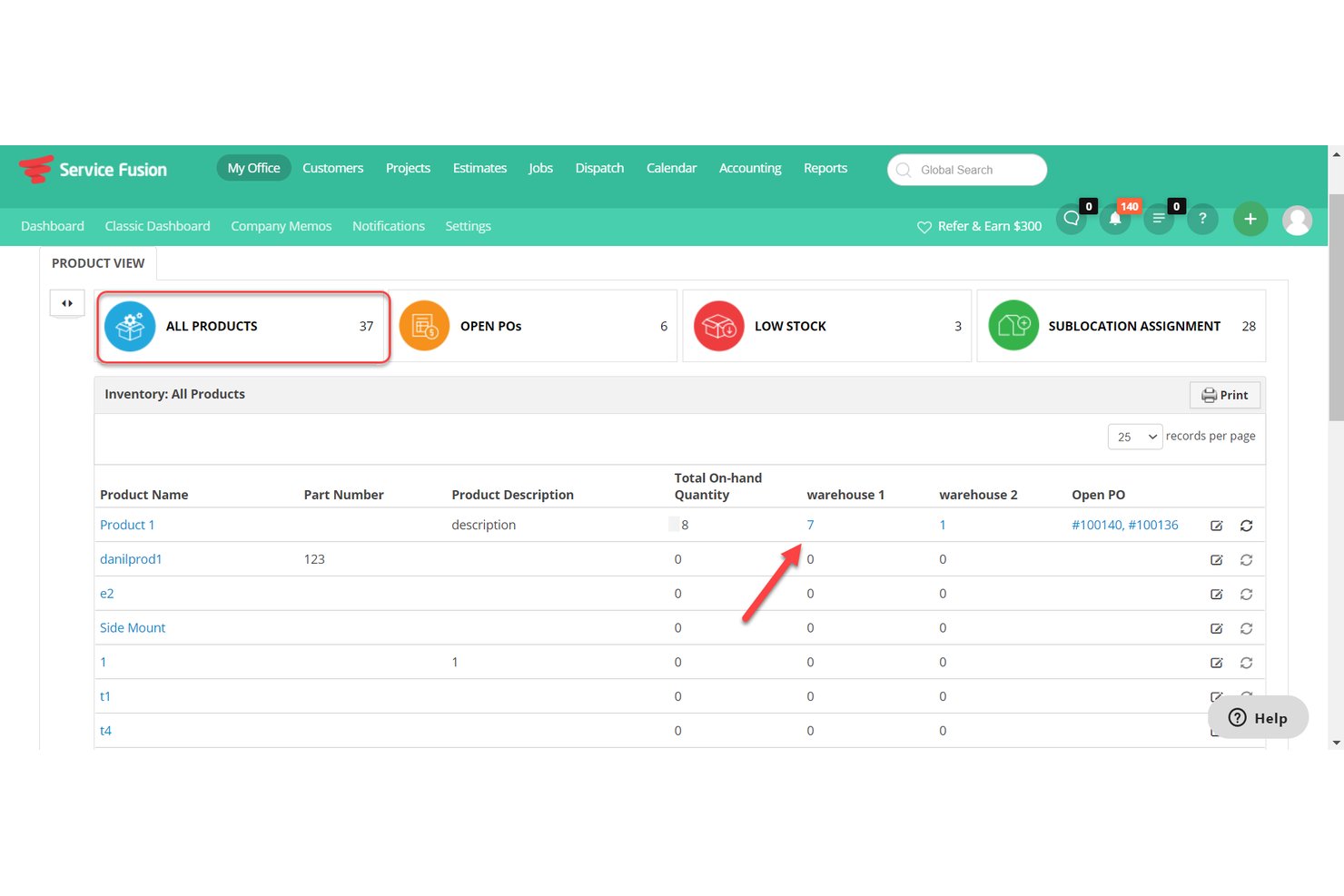
Service Fusion è un software di gestione dei servizi sul campo per gli appaltatori di servizi residenziali e commerciali, che riunisce programmazione, assegnazione degli interventi, anagrafiche clienti, preventivi e fatturazione per aiutare le squadre a coordinare i tecnici e mantenere i lavori in corso.
Per chi è più adatto Service Fusion?
Service Fusion è adatto agli appaltatori di servizi residenziali e commerciali che devono coordinare i tecnici, assegnare gli interventi e gestire il lavoro per i clienti in un unico sistema.
Perché ho scelto Service Fusion
Ho scelto Service Fusion come alternativa a Jobber perché la sua tariffazione forfettaria indipendente dal numero di utenti, pensata per chi cerca questo modello, consente agli appaltatori di riunire gli addetti all'assegnazione degli interventi e i tecnici sul campo in un unico sistema senza costi per utente. Apprezzo il fatto che le squadre possano coordinare l'assegnazione degli interventi mantenendo anagrafiche clienti, preventivi e fatture associati a ogni lavoro.
Funzionalità principali di Service Fusion
- Applicazione mobile per tecnici: I tecnici possono visualizzare e gestire i lavori dai propri smartphone.
- Monitoraggio GPS della flotta: Visualizza la posizione dei veicoli, i tragitti, la distanza, il tempo di inattività e il comportamento alla guida.
- Integrazione con QuickBooks: Sincronizza i dati delle fatture con QuickBooks Online o QuickBooks Desktop.
- Avvisi tramite messaggi di testo: Invia ai clienti avvisi sugli interventi programmati e sugli aggiornamenti relativi ai tecnici.
Integrazioni di Service Fusion
Service Fusion offre integrazioni native con QuickBooks Online e QuickBooks Desktop e si collega a Zapier. La sua API, disponibile nel piano Pro, supporta integrazioni personalizzate.
Pros and Cons
Pros:
- L'assegnazione degli interventi collega i programmi alle posizioni GPS in tempo reale
- I preventivi sul campo vengono convertiti direttamente in ordini di lavoro
- Gli accordi di assistenza supportano la fatturazione e i rinnovi ricorrenti
Cons:
- Le fatture create da dispositivi mobili potrebbero dover essere nuovamente salvate da desktop
- I report faticano a mostrare i piani di manutenzione attivi

Ideale per gli appaltatori del settore con prezzi basati sul volume dei lavori
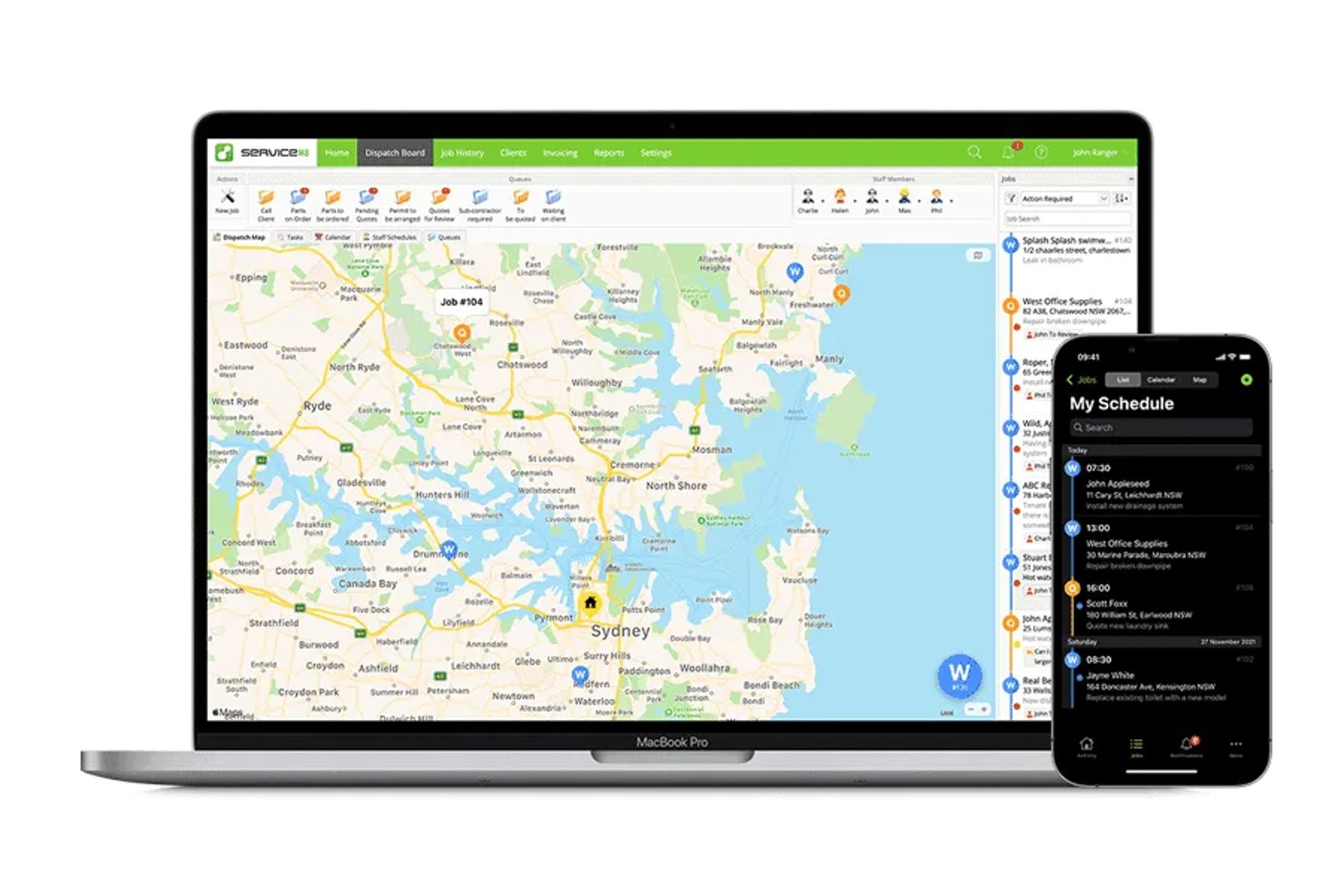
ServiceM8 è un'app di gestione dei servizi sul campo, progettata prima di tutto per dispositivi mobili, per gli appaltatori del settore che devono organizzare i lavori, programmare gli interventi e gestire le schede dei clienti, i preventivi e le fatture.
Per chi è più adatto ServiceM8?
ServiceM8 è adatto agli appaltatori del settore con carichi di lavoro variabili che desiderano un prezzo del software correlato al numero di lavori gestiti.
Perché ho scelto ServiceM8
Ho scelto ServiceM8 come alternativa a Jobber per il suo orientamento agli “appaltatori del settore con prezzi basati sul volume dei lavori”. I prezzi basati sul volume dei lavori sono adatti agli appaltatori con un numero variabile di richieste di intervento, mentre la programmazione dei lavori, i preventivi e le fatture aiutano a monitorare il lavoro dalla prenotazione alla fatturazione.
Caratteristiche principali di ServiceM8
- Liste di controllo dei lavori: Aggiungi attività e requisiti alle schede dei lavori che il personale deve completare.
- Tracciamento GPS del personale: Visualizza le posizioni del personale e lo storico degli spostamenti durante la giornata lavorativa.
- Moduli personalizzati: Crea moduli PDF con foto, domande a scelta multipla e campi per la firma.
- Schede delle risorse: Memorizza i dettagli delle apparecchiature per cliente e sede, quindi accedi allo storico degli interventi.
Integrazioni di ServiceM8
ServiceM8 documenta le integrazioni con Xero, MYOB, QuickBooks Online, Mailchimp, Deputy, Workato e Zapier. Offre inoltre un'API aperta e un SDK per connessioni personalizzate.
Pros and Cons
Pros:
- Foto e note dei lavori rimangono insieme
- Il GPS del personale aiuta i responsabili delle assegnazioni a monitorare gli spostamenti sul campo
- I moduli PDF raccolgono firme e dettagli del sito
Cons:
- I controlli sulla disponibilità del personale limitano le assegnazioni su richiesta
- I promemoria per il sollecito delle fatture offrono opzioni di programmazione limitate

La soluzione migliore per le operazioni aziendali sul campo native del CRM
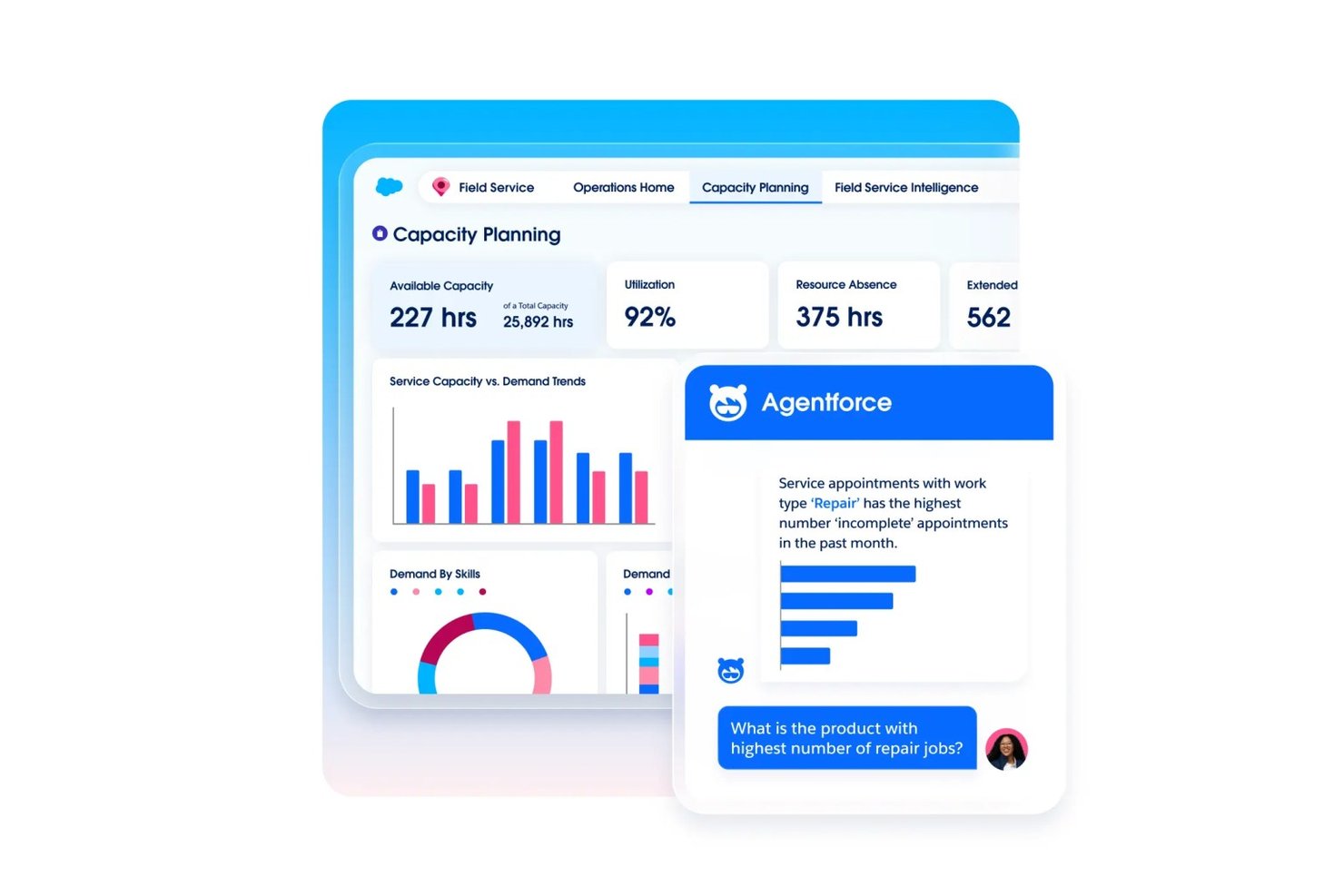
Agentforce Field Service aiuta i team di assistenza più grandi a coordinare ordini di lavoro, programmi dei tecnici e record dei clienti in Salesforce, facilitando la gestione di operazioni sul campo complesse come alternativa a Jobber.
Per chi è più indicato Agentforce Field Service?
Le aziende basate su Salesforce con team di tecnici distribuiti e operazioni di assistenza sul campo complesse sono particolarmente adatte ad Agentforce Field Service.
Perché ho scelto Agentforce Field Service
Ho scelto Agentforce Field Service come “La soluzione migliore per le operazioni aziendali sul campo native del CRM” perché collega il lavoro sul campo ai record dei clienti Salesforce. Apprezzo il modo in cui i team possono coordinare ordini di lavoro e programmi dei tecnici insieme alle informazioni sui clienti, consentendo ai responsabili della programmazione di consultare i dettagli degli interventi durante l'assegnazione delle visite di assistenza.
Funzionalità principali di Agentforce Field Service
- App mobile offline: Accedi ai record su Android e iOS anche senza connessione.
- Moduli e flussi di lavoro dinamici: Configura moduli e flussi di lavoro con poco codice per le attività sul campo.
- Piani di manutenzione preventiva: Avvia la manutenzione in base all'utilizzo, alle condizioni o alle soglie degli asset.
- Assistente remoto visivo: Usa video in tempo reale per guidare i clienti nella risoluzione dei problemi.
Integrazioni di Agentforce Field Service
Agentforce Field Service è basato sulla piattaforma Salesforce e collega le operazioni sul campo ai dati dei clienti e degli asset in Salesforce; il piano Field Service Plus include Service Cloud e Sales Cloud. È disponibile un'API REST di Field Service per le integrazioni personalizzate.
Pros and Cons
Pros:
- L'app offline supporta il lavoro sul campo senza connettività
- La programmazione basata sulle competenze tiene conto della disponibilità dei tecnici
- Gli ordini di lavoro sono collegati ai record dei clienti
Cons:
- L'implementazione può richiedere una notevole esperienza in Salesforce
- Gli arresti anomali dell'app per tecnici possono interrompere i flussi di lavoro sul campo
Altre alternative a Jobber
Ecco alcune ulteriori alternative a Jobber che non sono state incluse nel mio elenco, ma che vale comunque la pena prendere in considerazione:
- Service Autopilot
Ideale per i flussi di lavoro ricorrenti relativi ai percorsi di manutenzione dei prati
- Housecall Pro
Ideale per la raccolta integrata di pagamenti con carta e ACH
- Arrivy
Ideale per le operazioni di pianificazione e instradamento basate sull'intelligenza artificiale
- OneCrew
Ideale per la determinazione dei costi dei lavori di pavimentazione e calcestruzzo
- Tradify
Ideale per la preparazione di preventivi e il monitoraggio dei lavori
- Salesforce Field Service
Ideale per le operazioni sul campo basate nativamente sull'IA su scala aziendale
- Workever
Ideale per team di assistenza sul campo in crescita composti da 5–50 persone
- GorillaDesk
Ideale per le attività sul campo basate su percorsi nel controllo degli infestanti


Come valuto le alternative a Jobber
Divido la mia valutazione in tre parti. Prima — e con il peso maggiore — verifico se uno strumento è in grado di pianificare e assegnare gli interventi, nonché di generare preventivi e fatture collegati a tali interventi. In secondo luogo, cerco funzionalità distintive come l'automazione degli interventi ricorrenti o i portali self-service per i clienti. Infine, considero la struttura dei prezzi e il supporto durante l'avvio, soprattutto per i team sul campo con livelli diversi di dimestichezza tecnica.
Funzionalità fondamentali (elementi essenziali per questo elenco)
Quando seleziono gli strumenti da includere nel mio elenco, assegno a ciascuno un punteggio su una scala da 0 (non offre la funzionalità) a 5 (eccelle in quest'area) per ogni funzionalità fondamentale elencata di seguito. Converto quindi il totale in una percentuale per aiutare a valutare l'idoneità complessiva di ogni strumento, attribuendo un peso maggiore alle funzionalità che ho ritenuto essenziali.
- Pianificazione e assegnazione degli interventi (Essenziale): Cerco funzionalità per assegnare gli interventi, pianificare il calendario e riprogrammare gli appuntamenti, così da aiutare i responsabili delle assegnazioni a coordinare la disponibilità delle squadre e gli impegni variabili dei clienti.
- Preventivi e fatture (Essenziale): Valuto se i preventivi sono collegati alle schede degli interventi e possono essere convertiti in fatture, includendo procedure di approvazione chiare e il monitoraggio dei pagamenti.
- Gestione dei clienti: Verifico che i profili dei clienti colleghino lo storico degli interventi, le note sugli interventi e le comunicazioni, in modo che il personale d'ufficio possa prepararsi per le visite successive.
- Elaborazione dei pagamenti: Cerco modalità per riscuotere o registrare i pagamenti a fronte delle fatture e monitorare quanto è stato pagato o risulta ancora dovuto.
- Accesso mobile sul campo: Considero se i tecnici possono visualizzare gli interventi, aggiornarne lo stato e aggiungere note o foto dal campo.
- Monitoraggio dei percorsi e delle squadre: Valuto le visualizzazioni su mappa, la visibilità della posizione dei tecnici e la pianificazione dei percorsi per le squadre che gestiscono più interventi nell'arco della giornata.
Una volta ottenuto un elenco di strumenti che soddisfano i criteri, considero ciò che distingue ogni piattaforma.
Fattori distintivi (ciò che differenzia i fornitori)
Ecco come confronto i diversi fornitori e ne metto in evidenza le differenze:
Funzionalità distintive
Cerco automazioni per gli interventi ricorrenti che generino visite successive, fatture e promemoria senza dover reinserire manualmente i dati. Una squadra che si occupa della cura dei prati e gestisce decine di clienti con appuntamenti settimanali ha bisogno che questo ciclo funzioni autonomamente. Anche i portali self-service per i clienti sono importanti, perché consentire ai clienti di approvare i preventivi e pagare online riduce gli scambi necessari per il personale d'ufficio. Valuto inoltre il monitoraggio delle ore collegato alle schede degli interventi, così da poter confrontare il lavoro stimato con le ore effettive e individuare le differenze di redditività prima che diventino ricorrenti.
Oltre le funzionalità
Valuto se uno strumento è adatto a un settore specifico o se cerca di servire ogni tipo di attività. Un'azienda HVAC ha bisogno di flussi di lavoro per il monitoraggio delle apparecchiature che una piattaforma generica non offre immediatamente, mentre un'impresa di pulizie trae vantaggio da modelli basati su schemi di visite ricorrenti. La struttura dei prezzi è altrettanto importante: i costi per utente aumentano rapidamente quando si ampliano le squadre stagionali, quindi confronto fianco a fianco i piani a tariffa fissa e quelli a livelli. Verifico inoltre il livello di integrazione con strumenti di contabilità come QuickBooks e Xero, poiché l'assenza di collegamenti comporta il reinserimento manuale dei dati da parte del personale d'ufficio.
Perché cercare un'alternativa a Jobber?
Sebbene Jobber sia una buona scelta come software per la gestione dei servizi, ci sono diversi motivi per cui alcuni utenti potrebbero cercare soluzioni alternative. Potreste essere alla ricerca di un'alternativa a Jobber perché…
- Avete bisogno di funzionalità di reportistica più avanzate
- Il vostro team richiede strumenti specifici per il settore
- Desiderate una maggiore scalabilità per la crescita
- Avete bisogno di piani tariffari più flessibili
- Il vostro team necessita di opzioni di personalizzazione più avanzate
Se vi riconoscete in una di queste situazioni, siete nel posto giusto. Il mio elenco contiene diverse opzioni di software per la gestione dei servizi più adatte ai team che affrontano queste difficoltà con Jobber.
Funzionalità principali di Jobber
Ecco alcune delle funzionalità principali di Jobber, che vi aiuteranno a confrontarle con ciò che offrono le soluzioni alternative:
- Pianificazione e assegnazione: Assegna facilmente i lavori al tuo team e gestisci gli appuntamenti.
- Fatturazione e pagamenti: Crea fatture ed elabora i pagamenti in modo efficiente.
- Gestione dei clienti: Conserva registri dettagliati delle interazioni e della cronologia dei clienti.
- App mobile: Accedi ai dettagli e agli aggiornamenti dei lavori da qualsiasi luogo.
- Preventivi: Genera e invia rapidamente preventivi professionali ai clienti.
- Monitoraggio del tempo: Monitora le ore di lavoro e la durata degli interventi per una fatturazione accurata.
- Gestione dei lavori: Tieni traccia dell'avanzamento e degli aggiornamenti dei lavori in tempo reale.
- Reportistica: Ottieni informazioni sulle prestazioni aziendali con report personalizzabili.
- Prenotazione online: Consenti ai clienti di programmare i servizi direttamente tramite il tuo sito web.