

10 alternative a Egnyte per la condivisione sicura dei file nel 2026

Selezione di alternative a Egnyte


Una valida alternativa a Egnyte offre al tuo team una soluzione sicura per la condivisione dei file, una collaborazione flessibile e una protezione granulare dei dati, senza sacrificare la facilità d’uso o la conformità. Se stai cercando alternative a Egnyte, probabilmente stai valutando opzioni convenienti per ottimizzare i flussi di lavoro della tua organizzazione, le esigenze di sicurezza o i requisiti di integrazione. Con così tanti strumenti di collaborazione ai contenuti nel cloud basati sull’IA disponibili, è difficile capire quali piattaforme scalabili offrano davvero affidabilità, gestione degli utenti tramite Active Directory e produttività. Questo elenco ti aiuterà a confrontare rapidamente le migliori alternative a Egnyte per il 2026, così potrai trovare la soluzione più adatta alle esigenze e alle priorità specifiche del tuo team di piccole o grandi dimensioni.
Che cos’è Egnyte?
Egnyte è un server di file basato sul cloud e uno strumento di collaborazione che consente ai team di archiviare, condividere e gestire i file in modo sicuro su diversi dispositivi e sedi. Combina l’accesso centralizzato ai file, senza la necessità di una vpn, con il blocco dei file, controlli avanzati delle autorizzazioni, autenticazione tramite accesso singolo e opzioni di integrazione api per app di produttività popolari come excel e powerpoint. Egnyte viene utilizzato dalle organizzazioni che devono bilanciare la collaborazione con rigorosi requisiti di sicurezza dei dati e normativi, diventando una scelta comune in settori come quello sanitario, finanziario e dei servizi professionali.
Riepilogo delle migliori alternative a Egnyte
Questo grafico comparativo riassume i dettagli sui prezzi delle mie migliori alternative a Egnyte, per aiutarti a trovare quella più adatta al tuo budget e alle esigenze della tua azienda.
| Tool | Best For | Trial Info | Price | ||
|---|---|---|---|---|---|
| 1 | Ideale con integrazione delle app di produttività native | Prova gratuita di 14 giorni disponibile | Da $7/utente/mese (fatturazione annuale) | Website | |
| 2 | Ideale per il controllo dei dati on-premises | Prova gratuita + demo gratuita disponibili | Da €42/utente (fatturazione annuale) | Website | |
| 3 | Ideale con videoconferenza integrata | Piano gratuito disponibile | A partire da $4/utente/mese (fatturazione annuale) | Website | |
| 4 | Ideale per automazione dei flussi di lavoro di livello enterprise | Prova gratuita di 14 giorni + piano gratuito + demo gratuita disponibile | Da $5/utente/mese (fatturato annualmente) | Website | |
| 5 | Ideale con opzioni avanzate di conformità | Prova gratuita + demo gratuita disponibili | Da $7/mese (fatturazione annuale) | Website | |
| 6 | Ideale per la modifica collaborativa dei documenti | Piano Dropbox gratuito disponibile | Da $9,99/persona/mese (fatturato annualmente) | Website | |
| 7 | Ideale per messaggistica e condivisione di file integrate | Prova gratuita di 14 giorni + demo gratuita disponibile | A partire da $20/utente/mese (fatturato annualmente) | Website | |
| 8 | Ideale per la comunicazione in tempo reale del team | Piano gratuito disponibile | Da $7.25/utente/mese (fatturazione annuale) | Website | |
| 9 | Ideale per la collaborazione centrata sulle attività | Prova gratuita di 14 giorni + piano gratuito disponibile | A partire da $10/utente/mese (fatturato annualmente) | Website | |
| 10 | Ideale per la gestione interna della conoscenza | Demo gratuita disponibile | Prezzi su richiesta | Website |

Perché fidarsi dei nostri consigli sui software
Il nostro team testa e recensisce software dal 2012. In quanto project manager noi stessi, sappiamo quanto sia difficile — e importante — scegliere il software giusto.
Per questa guida, abbiamo valutato gli strumenti attraverso test pratici e ricerche indipendenti, assegnando un punteggio agli strumenti in base ai nostri criteri di selezione. Ci basiamo inoltre sulle competenze di leader di pensiero del settore e di professionisti attivi nella gestione dei progetti.
Le nostre recensioni riflettono il nostro giudizio editoriale umano, non un discorso di vendita.
Revisori esperti:
Recensioni delle alternative a Egnyte
Di seguito trovi i miei riepiloghi dettagliati delle migliori alternative a Egnyte incluse nella mia selezione. Le mie recensioni offrono uno sguardo approfondito sulle funzionalità, le integrazioni e i casi d’uso migliori di ciascuna piattaforma, per aiutarti a trovare quella più adatta al tuo team.

Ideale con integrazione delle app di produttività native

I team che si affidano alle app di produttività di Google per il lavoro quotidiano spesso scelgono Google Workspace per la collaborazione sui contenuti. La piattaforma riunisce Docs, Sheets, Slides e Drive, rendendo facile la co-modifica, la condivisione e l'organizzazione dei file senza uscire dall'ecosistema Google. Se i tuoi flussi di lavoro dipendono dalla modifica in tempo reale e da un'integrazione senza soluzione di continuità con gli strumenti di produttività nativi, Google Workspace offre un'esperienza unificata che si distingue rispetto a Egnyte e soluzioni simili.
Perché Google Workspace è una valida alternativa a Egnyte
Per i team che desiderano una collaborazione sui contenuti strettamente integrata nelle loro app di produttività, Google Workspace è la scelta naturale. Ho scelto Google Workspace perché permette di creare, modificare e condividere Docs, Sheets e Slides direttamente da Drive, così file e flussi di lavoro restano sincronizzati. La co-autorizzazione in tempo reale e i commenti integrati mantengono feedback e cronologia delle versioni proprio dove avviene il lavoro. Se il tuo team apprezza transizioni fluide tra creazione e collaborazione dei contenuti, Google Workspace offre un'esperienza unificata che Egnyte non può eguagliare.
Funzionalità principali di Google Workspace
Altre funzionalità di Google Workspace che supportano collaborazione e produttività includono:
- Drive Condivisi: Organizza i file per team o progetto in spazi di archiviazione condivisi.
- Console di amministrazione: Gestisci utenti, permessi e impostazioni di sicurezza da una dashboard centralizzata.
- Integrazione con Google Meet: Avvia riunioni video direttamente da eventi in calendario o nei documenti.
- App mobili: Accedi, modifica e condividi i file da dispositivi Android e iOS.
Integrazioni di Google Workspace
Le integrazioni includono Salesforce, DocuSign, Asana, Zoom, Slack, Trello, Box, Dropbox, Adobe Acrobat e Smartsheet.
Pros and Cons
Pros:
- Archiviazione altamente scalabile
- Riunioni video integrate
- Motore di ricerca eccellente
Cons:
- UI dei drive condivisi disordinata
- Strumenti di conformità meno avanzati

Ideale per il controllo dei dati on-premises
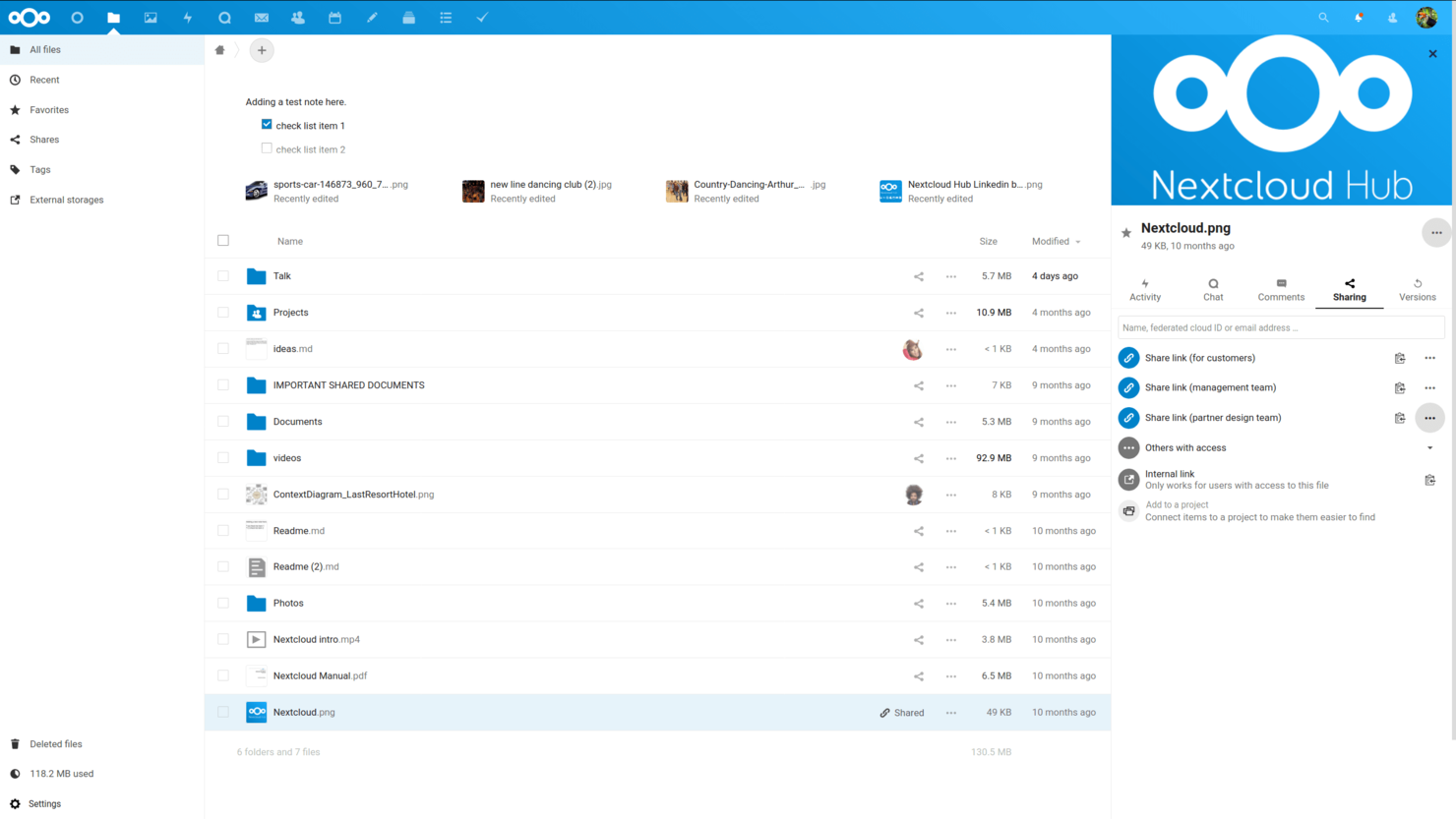
Nextcloud è pensato per le organizzazioni che hanno bisogno di pieno controllo sui propri dati e sull'infrastruttura. È una soluzione ideale per i team IT in settori regolamentati o per qualsiasi azienda che desideri mantenere i file on-premises invece che nel cloud pubblico. Nextcloud si distingue perché permette di personalizzare l'ambiente di collaborazione rispettando al contempo rigorosi requisiti di sicurezza e conformità.
Perché Nextcloud è una valida alternativa a Egnyte
Nextcloud è ideale per i team che necessitano del controllo dei dati on-premises, una funzionalità che Egnyte non offre nativamente. Ho scelto Nextcloud perché consente di ospitare i propri server, offrendo un controllo diretto su dove e come vengono archiviati i file. Le sue impostazioni granulari dei permessi e gli strumenti di auditing integrati aiutano le organizzazioni a rispettare i requisiti più severi di conformità e privacy. Per le aziende che non possono utilizzare l'archiviazione su cloud pubblico, Nextcloud offre un ambiente di collaborazione flessibile e sicuro.
Funzionalità principali di Nextcloud
Altre funzionalità utili di Nextcloud per la collaborazione sui contenuti includono:
- Modifica integrata dei documenti: Collabora in tempo reale su documenti utilizzando editor integrati per testi, fogli di calcolo e presentazioni.
- Versionamento dei file: Tieni automaticamente traccia delle modifiche e ripristina le versioni precedenti dei file quando necessario.
- App di sincronizzazione per mobile e desktop: Accedi e sincronizza file su più dispositivi grazie alle app dedicate per Windows, macOS, Linux, iOS e Android.
- Automazione dei processi: Crea regole personalizzate per automatizzare la gestione dei file, approvazioni e notifiche all'interno dello spazio di lavoro.
Integrazioni Nextcloud
Le integrazioni includono Collabora Online, ONLYOFFICE, Microsoft Teams, Outlook e Matrix.
Pros and Cons
Pros:
- Costi per utente più bassi
- Opzioni di personalizzazione del branding
- Trasparenza open-source
Cons:
- Manca la sincronizzazione ibrida nativa
- I costi di assistenza sono extra

Ideale con videoconferenza integrata
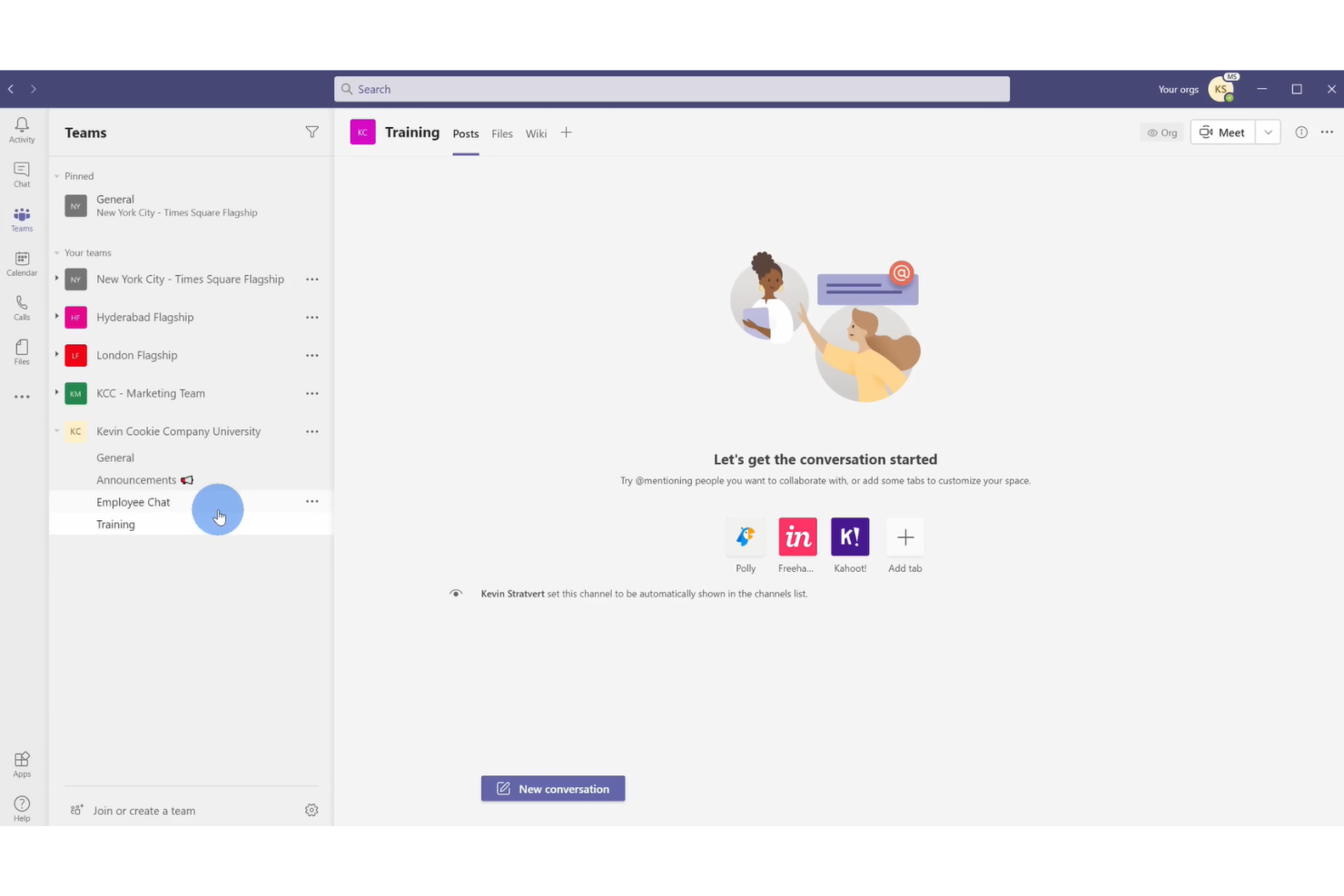
Per le organizzazioni che necessitano di collaborazione in tempo reale con riunioni video integrate, Microsoft Teams unisce chat, condivisione di file e videoconferenze in un unico spazio di lavoro. È una soluzione particolarmente adatta a team distribuiti, soprattutto a quelli che già utilizzano Microsoft 365 e desiderano gestire documenti e riunioni senza cambiare piattaforma. Teams si distingue dagli altri strumenti di collaborazione offrendo chiamate video, chat e co-authoring di documenti in un’unica interfaccia integrata.
Perché Microsoft Teams è una valida alternativa a Egnyte
A differenza delle tradizionali piattaforme di archiviazione file, Microsoft Teams mette la videoconferenza integrata al centro dell’esperienza collaborativa. Ho scelto Teams perché consente agli utenti di avviare riunioni video direttamente da chat o da spazi di collaborazione sui documenti, facilitando il passaggio dalla discussione all’azione. Teams permette anche il co-authoring di documenti in tempo reale durante le riunioni, così il tuo team può modificare i file insieme mentre parla faccia a faccia. Se i tuoi progetti si basano su chiamate video frequenti e collaborazione dal vivo, Teams offre un ambiente unificato che va oltre quello che Egnyte può offrire.
Funzionalità chiave di Microsoft Teams
Altre funzionalità di Microsoft Teams che supportano la collaborazione e la gestione dei contenuti includono:
- Organizzazione per canali: Conversazioni, file e riunioni vengono raggruppati per progetto o argomento in canali dedicati.
- Gestione integrata delle attività: Assegna, traccia e gestisci le attività in Teams grazie a strumenti integrati come Planner e To Do.
- Condivisione di file con cronologia delle versioni: Condividi documenti e accedi alle versioni precedenti direttamente in chat o nei canali.
- Schede personalizzabili: Aggiungi app, file o pagine web come schede in qualsiasi canale per accedere rapidamente alle risorse chiave.
Integrazioni di Microsoft Teams
Le integrazioni includono Microsoft 365, SharePoint, Salesforce, Trello e Zoom.
Pros and Cons
Pros:
- Video in diretta e chat
- Co-authoring nativo
- Ecosistema di utenti molto ampio
Cons:
- Gestione degli accessi complessa
- Condivisione esterna poco intuitiva

Box
Ideale per automazione dei flussi di lavoro di livello enterprise
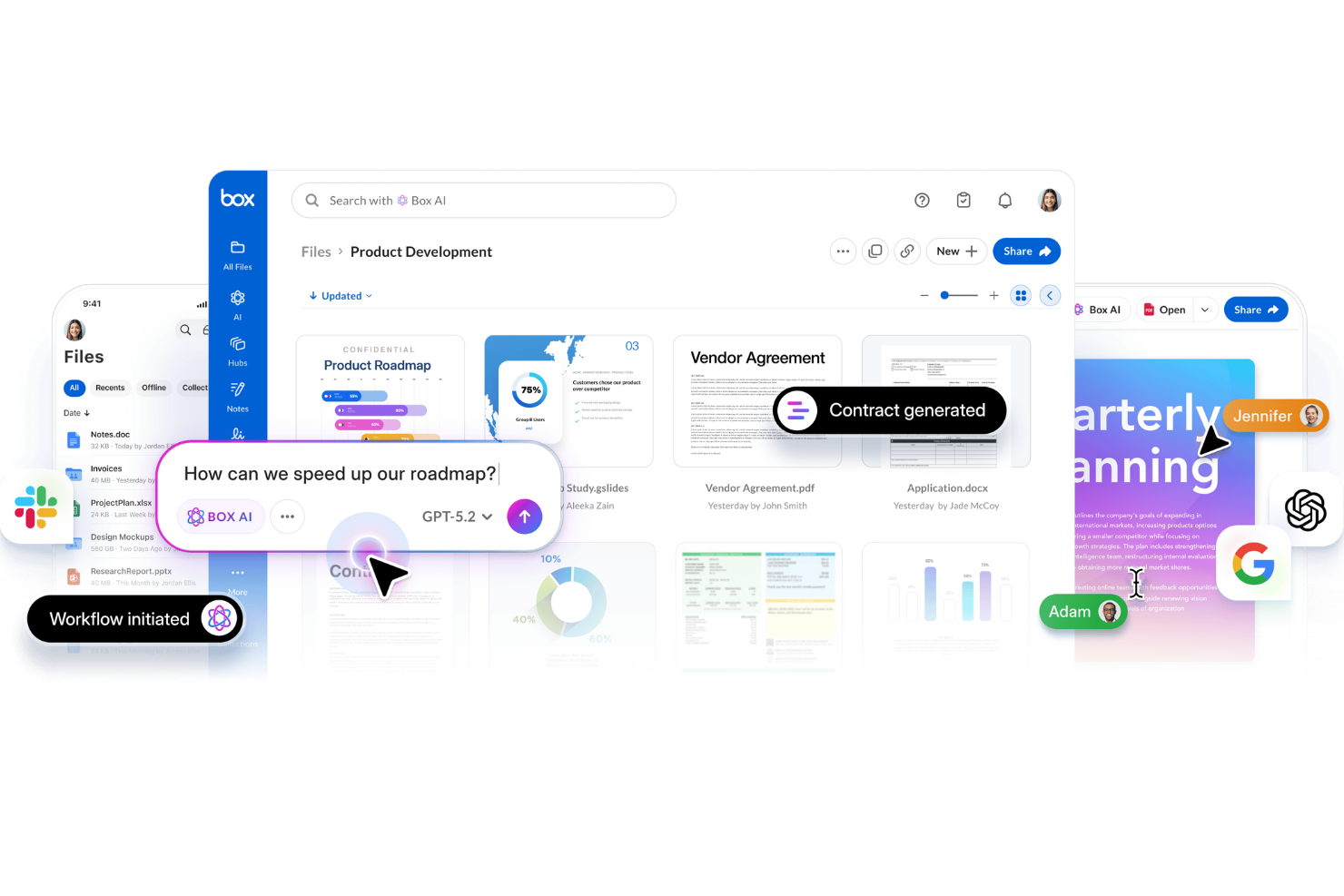
Per le organizzazioni che devono automatizzare flussi di lavoro complessi su larga scala, Box offre una piattaforma progettata per le esigenze aziendali. I suoi strumenti di automazione dei flussi di lavoro sono ideali per i team IT, i reparti legali e i settori regolamentati che richiedono un controllo rigoroso sui processi documentali. Box si distingue dagli altri strumenti di collaborazione permettendo di progettare, automatizzare e monitorare flussi di lavoro multistep direttamente all'interno del repository di contenuti.
Perché Box è una buona alternativa a Egnyte
Box è una scelta valida se il tuo team necessita di un'automazione avanzata dei flussi di lavoro integrata nel sistema di gestione dei contenuti. Ho scelto Box perché la funzionalità Box Relay permette di creare flussi di lavoro personalizzati e multistep per approvazioni, revisioni e smistamento dei documenti—il tutto senza uscire dalla piattaforma. Puoi automatizzare processi ripetitivi e impostare trigger basati sulle attività dei file, particolarmente utile per i team con rigorosi requisiti di conformità o audit. Per le organizzazioni che vogliono andare oltre la semplice condivisione di file, le capacità di automazione di Box offrono un chiaro vantaggio.
Caratteristiche principali di Box
Altre funzionalità di Box che aiutano i team a gestire i contenuti includono:
- Controlli di accesso granulari: Imposta permessi dettagliati per utenti, gruppi e collaboratori esterni.
- Filigrana sui documenti: Applica filigrane visibili ai file sensibili per una sicurezza aggiuntiva.
- Cronologia delle versioni: Tieni traccia e ripristina le versioni precedenti dei documenti secondo necessità.
- Integrazione con firma elettronica: Raccogli firme elettroniche legalmente vincolanti direttamente in Box.
Integrazioni Box
Le integrazioni includono Salesforce, Slack, Microsoft 365, Google Workspace e Zoom.
Pros and Cons
Pros:
- Conformità enterprise di alto livello
- Integrazione con una grande quantità di app
- Ottime app mobili
Cons:
- Limiti di archiviazione rigidi
- Regole metadata complesse

Ideale con opzioni avanzate di conformità

Se la tua organizzazione deve rispettare requisiti normativi rigorosi, FileCloud offre funzionalità di conformità avanzate che superano la maggior parte degli strumenti di collaborazione cloud. È particolarmente utile per i team legali, sanitari e finanziari che gestiscono dati sensibili o regolamentati. FileCloud si distingue grazie al supporto integrato per framework come HIPAA, GDPR e ITAR, facilitando la gestione della conformità direttamente nell'ambiente di condivisione file.
Perché FileCloud è una valida alternativa a Egnyte
Per i team che necessitano di opzioni avanzate di conformità, FileCloud offre un livello di controllo difficile da eguagliare. Ho scelto FileCloud perché include modelli di conformità integrati per HIPAA, GDPR e ITAR, che aiutano le organizzazioni ad automatizzare e documentare i loro processi normativi. I suoi controlli sulla residenza dei dati e le funzionalità di audit log semplificano la dimostrazione della conformità durante le verifiche. Se la tua azienda affronta un controllo normativo rigoroso, FileCloud offre gli strumenti per gestire i dati sensibili con sicurezza.
Funzionalità principali di FileCloud
Altre funzionalità di FileCloud utili per la collaborazione includono:
- Gestione granulare dei ruoli utente: Assegna permessi e livelli di accesso specifici a utenti e gruppi.
- Branding personalizzato: Personalizza l'interfaccia con il logo, i colori e il dominio della tua organizzazione.
- Versionamento integrato dei file: Tieni traccia delle modifiche e ripristina versioni precedenti dei documenti quando necessario.
- Link di condivisione sicuri: Genera link protetti da password e con scadenza temporale per la condivisione esterna.
Integrazioni di FileCloud
Le integrazioni includono Microsoft Office, Google Workspace, Active Directory, Salesforce e Microsoft Teams.
Pros and Cons
Pros:
- Opzioni di backup per endpoint
- Controlli di accesso granulari
- Supporto white-labeling
Cons:
- Comunità di utenti più piccola
- Sincronizzazione con terze parti meno avanzata

Ideale per la modifica collaborativa dei documenti

Se il tuo team ha bisogno di uno spazio di lavoro per la modifica collaborativa dei documenti in tempo reale e per raccogliere feedback, Dropbox Paper merita attenzione. La piattaforma combina scrittura collaborativa, assegnazione di compiti e incorporamento di contenuti multimediali in un unico documento, rendendola utile per team creativi e gruppi di progetto. A differenza di Egnyte, Dropbox Paper si concentra sulla co-modifica in tempo reale e sulle discussioni all'interno dei documenti, così il tuo team può mantenere conversazioni e contenuti insieme.
Perché Dropbox Paper è una buona alternativa a Egnyte
Quando la massima priorità del tuo team è la modifica collaborativa dei documenti, Dropbox Paper offre una soluzione mirata che si distingue da Egnyte. Ho scelto Dropbox Paper perché permette a più utenti di co-modificare i documenti in tempo reale, con aggiornamenti immediati e commenti in linea che mantengono il feedback visibile e facilmente gestibile. Puoi incorporare immagini, video e anche frammenti di codice direttamente nei documenti, supportando una vasta gamma di esigenze progettuali. Per i team che vogliono mantenere la creazione di contenuti e la discussione in un unico posto, Dropbox Paper offre uno spazio di lavoro interattivo e semplificato.
Funzionalità principali di Dropbox Paper
Altre funzionalità di Dropbox Paper che supportano il lavoro collaborativo includono:
- Assegnazione di compiti: Assegna compiti ai membri del team direttamente nei documenti.
- Integrazione con il calendario: Collega i documenti Paper agli eventi del calendario per note riunione e ordini del giorno.
- Modelli di documenti: Usa modelli predefiniti per note riunione, piani di progetto e brainstorming.
- Cronologia delle versioni: Tieni traccia delle modifiche e ripristina versioni precedenti dei documenti.
Integrazioni Dropbox Paper
Le integrazioni includono Google Workspace, Microsoft Office, Adobe, HubSpot, Autodesk, Canva, AWS, Slack, Zoom e Trello.
Pros and Cons
Pros:
- Ottima integrazione di media
- Brainstorming di gruppo veloce
- Collegamenti ai file Dropbox
Cons:
- Nessuna configurazione cloud ibrida
- Controlli di conformità deboli

Ideale per messaggistica e condivisione di file integrate
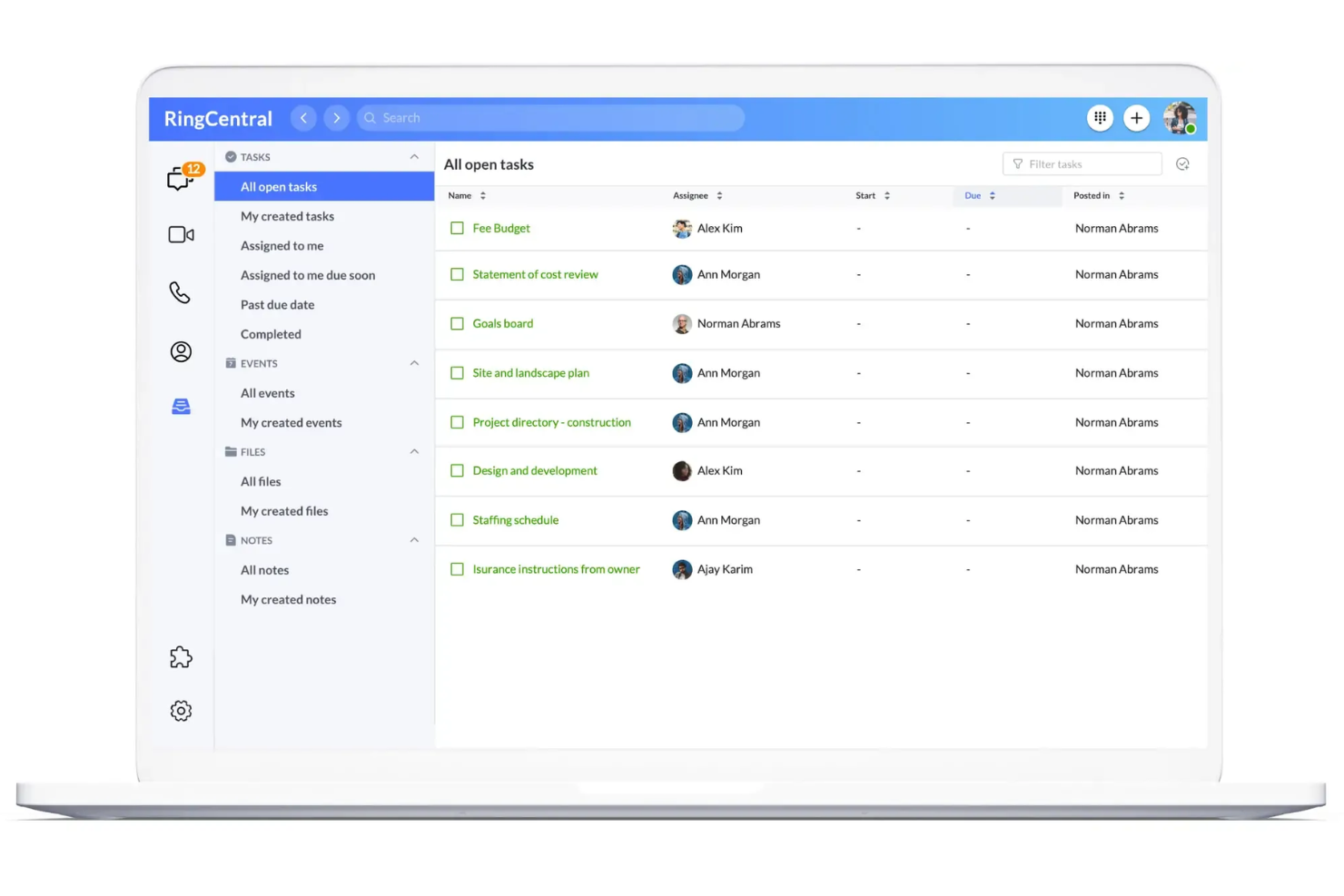
I team alla ricerca di uno spazio unificato per inviare messaggi, effettuare chiamate e condividere file spesso scelgono RingCentral. Questa piattaforma è particolarmente utile per le organizzazioni distribuite che desiderano mantenere conversazioni e documenti in un unico luogo senza dover passare da un'app all'altra. A differenza di molti altri strumenti di collaborazione, RingCentral combina chat persistente, riunioni video e condivisione di file in un'unica interfaccia.
Perché RingCentral è una buona alternativa a Egnyte
Se il tuo team ha bisogno di messaggistica e condivisione di file in un unico luogo, vale la pena prendere in considerazione RingCentral. Ho scelto RingCentral perché consente agli utenti di chattare, condividere file e avviare riunioni video senza uscire dalla piattaforma. La messaggistica persistente del team mantiene organizzate le conversazioni insieme ai documenti condivisi, così non devi gestire strumenti separati per la comunicazione e la collaborazione. Per i team che desiderano ridurre i cambi di contesto, l'approccio integrato di RingCentral è una soluzione molto adatta.
Funzionalità principali di RingCentral
Alcune delle altre funzionalità di RingCentral che aiutano i team a collaborare includono:
- Assegnazione delle attività: Assegna attività ai membri del team direttamente all'interno delle conversazioni.
- Integrazione del calendario: Sincronizza riunioni ed eventi con Google Calendar o Microsoft Outlook.
- Condivisione dello schermo: Condividi lo schermo durante le chiamate o le riunioni video per collaborare in tempo reale.
- Spazi di lavoro del team: Crea spazi dedicati a progetti, reparti o argomenti.
Integrazioni di RingCentral
Le integrazioni includono Microsoft Teams, Salesforce, Google Workspace, HubSpot, Zendesk, AWS, Slack, ServiceNow, Okta e Box.
Pros and Cons
Pros:
- Ottime riunioni video
- Condivisione esterna semplice
- Piattaforma di comunicazione unificata
Cons:
- Non supporta la distribuzione ibrida
- Nessuna rigorosa localizzazione dei dati

Slack
Ideale per la comunicazione in tempo reale del team

Se il tuo team ha bisogno di una comunicazione rapida e organizzata insieme alla condivisione di file, Slack merita un’attenta considerazione. È particolarmente utile per aziende tecnologiche e team distribuiti che si affidano alla messaggistica in tempo reale e a conversazioni ricercabili per far avanzare i progetti. Slack si distingue dagli altri strumenti di collaborazione offrendo chat, caricamento di file e integrazione di app, tutto accessibile immediatamente in un unico posto.
Perché Slack è una valida alternativa a Egnyte
Per i team che hanno bisogno di comunicazione istantanea legata ai loro contenuti, Slack offre un approccio diverso rispetto alle tradizionali piattaforme di archiviazione file. Ho scelto Slack perché mette al centro la collaborazione basata sulla messaggistica in tempo reale, consentendo agli utenti di discutere file, progetti e aggiornamenti in canali dedicati. Slack supporta anche conversazioni a thread e una cronologia dei messaggi ricercabile, così il tuo team può trovare rapidamente discussioni e documenti condivisi. Se il tuo flusso di lavoro si basa su risposte rapide e un dialogo continuo, Slack unisce chat e contenuti in modo unico rispetto a Egnyte.
Funzionalità principali di Slack
Altre funzionalità in Slack che supportano la collaborazione sui contenuti e la produttività del team includono:
- Workflow Builder: Automatizza compiti ricorrenti e processi direttamente all'interno dei canali Slack.
- Anteprime file: Visualizza documenti, immagini e altri file senza uscire dalla conversazione.
- Notifiche personalizzabili: Imposta le preferenze di notifica per canale, parola chiave o orario per gestire la concentrazione.
- Directory delle app: Aggiungi strumenti come Google Drive, Asana e Trello per centralizzare il lavoro in un unico luogo.
Integrazioni Slack
Le integrazioni includono Asana, Box, ChatGPT, Claude, GitHub Enterprise Server, Google Drive, Linear, Notion, Outlook Calendar e Zoom.
Pros and Cons
Pros:
- Ricerca file molto veloce
- Accesso basato sui canali
- Si collega con tutto
Cons:
- Conformità sui dati debole
- Nessuna sincronizzazione locale dei file

Wrike
Ideale per la collaborazione centrata sulle attività

I project manager che cercano uno spazio di lavoro che metta i compiti al centro della collaborazione spesso si rivolgono a Wrike. La piattaforma è progettata per i team che devono coordinare progetti complessi, monitorare le consegne e gestire i contenuti nel contesto delle attività. Wrike si distingue dagli altri strumenti di collaborazione cloud collegando strettamente file, discussioni e approvazioni direttamente agli elementi di lavoro attuabili.
Perché Wrike è una buona alternativa a Egnyte
A differenza delle tradizionali piattaforme di archiviazione file, Wrike pone i compiti al centro di ogni collaborazione. Ho scelto Wrike perché consente ai team di allegare file, commenti e approvazioni direttamente alle attività, mantenendo così il contenuto sempre collegato al lavoro da svolgere. Le liste dinamiche delle attività e i flussi di attività in tempo reale aiutano i team a monitorare i progressi e a mantenere tutti allineati sulle consegne. Se i tuoi progetti dipendono da una chiara attribuzione delle attività e da contenuti legati a specifici elementi di lavoro, Wrike offre una struttura che Egnyte non ha.
Funzionalità principali di Wrike
Altre funzionalità di Wrike che supportano la collaborazione sui contenuti e la gestione dei progetti includono:
- Flussi di lavoro personalizzati: Crea e modifica i flussi di lavoro per adattarli ai processi unici del tuo team.
- Versionamento dei documenti: Traccia le modifiche e mantieni una cronologia degli aggiornamenti dei file all'interno delle attività.
- Vista diagramma di Gantt: Visualizza le tempistiche e le dipendenze del progetto per una migliore pianificazione.
- Moduli di richiesta: Raccogli richieste di progetto e informazioni di ingresso tramite moduli personalizzabili.
Integrazioni di Wrike
Le integrazioni includono Salesforce, HubSpot, Jira, GitHub, Microsoft Teams, Zoom, Slack, Dropbox, Outlook e Tableau.
Pros and Cons
Pros:
- Ottimi strumenti di revisione
- Ottima automazione dei flussi di lavoro
- Visualizzazioni temporali avanzate
Cons:
- Non offre implementazione ibrida
- Sincronizzazione di base poco intuitiva
New Product Updates from Wrike
Wrike Adds Klaxoon MCP Integration
Wrike’s Klaxoon MCP integration is now generally available, enabling AI agents to navigate between Wrike tasks and attached whiteboards, read task context, and manage whiteboard attachments via API. For more information, visit Wrike's official site.
Axero
Ideale per la gestione interna della conoscenza

Se la tua organizzazione ha bisogno di un hub centrale per la gestione delle conoscenze interne, Axero è progettato per aiutare i team a raccogliere, organizzare e condividere informazioni tra i reparti. È particolarmente utile per i team di HR, IT e operazioni che desiderano creare knowledge base ricercabili, gestire le policy e facilitare la comunicazione tra i dipendenti. A differenza di altri strumenti di collaborazione, Axero combina la gestione documentale con funzionalità tipiche dell'intranet sociale per supportare la condivisione continua della conoscenza e l'engagement.
Perché Axero è una buona alternativa a Egnyte
Per i team che vogliono costruire una solida knowledge base interna, Axero offre un approccio diverso rispetto alle tradizionali piattaforme di archiviazione file. Ho scelto Axero perché unisce la gestione documentale alla creazione di contenuti in stile wiki, facilitando la raccolta e l'organizzazione della conoscenza istituzionale. Le sue funzioni di ricerca avanzata e tagging aiutano i dipendenti a trovare rapidamente policy, procedure e best practice. Se la tua priorità è la condivisione della conoscenza e la comunicazione interna, la piattaforma in stile intranet di Axero si distingue come alternativa specializzata a Egnyte.
Funzionalità principali di Axero
Altre funzionalità di Axero che supportano la collaborazione e la gestione della conoscenza includono:
- Spazi di lavoro personalizzabili: Crea aree dedicate per team, progetti o reparti con permessi su misura.
- Forum di discussione: Permetti discussioni strutturate per conversazioni di team continue e domande/risposte.
- Controllo versioni dei documenti: Tieni traccia delle modifiche e mantieni lo storico completo delle revisioni dei documenti.
- Elenco dei dipendenti: Mantieni un elenco ricercabile con profili, ruoli e informazioni di contatto.
Integrazioni Axero
Le integrazioni includono Google Workspace, Microsoft 365, Slack, Zoom, Microsoft Teams, OneDrive, Dropbox, Box, ServiceNow e Salesforce.
Pros and Cons
Pros:
- Ottima knowledge base in stile wiki
- Pubblicazione di contenuti semplice
- Branding personalizzato del portale
Cons:
- Manca cache locale ibrida
- Bassa gestione delle cartelle
Altre alternative a Egnyte
Ecco alcune ulteriori alternative a Egnyte che non sono entrate nella mia selezione, ma che vale comunque la pena valutare:
- Confluence
Ideale per la documentazione strutturata
- Atlas
Ideale per collegare gli aggiornamenti di progetto agli obiettivi
- ClickUp
Ideale per viste dello spazio di lavoro personalizzabili


Come valuto le alternative a Egnyte
Divido la mia valutazione in criteri di base—come sincronizzazione crittografata, controlli di accesso e conformità—e fattori differenzianti come il deployment ibrido e le integrazioni PM che contano di più per i team di progetto.
Funzionalità principali (requisiti fondamentali per questa lista)
Quando seleziono gli strumenti per la mia lista, classifico ognuno su una scala da 0 (non offre la funzionalità) a 5 (eccelle in quest'area) per ciascuna funzionalità fondamentale elencata di seguito. Poi calcolo il punteggio totale dello strumento in percentuale. Ogni strumento deve ottenere un punteggio totale minimo del 65% per essere considerato per l'inclusione.
- Archiviazione sicura dei file: Verifico la crittografia a riposo e in transito, oltre a opzioni come le chiavi gestite dal cliente che i team di progetto nei settori regolamentati si aspettano.
- Controlli di accesso granulari: Le autorizzazioni a livello di cartella e le restrizioni per utenti esterni sono importanti, soprattutto quando si condividono consegne con collaboratori o clienti.
- Sincronizzazione e condivisione file: Valuto la sincronizzazione desktop e mobile, le opzioni di sincronizzazione selettiva e la condivisione di file di grandi dimensioni, perché i team di costruzione e creativi movimentano asset pesanti ogni giorno.
- Controllo delle versioni e co-editing: Tracciare le revisioni sui documenti di progetto è fondamentale. Cerco funzioni di ripristino, blocco dei file e integrazioni per la co-modifica in tempo reale.
- Supporto ibrido e multi-cloud: Alcuni team si affidano ancora ai server locali insieme allo storage cloud. Cerco sincronizzazione ibrida, opzioni BYOS o connettori multi-cloud.
- Conformità e governance: Log di audit, politiche di conservazione e certificazioni come SOC 2, HIPAA o GDPR sono segnali che una piattaforma è pronta per ambienti enterprise di progetto.
Una volta che ho un elenco di strumenti che soddisfano questi criteri, considero cosa distingue ogni piattaforma.
Fattori differenzianti (cosa distingue i fornitori)
Ecco come confronto e metto a confronto i diversi fornitori:
Funzionalità di spicco
Le integrazioni PM native sono un grande punto di distinzione. Cerco strumenti che si connettano direttamente con piattaforme come Jira, Procore o Asana in modo che i team possano accedere ai file senza lasciare il proprio flusso di lavoro. Anche la classificazione contenuti basata su AI si distingue, soprattutto per grandi repository dove la catalogazione manuale non è sostenibile. Per i team di costruzione e creativi, valuto quanto bene una piattaforma gestisce le anteprime e i trasferimenti di asset CAD, BIM o video. I portali clienti personalizzati aggiungono valore quando è necessario condividere consegne con stakeholder esterni in modo raffinato e tracciabile.
Oltre le funzionalità
La flessibilità di deployment è importante quando si effettua una transizione da Egnyte. Valuto se una piattaforma supporta configurazioni ibride, solo cloud o BYOS, dal momento che molti team dipendono ancora da server di file locali nelle filiali remote. La struttura dei prezzi è un altro elemento chiave—i modelli per utente rispetto a quelli basati sulla quantità di storage influiscono sulla prevedibilità dei costi man mano che il team cresce. Controllo anche la presenza di strumenti di migrazione, perché trasferire terabyte di dati di progetto da Egnyte o SharePoint senza utility di importazione dedicate e supporto per l'onboarding può rallentare il rollout per settimane.
Perché cercare un’alternativa a Egnyte?
Sebbene Egnyte sia una buona scelta come strumento di collaborazione ai contenuti nel cloud, esistono diversi motivi per cui alcuni utenti cercano soluzioni alternative. Potresti cercare un’alternativa a Egnyte perché…
- Hai bisogno di una personalizzazione più flessibile dell’area di lavoro
- Desideri funzionalità integrate per la gestione dei progetti
- Hai bisogno di spazio di archiviazione illimitato nei piani di fascia inferiore
- Hai bisogno di una migliore collaborazione sui documenti in tempo reale
- Desideri prezzi più accessibili per i piccoli team
- Hai bisogno di integrazioni native con strumenti specifici
Se ti riconosci in una di queste situazioni, sei nel posto giusto. Il mio elenco contiene diverse opzioni di strumenti di collaborazione ai contenuti nel cloud più adatte ai team che affrontano queste difficoltà con Egnyte e cercano soluzioni alternative.
Caratteristiche principali di Egnyte
Ecco alcune delle caratteristiche principali di Egnyte, per aiutarti a mettere a confronto ciò che offrono le soluzioni alternative:
- Archiviazione e organizzazione centralizzate dei file nel cloud
- Controlli granulari delle autorizzazioni per utenti e cartelle
- Sincronizzazione dei file in tempo reale tra i dispositivi
- Condivisione sicura di file esterni tramite link personalizzati
- Rilevamento avanzato di ransomware e malware
- Registri di controllo dettagliati e monitoraggio delle attività
- Integrazioni native con Microsoft 365 e Google Workspace
- Gestione automatizzata delle versioni dei file e ripristino
- Opzioni di distribuzione ibride per il cloud e i sistemi locali
- Accesso da dispositivi mobili con app dedicate per iOS e Android