

10 meilleures alternatives à Wufoo pour les formulaires en ligne en 2026

Sélection des meilleures alternatives à Wufoo


Vous avez du mal à composer avec les limites de Wufoo et vous cherchez une solution mieux adaptée à votre équipe ? Vous n’êtes pas seul. De nombreux chefs de projet rencontrent des difficultés avec Wufoo, comme des possibilités de personnalisation limitées, des problèmes d’intégration ou des préoccupations liées à la gestion des données.
De nombreux créateurs de formulaires basés sur le cloud proposent des solutions adaptées à vos besoins spécifiques. D’après mon expérience, trouver le bon outil peut faire une grande différence dans votre flux de travail et votre efficacité.
Dans cet article, je vous présente mon avis impartial sur les meilleures alternatives à Wufoo. Vous découvrirez des options susceptibles d’améliorer la productivité de votre équipe et de répondre à vos défis particuliers. Examinons les meilleurs choix et trouvons la solution idéale pour votre entreprise.
Qu’est-ce que Wufoo ?
Wufoo est un créateur de formulaires basé sur le cloud qui vous permet de créer facilement des formulaires en ligne. Il est couramment utilisé par les professionnels du marketing, du service client et de l’organisation d’événements pour collecter et gérer des données. La fonctionnalité glisser-déposer, les modèles personnalisables et l’intégration facile avec d’autres outils facilitent tous la création rapide et efficace de formulaires. Dans l’ensemble, Wufoo offre une plateforme conviviale pour gérer les tâches reposant sur des formulaires.
Résumé des meilleures alternatives à Wufoo
Ce tableau comparatif résume les informations tarifaires de mes meilleures alternatives à Wufoo afin de vous aider à trouver celle qui correspond le mieux à votre budget et aux besoins de votre entreprise.
| Tool | Best For | Trial Info | Price | ||
|---|---|---|---|---|---|
| 1 | Idéal pour les formulaires axés sur la conception | Essai gratuit de 7 jours + forfait gratuit disponible | À partir de $24/mois (facturé annuellement) | Website | |
| 2 | Idéal pour personnaliser les sondages | Forfait gratuit disponible | À partir de $30/utilisateur/mois (facturé annuellement) | Website | |
| 3 | Idéal pour l’intégration à WordPress | Formule gratuite disponible | À partir de $49.50/an (facturé annuellement) | Website | |
| 4 | Idéal pour les entonnoirs de génération de prospects | Essai gratuit de 14 jours | À partir de 56 $/mois (facturation annuelle) | Website | |
| 5 | Idéal pour la conformité sectorielle | Essai gratuit de 14 jours + démonstration gratuite disponible | À partir de $83/mois (facturé annuellement) | Website | |
| 6 | Idéal pour les formulaires en ligne sécurisés | Essai gratuit de 14 jours disponible | À partir de $21/mois (facturé annuellement) | Website | |
| 7 | Idéal pour un partage facile | Forfait gratuit disponible | Forfait gratuit disponible ; à partir de $7/utilisateur/mois (facturé annuellement) pour Google Workspace | Website | |
| 8 | Idéal pour la collaboration en temps réel | Essai gratuit de 30 jours | À partir de $9.99/utilisateur/mois (Microsoft 365 Business Basic ou inclus avec les abonnements Microsoft 365) | Website | |
| 9 | Idéal pour l’automatisation des flux de travail | Essai gratuit de 14 jours + forfait gratuit disponible | À partir de $19/mois | Website | |
| 10 | Idéal pour des enquêtes engageantes | Forfait gratuit disponible | À partir de $28/mois (facturé annuellement) | Website |
Pourquoi faire confiance à nos recommandations de logiciels
Notre équipe teste et évalue des logiciels depuis 2012. En tant que chefs de projet nous-mêmes, nous savons à quel point il est difficile — et important — de choisir le bon logiciel.
Pour ce guide, nous avons évalué les outils grâce à des tests pratiques et une recherche indépendante, en notant les outils selon nos critères de sélection. Nous nous appuyons également sur les enseignements de leaders d’opinion du secteur et de professionnels de la gestion de projet en activité.
Nos avis reflètent notre jugement éditorial humain, et non un argumentaire de vente.
Réviseurs experts:
Avis sur les meilleures alternatives à Wufoo
Vous trouverez ci-dessous mes résumés détaillés des meilleures alternatives à Wufoo qui figurent dans ma sélection. Mes avis présentent en détail les principales fonctionnalités, les avantages & inconvénients, les intégrations et les cas d’utilisation idéaux de chaque outil afin de vous aider à trouver celui qui vous convient le mieux.

Idéal pour les formulaires axés sur la conception
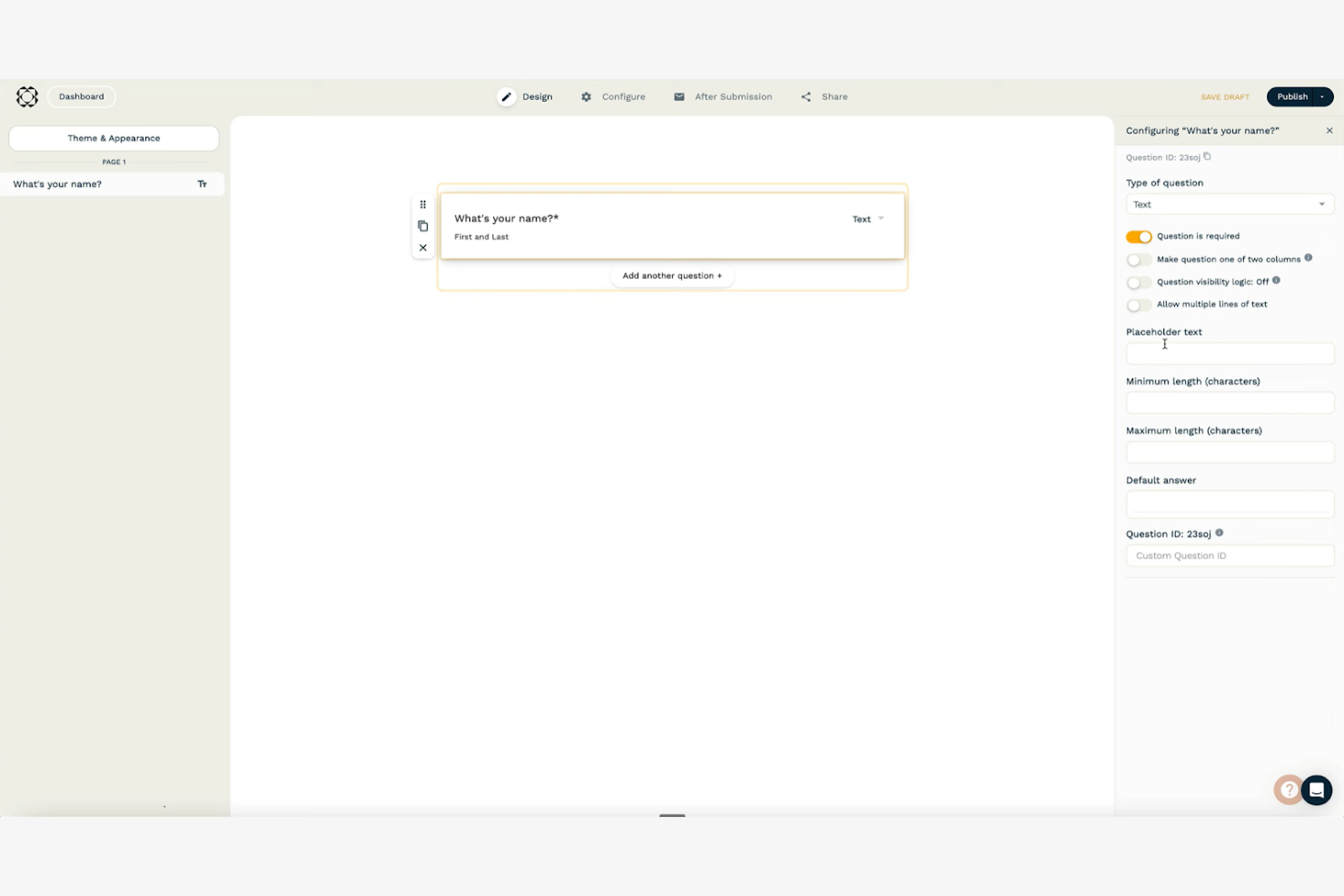
Paperform est un outil polyvalent de création de formulaires en ligne qui vous permet de créer de magnifiques formulaires et pages de destination. Il est apprécié des petites entreprises, des spécialistes du marketing et des créatifs qui accordent de l'importance à la flexibilité et à l'esthétique de la conception.
Pourquoi Paperform est une bonne alternative à Wufoo : Paperform offre de nombreuses options de personnalisation, vous permettant de concevoir des formulaires qui correspondent à l'identité de votre marque. Son éditeur intuitif prend en charge les contenus multimédias tels que les images et les vidéos, ce qui rend vos formulaires plus attrayants. Vous pouvez également automatiser les flux de travail grâce à une logique conditionnelle, ce qui aide votre équipe à gagner du temps. Ces fonctionnalités font de Paperform une solution idéale si vous cherchez à créer des formulaires visuellement attrayants qui se démarquent.
Fonctionnalités et intégrations remarquables :
Les fonctionnalités comprennent la possibilité d'accepter des paiements directement via les formulaires, ce qui est idéal pour les entreprises de commerce électronique. Vous pouvez utiliser des calculs avancés pour effectuer des opérations complexes dans les formulaires. La plateforme propose également du HTML et du CSS personnalisés, vous offrant un contrôle total sur l'apparence de vos formulaires.
Les intégrations comprennent Zapier, Mailchimp, Google Sheets, Stripe, PayPal, Slack, HubSpot, Trello, Dropbox et Square.
Pros and Cons
Pros:
- Interface en texte libre offrant une grande flexibilité de conception
- Prend en charge les contenus multimédias, notamment les images, les vidéos, les cartes personnalisées et les calendriers
- Possibilité d'insérer du code HTML et CSS personnalisés pour un meilleur contrôle
Cons:
- Analyses intégrées limitées
- Risque de se sentir dépassé par le grand nombre d'options de personnalisation

Idéal pour personnaliser les sondages
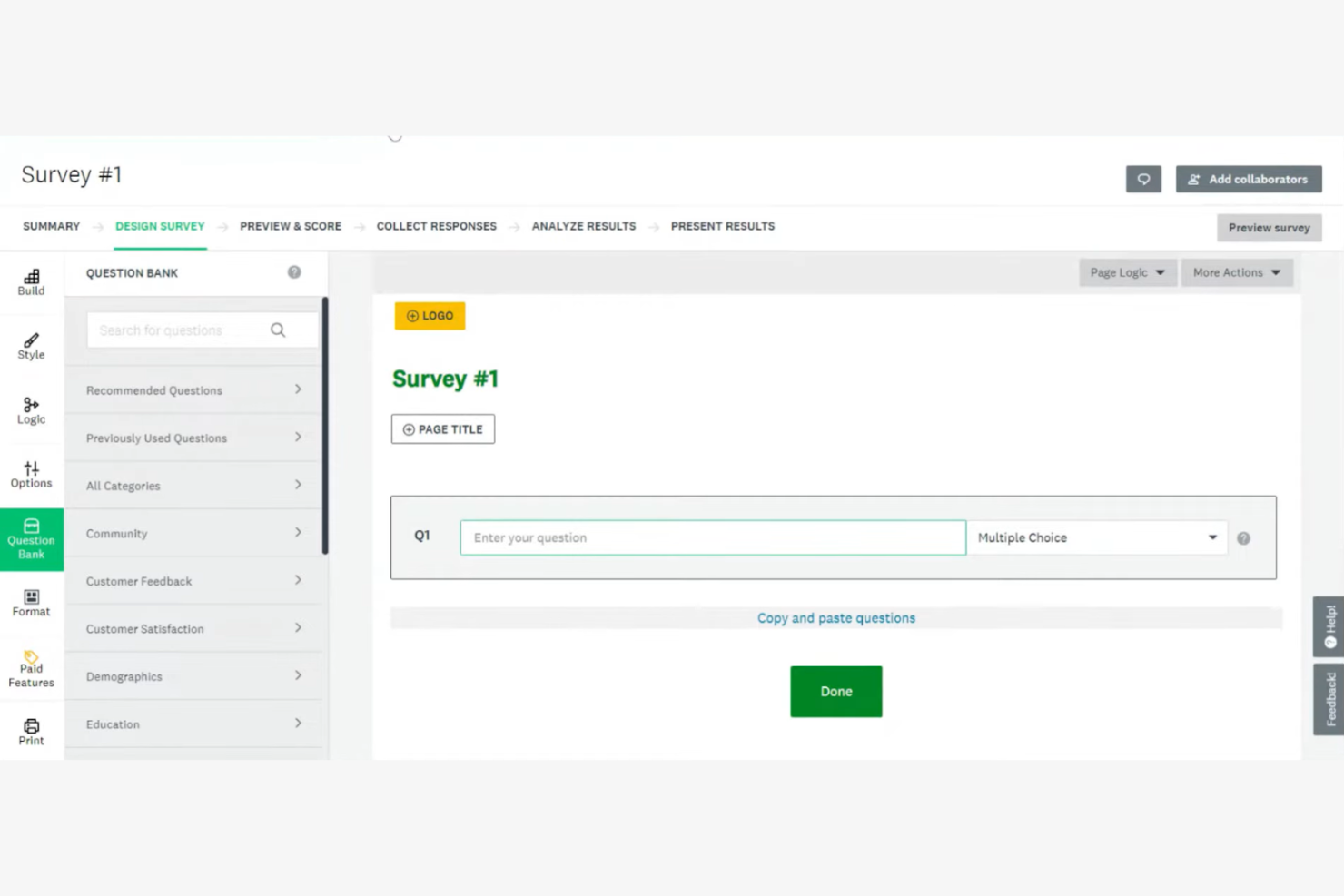
SurveyMonkey est un outil de sondage en ligne qui aide les entreprises et les particuliers à recueillir et à analyser les commentaires. Il est largement utilisé par les chercheurs, les spécialistes du marketing et les organisations qui doivent collecter des données efficacement.
Pourquoi SurveyMonkey est une bonne alternative à Wufoo : SurveyMonkey offre de nombreuses options de personnalisation, ce qui vous permet d'adapter les sondages à vos besoins spécifiques. La variété des types de questions et des fonctionnalités de logique permet de créer des sondages complexes pour obtenir des informations approfondies. Les outils d'analyse de la plateforme vous aident à interpréter efficacement les données, ce qui permet à votre équipe de prendre plus facilement des décisions éclairées. Sa conception intuitive simplifie la création de sondages, même pour les débutants.
Fonctionnalités et intégrations remarquables :
Les fonctionnalités comprennent une logique avancée de sondage qui vous permet de personnaliser le déroulement en fonction des réponses. Vous pouvez utiliser des modèles de sondage préconçus pour gagner du temps et vous assurer de poser les bonnes questions. La plateforme propose également une analyse des données en temps réel, qui vous aide à suivre les réponses au fur et à mesure de leur réception.
Les intégrations comprennent Salesforce, Mailchimp, HubSpot, Slack, Microsoft Teams, Google Drive, Dropbox, Zendesk, Eventbrite et Constant Contact.
Pros and Cons
Pros:
- Personnalisation étendue des thèmes, des couleurs et des éléments de marque des sondages
- Forfait gratuit abordable et options évolutives pour répondre aux besoins des utilisateurs
- Grande variété de types de questions, notamment les questions à choix multiples, les échelles de Likert, les classements et les choix d'images
Cons:
- Tarification plus élevée pour les fonctionnalités avancées
- Limites de réponses avec le forfait gratuit

WPForms
Idéal pour l’intégration à WordPress
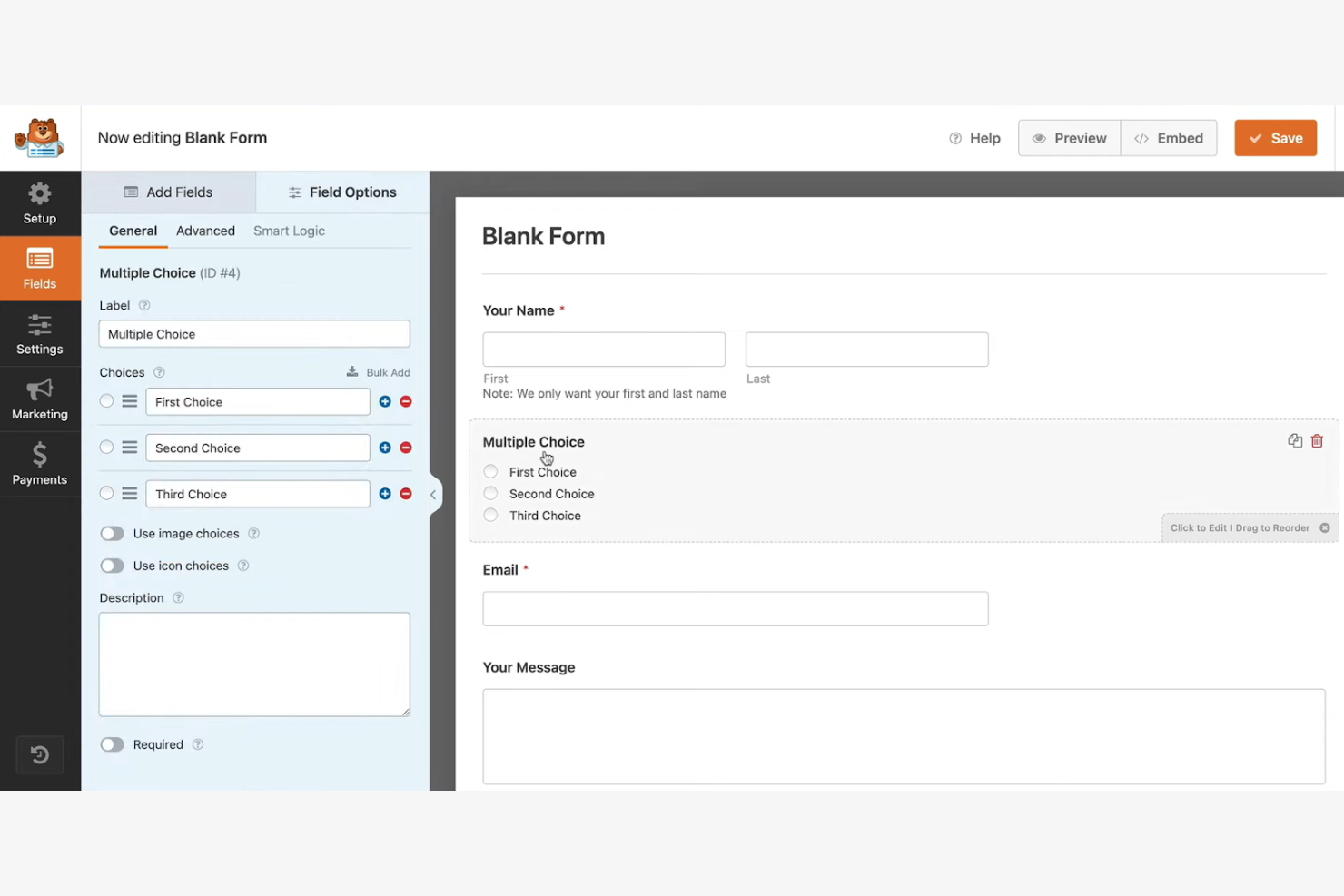
WPForms est une extension WordPress conçue pour créer et gérer des formulaires en ligne directement depuis votre site WordPress. Elle est principalement utilisée par les blogueurs, les propriétaires de petites entreprises et les développeurs qui ont besoin d’un moyen simple d’ajouter des formulaires à leurs sites web.
Pourquoi WPForms est une bonne alternative à Wufoo : WPForms s’intègre à WordPress, ce qui en fait un choix pratique pour les utilisateurs de cette plateforme. Son créateur par glisser-déposer vous permet de créer rapidement des formulaires sans coder. Grâce à des fonctionnalités telles que des modèles prédéfinis et une logique conditionnelle intelligente, vous pouvez personnaliser les formulaires selon vos besoins. L’extension prend également en charge les notifications instantanées, afin que vous soyez automatiquement informé de toute nouvelle soumission de formulaire.
Fonctionnalités et intégrations remarquables :
Les fonctionnalités incluent la possibilité de créer des formulaires multipages, qui divisent les formulaires longs en sections faciles à gérer. Vous pouvez utiliser des modules complémentaires de sondage et de questionnaire pour recueillir des commentaires détaillés de votre audience. La plateforme propose également des outils de protection contre le spam afin de sécuriser vos formulaires contre les soumissions indésirables.
Les intégrations incluent Mailchimp, PayPal, Stripe, AWeber, Campaign Monitor, GetResponse, Drip, Constant Contact, Salesforce et Zapier.
Pros and Cons
Pros:
- Extension WordPress dédiée conçue pour s’intégrer directement au tableau de bord
- Création de formulaires conviviale par glisser-déposer dans les versions gratuite et payante
- Plus de 2 000 modèles de formulaires prédéfinis
Cons:
- L’assistance est uniquement disponible pour les utilisateurs disposant de licences haut de gamme actives
- Les fonctionnalités avancées nécessitent des modules complémentaires
Heyflow
Idéal pour les entonnoirs de génération de prospects
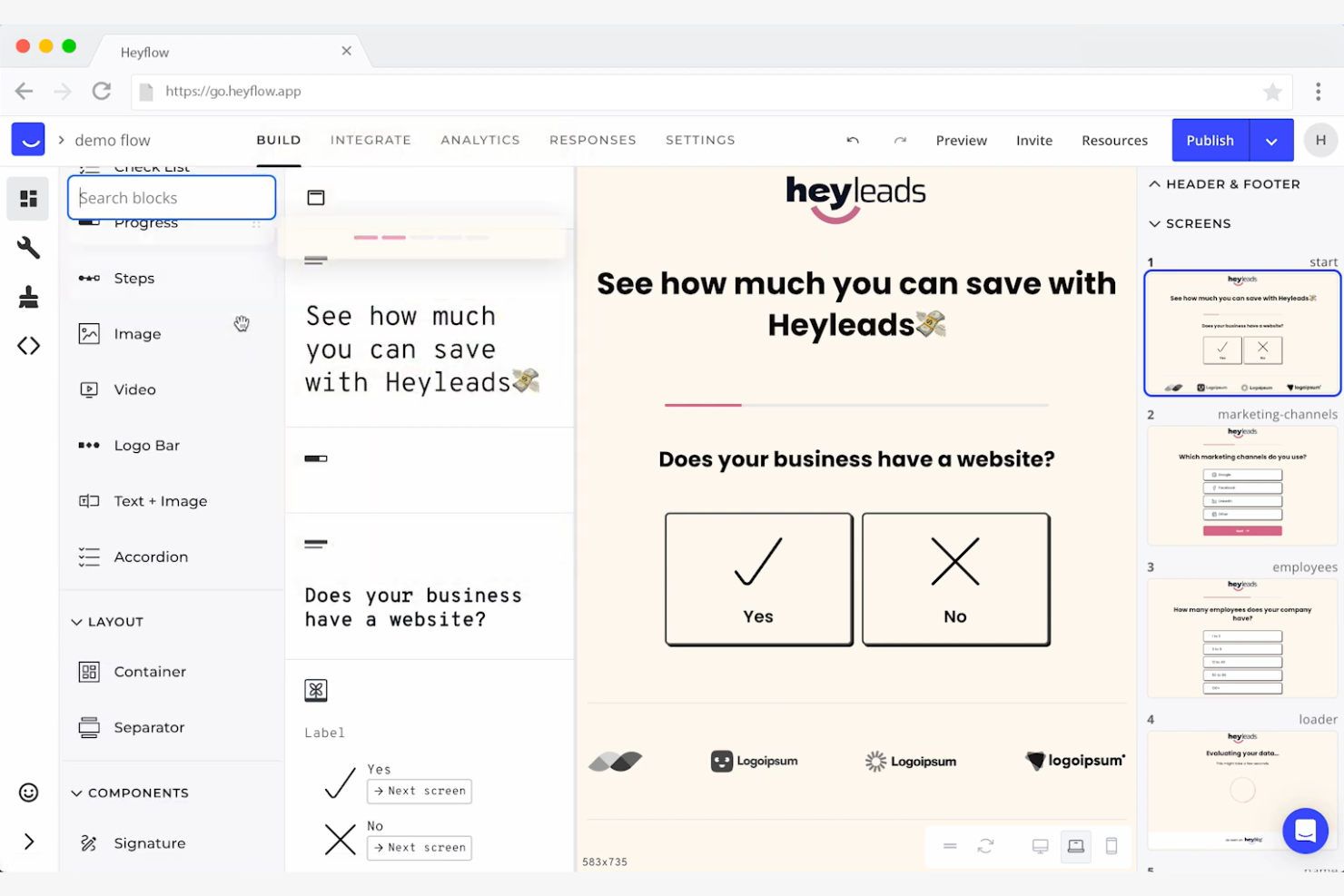
Heyflow est une plateforme sans code conçue pour convertir les visiteurs d’un site web en prospects grâce à des entonnoirs interactifs, pensés d’abord pour les appareils mobiles. Elle est principalement utilisée par des spécialistes du marketing à la performance, des designers et des développeurs dans divers secteurs, notamment en B2C et B2B.
Pourquoi Heyflow est une bonne alternative à Wufoo : Heyflow offre de vastes possibilités de personnalisation des pages d’atterrissage et des formulaires interactifs, ce qui en fait une solution idéale pour la génération de prospects. Grâce à ses outils intégrés d’analyse, de tests A/B et d’évaluation des prospects, la plateforme vous aide à optimiser l’engagement et les taux de conversion. Sa conception pensée d’abord pour les appareils mobiles garantit une expérience utilisateur fluide, tandis que des fonctionnalités comme le codage personnalisé et les paiements intégrés prennent en charge des initiatives marketing avancées.
Fonctionnalités et intégrations remarquables :
Les fonctionnalités comprennent des tests A/B intégrés pour optimiser vos entonnoirs, des analyses des abandons pour comprendre à quel moment les utilisateurs quittent le parcours, ainsi qu’une évaluation des prospects pour prioriser les clients potentiels. La plateforme propose également plus de 40 blocs à faire glisser-déposer pour faciliter la personnalisation.
Les intégrations comprennent Zapier, HubSpot, Mailchimp, Salesforce, Google Analytics, Facebook Pixel, Intercom, Slack, Google Tag Manager et Shopify.
Pros and Cons
Pros:
- Les entonnoirs interactifs étape par étape capturent davantage de prospects et génèrent de meilleurs taux de conversion que les formulaires statiques
- Tous les parcours d’entonnoir sont optimisés par défaut pour les appareils mobiles
- Des analyses intégrées puissantes pour obtenir des données de performance claires
Cons:
- L’interface sans code limite les utilisateurs aux blocs prédéfinis de la plateforme
- La marque Heyflow des entonnoirs est visible dans les formules gratuite et basique

Idéal pour la conformité sectorielle
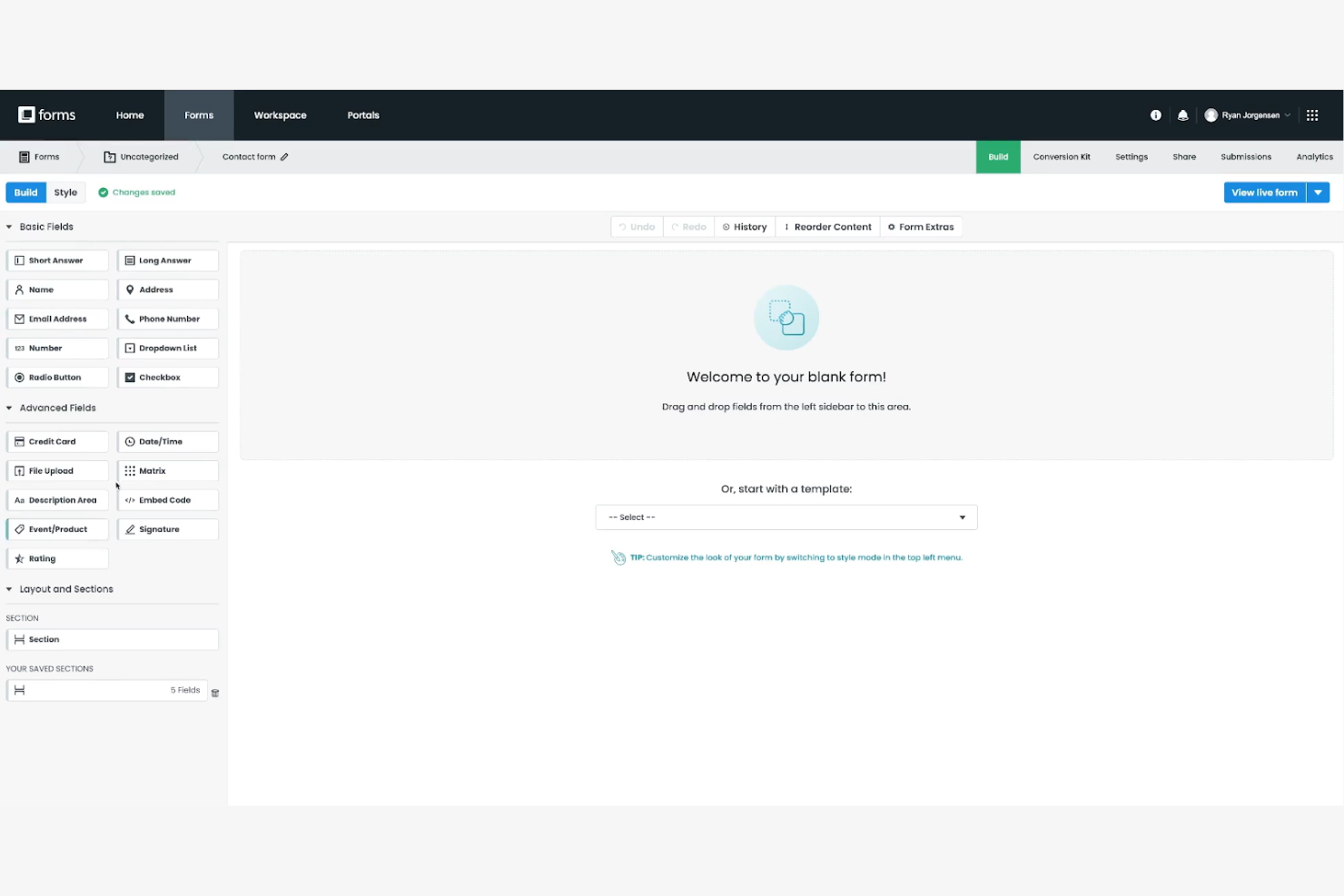
Formstack est un créateur de formulaires polyvalent qui aide les entreprises à automatiser leurs flux de travail et à gérer efficacement leurs données. Il est largement utilisé par les prestataires de soins de santé, les établissements d'enseignement et les services financiers qui nécessitent une gestion sécurisée et conforme des données.
Pourquoi Formstack est une bonne alternative à Wufoo : Formstack offre des fonctionnalités de conformité avancées, notamment la conformité HIPAA et le chiffrement des données, ce qui en fait une solution idéale pour les secteurs soumis à des réglementations strictes en matière de données. Son créateur de formulaires flexible prend en charge les flux de travail et les approbations complexes, vous aidant à optimiser vos processus. Les mesures de sécurité de la plateforme garantissent la protection de vos données, offrant ainsi une tranquillité d'esprit à votre équipe.
Fonctionnalités et intégrations remarquables :
Les fonctionnalités comprennent des analyses avancées des formulaires qui vous aident à suivre leurs performances et à prendre des décisions fondées sur les données. Vous pouvez utiliser la logique conditionnelle pour créer des formulaires dynamiques qui s'adaptent aux réponses des utilisateurs. La plateforme propose également des fonctionnalités de génération de documents, vous permettant de créer des fichiers PDF à partir des réponses aux formulaires.
Les intégrations comprennent Salesforce, Mailchimp, Google Drive, HubSpot, PayPal, QuickBooks, Dropbox, Stripe, Microsoft Teams et Slack.
Pros and Cons
Pros:
- Des mesures de conformité et de sécurité conformes aux principales réglementations et normes sectorielles
- Les fonctionnalités d'automatisation permettent de personnaliser les chaînes d'approbation
- Chiffrement SSL 256 bits, chiffrement des données au repos, téléchargements sécurisés et protection par mot de passe
Cons:
- Peu ou pas d'assistance téléphonique avec les forfaits de base
- Limites d'utilisation pour tous les niveaux de forfait

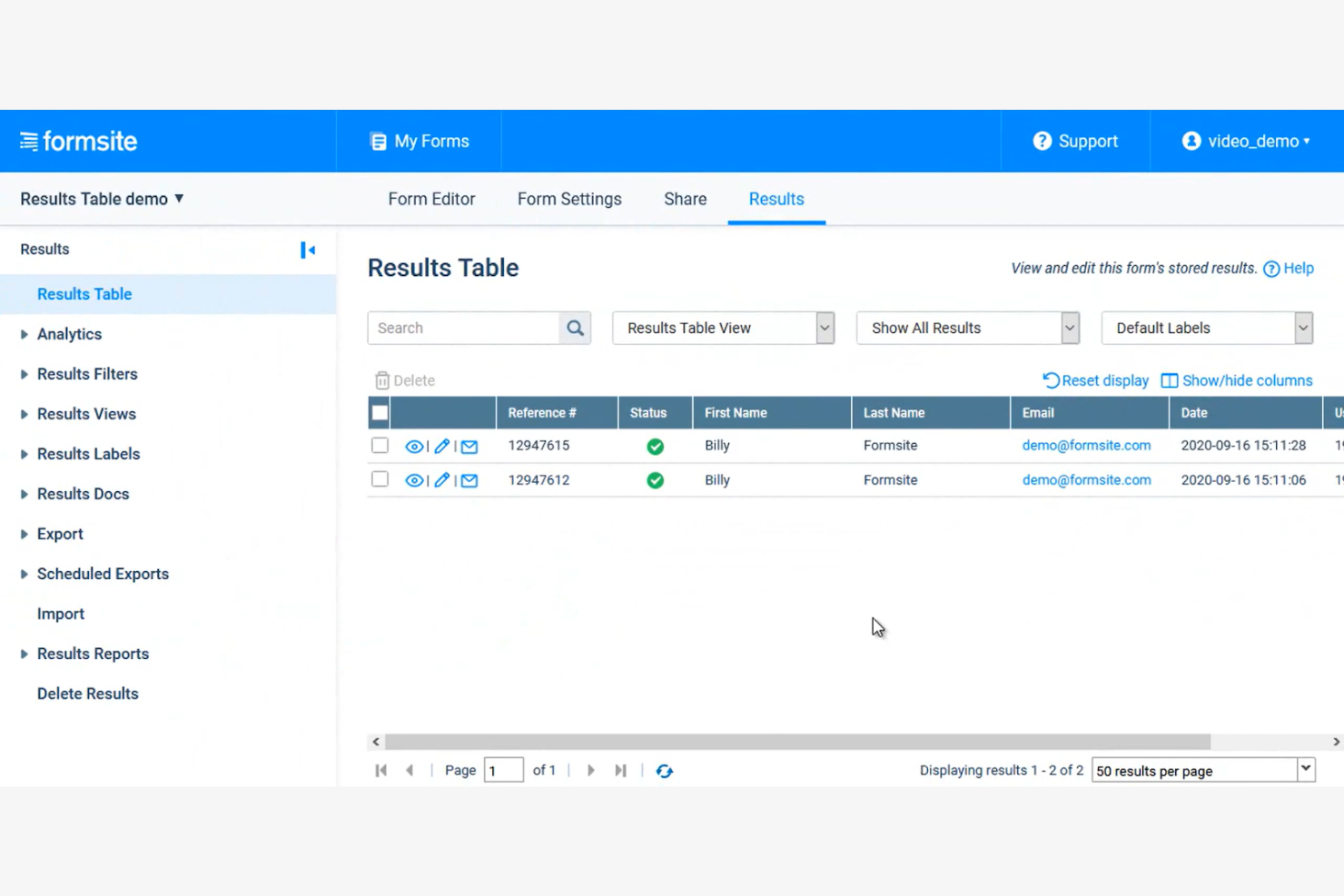
Formsite est un créateur de formulaires en ligne qui se concentre sur la création de formulaires sécurisés pour la collecte de données. Il est principalement utilisé par les entreprises et les organisations qui doivent traiter des informations sensibles, notamment les prestataires de soins de santé, les établissements d'enseignement et les sociétés financières.
Pourquoi Formsite est une bonne alternative à Wufoo : Formsite propose des fonctionnalités de sécurité avancées, notamment le chiffrement SSL et la protection par mot de passe, afin de protéger vos données. Ses formulaires personnalisables vous permettent de les adapter à vos besoins spécifiques tout en respectant les normes du secteur. La plateforme propose également des fonctionnalités telles que l'analyse des formulaires et la logique conditionnelle, qui vous aident à gérer et à analyser efficacement vos données.
Fonctionnalités et intégrations remarquables :
Les fonctionnalités comprennent un créateur de formulaires par glisser-déposer qui vous permet de créer des formulaires rapidement et facilement. Vous pouvez utiliser la logique conditionnelle pour afficher ou masquer des questions en fonction des réponses des utilisateurs. La plateforme offre également des fonctionnalités de téléversement de fichiers, permettant aux utilisateurs d'envoyer des documents via vos formulaires.
Les intégrations comprennent Google Sheets, Salesforce, Dropbox, Mailchimp, PayPal, Zapier, Slack, HubSpot, Constant Contact et Stripe.
Pros and Cons
Pros:
- Sécurité renforcée des données, notamment grâce au chiffrement HTTPS et à une politique de conservation des données
- Créateur de formulaires personnalisable par glisser-déposer et options de modification CSS
- Fonctionnalité sécurisée de téléversement de fichiers sur tous les forfaits payants pour recueillir les documents et les images des répondants
Cons:
- Les analyses de formulaires intégrées manquent de sophistication visuelle
- Adaptation limitée aux appareils mobiles

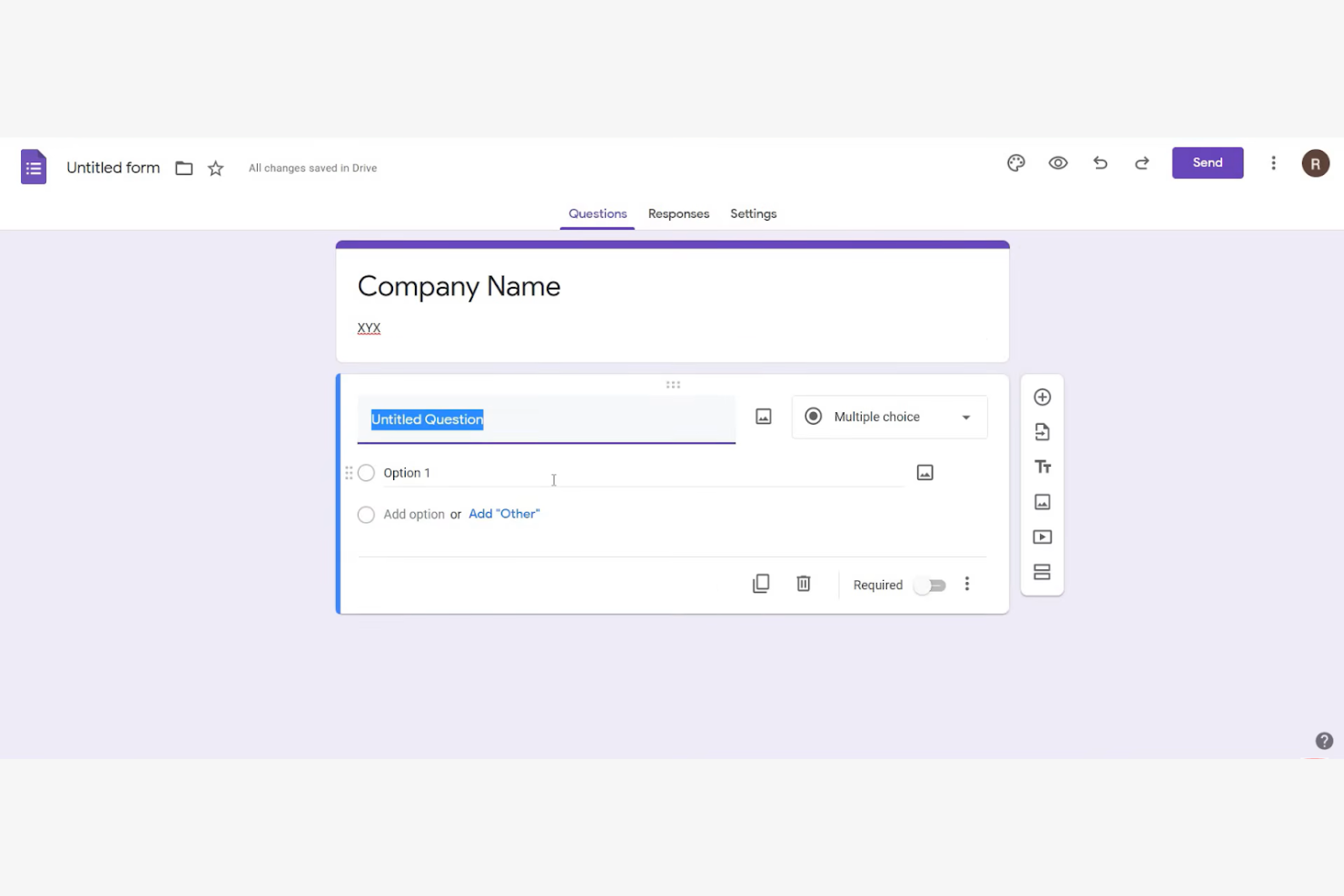
Google Forms est un outil d’enquête en ligne qui permet aux utilisateurs de créer facilement des formulaires et de recueillir des données. Il est largement utilisé par les enseignants, les petites entreprises et les particuliers qui ont besoin de collecter et de partager rapidement des informations.
Pourquoi Google Forms constitue une bonne alternative à Wufoo : Google Forms offre des options de partage simples et une collaboration en temps réel, ce qui en fait un outil idéal pour les équipes qui doivent travailler ensemble. Vous pouvez facilement partager des formulaires via un lien ou par e-mail, et les réponses sont automatiquement collectées dans Google Sheets. L’interface intuitive et l’intégration à Google Workspace améliorent encore sa facilité d’utilisation.
Fonctionnalités et intégrations remarquables :
Les fonctionnalités comprennent la collecte automatique des données dans Google Sheets, ce qui vous aide à analyser efficacement les réponses. Vous pouvez personnaliser les thèmes et ajouter des images ou des vidéos à vos formulaires pour une expérience plus attrayante. L’outil propose également un suivi des réponses en temps réel, afin que vous puissiez surveiller les données reçues en temps réel.
Les intégrations comprennent Google Sheets, Google Drive, Google Classroom, Google Calendar, Google Docs, Google Slides, Google Chat et Google Sites.
Pros and Cons
Pros:
- Les formulaires peuvent être partagés via un lien direct, par e-mail, sur les réseaux sociaux ou intégrés à des sites web
- Prend en charge la collaboration en temps réel
- Améliore l’efficacité des flux de travail grâce à l’intégration à Google Workspace
Cons:
- Personnalisation limitée de la conception et de l’image de marque
- Logique conditionnelle de base

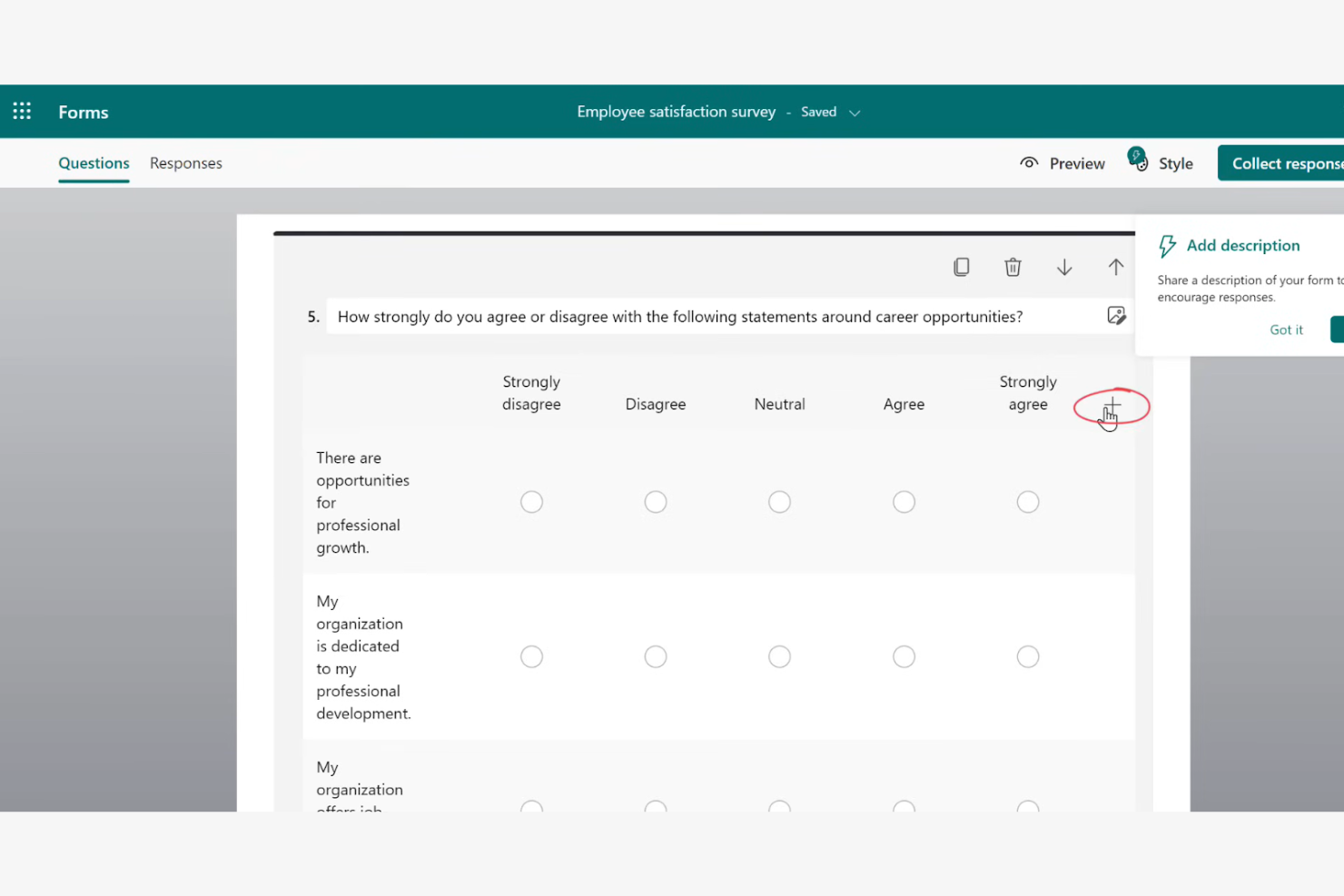
Microsoft Forms est un outil en ligne de sondage et de questionnaire conçu pour recueillir efficacement des commentaires et des données. Il est principalement utilisé par les enseignants, les entreprises et les organisations qui doivent collecter rapidement des informations et collaborer en temps réel.
Pourquoi Microsoft Forms est une bonne alternative à Wufoo : Microsoft Forms offre des fonctionnalités de collaboration en temps réel qui permettent à plusieurs membres d’une équipe de travailler simultanément sur des formulaires. Vous pouvez facilement partager des formulaires par e-mail ou via des liens, ce qui simplifie leur diffusion. L’intégration de la plateforme à Microsoft 365 améliore ses fonctionnalités et offre aux utilisateurs une interface familière. Grâce aux analyses intégrées, vous pouvez rapidement analyser les réponses et obtenir des informations pertinentes.
Fonctionnalités et intégrations remarquables :
Les fonctionnalités comprennent la collecte et l’analyse automatiques des réponses, ce qui fait gagner du temps à votre équipe. Vous pouvez créer des formulaires conditionnels qui s’adaptent en fonction des réponses des utilisateurs, offrant ainsi une expérience personnalisée. La plateforme prend également en charge les questionnaires, ce qui vous permet d’évaluer efficacement les connaissances ou de recueillir des commentaires.
Les intégrations comprennent Microsoft Teams, Microsoft Excel, Microsoft SharePoint, Microsoft OneDrive, Microsoft Power Automate, Microsoft Outlook et Microsoft Power BI.
Pros and Cons
Pros:
- Collaboration en temps réel pour modifier et gérer simultanément les formulaires
- Les formulaires peuvent être partagés via des liens, des codes QR, des e-mails ou intégrés aux produits Microsoft
- Les graphiques et rapports automatisés en temps réel peuvent être exportés vers Excel pour une analyse plus approfondie
Cons:
- Moins adapté aux sondages complexes
- Types de questions limités

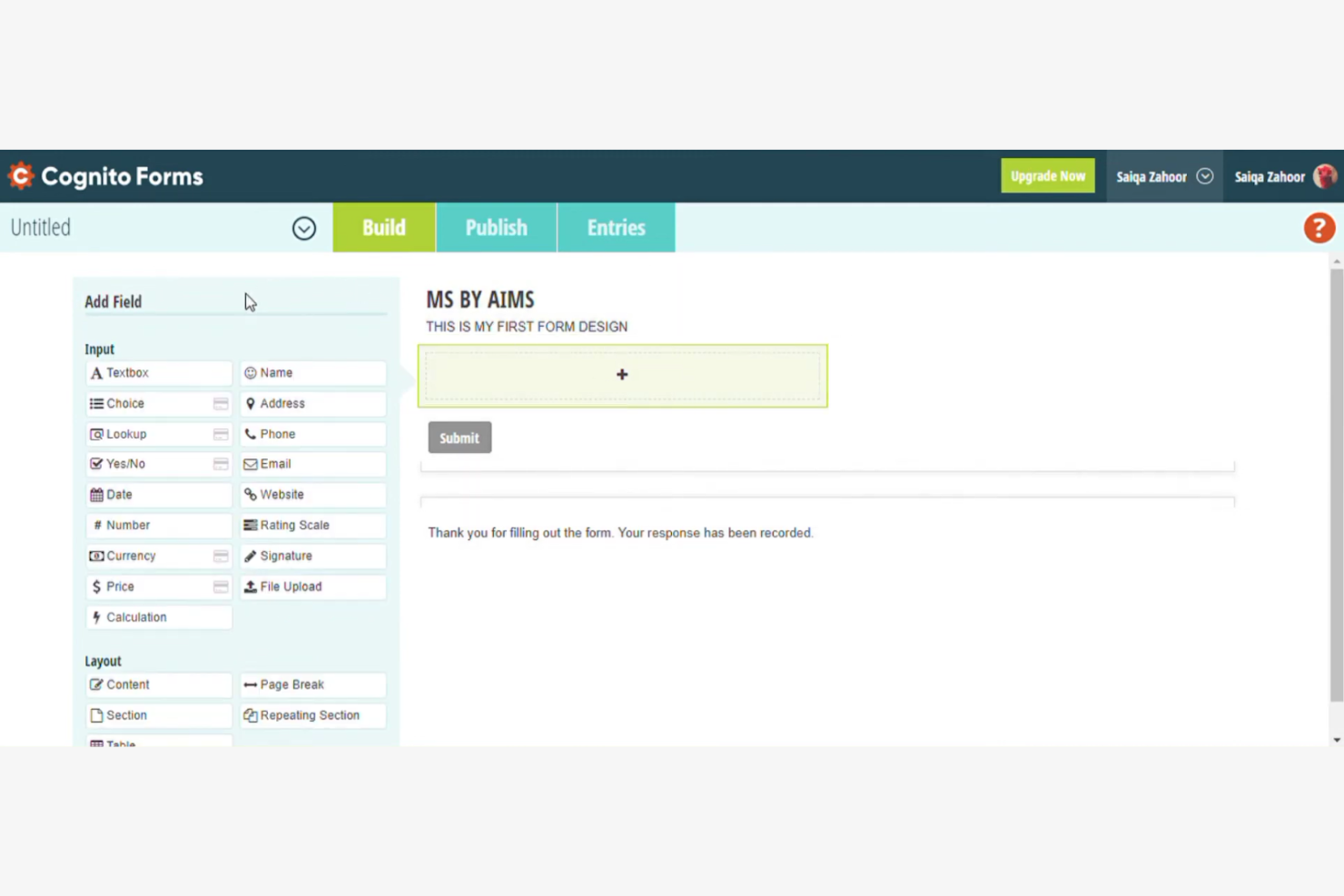
Cognito Forms est un générateur de formulaires en ligne qui excelle dans la création de formulaires complexes et l’automatisation des flux de travail. Il est largement utilisé par les entreprises et les organisations qui doivent simplifier leurs processus et gérer efficacement leurs données.
Pourquoi Cognito Forms est une bonne alternative à Wufoo : Cognito Forms propose des calculs avancés et une logique conditionnelle pour automatiser les flux de travail, ce qui en fait une excellente option pour améliorer l’efficacité. Vous pouvez créer des formulaires qui effectuent des calculs directement dans l’interface, réduisant ainsi le travail manuel. La capacité de la plateforme à gérer une logique complexe et la gestion des données la distingue des autres solutions. Ses fonctionnalités de sécurité garantissent la protection de vos données, ce qui en fait un choix fiable pour les informations sensibles.
Fonctionnalités et intégrations remarquables :
Fonctionnalités : possibilité d’effectuer des calculs complexes dans les formulaires, ce qui contribue à réduire les erreurs manuelles. Vous pouvez utiliser des sections répétées pour recueillir plusieurs entrées dans le cadre d’une seule soumission de formulaire. La plateforme propose également des notifications par e-mail personnalisables pour tenir votre équipe informée des nouvelles soumissions.
Intégrations : Zapier, Microsoft Power Automate, Dropbox, Google Sheets, Stripe, PayPal, Mailchimp, Square, Microsoft OneDrive et QuickBooks Online.
Pros and Cons
Pros:
- Les intégrations de la plateforme facilitent l’automatisation avancée des flux de travail et les transferts de données
- Excellentes capacités de calcul directement dans l’interface du formulaire
- Prend en charge une logique conditionnelle complexe pour les sections, les pages, les valeurs calculées et le routage
Cons:
- L’interface est perçue comme fonctionnelle ou moins moderne que celles des concurrents
- Personnalisation limitée du design sans utiliser de code CSS


Typeform est un créateur de formulaires en ligne qui se concentre sur la création d’enquêtes interactives et visuellement attrayantes. Il est populaire auprès des spécialistes du marketing, des enseignants et des entreprises qui cherchent à impliquer leur audience avec des formulaires dynamiques.
Pourquoi Typeform est une bonne alternative à Wufoo : Typeform offre une expérience unique grâce à ses formulaires conversationnels, qui guident les répondants à travers les questions une par une. Cette approche favorise des taux de complétion plus élevés et un meilleur engagement. Grâce à des fonctionnalités telles que des designs personnalisables, des branchements logiques et la prise en charge de contenus multimédias, vous pouvez facilement créer des enquêtes qui se démarquent. C’est un excellent choix si vous cherchez à capter l’attention de votre audience et à recueillir des réponses plus pertinentes.
Fonctionnalités et intégrations remarquables :
Les fonctionnalités comprennent des modèles personnalisables qui vous permettent d’adapter les formulaires à l’apparence et à l’identité de votre marque. Les branchements logiques vous permettent de personnaliser l’expérience d’enquête en fonction des réponses des participants. Vous pouvez également intégrer des vidéos et des images pour rendre vos formulaires plus attrayants.
Les intégrations comprennent HubSpot, Slack, Google Sheets, Mailchimp, Zapier, Salesforce, Airtable, Asana, Trello et Intercom.
Pros and Cons
Pros:
- Interface conversationnelle avec une question à la fois pour améliorer les taux de complétion
- Grande flexibilité de conception pour personnaliser précisément les formulaires
- Flux de questions interactif avec branchements logiques
Cons:
- Options limitées de personnalisation avancée pour les développeurs ou les designers
- Pas de téléchargement de fichiers natif avec le forfait gratuit
Autres alternatives à Wufoo
Voici quelques alternatives supplémentaires à Wufoo qui ne figurent pas dans ma sélection, mais qui méritent tout de même d’être examinées :


Comment j'évalue les alternatives à Wufoo
J'évalue les constructeurs de formulaires pour les équipes de projet selon deux axes : les fonctionnalités de base que l'outil doit offrir — comme l’acheminement des demandes dans Jira — et les éléments différenciateurs qui distinguent les meilleures options.
Fonctionnalités de base (Critères essentiels pour cette liste)
Lorsque je sélectionne les outils pour ma liste, j'évalue chacun sur une échelle de 0 (n'offre pas la fonctionnalité) à 5 (excelle dans ce domaine) pour chaque fonctionnalité de base énumérée ci-dessous. Ensuite, je calcule le score total de l’outil en pourcentage. Chaque outil doit atteindre un score total minimum de 65 % pour être pris en considération.
- Créateur de formulaires personnalisés : Je recherche un éditeur par glisser-déposer avec une variété de types de champs — uploads de fichiers, menus déroulants, sélectionneurs de date — pour que les chefs de projet puissent créer des formulaires d'entrée sans aide de développeur.
- Logique conditionnelle & workflows : La logique de branchement est importante ici. J’évalue si un outil peut diriger une demande de modification vers le bon responsable selon le type de projet ou le niveau de priorité.
- Intégrations avec des outils de gestion de projet : Je vérifie les connecteurs natifs de chaque outil avec des plateformes comme Asana, Jira, Monday et ClickUp, ainsi que la compatibilité avec Zapier, Make ou l’API pour des configurations personnalisées.
- Gestion des soumissions & notifications : Je recherche un tableau de bord centralisé où filtrer, attribuer et exporter les soumissions — ainsi que des alertes configurables pour que le bon chef de projet soit prévenu des nouvelles demandes.
- Sécurité des données & contrôles d'accès : Les permissions basées sur les rôles, le chiffrement SSL et les certifications de conformité comme le RGPD ou SOC 2 sont les critères que j’évalue, surtout pour les équipes manipulant des données de projet en lien avec des clients.
- Partage et intégration des formulaires : La flexibilité de distribution est déterminante. Je vérifie la présence de liens partageables, l’intégration sur site web, les codes QR et les options par email afin que les formulaires atteignent aussi bien les équipes internes que les parties prenantes externes.
Une fois que j'ai sélectionné les outils répondant à ces critères, j’examine ce qui différencie chaque plateforme.
Facteurs différenciants (Ce qui distingue les éditeurs)
Voici comment je compare les différents éditeurs :
Fonctionnalités remarquables
Le support de la signature électronique est un atout majeur. Les outils permettant aux clients de valider des demandes de modifications ou des cahiers des charges directement dans le formulaire évitent aux chefs de projet de devoir gérer une plateforme de signature séparée. Je privilégie aussi les fonctionnalités de préremplissage, où les champs se complètent automatiquement à partir d’URL ou de soumissions précédentes, car des mises à jour récurrentes ne devraient pas exiger de saisir à nouveau les mêmes données. Pour les équipes avec des coordinateurs sur le terrain, la saisie de données hors-ligne mérite une évaluation puisque les inspections de site ne s’arrêtent pas lorsque le Wi-Fi coupe.
Au-delà des fonctionnalités
La structure tarifaire compte beaucoup ici. Certains outils facturent au formulaire, d’autres à la soumission ou par utilisateur, et un mauvais modèle peut rapidement devenir coûteux lorsque plusieurs projets actifs sont en cours. J’examine aussi la facilité de migrer les formulaires Wufoo existants — les bibliothèques de modèles et les outils d'import accélèrent considérablement le retour sur investissement. La collaboration et l’usage en équipe complètent mon évaluation. Je vérifie si une plateforme propose des espaces de travail partagés, des notes internes sur les soumissions et un accès basé sur les rôles afin que chefs de projet, contributeurs et parties prenantes aient chacun accès seulement aux informations qui les concernent.
Pourquoi chercher une alternative à Wufoo ?
Bien que Wufoo soit un bon choix de créateur de formulaires basé sur le cloud, plusieurs raisons peuvent pousser certains utilisateurs à rechercher d’autres solutions. Vous cherchez peut-être une alternative à Wufoo parce que…
- Vous avez besoin d’options de personnalisation plus avancées
- Votre équipe a besoin de fonctionnalités renforcées en matière de sécurité des données
- Vous recherchez de meilleures possibilités d’intégration
- Vous avez besoin d’un outil offrant une meilleure évolutivité pour accompagner votre croissance
- Votre équipe a besoin d’un service client plus réactif
- Vous avez besoin d’une fonctionnalité de formulaires hors ligne
Si vous vous reconnaissez dans l’un de ces points, vous êtes au bon endroit. Ma liste comprend plusieurs créateurs de formulaires basés sur le cloud qui conviennent mieux aux équipes confrontées à ces difficultés avec Wufoo et à la recherche de solutions alternatives.
Principales fonctionnalités de Wufoo
Voici quelques-unes des principales fonctionnalités de Wufoo, afin de vous aider à comparer les offres des solutions alternatives :
- Créateur par glisser-déposer : Crée facilement des formulaires sans codage, ce qui le rend accessible à tous les utilisateurs.
- Personnalisation de la marque : Personnalise vos formulaires avec des logos et des éléments de marque afin de maintenir une cohérence.
- Intégration des paiements : Accepte les paiements directement via les formulaires en utilisant différents prestataires, ce qui simplifie les transactions et permet les paiements en ligne.
- Téléversement de fichiers : Collecte directement les fichiers des répondants, ce qui est utile pour les candidatures et les enquêtes.
- Notifications en temps réel : Reçoit des alertes instantanées lors de nouvelles soumissions, vous permettant de rester informé des réponses.
- Automatisation des flux de travail : Automatise le transfert des données vers d'autres outils et systèmes, faisant gagner du temps à votre équipe.
- Logique conditionnelle : Personnalise l'expérience de remplissage du formulaire en fonction des réponses des utilisateurs, ce qui améliore l'engagement.
- Rapports personnalisés : Analyse les soumissions grâce à des rapports intégrés ou personnalisés afin d'obtenir des informations utiles.
- Exportation des données : Exporte facilement les données pour une analyse plus approfondie, ce qui est utile pour la création de rapports.
- Fonctionnalités de sécurité : Comprennent le chiffrement SSL et CAPTCHA pour protéger les données et garantir des soumissions sécurisées.
Quelle est la prochaine étape ?
Si vous êtes en train d'étudier les créateurs de formulaires basés sur le cloud, contactez gratuitement un conseiller SoftwareSelect pour obtenir des recommandations.
Vous remplissez un formulaire et échangez brièvement avec un conseiller, qui examine en détail vos besoins. Vous recevez ensuite une sélection restreinte de logiciels à évaluer. Les conseillers vous accompagnent même tout au long du processus d'achat, y compris lors des négociations tarifaires.