

10 meilleures alternatives à PandaDoc évaluées en 2026

10 Meilleures alternatives à PandaDoc : sélection


Gérer efficacement les documents professionnels est un défi auquel de nombreux chefs de projet sont confrontés. Vous recherchez peut-être une alternative à PandaDoc parce que cette solution ne répond pas entièrement aux besoins spécifiques de votre équipe. Qu'il s'agisse d'améliorer la collaboration, de réduire les coûts ou de trouver une solution mieux adaptée à votre flux de travail, les options ne manquent pas.
D'après mon expérience, évaluer les logiciels de manière indépendante permet de déterminer ce qui fonctionne réellement. J'ai étudié et évalué différentes alternatives pour vous aider à trouver la solution adaptée. Cet article vous présente les meilleurs choix, en mettant en avant les fonctionnalités susceptibles de faire la différence pour votre équipe. Découvrons des solutions capables d'améliorer vos flux de travail documentaires et de répondre à vos difficultés spécifiques.
Qu'est-ce que PandaDoc ?
PandaDoc est une plateforme de gestion des flux de travail documentaires professionnels qui vous aide à créer, gérer et partager des documents en ligne. Elle est couramment utilisée par les équipes commerciales, les spécialistes du marketing et les chefs de projet qui ont besoin d'une gestion efficace des documents. Vous et votre équipe pouvez profiter de sa capacité à simplifier les processus commerciaux et à améliorer la collaboration. Ses fonctionnalités de signature électronique, d'analyse des documents et de modèles facilitent le suivi de l'avancement des documents, la sécurisation des validations et le maintien de la cohérence. Dans l'ensemble, PandaDoc offre un moyen fiable de gérer des flux de travail documentaires complexes de manière conviviale.
Résumé des meilleures alternatives à PandaDoc
Ce tableau comparatif récapitule les informations tarifaires de mes meilleures alternatives à PandaDoc afin de vous aider à trouver celle qui convient le mieux à votre budget et aux besoins de votre entreprise.
| Tool | Best For | Trial Info | Price | ||
|---|---|---|---|---|---|
| 1 | Idéal pour les modèles personnalisables | Essai gratuit de 14 jours + démonstration gratuite disponible | À partir de $19/utilisateur/mois (facturé annuellement) | Website | |
| 2 | Idéal pour les fonctionnalités d’envoi en masse | Forfait gratuit disponible | À partir de $10/utilisateur/mois (facturé annuellement) | Website | |
| 3 | Idéal pour les solutions spécifiques à un secteur | Formule gratuite disponible | À partir de $10/utilisateur/mois | Website | |
| 4 | Idéal pour les propositions interactives | Essai gratuit de 14 jours disponible | À partir de $35/utilisateur/mois (facturé annuellement) | Website | |
| 5 | Idéal pour les outils de vente pilotés par l’IA | Essai gratuit + démonstration gratuite disponibles | À partir de $25/utilisateur/mois | Website | |
| 6 | Idéal pour la vérification avancée de l’identité | Essai gratuit de 30 jours + démo disponible | À partir de $10/utilisateur/mois (facturé annuellement) | Website | |
| 7 | Idéal pour la signature mobile | Essai gratuit disponible | À partir de $9.99/utilisateur/mois (facturé annuellement) | Website | |
| 8 | Idéal pour la confidentialité des données des utilisateurs | Formule gratuite + essai gratuit de 14 jours + démonstration disponible | À partir de $10/utilisateur/mois | Website | |
| 9 | Idéal pour les solutions de signature électronique sécurisées | Démonstration gratuite disponible | Tarification sur demande | Website | |
| 10 | Idéal pour les flux de travail contractuels intégrés | Essai gratuit + démonstration disponibles | À partir de $200/utilisateur à accès complet/mois | Website |
Pourquoi vous pouvez nous faire confiance
Nous testons et évaluons des logiciels de gestion de projet depuis 2012. En tant que chefs de projet, nous savons à quel point il est difficile et pourtant essentiel de faire le bon choix lors de la sélection d’un outil. Nous investissons dans la recherche approfondie pour aider notre audience à faire de meilleurs achats logiciels. Nous avons testé plus de 2 000 outils pour différents cas d’utilisation en gestion de projet et rédigé plus de 1 000 analyses complètes. Découvrez comment nous restons transparents & notre méthodologie d’évaluation des logiciels.
Avis sur les meilleures alternatives à PandaDoc
Vous trouverez ci-dessous mes résumés détaillés des meilleures alternatives à PandaDoc qui figurent dans ma sélection. Mes avis présentent en détail les principales fonctionnalités, les avantages et les inconvénients, les intégrations et les cas d’utilisation idéaux de chaque outil afin de vous aider à trouver celui qui vous convient le mieux.

Idéal pour les modèles personnalisables
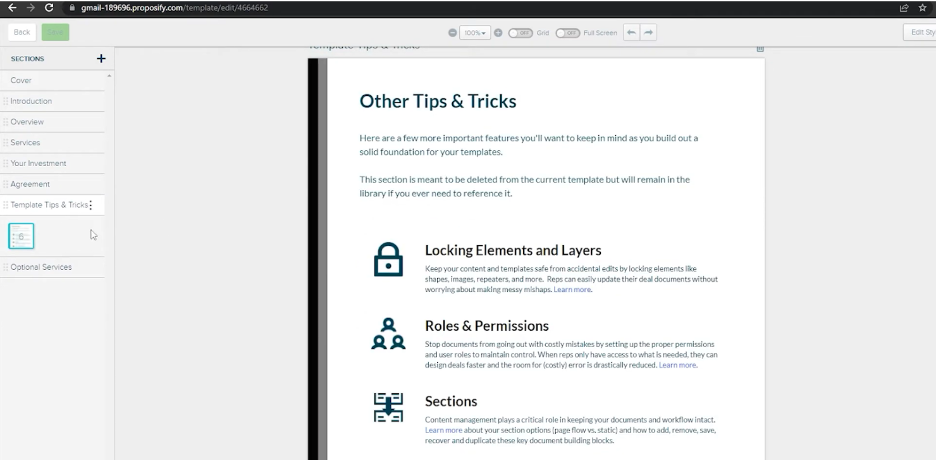
Proposify est un logiciel de gestion des propositions conçu pour aider les entreprises à créer, gérer et envoyer efficacement leurs propositions. Il est couramment utilisé par les équipes commerciales et les agences pour simplifier leur processus de proposition et améliorer leurs interactions avec les clients.
Pourquoi Proposify est une bonne alternative à PandaDoc : Proposify propose des modèles de documents personnalisables qui vous permettent d'adapter vos propositions à l'identité de votre marque. Son éditeur par glisser-déposer facilite la conception et la mise en forme des documents, sans compétences techniques. Vous pouvez également suivre les consultations et les interactions avec vos propositions, ce qui vous fournit des informations précieuses sur l'engagement des clients. Avec Proposify, votre équipe peut créer des propositions professionnelles qui se démarquent.
Fonctionnalités remarquables et intégrations :
Les fonctionnalités comprennent une bibliothèque de contenu qui stocke les éléments de proposition que vous utilisez fréquemment pour y accéder rapidement. La plateforme prend en charge les signatures électroniques, garantissant un processus de signature fluide. Vous pouvez également mettre en place des flux de validation pour les contrôles internes avant d'envoyer les propositions aux clients.
Les intégrations comprennent Salesforce, HubSpot, QuickBooks, Stripe, Zapier, Slack, Pipedrive, Basecamp, Trello et bien plus encore.
Pros and Cons
Pros:
- Éditeur par glisser-déposer
- Suit les consultations et les interactions avec les propositions
- Bibliothèque de contenu pour une création rapide
Cons:
- Peut être complexe pour les nouveaux utilisateurs
- Nécessite du temps pour la configuration initiale

BoldSign
Idéal pour les fonctionnalités d’envoi en masse
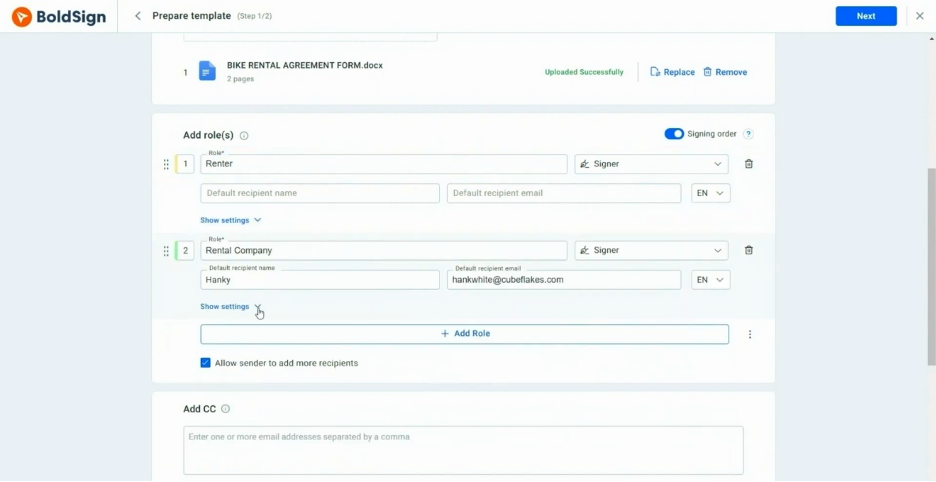
BoldSign est une plateforme de signature électronique conçue pour les entreprises qui ont besoin de solutions efficaces de signature de documents. Elle est principalement utilisée par les organisations qui doivent envoyer des documents en masse à plusieurs destinataires.
Pourquoi BoldSign est une bonne alternative à PandaDoc : BoldSign propose des fonctionnalités d’envoi en masse qui vous permettent de distribuer facilement des documents à de grands groupes. Son interface conviviale aide votre équipe à gérer efficacement les processus de traitement de documents en grande quantité. Les modèles personnalisables de la plateforme vous permettent de maintenir une cohérence entre les documents. Avec BoldSign, vous pouvez simplifier vos flux de travail documentaires et améliorer votre productivité.
Fonctionnalités et intégrations remarquables :
Les fonctionnalités comprennent des analyses avancées qui fournissent des informations sur le statut et l’engagement liés aux documents. La plateforme prend en charge les rappels automatisés afin de garantir la finalisation des signatures de documents dans les délais. Vous pouvez également personnaliser les flux de travail pour répondre aux besoins spécifiques de votre équipe.
Les intégrations comprennent Microsoft 365, Google Drive, Dropbox, Zapier et bien plus encore.
Pros and Cons
Pros:
- Fonctionnalités d’envoi en masse
- Interface conviviale
- Forfaits économiques pour les freelances et les petites entreprises
Cons:
- Personnalisation avancée limitée
- Certaines fonctionnalités nécessitent des connaissances techniques
Docusign
Idéal pour les solutions spécifiques à un secteur
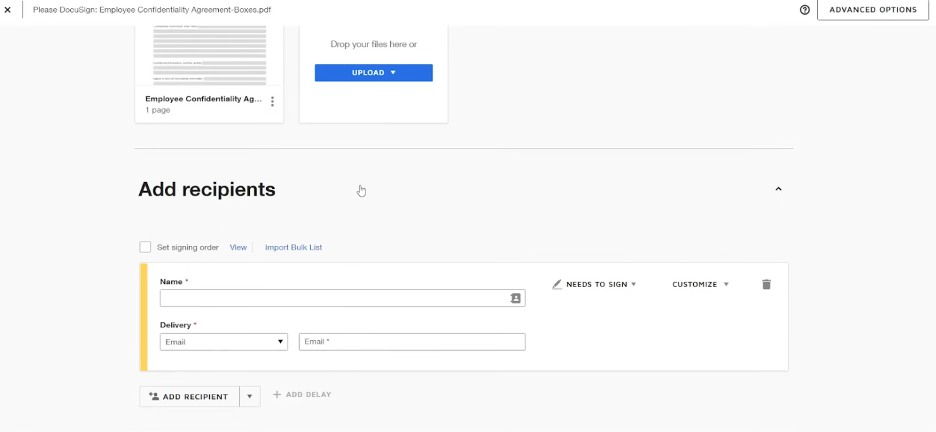
DocuSign est une plateforme de signature électronique largement utilisée par les entreprises pour faciliter la signature sécurisée et efficace de documents. Elle est populaire dans des secteurs tels que l'immobilier, la finance et les soins de santé pour sa fiabilité dans la gestion des flux de travail documentaires.
Pourquoi DocuSign est une bonne alternative à PandaDoc : DocuSign propose des solutions adaptées à différents secteurs, ce qui en fait un choix polyvalent pour les besoins spécialisés. Ses fonctionnalités de sécurité avancées et sa conformité aux réglementations du secteur la distinguent, garantissant que vos documents sont traités avec soin. L'interface conviviale de la plateforme et sa vaste bibliothèque de modèles vous aident à rationaliser les processus de préparation et de signature des documents. Avec DocuSign, vous pouvez gérer vos flux de travail documentaires en toute confiance dans divers secteurs.
Fonctionnalités et intégrations remarquables :
Les fonctionnalités comprennent la personnalisation de la marque, la signature en personne et la prise en charge de plusieurs langues afin de répondre aux divers besoins des utilisateurs. Vous pouvez également tirer parti de sa fonctionnalité de piste d'audit, qui fournit des enregistrements détaillés des activités liées aux documents. Une autre fonctionnalité clé est la possibilité de définir l'ordre de signature et les autorisations, afin de garantir que les documents sont signés dans le bon ordre.
Les intégrations comprennent Salesforce, Microsoft 365, Google Workspace, SAP, Oracle, Workday, Box, Dropbox, Slack, NetSuite et bien d'autres.
Pros and Cons
Pros:
- Prend en charge les réglementations propres à chaque secteur
- Propose une piste d'audit détaillée
- Permet la signature en personne
Cons:
- Personnalisation limitée des modèles
- Coût plus élevé que certaines alternatives

Qwilr
Idéal pour les propositions interactives

Qwilr est un outil de création de propositions conçu pour les entreprises de toutes tailles qui souhaitent élaborer des documents attrayants et interactifs. Il est très apprécié des équipes commerciales et marketing qui veulent captiver leurs clients avec des propositions visuellement attrayantes.
Pourquoi Qwilr est une bonne alternative à PandaDoc : Qwilr propose des propositions interactives qui vous permettent de créer des documents dynamiques et attrayants. L’éditeur glisser-déposer de la plateforme facilite l’intégration d’éléments multimédias tels que des vidéos et des images. Vous pouvez également suivre la manière dont les destinataires interagissent avec vos propositions, ce qui vous fournit des informations sur l’engagement des clients. Avec Qwilr, votre équipe peut créer des propositions qui ne se contentent pas d’informer votre audience, mais qui l’impliquent également.
Fonctionnalités et intégrations remarquables :
Les fonctionnalités comprennent des analyses qui vous donnent des informations sur la manière dont les clients interagissent avec vos propositions. La plateforme prend en charge des modèles personnalisables, vous permettant de préserver la cohérence de votre marque. Vous pouvez également utiliser ses outils de collaboration pour travailler avec votre équipe en temps réel.
Les intégrations comprennent Salesforce, HubSpot, Slack, QuickBooks, Stripe, Zapier, et bien plus encore.
Pros and Cons
Pros:
- Fonctionnalités de propositions interactives
- Éditeur glisser-déposer inclus
- Modèles de propositions personnalisables disponibles
Cons:
- Prix plus élevé que celui des autres options
- Flexibilité limitée en matière de conception et de mise en forme

Idéal pour les outils de vente pilotés par l’IA
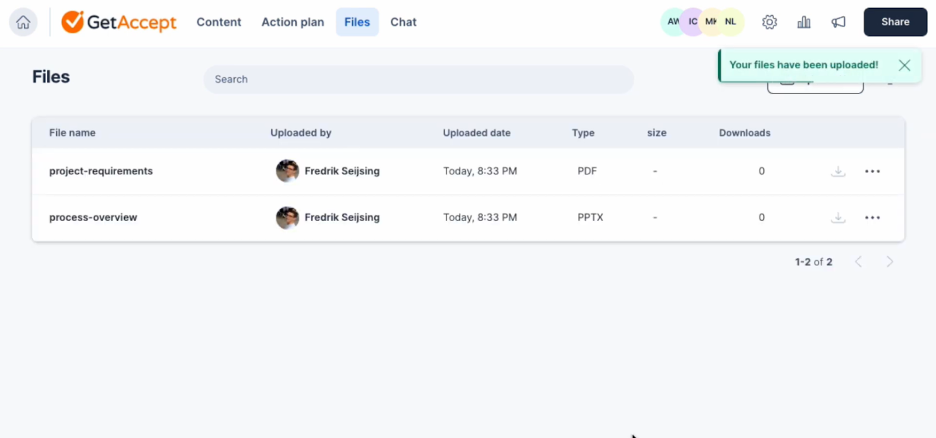
GetAccept est une plateforme de vente numérique conçue pour améliorer les flux de travail liés aux documents et stimuler l’engagement commercial. Elle est principalement utilisée par les équipes commerciales qui souhaitent améliorer la gestion de leurs documents et leurs interactions avec les clients.
Pourquoi GetAccept est une bonne alternative à PandaDoc : GetAccept s’appuie sur des outils de vente pilotés par l’IA pour accroître la productivité et l’engagement de votre équipe. Sa fonctionnalité de messagerie vidéo vous permet de créer des présentations personnalisées pour vos documents. La plateforme inclut également des analyses pour suivre les indicateurs des documents et l’engagement. Ces fonctionnalités vous aident à adapter votre approche et à conclure des affaires plus efficacement.
Fonctionnalités et intégrations remarquables :
Les fonctionnalités comprennent des options de personnalisation de la marque qui vous permettent de conserver une image d’entreprise cohérente. La plateforme propose un suivi des documents pour surveiller les interactions avec les clients en temps réel. De plus, vous pouvez automatiser les relances afin de vous assurer qu’aucune opportunité ne soit manquée.
Les intégrations comprennent Salesforce, HubSpot, Pipedrive, Microsoft Dynamics 365, Slack, Google Drive, Dropbox, Zapier, Gmail, Outlook, et bien plus encore.
Pros and Cons
Pros:
- Analyses pilotées par l’IA
- Fonctionnalités de messagerie vidéo
- Personnalisation de la marque disponible
Cons:
- Courbe d’apprentissage plus exigeante pour les débutants
- Certaines fonctionnalités avancées nécessitent une formation

emSigner
Idéal pour la vérification avancée de l’identité
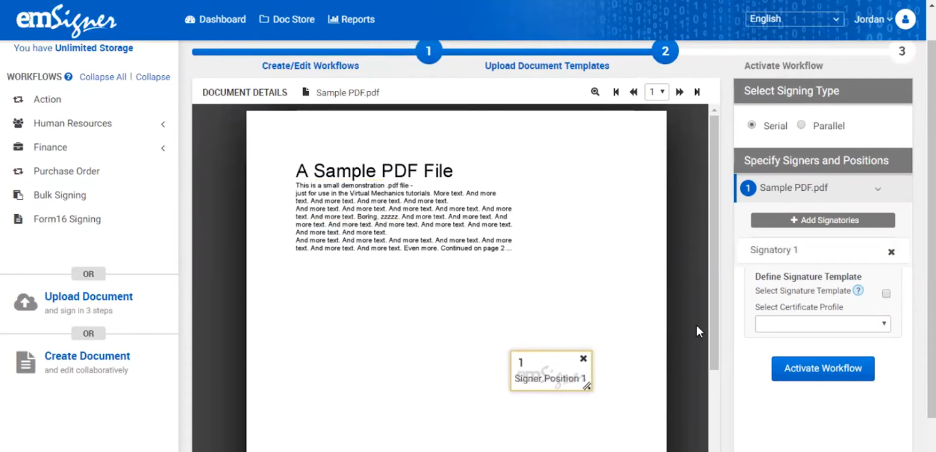
emSigner est une plateforme de signature numérique destinée aux entreprises qui ont besoin de solutions sécurisées et conformes de gestion documentaire. Elle est principalement utilisée par les organisations qui accordent la priorité à la sécurité et à la conformité réglementaire dans leurs flux de travail documentaires.
Pourquoi emSigner constitue une bonne alternative à PandaDoc : emSigner offre des fonctionnalités avancées de vérification d’identité, garantissant que vos documents sont signés en toute sécurité par les bonnes personnes. Son authentification multifacteur ajoute un niveau de sécurité supplémentaire à vos processus documentaires. La conformité de la plateforme aux lois internationales relatives à la signature électronique la rend adaptée aux entreprises opérant dans des secteurs réglementés. Avec emSigner, vous pouvez être certain que vos transactions documentaires sont à la fois sécurisées et conformes.
Fonctionnalités et intégrations remarquables :
Fonctionnalités notamment des flux de travail personnalisables adaptés aux processus spécifiques de votre équipe. Vous pouvez tirer parti de sa fonctionnalité de piste d’audit, qui fournit un journal détaillé des activités liées aux documents. La plateforme prend également en charge la signature en masse, ce qui vous permet de signer plusieurs documents à la fois.
Intégrations notamment Google Drive, Salesforce, Microsoft SharePoint, Dropbox, SAP SuccessFactors, et bien plus encore.
Pros and Cons
Pros:
- Vérification avancée de l’identité
- Conformité aux lois internationales relatives à la signature électronique
- Flux de travail personnalisables disponibles
Cons:
- La configuration initiale peut prendre du temps
- Des connaissances techniques sont nécessaires pour la personnalisation

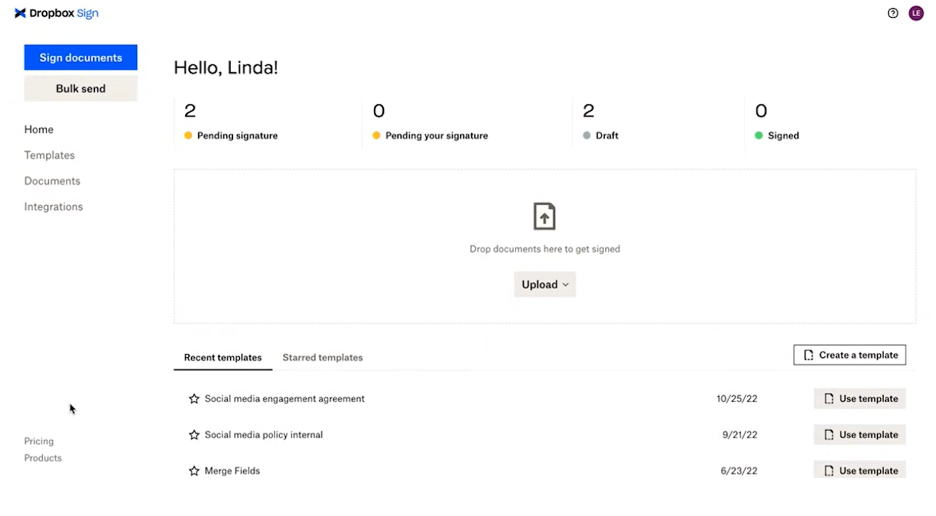
Dropbox Sign est un outil de signature électronique conçu pour simplifier le processus de signature pour les entreprises et les particuliers. Il est largement utilisé par les équipes qui ont besoin de signer efficacement des documents où qu'elles soient.
Pourquoi Dropbox Sign est une bonne alternative à PandaDoc : Dropbox Sign offre une interface adaptée aux appareils mobiles et un stockage en ligne, ce qui permet à votre équipe et à vous-même de signer facilement des documents où que vous soyez. Sa conception conviviale garantit que la signature depuis des applications mobiles est rapide et sans difficulté. La navigation intuitive de la plateforme contribue à réduire le temps consacré à la gestion des flux de travail liés aux documents. Avec Dropbox Sign, vous pouvez maintenir votre activité, même lorsque vous êtes loin du bureau.
Fonctionnalités et intégrations remarquables :
Les fonctionnalités comprennent des modèles réutilisables qui vous font gagner du temps lors de la préparation des documents. La plateforme propose également des outils avancés de gestion d'équipe pour organiser les flux de travail liés aux documents de votre équipe. Des rappels automatiques pratiques peuvent être activés afin que les documents ne soient pas oubliés.
Les intégrations comprennent Google Drive, Salesforce, Microsoft Dynamics 365, Slack, HubSpot, Evernote, Microsoft OneDrive, Zapier, et bien plus encore.
Pros and Cons
Pros:
- Interface adaptée aux appareils mobiles
- Navigation facile pour signer rapidement
- Rappels automatiques pour les signataires
Cons:
- Outils de création de rapports basiques
- La configuration initiale peut être complexe


Zoho Sign est une plateforme de signature électronique conçue pour les entreprises à la recherche d’une gestion sécurisée et efficace des documents. Elle est particulièrement populaire auprès des équipes qui doivent maintenir des normes élevées en matière de confidentialité et de sécurité des données.
Pourquoi Zoho Sign est une bonne alternative à PandaDoc : Zoho Sign met l’accent sur la confidentialité des données des utilisateurs, ce qui en fait un choix fiable pour ceux qui se préoccupent de la protection des données. Son chiffrement de bout en bout garantit la confidentialité de vos documents tout au long du processus de signature. La plateforme propose également des options d’authentification avancées pour vérifier l’identité des signataires. Vous pouvez faire confiance à Zoho Sign pour gérer vos documents sensibles avec soin, offrant ainsi une tranquillité d’esprit à votre équipe.
Fonctionnalités et intégrations remarquables :
Les fonctionnalités comprennent des modèles d’e-mails personnalisables, vous permettant d’adapter vos communications avec vos clients. La fonctionnalité d’envoi groupé de la plateforme vous permet d’envoyer des documents à plusieurs destinataires à la fois. Vous pouvez également automatiser les notifications de rappel afin de garantir l’achèvement des signatures de documents dans les délais.
Les intégrations comprennent Zoho CRM, Zoho People, Zoho Books, Gmail, Dropbox, Google Drive, OneDrive, Microsoft Teams, Zapier, et bien plus encore.
Pros and Cons
Pros:
- Chiffrement de bout en bout disponible
- Options d’authentification avancées
- Prend en charge l’envoi groupé de documents
Cons:
- Fonctionnalités avancées limitées
- Fonctionnalités de création de rapports de base

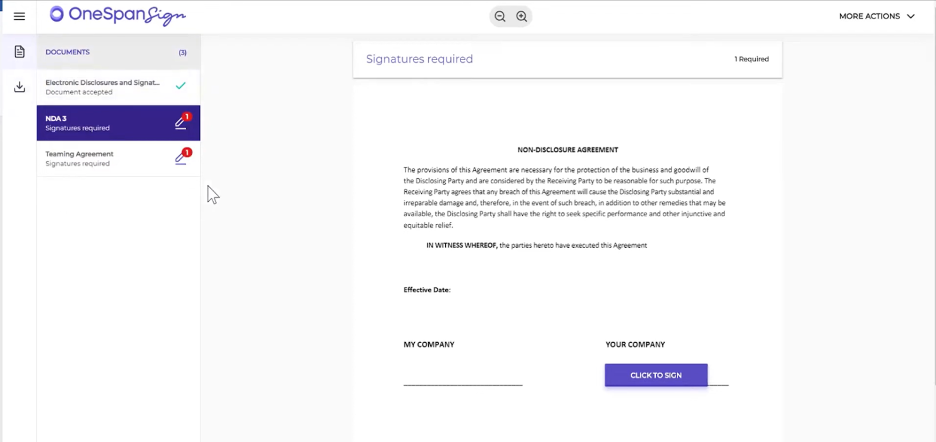
OneSpan Sign est une solution de signature électronique conçue pour les entreprises qui ont besoin de signer des documents de manière sécurisée et fiable. Elle est largement utilisée par les secteurs exigeant des normes de sécurité élevées, tels que la finance et les soins de santé.
Pourquoi OneSpan Sign est une bonne alternative à PandaDoc : OneSpan Sign propose des solutions de signature électronique sécurisées qui donnent la priorité à la protection de vos documents et de vos transactions. Sa technologie inviolable garantit que toute modification non autorisée des documents est détectée. La conformité de la plateforme aux réglementations du secteur assure la tranquillité d’esprit de votre équipe. Avec OneSpan Sign, vous pouvez gérer vos flux de travail documentaires en toute confiance tout en maintenant les normes de sécurité les plus élevées.
Fonctionnalités et intégrations remarquables :
Les fonctionnalités comprennent des options d’authentification renforcée pour vérifier l’identité des signataires. Vous pouvez également tirer parti de sa fonctionnalité de piste d’audit, qui fournit un historique détaillé des activités liées aux documents. La plateforme prend en charge la signature en personne, ce qui vous permet de recueillir des signatures lors de réunions en face à face.
Les intégrations comprennent Salesforce, Microsoft Dynamics 365, Microsoft SharePoint, Workday, Google Workspace et bien plus encore.
Pros and Cons
Pros:
- Normes de sécurité élevées
- Conformité aux réglementations du secteur
- Prise en charge de la signature en personne
Cons:
- Coût plus élevé pour les forfaits de base
- Options de personnalisation limitées


AlineSign est un outil de gestion des contrats numériques conçu pour les équipes juridiques et commerciales à la recherche d'une gestion efficace des documents. Il prend en charge la signature électronique et automatise les flux de travail contractuels afin de favoriser la productivité et de garantir que les signatures sont juridiquement contraignantes.
Pourquoi AlineSign est une bonne alternative à PandaDoc : AlineSign fournit des flux de travail contractuels intégrés qui simplifient la gestion des documents pour votre équipe. La signature électronique est illimitée, ce qui vous permet de traiter autant de documents que nécessaire sans frais supplémentaires. Les pistes d'audit intégrées à la plateforme et la gestion du cycle de vie des contrats pilotée par l'IA favorisent la conformité et l'efficacité. Avec AlineSign, vous pouvez facilement automatiser et gérer l'ensemble de votre processus contractuel.
Fonctionnalités et intégrations remarquables :
Les fonctionnalités comprennent le stockage automatique des documents signés avec un historique des versions, permettant d'accéder facilement aux contrats précédents. La plateforme AlineSign prend en charge les rapports d'IA en temps réel pour l'analyse des contrats, afin de vous donner une vision claire de vos accords. Vous pouvez également mettre en place des flux de travail collaboratifs pour gérer efficacement le processus d'approbation de votre équipe.
Les intégrations comprennent Google Drive, Dropbox, Box, Microsoft OneDrive et bien plus encore.
Pros and Cons
Pros:
- Fonctionnalités de signature électronique illimitées
- Pistes d'audit intégrées
- Gestion des contrats pilotée par l'IA
Cons:
- Peut être trop coûteux pour les équipes qui ont uniquement besoin d'une fonctionnalité de signature électronique de base
- Les détails des formules tarifaires ne sont pas clairement indiqués
Autres alternatives à PandaDoc
Voici quelques alternatives supplémentaires à PandaDoc qui n’ont pas intégré ma sélection, mais qui méritent tout de même votre attentionu0026nbsp;:
- airSlate SignNow
Idéal pour une configuration rapide
- ReadySign
Idéal pour les solutions de signature électronique simples
- DocuSeal
Idéal pour le scellement sécurisé de documents


Comment j'évalue les alternatives à PandaDoc
Je divise mon évaluation en deux niveaux : les incontournables de base comme les signatures électroniques et les workflows d'approbation, et les différenciateurs comme les intégrations avec les outils de gestion de projet et la tarification qui distinguent les meilleures options du reste.
Fonctionnalités essentielles (Critères de base pour cette liste)
Lorsque je sélectionne des outils pour ma liste, j'attribue à chacun une note de 0 (fonctionnalité absente) à 5 (excelle dans ce domaine) pour chaque fonctionnalité essentielle listée ci-dessous. Ensuite, je calcule le score total de l’outil sous forme de pourcentage. Chaque outil doit obtenir un score total minimum de 65% pour être considéré pour inclusion.
- Création de documents & modèles : Je vérifie si chaque outil permet de créer des SOW, des propositions et des ordres de changement à partir de modèles réutilisables avec des champs dynamiques, plutôt que de repartir de zéro à chaque fois.
- Signatures électroniques : Le support de signature électronique de chaque outil doit prendre en charge la signature multi-parties, l’authentification du signataire et la conformité avec les normes telles que ESIGN, UETA et eIDAS.
- Workflows d'approbation : J’évalue si la plateforme prend en charge un circuit de validation multi-étapes configurable, par exemple, l'envoi d’un SOW client au service juridique, financier, puis à un sponsor projet avant d’atteindre le signataire.
- Collaboration en temps réel : Les équipes qui examinent un contrat ou une proposition ont besoin de plus que de simples commentaires asynchrones. Je recherche la coédition en direct, le « redlining » et les discussions filées impliquant aussi bien les parties internes qu’externes.
- Suivi & analyse des documents : Savoir qu’une proposition a été ouverte n’est pas suffisant. Je cherche des journaux d’activité détaillés, des horodatages de consultation et des données d’engagement pour aider les chefs de projet à relancer au bon moment.
- Intégrations avec les outils de gestion de projet : Je vérifie les connexions natives avec des plateformes comme Asana, Jira, Monday et les CRM courants afin que les documents signés et les données projet restent reliés sans transferts manuels.
Une fois que j’ai une liste d’outils répondant à ces critères, j’analyse ce qui distingue chaque plateforme.
Facteurs de différenciation (Ce qui distingue les fournisseurs)
Voici comment je compare et distingue les différents fournisseurs :
Fonctionnalités remarquables
Les tableaux de tarification interactifs font vraiment la différence quand on envoie des propositions de services à périmètre variable ou à livrables échelonnés. Je recherche aussi l’encaissement intégré, qui permet aux chefs de projet d’encaisser des acomptes ou paiements d’étape directement depuis un SOW signé, évitant ainsi de courir après les factures. Une bibliothèque de contenus avec clauses réutilisables et blocs de projet est aussi un critère important, car les équipes qui doivent monter leurs propositions à chaque fois perdent des heures inutilement.
Au-delà des fonctionnalités
La structure tarifaire est ici déterminante. Certaines plateformes facturent à l’envoi de document, ce qui pénalise les équipes à fort volume gérant de multiples clients. J’évalue si la tarification dépend du nombre d’utilisateurs ou de plafonds d’usage. L’étendue de l’API et l’adéquation à l’écosystème comptent tout autant : un outil doté d’API REST et du support des webhooks offre la possibilité d’automatiser les flux entre contrats signés et tableaux de gestion de projet. Je considère aussi l’adaptation sectorielle, par exemple si la plateforme propose des modèles et workflows dédiés aux agences, au BTP ou aux sociétés de services professionnels.
Pourquoi rechercher une alternative à PandaDoc ?
Bien que PandaDoc soit un bon choix pour gérer les flux de travail documentaires professionnels, plusieurs raisons peuvent pousser certains utilisateurs à rechercher des solutions alternatives. Vous cherchez peut-être une alternative à PandaDoc parce que :
- Vous avez besoin d'options de personnalisation plus avancées
- Votre équipe a besoin de meilleures fonctionnalités mobiles
- Vous recherchez des tarifs plus compétitifs
- Vous avez besoin d'une intégration avec des outils spécifiques
- Votre entreprise exerce ses activités dans des régions où l'assistance est limitée
- Vous souhaitez bénéficier de fonctionnalités de sécurité des données renforcées
Si l'une de ces situations vous semble familière, vous êtes au bon endroit. Ma liste comprend plusieurs options qui pourraient mieux convenir aux équipes confrontées à ces difficultés avec PandaDoc et à la recherche de solutions adaptées.
Principales fonctionnalités de PandaDoc
Voici quelques-unes des principales fonctionnalités de PandaDoc pour vous aider à mettre en contraste et à comparer ce que proposent les solutions alternatives :
- Modèles personnalisables : Création de documents adaptée à votre marque et à vos besoins.
- Signatures électroniques : Signez et gérez vos documents électroniquement en toute sécurité.
- Automatisation des flux de travail : Automatisez les tâches répétitives pour améliorer l’efficacité.
- Suivi des documents : Suivez l’état et les interactions liés aux documents en temps réel.
- Flux de travail d’approbation : Mettez en place des processus pour la révision et l’approbation des documents.
- Bibliothèque de contenu : Accédez à un référentiel d’éléments de documents réutilisables.
- Révision avec suivi des modifications : Collaborez en toute sécurité grâce au suivi des modifications et au contrôle des versions.
- Contenu intelligent : Adaptez le contenu des documents en fonction des interactions des destinataires.
- Analyses : Obtenez des informations sur les performances et l’engagement liés aux documents.
- Capacités d’intégration : Connectez-vous aux systèmes CRM et à d’autres outils professionnels.
À suivre :
Si vous êtes en train d’étudier les plateformes de gestion des flux de travail des documents professionnels, échangez gratuitement avec un conseiller SoftwareSelect pour obtenir des recommandations.
Vous remplissez un formulaire et échangez brièvement avec un conseiller qui approfondit les spécificités de vos besoins. Vous recevez ensuite une liste restreinte de logiciels à évaluer. Il vous accompagne même tout au long du processus d’achat, y compris lors des négociations tarifaires.