Avis sur SmartDraw : Avantages, Inconvénients, Fonctionnalités et Tarifs


SmartDraw is a flowchart software for teams that need to produce process maps, org charts, network diagrams, and technical drawings without building layouts by hand. I'd mainly consider it if you're creating a high volume of varied diagram types and want more automated formatting and template depth than Lucidchart provides. It's a strong fit for project teams that document workflows across multiple formats and don't want to manually adjust layouts every time something changes.
SmartDraw Evaluation Summary
- From $99/user/year (billed annually)
- Free demo available
Pourquoi faire confiance à nos recommandations de logiciels
Notre équipe teste et évalue des logiciels depuis 2012. En tant que chefs de projet nous-mêmes, nous savons à quel point il est difficile — et important — de choisir le bon logiciel.
Pour ce guide, nous avons évalué les outils grâce à des tests pratiques et une recherche indépendante, en notant les outils selon nos critères de sélection. Nous nous appuyons également sur les enseignements de leaders d’opinion du secteur et de professionnels de la gestion de projet en activité.
Nos avis reflètent notre jugement éditorial humain, et non un argumentaire de vente.
Réviseurs experts:
SmartDraw Overview
In my opinion, SmartDraw is a solid choice for teams needing an intuitive flowchart software. It impresses with a wide array of templates and an easy drag-and-drop interface, making it accessible for users of all levels. Compared to competitors, its pricing is reasonable, offering good value without compromising on essential features. However, its onboarding process could be smoother, and while customer support is generally helpful, response times could improve. For small to mid-sized teams looking for a reliable and affordable flowchart solution, SmartDraw is worth considering. It’s especially beneficial for those who appreciate robust templates and straightforward functionality that streamlines diagram creation.
pros
-
You can quickly create diagrams with its user-friendly interface.
-
The extensive library of templates and symbols saves you time.
-
SmartDraw's automatic formatting ensures your diagrams look professional.
cons
-
You might find the learning curve steep if you're new to diagramming software.
-
The software can sometimes be slow, especially with complex diagrams.
-
You may encounter occasional bugs that disrupt your workflow.
-

Celoxis
Visit WebsiteThis rating combines scores from multiple user review sites to reflect overall customer sentiment about the product.4.5 -
Accelo
Visit WebsiteThis rating combines scores from multiple user review sites to reflect overall customer sentiment about the product.4.4 -
Wrike
Visit WebsiteThis rating combines scores from multiple user review sites to reflect overall customer sentiment about the product.4.3





Notre méthodologie d'évaluation
Comment nous testons et notons les outils
Nous avons passé des années à construire, affiner et améliorer notre système de test et de notation de logiciels. Notre grille d’évaluation est conçue pour capturer les subtilités de la sélection de logiciels et ce qui rend un outil efficace, en mettant l’accent sur les aspects critiques de la prise de décision. Ci-dessous, vous pouvez voir exactement comment notre processus de test et de notation fonctionne sur sept critères. Cela nous permet de fournir une évaluation impartiale des logiciels selon leur fonctionnalité principale, leurs fonctionnalités remarquables, leur facilité d’utilisation, l’onboarding, le support client, les intégrations, les avis clients et le rapport qualité/prix.
Fonctionnalités principales (25 % du score final)
Le point de départ de notre évaluation est toujours la fonctionnalité principale de l’outil. Dispose-t-il des fonctionnalités et caractéristiques de base attendues par l’utilisateur ? Certaines de ces fonctionnalités de base sont-elles réservées aux formules tarifaires supérieures ? Nous nous attendons à ce qu’un outil soit à la hauteur des capacités de base de ses concurrents.
Fonctionnalités remarquables (25 % du score final)
Ensuite, nous évaluons les fonctionnalités remarquables et peu communes qui vont au-delà de la fonctionnalité de base habituellement retrouvée dans ce type d’outils. Un score élevé reflète des fonctionnalités spécialisées ou uniques qui rendent le produit plus rapide, plus efficace, ou offrent une valeur supplémentaire à l’utilisateur. Nous évaluons également la facilité d’intégration avec d’autres outils couramment présents dans l’environnement technique pour étendre la puissance et l’utilité du logiciel. Les outils offrant de nombreuses intégrations natives, des connexions tierces et un accès API pour créer des intégrations personnalisées obtiennent la meilleure note.
Facilité d’utilisation (10 % du score final)
Nous considérons la rapidité et la facilité d’exécution des tâches principales à l’aide de l’outil. Un logiciel bien noté est conçu intelligemment, intuitif à utiliser, propose des applications mobiles, fournit des modèles et simplifie les tâches relativement complexes.
Onboarding (10 % du score final)
Nous savons à quel point l’adoption rapide par l’équipe est cruciale lors de la mise en place d’une nouvelle plateforme. Nous évaluons donc la facilité avec laquelle un utilisateur peut apprendre et utiliser le logiciel avec un minimum de formation. Nous vérifions la rapidité avec laquelle un membre peut s’installer et démarrer sans expérience préalable. Les solutions ayant une note élevée nécessitent peu ou pas de support.
Support client (10 % du score final)
Nous examinons la rapidité et la facilité d’obtention d’une aide par téléphone, chat en direct ou base de connaissances. Les outils et sociétés proposant un support en temps réel obtiennent la meilleure note, tandis que les chatbots sont les moins bien notés.
Avis clients (10 % du score final)
Au-delà de nos propres tests et évaluations, nous tenons compte du net promoter score des clients actuels et passés. Nous étudions la probabilité, pour eux, de choisir à nouveau l’outil pour ses fonctionnalités principales. Un logiciel ayant une note élevée reflète un score NPS élevé de la part des utilisateurs actuels ou passés.
Rapport qualité/prix (10 % du score final)
Enfin, en tenant compte de tous les autres critères, nous comparons le prix moyen des forfaits d’entrée de gamme aux fonctionnalités principales et considérons la valeur des autres critères d’évaluation. Un logiciel qui en offre davantage pour moins cher sera mieux noté.
Core Features
Ease of Use
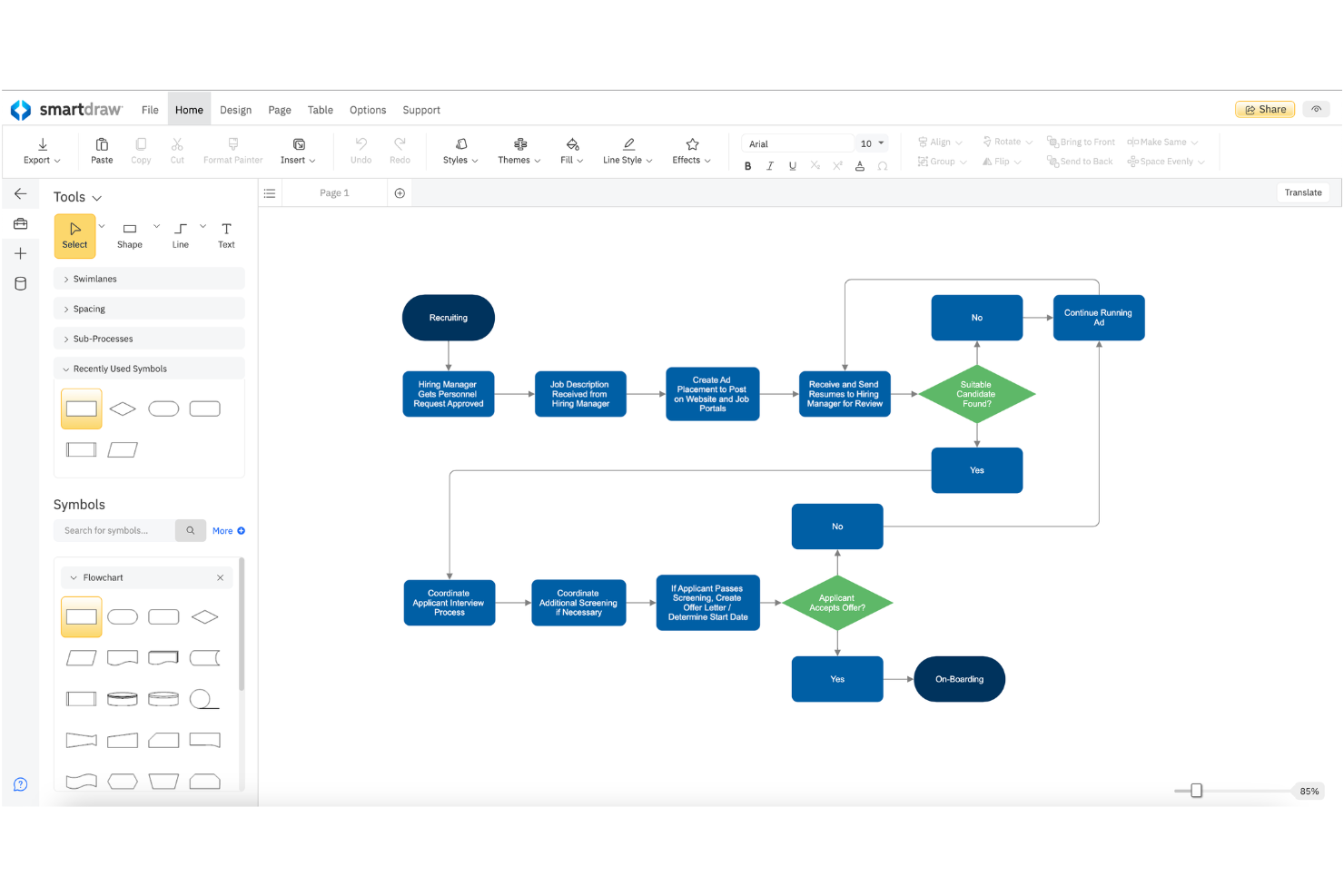
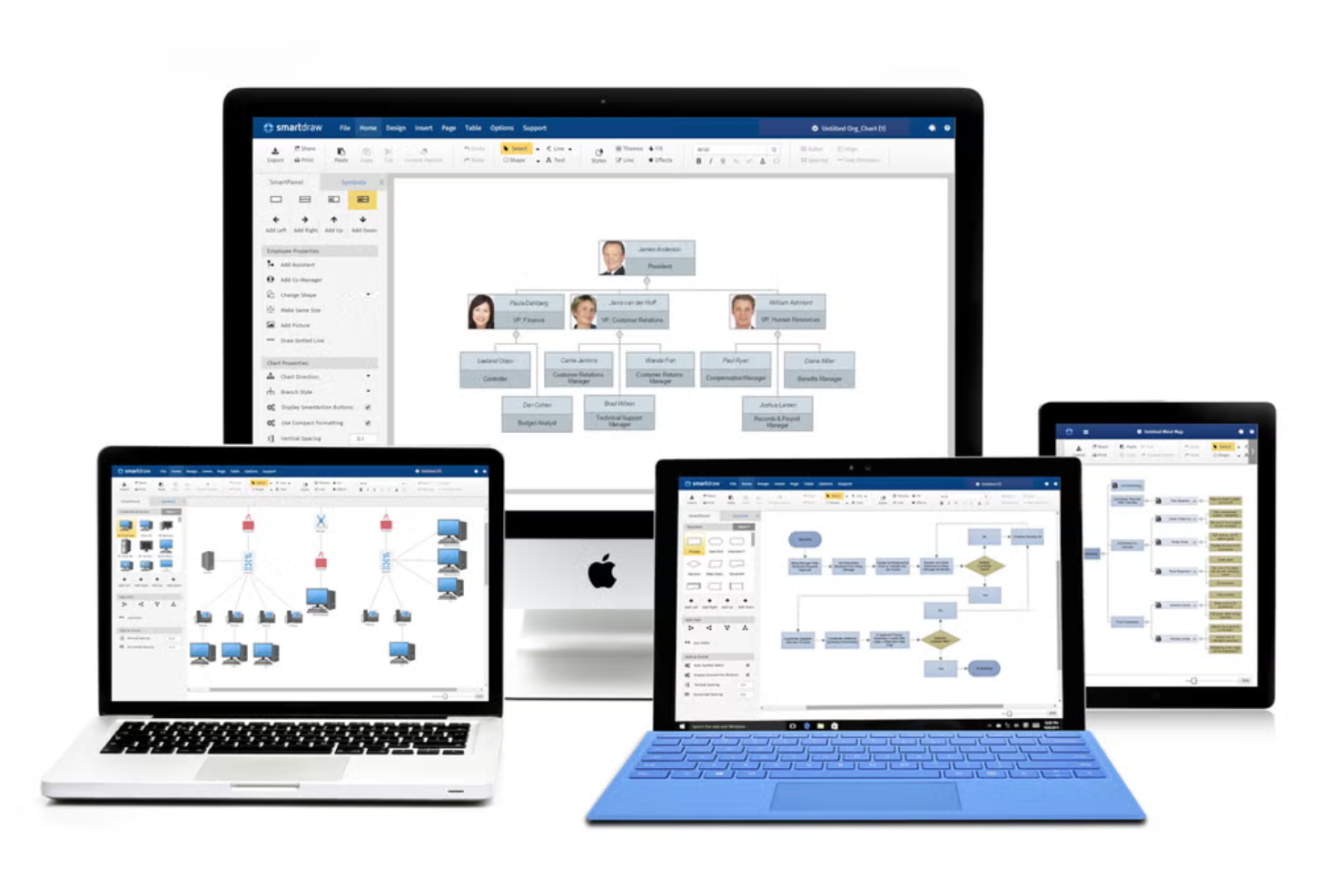
You can jump right into creating flowcharts using SmartDraw’s templates and intuitive interface. Rearranging shapes and adding steps, including swimlanes, is straightforward, helping you map out processes with minimal effort.
Export Options
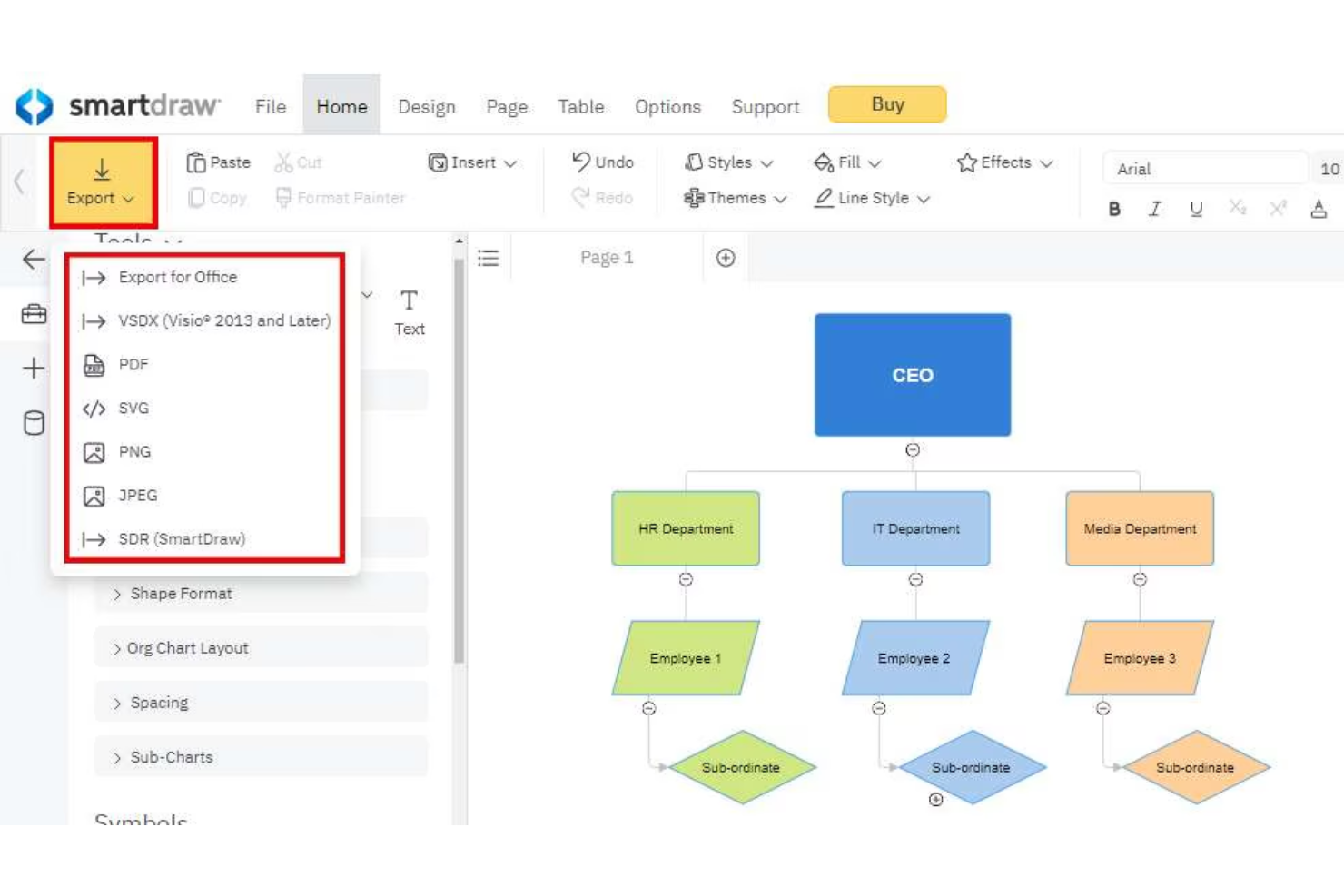
Export your diagrams as PDFs or common image formats like PNG and SVG. This ensures you can easily share and present your work in various formats.
Flowchart Creation
Create diverse types of flowcharts, from basic to complex decision trees, using SmartDraw’s user-friendly tools. Visualize steps and decisions to spot inefficiencies in your processes.
Compatibility
Easily integrate your flowcharts into Microsoft Office and Google Workspace documents. This compatibility keeps your diagrams accessible and embedded within your existing workflows.
Extensive Templates Library
SmartDraw offers thousands of pre-built templates and symbols you can start from for a wide range of diagrams. These include flowcharts, organizational charts, floorplans, software diagrams, and many others .
Multiple Diagram Types Support
SmartDraw isn’t just for flowcharts — you can use it to create org charts, UML diagrams, network diagrams, floor plans, and more using intuitive diagram-making tools.
Ease of Use
SmartDraw is user-friendly, making it easy for you and beginners on your team to create flowcharts with its intuitive drag-and-drop interface. You can quickly access a wide range of templates, which simplifies the design process. The software's ability to integrate with other tools enhances your workflow. However, some users mention a slight learning curve when exploring more advanced features, but overall, its layout is straightforward, allowing you to focus on your work without unnecessary distractions.
Integrations
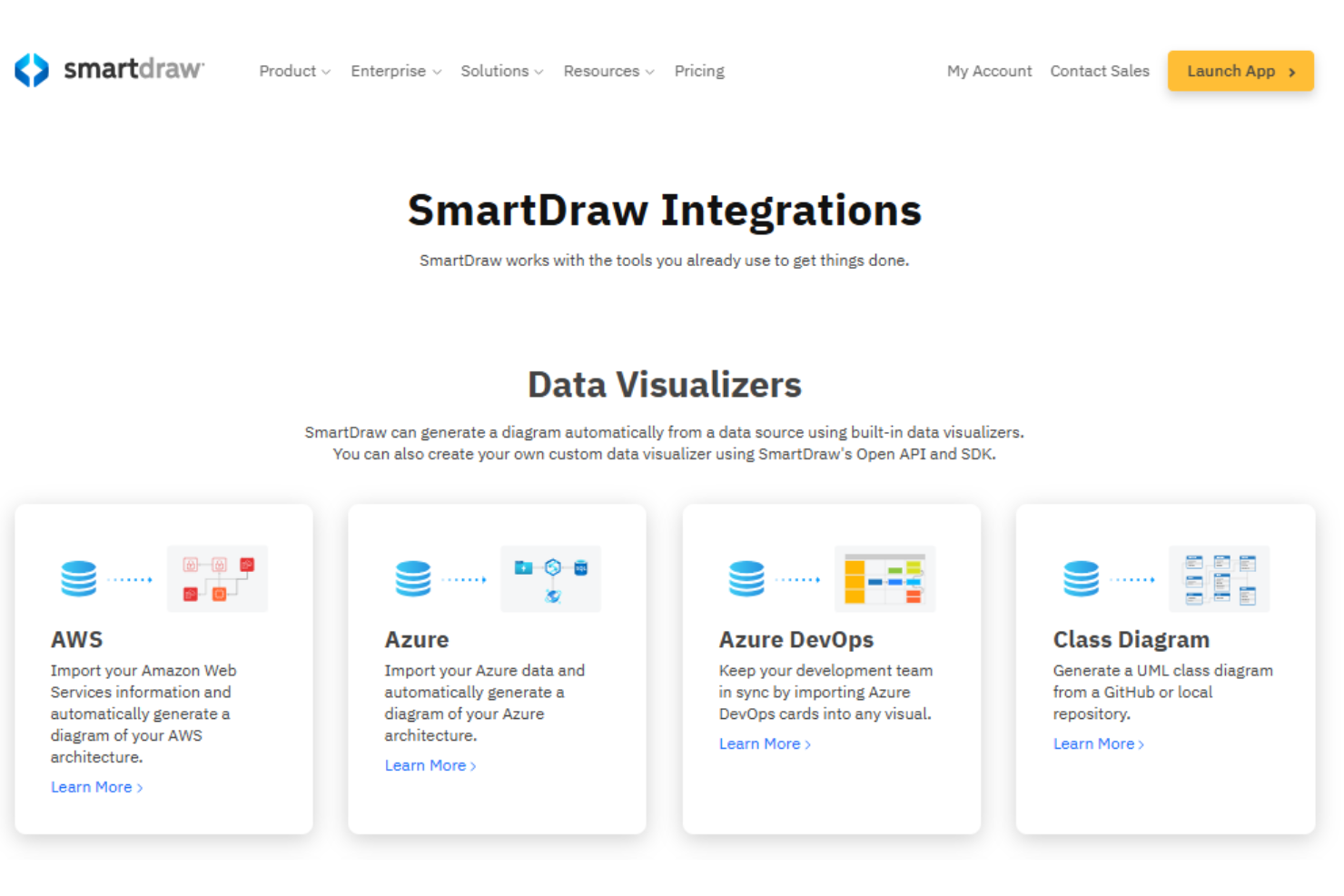
SmartDraw integrates with Microsoft Teams, Microsoft Office apps (including PowerPoint), Google Workspace, Jira, AWS, and Confluence, allowing teams to embed and share diagrams within their existing collaboration tools.
SmartDraw also connects with popular cloud storage services such as Microsoft OneDrive, SharePoint, Google Drive, Dropbox, and Box for easy file saving and access.
SmartDraw Specs
- 2-Factor Authentication
- 360 Degree Feedback
- API
- Application Tracking
- Attendance Tracking
- Batch Permissions & Access
- Compliance Tracking
- Dashboard
- Data Export
- Data Import
- Data Visualization
- Employee Database
- Employee Engagement
- Employee Incentive Management
- Employee Onboarding
- Employee Training
- Expense Tracking
- External Integrations
- Feedback Management
- Multi-User
- Notifications
- Payroll
- Performance Appraisal
- Scheduling
- Time Management
- Timesheets
- Travel Management
- Vacation & Absence Calendar