Reseña de Google Meet: Ventajas, Desventajas, Características y Precios


Google Meet is a video conferencing software built directly into Google Workspace. It's the obvious choice if your team already lives in Gmail, Google Calendar, and Google Drive—meetings are embedded into those tools, so scheduling and joining requires almost no extra steps. I'd choose it over Zoom if your priority is keeping everything inside a single Google environment rather than managing a separate conferencing platform. Zoom has the edge for larger webinars and third-party integrations, but Meet wins on simplicity for Workspace-first teams.
Google Meet Evaluation Summary
- Pricing upon request
- Free plan available
Por qué confiar en nuestras recomendaciones de software
Nuestro equipo lleva probando y evaluando software desde 2012. Como gestores de proyectos, sabemos lo difícil —y lo importante— que es elegir el software adecuado.
Para esta guía, evaluamos las herramientas mediante pruebas prácticas e investigación independiente, puntuando las herramientas según nuestros criterios de selección. También nos basamos en la experiencia de líderes de opinión del sector y de profesionales en activo de la gestión de proyectos.
Nuestras reseñas reflejan nuestro criterio editorial humano, no un discurso de ventas.
Revisores expertos:
Google Meet Overview
In my opinion, Google Meet is a solid choice for teams already using Google Workspace. Its seamless integration with other Google tools makes it a standout for businesses that rely on these services. While it excels in ease of use and offers a clean interface, it may not have the depth of features found in competitors like Zoom or Microsoft Teams. However, for straightforward video conferencing needs, it’s reliable and effective. It's best suited for small to medium-sized teams looking for a cost-effective solution. If you're determining which tool to select, consider your team's existing tech stack and whether Google Meet's simplicity aligns with your needs.
pros
-
You can enjoy a clean and user-friendly interface.
-
Your team benefits from high-quality video and audio.
-
You can easily schedule and join meetings directly from Google Calendar.
cons
-
You might find fewer advanced features compared to other platforms.
-
Your team may experience occasional connectivity issues.
-
You might miss having a dedicated desktop app for more robust functionality.
-

Smartsheet
Visit WebsiteThis rating combines scores from multiple user review sites to reflect overall customer sentiment about the product.4.5 -
Celoxis
Visit WebsiteThis rating combines scores from multiple user review sites to reflect overall customer sentiment about the product.4.5 -
Accelo
Visit WebsiteThis rating combines scores from multiple user review sites to reflect overall customer sentiment about the product.4.4





Nuestra Metodología de Revisión
Cómo probamos y puntuamos las herramientas
Llevamos años construyendo, refinando y mejorando nuestro sistema de prueba y puntuación de software. La rúbrica está diseñada para capturar los matices de la selección de software y los factores que hacen efectivo a un sistema, centrándose en los aspectos críticos del proceso de toma de decisiones.
A continuación, puedes ver exactamente cómo funciona nuestro proceso de prueba y puntuación en base a siete criterios. Esto nos permite proporcionar una evaluación imparcial del software basada en la funcionalidad principal, características destacadas, facilidad de uso, incorporación, soporte al cliente, integraciones, opiniones de clientes y valor por el dinero.
Funcionalidad principal (25% de la puntuación final)
El punto de partida de nuestra evaluación es siempre la funcionalidad principal de la herramienta. ¿Cuenta con las funciones y características básicas que un usuario esperaría ver? ¿Alguna de estas funciones principales está limitada a planes de precios superiores? Esperamos que la herramienta se mantenga a la par de las capacidades básicas de sus competidores.
Características destacadas (25% de la puntuación final)
A continuación, evaluamos las características destacadas poco comunes que van más allá de la funcionalidad principal normalmente encontrada en este tipo de herramientas. Una puntuación alta refleja funciones únicas o especializadas que hacen que el producto sea más rápido, eficiente, o aporte valor extra al usuario.
También evaluamos la facilidad de integración con otras herramientas habitualmente presentes en el ecosistema tecnológico para ampliar la funcionalidad y utilidad del software. Las herramientas que ofrecen muchas integraciones nativas, conexiones de terceros y acceso por API para integrar soluciones personalizadas obtienen la mejor puntuación.
Facilidad de uso (10% de la puntuación final)
Consideramos cuán rápido y fácil es ejecutar las tareas fundamentales usando la herramienta. El software con alta puntuación está bien diseñado, es intuitivo, ofrece aplicaciones móviles, proporciona plantillas y hace que tareas relativamente complejas parezcan sencillas.
Incorporación (10% de la puntuación final)
Sabemos lo importante que es una adopción rápida para un nuevo sistema, así que evaluamos cuán sencillo es aprender a usar la herramienta con una capacitación mínima. Analizamos cuán rápido un miembro del equipo puede configurarse y comenzar a usar la herramienta sin experiencia previa. Las soluciones mejor puntuadas indican que se requiere poco o ningún soporte.
Soporte al cliente (10% de la puntuación final)
Revisamos la rapidez y facilidad para obtener ayuda por teléfono, chat en vivo o base de conocimientos. Las empresas que ofrecen soporte en tiempo real obtienen las mejores puntuaciones, mientras que los chatbots obtienen las peores.
Opiniones de clientes (10% de la puntuación final)
Además de nuestras propias pruebas y valoraciones, consideramos la puntuación neta del promotor de clientes actuales y anteriores. Revisamos la probabilidad de que, ante la opción, quisieran elegir la herramienta de nuevo por su funcionalidad central. Un software con una puntuación alta refleja una gran satisfacción de sus usuarios actuales o pasados.
Valor por el dinero (10% de la puntuación final)
Por último, tomando en cuenta todos los criterios mencionados, comparamos el precio promedio de los planes básicos respecto a las funciones principales y el valor aportado por los otros criterios. El software que entrega más por menos recibirá una puntuación superior.
Core Features
Video Meetings
Google Meet offers high-quality video calls that are easy to join from any device. You’ll appreciate the stable connections and clear audio.
Screen Sharing
You can share your screen with others to present slides, facilitate livestreams, or demonstrate software. It’s simple and helps keep everyone on the same page.
Recording
Record your meetings directly within Google Meet, allowing you to revisit important discussions. This feature is especially useful for training sessions or important calls.
Chat Messaging
During meetings, you can use the chat feature to share links or notes without interrupting the speaker. It keeps communication flowing smoothly.
Live Captioning
Google Meet provides real-time captions during calls, which can be a great help for participants with hearing difficulties or those in noisy environments.
Calendar Integration
Schedule and join meetings directly from Google Calendar with automatic links, making it easy to organize your day.
Ease of Use
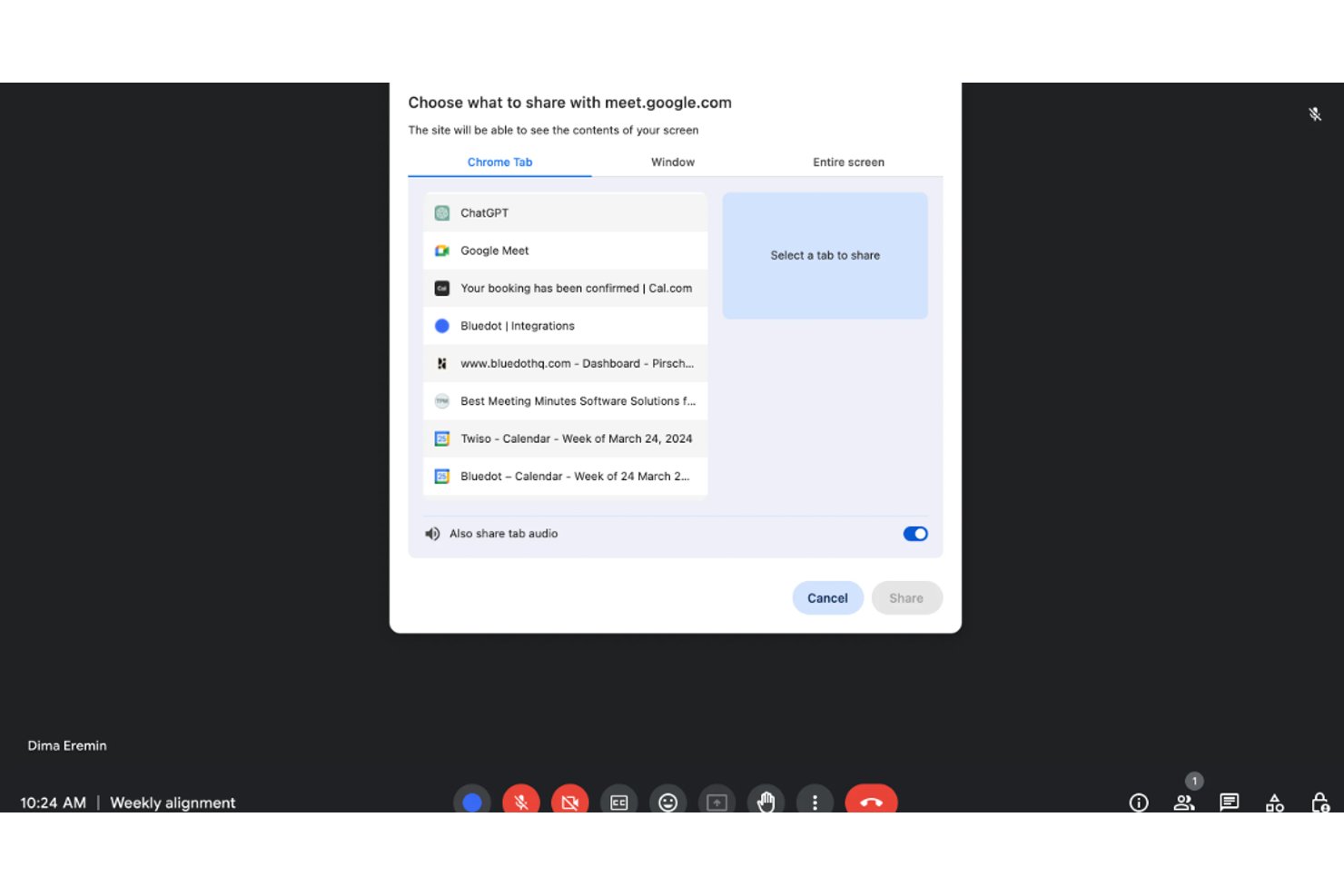
Google Meet is incredibly user-friendly, making it easy for you and your team to start video calls with minimal setup. Its clean interface and seamless integration with tools you already use mean you can focus on your meeting without technical distractions. The straightforward navigation and intuitive controls ensure that even less tech-savvy users can join and participate in meetings effortlessly. With features like automatic calendar links, scheduling and joining meetings become a breeze.

Integrations
Google Meet integrates with Google Calendar, Gmail, Google Drive, Microsoft Outlook, Slack, Trello, and Asana.
Google Meet also has an API and connects with third-party integration tools.

Google Meet Specs
- API
- Calendar Management
- Chat
- Contact Management
- Contact Sharing
- External Integrations
- History/Version Control
- Multi-User
- Notifications
- Scheduling