


Reseña de actiTIME: Ventajas, Desventajas, Características y Precios Explicados



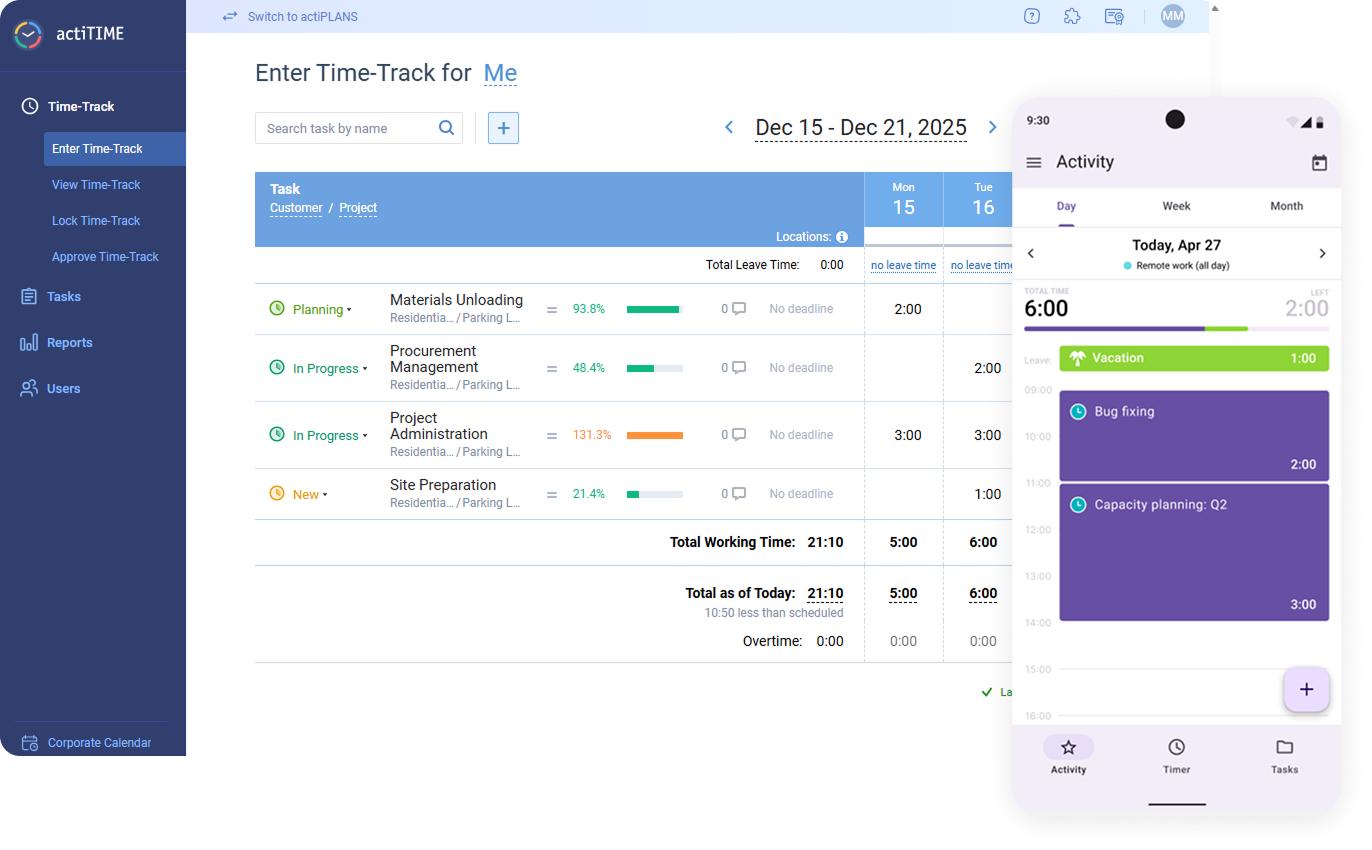
actiTIME is a time tracking software and project accounting platform built for teams that need visibility into how time translates into project costs, billing, and overall performance. It helps organizations capture work hours, organize work by client and task, and turn that data into reports for budgeting and profitability analysis.
For teams dealing with inconsistent time tracking, limited insight into project costs, or difficulty comparing planned versus actual work, actiTIME provides a structured system for tracking time and monitoring performance. This review breaks down its features, strengths, limitations, and pricing to help determine whether it aligns with your operational needs.
actiTIME Evaluation Summary
- From $6/user/month (billed annually)
- Free plan + 30-day free trial + free demo available
Por qué confiar en nuestras recomendaciones de software
Nuestro equipo lleva probando y evaluando software desde 2012. Como gestores de proyectos, sabemos lo difícil —y lo importante— que es elegir el software adecuado.
Para esta guía, evaluamos las herramientas mediante pruebas prácticas e investigación independiente, puntuando las herramientas según nuestros criterios de selección. También nos basamos en la experiencia de líderes de opinión del sector y de profesionales en activo de la gestión de proyectos.
Nuestras reseñas reflejan nuestro criterio editorial humano, no un discurso de ventas.
Revisores expertos:
actiTIME Overview
Compared to simpler time trackers, actiTIME stands out for its deeper focus on cost control, billing, and project-level reporting. It supports multiple budget types (time, cost, and billing) and allows teams to analyze profitability across clients, projects, and tasks. However, that added depth comes with tradeoffs. The platform can require more setup and configuration for teams using advanced features, and its ecosystem of native integrations is relatively limited—often relying on Zapier or API connections for flexibility.
pros
-
Detailed time tracking at the project and task level for better visibility.
-
Built-in leave and PTO management within the same system.
-
Strong, customizable reporting for cost, billing, and performance analysis.
cons
-
Mobile app features are limited compared to the web version.
-
Limited native integrations compared to many competing platforms.
-
No built-in payroll processing, though direct payroll integrations are available.
Is actiTIME Right For Your Needs?
Who Would be a Good Fit for actiTIME?
actiTIME is a strong fit if you need more than basic time tracking—especially if you want to connect time data to project costs, billing, and profitability. It works well for teams managing multiple clients or complex projects where tracking budgets and comparing estimated vs. actual time is essential.
It’s best suited for teams that need detailed task-level tracking, multi-level budgeting, and built-in PTO management alongside reporting. Because of its configurability, actiTIME is most effective for teams willing to invest some setup time to gain deeper operational insight.
-
Professional Services Firms
actiTIME is well-suited for professional services teams that rely on billable hours and client-based work. Its billing rates, invoicing capabilities, and profitability reporting help track margins and ensure projects stay within budget.
-
Creative Agencies
Agencies managing multiple clients benefit from task-level tracking, workflow statuses, and Kanban views, which provide visibility into project progress while supporting detailed time and cost reporting across accounts.
-
IT Departments
Internal teams can use actiTIME to monitor resource allocation, track time across initiatives, and manage leave in one system, helping improve planning and visibility across ongoing projects.
-
Consulting Teams
Consulting teams can leverage billable vs. non-billable tracking, rate management, and estimated vs. actual reporting to better manage client engagements and evaluate project performance.
-
Engineering Teams
For engineering or technical teams, actiTIME’s granular time tracking and budget controls support more accurate project costing, forecasting, and workload analysis across complex projects.
-
Mid-Sized Companies
Growing organizations benefit from actiTIME’s scalable structure, user roles/permissions, and customizable settings, though larger teams may need to account for its limited native integrations.
Who Would be a Bad Fit for actiTIME?
actiTIME may not be the best choice if you need a lightweight, plug-and-play time tracking tool or rely heavily on native integrations. Its feature depth and configurability can feel excessive for simple use cases, and teams looking for a more modern or streamlined interface may find it less intuitive.
It’s also less suitable for organizations that require advanced payroll functionality, strict compliance certifications (such as SOC 2 or ISO 27001), or field-based workforce features like geofencing and shift enforcement.
-
Freelancers
The feature set is often too complex for simple, solo time tracking needs.
-
Retail Businesses
Lacks shift scheduling, POS integrations, and tools for hourly workforce management.
-
Startups
Setup and configuration can slow down teams that need fast, simple tools.
-
HR Departments
No built-in payroll processing or advanced HR analytics capabilities.
-
Field Service Teams
Lacks geofencing, GPS tracking, and compliance tools needed for mobile workforces.
-
Manufacturing Teams
Not designed for shift-based labor tracking or production floor time clock workflows.
Nuestra Metodología de Revisión
Cómo probamos y puntuamos las herramientas
Llevamos años construyendo, refinando y mejorando nuestro sistema de prueba y puntuación de software. La rúbrica está diseñada para capturar los matices de la selección de software y los factores que hacen efectivo a un sistema, centrándose en los aspectos críticos del proceso de toma de decisiones.
A continuación, puedes ver exactamente cómo funciona nuestro proceso de prueba y puntuación en base a siete criterios. Esto nos permite proporcionar una evaluación imparcial del software basada en la funcionalidad principal, características destacadas, facilidad de uso, incorporación, soporte al cliente, integraciones, opiniones de clientes y valor por el dinero.
Funcionalidad principal (25% de la puntuación final)
El punto de partida de nuestra evaluación es siempre la funcionalidad principal de la herramienta. ¿Cuenta con las funciones y características básicas que un usuario esperaría ver? ¿Alguna de estas funciones principales está limitada a planes de precios superiores? Esperamos que la herramienta se mantenga a la par de las capacidades básicas de sus competidores.
Características destacadas (25% de la puntuación final)
A continuación, evaluamos las características destacadas poco comunes que van más allá de la funcionalidad principal normalmente encontrada en este tipo de herramientas. Una puntuación alta refleja funciones únicas o especializadas que hacen que el producto sea más rápido, eficiente, o aporte valor extra al usuario.
También evaluamos la facilidad de integración con otras herramientas habitualmente presentes en el ecosistema tecnológico para ampliar la funcionalidad y utilidad del software. Las herramientas que ofrecen muchas integraciones nativas, conexiones de terceros y acceso por API para integrar soluciones personalizadas obtienen la mejor puntuación.
Facilidad de uso (10% de la puntuación final)
Consideramos cuán rápido y fácil es ejecutar las tareas fundamentales usando la herramienta. El software con alta puntuación está bien diseñado, es intuitivo, ofrece aplicaciones móviles, proporciona plantillas y hace que tareas relativamente complejas parezcan sencillas.
Incorporación (10% de la puntuación final)
Sabemos lo importante que es una adopción rápida para un nuevo sistema, así que evaluamos cuán sencillo es aprender a usar la herramienta con una capacitación mínima. Analizamos cuán rápido un miembro del equipo puede configurarse y comenzar a usar la herramienta sin experiencia previa. Las soluciones mejor puntuadas indican que se requiere poco o ningún soporte.
Soporte al cliente (10% de la puntuación final)
Revisamos la rapidez y facilidad para obtener ayuda por teléfono, chat en vivo o base de conocimientos. Las empresas que ofrecen soporte en tiempo real obtienen las mejores puntuaciones, mientras que los chatbots obtienen las peores.
Opiniones de clientes (10% de la puntuación final)
Además de nuestras propias pruebas y valoraciones, consideramos la puntuación neta del promotor de clientes actuales y anteriores. Revisamos la probabilidad de que, ante la opción, quisieran elegir la herramienta de nuevo por su funcionalidad central. Un software con una puntuación alta refleja una gran satisfacción de sus usuarios actuales o pasados.
Valor por el dinero (10% de la puntuación final)
Por último, tomando en cuenta todos los criterios mencionados, comparamos el precio promedio de los planes básicos respecto a las funciones principales y el valor aportado por los otros criterios. El software que entrega más por menos recibirá una puntuación superior.
Core Features
Time Tracking
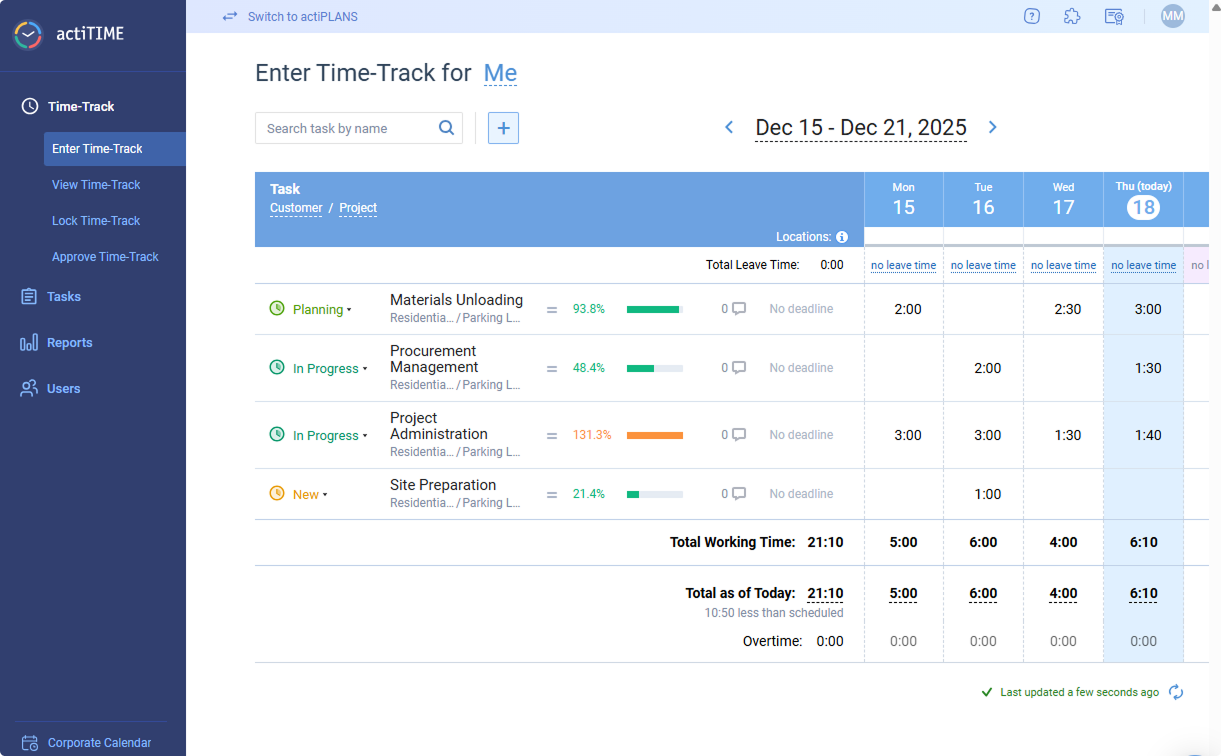
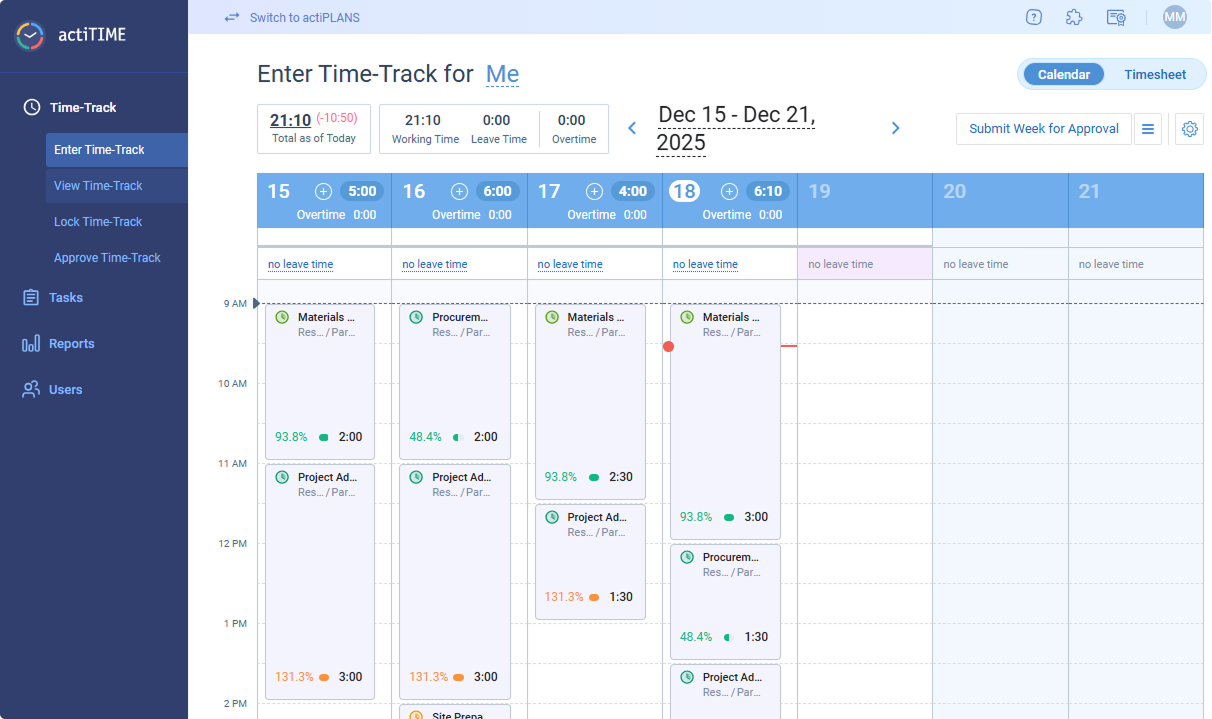
Track work hours by project, client, or task with daily or weekly timesheets and the calendar format. Users can enter time manually or use timers for real-time tracking.
Project & Task Management
Plan, assign, and monitor tasks within projects to keep teams aligned. Task progress is visible to managers and team members for better accountability.
Reporting & Data Analysis
Generate customizable reports on time usage, project costs, and team performance. Export reports for invoicing, payroll, or internal analysis.
Budget Tracking
Compare planned vs. actual time and costs to prevent overruns. Set project budgets and receive alerts when limits are approached.
Billing & Invoicing
Track billable hours, apply custom rates, and generate invoices directly from tracked time. This feature supports accurate client billing and revenue tracking.
Leave Management
Manage PTO, sick leave, and other absences within the same platform. Approvals and balances are tracked automatically for each team member.
Time Governance & Approvals
Control time entry with timesheet approvals, locking, and submission reminders to ensure accuracy and compliance across teams.
Standout Features
Multi-Dimensional Budgeting
actiTIME lets you track time, cost, and billing budgets simultaneously across tasks, projects, and clients. This makes it easier to monitor profitability—not just time spent.
Automated Browser-Based Time Capture
The Time Management Assistant can automatically track time spent across web apps and platforms, reducing reliance on manual entry.
Ease of Use
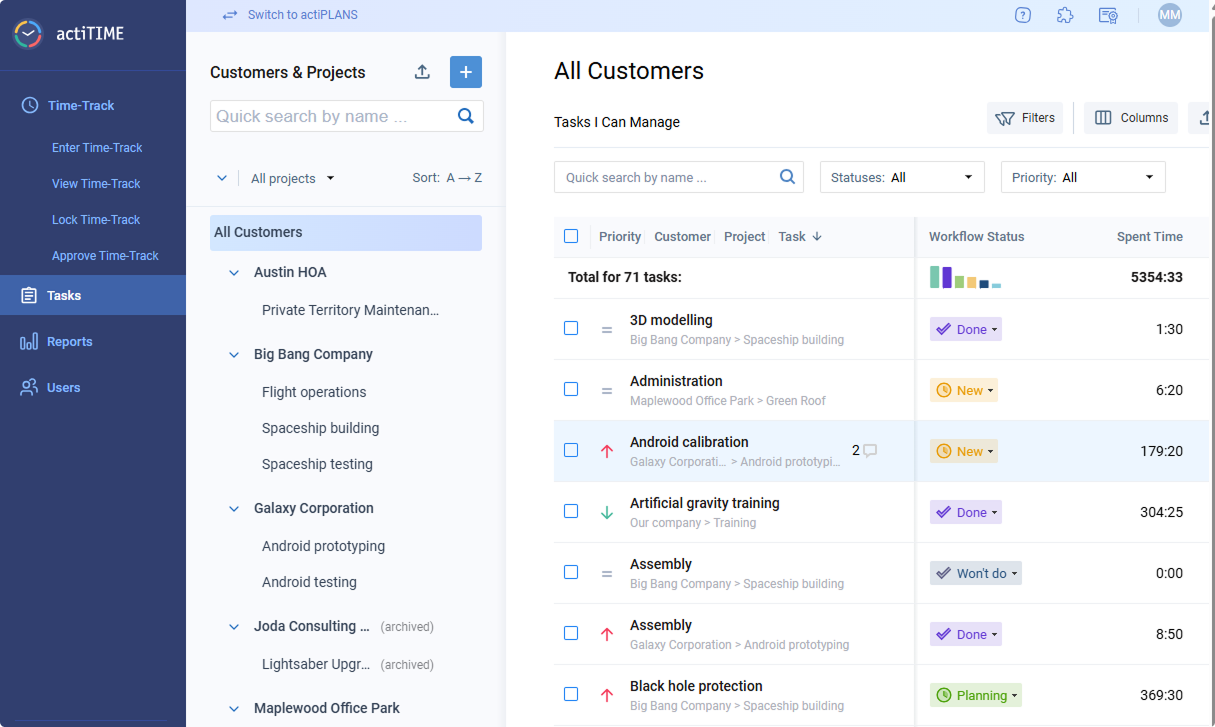
actiTIME offers a generally intuitive interface with clear navigation, especially for core tasks like entering time and running reports. Most users can get comfortable with basic functionality relatively quickly, particularly in simpler setups. However, as more features are enabled—such as workflows, budgets, and permissions—the interface can feel more complex or busy.
Onboarding
actiTIME provides a structured onboarding experience with a detailed knowledge base, how-to videos, and optional demos. New accounts include sample data and guided steps, helping teams understand how to set up customers, projects, and tasks before rolling out usage.
Initial setup is relatively straightforward for basic use cases, but configuring more advanced features—such as budgets, workflows, and permissions—can take additional time. Most teams can begin tracking time quickly, though full implementation may require more planning and admin involvement.
Customer Support
actiTIME offers multi-channel support, including email, chat, phone, and online contact forms, along with a comprehensive help center and video resources. Users generally report responsive and helpful support, particularly for onboarding and troubleshooting. However, support availability hours are not clearly defined, and response times may vary.

Integrations
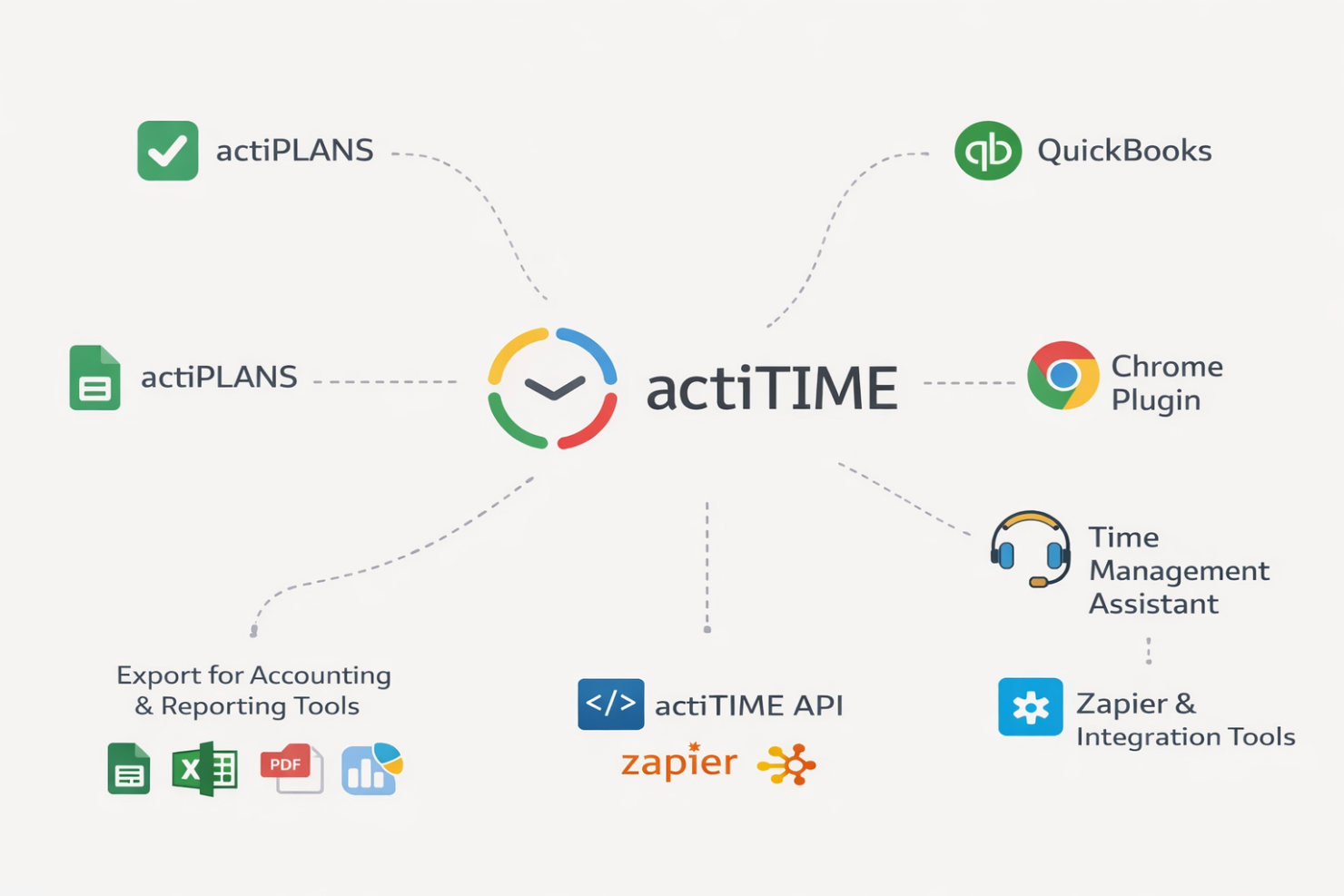
actiTIME integrates with actiPLANS, QuickBooks, Chrome Plugin, Time Management Assistant, and offers export options for accounting and reporting tools, among others.
actiTIME also provides an API and connects with third-party integration tools like Zapier for broader workflow automation.
Value for Money
actiTIME offers solid value for teams that need detailed time tracking, budgeting, and billing capabilities at a relatively affordable price point. Rather than a lightweight tool, it provides deeper functionality—especially for tracking project costs and profitability—which can justify the cost for service-based teams.
The free plan is useful for very small teams but comes with limited functionality. Paid plans remain competitively priced as you scale, though organizations with more complex needs may incur additional costs for customization, data migration, or (in self-hosted setups) infrastructure and maintenance.
- 1–3 Users: Free plan with limited functionality, suitable for basic time tracking needs
- 1–40 Users: Entry-level paid tier with full access to core features, including reporting, billing, and project tracking
- 41–200 Users: Same feature set as lower tier, with more cost-efficient scaling for growing teams
- 200+ Users: Custom enterprise plan with a fixed pricing model and full feature access
- Self-Hosted: One-time license with full functionality, requiring internal infrastructure, setup, and ongoing maintenance

New Product Updates from actiTIME

actiTIME Visual Hour Indicator and Time-Track Report Redesign
actiTIME introduces the Visual Hour Indicator and a redesigned Time-Track Report to improve time tracking and reporting. These updates add visual progress indicators, continuous scrolling, custom sorting, and clearer report layouts for a more efficient reporting experience. Highlights include:
- Visual Hour Indicator: Displays logged hours with a wave-based progress indicator that shows daily completion status and weekly totals at a glance.
- Redesigned Time-Track Report: Adds continuous scrolling, improved table hierarchy, custom sorting, and updated charts for easier navigation and clearer reporting.
Visit actiTIME's official site for more details.
 for more details.
actiTIME Specs
- Analytics
- API
- Approval Workflows
- Attendance Tracking
- Batch Permissions & Access
- Billing/Invoicing
- Budgeting
- Calendar Management
- Dashboard
- Data Export
- Data Import
- Data Visualization
- Expense Tracking
- External Integrations
- Forecasting
- Multi-User
- Notifications
- Project Management
- Resource Management
- Scheduling
- Task Scheduling/Tracking
- Time Management
- Timesheets
- Vacation & Absence Calendar
actiTIME FAQs
Can actiTIME handle multiple projects and clients at once?
How customizable are actiTIME’s reports?
Does actiTIME support billable and non-billable hours?
What data security and compliance measures does actiTIME provide?
How easy is it to onboard a new team to actiTIME?
Can actiTIME track paid time off and other leave types?
Is there a mobile app or a mobile-friendly version of actiTIME?
What kind of customer support does actiTIME provide?
actiTIME Company Overview & History
actiTIME is a privately held company specializing in time tracking and project management software for businesses of all sizes. Headquartered in Toronto, Canada, actiTIME serves over 100,000 clients worldwide. Notable clients include Xerox, Cisco, AbbVie, Bristol, DHL, General Electric, and Philips. actiTIME also offers actiPLANS, a leave management solution, and is known for its focus on usability and continuous product updates.
actiTIME Major Milestones
- 2004: actiTIME Inc. founded and initial product launched.
- 2000s–2010s: Expanded client base to include major global enterprises.
- 2020s: Surpassed 100,000 clients worldwide and introduced actiPLANS as a complementary product.