

Mural vs. Miro: Comparativa y Opiniones de Expertos para 2026



Mural ofrece una plataforma dinámica que permite a tu equipo hacer lluvias de ideas y colaborar visualmente, mientras que Miro proporciona un espacio versátil para crear y gestionar proyectos de manera colaborativa. Ambas herramientas pueden mejorar la comunicación y el trabajo en equipo, pero difieren en su enfoque respecto a la flexibilidad y las capacidades de integración.
He probado y evaluado ambas herramientas en profundidad y he cubierto sus características, ventajas y desventajas, precios y más para ayudarte a decidir cuál herramienta de colaboración se adapta mejor a tus necesidades.
Mural vs. Miro: An Overview
Mural
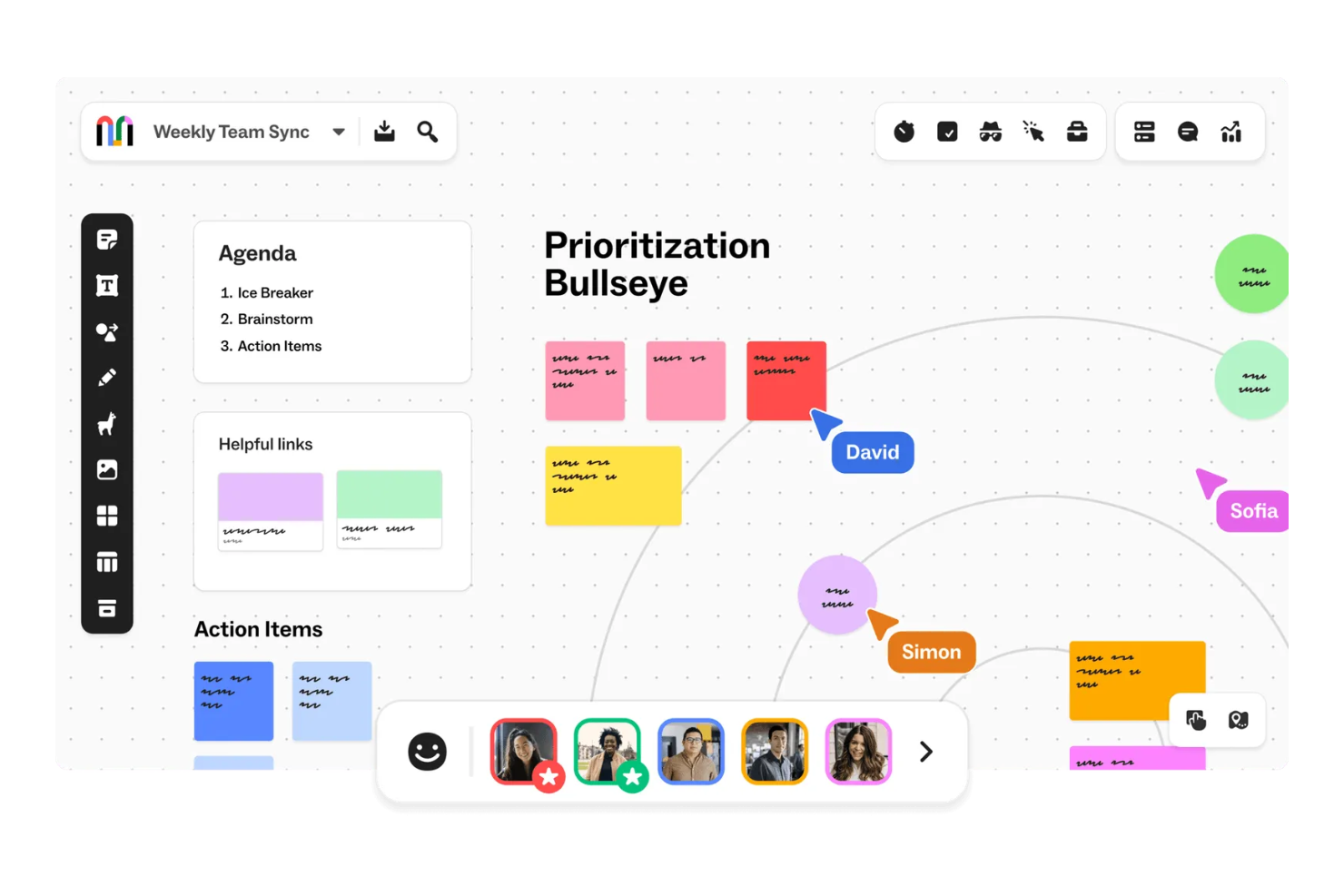
Miro


Por qué confiar en nuestras recomendaciones de software
Nuestro equipo lleva probando y evaluando software desde 2012. Como gestores de proyectos, sabemos lo difícil —y lo importante— que es elegir el software adecuado.
Para esta guía, evaluamos las herramientas mediante pruebas prácticas e investigación independiente, puntuando las herramientas según nuestros criterios de selección. También nos basamos en la experiencia de líderes de opinión del sector y de profesionales en activo de la gestión de proyectos.
Nuestras reseñas reflejan nuestro criterio editorial humano, no un discurso de ventas.
Revisores expertos:
Mural vs. Miro Pricing Comparison
| Mural | Miro | |
|---|---|---|
| Free Trial | Free demo + free plan available | Free plan + 14-day free trial available |
| Pricing | From $9.99/user/month (billed annually) | From $8/user/month (billed annually) |
Precios y costes ocultos de Mural vs. Miro
La estructura de precios de Mural sigue un modelo de suscripción por niveles, con costes que aumentan según el tamaño del equipo y las funcionalidades adicionales que elijas. Miro también utiliza un modelo de suscripción por niveles y los costes aumentan a medida que agregas funciones más avanzadas y medidas de seguridad. Ambas herramientas además ofrecen un plan gratuito.
Para seleccionar la herramienta y el plan de pago adecuados, evalúa las necesidades de tu equipo y los patrones de uso, y considera el potencial de escalabilidad y si ciertas funcionalidades específicas podrían implicar costes adicionales.
Mural vs. Miro Feature Comparison
Las opciones de colaboración y facilitación de Mural te permiten hacer lluvias de ideas y llevar a cabo sesiones remotas de planificación de proyectos con los miembros de tu equipo. La amplia biblioteca de plantillas de Miro ofrece muchas opciones para visualizar proyectos complejos y crear hojas de ruta de productos.
| Mural | Miro | |
|---|---|---|
| API | ||
| Data Export | ||
| Data Import | ||
| Email Integration | ||
| External Integrations | ||
| Multi-User | ||
| Notifications | ||
| Project Management |
Integraciones de Mural vs. Miro
| Integración | Mural | Miro |
|---|---|---|
| Google Workspace | ✅ | ✅ |
| Microsoft Teams | ✅ | ✅ |
| Slack | ✅ | ✅ |
| Zoom | ✅ | ✅ |
| Jira | ✅ | ✅ |
| Asana | ✅ | ✅ |
| Trello | ✅ | ✅ |
| Confluence | ✅ | ✅ |
| API | ✅ | ✅ |
| Zapier | ✅ | ✅ |
La integración de Mural con Microsoft Teams te permite colaborar fácilmente con tu equipo en tiempo real y comunicarte fluidamente durante reuniones a distancia. La integración de Miro con Jira te ayuda a gestionar tareas de proyectos y hacer seguimiento del progreso, especialmente en entornos ágiles.
Seguridad, cumplimiento y confiabilidad de Mural vs. Miro
| Factor | Mural | Miro |
|---|---|---|
| Privacidad de datos | Mural mantiene la privacidad de los datos con cumplimiento GDPR y control del usuario sobre la información. | Miro mantiene la privacidad de los datos mediante cumplimiento GDPR y cifrado. |
| Cifrado | Mural utiliza cifrado AES-256 para los datos en reposo. | Miro protege los datos en reposo con cifrado AES-256. |
| Cumplimiento normativo | Mural cumple con los estándares SOC 2 Tipo II e ISO 27001 para las prácticas de seguridad. | Miro se adhiere a los estándares SOC 2 Tipo II e ISO 27001 para el cumplimiento. |
Tanto Mural como Miro ofrecen funciones sólidas de seguridad y cumplimiento. Analiza las necesidades específicas de seguridad de tu equipo y considera factores como el cumplimiento normativo y los estándares de cifrado para asegurarte de que se alinean con los requisitos de tu organización.
Facilidad de uso de Mural vs. Miro
| Factor | Mural | Miro |
|---|---|---|
| Interfaz de usuario | Mural ofrece una interfaz limpia y fácil de usar con funciones intuitivas de arrastrar y soltar. | Miro proporciona una interfaz visualmente atractiva con plantillas personalizables. |
| Experiencia de incorporación | La incorporación en Mural incluye tutoriales interactivos para ayudarte a empezar rápidamente. | Miro ofrece una guía de incorporación completa con tutoriales en video. |
| Soporte | Mural proporciona soporte receptivo con un centro de ayuda dedicado. | Miro tiene un soporte extenso con un foro de comunidad y chat en vivo. |
La interfaz sencilla de Mural facilita que comiences rápidamente, pero su soporte podría ser más completo. Las plantillas de Miro ofrecen muchas opciones de personalización, aunque la configuración puede ser un poco abrumadora al principio.
Mural vs Miro: Pros & Cons
Mural
- Mural's intuitive interface makes it easy for your team to engage in creative brainstorming sessions.
- The platform offers a wide array of templates that help you quickly visualize and plan your projects.
- Its real-time collaboration features ensure your team stays connected and productive, no matter where they are.
- Some users find the initial learning curve steep, which might slow down your team's adaptation.
- Performance can lag with larger or more complex boards, impacting your team's workflow.
- Limited offline functionality means your team will need a reliable internet connection to collaborate effectively.
Miro
- You’ll love Miro's intuitive and visually engaging interface.
- Your team can collaborate in real-time with ease.
- Miro's flexible templates save you time on project setup.
- You might find the learning curve steep for advanced features.
- Your team could experience occasional performance lags with large boards.
- Miro may require frequent updates, which can interrupt your workflow.
Best Use Cases for Mural and Miro
Mural
- Design Teams Mural's visual tools and templates allow your design team to sketch and refine ideas collaboratively.
- Marketing Departments Your marketing team can plan campaigns visually, making it easier to align strategies and goals.
- Educational Institutions Teachers can use Mural to create interactive lessons that engage students in collaborative learning.
- Remote Teams Mural's real-time collaboration keeps your remote team connected and productive, regardless of location.
- Product Development Product teams can map out features and workflows visually, aiding in better planning and execution
- Creative Agencies For agencies, Mural offers a space to brainstorm and present creative concepts to clients effectively.
Miro
- Creative agencies Miro supports brainstorming sessions with its visual tools and helps your team innovate and execute creative ideas efficiently.
- Marketing teams It allows you to map out marketing campaigns visually and keeps your projects organized and aligned with your goals.
- Design departments Miro’s flexible templates and drawing tools let your team create and iterate on design concepts with ease.
- Product management Visual roadmaps and collaboration features make it easy for your team to track product development and align on tasks.
- Remote teams Miro allows for seamless remote collaboration, so your team stays connected and productive, no matter where they’re located.
- Education sector Engage your students and make learning more dynamic with interactive lessons using Miro’s visual aids and collaborative features.
¿Quién debería usar Mural y quién debería usar Miro?
En mi opinión, Mural es ideal para equipos creativos y docentes que requieren una herramienta sencilla y visual para lluvias de ideas y talleres interactivos. Miro, en cambio, es perfecto para gestores de proyectos y equipos técnicos cuyos casos de uso requieren una planificación detallada, gestión de tareas y una amplia gama de integraciones.
Si trabajas en un entorno acelerado con procesos estructurados, Miro puede ser la mejor elección. Pero si tu equipo prospera gracias a la creatividad y la colaboración visual, Mural podría ser la opción ideal.
Differences Between Mural and Miro
| Mural | Miro | |
|---|---|---|
| Integrations | Mural integrates with tools like Microsoft Teams and Slack. | Miro integrates with Jira and Trello. |
| Onboarding | Mural provides interactive tutorials for quick onboarding. | Miro offers comprehensive guides and video tutorials. |
| Security | Mural complies with GDPR, ISO 27001, and SOC 2 Type II standards. | Miro adheres to GDPR, SOC 2 Type II, and ISO 27001 standards. |
| User Interface | Mural offers a straightforward, drag-and-drop interface. | Miro provides a visually rich interface with customizable templates. |
| Read Mural ReviewOpens new window | Visit MiroOpens new window |
Similarities Between Mural and Miro
| Collaboration | Both Mural and Miro let your team collaborate, brainstorm, and edit in real-time, which is crucial for remote work environments. |
|---|---|
| Cross-Platform Access | Both tools can be accessed on multiple devices, so you and your team can work from anywhere, whether on desktop or mobile platforms. |
| Custom Templates | Mural and Miro offer a variety of templates to streamline your workflows, so you can start projects quickly with pre-designed layouts. |
| Data Visualization | Mural and Miro both support visual brainstorming with sticky notes and diagrams, which makes it easy for your team to organize and present ideas clearly. |
| Integrations | Both tools integrate with Zapier, so you can automate workflows and connect the tool with a wide array of other applications to improve your productivity and efficiency. |
| Read Mural ReviewOpens new window Visit MiroOpens new window | |