

Las 10 mejores aplicaciones de correo electrónico analizadas en 2026

Lista de las mejores aplicaciones de correo electrónico


Gestionar proyectos puede ser como hacer malabarismos, y los correos electrónicos suelen añadir más caos. Necesitas una aplicación de correo electrónico segura que te ayude a mantenerte organizado y a que tu equipo siga el rumbo. Según mi experiencia, elegir el cliente de correo adecuado puede marcar la diferencia.
He probado y analizado innumerables aplicaciones de correo electrónico para encontrar las mejores opciones para ti. Mi objetivo es compartir información imparcial que responda a tus necesidades. Tanto si buscas integrarla con otras herramientas como si te interesan funciones únicas, hay una opción para cada equipo.
En este artículo, te guiaré por mis principales recomendaciones y destacaré qué hace que cada una sobresalga. Encontremos la aplicación de correo electrónico que se adapte a tu flujo de trabajo y te ayude a gestionar proyectos de forma más eficaz.
Por qué confiar en nuestras recomendaciones de software
Nuestro equipo lleva probando y evaluando software desde 2012. Como gestores de proyectos, sabemos lo difícil —y lo importante— que es elegir el software adecuado.
Para esta guía, evaluamos las herramientas mediante pruebas prácticas e investigación independiente, puntuando las herramientas según nuestros criterios de selección. También nos basamos en la experiencia de líderes de opinión del sector y de profesionales en activo de la gestión de proyectos.
Nuestras reseñas reflejan nuestro criterio editorial humano, no un discurso de ventas.
Revisores expertos:
Tabla comparativa de aplicaciones de correo electrónico
\u003cspan style=\u0022font-weight: 400;\u0022\u003eEsta tabla comparativa resume los detalles de precios de mis principales aplicaciones de correo electrónico:\u003c/span\u003e
| Tool | Best For | Trial Info | Price | ||
|---|---|---|---|---|---|
| 1 | Best for business integration | Free 14-day free trial + free plan available | From $4.03/user/month (billed annually) | Website | |
| 2 | Best for Google Workspace users | Free plan available | From $7/user/month (billed annually) | Website | |
| 3 | Best for Apple device integration | Free plan available | From $0.99/month | Website | |
| 4 | Best for free domain options | Free demo available | Free forever plan | Website | |
| 5 | Best for large email storage | Free 14-day trial + free plan available | From $5/month | Website | |
| 6 | Best for AI-based features | Free plan available | From $14.99/month | Website | |
| 7 | Best for open-source customization | Free to use | Free forever plan | Website | |
| 8 | Best for privacy | Free 7-day trial + free plan available | From $3/month | Website | |
| 9 | Best for Windows users | 30-day free trial | From $9.99/month | Website | |
| 10 | Best for AI-powered assistance | Free plan available | From $25/user/month (billed annually) | Website |
Análisis de las mejores aplicaciones de correo electrónico
\u003cspan style=\u0022font-weight: 400\u0022\u003eA continuación encontrarás mis resúmenes detallados de las mejores aplicaciones de correo electrónico que llegaron a mi lista. Mis análisis ofrecen una visión detallada de las funciones principales, las ventajas y desventajas, las integraciones y los casos de uso ideales de cada herramienta para ayudarte a encontrar la mejor opción para ti.\u003c/span\u003e

Mailbird
Best for business integration
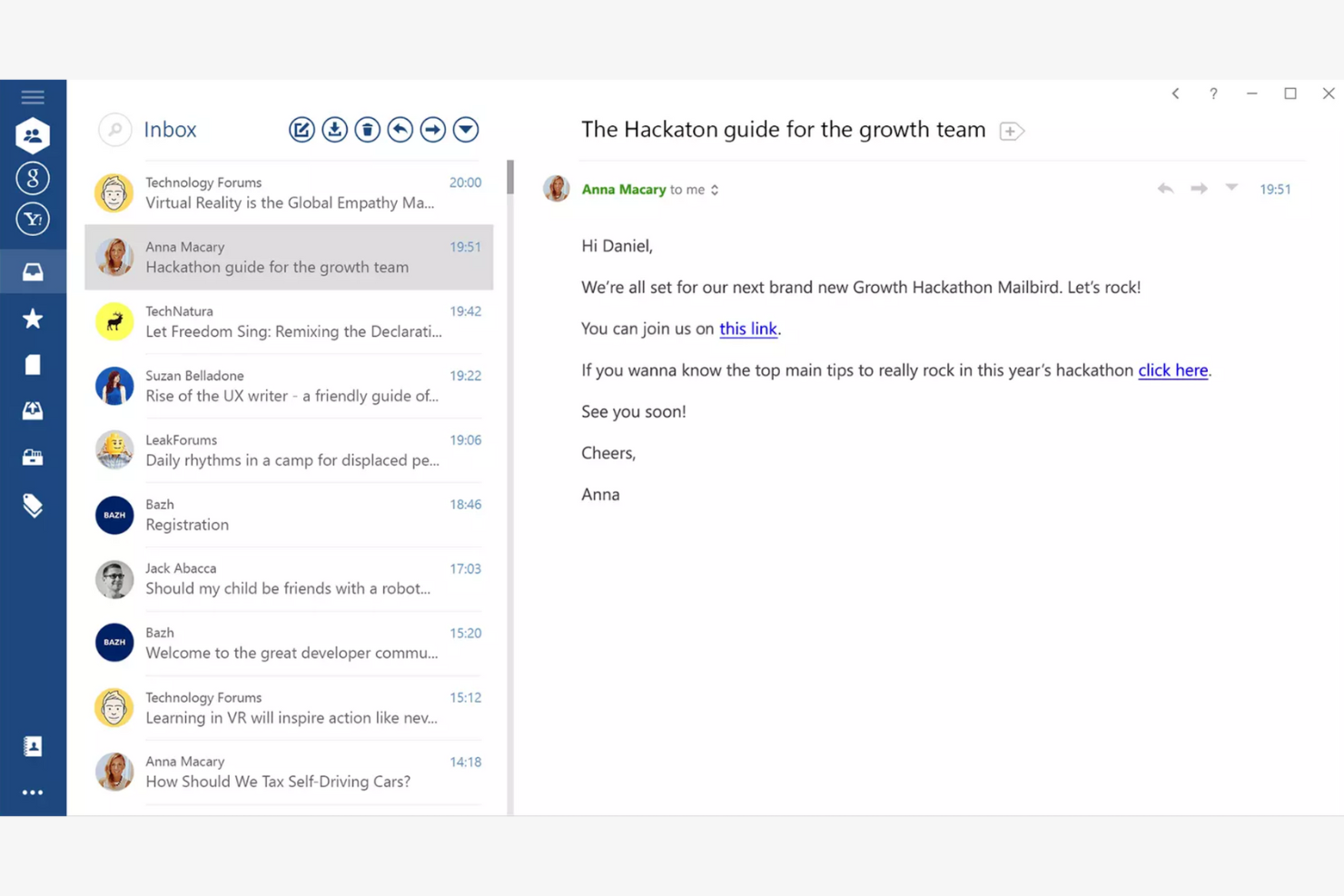
Mailbird is an email client tailored for Windows users, providing an all-in-one platform for managing multiple email accounts. It boosts productivity by offering features that simplify email management and communication.
Why I picked Mailbird: Mailbird is designed specifically for Windows, making it a great choice if your team already uses this operating system. The app's unified inbox lets you manage multiple accounts efficiently, while the speed reader feature helps you process emails quickly. The app's customization options also let you personalize your email experience to fit your needs.
Standout Features and Integrations:
Features include a snooze function to temporarily hide emails and keyboard shortcuts that make navigation quicker and easier. You can also customize the layout to fit your workflow.
Integrations include Slack, Google Calendar, Asana, Dropbox, Evernote, Trello, Facebook, Twitter, WeChat, ZeroBounce, and more.
Pros and Cons
Pros:
- Local-client architecture that keeps data on your device
- Customizable interface
- Unified inbox for multiple accounts
Cons:
- Shallow inbox automation and management tools
- Limited support for non-Windows platforms

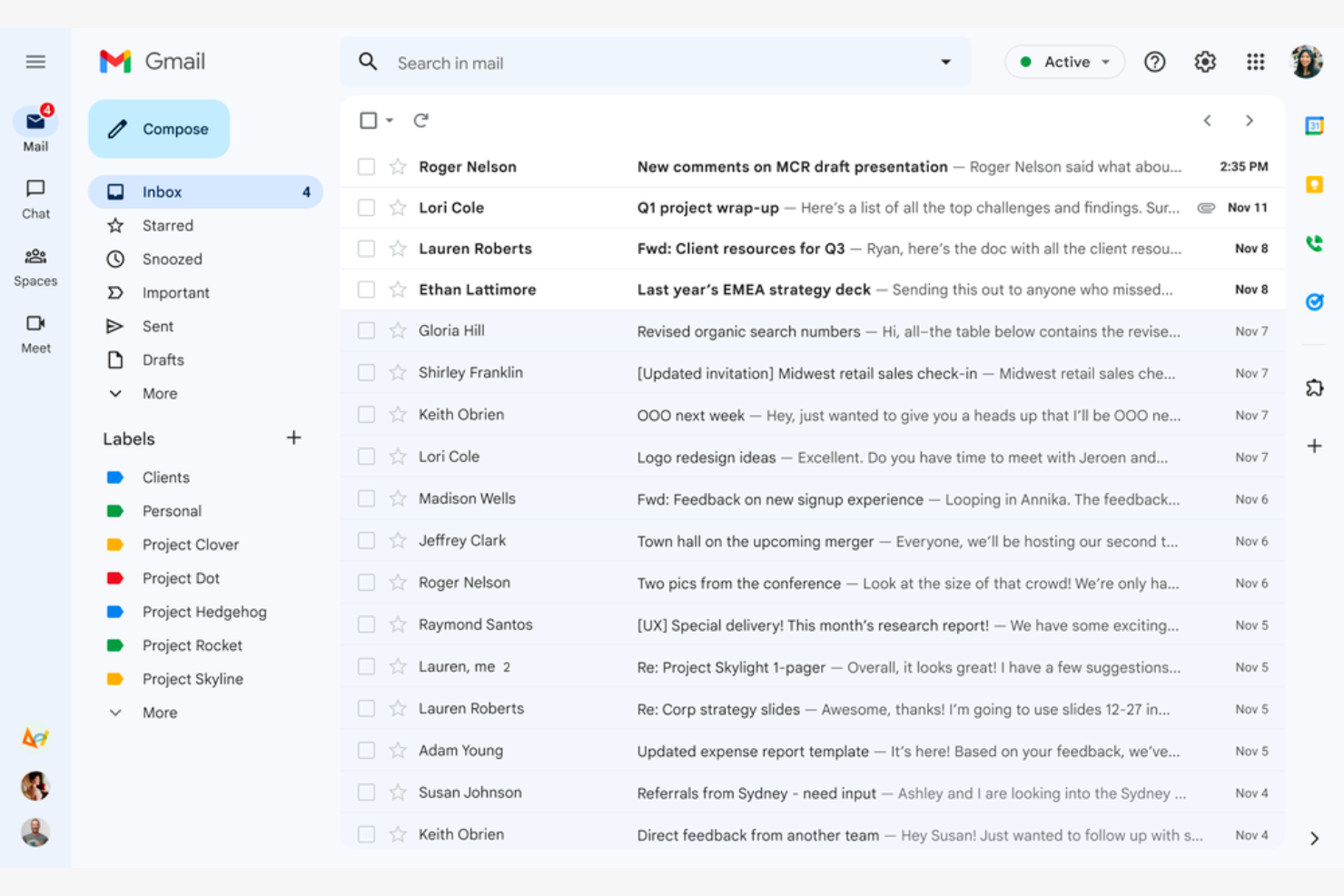
Google Gmail is a widely used email service that caters mainly to Google Workspace users. It offers essential email functions that integrate with Google services, giving both individuals and businesses a connected experience.
Why I picked Google Gmail: Google Gmail is ideal for Google Workspace users because it integrates with Google Drive, Calendar, and Docs. The conversation view groups your emails into threads so you never lose track of the discussion, while labels and filters help you categorize and sort emails efficiently. The Google Gmail app's spam filtering helps keep your inbox clean and protects you from phishing scams.
Standout Features and Integrations:
Features include 15GB of free storage, smart reply suggestions, and advanced search capabilities. You can schedule emails to be sent later, which is handy for coordinating with teams across time zones. The priority inbox also automatically highlights important emails so you never miss critical messages.
Integrations include Google Workspace and more.
Pros and Cons
Pros:
- Search functionality
- Integrates with the Google ecosystem
- Spam and phishing detection
Cons:
- Privacy concerns surrounding Google's data-driven business model
- No folder organization

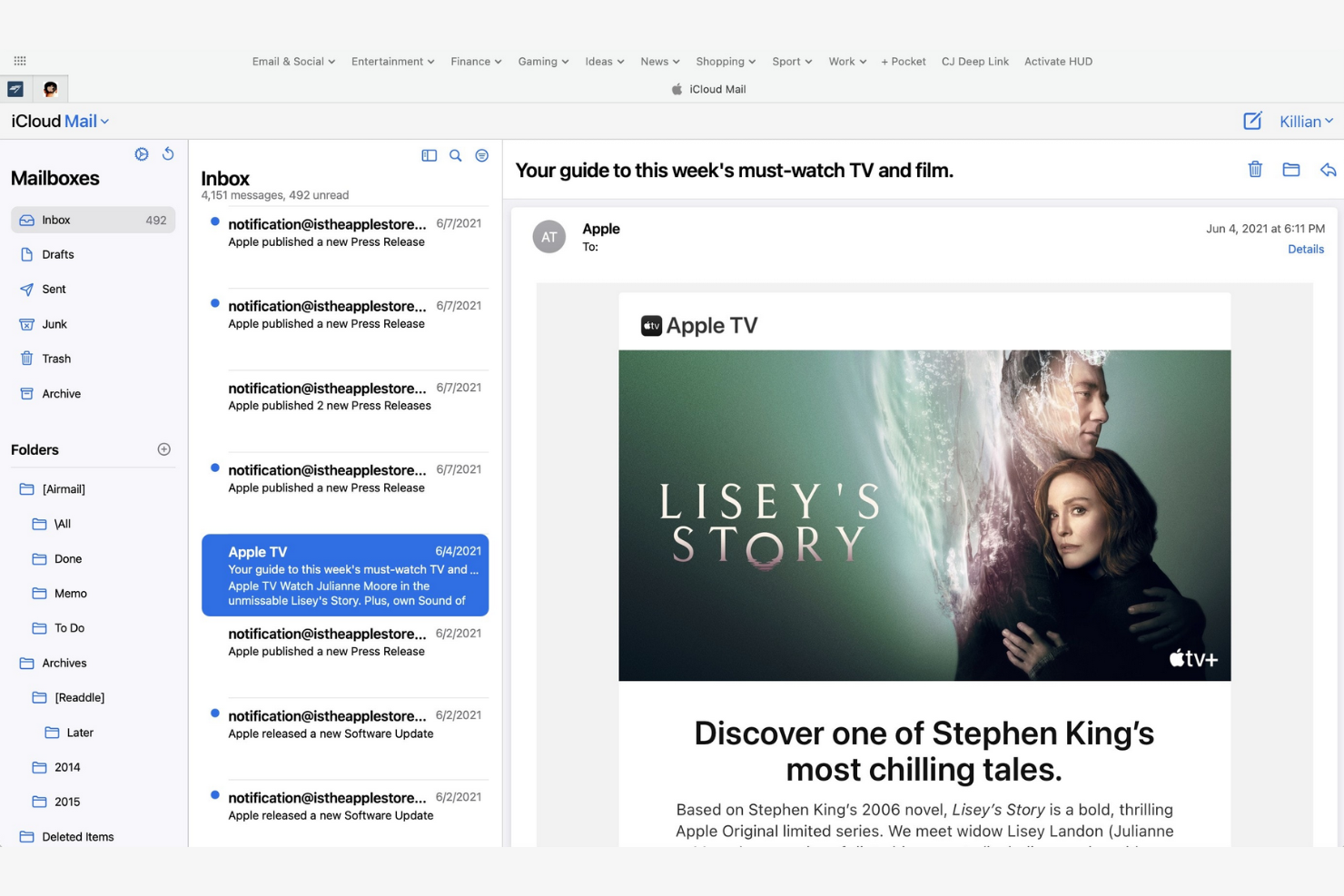
Apple iCloud Mail is an Apple-native email app that offers integration across iPhones, iPads, and Macs. It helps users stay organized and efficient with a suite of essential email management tools.
Why I picked Apple iCloud Mail: Apple iCloud Mail is tailored for Apple users, delivering consistent performance across all your Apple devices. The app's iCloud integration lets you quickly sync emails, contacts, and calendars, while the Handoff feature lets you switch between devices without losing your place. Also, the app's user-friendly interface makes managing emails straightforward.
Standout Features and Integrations:
Features include a priority inbox for important emails, customizable swipe gestures, and support for rich text formatting. You can manage multiple email accounts in one place, and the VIP feature also lets you set notifications for emails from important contacts so you never miss high-priority messages.
Integrations are not publicly listed.
Pros and Cons
Pros:
- Strong privacy protection and minimal data scanning
- Intuitive interface
- Integrates with Apple's ecosystem
Cons:
- Slow search
- Limited free space


mail.com is an email service catering to business owners who need customizable domain options. It lets users create professional-looking email addresses with tailored domain names.
Why I picked mail.com: mail.com's standout feature is free domain options, which let you personalize your email address with a custom domain name. This flexibility is ideal for both individuals and small businesses looking to upgrade their email presence. The tool's simple interface makes managing emails straightforward. The ability to use different domain names sets mail.com apart from other email apps.
Standout Features and Integrations:
Features include unlimited email storage and a customizable spam filter. You can also use the integrated online calendar to manage your schedule efficiently.
Integrations include Opera, Google Chrome, Safari, Mozilla Firefox, Mail Backup X, Mailspring, and more.
Pros and Cons
Pros:
- Intuitive interface
- Generous features included in the free plan
- Wide range of custom domain names
Cons:
- Poor spam protection
- Ads in the free version


Yahoo! Mail is an email service that offers users ample storage for their emails and attachments. Its high-capacity email inbox makes it ideal for both personal and business communication.
Why I picked Yahoo! Mail: Yahoo! Mail's expansive storage capacity is a key feature for users who manage a large volume of emails. You can store thousands of emails without worrying about running out of space. The intuitive interface lets you manage emails efficiently, and thanks to its customizable themes, you can personalize your email experience.
Standout Features and Integrations:
Features include an easy-to-use search function and a built-in calendar that lets you organize your schedule directly from your inbox. You can also customize the interface with unique themes to suit your preferences.
Integrations include Google Drive, Microsoft Office Online, Grammarly, Shift, WiseStamp, CredentialingSpectrum, Reoon Email Verifier, Rambox, Oki-Toki, and more.
Pros and Cons
Pros:
- Built-in calendar and reminder viewer
- Customizable themes available
- Generous email storage space
Cons:
- Track record of major data breaches
- Frequent upselling


Edison Mail is designed for users who value smart features and efficient email management. It increases productivity by automating routine tasks and providing intelligent insights.
Why I picked Edison Mail: Edison Mail's AI-powered features help you manage emails more efficiently. The app includes smart notifications that alert you to important emails, and the one-tap unsubscribe feature is a lifesaver for decluttering your inbox. The built-in assistant also organizes your travel and package information, keeping everything in one place.
Standout Features and Integrations:
Features include a focused inbox that prioritizes emails based on importance and customizable swipe gestures to speed up email management. You can also use dark mode to reduce eye strain during late-night work sessions.
Integrations include Google Workspace, Apple iCloud, Yahoo! Mail, AOL, Hotmail, Amazon, Walmart, Microsoft 365, and more.
Pros and Cons
Pros:
- Focused inbox for priority emails
- One-tap unsubscribing and bulk cleanup features
- Smart notifications
Cons:
- Subscription required
- Syncing errors

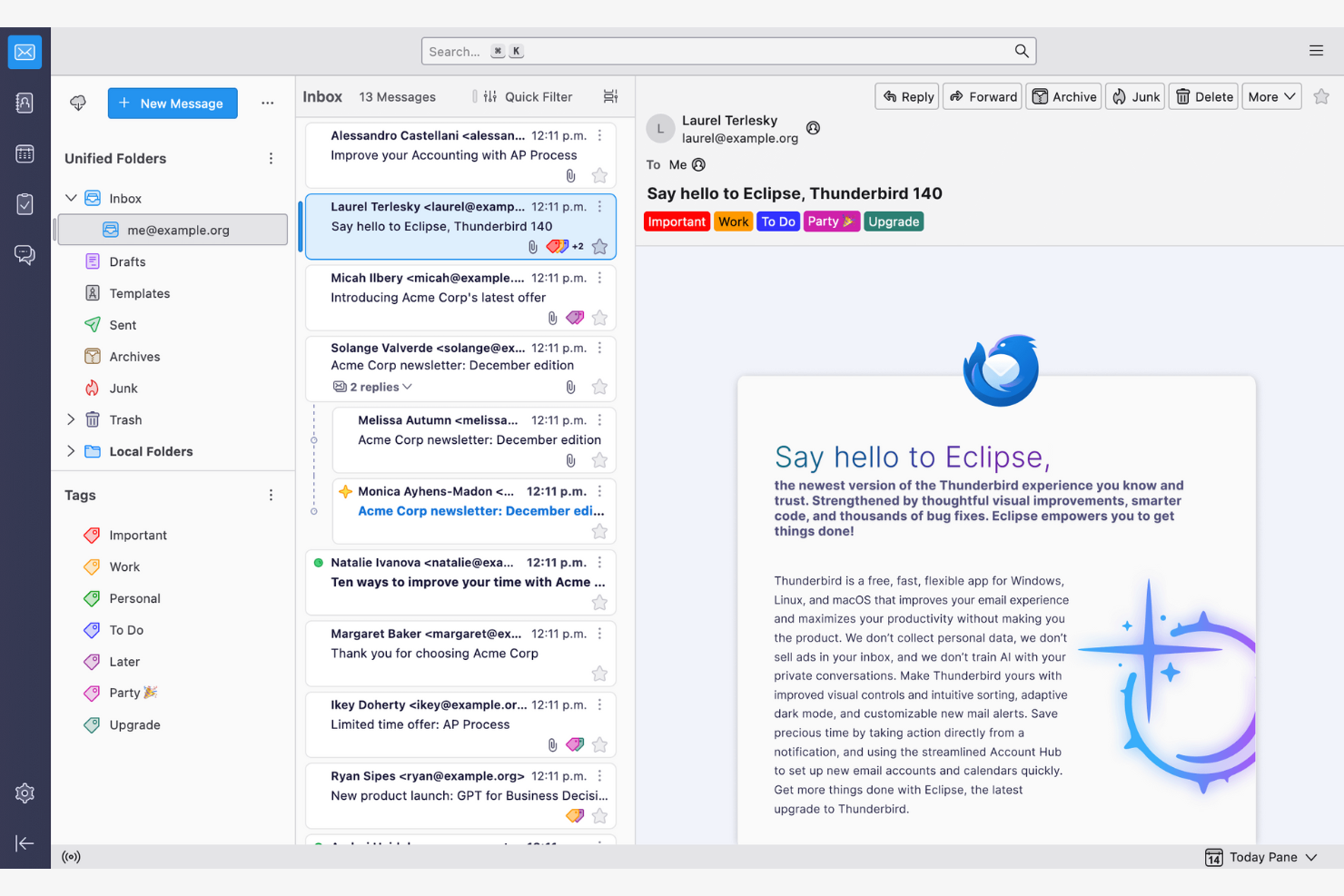
Thunderbird is an open-source email client that lets users customize and control their email environment. Its features make email management and communication more efficient.
Why I picked Thunderbird: Thunderbird is highly customizable, appealing to users who want to tailor it to their specific needs. You can use add-ons to upgrade the app's functionality, while the tabbed email feature lets you manage multiple conversations at once. Because the app is open-source, you can modify it to suit your preferences.
Standout Features and Integrations:
Features include a smart folder system to organize emails across different accounts, powerful spam filtering to block unwanted emails, and a quick filter toolbar to find emails more efficiently.
Integrations include Google Gmail, Yahoo! Mail, McAfee LiveSafe, Kasm Workspaces, Greatmail, PDFCreator, Mailfence, Aid4Mail, 1Tool CRM, and more.
Pros and Cons
Pros:
- Strong spam filtering and privacy options
- Unified inbox with tabs
- Customizable with add-ons
Cons:
- Basic user interface
- No native mobile app

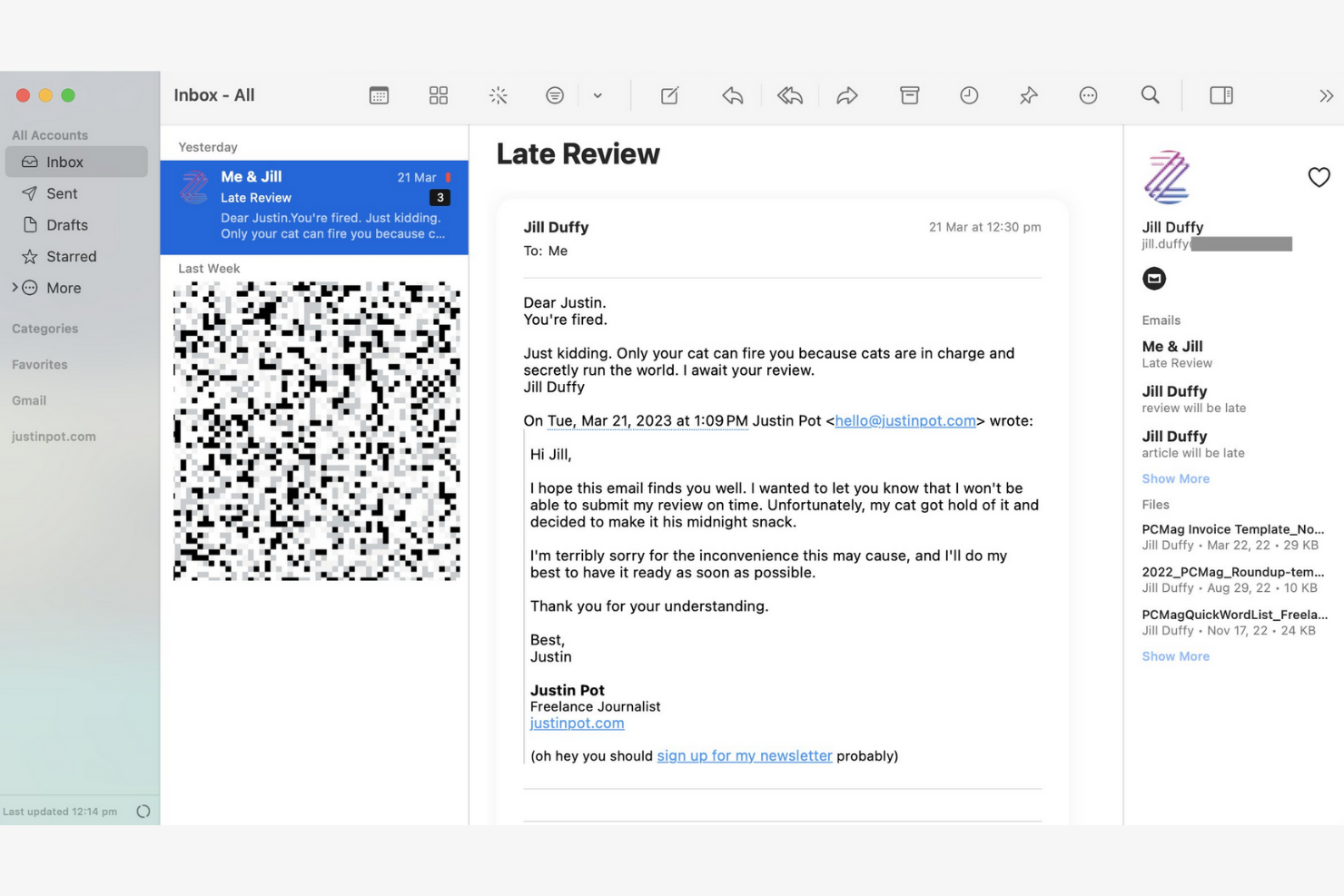
Canary Mail is an email client designed for individuals and teams who prioritize privacy and security in their communications. Its end-to-end encryption keeps your emails confidential and secure.
Why I picked Canary Mail: Canary Mail stands out for its commitment to privacy, offering a suite of data-protection features. You can encrypt emails with a single tap, giving you peace of mind for sensitive communications. The app's focus on security doesn't compromise usability, and the intuitive interface makes it simple to manage your emails while keeping them secure.
Standout Features and Integrations:
Features include search tools that help you find emails quickly, read receipts that show when your emails have been opened, and a snooze feature that temporarily hides emails so you can focus on more important tasks.
Integrations include Google Gmail, Apple iCloud, Proton Mail, Todoist, Asana, and more.
Pros and Cons
Pros:
- Unified inbox across multiple devices
- An AI copilot that functions offline
- Built-in encryption and privacy controls
Cons:
- The best Copilot features require a paid monthly subscription
- Complex encryption


Microsoft Outlook is an email client and personal information manager designed for businesses and professionals. Its integrated calendar features make communicating and scheduling more efficient.
Why I picked Microsoft Outlook: Outlook's strong integration with Microsoft Office makes it ideal for businesses that rely on Microsoft products. You can schedule meetings directly from your inbox to help your team stay organized, and the focused inbox feature shows you your most important emails first. The app's integrated calendar also lets you coordinate schedules.
Standout Features and Integrations:
Features include email categorization to manage messages efficiently, customizable rules to automate email sorting and prioritization, and a built-in task manager to keep track of your to-do lists.
Integrations include Microsoft 365 and more.
Pros and Cons
Pros:
- AI assistance
- Focused inbox for important emails
- Strong integration with the Microsoft 365 ecosystem
Cons:
- Requires regular updates
- Complex interface for new users


Superhuman Mail is an email client tailored for busy professionals who need to manage their emails quickly and efficiently. It focuses on delivering a fast email experience with advanced features that increase productivity.
Why I picked Superhuman Mail: Superhuman Mail prioritizes speed and efficiency, making it a top choice for users who want to process emails quickly. The app's keyboard shortcuts let you navigate and manage emails without a mouse, and the split inbox feature helps you focus by isolating important emails. Also, the app's undo send feature gives you further peace of mind.
Standout Features and Integrations:
Features include a powerful search function to find emails instantly, read-status indicators to see when emails have been opened, and follow-up reminders so you never miss an important response. Superhuman Mail also includes its own built-in AI assistant to help with drafting emails and scheduling meetings.
Integrations include HubSpot, Pipedrive, Salesforce, and more.
Pros and Cons
Pros:
- Minimal, distraction-free interface
- AI integration
- Keyboard shortcuts
Cons:
- Less intuitive for users who prefer traditional mouse-based navigation
- High subscription price relative to other providers
Otras aplicaciones de correo electrónico
\u003cspan style=\u0022font-weight: 400\u0022\u003eEstas son algunas opciones adicionales de aplicaciones de correo electrónico que no llegaron a mi lista, pero que merece la pena conocer:\u003c/span\u003e
- Mailspring
For cross-platform use
- Spark
For team collaboration
- SaneBox
For email prioritization
- Gmelius
For turning Gmail into a workspace
- Clean Email
For inbox organization
- eM Client
For customization
- Missive
For dedicated team spaces


How I Evaluate Email Apps
I evaluate email apps on two levels: the baseline a PM needs—like task conversion and inbox collaboration—and the differentiators that make one tool click where another doesn't.
Core Functionality (Table Stakes For This List)
When I'm selecting tools for my list, I rank each one on a scale from 0 (does not offer the functionality) to 5 (excels in this area) for each core functionality listed below. Then, I calculate the tool's total score into a percentage. Each tool needs to achieve a minimum total score of 65% to be considered for inclusion.
- Email Send & Receive: I check whether the app supports multi-account access across Gmail, Outlook, and IMAP/SMTP so PMs can manage client and internal accounts from one place.
- Inbox Organization: Sorting, labeling, filtering, and archiving matter—especially when you're juggling dozens of stakeholder threads across multiple active projects at once.
- Email-to-Task Conversion: I look for the ability to turn an email into a trackable task with due dates and assignees, like converting a client change request into a backlog item.
- Project Management Integrations: Native connections to tools like Asana, Jira, Monday, ClickUp, or Trello help ensure emails don't live in a silo outside your delivery workflow.
- Shared Inbox Collaboration: For agency and cross-functional teams, I evaluate whether the app supports thread assignment, internal comments, and visibility into who's handling what.
- Calendar & Scheduling: Meeting scheduling, deadline reminders, and two-way calendar sync with Google or Outlook keep project timelines connected to everyday communication.
Once I have a list of tools that meet this criteria, I consider what sets each platform apart.
Differentiating Factors (What Sets Vendors Apart)
Here's how I compare and contrast different vendors:
Standout Features
AI-assisted drafting is a big differentiator—tools that can summarize long threads or suggest replies save PMs real time during peak delivery weeks. I also look for follow-up automation, like scheduled nudges when a stakeholder hasn't responded to a blocker. A unified project inbox that groups all emails by initiative or client is another feature I weigh, since it cuts down the time spent hunting for context across scattered threads.
Beyond Features
Integration depth matters beyond just having a connector—I check whether the link to tools like Jira or Asana supports bi-directional sync, so task updates flow back into email threads. Security is another factor I weigh, especially for PMs handling client data under SOC 2 or GDPR requirements. Cross-platform availability also plays a role; field-based coordinators in construction or logistics need reliable mobile apps with offline sync, not just a browser tab.
Cómo elegir una aplicación de correo electrónico
Es fácil perderse entre largas listas de funciones y estructuras de precios complejas. Para ayudarte a mantener la concentración mientras avanzas en tu proceso único de selección de software, aquí tienes una lista de factores que debes tener en cuenta:
| Factor | Qué considerar |
|---|---|
| Escalabilidad | ¿La aplicación crecerá con tu equipo? Ten en cuenta el volumen futuro de correos electrónicos, las incorporaciones de usuarios y las necesidades de almacenamiento. Comprueba si la aplicación admite tu crecimiento sin costes adicionales. |
| Integraciones | ¿La aplicación funciona con tus herramientas actuales? Busca integraciones nativas con calendarios, gestores de tareas y sistemas CRM para simplificar los flujos de trabajo. |
| Personalización | ¿Puedes adaptar la aplicación a tus necesidades? Evalúa las opciones para ajustar el diseño, crear carpetas personalizadas y establecer flujos de trabajo personales para asegurarte de que se adaptan al estilo de tu equipo. |
| Facilidad de uso | ¿La aplicación es intuitiva para todos los usuarios? Prueba que la interfaz sea sencilla y comprueba que la curva de aprendizaje sea mínima para evitar retrasos en la formación. |
| Implementación e incorporación | ¿Con qué rapidez puedes empezar? Evalúa el proceso de configuración, la disponibilidad de tutoriales y la asistencia para migrar los correos electrónicos existentes con el fin de minimizar el tiempo de inactividad. |
| Coste | ¿El precio se ajusta a tu presupuesto? Compara los planes, las tarifas ocultas y los costes a largo plazo. Busca pruebas gratuitas para probar la aplicación antes de comprometerte. |
| Medidas de seguridad | ¿Qué grado de seguridad tienen tus datos? Verifica los estándares de cifrado, las opciones de copia de seguridad de los datos y el cumplimiento de las normativas de privacidad para proteger la información confidencial. |
| Disponibilidad de asistencia | ¿Qué ayuda hay disponible cuando surgen problemas? Comprueba si hay asistencia las 24 horas del día, los 7 días de la semana, los tiempos de respuesta y los canales de atención al cliente para disponer de ayuda cuando la necesites. |
¿Qué es una aplicación de correo electrónico?
Una aplicación de correo electrónico es una herramienta de software que permite a los usuarios enviar, recibir y gestionar correos electrónicos. Profesionales como los gestores de proyectos, los especialistas en marketing y los ejecutivos empresariales utilizan estas herramientas para reforzar la comunicación y la organización. Funciones como la categorización del correo electrónico, las integraciones con calendarios y las notificaciones personalizables ayudan a gestionar tareas, programar actividades y mantener la organización. Estas herramientas proporcionan una forma estructurada de gestionar la comunicación de manera eficiente, ahorrando tiempo y reduciendo el desorden.
Funciones
Al seleccionar una aplicación de correo electrónico, presta atención a las siguientes funciones clave:
- Categorización del correo electrónico: Ordena automáticamente los correos electrónicos en carpetas, lo que te ayuda a priorizar y gestionar los mensajes de forma eficiente.
- Integración con el calendario: Se sincroniza con los calendarios para simplificar la programación y ayudarte a no perderte nunca eventos importantes.
- Notificaciones personalizables: Te permiten configurar alertas para correos electrónicos específicos, reduciendo las distracciones y ayudándote a centrarte en las prioridades.
- Cifrado de extremo a extremo: Protege tus correos electrónicos y la información confidencial frente al acceso no autorizado.
- Bandeja de entrada unificada: Combina varias cuentas de correo electrónico en una sola interfaz.
- Función de posponer: Oculta temporalmente los correos electrónicos, lo que te permite centrarte en las tareas inmediatas sin perder de vista los mensajes importantes.
- Confirmaciones de lectura: Te notifican cuando los destinatarios abren tus correos electrónicos.
- Búsqueda avanzada: Encuentra rápidamente correos electrónicos específicos mediante palabras clave o filtros, ahorrando tiempo y esfuerzo.
- Temas personalizables: Te permiten personalizar el aspecto de la aplicación según tus preferencias y mejorar su facilidad de uso.
- Recordatorios de seguimiento: Te indican que vuelvas a revisar los correos electrónicos y ayudan a mantener bajo control las comunicaciones importantes.
Ventajas
Implementar una aplicación de correo electrónico proporciona varias ventajas para tu equipo y tu empresa. Estas son algunas de las que puedes esperar:
- Mejor organización: Las funciones de categorización del correo electrónico y bandeja de entrada unificada te ayudan a mantener los mensajes organizados y fáciles de encontrar.
- Seguridad mejorada: El cifrado de extremo a extremo protege la información confidencial y te proporciona tranquilidad.
- Mejor gestión del tiempo: Las notificaciones personalizables y los recordatorios de seguimiento te ayudan a centrarte en lo que más importa.
- Mayor productividad: La integración con calendarios y las funciones de búsqueda avanzada simplifican los flujos de trabajo y ahorran tiempo.
- Experiencia personalizada: Los temas personalizables te permiten adaptar el aspecto de la aplicación a tus preferencias, aumentando su facilidad de uso.
- Seguimiento eficaz de la comunicación: Las confirmaciones de lectura te indican cuándo los destinatarios abren tus correos electrónicos, lo que te ayuda a medir su interacción.
- Priorización de tareas: La función de posponer te ayuda a gestionar las tareas ocultando temporalmente los correos electrónicos que no son urgentes.
Costes y precios
Para seleccionar una aplicación de correo electrónico es necesario comprender los distintos modelos de precios y planes disponibles. Los costes varían en función de las funciones, el tamaño del equipo, los complementos y otros factores. La tabla siguiente resume los planes habituales, sus precios medios y las funciones que suelen incluir las soluciones de aplicaciones de correo electrónico:
Tabla comparativa de planes para aplicaciones de correo electrónico
| Tipo de plan | Precio medio | Características habituales |
|---|---|---|
| Plan gratuito | $0 | Funciones básicas de correo electrónico, almacenamiento limitado y anuncios. |
| Plan personal | $0-$10/usuario/mes | Temas personalizables, asistencia básica y mayor capacidad de almacenamiento. |
| Plan empresarial | $3-$20/usuario/mes | Funciones de seguridad avanzadas, integración con calendarios y asistencia prioritaria. |
| Plan para empresas | $12-$40+/usuario/mes | Seguridad integral, gestor de cuentas exclusivo e integraciones personalizadas. |
Preguntas frecuentes sobre aplicaciones de correo electrónico
Estas son algunas respuestas a preguntas frecuentes sobre las aplicaciones de correo electrónico:
¿Cómo puedo migrar mis correos electrónicos a una nueva aplicación de correo electrónico?
Sí, la mayoría de las aplicaciones de correo electrónico ofrecen herramientas o guías para ayudarte a migrar tus correos. Al cambiar de aplicación, debes hacer una copia de seguridad de tus correos y contactos actuales. Muchas aplicaciones ofrecen opciones de importación o integración con tu proveedor actual para facilitar este proceso. Comprueba si tu nueva aplicación dispone de una herramienta de migración o un servicio de asistencia que te ayude.
¿Puede una aplicación de correo electrónico ayudarme a gestionar varios proyectos y partes interesadas?
Sí, muchas aplicaciones de correo electrónico ofrecen etiquetas, carpetas y automatización para ayudarte a realizar un seguimiento de las comunicaciones de distintos proyectos y partes interesadas. Utiliza estas herramientas para clasificar los correos por proyecto o cliente y configurar alertas para los hilos de alta prioridad.
¿Puedo utilizar una aplicación de correo electrónico sin conexión?
Sí, muchas aplicaciones de correo electrónico ofrecen acceso sin conexión, aunque las funciones pueden ser limitadas. Normalmente puedes leer y redactar correos sin conexión, pero para enviar y recibir mensajes puede ser necesaria una conexión a Internet. Comprueba que la aplicación que elijas sea compatible con el modo sin conexión si esto es importante para ti, especialmente si viajas con frecuencia.
¿Cómo facilitan las aplicaciones de correo electrónico la colaboración en equipo?
Las aplicaciones de correo electrónico con funciones de colaboración integradas, como bandejas de entrada compartidas o comentarios, permiten que tu equipo vea el progreso, asigne mensajes y evite respuestas duplicadas. Algunas incluso permiten convertir directamente los correos en tareas o tickets.
¿Qué medidas de seguridad debo buscar en una aplicación de correo electrónico?
Busca aplicaciones de correo electrónico que ofrezcan cifrado, autenticación de dos factores y filtros de spam. Estas funciones protegen tus datos y reducen el riesgo de acceso no autorizado. Comprueba si la aplicación cumple las normativas de protección de datos pertinentes para tu sector, con el fin de mantener segura tu información.
¿Cómo puedo automatizar tareas repetitivas en mi aplicación de correo electrónico?
Muchas aplicaciones de correo electrónico permiten automatizar acciones rutinarias mediante reglas, filtros o integraciones. Configura la clasificación automática, las respuestas predefinidas o conecta herramientas de flujo de trabajo como Slack o Trello para ahorrar tiempo.